22 AI workflow automation examples you have to try in 2026

.webp)
Everyone's talking about AI agents and automating workflows right now.
If you asked me a year ago about workflow automation, I would have simply told you it's nothing new. And that it's just connecting tools together.
But today, in 2026, AI has completely changed the way I work. I'm a solo founder running a marketing agency, media company, and somehow still finding time to experiment with side projects.
All because I've learned how to use AI to automate most of my workflows. And in this article, I want to show you some AI workflow automation examples that I (and others) personally use.
By the end of this article, you'll have a ton of ideas on how to automate your own workflows with AI. And you'll also walk away with some templates you can use or edit right away.
But before I show you some examples of AI workflows, I want to go over how to think about using AI in your existing workflows.
How to implement AI into workflows
Implementing artificial intelligence into your workflows is not as intimidating as it sounds. And if there's one thing I can tell anyone that is trying to leverage AI in their work, it's that you'll get better responses the better you get at planning.
What I mean by this is that how you set up your workflows and how you prompt AI dictates the type of outcomes you get. This whole notion of "AI slop" is mostly because people are inputting slop.
In other words, if you have a solid plan on the exact workflows you want to automate and how AI should be used in those workflows, you won't get slop. You'll get an actual workflow that works.
So remember, the longer you spend on your planning (which you only really need to do once), the better your automations and outcomes will be.
So here's how I would go about implementing AI into my workflows:
- Manually write down every single step you go through in a typical workflow
- For any steps that have edge cases, list them out
- Put this all in a document and give it to Claude and ask Claude to give you a full plan based off your manual documentation (also ask it how AI can be used effectively in this workflow)
- Ask Claude to ask you any clarifying questions it needs to help you generate your plan
- Take your plan and use an AI agent workflow builder to build out your automation
Using AI to help you build AI workflows is actually really powerful, and you can see how I start to do that starting with step 3. But what makes or breaks your output is everything you do in steps one and two.
Your own manual documentation is the most important thing. And the clearer you can be, the better your plan will be. And the better your plan, the better your automated workflows will be when you end up using one of the many AI workflow automation tools.
Okay, now that you know how to start thinking about AI implementation in your workflows, let me show you 22 different AI workflow automation examples that you can either use today, gain inspiration from, or fork and modify for your own use case.
22 AI workflow automation examples and industry use cases
Here are some AI workflow automation examples:
- Scrape company LinkedIn page and get news (best for account research)
- Local business discovery via Google Maps (best for local prospecting)
- LinkedIn URL auto-finder using email address (best for lead enrichment)
- LinkedIn comment lead compiler (best for social selling)
- Research TikTok influencers and generate personalized outreach (best for influencer outreach)
- Research a lead, get an email report, and draft cold outreach (best for cold outreach)
- Restaurant Google Maps outreach automation (best for local sales)
- Cold calling script generator from LinkedIn URLs (best for sales reps)
- Sales call intelligence for B2B product marketing (best for product marketers)
- Turn any article into 5 viral LinkedIn posts (best for content repurposing)
- Instagram post sentiment analysis reporting (best for brand monitoring)
- Automated weekly LinkedIn post digest email (best for competitor tracking)
- Automated AI-powered LinkedIn research and content creator (best for thought leadership)
- GEO audit flow (best for AI visibility)
- Research SEO keywords with Semrush (best for keyword research)
- AI discoverability evaluator (best for LLM optimization)
- Analyze competitors' recent content activity and generate an email report (best for competitive intel)
- Brand competitor ad analysis generator (best for ad research)
- Automated email draft responses with AI (best for email replies)
- Agentic meeting prep flow (best for meeting prep)
- Automated insight extraction and organization (best for knowledge management)
- Automated email triage (best for inbox zero)
Okay, let’s look at what each one does.
Sales & lead generation AI workflow examples
These are probably the most popular AI-powered workflows out there. And for good reason. Sales teams spend so much time on routine tasks like researching leads, finding contact info, and doing data entry into spreadsheets and CRMs. These workflows automate all of that so you can focus on actually selling. Most of these are no-code, so you don't need to be technical to set them up.
1. Scrape company LinkedIn page and get news

- Category: Sales & lead generation
- Best for: Account research
- Integrations: LinkedIn, Google Search
If you have ever spent more than 1 minute clicking around a company's LinkedIn page trying to piece together what they do, how big they are, and what news is out there about them, this template is going to save you a ton of time.
You plug in a LinkedIn company URL, and it pulls all the key info automatically. Everything from company name, description, industry, website, size, headquarter location, founding year, similar companies, and more. And if you want, it will also grab recent news about that company from the web.
I think this is one of those workflows that sales reps and SDRs will love.
Instead of doing manual research before a call, you can run this flow in the background and have a full company snapshot ready to go. And if you’re a product marketer doing competitive research, this can also be super helpful.
You can even connect the output to Google Docs or Airtable if you want to build a running database of company profiles.
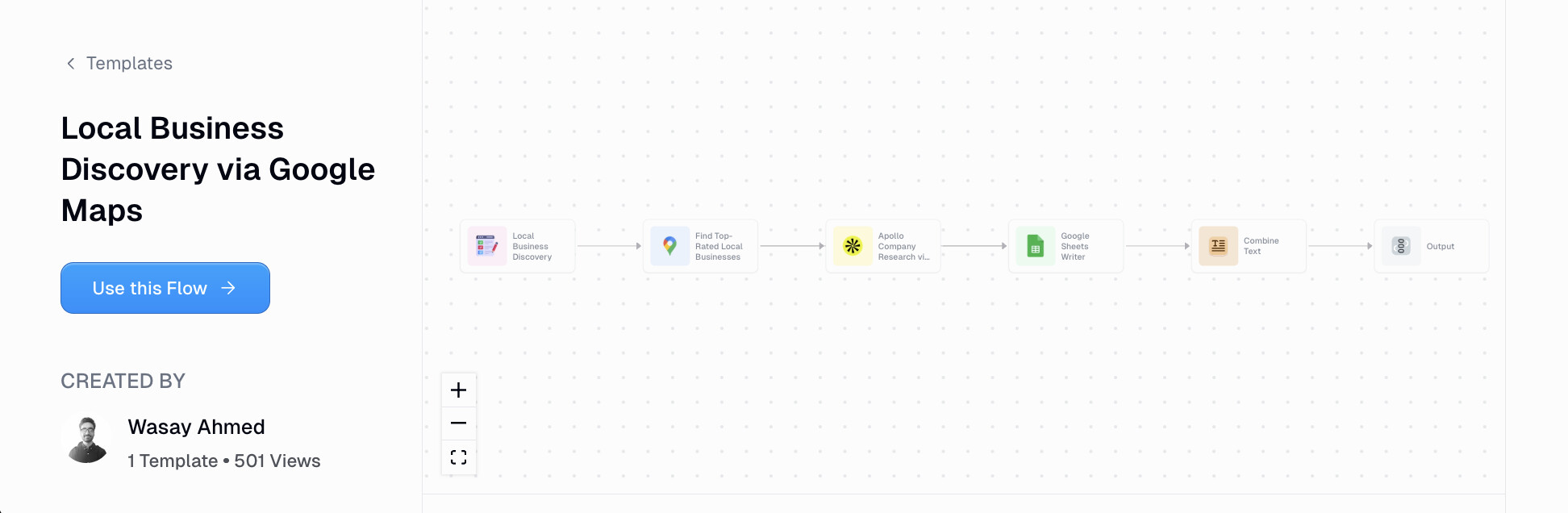
2. Local business discovery via Google Maps
- Category: Sales & lead generation
- Best for: Local prospecting
- Integrations: Google Maps, Apollo, Google Sheets
If you're selling to local businesses, you know how manual the process is to search Google Maps, copy business names into a spreadsheet, and then go looking for their contact info.
This AI automated workflow does all of that for you.
You type in a keyword (like "gyms" or "coffee shops") and a location, and it pulls a list of local businesses from Google Maps. It then enriches each business with company and contact info using Apollo, and exports everything into a Google Sheet.
I know this is perfect if you're running outreach for an agency, selling B2B services to local shops, or building a prospecting list for a specific city or region. With an AI-powered automation like this, you can have a ready-to-go lead list in just a few minutes. Insane.
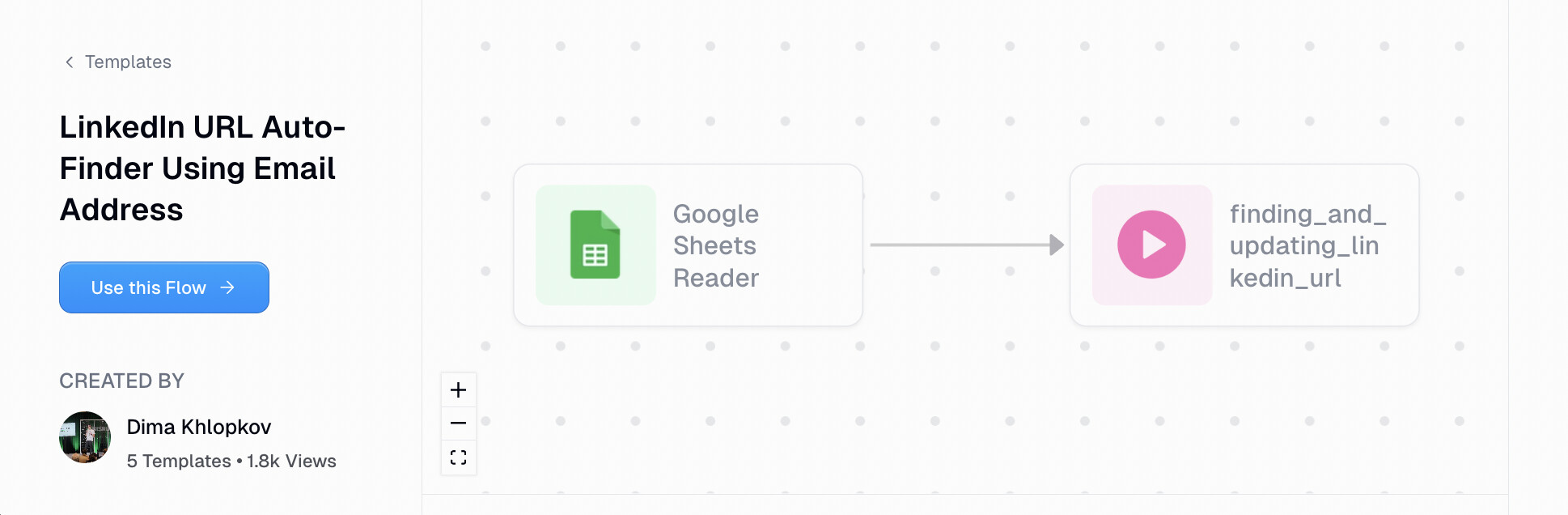
3. LinkedIn URL auto-finder using email address
- Category: Sales & lead generation
- Best for: Lead enrichment
- Integrations: Apollo, Google Sheets
You have a spreadsheet full of email addresses but no LinkedIn profiles. Manually searching each one would take forever. This workflow automates the whole thing.
All you do is connect your Google Sheet, and it reads through each email address, uses Apollo to find the matching LinkedIn profile URL, and writes it back into the sheet.
I know this is super useful if you're in sales or marketing and you have a list of signups, webinar attendees, or leads that you want to enrich before outreach. Instead of copying and pasting emails into LinkedIn search one by one, you can run this flow and have your entire list enriched in minutes.
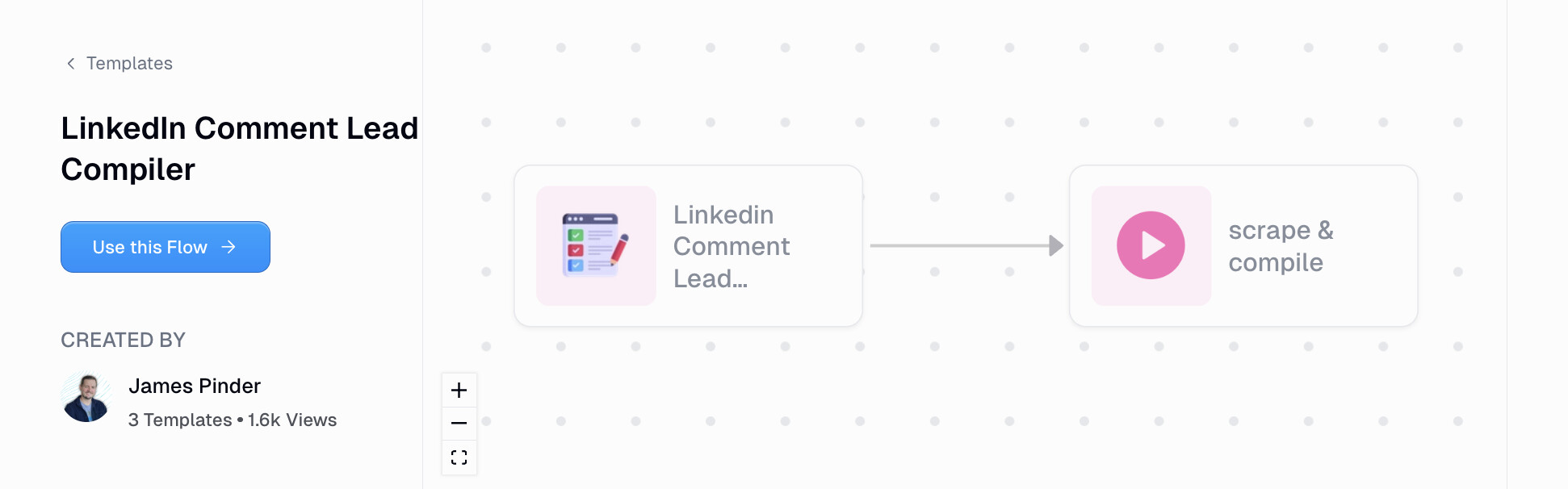
4. LinkedIn comment lead compiler
- Category: Sales & lead generation
- Best for: Social selling
- Integrations: LinkedIn, Apify, Google Drive
If you post content on LinkedIn (or follow accounts that do), you know the comments section is full of potential leads. People who comment are already engaged and interested. The problem is manually going through each comment and pulling profile info takes forever.
This workflow scrapes all the comments from any LinkedIn post and compiles them into a structured dataset. You just enter the post URL, select what profile info you want to pull, and choose where you want the output to go (Google Drive folder or email).
One thing to note is that you will need to set up an Apify account to run this one. It's pretty straightforward, but just be aware there's that extra step.
I think this is perfect if you're posting content and want to follow up with people who engaged. Or if you're watching posts that are popular with your ICP and want to build a list from the comments.
5. Research TikTok influencers and generate personalized outreach

- Category: Sales & lead generation
- Best for: Influencer outreach
- Integrations: TikTok, Google Sheets, Gumloop Browser Extension
Influencer marketing can be incredibly effective, but the research part is brutal. Finding the right creators, checking their engagement, writing personalized outreach messages. It adds up fast.
This workflow does all of that for you. You find a TikTok creator you like, trigger the Gumloop browser extension on their profile, and it automatically pulls their background info, engagement metrics, and video analytics. Then it analyzes their most recent video and generates a personalized outreach blurb. Everything gets dumped into a Google Sheet so you can compare creators side by side.
I know this is a game-changer if you're doing influencer outreach at any kind of scale. Instead of spending 20 minutes researching each creator, you can do it in seconds and actually have something personalized to say when you reach out.
6. Research a lead, get an email report, and draft cold outreach

- Category: Sales & lead generation
- Best for: Cold outreach
- Integrations: Google Search, AI model, Email
This workflow helps you research a lead, get a report about them, and draft a personalized cold email. All in one flow.
You input a company's website, and it runs two simultaneous workflows. One sends you an email report with everything it found about the lead. The other drafts a personalized outreach email you can use to reach out.
I know this is great for sales or marketing teams doing outbound campaigns, whether you're trying to find new clients or land partnerships. Instead of spending time researching each lead and writing a custom email from scratch, you can let this workflow handle the heavy lifting.
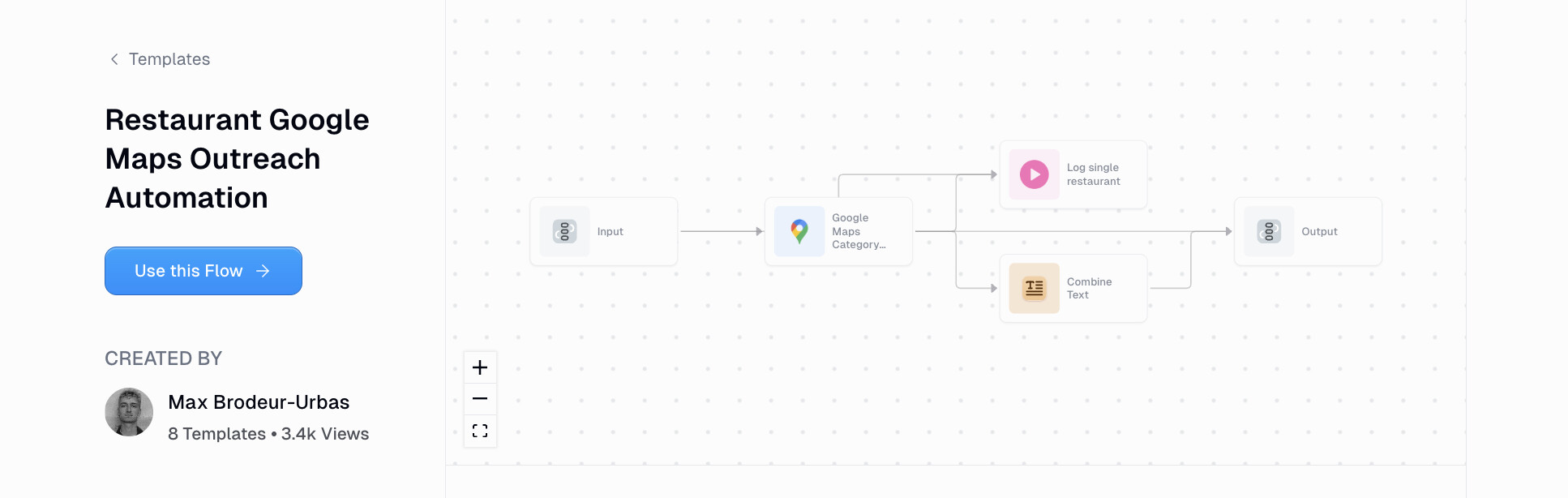
7. Restaurant Google Maps outreach automation
- Category: Sales & lead generation
- Best for: Local sales
- Integrations: Google Maps, AI model
If you've ever wanted to scrape restaurants and different places from Google Maps to automate your outreach process, this workflow is one you should check out.
The restaurant outreach automation workflow can scrape restaurant data from Google Maps and analyze everything from their contact info, reviews, competitors, hours, and their website.
All you do is input the name of a city and run the workflow. From there it can scrape all the restaurants and use AI to generate a short summary of each one. You can also build on top of this workflow so you can send the data to a Google Sheet, Airtable, or database.
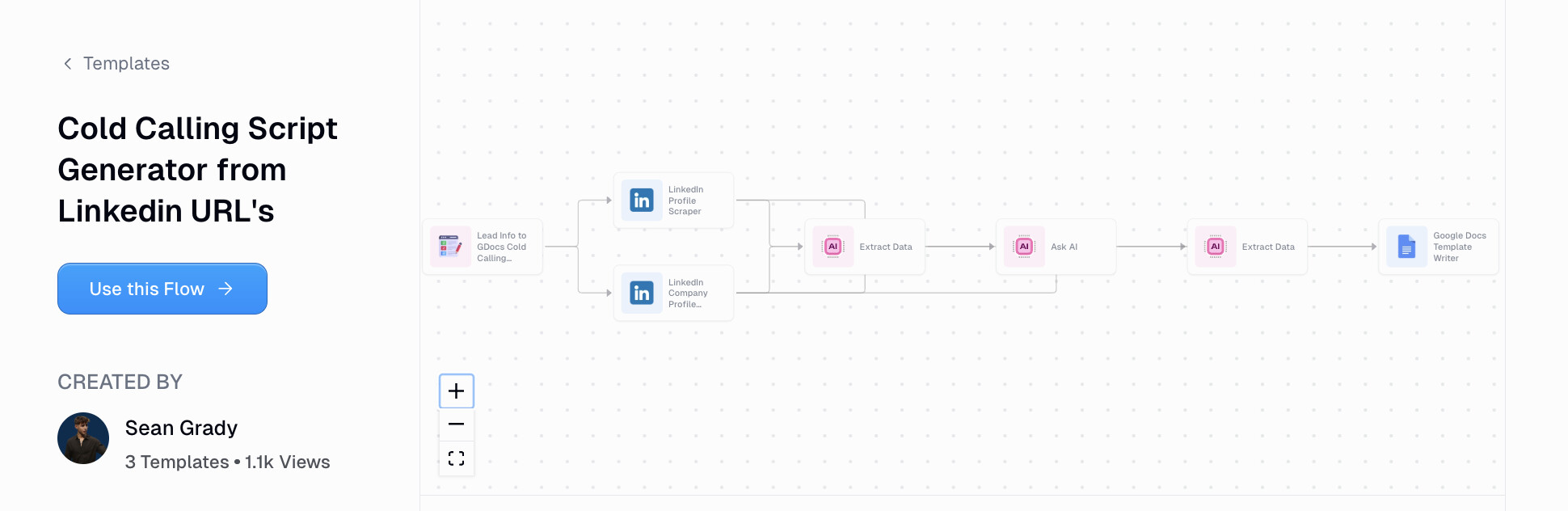
8. Cold calling script generator from LinkedIn URLs
- Category: Sales & lead generation
- Best for: Sales reps
- Integrations: LinkedIn, LLM, Google Docs
This cold calling script can help you prepare for cold calls by scraping LinkedIn profiles and creating personalized scripts in a Google Doc.
It can help anyone on your sales team quickly create customized call scripts during your outreach efforts.
It's a pretty simple AI automated workflow that scrapes LinkedIn for prospect details, uses an LLM to extract the information from those profiles, and then creates and formats a personalized cold call script in a Google Doc.
9. Sales call intelligence for B2B product marketing

- Category: Sales & lead generation
- Best for: Product marketers
- Integrations: AI model, Notion, Slack
This automated workflow can help product marketers take raw calls from your sales team and turn them into clear strategic go-to-market insights.
It's a great way for marketers to understand what customers are actually saying, what's resonating with them, what's confusing them, how the sales team is actually interacting with them, what objections keep coming up, and how to shape positioning for marketing efforts.
This is a great workflow to use for any sort of sales calls that involve discovery, customer interviews, renewal conversations, onboarding calls, or win/loss calls.
Content & social media AI workflow examples
Creating content consistently is hard. And if you're a solo founder or small team, it can feel impossible to keep up. These workflows help you repurpose content, monitor what's working, and even generate new posts using AI.
Some of these use NLP (natural language processing) to analyze sentiment and engagement, which is pretty cool if you want real-time insights on what's resonating with your audience.
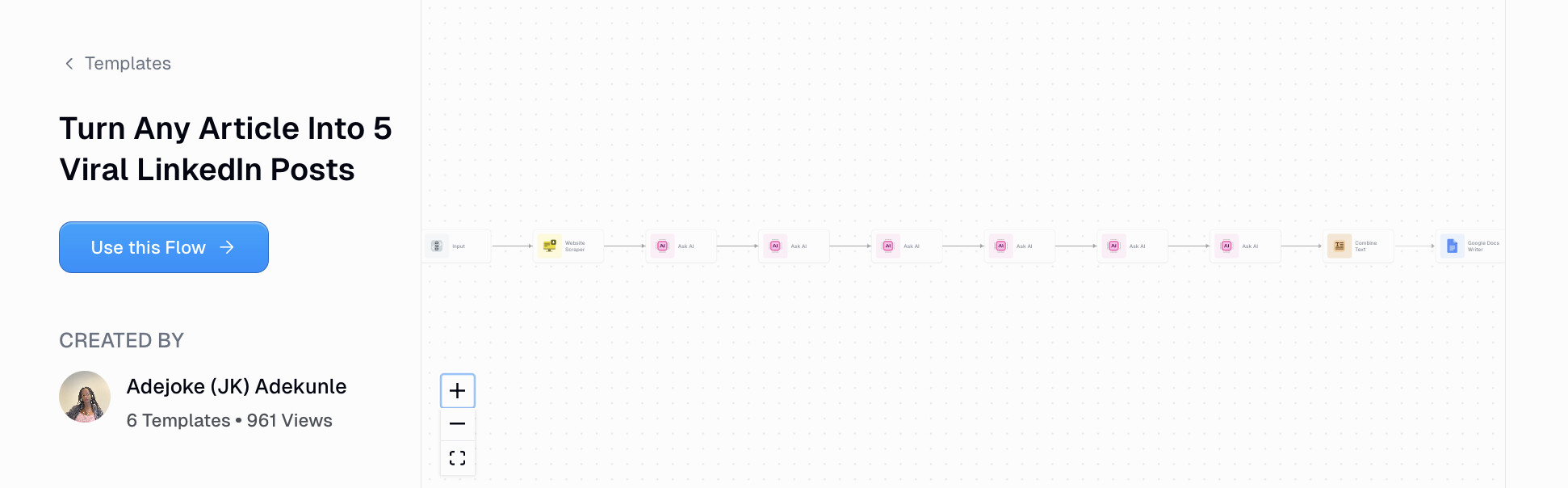
10. Turn any article into 5 viral LinkedIn posts
- Category: Content & social media
- Best for: Content repurposing
- Integrations: AI model LinkedIn
This workflow helps you take an existing blog post or long-form piece of content (like a newsletter) and turn it into viral LinkedIn posts.
It's a great strategy because AI is amazing when you can give it a lot of context and existing data. So if you have a really good long-form piece of content that has hit with your audience, then this is a great way to synthesize that and repurpose that piece of content.
This way you don't get AI slop. You actually get content from something you've personally produced in the past.
This workflow is also trained on LinkedIn post best practices so it'll give you a hook-driven angle, a reflective personal angle, a practical how-to, a contrarian take, and a full story-led breakdown.
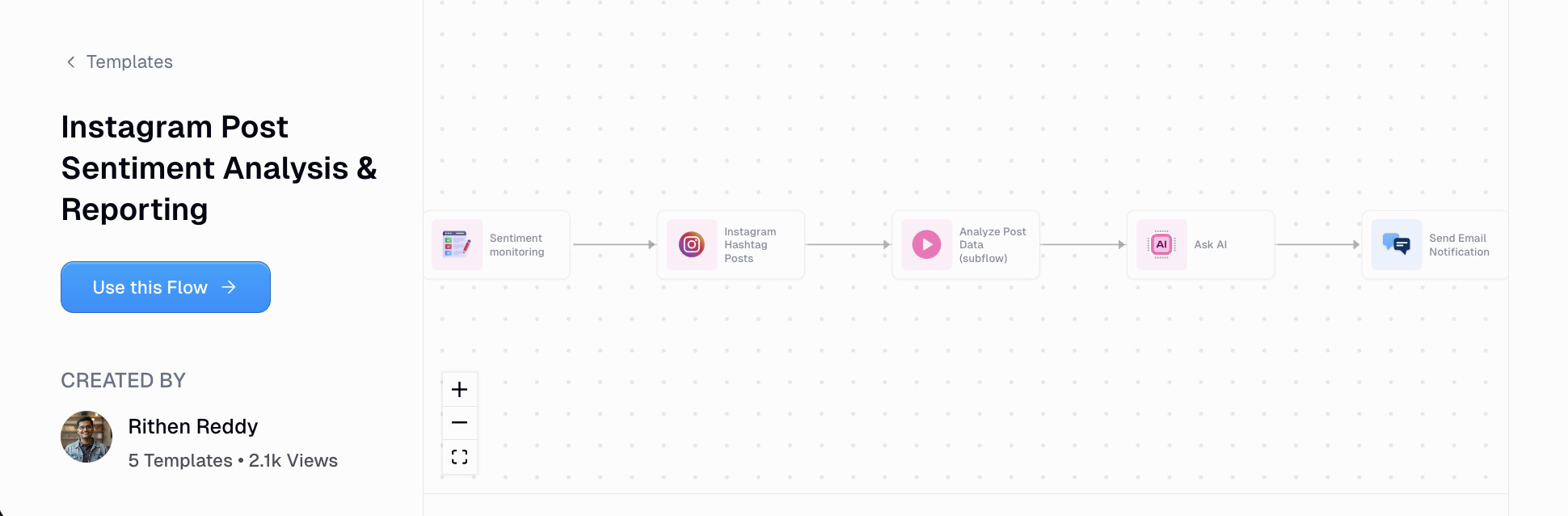
11. Instagram post sentiment analysis reporting
- Category: Content & social media
- Best for: Brand monitoring
- Integrations: Instagram, LLM, Email, Google Drive
This Instagram post sentiment analysis can help you monitor competitors and what people are talking about in your niche.
The automated workflow works by scraping Instagram hashtags and it actually runs it through another workflow that can analyze post data.
From there it sends all that information to an LLM model and that sends you an email notification to get a full sentiment analysis report.
You can also use this to analyze your own posts as well and from there store the data in a Google Drive or continue to send weekly email notifications to anyone on your team.
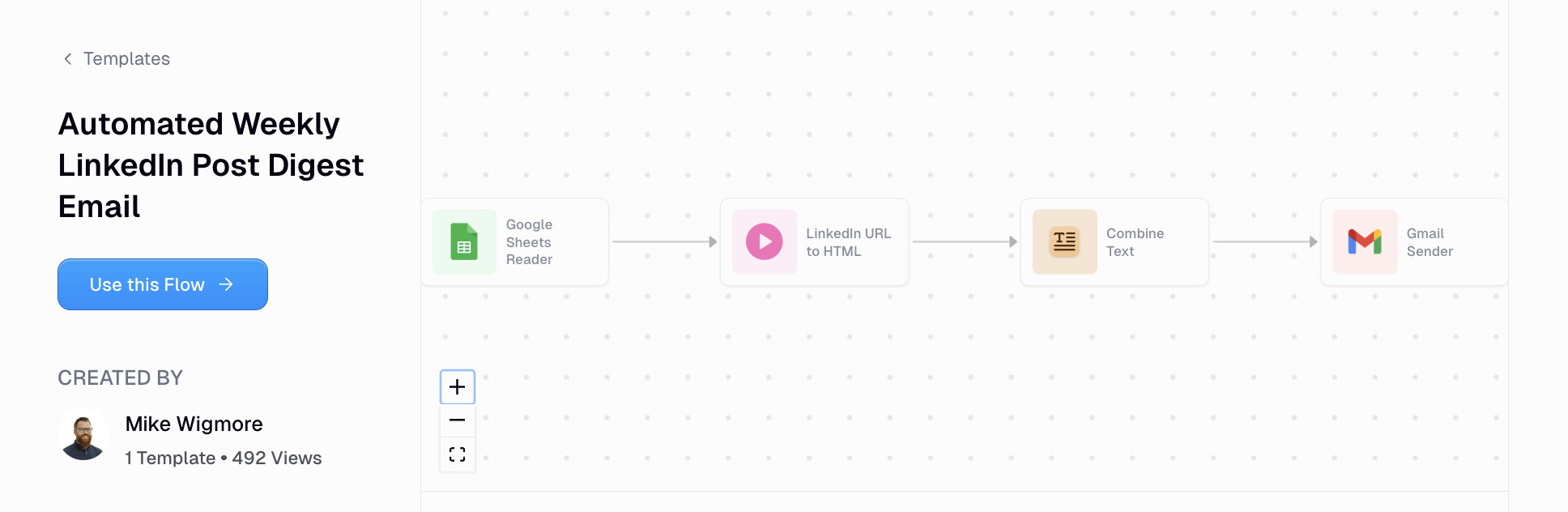
12. Automated weekly LinkedIn post digest email
- Category: Content & social media
- Best for: Competitor tracking
- Integrations: LinkedIn, Google Sheets, Email
This automated weekly LinkedIn post digest is very similar to the previous workflow but it's designed for LinkedIn.
The way this workflow works (no pun intended) is it takes a list of LinkedIn profile URLs from a Google Sheet. From there it scrapes their LinkedIn posts and can send you a weekly email on the top posts from your favorite LinkedIn profiles.
It's a great way to see what posts from creators in your niche are resonating well and going viral.
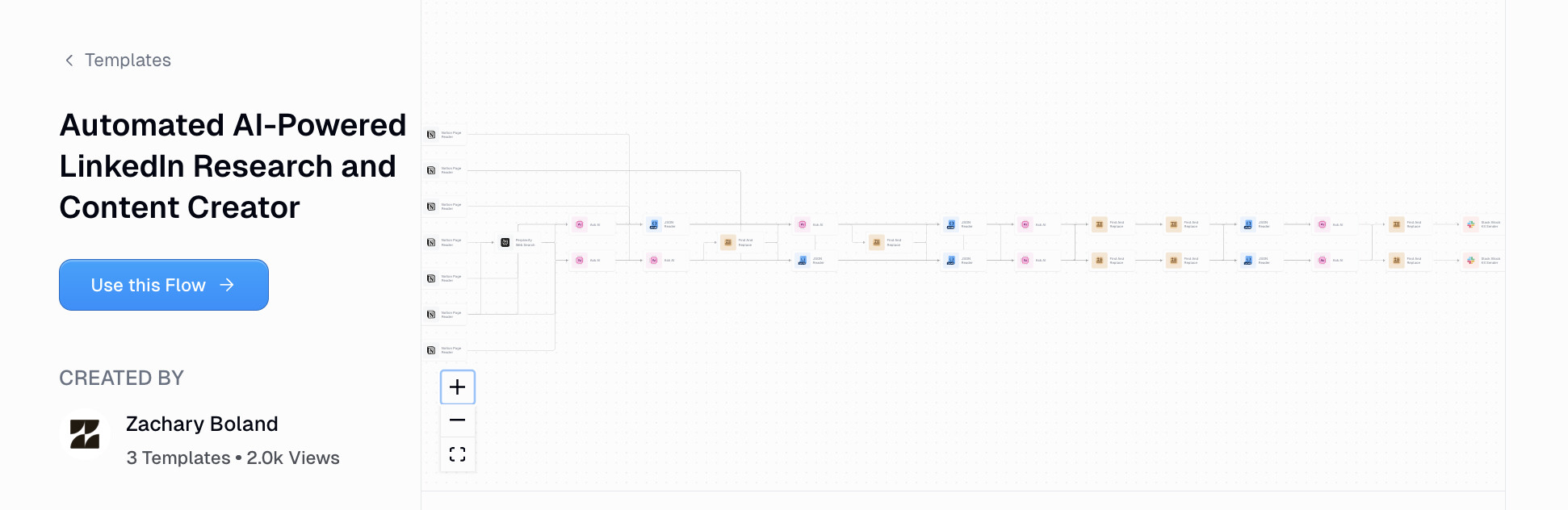
13. Automated AI-powered LinkedIn research and content creator
- Category: Content & social media
- Best for: Thought leadership
- Integrations: LinkedIn, AI model
This automated LinkedIn research and content creator workflow takes a lot of what we went over so far and combines them together.
It's actually such a powerful workflow that there's a full setup guide on it you can check out here.
And what this workflow essentially does is it streamlines the entire process from researching ideas to creating content on LinkedIn, using AI.
The workflow can publish posts directly to your LinkedIn profile or company page, and it can also generate content based off its research flows.
SEO & competitive intelligence AI workflow examples
If you're focused on organic growth, these workflows can help you understand how your site is performing, what your competitors are doing, and how to show up in AI search engines.
A lot of these automate business processes that would normally take hours, like running keyword research or tracking competitor content. Less human error, more insights.
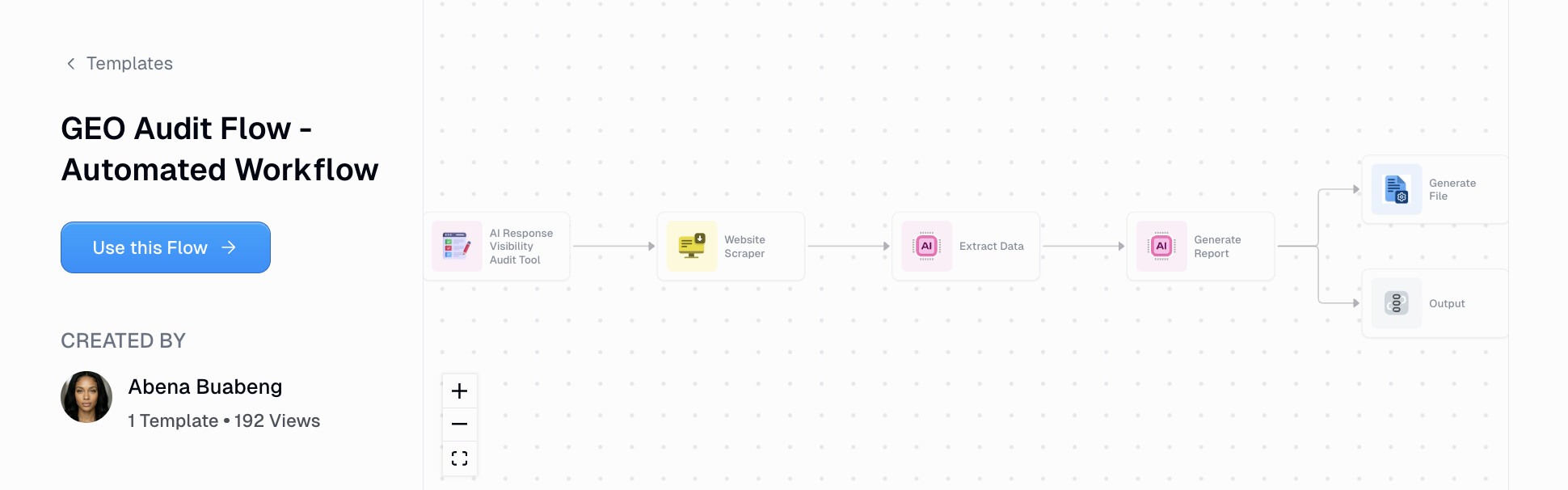
14. GEO audit flow
- Category: SEO & competitive intelligence
- Best for: AI visibility
- Integrations: Web scraper, GPT, Claude
This GEO (generative engine optimization) workflow helps you understand how websites are appearing in AI search engines like ChatGPT and Perplexity.
This is great if you're an SEO agency trying to offer AEO/GEO services, or you work in-house and you want to get a better idea of how your company site is currently performing in AI search.
This workflow actually acts more like an AI agent and can scrape your entire website source code, run a full audit using AI models from GPT or Claude, and give you a report on what your "visibility score" is.
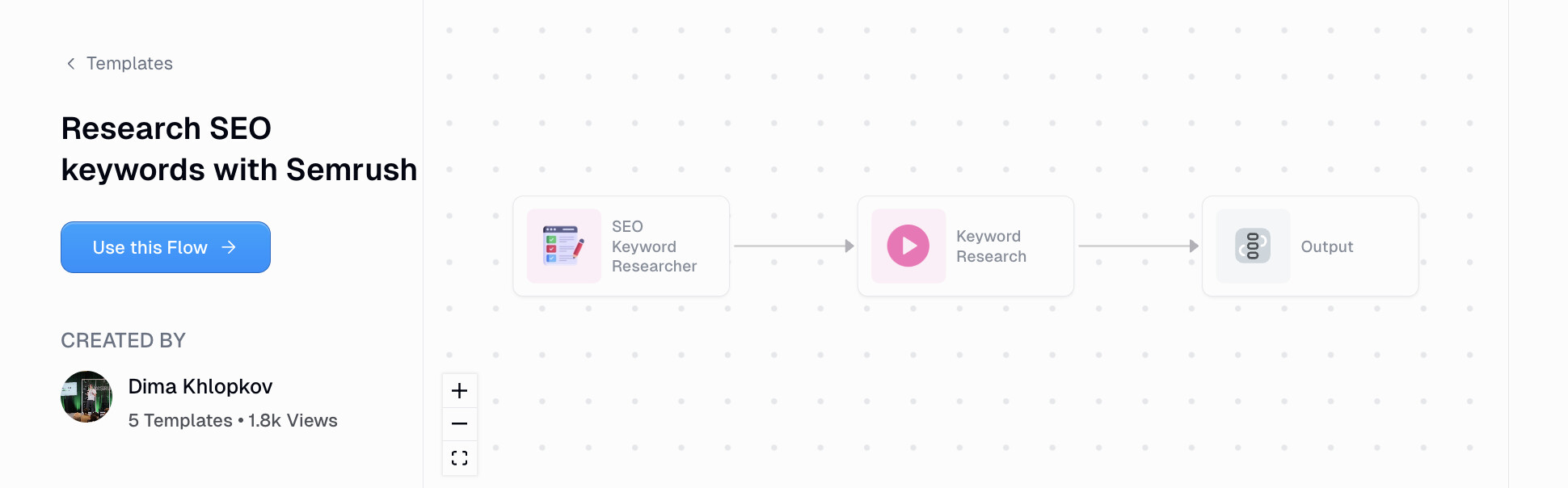
15. Research SEO keywords with Semrush
- Category: SEO & competitive intelligence
- Best for: Keyword research
- Integrations: Semrush API, AI model
If you've ever used Semrush, you know it's a pretty powerful keyword research tool. However, I'll be honest, the UI is a bit overwhelming and there's a lot going on.
So what better way than to create a workflow that can help you do keyword research in a simple way, but that still leverages Semrush's data using their API.
The workflow works by you giving it a keyword you want to research, and from there it will search the keyword, analyze the top results, and generate a full report that helps you understand what other websites are doing well to rank high for your desired keyword.
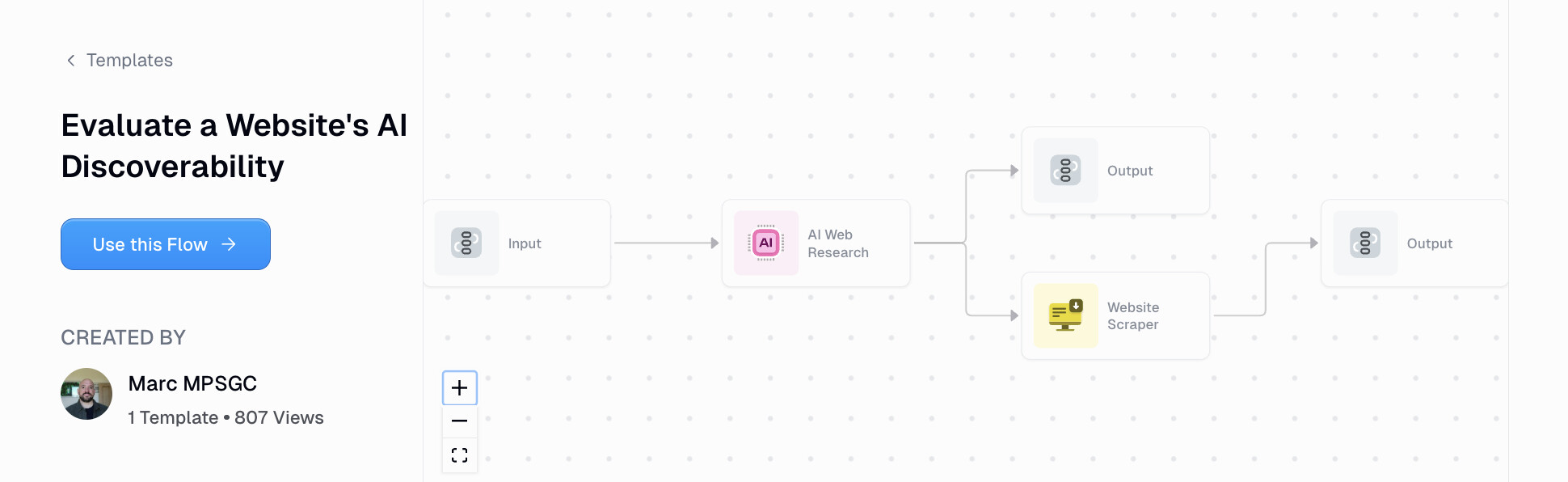
16. AI discoverability evaluator
- Category: SEO & competitive intelligence
- Best for: LLM optimization
- Integrations: GPT, Claude, Perplexity
This AI discoverability evaluator can help analyze any website and give you 25 prompts that a potential website visitor would make.
From there it runs those prompts through the three most popular AI models and it helps you understand how often brand mentions and URL citations appear.
Why pay hundreds a month for an AI visibility tool when you can literally build a workflow that has the same logic as these tools.
This is great for anyone focused on organic growth who is trying to understand what prompts people may be searching for, how to track those prompts, and how to do a full SEO analysis based off of that data.
17. Analyze competitors' recent content activity and generate an email report

- Category: SEO & competitive intelligence
- Best for: Competitive intel
- Integrations: Exa, AI model, Email, Slack
This workflow helps you analyze your competitors' recent content and gives you a report every time they post.
It uses Exa to understand when a competitor posts new content and then from there it scrapes that content and uses AI to give you a high-level summary or any patterns that it can detect in their content strategy.
This workflow can then send you an email or Slack notification every time a new piece of content is released, from a website you're tracking.
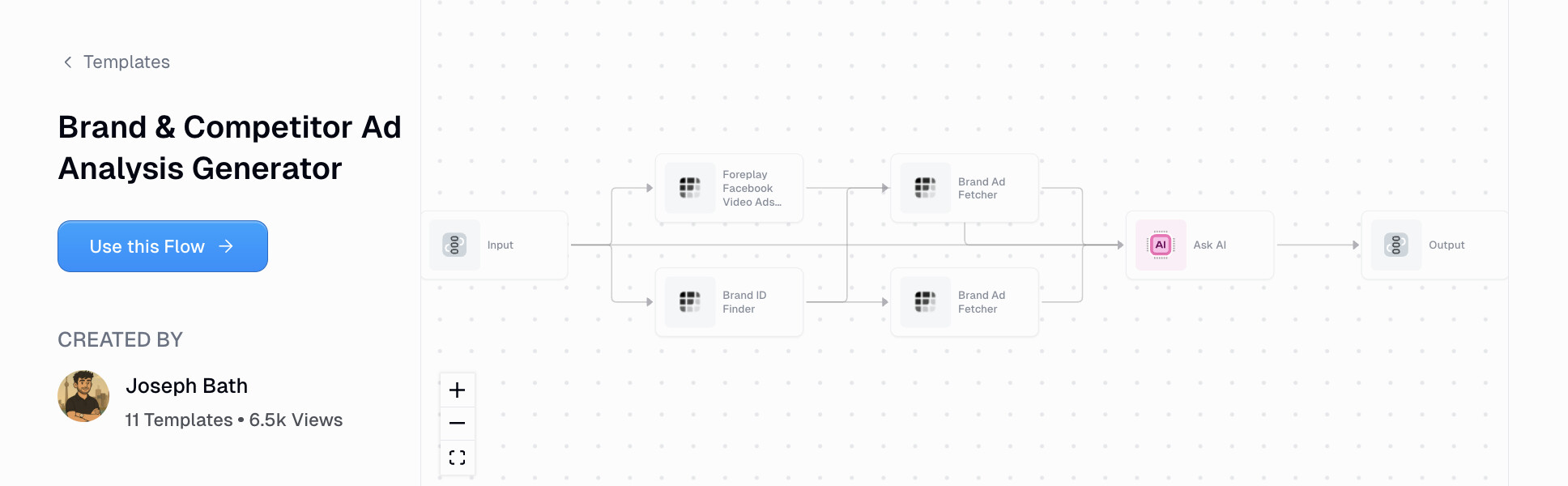
18. Brand competitor ad analysis generator
- Category: SEO & competitive intelligence
- Best for: Ad research
- Integrations: AI model
This workflow lets any marketer systematically analyze their own brand's ads along with competitors in the space. It can help you get a better understanding of how you're performing in your industry overall and can create a report that you can send to any stakeholders at your company.
The workflow can extract your current ad assets and also competitor ads based on publicly available data. It will also give you strategic insights on how to position yourself compared to the ads that are currently running from your competitors.
Email & productivity AI workflow examples
Email is one of those things that can eat up your entire day if you let it. These workflows help you automate the boring stuff so you can actually get work done.
Whether it's drafting replies, triaging your inbox, or prepping for meetings, these AI features can improve your customer experience and help you hit inbox zero without burning out.
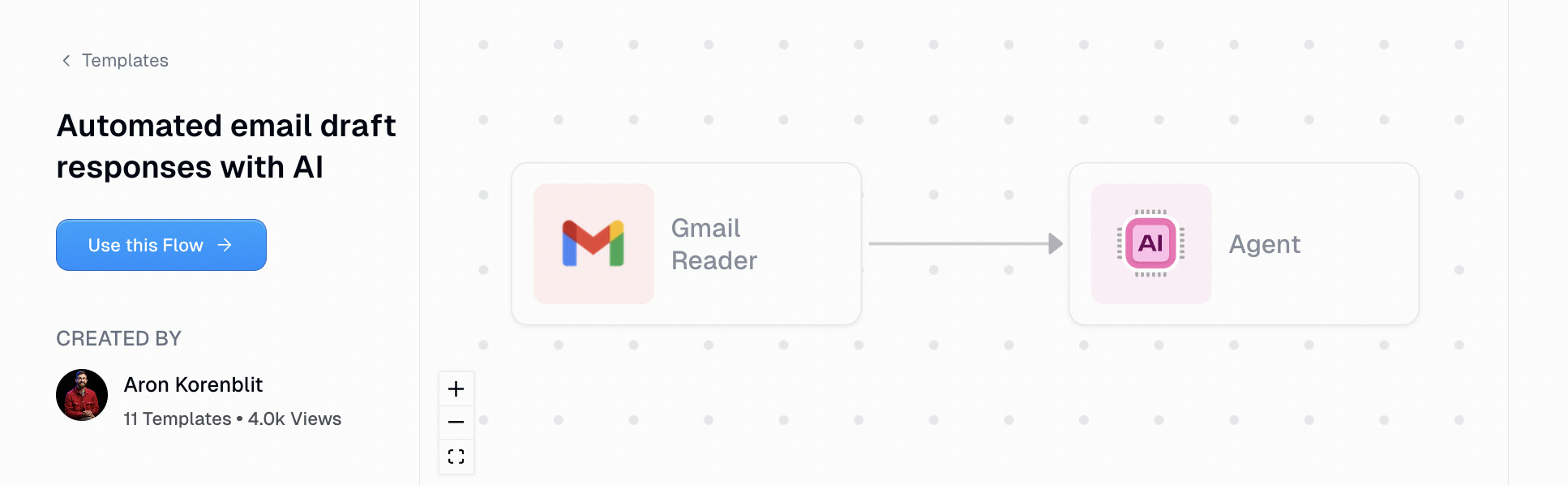
19. Automated email draft responses with AI
- Category: Email & productivity
- Best for: Email replies
- Integrations: Gmail, LLM
This workflow is extremely popular and it can automate email draft responses using AI. It's a classic workflow that can be used for any productivity use case.
The automation works by integrating with your Gmail so it can fetch incoming emails and then using your LLM model of choice to analyze the email and generate a draft based off of your own voice and tone.
It's a great workflow if you're trying to get back more time and stop doing as many manual tasks.
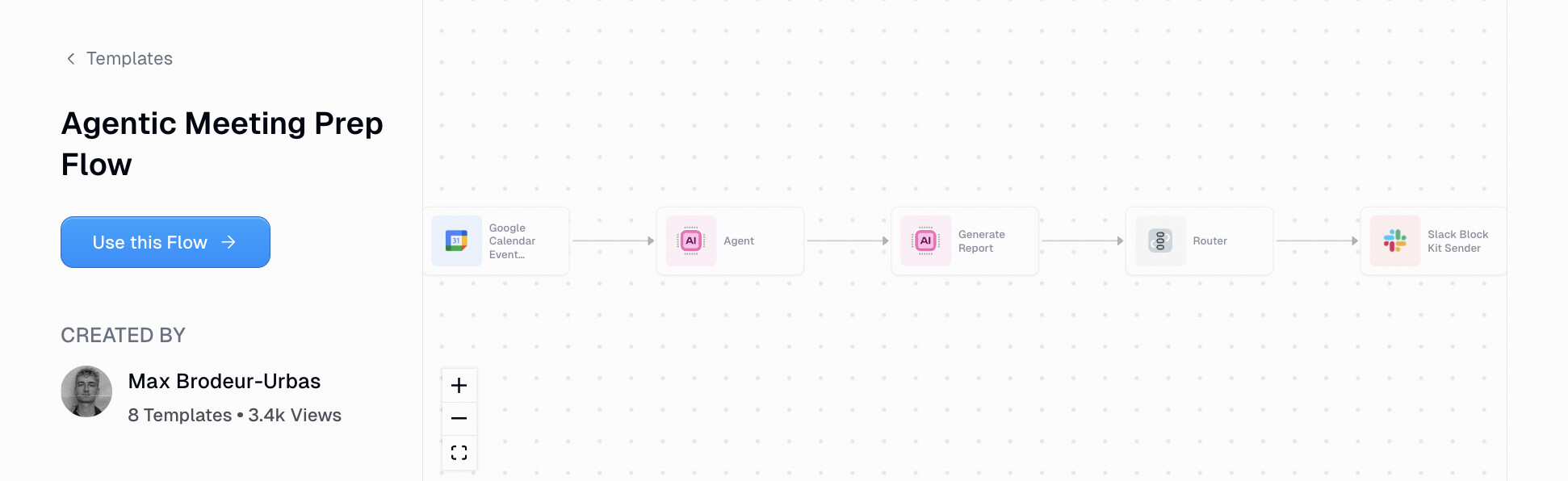
20. Agentic meeting prep flow
- Category: Email & productivity
- Best for: Meeting prep
- Integrations: Google Calendar, HubSpot, Salesforce, Slack, Gmail, Apollo
This agentic workflow can run a research agent across your CRM (HubSpot, Salesforce, etc.), Slack, Gmail, Apollo account, and does a web search to analyze companies you have an upcoming meeting with.
The workflow integrates with your Google Calendar to see what meetings are coming up and this is a great way if you have back-to-back calls and you want to go into each call with some preparation on knowing who you're talking to.
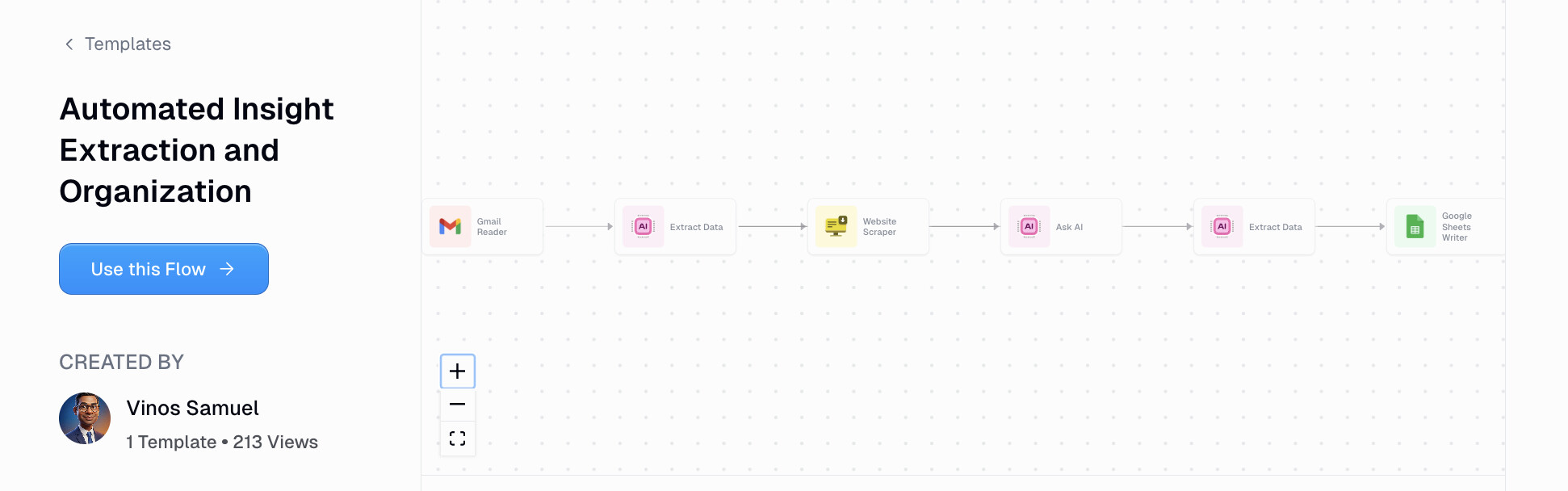
21. Automated insight extraction and organization
- Category: Email & productivity
- Best for: Knowledge management
- Integrations: LLM, Google Sheets
This is an all-purpose AI automated workflow example that can extract key information from articles, posts, or websites and analyze them for anything you want in a Google Sheet.
It works by integrating with your favorite LLM model to run an analysis based off of any criteria you have. For example, you can use this to scrape all of your customer support tickets and analyze certain inquiries that all talk about a very specific bug that recently occurred.
From there it can take all those tickets and put them into a Google Sheet so you can group all of your tickets by a certain type or format or question being asked.
Again, I just used that customer service use case as an example. You can use this for any use case or any website.
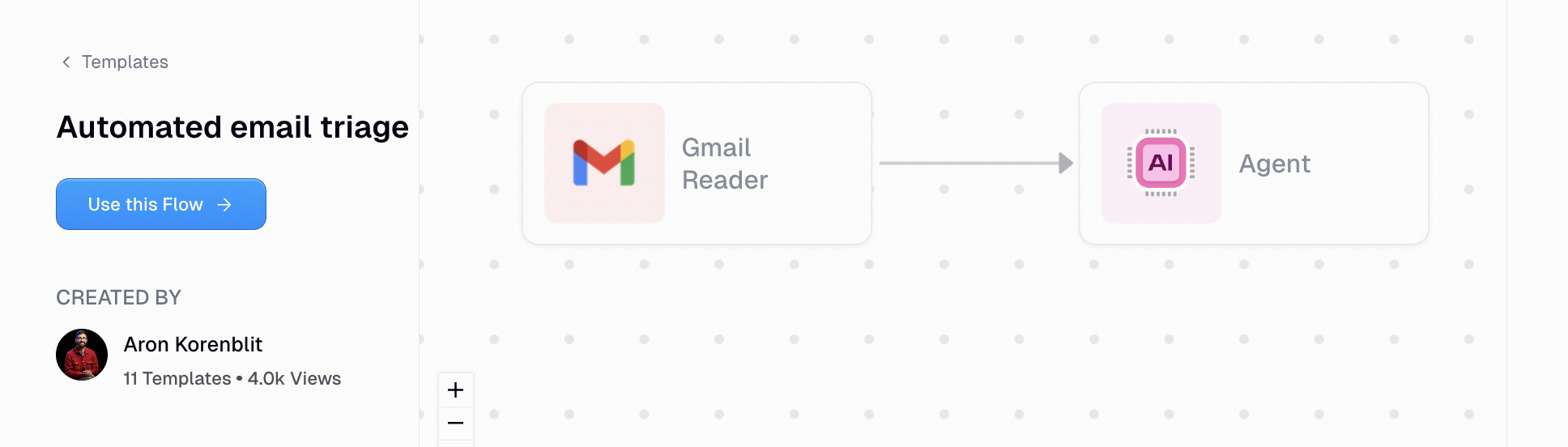
22. Automated email triage
- Category: Email & productivity
- Best for: Inbox zero
- Integrations: Gmail, AI agent
And last but definitely not least, we have an automated email triage workflow. This is an AI agent that can go and understand what emails are coming in and assign the right label to them.
If you're like me and you use labels in Gmail, this is great because the agent can automatically categorize things for you and help you stay organized when trying to hit inbox zero.
Combine this with another workflow like in example 19, the automated email draft responses, and you can create a fully automated email workflow.
What is the best AI workflow automation tool?
If you made it this far, you're probably wondering what AI tools I actually recommend for building these workflows.
Honestly, it depends on your situation. But I'll share what I personally use.
For most of the workflows in this article, I use Gumloop. It's the automation platform I keep coming back to because it's built specifically for AI-first workflows. Unlike traditional automation tools that just connect apps together, Gumloop lets you add AI decision-making into every step.
(And no I don’t work at Gumloop, I’m a customer.)
So instead of just moving data from one place to another, you can actually have an LLM analyze, summarize, or generate content along the way. And Gumloop gives you built-in access to any premium LLM model (without needing extra API keys).
It's also really scalable (Shopify and Instacart use it internally). Whether you're automating repetitive tasks for yourself or building complex workflows for an entire team, it can handle it. And the template library (which is where all the examples in this article came from) makes it easy to get started without building everything from scratch.
For the AI layer itself, I use Claude. It's my go-to LLM for anything that involves writing, analysis, or decision-making. The operational efficiency of Claude is insane too.
I find it's better at following instructions and producing less slop compared to other chatbots. Most of the workflows in this article that use an "AI model" or "LLM" are running Claude under the hood.
And if you're more technical and want full control, n8n is worth checking out. It's open source, self-hostable, and has a ton of functionality for building complex automations. The learning curve is steeper, but if you're an engineer or you want to customize everything, it's a solid option.
So to summarize:
- Gumloop: best for AI-native workflows, templates, and non-technical users
- Claude: best LLM for writing, analysis, and decision-making tasks
- n8n: best for technical users who want full control and self-hosting
At the end of the day, the best tool is the one you'll actually enjoy using. If you're spending hours on time-consuming manual work, whether that's project management, lead research, content creation, or email, any of these tools can help you get that time back.
And if you want to start with the workflows I shared in this article, you can check out the full template library on Gumloop.

Read related articles
Check out more articles on the Gumloop blog.