8 best agentic AI tools I'm using in 2026 (free + paid)

Right now is the best time to learn how to create AI agents.
For the past year, I’ve personally been testing dozens of agentic AI tools to figure out how to cut my work time in half.
And I think I’ve successfully done it!
Well, maybe not totally in half. But like 35% of it is now automated with AI agents. And I’ll definitely take that.
So in this article, I want to show you the best agentic AI platforms I’ve been using and for what use cases, from free AI agent tools to paid platforms. I’ll tell you who I think each one is best for, along with the pros and cons. I tried to keep it as unbiased as possible.
But before I jump in and give you my list, I want to first go over what these tools are and how they actually work.
What is an agentic AI tool?
An agentic AI tool is a system that can figure out how to accomplish a task or goal without having a human tell it what to do. It's essentially an AI agent app that can act as a team member and complete tasks on your behalf.
Unlike traditional automation tools that follow rigid "if this, then that" logic, agentic AI tools can reason through problems, handle decision-making on their own, and adapt their approach based on the context. You give them a goal, and they figure out the steps to get there.
For example, instead of setting up a 10-step workflow to update your blog posts, you could simply tell an AI assistant "find all my blog posts with last year's date in the title and update them." The agent will figure out how to access your CMS, identify the right posts, and make the changes.
These tools typically combine three things. First, large language models like Claude or ChatGPT for reasoning. Second, integrations with your existing apps and data. And third, the ability to take actions on your behalf.
Some are designed for beginners who want to build agents through natural language, while others are built for technical teams who need full control over their workflows.
How does an agentic AI tool work?
Agentic AI tools work by combining large language models with the ability to take real-world actions across your tech stack.
At a high level, you give the agent a goal or task. The agent then breaks that goal down into smaller steps, figures out which tools or integrations it needs to use, and executes each step until the task is complete. If something goes wrong or the context changes, the agent can adapt its approach and try a different path.
Most agentic AI tools give you a visual canvas where you can connect different apps and AI models together. You can either build these workflows manually by dragging on different nodes, or you can use an AI-driven approach where you simply describe what you want and the agent builds the workflow for you.
The real power comes when you start using these tools to automate business processes that were previously too complex or unpredictable for traditional automation. Things like researching competitors, summarizing customer feedback, drafting personalized outreach, or identifying bottlenecks in your operations.
And because these agents can handle decision-making on their own, they're perfect for teams looking to scale their AI initiatives without hiring a bunch of engineers. You can start small with a single workflow and expand from there as you get more comfortable with the platform.
8 best agentic AI tools and platforms in 2026
Here are the best agentic AI tools:
Let’s go over each one.
1. Gumloop
- Best for: Enterprise teams that want to build AI agents without technical complexity
- What I like: Natural language agent building, built-in LLM access without extra API keys, MCP server integrations, Slack integration for on-the-go automation
- Pricing: Free trial available, then starts at $37/month
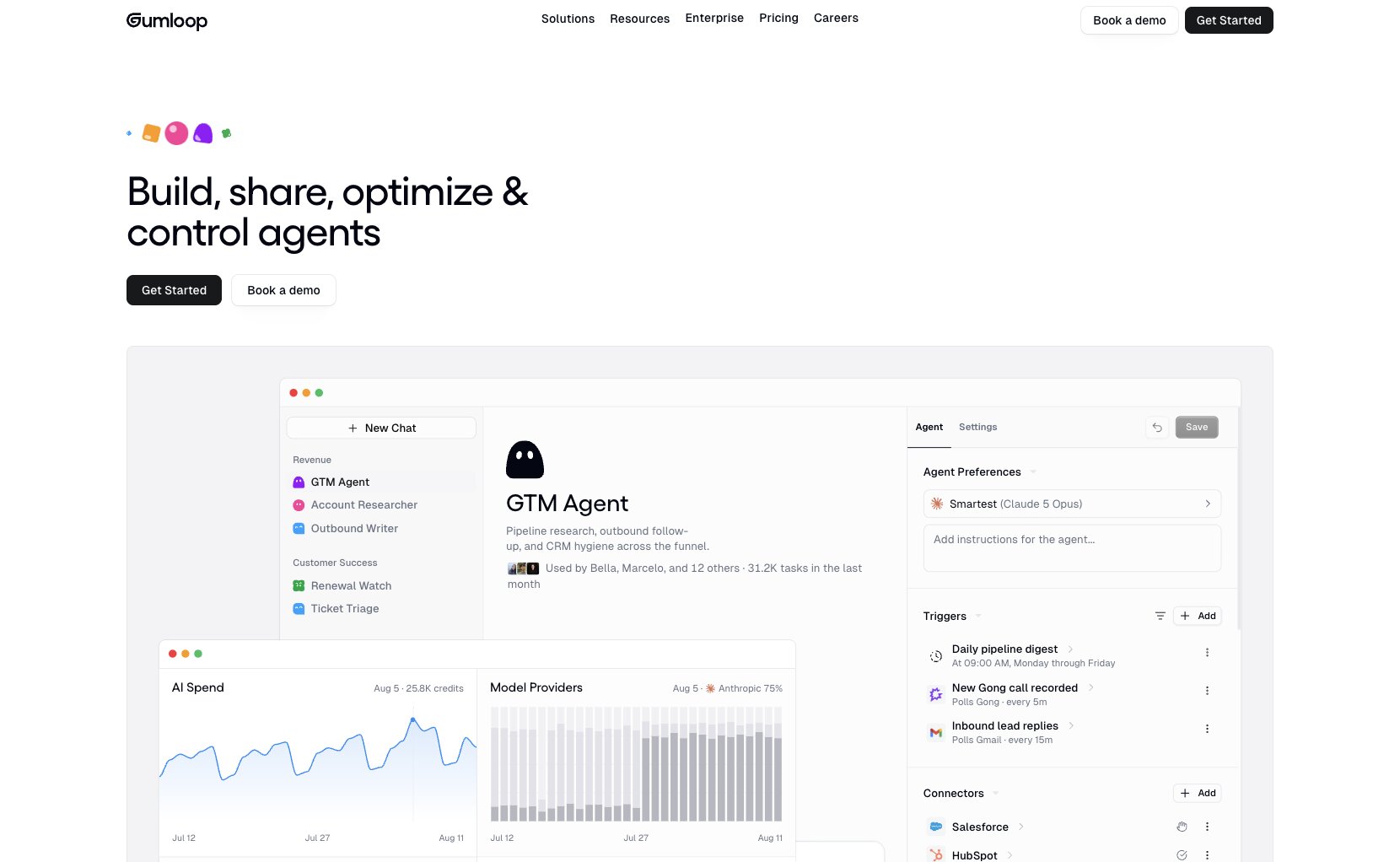
Gumloop is an AI agent platform built for enterprises. It's designed to help you build AI agents by using simple natural language, and it can connect with MCP servers, its built-in integrations, and any LLM model (without you needing extra API keys or subscriptions).
It's probably the best AI agent builder I've used, and one I have been using for over a year now. It makes it incredibly easy to build an AI agent that can integrate with your existing tech stack.
How Gumloop works
Everything in Gumloop is built around agents. You can use the built-in agent, called Gummie, to help you build them simply by talking to it.
Agents in Gumloop are super easy to build, as all you need to do is give the platform access to tools in your tech stack, select your premium LLM model of choice, and give your agent instructions on how it should behave.
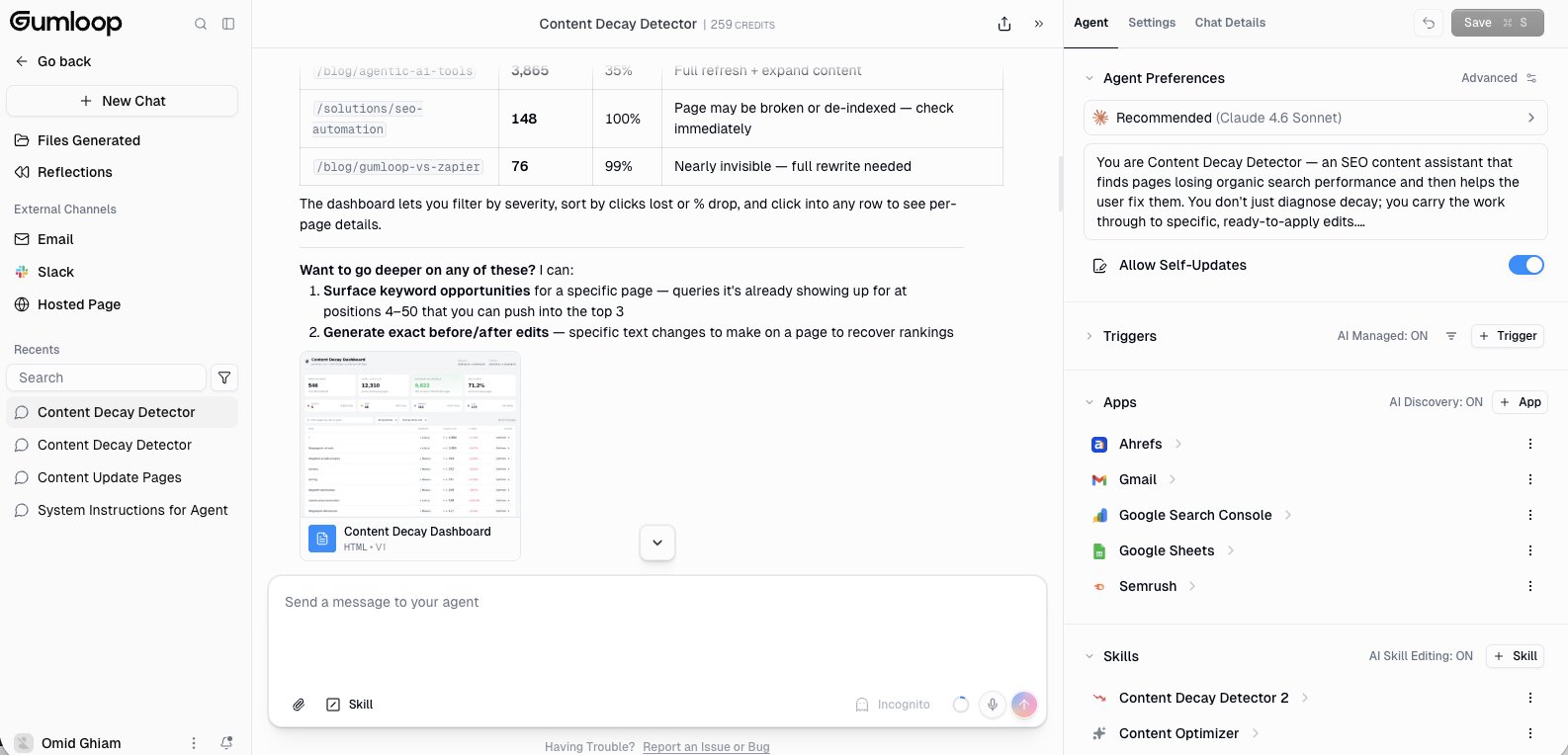
From there, you simply chat to your agent and tell it exactly what you want it to do, and it will go out and do it. The cool thing about Gumloop is that you can also integrate it with Slack, so you can access the agent simply by tagging it in Slack and it will run for you.
For example, the other day I wanted to update a handful of blogs on my Webflow website. So in Slack, I simply tagged the agent and I told it to find me blog posts that have a previous year in the title. It then identified those blog posts, and from there I asked it to go ahead and update those blog posts.
The agent quickly figured it out and did everything simply by me talking to it in Slack. Super powerful.
Who is Gumloop for?
Gumloop is designed to be the easiest way to create AI agents. It serves multiple use cases across marketing, customer service, sales, and operations. And it's used by freelancers like myself, agency owners, and even large companies like Shopify, Instacart, and Webflow.
So it's truly designed for enterprise companies that are creating multi-agent systems across multiple teams and organizations, while still being easy enough for anyone on those teams to build agents.
Gumloop pricing
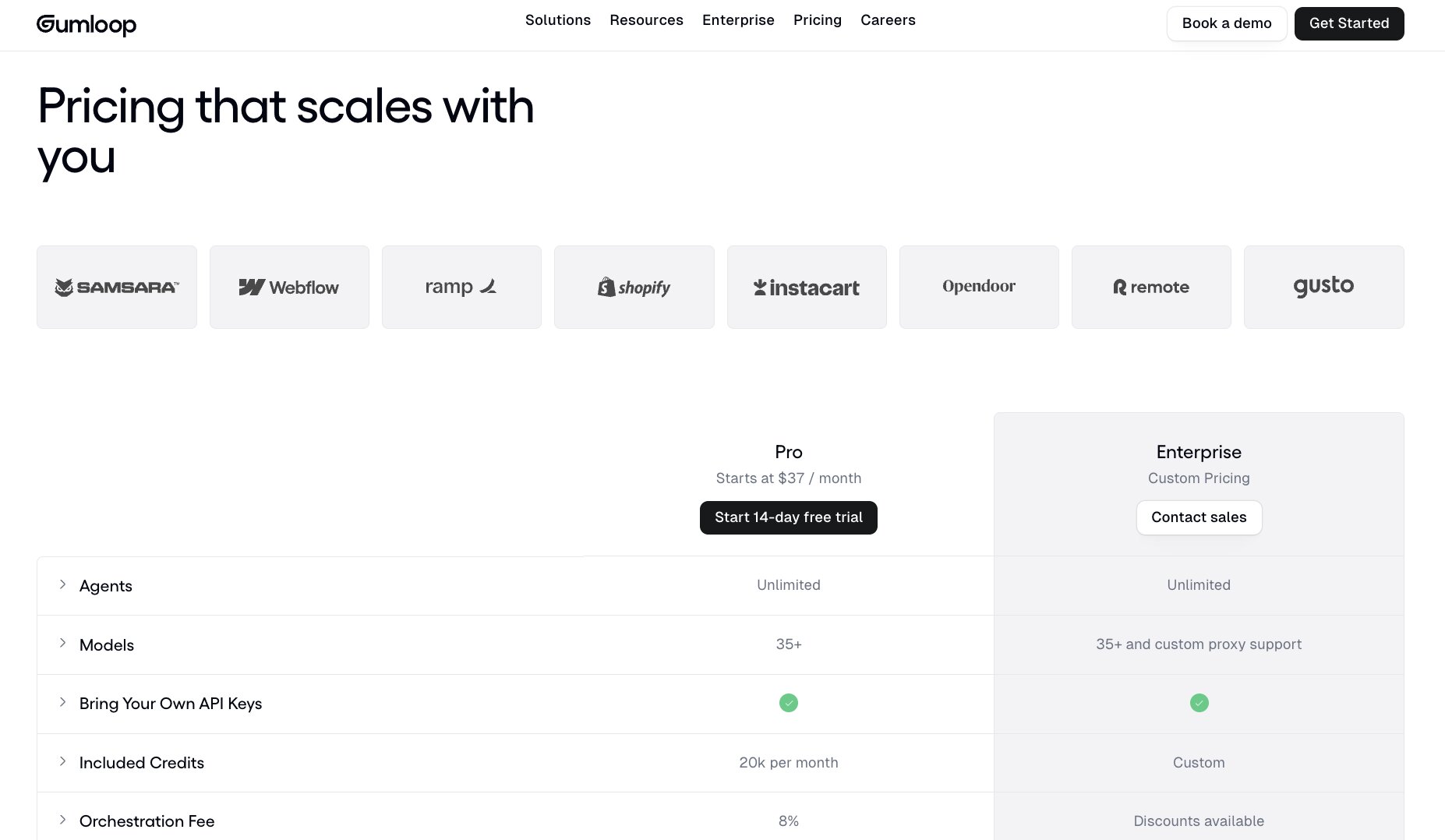
Here are Gumloop's pricing plans:
- Pro: Free 14-day trial, then $37/month with 20k+ credits/month, everything in Free plus unlimited triggers, 5 concurrent runs, webhooks, email support, app policies, MCP servers, team folders, and bring your own API keyPro: $37/month with 20k+ credits/month, everything in Free plus unlimited triggers, 5 concurrent runs, webhooks, email support, app policies, MCP servers, team folders, and bring your own API key
- Enterprise: Custom pricing with everything in Team plus role-based access control, SCIM/SAML support, admin dashboard, audit logs, custom data retention rules, regular security reports, data exports, AI model access control, virtual private cloud, and flow queuing
You can learn more about what each plan includes on their pricing page.
Gumloop pros and cons
Here are the pros of Gumloop:
- Building agents is as simple as talking to a chatbot
- It can integrate with MCP servers and gives you access to premium LLM models without the need to use a separate API key (although you can use your own if you'd like)
- There's a generous free plan, so you can use it as a free AI agent builder without having to pull out your credit card, and the paid plans are super affordable compared to others on the market
Here are the cons of Gumloop:
- The platform is still growing so there's not a rich template ecosystem compared to some other tools on this list
- Getting the hang of building agents in different workspaces can feel a bit confusing at first, but it starts to make sense the more you use the platform
Overall, Gumloop is an amazing agentic AI tool that's built for enterprise teams, no matter the use case or experience level. It's the one I use most often along with the second tool on this list that we just went over.
Gumloop reviews and ratings
Here's what others say about Gumloop on third-party review sites:
- Product Hunt: 5/5 star rating (from +9 user reviews)
- There's An AI For That: 5/5 star rating (from +1 user review)
2. Claude

- Best for: Using AI at work with minimal setup
- What I like: Best-in-class LLM for business tasks, Claude Projects for custom agents, MCP server integrations
- Pricing: Free plan available, Pro at $17/month (annual) or $20/month
Claude is an LLM created for businesses. It's actually a product created from the research lab Anthropic, which was founded by early OpenAI employees.
Over the past year, I've found myself using Claude a lot. And I'm constantly blown away by how much it can accomplish. Now, Claude has web search, can crawl data, and has a built-in AI agent that can do almost anything.
Combine it with Claude Skills or MCP servers, and you can build full agents that leverage the LLM technology created by Anthropic.
In fact, my go-to combo is to use Claude with Gumloop to create AI agents. Gumloop just makes it easier to leverage Claude's technology and combine it with multi-agent systems.
How Claude works
At its core, Claude is an LLM. But it is also a powerful AI agent. The way I've personally started to use it is to create instructions within Claude Projects.
For example, I have a content optimizer agent in Claude. I created a full system prompt that understands how an SEO expert would identify what pages on a website to optimize, and then how to actually optimize them.
This prompt is then added to a Claude Project, and I can use it any time I open a new chat in the same project and tell Claude I want to update a piece of content.
It will then walk me through a series of questions, until it can fetch my sitemap, figure out what content needs to be updated, then give me actual recommendations.
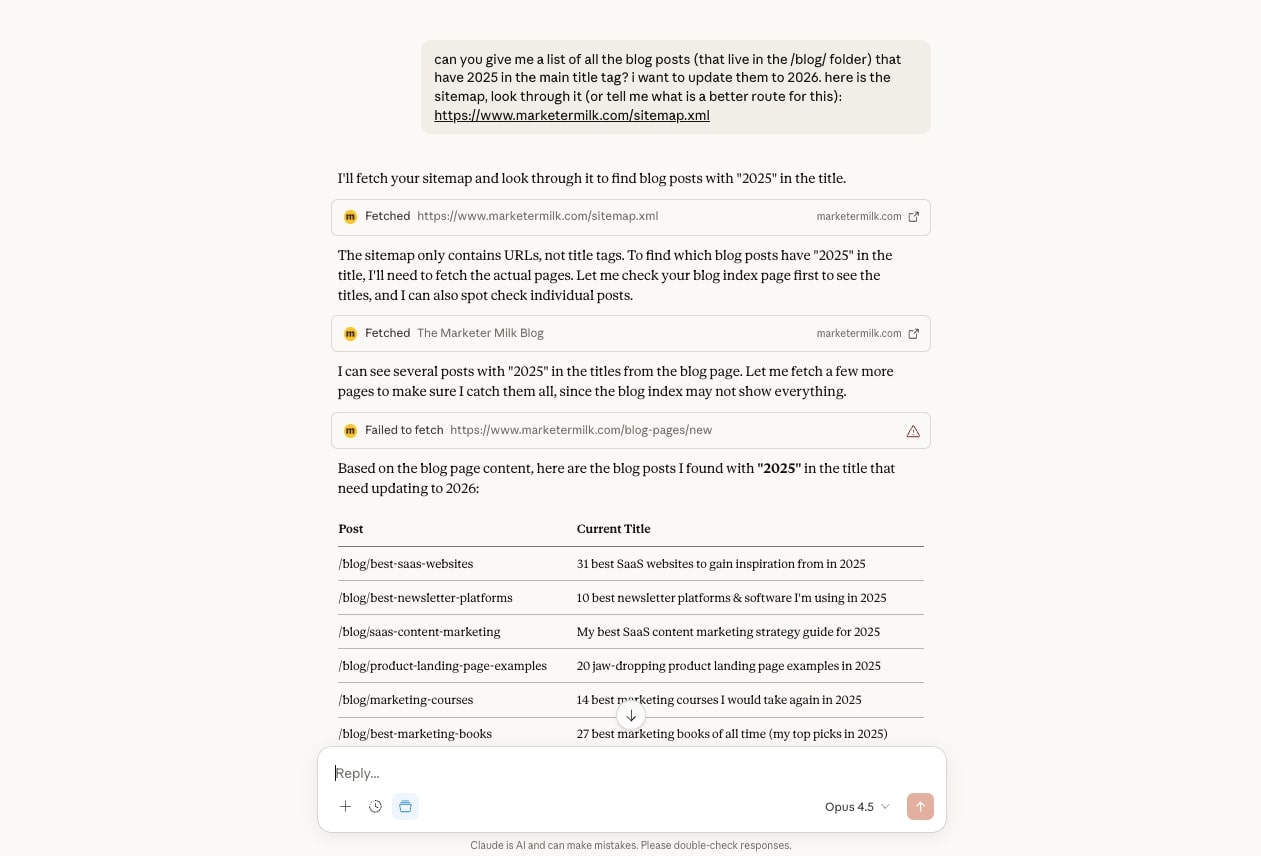
From there, I can make those changes myself, or if my CMS has an MCP server, I can connect it to Claude. Although, it's a lot easier to do this last part with Gumloop, which is why I mentioned earlier that I use both Claude and Gumloop together.
Who is Claude for?
Claude is built for everyone who uses an LLM for work. A lot of people use ChatGPT, but I've found Claude to be a lot better for business use cases. It's great at writing code, writing words, doing web research, and fetching data.
So really it's for anyone who wants to start using AI at work, and it's also one of the best AI agents for personal use. It's the easiest agentic AI tool and is great for beginners to improve their productivity at work.
From there, once you get familiar with using AI to automate parts of your work, you can take it further by combining Claude with a true AI agent builder like Gumloop or n8n (which we'll go over next).
Claude pricing
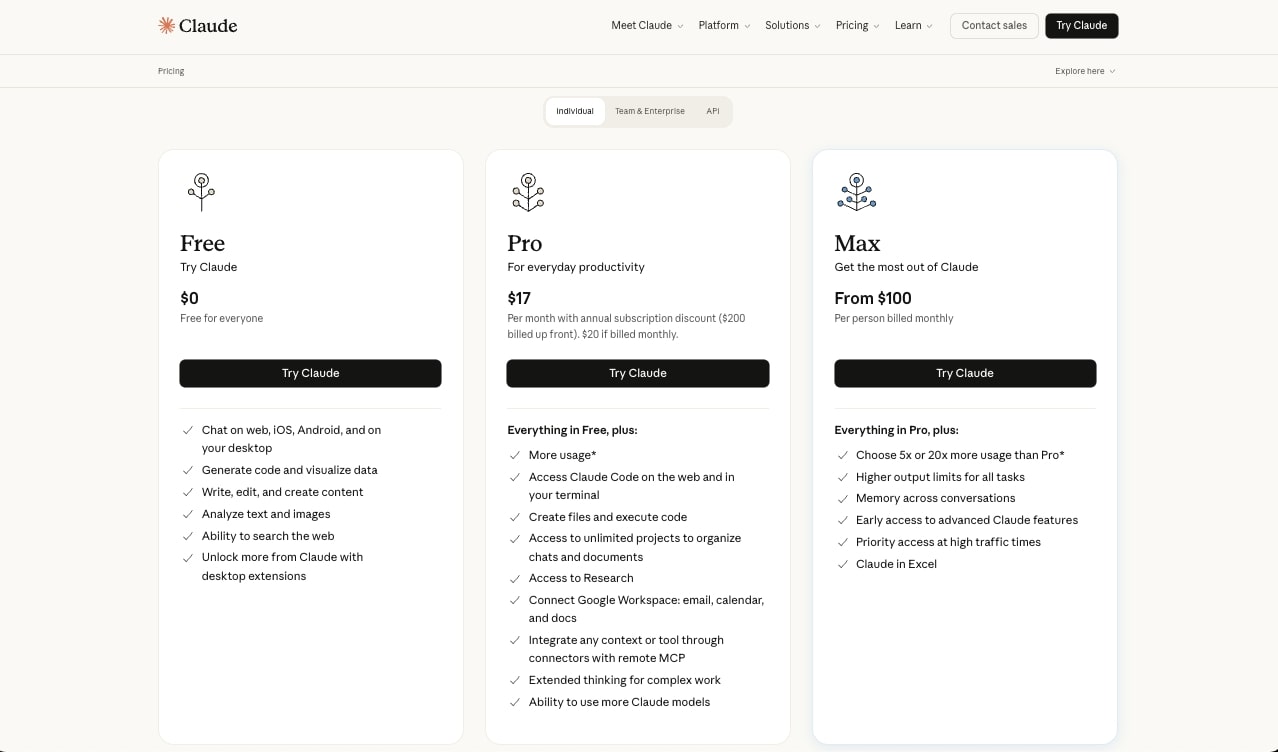
Here are Claude's pricing plans:
- Free: $0/month with web, iOS, Android, and desktop access, code generation, content creation, text and image analysis, web search, and desktop extensions
- Pro: $17/month (annual) or $20/month with everything in Free plus more usage, Claude Code access, file creation and code execution, unlimited projects, Research, Google Workspace integration, remote MCP connectors, extended thinking, and access to more Claude models
- Max: Starting at $100/month with everything in Pro plus 5x or 20x more usage, higher output limits, memory across conversations, early access to advanced features, priority access during high traffic, and Claude in Excel
You can learn more about what each plan includes on their pricing page.
Claude pros and cons
Here are the pros of Claude:
- Free to use, although you'll want to upgrade to get access to better models and MCP features
- Easy to use, and extremely powerful
- The best LLM for business-related work
- Has Claude Projects and Skills to create fully automated workspaces
Here are the cons of Claude:
- It's primarily an LLM, with agentic AI features. If you want a true AI agent builder, you will have to pair Claude with another platform
- It's easy to hit usage limits if you're a power user
Overall, Claude is an amazing platform to start your agentic AI journey with. It amazes me that a product like it exists, and I truly believe it's one of the most valuable AI tools on the market. I personally use it multiple times a day.
Claude reviews and ratings
Here's what others say about Claude on third-party review sites:
- G2: 4.4/5 star rating (from +88 user reviews)
- Capterra: 4.6/5 star rating (from +28 user reviews)
3. n8n
- Best for: Technical teams who want full control over their AI workflows
- What I like: Visual canvas builder, massive template library, self-hosting option for security-focused teams
- Pricing: Free trial available, Starter at $24/month
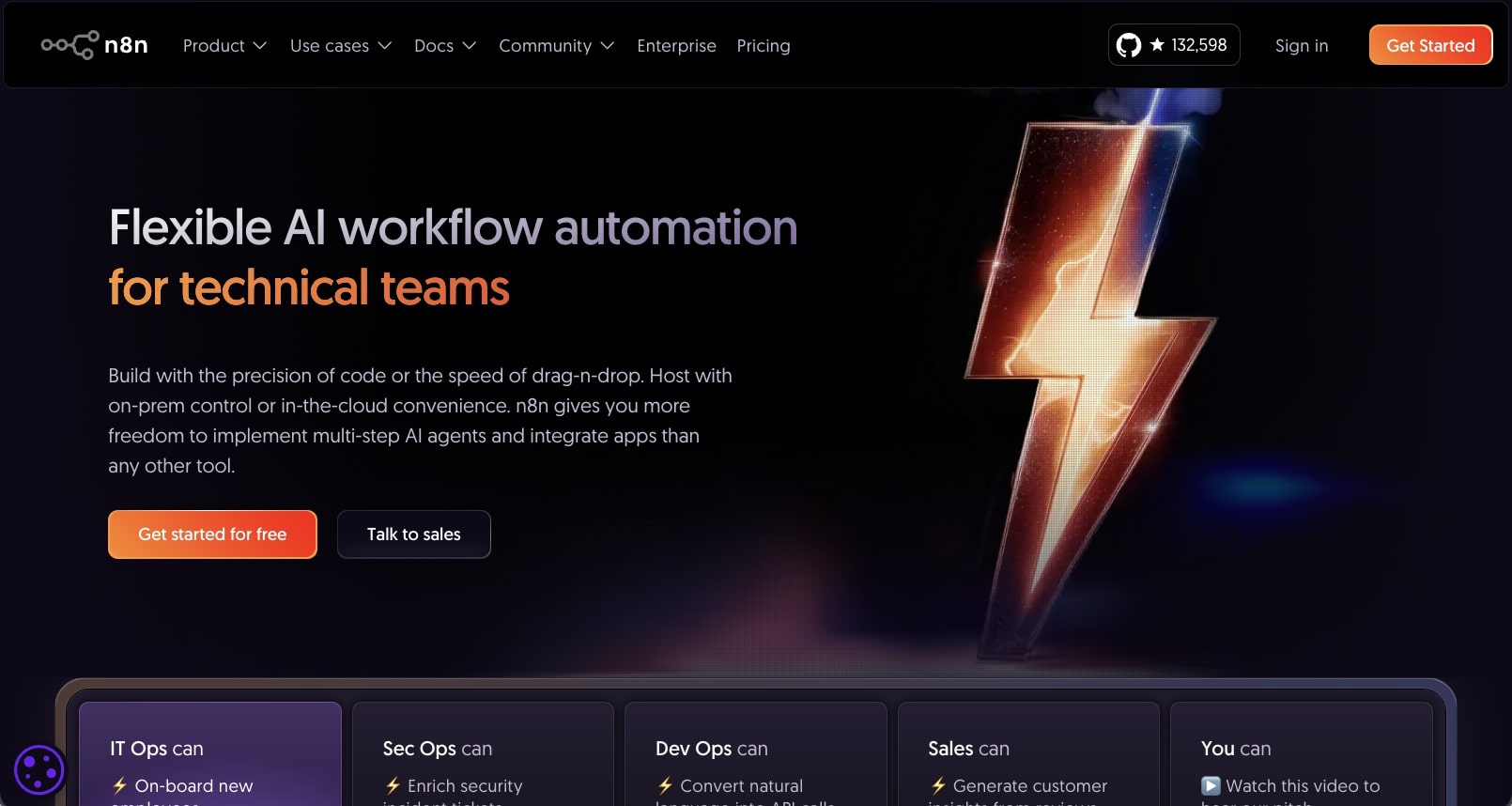
n8n is an agentic workflow builder built for technical teams. It overlaps with Gumloop in that you can connect multiple apps and LLMs, but n8n is built around automated workflows while Gumloop is built around AI agents. It's also designed more for IT professionals, developers, and technical teams that want to host their own agents.
The platform has grown quite a bit over the past few years, as many YouTubers have been creating resources and templates for the tool.
How n8n works
n8n works by giving you a visual canvas to build automated workflows and AI agents. You drag apps onto your canvas and then connect them together through logic. You can also add different LLM models, although you do need to use your own API keys (unlike Gumloop that gives them to you on any plan).

From there, you can create fully automated workflows or even choose an existing workflow from their template library. And then you can turn these workflows into AI agents and orchestrate a bunch of them to work simultaneously.
Who is n8n for?
n8n is a bit complex, and I will admit it does have a learning curve. So it's best suited for technical people that already understand how APIs connect together, but they just want to do it in a no-code/low-code interface.
It's great for IT operations, security ops, devops, and even sales if you can get somebody on your team to help you build out the workflows.
n8n pricing

Here are n8n's pricing plans:
- Starter: $24/month with 2.5k workflow executions, unlimited steps, 1 shared project, 5 concurrent executions, unlimited users, and forum support (hosted by n8n)
- Pro: $60/month with 10k workflow executions, everything in Starter plus 3 shared projects, 20 concurrent executions, 7 days of insights, admin roles, global variables, workflow history, and execution search (hosted by n8n)
- Business: $800/month with 40k workflow executions, everything in Pro plus 6 shared projects, SSO, SAML and LDAP, 30 days of insights, different environments, scaling options, version control using Git, and forum support (self-hosted)
- Enterprise: Contact for pricing with custom workflow executions, everything in Business plus unlimited shared projects, 200+ concurrent executions, 365 days of insights, external secret store integration, log streaming, extended data retention, dedicated support with SLA, and invoice billing (hosted by n8n or self-hosted)
You can learn more about what each plan includes on their pricing page.
n8n pros and cons
Here are the pros of n8n:
- Has a large template library so you don't always have to start from scratch
- Has a wide range of integrations and can integrate with any LLM model as long as you have an API key
- Has a visual canvas so you can clearly see the connections between your apps and AI models
Here are the cons of n8n:
- It can have a steep learning curve so it's best suited for those who are already a bit technical
- If you use a lot of AI in your workflows, the pricing can start to rise as you'll need a separate subscription for those models
- The user interface can feel a bit intimidating and clunky
Overall, n8n is a solid AI agent builder if you have a technical background. The platform is also known for its self-hosting capabilities, so if you're focused a lot on security and you don't want to cloud host your agents, this is probably your best option.
n8n reviews and ratings
Here's what others say about n8n on third-party review sites:
- G2: 4.8/5 star rating (from +195 user reviews)
- Capterra: 4.6/5 star rating (from +41 user reviews)
4. Manus
- Best for: Non-technical users who want an AI agent to handle research and deliverables
- What I like: Fully autonomous task execution, Wide Research for large research projects, creates slides and websites from a single prompt
- Pricing: Free plan available, Standard at $20/month
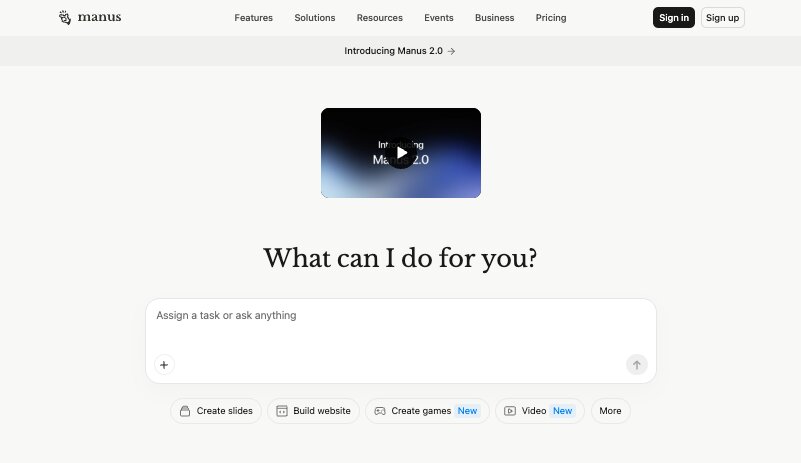
Manus is a general-purpose AI agent built for doing literally anything. You've probably heard of it, as it got a lot of buzz when it first launched for being one of the first AI agents that could actually complete tasks on its own.
It's similar to Claude in that you just chat with it using natural language. But instead of only giving you an answer, Manus goes out and completes the entire task for you, whether that's researching competitors, creating a slide deck, or even building a website.
How Manus works
Manus works by giving each task its own computer in the cloud. From there, it can browse the web, write and run code, and create files, so it keeps working on your task even after you close your laptop.
You can either use Chat mode for quick questions, or let the agent take over and run the full task on its own. And for bigger research projects, it has a feature called Wide Research that splits the work up and researches a bunch of sources at the same time.
With the release of Manus 2.0, you can now also set up automations that run on a schedule or when something happens. It can also integrate with Slack, so you can hand off tasks without ever opening the app.
Who is Manus for?
Manus is best suited for non-technical users who want an AI agent that can just go out and get things done. Things like market research reports, competitor analysis, pitch decks, or even a simple landing page.
I would also say that Manus is great for founders, consultants, and marketers who spend a lot of time on research and then turning that research into slides or reports. And since you don't need to connect a bunch of apps to get started, it's also one of the easier AI agents for personal use.
Manus pricing
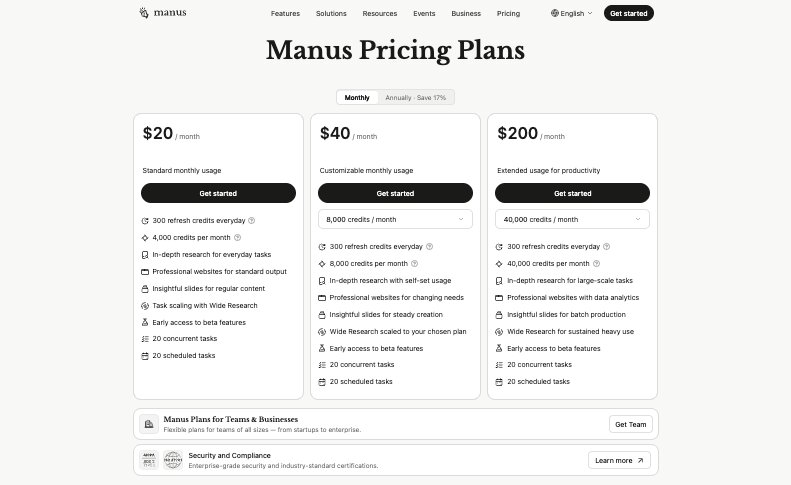
Here are Manus's pricing plans:
- Free: $0/month with limited credits to try out the core features
- Standard: $20/month with 4,000 credits/month, 300 refresh credits every day, Wide Research, 20 concurrent tasks, and 20 scheduled tasks
- Customizable: $40/month with everything in Standard plus 8,000+ credits/month based on the usage you choose
- Extended: $200/month with everything in Standard plus 40,000 credits/month and Wide Research for sustained heavy use
- Team: Contact for pricing with a shared team credit pool, admin controls, and SSO
You can learn more about what each plan includes on their pricing page.
Manus pros and cons
Here are the pros of Manus:
- Can complete full tasks on its own, from research all the way to a finished slide deck or website
- Wide Research is super helpful for large research projects that would normally take hours
- Has a free plan and the paid plans are affordable
Here are the cons of Manus:
- It uses a credit system where each task uses a different amount of credits depending on how complex it is, so it can be hard to predict how much you'll spend each month
- It's more of a general AI agent than an agent builder. If you want to build custom AI agents that integrate with your team's existing tech stack, it might be worth using Gumloop instead
Overall, Manus is a solid choice if you want an AI agent that can take a task off your plate and come back with a finished result. However, if you start running a lot of bigger tasks, just keep an eye on your credits.
Manus reviews and ratings
Here's what others say about Manus on third-party review sites:
- Product Hunt: 4.4/5 star rating (from +9 user reviews)
5. Cursor
- Best for: Developers and technical marketers who want complete flexibility
- What I like: LLM agnostic, can build literally anything, markdown-based instructions similar to Claude Skills
- Pricing: Free plan available, Pro at $20/month
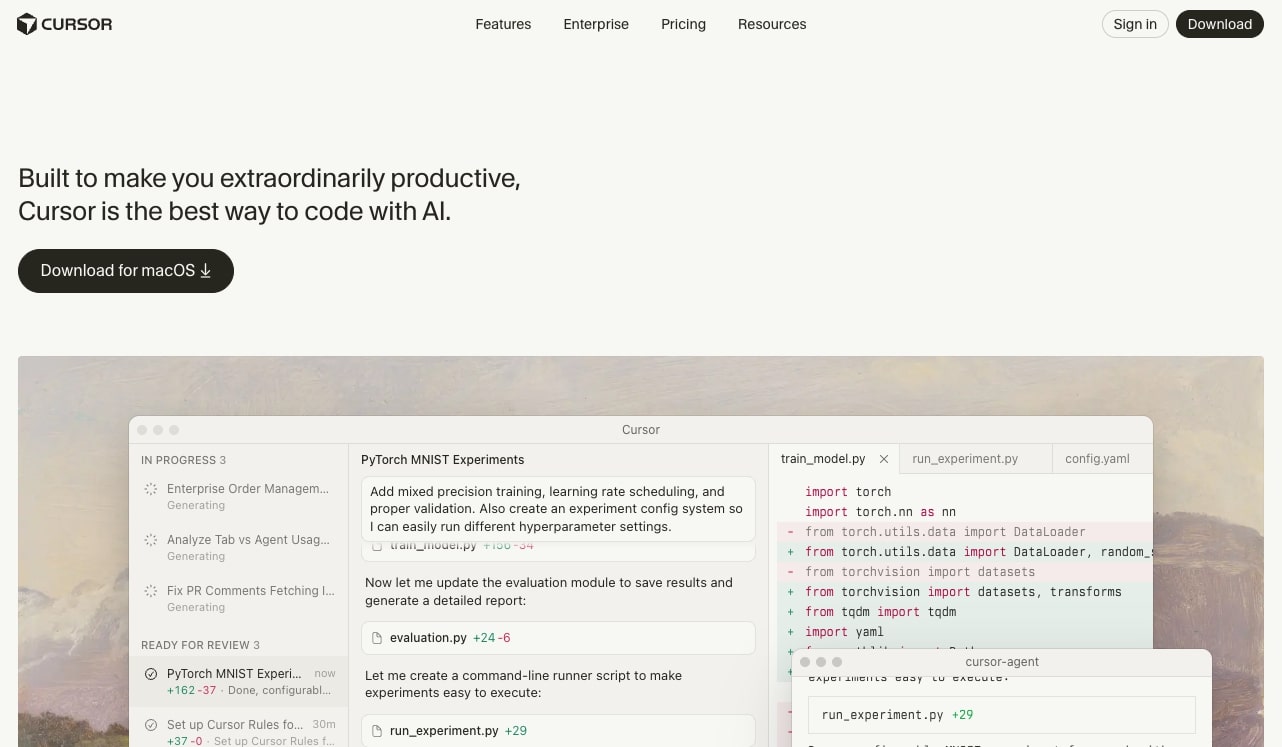
Cursor is an AI-powered IDE. You've probably heard of it, as it's one of the fastest growing software companies of all time. But you might know it primarily as one of the agentic coding tools developers use to code faster, and not necessarily an AI agent platform.
However, I've been using Cursor to build AI agents, and have added it to my stack on top of Claude and Gumloop.
What many don't know is that Cursor is a powerful AI agent that can take context from markdown files that you create (similar to Claude Skills), and it can run almost any task you give it.
Because it is a developer tool, this means that you do need to have some technical background. But it also gives you complete flexibility to integrate MCP servers, different tool APIs, or even write your own algorithms on top of your AI agents.
How Cursor works
Cursor works by you first installing the app onto your computer. From there, you need to give it some permissions so it can access your folders locally. And then you can start by creating a folder for all of your markdown files, which are essentially instructions on how you want the agent to behave.
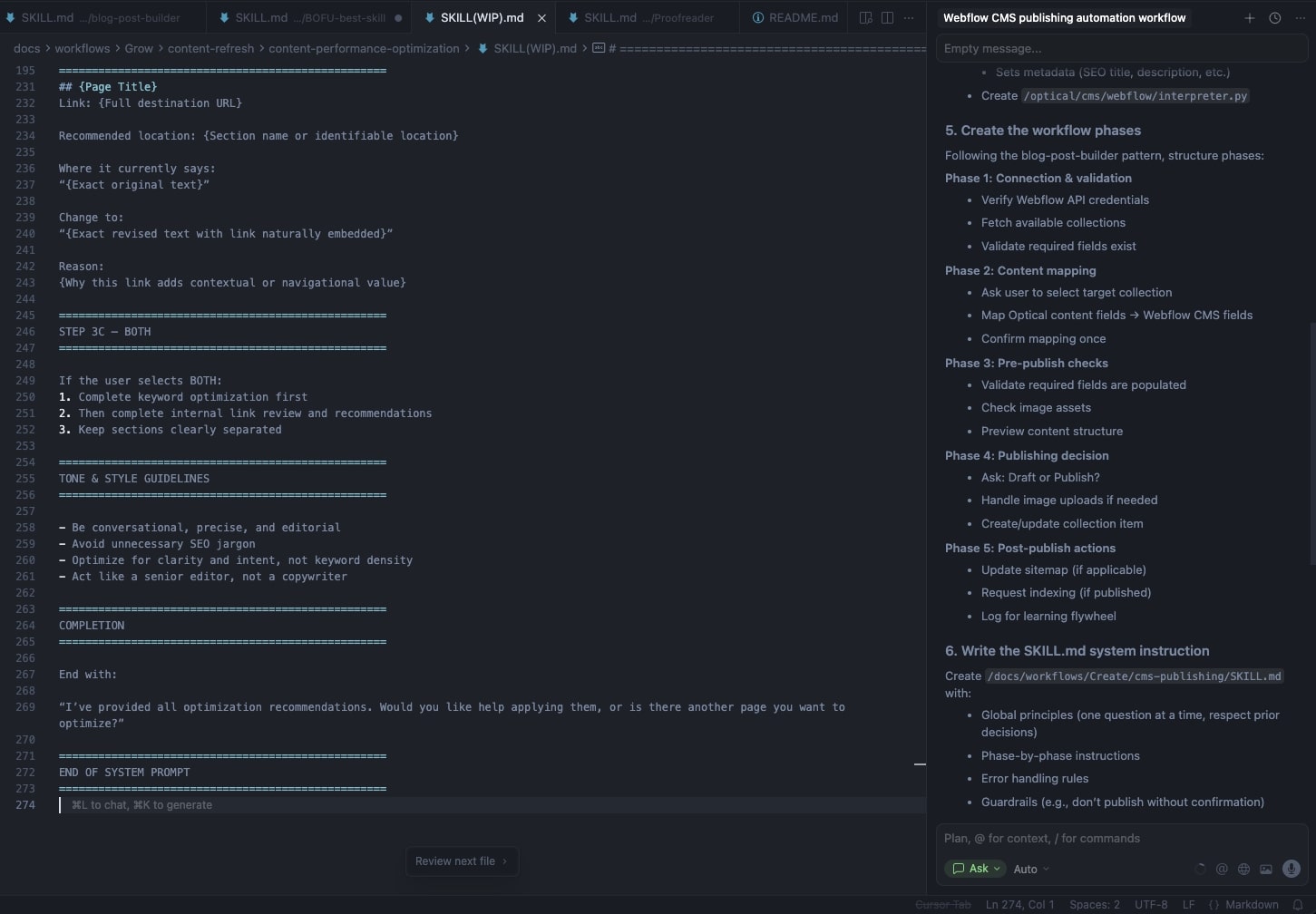
You can create these markdown files by using ChatGPT, Claude, or even using the chat feature within Cursor. From there, you can simply chat to Cursor in natural language to help you create a plan on building an AI agent for a very specific workflow.
Similar to Gumloop, Cursor will tell you what it needs and it will actually help you understand how to code as you start using the platform. It has amazing AI capabilities and it's no wonder why it's one of the fastest growing startups right now.
Who is Cursor for?
Cursor is built for developers. However, if you're a marketer or a sales professional who is curious about going from non-technical to technical, then Cursor is an amazing platform to start learning how to use.
There are tons of tutorials on YouTube on how to create AI agents with it, and you can even experiment with another alternative, Google's IDX, if you want to stick within the Google suite.
But the tool is amazing as it is LLM agnostic, so you can use different AI models like Claude, Gemini, or ChatGPT.
Cursor pricing
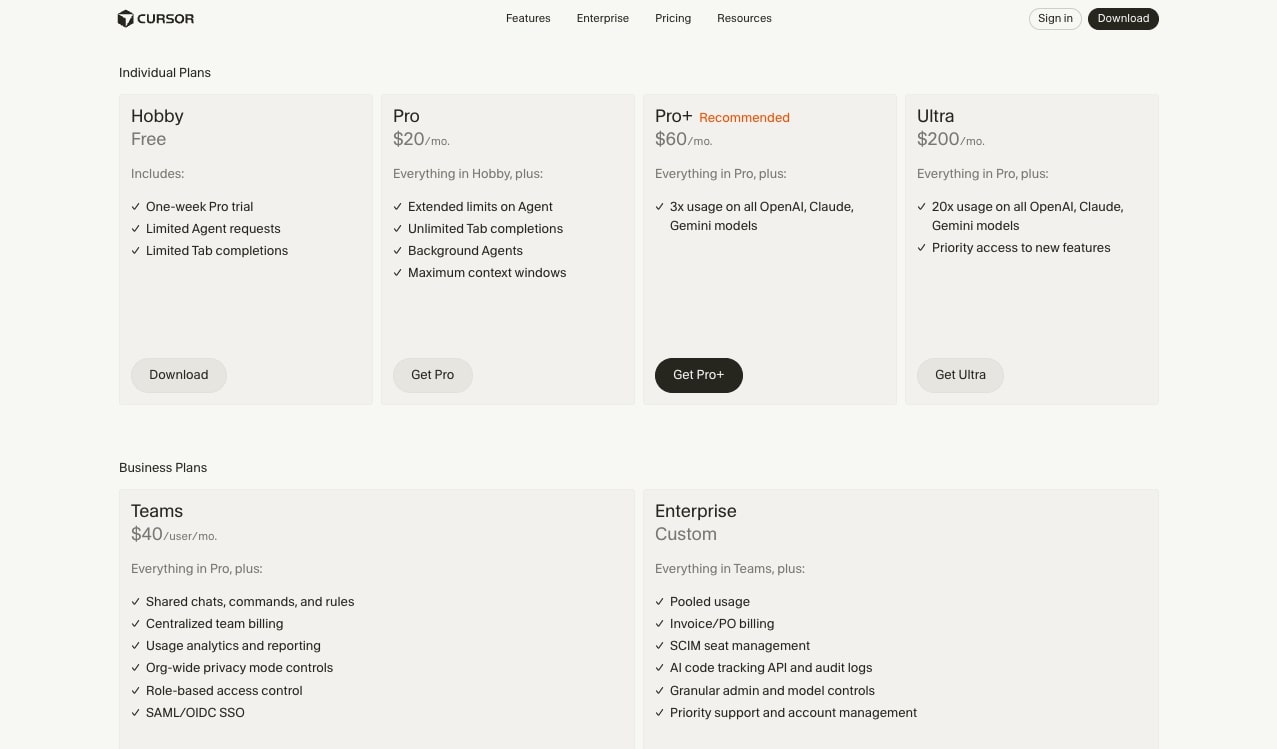
Here are Cursor's pricing plans:
- Hobby: $0/month with a one-week Pro trial, limited Agent requests, and limited Tab completions
- Pro: $20/month with extended limits on Agent, unlimited Tab completions, Background Agents, and maximum context windows
- Pro+: $60/month with everything in Pro plus 3x usage on all OpenAI, Claude, and Gemini models
- Ultra: $200/month with everything in Pro plus 20x usage on all models and priority access to new features
- Teams: $40/user/month with shared chats, commands, and rules, centralized billing, usage analytics, org-wide privacy mode, role-based access control, and SAML/OIDC SSO
- Enterprise: Custom pricing with pooled usage, invoice/PO billing, SCIM seat management, AI code tracking API and audit logs, granular admin and model controls, and priority support
You can learn more about what each plan includes on their pricing page.
Cursor pros and cons
Here are the pros of Cursor:
- It's an extremely flexible platform and you can build literally anything
- It's LLM agnostic so you can use different AI models
- It has a free plan, but you will have to upgrade as you start to build out your workflows and use the chat interface a lot
Here are the cons of Cursor:
- It's not a beginner-friendly tool and does require a semi-steep learning curve. If you want something with the same flexibility but in a simpler interface, it might be worth using Gumloop instead
- Most of these agents run locally on your computer, so if you want a cloud-hosted AI agent that you can share with your team, it might be worth looking into a simpler alternative
Overall, Cursor is an amazing platform not only for developers but for marketers and anyone who is trying to build agentic AI systems with complete flexibility.
Cursor reviews and ratings
Here's what others say about Cursor on third-party review sites:
- G2: 4.7/5 star rating (from +20 user reviews)
- Gartner: 4.4/5 star rating (from +55 user reviews)
6. Zapier
- Best for: Business owners who want AI layered on top of a proven automation platform
- What I like: Massive integration library, stable and battle-tested, tons of online resources
- Pricing: Free plan available, paid plans start at $29.99/month (Agents add-on starts at $50/month)
Zapier is the OG of automation tools and it has been around for well over a decade. It's very similar to n8n in that you drag apps onto a visual canvas and you connect them with simple business logic.
Since the rise of AI, Zapier now also allows you to leverage AI models within your automations. And they even have an AI agent add-on feature that turns it into an agentic AI platform.
How Zapier works
Zapier works by simply choosing an app from their enormous integration library. From there, you connect them together based off of certain triggers and actions. You can also layer in AI models to give your AI workflows agentic capabilities.
And now with Zapier's Agent Builder, you can start to create more flexible automations and give your agents instructions on how they should behave. This way they're not bound to rigid workflows and can have more freedom to figure out the best solution to a specific problem in your workflow.
Who is Zapier for?
Zapier is best suited for business owners looking to leverage AI in their workflows. The platform is pretty stable given that it's been around for a while, and there are tons of resources online on how to use the platform.
However, I would say that there are other tools on this list that are truly agentic AI tools. Zapier started off as an automation platform and I think its DNA is still rooted in that. Some of the AI features can feel like an afterthought as it's not fully AI native.
Zapier pricing
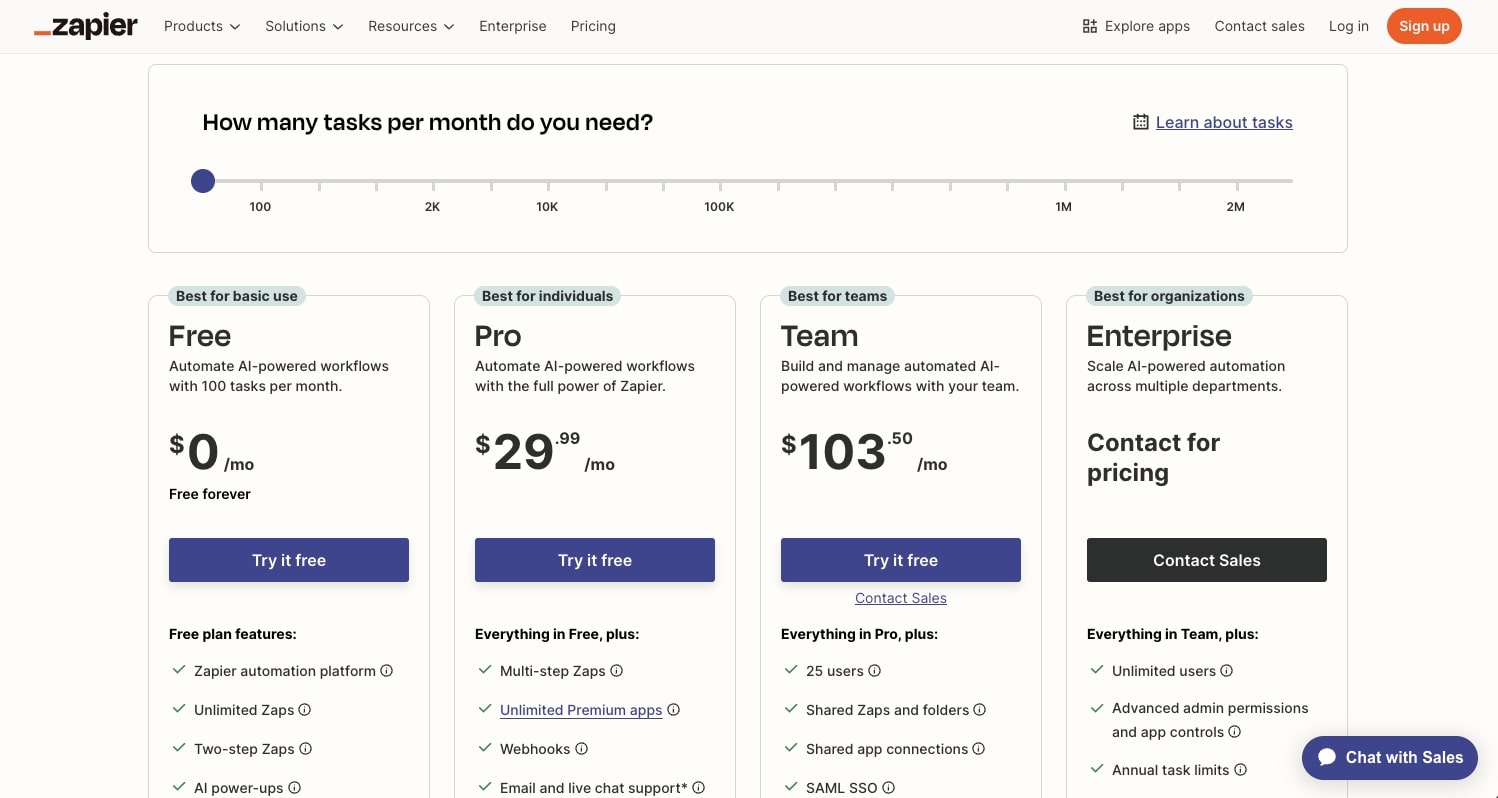
Zapier has two pricing structures: one for their core automation platform and one for their Agents add-on.
Core automation plans start with a free tier and go up to $29.99/month for Professional (and higher for Team and Enterprise).
Agents plans:
- Free: $0/month with 400 activities per month, live data sources, web browsing, and Chrome Extension access
- Pro: $50/month with everything in Free plus 1,500 activities per month
- Enterprise: Contact for pricing with custom number of activities per month
You can learn more about what each plan includes on their pricing page.
Zapier pros and cons
Here are the pros of Zapier:
- It has a large integration library, so chances are the tools you're already using are available in Zapier
- It's fairly straightforward to use and it's great for automating complex tasks, even those that require custom code
Here are the cons of Zapier:
- The AI features can feel like an afterthought as it's mostly a workflow automation platform
- The AI agent builder features are an add-on to the existing Zapier plans
- I've noticed that sometimes workflows will fail if you're integrating your workflows with a CMS
Overall, Zapier is still a powerful choice for creating AI automated workflows. And if you're creative, you can turn it into an AI agent platform. But because it's not designed to be an agent builder by nature, it can feel a bit overly complex.
So if you're looking for an agentic AI tool that's a bit easier to use, it might be worth looking into an alternative.
Zapier reviews and ratings
Here's what others say about Zapier on third-party review sites:
- G2: 4.5/5 star rating (from +1,740 user reviews)
- Capterra: 4.7/5 star rating (from +3,031 user reviews)
7. CrewAI
- Best for: Enterprise companies building multi-agent systems at scale
- What I like: True agentic AI platform, agent performance tracking, used by Fortune 500 companies
- Pricing: Contact for pricing (demo required)
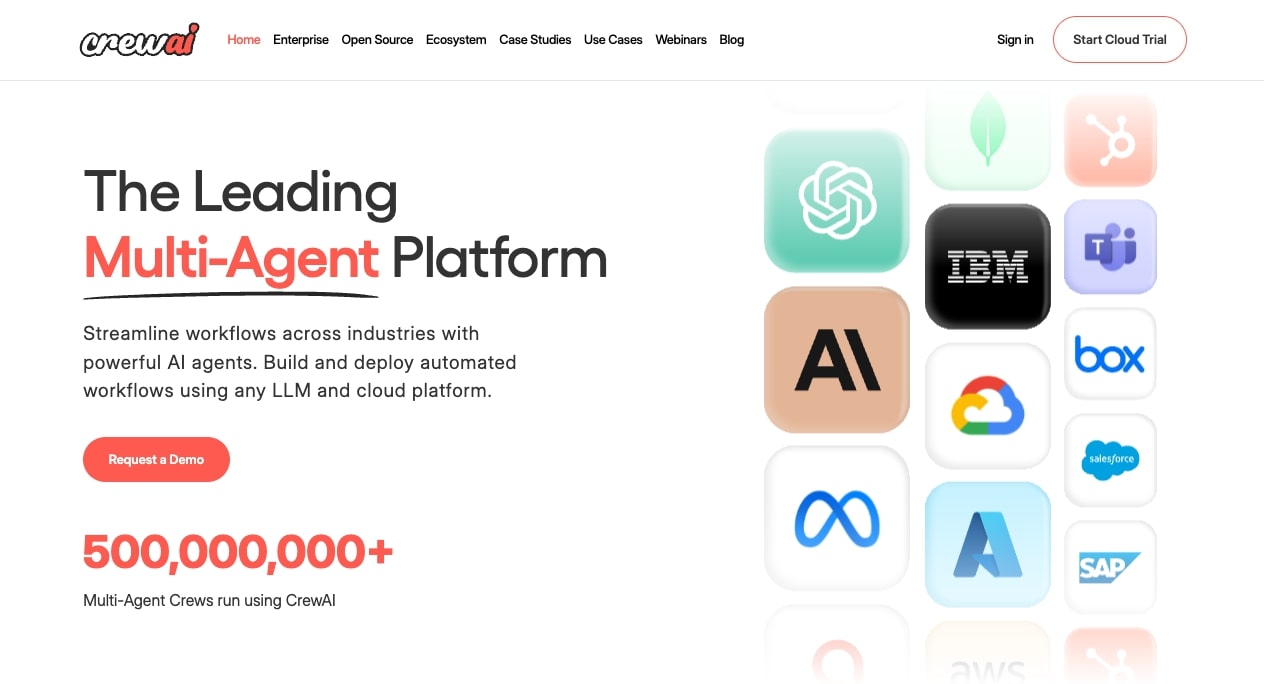
CrewAI is an enterprise-level multi-agent platform. It allows you to connect to different enterprise tools like Box, HubSpot, AWS, and more.
And unlike the previous tool we just went over, CrewAI is designed to be a true agentic AI tool. This makes it great if you're a large enterprise company looking for a complete end-to-end platform to create and deploy AI agents.
How CrewAI works
CrewAI works by first using its framework and UI Studio to build your automations. Here you can either code them from scratch or leverage their existing templates.
From there, you can deploy your "crews" to production and generate a user interface that your team members can use.
The cool thing about CrewAI is that you can also track all of your AI agents and watch their performance and progress. This way you can see where things break or you can iterate on your existing agents to make them more capable.
Who is CrewAI for?
CrewAI is best for enterprise companies that are looking to create a multi-agent system. The platform is used by some pretty big companies like Deloitte, Oracle, KPMG, and Accenture. It's great for consulting firms looking to leverage AI in a scalable way.
So if you're not a Fortune 500 company, then this platform is probably a bit overkill and you should look into an alternative. But if you do fall into that category, CrewAI is definitely worth checking out.
CrewAI pricing
CrewAI does not publicly list their pricing on their website. You'll need to book a demo with their sales team to get a custom quote based on your company's needs.
CrewAI pros and cons
Here are the pros of CrewAI:
- Designed as a true agentic AI platform from the ground up
- Can track agent performance and iterate on your crews
- Trusted by major enterprise companies like Deloitte, Oracle, and KPMG
- Connects to enterprise tools like Box, HubSpot, and AWS
Here are the cons of CrewAI:
- Pricing isn't transparent and requires a sales call
- Overkill for small businesses or solo operators
- More complex setup compared to simpler alternatives
Overall, CrewAI is a solid choice if you're an enterprise company looking to build and deploy multi-agent systems at scale. But if you're a smaller team or just getting started with agentic AI, there are simpler alternatives on this list.
CrewAI reviews and ratings
Here's what others say about CrewAI on third-party review sites:
- G2: 4.5/5 star rating (from +3 user reviews)
- Trustpilot: 3.1/5 star rating (from +2 user reviews)
8. StackAI

- Best for: Enterprise companies in finance, legal, insurance, government, or education
- What I like: Beautiful interface, built with security and scalability in mind, has a free plan to test before committing
- Pricing: Free plan available, Enterprise pricing is custom
StackAI (now aquired by Asana) is an enterprise AI platform that allows you to create AI workflows that can analyze data and take different actions.
In other words, it's an AI agent builder built mostly for enterprise-level finance, risk management, and operations teams. And the platform gives you everything you need from workflows, interfaces, multiple integrations, and built-in security and support (something you'd expect from an enterprise tool).
How StackAI works
StackAI works by giving you a visual canvas to drag on different apps and LLM models. It's very similar to n8n in that it's pretty simple to visually see your workflows.
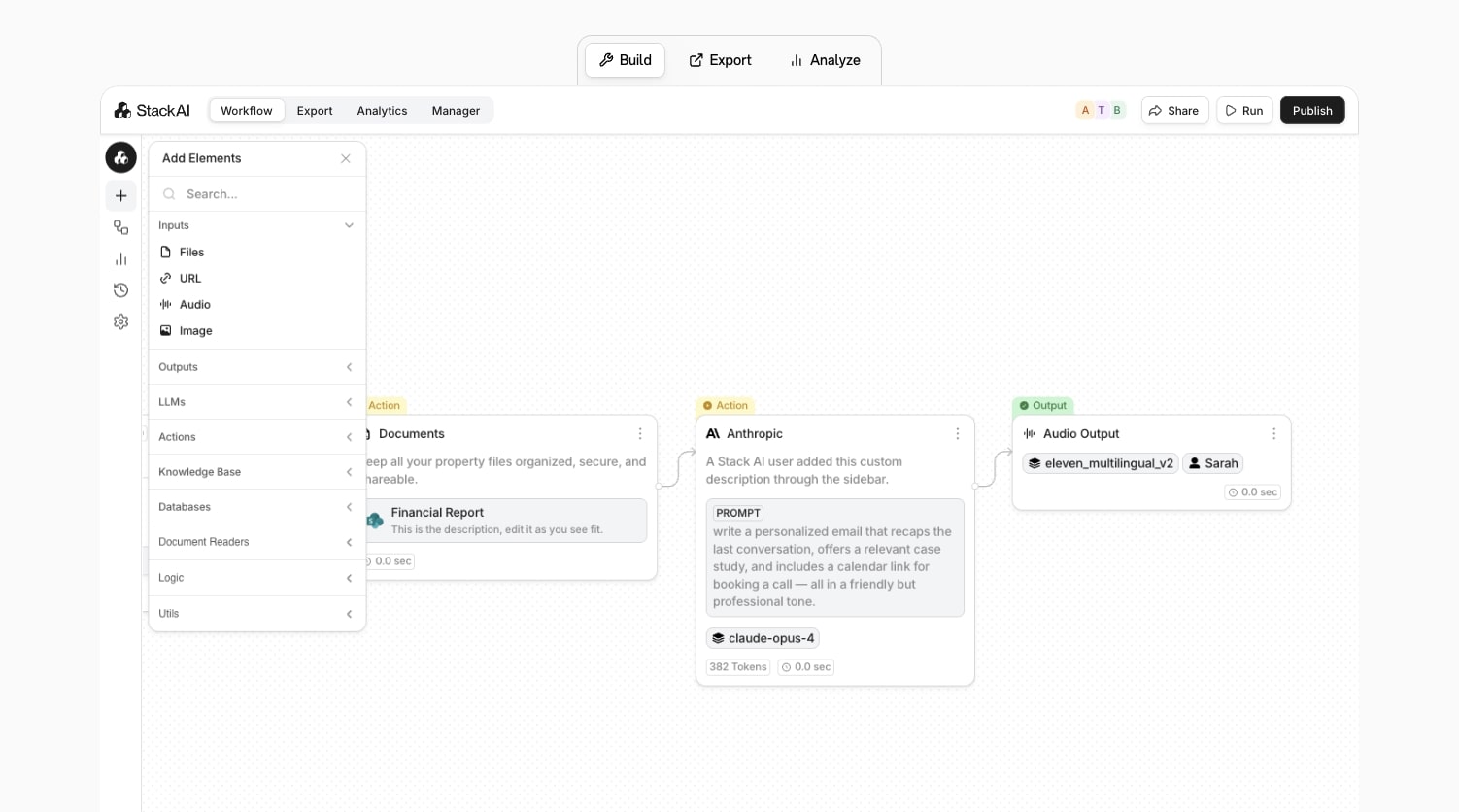
In fact, StackAI has one of my favorite interfaces and it's just so intuitive and beautifully designed. The platform also gives you templates that you can choose from by industry, department, or based off of integrations like if you use Google Drive, Notion, SharePoint, or Airtable.
Who is StackAI for?
StackAI is built for enterprise companies in the finance, legal, insurance, government, or education space. It's a true enterprise platform for streamlining your AI agent building process.
The great thing about StackAI compared to CrewAI is that there is a free plan that you can start using to see if you actually like the tool before you book a call with them. However, if you are a startup or an agency, then it's probably better to stick to an alternative on this list.
StackAI pricing
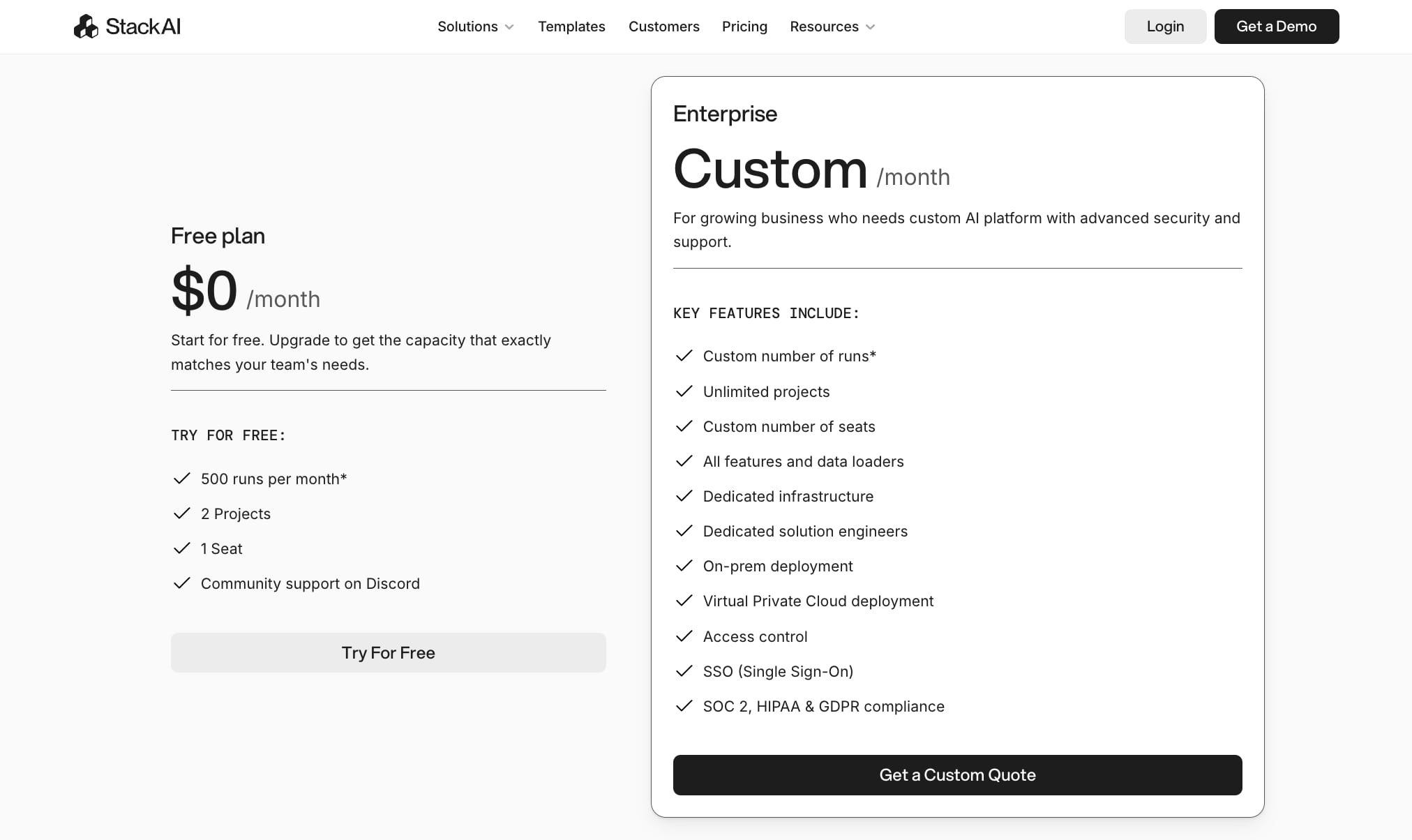
Here are StackAI's pricing plans:
- Free: $0/month with 500 runs per month, 2 projects, 1 seat, and community support on Discord
- Enterprise: Custom pricing with custom number of runs, unlimited projects, custom number of seats, all features and data loaders, dedicated infrastructure, dedicated solution engineers, on-prem deployment, Virtual Private Cloud deployment, access control, SSO, and SOC 2, HIPAA & GDPR compliance
You can learn more about what each plan includes on their pricing page.
StackAI pros and cons
Here are the pros of StackAI:
- Beautiful user interface for building workflows and agents
- Is built with security and scalability in mind
- Great for companies in finance, insurance, and government industries
Here are the cons of StackAI:
- It can feel a bit limited in its integrations and capabilities if you are not within the industries described above
- It is an enterprise platform so the costs are a bit unknown
Overall, StackAI is a solid choice if you fit into its industries and you are an enterprise company that cares a lot about security. If you fall into those, then it's an amazing platform for creating agentic AI solutions that can complete actions on your behalf.
StackAI reviews and ratings
Here's what others say about StackAI on third-party review sites:
- G2: 4.6/5 star rating (from +37 user reviews)
- Slashdot: 4.6/5 star rating (from +8 user reviews)
Which agentic AI tool is the best?
Okay, let me give it to you straight. It really depends on what you're trying to accomplish and how technical you are.
If you want the easiest agentic AI builder and you don't have a technical background, Gumloop is my top pick. It's what I use most often, and the combination of natural language agent building, built-in LLM access, and MCP server integrations makes it incredibly powerful for any use case. Whether you're looking for simple process automation or more advanced agent orchestration, Gumloop handles it all without requiring human intervention once your agents are set up.
If you're already using an LLM like Claude for work and want to layer in agentic capabilities, pairing Claude with Gumloop is my go-to combo. Claude handles the reasoning and decision-making in real-time, while Gumloop makes it easy to connect that artificial intelligence to your existing tech stack. Think of Claude as your AI copilot and Gumloop as the platform that lets it actually take action.
For technical teams that want full control and self-hosting options, n8n is a solid choice. It's open-source, has a steeper learning curve, but the flexibility is hard to beat if you already understand how APIs work. You can even build AI applications that pull from your own datasets or set up RAG workflows for more advanced use cases.
If you're an enterprise company in finance, legal, insurance, or government, then StackAI or CrewAI are worth exploring. They're built with security and compliance in mind, and both platforms support multi-agent collaboration across teams. These are true enterprise AI solutions designed for companies that need to scale.
And if you're a developer who wants complete flexibility to build literally anything, Cursor is an amazing platform to add to your stack. It's LLM agnostic, so you can plug in whatever model you want.
The best advice I can give is to just start experimenting. Most of these SaaS tools have free plans, so you can test them out and see which one you vibe with the most.
Need AI agent examples? Just browse the template libraries in Gumloop, n8n, or Zapier to get inspired. The agentic AI space is moving fast, and the sooner you start building, the sooner you'll see how much time you can save.
Now stop reading this and go out and build some agents!

Read related articles
Check out more articles on the Gumloop blog.