Find every internal link opportunity on your site
Use the AI internal linking agent to find your best inbound and outbound links, with suggested anchor text and the exact passages to update.


Trusted by leading teams



Stop leaving internal links on the table
The highest-ROI SEO work that nobody has time for, run from a single URL in one chat.
What is the AI internal linking agent?
The Gumloop AI internal linking agent finds the highest-value internal links on your site and hands you a ranked, reviewable plan to add them. Give it a URL and it works in one of two directions. In inbound mode it finds which existing pages should link TO that target. In outbound mode it finds which pages a source you are editing should link OUT to. Either way you get suggested anchor text and the exact passage to update.
It builds the candidate pool for you. Point it at a domain and it discovers the right pages from your sitemap, or hand it a specific list of URLs and it uses only those. It reads each page with Firecrawl, pulls the link-worthy passages with Parallel, scores every candidate for relevance, and drops anything weak. It will not invent a link that does not make sense, and when nothing is a real fit it tells you honestly instead of padding the list.
The output is a clean markdown table you can act on immediately: rank, relevance score, the page, the anchor text, the match type, and the verbatim sentence where the link belongs. It also pulls each target page's ranking keywords to use as anchors and filters out pages with no organic value. The agent is fully customizable in chat: change direction, narrow the candidate pool, or raise the bar on what counts as a strong match.

What you can do with the AI internal linking agent
Workflows the agent handles out of the box.
Inbound and outbound in one agent
Find existing pages that should link to a target, or find the pages a post you are editing should link out to. It reads your intent from the request and picks the direction.
Builds the candidate pool for you
Auto-discovers the right pages from your sitemap by topic, or uses a specific URL list you provide. It respects your list and never silently expands it.
Real relevance scoring, no weak links
Reads each candidate, scores how naturally a link would fit, and drops anything below the bar. When nothing fits, it returns an empty table and says so.
Anchor text and the exact passage
For every opportunity it suggests an anchor that reads naturally and quotes the verbatim sentence to update, classified as ready-to-wrap, light-rewrite, or manual review.
Ranking keyword enrichment
Pulls a page's top ranking keywords to use as anchors and skips targets with zero organic traffic and zero ranking keywords, so you link to pages worth linking to.
How to use the AI internal linking agent
Get from landing page to live agent in a few clicks.
- 1
Click "Use this agent"
A preconfigured agent is created in your Gumloop workspace with Firecrawl, Parallel, and DataForSEO attached, plus web search built in. Takes a few seconds.
- 2
Connect your tools
Authorize the integrations you want. Firecrawl and Parallel do the reading and extraction, keyword data enriches the anchors, and the agent works with whatever is connected.
- 3
Give it a URL
Drop in a page URL. The agent confirms the direction, asks whether to use your sitemap or a list you provide, then returns a ranked table of link opportunities.
AI internal linking agent use cases
Real workflows teams run with this agent.
Give a new page the links it needs to rank
Just published a landing page or product page? Run inbound mode to find every existing post that should point to it, so it earns internal authority fast.
Add the right links while you write
Editing a blog post? Run outbound mode on it. The agent surfaces the product, solution, and related pages it should link to, with the anchor and the sentence.
Audit internal links across a content hub
Point it at a cluster of articles and let it map the links missing between them, so your topic cluster actually links together the way Google rewards.
Work from a specific list of URLs
Hand it the exact pages you care about and it checks only those, no sitemap crawl. Perfect for a focused refresh or a single high-value target.
Why use Gumloop for the AI internal linking agent
Preconfigured for internal linking
No agent setup and no API keys. Firecrawl, Parallel, and keyword data are built in, and web search is on by default.
Skeptical by design
It scores every candidate and refuses to force weak links. An honest empty result beats a list of links that hurt more than they help.
Quotes real passages, never paraphrases
Every suggestion includes the verbatim sentence from the actual page, so you can find the spot and make the edit without second-guessing it.
Customize as you chat
Flip direction, narrow the candidate pool, raise the relevance bar, or cap suggestions per page, all in the same conversation.
Related agents

SEO keyword research agent
Find the keywords worth ranking for first, ranked by volume and difficulty, before you build the links.


SEO content brief generator
Turn a keyword into a writer-ready brief with SERP research, keyword guidance, and an outline.
AI SEO Optimization Agent
Before you link a page up, get a scored brief of the terms and sections it needs to rank.
With enterprise-grade infrastructure and security
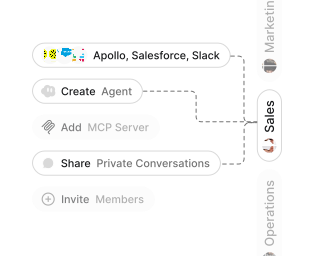
Role-based access control
Manage reusable roles, shared credentials, and secrets with scoped access controls.

Virtual private cloud deployments
Deploy Gumloop in your own cloud.
Anthropic
OpenAI
Gemini
DeepSeek
AI model restrictions
Control which AI models teams can use. Set guardrails and enforce spend policies.
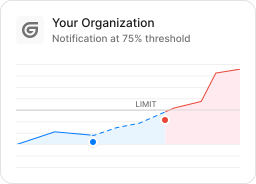
Usage monitoring
Track organization-wide credit usage in real time. Implement budget and quota controls to avoid surprises.
TODAY



WEDNESDAY


Audit logging
Capture detailed audit trails for actions across the organization to understand where data is flowing.
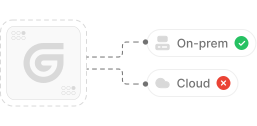

AI proxy support
Bring your own API keys and route requests through your own proxy.
Sign in with Okta
Single Sign-On
Securely streamline identity and access management.


Zero Data Retention
Gumloop never uses customer data to train AI models. For third-party models, we have Zero Data Retention (ZDR) agreements and Data Processing Addendums (DPAs).


SOC 2 Type II Certified
Gumloop is committed to security, and is compliant with SOC 2 Type II and GDPR. Visit trust.gumloop.com to learn more.
Frequently asked questions
Tasks automated to date
Try the AI internal linking agent