8 ecommerce AI agents and tools to run your store in 2026

Without ecommerce AI agents, it’s hard to keep up.
Running a successful ecommerce store is like operating 18 different businesses in one: marketing agency, sales, payment processing, merchandising, supply chain management, shipping, etc… not to mention customer service.
Oh, to be back in 2010 again, when all you needed was a PayPal buy button and keyword stuffing SEO…
Setting up actually useful AI agents is your golden ticket to growth. “Actually useful” as in: using the right AI tool for the thing you want to automate to get the best results.
I’ve been running ecommerce stores since GeoCities (look it up on ChatGPT, Gen Z), so I have plenty of experience in doing All The Jobs back then, and now automating my shop tasks with AI agents.
Here are the eight top ecommerce AI agents in 2026 for running your store.
Quick picks (TL;DR)
Before I get into the deep reviews, here’s a cheat sheet of what each ecommerce AI agent does best:
- Gumloop — Best for building custom ecommerce AI agents without code
- Shopify Sidekick — Best for Shopify-native AI automation
- Gorgias — Best for AI-powered customer support
- Siena AI — Best for autonomous CX across channels
- Triple Whale — Best for AI-driven ecommerce analytics
- Klaviyo AI — Best for AI email & SMS marketing
- Glowtify — Best for AI marketing for ecommerce brands
- Botpress — Best for building conversational AI agents
What can AI agents actually do for your ecommerce store?
In short: anything you want… if you choose the right one for the task.
AI agents aren’t just customer service chatbots or “if A happens, do B”-style automation (although they’re great at that stuff too). Good ecommerce AI agents can take a complex or open-ended task and perform it accurately, on its own with minimal human input.
Here are a few examples of ecommerce agentic AI use cases…
1. Customer support & returns
This is often what comes to mind when people think of ecommerce AI agents. For good reason, AI agents are great at answering FAQs like, “Do you ship to ____?”
Beyond basic automated answers, good ecommerce agentic AI agents act autonomously. That means they can make decisions, read and understand live data, suss out intent from a user’s request, always sound on-brand, and — crucially — know when to involve a human, and when to handle it themselves.
Your team saves time by having “the simpler stuff” taken care of, and your customers get faster, better service.
2. Product recommendations & personalization
Truly personalizing recommendations is what leads to higher sales. Not showing every shopper the same “You Might Also Like” banner.
AI agents can see a user’s purchase history and what’s in their cart to suggest relevant, personalized recommendations. Shoppers are more likely to buy these, with 63% of consumers saying they want hyperpersonalized shopping experiences.
Plus, all of this order boosting is happening at scale, whether you have hundreds or millions of customers.
3. Order tracking & status updates
“Where’s my order?” is one of the most common questions customer service reps get every day. Instead of waiting on hold or taking days to hear back from an email, serve your customers instantly 24/7 with agentic AI. Ecommerce AI agents can look up order tracking information and answer customers by chat, text, or email within seconds.
Not only does this ease your customer’s anxiety sooner and give them a better experience, it also frees up your team’s time.
4. Abandoned cart recovery
Ecommerce cart abandonment is more common than checking out. There’s an average 70% cart abandonment rate, according to a meta-analysis by Baymard.
The most common reason? 43% of people said they were “just browsing.”
Standard cart recovery emails — usually titled, “Hey, you forgot something,” — help win a few orders but they’re entirely generic.
Instead, AI agents use exactly what’s in the customer’s cart (plus other information it knows about them) to deliver personalized email, text, or chat sequences with much higher chances of converting.
5. Inventory & demand forecasting
Besides monitoring inventory levels and notifying when you’re running low, ecommerce AI agents can automatically re-order and forecast demand too.
They take into account seasonal trends, recent order volumes, historical sales, and demand signals to keep the right stock levels — not too much, which costs you in storage, or too little, which of course would be lost sales opportunities.
6. Marketing copy & email automation
Instead of manually creating marketing emails and sending the same message to all your customers, AI agents can create and send personalized emails to different customer segments, instantly and autonomously.
Ecommerce AI agents can also produce on-brand copy using your data: Product descriptions, campaign emails, automated email flows (such as for new customers), and more. Go from draft to done waaaaay faster.
The 8 best ecommerce AI agent tools in 2026
I chose these eight ecommerce AI agents because each of them excel at a different thing. Some are hyper-specialized around one or two ecommerce features (like emails or text marketing), and others are more general AI agent platforms you can use for more than just your store.
Whether you’re looking for marketing help, deeper analytics, customer engagement, or something else, there’s an ecommerce AI agent here for you.
1. Gumloop

- Best for: Building custom ecommerce AI agents without code
- Pricing: Free up to 5,000 credits per month; Pro starts at $37/month
- What I like: Flexible agent builder; deep Shopify integration with two-way sync capabilities
Gumloop is for you if you want to build powerful, fully customizable ecommerce AI agents that can automate any task you throw at them.
Most other tools on this list specialize in one type of ecommerce task (email, customer service, etc). Gumloop stands out because it can do everything, but it’s not a one-size-fits-all solution.
Meaning: you can do anything with Gumloop across your entire business (not just ecommerce), and each AI agent is fully customizable to your processes, products, and company. Plus, connect multiple agents together to build workflows that directly communicate with the rest of your tech stack for seamlessly connected AI-powered operations across multiple teams.
Creating an AI agent is easy for everyone: just tell Gumloop what you want in natural language, and the AI-native builder creates it for you right away. No code or developers needed.
Seriously: just start with one sentence and Gumloop will either make your agent, or ask you questions to get the info it needs. I created an agent that rounds up the bestselling products each week from Shopify and creates a Google Ads campaign with those items, ready to go… with just one sentence.
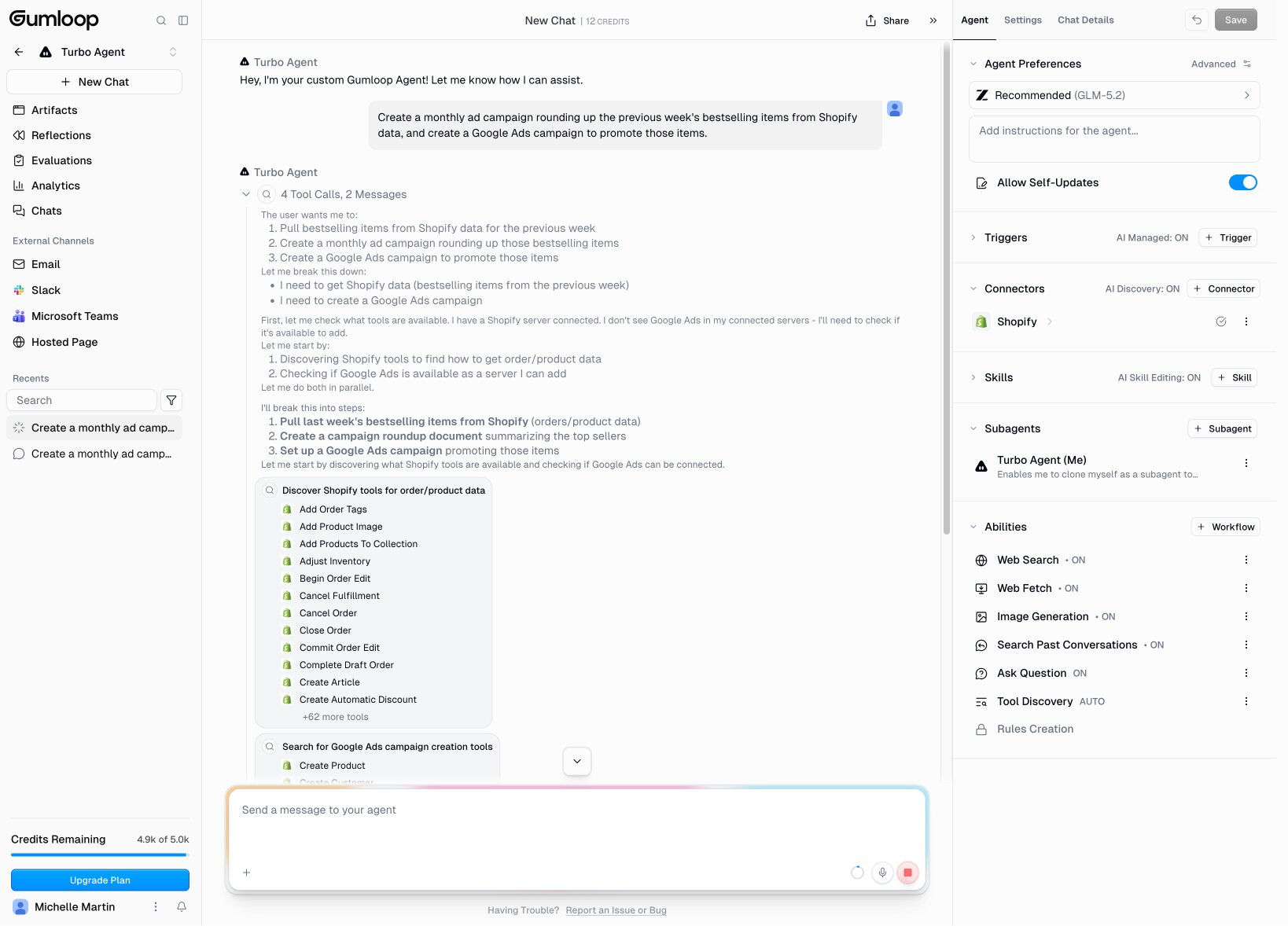
I’ve built a custom data analysis agent to auto-analyze and report on my business metrics, a research agent to dive into new topics, and a meeting prep agent to provide background info and suggested questions before new client calls — each in only a few minutes of “talking” to Gumloop’s AI builder or starting from a template.
You can use Gumloop with many ecommerce platforms via native integrations or create a custom MCP. Gumloop especially stands out for Shopify users: install the Shopify AI agent with one click and start with ready-to-go templates for ad spend management, customer service, and more.
Plus, add your own ecommerce AI agents on top, each with customizable, role-based access for your team. For example, create an ecommerce AI agent to mass update prices across a category of products, auto-create a collection of all items under $25, or draft a weekly blog post on trending styles or current promotions.
Whatever you need done, Gumloop AI agents can do it now… and on an ongoing basis with self-learning, self-updating autonomous workflows that save you more time with every run.
Key features
- 100% no-code AI agent builder: Tell Gumloop what you want and it builds it.
- Native Shopify integration: Connect Gumloop and Shopify securely so your agents can access live order, product, and customer data and sync changes.
- Customizable AI agent templates: Start with one click, then tailor agents to your needs.
- Multi-workflow automation: Pull together multiple AI agents and workflows for truly powerful automation without human input.
- 100+ integrations and 50+ MCP servers (or use your own): Connect to your entire tech stack with maximum flexibility.
Pros and cons
Pros:
- Self-learns and improves over time, taking into account your instructions and results from ad spend tests, customer service inquiries, order fulfillment, and more.
- Ask your ecommerce AI agent questions and start tasks directly from Slack, like another team member.
- Easy to create new agents or update them with natural language prompts in a conversational AI context window.
Cons:
- With great flexibility comes a bit of a learning curve. Natural language prompting is easy, but learning all the ins and outs of adding skills, new tool discovery, and how to build a great Gumloop AI agent takes time.
Gumloop pricing

Gumloop has credit-based pricing, calculated by usage.
- Free: Includes 5,000 monthly credits for one user and two concurrent runs.
- Pro: Starts at $37/month for 20,000 credits, team access, five concurrent runs, and more.
- Enterprise: Custom, and includes additional team security and analytics, guardrails, auditing, and more.
Gumloop reviews
Shopify uses Gumloop to automate over 17 million actions across 110+ teams.
Here’s what a few of our other customers have to say about Gumloop:
“It feels like having a personal research assistant. By the time I open Gumloop, everything I need is right there in a draft, ready to go.”
— Gunnar Kozel, Brand Partnerships at Instacart
“The partnership review agent cuts prep time from 30–45 minutes per customer to under five minutes, and it results in a 31% higher win rate and 44% larger deals."
— Head of Insights and Operations at Gusto
2. Shopify Sidekick
- Best for: Shopify merchants who want simple, built-in AI features
- Pricing: Included with Shopify plans
- What I like: Zero setup; works inside Shopify admin so you don’t have to jump between tools
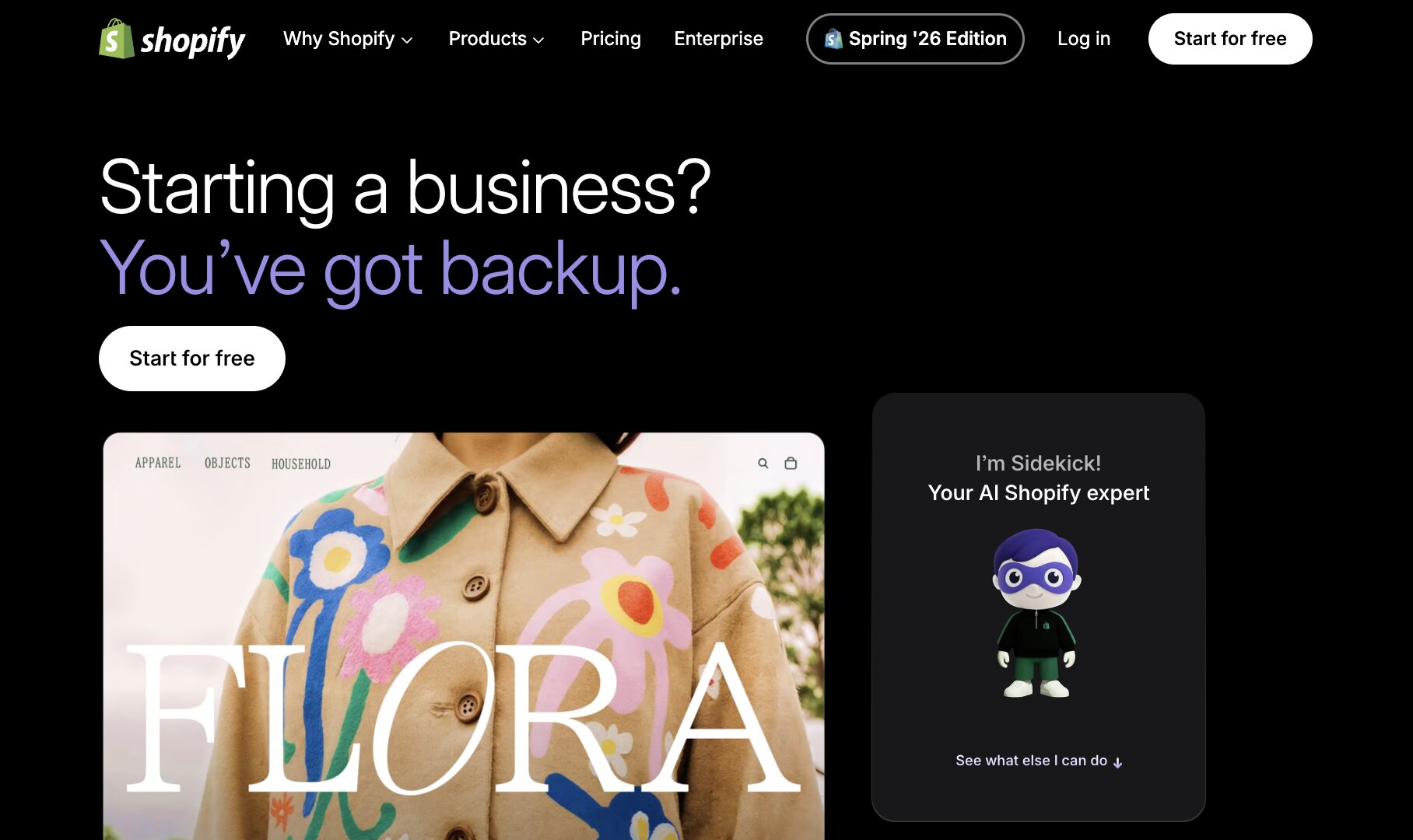
Shopify Sidekick (formerly Shopify Magic) is definitely the easiest option to go with for Shopify users as it’s included in all paid Shopify plans. Shopify’s built-in AI tools are collectively known as Shopify Magic, and includes Sidekick, an AI chatbot accessible from the admin interface to carry out tasks.
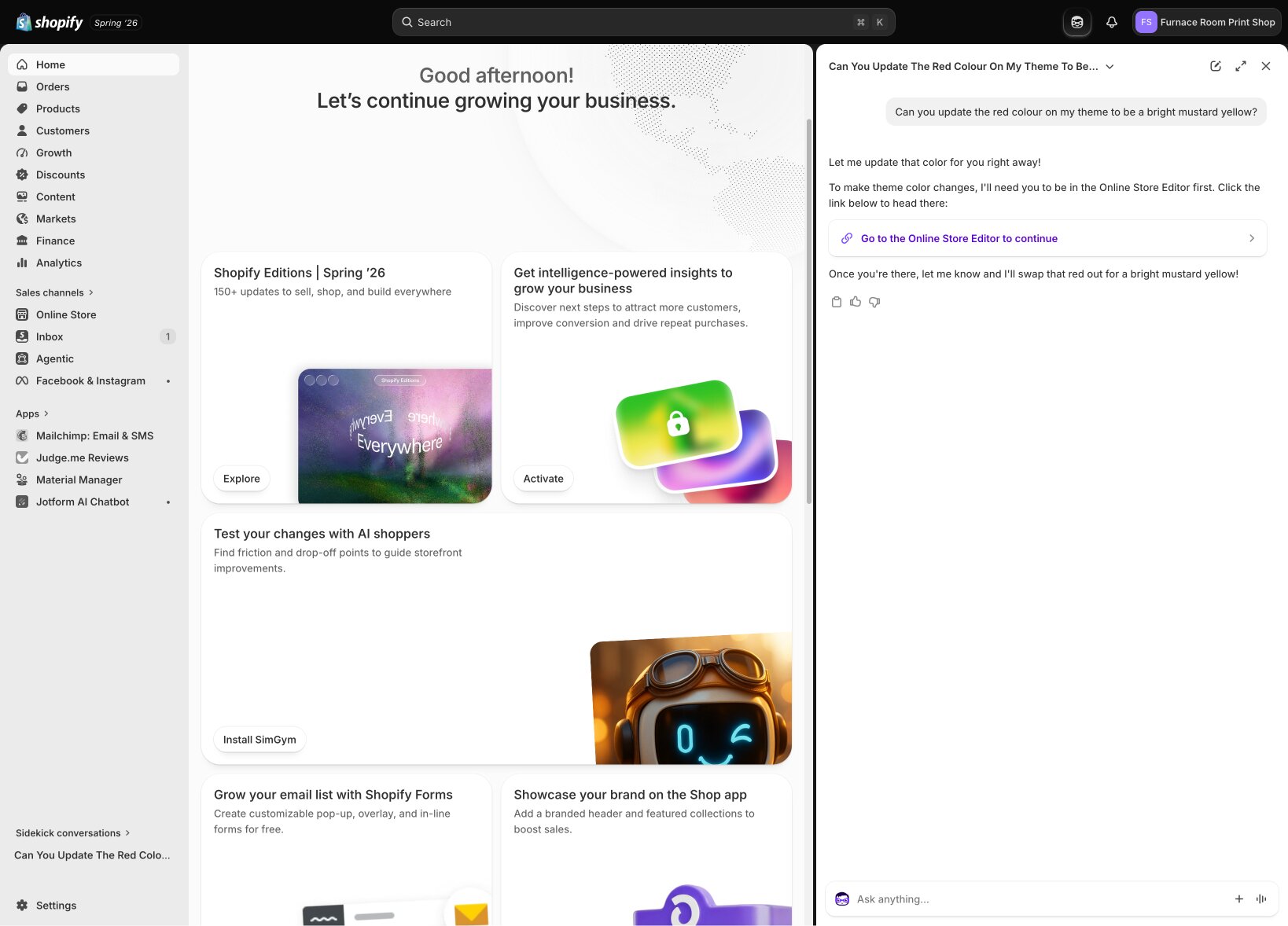
You can use Shopify Sidekick buttons sprinkled around the admin UI to generate product and website copy, handle customer support inquiries, update product info, review analytics, and much more. It even has unique tools like SimGym, which runs AI shoppers that act like real customers through your store to identify growth opportunities and optimize checkout.
You can access Sidekick from any admin page to start a new conversation or dive back into a previous one. Something I love is that if Sidekick can’t carry out a task for whatever reason, it links to a help article or lists what I need to do. This is infinitely more helpful than the, “Sorry, there’s an error,” message that other conversational AI tools usually throw out. It’s the difference between having AI features and having useful AI features.
If you’re on Shopify, you should be using Shopify Sidekick, end of story. Start there, then uplevel to one of the other ecommerce AI tools featured here for more targeted growth.
Key features
- Generate AI copy and edit images: SEO and AEO optimized product copy in seconds, plus remove image backgrounds or create graphics with generative AI from your dashboard.
- Built in across all Shopify features: Because it’s a native app, Shopify Magic is ready to assist you across all platform features from catalog management to marketing and everything in between.
- Easy to use Sidekick assistant: Ask it in plain language to analyze recent sales trends, update your theme, or create a new promotion.
- Build powerful marketing automations: Ask Sidekick to segment customers based on lifetime spend, or create a new tag for customers from a specific campaign, to easily send targeted marketing messages via email and ads.
Pros and cons
Pros
- Included in all Shopify plans: No need to worry about credits or per-generation fees. Use Shopify Magic as much as you want.
- Team access, with role-based permissions: All users in your Shopify store can use Sidekick collaboratively, and it respects the access level of each role, from Admins to Marketers, Customer Service, Cashiers, etc.
- Consistent brand voice and style: Shopify Magic has access to your store and business data, so it stays true to your brand.
Cons
- No autonomous agents: While Sidekick is helpful, it can’t run tasks unattended like Gumloop or AI agent platforms can. If you just need to run quick jobs while you’re at your computer, this isn’t a problem.
Shopify Sidekick pricing
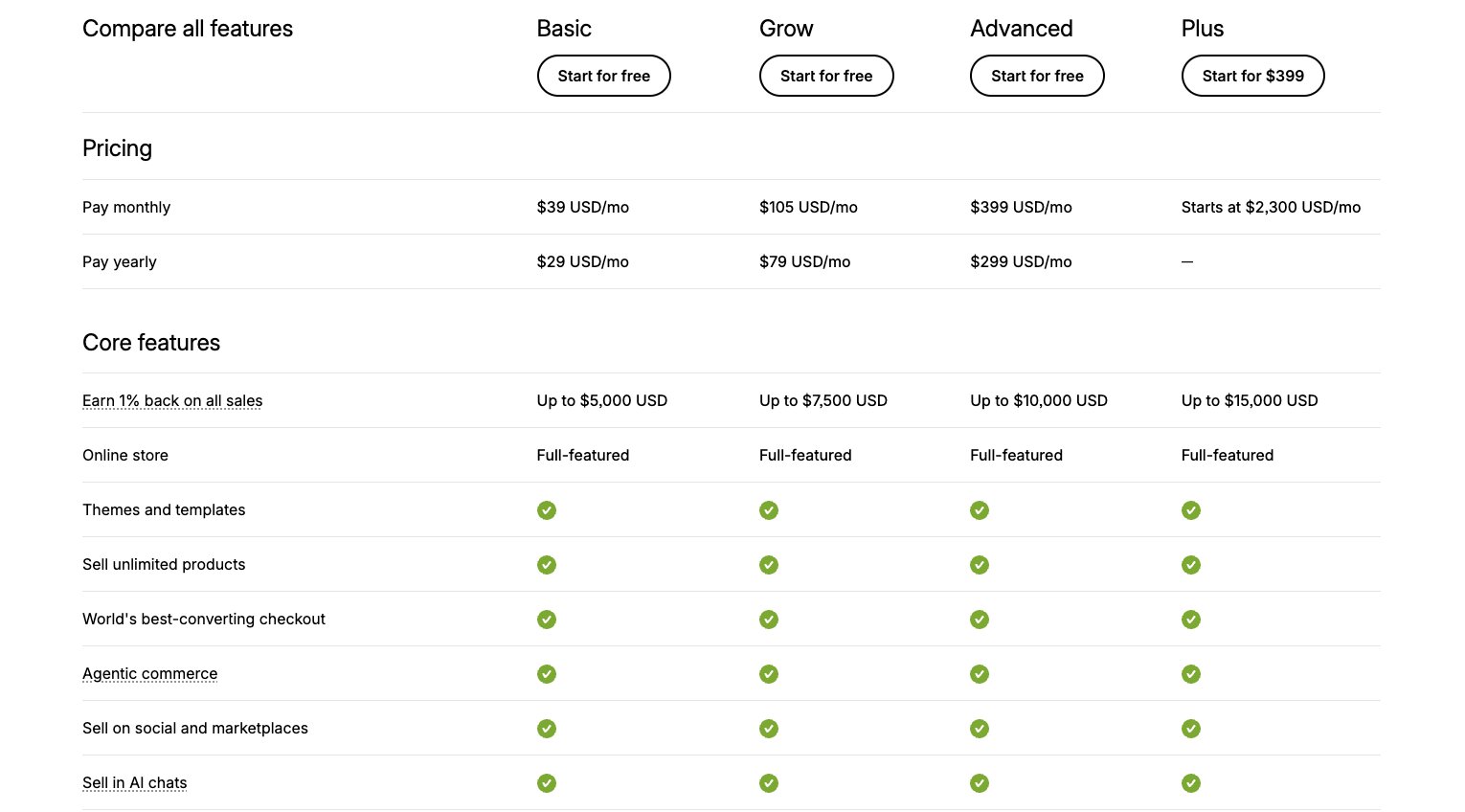
Shopify Sidekick is included in all plans.
- Starter: Meant for social media selling, this plan includes a simple, mobile-optimized “link in bio”-style shop for $5/month.
- Basic: $19/month for one admin user and standard payment processing fees.
- Grow: $49/month for five users, discounted payment processing fees, and a 1% discount on third-party transaction fees.
- Advanced: $299/month for fifteen users, further discounts on transaction fees (0.1-0.4%) and the ability to connect real-time, third-party shipping rates.
- Plus: Starts at $2,300/month for unlimited product catalogs and users, in-person POS included, the lowest payment processing fees, advanced checkout customization, higher API and checkout volumes, and more.
Shopify reviews
Here’s what customers rate Shopify on third-party review sites.
- G2: 4.4/5 stars (from 5,113+ reviews)
- Capterra: 4.5/5 stars (from 6,696+ reviews)
3. Gorgias
- Best for: Ecommerce brands that want AI-powered customer support at scale
- Pricing: Starts at $40/month for basic plan, plus $30/month for AI Agent access + ticket usage
- What I like: Deep Shopify/Magento integrations; can close tickets, not just draft replies
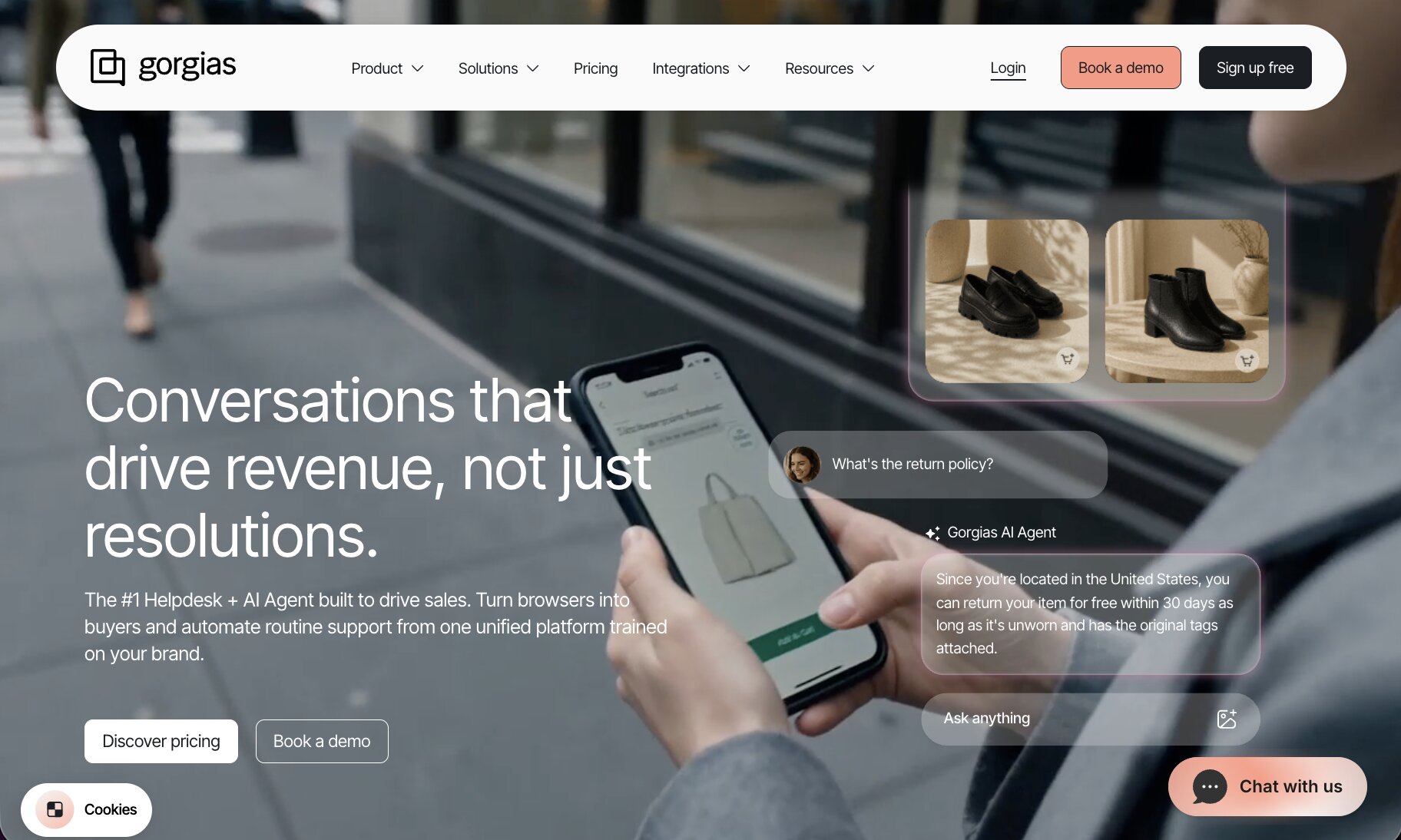
Gorgias is the go-to helpdesk solution for large scale ecommerce brands. Unlike other customer service solutions that simply link to business systems to look up data and relay that to a waiting customer, Gorgias is built ecommerce-first. Meaning, it has all the info it needs to fully resolve customer issues without putting anyone “on hold” or serving outdated data.
Gorgias automatically triages customer inquiries, escalating critical or time-sensitive issues to the highest priority. Simultaneously, it auto answers and closes “easy” tickets, such as “Where’s my order?” inquiries, freeing up your human team’s resources for the high-touch scenarios they need to be involved in.
Besides customer support, Gorgias also serves as a Shopping Assistant to recommend and upsell products. It can remember interactions, access user info for personalization, and deliver context-aware answers instantly in chat.
Gorgias also offers detailed analytics to review the effectiveness of automated interactions and, super usefully, connect customer service with the revenue and ROI it drives.
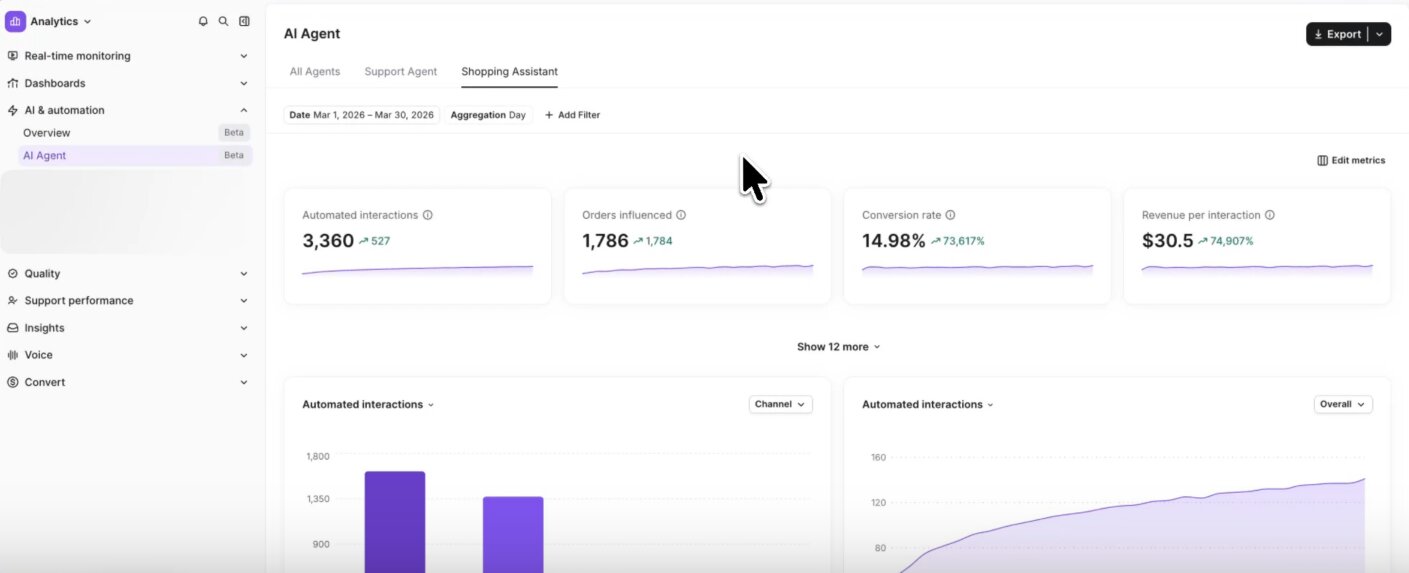
Gorgias is a powerful ecommerce customer support platform, though be aware pricing scales with ticket volume.
Key features
- Auto-responses and triage for fast, accurate answers: Plus, it aims to resolve tickets in one minute or less to drive CSAT scores and real customer satisfaction.
- Native integrations for top ecommerce: See customer and order data inside tickets with Shopify, Magento, BigCommerce, and WooCommerce.
- Connect support with revenue: Track revenue per ticket and agent to identify how much revenue is a result of customer service, and which approaches work best for converting.
- Brand voice controls: Train your brand voice, policies, and company knowledge to keep customer interactions consistent.
Pros and cons
Pros:
- Multi-platform AI ticket resolution: Handles requests across email, chat, and SMS, including making customer account updates such as order changes or updating shipping addresses.
- Performance-based pricing: You only pay for tickets when the AI is able to fully and automatically resolve the issue.
- Unlimited users: Add or remove your team members anytime (e.g. helping out during busy holiday seasons) without extra charges.
Cons:
- Costs can be unpredictable during heavy usage periods: Because you pay for each completed AI ticket, costs can balloon during busier months.
Gorgias pricing
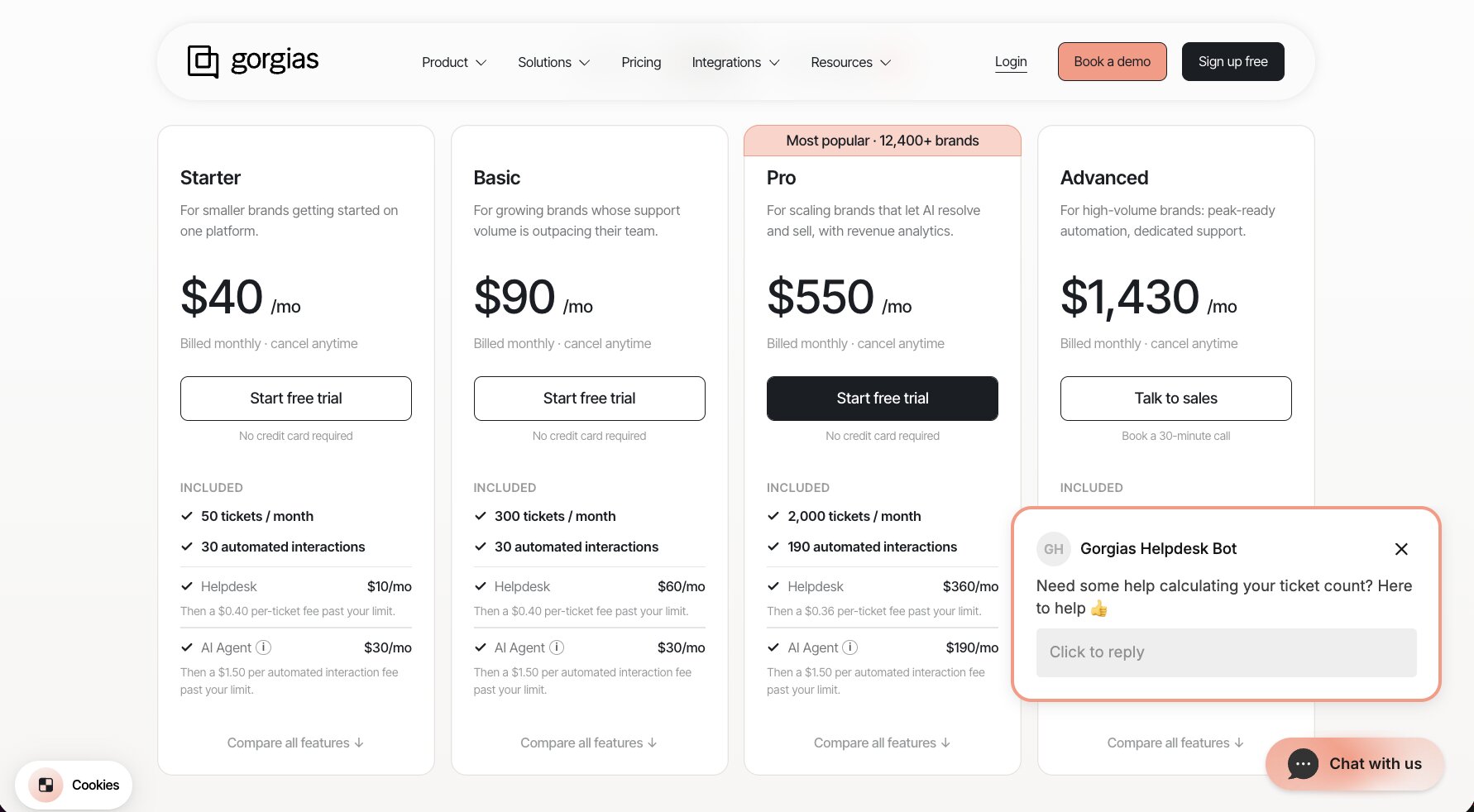
An important note about Gorgias’ pricing model is that besides the monthly or annual subscription cost, you also pay based on ticket volume and AI ticket resolutions.
Each plan includes a set number of monthly tickets. If you go over that, it’s $0.36-0.40 per additional ticket.
You also pay for each AI resolved ticket where Gorgias’ AI Agent fully answers and closes a ticket. Each plan includes a set number of resolved tickets for $0.90 each, then you pay $1.50 per resolved ticket after that.
Gorgias plans are:
- Starter: $40/month + $30/month for AI Agent; includes 50 monthly tickets and 30 automated interactions
- Basic: $90/month + $30/month for AI Agent; includes 300 tickets and 30 automated interactions
- Pro: $550/month + $190/month for AI Agent; includes 2,000 tickets and 190 automated interactions
- Advanced: $1,430/month + $530/month for AI Agent; includes 5,000 tickets and 530 automated interactions
- Enterprise: Custom pricing based on 5,000+ monthly tickets and includes SSO/SAML, dedicated account manager, and custom automations.
Gorgias reviews
Here’s what customers rate Gorgias on third-party review sites.
- G2: 4.6/5 stars (from 563+ reviews)
- Capterra: 4.6/5 stars (from 134+ reviews)
4. Siena AI
- Best for: Consumer brands wanting a fully autonomous CX agent across email, chat, and social
- Pricing: $750/month + costs based on team size and ticket volume
- What I like: Empathetic AI that actually sounds like a human; fully handles complex CX scenarios
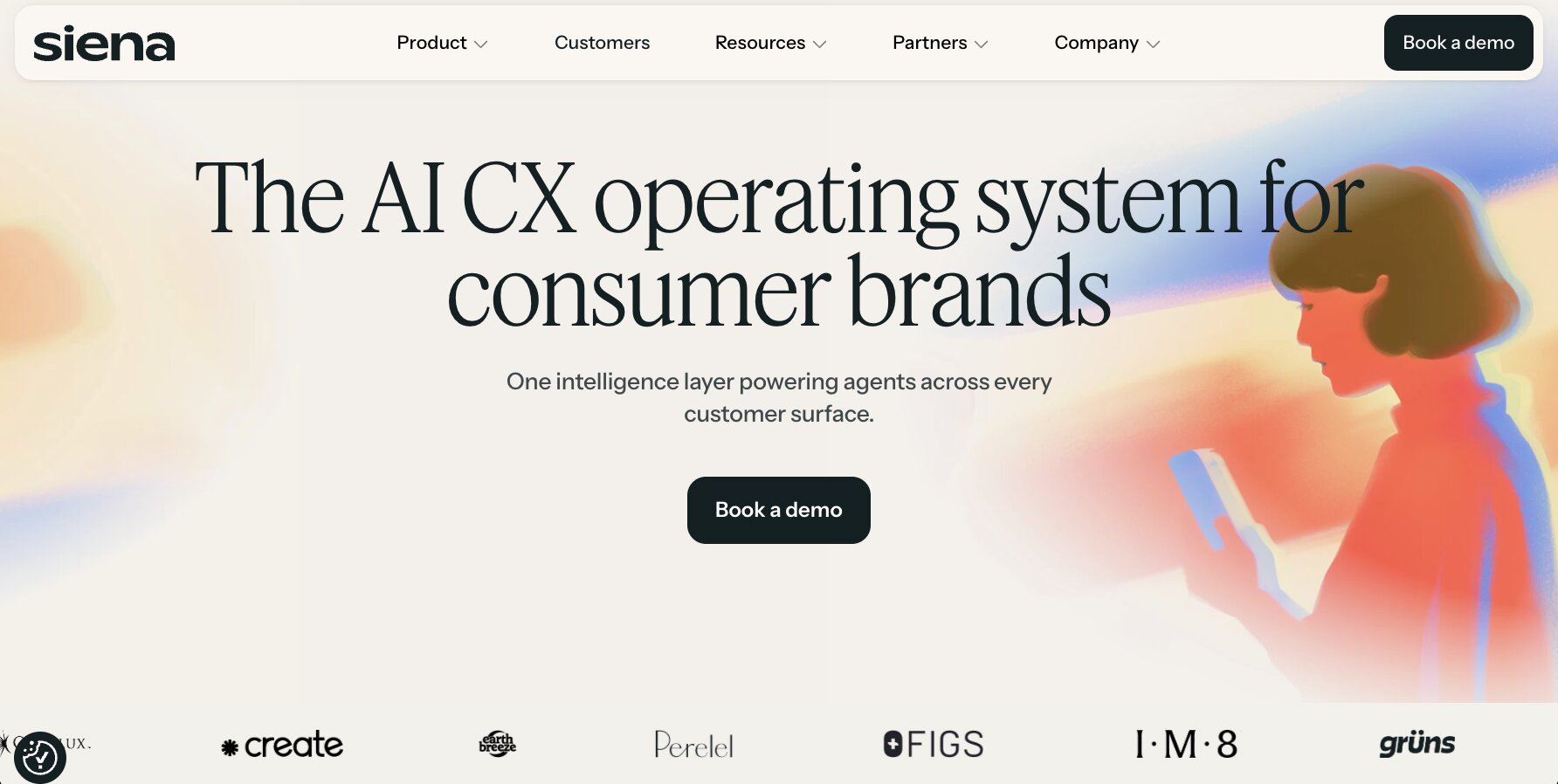
There are customer service chatbots, and then there’s Siena AI. Siena is a complete omnichannel customer experience solution and the next best thing to having a well-trained human team.
Many AI customer service solutions operate at the “ask and answer” level. They can resolve customer inquiries about order status, shipping speed, updating addresses and make order changes. Siena does that with ease, and is also able to handle complex conversations. For example: solving multiple issues in one interaction or dealing with ambiguous needs (e.g. where it’s not as simple as, “This is when your order will arrive.”).
Rather than replacing your support helpdesk solution, Siena is a layer on top of that to consistently manage customer experiences across all your channels, from your shop to social media.
If you want best-in-class brand voice matching across channels, and have the volume to support a higher budget tool, Siena is for you.
Key features
- Omnichannel coverage: Covers customer experience across your store, email, SMS, WhatsApp, social media comments, and DMs.
- Delivers personalized recommendations: Besides solving issues, Siena can recommend new products based on a user’s order history.
- Empathetic and true to brand voice: Siena is the top choice for an AI that sounds like a human. It delivers empathetic, friendly support that doesn’t annoy customers — all while remaining true to your brand.
- Agentic AI ticket resolution: Takes actions automatically to handle tickets, including completing refunds, editing orders, and more.
Pros and cons
Pros
- Great job balancing a friendly tone with professionalism, and adapting its responses to each customer without sounding like a robot.
- Customers actually love it — Siena reports up to 80% automation with an average 94.7% CSAT score.
- Handles everything end-to-end, even complex interactions that go beyond order management or FAQs.
Cons
- Intended for enterprise-level ecommerce retailers with a price point to match. One of the more costly ecommerce AI tools featured here, and costs scale with volume too.
- Has plenty of integrations, though for ecommerce platforms only natively integrates with Shopify or Fulfil.
Siena AI pricing
Siena’s pricing is custom quoted based on your customer service team size and expected monthly ticket volume.
There is also a base $750/month cost for the platform itself.
You can calculate your expected cost and get a quote on their pricing page.
Siena AI reviews
Here’s what customers rate Siena AI on third-party review sites.
- G2: 4.8/5 stars (from 28+ reviews)
5. Triple Whale
- Best for: DTC brands wanting AI-driven analytics and attribution
- Pricing: Free tier; Paid plans start at $219/month
- What I like: Proprietary Moby AI assistant learns over time; unified data across ad channels
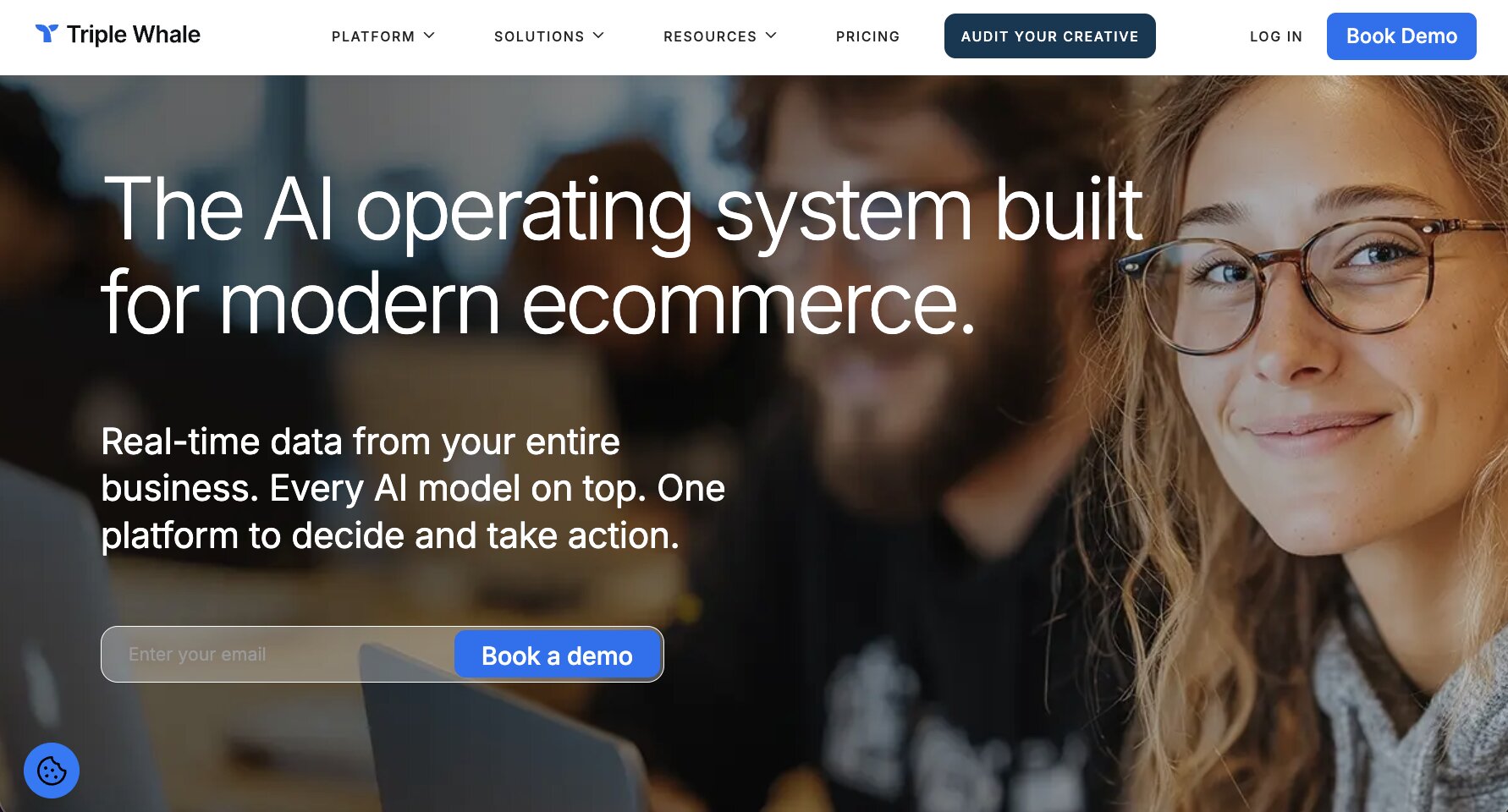
If you want to track all your analytics in one place, Triple Whale is for you. Besides store traffic and stats, you can view ad campaigns, revenue, attribution, customer cohort reports, and much more — all powered by its first-party Triple Pixel, so you’re not relying on stale cookies.
The value of Triple Whale becomes really apparent when you start diving into those analytics with the proprietary Moby AI assistant. You can ask natural language questions, such as, “What are our best performing campaigns this week?” or even view and edit SQL queries right from your dashboard.
The brand-new Moby 2 AI (launched May 2026) now works autonomously to manage ad budgets, create Klaviyo campaigns, and surface insights on its own. You approve things before they go live, but Moby does all the work automatically in the background.
Triple Whale ties every possible KPI and metric together in a neatly organized space. It’s heaven for nerds.
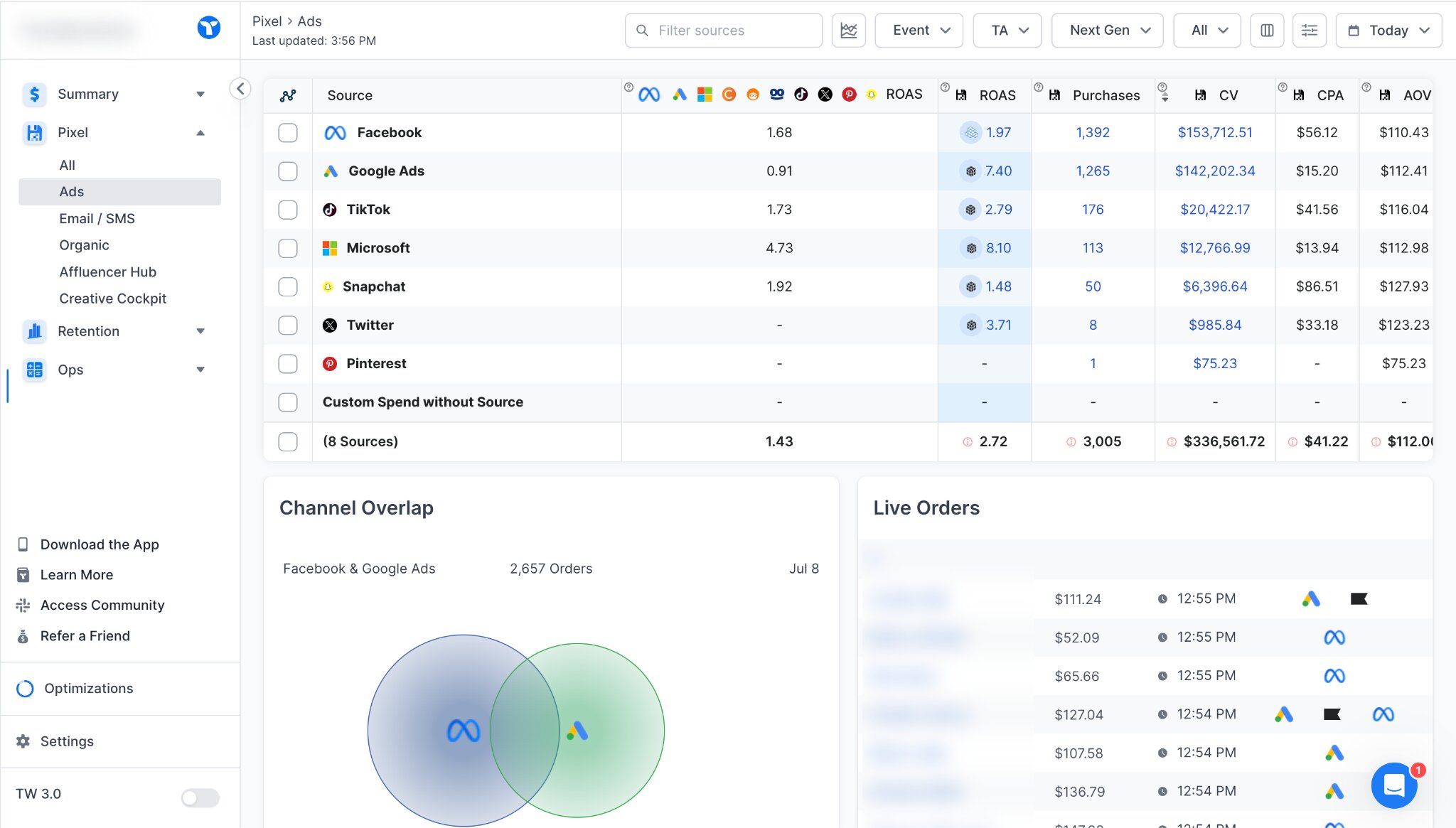
Setting up attribution tracking the way you need it can be cumbersome (okay, soul-destroying) but once you do, it’s a powerhouse for DTC analytics.
Key features
- Moby 2 AI works autonomously: The AI can craft campaigns, manage inventory, create reports, and much more on its own, 24/7. Plus, ask it questions for easy data analysis.
- First-party, multi-touch attribution: No relying on cookie data for attribution. Triple Whale’s pixel works across Meta, Google, Pinterest, TikTok, and more — with seven attribution models.
- Unified analytics dashboard: See all your stats in one place, including ROAS, CAC, profit, which ad creatives are performing best, organic reach, and more.
Pros and cons
Pros
- Moby AI is easy to use for all employees: Natural language prompts save hours of data digging, and you still have the ability to go deep with SQL queries and full data warehouse transparency.
- The free plan offers a real-time dashboard that covers your revenue, ad spend, basic attribution (including AI search visibility), and benchmarks.
- Multi-touch attribution with seven attribution models and first-party data is extremely accurate and more detailed than platform analytics alone.
Cons
- Subscription costs grow with your revenue.
- Some top features, such as data warehouse syncing, are only available as custom-quoted add-ons.
Triple Whale pricing
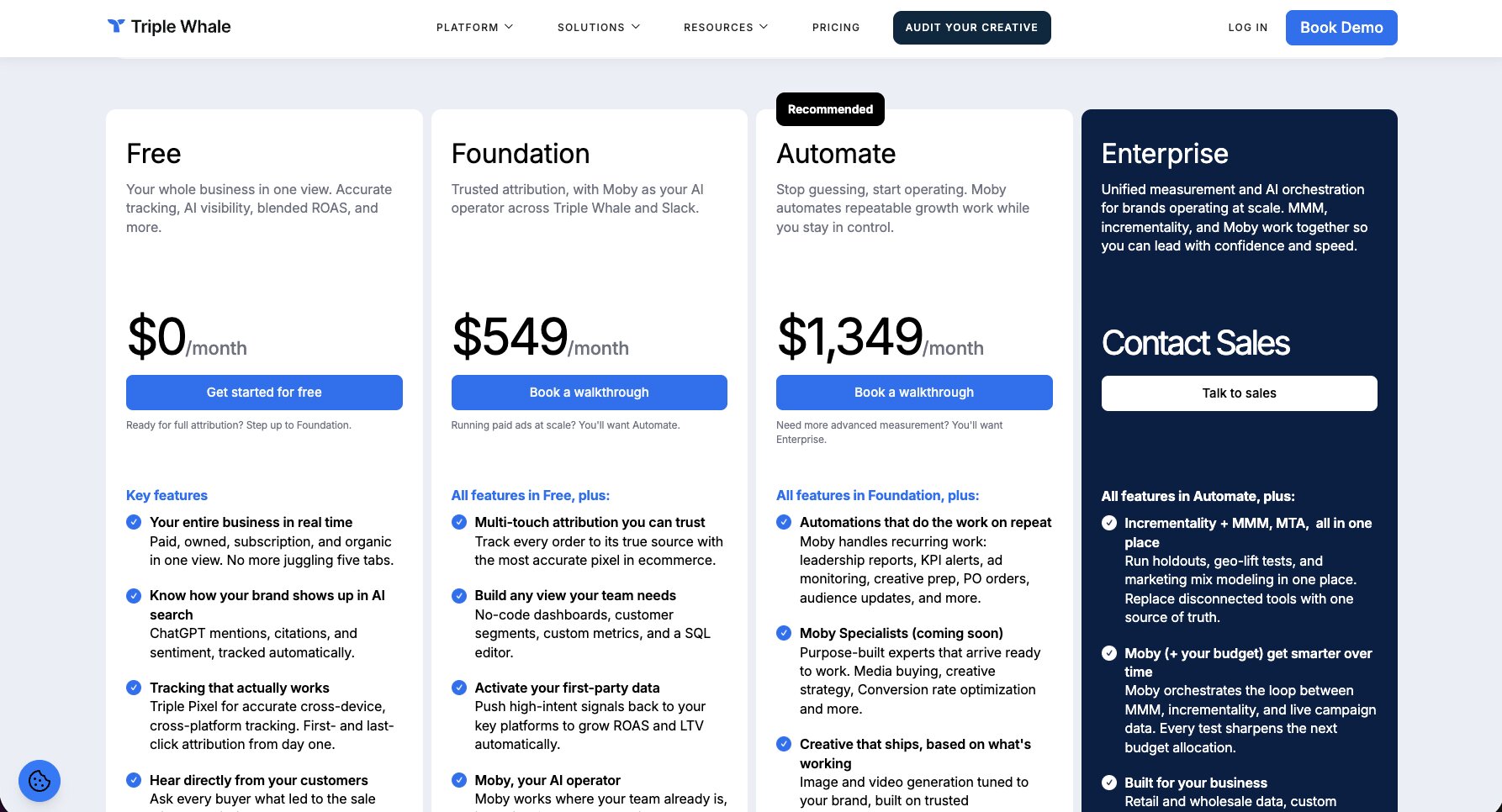
Triple Whale offers several plans and pricing scales with your gross revenue.
Triple Whale also has several optional add-on packages built around specific goals, such as retention or conversion. The free and Foundation plans don’t include any, some are included with the Automate plan, and all are included in the Enterprise plan.
- Free: Access basic attribution and analytics metrics, including AI search visibility, completely for free.
- Foundation: Starts at $219/month for companies with annual revenue under $250,000. Get core features, including Moby AI, custom dashboards, and SQL editor.
- Automate: Starts at $749/month. Adds automation features, including autonomous AI agent creation with Moby, some add-ons, and generative AI capabilities.
- Enterprise: Custom-priced, and includes the Compass add-on for advanced multi-touch attribution, higher security, audit logs, and more.
Triple Whale reviews
Here’s what customers rate Triple Whale on third-party review sites.
- G2: 4.5/5 stars (from 481+ reviews)
6. Klaviyo AI
- Best for: Ecommerce brands running email and SMS at scale
- Pricing: Free plan; paid plans are customizable and priced per feature; email plans start at $20/month
- What I like: Predictive analytics (churn forecasting, etc); AI-generated flows and segments
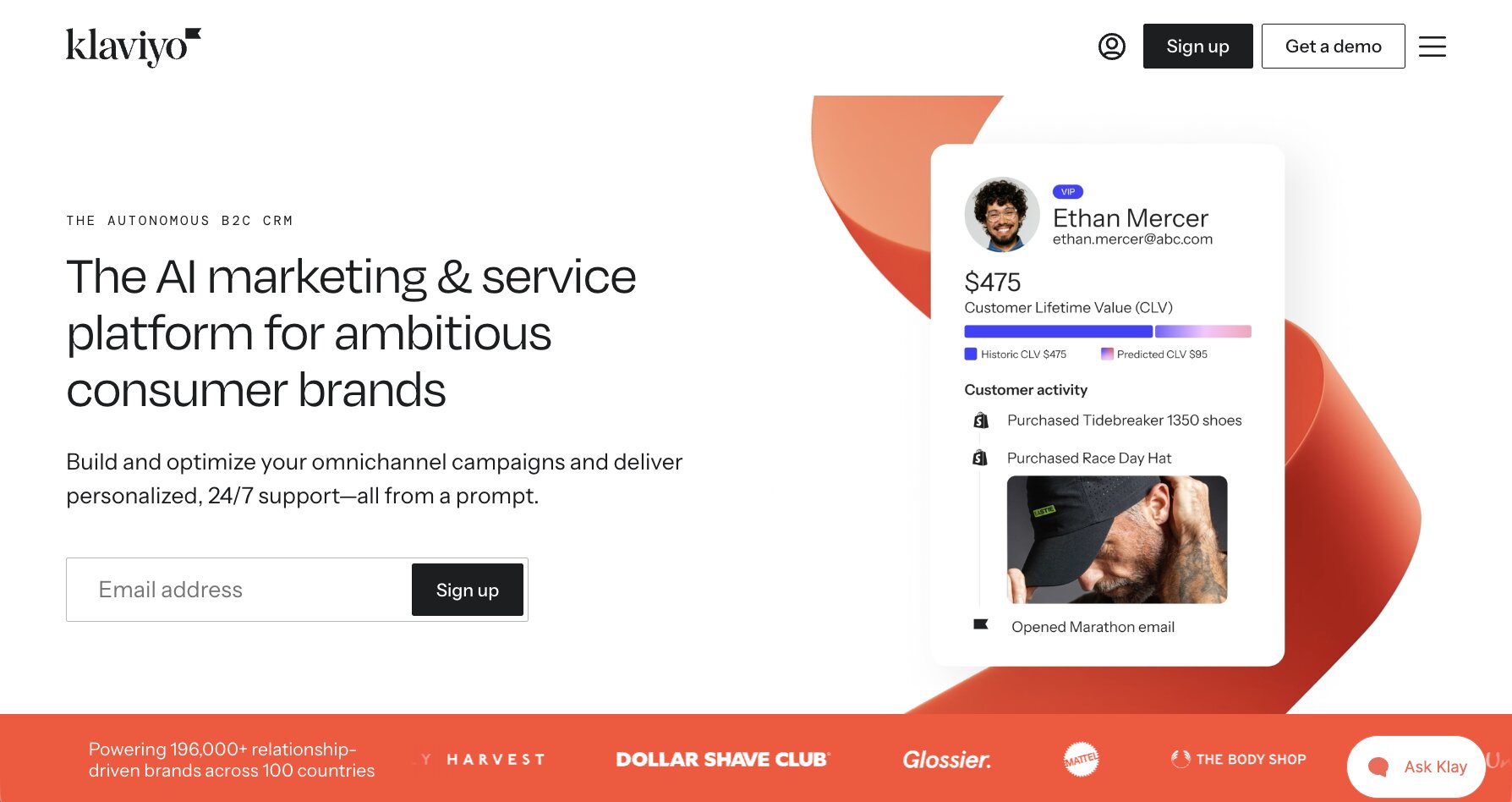
Klaviyo is a well-known platform for smart AI email marketing that’s been around for a long time. Klaviyo also operates across text messaging, WhatsApp, and social media.
Klaviyo’s AI features leapt forward in early 2026 when it launched Composer, their AI layer that powers everything from predicting the best times to send campaigns to auto-segmenting to fully AI-created campaigns. Tell Composer the type of campaign you need with a plain language prompt and it creates full, multi-channel campaigns ready for you to approve.
Composer creates campaigns using your past performance, so it learns over time, and it can automatically find and suggest growth opportunities for you. Plus, you can ask Composer to segment your customers in specific ways or use it to analyze customer behavior as they move through email flows.
To me, the most impressive aspect is how Klaviyo learns about customers and saves that information. Lots of ecommerce AI tools can make product recommendations, but Klaviyo adds user preferences to their CRM profile based on what they say in chats so that it can tailor future interactions. This is valuable data you can’t get anywhere else and, in my opinion, is more valuable than just basing future recommendations off of purchase histories.
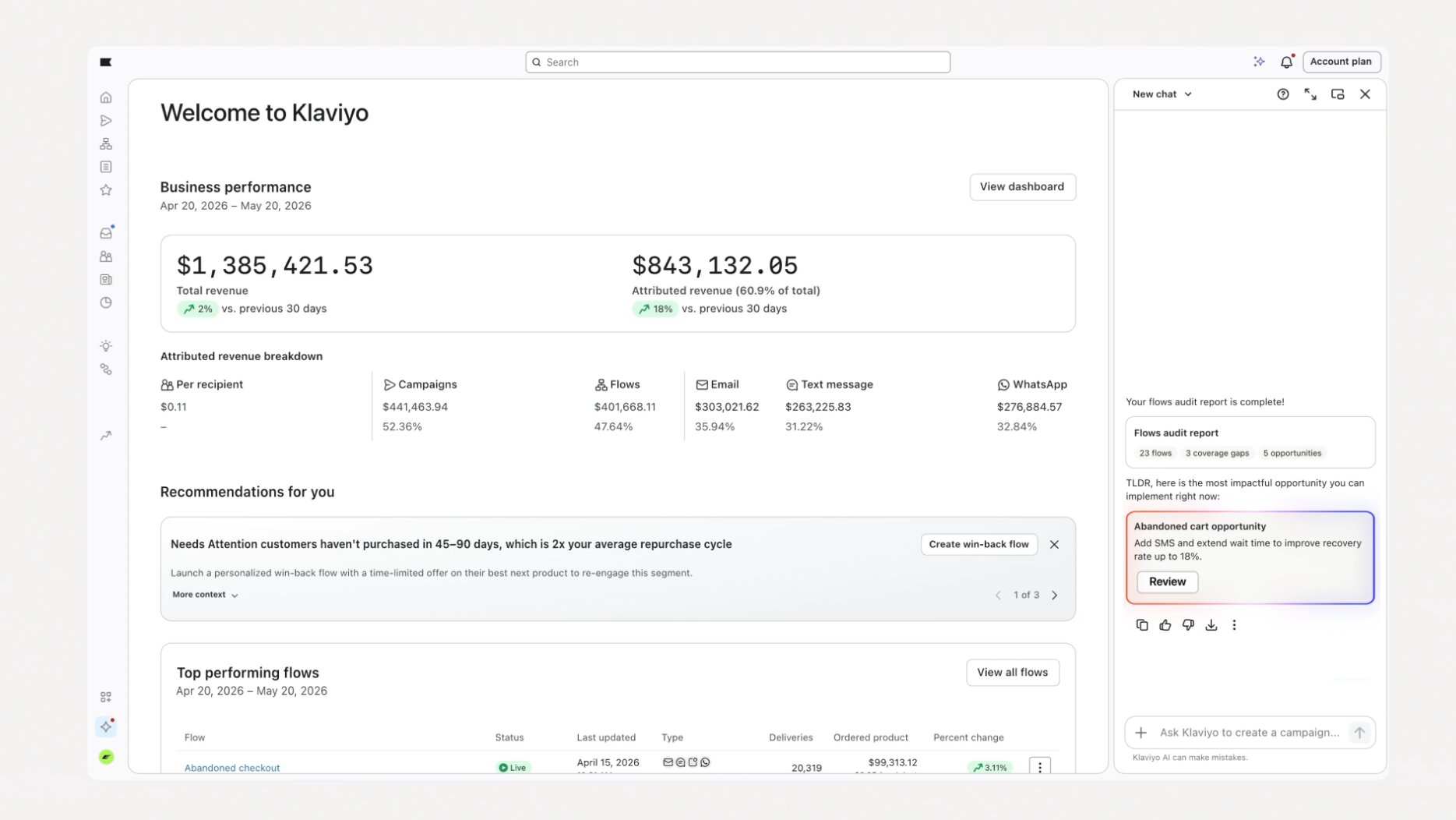
Klaviyo is often held as the standard for ecommerce email/SMS marketing and given its power and ease of use, that’s well-earned. If your primary marketing focus is email or SMS, especially if you use Shopify, Klaviyo is a solid choice.
Key features
- Fully automated email and marketing campaigns: Create campaigns from a prompt, including multi-step email flows with triggers and conditional splits, all based on your customers and performance history.
- Predictive forecasting: View estimated customer lifetime value, churn risk, next order forecasting, and more.
- Easy customer segmentation: Segment your audience from a plain language prompt. Just type what you want — such as, “Create a segment of all customers who have used a specific promo code.” — and Klaviyo makes it.
- Intelligent AI product recommendations: Klaviyo updates customer profiles after each interaction, making note of preferences from chats so it can personalize recommendations even more next time.
Pros and cons
Pros
- Build best-in-class, highly targeted, cross-channel campaigns instantly with AI across email, text messaging, WhatsApp, and social media. Create your own, or start from over 60 templates.
- While Klaviyo supports many ecommerce platforms, it offers deeper integration with Shopify, including native support for Shopify Markets for better localized targeting.
- Includes more forecasting features in all their plans; competitors usually reserve these levels of insight for enterprise plans.
Cons
- Cost grows as customer profiles scale, which is different from your email list, and can quickly add up if using multiple add-ons. Purge outdated stored profiles regularly to control costs.
Klaviyo pricing
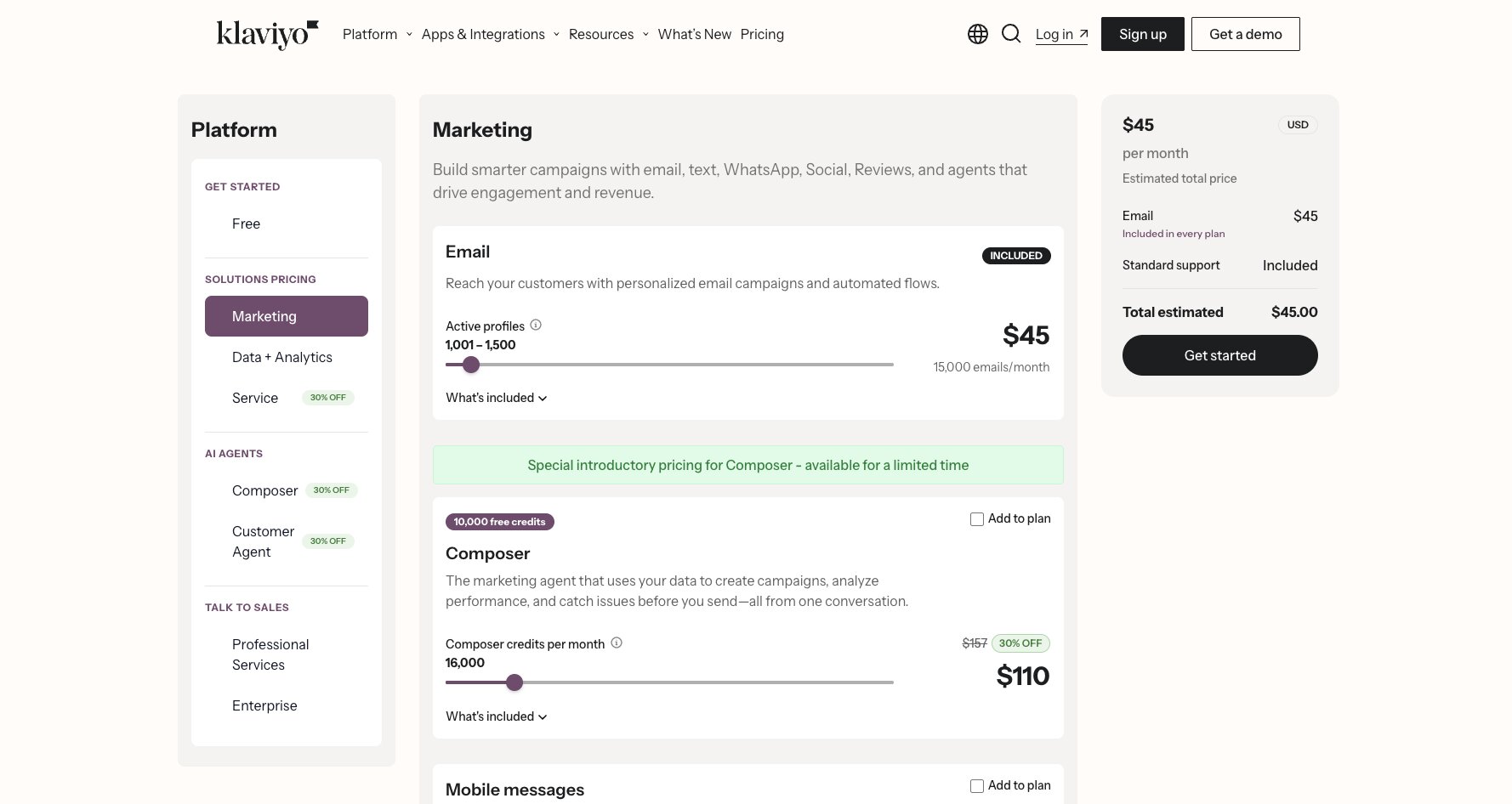
Klaviyo offers highly customizable plans — you only pay for the features you need.
There is a free plan for up to 250 profiles (customers), 500 emails/month, 150 SMS messages/month, basic segmentation, and analytics.
After that, you can subscribe to an email marketing plan starting at $20/month for up to 500 profiles and 5,000 monthly emails, plus add-on SMS starting at $15/month and scaling up with message volume.
Importantly, Klaviyo pricing centers on your customer profile count (stored emails), not your email list. AI features such as Composer, which can auto-create and optimize marketing campaigns, start at $110/month.
You can get all the details and build a custom plan on their pricing page.
Klaviyo reviews
Here’s what customers rate Klaviyo on third-party review sites.
- G2: 4.6/5 stars (from 1,355+ reviews)
- Capterra: 4.6/5 stars (from 530+ reviews)
7. Glowtify
- Best for: Ecommerce brands wanting an AI marketing co-pilot
- Pricing: Contact for quote
- What I like: Built specifically for on-brand, ecommerce marketing workflows
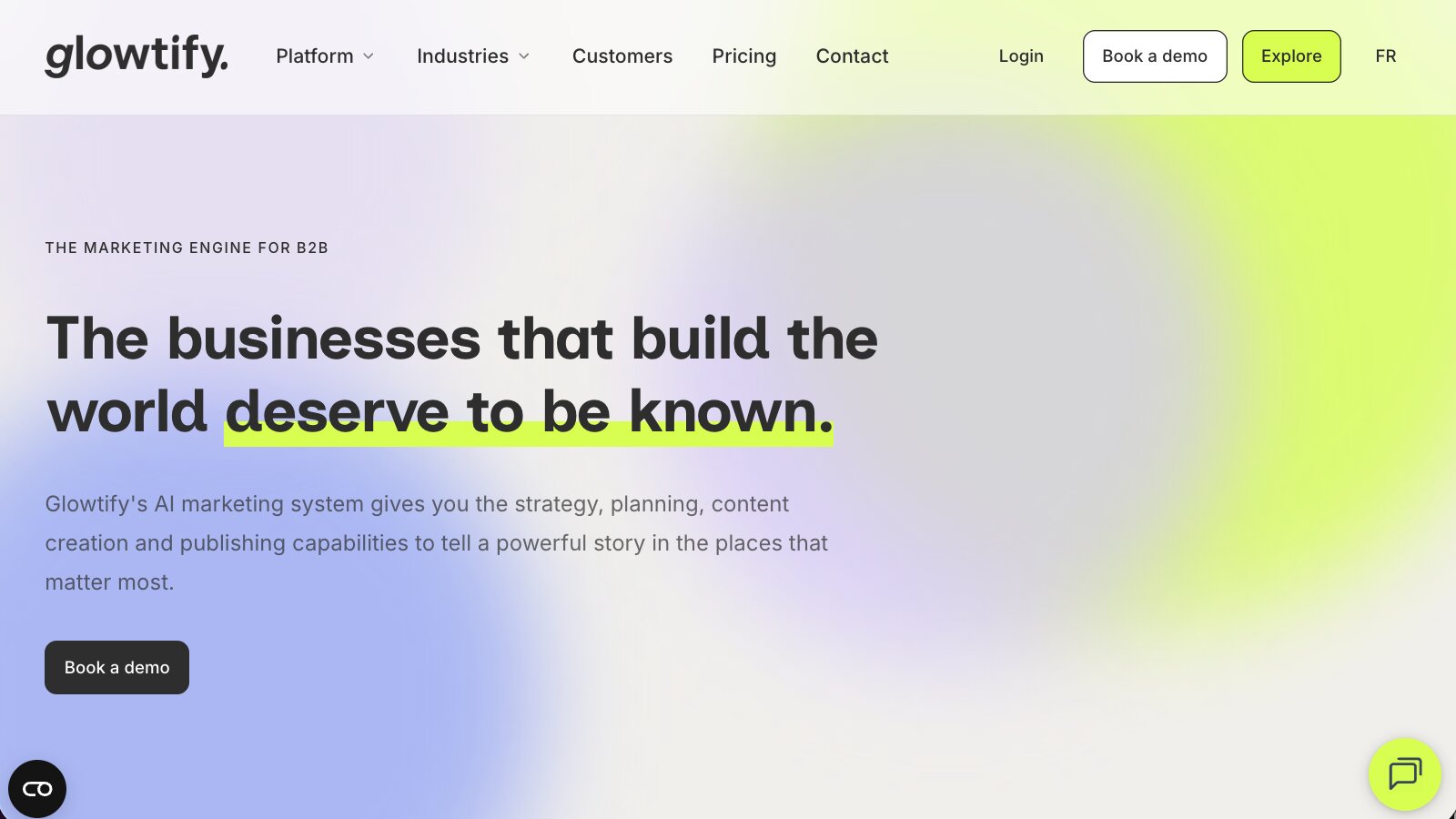
Glowtify is an AI-powered “Ecommerce OS” for your store that handles marketing strategy, copywriting, and campaign creation all in one tool.
There are two big differences between Glowtify and other generative AI tools to create campaigns: First, Glowtify uses the last two years of ecommerce sales data and your brand info to create what it calls your “Business DNA” to keep everything on-brand and optimized based on real performance outcomes. Second, you don’t even need to write any prompts.
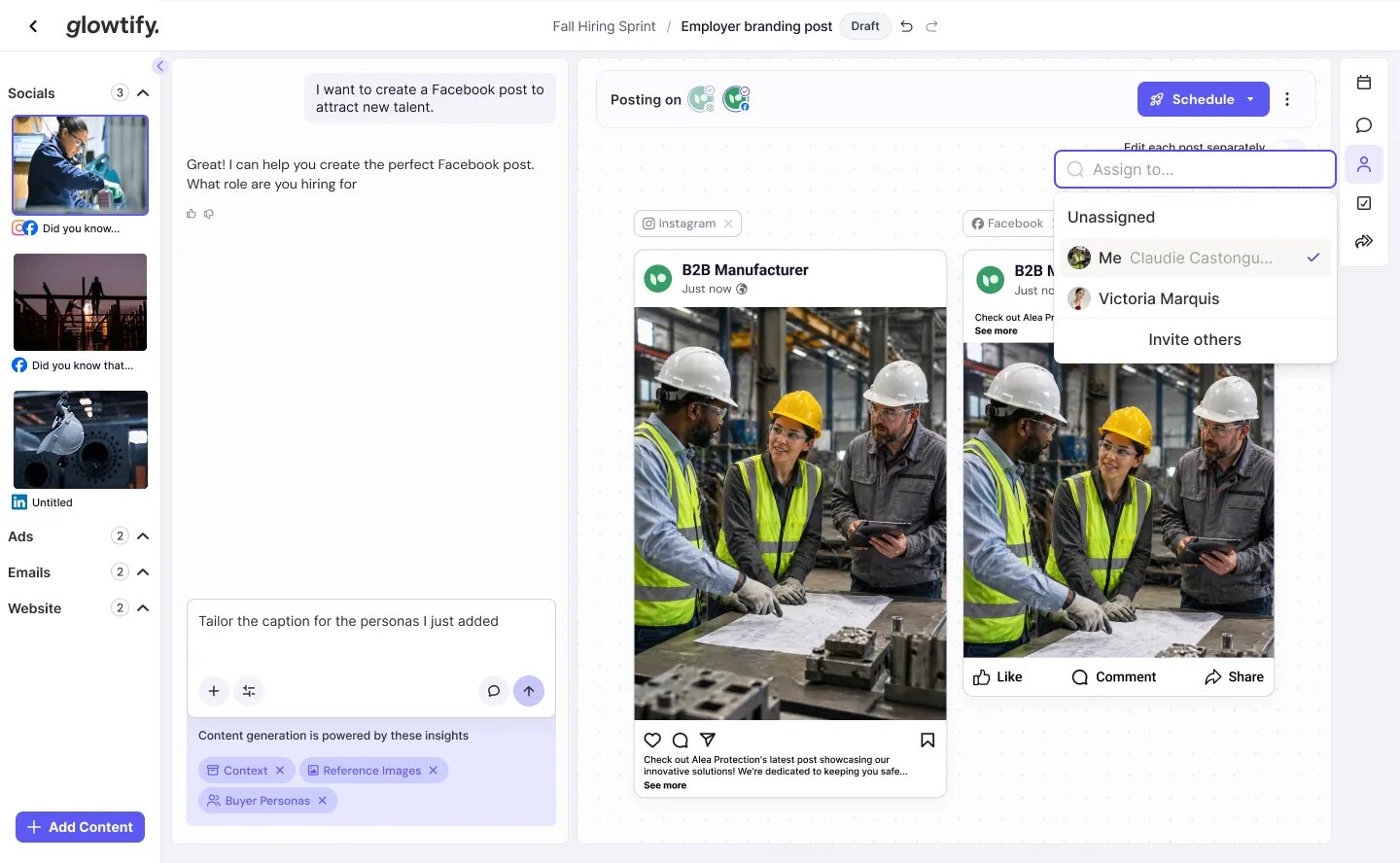
Glowtify wrangles an entire marketing plan for you automatically — without any briefs needed. As a former marketing agency strategist, I’m impressed with Glowtify’s content calendars, campaign planning, and collaborative project management/approval workspaces. It really streamlines the planning part of marketing by giving you a solid foundation to build on within minutes instead of weeks.
Without publicly-available pricing and plans, it’s hard to pinpoint who would be the best fit for Glowtify. But I think it definitely offers a compelling advantage for smaller marketing teams wanting to work at a bigger scale.
Key features
- Genuinely impressive automated AI marketing planning: Strong ability to plan and execute cross-channel campaigns, including content calendars, channel-specific SEO and GEO optimized copy, visuals, ads, events, and more.
- Strong brand consistency: Business DNA understands your brand to keep campaigns consistent, including how to differentiate you vs. your competitors.
- No prompts needed: Glowtify works autonomously to produce blog drafts, social media posts, ads, newsletters, and more without needing any prompting or human intervention (besides approval).
- One-click approval and publishing across channels: Edit and post content directly to Instagram, Facebook, Google Ads, Klaviyo, and more.
Pros and cons
Pros
- Uses your ecommerce sales and customer data for the last two years to create campaigns with real strategy behind them.
- All-in-one marketing tool for ecommerce. It covers the full cycle from strategy -> content generation -> publishing -> analytics in one place.
- Functions as your team’s collaborative project management workspace, giving everyone visibility into upcoming campaigns, plus feedback and approval workflows.
Cons
- AI generated content requires human review before publishing, so strong approval and brand compliance workflows are a must to protect your reputation.
Glowtify pricing
Glowtify does not publicly list pricing. They request you sign up for a demo with the sales team to view plan information.
However, the Shopify App Store lists Glowtify as $1,999/month.
Glowtify reviews
Glowtify is relatively new compared to others on this list and doesn’t have an established presence on third-party review sites (yet), however 15+ Shopify users rank Glowtify 5/5 stars.
8. Botpress
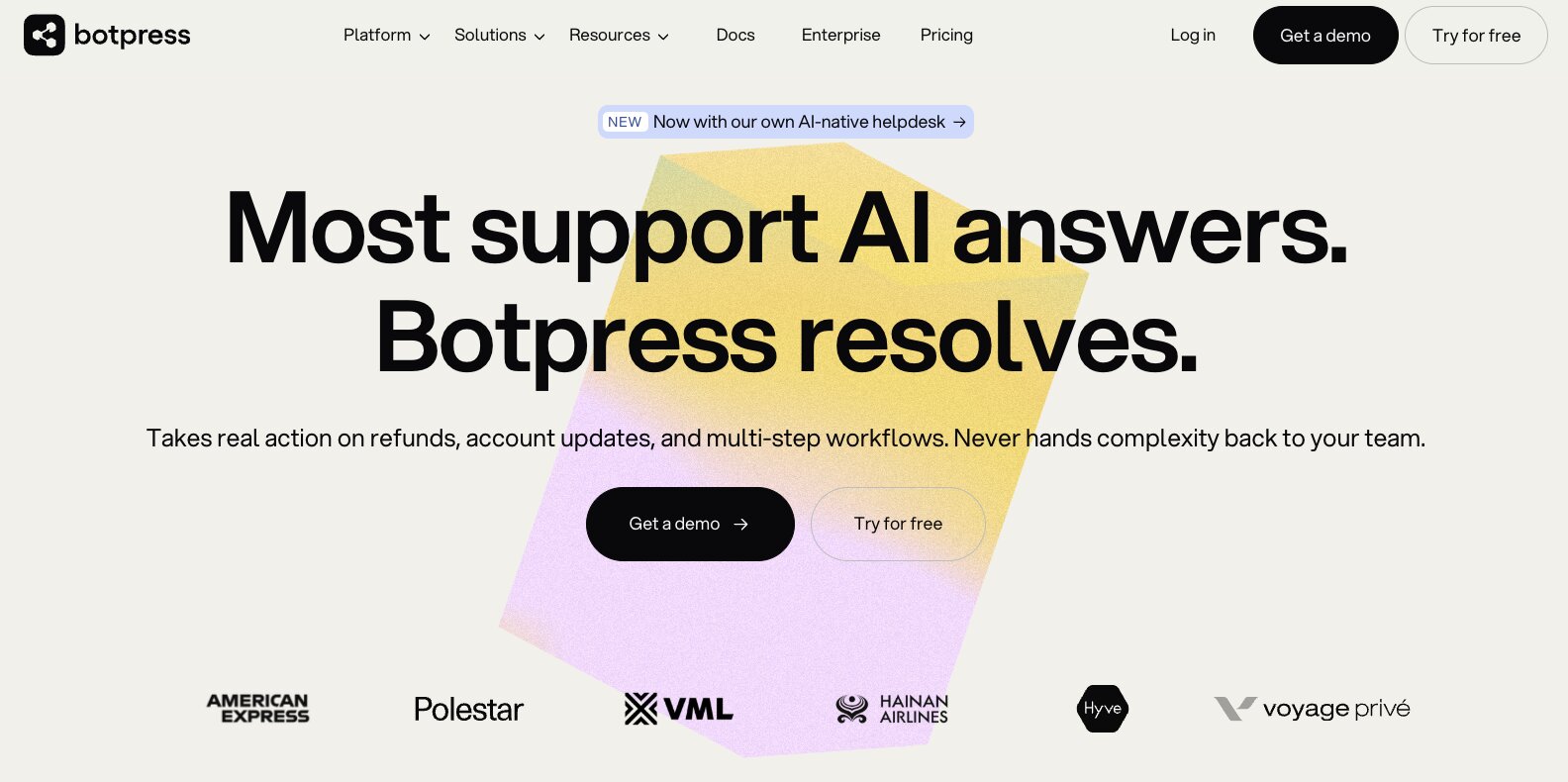
- Best for: Technical teams building custom conversational AI agents
- Pricing: Free plan; Paid plans start at $150/month
- What I like: Open, flexible, and developer-friendly; meant for complex customer support
Botpress is a complete AI agent builder for all types of ecommerce tasks, from customer service to upselling, inventory management, and running cart abandonment flows.
While you can start using Botpress with relatively minor technical setup, especially if switching from or using alongside a ticketing system like Zendesk or Intercom, it’s really meant for development teams who want to customize all aspects of their AI agents’ behavior and logic.
The Agent Studio offers a visual, drag-and-drop workspace to create AI agents, train them with centralized knowledge management, and test responses before going live. You can do this all without coding, but developers can also add custom code and API connections for advanced workflows.
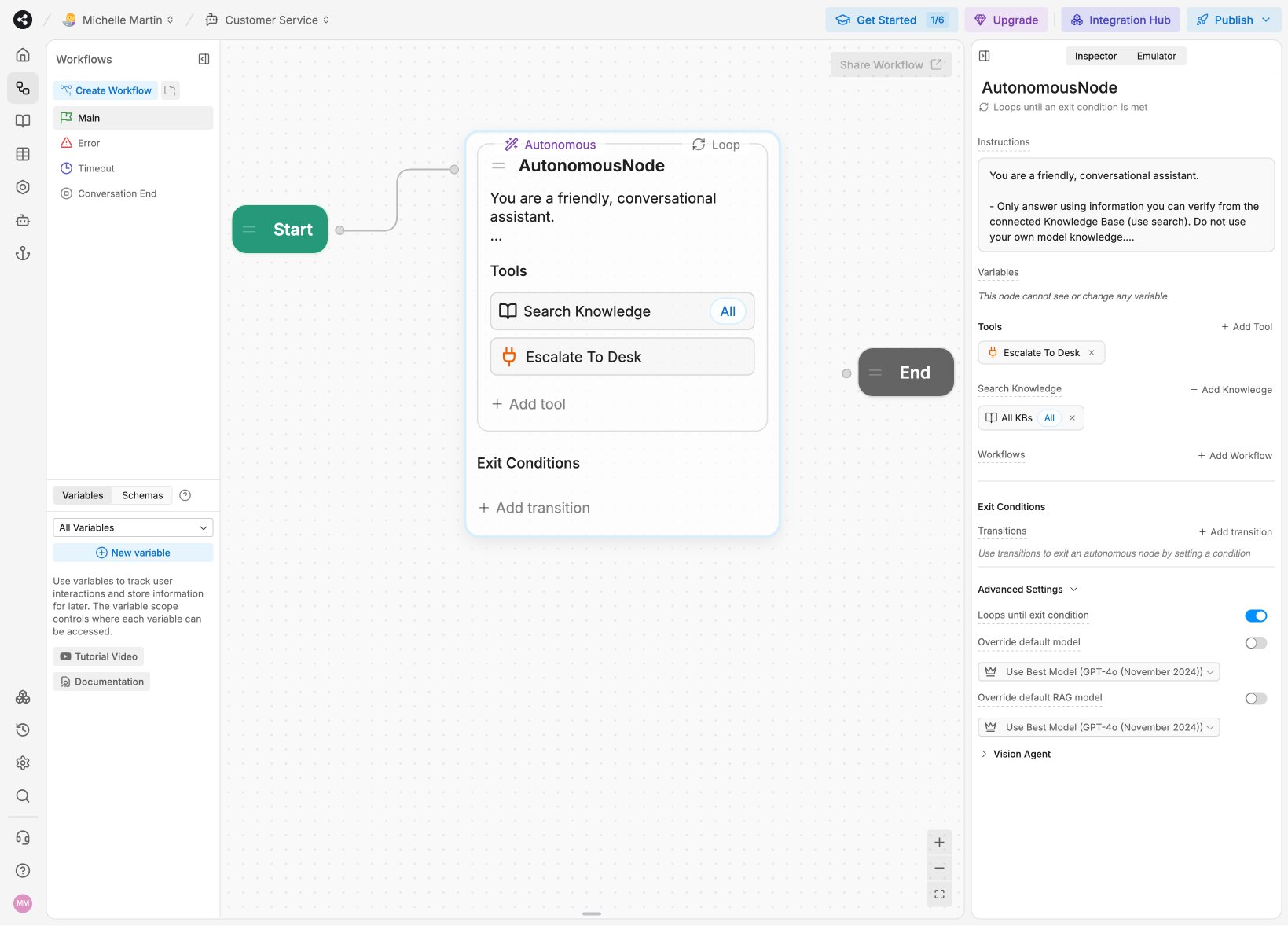
If your team wants full technical control over conversational AI flows across all your channels, Botpress is your best bet for mixing enterprise-level power with full flexibility.
Key features
- Use your preferred LLM and channels: Connect ChatGPT, Claude, Gemini, or DeepSeek with BYOK so you use your existing AI model credits, and connect multiple channels, such as web chat, WhatsApp, Facebook Messenger, Slack, Microsoft Teams, and more.
- No code or full code: Non-techy users can build AI agents with drag-and-drop and developers can access code and create agents in a managed infrastructure.
- The most flexible ecommerce AI agent builder: If you can plan it, you can build an AI agent workflow for it. And even self-host.
- Active development community: Over 25,000 Discord members, extensive documentation, and developer resources.
Pros and cons
Pros
- Full control over your AI agents’ behavior and logic, either using the visual Agent Studio or adding custom code and APIs.
- Centralized knowledge base to streamline training multiple agents, connect APIs for real-time updating, and add structured data.
- Free plan allows up to three AI agents so you can adequately test out the platform before committing to a paid plan.
Cons
- Not plug-and-play. Requires technical setup and ongoing AI agent management, including LLM connections and API integrations.
Botpress pricing
Botpress pricing is centered around the number of monthly conversations. AI usage is included in all plans (even the free one).
- Free: Create up to three AI agents and handle up to 100 conversations.
- Plus: Starts at $150/month for three users, unlimited AI agents, whitelabel branding, and up to 250 conversations per month. Additional conversations are $0.65/each.
- Team: Starts at $750/month for unlimited users and AI agents, routing, collaboration, analytics, and up to 1,500 conversations per month. Additional conversations are $0.50/each.
- Enterprise: Custom quoted based on conversation volume and includes voice chat.
Botpress reviews
Here’s what customers rate Botpress on third-party review sites.
- G2: 4.5/5 stars (from 501+ reviews)
- Capterra: 4.5/5 stars (from 37+ reviews)
Which ecommerce AI tool is right for you?
The right ecommerce AI tool for you depends on what you want to optimize. Serving customers faster? Increasing repeat orders? Super accurate attribution? Speeding up content creation? Creating custom AI agent workflows?
To sum it up:
- Just getting started on Shopify? → Shopify Magic
- Need customer support automation? → Gorgias or Siena AI
- Want analytics & attribution? → Triple Whale
- Email/SMS marketing at scale? → Klaviyo AI
- Need a custom AI agent? → Gumloop or Botpress
- Marketing AI co-pilot? → Glowtify
If you’re still deciding between a specialized tool and a create-your-own AI agent builder, my advice is try out the tools offering free trials and see which one alleviates the most bottlenecks. Then you’ll know where you need to start optimizing with AI.
Some more advice? Start with Gumloop’s free 5,000 monthly credits + an ecommerce AI agent template you can launch today.

Read related articles
Check out more articles on the Gumloop blog.