5 best LLM routers I've tested in 2026

Here’s how 5 different model routers compare to each other: how they select models, how they handle failover, and what they cost.
Different tasks require different levels of reasoning. If I wanted to create a three-course meal from scratch, that’s obviously going to take a lot more planning and brainpower than heating leftovers in the microwave.
It’s the same for AI agents: if you ask your agent to generate an automated daily standup brief, that shouldn’t require as many tokens as a complex debugging session. However, when given a choice, users are likely to default to whatever they perceive to be the “best” or the newest model, because of course they want to do the best work possible. I’m certainly guilty of this (apologies to our Head of Finance).
The end result of this is that we end up overpaying for work that a more efficient model would have finished just as capably. The truth is, routine tasks don’t actually require cutting-edge, frontier models. My simple daily brief doesn’t require Claude Opus 5 or GPT-6 Astra. But, I also don’t want to have to swap out models every time I chat with an agent, especially when there’s new models coming out every single week. How am I supposed to know what the best choice is?
The solution: a model router (completely unrelated to Wi-Fi routers) can potentially determine, in real time, the best AI model for the specific task at hand, and give you the same results for a dramatically lower token spend. Sounds too good to be true? It’s real, I promise. Let me explain.
What is a model router?
A large language model router (or LLM router, or just model router for short) is software that takes a request and decides which model (or provider) should answer it. When a model router chooses a model, it decides whether to use a frontier model (like Claude, GPT, Grok, or Gemini), a cheaper open-weight model (like GLM, Kimi, DeepSeek, or Qwen), or something in between.
Sometimes, routers can also choose which provider to use. The same model can be hosted in more than one place: for example, you can of course access GPT-5.6-Luna from OpenAI, but you can also access it from Fireworks AI, Azure, or Amazon Bedrock. If a given provider rate-limits you, a router can redirect you to another provider as a failover.
What is a gateway?
In some cases, a product packaged as a “router” is actually a gateway, with routing on top. A gateway is a layer that exists between an application and the model providers. Without a gateway, an application needs to manage multiple API keys, endpoints, billing accounts, etc.
With a gateway, however, you only need to manage a single API key and endpoint. The gateway manages authentication by checking which users are allowed to make which requests, and records observability logs. Most gateway products also incorporate elements of provider routing as well, and can failover rate-limited requests to eligible providers.
What to look for in a model router
If you already know which model you want to use, and you just want to avoid downtime, look for a provider router. If you’re less concerned about the specific model and just want the best model for the job at hand, look for a model router. If you want to standardize and manage access to models, look for a gateway.
Confusingly, the “model router” category of products can refer to all of these different capabilities, and the products on this list might be able to do one, two, or all three. Your first step is to figure out which of these you need. Other questions to ask yourself:
- What are you actually routing?: If you want to route an app, a bunch of scripts, or a coding agent, that’s a gateway problem, and you should look at tools like OpenRouter, LiteLLM, or Foundry. If you want model routing built into your company’s agents, you should look at a product like Gumloop.
- What providers does the router give you access to?: If you have a specific model provider that you want (e.g. OpenAI, Anthropic, Gemini, DeepSeek, Qwen, Mistral, Meta, etc.), make sure that it’s supported by the router you choose.
- How does the router decide which model(s) to use?: A router might automatically pick a model for you. Gumloop does this by judging the complexity of a request, and selecting accordingly; OpenRouter Auto does this based on what the OpenRouter community spent on similar tasks in the previous week; Foundry uses a trained selector with Balanced, Cost, or Quality modes. Other products, like LiteLLM or Prisma AIRS AI Gateway (formerly Portkey), route based on rules you set yourself.
- How does the router handle failover/rate-limiting?: If Anthropic decides to rate-limit you mid-task, what happens? Does the request fail, or does it get routed to another model? If so, how is that routing determined?
- What governance options does the router have?: What options does IT have for restricting which models requests can route to?
- What deployment options does the router have?: Is the model router a managed API you can call (like OpenRouter), something you can self-host (like LiteLLM), something that exists inside an Azure deployment (Microsoft Foundry), a gateway you can run managed, hybrid, or open-source (Portkey), or a setting that can be applied to agents (like Gumloop)?
5 best model routers in 2026
Here are the best model routers on the market right now:
Let’s take a closer look at each of these LLM routers.
1. Gumloop (Gumloop’s Model Router)
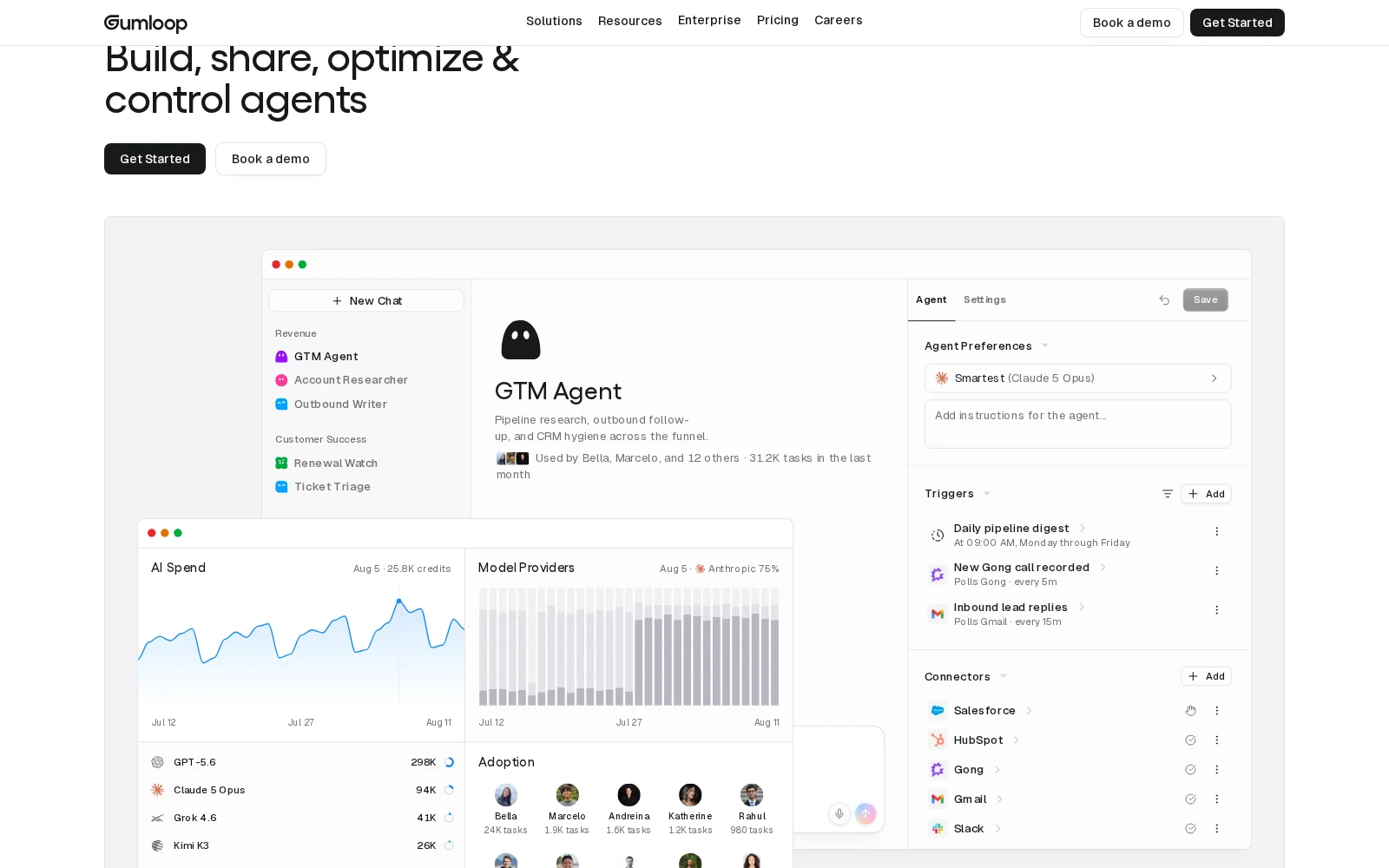
- Best for: Agents whose tasks vary a lot in difficulty, when you don’t want to become a model selection expert
- Pricing: 14-day free Pro trial, then $37/mo plus pay-as-you-go usage; custom Enterprise plans
- What I like: per-message routing you can see in-chat, mid-run escalation, stays inside your org’s model rules
Okay, yes, big surprise, of course we’re going to say we’re the best. But in all seriousness, Gumloop’s model routing is a way to make the benefits of LLM routing accessible and transparent to both end users building agents and IT teams governing AI implementation. Gumloop is an enterprise platform that provides the infrastructure to build, share, optimize, and control AI agents. Gumloop’s Model Router lives in the agent’s model picker, as a default “Auto” option for all new agents.
For each message, Gumloop assesses the difficulty of the task and how much reasoning it needs, then picks a model and a reasoning effort tailored to the task at hand. The simplest tasks use the cheapest model, routine text work gets a cost-effective open-weight model, ordinary coding and analysis gets a mid-tier default, and the most difficult work goes to frontier models like Claude Opus 5 and GPT-5.6 Sol. If a run turns out to be more difficult than Gumloop’s initial assessment, Gumloop will promote the agent to a more intelligent model mid-run, and it’ll stay there without dropping down.
We actually tested this on our own support agent, internally. It previously cost us ~$67k in token spend per month (!). After switching the agent onto the model router, the monthly bill dropped to just $7k, reducing our monthly spend by 89%.
On Gumloop Enterprise plans, IT can allow or deny individual models or entire providers, org-wide or per custom roles, and Model Router only ever picks, escalates to, or falls back to permitted models. The model making the routing decision is also subject to the same restrictions. Any blocked models or providers aren’t selectable by the model router or by end users.
Gumloop pros and cons
If the main reason you want a model router is to reduce costs and optimize performance, while empowering your entire org to build AI agents, Gumloop gives you an agent-building platform with a router built in where people already work.
However, if you’re looking for a drop-in API that you can put in front of your own product’s traffic, this is a completely different category of product. Gumloop’s Model Router is a setting for AI agents, not a general gateway for app traffic.
Where Gumloop shines:
- Transparent model selection: For every single chat message, you can see exactly which model was chosen, when, directly inside the agent chat.
- Automatically applies organization-level governance: The Auto routing stays inside org-level provider and model restrictions. For example, if your organization has blocked all DeepSeek models, the router will never route to a DeepSeek model.
- You don’t have to operate the routing yourself: You don’t have to set up a gateway, YAML tiers, or deploy Azure. IT just has to set up allow/deny-lists, and builders can just get to building.
What could be improved:
- Not a proxy for your app: Gumloop doesn’t have a LiteLLM-style virtual key, nor is it an OpenAI-compatible endpoint for arbitrary traffic. It’s also not a catalog of models that you can call from a non-Gumloop codebase. If that’s what you want a model router for, skip to OpenRouter or LiteLLM instead.
- Auto setting isn’t always the correct choice: If you need every run to turn out identical, e.g. to set eval baselines, the Gumloop Model Router Auto mode can’t guarantee that it’ll always route to a specific model (by design). Instead, you can manually select a desired model per agent (or Gumloop’s default “Recommended”/“Smartest” model).
- You’re buying a whole platform: Model Router is part of Gumloop, but you can’t buy it on its own. If all you’re looking for is a supplement to an existing app, or a self-hosted proxy, the $37/month Pro plan might be more than you need.
Gumloop pricing
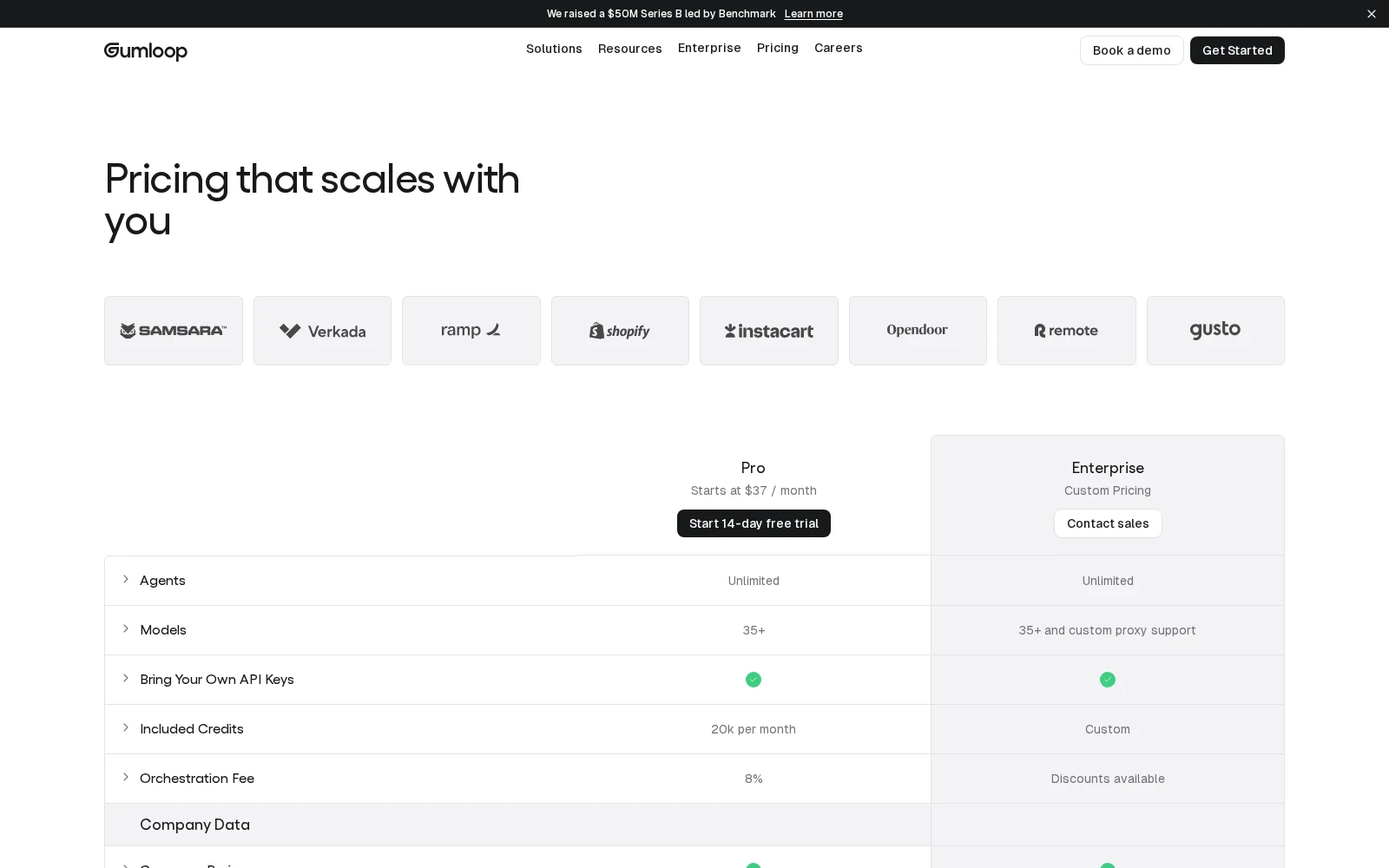
Gumloop currently has a self-serve plan, Pro, and a sales-assisted plan, Enterprise. New accounts get a free 14-day Pro trial.
- Pro: starts at $37/month, 20,000 credits included per month with pay-as-you-go usage pricing after that. Includes unlimited seats/teams/agents, 35+ models, BYOK support, 1 hosted MCP server, and agent-scoped connector policies.
- Enterprise: custom pricing. Adds SSO/SCIM, RBAC, audit logs, org-wide policies, incognito mode/ZDR, custom/proxy models, and optional VPC support.
1 Gumloop credit equals $0.005. The cost of an agent run is the cost of the tokens from the model, plus the cost of any tool calls, plus the cost of compute, with an 8% orchestration fee. Auto adds a small Model Routing charge for the routing decision itself.
Gumloop ratings and reviews
2. OpenRouter
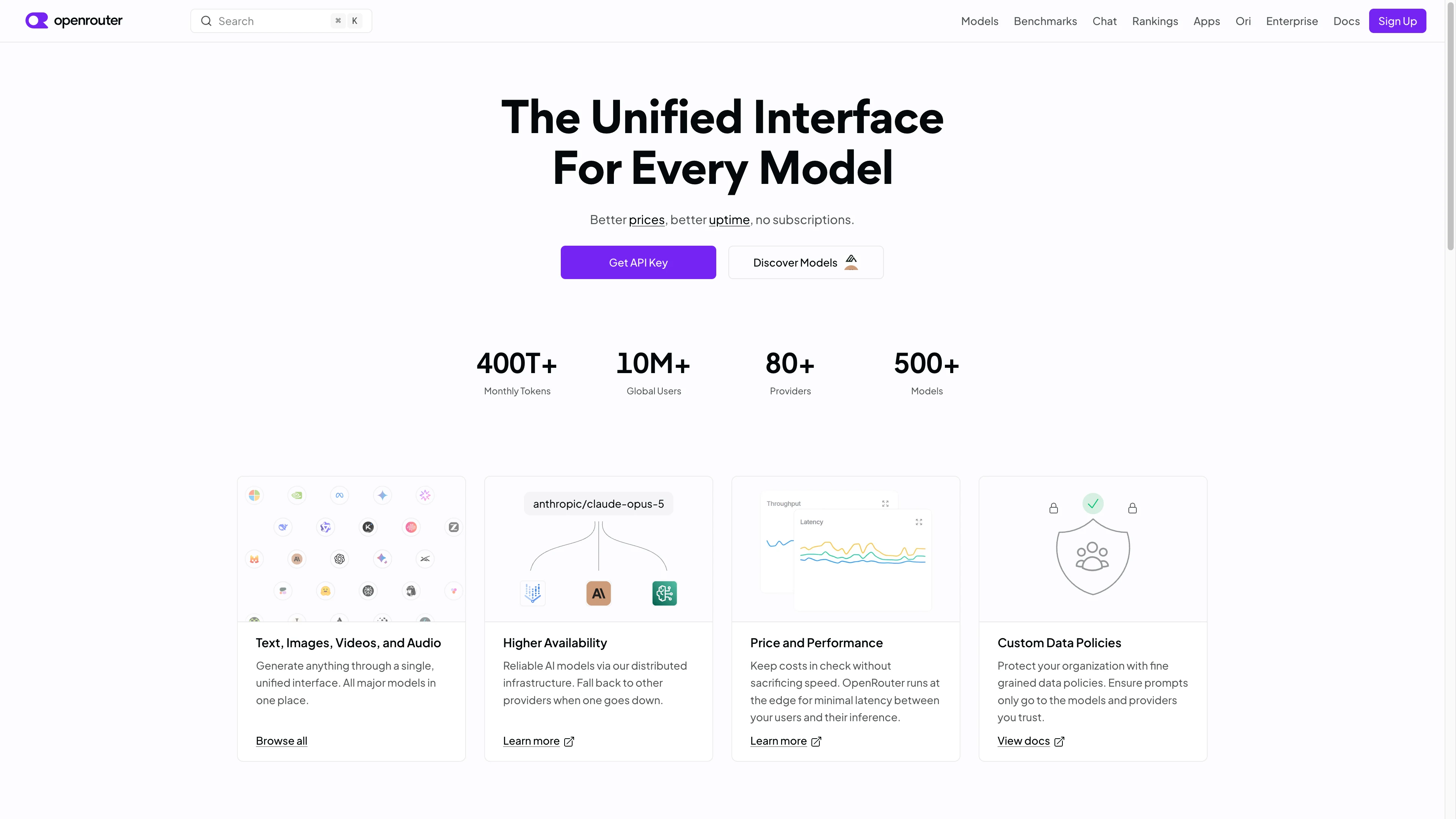
- Best for: one API key and a huge catalog
- Pricing: Free tier with 50 requests/day; Pay-as-you-go plan with 5.5% platform fee; Business plan with 8% platform fee; sales-assisted Enterprise plan
- What I like: drop-in OpenAI-compatible API, provider failover
OpenRouter is probably the product most people think of when they think of an “LLM router.” (Assuming, of course, they know what that means.) With one API key, users get access to a catalog of 500+ models across 80+ providers, and an OpenAI-compatible endpoint. OpenRouter provides both a gateway (the endpoint, auth, rate limits, and logs) and a provider router. Most OpenRouter users name a model (Claude, GPT, etc.) and OpenRouter picks which provider to access in order to get that model, avoiding rate limiting and ensuring uptime.
OpenRouter also optionally supports Auto mode, which picks the model for you. Unlike the Auto mode in Gumloop, which selects a model based on task difficulty, OpenRouter’s Auto mode selects a model based on popularity: it looks at the type of task (debugging, customer support, a research writeup), then looks at which models the OpenRouter community spent money on for that kind of work over the last week.
OpenRouter logs when you called, which models you ran, and how many tokens were used. They don’t log your prompts or the answers, unless you opt in (which gives you a 1% pricing discount).
OpenRouter pros and cons
If you want a gateway layer between your app or a coding agent and over 500 models, OpenRouter is one of the first products you should look at.
However, if your goal is to route the models for the agents people at your company are using, this isn’t the right tool. (There’s no Slack surface, for example.)
Where OpenRouter shines:
- One key, one endpoint, and a huge catalog: OpenRouter currently advertises 500+ models and 80+ providers. New models are added regularly, and quickly.
- Failover is on by default: You pick the model, and OpenRouter picks a healthy provider. If that one fails, it immediately moves you over to another provider. You can also specify a preference for cheaper, faster, or zero-data-retention endpoints.
- Auto is optional: If you already know which specific models you want, you don’t have to use Auto, and you can stick with your preferences.
What could be improved:
- Popularity is not the same as quality: OpenRouter’s Auto routes based on what other users are spending on. It doesn’t necessarily give you the smartest or most efficient model for the task at hand, and if your traffic is unusual, “what other people are doing” might not give you optimal results.
- Extensive catalog can create complexity: The massive number of models at your disposal gives you more choice and control, but it also means there’s more maintenance overhead and decisions to make.
- Not an agent control plane: OpenRouter only handles app traffic, and not agent building or management inside an organization.
OpenRouter pricing
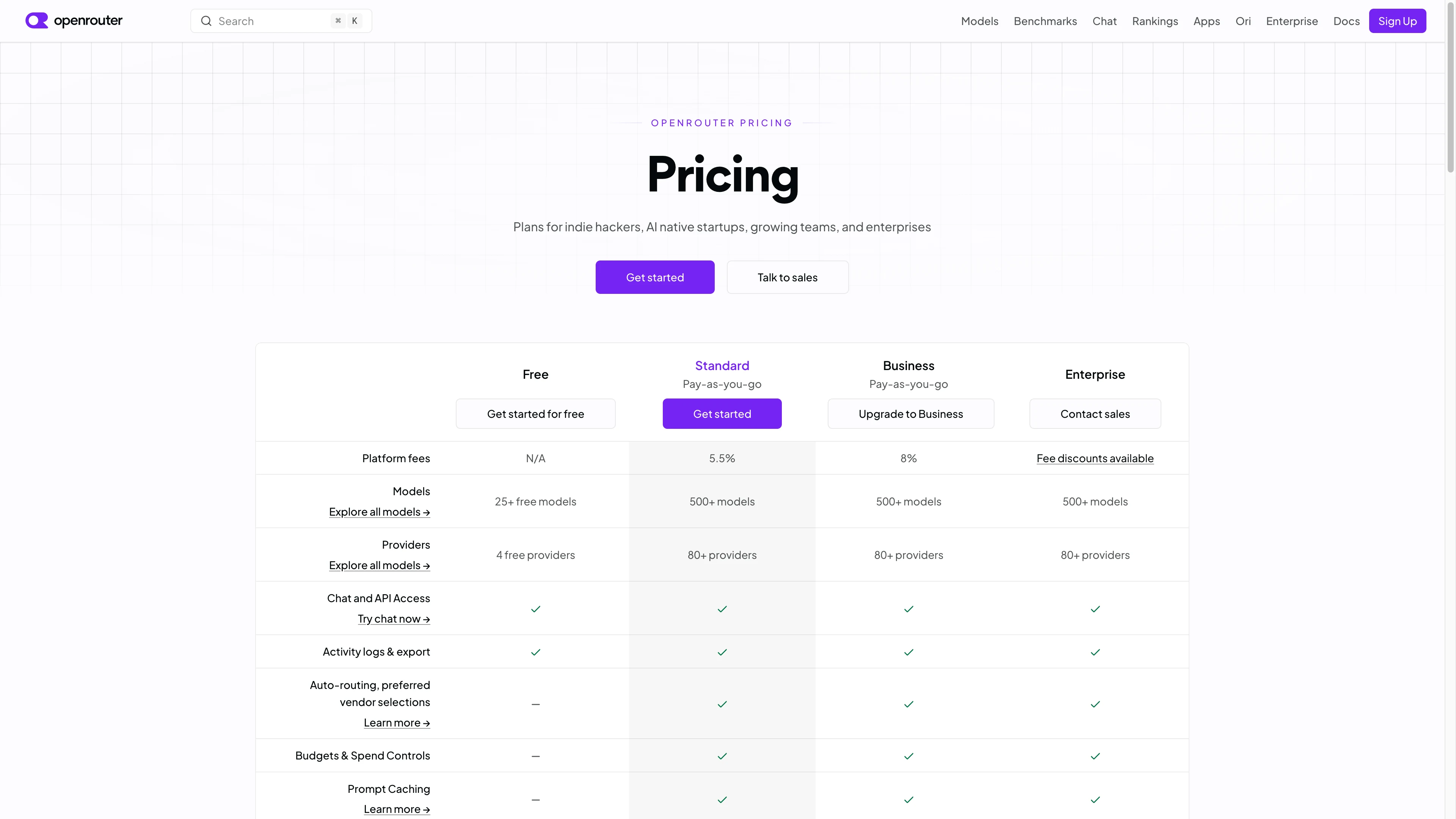
OpenRouter currently has Free, Pay-as-you-go, Business, and Enterprise plans. There is no seat subscription. You prepay credits; they deduct the provider's list price per request.
- Free: 25+ free models, 4 free providers, 50 requests/day, community support, 5 workspaces.
- Pay-as-you-go: 5.5% platform fee. Full 500+ model catalog, 80+ providers, no rate limits on paid models, email support. If you bring your own provider keys: $25,000/month of list-price inference with no extra fee, then 5%.
- Business: 8% platform fee. Same catalog. 1,000 workspaces. Same bring-your-own-key allowance as Pay-as-you-go.
- Enterprise: fee discounts through sales. Custom workspaces, invoicing, a support SLA with shared Slack, $200,000/month bring-your-own-key allowance then 5%, plus the option to bring your own capacity.
OpenRouter ratings and reviews
- G2: 4.6 / 5 rating (from 21 ratings)
3. LiteLLM
).png)
- Best for: Teams that want to run their own gateway
- Pricing: Open-source $0 to self-host; sales-assisted Enterprise annual plan
- What I like: Keep the keys and traffic in your own stack
LiteLLM is an open-source AI gateway (and Python library) that sits in front of model providers that you already pay for. Currently, LiteLLM advertises 140+ providers and 2,600+ models.
Most people use it as a gateway and provider router. You pick a model you want to use, and if one provider is down or rate-limits you, LiteLLM will failover to a backup provider. Your apps talk to one LiteLLM endpoint, and you also get virtual keys, budgets, and spend tracking.
More recently, as of July 2026, LiteLLM also started offering a model router: Auto Router v2, which is still in beta, lets you establish different tiers of request (like “simple,” “medium,” “complex,” or “reasoning”), then set a model for each of those tiers. LiteLLM will sort requests into the different tiers depending on the models you chose. Unlike Gumloop Model Router or OpenRouter Auto, LiteLLM doesn’t maintain this list of models; you have to do it yourself.
Because the end user hosts LiteLLM, all prompts and keys stay on your own infrastructure. They still go to whichever providers LiteLLM routes requests to, unless those models are running inside your own network. Enterprise plans allow for fully air-gapped setups.
LiteLLM pros and cons
If you have a platform team, direct contracts with model providers, and specific reasons to keep your traffic in your own infrastructure, LiteLLM is a great self-hosted pick.
However, if you want a catalog of models you can call on immediately, or routing inside agents your company actually talks to, LiteLLM requires more infrastructure and setup than you likely either want or need.
Where LiteLLM shines:
- You operate it: LiteLLM is open source, with no license fee. Traffic, keys, and logs live in your cloud, or nowhere near a cloud, depending on what you need.
- Failover you configure: LiteLLM supports load balancing, retries, and backup models.
- Virtual keys to keep your keys secure: You can generate virtual LiteLLM keys, and give internal developers or different teams separate spend limits, usage tracking, and model allow-lists, without sharing underlying provider credentials.
What could be improved:
- You operate it: Depending on your perspective, this can be either a pro or a con. The downside of self-hosting is that someone has to own the database, upgrades, and maintenance. OpenRouter’s main pitch is that you don’t have to do this.
- Auto Router is still in beta, and manual: Creating the buckets, selecting the associated models, and setting up the sorting is your responsibility. This is powerful if you have the time and inclination to set it up, but you have to maintain it yourself.
- You supply the model catalog: LiteLLM can route across a staggering number of providers, but you need to connect the provider accounts, configure the endpoints, and keep those choices current as models and prices change.
LiteLLM pricing
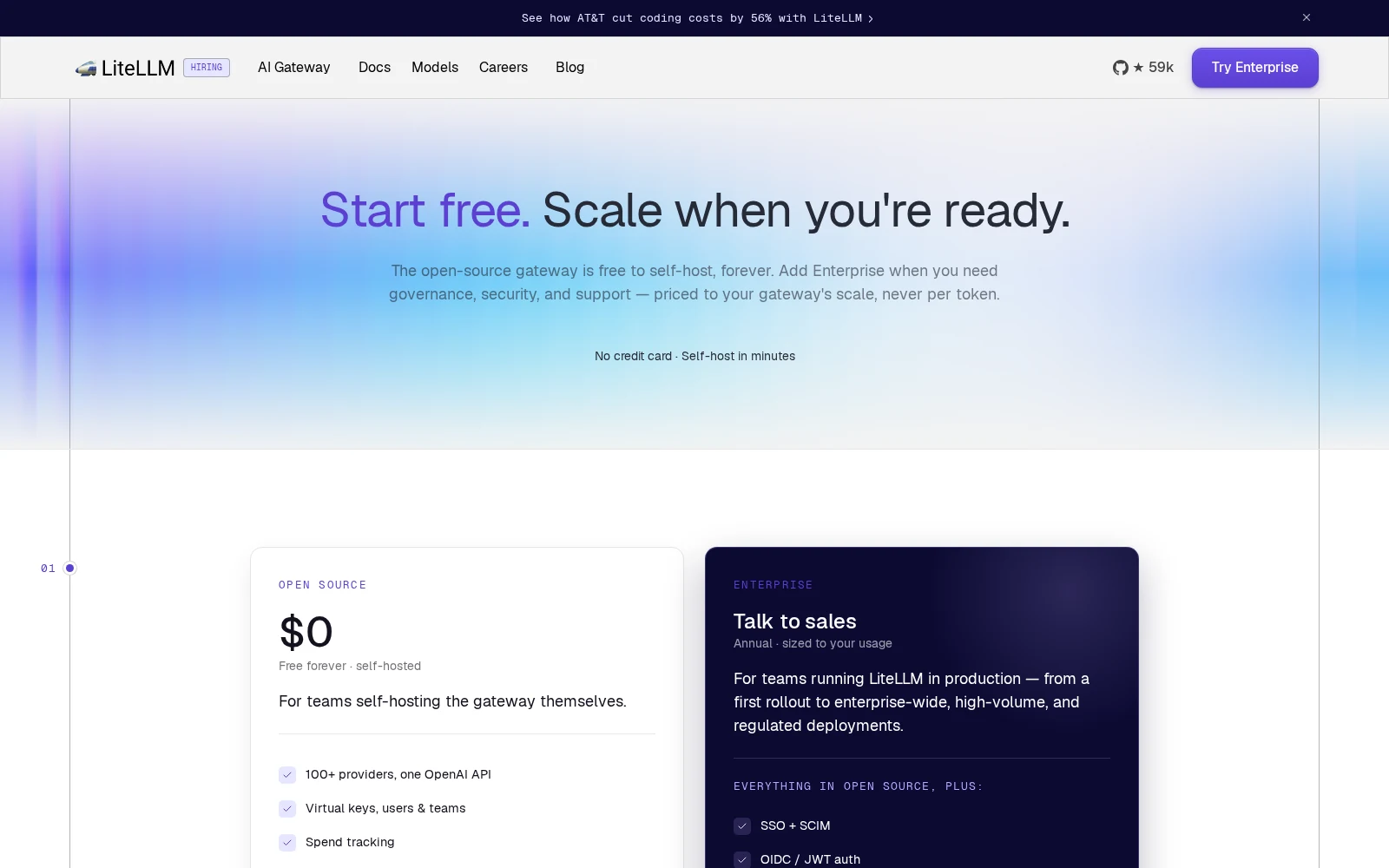
LiteLLM currently has Open Source and Enterprise. There is no seat subscription and no fee on tokens.
- Open Source: $0, free forever, self-hosted. 100+ providers behind one API, virtual keys, spend tracking, budgets and rate limits, fallbacks, and logging. You still have to pay the model providers separately, and you pay to run the gateway.
- Enterprise: Sales-assisted, billed annually. Sized to your yearly request volume, how you deploy, and how much support you want. Adds SSO/SCIM, audit logs, secret managers, org/team admins, a multi-region control plane, air-gap, and support SLAs.
LiteLLM ratings and reviews
- Product Hunt: 5 / 5 (from 24 ratings)
4. Microsoft Foundry Model Router
- Best for: Azure teams that want a model picker behind one deployment
- Pricing: Based on Azure consumption (you pay the cost of the models chosen by the router, and a fee for the model router itself)
- What I like: Balanced / Cost / Quality modes
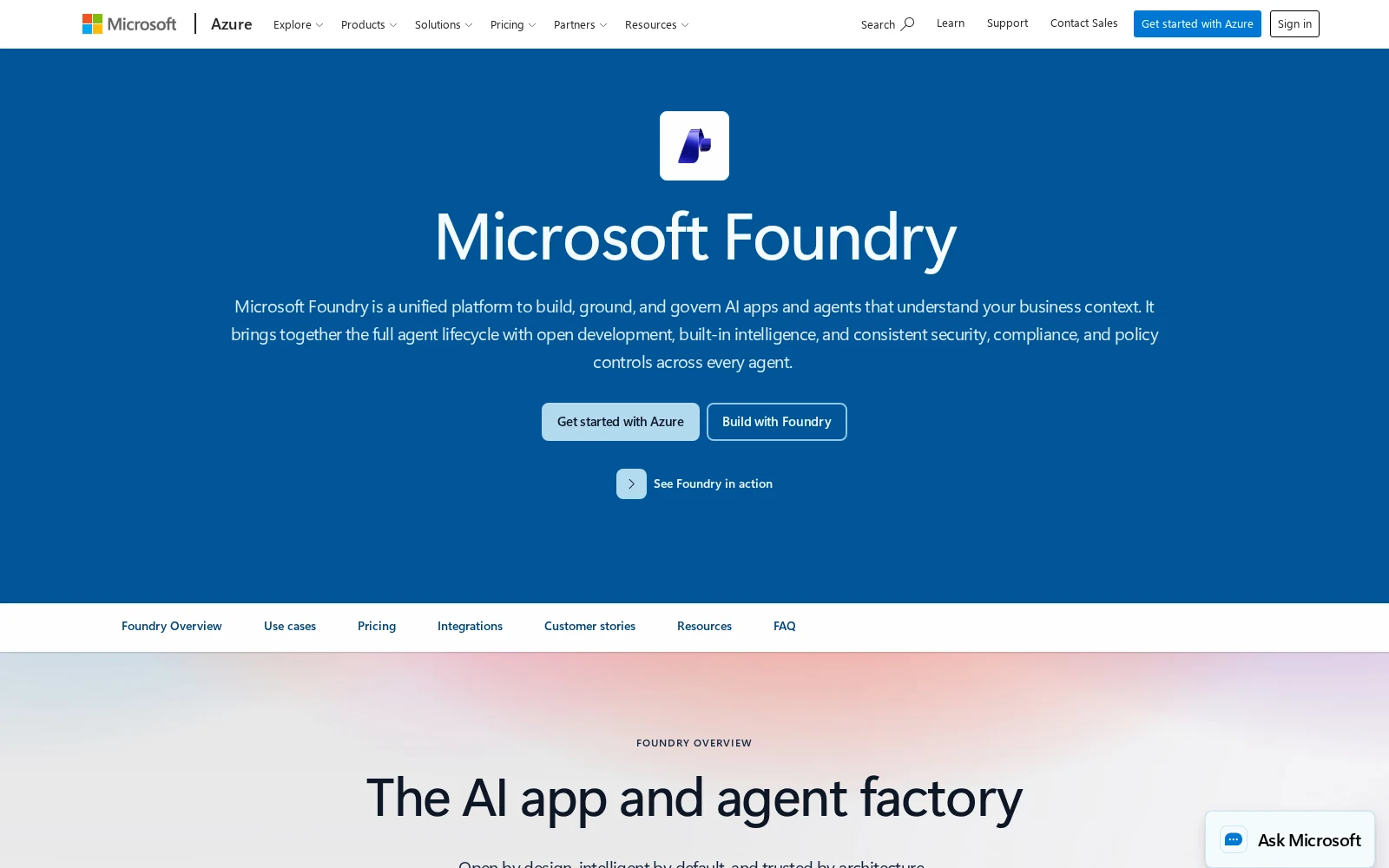
Microsoft Foundry is Microsoft’s platform for building, deploying, and governing AI agents, and was formerly known as Azure AI Studio/Azure AI Foundry. Microsoft has their own AI models, but you’re definitely not limited to just Microsoft’s MAI models: in fact, they boast a catalog of 11,000+ models.
Microsoft Foundry has a specifically trained AI model, Model router, that dynamically selects the optimal LLM for a given request. It’s more like a drop-in endpoint than a simple picker (like you’d see in Gumloop).
To use the Model router, you deploy it the same way that you’d deploy any other model. Then, apps call that Model router deployment, and it picks which model to route the request to. The Microsoft Foundry Model router selects from a curated subset of models (including models from OpenAI, Anthropic, xAI, DeepSeek, and Meta; available options vary by region), based on a combination of quality and cost.
When you deploy the Microsoft Foundry Model router, you pick one of three modes: Balanced (the default option, aims for a mixture of cost and performance), Cost (biases toward cheaper models), or Quality (takes the highest-rated models regardless of cost). You can also give the Model router a custom model allow-list.
Microsoft Foundry Model Router pros and cons
If your team is already living in Azure, needs model routing that supports a range of prompt complexity, and don’t want to go through all the trouble of setting up LiteLLM, the Microsoft Foundry Model router might be worth checking out.
Of course, the converse of this is that if your team isn’t on Azure, this isn’t the right choice. If you want a gateway with an extensive catalog of hundreds of model choices, go with OpenRouter or LiteLLM. If you want a model router automatically built into the agents people at your company use every day, try Gumloop.
Where Microsoft Foundry Model router shines:
- A trained picker with three distinct settings: Choose Balanced, Cost, or Quality, and the router judges the prompt. Unlike LiteLLM, you don’t need to set the tiers and choices yourself, and unlike OpenRouter, the choices are based on more specific criteria than “what was most popular this week.”
- An IT-approved allow-list: Your security team approves which models the router can use, and new models won’t appear on the list unless you add them. Existing Azure Policy applies to the allow-list.
- Failover included in the single deployment: You don’t have to write a fallback list: if a model errors out, Foundry will automatically try the next one in the defined subset that meets your requirements.
What could be improved:
- Requires Azure deployment: If your traffic isn’t already going through Microsoft Foundry, setting up the Model router requires you to buy and implement Azure first.
- A curated subset, not the full 11,000+ catalog: Microsoft Foundry has a massive catalog; however, the Microsoft Foundry Model router only supports a subset of a few dozen models. Additionally, within the subset of models supported by the model router, Claude models have to be separately deployed.
- The router itself has a small context window: Because the Microsoft Foundry Model router is a single model that you deploy, the context window for your requests is limited by the context window of the smallest model in the pool of models that are able to be selected. This means that a long prompt can get rejected, even if one of the models that the prompt would have been routed to could handle a long prompt. This is in contrast to OpenRouter (which will fall back to another available model if the first model fails) or Gumloop’s model routing (which picks a capable model per message using that model’s context window).
Microsoft Foundry Model Router pricing
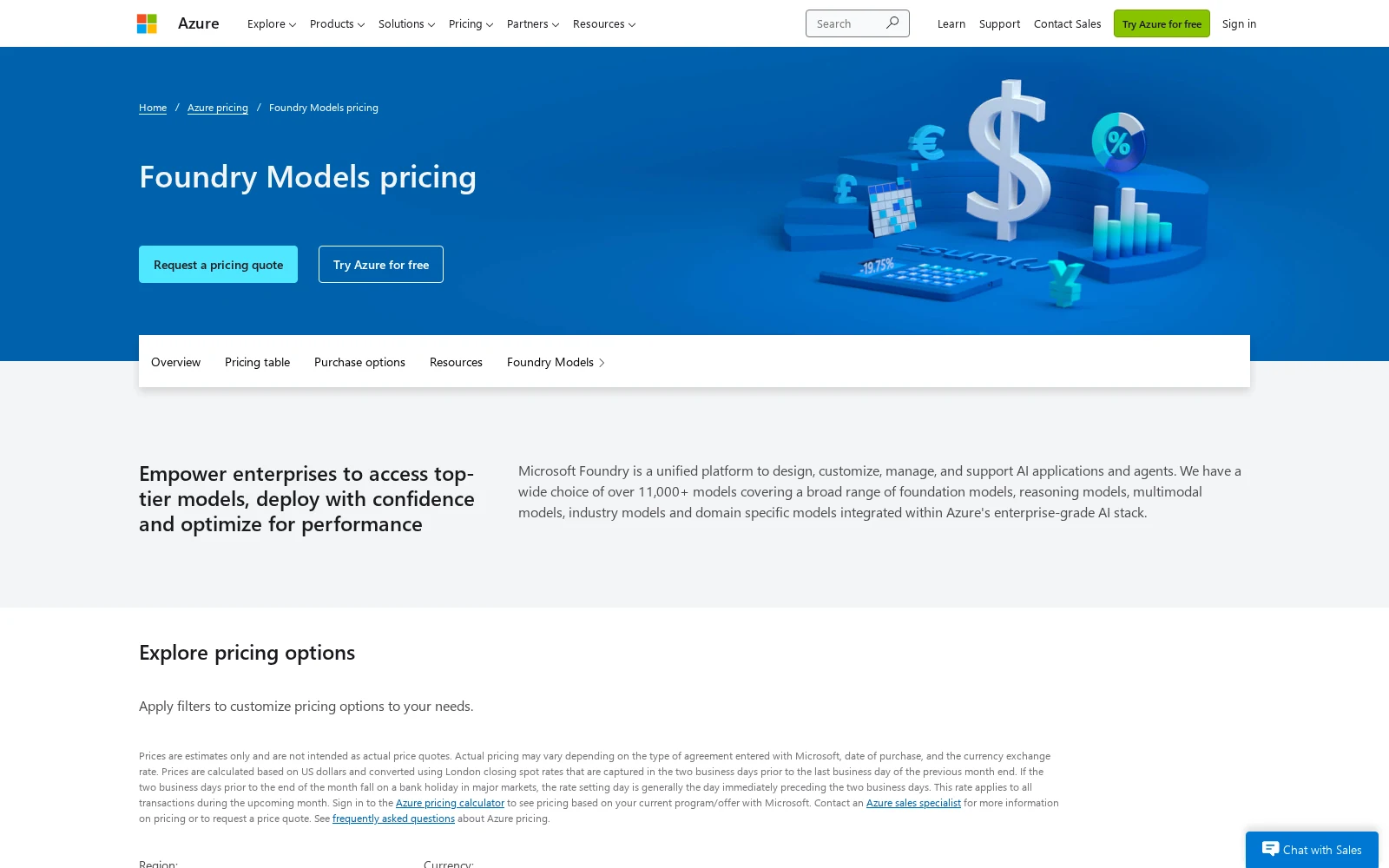
Pricing is built into the cost of the Azure deployment. Microsoft Foundry Model router pricing is determined by the token rates of the specific models chosen by the router for the prompts, plus the cost of the actual routing decisions. Microsoft does not publicly disclose the Model router fee, although third-party sources (such as LiteLLM) estimate the fee to be ~$0.14/million input tokens.
Microsoft has a pricing calculator to determine the costs of Azure-related products here.
Microsoft Foundry Model Router ratings and reviews
(Note that these are ratings for the Microsoft Foundry platform, not the Model Router itself.)
- G2: 4 / 5 rating (from 4 ratings, under Azure AI Studio)
- Gartner Peer Insights: 4.3 / 5 rating (from 210 ratings)
5. Prisma AIRS AI Gateway (Portkey)
- Best for: teams wanting a gateway with observability and governance
- Pricing: Free Developer plan; Production plan $49/month; sales-assisted Enterprise plan with custom pricing
- What I like: clear rule-based routing, can keep traffic in your own environment
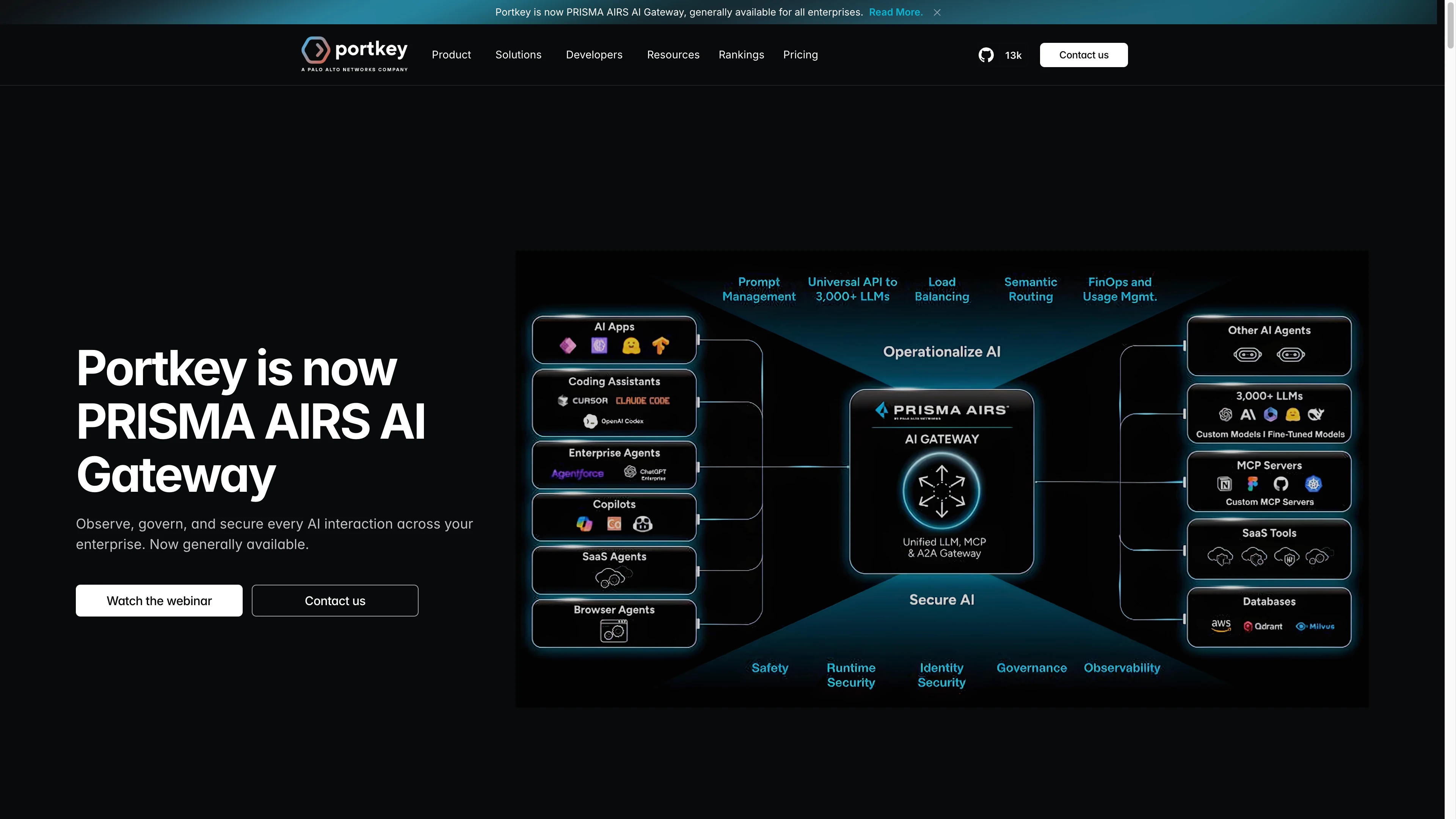
Portkey was acquired by Palo Alto Networks and renamed to PRISMA AIRS AI Gateway in the summer of 2026. PRISMA AIRS AI Gateway/Portkey is a gateway that goes between your app and the model providers, and comes with capabilities for logs, traces, guardrails, budgets, access controls.
PRISMA AIRS AI Gateway does support model routing, but unlike OpenRouter Auto or Microsoft Foundry Model Router, which do automated prompt-aware model selection, you have to set your own routing rules. These routing rules can be quite sophisticated: for example, you can set conditions like “If the user is an EU resident, call an EU-hosted model” or “If the user is on a paid plan, route their request to a specific custom fine-tuned model.” But the rules have to be explicit and deterministic, and they’re your responsibility to maintain.
From an observability perspective, you can see the model, provider, token use, cost, latency, metadata, and traces for every request that runs through PRISMA AIRS AI Gateway. The gateway can run as a managed service offering from Palo Alto Networks, in a hybrid setup with traffic inside your VPC, in your AWS/GCP/Azure environment, or as a self-hosted open-source gateway.
PRISMA AIRS AI Gateway (Portkey) pros and cons
If you have an IT team that wants to put guardrails and policy around every AI interaction across your enterprise organization, PRISMA AIRS AI Gateway/Portkey is a strong fit.
However, if you want a model router that looks at every prompt and chooses the best model, without you needing to write the routing logic yourself, the other choices on this list will be easier to set up and maintain.
Where PRISMA AIRS AI Gateway (Portkey) shines:
- Routing rules that map to business policies: PRISMA AIRS AI Gateway gives you the power to route traffic based on your own custom conditions, fallbacks, and weights, rather than asking you to trust a general model-selection decision made by another company.
- A gateway with observability: PRISMA AIRS AI Gateway adds request tracing, cost and latency reporting, prompt management, guardrails, budgets, and model access controls in the same gateway.
- Flexible deployment options: You can use the managed gateway, keep the data plane in your VPC, deploy in your own cloud, or run the open-source gateway yourself.
What could be improved:
- You write the routing rules yourself: PRISMA AIRS AI Gateway can route models, but only according to conditions, weights, aliases, or fallback orders that you define ahead of time. There is no default option that will automatically decide for you whether a prompt needs a cheap or frontier model.
- The product is currently in transition: Portkey is now Prisma AIRS AI Gateway, but the Portkey docs, pricing page, G2 listing, and GitHub repository are still live. The old pricing page lists Production at $49/month, while upgrade links point to Palo Alto.
- Fully air-gapped deployment is being phased out: While the product was Portkey, they offered fully air-gapped deployment as an option. Since rebranding to Prisma AIRS AI Gateway, they will support legacy Portkey air-gapped deployments, but won’t offer new customers the option for air-gapped deployment.
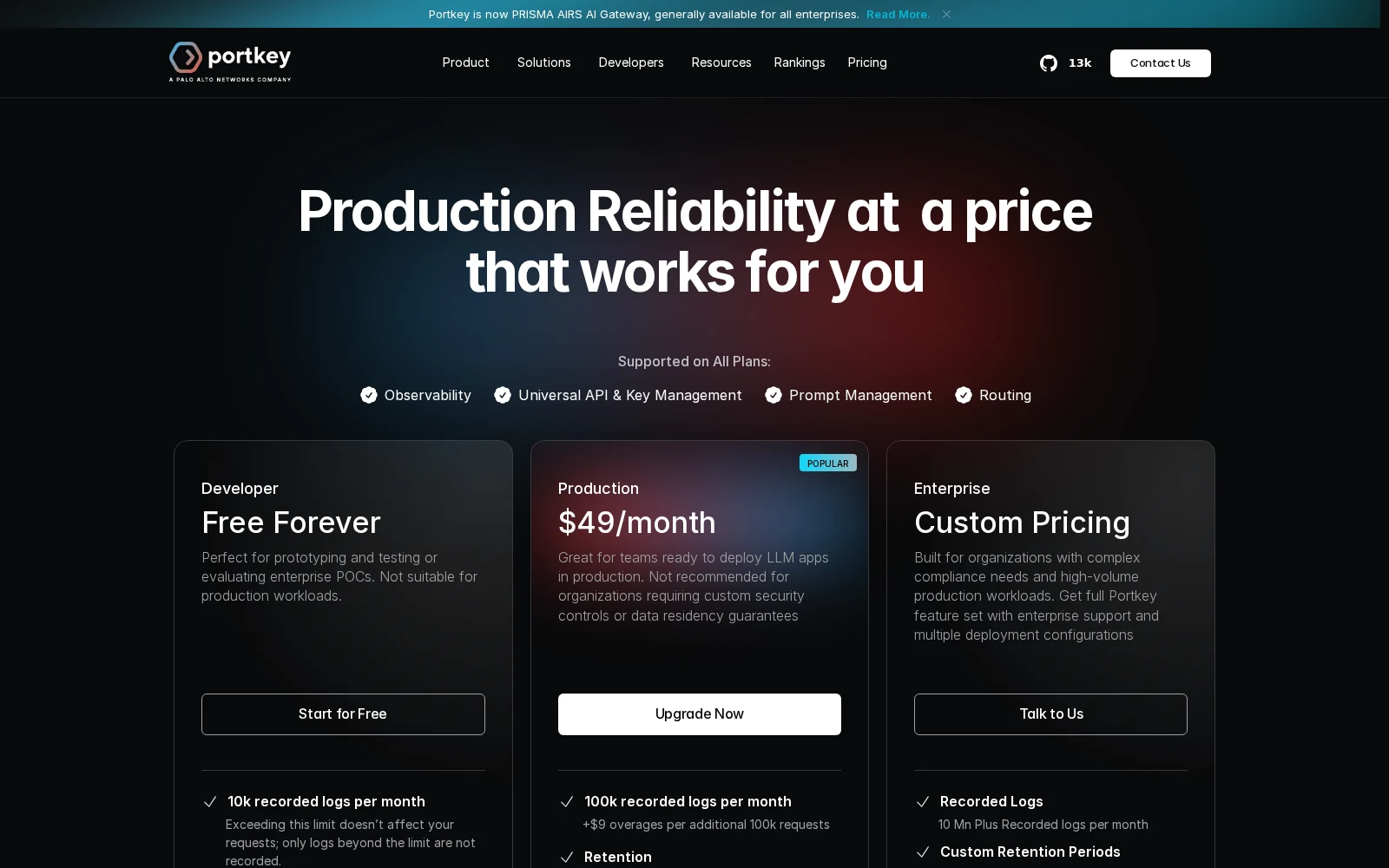
PRISMA AIRS AI Gateway (Portkey) pricing
Prisma AIRS AI Gateway/Portkey currently lists Developer, Production, and Enterprise plans.
- Developer: Free forever; 10k recorded logs per month.
- Production: $49/month; 100k recorded logs per month, with overages charged at $9 per additional 100k requests. Adds RBAC and service-account API keys.
- Enterprise: Contact sales for pricing; adds support for VPC hosting, SSO/SCIM, RBAC, and custom retention periods.
PRISMA AIRS AI Gateway (Portkey) ratings and reviews
- G2: 4.6 / 5 rating (from 18 ratings)
- Gartner Peer Insights: 4.6 / 5 (from 202 ratings)
Which model router should you choose?
Since a “model router” can potentially cover three different functions, there’s no single winner for every person and all use cases. Do you need a tool that will automatically pick a model for you? Do you need a tool to ensure graceful failover when a provider is down? Or, are you looking for a gateway that will consolidate all your logs and keys in a single control plane?
If your team’s already in Azure: Microsoft Foundry Model Router
Deploy the Microsoft Foundry Model Router like you would deploy any other Foundry model, select from the Balanced, Cost, and Quality options, and set an allow-list of usable models.
For app traffic behind one key: OpenRouter or LiteLLM
OpenRouter is a catalog that you can start using right away. Just name a model from their list of 500+ models (or choose the Auto option), and OpenRouter will pick a provider and handle the failover. The Auto option will automatically route your requests based on what the OpenRouter community spent on similar tasks in the last week.
LiteLLM is similar, but you have to run it yourself: you have to connect the provider accounts, manage the keys, and operate the gateway. LiteLLM’s in-beta Auto Router can sort requests into different buckets, but you have to design the buckets and criteria yourself.
For a gateway with explicit policies: Prisma AIRS AI Gateway (Portkey)
With Portkey, you write the rules for model routing, and get logs, traces, guardrails, and access controls. (But what it won’t do is look at a prompt and judge for you what the best model for the job is.)
For agents used by a whole company: Gumloop
The people building AI agents should be focused on their work, not keeping track of all the new models coming out every week. Gumloop’s Model Router means that by default, agents can determine which tasks need heavyweight reasoning and which can be accomplished more cheaply. The Router will pick the right model from an allow-list determined by IT admins, and end users can see in the chat which model was picked, when.
Gumloop is an entire agent platform, not a drop-in API for app traffic. If your organization wants to save money with model routing, and needs to build and share the agents that actually do the work, give Gumloop a shot. Sign up for a free 14-day trial today.

Read related articles
Check out more articles on the Gumloop blog.