11 best GTM tools I'm using in 2026 (free + paid)

This past year, I accepted a role as the Head of Growth for an AI startup in San Francisco.
And since then, I have been on an absolute bender of testing the best GTM tools on the market. I have probably spent a few thousand dollars just testing and using tools.
And I'm so excited to write this article because I have narrowed down my list to the 11 top GTM platforms that I use on a daily and weekly basis.
Many of these tools can actually be bundled and used together, which I'll also show how I use multiple tools on this list to create a full GTM workflow.
Okay, I'm not going to ramble too much, so let's just get right into it. First, let's define what a GTM tool is (because this space is still relatively new and growing).
What are GTM tools
GTM (go-to-market) tools are platforms that help marketers, sales operators, and GTM engineers build outbound marketing campaigns that reach your ideal prospects.
It's sort of an evolution of the growth hacker. As a GTM person, you're essentially trying to find creative ways to build lead lists, enrich data, and find ways to reach out to people who would benefit from your products or services.
Today, this mostly looks like creating outbound workflows and campaigns. You use one tool for discovering prospects, another tool for data enrichment, another tool for automating sequencing and writing emails.
But together, you can combine multiple GTM tools to create a full end-to-end GTM strategy, from prospecting to attribution, to help you scale revenue for your company.
Before I get into the list of my favorite GTM tools that I use on a daily and weekly basis, I want to first show you how I pick these tools, because there are hundreds of go-to-market tools out there.
How I picked my GTM tools
The way I pick any GTM tool is I first look at what is the problem that I am trying to solve and what are some workflows that I have currently that have inefficiencies or gaps within them.
From there, I think about how the tool would fit into my existing GTM tech stack. I don't want a tool that overlaps with something I am already paying for. And I don't want another subscription that only solves half a problem and creates two new ones.
Here are some things that I look for in GTM tools:
- The quality of the B2B data it gives you. Things like intent data, firmographic data, and contact info need to be accurate, or everything downstream breaks.
- Whether it helps with lead scoring or has predictive models built in, so your sales team knows which prospects to prioritize.
- How it handles lead routing. If a hot lead comes in, I want it in front of the right rep fast.
- Whether it plays nice with the rest of my stack. Native integrations, an MCP server, or at the very least a solid API.
- If it can sync with your data warehouse. We pipe a lot of data into BigQuery, so tools that connect to it get bonus points.
- If it gives your sales team real sales intelligence and helps with sales enablement, not just another dashboard nobody opens.
- How it supports market research. You should understand demand in your category before you spend money reaching out to anyone.
- Whether it improves customer engagement or just adds noise. More touchpoints only help if they are relevant.
- Whether it can connect to your product analytics, so you can see if outreach actually turns into product usage.
Alright, now that we have gone over that, let's get into the best GTM software and tools that I have personally found and use, or have been recommended by my friends who are actual GTM engineers.
11 best GTM tools and software in 2026
Here are the best GTM tools:
Alright, lets go over each tool.
1. Gumloop
- Best for: Building and sharing automated GTM workflows and AI agents
- Pricing: Starts at $37/month with a 14-day free trial
- How I use it: Running my entire GTM operation, chaining together most of the tools on this list into automated workflows
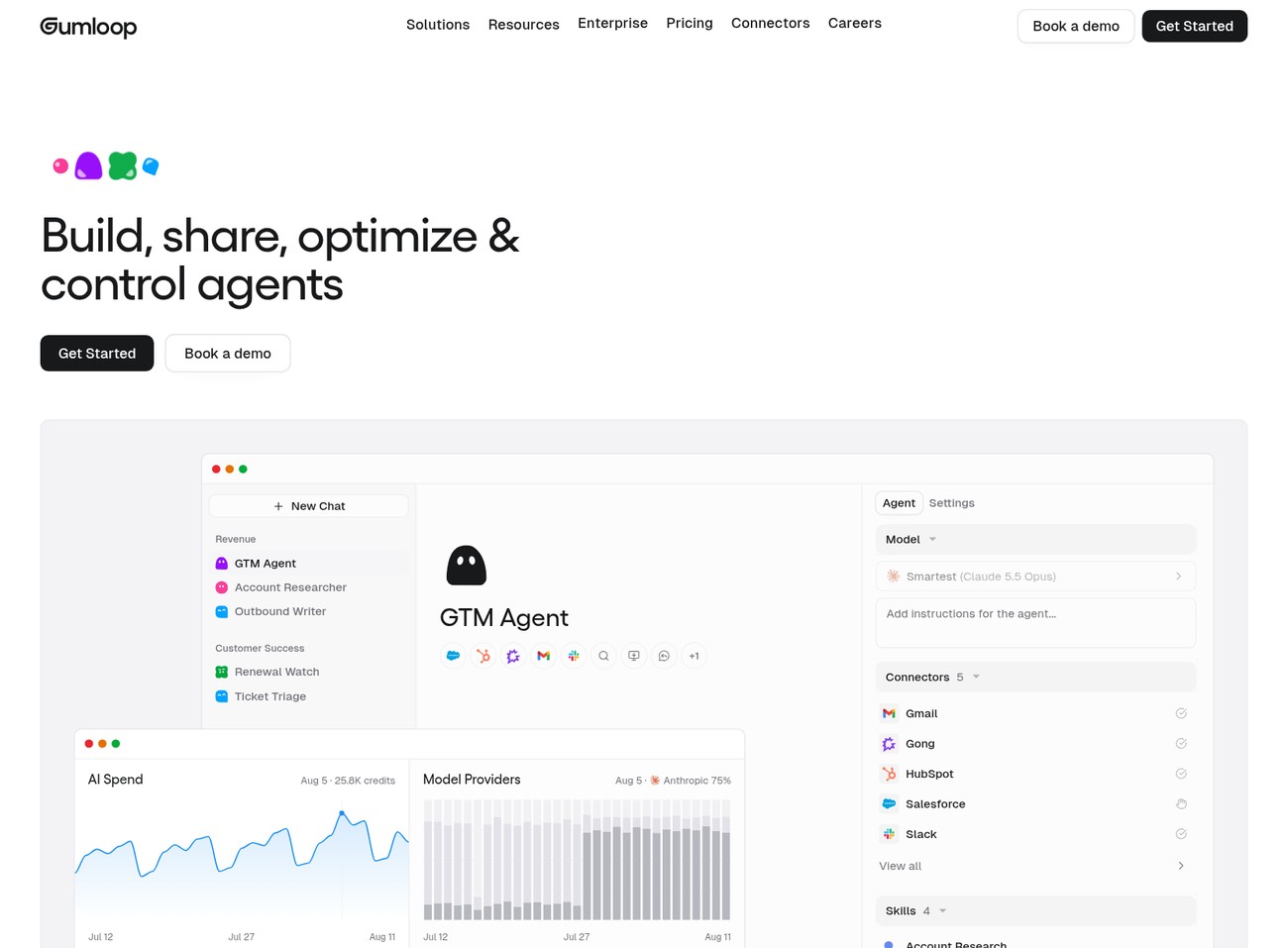
Gumloop is an AI agent builder and workflow automation platform built for non-technical teams. And it's the tool I use to create automated GTM workflows.
The platform is pretty horizontal and can handle any automation use case you can think of. But I find it's most valuable for GTM, RevOps, and operations teams looking to build (and share) AI agents and skills across their team.
I see Gumloop as the control center for all of my GTM operations. Many of the tools below are apps I use as connectors in Gumloop to chain together automations.
It's also a multiplayer agent builder, so I can easily share my GTM agents with coworkers. Which makes it a great tool for enterprises. Solo operators and agencies can use the platform, but I find it's most valuable when you can integrate your company data with it.
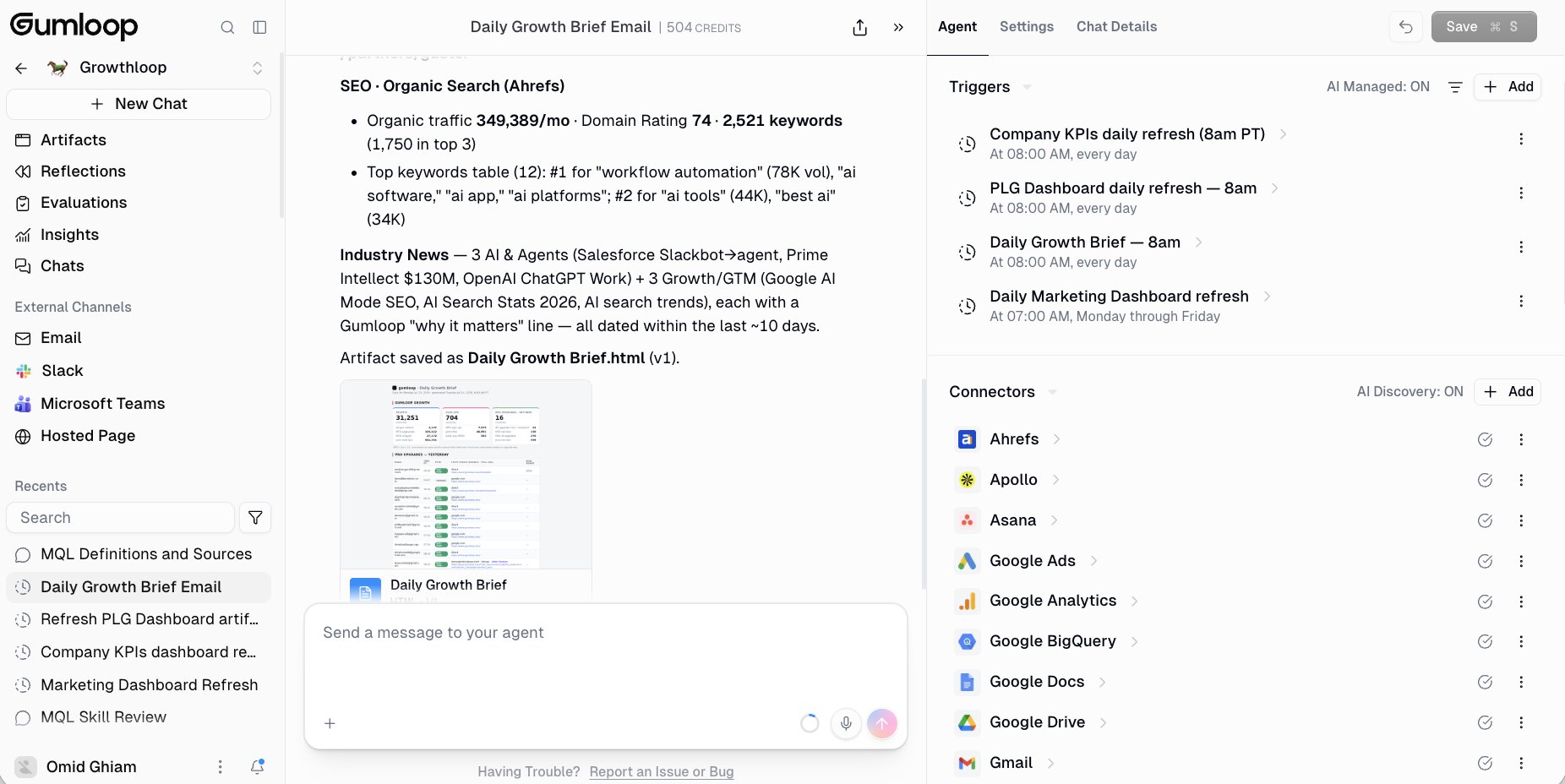
Routing Gong calls, creating dashboards from Salesforce lead data, enriching leads with Clay, all of this can be orchestrated with Gumloop agents.
But it generally needs approval from IT to connect these tools to third-party software. So Gumloop has focused a lot of its efforts on building secure and scalable infrastructure so IT departments can control and monitor how AI is used across their company.
Here are some things I like about Gumloop:
- The 14-day free trial makes it easy to start building AI agents without much friction. You get to experience the tool before you decide to buy.
- Connects to hundreds of native tool integrations, as well as any MCP server. Also gives you the ability to host your own MCP servers.
- The trigger feature makes it so my agents run on scheduled times, just like an automated workflow would.
- It's LLM agnostic so I can swap AI models and use open weight models as well.
Here are some things Gumloop can improve:
- Sometimes it can take a while for an agent to run if you're trying to generate large dashboards or artifacts.
- The team is constantly shipping new features each week so the UI slightly changes from time to time.
- Best for complex GTM workflows that require read/write capabilities with tools (and need to use skills). It will be overkill if you just need simple automations.
Overall, Gumloop is a great GTM tool that has become the operating system for my entire GTM operation. Almost all of the tools below, with the exception of one, can integrate with Gumloop. So it makes for the perfect control center for running all of your GTM plays.
Gumloop pricing
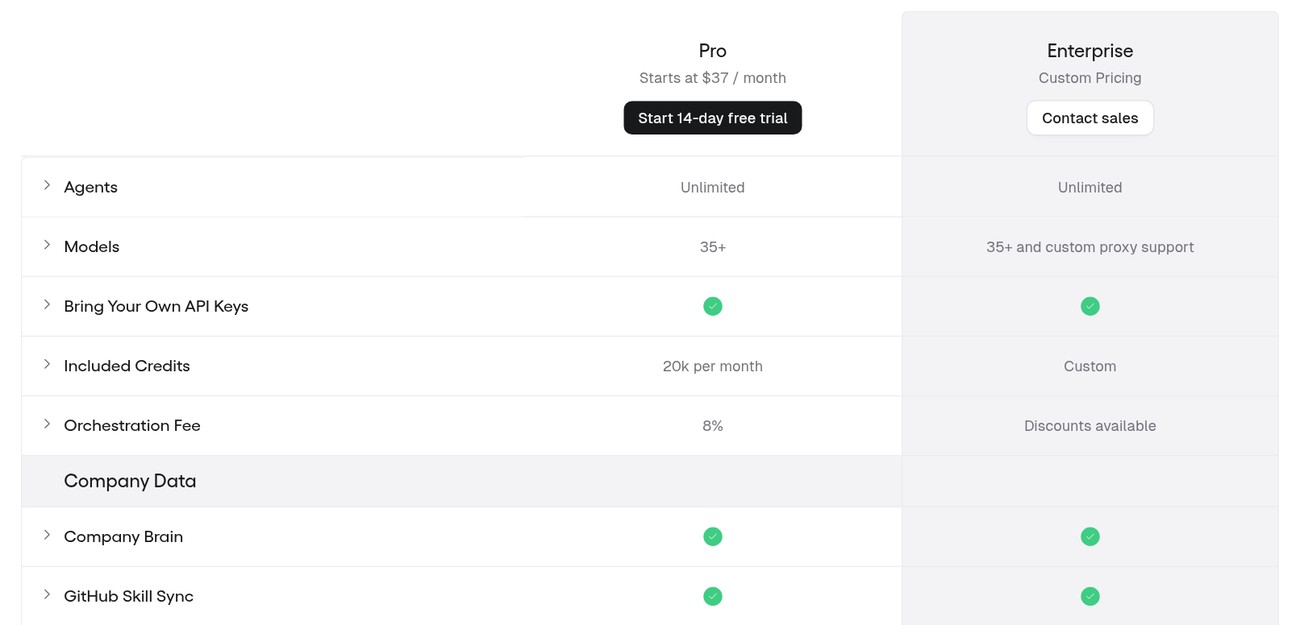
Here are Gumloop's pricing plans:
- Pro: Starts at $37/month with a 14-day free trial, 20,000 credits per month, unlimited agents, seats, and teams, 35+ AI models, bring your own API keys, Company Brain, GitHub skill sync, shared credentials, 1 hosted MCP server, and an 8% orchestration fee
- Enterprise: Custom pricing with custom credit volume, orchestration fee discounts, dedicated Slack support, role-based access control, SCIM/SAML support, admin dashboard, audit logs, AI spend insights, AI model access control, and an optional virtual private cloud
You can learn more about what each plan has to offer here.
Gumloop reviews
Here is what users rate Gumloop on third-party review sites:
- G2: 4.8/5 star rating (from +7 user reviews)
- Product Hunt: 5/5 star rating (from +9 user reviews)
2. Apollo
- Best for: Lead enrichment and list building for outbound
- Pricing: Free plan available, then starts at $65/month
- How I use it: Building lead lists and enriching contact data, mostly through the Apollo MCP inside Gumloop
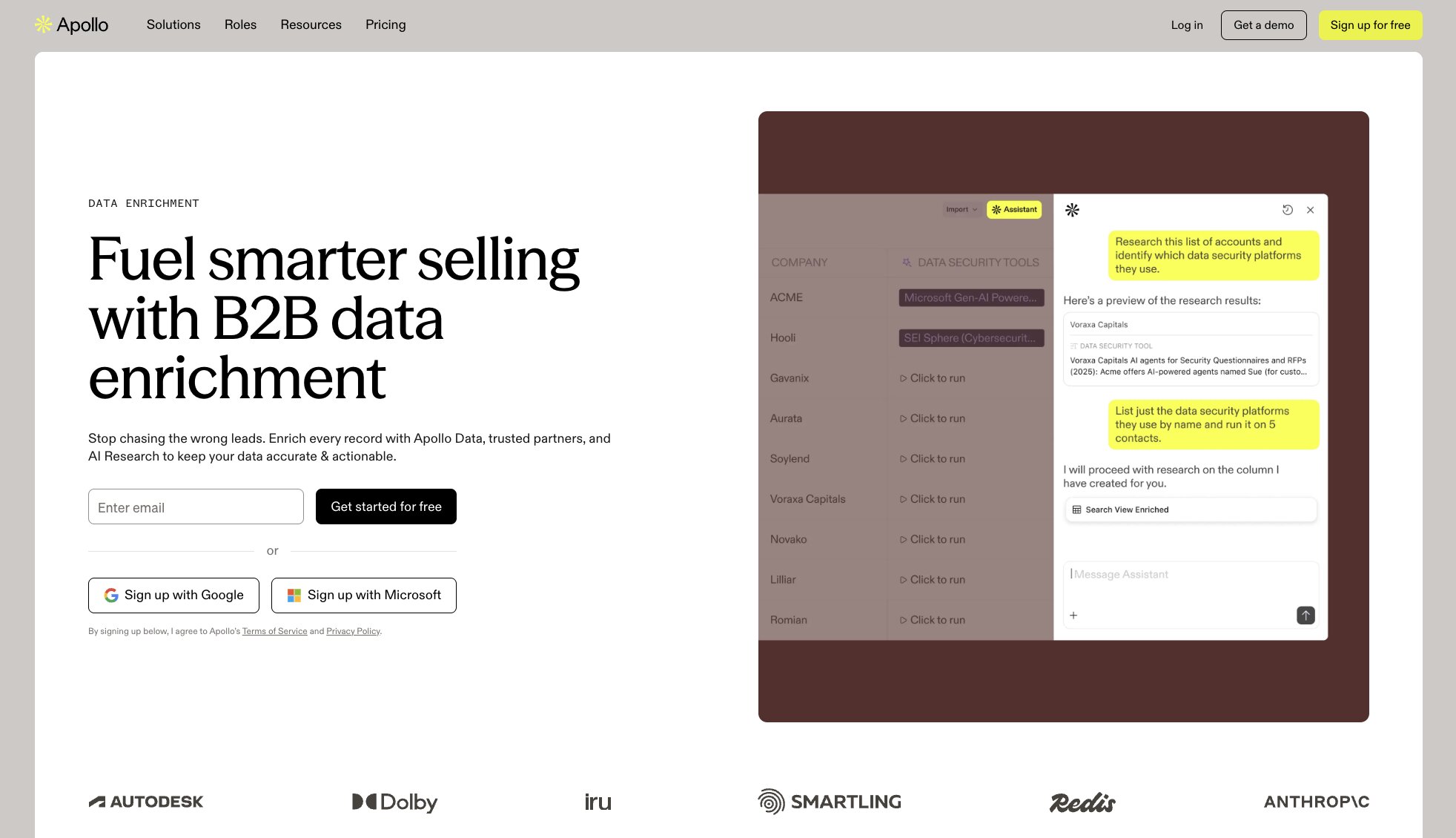
Apollo is a GTM and sales tool designed to help you with your lead generation and outreach efforts. At its core, it is a B2B database full of contacts that can help you enrich lead data.
The platform lets you search through +230M contacts while also being able to use the Apollo MCP server to do literally anything you need for your sales and GTM outbound efforts.
This makes it a great platform for anyone who is on a GTM (go-to-market) team or on a sales team and you're responsible for building lists of people for your sales team to reach out to. And you can also combine Apollo with tools like Gumloop to help automate an entire GTM workflow.
But just like any other platform, it does have its pros and cons.
Here are some things I like about Apollo:
- Has a large database of 230 million contacts.
- The MCP server makes it easy to integrate with any AI agent builder.
- The platform is trusted by tons of big companies like Anthropic, Autodesk, Dolby, and more.
- Apollo has a full suite of GTM tools outside of just list building.
Here are some things Apollo can improve:
- I have noticed that the lead data can sometimes be outdated, especially if somebody recently changed job positions or companies they work at.
- If you need a full CRM that can manage all of the leads you're building, Apollo might feel a bit limited.
- The UI can be a bit confusing, but this can be fixed by using their MCP in your agent platform of choice.
Overall, Apollo is a great GTM tool for anything related to lead enrichment and list building for your outbound marketing efforts. It's definitely a tool that is up there and one that I use on a weekly basis. However, I use the tool mostly within Gumloop itself.
Apollo pricing
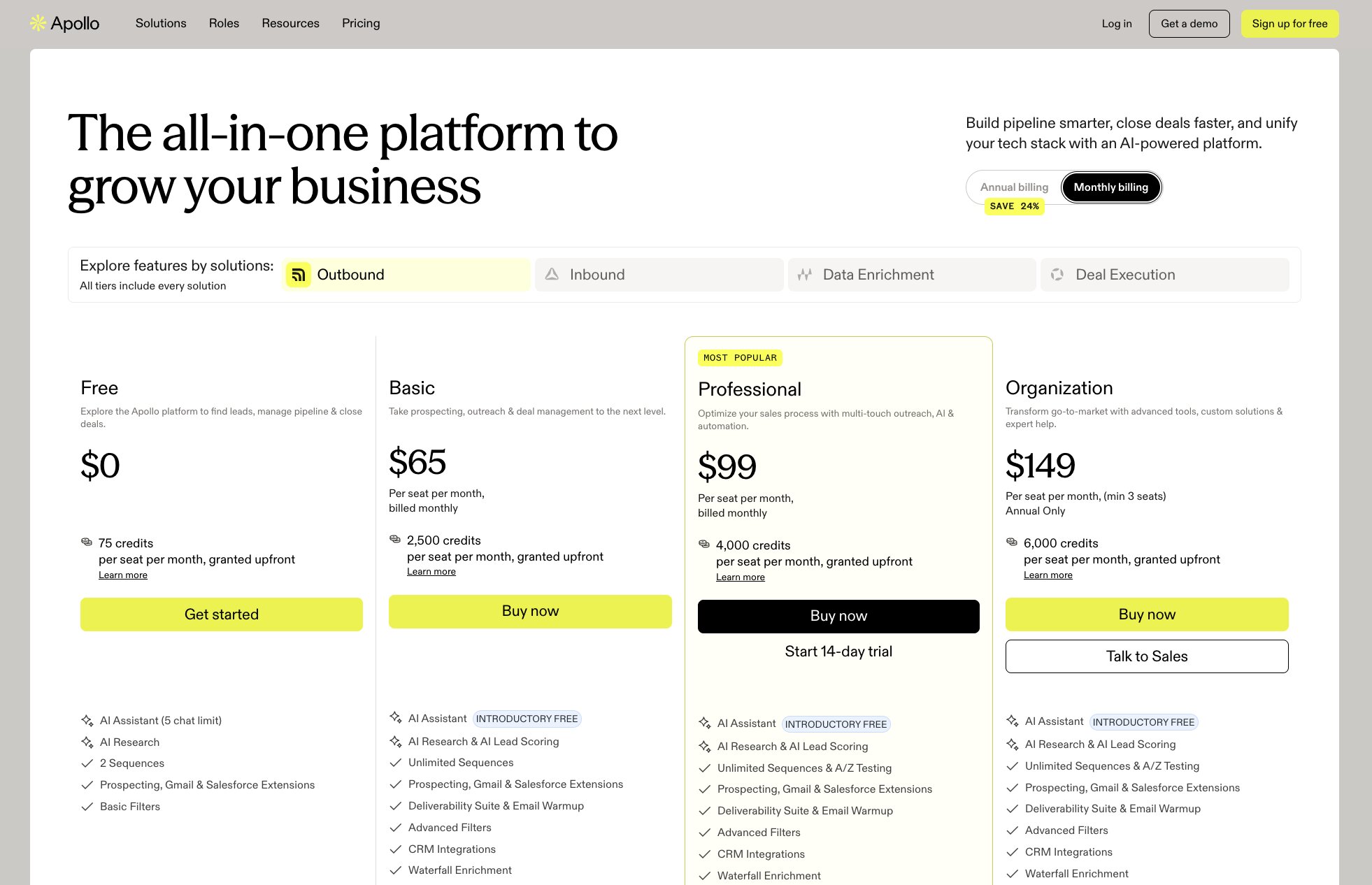
Here are Apollo's pricing plans:
- Free: $0/month with 75 credits per seat, AI Assistant (5 chat limit), AI Research, 2 sequences, and prospecting, Gmail, and Salesforce extensions
- Basic: $65/seat/month with 2,500 credits, unlimited sequences, deliverability suite and email warmup, CRM integrations, and waterfall enrichment
- Professional: $99/seat/month with 4,000 credits, A/Z testing, automated workflows, call recordings and AI insights (4,000 mins), and analytics with pre-built reports
- Organization: $149/seat/month (min 3 seats, annual only) with 6,000 credits, unlimited meeting events, 12 intent topics, SSO, and the ability to use your own LLM API key
You can learn more about what each plan has to offer here.
Apollo reviews
Here is what users rate Apollo on third-party review sites:
- G2: 4.7/5 star rating (from +9,688 user reviews)
- Capterra: 4.5/5 star rating (from +395 user reviews)
3. Clay
- Best for: Waterfall enrichment and building lead lists from multiple data sources
- Pricing: Free plan available, then starts at $185/month
- How I use it: Enriching lead lists with waterfall enrichment across multiple data providers
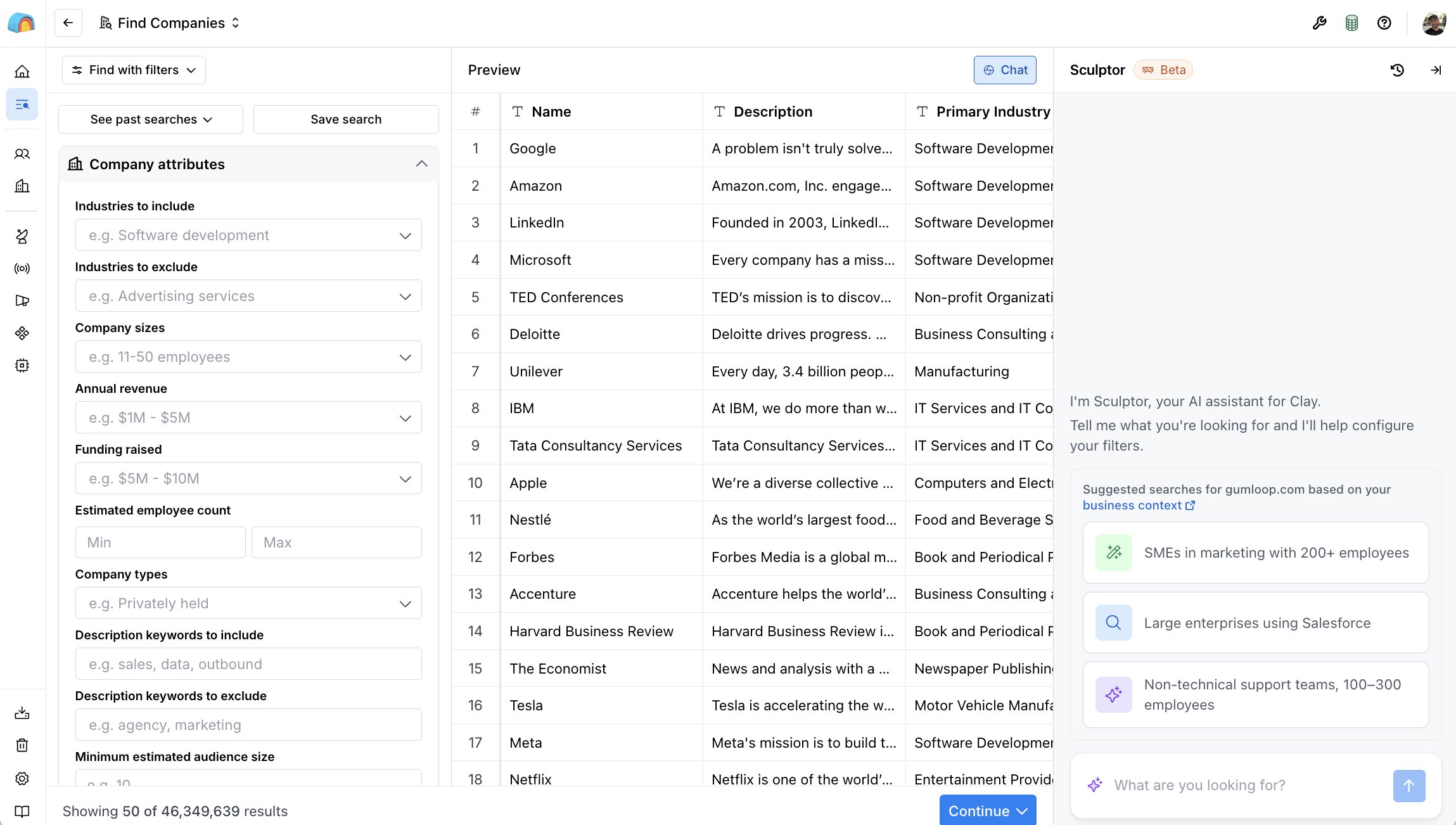
Clay is an AI infrastructure for GTM teams. At its core, the platform lets you build lead lists and enrich them all within Clay's platform. What Clay is known for is its waterfall enrichment. They integrate with multiple data providers (like Apollo or ZoomInfo), so you can get the best enrichment possible from multiple data sources.
You can think of the platform as being a spreadsheet with AI built in. In each column within the spreadsheet, you can enrich data or select prompts for what you want to happen within that row or column of data.
This makes Clay a great platform for B2B sales teams, growth marketers, GTM operators, and even SDR teams. It can also work for solo founders as well, although it is a pricey tool, so it does lean a bit more on the enterprise side.
Here are some things I like about Clay:
- Its waterfall enrichment feature is genuinely unique among any GTM tool I have used.
- They're constantly releasing new features, like Claygent and Audiences.
- It gives you a full end-to-end suite of tools to do everything from discovery to enrichment, qualification, generating copy for cold emails, as well as syncing with your CRM, all within one place.
- There's a huge community with tons of content on how to use Clay, as well as agencies called Claygencies that can help you get set up.
- Has an MCP server so you can use Clay with ChatGPT, Claude, or even Gumloop.
Here are some things Clay can improve:
- The credit system can make the platform quite expensive, especially if you're trying to enrich large datasets of leads.
- There is a learning curve to using the platform, and if you have never used a GTM tool, it might be a bit confusing when you first sign up.
- While it does sync with your CRM, it doesn't have a CRM feature built in, so you do need to pair Clay with other GTM tools (like the ones on this list).
Overall, Clay is an amazing platform and probably the most well-known GTM tool on the market. And it's with good reason. It has amazing features for finding leads and enriching them and basically just building a list of people that your sales team can reach out to.
Clay pricing
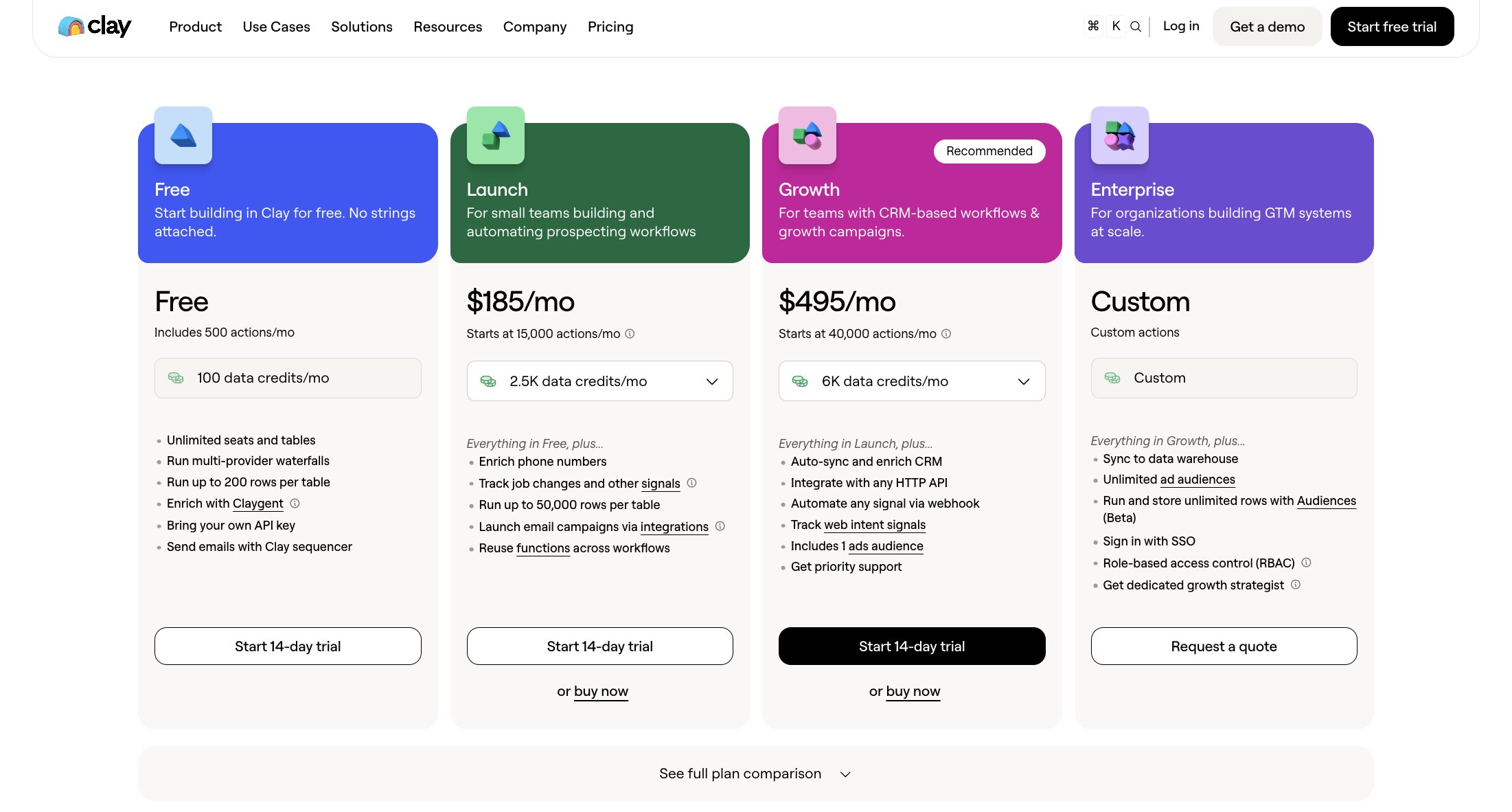
Here are Clay's pricing plans:
- Free: $0/month with 500 actions, 100 data credits, unlimited seats and tables, multi-provider waterfalls, and up to 200 rows per table
- Launch: $185/month with 15,000 actions, 2,500 data credits, phone number enrichment, job change tracking, and up to 50,000 rows per table
- Growth: $495/month with 40,000 actions, 6,000 data credits, auto-sync with your CRM and data warehouse, HTTP API integrations, web intent signals, and priority support
- Enterprise: Custom pricing with unlimited ad audiences, SSO, role-based access control, and a dedicated growth strategist
You can learn more about what each plan has to offer here.
Clay reviews
Here is what users rate Clay on third-party review sites:
- G2: 4.6/5 star rating (from +226 user reviews)
- Product Hunt: 5/5 star rating (from +39 user reviews)
4. Apify

- Best for: Web scraping and data extraction at scale
- Pricing: Free plan available, then starts at $26/month
- How I use it: Running scraping Actors through the Apify MCP inside agent builders, almost daily
Apify is a cloud-based web scraping and data extraction tool. And it's quickly become one of my favorite tools on this list that I use almost on a daily basis.
The way Apify works is that it's a community-driven marketplace of different scripts that you can run through their platform. These scripts are known as "Actors" within the Apify ecosystem.
For example, if you wanted to build a tool that can help you track prompts in LLMs to see how your AI visibility is, you can use one of the many Apify Actors that are around LLM visibility.

You can also explore other things like their TikTok scraper, their Google Maps scraper, their Instagram scraper, or literally any scraper for any platform. You can find it through Apify's marketplace.
And the great thing is that Apify has an MCP server, so you can use many of these web scraping tools with agent building platforms like Gumloop and n8n, or just use them in ChatGPT or Claude.
This makes it a great platform for anyone in a GTM or data role that is trying to scrape or extract data from any website.
Here are some things I like about Apify:
- There are over 50,000 templates and actors that you can use for any web scraping or browser automation needs.
- It's a horizontal tool, so it can be used for multiple use cases, from scraping social media pages to websites to even running SERP analysis.
- The platform handles anti-bot and scaling issues automatically, so you don't have to worry about getting blocked. The platform has a built-in proxy rotation feature, which is quite neat.
- The MCP server makes it work great with workflow automation tools like Make, n8n, or Gumloop.
Here are some things Apify can improve:
- There is a learning curve to using the platform, and to be honest, I only ever use Apify in an agent builder, so I never really interact with its original UI.
- When running actors, it's a bit hard to predict the price of what things will be, so it's easy to burn through your credits if you're not careful.
- It's built for complex automations that need to run on a trigger, so if you need to just scrape a website really easily, then it might be a bit overkill (look at Firecrawl as an alternative, which is also on this list).
Overall, Apify is an amazing web scraper and a tool that has become a staple in my GTM stack. I highly recommend you check it out and just browse through the entire marketplace. It can be a great source for ideas for your GTM strategy.
Apify pricing
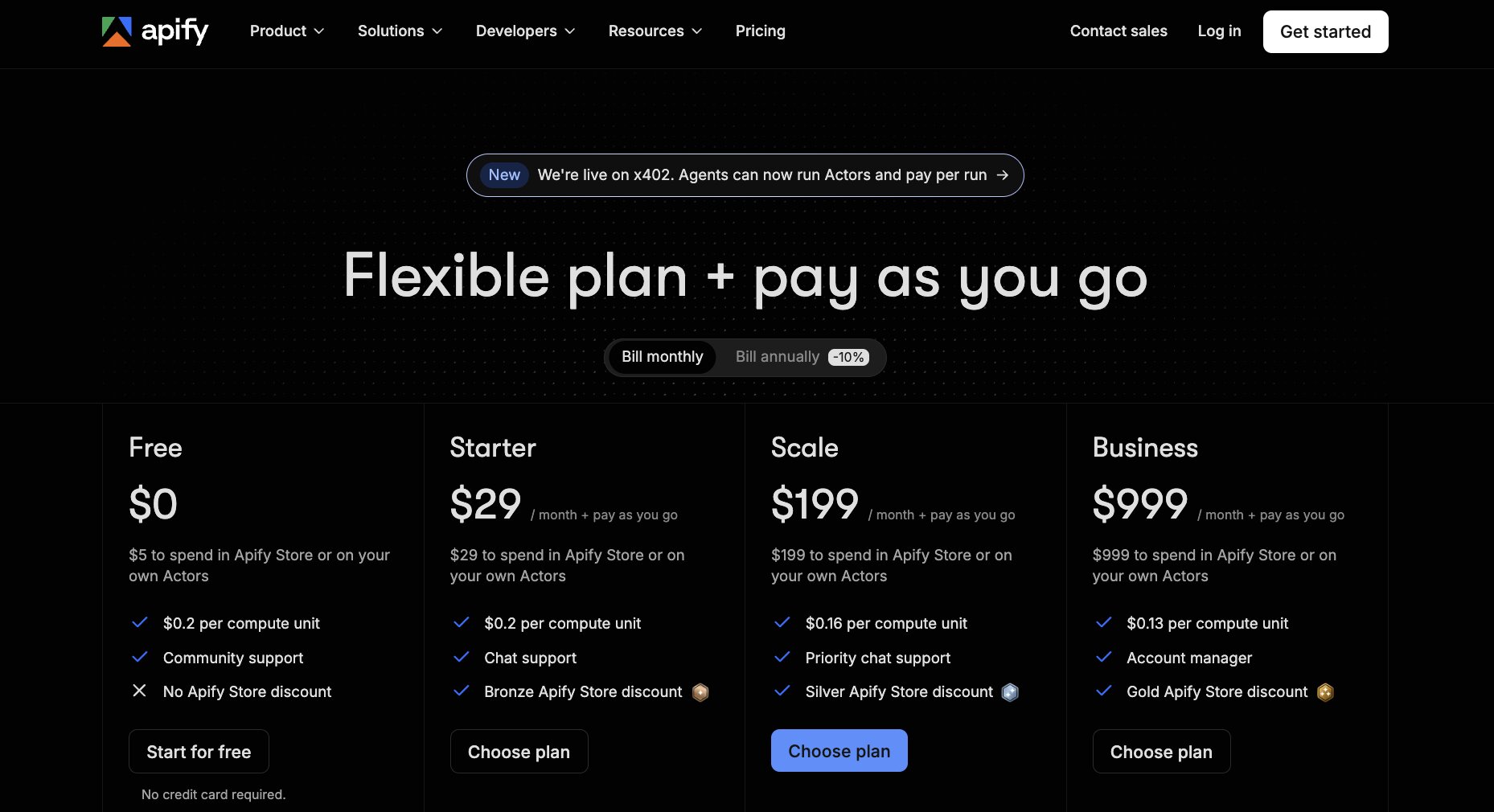
Here are Apify's pricing plans:
- Free: $0/month with $5 to spend in the Apify Store or on your own actors, $0.2 per compute unit, and community support
- Starter: $26/month plus pay as you go with $29 to spend, $0.2 per compute unit, chat support, and a Bronze Apify Store discount
- Scale: $179/month plus pay as you go with $199 to spend, $0.16 per compute unit, priority chat support, and a Silver Apify Store discount
- Business: $899/month plus pay as you go with $999 to spend, $0.13 per compute unit, an account manager, and a Gold Apify Store discount
You can learn more about what each plan has to offer here.
Apify reviews
Here is what users rate Apify on third-party review sites:
- G2: 4.7/5 star rating (from +536 user reviews)
- Capterra: 4.8/5 star rating (from +509 user reviews)
5. Unify

- Best for: Outbound orchestration and enriching inbound leads
- Pricing: Free plan available, then starts at $20/seat/month
- How I use it: Uploading lead lists from Apollo or Clay and letting the Unify agent sequence outreach across email and LinkedIn
Unify is an AI sales automation platform that lets you build a full end-to-end outbound engine. It's similar to Clay in that it helps you access a B2B database so you can enrich contact information, and it can also pull intent signals from things like your website visitors or any UTM-tracked traffic.
What makes Unify unique is that it also has AI agents built into the platform, so you can run specific "Plays" that can go out and write emails and reach out to your lead list.
This makes it a great platform for SaaS startups that have a lot of inbound traffic and want to enrich the leads coming from inbound. It's also great for growth marketing teams that are running events or doing ABM campaigns and just have a ton of GTM tools scattered around but want one unified (no pun intended) place for it all.
Here are some things I like about Unify:
- There's a strong emphasis on inbound leads from your website, so you can enrich them. I don't see a lot of GTM tools that focus on inbound.
- The platform gives you everything from a database to enrichment features as well as research and sequencing for an entire outbound workflow.
- The built-in agents can help with scraping, summarizing, and even contextualizing different accounts that you want to go after.
Here are some things Unify can improve:
- It is a pretty complex GTM tool, so if you're not technical and don't understand concepts like signals, enrichment, or sequencing, then there will be a learning curve.
- The quality of the results is based off of your initial setup. The way you track things on your website and the way you integrate with a CRM, those things have to be dialed in to get the most out of Unify.
Overall, Unify is a great platform for outbound GTM efforts. The way that I use it is actually to send emails. I'll use Apollo or Clay to build my lead list, but then I use the agent within Unify to upload my list.
From there in Unify, I can have their agent automatically sequence how each lead should be reached out to, and I can create tasks where the agent can trigger different actions within that sequence.
For example, I can create a sequence where I am emailing a prospect, but then create a task within that sequence to go and send them a LinkedIn request and then follow up with another email. So it's like a full outbound orchestration platform, and that's what Unify is best for.
Unify pricing
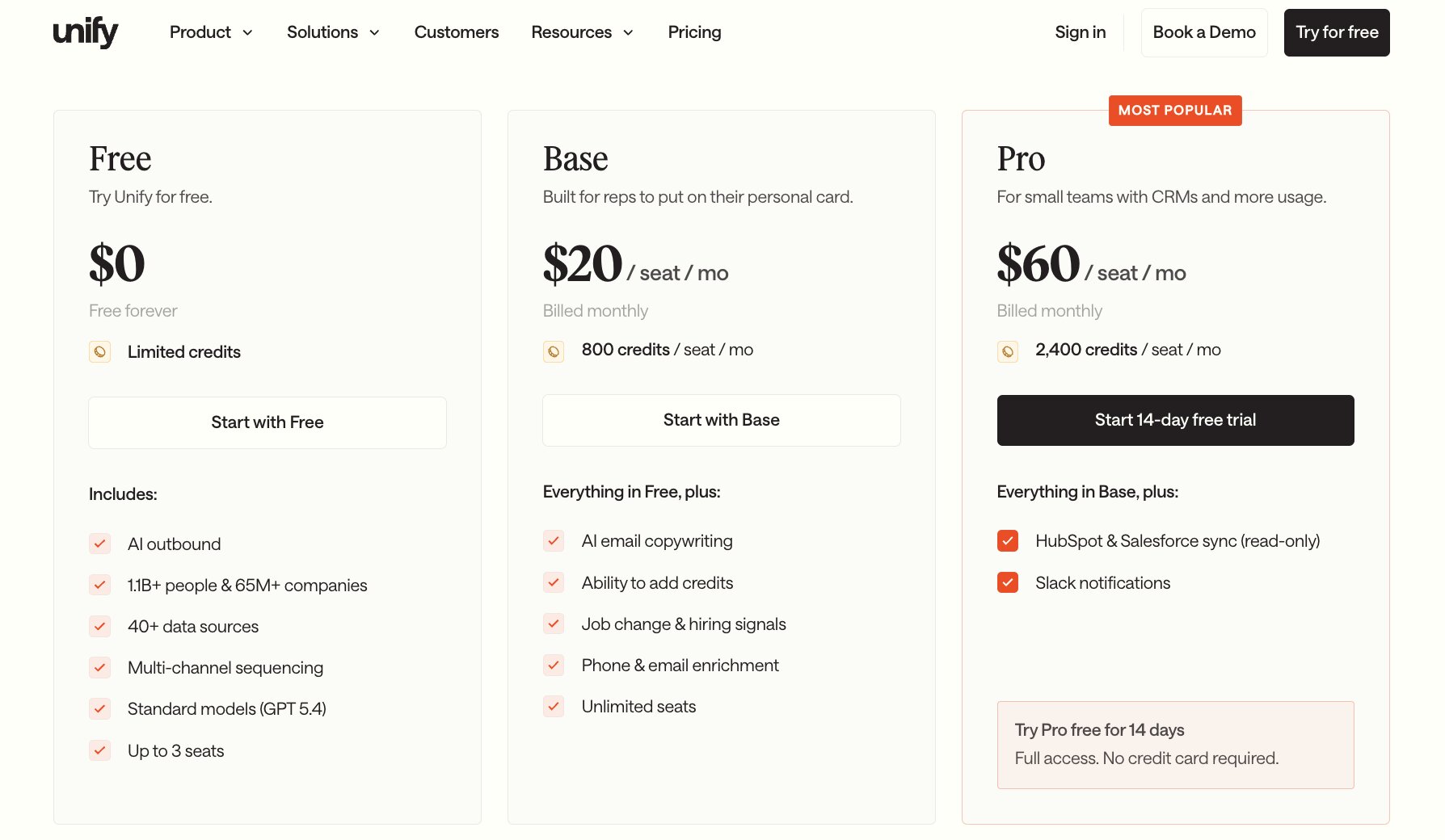
Here are Unify's pricing plans:
- Free: $0/month with limited credits, AI outbound, access to 1.1B+ people and 65M+ companies, 40+ data sources, multi-channel sequencing, and up to 3 seats
- Base: $20/seat/month with 800 credits per seat, AI email copywriting, job change and hiring signals, phone and email enrichment, and unlimited seats
- Pro: $60/seat/month with 2,400 credits per seat, HubSpot and Salesforce sync (read-only), and Slack notifications
- Business: Custom pricing (billed annually) with custom credits, advanced models, website intent and product signals, and signal-triggered automations
You can learn more about what each plan has to offer here.
Unify reviews
Here is what users rate Unify on third-party review sites:
- G2: 4.7/5 star rating (from +43 user reviews)
- Product Hunt: 5/5 star rating (from +2 user reviews)
6. Hunter
- Best for: Finding and verifying email addresses quickly
- Pricing: Free plan available, then starts at $49/month
- How I use it: Verifying that I'm reaching out to valid email addresses before sending anything
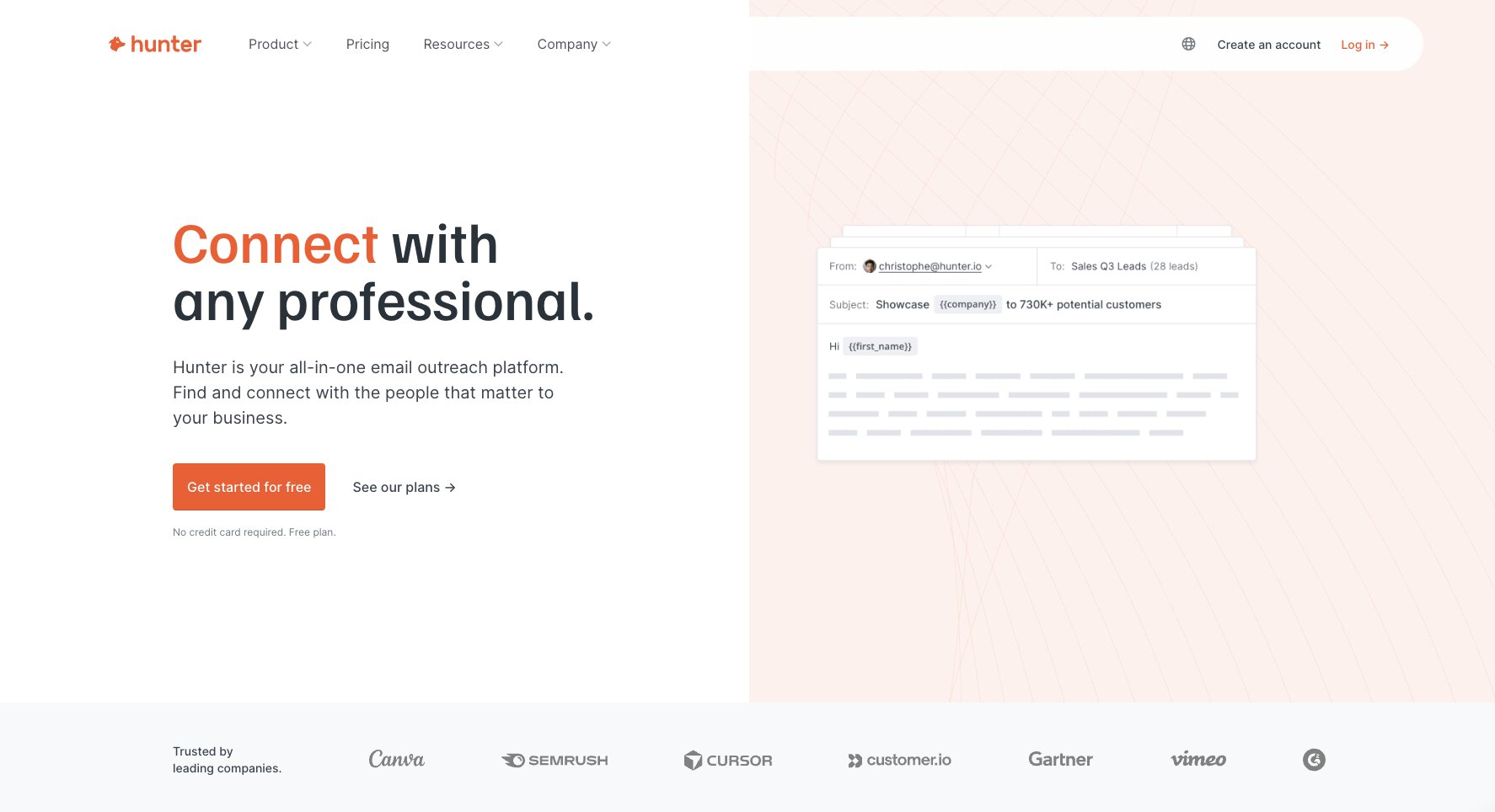
Hunter.io is an email verifier platform that I have been using for over a decade now. It's my go-to tool anytime I need to find someone's email really quick, and I just need to verify that I'm reaching out to someone with a valid email address.
At its core, it's a B2B email discovery and verification platform where you can do things like domain search or email verification. You can even use their API to integrate with your automated workflows or a CRM.
It does have cold email campaigns where you can send and track email sequences. Although it's not my favorite tool for that, I use Hunter mostly for verifying email addresses.
This makes it great for freelancers, agencies, or small teams that just want to quickly find people's email addresses and don't need a full enrichment workflow or outbound sequence.
Here are some things I like about Hunter:
- Super easy to use with a minimal learning curve.
- There is a generous free plan, but even the paid plans are pretty budget-friendly.
- The API is great for doing larger bulk tasks where it can integrate into a workflow automation tool.
Here are some things Hunter can improve:
- The platform is limited in its features, so there's no AI personalization or complex sequencing. It's just great for finding email addresses.
- It's better served for small one-off use cases over a full large-scale outbound campaign, which you probably want to use Clay or Apollo for instead.
Overall, Hunter is a great free GTM tool for finding email addresses of specific prospects. I personally stop it at that use case, although I know you can use it for multiple other use cases, as they have a ton of features.
But if I'm being honest, there are other tools on this list that do a better job at things like sending outbound emails or creating automated GTM workflows.
Hunter pricing

Here are Hunter's pricing plans:
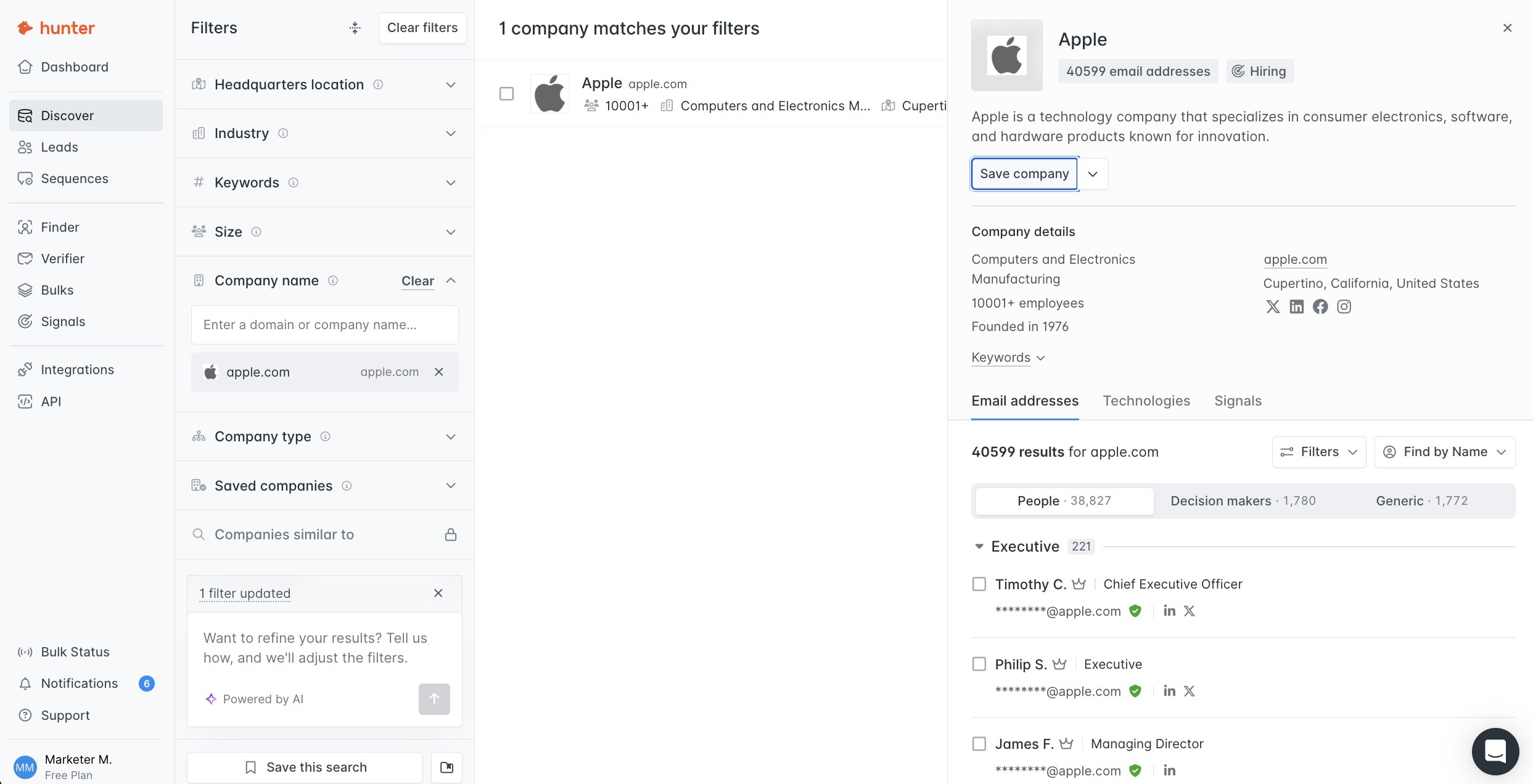
- Free: $0/month with 50 credits, basic Discover B2B database filters, AI Assistant in Discover, 1 connected email account, and unlimited team members
- Starter: $49/month with 2,000 credits, auto-verification, lead enrichment, advanced Discover filters, 3 connected email accounts, and priority support
- Growth: $149/month with 10,000 credits and 10 connected email accounts
- Scale: $299/month with 25,000 credits and 20 connected email accounts
- Enterprise: Custom pricing with a custom number of credits, custom connected email accounts, and an account manager
You can learn more about what each plan has to offer here.
Hunter reviews
Here is what users rate Hunter on third-party review sites:
- G2: 4.4/5 star rating (from +652 user reviews)
- Capterra: 4.8/5 star rating (from +709 user reviews)
7. Anymail Finder
- Best for: Finding and verifying B2B emails in bulk
- Pricing: Starts at $29/month
- How I use it: Finding verified email addresses when other tools come up empty
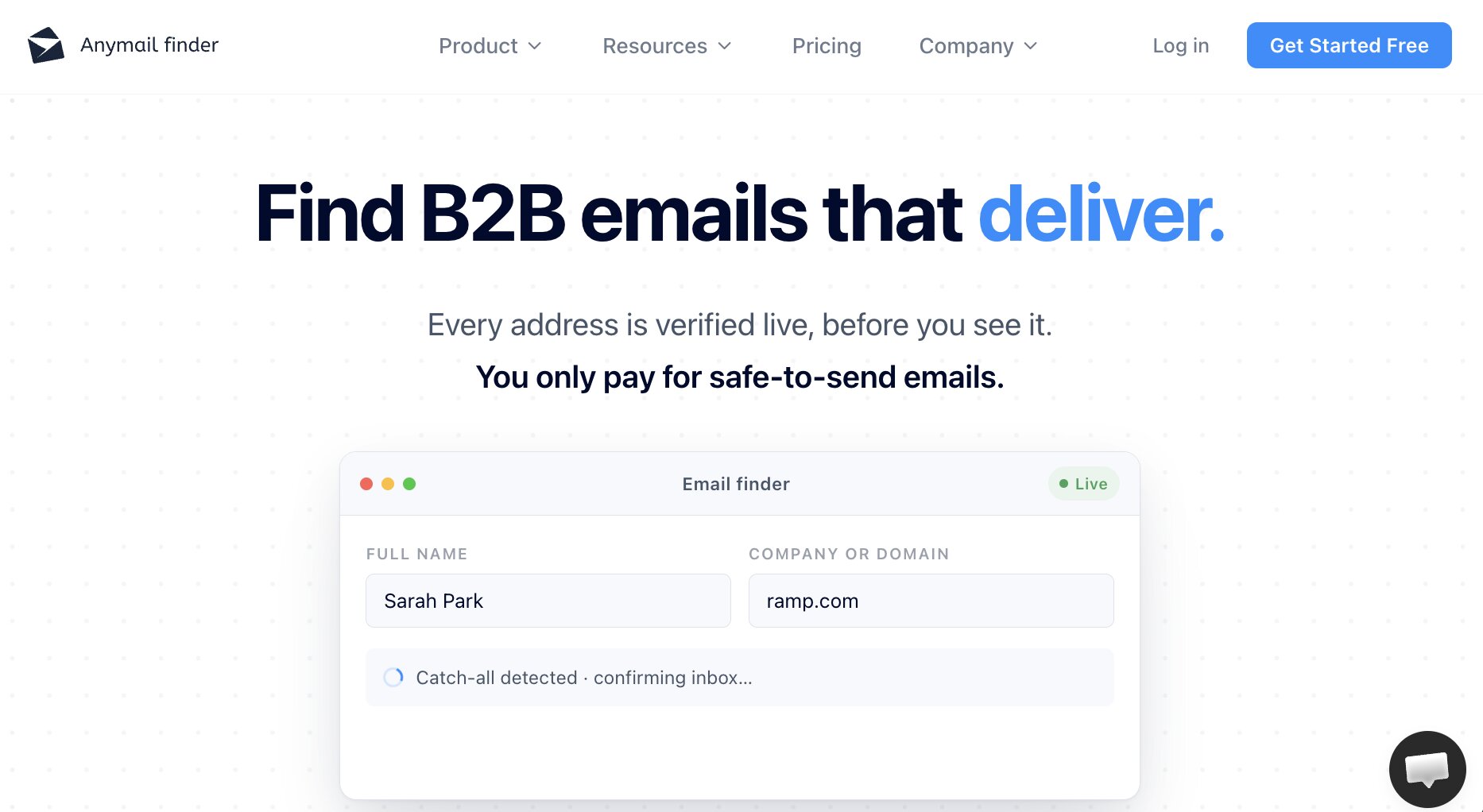
Anymail Finder is a tool that lets you find the email address of any B2B company. It's similar to Hunter.io in that it has a built-in email verifier. But what makes Anymail Finder different is that it has 98.9% accuracy for finding email addresses.
With Anymail Finder, you also only pay for verified emails that you find. So if you run a flow and it's not able to find the right email address or it comes back as not found, you won't be charged for it.
This makes it a great platform for sales teams and even lead generation agencies where they're trying to find and verify emails in bulk.
Here are some things I like about Anymail Finder:
- You only have to pay for verified emails so it doesn't waste credits.
- It has 98% accuracy, which is insanely impressive for tools in this space.
- It's a simple tool that is just for finding and verifying emails without any of the extra features.
Here are some things Anymail Finder can improve:
- You only get email, so if you need a phone number or a LinkedIn profile link, you will have to use a different tool.
- It can take a while if you're trying to do a bulk upload to verify email addresses.
- It's not a full end-to-end GTM platform, so you will need to use other tools to get the most out of it.
Overall, Anymail Finder is a great tool for finding email addresses. If that's the only use case you need, then this is by far the best platform on this list for verifying emails.
I do love Hunter, and it is a tool I have been using most of my career, but Anymail Finder does tend to be a bit more accurate in finding email addresses, especially in areas where Hunter is not able to find them.
Anymail Finder pricing
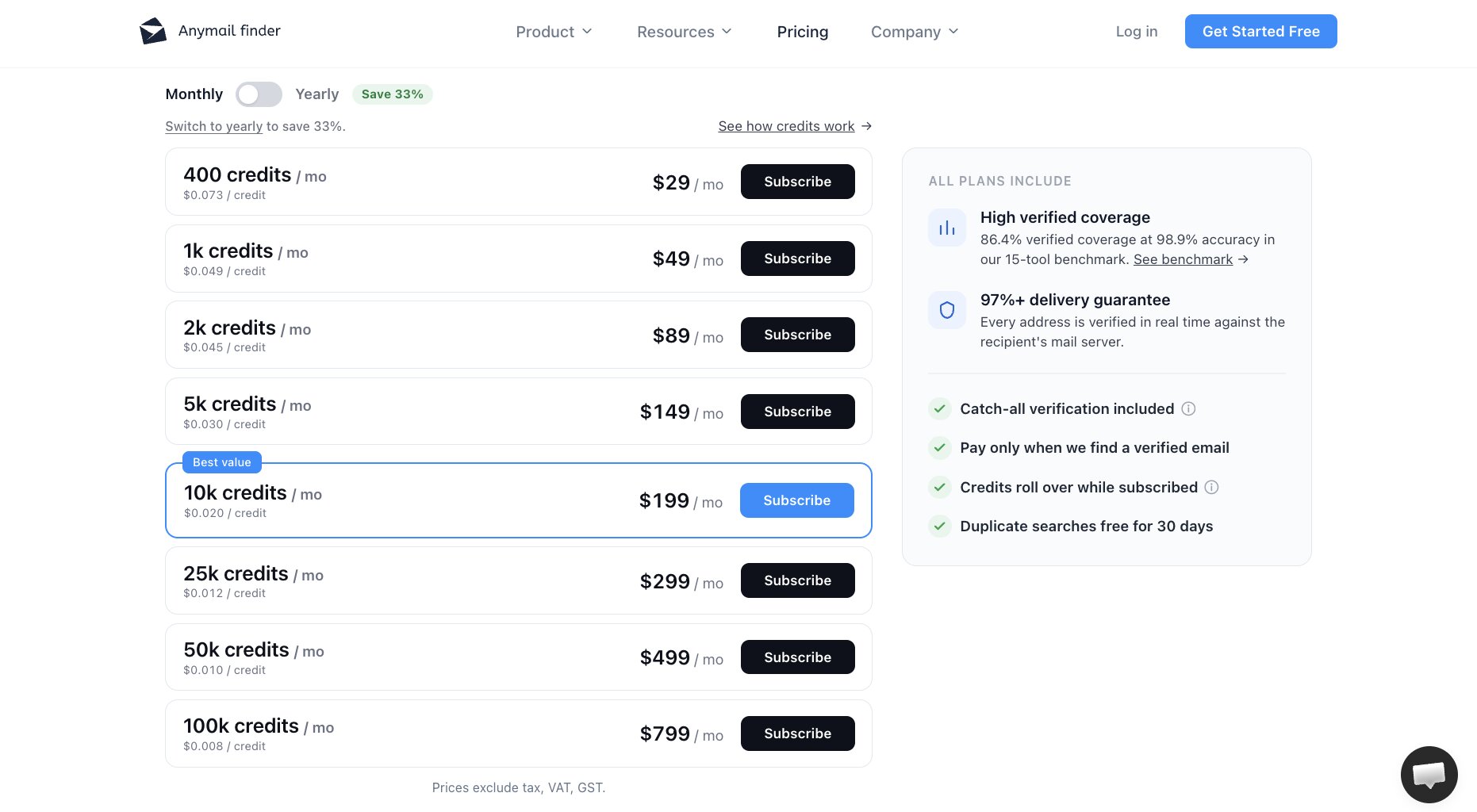
Here are Anymail Finder's monthly pricing plans:
- 400 credits: $29/month ($0.073 per credit)
- 1k credits: $49/month ($0.049 per credit)
- 2k credits: $89/month ($0.045 per credit)
- 5k credits: $149/month ($0.030 per credit)
- 10k credits: $199/month ($0.020 per credit)
- 25k credits: $299/month ($0.012 per credit)
- 50k credits: $499/month ($0.010 per credit)
- 100k credits: $799/month ($0.008 per credit)
You can save 33% on any plan by switching to yearly billing. You can learn more about how credits work here.
Anymail Finder reviews
Here is what users rate Anymail Finder on third-party review sites:
- G2: 3.6/5 star rating (from +6 user reviews)
- Trustpilot: 4.8/5 star rating (from +144 user reviews)
8. Ploy AI
- Best for: Generating on-brand ABM and campaign landing pages
- Pricing: Free plan available, then starts at $50/month
- How I use it: Spinning up landing page variations that follow our existing design system
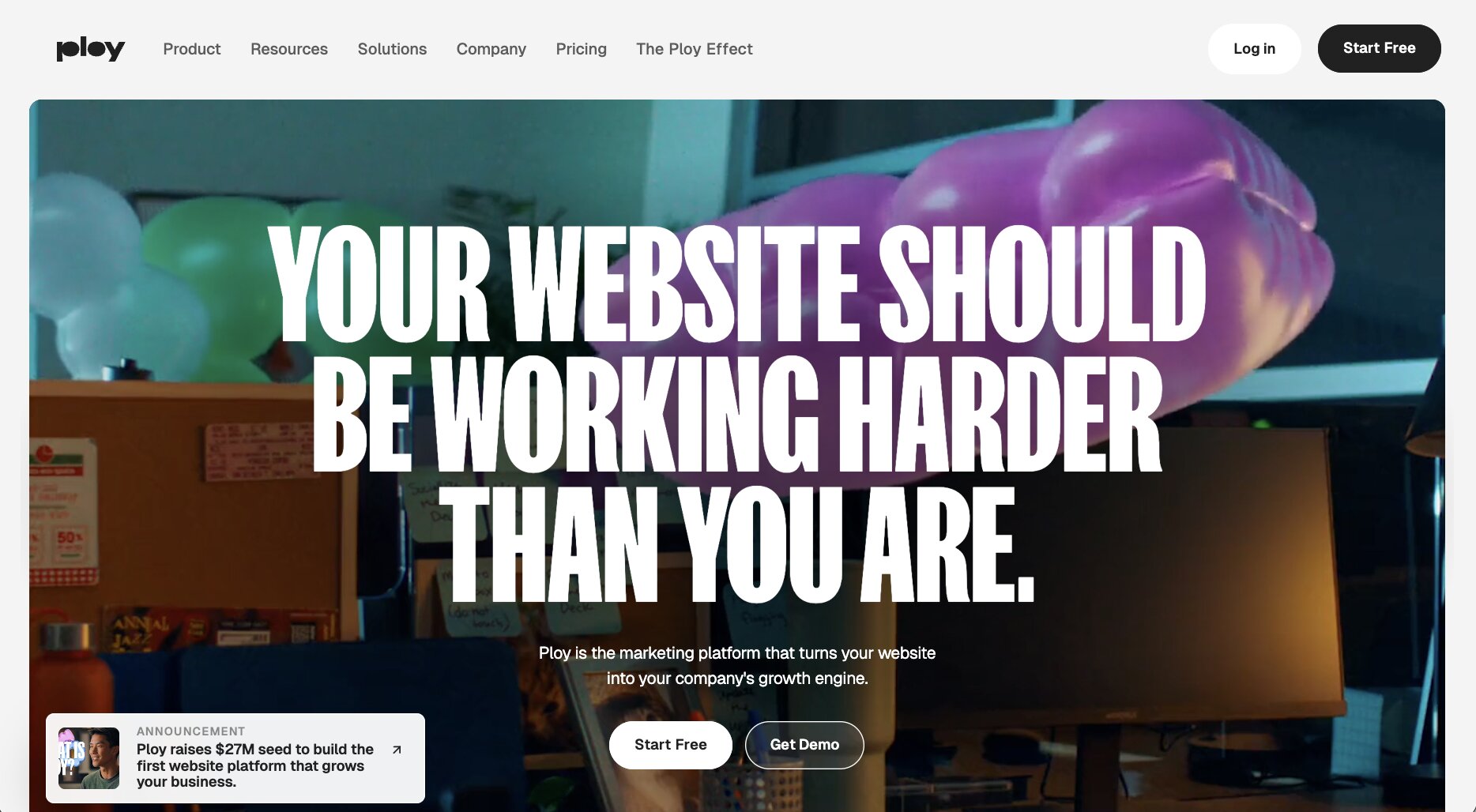
Ploy AI is a new AI website builder founded by the former co-founder and CTO of Webflow (a multi-billion dollar website building platform). The platform markets itself as an AI marketing tool that allows you to turn your website into a growth engine.
Now you might think, why add a website builder into a best GTM tools list? Well, the cool thing about Ploy AI is that while you can build your entire website on it, I actually find that it's better for use cases where you already have a website. You want to create ABM landing pages or a specific campaign, and you need to generate a bunch of different landing page variations that are on brand and follow your existing design system.
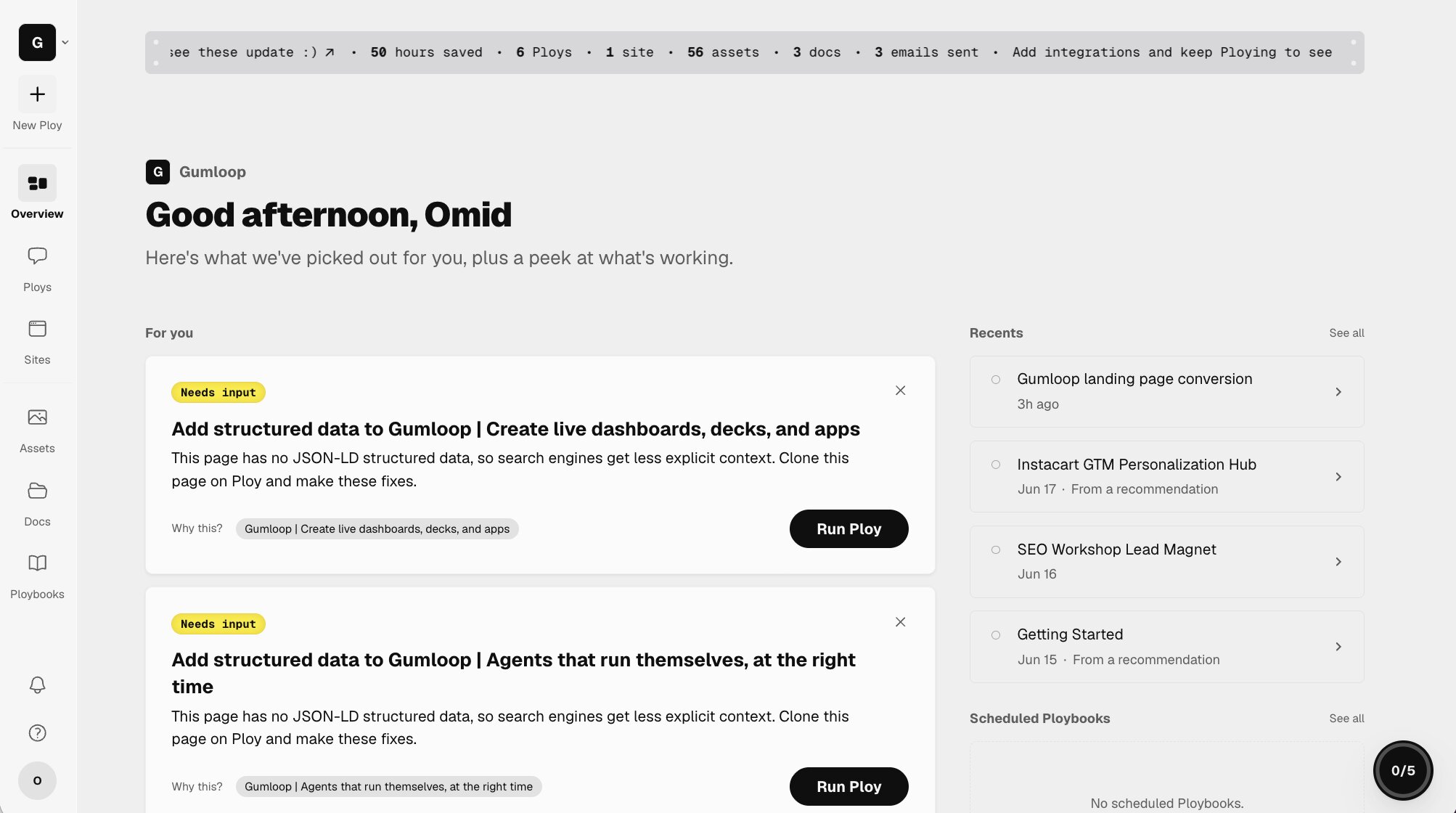
With Ploy, you can give it your existing website, and it'll slurp up the entire design system. With their agent chat interface, you can essentially vibe code any landing page that is on brand, based around a specific go-to-market goal you have.
So you can use Ploy AI to not only help create your GTM strategy and plan, but if it involves any sort of website building or landing page creation process, you can do that in Ploy as well.
Here are some things I like about Ploy:
- It feels like using Claude or ChatGPT, but with the extra functionality of being able to generate landing pages that can live on a custom domain.
- Allows you to easily set up reverse proxies so you can have sections of your website built on Ploy while keeping other parts of it built on whatever existing tech stack you have.
- Ploybooks act as skills you can create and use with the Ploy agent
Here are some things Ploy can improve:
- The platform is still very new, so there are limited integrations.
- Sometimes the UI can feel a bit buggy for more complex prompts.
Overall, Ploy AI is a very promising tool for GTM ops or marketers that rely heavily on creating landing pages as part of their go-to-market strategy. It's still a very new tool and has room for a lot of improvements, but I am very bullish on the platform.
Ploy AI pricing
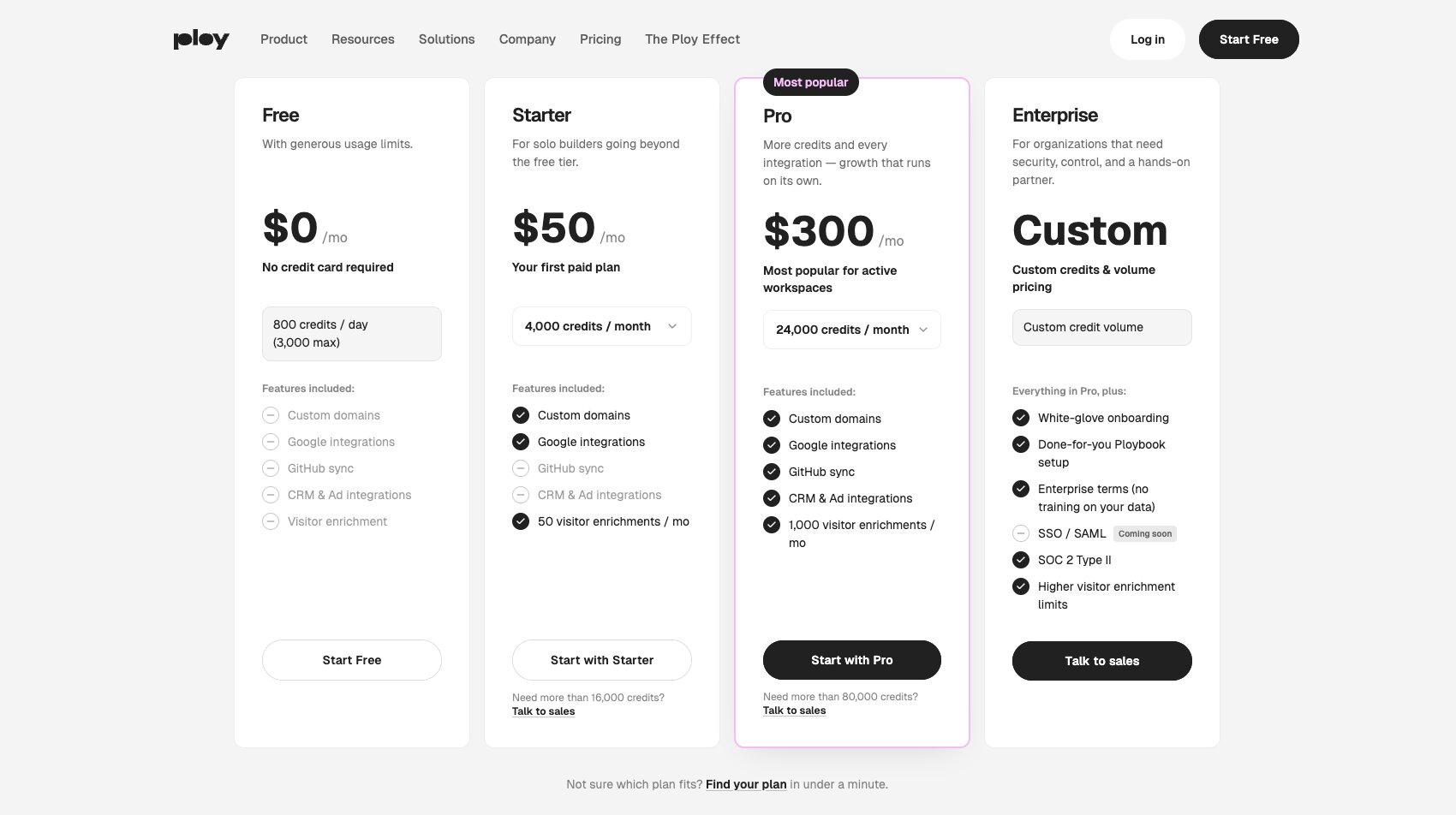
Here are Ploy AI's pricing plans:
- Free: $0/month with 800 credits per day (3,000 max), custom domains, Google integrations, GitHub sync, CRM and ad integrations, and visitor enrichment
- Starter: $50/month with 4,000 credits and 50 visitor enrichments per month
- Pro: $300/month with 24,000 credits, every integration, and 1,000 visitor enrichments per month
- Enterprise: Custom pricing with custom credit volume, white-glove onboarding, done-for-you Ploybook setup, SOC 2 Type II, and higher visitor enrichment limits
You can learn more about what each plan has to offer here.
Ploy AI reviews
Ploy AI is still very new and there are no customer ratings on third-party review sites.
9. Firecrawl
- Best for: Web scraping built for AI agents and LLMs
- Pricing: Free plan available, then starts at $19/month
- How I use it: Scraping web data through the Firecrawl MCP inside Gumloop, plus powering a custom SEO tool through the API
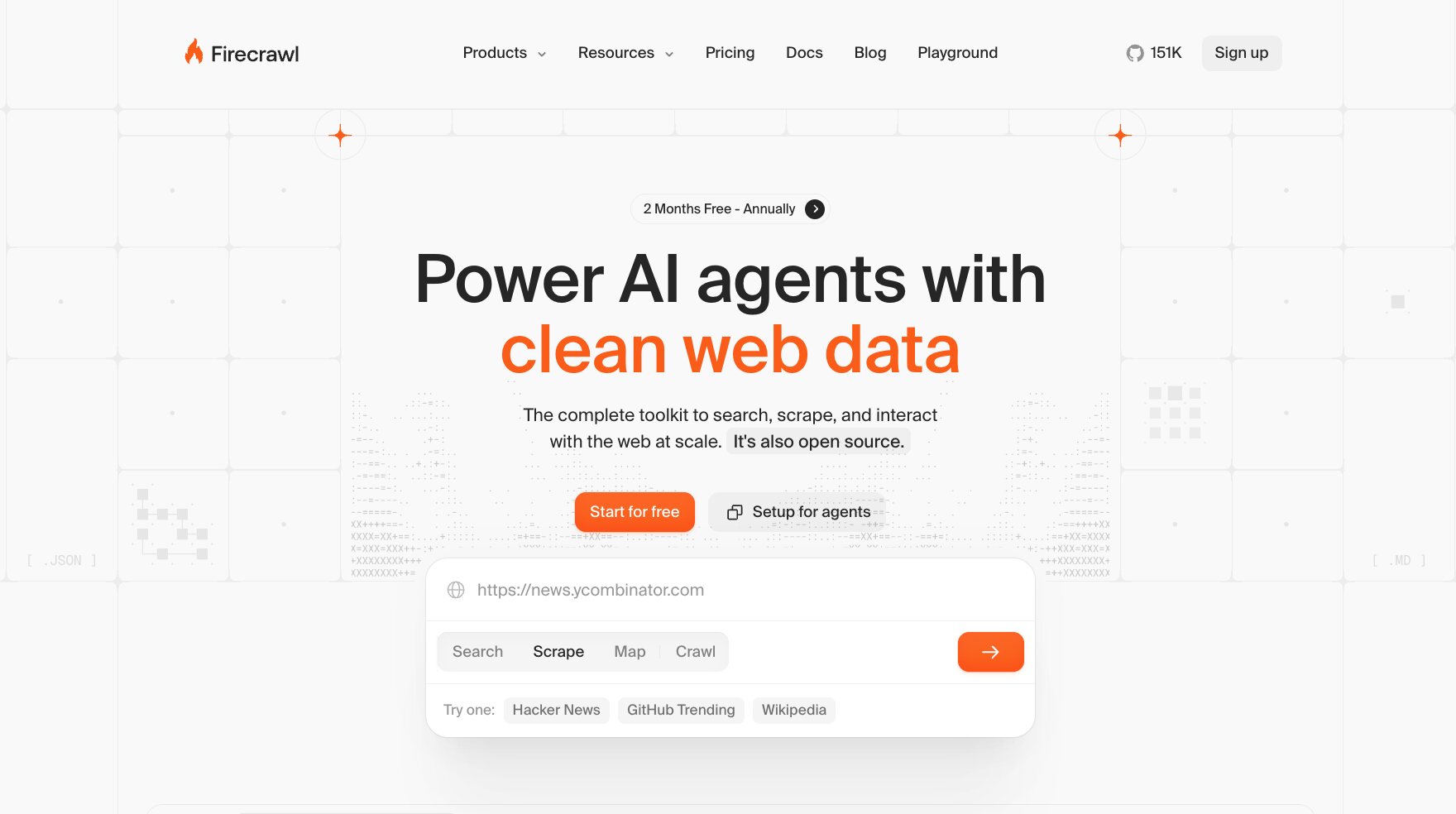
Firecrawl is an AI web scraper that can turn any website or data into information that can easily be passed to an LLM (large language model).
It acts as an infrastructure layer for AI agents to scrape the web. You can do things like:
- Search the web
- Scrape individual web pages
- Crawl entire websites
- Create a full site map of a website
- Extract structured data using natural language
And I have personally been using Firecrawl pretty much every day. I started using it through its API into a custom SEO tool that I built. But given Firecrawl's MCP, I now use it natively within Gumloop for any web scraping needs that I have in my GTM tool stack.
This makes it a great platform for anyone across GTM, data, product, and even engineering, as it lets you scrape literally anything from a website and pass it to an agent or an LLM to do whatever you want with it.
This makes it great for companies of all sizes, from startups to enterprises, or any marketer that is serious about creating complex GTM workflows.

Here are some things I like about Firecrawl:
- It's designed specifically for AI agents, so this tool is amazing if you are using Gumloop, n8n, Claude, or ChatGPT.
- It has a full suite of tools like search, scrape, crawl, map, extract, interact, and literally anything an agent would need to create any scraping workflow.
- It's a very flexible and open platform and does have open source options that are used by some big companies like Shopify and Zapier.
Here are some things Firecrawl can improve:
- It's mostly API-first, so if you're not technical, you do want to use the platform in an agent builder.
- The way tokens are used can be a bit opaque, and it's hard to understand exactly how they're being spent.
- If you're not using Firecrawl in an agent platform, there can be a setup time that can be quite time intensive and technical.
Overall, Firecrawl is a staple in any GTM workflow that requires searching the web, scraping it, and extracting information that you can pass to an AI agent. It's a GTM tool I use almost every day and can't live without, so I had to include it in this list.
Firecrawl pricing

Here are Firecrawl's pricing plans (billed monthly):
- Free: $0/month with 1,000 credits, 2 concurrent requests, and low rate limits
- Hobby: $19/month with 5,000 credits, 5 concurrent requests, and basic support
- Standard: $99/month with 100,000 credits, 50 concurrent requests, and standard support
- Growth: $399/month with 500,000 credits, 100 concurrent requests, and priority support
- Scale: $749/month with 1,000,000 credits, higher rate limits, more concurrent browsers, and dedicated support
- Enterprise: Custom pricing with custom credits and custom solutions
You can learn more about what each plan has to offer here.
Firecrawl reviews
Here is what users rate Firecrawl on third-party review sites:
- G2: 4.5/5 star rating (from +1 user review)
- Product Hunt: 5/5 star rating (from +14 user reviews)
10. Gong
- Best for: Call recording and revenue intelligence for enterprise sales teams
- Pricing: Custom pricing, you need to request a quote
- How I use it: Pulling call sentiment into Gumloop to see where prospects get stuck, then passing those insights to marketing
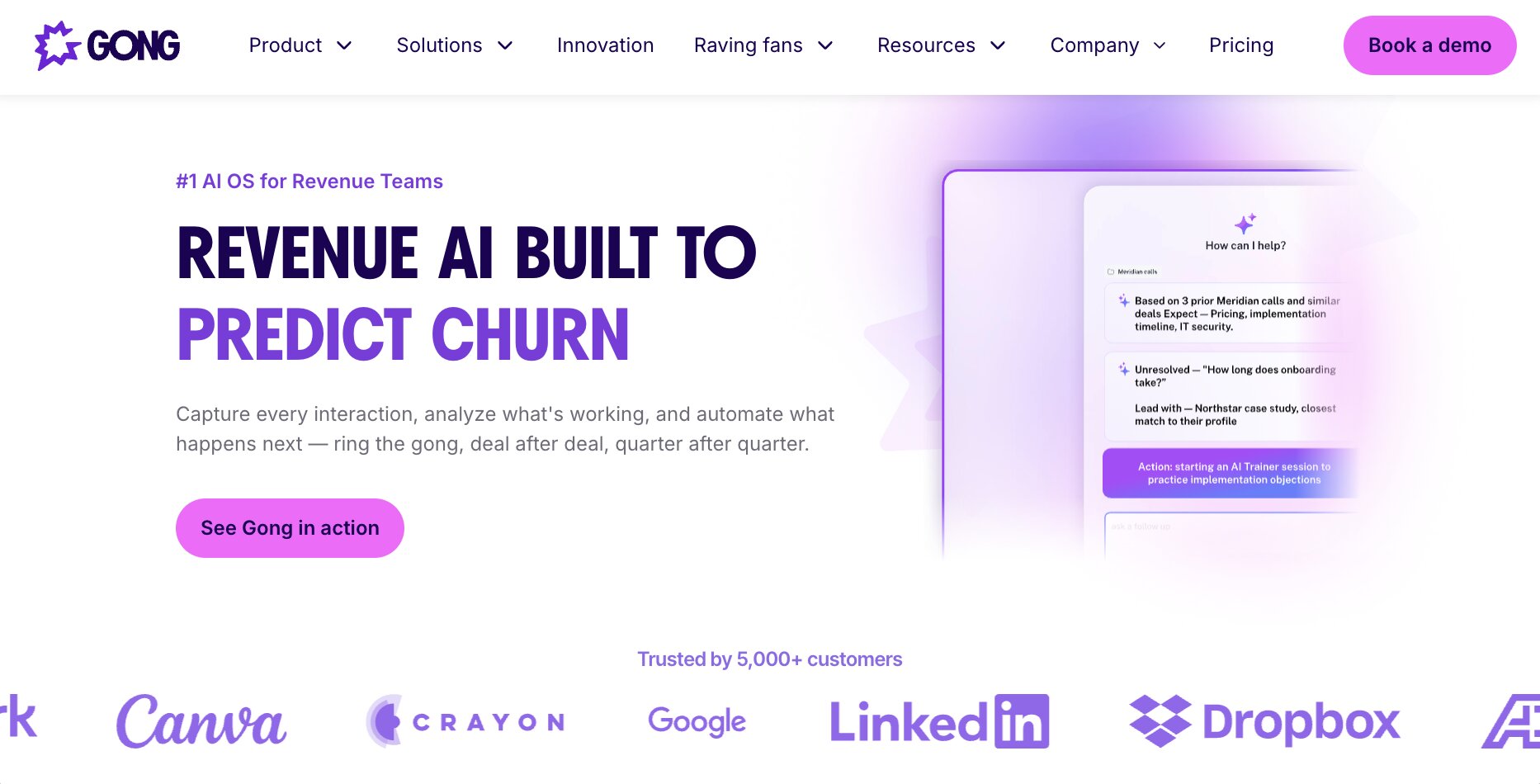
Gong is an AI revenue platform built for B2B sales and GTM teams. At its core, it records your sales calls and creates transcripts and notes of what happened on the call.
It can track anything from calls, meetings, and even emails, and it captures a full range of revenue signals based off of your current pipeline. And it can also create a revenue graph where it creates a searchable map of people, companies, interactions, and deals that are currently in the pipeline.
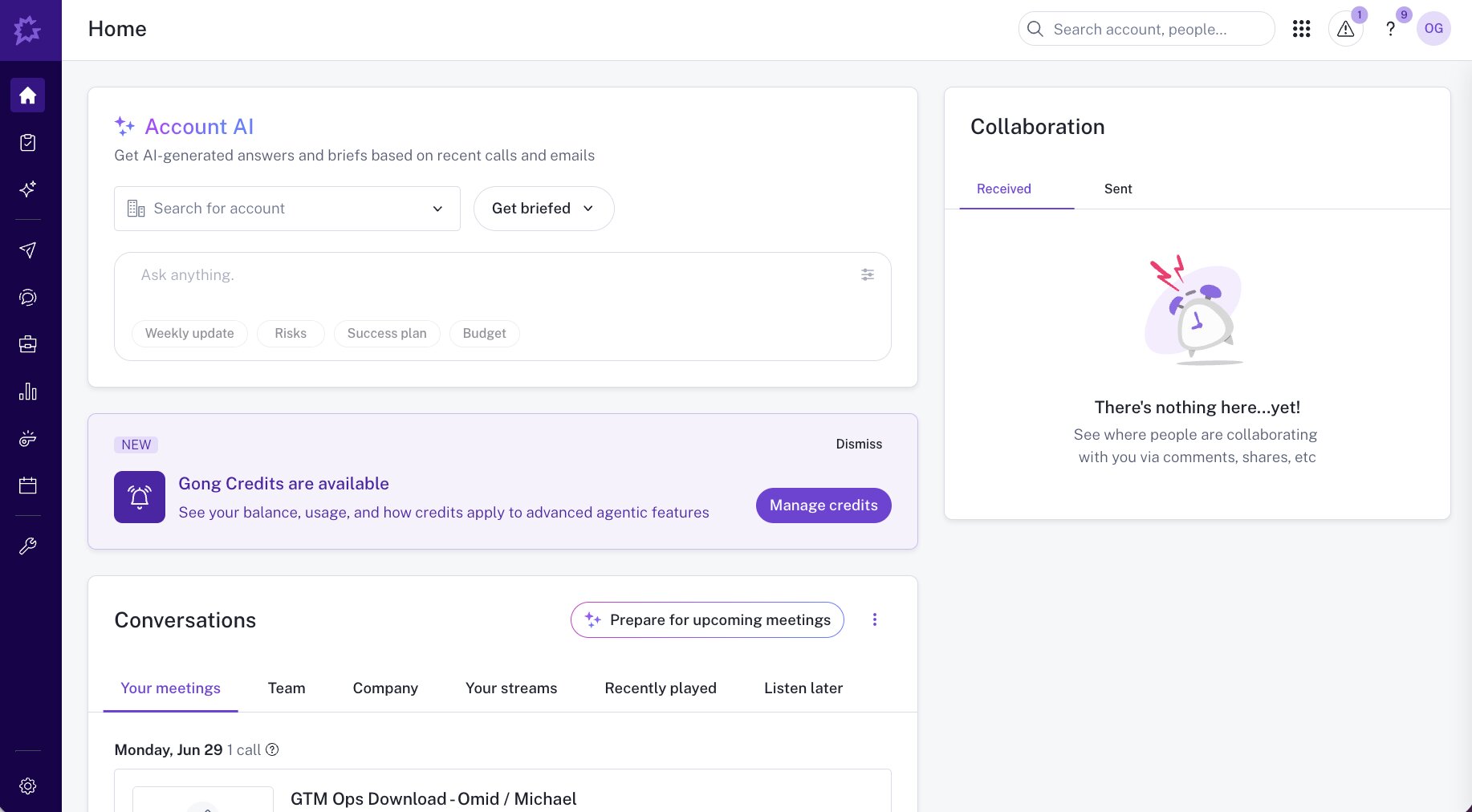
The Gong AI agents also help you create automated workflows, review deals, and generate forecasts. The tool can integrate with a CRM like Salesforce, which is actually how I use it.
In fact, I use Gong mostly to analyze calls that our sales team has taken. I integrate Gong with an AI agent builder like Gumloop to be able to pull in call sentiment and see where people are getting stuck or confused, so we can pass that information to our marketing team.
So while traditionally known as a sales tool, I included it in this GTM tool stack because every GTM operator should be studying sales calls to better optimize their campaigns.
Here are some things I like about Gong:
- The transcription is like magic. It's so easy to understand how a sales call went, even if you were never on it yourself.
- The built-in AI agents can flag certain risks or suggest actions to take after a call has been completed.
- It's built for enterprise companies, so security, compliance, and scaling are all taken care of.
- The MCP server allows you to integrate Gong with other sales and GTM tools inside of an agent so you can orchestrate entire multi-agent workflows.
Here are some things Gong can improve:
- It's mostly an enterprise tool, so if you're a small startup or a solo operator, it won't make sense to use.
- It requires a mature sales team to get the most out of the platform. If you don't already have sales goals or a large list of people you're reaching out to, you won't get a lot of value.
- Recording calls and using AI to analyze them can cause some privacy concerns, so while not a total con, it is something to think about.
Overall, Gong is an amazing platform for any sales or GTM team. It's no wonder why the platform has been wildly successful and well known among any sales leader you talk to, especially in tech. If you have the ability and your company is at the right size, then I highly recommend you check out Gong if you don't already use it.
Gong pricing
Gong does not list pricing publicly. You need to request a quote from their sales team, and pricing is based on the number of users and the products you need. You can request a demo here.
Gong reviews
Here is what users rate Gong on third-party review sites:
- G2: 4.7/5 star rating (from +6,677 user reviews)
- Capterra: 4.8/5 star rating (from +561 user reviews)
11. Semrush
- Best for: Keyword research, competitor analysis, and AI search visibility
- Pricing: Free plan available, then starts at $199/month
- How I use it: Keyword research and reverse engineering competitor SEO strategies, plus powering SEO agents in Gumloop
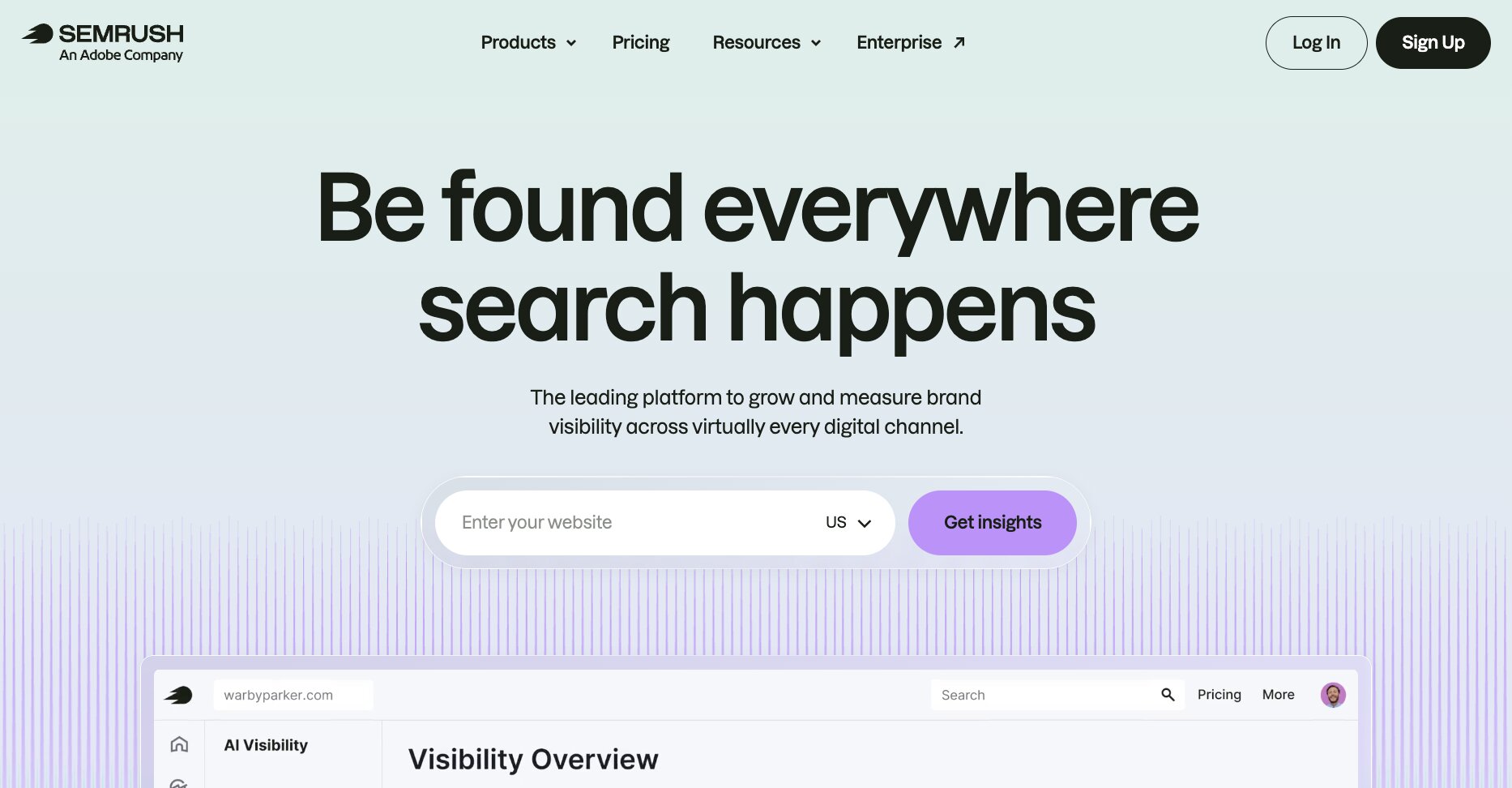
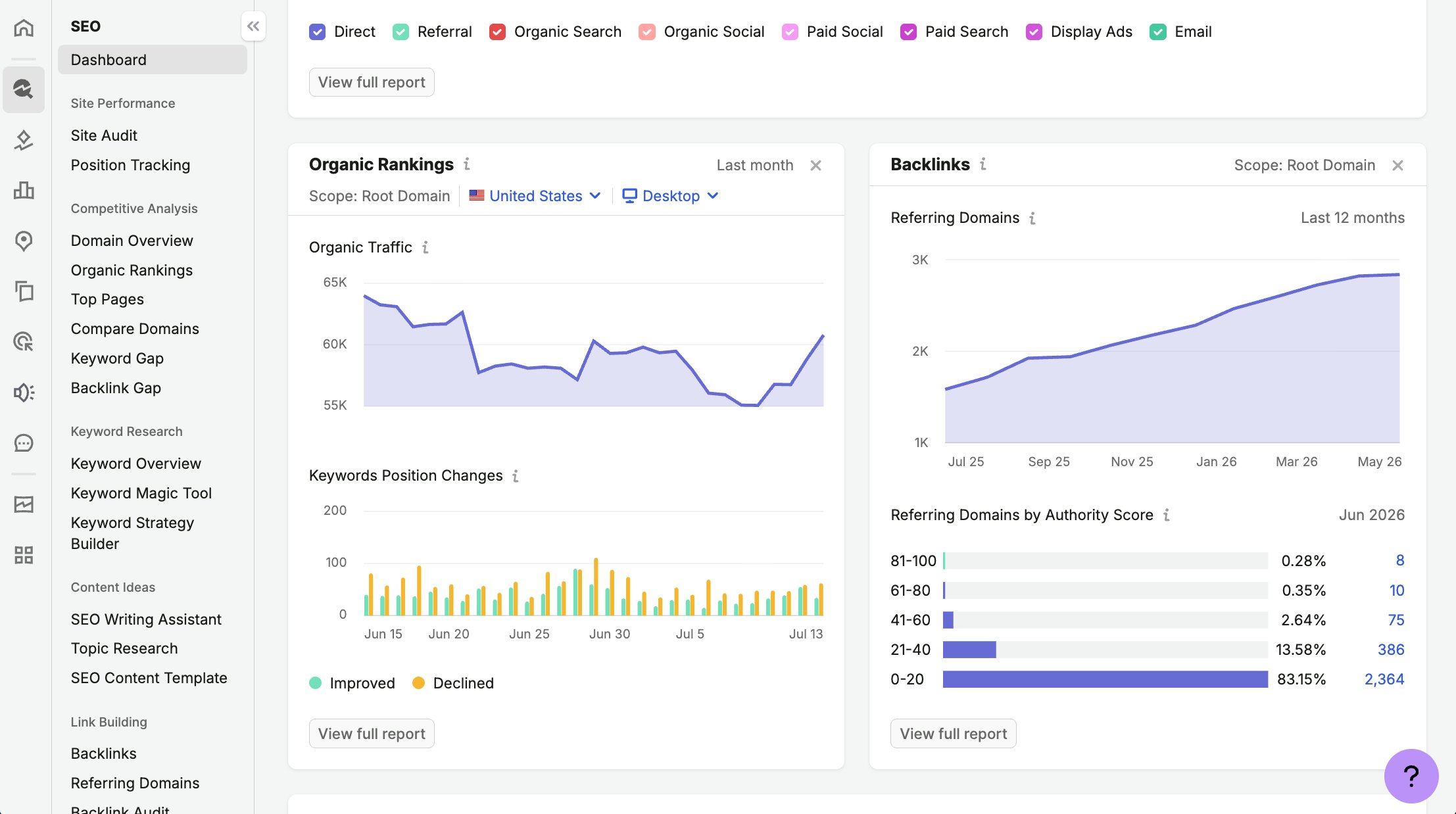
Semrush is an SEO and AI visibility platform built for marketers and GTM operators. While not traditionally a GTM tool on its own, I wanted to include Semrush here because it is a platform that I use every day and is incorporated into my overall GTM strategy.
If you care about organic search and your AI visibility, you should be using an SEO tool of some sort, as it can help you understand demand in your product category and industry.
I personally use Semrush for keyword research and analyzing competitors in the space to reverse engineer their SEO strategy. And I also integrate Semrush with Gumloop to create my own SEO agents that can go out and do keyword research based off of my own website.
So, for example, I have an SEO agent that scrapes my website using Firecrawl to understand the context of what the product is and what features it has. It then uses Semrush to find relevant keywords to promote those features in our content marketing efforts.
From there, once content ranks (for example, like this blog post that you're reading), any sort of inbound leads that come in can then go into our inbound GTM campaigns that other tools on this list manage.
Here are some things I like about Semrush:
- Compared to other keyword research tools on the market, it tends to be one of the more accurate ones for measuring keyword monthly search volume.
- Their AI search visibility features allow you to monitor how your brand is showing up in AI search engines like ChatGPT, Perplexity, and Gemini.
- The competitive intelligence features allow you to see what your competitors are doing so you can reverse engineer their content strategy or where they're getting backlinks from.
- Their MCP server allows you to integrate with any AI agent builder so you can generate dashboards and reports for anything related to SEO or AEO.
Here are some things Semrush can improve:
- The platform can be a bit expensive for small startups (you can use it for free in Gumloop, though).
- The UI/UX can be a bit overwhelming and slightly outdated compared to modern design standards.
- You do get a lot with Semrush, so most of the features are probably overkill, and you might end up paying for things you don't actually need.
Overall, Semrush is an amazing platform for any GTM operator that is thinking about SEO and how they show up in AI search engines.
While GTM is often a fancier word for outbound marketing, I wanted to include this platform on the list because any GTM operator should be thinking about how they go to market holistically in a way that can drive sustained growth and brand awareness. And you really only get that from SEO.
Semrush pricing

Here are Semrush One's pricing plans:
- Starter: $199/month with 5 websites to monitor, 500 keywords to track daily, keyword research and optimization tools, competitor insights, MCP access, and 50 AI prompts to track daily
- Pro+: $299/month with 15 websites to monitor, 1,500 keywords to track daily, historical SEO data, content optimization, keyword cannibalization analysis, and 100 AI prompts to track daily
- Advanced: $549/month with 40 websites to monitor, 5,000 keywords to track daily, SEO share of voice, expanded MCP and API data access, and 200 AI prompts to track daily
You can learn more about what each plan has to offer here.
Semrush reviews
Here is what users rate Semrush on third-party review sites:
- G2: 4.4/5 star rating (from +4,016 user reviews)
- Capterra: 4.6/5 star rating (from +2,323 user reviews)
What is the best GTM tool?
If I had to pick one, I would say Gumloop. And I know that sounds biased since it was number one on my list. But the reason is that it acts as the glue for every GTM task I do.
Outbound prospecting with Apollo and Clay, web data from Apify and Firecrawl, call insights from Gong, all of it can be orchestrated in one place. Even things like CRM sync and revenue attribution become a lot easier when your tools talk to each other through one control center.
But the honest answer is that the best GTM tool depends on where your gaps are. If your sales team is guessing which deals will close, something like Gong with its predictive analytics and sales forecasting features will give you the most value. If your emails keep bouncing, start with Hunter or Anymail Finder. If your landing pages don't match your product positioning, check out Ploy AI.
And if you're at a product-led growth company, I would pay extra attention to tools that can enrich your inbound signups (like Unify). Some of the best GTM plays happen after someone signs up, where you can use enrichment data to personalize user onboarding and route high-intent accounts straight to sales.
At the start of this article, I mentioned I spent a few thousand dollars testing GTM tools this past year. Was it worth it? Absolutely. Because out of the hundreds of tools out there, these are the 11 that stuck. They're the ones my team and I actually use every day and week to run our entire GTM motion.
And if you only take one thing away from this article, let it be this. You don't need every GTM tool on the market. You just need a small stack that covers your gaps and works well together.
Happy building!

Read related articles
Check out more articles on the Gumloop blog.