6 best lead qualification tools every GTM needs in 2026

When did deciding who to call become the hard part?
Give a sales team more leads and you'd think that would be a good thing.
Until someone has to work out which of those leads are actually worth their time.
While a job title might look promising, the company might be completely wrong. The company could be a perfect fit, but there's no buying signal. Or someone fills in a demo form looking ready to talk, only for a sales rep to spend ten minutes digging around before realizing they're not your ideal customer.
That's why I've become much more interested in what happens between generating a lead and actually putting that person in front of sales.
The best lead qualification tools can fill in the missing context, look at fit and intent signals, score or prioritize prospects, and make sure the strongest opportunities move forward quickly. And increasingly, AI means you can make that decision using considerably more information than a few fields in your CRM.
Almost every tool does it differently.
Some give you enormous B2B databases to qualify against. Others specialize in enrichment, scoring, or getting qualified inbound leads to the right salesperson as quickly as possible. Then you have AI automation platforms that can pull those pieces together into a qualification process built around exactly what your business considers a good lead.
So, I wanted to find out which approach actually makes the most sense.
If you just want the short version, here's where I'd start:
- Apollo: A strong all-rounder for prospecting, qualification, and outreach, with B2B data and intent signals built in
- Clay: Gives GTM teams much more freedom to build custom qualification processes using multiple data sources and AI
- Gumloop: My pick for bringing the different stages together, with AI workflows that can research, enrich, qualify, and route leads across your existing tools
- Enrich Layer: Worth a look when better professional and company data is the missing piece in your qualification process
- ZoomInfo: Built for larger sales organizations that want extensive B2B intelligence and buying signals to help prioritize the right opportunities
- Chili Piper: Stands out at the inbound end, qualifying and routing interested prospects so the right leads reach sales quickly
Alright, keep reading to learn more about the use cases of each tool.
What should you look for in a lead qualification tool?
There's a lot that can sit behind a ‘qualified’ lead.
Maybe company size and job title are enough for you. Maybe you need evidence of buying intent, a particular technology stack, recent funding, or a combination of signals before anyone in sales should get involved.
The more specific your criteria, the more important it is to choose a tool that can actually work with them.
Here are the things I'd pay closest attention to:
- Data quality: Qualification is only as useful as the information behind it. Look at the types of company, contact, intent, and behavioral data available, as well as how frequently that information is updated.
- Your own qualification criteria: A lead might be perfect for one business and completely irrelevant to another. The best tools give you enough flexibility to qualify around your ideal customer, buying signals, existing data, and other criteria that actually matter to your sales process.
- Automation: I'd look at how much happens without someone manually researching every lead. Can the tool enrich a record, assess it, assign a score, route it, or trigger the next step automatically?
- Integrations: Lead qualification rarely happens in isolation. Connections with your CRM, enrichment providers, outreach tools, and other parts of the sales stack make it much easier to act on the result.
- Routing and speed: This matters particularly for inbound leads. Once someone qualifies, you don't want them sitting around waiting for the right salesperson to notice. Some tools can route prospects, assign reps, and even get meetings booked immediately.
The 6 best lead qualification tools I'd consider in 2026
I've narrowed it down to six lead qualification tools I'd be looking at in 2026, covering everything from prospect data and enrichment to AI-powered qualification and inbound routing.
Let’s get into it.
1. Apollo
- Best for: Sales teams that want prospect data, qualification, and outreach in one platform
- Pricing: Free plan available, with paid plans starting at $65/user/month
- What I like: Lets you build qualification criteria around both your own CRM data and Apollo's demographic, firmographic, and behavioral data
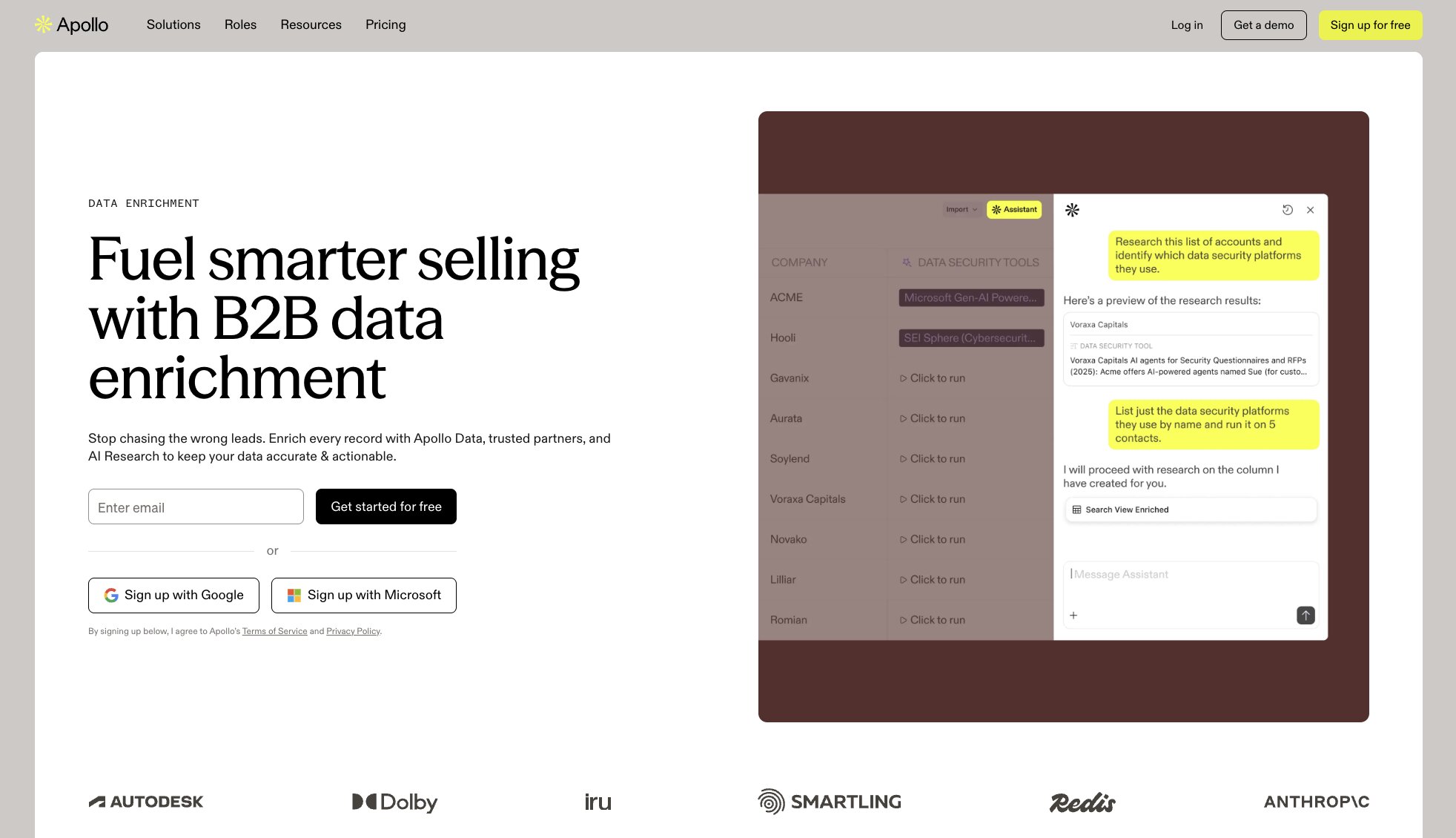
Apollo is one of those tools that can cover a surprising amount of the journey before a salesperson ever needs to speak to someone.
You can start with its B2B database and use 65+ filters to narrow down the people and companies that fit what you're looking for. But for lead qualification, the more interesting part comes from layering additional context on top. Buying intent can tell you which prospects are actively researching relevant topics, enrichment fills in missing information, and Apollo's scoring engine can prioritize contacts and accounts using demographic, firmographic, behavioral, and first-party CRM data.
I also like that qualification doesn't have to end with a score sitting somewhere waiting to be noticed. Apollo can identify website visitors, enrich inbound forms, route leads, book meetings, and move prospects into sequences, so sales can act on that information without stitching together quite as many separate tools.
Here are some of the things Apollo is best at:
- Sales teams prospecting and qualifying B2B leads at scale
- SDR teams that want qualification and outreach in the same platform
- RevOps teams building scoring models around CRM and Apollo data
- Businesses that want to combine fit, intent, and behavioral signals when prioritizing prospects
Here are some of its notable features:
- B2B contact and company database with 65+ prospecting filters
- AI-powered and customizable lead scoring
- Buying intent and website visitor signals
- Contact and company enrichment
- Real-time form enrichment and inbound lead routing
- Automated sequences and workflows
- CRM integrations with platforms including Salesforce and HubSpot
Pros and cons
Pros
- Covers prospecting, enrichment, qualification, and outreach in one platform
- Lead scoring can combine Apollo data with your own CRM information
- Intent and behavioral signals add useful context beyond basic firmographics
- Strong range of automation options once a lead qualifies
Cons
- The breadth of the platform may be more than you need if qualification is your only priority
- Credit usage varies depending on what data you're accessing or enriching
- More advanced scoring, intent, workflow, and reporting capabilities depend on your plan
Apollo pricing
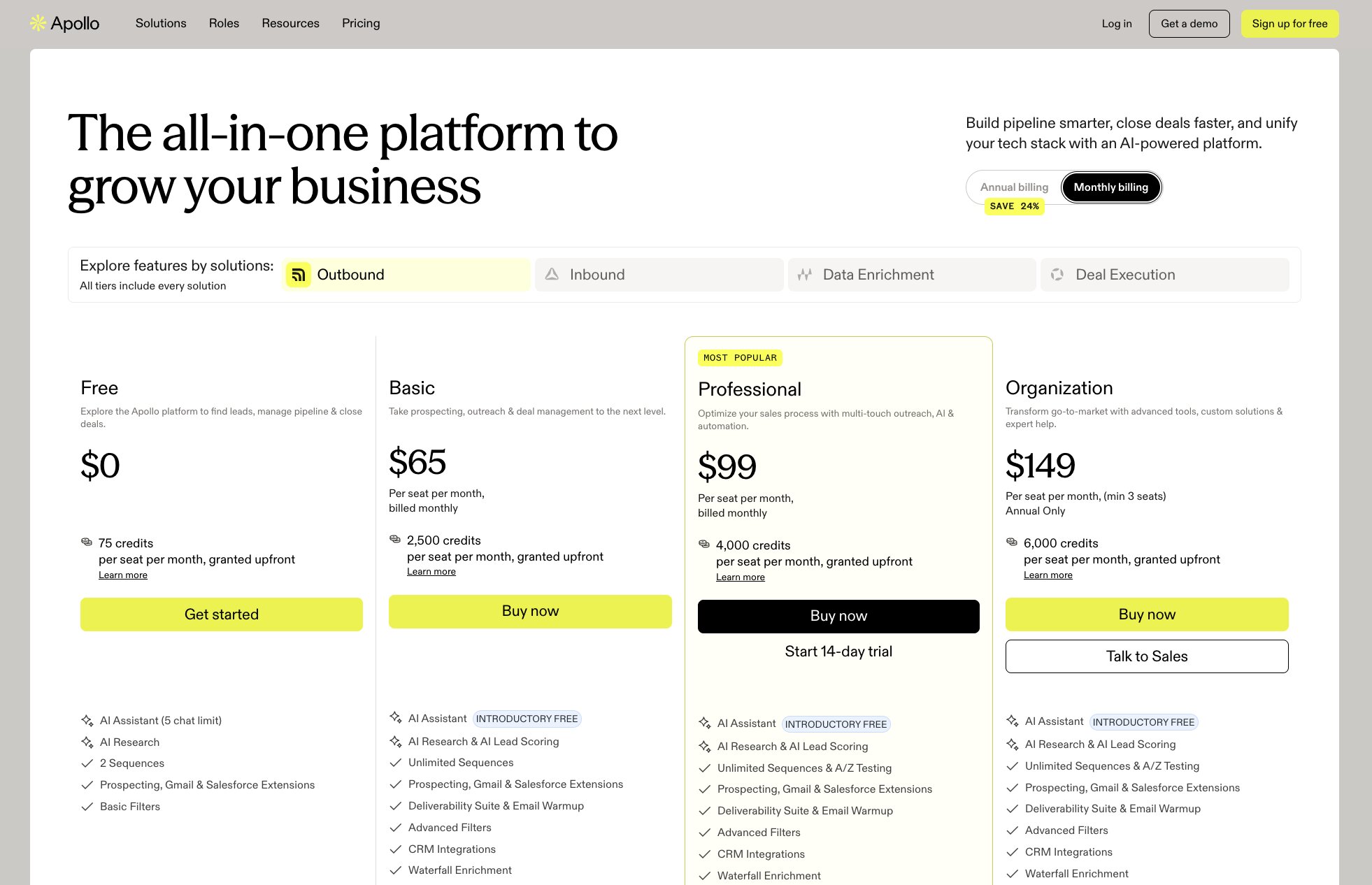
- Free: $0 with 900 credits per seat/month
- Basic: $65/user/month with 30,000 credits per seat/month
- Professional: $99/user/month with 48,000 credits per seat/month
- Organization: $149/user/month with 72,000 credits per seat/month and a three-user minimum
For the latest credit allowances and features included with each tier, check out Apollo's pricing page.
Apollo reviews
- G2: 4.7/5 stars (from 9,818+ reviews)
- Capterra: 4.5/5 stars (from 398+ reviews)
Across the reviews, users regularly highlight Apollo's large prospecting database, search filters, and the convenience of having contact data and outreach tools in one place. Data accuracy and customer support are among the more common criticisms, while some users find there's a learning curve to getting the most from such a broad platform.
2. Clay
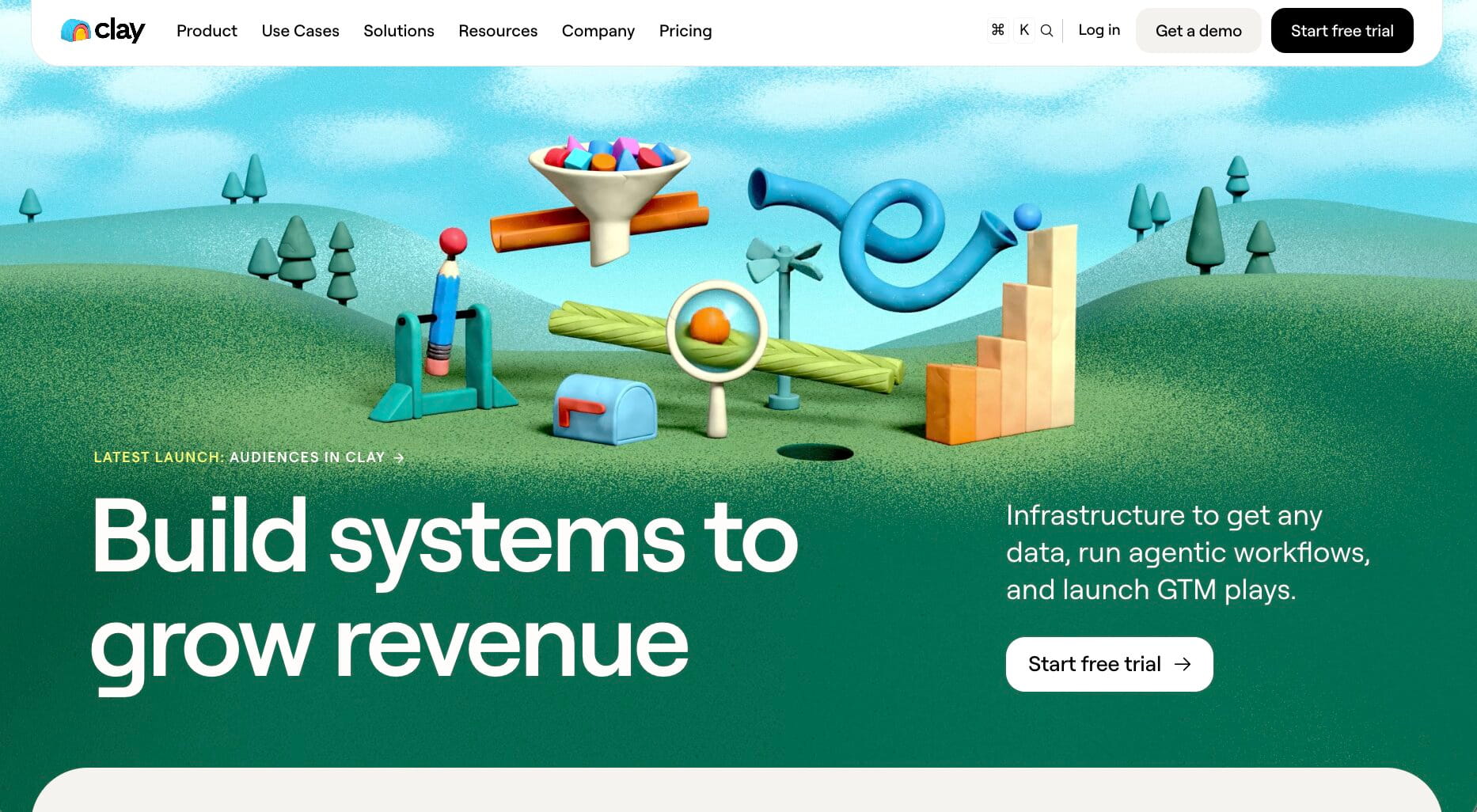
- Best for: GTM teams that want to build highly customized lead qualification workflows
- Pricing: Free plan available, with paid plans starting at $167/month (billed annually)
- What I like: Lets you combine data from 150+ providers rather than basing qualification on a single database
Clay gives you a lot more freedom to decide what a qualified lead actually looks like.
You can start with basic firmographic information, then bring in data from multiple providers using waterfalls. From there, Claygent can research information that isn't sitting neatly in a database, while Signals can pick up things like job changes, promotions, new hires, company news, and web intent. All of that can then feed into your own lead-scoring logic.
That's where I think Clay gets particularly useful for qualification. You're not stuck deciding that every VP at a 500-person SaaS company deserves the same score. You could prioritize leads based on company size, hiring activity, funding, tech stack, website behavior, or something Claygent discovers during its research, then push the strongest matches into your CRM or an outreach workflow.
Here are some of the things Clay is best at:
- GTM teams building their own lead-scoring and qualification logic
- RevOps teams combining CRM data with external enrichment and intent signals
- Sales teams that need deeper research before deciding which prospects to prioritize
- Businesses that want to qualify leads using multiple data providers rather than one database
Here are some of its notable features:
- Data enrichment from 150+ providers
- Multi-provider waterfall enrichment
- AI-powered web research with Claygent
- Custom lead scoring and qualification formulas
- Job change, hiring, company news, and web intent signals
- CRM auto-sync and enrichment
- Clay Sequencer and integrations for acting on qualified leads
Pros and cons
Pros
- Highly flexible qualification criteria
- Combines multiple data providers, AI research, and signals
- Can qualify leads using information that goes well beyond standard firmographics
- Strong automation options for moving qualified prospects into CRM and outreach workflows
Cons
- Takes more setup than tools with ready-made qualification models
- There's a learning curve to building more sophisticated workflows
- Usage-based Actions and Data Credits require some cost monitoring
Clay pricing
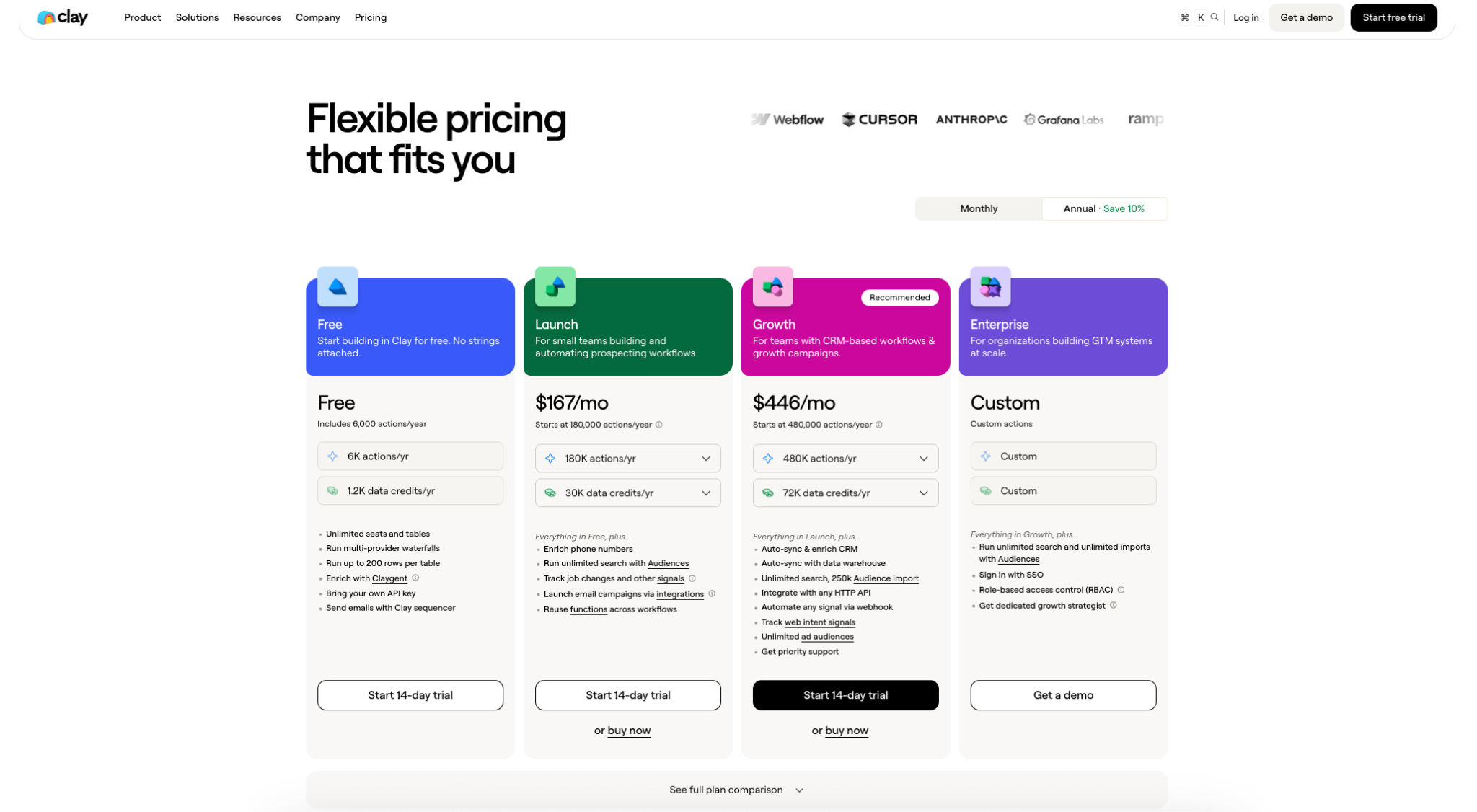
- Free: $0 with 500 Actions and 100 Data Credits per month
- Launch: From $167/month (billed annually)
- Growth: From $446/month (billed annually)
- Enterprise: Custom pricing
For the latest action limits, data credits, and plan features, see Clay's pricing page.
Clay reviews
- G2: 4.6/5 stars (from 229+ reviews)
- Product Hunt: 4.8/5 stars (from 40+ reviews)
Flexibility is a big theme in Clay's reviews. Users like being able to bring different data providers, enrichment steps, and AI research together in workflows tailored to their own GTM processes. There's a trade-off for all that control, though. Reviewers frequently mention the time it takes to learn the platform, while credit usage and cost can become harder to manage as workflows grow.
3. Gumloop
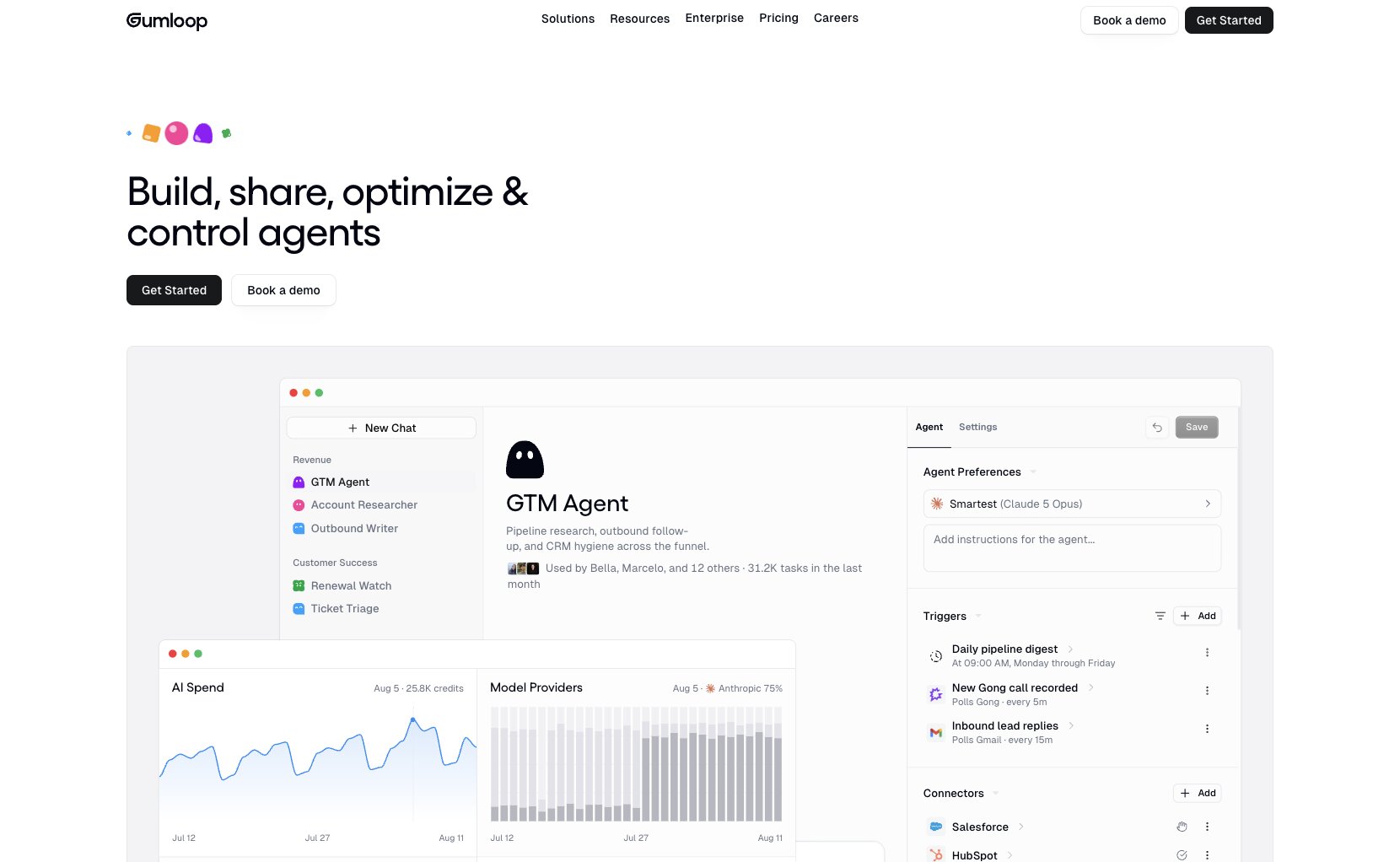
- Best for: Teams that want to build their own AI-powered lead qualification process around the tools and criteria they already use
- Pricing: 14-day free trial available, with paid plans starting at $37/month
- What I like: Can bring tools like Apollo and Clay into the same AI workflow, alongside your CRM and the rest of your sales stack
Gumloop takes us away from the idea that lead qualification needs to happen inside a dedicated sales platform.
Instead, you can build the process around whatever actually makes a lead valuable to your business. An agent might pick up a new form submission, research the person and company, compare what it finds against your own qualification criteria, assign a score, and decide what should happen next. Gumloop's Scorer can assign a 0–100 score against custom criteria, while triggers mean the process can start as soon as a new lead arrives.
And this is where Apollo and Clay become particularly useful rather than competing choices. You can connect either through Gumloop and use their data inside a broader workflow. Apollo could find or enrich a contact before AI evaluates the fit, and Clay can add contact, company, and account research. From there, Gumloop can update your CRM, notify sales, trigger outreach, or send lower-scoring leads somewhere else entirely.
Here are some of the things Gumloop is best at:
- Sales and RevOps teams with their own qualification criteria
- Businesses that want AI to research leads before assigning a score
- Teams already using Apollo, Clay, or other sales tools and wanting to automate what happens around them
- Companies that need qualification to trigger different actions across their existing stack
Here are some of its notable features:
- AI agents for lead research, qualification, and routing
- Custom 0–100 scoring criteria
- Trigger-based qualification when new leads arrive
- Apollo and Clay integrations via MCP
- Connections with Salesforce, HubSpot, Slack, Gmail, and other sales tools
- Web research and company enrichment
- Automated CRM updates, notifications, and follow-up workflows
Pros and cons
Pros
- Qualification logic can reflect your own sales process
- Brings enrichment, AI research, scoring, and routing into one workflow
- Works with specialist data tools rather than requiring you to replace them
- Can automate the next step as soon as a lead qualifies
Cons
- You'll need to define what a qualified lead actually means for your business
- More setup involved than switching on a ready-made scoring model
- Complex workflows can take some testing and refinement before they're ready to run autonomously
Gumloop pricing
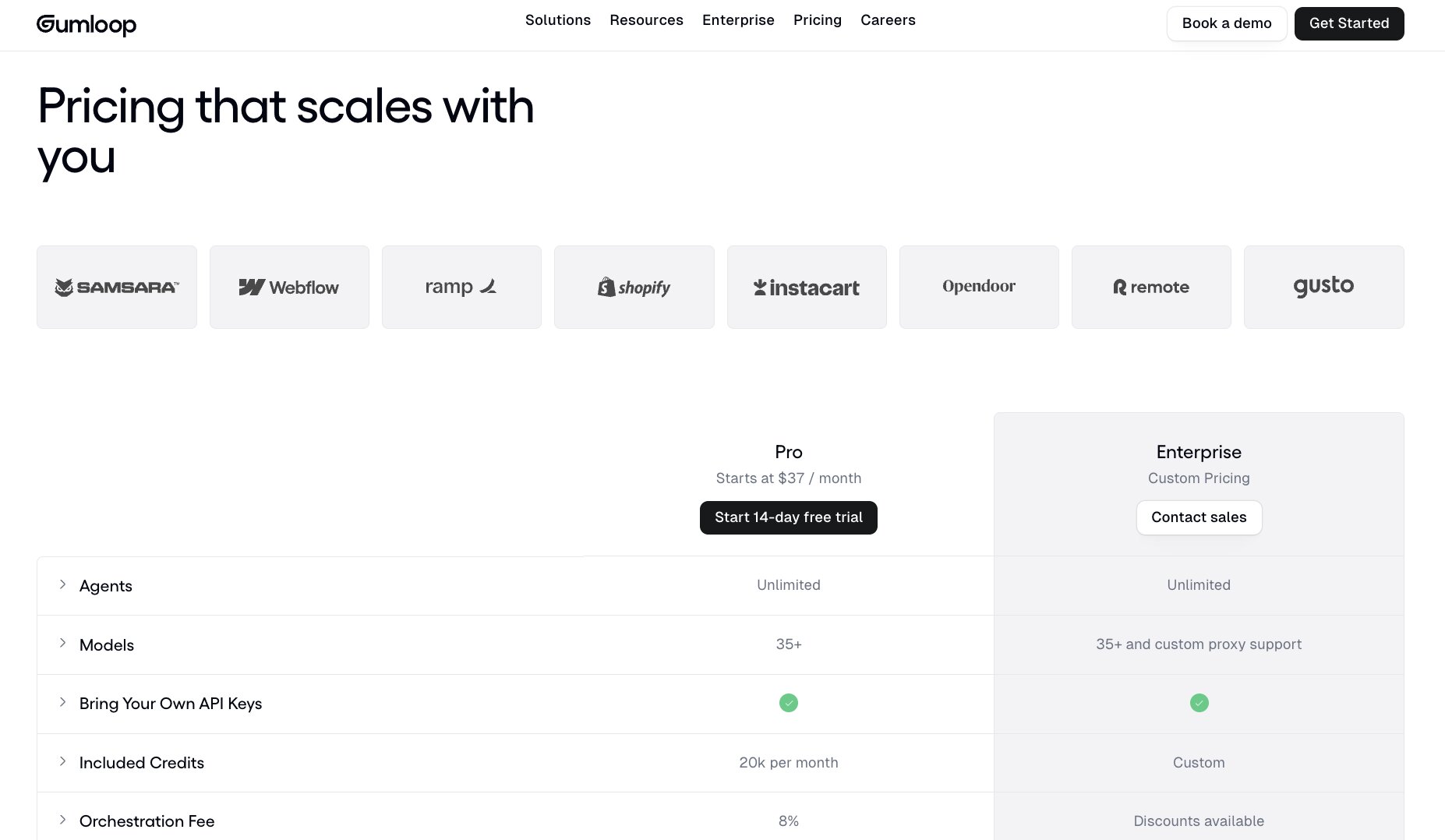
- Free trial: 14 days
- Pro: From $37/month (then pay-as-you-go)
- Enterprise: Custom pricing
For current credit allowances, included features, and billing options, take a look at Gumloop's pricing page.
Gumloop reviews
- G2: 4.8/5 stars (from 7+ reviews)
- Product Hunt: 5.0/5 stars (from 9+ reviews)
What comes through most strongly in Gumloop's reviews is how quickly users can turn an idea for an automation into something that actually runs. The visual interface and breadth of integrations get plenty of positive mentions, while some users say more complex flows take time to learn and troubleshoot.
4. Enrich Layer
- Best for: Technical teams that want professional and company data to feed into their own qualification systems
- Pricing: Pay-as-you-go from $10, with annual subscriptions starting at $588/year
- What I like: Gives you hiring activity, funding, work history, seniority, company size, and other attributes can give your own scoring models much more context
Enrich Layer is a little different from the tools we've covered so far. It's really the data underneath the qualification process rather than the place where the whole process happens.
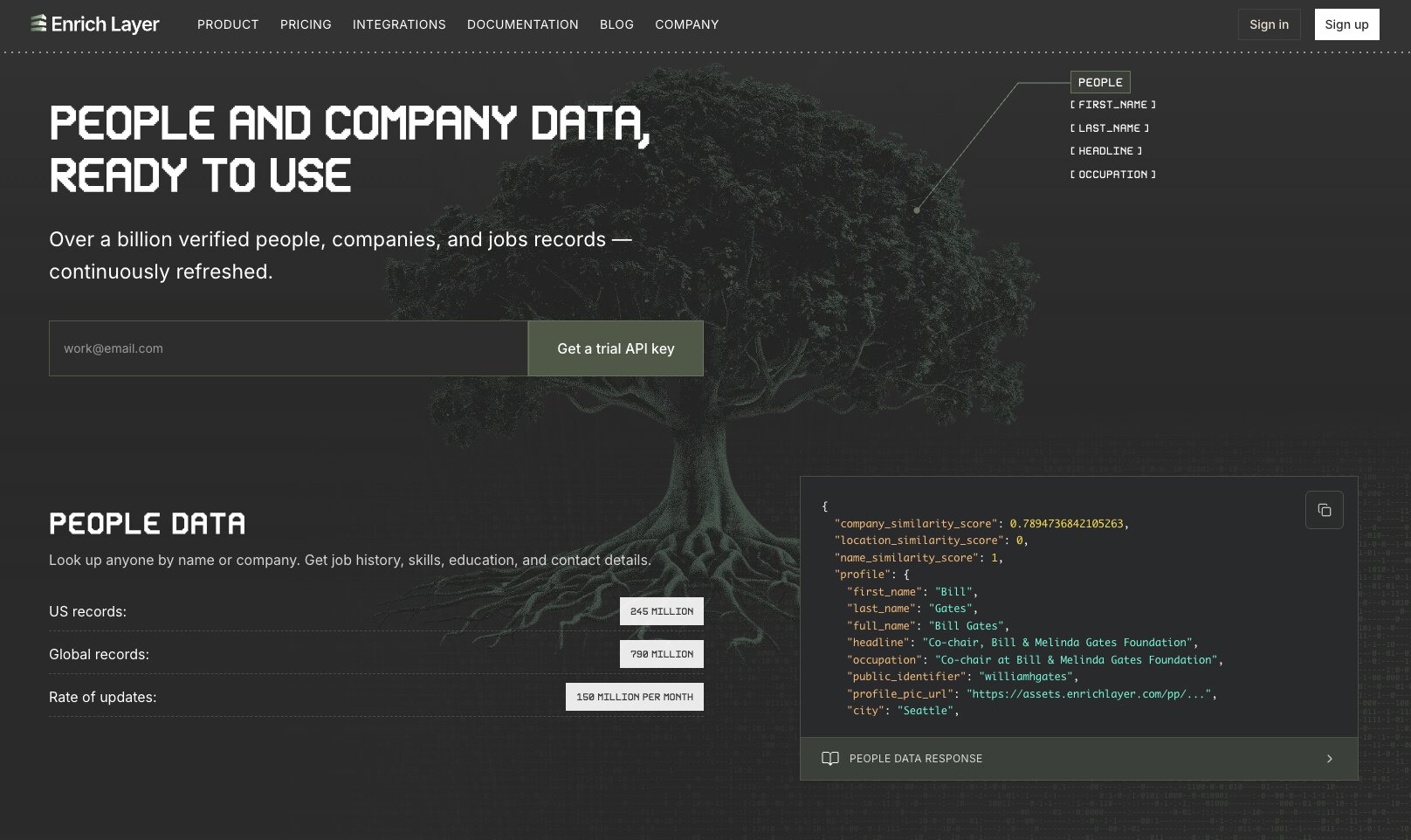
Its APIs cover more than a billion people, companies, and job records. You can look up a prospect's work history, role, skills, education, and contact details, or dig into a company to find information such as industry, size, locations, funding, and hiring activity. The Search API also lets you find people and companies that meet specific criteria.
That opens up some useful qualification possibilities if you have the technical setup to take advantage of it. You might enrich an inbound lead, check whether their company falls within your target size and industry, look at funding or hiring signals, identify the person's seniority, and feed those fields into your own scoring logic. Enrich Layer supplies the raw context; your CRM, automation platform, or internal system decides what to do with it.
Here are some of the things Enrich Layer is best at:
- Developer-led sales and RevOps teams building custom qualification systems
- Businesses that already have leads but need richer professional and company context
- Teams using hiring or funding data as part of their qualification criteria
- Companies that want enrichment data delivered directly into their own applications or workflows
Here are some of its notable features:
- People, Company, Contact, Jobs, and Search APIs
- 790M+ global people records and 70M+ company records
- Professional history, skills, education, and seniority data
- Company size, industry, funding, location, and hiring information
- People and company search with configurable filters
- Email and contact-information lookup
- API caching controls for managing data freshness and credit usage
Pros and cons
Pros
- Rich professional and company data for building your own qualification logic
- API-first approach gives technical teams plenty of flexibility
- Job data adds another potential signal for assessing company activity
- Pay-as-you-go option makes it possible to test the API without committing to a subscription
Cons
- Much more developer-focused than Apollo or Clay
- Doesn't provide a complete qualification, outreach, or sales-engagement workflow on its own
- Credit costs vary by endpoint, so usage takes some planning
- Very little independent customer-review coverage compared with the larger platforms on this list
Enrich Layer pricing
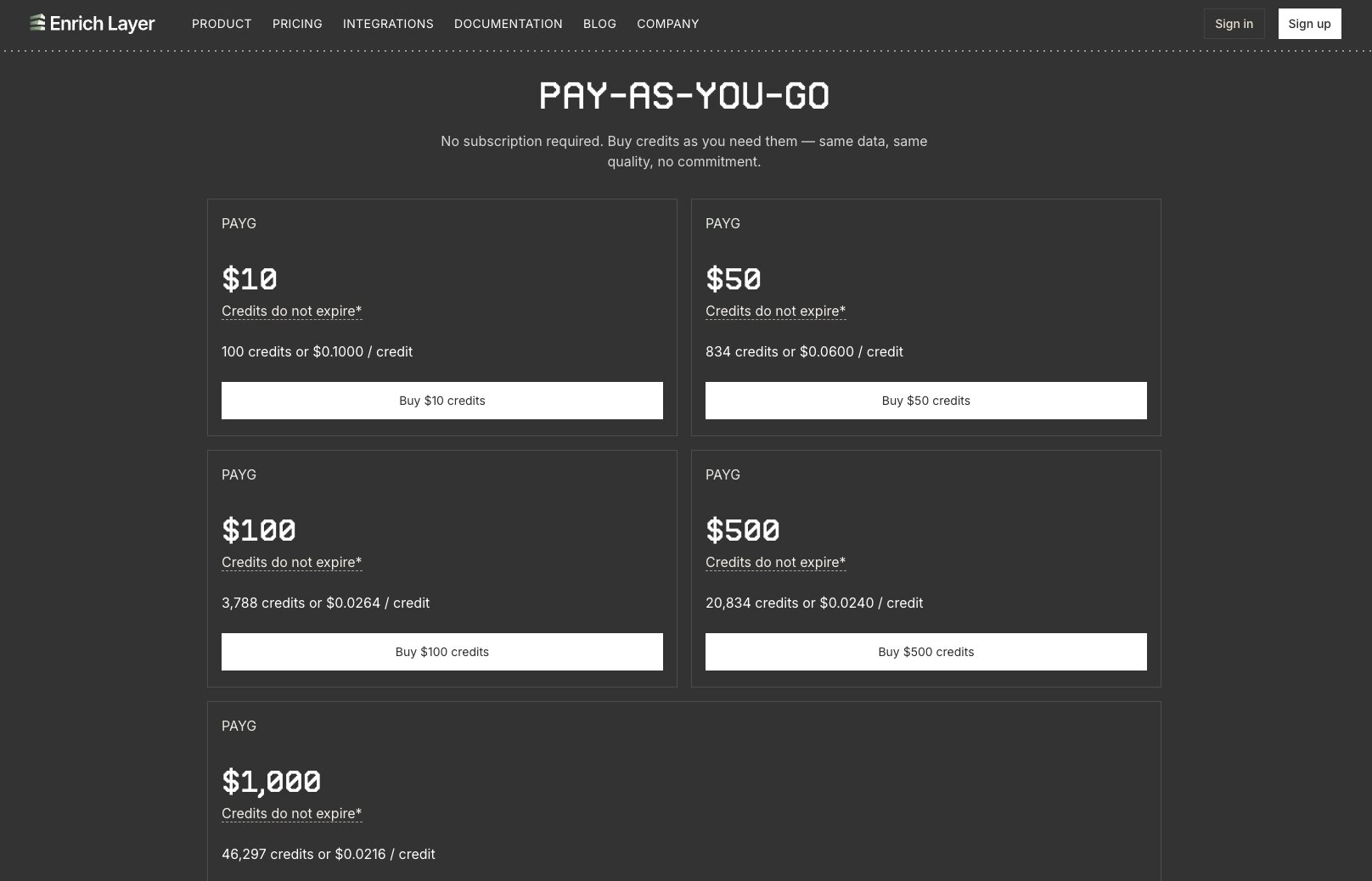
- Pay-as-you-go: From $10 for 100 credits
- Starter: $588/year for 35,000 credits
- Growth: $3,588/year for 350,000 credits
- Pro: $10,788/year for 1,258,600 credits
- Ultra: $22,788/year for 2,954,000 credits
- Enterprise: More than $24,000/year, with custom credit volume and dedicated support
The annual subscriptions are 12-month commitments, while PAYG credits can be bought without a subscription. You can see how credits are allocated across the different API endpoints on Enrich Layer's pricing page.
Enrich Layer reviews
I couldn't find Enrich Layer on G2, Capterra, Product Hunt, or another established third-party review platform, so there aren't any independent customer ratings I can reliably include here.
5. ZoomInfo

- Best for: Larger sales teams that want deep B2B intelligence and buying signals to prioritize accounts and prospects
- Pricing: Custom pricing
- What I like: Adds intent and website activity signals to contact and company data, giving sales teams more to qualify on than basic firmographics
ZoomInfo is probably the heavyweight on this list. Its strength comes from the sheer amount of intelligence it can put around a prospect before you decide whether they're worth pursuing.
Alongside company and contact data, you can use intent signals to identify organizations researching topics relevant to your business and WebSights to see which companies are visiting your website. That changes the qualification question slightly.
Instead of simply asking whether someone fits your target customer profile, you can start looking for evidence that the account might actually be in-market.
For a larger sales organization, that combination can be particularly valuable. Reps can filter down to relevant companies and decision-makers, add buying signals to the picture, and prioritize their time accordingly. I wouldn't choose ZoomInfo purely to put a score against a list of leads, but if qualification sits within a much bigger prospecting and account-intelligence operation, there's a lot here to work with.
Here are some of the things ZoomInfo is best at:
- Enterprise and mid-market sales teams qualifying large numbers of B2B prospects
- SDR teams that want contact data and buying signals in the same platform
- Account-based sales teams prioritizing companies that appear to be in-market
- Revenue teams that want prospect intelligence available inside their existing CRM workflows
Here are some of its notable features:
- Extensive B2B company and contact intelligence
- Buyer intent signals
- WebSights website visitor identification
- Advanced company and contact filtering
- Account and prospect research
- CRM enrichment and integrations
- AI-powered GTM Workspace for prioritizing and acting on opportunities
Pros and cons
Pros
- Huge amount of company and contact intelligence in one place
- Intent and website activity can help identify prospects showing stronger buying signals
- Powerful filtering for narrowing down large target markets
- Particularly well suited to account-based and enterprise sales motions
Cons
- Pricing isn't publicly available, making upfront comparison difficult
- Likely overkill for smaller teams with relatively simple qualification requirements
- Contact accuracy isn't perfect, with stale or incorrect data appearing regularly in customer feedback
- The breadth of the platform means getting full value from it can require significant investment in setup and adoption
ZoomInfo pricing
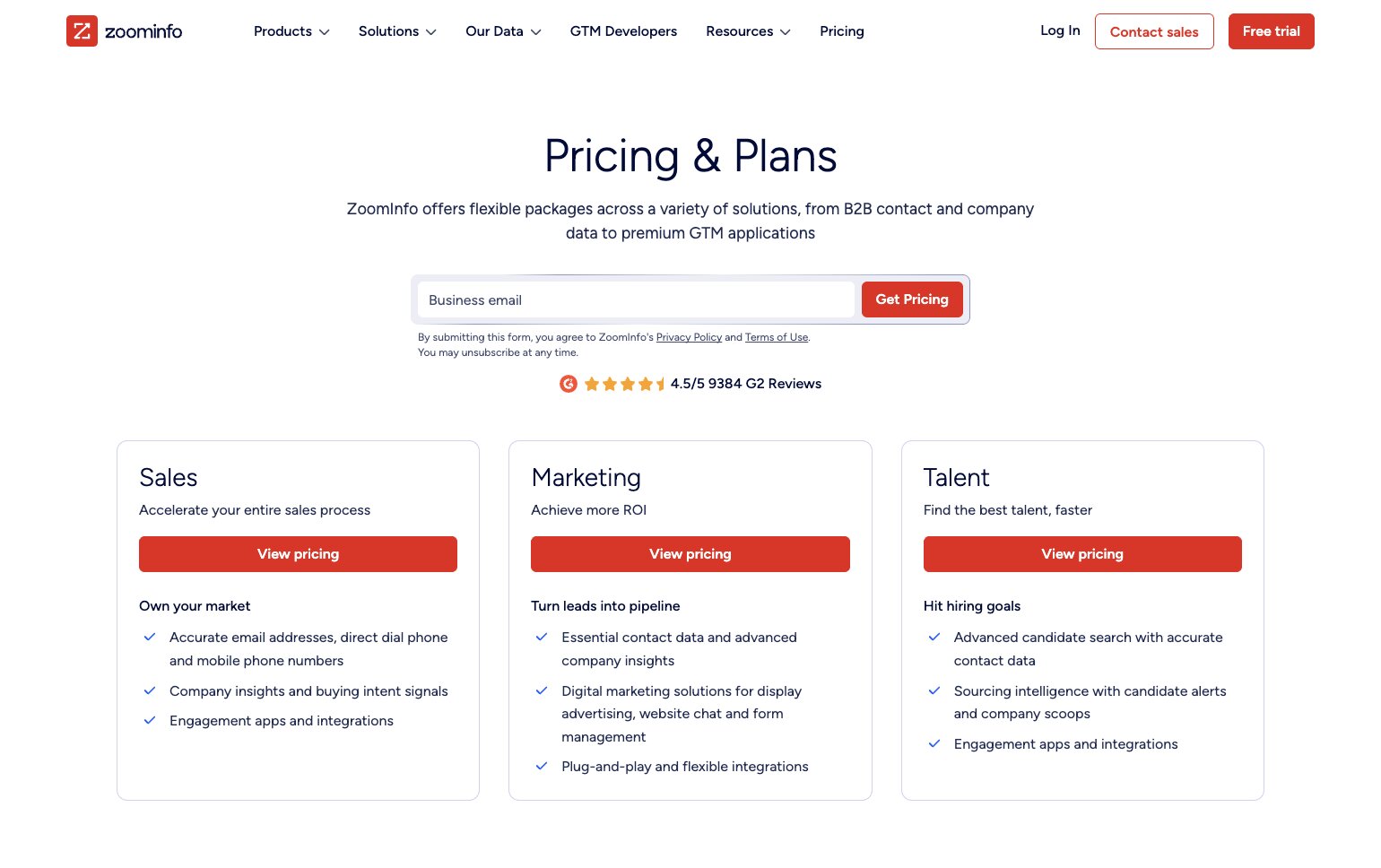
- ZoomInfo: Custom pricing based on your requirements
ZoomInfo doesn't publish its plan prices, so you'll need to contact its sales team for a quote.
ZoomInfo reviews
- G2: 4.5/5 stars (from 12,895+ reviews)
- Capterra: 4.1/5 stars (from 322+ reviews)
There's plenty of enthusiasm for ZoomInfo's prospecting capabilities, particularly its search, contact information, intent data, and ability to make account research faster. The recurring caveat is data accuracy. Reviewers report outdated or incorrect contact details, and some also point to the cost as something teams need to justify through regular use.
6. Chili Piper
- Best for: Inbound teams that want to qualify, route, and book promising leads while they're still on the website
- Pricing: Plans start at $1,250/month for up to 15 seats
- What I like: Turns qualification into an immediate next step, so a strong-fit prospect can go straight from submitting a form to the right rep's calendar
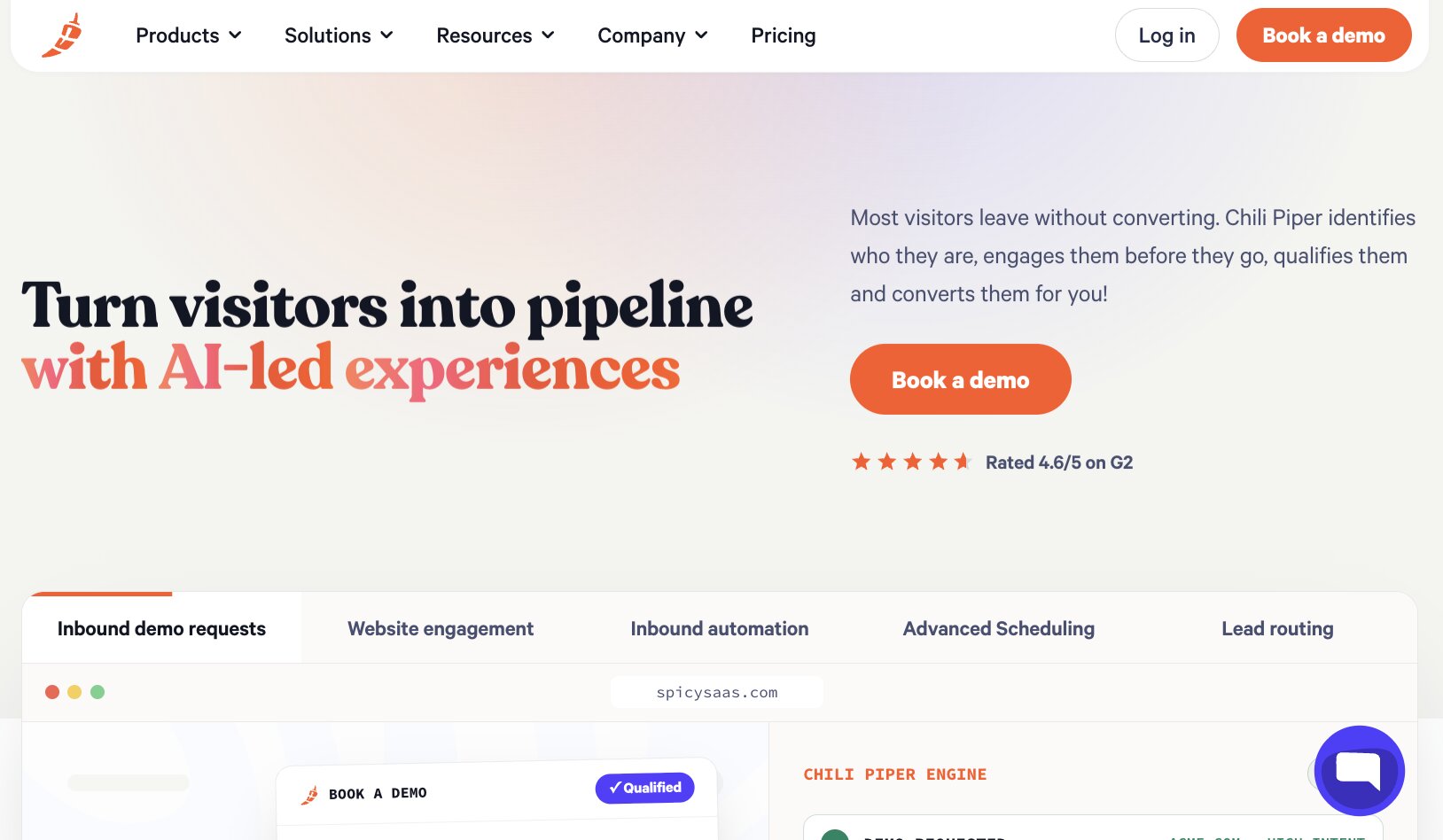
Chili Piper tackles a very different moment in the lead qualification process: someone has already raised their hand.
Rather than sending every form submission into the same queue, you can qualify prospects as they convert and use routing rules to decide what happens next. Strong-fit leads can immediately see availability for the appropriate rep, while round-robin assignment, territory rules, ownership, and other criteria help determine where each prospect should go. Chili Piper can also shorten forms using enrichment data, so you don't necessarily need to ask prospects for every piece of information required to qualify them.
Speed is the part I'd pay attention to here. A high-intent prospect doesn't have to submit a form, wait for someone to inspect the record, and then trade emails to arrange a call. Chili Piper can qualify, route, and schedule from the form itself, while its Experiences tier adds AI-powered website qualification, account identification, and intent-based targeting.
Here are some of the things Chili Piper is best at:
- B2B teams handling high-intent inbound leads
- Marketing teams that want qualified form submissions to book immediately
- RevOps teams managing complex territories, ownership rules, or round-robin distribution
- Sales organizations where reducing speed-to-lead is a priority
Here are some of its notable features:
- Real-time qualification, routing, and scheduling from web forms
- Form shortening with enrichment data
- Lead-to-account matching and duplicate matching
- Round-robin, weighting, capping, and territory-based routing
- Automated chat journeys for qualifying website visitors
- Salesforce and HubSpot CRM integrations
- Enrichment integrations with Apollo, Clay, ZoomInfo, Lusha, and LeadIQ
- Funnel, meeting, and routing analytics
Pros and cons
Pros
- Strong focus on converting qualified inbound demand quickly
- Combines qualification, routing, and scheduling rather than leaving them as separate steps
- Handles sophisticated assignment rules for larger sales teams
- Can use enrichment data without making prospects complete unnecessarily long forms
Cons
- Much less relevant if your main challenge is qualifying outbound prospect lists
- Starting price puts the core platform firmly above lightweight scheduling tools
- More complicated routing setups can take time to configure and maintain
- Some of the more advanced AI and website engagement capabilities require the higher-priced Experiences tier
Chili Piper pricing
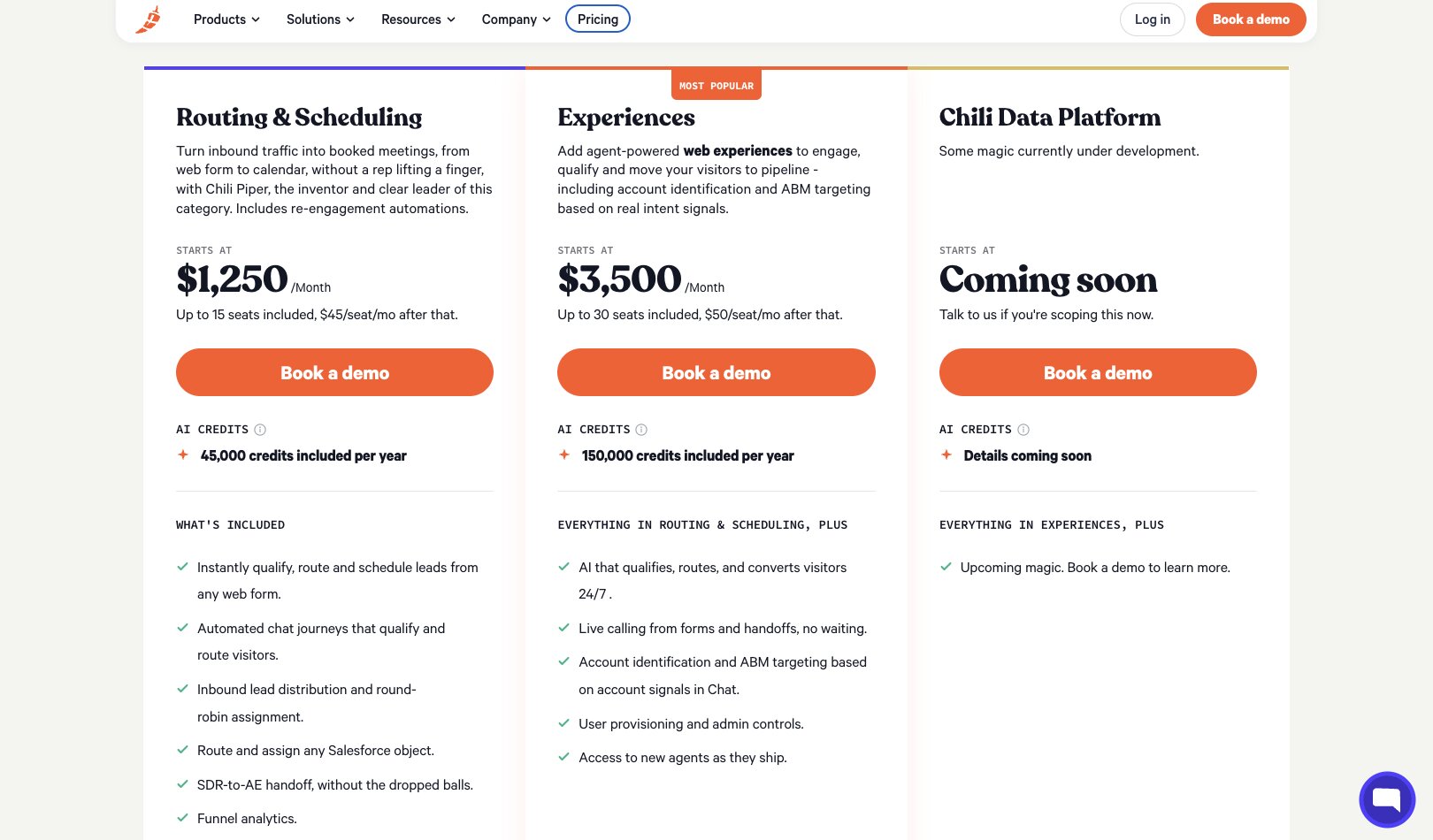
- Routing & Scheduling: From $1,250/month, including up to 15 seats; additional seats are $45/user/month
- Experiences: From $3,500/month, including up to 30 seats; additional seats are $50/user/month
- Chili Data Platform: Coming soon
- ChiliCal standalone: $12/user/month, with a 200-seat minimum
Chili Piper also offers discounts for multi-year contracts. Its pricing page includes a calculator for comparing seat counts and contract lengths.
Chili Piper reviews
- G2: 4.6/5 stars (from 736+ reviews)
- Capterra: 4.4/5 stars (from 134+ reviews)
Scheduling and routing are unsurprisingly the big positives in Chili Piper's reviews, with users particularly liking the reduction in manual back-and-forth and faster handoff of inbound leads. Customer support also gets frequent praise. On the other hand, reviewers mention that more advanced setups can take some work to configure, alongside occasional integration and customization frustrations.
Which lead qualification tool should you choose?
There isn't one version of a qualified lead, so I'd start with the part of your process that's currently taking up the most time.
Apollo is a strong all-rounder if you want prospect data, qualification signals, and outreach together.
Clay gives you more flexibility when qualification depends on pulling together data from multiple sources, while Enrich Layer is better suited to technical teams that want enrichment data to feed into their own systems.
For larger sales organizations, ZoomInfo brings a much deeper pool of B2B intelligence and buying signals into the decision. Chili Piper solves a different problem, helping you qualify and route inbound prospects while their interest is still high.
And then there's Gumloop. I'd choose it when the qualification process itself is what you want to customize. You can bring in data from tools such as Apollo and Clay, use AI to research and assess each lead against your own criteria, then automate whatever should happen next.

Read related articles
Check out more articles on the Gumloop blog.