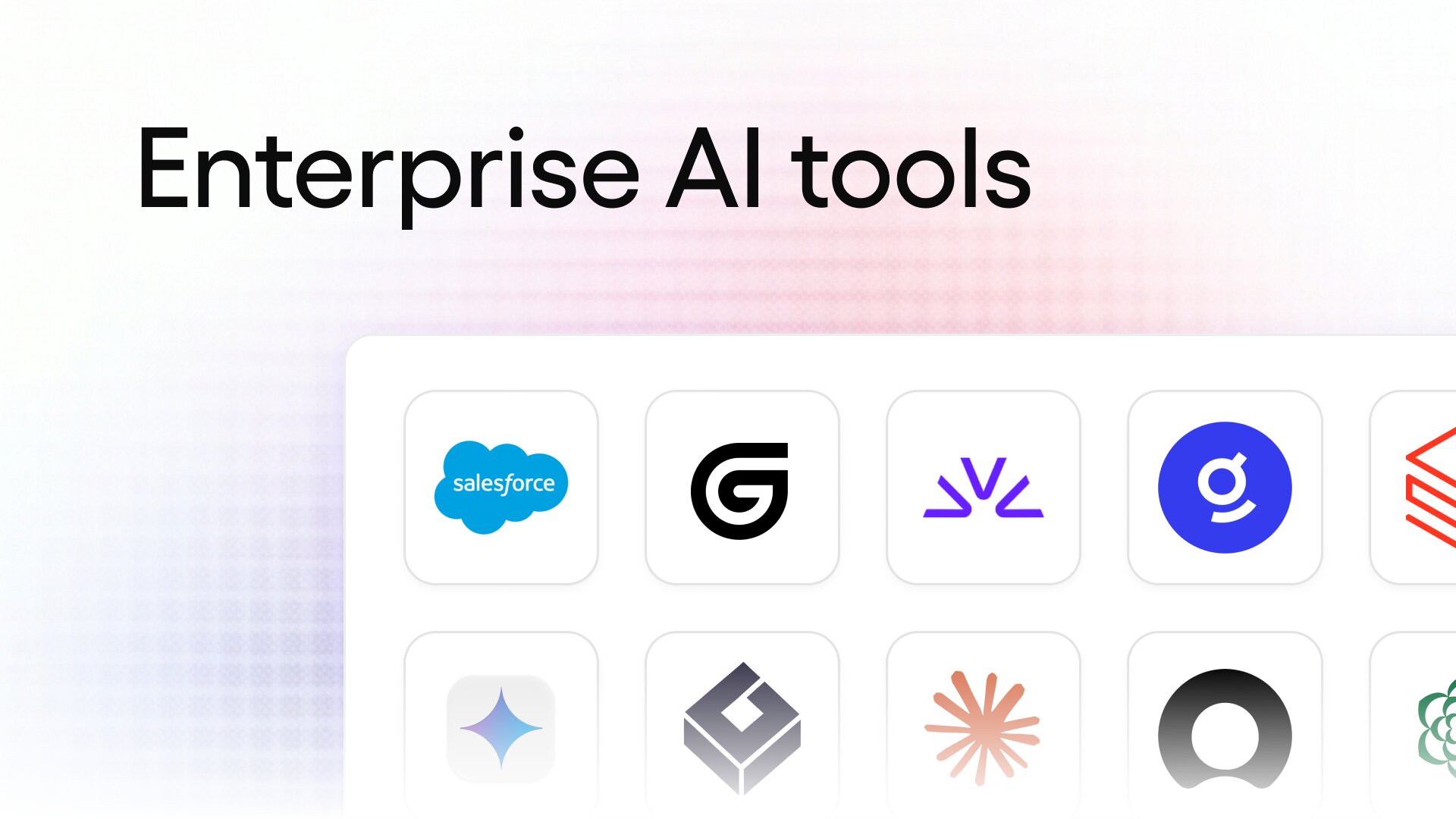
10 best enterprise AI tools I'm using in 2026

When most people hear "AI," they think of a chat assistant like ChatGPT or Claude.
But there is a whole world of enterprise AI tools designed specifically to run automations, deploy agents, and connect to internal systems where real work happens.
Over the past 18 months, I have gone from using AI to draft an email to running agents that touch our CRM, product analytics, SEO tools, our data warehouse, and our support queue.
The shift has caused me to rethink how we use software on a day to day basis. We used to "use" software but now we "talk" to agents.
That changes what you should be looking for when you buy software. A tool that a person clicks through and a tool that an agent operates on your behalf are two very different products.
One needs a good interface. The other needs API access, permissions, and something watching what it does with your sensitive company data.
So I put together this list of the top enterprise AI platforms I am using in 2026, and the ones I would recommend to any company trying to figure this out right now.
Let's get into it.
The best enterprise AI tools in 2026
Here are the best enterprise AI tools I have tested:
What is an enterprise AI tool?
An enterprise AI tool is an AI platform designed specifically to be used by large companies and enterprises. What makes it an enterprise tool, over a traditional consumer AI tool, is in its pricing model, multi-org use cases, as well as security and AI governance features.
Most consumer AI tools are built for one person to sign up with a credit card and start using it. Enterprise AI solutions are built for hundreds or thousands of employees to use at once, with an IT team sitting on top of it deciding who gets access to what.
That means you get things like SSO, SCIM, role-based access control, audit logs, and custom data retention rules. Your IT team can see what tools employees are calling, what large language models they are using, and what company data is getting passed into those models.
Most of these platforms run on some combination of natural language processing and large language models, which is what lets an employee ask a question in plain English and get an answer back from company data or have an agent go execute a task.
Pricing works differently too. Instead of a flat monthly fee per person, most enterprise AI solutions charge based on usage, seats at volume, or a custom contract you negotiate with their sales team.
The other big difference is deployment. Some enterprise AI tools on this list are built to work across multiple departments at the same time. So sales, marketing, support, and engineering can all use the same platform for completely different tasks.
Okay, now let me quickly go over how i chose these tools.
How I chose the best enterprise AI tools
If you know me, I only write about tools I have personally used. So that's the first point. But in terms of how I picked the top tools, I also rated them against my own criteria.
That criteria consists of asking a few questions when I'm looking for a new enterprise AI platform:
- Can it run agentic workflows, or is it just a chat window? Some tools can only answer questions while others can actually go execute a multi-step task across your tech stack.
- Which foundation models does it support? I want to know if I'm locked into one provider or if I can swap between frontier and open weight models depending on cost and quality.
- How good is the NLP? If an employee has to learn a special syntax to get an answer, the tool is not going to get adopted. Plain English in, useful output back.
- What does data governance look like? I look for role-based permissions, audit logs, custom retention rules, and the ability to control exactly what data each agent can touch.
- Can it deploy in a VPC? Some companies in regulated industries cannot send data outside their own infrastructure, so this one is a dealbreaker for them.
- Can you set policies and rules for which employees can call specific tools or LLM models? It’s important to have full AI control over how employees use AI at work.
- Does it help with knowledge management? A lot of the value here is just making company information findable, so I check whether the tool can index internal docs and respect existing permissions.
- Can it handle more than one job? The best platforms cover virtual assistants for employees, customer-facing agents, and back office automation without needing three separate vendors.
- Does it support predictive analytics? A few tools on this list let you build predictive models on top of your own data, which matters if you're doing forecasting or predictive maintenance on physical equipment.
- How transparent is the pricing? I want to see where spend is going and get some way to optimize it, instead of finding out at the end of the quarter.
Not every tool on this list checks every box. A few of them are built for one specific job and do that job better than the horizontal platforms. So read each one with your own use case in mind.
Alright, now let’s get into the list!
10 best enterprise AI tools in 2026 (tested)
Here are the best enterprise AI platforms:
- Google Gemini Enterprise
- Gumloop
- Claude Enterprise
- Glean
- ServiceNow
- Salesforce Agentforce
- Greptile
- Fireworks AI
- Databricks
- Sierra
Alright, lets go over what each platform does.
1. Google Gemini Enterprise
- Best for: Companies already running on Google Workspace
- Pricing: Starts at $21 per seat per month
- How I use it: Calling Gemini directly inside Google Docs and Sheets to edit drafts, pull insights, and speed up everyday work
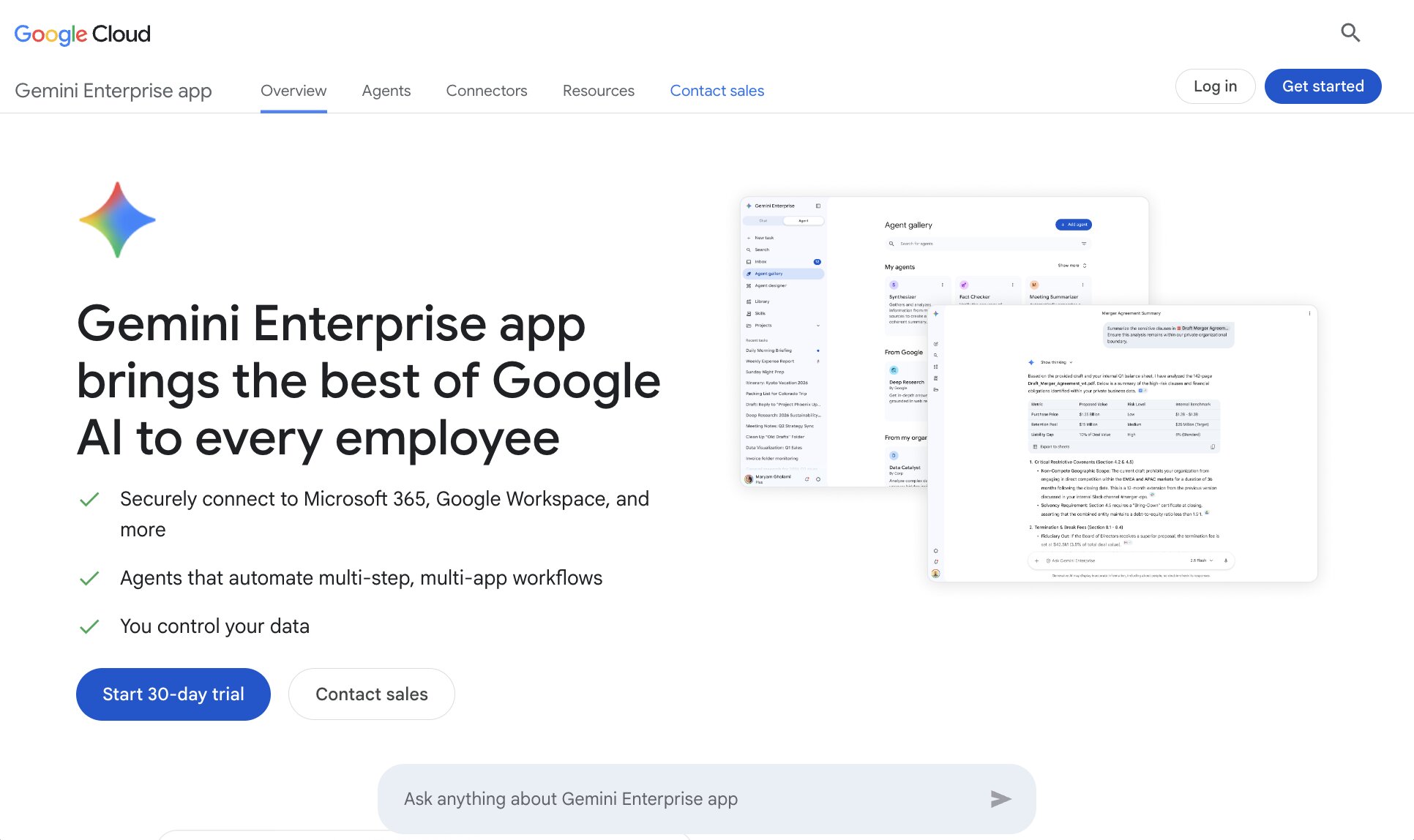
First on the list is a tool I have been using a lot, Google Gemini for enterprise. The platform is Google's agentic AI suite of tools that integrate with your entire Google Workspace.
If your company already uses tools like Google Docs or Google Sheets, then this one is a no brainer. I personally use Google Gemini (on the enterprise account) in all of my Google tools. For example, I can call Gemini in a Google Doc and have it make edits to anything I am writing about.
The platform works for both startups and mid-market enterprises that have a lot of employees under a Google business email. You are most likely already using Google to manage the emails of your employees. And they are going to use Google's productivity tools regardless. So you might as well deploy it across the entire org and let everyone get AI inside the tools they already open every day.
Google Gemini works either by you interacting with a chat interface (similar to ChatGPT or Claude), or it can act as an agent inside your Google Workspace tools.
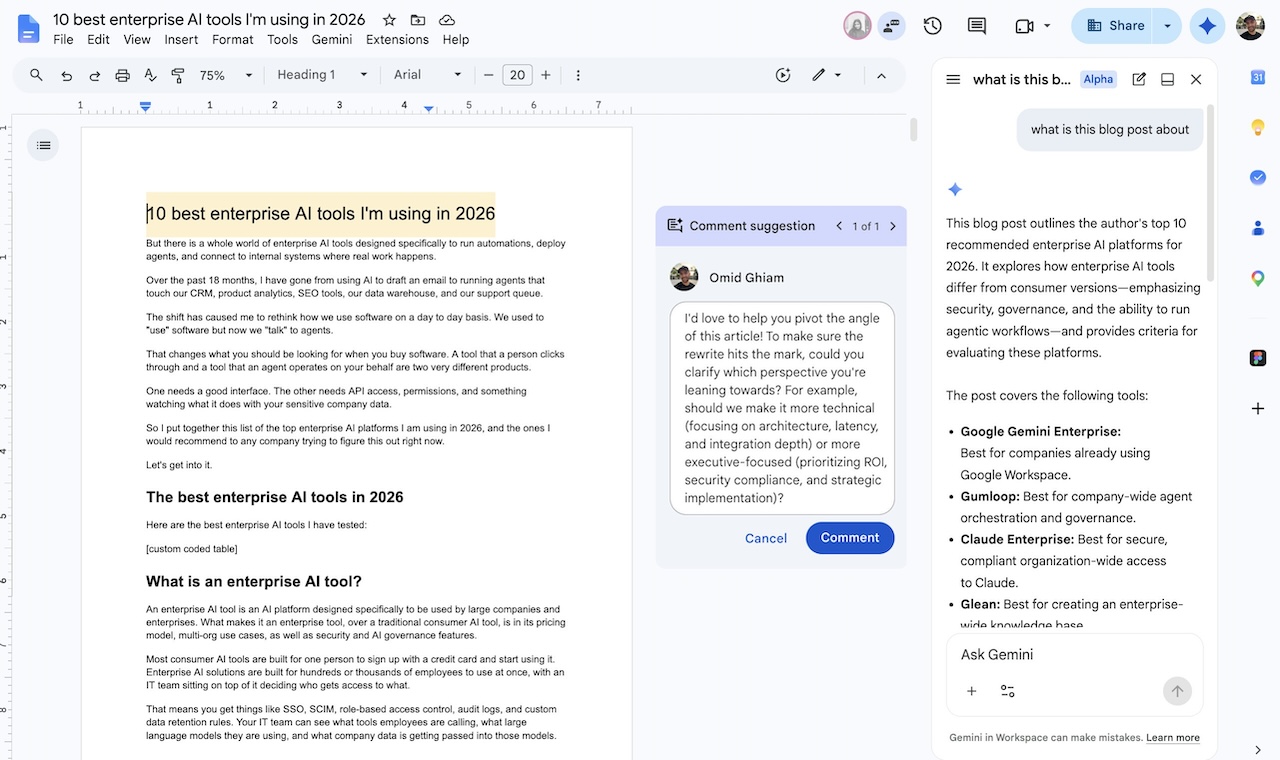
You can even connect it to other productivity tools in your tech stack, like Confluence, Salesforce, SAP, and more. So I would recommend this one as the main AI tool for your entire company, especially if Google Workspace is already where your team lives.
Here are some things I like about Google Gemini Enterprise:
- Works extremely well within the Google ecosystem. If you already use things like Docs, Sheets, or Presentations, you'll get the most out of Gemini
- Built with AI governance features in mind, like SSO, data residency options, agent management, and enterprise-grade controls
- Has multi-modal features that can read docs, images, video, and audio with Gemini
Here are some things that could be improved:
- Great if Google Workspace is your main workhorse, but may feel limited on integrations if your work lives outside of any Google-owned tool
- Does have a learning curve for non technical teams. You will need an engineering team to help build out agents
- Pricing gets less clear at the higher tiers, so you'll have to contact sales to get a better idea of how much it will cost you
Overall, Google Gemini for enterprise is a great platform to use AI across your org (safely). It is not the most advanced "agent builder" out there, but it is the best when it comes to working directly inside of Google Workspace tools.
If you already use Google Workspace, this is definitely a tool to look into. But if you need to fulfill other enterprise AI use cases, you'll want to keep reading (I have a lot more tools across different verticals to go over).
Google Gemini Enterprise pricing
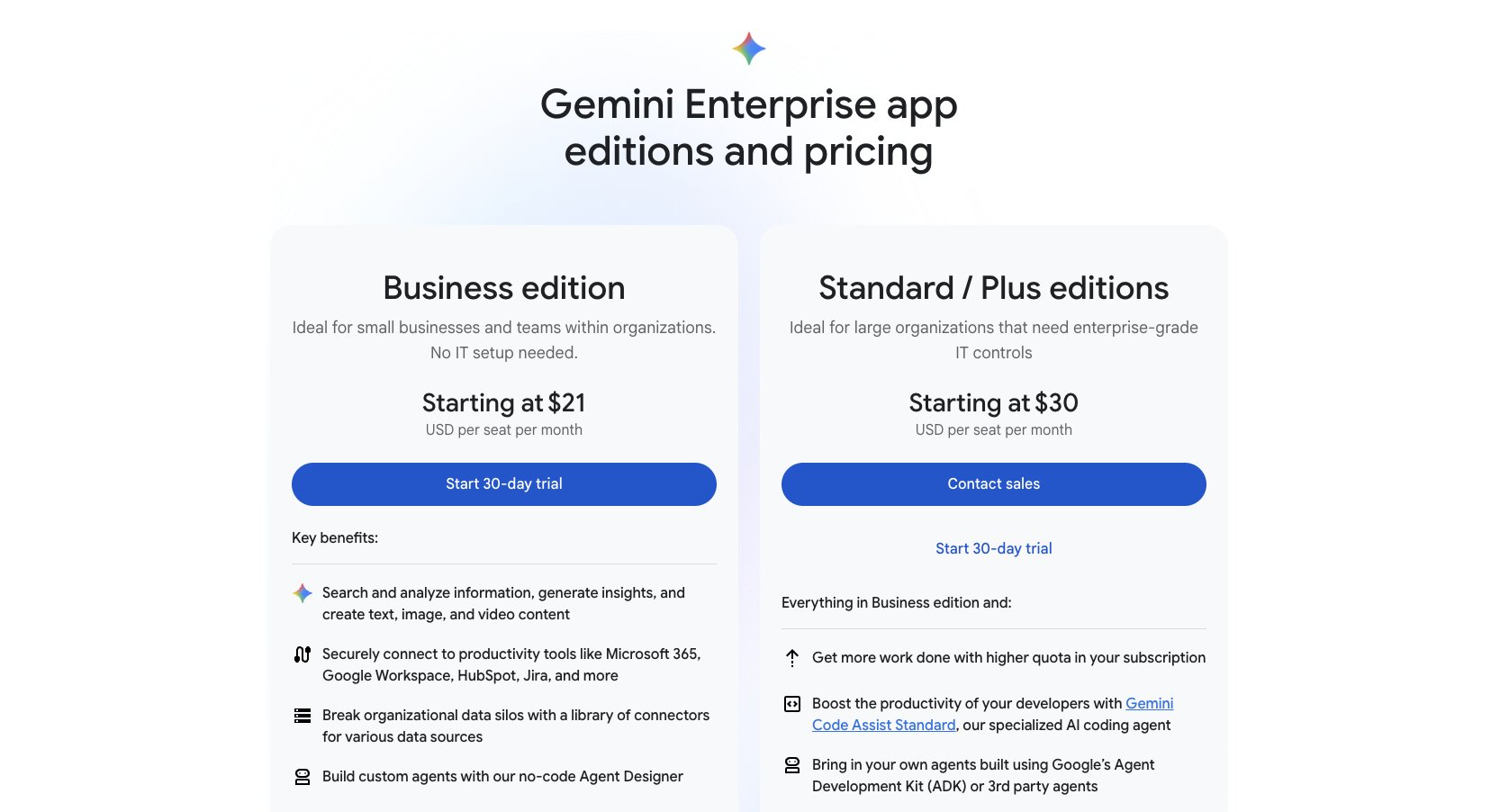
Here are Google Gemini Enterprise's pricing plans:
- Business edition is $21 per seat per month for up to 300 seats and includes the no-code Agent Designer, third-party connectors, and built-in security controls
- Standard and Plus editions are $30 per seat per month with unlimited seats, higher quotas, Gemini Code Assist, and advanced governance features
You can see the full breakdown on their pricing page.
Google Gemini Enterprise reviews
Here's what customers of Google Gemini Enterprise rate the platform on third-party review sites:
- G2: 4.4/5 star rating (from +505 user reviews)
- Capterra: 4.6/5 star rating (from +74 user reviews)
2. Gumloop

- Best for: Companies deploying AI agents across the entire organization with IT governance
- Pricing: Starts at $37 per month with a 14-day free trial
- How I use it: Building agents for SEO workflows, competitor monitoring, and content pipelines, plus managing what models and tools the rest of the team can access
Gumloop is an enterprise AI layer for building, sharing, optimizing, and controlling AI agents across an entire company. It is used company-wide at Shopify, Ramp, Samsara, Gusto, and a ton more enterprises.
At its core, Gumloop is an AI agent builder. But it is designed with full AI governance features in mind. So IT departments can safely let non-technical teams spin up powerful agents, without losing control over internal data, what LLM models are used, or AI spend.
Gumloop works by letting you create agents in a chat interface. You can select any LLM model you'd like (from a frontier AI lab or an open-weight model), create and add skills, and connect any tool through Gumloop's native integrations (or through a custom MCP server).
From a builder perspective, Gumloop is the easiest way to build agents. All you do is tell the agent what task you are trying to automate and it will guide you through the whole process, from figuring out what tool connectors to add to helping you create and update skills.
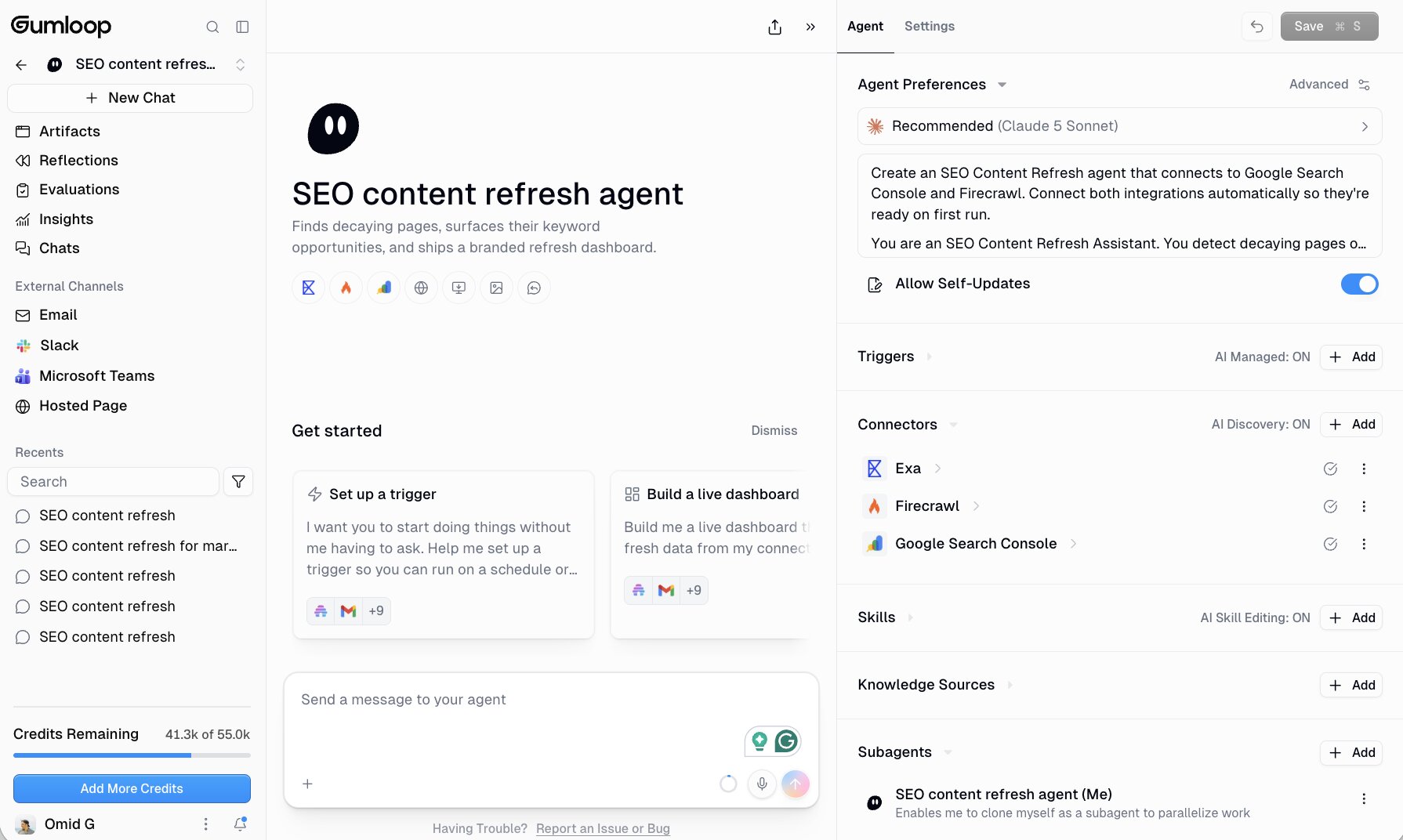
From there, you can share agents or skills through a share link with your teammates. Think of it as a central platform to create and govern all of your agents.
From an IT perspective, you get full visibility into how employees are using AI. Everything from what tools they are calling, to what LLM models they are using, and also what sensitive company data they are interacting with.
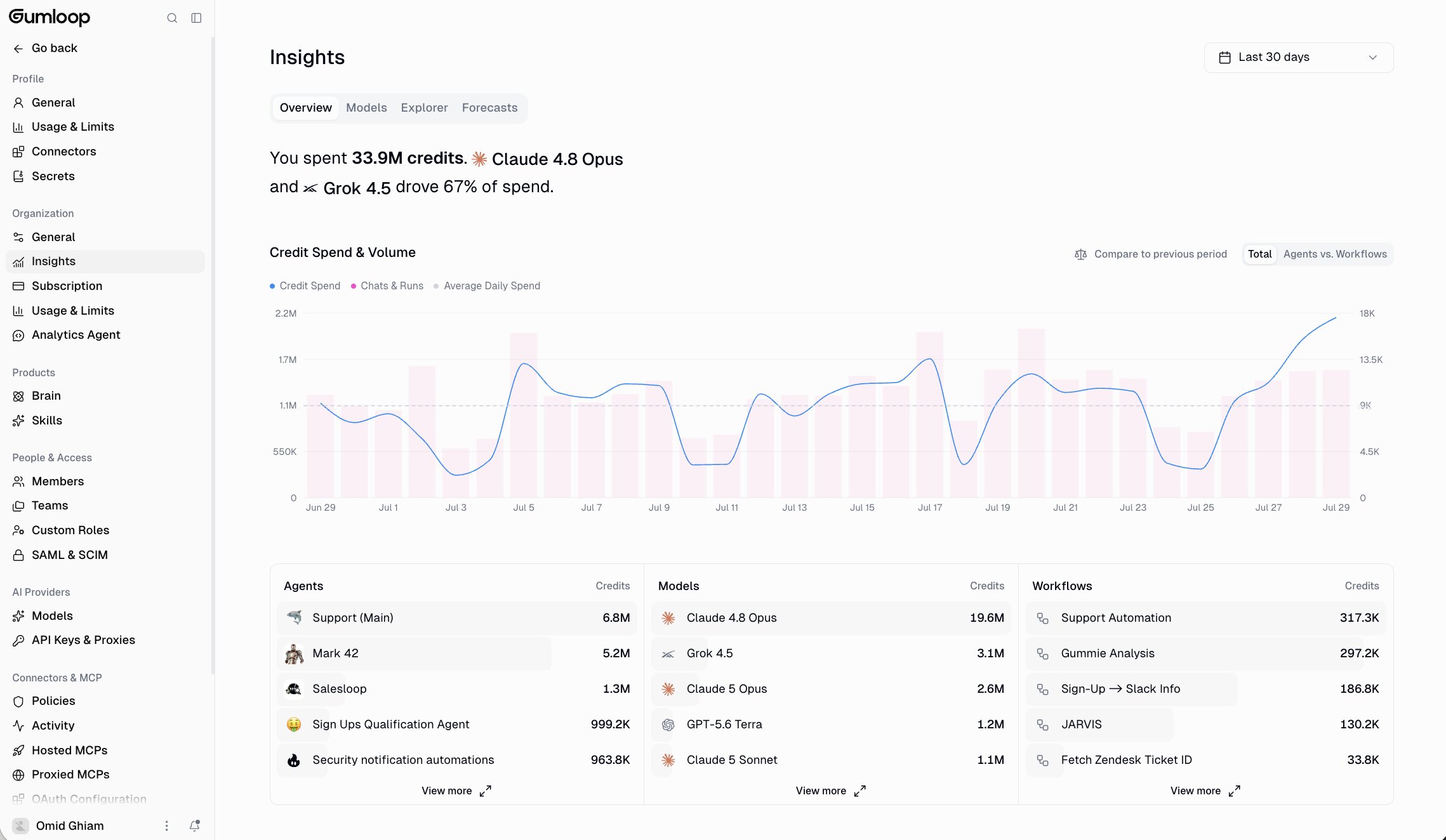
You can also set policies and controls so only select users or agents can read and write to different tools and data. So you keep full control.
On top of that, Gumloop is committed to full pricing visibility. So you are able to see exactly where your AI credits are being used and how. And you also get tips on how to optimize your agents to use less credits (without sacrificing actual productivity).
Here's what I like about Gumloop:
- Super easy to set up any agent, with little to no learning curve
- Includes 100+ native integrations for tools like Salesforce, PostHog, Google Search Console, Google Docs, Sheets, Gong, etc.
- Gives you a single pane of glass to see exactly how employees are using AI at your company (and gives you controls to govern them)
- Its multiplayer nature makes it easy to create and share both agents and skills with anyone on your team
- Transparent pricing, Gumloop only charges an orchestration fee (all other fees like tool calls or LLM calls are charged at cost to Gumloop)
Here's what can be improved with the platform:
- Gumloop is horizontal so you need to come into it with an idea of what you can automate. There is a template marketplace but it is not well maintained as most users create their own custom workflows
- Built for companies that are serious about deploying AI across their entire organization. If automation is not a big deal for you, then Gumloop will be overkill (especially with all of its security and IT features)
Overall, Gumloop is the best enterprise AI tool for building agents. I have been using the tool for 2 years now. And as of a few months ago, I lead growth at Gumloop (and use all of its enterprise features on a daily basis).
If you want to learn more about how Gumloop works and how teams are using it across their entire company, you can book a demo here.
Gumloop pricing
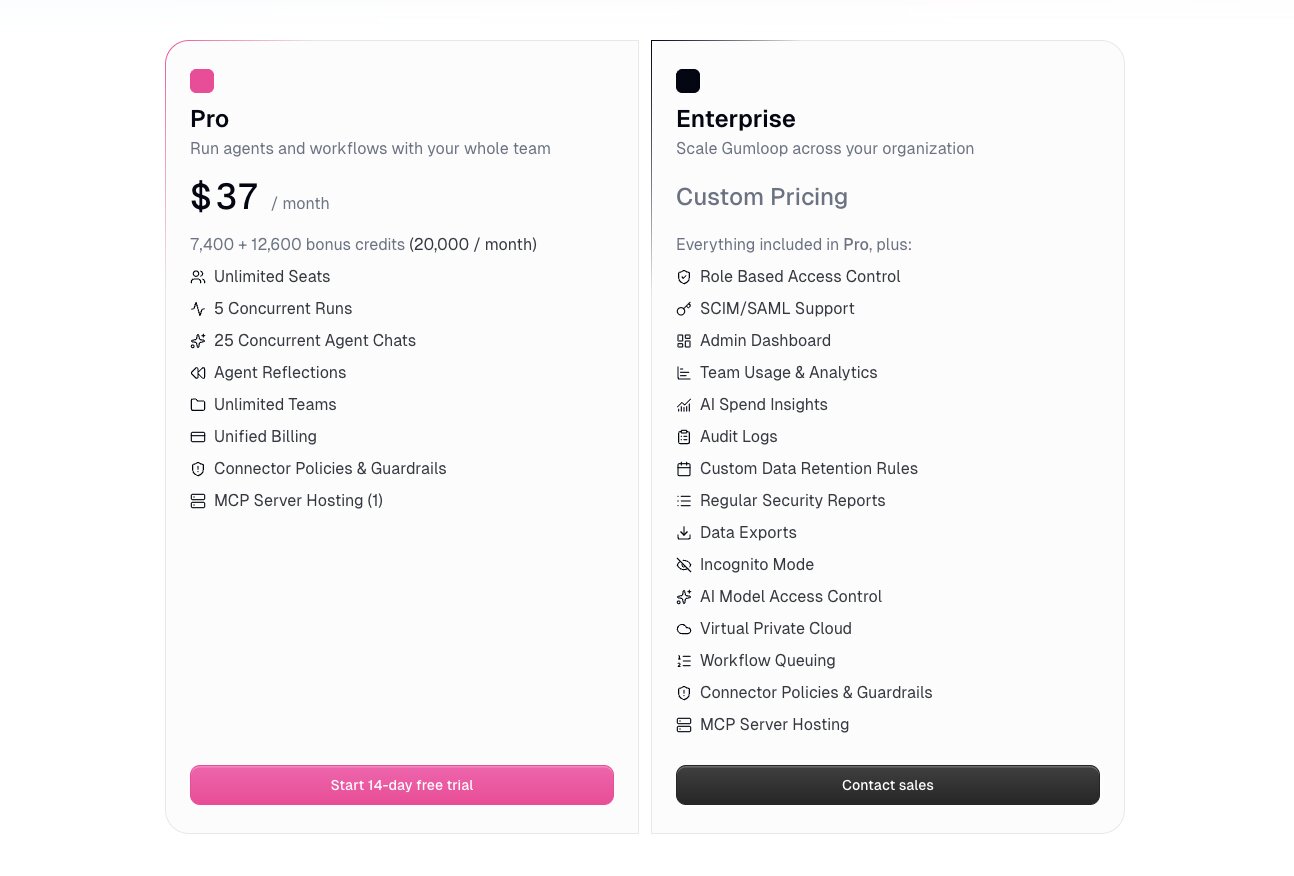
Here is how Gumloop's pricing works. It runs on a pay as you go model where you only pay for what you use, and each credit is half a cent.
- Pro is $37 per month with 20,000+ credits, unlimited seats, unlimited teams, 5 concurrent runs, 25 concurrent agent chats, unified billing, and MCP server hosting
- Enterprise is custom pricing and adds role based access control, SCIM/SAML support, an admin dashboard, team usage and analytics, AI spend insights, audit logs, custom data retention rules, virtual private cloud, and AI model access control
You can see the full breakdown on their pricing page.
Gumloop reviews
Here's what customers of Gumloop rate the platform on third-party review sites:
- G2: 4.8/5 star rating (from +7 user reviews)
- Product Hunt: 5/5 star rating (from +9 user reviews)
3. Claude Enterprise
- Best for: Companies that want Claude deployed across the org with security and compliance controls
- Pricing: Starts at $20 per seat per month, billed annually
- How I use it: Running Claude on desktop and mobile for daily work, plus Claude Code and Cowork under one account
Claude Enterprise is Anthropic's offering for helping enterprises deploy Claude's AI across their entire company, with full control and security in mind.
There's a good chance your employees are already talking to Claude every day (I know I do). And when you're interacting with an LLM, you have to be cautious about what sensitive data you give it as well as what tools you let your employees integrate with Claude.
Anthropic's enterprise offering helps IT teams create compliant controls and policies for how people can use Claude at work. You get a full AI governance layer with SSO, SCIM, audit logs, custom data retention, and analytics.
This makes it great for companies that range from mid-market to large scale enterprises. This also makes it great if you're in a regulated industry like healthcare, legal, or finance.
And because Claude can be accessed in many ways (desktop app, mobile app, CLI, etc.), IT teams get full governance across all Claude instances.
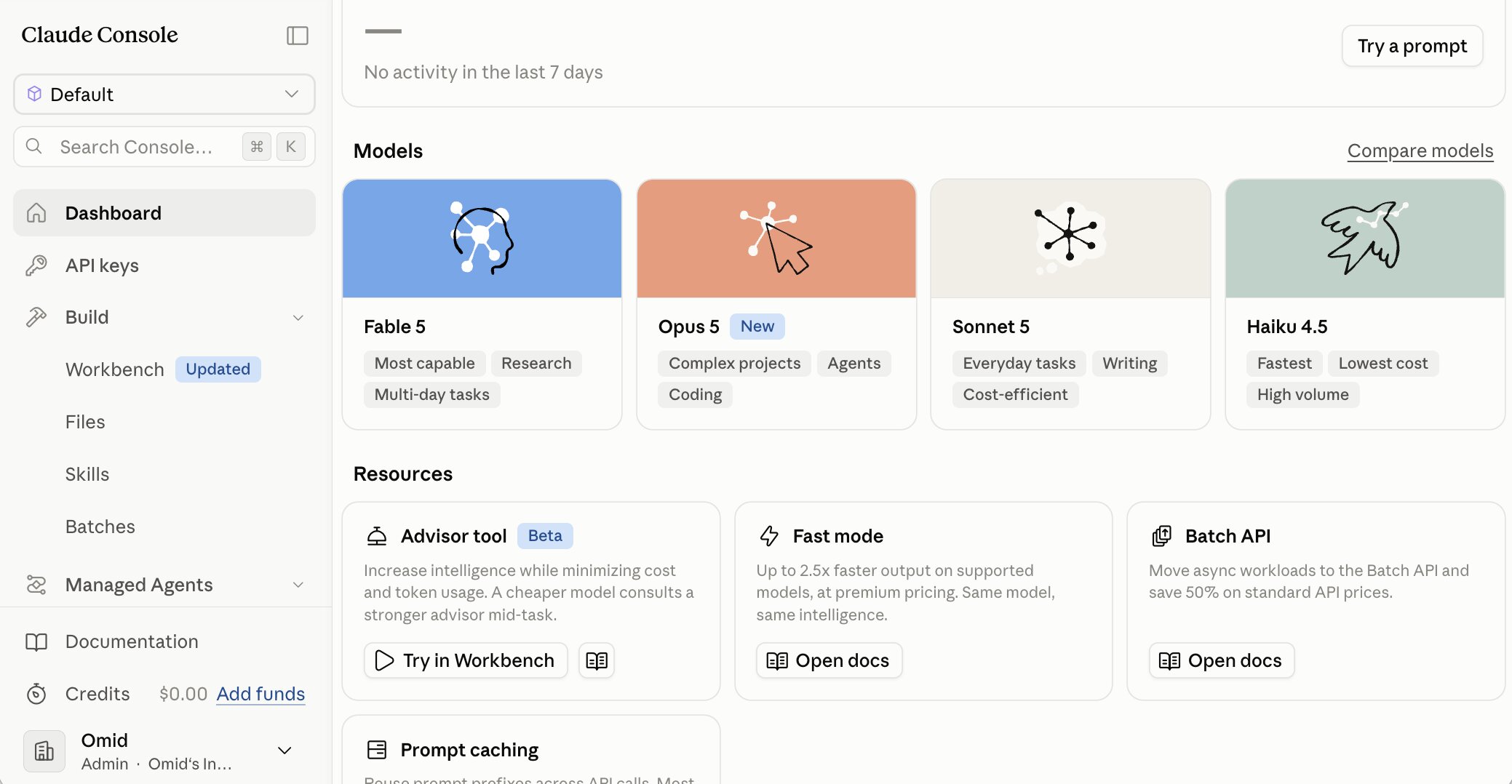
I personally have a Claude Enterprise account, so I can tell you exactly what comes with it. With a Claude Enterprise account, each user gets Claude on web, desktop, and mobile, plus Claude Code and Cowork in one package.
This creates a full closed loop inside of the Claude ecosystem. For some that's great. For other teams, it can feel like Claude is a walled garden. Similar to Google Gemini, you are locked into however Anthropic wants to adjust pricing.
You are also using a Claude model at all times, so you can't swap to something else (like you can with Gumloop or other LLM agnostic agent builders).
Here are some things I like about Claude Enterprise:
- You get access to the latest and greatest AI model from Anthropic
- Payment plans are in the options of self-serve (top up on credits) or sales-assisted for custom rates at higher volumes
- You get access to Claude across the mobile and desktop app (both Chat and Cowork) as well as in the CLI for Claude Code
- Has AI governance features like audit logs, SCIM, compliance API, US-only inference, and more (you can view all enterprise features here)
Here are some things that can improve:
- You're locked into the Claude ecosystem, so there is limited flexibility in the AI model you can use, as well as cost optimizations
- Minimum number of seats are required for enterprise plans (20 for self serve and 50 for sales-assisted)
- Claude Cowork can still feel limited in its control and governance features, it can have some compliance blind spots
Overall, we all know Claude is great. Now whether you want to use it as your company's default AI platform is another question. When it comes to developer use cases (like using Claude Code) for engineering teams it's a no brainer.
But when it comes to building agents and automated workflows, you're probably better off using a more open platform that lets you swap LLM models and has AI spend optimization features.
Claude Enterprise pricing
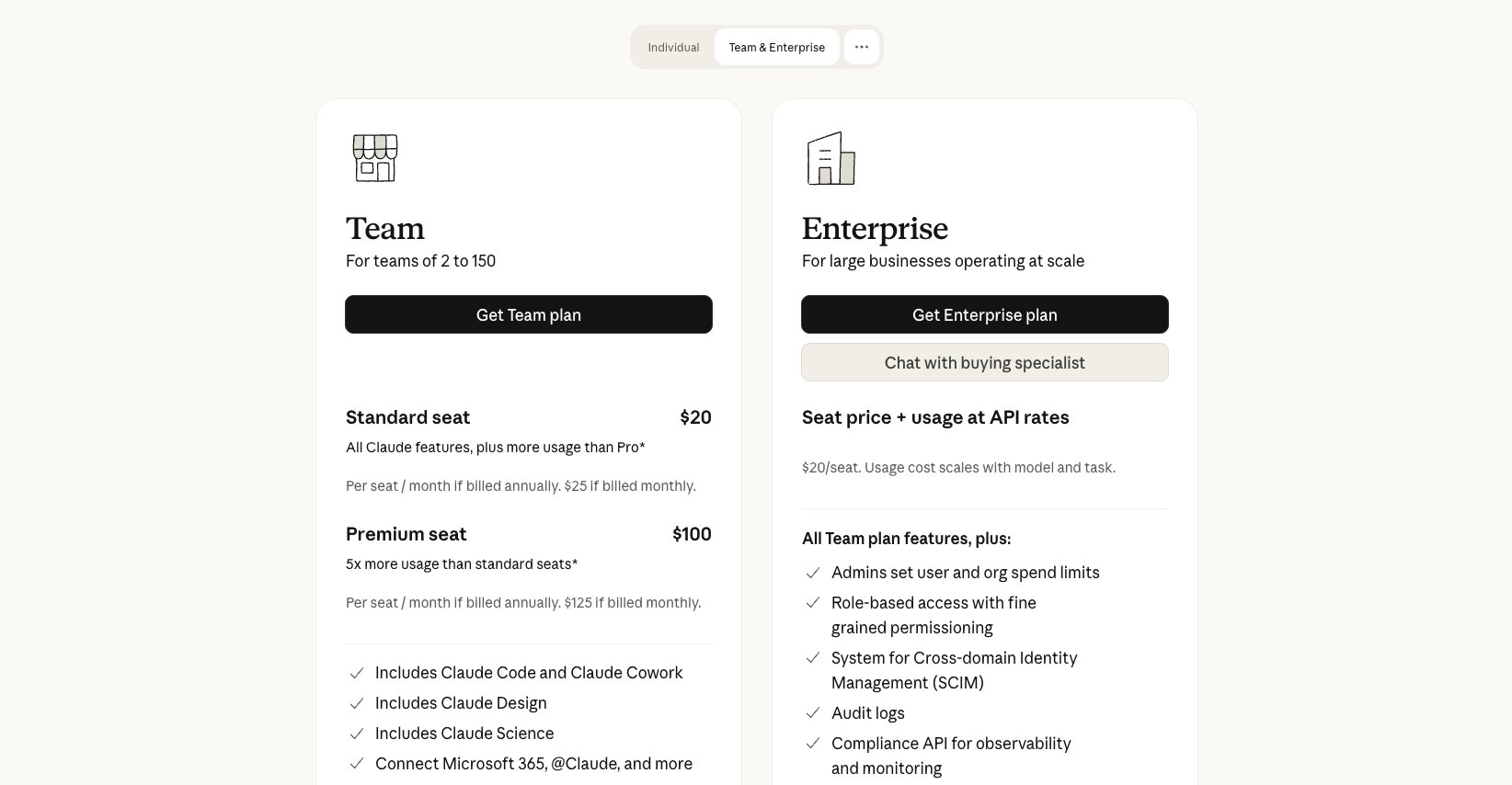
Here is how Claude Enterprise's pricing works. The seat fee only covers access, and all usage across Claude, Claude Code, and Cowork is billed separately at standard API rates.
- Enterprise self-serve is $20 per seat per month billed annually, with a 20 seat minimum, and includes SSO, SCIM, audit logs, connectors, Claude Code, and Cowork
- Enterprise sales-assisted is custom pricing with a 50 seat minimum, and adds tailored terms, invoicing, usage commitments, and a HIPAA-ready offering
You can see the full breakdown on their pricing page.
Claude Enterprise reviews
Here's what customers of Claude Enterprise rate the platform on third-party review sites:
- G2: 4.6/5 star rating (from +180 user reviews)
- Capterra: 4.7/5 star rating (from +90 user reviews)
4. Glean
- Best for: Building a company-wide knowledge base employees can search and ask questions
- Pricing: Custom pricing, based on a per-user seat license plus pooled usage credits
- How I use it: Not a daily tool for me, but friends at larger companies rely on it to find internal answers fast
Glean is an enterprise AI platform that helps companies create a knowledge base for literally everything in their company. It is essentially a platform that integrates with your entire tech stack, so employees can ask questions about company info or any data they are granted access to.
The tool works by creating a secure, permission-aware search functionality across all of your company's tools and data. It is a combination of RAG (retrieval-augmented generation), enterprise search, and now a "no-code" agent builder.
I have a lot of friends at companies that use Glean. And from what I have heard, it is extremely fast and efficient at helping employees find answers to questions about their company.
But when it comes to agent features, it is a bit limited. Regardless, the platform is used by some big enterprises like Booking.com, Reddit, Databricks (also on this list), Samsung, and more.
Here are some things I like about Glean:
- Has deep internal knowledge of your company and data, making it easy to create an effective company "brain"
- Built with strict enterprise access controls, compliance features, and audit trails (IT teams will love it)
- Has a wide range of third-party app connectors to accommodate for most enterprise tech stacks
- Scales across multiple company teams (sales, marketing, engineering, support, etc.)
Here are some things that can improve:
- Feels more like an assistant you ask questions, over being a full agentic platform that can execute on tasks
- Implementation can take a while as you'll need to be thoughtful during the connector setup
- Pricing is not that transparent and does lean on the more expensive side
Overall, Glean is a great enterprise AI tool if you're looking to create a company brain all of your employees can access and ask questions to. But if you need a full AI orchestration platform for AI agents, it might be worth looking into an alternative.
Glean pricing
Here is how Glean's pricing works. Glean does not publish dollar figures, so you'll need to talk to their sales team for an actual quote.
- Enterprise Flex seats are licensed per user per month and cover unlimited basic search and fast mode assistant queries, plus a weekly allowance of thinking mode queries
- FlexCredits are pooled across your whole organization and get consumed by heavier features like agent runs, deep research, meeting notes, and premium model queries
You can see how the credit consumption works on their pricing page.
Glean reviews
Here's what customers of Glean rate the platform on third-party review sites:
- G2: 4.7/5 star rating (from +164 user reviews)
- Capterra: 4.7/5 star rating (from +3 user reviews)
5. ServiceNow
- Best for: Large enterprises that already run their IT and service workflows on ServiceNow
- Pricing: Custom pricing, quote only
- How I use it: Not a tool in my personal stack, but worth knowing if your company already runs on the Now Platform
ServiceNow is an all-in-one platform for deploying AI workflows and governing them. It is a platform that has been around for some time and used by companies like Honeywell, Adobe, Lenovo, NHL, and a ton of other enterprises.
At its core, ServiceNow works by letting you build AI agents that are embedded into existing workflows. You can create agents in natural language and then chain them together to orchestrate full workflows across different departments.
You also get an AI control tower that is your centralized governance platform. This lets you track all agent activity, usage, and any risks that are flagged.
Here's what I like about ServiceNow:
- The platform is LLM agnostic, so you aren't locked into one single AI model provider
- Gives you enterprise-grade governance, with security monitoring and controls
- Built to be horizontal across multiple departments like IT, sales, HR, and more
Here are some things that can be improved:
- Best for enterprises already using ServiceNow cloud features
- It takes a while to get set up as you need to integrate it with all of your existing tools and knowledge base before you can get its full value
- Pricing is not transparent, and you do need to ask for a custom quote
Overall, ServiceNow is a trusted player in the enterprise AI tooling space. They have been around for a while and have a good reputation. But their AI features are fairly new so it's important to take everything with a grain of salt. If you want to see how other companies are using the platform, I highly recommend you check out their customer case studies.
ServiceNow pricing
Here is how ServiceNow's pricing works. There are no published plans or starting prices, so everything runs through a custom quote.
- Quotes are based on an evaluation of your company's specific needs, and the packages scale with the size of your business
- You have to fill out a form and speak with their sales team before you can see any numbers
You can request a quote on their pricing page.
ServiceNow reviews
Here's what customers of ServiceNow rate the platform on third-party review sites:
- G2: 4.4/5 star rating (from +6,751 user reviews)
- Capterra: 4.5/5 star rating (from +353 user reviews)
6. Salesforce Agentforce
- Best for: Companies that already run Salesforce as their CRM
- Pricing: Free to start with Salesforce Foundations, then usage based at $500 per 100k Flex Credits
- How I use it: I connect my Salesforce account to Gumloop instead, but Agentforce is the native option if Salesforce is your system of record
Agentforce is Salesforce's AI agent building platform built for enterprise companies. It is designed to turn your Salesforce CRM and Customer 360 data into an AI agent that can interact with your data.
If you don't already use Salesforce as your CRM, you can skip this one on the list. But if you do use Salesforce (like I do), this is something to look into.
The platform lets you build, customize, and deploy agents across GTM departments like sales, marketing, and customer success. Unlike something like Glean, where you can query against your data and tools, Agentforce is designed to be a full autonomous agent that can automate tasks in your CRM.
It is mostly only useful for existing Salesforce customers, and probably larger enterprises that are using Salesforce. I personally use Gumloop and integrate it with my Salesforce account (I have not actually logged into Salesforce in a while), but if your main CRM is Salesforce, it's probably a good idea to use their native agent builder.
Here are some things I like about Agentforce:
- Integrated deeply into the Salesforce ecosystem. So if your current CRM is Salesforce, you'll get immediate value
- Designed so non-technical people can build agents with it (although the UI/UX is questionable as being "user friendly")
- Can serve a wide range of GTM use cases, across multiple team functions
- Has strong AI governance features, data controls, and audit trails
Here are some things that could improve:
- Not good for companies that don't use Salesforce as their CRM
- Lots of upfront implementation effort is required to see ROI
- The UI/UX could be improved to not feel like a typical drag and drop workflow builder from 10 years ago
Overall, Salesforce Agentforce is a great choice for Salesforce-heavy orgs. But it's probably a bit complex for smaller companies or those who need a full agent builder that is not built around one tool (your CRM) in your AI tech stack.
Salesforce Agentforce pricing
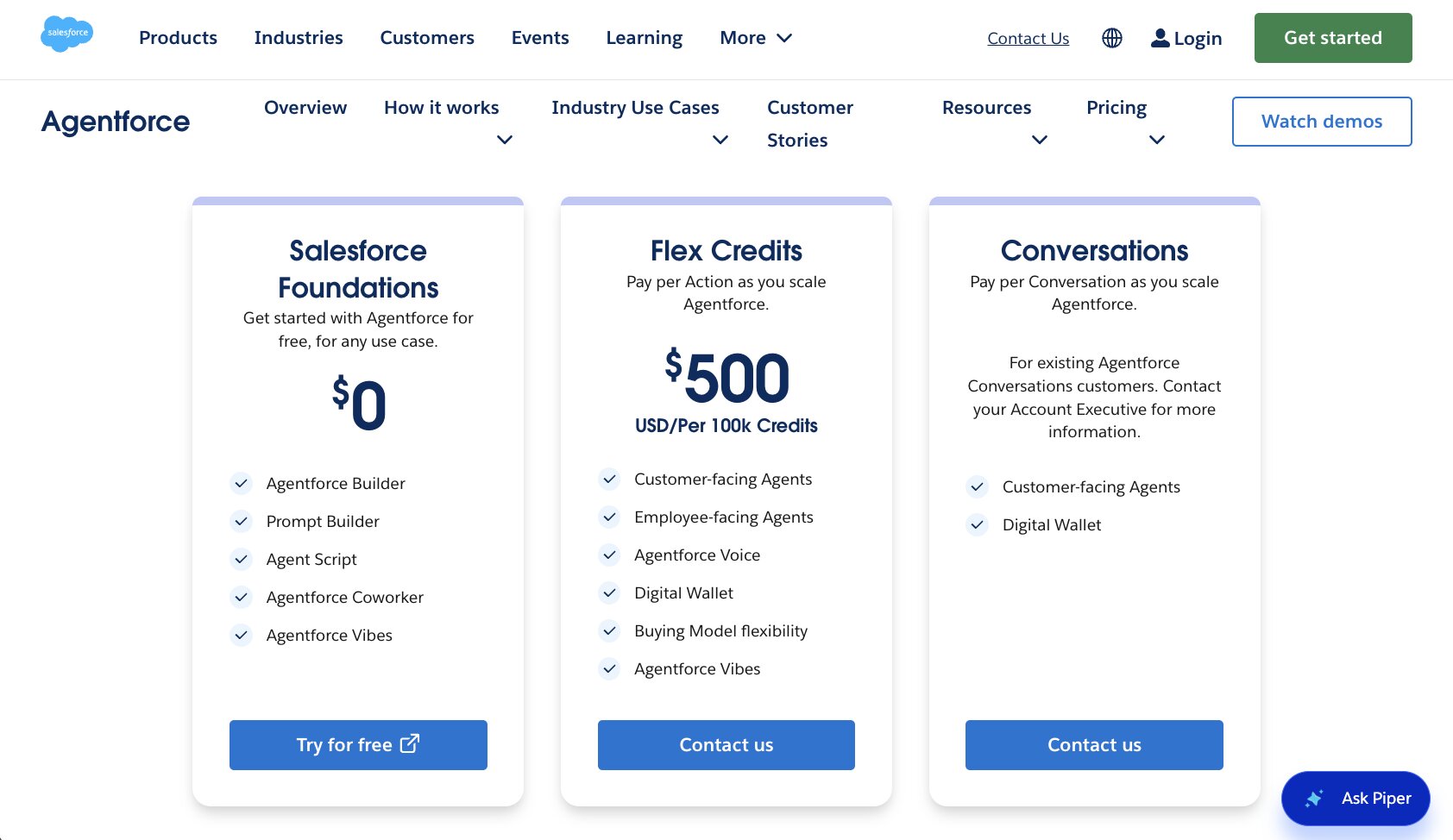
Here is how Salesforce Agentforce's pricing works. You can pay by consumption with Flex Credits or Conversations, or add per-user licenses on top.
- Salesforce Foundations is free and gives you access to Agentforce Builder, Prompt Builder, and Agentforce Coworker
- Flex Credits are $500 per 100,000 credits, with each Agentforce action consuming 20 credits and each voice action consuming 30
- Conversations pricing is $2 per conversation and is meant for customer-facing agents
- Agentforce add-ons are $125 per user per month for unmetered employee usage, and the Agentforce User License is $5 per user per month on top of Flex Credits
You can see the full breakdown on their pricing page.
Salesforce Agentforce reviews
Here's what customers of Salesforce Agentforce rate the platform on third-party review sites:
- G2: 4.3/5 star rating (from +1,202 user reviews)
- Gartner: 4.3/5 star rating (from +72 user reviews)
7. Greptile
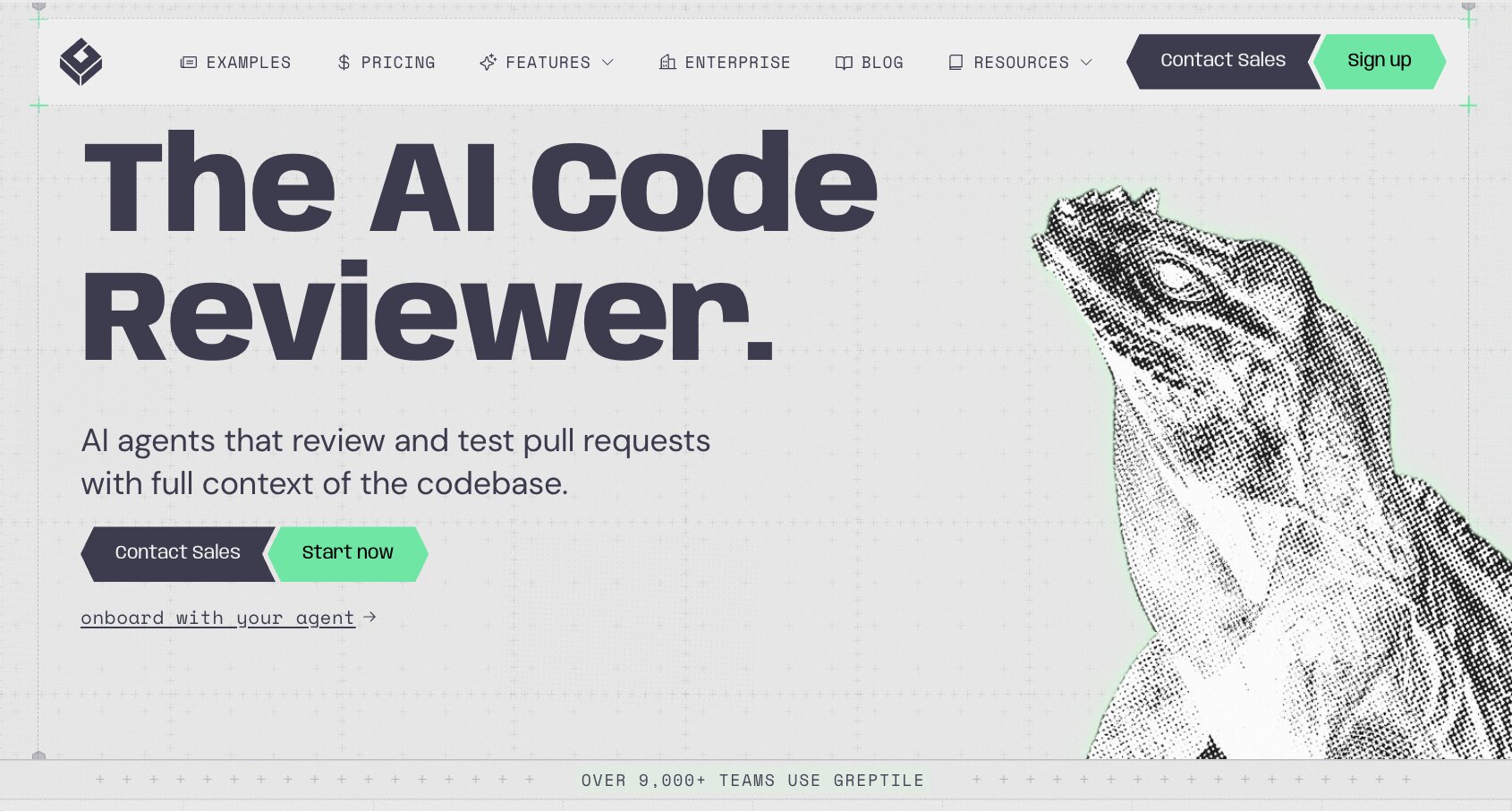
- Best for: Engineering teams that need an AI code reviewer on every PR
- Pricing: Free for individual developers, then $30 per seat per month
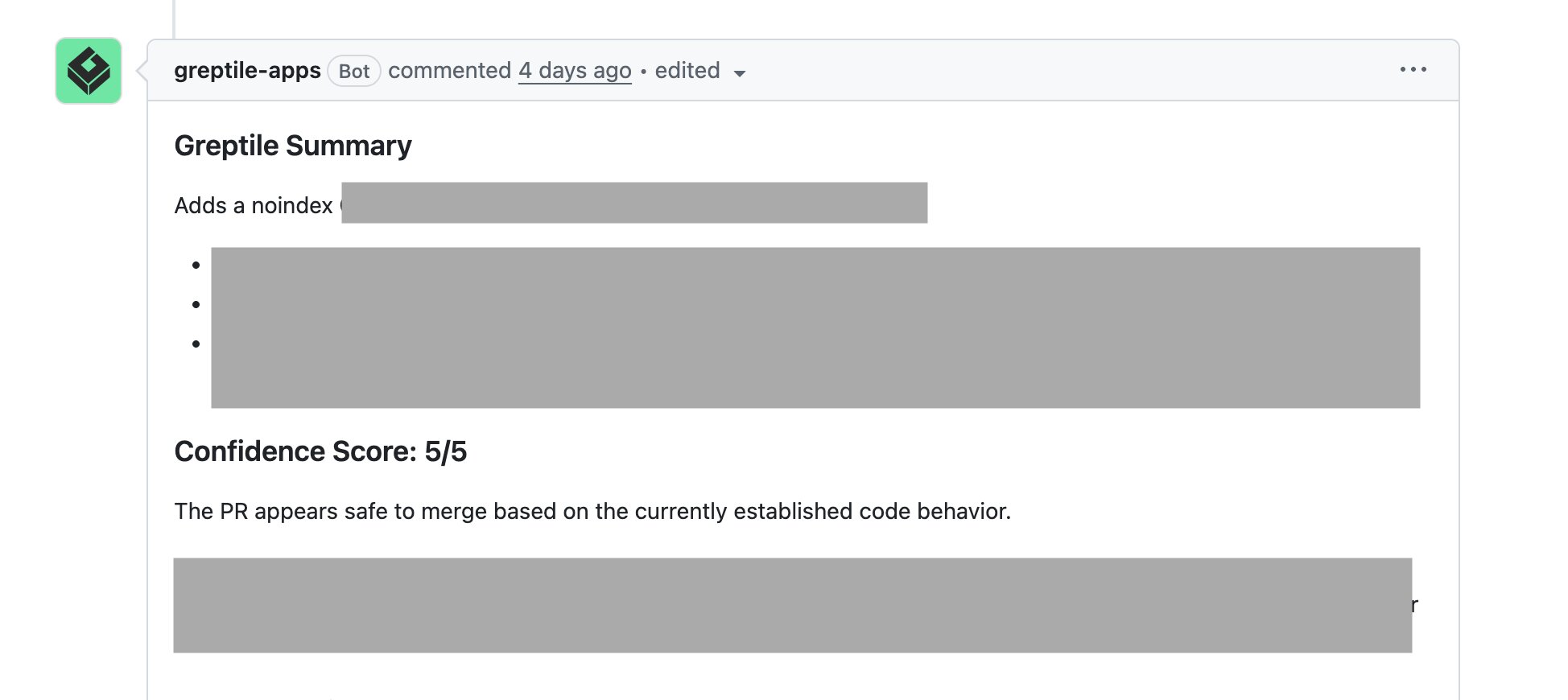
- How I use it: Reviewing our pull requests before they get merged, and chasing that 5 out of 5 confidence score
Greptile is an enterprise AI code reviewer that has become one of my favorite tools we use at our company. Getting that 5/5 on a PR is the best feeling ever.
So far, most of the enterprise AI tools we have gone over have been for builders and IT departments. But Greptile is built specifically for engineering teams that need a code reviewer.
Greptile works by indexing your existing codebase to understand your entire repo. From there, it can create a swarm of code reviewing agents that can scan through multiple PRs in parallel, assess the impact it will have to the current repo, and flag any issues based on the criteria your engineering team gives it.
Greptile can also create a knowledge graph of classes, functions, files, and dependencies to catch bugs, review your PRs, and run any test against your codebase.
It is no reason why they have grown so fast and are used by engineering teams at companies like Brex, Nvidia, Substack, and more.
Here are some things I like about Greptile:
- Easily integrates with GitHub so it can review all PRs. From there it gives you a confidence score (out of 5) to tell you whether it's good to merge or not
- It tends to catch more bugs than a human would. It is reported that Greptile can catch 3x more bugs and is 4x faster than a human. And I have personally experienced it first-hand
- Strong enterprise security and compliance features. It is SOC 2 Type II, HIPAA, and GDPR compliant. You can also self host it if you'd like
- Creates a standard process for reviewing all PRs, and creates a validation layer so your engineers don't push AI slop to main
Here are some things that could improve:
- It requires experienced engineers to set up and configure review rules, preferences, and integrations. So there is some setup time required
- The pricing can be a bit confusing at scale. They charge per seat and per credit usage
- Made just for code reviews, so it's not a full enterprise AI platform that can handle other things like AI governance and autonomous agents
Overall, Greptile is an amazing platform if your engineers are looking for an enterprise-grade code reviewer. There are some other platforms like CodeRabbit that work well too, but Greptile is my go to and holds a special place in my heart.
Greptile pricing
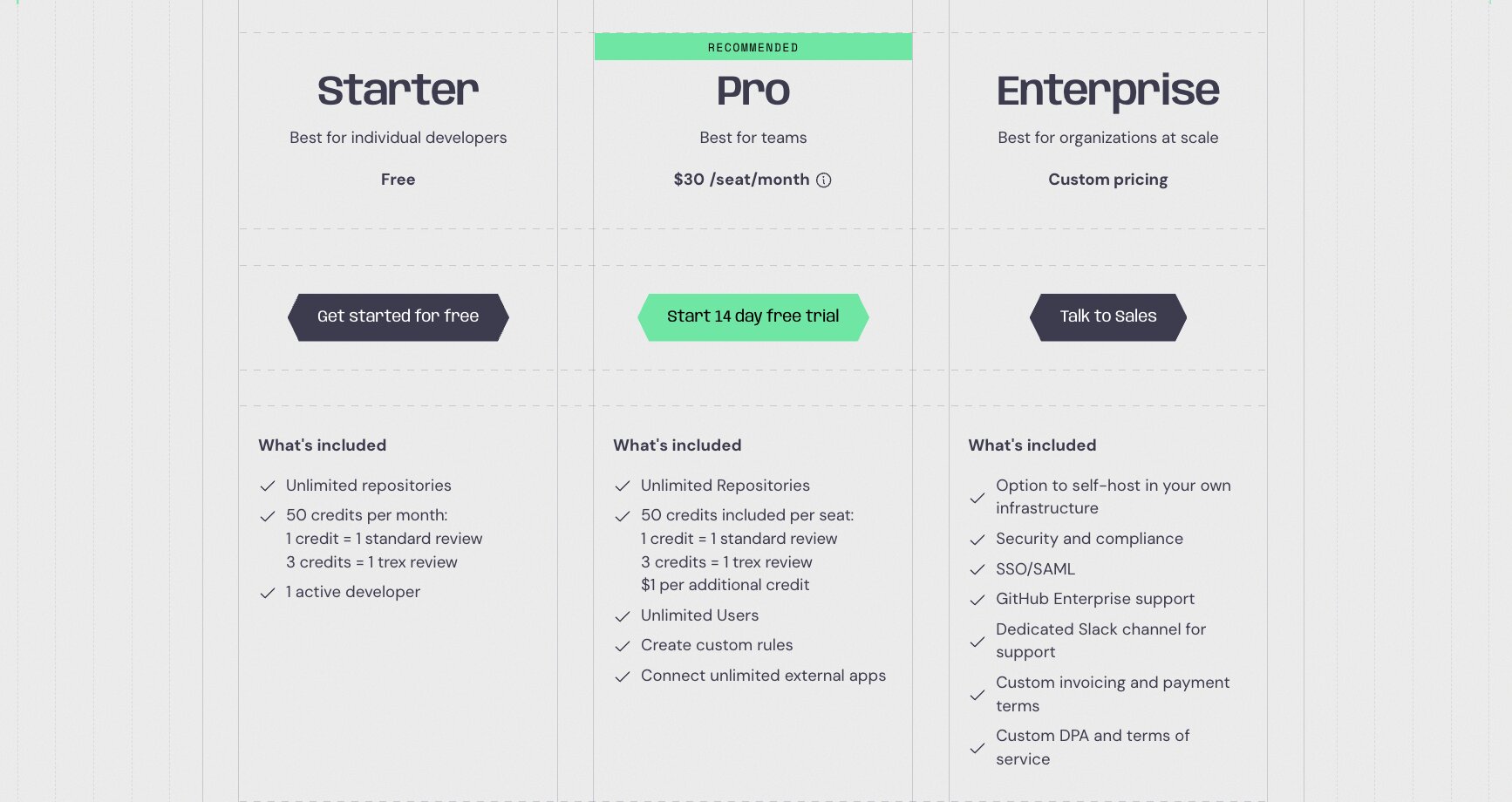
Here are Greptile's pricing plans:
- Starter is free for one active developer with unlimited repositories and 50 credits per month
- Pro is $30 per seat per month with 50 credits included per seat, unlimited users, custom rules, and $1 per additional credit
- Enterprise is custom pricing and adds self-hosting, SSO/SAML, GitHub Enterprise support, and a dedicated Slack channel
One credit covers a standard review and three cover a TREX review. Pre-Series A startups under $2M in revenue get 50% off, and qualified open source projects use it for free. You can see the full breakdown on their pricing page.
Greptile reviews
Greptile does not have any verified public ratings on third-party review sites. But, you can read this review posted by Alissa V. on the DEV Community.
8. Fireworks AI
- Best for: Engineering teams running open weight models in production
- Pricing: Pay per token on serverless, or per GPU hour for on demand deployments
- How I use it: Fine tuning open weight models into specialized, domain-specific models for my own internal tools
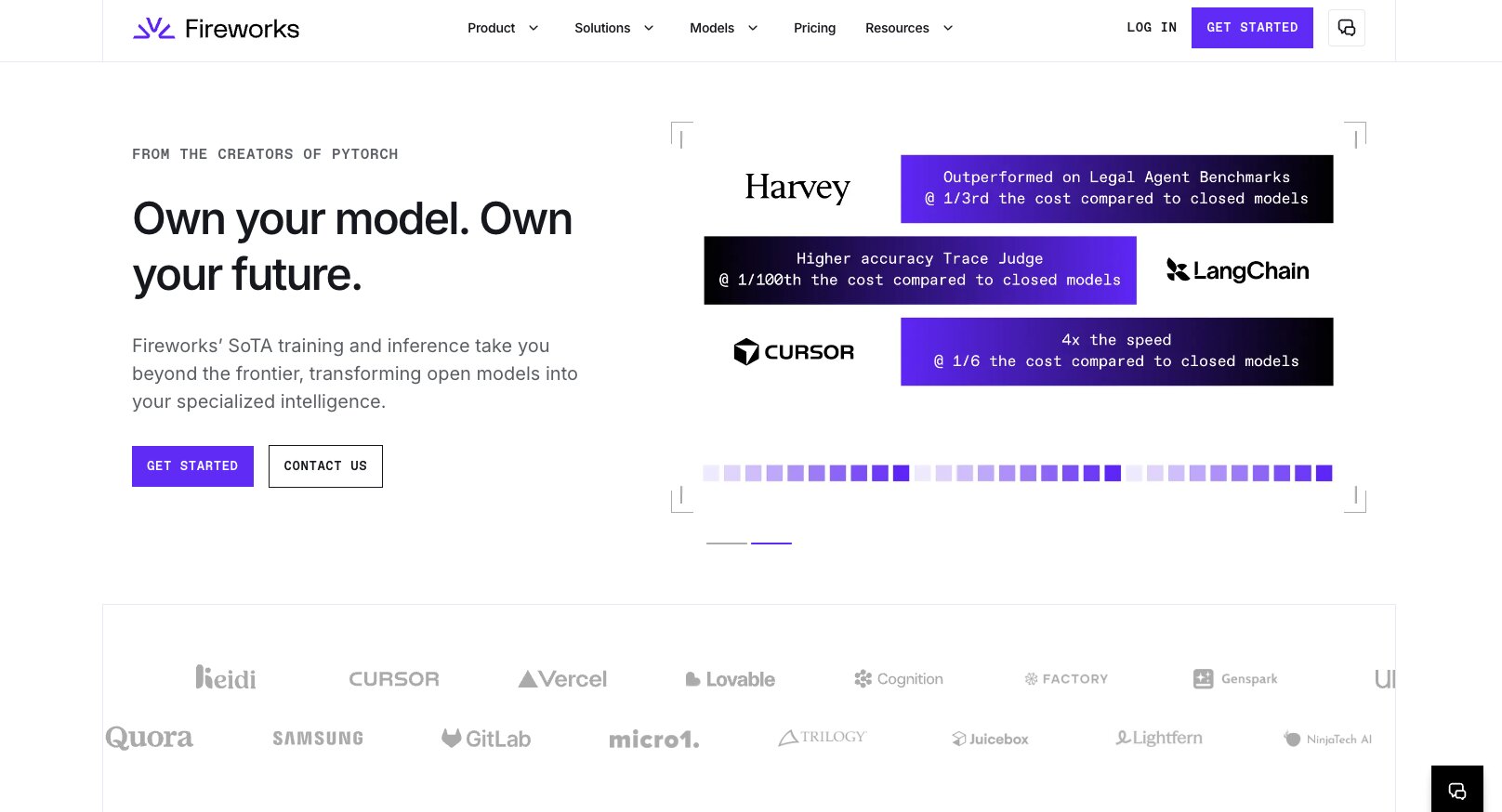
Fireworks AI is an enterprise AI inference and training platform. In fact, many of the AI tools you're currently using probably use Fireworks AI to train their models and supply inference for open weight models.
For example, Gumloop uses Fireworks AI for routing all of its open weight AI models like DeepSeek, GLM, Kimi, and more.
Put simply, Fireworks AI is the engine behind letting enterprises run open weight models fast, cheap, and at scale. And it is used by companies like Cursor, Notion, Vercel, Lovable, and more. Basically any AI platform that lets you use multiple LLM models probably uses Fireworks AI.
It works by giving you an inference API that is serverless so you can run open models. From there, you can also fine tune and train models to turn an open weight model into a specialized, domain-specific model. This is actually how I personally use Fireworks AI in my own custom internal tools.
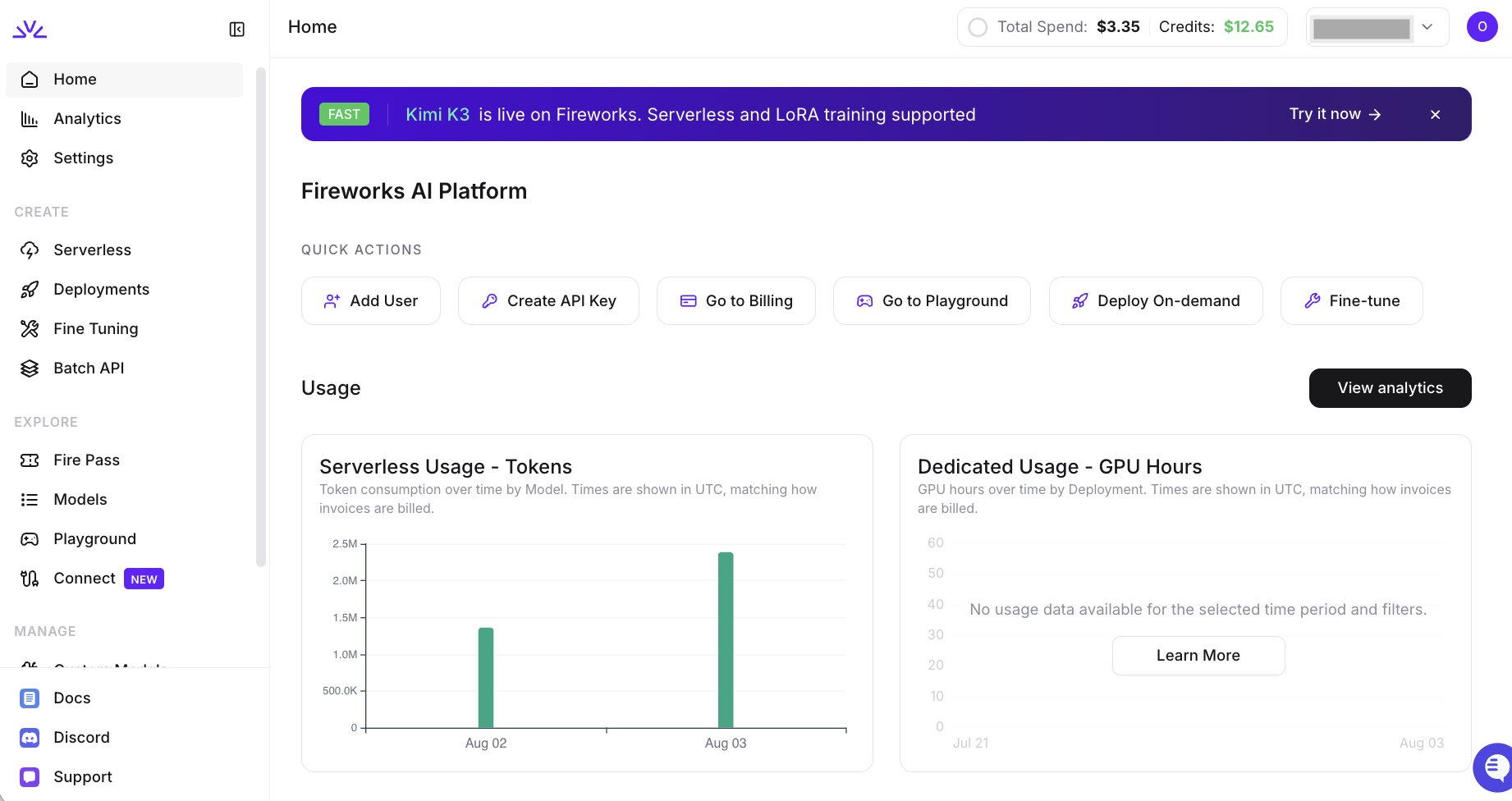
You can also use the platform directly through their own API or through AWS or Microsoft Foundry.
Here are some things I like about Fireworks AI:
- Easy to use and fast setup times (if you're a developer and you know what you're doing)
- Leads as an inference provider because of its speed and latency for hosting open weight models
- Gives you options to run specific models in normal or fast modes
- Built for enterprises from day one, giving you integrations to major clouds for production workloads at scale
Here are some things that could be improved:
- It's not a product you use in a UI, it's an inference-first platform so you need to build the application layer to use the platform
- Built for developers and engineers, not something you'd give to anyone else in your company to use (although they can benefit from the setup your engineers create)
- While you do get the cost and flexibility benefits of open weight models (over frontier AI models), you need to be hyper aware of all the new models coming out and know which ones make the most sense for your users
Overall Fireworks AI is an amazing inference provider for hosting and training open weight AI models. It's one of my favorite enterprise AI platforms on this list and if you're thinking about open weight models, you have to check out Fireworks AI.
Fireworks AI pricing
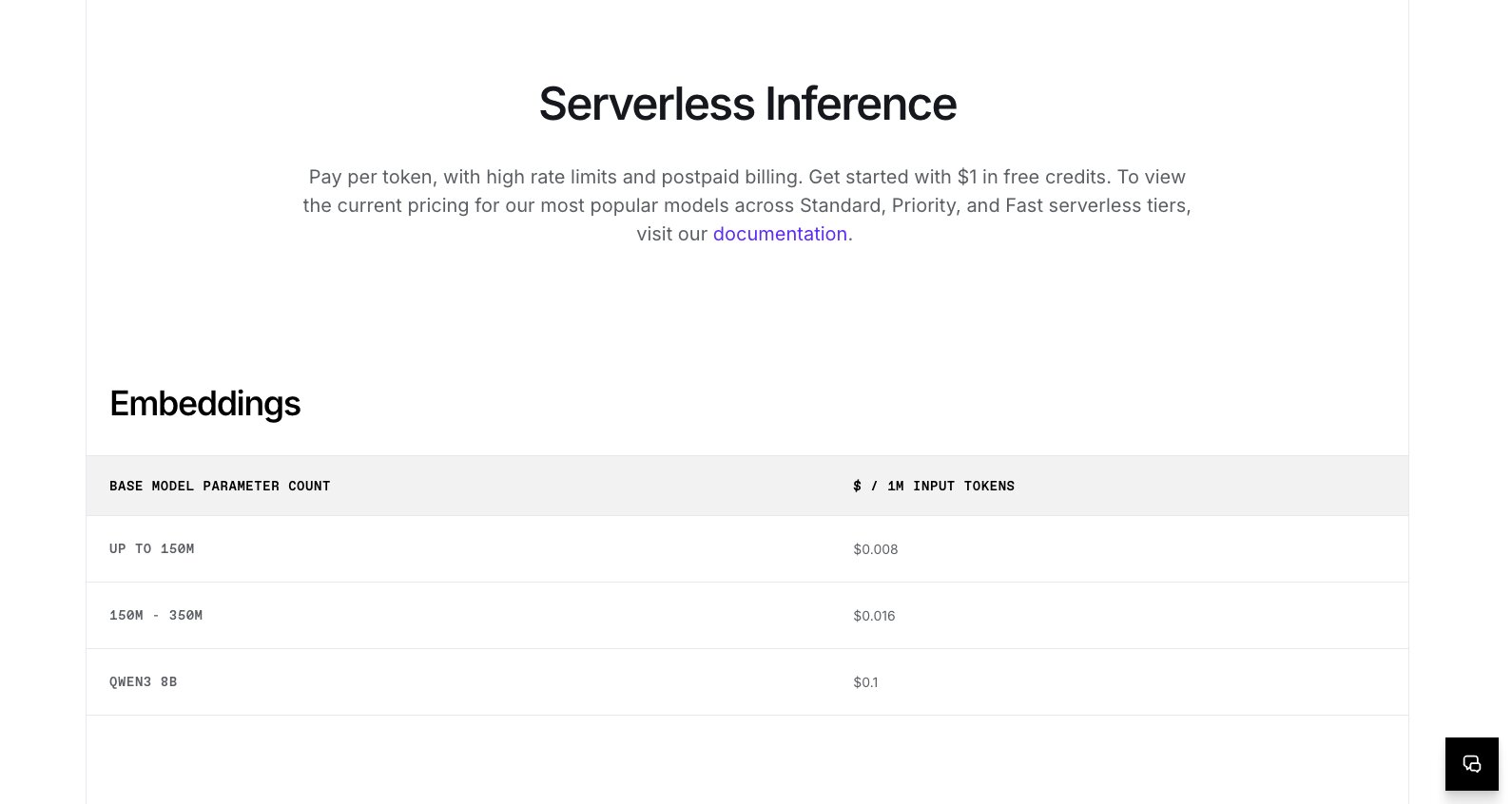
Here is how Fireworks AI's pricing works. There are no seats or monthly plans, you pay for what you run.
- Serverless inference is priced per token with postpaid billing, and you start with $1 in free credits
- On demand deployments are priced per GPU hour, starting at $7 for an H100 or H200 and going up to $12 for a B300
- Managed training is priced per 1M training tokens, starting at $0.50 for LoRA supervised fine tuning on models up to 16B parameters
- Enterprise deployments with faster speeds, lower costs, and higher rate limits are custom and go through their sales team
You can see the full breakdown on their pricing page.
Fireworks AI reviews
Here's what customers of Fireworks AI rate the platform on third-party review sites:
- G2: 4/5 star rating (from +11 user reviews)
- AWS Marketplace: 3.9/5 star rating (from +20 user reviews)
9. Databricks
- Best for: Data teams that want their analytics, ML, and AI workloads in one place
- Pricing: Pay as you go based on usage, with a free trial and a free edition to start
- How I use it: Not part of my stack, but it is the platform data teams reach for when AI needs to sit on top of governed company data
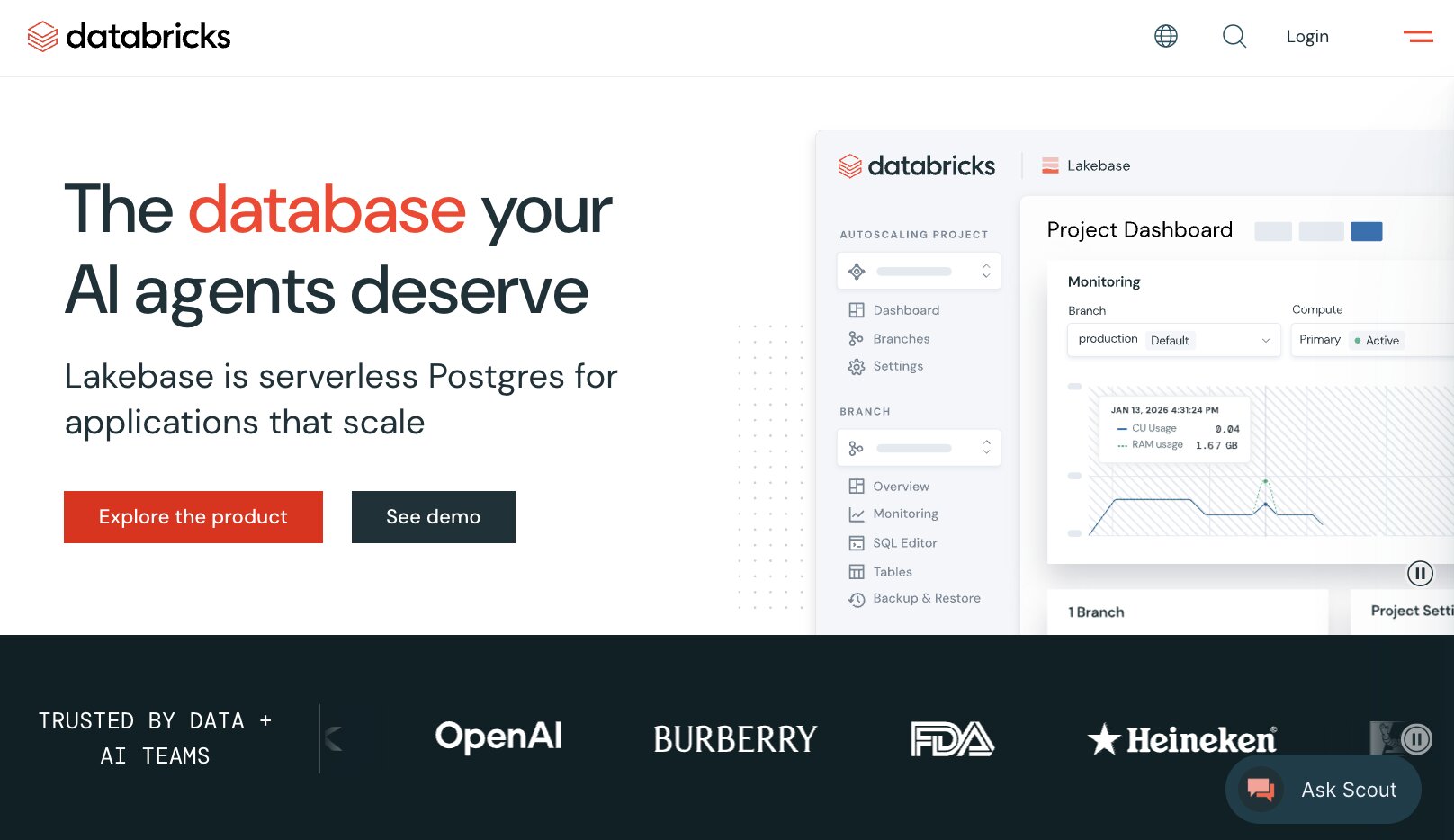
Databricks is an enterprise AI analytics platform designed for building, deploying, and sharing data, analytics, and AI workflows at scale. It is built on lakehouse architecture and combines BI, data engineering, and ML (machine learning) with the new world of generative AI and agents.
The result is a centralized AI platform for data teams to ground every AI application in trusted, governed enterprise data.
It works by integrating with your existing cloud storage account (AWS, GCP, or Azure). From there it unifies BI, ML, and data engineering. And then, you can use AI features in Databricks, like Genie, to query against your data.
You also get hosted access to frontier AI models, as well as any custom models you may have.
Here are some things I like about Databricks:
- Helps reduce tool sprawl by giving you one centralized platform for data engineering, BI, ML, and generative AI tools
- Full AI governance features that give you control and visibility over LLM models, data, and AI usage
- Open and flexible platform that can integrate with multiple model providers and open source frameworks
- Genie, the built-in AI assistant, can help query your data and answer business questions in plain English without writing SQL
Here are some things that can improve:
- It's a very complex platform that requires a lot of initial setup with a highly technical team
- Pricing can feel a little complex as there are multiple rates for a wide range of use cases
Overall, Databricks is a solid platform for data teams looking to consolidate all their data tools into one centralized AI layer. It's no wonder big enterprises like OpenAI, Heineken, Mercedes-Benz, and Shell use them.
Databricks pricing
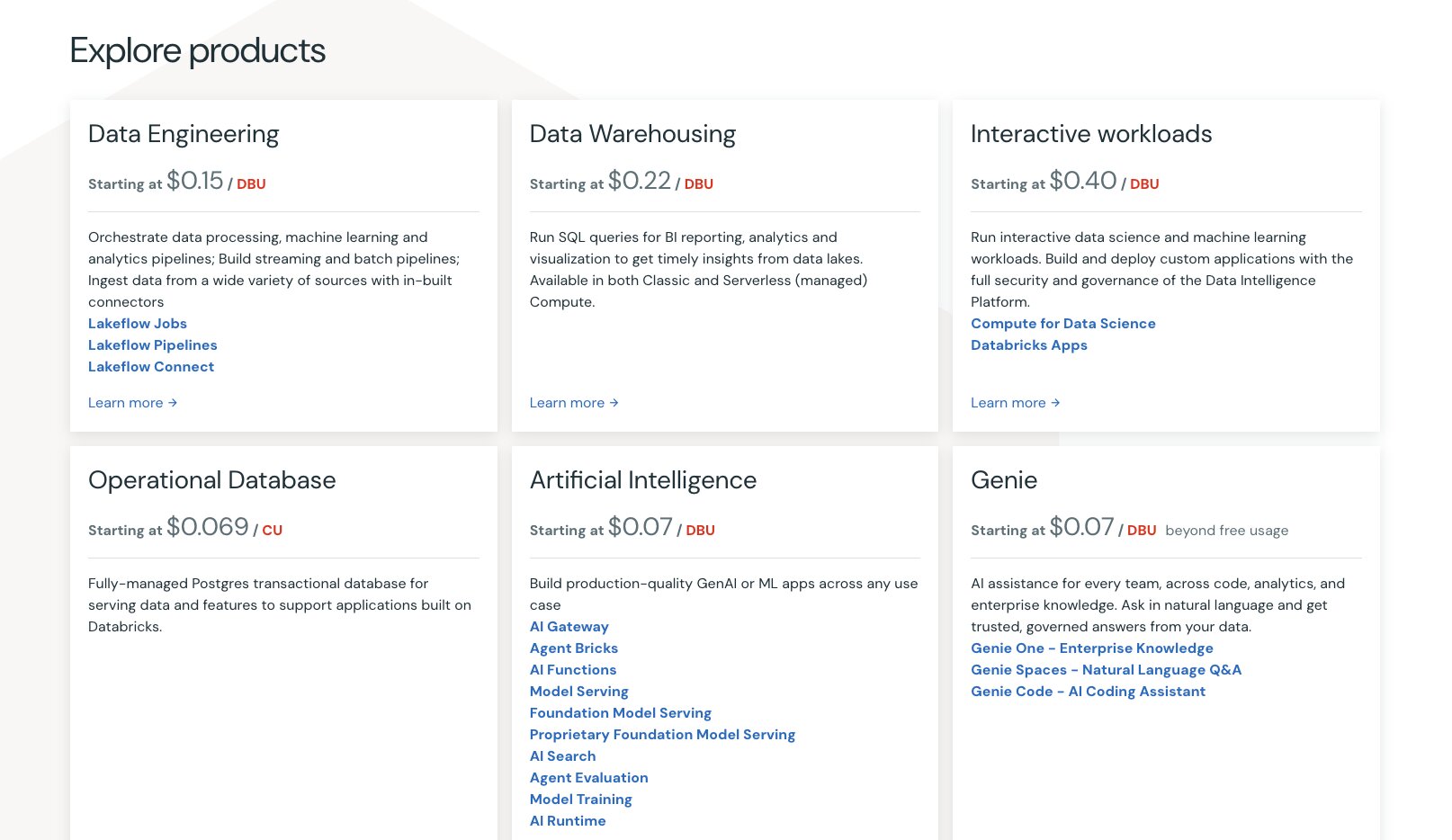
Here is how Databricks' pricing works. There are no seat-based plans, you pay for the products you use down to the second.
- Pay as you go with no up-front costs, priced in DBUs that vary by product and by which cloud you run on
- Committed use contracts give you discounts when you commit to a certain level of usage, and larger commitments unlock bigger discounts
- Azure Databricks pricing is set by Microsoft, so it is listed separately on Azure
- There is a free trial and a free edition if you want to test the platform first
You can see the full breakdown on their pricing page.
Databricks reviews
Here's what customers of Databricks rate the platform on third-party review sites:
- G2: 4.6/5 star rating (from +1,357 user reviews)
- Capterra: 4.5/5 star rating (from +23 user reviews)
10. Sierra

- Best for: Enterprise support teams that want AI agents resolving tickets end to end
- Pricing: Outcome-based, so you only pay when an agent resolves the conversation
- How I use it: Not in my stack, but it is the platform I'd point to for high-volume customer support operations
Sierra AI is a verticalized enterprise AI tool focused on helping you build customer support agents. It is used by companies like Uber, SoftBank, Vanguard, Wayfair, and more.
At its core, Sierra is a conversational AI platform that lets you build AI support agents. These agents can resolve tickets, process transactions, and also complete multi-step workflows across your CS tech stack.
What makes Sierra different from a standard support chatbot is that it's an agent that can take actions for you. So it can process refunds, cancellations, or order changes without human intervention.
This makes it great for large enterprise companies in the ecommerce, travel, telecom, fintech, and insurance space. Basically companies that are very customer facing and get a lot of inbound support tickets from their customer base.
Here's what I like about Sierra AI:
- It gives you an Agent Studio for creating custom AI agents that can integrate with existing CRM, order management tools, data warehouses, and more
- Gives you full agent deployment across chat, SMS, email, WhatsApp, and voice
- Has AI governance features that let you set guardrails, controls, audit logs, and safety features
- Full customizability of your agent's voice, tone, and persona when interacting with customers
Here are some things that can improve:
- It's not an easy platform to set up and will require process design, thoughtful integration setup, and careful rollout until the agents are optimized to run without human oversight
- It's focused purely on CX use cases, so if you need an enterprise agent builder that can serve other use cases, you might want to look for an alternative
Overall, Sierra AI is great if you need an enterprise-grade AI platform for managing your customer service operations. If you want to get the full benefit of AI on your support team you should check it out.
Sierra pricing
Here is how Sierra's pricing works. There are no seats and no published rates, everything is outcome-based and agreed on with their team upfront.
- You pay when an agent completes a defined outcome, like a resolved support conversation, a saved cancellation, or an upsell
- Unresolved conversations and escalations are not charged in most cases
- The criteria for what counts as an outcome are set with you before you go live, and pricing varies depending on how complex the resolution is
- Some interactions, like routing or greeter-style conversations, can be moved to consumption-based pricing in a blended model
You can read more about their approach on their pricing page.
Sierra reviews
Here's what customers of Sierra rate the platform on third-party review sites:
- G2: 4.4/5 star rating (from +51 user reviews)
- Capterra: 4.8/5 star rating (from +5 user reviews)
What is the best AI for enterprises?
The best AI for enterprises depends on what you are trying to run. If you want one platform to build and govern agents across your whole company, Gumloop is where I would start.
If your team already uses Google Workspace, Google Gemini Enterprise is the easier first step. And if your engineers are the ones asking for AI, Greptile and Fireworks AI are the two I would recommend.
Most companies end up with two or three of these, not one. A support agent, an agent builder, and something watching the data underneath it all.
Going back to what I said at the top, we used to buy software for people to click through. Now we are buying software for agents to operate. So pick the tools that give your agents room to work and give your IT team a way to watch them do it.
Happy (responsible) automating!

Read related articles
Check out more articles on the Gumloop blog.