8 best no code automation tools I'm using in 2026

The year's 2019. I'm sitting in a conference room with my coworkers at Webflow and we're planning how to make the no-code movement big.
We decided to launch No Code Conf, a place to bring all the rising no-code tools together and build a category in the market.
Fast forward many years later, and we have everything from no-code automation tools to full-blown AI agents. The no-code movement has evolved from "build a website without code" into something much bigger.
It's now the foundation for how non-technical people interact with AI, automate their work, and build tools that used to require an engineering team.
I've been testing and using no-code automation tools for years now, both for my own marketing work and for building AI-powered workflows at my agency. And in this article, I'm going to walk you through the eight tools I keep coming back to. I'll cover what each one does, who it's best for, where it falls short, and how much it costs.
The best no-code automation tools in 2026 are Gumloop, Zapier, Make, n8n, Relay.app, Apify, Clay, and Google AI Studio.
But before we get into the details of each, let's quickly cover what these tools actually are and what to look for when choosing one.
What is a no-code automation tool?
A no-code automation tool is a platform that lets you connect apps and APIs together without having to write any code. It takes two things that traditionally required an engineer, building automations and coding them, and abstracts both into a visual interface. So anyone non-technical can build automations, and the platform handles the code itself.
These tools work by connecting different APIs together. Depending on the platform you choose, you either get prebuilt integrations with existing tools, or through MCP servers you can connect pretty much any app you want.
A simple example of what this looks like in practice. Say you're a salesperson and you have a meeting recorder running during your calls. A no-code automation tool can automatically send you a Slack notification with a recap of everything from that call, including action items. On the more advanced end, you can take it a step further and have an AI agent actually go run those action items for you once you approve them.
Can I automate without coding?
Yes. Every tool on this list lets you build automations without writing a single line of code. The platforms range from fully no-code tools like Zapier and Relay.app, where everything is drag-and-drop, to low-code tools like n8n and Apify, where you can optionally add custom scripts if you want more control. And then there are AI-native platforms like Gumloop and Google AI Studio, where the LLM itself handles most of the logic and decision-making inside your workflows.
The short answer is that you don't need to know how to code to automate your work. But the more you understand about your own workflows and what you're trying to accomplish, the better your automations will be. I always tell people that you can only automate what you can articulate.
What to look for in a no-code automation tool
I can just tell you what my favorite no-code automation tools are. And to be honest, the ones I keep going back to are Gumloop, Zapier, and n8n.
But that's just me giving you general advice, which can be risky given that I don't know the specifics of your business or your workflows. So before you pick a platform, here are some things worth evaluating for yourself.
- Built-in AI capabilities: Some tools have AI baked into the core product, where LLMs can actually reason through steps in your workflow. Others just give you an HTTP module and tell you to connect your own API key. If AI-powered automation matters to you, there's a big difference between those two experiences.
- Integrations with your existing tools: No one wants to rip out their tech stack to adopt a new automation platform. Check that it connects to the apps your team already runs on, whether through prebuilt integrations or MCP servers.
- AI assistant for building and debugging: Some platforms have a copilot that can help you create workflows just by describing what you want. If you're not technical, this can be the difference between getting stuck for an hour and having something working in five minutes.
- Who else is using it: If reputable companies are already running the tool in production, that tells you something about the platform's security, reliability, and scalability.
- How pricing scales: Some tools are cheap at low volume but get expensive fast. Look at task limits, credit-based models, and what happens when you exceed your plan.
Those are the main things I'd look at. Now let's get into the tools.
8 best no-code automation tools I'm using in 2026
Here are the top no-code automation tools:
Alright, let's go over each one.
1. Gumloop
- Best for: Solo operators to enterprise teams across marketing, sales, customer service, HR, and operations
- Pricing: Free plan available, then starts at $37/month
- What I like: AI is baked into the core product, Gummie builds agents for you in plain English, and you get premium LLM models without needing your own API keys
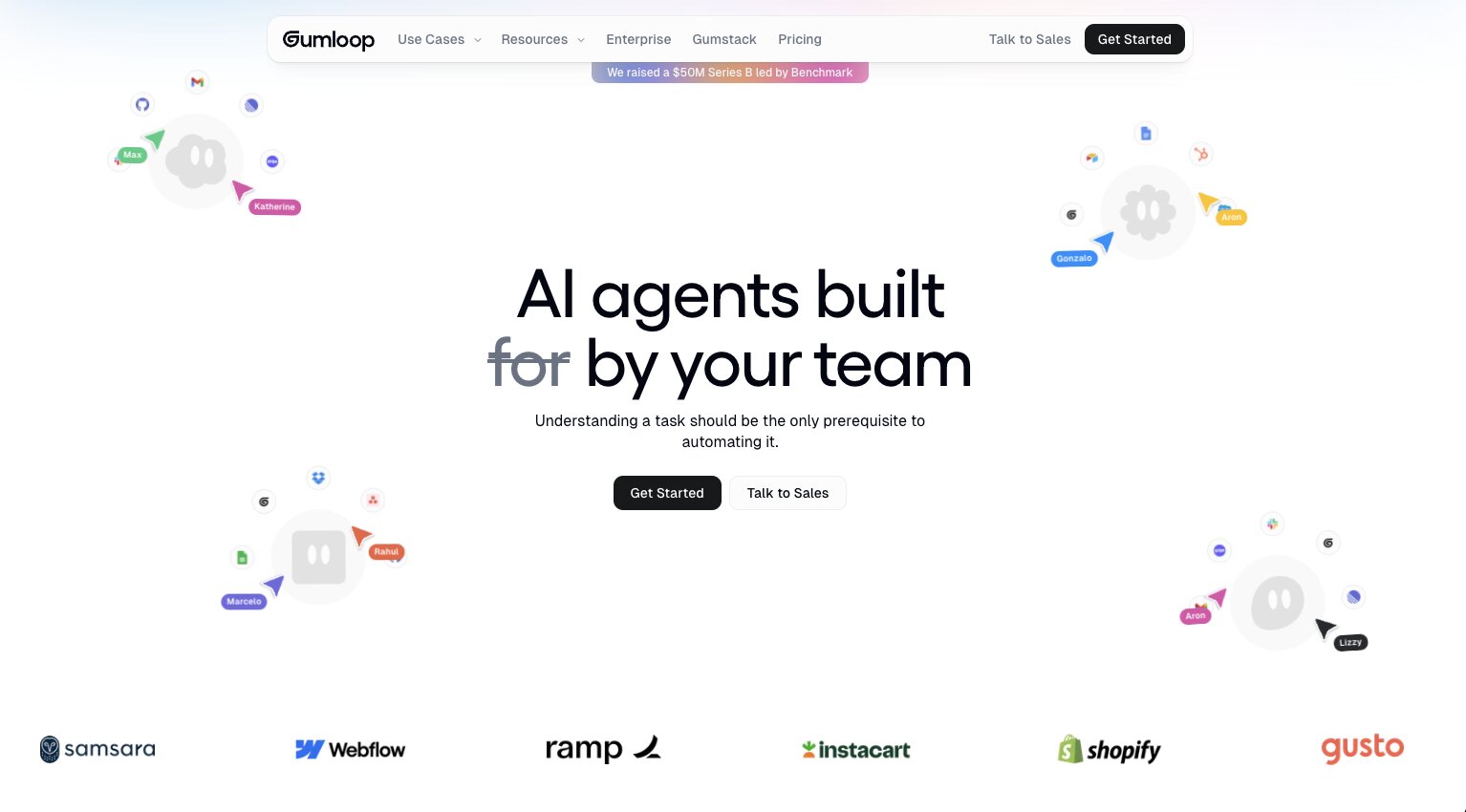
Gumloop is an AI-native automation platform that works for everyone from solo operators to large enterprise teams. Companies like Shopify, Instacart, and Webflow use it across marketing, sales, customer support, HR, and operations.
What makes Gumloop different from other no-code automation tools is that it follows an AI-native approach to automation. So instead of just connecting two apps with a trigger and an action, you can have LLMs like Claude or ChatGPT actually reason through steps in your workflow.
There's also an AI assistant that can create automated workflows for you based on whatever you ask in plain English. That's something I don't see other tools doing in this space.
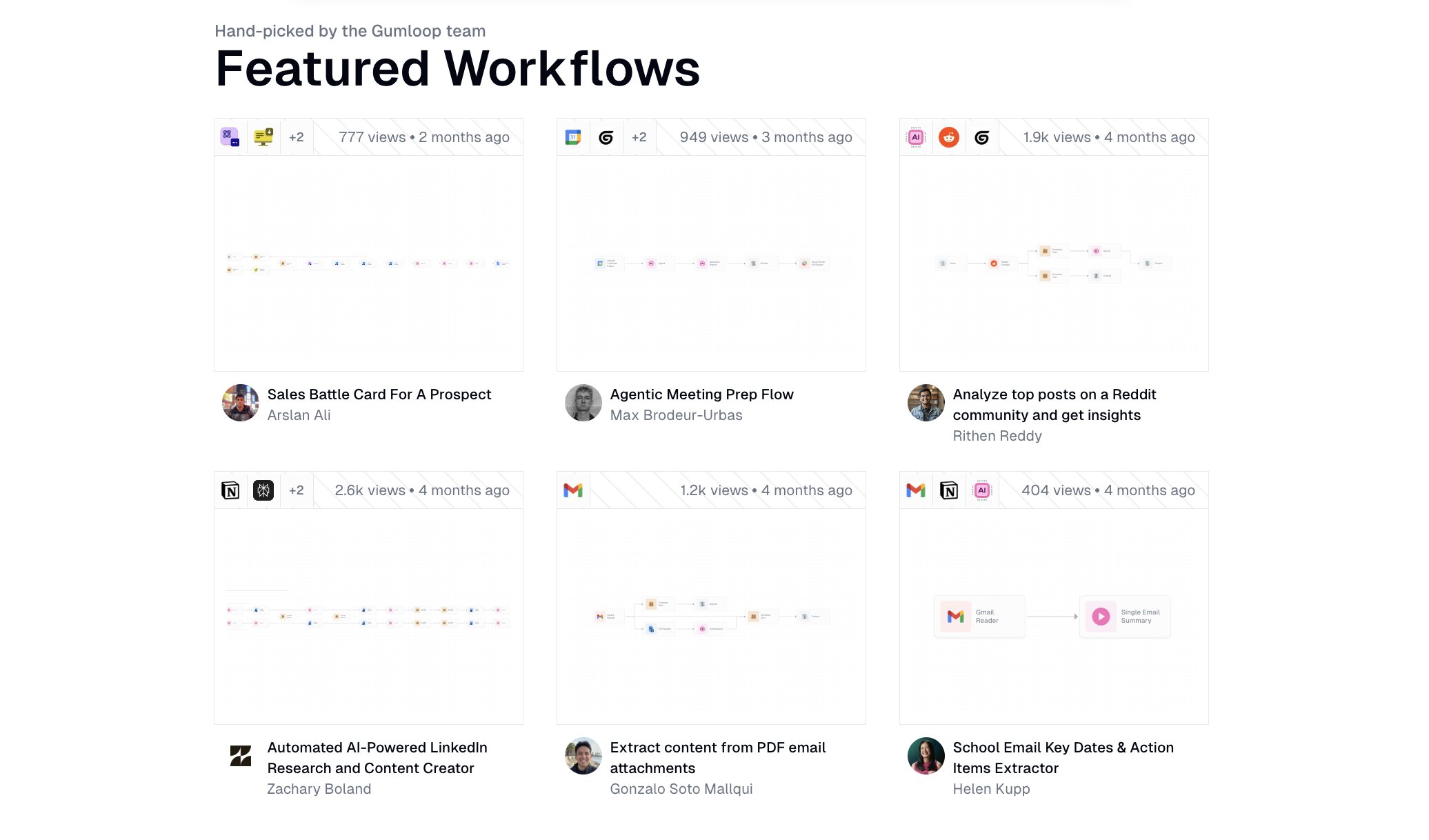
For me personally, I use Gumloop mainly to build AI-powered SEO agents. Things like automating content briefs, pulling in search data, running competitor analysis, and generating draft content I can clean up myself. But one workflow I use constantly is a speech-to-text proofreading agent.
Here are some things I like about Gumloop:
- Gummie can help you build any workflow or agent simply by describing what you need in natural language, which makes it feel less like programming and more like delegating to a teammate.
- The platform includes premium LLM models built right in, so you don't need to go set up separate API keys or pay for access to Claude, GPT, or other models on top of your subscription.
- It has a growing library of integrations, and with guMCP you can connect it to any tool that has an MCP server, which means the number of things you can automate keeps expanding.
- It's free to start using and the paid plans are quite affordable compared to others on this list.
Here are some things that can improve with Gumloop:
- The team ships new features constantly, so things in the UI can shift around between sessions. It's a sign of progress, but it can catch you off guard.
- Because the platform is still growing, the community ecosystem isn't as large as what you'd find with Zapier or n8n yet. If you're an automation consultant or creator, though, that's actually an opportunity.
Overall, Gumloop is my go-to no-code automation tool and I use it almost every day. And just to be clear, I am not an employee at Gumloop. I'm a long-time customer and I write about the platform because I genuinely use it in my work. But I'm trying to be as unbiased as possible, so I do have some other tools on this list that I would recommend depending on your use case, so keep reading.
Gumloop pricing
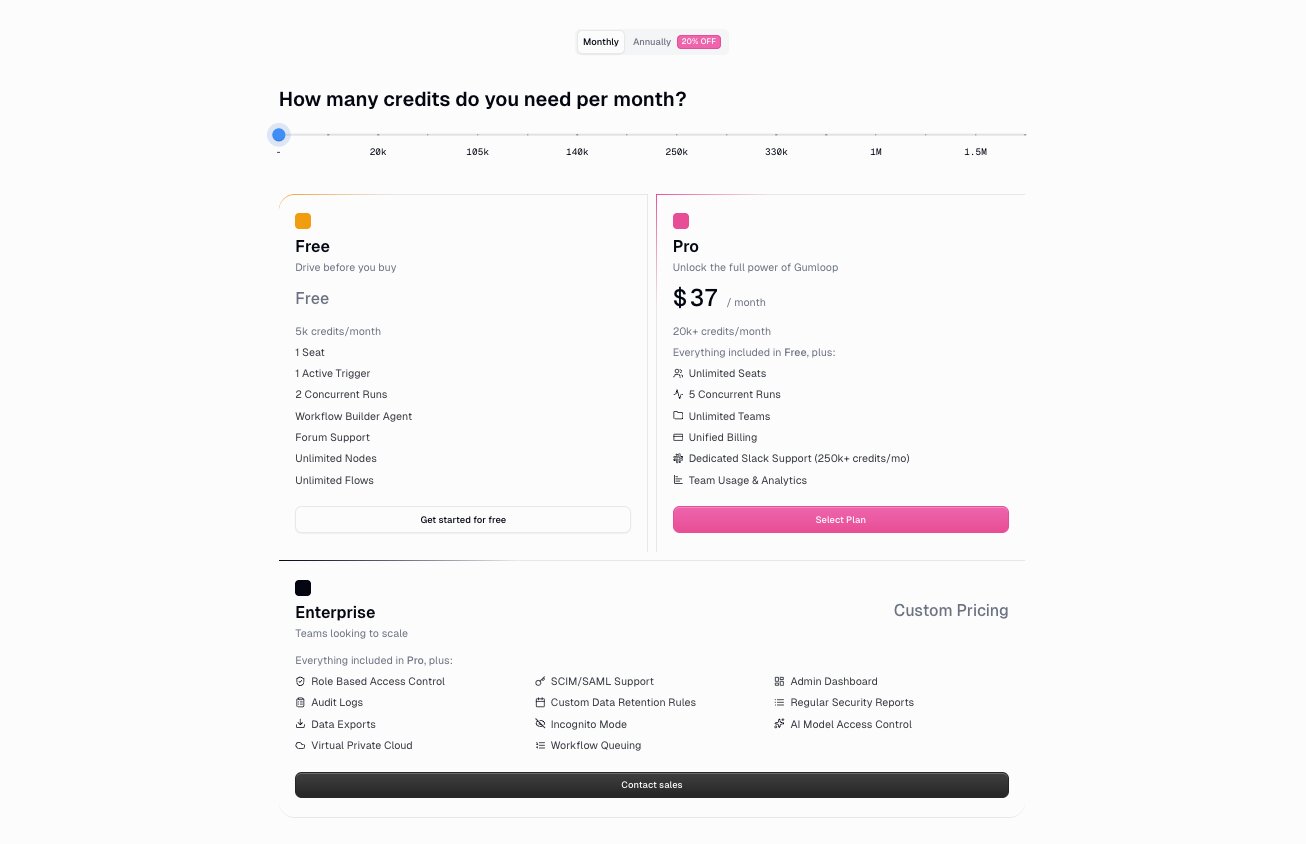
Gumloop has three pricing tiers:
- Free: $0 with 5k credits per month, 1 seat, 1 active trigger, 2 concurrent runs, 5 concurrent agent interactions, unlimited agents, unlimited flows, and forum support
- Pro: $37/month with 20k+ credits per month, everything in Free, plus unlimited seats, 5 concurrent runs, 25 concurrent agent interactions, unlimited teams, unified billing, team usage and analytics, and bring your own API key
- Enterprise: Custom pricing with everything in Pro, plus role-based access control, SCIM/SAML support, admin dashboard, audit logs, custom data retention rules, regular security reports, data exports, incognito mode, AI model access control, virtual private cloud, and workflow queuing
You can view more about the pricing options here.
Gumloop reviews
Here are what real customers of Gumloop say about it:
"Gumloop has been critical in helping all teams at Instacart adopt AI and automate their workflows, which has greatly improved our operational efficiency." — Fidji Simo, CEO @ Instacart
"With Gumloop, any team member can now identify a manual process and turn it into an automated workflow without writing a single line of code." — David Phelps, VP, Academics @ Albert
You can also check out what others say on Gumloop's wall of love.
2. Zapier
- Best for: Simple app-to-app automations with a massive integration library
- Pricing: Free plan available, then starts at $29.99/month
- What I like: Thousands of built-in integrations, reliable for straightforward workflows, and one of the easiest tools to get started with
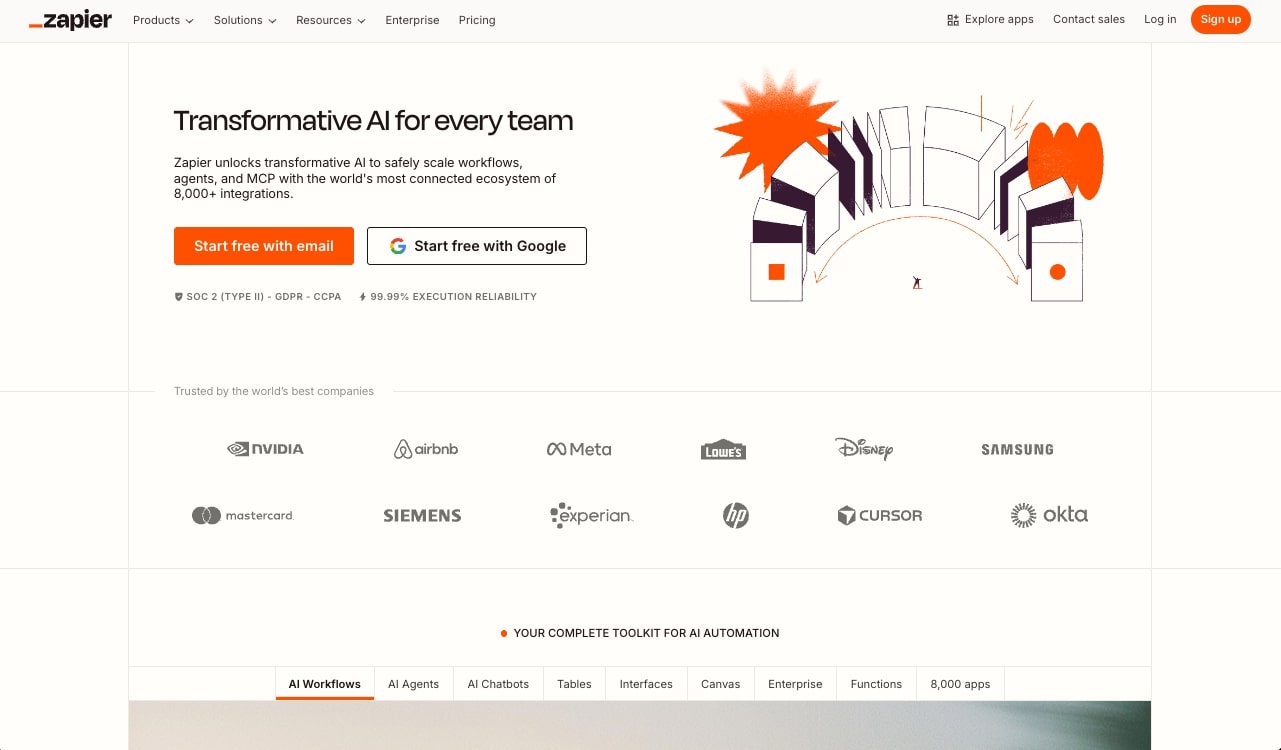
Zapier is a no-code automation platform that connects your apps together using a simple trigger-and-action model. You set up a "Zap" where something happens in one app (like a form submission), and it automatically triggers an action in another app (like adding a row to a Google Sheet or sending a Slack message). It's designed for anyone from solo founders to operations teams who need to move data between tools without writing code.
Where Zapier shines is the insane number of integrations. With over 7,000 apps built in, there's a good chance whatever you're trying to connect is already there and easy to set up. Some of the other tools on this list handle common integrations fine, but when you get into more niche or custom stuff, you often have to set up an MCP server, which can be a bit too technical for some folks. Zapier's benefit is that it can make integrations feel easier.
I've used the platform for years on my personal blog and website for things like curating content, sending out my newsletter, and connecting content to my CMS on Webflow. Most of that I've since replaced with Gumloop (for the additional AI agent support), but Zapier still holds up really well if your main need is straightforward app-to-app automation.
Here are some things I like about Zapier:
- The integration library is massive. With over 7,000 apps, it's rare to run into a tool that Zapier doesn't already connect to out of the box.
- There are tons of step-by-step templates and community tutorials, so if you get stuck on something, someone has probably already solved it.
- The platform is battle-tested and reliable. It's been around long enough that you can trust it with mission-critical workflows without worrying about random downtime.
Here are some things that can improve with the platform:
- Pricing can get expensive fast if you're running multiple Zaps with high task volume. The free tier is limited and costs scale quickly as you add more workflows.
- AI isn't a core part of the platform the way it is with tools like Gumloop. Zapier has started adding AI features, but it still feels more like traditional automation with AI layered on top rather than built in.
- The UI feels a bit dated compared to newer tools on this list. It works fine, but it's not the most modern experience.
Overall, Zapier is a solid pick if your main goal is connecting apps together without any technical setup. It's the tool I'd recommend to someone who has never automated anything before and just wants to get something working quickly. But if you need AI doing the actual thinking inside your workflows, you'll probably outgrow it.
Zapier pricing
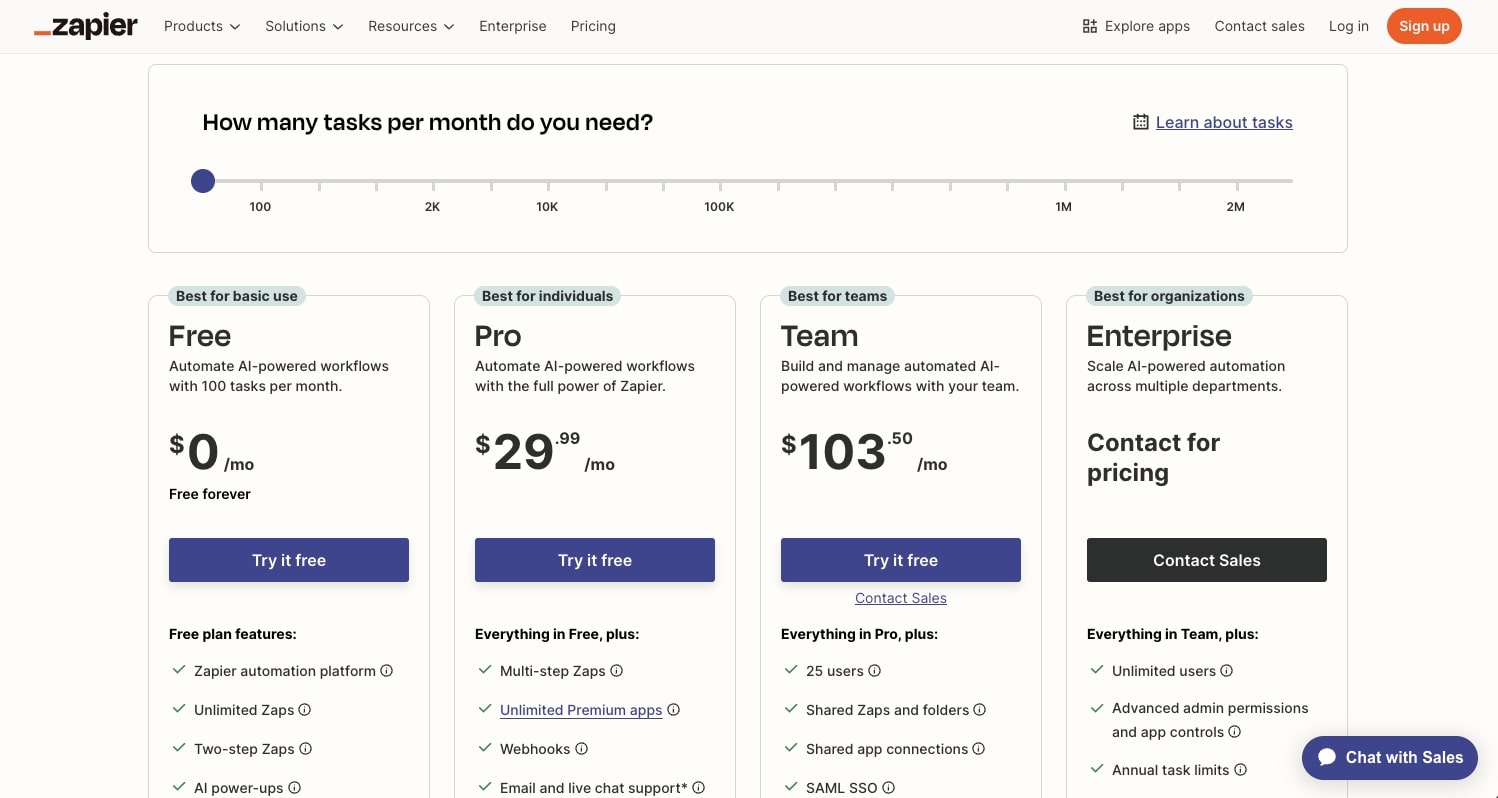
Zapier has several pricing tiers:
- Free: $0/month with 100 tasks per month, single-step Zaps, and access to the visual editor
- Professional: $29.99/month with 750 tasks per month, multi-step Zaps, filters, formatters, and webhooks
- Team: $103.50/month with 2,000 tasks per month, unlimited users, shared workspaces, shared app connections, and premier support
- Enterprise: Custom pricing with advanced admin, custom data retention, SAML SSO, and dedicated account management
You can view more about the pricing options here.
Zapier reviews
Here's what customers rate Zapier on third-party review sites:
- G2: 4.5/5 star rating (from +1,881 reviews)
- Capterra: 4.7/5 star rating (from +3,043 reviews)
3. Make
- Best for: Freelancers and small businesses who need affordable, high-volume automations
- Pricing: Free plan available, then starts at $10.59/month
- What I like: Budget-friendly pricing, strong visual workflow builder, and a wide range of niche connectors that are hard to find elsewhere
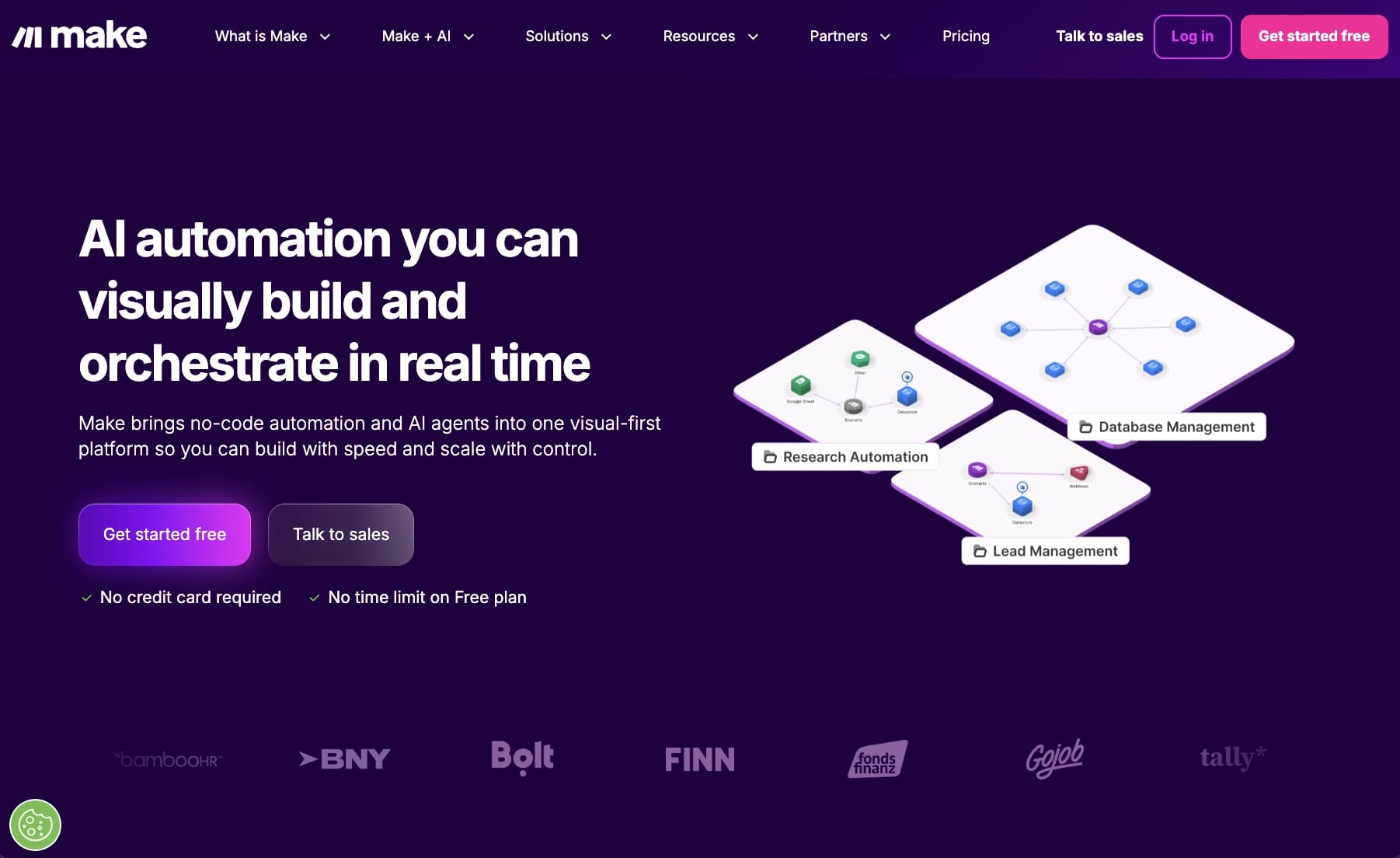
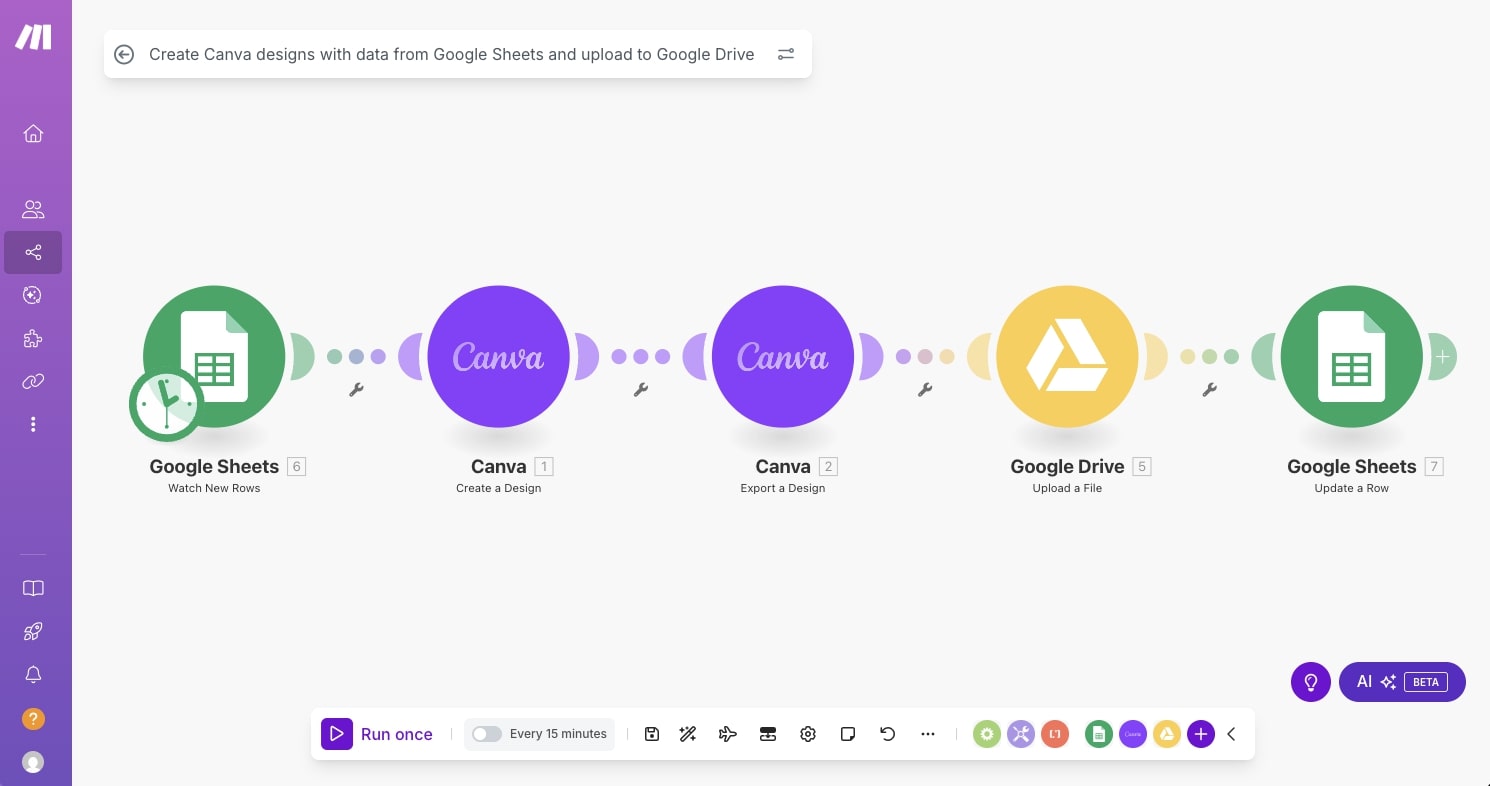
Make (formerly Integromat) is a no-code automation platform built around a visual workflow builder. You create "scenarios" by connecting modules on a left-to-right canvas, where each module represents an app or action and the whole thing is laid out like a flowchart. It gives you strong visibility into how your automation is structured, which a lot of people appreciate when debugging or building more complex flows.
Compared to Gumloop, Make is a simpler tool focused on traditional if-this-then-that automations rather than anything AI-native. There's no LLM reasoning through steps or AI copilot building flows for you. It's designed for rules-based logic like "when this happens, do that."
Make's strong point in similar to Zapier's, a wide range of integrations and reliability. But the benefit is that its more affordable than any option out there. It has a wide range of niche connectors that are hard to find elsewhere, and the free plan is generous enough to actually get work done on.
I'd recommend Make to freelancers and small businesses who need a classic SaaS integration hub with predictable logic and don't need any intelligent behavior from AI at the core of their workflows. If that's you, it's a solid and affordable pick.
Here are some things I like about Make:
- The pricing is very budget-friendly compared to other tools on this list. The free plan includes 1,000 credits per month and the first paid tier starts at $10.59/month, which makes it accessible for solo operators and small teams.
- The visual scenario builder makes it easy to see exactly how your automation is structured, which helps when you're troubleshooting or explaining a workflow to someone else.
- It has a wide library of connectors, including a lot of niche ones that platforms like Zapier or Gumloop might not have built in yet.
Here are some things that can improve with the platform:
- The UI can feel a bit outdated and clunky compared to more modern tools on this list. It works, but the experience isn't as clean as what you'd get with Gumloop or Relay.app.
- AI is not a core part of the platform. If you need LLMs reasoning through steps in your workflow, Make isn't built for that.
- The per-operation pricing model can get surprisingly expensive once you're running lots of steps or checking triggers frequently. At lower tiers especially, costs can creep up fast relative to what you're actually getting feature-wise.
Overall, Make is a great option if you need affordable, reliable automations and you don't need AI doing the heavy lifting. But if you're looking for something more modern with AI built into the foundation, you'll want to look at other tools on this list.
Make pricing
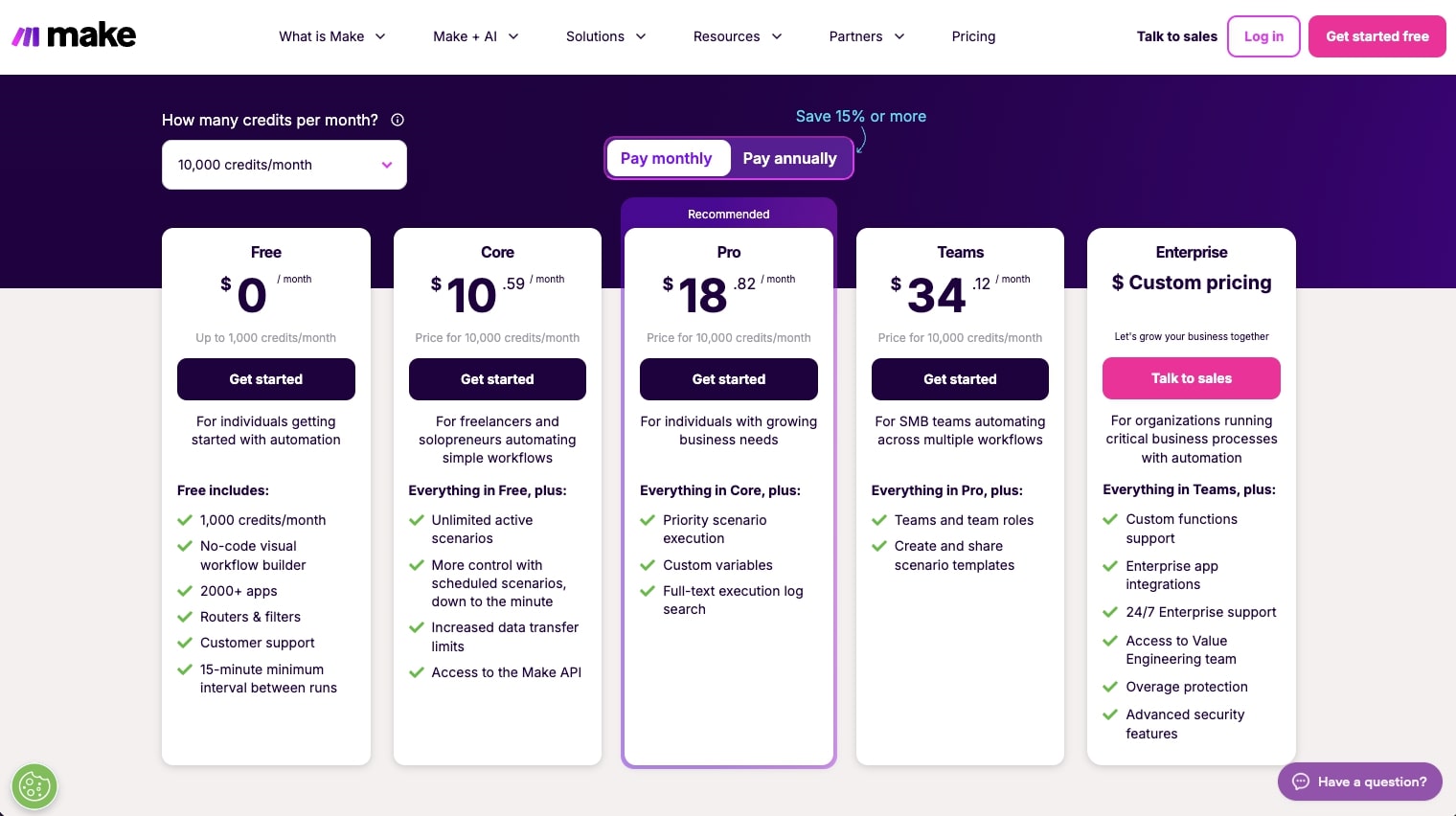
Make uses a credit-based pricing model with several tiers:
- Free: $0/month with 1,000 credits per month, no-code visual workflow builder, 3,000+ apps, routers and filters, and a 15-minute minimum interval between runs
- Core: $10.59/month for 10k credits per month, everything in Free, plus unlimited active scenarios, scheduling down to the minute, increased data transfer limits, and access to the Make API
- Pro: $18.82/month for 10k credits per month, everything in Core, plus priority scenario execution, custom variables, and full-text execution log search
- Teams: $34.12/month for 10k credits per month, everything in Pro, plus team roles and the ability to create and share scenario templates
- Enterprise: Custom pricing with everything in Teams, plus custom functions support, enterprise app integrations, 24/7 support, and advanced security features
You can view more about the pricing options here.
Make reviews
Here's what customers rate Make on third-party review sites:
- G2: 4.6/5 star rating (from +274 reviews)
- Capterra: 4.8/5 star rating (from +406 reviews)
4. n8n
- Best for: Technical and semi-technical users who want flexibility, community resources, and a self-hosting option
- Pricing: Starts at $24/month (no free plan)
- What I like: Huge community with tons of YouTube tutorials and templates, flexible enough to build almost anything, and has an open-source self-hosting option
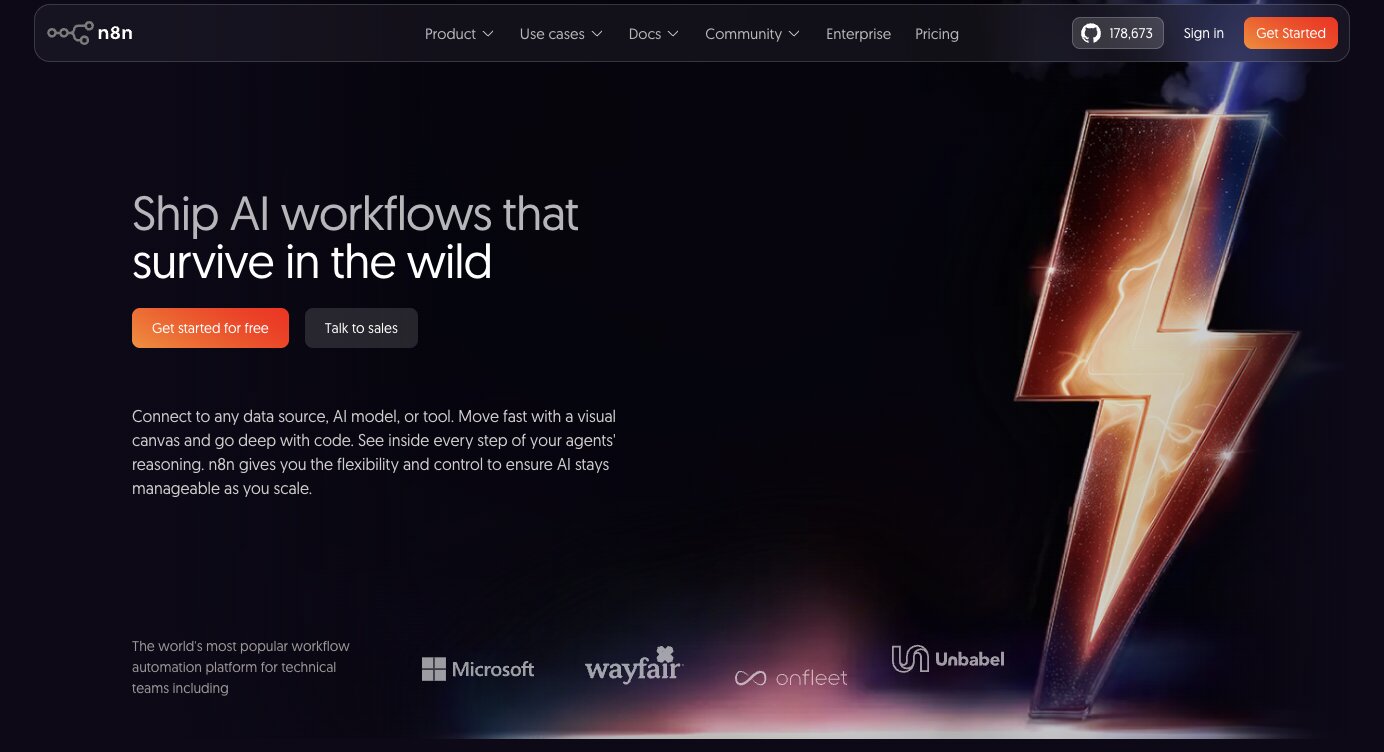
n8n is a low-code workflow automation platform with a visual builder that lets you create automations and AI agents by connecting nodes on a canvas. It's designed for technical and semi-technical users who want more control over their workflows than what Zapier offers, but don't necessarily want to write everything from scratch.
It's become one of the most talked-about tools in the automation space right now, kind of like how big Zapier was five to ten years ago, except n8n is the one everyone on YouTube is covering and building communities around.
n8n sits somewhere between Gumloop and Zapier in terms of who it's for. It's as flexible and capable as Gumloop, but it keeps that no-code/low-code automation approach that Zapier is known for. It also has an open-source self-hosting option, which is a big plus for people who care about running their own servers or being part of the open-source community. Most people I've seen use the cloud-based version though, which is what I was on.

I actually used n8n to build my first AI agent, so it holds a special place on this list for me. That said, there was a learning curve. The part that tripped me up was figuring out the order of how to create the logic and understanding best practices for connecting apps together. As a non-technical person, it's a bit difficult to just jump in and figure it out on your own. You'll save yourself a lot of time by starting with a template or following a YouTube tutorial rather than winging it.
Here are some things I like about n8n:
- The community around n8n is massive. There are tons of YouTube tutorials, a large template library, and an active forum, so you'll rarely run into a problem that someone hasn't already solved.
- It's flexible enough to build almost any automation or agent you can think of, especially if you're comfortable getting a little technical with it.
- The self-hosting option gives you full control over your data and infrastructure, which matters if you're in a regulated industry or just prefer to own your stack.
- Pricing is fair at $24/month for the starter tier, which makes it one of the more affordable options for what you get.
Here are some things that can improve with the platform:
- There's no free plan, so you have to commit to at least $24/month before you can start building. Other tools on this list let you get started for free.
- The user interface can feel a bit clunky and less inviting compared to more modern tools like Gumloop or Relay.app. It works, but the onboarding experience isn't the smoothest for beginners.
- You need to bring your own API keys for AI models, which adds an extra setup step and cost that platforms like Gumloop handle for you out of the box.
Overall, n8n is a strong pick if you want flexibility, a large community to lean on, and don't mind a bit of a learning curve. Honestly, if I were choosing an automation platform for the first time the way I once chose Zapier, I'd probably pick n8n today. But if you want something with AI built into the core and a smoother onboarding experience, you should look into an alternative like Gumloop.
n8n pricing

n8n has several pricing tiers:
- Starter: $24/month with 2,500 workflow executions (unlimited steps), 1 shared project, 5 concurrent executions, unlimited users, 50 AI Workflow Builder credits, and forum support. Hosted by n8n.
- Pro: $60/month with a custom number of workflow executions (unlimited steps), 3 shared projects, 20 concurrent executions, 7 days of insights, 150 AI Workflow Builder credits, admin roles, global variables, workflow history, and execution search. Hosted by n8n.
- Business: $960/month with 40,000 workflow executions (unlimited steps), 6 shared projects, SSO/SAML/LDAP, 30 days of insights, different environments, scaling options, version control using Git, and forum support. Self-hosted.
- Enterprise: Custom pricing with everything in Business, plus unlimited shared projects, 200+ concurrent executions, 365 days of insights, 1,000 AI Workflow Builder credits, external secret store integration, log streaming, extended data retention, dedicated support with SLA, and invoice billing. Hosted by n8n or self-hosted.
You can view more about the pricing options here.
n8n reviews
Here's what customers rate n8n on third-party review sites:
- G2: 4.8/5 star rating (from +236 reviews)
- Capterra: 4.6/5 star rating (from +41 reviews)
5. Relay.app
- Best for: Beginners who want simple AI-powered automations, especially around Google Workspace
- Pricing: Free plan available, then starts at $38/month
- What I like: Clean and simple UI, includes AI credits for GPT/Claude/Gemini on every plan, and great for Google Workspace workflows
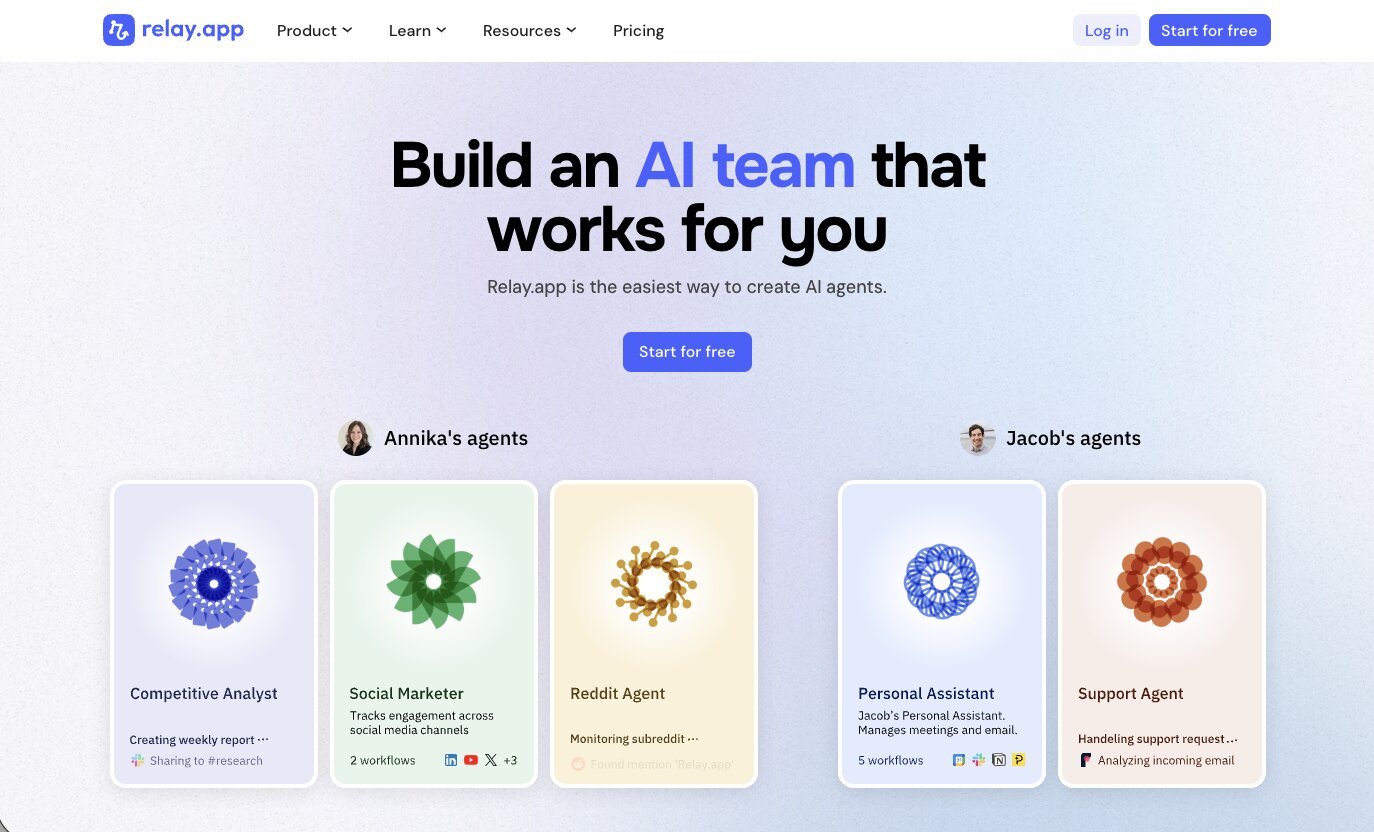
Relay.app is a no-code automation platform that lets you build AI-powered workflows using a simple drag-and-drop interface. It has the simplicity of Zapier's UI but with built-in AI capabilities that you'd normally find in something more advanced like Gumloop. Every plan includes AI credits that work with GPT, Claude, and Gemini, so you can start using AI in your workflows without setting up any API keys.
The platform integrates with a solid range of apps, but where most people get the most value is around the Google Workspace ecosystem. Gmail, Sheets, Forms, Calendar, Tasks. A great first automation to try is triggering a personalized Gmail follow-up and a calendar event whenever a new row is added to a Google Sheet. It's simple, immediately useful, and gives you a real feel for how the platform works.
Relay.app also supports human-in-the-loop steps, which means you can build workflows where AI handles most of the work but pauses for your approval before taking certain actions. If you're not fully comfortable letting AI run things end-to-end, that's a nice safety net to have.
Here are some things I like about Relay.app:
- The UI is clean and beginner-friendly. If you've never built an automation before, this is one of the easiest platforms to start with.
- Every plan includes AI credits for GPT, Claude, and Gemini, so you get access to multiple LLMs without any additional setup or cost.
- The human-in-the-loop feature lets you mix automated steps with manual approvals, which is useful when you want oversight on certain actions.
Here are some things that can improve with the platform:
- It doesn't have the depth for complex workflow logic at scale. If you need serious AI processing power or multi-step reasoning built into your automations, Gumloop is the better pick.
- AI credits are metered in a way that can feel limiting once you start pushing the platform harder, especially on the lower tiers.
- The integration library is smaller than what you'd find with Zapier or Make, so if you need a lot of niche connectors, you may run into gaps.
Overall, Relay.app is a great starting point if you're new to automation and want something that's easy to use with AI built in from the start. On pricing, it sits close to both Zapier and Gumloop, but it's a better deal than Zapier if you care more about AI features and human-in-the-loop workflows than having the largest integration library possible.
Relay.app pricing
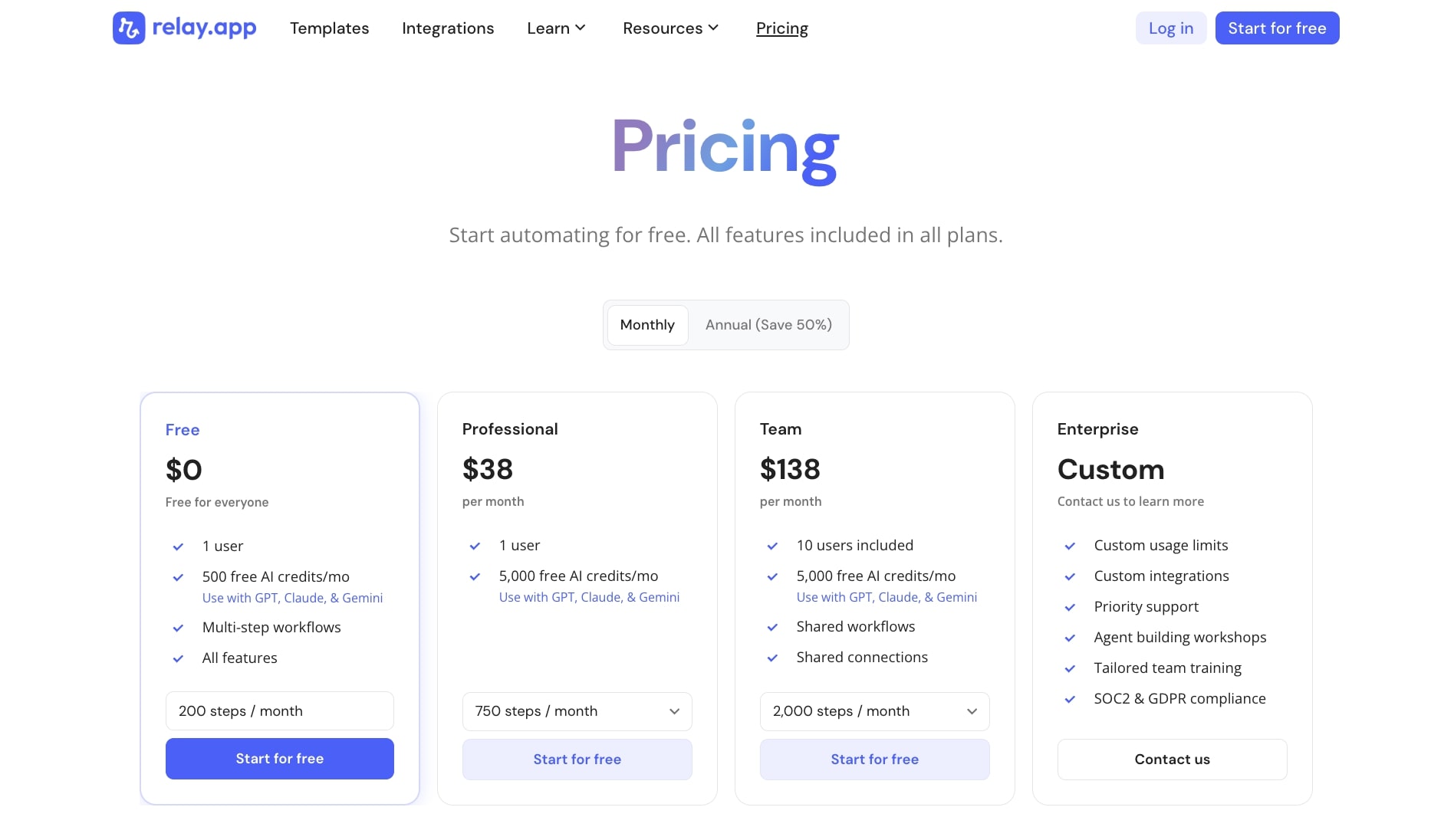
Relay.app has several pricing tiers:
- Free: $0 with 1 user, 500 free AI credits per month (works with GPT, Claude, and Gemini), multi-step workflows, and all features
- Professional: $38/month with 1 user, 2,000 free AI credits per month, and 750 steps per month
- Team: $138/month with 10 users included, 2,000 free AI credits per month, shared workflows, shared connections, and 2,000 steps per month
- Enterprise: Custom pricing with custom usage limits, custom integrations, priority support, agent building workshops, tailored team training, and SOC2 and GDPR compliance
You can view more about the pricing options here.
Relay.app reviews
Here's what customers rate Relay.app on third-party review sites:
- G2: 4.9/5 star rating (from +82 reviews)
- Product Hunt: 5/5 star rating (from +43 reviews)
6. Apify
- Best for: Web scraping and data extraction workflows at moderate volumes
- Pricing: Free plan available, then starts at $29/month (plus pay-as-you-go compute costs)
- What I like: Massive library of prebuilt scrapers (called Actors), no custom scraping code required for most use cases, and integrates with tools like Zapier and Make
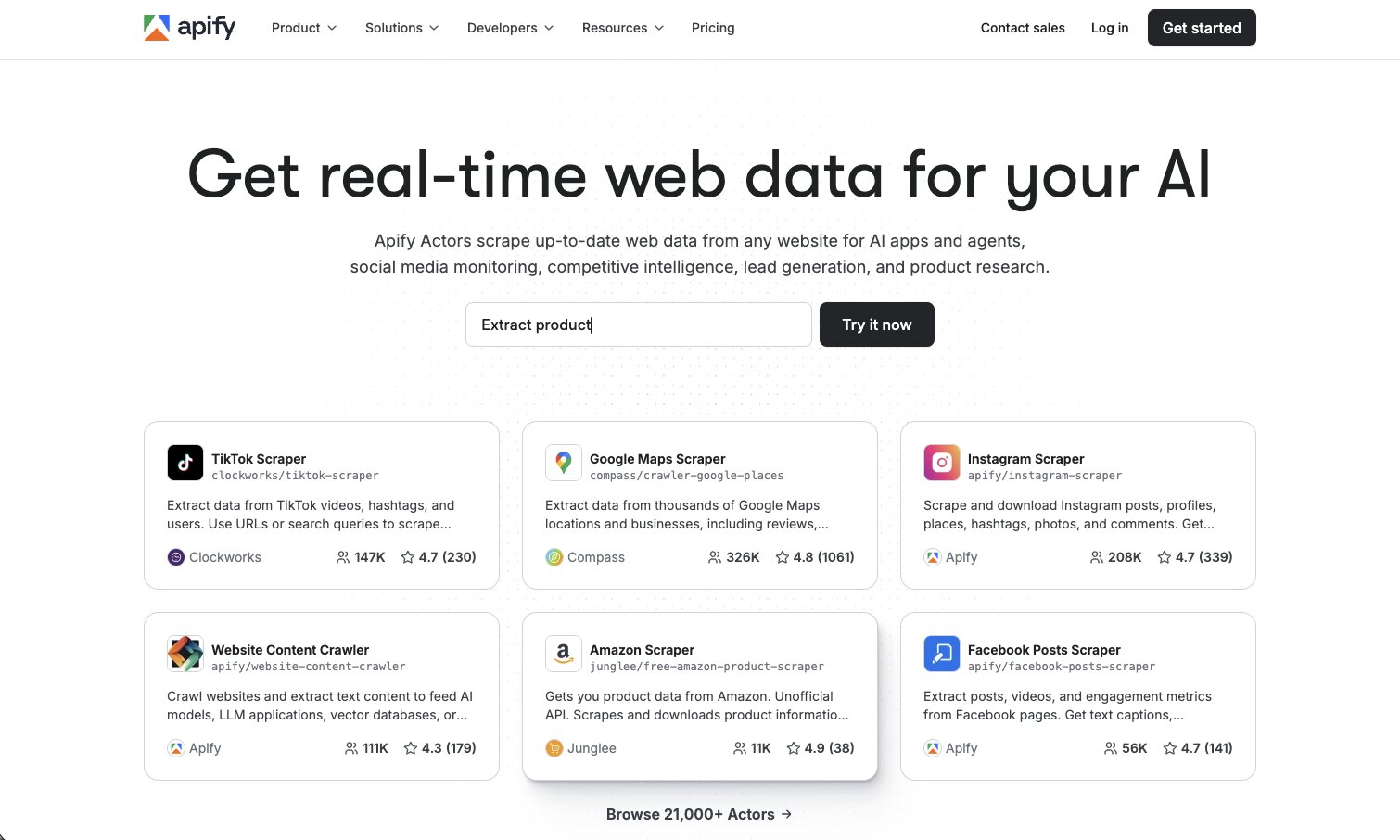
Apify is a web scraping and data extraction platform with a large library of prebuilt automation components called Actors. Each Actor is a ready-made scraping or automation app that you configure through a form with inputs like URLs, keywords, and limits, then schedule or trigger to run. You don't need to write any custom scraping code for most use cases, which is why it qualifies as a no-code tool even though the platform is developer-friendly under the hood.
For example, you can create a Reviews Scraper Actor, set it to search for your brand daily, and wire its output via a webhook so every morning new reviews are scraped, structured, and automatically pushed into your CRM or a tool like Zapier or Make to create leads or tasks. The Apify Store has over 21,000 Actors, and the most popular ones handle about 80% of common scraping needs out of the box.
Apify works best for solo operators, indie devs, agencies, and small teams doing structured, scheduled scraping at moderate volumes. Things like daily lead gen from Google Maps or LinkedIn, competitor price monitoring across a handful of e-commerce sites, review collection for sentiment analysis, or social media data pipelines feeding into CRMs or other no-code tools. If your automation needs don't involve scraping or data extraction, you're better off with Zapier, Make, or Gumloop. And if you want to explore other options in this space, I wrote a separate piece on Apify alternatives.
Here are some things I like about Apify:
- The Actor library is massive. With over 21,000 prebuilt scrapers and automation apps, there's a good chance whatever site or data source you need to scrape already has a ready-made solution.
- You can run serious scraping workflows without writing any code. Just configure the inputs, set a schedule, and wire the output to wherever you need it.
- It integrates well with other automation tools like Zapier, Make, and webhooks, so you can feed scraped data directly into your existing workflows.
Here are some things that can improve with the platform:
- If you're a non-technical user who doesn't want to deal with configuration or troubleshooting, Apify will frustrate you. It's more technical than the other tools on this list, even in no-code mode.
- Costs can escalate fast for high-volume workloads. Residential proxy fees and per-result Actor fees on heavily defended sites like LinkedIn can push serious daily crawls well past $1,000 a month, which is where self-hosted options start making more sense.
- The platform is built specifically for scraping and data extraction. If you need general workflow automation, this isn't the tool for that.
Overall, Apify is a strong pick if scraping and data pipelines are a core part of your workflow. At moderate volumes, the value is clear and costs stay predictable. But it's not a general-purpose automation tool, and it's not the friendliest option for non-technical users.
Apify pricing
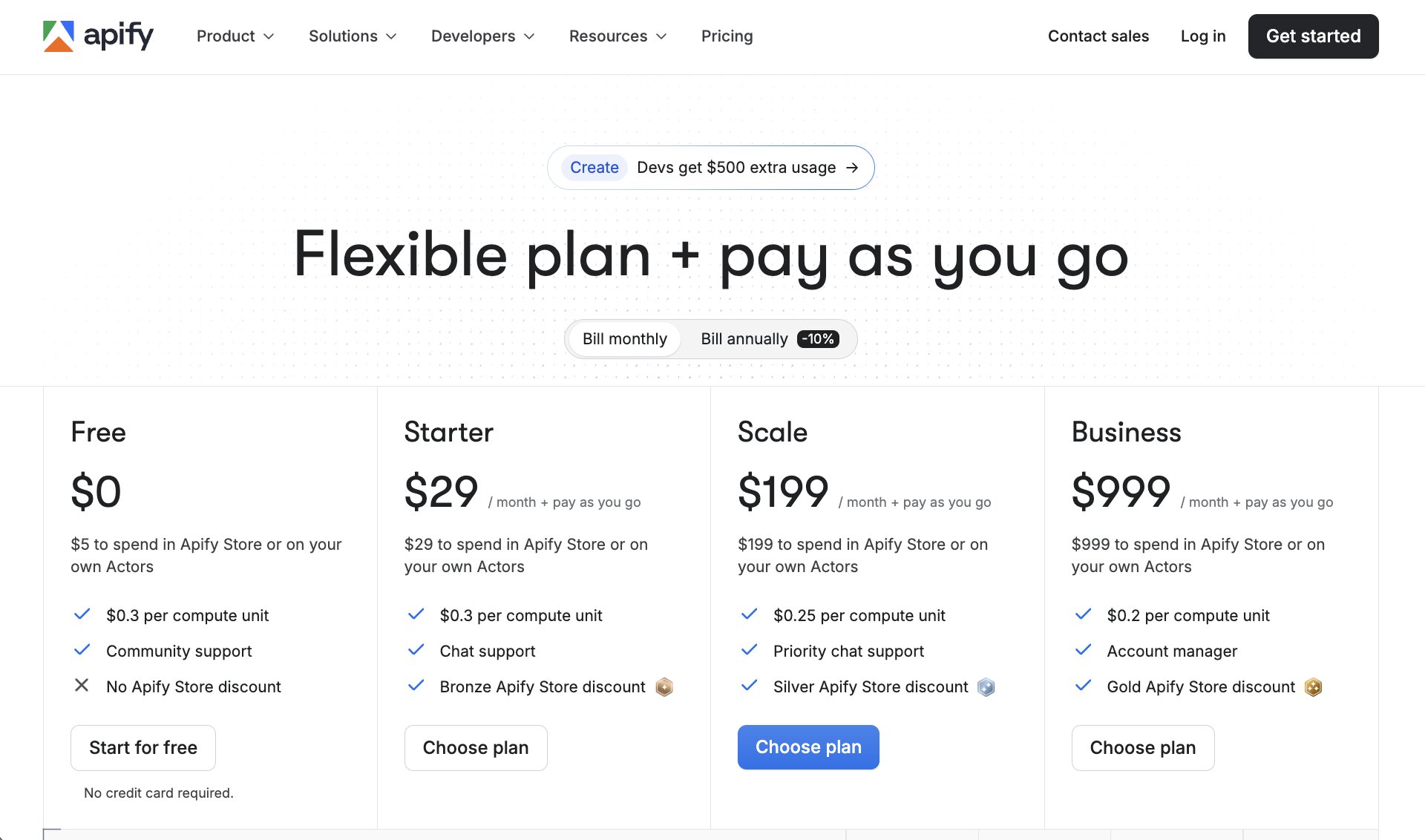
Apify combines a platform subscription with pay-as-you-go compute costs:
- Free: $0 with $5 in platform credits to spend on Actors, $0.30 per compute unit, and community support
- Starter: $29/month with $29 in platform credits, $0.30 per compute unit, chat support, and Bronze Apify Store discount
- Scale: $199/month with $199 in platform credits, $0.25 per compute unit, priority chat support, and Silver Apify Store discount
- Business: $999/month with $999 in platform credits, $0.20 per compute unit, a dedicated account manager, and Gold Apify Store discount
You can view more about the pricing options here.
Apify reviews
Here's what customers rate Apify on third-party review sites:
- G2: 4.7/5 star rating (from +419 reviews)
- Capterra: 4.8/5 star rating (from +408 reviews)
7. Clay
- Best for: GTM and sales teams running sophisticated outbound campaigns with AI-powered research and multi-source enrichment
- Pricing: Free plan available, then starts at $185/month
- What I like: Claygent AI research agent surfaces buying signals no static database can find, connects to over 100 data providers, and the spreadsheet-like interface makes complex workflows feel manageable
Clay is a GTM data enrichment and prospecting platform with a spreadsheet-like interface that lets you build no-code workflows by chaining prebuilt enrichers, AI steps, and conditional logic together. It connects to over 100 data sources like Apollo, Clearbit, and Hunter, and you can visually configure a chain that finds emails, verifies them, scrapes LinkedIn, generates personalized messages with GPT, and pushes everything to HubSpot or Outreach. Advanced users can dip into Python if they want, but 90% of sales teams run it purely no-code.
The piece of Clay that really stands out is Claygent, its AI web scraping and research agent. One workflow that blew me away involved starting with a simple list of 500 company domains, then prompting Claygent to scour each company's website, LinkedIn page, and recent press releases for buying signals like office expansions, funding rounds over $10M, or new leadership hires. The output surfaced details completely absent from Apollo, Clearbit, or HubSpot. That kind of dynamic, proprietary intelligence is something no single database can replicate, and it's why teams using Clay for outbound consistently see higher connect rates on cold outreach.
The reason those results happen is mostly the buying signal data itself, not just the icebreakers Clay generates from it. Specificity beats polish every time in cold outreach. When you reference a concrete, recent, independently verifiable event, it triggers immediate credibility and curiosity. The Clay-generated icebreakers amplify this by turning raw signals into natural, non-salesy questions, but without the signals underneath, even the best copy won't move the needle.
Here are some things I like about Clay:
- Claygent can research companies and people at scale using live web data, surfacing buying signals and context that static databases like Apollo or ZoomInfo simply don't have.
- The waterfall enrichment feature lets you chain multiple data providers together so you get the best possible coverage on emails, phone numbers, and firmographics instead of relying on a single source.
- The spreadsheet interface makes it surprisingly approachable for a tool this powerful. If you're comfortable in Google Sheets, you can figure out Clay.
Here are some things that can improve with the platform:
- The credit-based pricing model can get expensive fast. Enriching 1,000 rows with a multi-step flow covering emails, LinkedIn scraping, Claygent research, and icebreakers can burn 500 to 2,000 credits. At higher volumes, you're easily looking at $1,000 or more per month.
- Failed lookups still cost credits, and complex AI chains multiply usage quickly. Agencies running 50,000 plus rows routinely see $2,000 to $5,000 monthly bills.
- If your team just needs emails and basic firmographics, Apollo at $49 to $99 per user is the smarter call. Clay's power comes at three to six times the cost and a steeper learning curve, and that tradeoff only makes sense when your ICP requires granular, real-time research.
Overall, Clay is the right fit for GTM and RevOps teams running sophisticated outbound where custom AI research and multi-source enrichment drive outsized results. Things like ABM battle cards, competitor client poaching via LinkedIn scraping, or Claygent-powered buying signal detection. But if your outbound is more straightforward, the cost and complexity may not be worth it.
Clay pricing
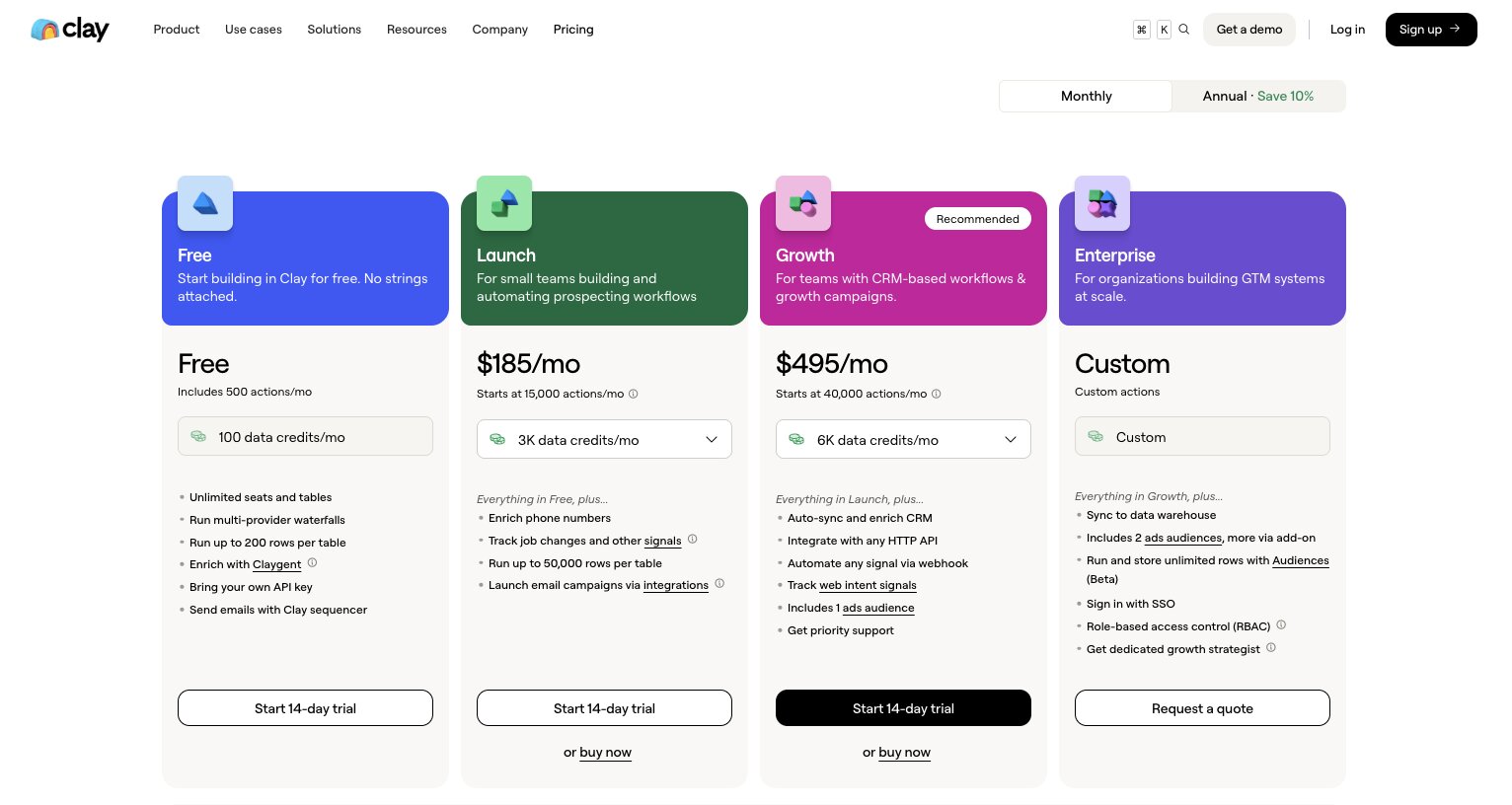
Clay uses a credit-based pricing model with separate buckets for data enrichments and AI actions.
- Free is $0 with 500 actions per month, 100 data credits per month, unlimited seats and tables, Claygent access, and up to 200 rows per table
- Launch is $185/month with 15,000+ actions per month, 2,500 data credits per month, phone number enrichment, job change and signal tracking, up to 50,000 rows per table, and email campaign integrations
- Growth is $495/month with 40,000+ actions per month, 6,000 data credits per month, auto CRM sync and enrichment, HTTP API integration, webhook-based signal automation, web intent signals, and priority support
- Enterprise is custom pricing with everything in Growth, plus data warehouse sync, SSO, role-based access control, unlimited rows via Audiences, and a dedicated growth strategist
You can view more about the pricing options here.
Clay reviews
Here's what customers rate Clay on third-party review sites:
- G2: 4.7/5 star rating (from +189 reviews)
- Product Hunt: 4.8/5 star rating (from +39 reviews)
8. Google AI Studio
- Best for: Teams in Google's ecosystem who want to prototype and deploy AI agents at near-zero cost
- Pricing: Free tier with generous limits, then pay-as-you-go based on Gemini API usage
- What I like: Effectively free at low-to-moderate volume, tight Google Workspace integration, and surprisingly capable for building multi-step AI workflows without writing code
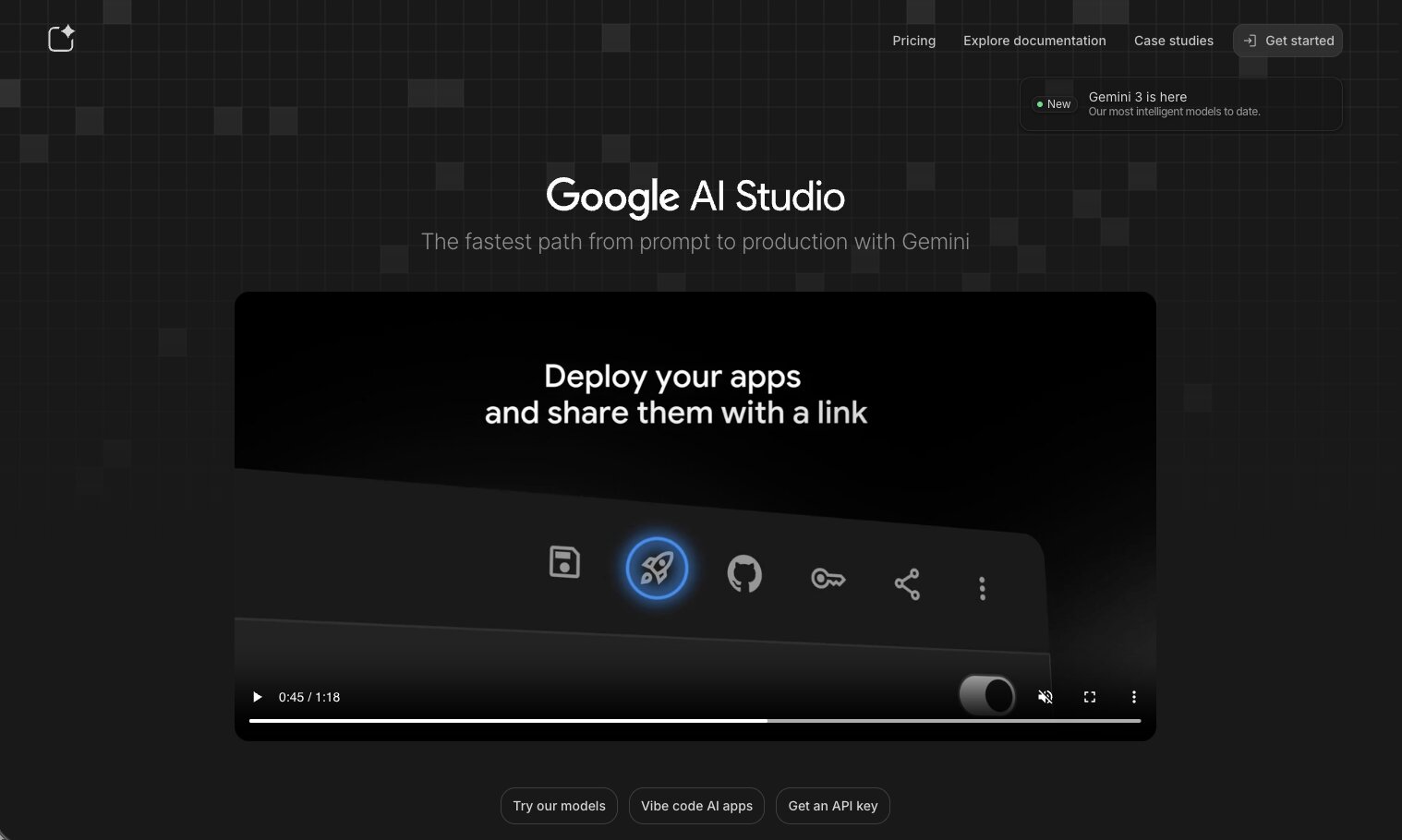
Google AI Studio has evolved well past being a basic prompt playground. It's now a no-code AI agent and workflow builder where you can chain prompts into multi-step reasoning flows, add function calling for API integrations, deploy tuned chatbots and agents, and A/B test model performance, all visually and with zero dev work.
For teams already in Google's ecosystem, it's a lightweight option for things like content generation pipelines, customer support triage, or data analysis agents. Where Zapier would handle these through premium AI steps and Gumloop through custom nodes, Google AI Studio does it at effectively free scale since you're just paying for Gemini API usage. It also has tighter integration with Google Workspace and Vertex AI if you want to expand later.
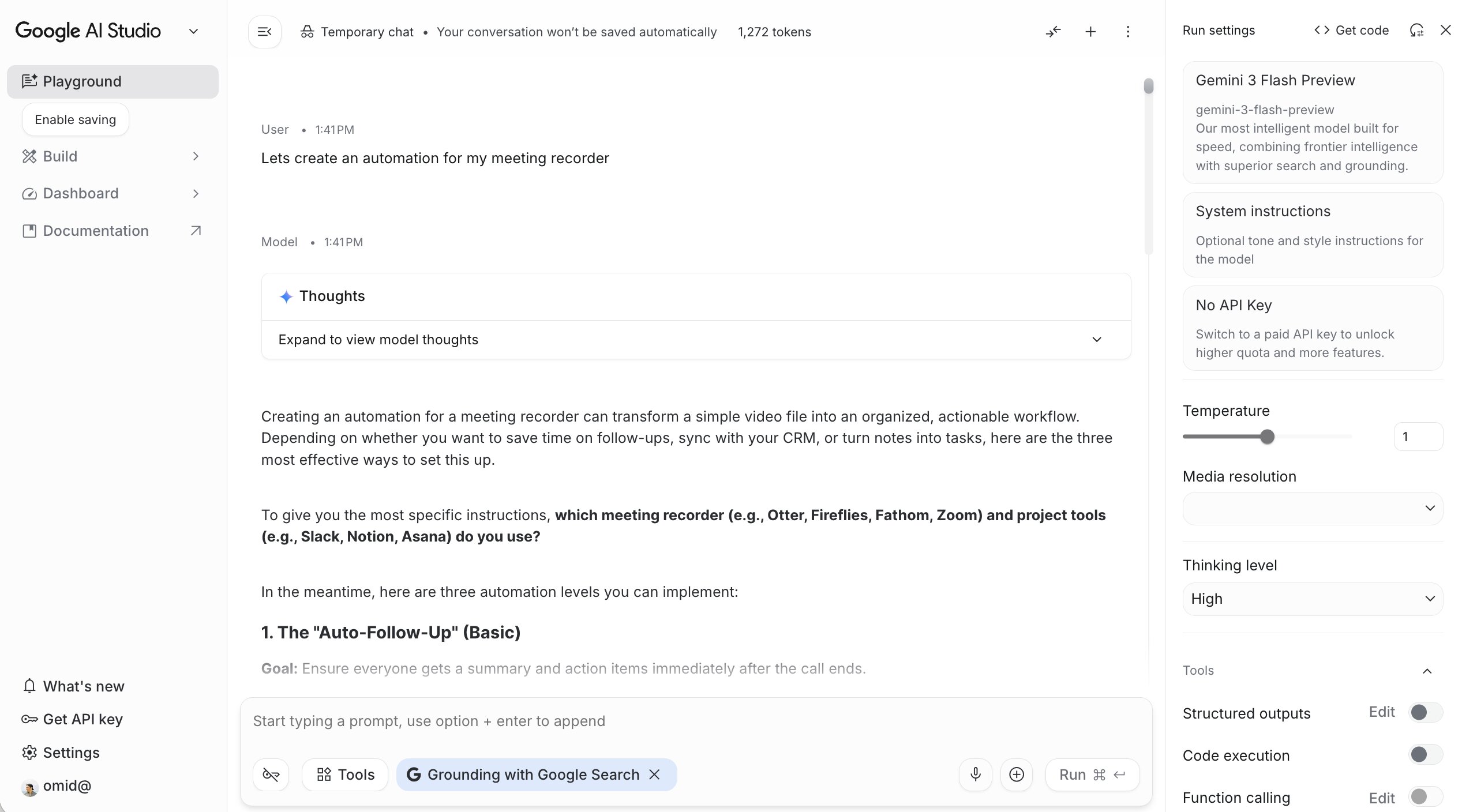
That said, it's not a full automation platform like Zapier or Gumloop. It's limited to Google's AI models, so you won't find thousands of app integrations or drag-and-drop connectors to your CRM. It's best thought of as pure AI orchestration where you control the model itself rather than calling third-party APIs. If your automation needs go beyond that, you'll want one of the other tools on this list.
Here are some things I like about Google AI Studio:
- The free tier is genuinely generous. You can run meaningful AI workflows without paying anything, which makes it a great place to prototype and test ideas before committing to a paid platform.
- If you're already using Google Workspace, the integration is seamless. You can pipe outputs into Sheets, Docs, and other Google tools with minimal setup.
- The ability to tune and A/B test Gemini models directly in the interface gives you a level of control over model behavior that most no-code tools don't offer.
Here are some things that can improve with the platform:
- The function calling and webhook setup pieces can get technical. Connecting outputs to Google Sheets via Apps Script, for example, requires understanding project triggers, deployments, and JSON payloads. One syntax error breaks the whole thing.
- It's not a general-purpose automation platform. There are no prebuilt connectors to CRMs, email tools, or project management apps like you'd find in Zapier or Make.
- If you're a non-technical marketer who wants something that just works out of the box, this will feel more like a developer tool than a no-code one.
Overall, Google AI Studio is worth checking out if you want to build AI-powered workflows at near-zero cost and you're comfortable in Google's ecosystem. For pure AI orchestration it's shockingly capable. But for end-to-end workflow automation that connects to your full tech stack, Gumloop or Zapier are still the better picks.
Google AI Studio pricing
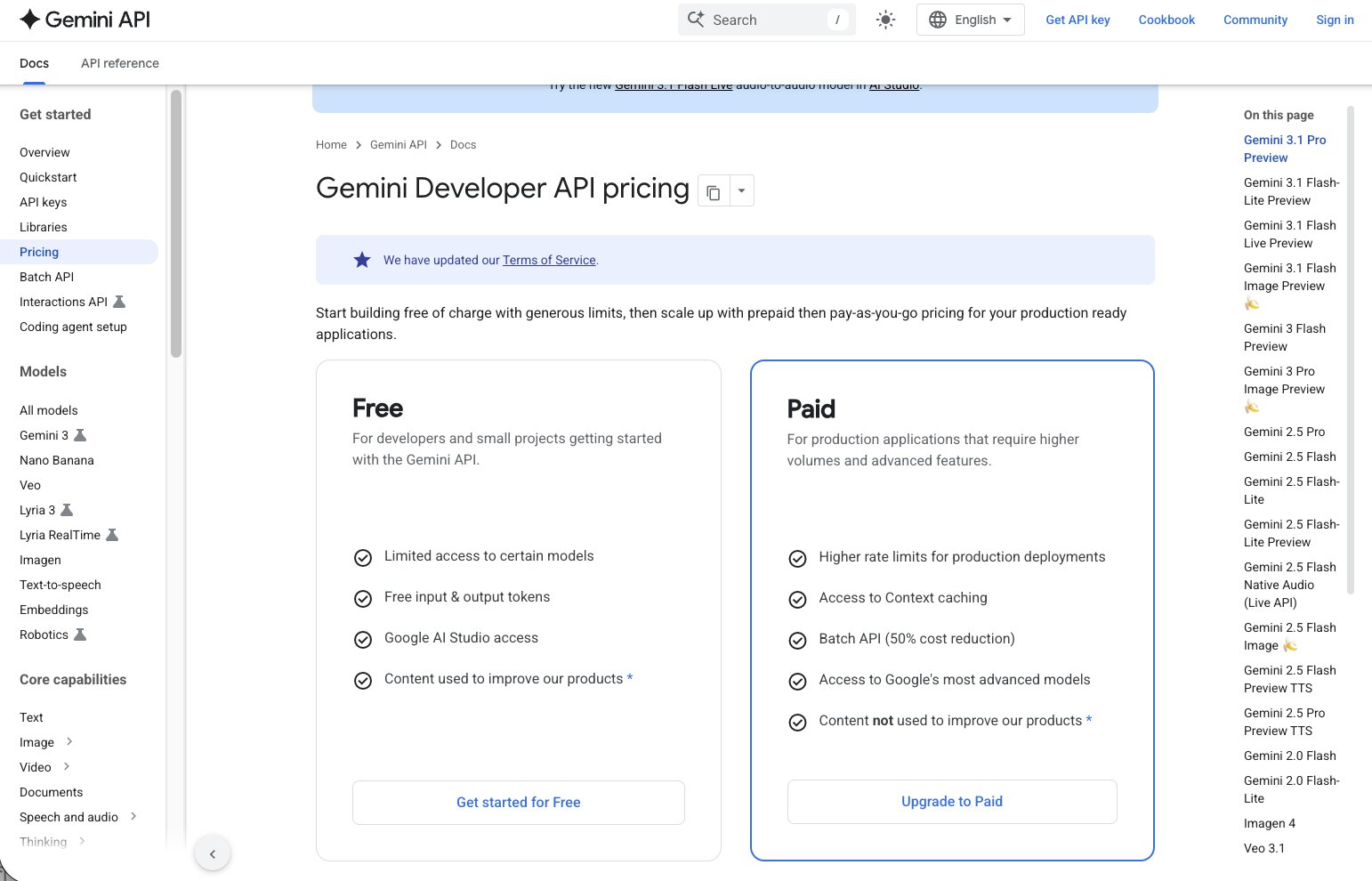
Google AI Studio uses a free-plus-pay-as-you-go pricing model based on Gemini API usage.
- Free tier includes limited access to certain models, free input and output tokens, and Google AI Studio access. Content may be used to improve Google's products.
- Paid tier adds higher rate limits for production deployments, access to context caching, and a Batch API with 50% cost reduction. You pay per token based on which Gemini model you use.
For most low-to-moderate volume use cases, the free tier is more than enough to get started. You can view more about the pricing options here.
Which no-code automation tool should you use?
It depends on what you're trying to do and how technical you are.
If you want AI built into the core of your process automation, where LLMs are actually reasoning through steps and not just bolted on as an add-on, Gumloop is my pick. It's what I use every day and it's the tool I recommend to anyone who wants to go beyond basic trigger-and-action workflows. It's also the fastest way I've found to reduce the time it takes to go from idea to working automation, without needing developers involved.
If you've never automated anything before and just need to connect two systems together, start with Zapier. It has the largest integration library out there and the learning curve is basically zero. Make is a similar option if you're on a tighter budget and want to speed up simple workflows without paying Zapier prices.
If you're more technical and want full flexibility with a self-hosting option, n8n is hard to beat. The community alone is worth it, and developers who want more control over their automation development will feel right at home.
And if you have a specific use case like web scraping (Apify) or sales prospecting and enrichment (Clay), those tools are purpose-built and do their thing better than any general-purpose platform could. Most of them come with pre-built templates and workflows that let organizations get up and running faster than building from scratch.
The reality is that most teams end up using more than one of these tools. I use Gumloop as my primary platform, but I still have a Zapier subscription running for a few legacy workflows. Don't feel like you have to pick just one. Pick the one that solves your most important problem first, and expand from there.

Read related articles
Check out more articles on the Gumloop blog.