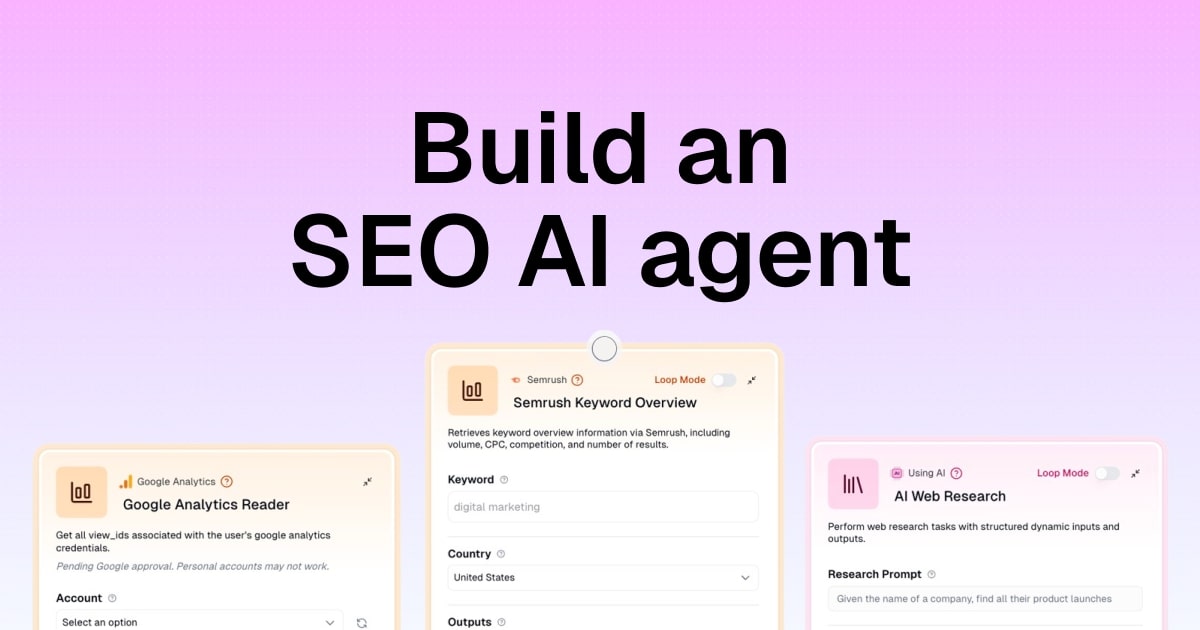
How to build an SEO AI agent (in 4 simple steps)

It’s been officially a decade since I got into SEO.
Throughout my career, I’ve had the honor to lead SEO at a couple big tech companies, start an SEO agency, and build one of the largest SEO blogs (according to Ahrefs).
It’s fair to say that I’m a little too obsessed with SEO.
And in the past year, that obsession has led me to dive deep into AI SEO. Not just AEO, LLMO, or whatever acronym the next marketer creates around AI search visibility. But how to build an SEO AI agent that can actually help me produce better work, faster.
(And no, this post is not about generating AI slop content. I don’t use AI to generate content.)
I’ve spent years refining my own approach to SEO and how I take a website from 0 to 1. And then from 1 to 100.
Through that process, I’ve documented it all. And now, I’ve built a few AI agents that help me execute on those tasks. What used to take me 8 hours of work, can now take me 2-3 hours.
So in this article, I’m going to show you how I do it. I’ll show you what you can successfully automate, give you templates, and show you how to go out and build your own custom AI agent for any SEO task.
Okay, let’s get into it.
Want to see my SEO agents running for real? I’m walking through how our marketing and growth team uses agents like these in a live session. Grab a seat below, even if you can’t make it live.
What is an SEO AI agent?
An SEO AI agent is an autonomous workflow, initially created by an SEO professional, that can go out and complete SEO tasks on its own. It works by connecting existing SEO and content creation tools with the power of LLMs (large language models).
Together, this creates an AI-powered workflow that can run any task based on the directions you give it.
AI agents for SEO can do a wide range of tasks across things like:
- Keyword research
- Competitor analysis
- Optimizing content for search engines
- Technical SEO
- Reporting and analytics
However, to get the most out of an SEO AI agent, you need to deeply understand how to do a task manually. But don't worry, if you follow the four steps below that I've laid out, we'll go through everything step by step.
Can you do SEO with AI?
Yes you can work on SEO tasks using AI. However, you should not use it to generate content. Instead, you should use AI to help you automate repetitive tasks and make sense of data.
AI is amazing at taking existing information and helping you synthesize it and turn it into data-driven insights. It can help you prioritize your ideas, find gaps within your content strategy, and generate reports based on existing data.
That’s where AI SEO shines.
It should not be used to generate AI slop content or generate random keyword ideas (without a real data source).
In this article, I’m going to show you exactly how to build an SEO AI agent that will help you produce great work. It will not replace you, but rather turn you into a top 1% SEO professional that everyone will want to work with.
Okay, let’s jump in.
4 steps building an SEO AI agent in 2026
Here’s how to build an SEO AI agent:
- Write out all of your SEO tasks
- Identify which ones can be automated
- Pick an AI agent building platform
- Create your AI SEO workflow
Alright, let’s go over each of these steps in depth.
1. Write out all of your SEO tasks
Before you build an SEO AI agent, you first need to write out all of the tasks that you do when it comes to SEO. When I first created my own agent, what I did was group all the tasks into three buckets:
- Ideation + research
- Creation + publishing
- Analytics + optimization
This is, at its core, how I think about SEO tasks. Let me explain each of these, and then in step two we'll figure out what we can actually automate from the entire SEO workflow.
In the first section, we have tasks that have everything to do with figuring out what our strategy is and how we are going to grow a website. This can be everything from analyzing competitors and seeing what they're doing, to putting on our product marketing hats and figuring out what our customers are searching for, to doing general keyword research to see how we can go after the things that our target customers are looking for.
In the second section, we have everything to do with creating content (that's optimized for both traditional search engines and AI search engines) to publishing that content on our website in the form of landing pages or blog posts.
And in the third section, we have everything to do with monitoring and understanding if our SEO efforts are paying off or headed in the right direction. This can be everything from seeing what's already working and doubling down, to generating reports for clients or internal stakeholders, to even optimizing the technical SEO of our site to better serve our content, or even updating existing content to improve its visibility.
Throughout my 10 years of doing SEO, I found that these three core pillars are all you need. Everything else is fluff and noise. And within these three pillars, there are a wide range of tools within the SEO tech stack.
It's important to be aware of these tools because to create a full SEO strategy that can be automated, we need to make sure that we have the right APIs that can connect together.
In the case of my own SEO tasks within each pillar, my tool stack looks a little bit like this:
- Ideation: Google Sheets, Ahrefs/Semrush, regular Google Search (analyzing SERPs)
- Creation: Google Docs, Clearscope/Surfer, Claude, Webflow (CMS)
- Analytics: Google Search Console, GA4, Bing Webmaster Tools
And within each of these, I found that there are a few tasks that I can create an SEO agent around. I personally have not found a way to automate everything when it comes to SEO, as you still need a human. However, I am a one-person team and I run my own SEO agency and media company with the help of AI.
Some people will claim that you can automate everything, even down to content creation and keyword research, but I would say that's very dangerous and you should approach it with caution.
So how do you know exactly what is possible to automate? Well, let's get into step two where I'll show you exactly how I've been doing it for the past year.
2. Identify which ones can be automated
As mentioned earlier, you can't just fire up ChatGPT and tell it to be an SEO expert and create an SEO strategy and then have it go write that content. Sure, you can do that, but it's not going to lead anywhere and it's actually going to hurt your website reputation in the long run.
Where building an AI agent really shines is when you have data that comes from a human brain and you need to execute things based off of that data.
So what I mean by this is instead of automating your keyword research, do it yourself and then use AI to help you prioritize and understand the intent of those keywords.
Instead of using AI to write content for you, write a really messy first draft and have AI help you proofread and edit it.
AI is not here to replace SEO professionals. It's here to help act as an assistant for somebody already doing great work. For me personally, I don't use AI to do research or write content. I use it to help me become a better writer, help me prioritize my ideas, and to help me make sense of data.
To me, your AI SEO agent shouldn't be creating new ideas for you. It should be able to access your existing data, tools, and documents to make informed decisions on what SEO tasks to execute.
That's the type of thinking you need to adopt if you actually want to have actual use cases that work.
So where does the rubber meet the road here? And what are some examples of SEO AI agents we can actually build?
Here are SEO tasks you can automate with an AI agent:
- Do competitor analysis and generate reports
- Do an SEO audit using third-party APIs, like from Semrush
- Integrate with Semrush or Ahrefs MCP to automate keyword research
- Create an AI editor for SEO content
- Automated schema generation and custom code embeds
At the time of writing this article, these are the core use cases I've found that have actually led to results for my clients. But there are other use cases as well, which I'll show you more in step four.
Now, we need a platform to create these agents with. And I'm not talking about just using ChatGPT, Claude, or Gemini. I'm talking about using an AI agent builder that can connect with your tools, like Google Docs, GA4, Semrush/Ahrefs, and also connect those to LLMs.
3. Pick an AI agent building platform
Now that we know the types of SEO workflows we can automate, it's time to pick an AI agent builder that actually connects everything together.
The benefits of using an AI agent builder is that you can take all of your existing tools, whether that's Google Analytics, Semrush, Perplexity, or other SEO tools, and combine them with the power of LLMs.
In other words, we connect all of our data sources with AI tools to create an SEO specialist that can make informed decisions on how to improve our rankings, how to optimize your content, and how to grow our overall organic traffic.
There are a handful of tools on the market that you can use. The one I originally started with was Zapier, and it has been my automation tool choice for many years now. But the problem with Zapier is that it's not an AI native tool. If you want to build a true AI agent, you need to find a platform that uses LLMs as the core base.
A popular tool that's been growing now is n8n. But this platform can also feel a bit clunky and confusing to use because it's designed mostly for technical teams that want to create self-hosted AI agents.
When building my SEO AI agent, I came across a platform called Gumloop. Yes, I'm fully aware this is on the Gumloop blog. But I actually was a customer of the platform before they asked me to write for them (I'm not a full-time employee).

And in my honest opinion, Gumloop is the best AI tool for building an SEO AI agent. They already have tons of pre-built templates and native integrations with tools like Semrush, Google Analytics, Google Sheets, and Google Docs.
But you can also use guMCP to integrate with other tools that have MCP servers. From there, you can connect with any premium LLM model like ChatGPT, Claude, Gemini, DeepSeek, and others to automate an entire workflow.
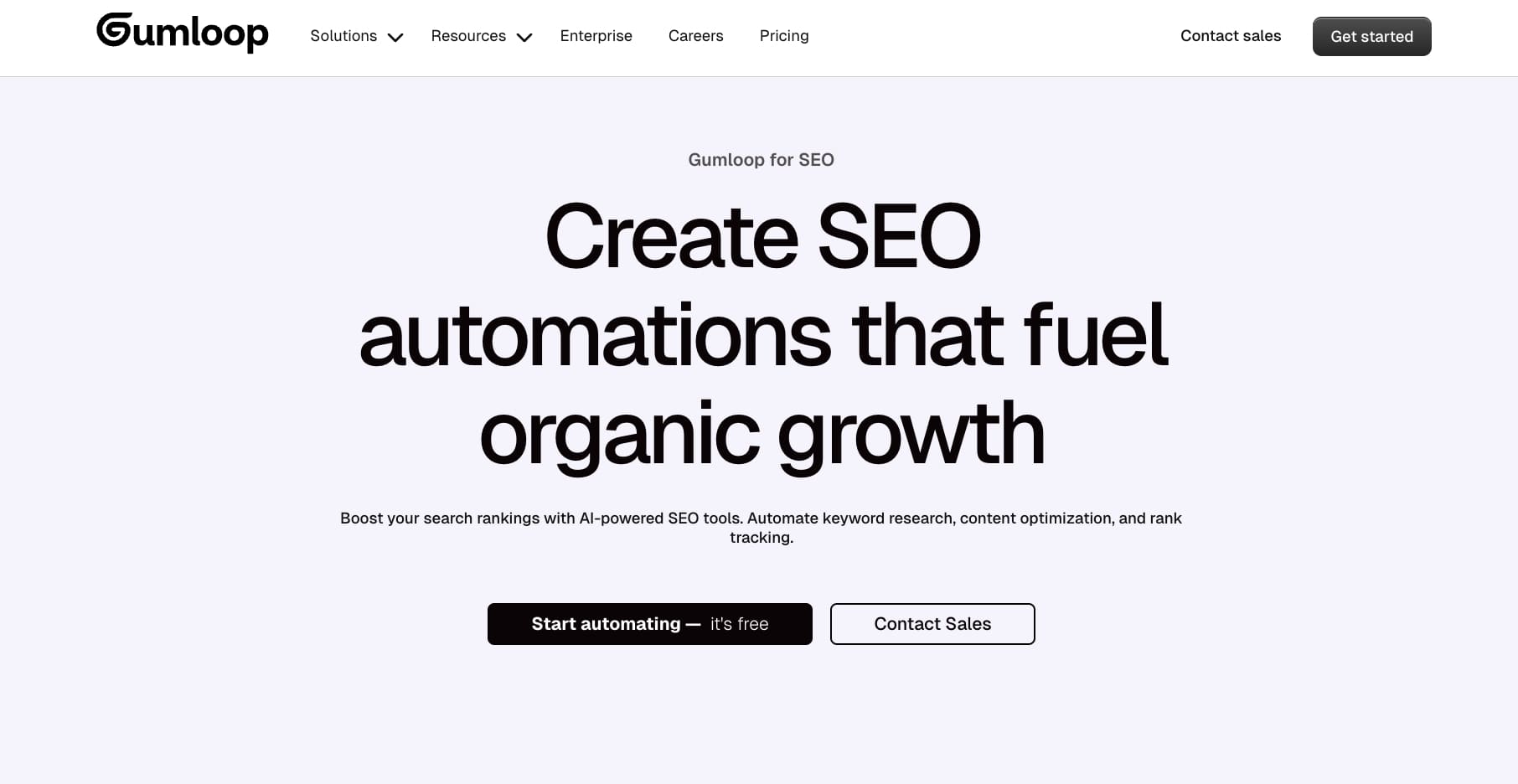
The benefit of going this route is that you can swap the AI model for different tasks. As you're probably aware, not all AI models are built the same. Some are good at generative AI, while others are good at understanding data. So having an AI agent building platform that can be flexible with you swapping AI models is how you keep your operations future-proof.
The other benefit of Gumloop is that you can use Gummie, the AI assistant, to create any automation simply by talking to it in natural language. So if you know how to use ChatGPT, then you'll know how to use Gumloop.
Okay, now I'm going to go through the rest of this article showing you how to build an SEO AI agent with Gumloop.
4. Create your AI SEO workflow
Now that we have our platform, it's time to fire up Gumloop and create our first AI SEO workflow. If you want, you can jump to using any of the templates below:

Analyze your website for SEO opportunities and get a detailed competitive assessment with priority-ranked fixes and keyword gap analysis.
Get a detailed analysis of SEO issues and actionable recommendations using Semrush data to identify site performance gaps and content opportunities.
Streamline keyword discovery with detailed SEO metrics including search volume, competitiveness, and keyword difficulty by combining Semrush data with current trends.
However, if you want to build your own custom AI SEO agent, keep reading.
First, you want to open Gumloop (you can use a free account, you don't even need a credit card) and you can prompt Gummie on your first AI workflow.
The way Gumloop works is that you create automated workflows and then you can create an agent to run those workflows for you.
You can also create sub-flows, which are essentially workflows within workflows. This allows you to create an SEO AI agent that can execute on multiple tasks in a single run.
So for this section, I'm going to create an automated workflow that actually proofreads content for me. In fact, the blog post you're reading right now was partly created using this workflow.
I essentially use speech-to-text to create this article, and then I have the automation go and proofread everything. This way it's all still me, my voice, and my specific knowledge. But the AI helps me clean everything up so it's actually readable.
Notice how I don't tell the AI to simply write a blog post for me. I speak it, and it edits it for me. That's how you actually should be using AI, even though some will tell you to do it the other way around.
In Gumloop, I can say:
"I want to create an automated workflow that takes a messy first draft that I've done through speech-to-text and I want it to edit that draft simply for proofreading. It should integrate with Google Docs and use Claude as the AI model."

From there, Gummie will begin to create your AI SEO workflow. It will generate a plan for the flow, and then start to add nodes onto the canvas. You can add new nodes yourself or continue to ask Gummie to execute on the workflow build for you.
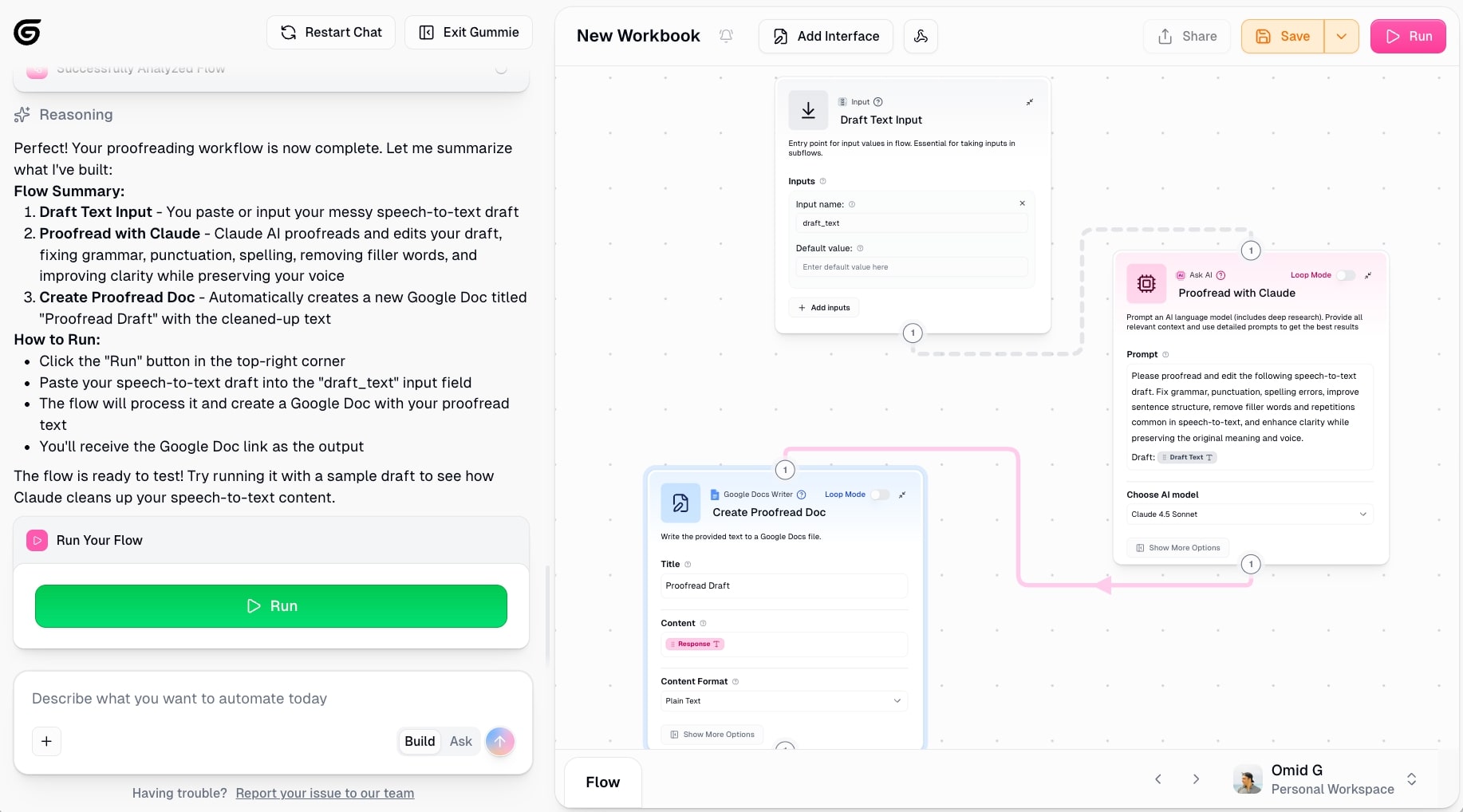
And just like that, the flow is done! Now if we add text (full of grammar mistakes) and run the flow, we'll get a Google Doc with an edited version of the original text.
We can also take this a step further by adding these into a Google Sheet. This way I can have the agent go into the Google Sheet, find the respective Google Doc links, and proofread all of them one by one. That's where the whole sub-flow feature comes into play.
And just like that, we have automated our first SEO task.
But...
This is an AI workflow. Not an AI agent.
I wanted to show you this first, because in many cases, creating an SEO AI workflow is all you need to start with.
After that, you can move on to building an SEO AI agent that can do more advanced tasks.
The difference between a workflow and AI agent is:
- An AI workflow has rigid rules that you set. There is no room for error as it is simply following logical steps that you give it.
- An AI agent can think critically and make decisions on your behalf. You can give it guardrails, but there is more room for it to explore on its own if it needs to.
Let's go ahead and check out this SEO AI agent template to understand how it works.
In this case, we have an SEO AI agent that does competitor research and creates a report for us. Here we can see the agent builder in Gumloop:
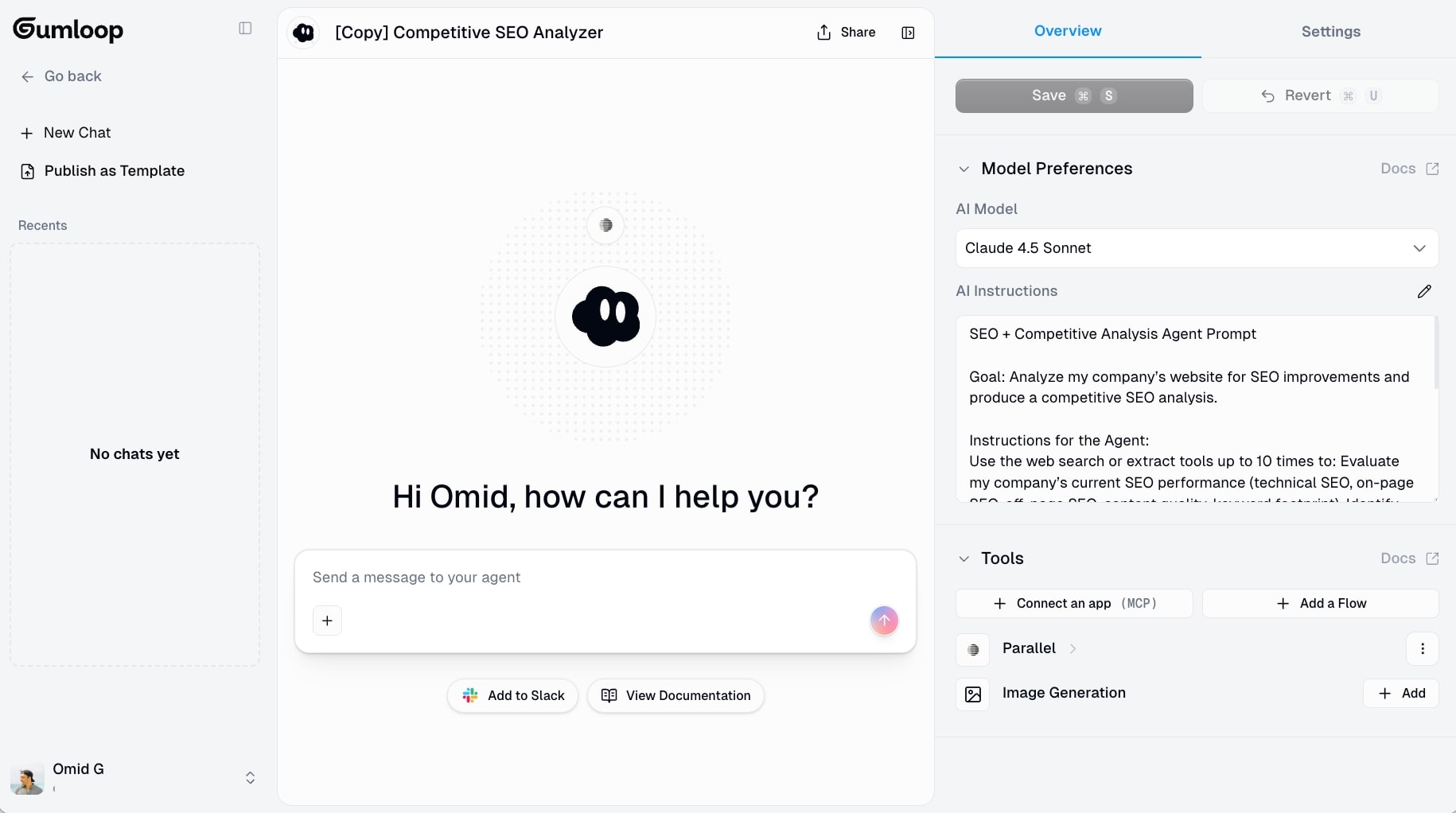
You select the LLM model you want to use, give it instructions on what the agent does, and then integrate it with the tools it needs.
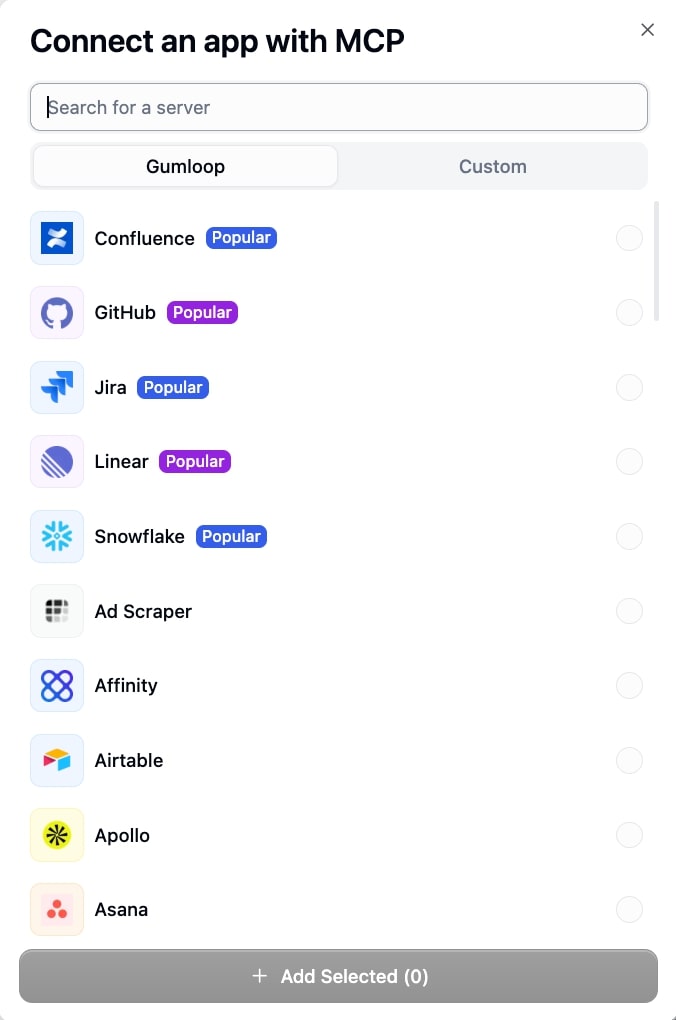
You can add tools, both that have native integrations with Gumloop and others that need MCP servers. And you can also add a Flow, which is essentially the AI workflow feature I showed first (hence why we covered that before the AI agent build).
Then, once this is set up, we simply talk to our AI agent to run tasks. In the case of the template for the competitor analysis, I also added Semrush (a native integration) and asked it to run me an analysis of a website.

It then generated a full, and I mean FULL, report about the website and what it can do better. It even gave me a full keyword gap analysis of its competitors.
I can also add Notion, Google Docs, or even Slack so it can send me the report automatically there.
It's actually quite mindblowing.
And that's pretty much it! As you can see, it's not as hard as you might have thought to build an SEO AI agent.
All it takes is knowing what to automate and finding the right AI agent builder. And if you don't know what to automate, you can simply ask Gummie on SEO tasks worth automating. So there really is no excuse anymore for not knowing what to work on and how to work on it.
Build your army of AI SEO agents
And there you have it. Building an SEO AI agent isn't some crazy technical thing that only engineers can do. It's about understanding your SEO process, knowing what tasks eat up your time, and then automating the repetitive stuff so you can focus on strategy and optimized content.
The beauty of using a platform like Gumloop is that once you build one AI workflow for SEO, you can apply the same thinking to every other part of your marketing. Need help with social media? Build an agent that monitors metrics and drafts posts based on what's working. Running ads? Create a workflow that analyzes performance and identifies content gaps. The same principles apply.
But, I think it’s also important to note that AI-driven workflows are only as good as the human oversight behind them. These agents should help you understand search intent better, generate reports faster, and spot opportunities you might have missed. They shouldn't be making strategic decisions for you or pumping out content without your input.
The way you should think about it is that your SEO team (even if that team is just you) now has a bunch of AI assistants that handle the logical work. They pull data, generate reports, optimize headings, and flag issues. You stay in control of the strategy, the creativity, and the final call on what gets published.
That's how you actually win with SEO optimization in 2026. Not by replacing yourself with AI, but by building an army of AI marketing agents that make you 10x more effective at your job.
Now go out and start automating!

Read related articles
Check out more articles on the Gumloop blog.