8 best AI agents for customer support tasks in 2026

About 18 months ago, I built my first AI agent.
And it completely changed the way I viewed my work. But I will be honest, I was skeptical at first.
What started to change my skepticism was a combination of creating AI agents for myself and also watching my friends build them at the companies they worked at.
And time and time again, I found that one of the best use cases was around building AI agents for customer support. From handling repetitive tickets to triaging emails to answering questions on a website, customer support agents powered by AI were saving companies a lot of money.
So I went deep into the space and tested over a dozen platforms to find the best ones. I won't ramble too much, so let's just jump into it.
What is an AI agent for customer support?
An AI agent for customer support is an autonomous software system that leverages LLMs (Large Language Models) to understand, reason, and complete tasks across multiple different customer service issues.
It can integrate with your existing helpdesk, CRM, and customer service tools, while adding a layer of AI to help you resolve more tickets with less people involved.
As we go into the list below, you'll see that I added different customer service AI agent platforms that can either do all the work for you or act as a copilot and assist you to work faster.
And these platforms are more than just helping you answer emails. They can live inside your live chat widget on your website, your inbox (to triage emails and route tickets), and even handle voice calls and SMS. The tools on this list range from enterprise platforms built for thousands of tickets a day to lightweight AI agent builders that let you spin up a support agent in minutes.
How can AI agents be used in customer support?
I love that we can now create AI agents. They can be used for so many different use cases and within different organizations. But when it comes specifically to customer service, here are some of the most common ways I've seen people using them:
- Answering common questions instantly: AI chatbots can sit on your website or inside your app and instantly answer questions from customers using your knowledge base, help docs, or FAQ pages.
- Triaging and routing tickets: Instead of a human reading every email that comes in and deciding where it should go, an AI agent can classify the issue and route it to the right team automatically.
- Resolving tickets autonomously: Some platforms let AI agents resolve customer issues end-to-end without a human ever getting involved. Things like order status updates, password resets, or refund requests.
- Drafting replies for your team: Even if you do not want AI handling everything on its own, it can draft responses for your human agents to review and send. This helps your team move through repetitive tasks a lot faster.
- Personalizing customer interactions: AI agents that have access to your CRM or customer data can personalize responses based on the customer's history, account type, or previous conversations.
- Spotting trends and patterns: Some platforms can analyze your incoming tickets and surface insights on what customers are asking about most, helping you improve customer experience over time.
- Handling multiple channels. A single AI agent can manage conversations across live chat, email, voice, SMS, and social media, so your customers get help wherever they reach out.
The tools on this list cover all of these use cases and more. Some do everything, while others specialize in one or two areas really well.
Now, before we jump into the list, let me go over how I picked the tools on this list. Because I actually tested over a dozen and narrowed it down.
How I chose the AI agents for customer support on this list
I tested over a dozen AI customer support platforms and narrowed it down to the eight that I think are actually worth your time. Here is what I looked at when evaluating each one:
- Can it integrate with your existing tools: If it does not connect to your CRM, helpdesk, or email tools, it is not going to fit into your workflow.
- Does it actually resolve tickets or just suggest replies: There is a big difference between AI that drafts a response and AI that can handle the entire conversation on its own.
- How easy is it to set up without a developer: Some of these platforms can be configured in under an hour. Others require an engineering team and weeks of onboarding.
- Does it fit a wide range of use cases: I included tools for small startups, mid-sized teams, and large enterprises so there is something for every team size and budget.
- Is the product actively improving: AI is moving fast right now, and the platforms that are shipping updates regularly are the ones worth investing in.
Of course there are a ton of other things like pricing, how the brand is perceived, etc. But I made just to look at the core mission critical features first.
I'll let you judge the branding and nitty gritty features for yourself. I made sure to include pros and cons and who each tool is best for below.
Alright, let's get into the tools.
8 best AI agents for customer support in 2026 (free + paid)
Here are the best AI agents for customer support:
Okay, let's go over each one in detail.
1. Fin
- Best for: AI-powered customer support for mid to large companies already using a helpdesk
- Pricing: $0.99 per resolution, with a free 14-day trial
- What I like: Ingests your existing help center content and can actually take actions, not just answer questions
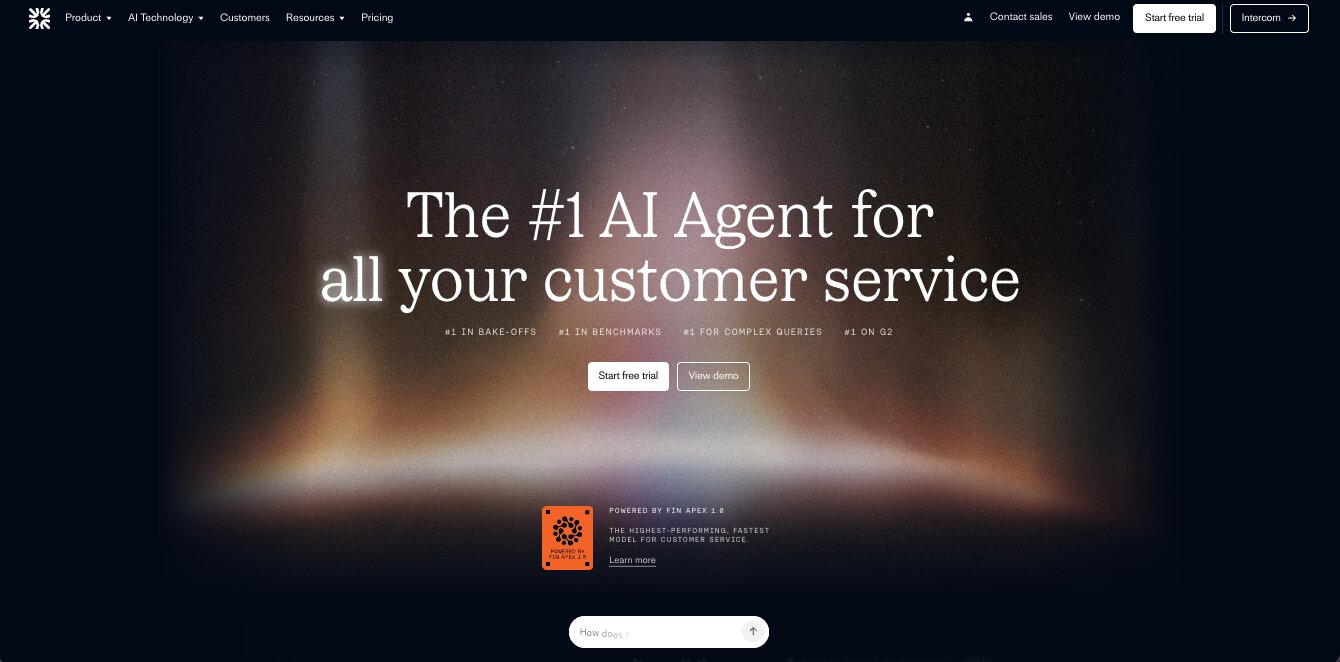
Fin is an AI agent for customer service that was created by the team at Intercom. You might already know Intercom as the famous chatbot that has been around for a while, but now with AI, they have branched out into a completely new product called Fin.
This makes it an amazing platform if you are already using Intercom on your website. And the platform has some pretty powerful features given that it is designed specifically around customer service.
But beside that, what makes Fin different from other tools in this space is that it is designed to ingest your existing support workflows and help center content, and it can actually take new actions based on what you ask it. It is more than just an AI that answers questions. And you will see why this is important soon, because we are headed towards an AI agent world.
Companies like Clay, Doordash, Gamma, and more are already using Fin to help with support automations and agents. So I would say that this platform is better served for mid to larger sized enterprises.
Here are some things I like about Fin:
- It integrates with Intercom and other helpdesk platforms
- Has multi-language support and can work across many channels (great for companies that have a global presence)
- The AI can easily handle common support questions and the agents can automate day-to-day tasks
Here are some things that can improve with Fin:
- It is mostly useful for companies that already have good support operations. If you don't have well-maintained docs, this tool is not meant to help you do that
- Setup takes time given it is designed more for larger companies with tons of support tickets and docs
- Not the best for smaller startups or companies that just need a simple AI chatbot service (but I have included some of those tools in this list)
Overall, Fin is great if you are a large company with a history of having well-maintained support docs and operations. Fin just helps you do things faster with less headcount.
But if you are looking for an AI agent to take over all of your customer service operations from day one, it might be worth looking into an alternative.
Fin pricing
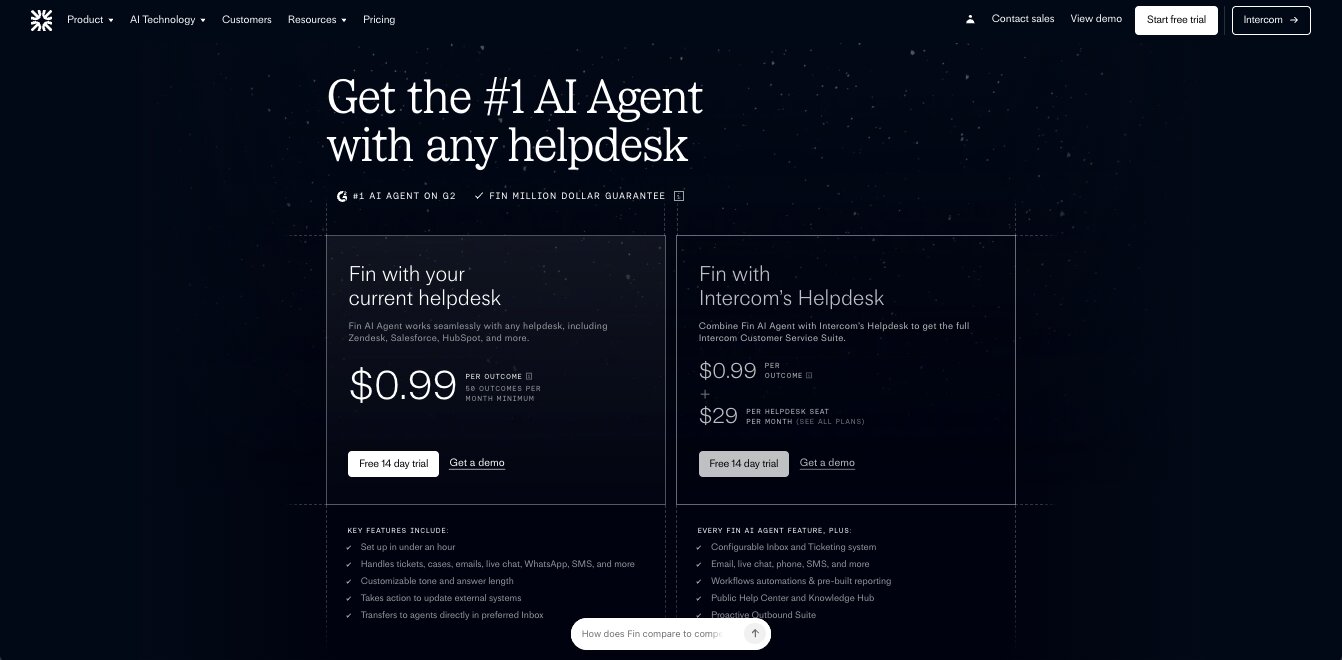
Fin has a usage-based pricing model instead of traditional monthly plans. Here is how it breaks down:
- Fin with your current helpdesk is $0.99 per outcome with a 50 outcome per month minimum. This works with any helpdesk including Zendesk, Salesforce, and HubSpot. It handles tickets, emails, live chat, WhatsApp, SMS, and more.
- Fin with Intercom's helpdesk is $0.99 per outcome plus $29 per helpdesk seat per month. This gives you the full Intercom Customer Service Suite including a configurable inbox, ticketing system, workflow automations, a public help center, and proactive outbound tools.
- Pro add-on is $99 per month for analysis of 1,000 conversations. This includes CX scoring, AI topics, trends, AI recommendations, monitors, and custom AI scorecards.
- Copilot add-on is $35 per month and includes analysis of 5,000 conversations. This gives agents a personal AI assistant in the inbox with instant advice, expert training, AI translations, and faster time to resolution.
All plans include a free 14-day trial. You can learn more about each plan here.
Fin reviews
Here is what users rate Fin on third-party review sites:
- G2: 4.5/5 star rating (from +3,822 reviews)
- Capterra: 4.6/5 star rating (from +14 reviews)
2. Gumloop
- Best for: Building custom AI support agents that connect to your existing tools
- Pricing: Free plan available, then starts at $37/month
- What I like: You can build a full support triage system without writing any code and connect it to any app or MCP server
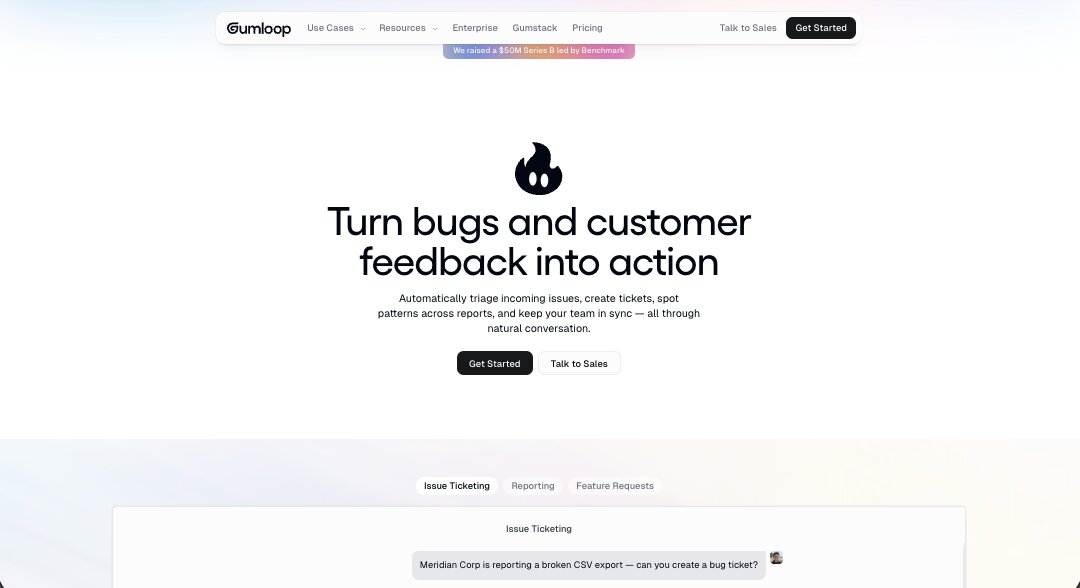
Gumloop is an AI agent builder that lets you build conversational agents and workflows that can help you automate your support and operational tasks.
While Gumloop can be used to create AI agents for literally any task — marketing, sales, operations, etc. — one of its most popular use cases is in customer support (yes, I just used em dashes). You can use it to triage incoming issues, create tickets, spot patterns, and create AI Slack agents that can give you reports on a daily basis.
You can also integrate Gumloop with any apps or MCP servers you might already be using.
Things like your CRM (HubSpot, Salesforce), your issue tracker (Asana, Linear, Zendesk), Slack, Gmail, and more. So you can build a support agent that monitors your channels, detects new issues, classifies severity, creates tickets in your project tracker, and even spots patterns across reports so your team can respond proactively instead of reactively. All through natural conversation in Slack or wherever your team already works.
You can learn more about how to set up the AI support agent here.
Gumloop is actually the platform I use for my own media company and agency. But it is also used by some pretty big companies like Ramp, Gusto, Instacart, and a ton more.
Here are some things I like about Gumloop:
- Integrates with any LLM model without needing your own API keys
- You can connect it to any helpdesk, CRM, or issue tracker through MCP servers
- Gummie (their AI copilot) can help you build any support workflow from a description
- Has a Slack community and forum where you can get help fast
- Lots of templates for support tasks
- Clean drag-and-drop interface that is genuinely easy to use
Here are some things that can improve with Gumloop:
- It is still a relatively new tool so you might run into the occasional UI quirk
- Complex workflows can take some trial and error to get right
- Credit-based pricing means you need to keep an eye on usage
Gumloop pricing
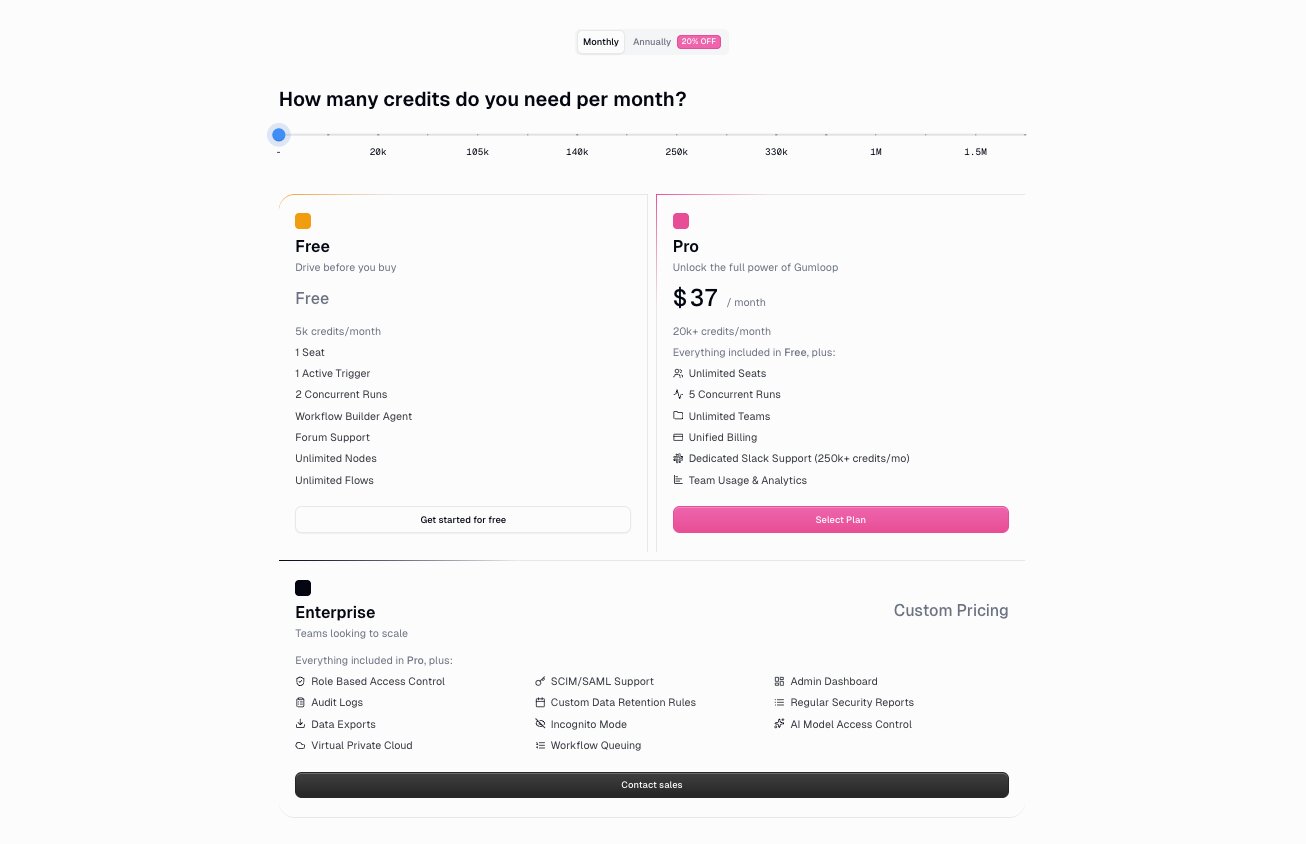
Here are Gumloop's pricing plans:
- Free is $0/month with 5,000 credits, 1 seat, 1 active trigger, 2 concurrent runs, 5 concurrent agent interactions, unlimited agents, unlimited flows, and forum support
- Pro is $37/month with 20,000+ credits, unlimited seats, 5 concurrent runs, 25 concurrent agent interactions, unlimited teams, unified billing, and team usage and analytics
- Enterprise is custom pricing with everything in Pro plus role-based access control, SCIM/SAML support, admin dashboard, audit logs, custom data retention rules, regular security reports, data exports, incognito mode, AI model access control, virtual private cloud, and workflow queuing
You can learn more about each pricing plan here.
Gumloop reviews
Here is what users rate Gumloop on third-party review sites:
- G2: 4.8/5 star rating (from +6 reviews)
- Product Hunt: 5/5 star rating (from +9 reviews)
3. Decagon

- Best for: Enterprise-level AI customer support across voice, chat, and email
- Pricing: Custom pricing (demo required)
- What I like: Used by companies like Duolingo, Figma, and Notion, which says a lot about the quality of the platform
Decagon is an enterprise AI customer support platform designed to help you build, scale, and optimize support AI agents. I came across the platform about a year ago after my friend who runs marketing at a startup said they were using it.
What stood out to me about Decagon is that it is built specifically for large companies that need AI agents working across multiple channels. It supports voice, chat, and email all from one platform, so you are not stitching together three different tools to cover your support operations. And the list of companies using it is pretty impressive. Duolingo, Figma, Notion, Rippling, Chime, Dropbox, and a bunch more.
One thing that makes Decagon different from other tools on this list is their approach to building agent workflows. Instead of using traditional flowcharts or decision trees, they use something called Agent Operating Procedures (AOPs), which let you define how the agent should behave using natural language. So instead of configuring a bunch of conditional logic, you just describe what you want the agent to do and it follows those instructions. That makes it a lot easier to iterate on and update without needing an engineering team involved every time.
They also have built-in tools for A/B testing your agents, running QA simulations at scale, and an analytics suite that turns conversations into customer insights.
Here are some things I like about Decagon:
- Supports voice, chat, and email all from one unified platform
- Agent Operating Procedures let you define workflows in natural language instead of complex decision trees
- Used by major companies like Duolingo, Figma, Notion, Rippling, and Chime
- Built-in A/B testing and QA simulations so you can optimize your agents over time
- Has an insights and reporting suite that helps you understand what customers are actually asking about
Here are some things that can improve with Decagon:
- No public pricing, so you have to go through a demo to get a quote
- Clearly built for enterprise, so it is probably overkill if you are a small team or early-stage startup
- I have not used the platform myself, so I am going off of what I have seen from their product and what my friend has shared with me
Decagon pricing
Decagon does not publish pricing on their website. You need to request a demo to get a quote. Based on the types of companies using it (Duolingo, Figma, Chime, Rippling, etc.), this is clearly an enterprise product with custom pricing based on your support volume and needs.
Decagon reviews
Here is what users rate Decagon on third-party review sites:
- G2: 4.9/5 star rating (from +18 reviews)
4. Help Scout AI
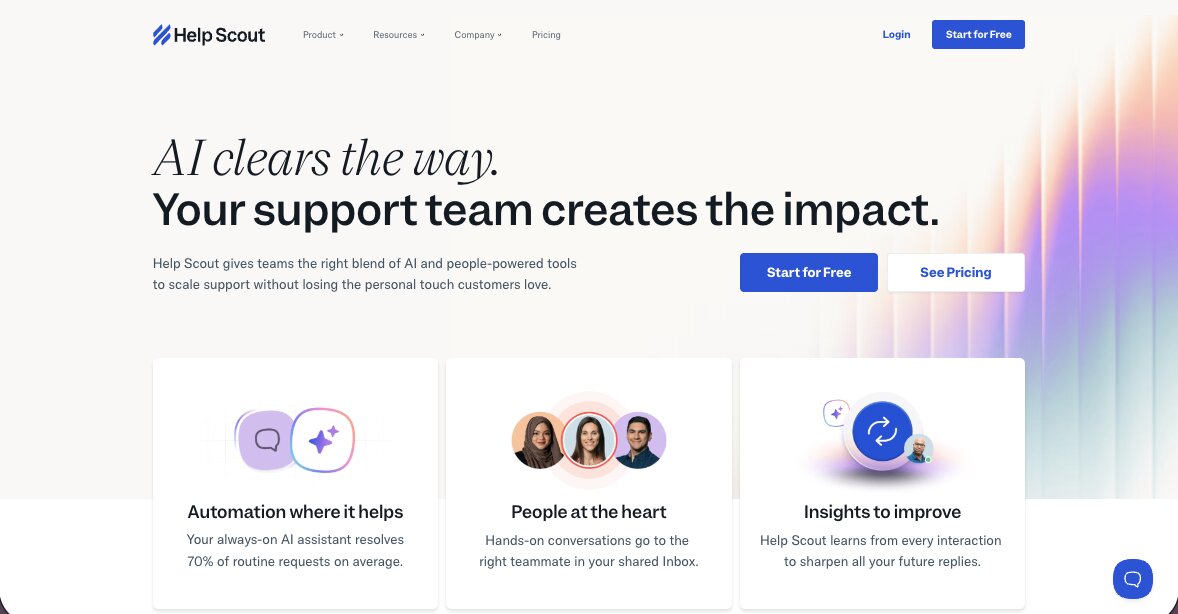
- Best for: Small to mid-sized teams that want AI layered on top of a proven helpdesk
- Pricing: Free plan available, then starts at $30/user/month (AI Answers is $0.75 per resolution)
- What I like: If you already use Help Scout, the AI features plug right in without needing a separate tool
Help Scout is a popular platform built for helping companies manage their customer service operations. I've personally used Help Scout back when I was working at Webflow, and it was the core homebase for all things support.
Now, Help Scout has AI features that can help you draft, summarize, and write replies to support tickets. The platform has two main AI layers. The first is their Inbox Assistant, which helps your support agents draft replies, summarize long conversation threads, adjust tone, and translate text. All of that happens right inside the inbox, so agents do not need to switch to a separate tool to get AI help.
The second is AI Answers, which is their customer-facing AI chatbot. You feed it your knowledge base, website content, and custom instructions, and it handles incoming customer questions automatically. If it cannot answer something, the customer can escalate to a human agent with a couple clicks. Help Scout reports an average resolution rate of over 73% with AI Answers, and that number improves over time as the AI learns from your content.
What I like about Help Scout's approach is that it is not trying to be a standalone AI agent platform. It is a helpdesk that has added AI in the right places. So if you already have a support team using Help Scout, the AI features just make them faster. And if you are a smaller team looking for a straightforward helpdesk with AI built in, it is a solid starting point without the complexity of enterprise tools like Decagon or Fin.
Here are some things I like about Help Scout AI:
- AI drafting and summarization are built directly into the inbox, so agents do not need to context-switch
- AI Answers chatbot can resolve common questions automatically using your existing knowledge base
- SOC 2 Type 2 certified and HIPAA compliant, and they do not train AI on your data
- You can test AI Answers in private before going live to make sure responses are accurate
- Transparent pricing with monthly caps so you can control spend
Here are some things that can improve with Help Scout AI:
- The AI features are add-ons on top of the helpdesk pricing, so costs can add up if you have high resolution volume
- AI Answers only works as well as the knowledge base you feed it, so you need solid docs first
- Not as powerful as purpose-built AI agent platforms if you need complex multi-step workflows or voice support
Help Scout AI pricing
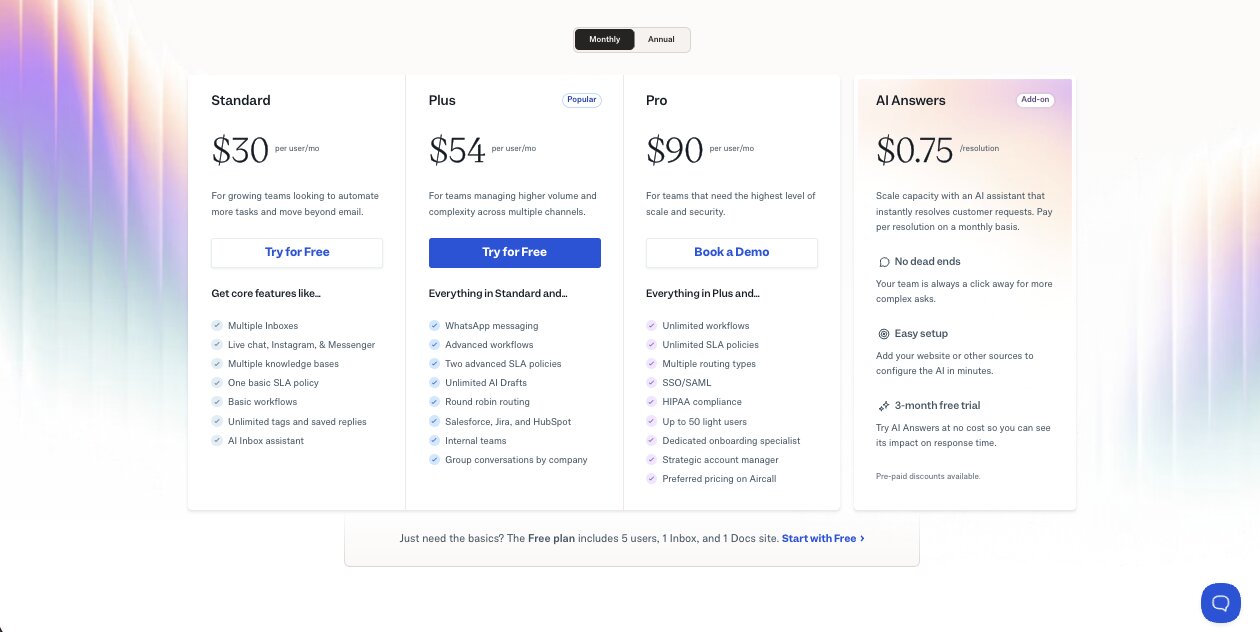
Help Scout's pricing is based on per-user helpdesk plans plus a separate per-resolution charge for AI Answers:
- Free is $0/month with up to 5 users, 1 inbox, 1 docs site, 100 contacts per month, and 10 saved replies
- Standard is $30/user/month with up to 25 users, 2 inboxes, unlimited contacts, basic workflows, and the AI inbox assistant
- Plus is $54/user/month with up to 50 users, 5 inboxes, advanced workflows, unlimited AI drafts, round robin routing, and Salesforce, Jira, and HubSpot integrations
- Pro is $90/user/month with unlimited users (10 minimum), 10 inboxes, unlimited workflows, SSO/SAML, HIPAA compliance, and a dedicated onboarding specialist
- AI Answers is an add-on at $0.75 per resolution on any paid plan, with pre-paid discounts available up to 33% off. New accounts get 3 months of free AI Answers resolutions.
You can learn more about each plan here.
Help Scout reviews
Here is what users rate Help Scout on third-party review sites:
- G2: 4.4/5 star rating (from +424 reviews)
- Capterra: 4.6/5 star rating (from +225 reviews)
5. Forethought
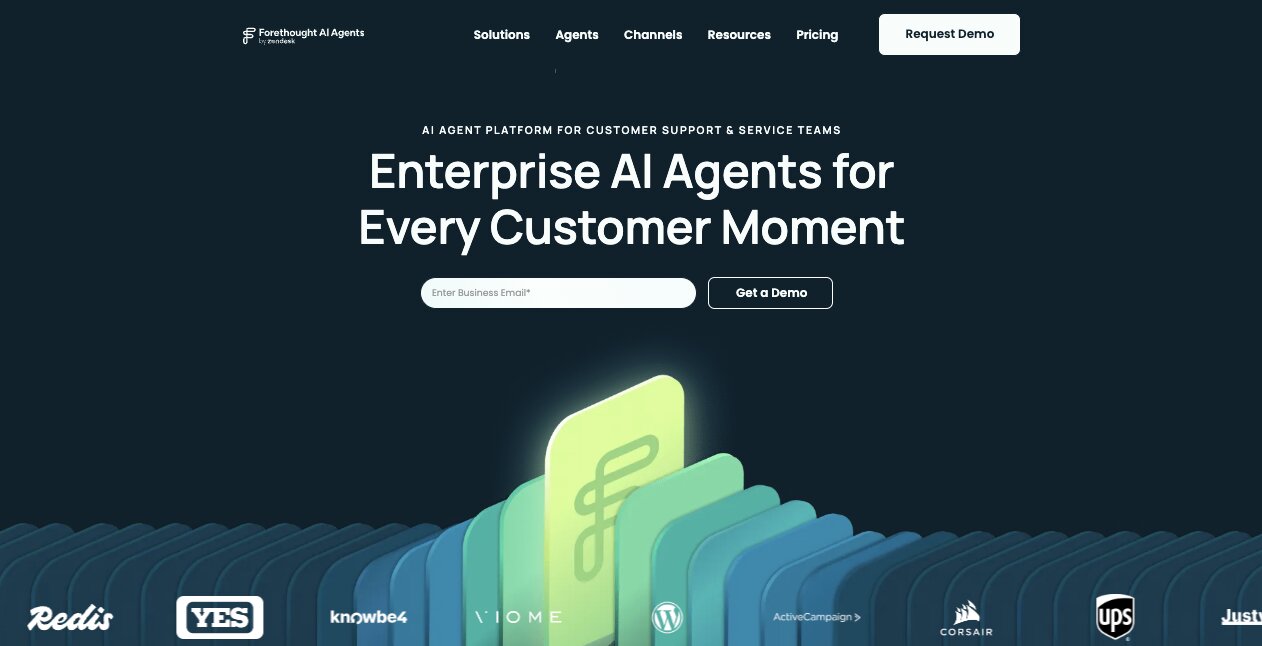
- Best for: Enterprise teams on Zendesk that need multi-agent AI across voice, email, SMS, and chat
- Pricing: Custom pricing (quote required)
- What I like: The multi-agent approach where Solve, Triage, Assist, and Discover all work together as one system
Forethought is a customer service platform that I came across about three years ago. But today, it has been acquired by Zendesk and it has turned into a fully enterprise AI agent platform for customer experiences (CX).
The platform can help you automate support across channels like voice, email, SMS, and chat. And it has a wide range of features that can help you with resolving issues, routing tickets, finding trends and insights, and helping members of your customer support team move faster and do more with customer support AI agents by their side.
What I think is really cool about Forethought is that it follows a multi-agent approach where you create an agentic system and you have products like Solve, Triage, Assist, and Discover, and they all can work together. So it has Autoflows that let AI reason through multiple steps and it can create this entire agent team that understands what needs to be done based off of customer intent and skills that you give your agents.
Given that it is owned by Zendesk and it clearly labels itself as an enterprise AI platform, this tool is probably best for larger organizations where you have a ton of tickets coming through that need to be routed to specific teams and you want to scale past just having a simple helpdesk or CRM.
Here are some things I like about Forethought:
- The multi-agent system lets you build an entire AI support team that works together
- Autoflows let the AI reason through multi-step workflows instead of just matching keywords to canned responses
- Supports voice, email, SMS, and chat so you can cover every channel from one platform
- Now backed by Zendesk, so the integration with one of the biggest helpdesks in the world is tight
- Has built-in ticket insights, conversation analytics, and AI QA on the higher plans
Here are some things that can improve with Forethought:
- No public pricing and no free plan, so you need to go through a sales process to even get a quote
- Built for enterprise, which means it is probably overkill if you are a small team or early-stage startup
- The Zendesk acquisition could be a pro or a con depending on your stack. If you are not on Zendesk, it is worth asking how well it works with other helpdesks
- Some of the more useful features like multilingual support, AI QA, and custom triage models are locked behind the Professional plan
Forethought pricing
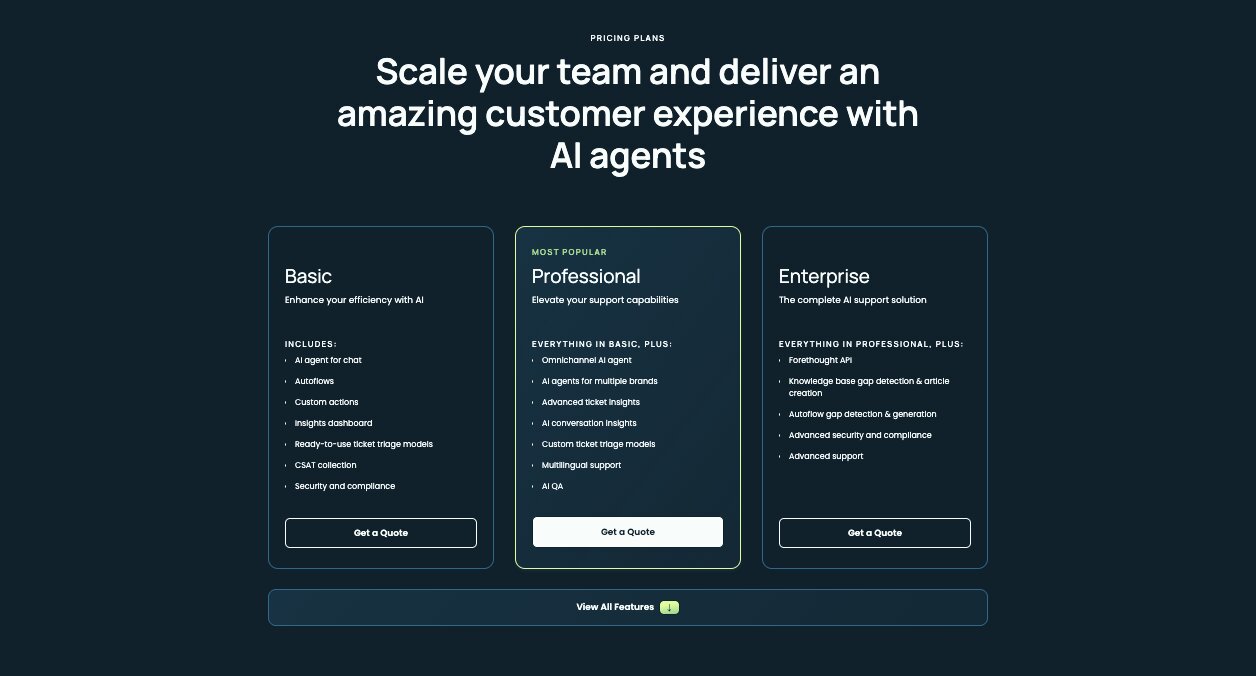
Forethought does not publish specific pricing on their website. All plans require a custom quote. Here is what each tier includes:
- Basic includes an AI agent for chat, Autoflows, custom actions, an insights dashboard, ready-to-use ticket triage models, CSAT collection, and security and compliance features
- Professional includes everything in Basic plus an omnichannel AI agent, AI agents for multiple brands, advanced ticket insights, AI conversation insights, custom ticket triage models, multilingual support, and AI QA
- Enterprise includes everything in Professional plus the Forethought API, knowledge base gap detection and article creation, Autoflow gap detection and generation, advanced security and compliance, and advanced support
You can learn more about each plan here.
Forethought reviews
Here is what users rate Forethought on third-party review sites:
- G2: 4.3/5 star rating (from +165 reviews)
- Capterra: 4.5/5 star rating (from +11 reviews)
6. Kustomer
- Best for: Mid-market and enterprise teams that want a CRM and AI support platform in one
- Pricing: Custom pricing (based on conversations and outcomes)
- What I like: The unified customer timeline that keeps full context across every channel and interaction
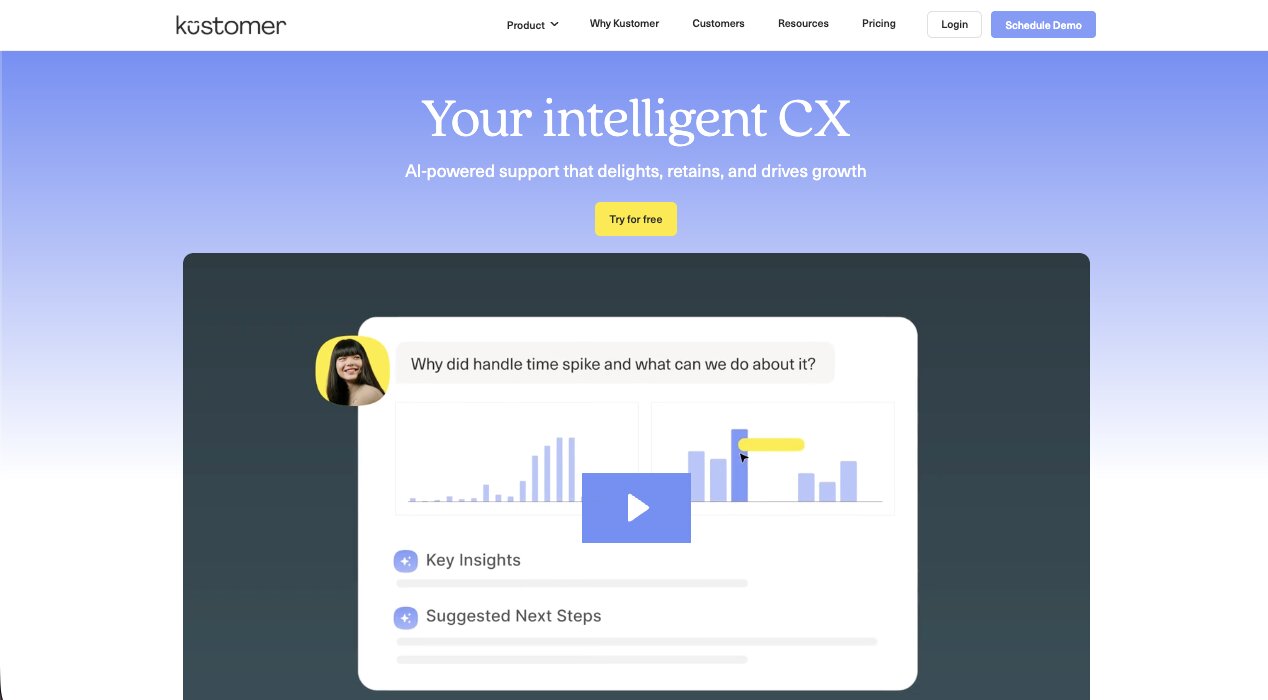
Kustomer is a customer experience platform that combines a full CRM with AI-powered customer support. You get your automation, your customer data, and all the context on your customers inside of one platform. And it has an AI layer on top that lets you create autonomous agents for handling tickets, plus copilot-style assistance for your human agents.
So you can set it up as a human-in-the-loop system where AI drafts and humans approve, or you can go fully agentic and let the AI handle everything on its own. Basically, you get the best of both worlds.
What I actually really like about Kustomer is that it brings everything into a single customer timeline. So when a customer reaches out through chat, then follows up over email, and then calls in, your agents (or AI) can see the full history in one place. This context is what lets the AI actually make good decisions instead of treating every interaction like a brand new conversation.
The platform also has what they call an AI Reasoning Engine, which can look at conversation history, customer behavior, and transaction data to figure out what needs to happen next. It can take real actions across your systems, not just suggest replies. And you can set escalation thresholds so the AI handles routine work while flagging higher-risk issues for a human to step in on.
Here are some things I like about Kustomer:
- Covers chat, email, voice, SMS, and social all from one platform with full context between channels
- The unified customer timeline means your AI agents and human agents always have the complete picture
- AI can take actual actions across your systems, not just draft responses for someone to approve
- You can configure escalation rules so you control exactly when a human needs to get involved
- Works as both your CRM and your support platform, so you do not need to stitch two tools together
Here are some things that can improve with Kustomer:
- It is a heavier platform compared to simpler AI support tools on this list, so the setup and learning curve is bigger
- You get the most value when you commit to Kustomer as your core CX system, so it is less useful as a standalone AI add-on
- No public pricing, so you have to go through sales to get a quote
- Probably more than you need if you are a small team that just wants basic self-service or AI drafting help
Kustomer pricing
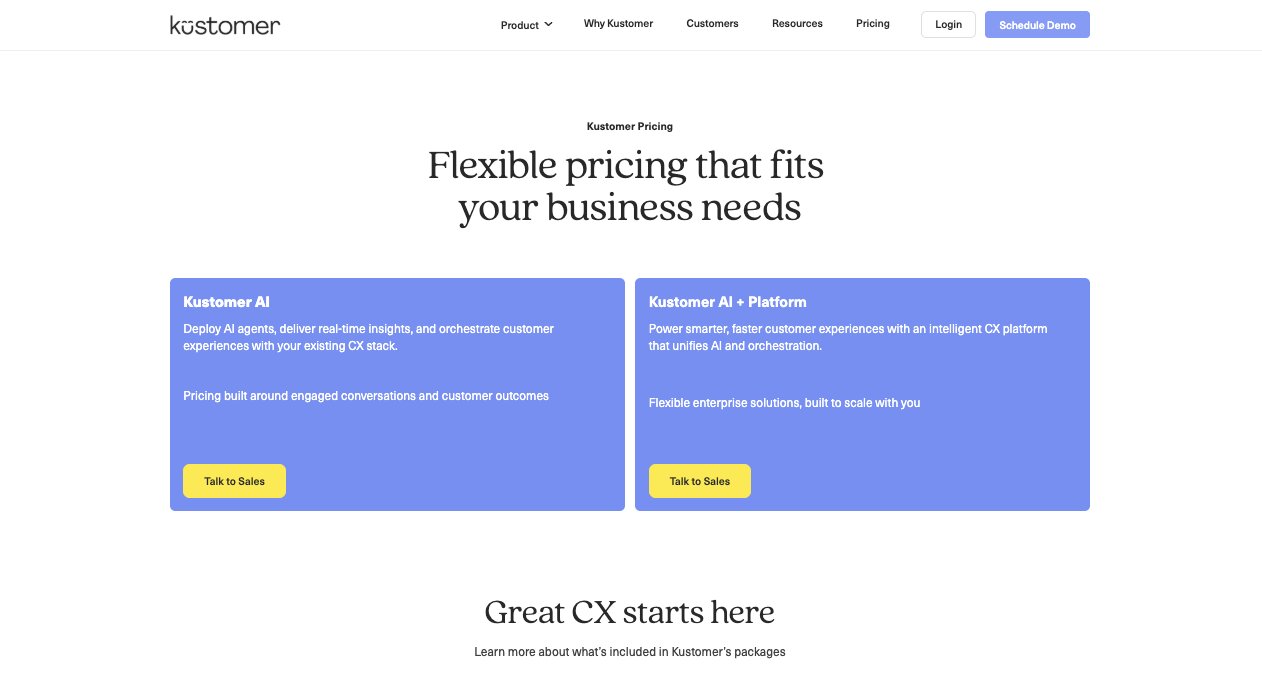
Kustomer does not list specific pricing on their website. Both plans are custom and require talking to sales. Here is what each tier includes:
- Kustomer AI lets you deploy AI agents, get real-time insights, and orchestrate customer experiences with your existing CX stack. Pricing is built around engaged conversations and customer outcomes.
- Kustomer AI + Platform gives you the full intelligent CX platform that unifies AI and orchestration. This is their enterprise tier designed to scale with your team.
You can learn more, and reach out to their team, here.
Kustomer reviews
Here is what users rate Kustomer on third-party review sites:
- G2: 4.5/5 star rating (from +513 reviews)
- Capterra: 4.7/5 star rating (from +79 reviews)
7. Yuma AI
- Best for: Ecommerce brands on Shopify that need to automate high-volume support tickets
- Pricing: Custom pricing (demo required)
- What I like: Purpose-built for ecommerce, so it actually understands workflows like returns, exchanges, and refunds
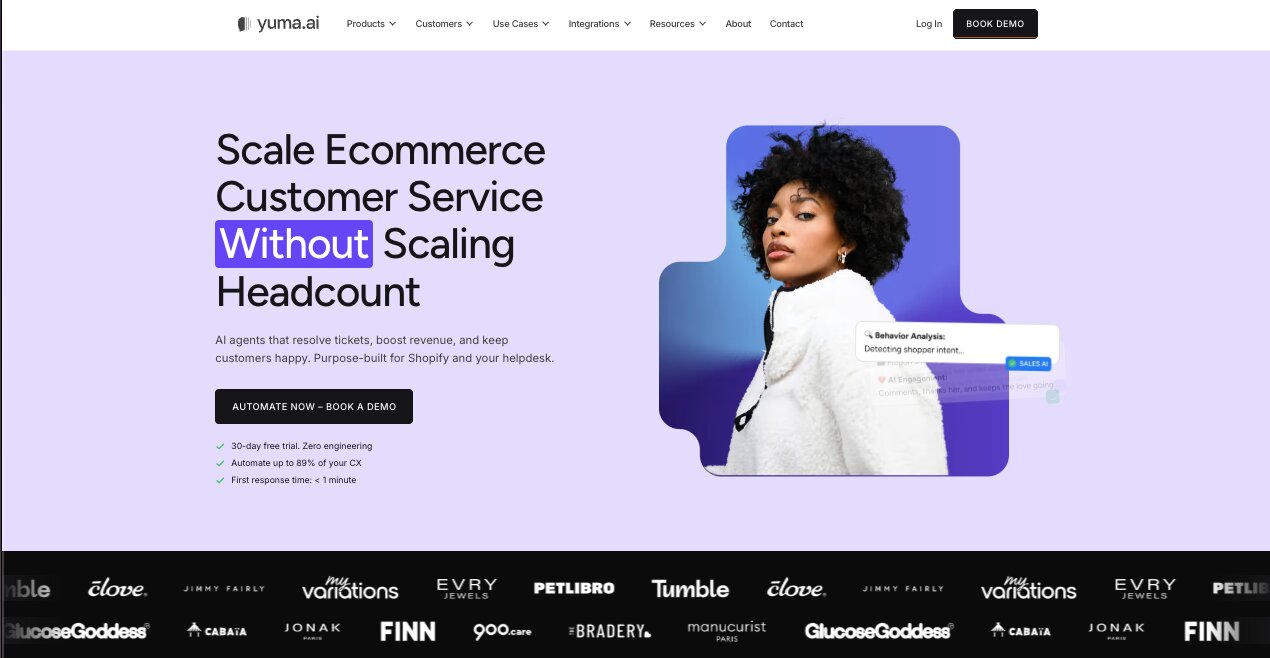
Yuma AI is an AI customer service platform built for ecommerce companies. Most of the tools on this list work for generally all types of businesses, but this one is built specifically for companies and D2C brands that use Shopify as their ecommerce backend.
The platform can connect to your existing helpdesk to help you create agents that can resolve tickets like exchanges and refunds, billing issues, order status updates, and returns. Basically, a lot of the typical customer support tickets that you would get as an ecommerce business owner or manager, you can now automate with AI agents built with Yuma AI.
What makes Yuma different from the more general-purpose tools on this list is that it is deeply specialized for retail workflows. It uses what they call Auto-Pilots, which are SOP-driven agents that follow specific procedures for handling common ecommerce tasks.
So instead of just generating a reply and hoping it is right, the AI agent follows a structured process with guardrails and quality controls built in. It can also take real actions across your systems, like actually processing a refund or looking up an order, not just telling the customer to wait while a human does it.
It integrates with major helpdesks like Gorgias, Zendesk, and Kustomer, plus commerce platforms like Shopify. So if you are running a Shopify store and already using one of those helpdesks, Yuma can plug right in and start handling the repetitive tickets.
Here are some things I like about Yuma AI:
- Built specifically for ecommerce, so it handles common retail support tasks like returns, refunds, and order lookups natively
- Auto-Pilots follow structured SOPs with quality controls, so the AI is not just guessing at responses
- Can take real actions across your systems instead of just drafting replies for a human to send
- Integrates with Gorgias, Zendesk, Kustomer, and Shopify out of the box
- Has escalation logic built in so uncertain cases get flagged for a human instead of sending a bad reply
Here are some things that can improve with Yuma AI:
- Very narrow focus on ecommerce, so if you are not running an online store this tool is not for you
- No public pricing and no free plan, so you need to book a demo to find out what it costs
- You probably need a decent volume of support tickets to justify the platform
Yuma AI pricing
Yuma AI does not list pricing on their website. You need to book a demo to get a custom quote. Given that the platform is built for mid-sized to large ecommerce teams with high ticket volume, pricing is likely based on the number of tickets or resolutions your AI agents handle.
Yuma AI reviews
Here is what users rate Yuma AI on third-party review sites:
- G2: 4.8/5 star rating (from +16 reviews)
- Shopify App Store: 5/5 star rating (from +8 reviews)
8. Ada CX
- Best for: Enterprise teams that want highly automated AI support across web, mobile, social, and voice
- Pricing: Custom pricing (demo required)
- What I like: The Reasoning Engine that decides whether to answer from your knowledge base, trigger an action, or escalate to a human
Ada CX is a platform that creates AI agents for customer support that can handle conversations across web, mobile, social, chat, and voice. It can easily help you resolve common customer tickets that come in without needing to have any humans involved.
What I really like about Ada is how its AI decides what to do with each conversation. They have a Reasoning Engine that looks at what the customer is asking and figures out the best path forward. Sometimes that means pulling an answer from your knowledge base. Other times it means triggering an action through an API, like looking up an order or updating an account.
And if the issue is too complex, it knows when to hand things off to a human agent. So you are not just getting a chatbot that matches keywords to articles. You are getting something that can actually think through the right next step.
The platform also has Playbooks that let you build multi-step workflows without needing a developer (just like Gumloop). So if you want your AI agent to follow a specific process for something like a refund request or an account change, you can set that up yourself. And then there are coaching and reporting tools that help you see where your agents are doing well and where they need improvement, so you can keep optimizing over time.
If you're running a large support operation and you want something that can handle a high volume of conversations across multiple channels while still giving you control over how things get escalated, you gotta check out Ada.
Here are some things I like about Ada CX:
- The Reasoning Engine can decide whether to answer, take an action, or escalate, instead of just pattern-matching keywords
- No-code Playbooks let you build multi-step workflows without needing an engineer
- Supports web, mobile, social, chat, and voice all from one platform
- Built-in coaching and reporting tools so you can continuously improve how your AI agents perform
- Good escalation controls so you decide exactly when a human needs to step in
Here are some things that can improve with Ada CX:
- No public pricing and no free plan, so you have to go through a demo to find out what it costs
- It is clearly built for enterprise, so if you are a small team or just getting started with AI support it might be more than you need
- The platform can take time to configure well because it is designed for complex workflows, not quick plug-and-play setups
- Your results are going to depend heavily on the quality of your knowledge base and how much time you put into coaching the AI
Ada CX pricing
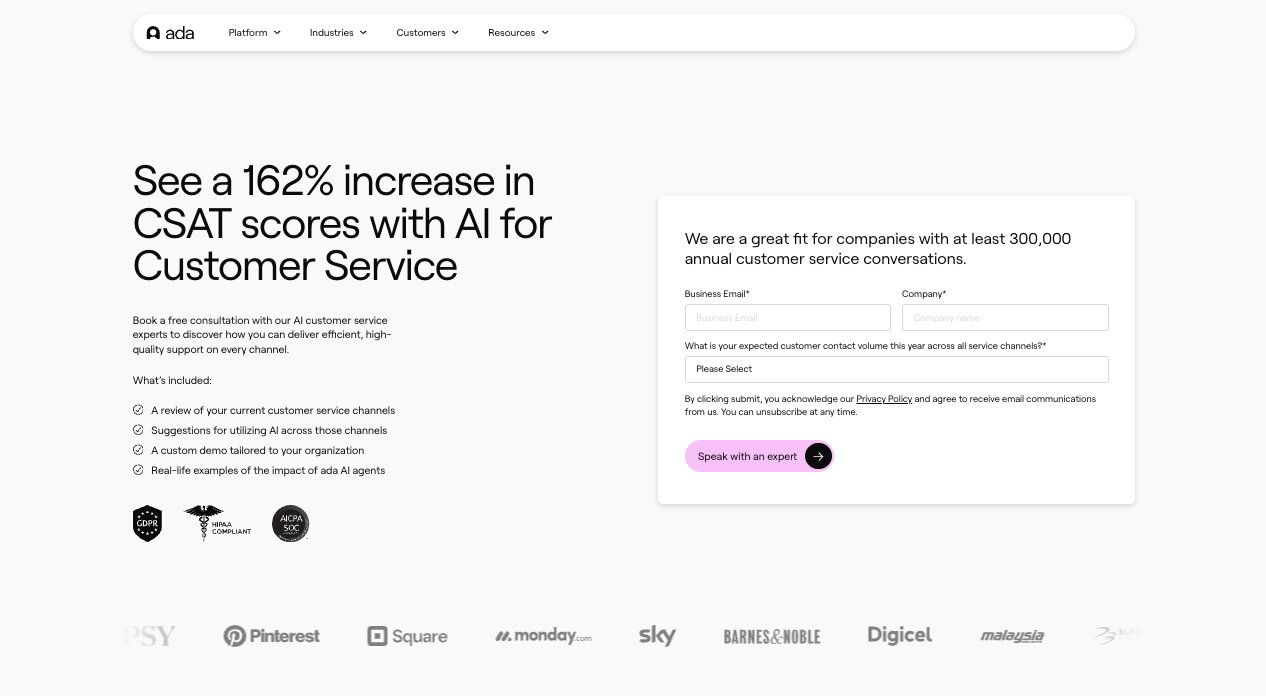
Ada does not list pricing on their website. You need to book a demo to get a custom quote. Based on the types of companies using it and the enterprise positioning, pricing is likely based on conversation volume and the channels you need covered.
Ada CX reviews
Here is what users rate Ada on third-party review sites:
- G2: 4.6/5 star rating (from +170 reviews)
- Capterra: 4.7/5 star rating (from +15 reviews)
Which AI agent for customer service should you use?
It really depends on what your customer service team looks like right now and where you want it to go.
If you are a large enterprise with thousands of customer inquiries coming in every day and you need an AI customer service agent that can handle deflection across voice, chat, and email, Decagon or Ada CX are probably your best bets. They are built for high-volume operations where you need strong metrics, fast response times, and full control over when human intervention is needed.
If you want a stable helpdesk with AI built in, and do not need anything overly complex, I would say go with Help Scout AI. It's a great middle ground between a basic bot and a full enterprise platform.
And if you want the most flexibility to build your own AI support agents from scratch, Gumloop is what I would recommend. It is the platform I personally use and it lets you create agentic AI systems that can triage, route, and resolve customer conversations across any channel. You can build something that fits your exact customer needs instead of fitting into someone else's template.
At the end of the day, generative AI and natural language processing have gotten so good enough that any of these tools can really improve your support efforts, boost productivity, and deliver better customer satisfaction. The question you should ask yourself is how much control you want and how complex your current workflows are.
Eighteen months ago I built my first AI agent and it changed how I thought about work. If you have not built one yet for your support team, now is probably the time.

Read related articles
Check out more articles on the Gumloop blog.