12 amazing AI workflows for marketing teams in 2026

.webp)
If you work in marketing, listen up.
The marketers that are going to win in the long run are the ones that go super deep into one or two marketing disciplines, and then use AI to supercharge their output.
I've already seen it in my own work and with my clients.
Being a generalist is okay, but the marketers that make the most money are going to be the ones who know how to use AI effectively in their marketing workflows. And the only way to do that is to know how to guide AI to give you the output you want.
In this article, I'm going to show you 12 AI workflows for marketing that I've been using and that I've seen other teams use internally. These are actually workflows, created by subject matter experts, that you can use today.
But before I get into the examples, I want to expand more on what I mentioned above and share how I think about AI in marketing. Because the workflows themselves are useless if you don't have the right mindset going in.
How to use AI in your marketing workflows
AI is only as good as the person using it. It's a multiplier on your level of expertise.
That's my core philosophy on this technology.
If you're not already an expert on a given topic, and you use AI in your work, you're not going to have the correct judgment to know what is correct and what isn't.
An engineer using AI to develop software is going to know all of the right guardrails, and can build a real product-ready app. A non-technical person is just going to vibe code something with a bunch of bad code under the hood.
Similarly, a marketer who doesn't understand SEO will create an AI SEO workflow that generates slop content or gives you bad content strategy. A great SEO knows how to give their AI the right instructions so it can create a clone of themselves.
So why do I say all of this?
If you want to learn how to implement AI into your marketing workflows, you need to already know how to do it manually.
If you're going to automate your workflows yourself, you need to be a subject matter expert on the thing you're trying to automate. Good insights and planning in, good AI outputs out.
And if you're not an expert in a particular field but you still want to leverage AI marketing workflows, you should seek out people who have already created those workflows themselves. In other words, start with templates and dissect them to figure out the logic behind everything.
Here's how I think about it:
- If you're an expert, document your manual process step-by-step, then build a workflow that replicates it
- If you're not an expert, find templates built by people who are, then reverse-engineer the logic
- Either way, the quality of your inputs determines the quality of your outputs
With that said, let me show you 12 AI workflows that I've been using for marketing. Some of these I use myself, others are from marketing friends that have shared them with me. Either way, they're all worth checking out.
12 AI workflows for marketing teams
Here are the best AI marketing workflows:
- SEO Audit with Semrush Data (best for site health checks)
- SEO Keyword Research with Semrush (best for keyword discovery)
- GEO Audit Flow (best for AI search visibility)
- Google Ads Audit & Optimization Agent (best for PPC optimization)
- Brand & Competitor Ad Analysis Generator (best for ad research)
- X Viral Script Finder (best for content ideas)
- Instagram Post Sentiment Analysis (best for brand monitoring)
- TikTok UGC Vetting Agent (best for influencer research)
- Weekly LinkedIn Post Digest (best for competitor tracking)
- Market Segmentation: Buyer Persona Pain Point Report (best for customer research)
- LinkedIn Company Scraper + News (best for account research)
- Data Analyst Agent (best for marketing analytics)
Let’s look at each one.
SEO & AI search visibility
Everyone is talking about AEO, GEO, LLM SEO, whatever you want to call it. In my experience, it's just great SEO. But there are ways to analyze how you're performing in AI search engines, and these workflows help you do exactly that.
From running full site audits to keyword research to understanding how your content shows up in tools like ChatGPT and Perplexity, these three workflows cover the essentials.
1. SEO Audit with Semrush Data
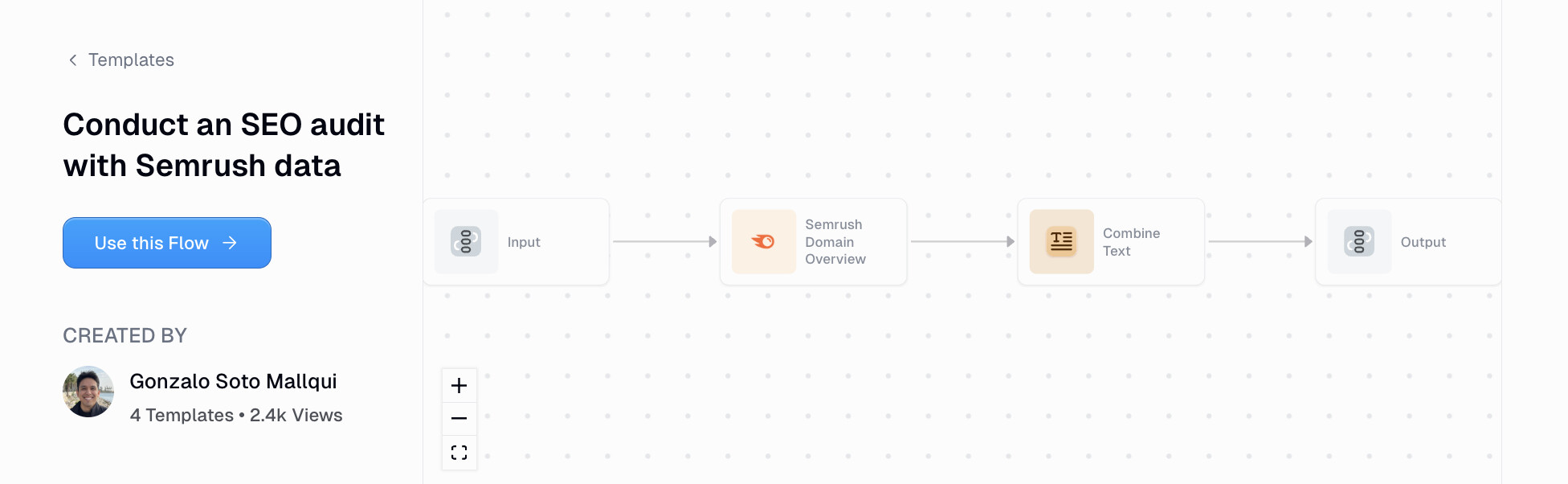
This first workflow is an SEO audit tool that integrates with real Semrush data and can run a full audit in just one click.
With this workflow, all you do is paste in the URL of a website you want to audit, select a focus area like if you want to look at the site optimization as a whole, if you want to optimize the content, or if you want to do keyword optimizations. And then you select the output if you want it to be plain text or a PDF that you can share with team members.
And then with one click you can receive a full SEO audit.
But the great thing about this workflow is that you can also modify it to have even more functionality. For example, instead of generating a PDF you can have it email you a report on a weekly or monthly basis.
You can also integrate an LLM model and prompt the AI for different requirements in your report. Overall this is a really cool workflow that I've been using and it's definitely worth checking out.
2. SEO Keyword Research with Semrush
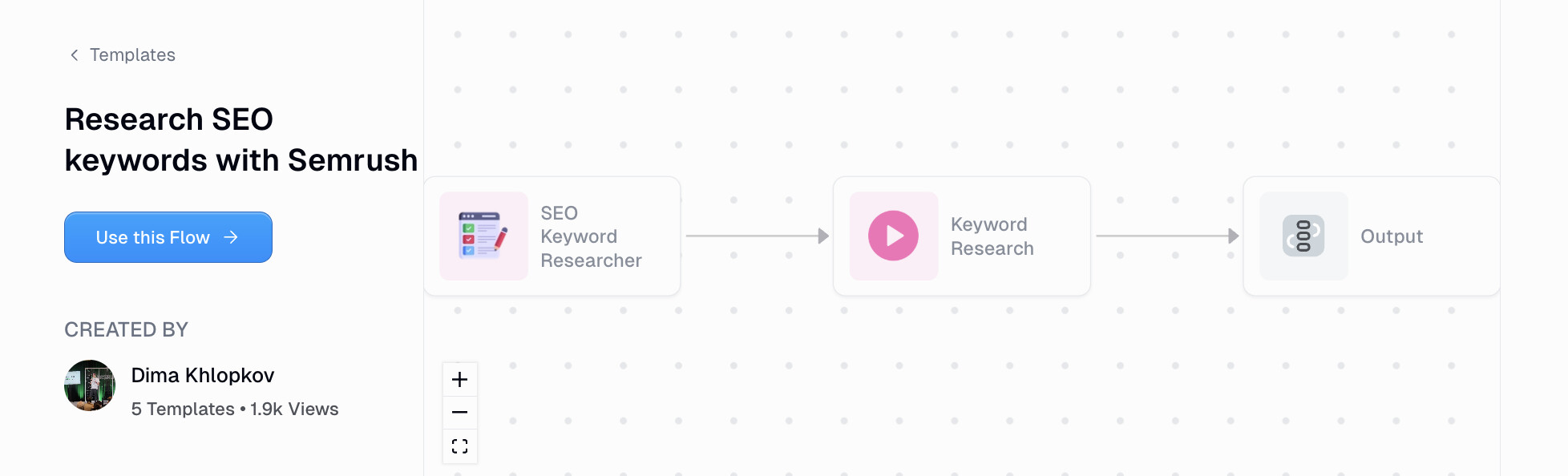
Staying on the topic of SEO, this workflow allows you to do keyword research at scale, without needing to look at a Semrush dashboard.
For this workflow all you do is enter in a keyword and it will give you the search volume, its competitiveness, and keyword difficulty. But on top of that it will also search Google for that keyword and give you analysis of the top ranking content.
By default this workflow will scrape the first five results for a given keyword but you can change this and modify the number of results you want to scrape. It uses the SERP API to gather this data and then it feeds it into Semrush to pull in all the data.
From there that data is fed into an LLM model like ChatGPT or Claude and you can use AI to synthesize the data into a report that can be used very similarly to the first workflow we went over (export it as a PDF or send it as an email report).
3. GEO Audit Flow
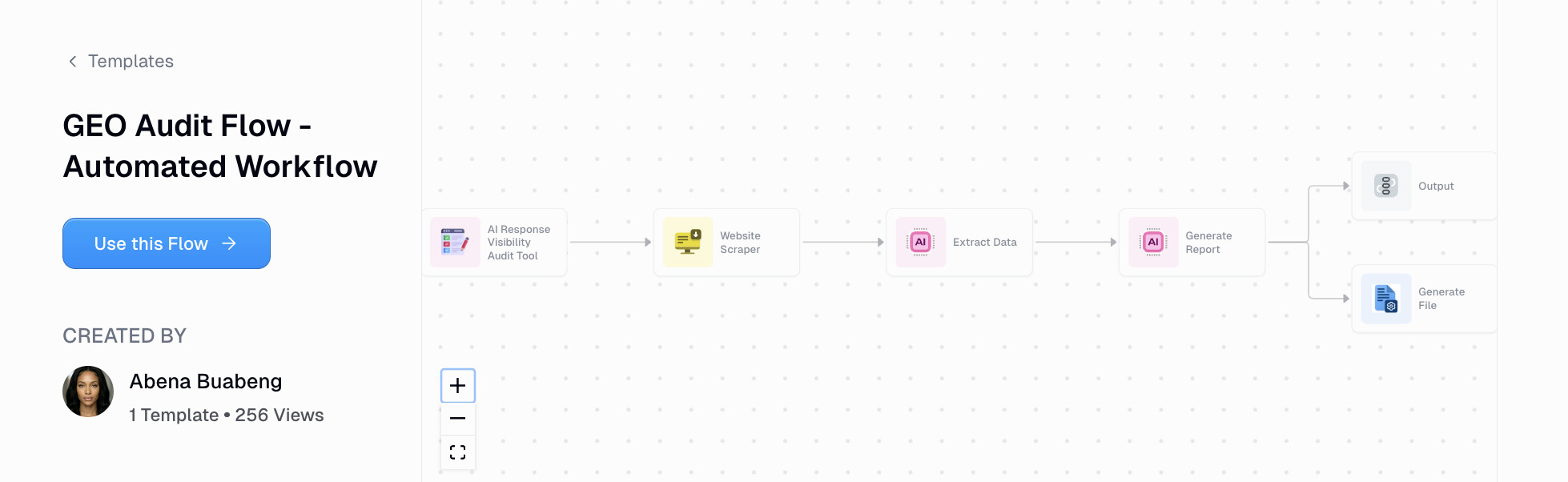
This AI marketing workflow can help you with your AI visibility and GEO auditing. It works by you inputting a website and it will then scrape that website and feed it to an agent to extract its source code.
It runs a four-pillar analysis that collects data using a high-reasoning LLM model against four methods of GEO/AEO analysis: content structure, technical probability, trust signals, and schema visibility.
From there it generates a report in a PDF format that gives you a better understanding of where your website currently stands with AI search and the improvements that you can make moving forward.
It's a pretty handy tool if you want to do a quick analysis of any website, whether you're building your own site, working at a company, or working with clients at an agency.
Paid advertising
If you're running paid ads, you know how easy it is to waste budget on underperforming keywords or miss opportunities your competitors are capitalizing on.
These workflows help you audit your campaigns, monitor what's working, and get a clearer picture of the competitive landscape without jumping between dashboards.
4. Google Ads Audit & Optimization Agent
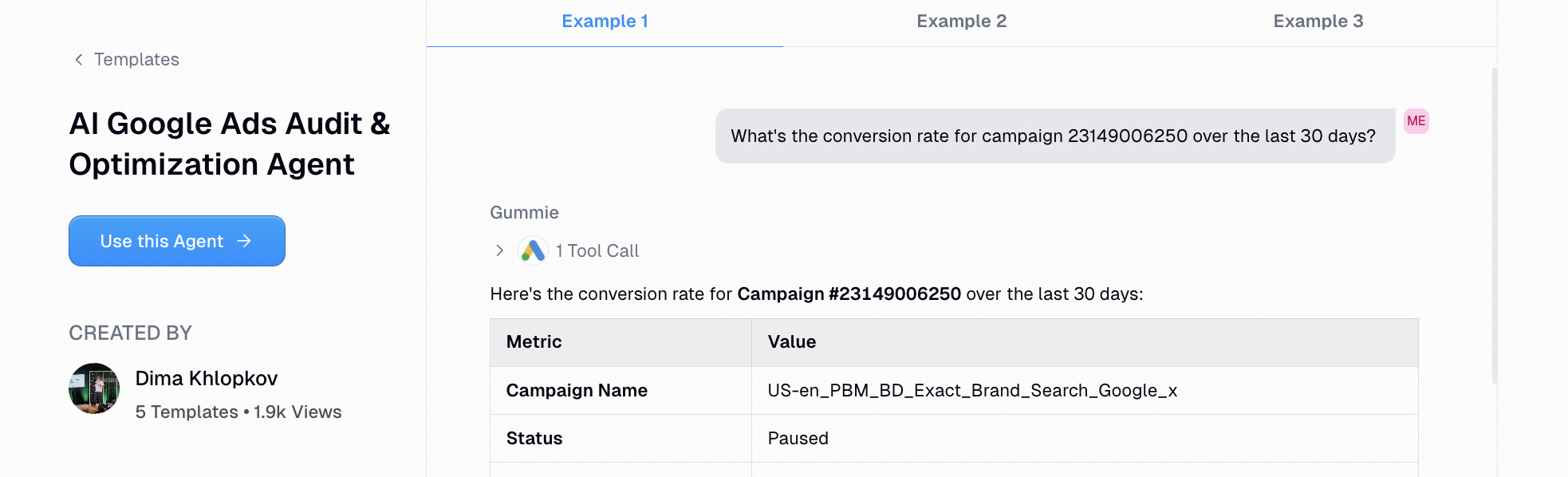
This workflow is for anyone running Google PPC ads. It acts as your Google Ads audit agent that can go through your current campaigns, understand what keywords are not performing well, run competitor analysis, and give you better optimizations and keyword recommendations.
It's quite powerful what AI can do with performance marketing and this is a great example of using a workflow that is actually useful because the AI is accessing real data from your Google Ads account.
And because you're pulling in this real data it means that you can audit any campaign, you could monitor your budgeting, you can get a better idea of what keywords are performing and which aren't, and from there you can create actionable next steps on how to optimize your campaigns.
I definitely recommend playing around with this one, just make sure that you have access to a Google Ads account and you're allowed to integrate it with a third-party tool. If you're using Gumloop to run your workflow automations, know that the platform has enterprise-grade security and is SOC 2 compliant.
5. Brand & Competitor Ad Analysis Generator
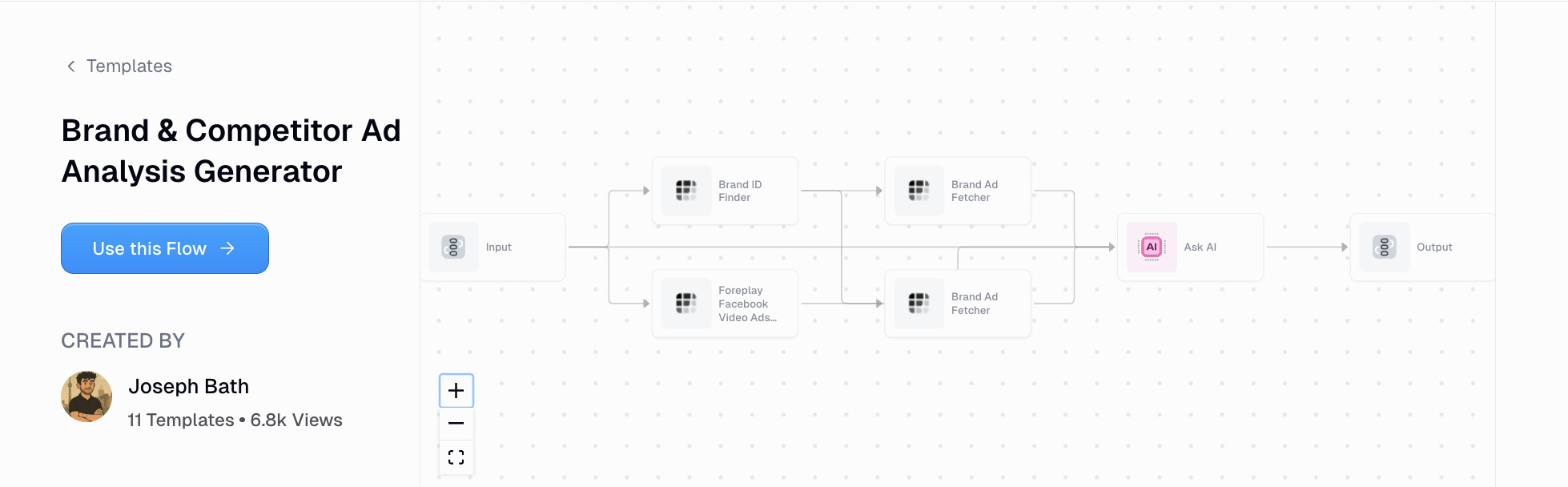
Staying on the topic of ads, this AI workflow can help you monitor your brand's ads against competitors' ads.
Instead of going in and optimizing your Google PPC campaigns like the previous workflow, this one is a bit more qualitative in that it helps you understand how to approach your own ad creatives against others in your industry.
All this workflow really needs is a data source. That could be connecting your brand's ads repository so it can analyze your creatives. On the competitor side it also means giving access to competitor ad information through platforms like Google's Ad Transparency Center or Meta's Ad Library.
Social media
Social media moves fast and keeping up with what's trending, what's resonating, and who to partner with, is a full-time job.
These workflows leverage social media automation tools to help you monitor engagement, find content ideas, vet creators, and stay on top of what actually matters without doom-scrolling through your feed all day.
6. X Viral Script Finder
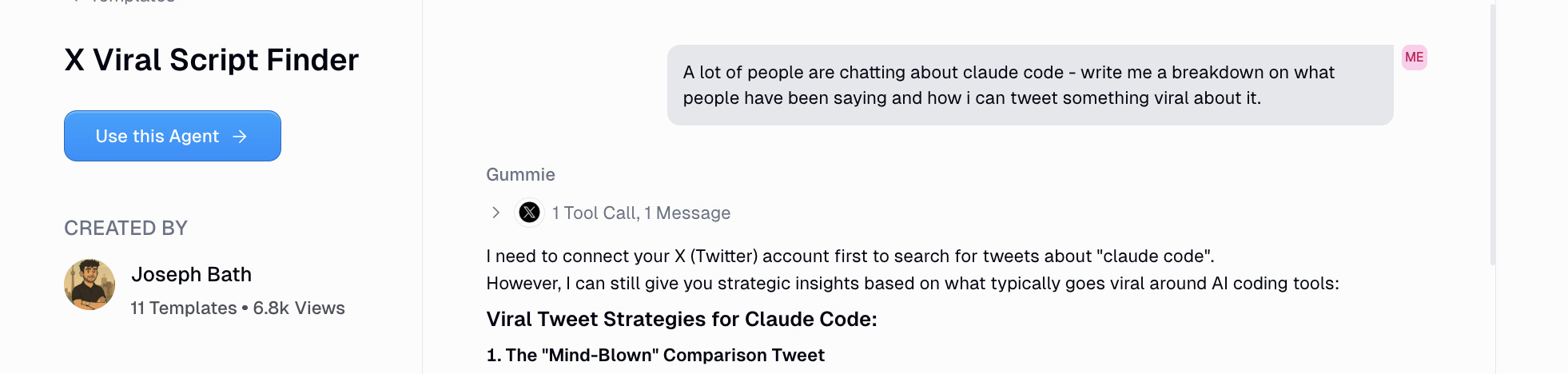
This workflow helps you get ideas on what to post on X (formerly Twitter) by analyzing current posts that are doing well in your niche.
The workflow scans through any high-engagement posts based off of hashtags you give it and it can identify common patterns, formats, and themes that give you suggestions on what's trending now and how to apply it to your own content marketing strategy.
As you can see, similar to other workflows I've shown, the best AI marketing workflows are the ones that take in data from some sort of data source and can be fed into AI to synthesize and analyze that data.
AI workflows, especially in the content creation space, need good data and good inputs in order to get an output that isn't AI slop. Bad data in, bad AI output. Good data in, good AI output. Hope that makes sense.
So for this workflow, the better you can get at feeding it the right types of content in your niche that you want to emulate and track, the better your results will be in it giving you ideas to be tailored to your own niche.
7. Instagram Post Sentiment Analysis
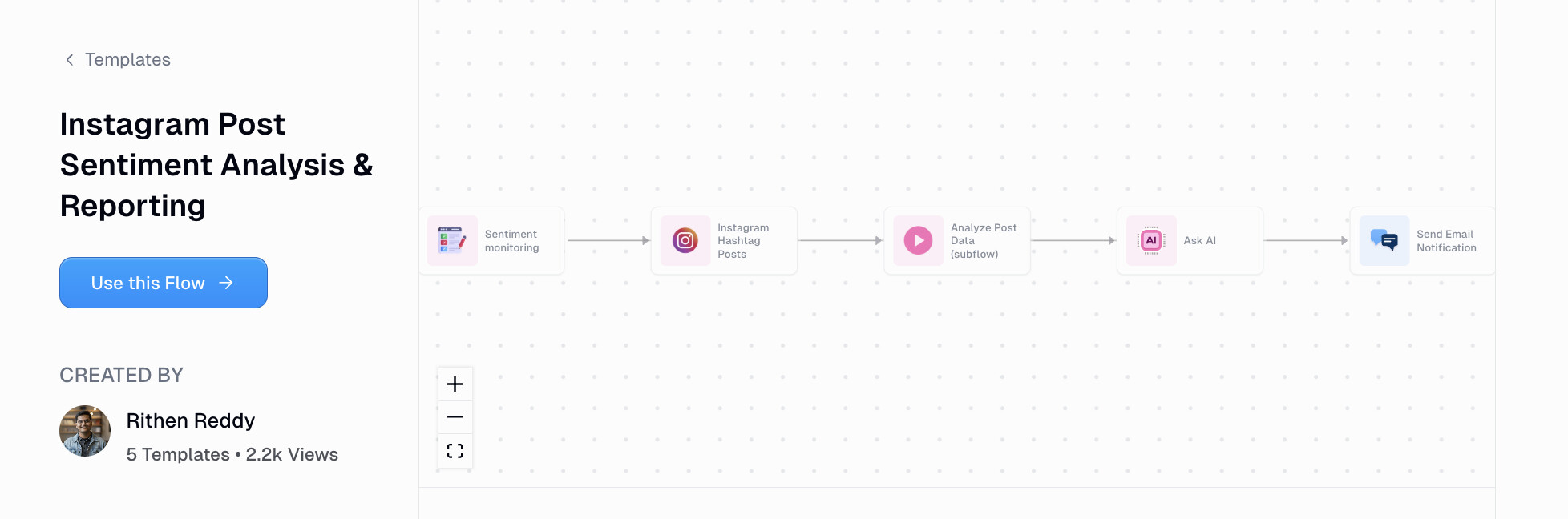
This Instagram workflow allows you to understand the sentiment of different posts so you can monitor trends and see how your own content is being received.
This is great for social media marketing managers at large companies that are creating tons of posts across multiple different Instagram accounts. And this flow is designed to run on a frequent basis so you can have a scheduled sentiment analysis of your Instagram posts that are then sent to you as email reports. You can also have these email reports be sent to different members of your team as well.
You can also use the same workflow to monitor competitors in your niche as well. So you can have this workflow access Instagram and then take the top performing posts and put them in a Google Drive where it can run that sentiment analysis for you, and help you create a swipe file for the top post ideas.
8. TikTok UGC Vetting Agent
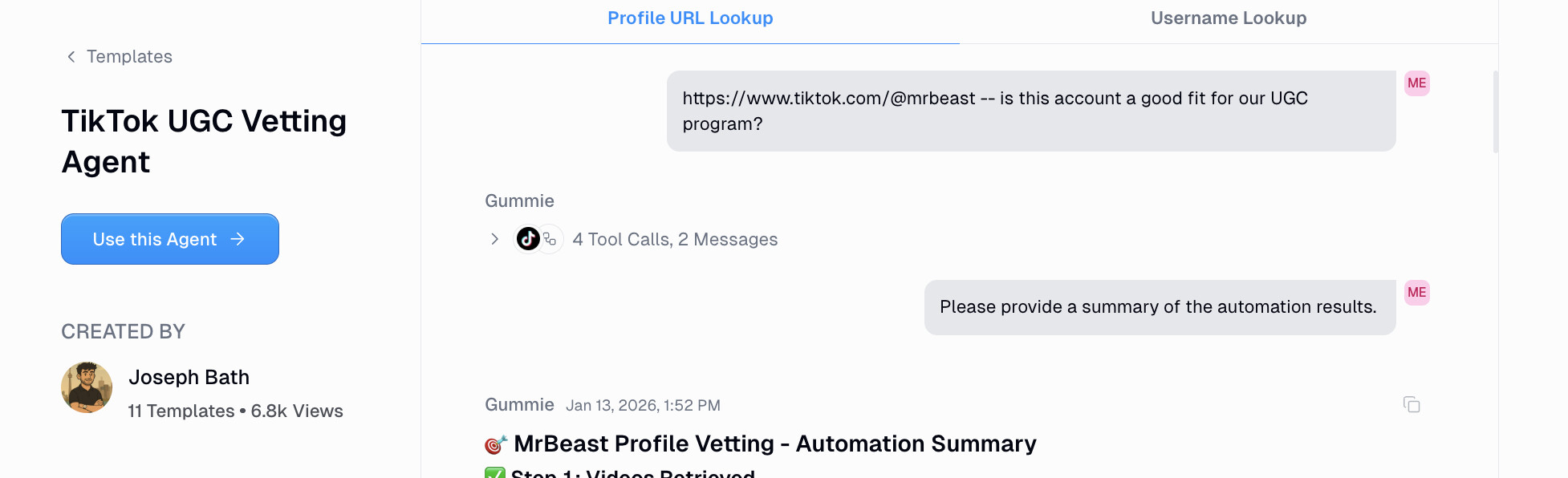
One of the biggest marketing trends I've seen is the use of UGC creators, especially on TikTok, to help push products and services. I've seen this done really well for the e-commerce space where companies will send their products to regular creators (that don't even have a big following), to then post content of them using those products.
But the thing that is really important here is that you find a creator who is very creative and understands how to go viral on TikTok without needing to have an existing subscriber or audience base.
And finding these types of creators is hard. You have to go through a manual vetting process. But with this workflow it helps eliminate a lot of that by basically helping you automate that vetting process.
The workflow works by you first setting context on what your company is, what it does, its brand voice, the products and services. Basically you want to give the AI a bunch of context on who you are, what you do, and what you sell.
From there you create your ideal creator profile of the type of creators you want to work with and you define what that looks like. You want to be very detailed here and mention things like their engagement rate, how many likes their posts should generally get, how many views they should get, how many followers they have. You can be both qualitative and quantitative in your ideal ICP.
And then you want to craft a custom outreach message to send to creators that have gone through the vetting process. And as a bonus you can even add Slack to this workflow so you can interact with a Slack bot to run this entire flow.
It's a pretty powerful workflow compared to the other ones we've gone over because this one is actually a full-blown AI agent. If you check out the workflow you can see what I mean and all you really do is just chat to the agent and ask it to do whatever you want. Definitely check this one out if you work in social media and you're thinking about running UGC marketing campaigns.
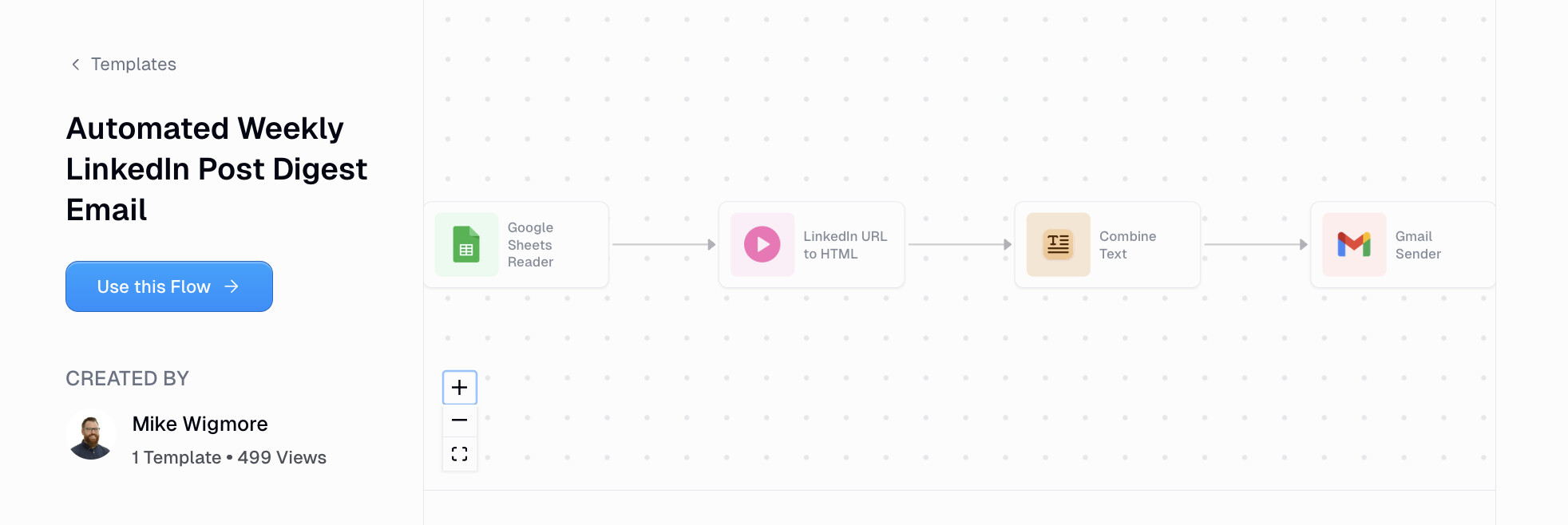
9. Weekly LinkedIn Post Digest
There's a lot of AI slop on LinkedIn. There's tons of noise of people just trying to pitch their products and constantly sell without being genuine or providing real value. Let's just say the signal-to-noise ratio is totally off.
But every once in a while you come across a hidden gem on LinkedIn. I know I have and I usually save these types of posts to come back to later.
And generally I find a theme within these posts that I really like because they come from certain creators that are very well respected. So if you have a list of certain LinkedIn creators you really like, it's really easy to create a workflow that can give you a weekly digest of all of their top posts and send it to you as an email report.
All this workflow does is that you create a Google Sheet with a list of LinkedIn profiles that you want to follow and then you simply run it. And it does exactly what I explained above, scans their profiles for their top posts and then sends you a synthesized summary of everything in a weekly email.
It's a great way to keep up with creators that actually produce great content without having to constantly open LinkedIn and getting sucked into the sea of noise.
Research & competitive intelligence
Good marketing starts with good research.
Whether you're trying to understand your buyer personas, keep tabs on competitors, or get context before a sales call, these workflows help you gather and synthesize information faster than you ever could manually.
10. Market Segmentation: Buyer Persona Pain Point Report
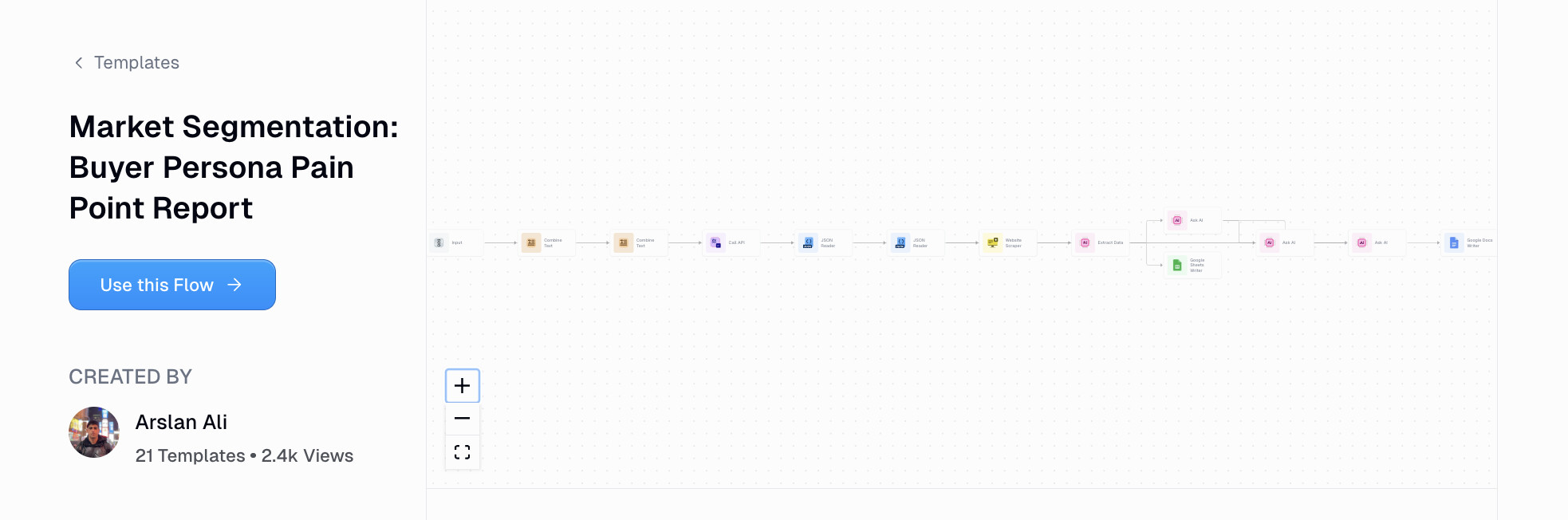
If you're on a product marketing or GTM team, this is a great workflow that can help you figure out buyer persona pain points. It's a great workflow for those that are in the discovery phase when they're trying to enter into a new market category.
And the workflow can help you build data-backed cases for how your marketing campaign roadmap should look like and how your messaging and positioning should be for each audience segmentation.
The workflow is quite complex as it integrates with a bunch of tools like Olostep API, Google Sheets, and an LLM.
But it works by you simply defining your personas and your product category. From there the workflow takes that information and connects it to Olostep API (which is an AI web scraping platform). And then it creates different persona snippets in a Google Sheet, and from there it can write reports in a Google Doc for you.
11. LinkedIn Company Scraper + News
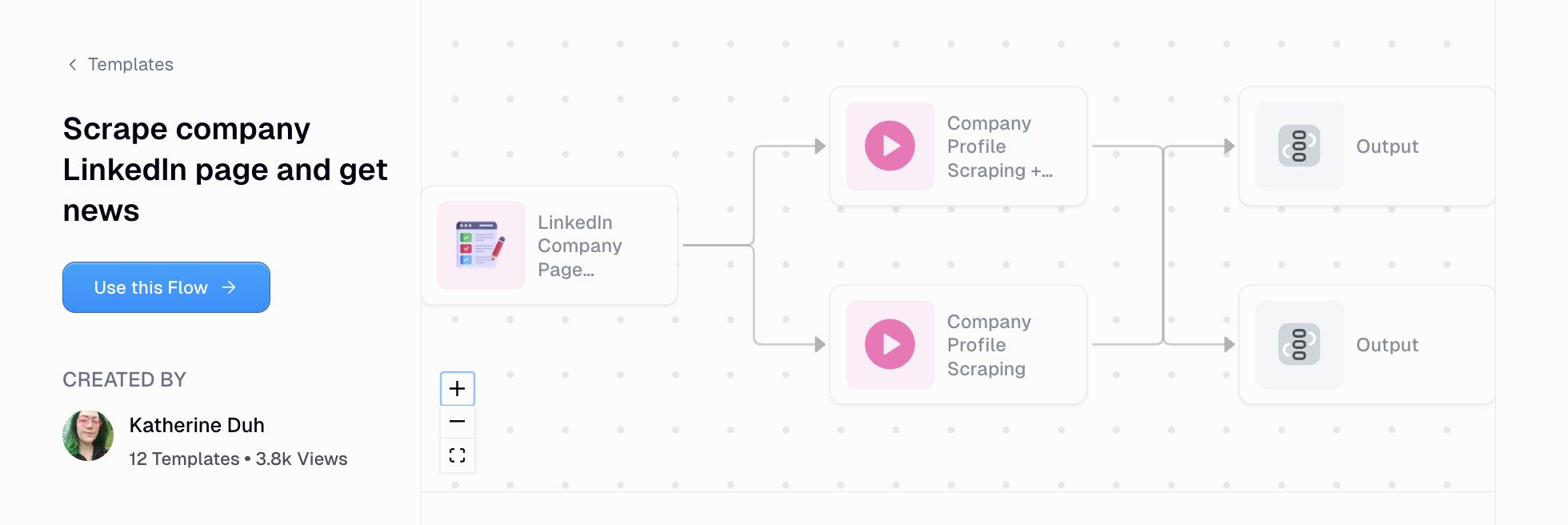
This workflow helps you extract data from a company's LinkedIn page and also grab recent news about them. Whether you want to monitor the content going out on your own LinkedIn profile from your team or you want to monitor competitors in the space, this is a great way to keep tabs on different companies and what they're up to.
It's a very simple workflow that all you need to do is give a LinkedIn URL of a company and it can then scrape all the content being produced on LinkedIn by that company. This makes it great for anyone who's in sales who's trying to get context on a potential account that they're about to talk to, product marketers that are doing a competitor analysis, or even business analysts that are researching companies and want to know what they're up to.
Overall it's a pretty versatile workflow and I would say this is more of a bare-bones LinkedIn company scraper flow. So you can actually use this in conjunction with some other workflows as well. For example, you can have a Google spreadsheet full of 50 companies and connect that spreadsheet to this workflow to run the analysis and loop it through all those 50 companies.
As with all the workflows we've gone over in this article, they can all be fully customized. I'm just giving you examples of some of the top AI workflows for marketing use cases that I've been using myself and that I've seen other companies use internally.
Data & analytics
At the end of the day, marketing is about making decisions based on data.
But pulling reports, analyzing trends, and surfacing insights can eat up a ton of time. This workflow lets you talk to your data using natural language so you can get answers without needing to be a SQL expert.
12. Data Analyst Agent
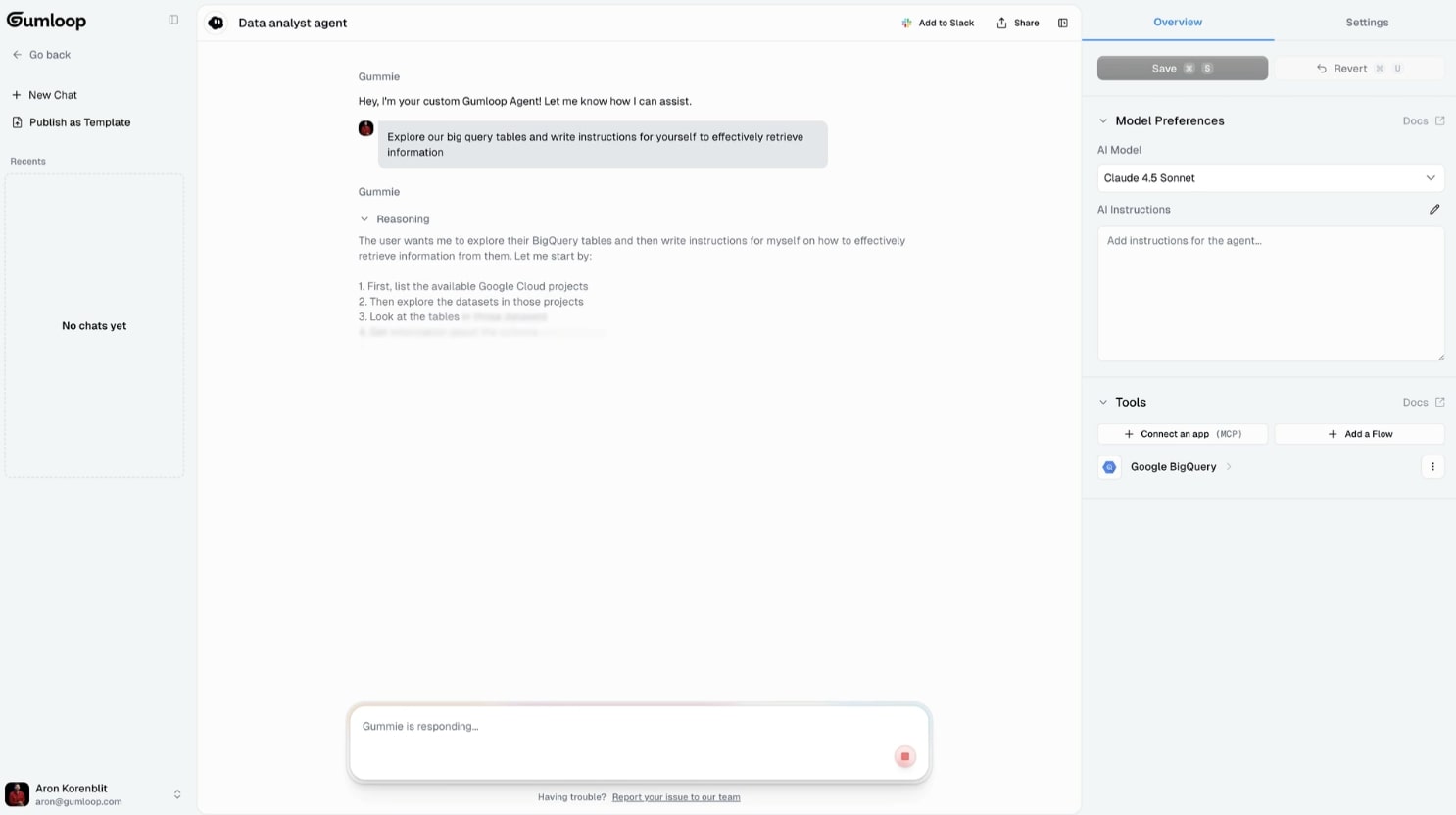
Last but not least we have a data analyst agent, which is actually one of the most popular AI use cases I've seen when it comes to marketing.
This one is an actual AI agent over just a simple workflow so it has a lot of functionality in what it can do. It has a wide range of use cases as all it's really doing is connecting to your data source and then putting an AI agent over that data source that you can then interact with using natural language to pull any sort of information from your data.
The agent works by you first connecting the data source and then you define instructions on how the agent should behave. You can also select the LLM model you want to use, whether that's ChatGPT, Gemini, Claude, or something else, so you can test which outputs you like more.
For example, you can ask the agent to look at any customer data of people who are most likely to churn and send you alerts in Slack at the end of each day. Or you can ask it to analyze your Google Analytics data and generate a report on the status of your traffic and where your top referral traffic is coming from.
You can get really creative with it as it is a general-purpose data analyst agent. But just like all the other workflows that we've talked about, the better data you can supply, the better the output will be.
And that's really all AI in marketing is. You have a data source that you feed AI, you create guardrails (sometimes called skills.md files) around that data source, and then you ask the agent to run certain actions to help you automate time-consuming or repetitive tasks.
And that's pretty much it. There are a ton of other use cases so if you want to learn more, check out the templates here. But these are just some of the most popular ones I've seen and it's a great way for any marketer to start leveraging AI in a real, tangible way at work.
AI-powered marketers win in the long-run
If you've made it this far, you're already ahead of most marketers.
The reality is that most people are still figuring out how to use AI tools in a way that actually moves the needle. They're either ignoring it completely or using generative AI to pump out AI content that nobody wants to read.
But the marketers who are going to win are the ones who use AI automation to streamline their marketing tasks while still maintaining quality and judgment. They're the ones building AI-assisted workflows that give them real-time metrics, help them create better social media posts, and free up time to focus on the creative marketing efforts that set them apart from their competitors.
I've seen this play out with startups, agencies, and enterprise teams. The ones who treat AI as a tool to enhance their expertise (not replace it) are shipping faster, learning faster, and getting better results.
So if I were to go back to my younger self, I would tell that person to pick one or two workflows from this list and actually try them. Don't just bookmark this article and forget about it. The only way to get good at this stuff is to start building and see what works for your specific marketing initiatives.
The gap between marketers who know how to leverage AI and those who don't is only going to widen.
Make sure you're on the right side of it.

Read related articles
Check out more articles on the Gumloop blog.