7 best AI lead generation tools you need to try in 2026

I love using AI when it comes to GTM (go-to-market) initiatives.
In fact, I truly believe it's one of the best use cases of AI because you're working with real data and sales tools.
And with the right AI lead generation tools, you can automate a lot of the tedious work that goes into finding prospects, enriching their data, and sending personalized outreach at scale.
Instead of having to manually build contact lists and write cold emails one by one, these tools can help you offload some of those tasks so you can make space for other creative work.
I've been testing a bunch of these platforms over the past couple of years, both for my own marketing agency and for clients. And in this article, I'm going to show you the ones I think are actually worth your time and money.
But before we get into the tools, let's quickly go over what AI lead generation actually looks like and what to evaluate before you pick a platform.
Can I use AI for lead generation?
Yes, you can use AI for lead generation. In fact, it's one of the most popular use cases as AI is great at working with real data. When you combine AI with B2B databases and your existing sales tools, you can automate a lot of the repetitive work that goes into finding and reaching out to leads.
Things like prospecting, data enrichment, email personalization, and lead scoring can all be handled by AI. And the AI tools we're about to go over in this article can help you do all of that without needing to hire a full SDR team or spend hours manually building leads lists.
But I want to make something clear. AI isn't magic. You still need to know who your ideal customer is and what kind of outreach actually works for your business. AI just helps you do it faster and at a larger scale.
What to look for in an AI lead generation tool
When looking for an AI lead generation tool you need to be intentional about it. I don't like blindly recommending tools to people so I always make sure to help other learn what to look for to make the right decision for themself.
For the tools we are about to go over, here are the things I made sure to evaluate:
- Data quality and accuracy: How reliable the contact database is and whether the tool verifies emails, phone numbers, and company info before you use it.
- Agentic features: Whether the platform has AI agents that can make decisions on their own, like researching prospects, scoring leads, or adjusting outreach based on signals.
- Outreach automation: How well it handles multi-step sequences across email, LinkedIn, calls, or other channels without you having to babysit every step.
- Personalization depth: Whether the AI can go beyond just inserting a first name and actually pull in relevant details about your prospects to make outreach feel human.
- Integrations with your existing stack: How easily it connects with your CRM, Slack, calendar, and other tools your team already uses.
- Pricing at scale: How the cost changes as you add more users, contacts, or send volume, since some tools get expensive fast.
Of course, these aren't all the things that can be used to evaluate a tool. These are just the ones that were valuable for me.
Alright, let's get into the list.
7 best AI lead generation tools in 2026
Here are the top AI lead generation tools:
Alright, lets go over each one in depth.
1. Apollo
- Best for: SDR teams and founders who want an all-in-one outbound platform
- Pricing: Free plan available, then starts at $59/month per user
- What I like: Massive B2B database with ICP filtering, built-in sequencing and dialers, and solid pricing for what you get
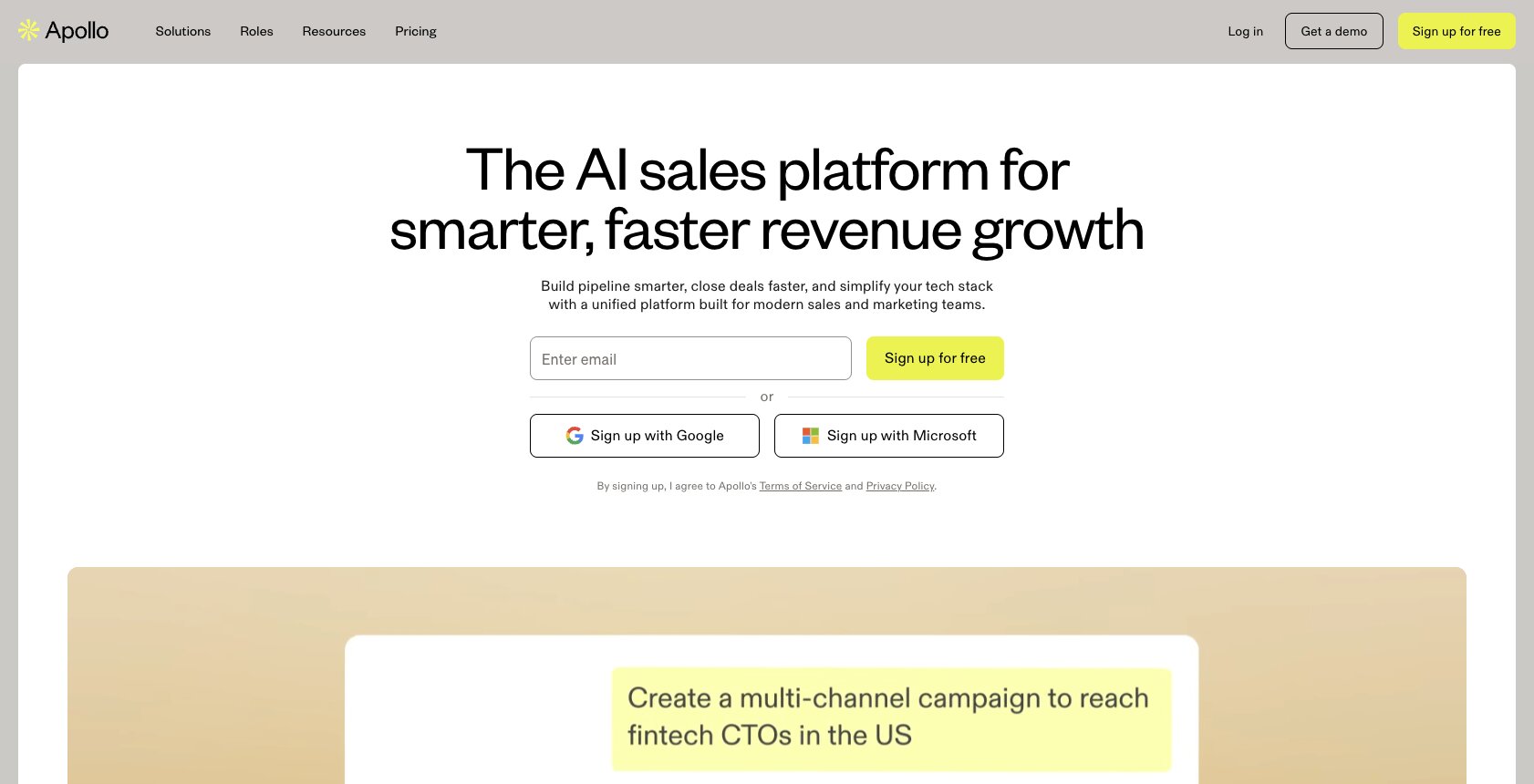
Apollo is an AI sales platform built for sales and GTM teams that manages everything from outbound sales to managing inbound leads and even dealing with stuff like data enrichment.
At its core, Apollo gives you all of the features you need from a GTM standpoint. But really at the end of the day, it's about helping you automate outreach. It can take everything from lead discovery to creating email sequences, task management, and syncing with your CRM all in a single platform.
When it comes to AI lead generation, Apollo can help you access its B2B database and filter by your own ICP criteria. And from there, it can help you automate multi-step outreach sequences that can also help with writing emails and figuring out buyer intent signals. It's pretty much a platform that helps you create personalized outreach campaigns at scale.
Apollo is pretty well known in the space. I personally use it myself. And I would say that it's a good fit for anyone from startups to SMBs and even mid-market sales teams that just want to quickly start using an AI tool. And at those companies, it's best for SDR teams as well as founders on small teams who want to get more leads in their pipeline.
Here are some things I like about Apollo:
- It has a really big database that can filter for your exact ICP.
- Everything is all in one. So you get everything from AI workflows to actual real data from B2B databases, as well as being able to integrate with your other tools like a CRM.
- It also has built-in sequencing and dialers, so it can really help you with all parts of your outreach.
- For what you get, the pricing is also really good.
Here are some things that can improve with Apollo:
- Given that it is an all-in-one outbound platform, it can have a learning curve for new users.
- With most tools like this, the contact database can sometimes be outdated or have some quirks to it. But don't worry, the next tool we'll go over will cover this.
- While pricing is great for startups, as you scale, the enterprise pricing can get expensive.
Apollo pricing
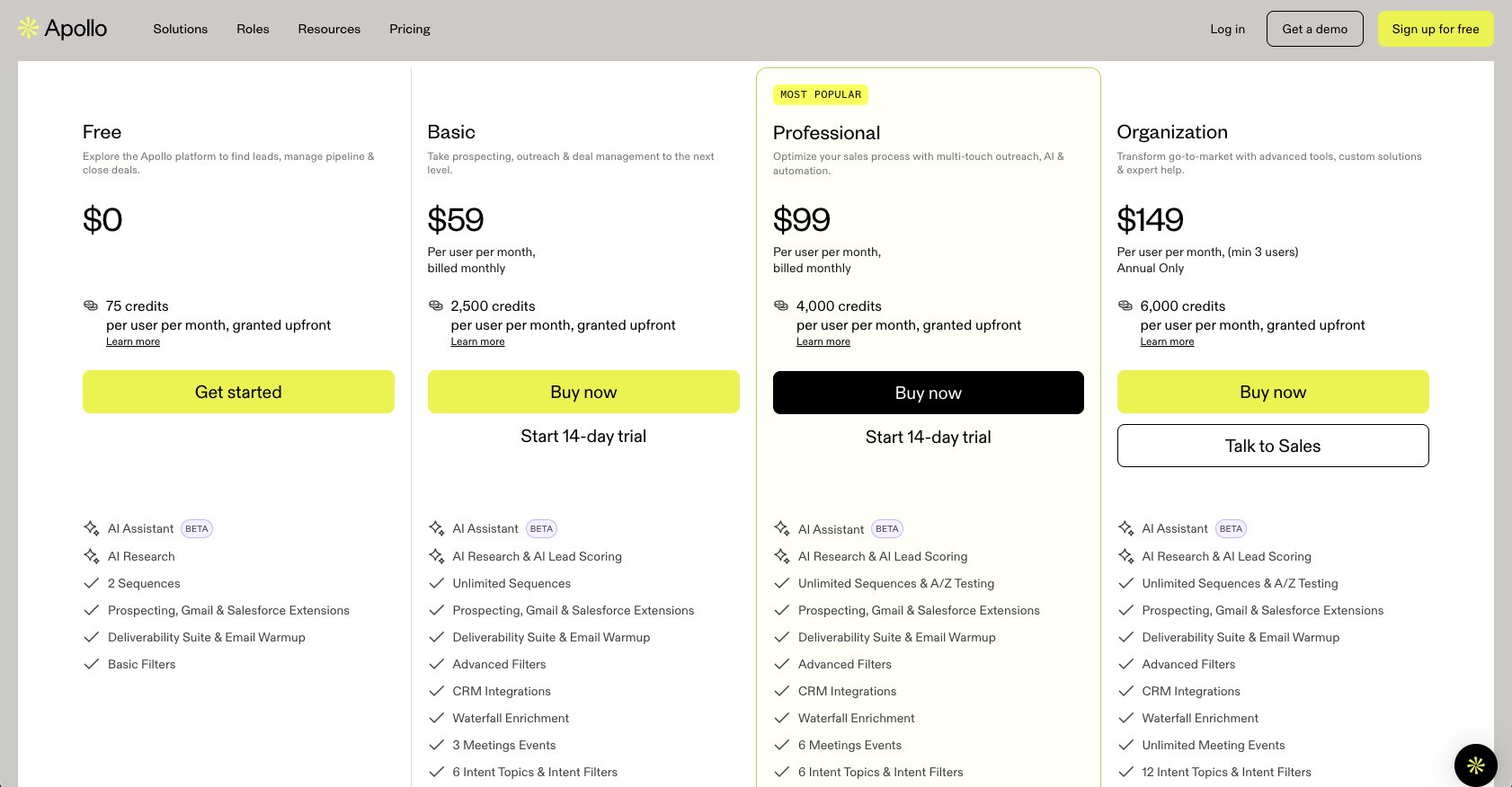
Here are Apollo's pricing plans:
- Free is $0 with 75 credits per user per month, 2 sequences, and basic filters.
- Basic is $59 per user per month (billed monthly) with 2,500 credits per user per month, unlimited sequences, advanced filters, CRM integrations, and waterfall enrichment.
- Professional is $99 per user per month (billed monthly) with 4,000 credits per user per month, A/Z testing, unlimited mailboxes, automated workflows, and call recordings with AI insights.
- Organization is $149 per user per month with a minimum of 3 users (annual only) with 6,000 credits per user per month, customizable reports and dashboards, advanced security configurations, and single sign-on.
You can learn more about what each plan has to offer by checking out their pricing page here.
Apollo reviews
Here is what customers of Apollo rate the platform on third-party review sites:
- G2: 4.7/5 star rating (from +9,542 reviews)
- Capterra: 4.5/5 star rating (from +387 reviews)
2. Clay
- Best for: Growth and GTM teams that need accurate, multi-source data enrichment at scale
- Pricing: Free plan available, then starts at $185/month
- What I like: Waterfall data enrichment across multiple providers, Claygent for deeply personalized outreach, and strong enterprise retention
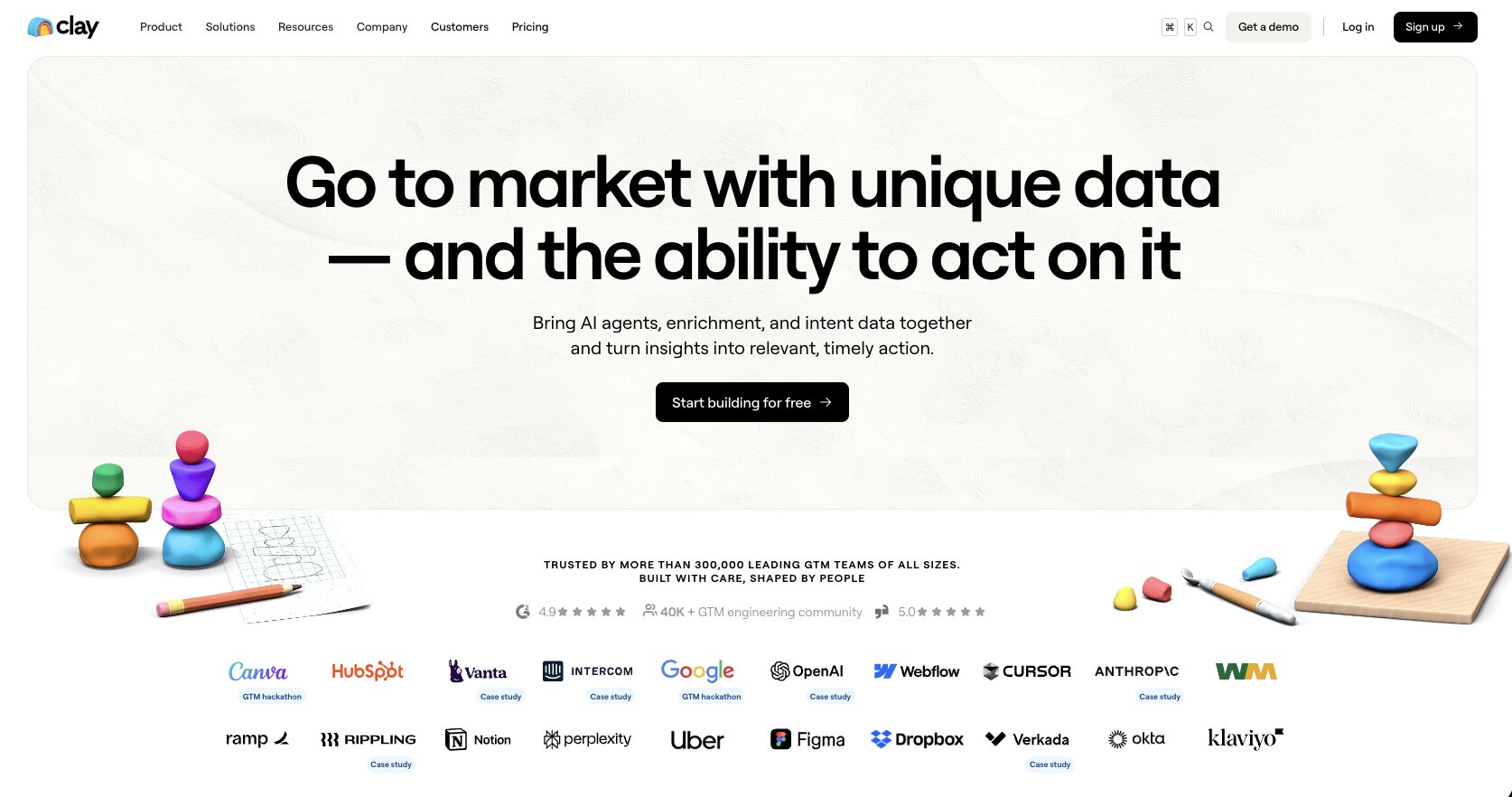
Clay is a popular GTM tool designed to help you automate most of your sales and outbound processes. I personally use Clay myself and the thing I really like about the platform is its waterfall data enrichment, which is what has made Clay a really popular choice, especially for large enterprise companies, which they claim they have a 100% retention rate with.
The platform also helps you chain together multiple providers of data. So you can scrape LinkedIn, get Clearbit, and access multiple database data. This way you can get accurate data when you're creating prospecting lists and not have any gaps or outdated data, which you can get with some other AI lead generation tools on the market.
Clay also has what they call Claygent, which are essentially AI agents that can go around the web and find deeply personalized information about your contacts. This way, when you use Clay to automate your outbound campaigns, it can actually talk about things that your prospects have done that are public on the internet, and you can make your emails completely stand out from using other AI outbound tools.
I would say that Clay is great for anyone on growth teams, sales teams, and really anything that falls under GTM, as Clay is famous for creating the job role "go-to-market engineer." It's also really good for mid-sized companies all the way to enterprise companies, as their pricing isn't the cheapest. So if you don't have a large outbound sales motion, it might be a bit overkill.
Here are some things I like about Clay:
- The waterfall data enrichment lets you chain together multiple data providers so you get the most accurate contact information possible.
- Claygent can research your prospects across the web and pull in personalized details that make your outreach actually stand out.
- The platform is built for scale and has strong enterprise adoption.
Here are some things that can improve with Clay:
- The pricing starts at $185 per month, which can be expensive if you're a small team or don't have a heavy outbound motion.
- There can be a learning curve to understanding how to set up waterfall enrichment and table logic.
- If you're just looking for a simple email finder or lead gen tool, Clay might be more than what you need.
Clay pricing
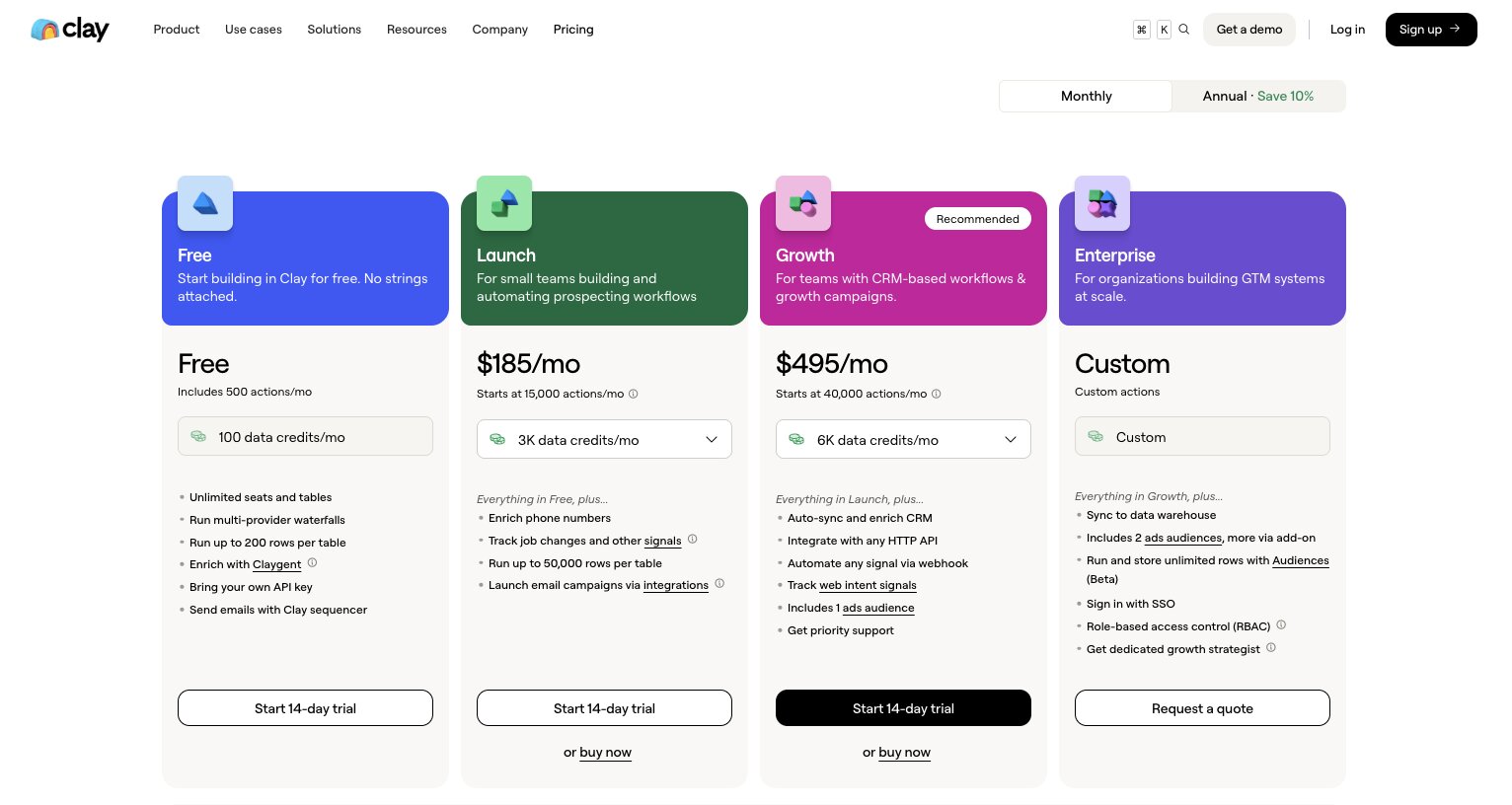
Here are Clay's pricing plans:
- Free is $0 with 100 data credits per month, 500 actions per month, unlimited seats and tables, and up to 200 rows per table.
- Launch is $185 per month with 2,500 data credits per month, 15,000 actions per month, phone number enrichment, job change signals, and up to 50,000 rows per table.
- Growth is $495 per month with 6,000 data credits per month, 40,000 actions per month, CRM auto-sync and enrichment, web intent signals, and priority support.
- Enterprise is custom pricing with custom actions, data warehouse sync, SSO, role-based access control, and a dedicated growth strategist.
You can learn more about what each plan has to offer by checking out their pricing page here.
Clay reviews
Here is what customers of Clay rate the platform on third-party review sites:
- G2: 4.7/5 star rating (from +193 reviews)
- Product Hunt: 4.8/5 star rating (from +39 reviews)
3. Gumloop
- Best for: Teams that want to build custom AI lead gen agents across any tool in their stack
- Pricing: Free plan available, then starts at $37/month
- What I like: LLM agnostic with no vendor lock-in, MCP integration for any tool, and enterprise-grade security with Gumstack
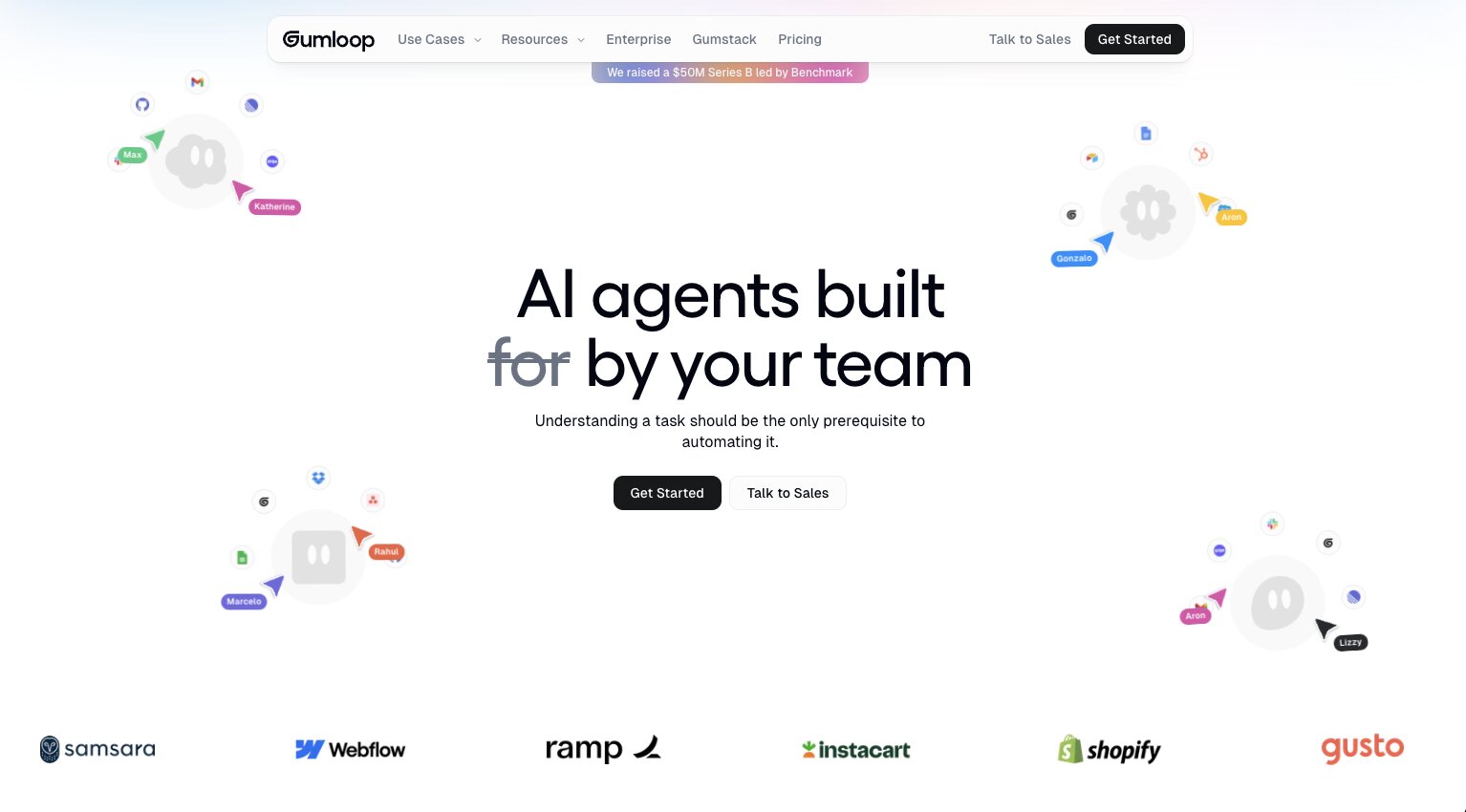
Gumloop is an AI agent builder designed for everyone from solopreneurs to large enterprises. It allows you to create any AI agent, especially ones for sales and go-to-market campaigns.
With Gumloop, the idea is that you can integrate any tool and give it AI powers using any premium LLM of your choice. So for example, you can integrate Apollo and MCP servers from other B2B databases to create fully automated processes that can do everything from finding leads, scoring them, and sending personalized messages.
You can also use Gumloop's built-in features to search the web, scrape websites, and even go through LinkedIn to find prospects. From there, you can also integrate your CRM or project management tools with Gumloop so your agents can go in and make updates and changes to any area where your team is keeping track of your entire GTM motion.
Gumloop is growing pretty fast and it's a tool I've been using for the past 18 months to create AI agents. And really what benefits you get from Gumloop compared to a platform like Claude Cowork is that there is no vendor lock-in. So it's completely LLM agnostic and you can switch models anytime you like. Everything is in the cloud so it's not local on your machine. And with Gumstack, it's all secured behind enterprise-grade security.
Companies like Gusto, Ramp, Instacart, Shopify, and a ton more are already using Gumloop across multiple teams within their organizations.
Here are some things I like about Gumloop:
- It's completely LLM agnostic, so you can use any AI model without being locked into one provider.
- You can integrate with any tool through MCP servers, which means you can connect your entire sales stack into one automated workflow.
- It's free to start and the Pro plan is $37 per month, which is significantly cheaper than most tools on this list.
- Gumstack gives you enterprise-grade security with virtual private cloud, audit logs, and role-based access control.
Here are some things that can improve with Gumloop:
- The team is constantly shipping new features, so things may shift around in the UI.
- It's an AI orchestration layer, so you'll want to integrate with other GTM tools to get the most out of it (there is a native integration with Apollo)
Gumloop pricing
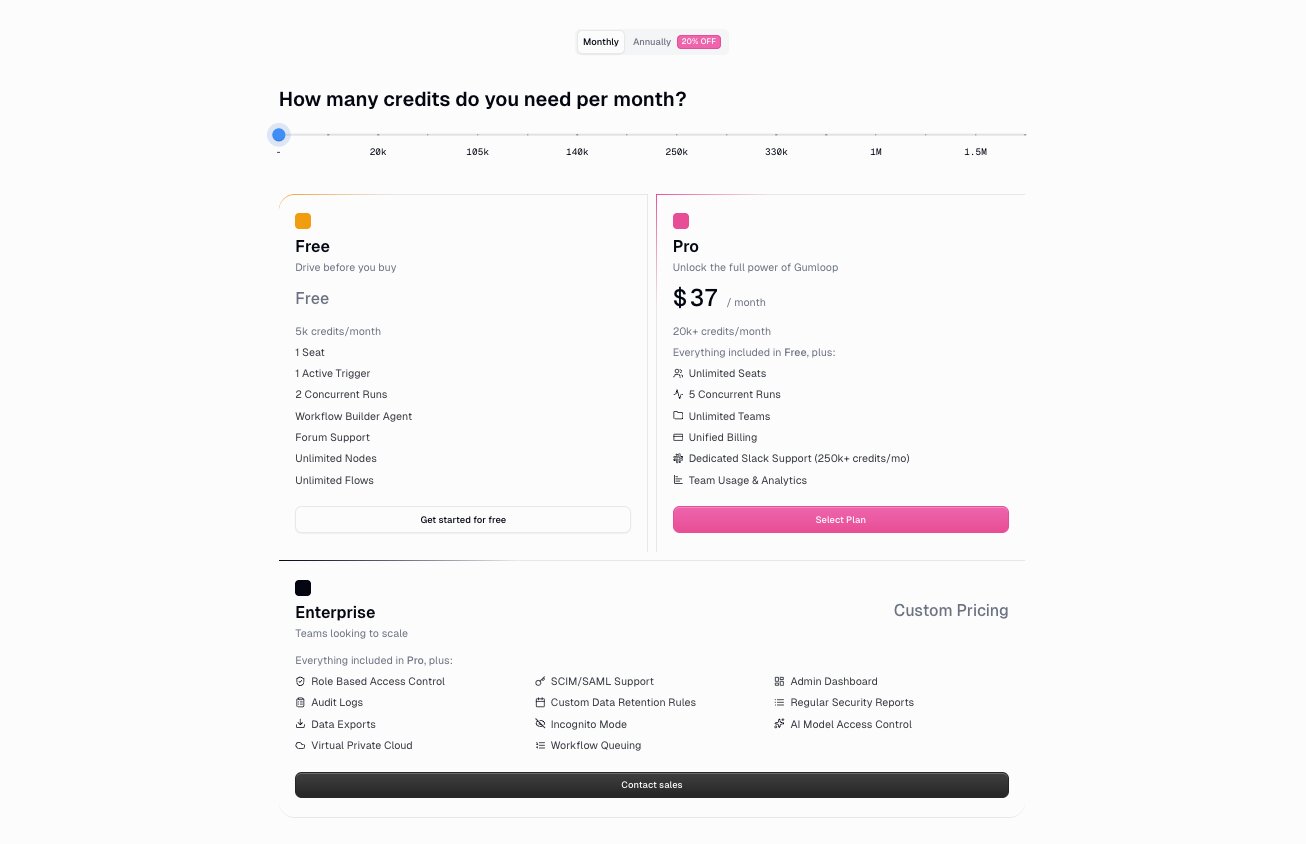
Here are Gumloop's pricing plans:
- Free is $0 with 5,000 credits per month, 1 seat, 1 active trigger, 2 concurrent runs, unlimited agents, and unlimited flows.
- Pro is $37 per month with 20,000+ credits per month, unlimited seats, 5 concurrent runs, unlimited teams, unified billing, and team usage and analytics.
- Enterprise is custom pricing with everything in Pro, plus role-based access control, SCIM/SAML support, admin dashboard, audit logs, virtual private cloud, and Gumstack security features.
You can learn more about what each plan has to offer by checking out their pricing page here.
Gumloop reviews
Here is what customers of Gumloop rate the platform on third-party review sites:
- G2: 4.8/5 star rating (from +7 reviews)
- Product Hunt: 5/5 star rating (from +9 reviews)
4. Lemlist
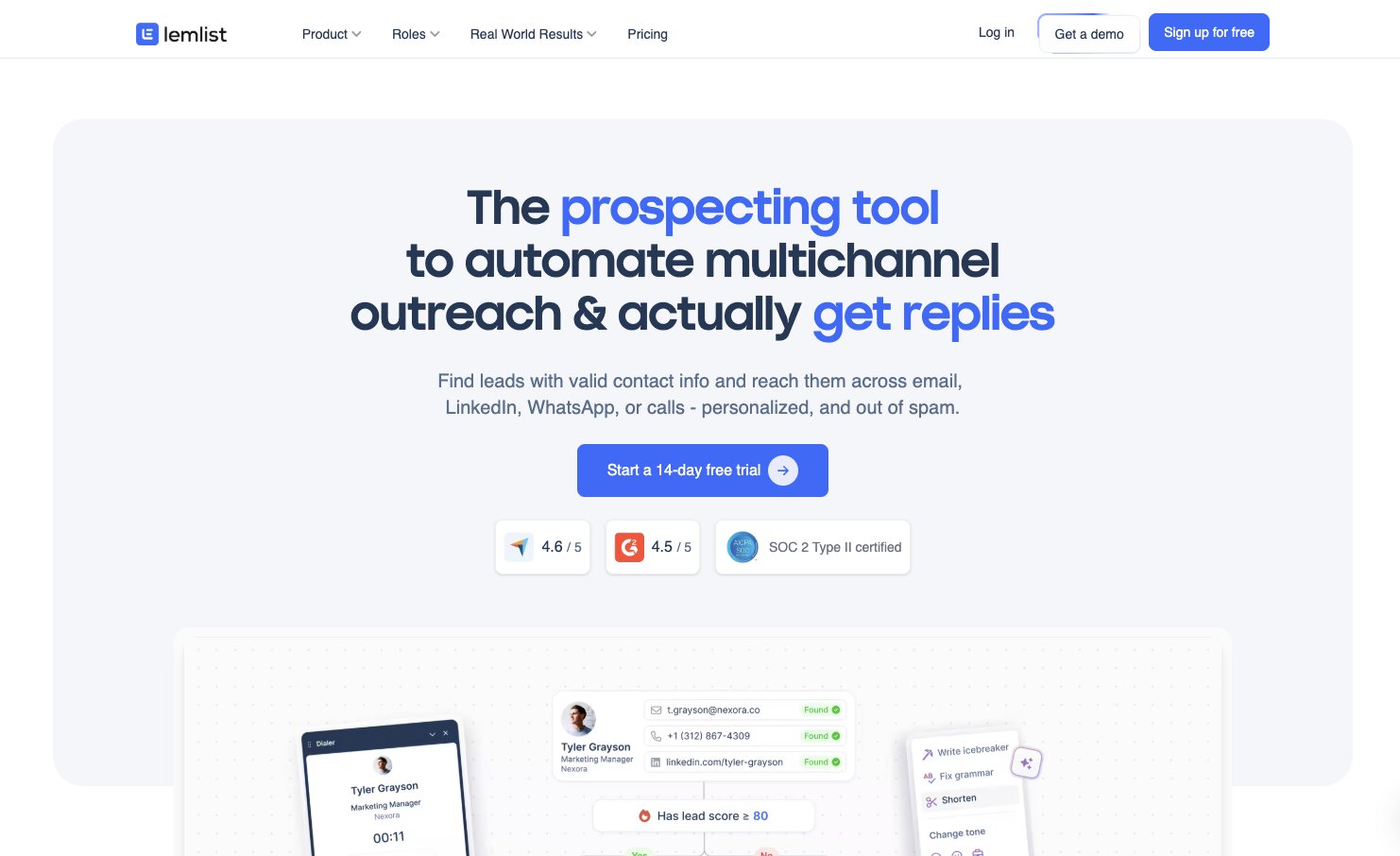
- Best for: GTM and sales teams at startups who want deeply personalized outbound campaigns
- Pricing: Starts at $79 per user per month
- What I like: Custom image and video personalization in emails, built-in lead enrichment, and multichannel outreach across email, LinkedIn, calls, and WhatsApp
Lemlist is a popular email marketing platform that has grown into a full AI lead generation system. Today, they market themselves as an AI sales engagement platform, so it's mostly designed for outbound campaigns.
Its lead prospecting and outreach tools can automate all of your email marketing campaigns, LinkedIn messages, calls, and even WhatsApp messages. And it has built-in lead enrichment features just like Clay that give you access to a huge contact database. You can also integrate it with CRMs like HubSpot or Salesforce so you can keep everything in sync together.
Where Lemlist really shines is in its deeply personalized features. What I mean by this is that you can create custom images and videos to make your emails really stand out. This is actually how I discovered Lemlist over six years ago. Someone emailed me with an image of them holding up the name of the company I was working at and it blew my mind. (Yes, I responded to the email.)
And now with AI agents in Lemlist, you can pull in different buying signals and enrich leads automatically. So you get the full funnel of finding leads, enriching them, and sending out deeply personalized emails.
Today, I would say Lemlist is great for GTM and sales teams at smaller startups. It's a fairly easy platform to get up and running and the pricing is a bit cheaper compared to something like Clay.
Here are some things I like about Lemlist:
- The custom image and video personalization features are unique and can make your outreach really stand out from other cold emails.
- It gives you the full funnel from lead discovery to enrichment to outreach, all in one platform.
- Multichannel outreach across email, LinkedIn, calls, and WhatsApp means you can reach prospects wherever they are.
- The 600M+ leads database gives you a lot of contacts to work with.
Here are some things that can improve with Lemlist:
- There's no free plan, so you're committing to at least $79 per user per month from the start.
- LinkedIn and WhatsApp automation are only available on the higher-tier plans.
- If you need more advanced data enrichment or waterfall logic, a tool like Clay might be a better fit.
Lemlist pricing
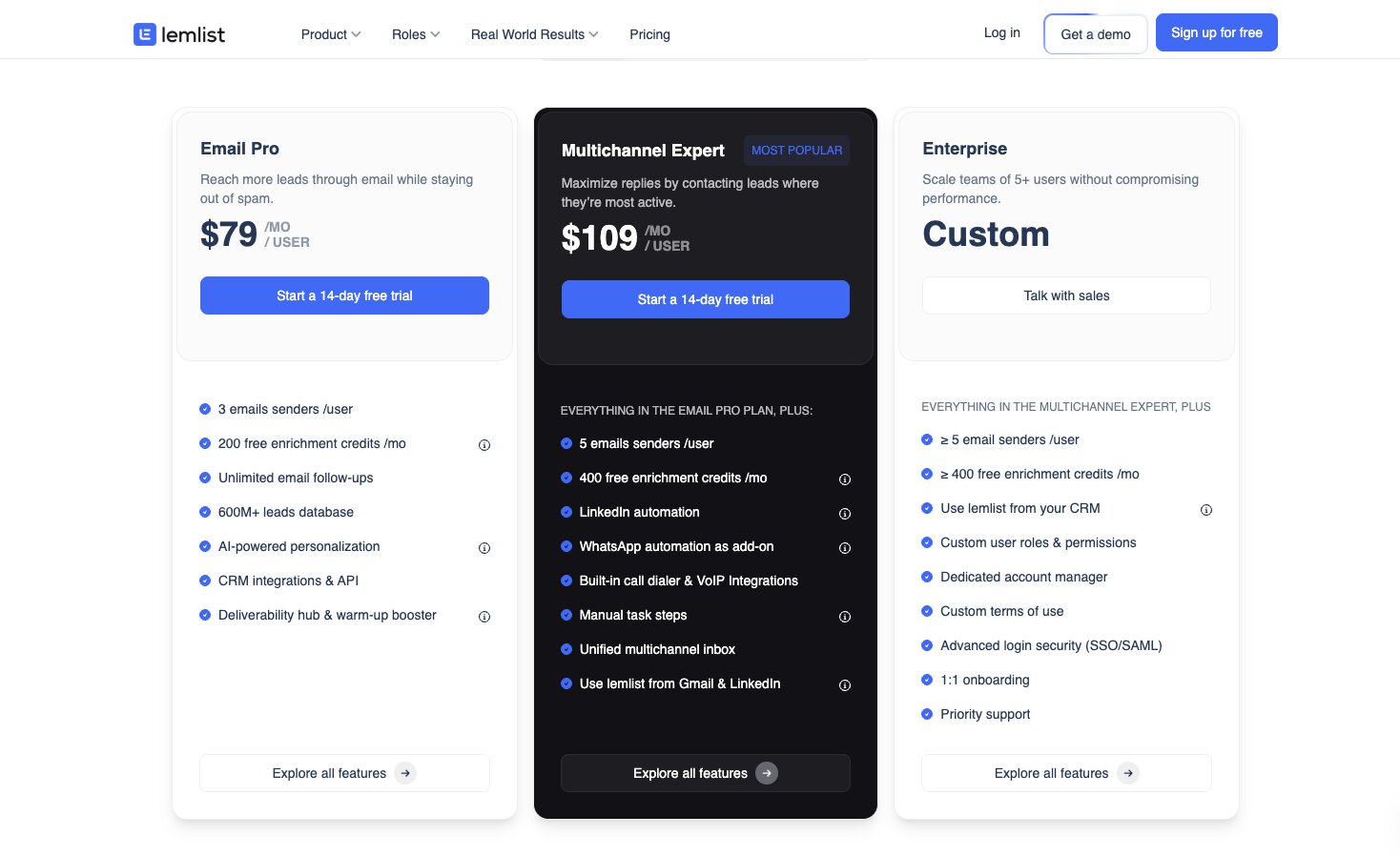
Here are Lemlist's pricing plans:
- Email Pro is $79 per user per month with 3 email senders per user, 200 free enrichment credits per month, unlimited email follow-ups, a 600M+ leads database, and AI-powered personalization.
- Multichannel Expert is $109 per user per month with 5 email senders per user, 400 free enrichment credits per month, LinkedIn automation, WhatsApp automation as an add-on, a built-in call dialer, and a unified multichannel inbox.
- Enterprise is custom pricing with a minimum of 5 email senders per user, custom user roles and permissions, a dedicated account manager, SSO/SAML, and priority support.
You can learn more about what each plan has to offer by checking out their pricing page here.
Lemlist reviews
Here is what customers of Lemlist rate the platform on third-party review sites:
- G2: 4.6/5 star rating (from +1,424 reviews)
- Capterra: 4.6/5 star rating (from +386 reviews)
5. Instantly
- Best for: Agencies and solo founders running outbound campaigns for clients
- Pricing: Starts at $47/month
- What I like: Unlimited email accounts and warmup on every plan, smart triggers based on open rates and replies, and website visitor tracking
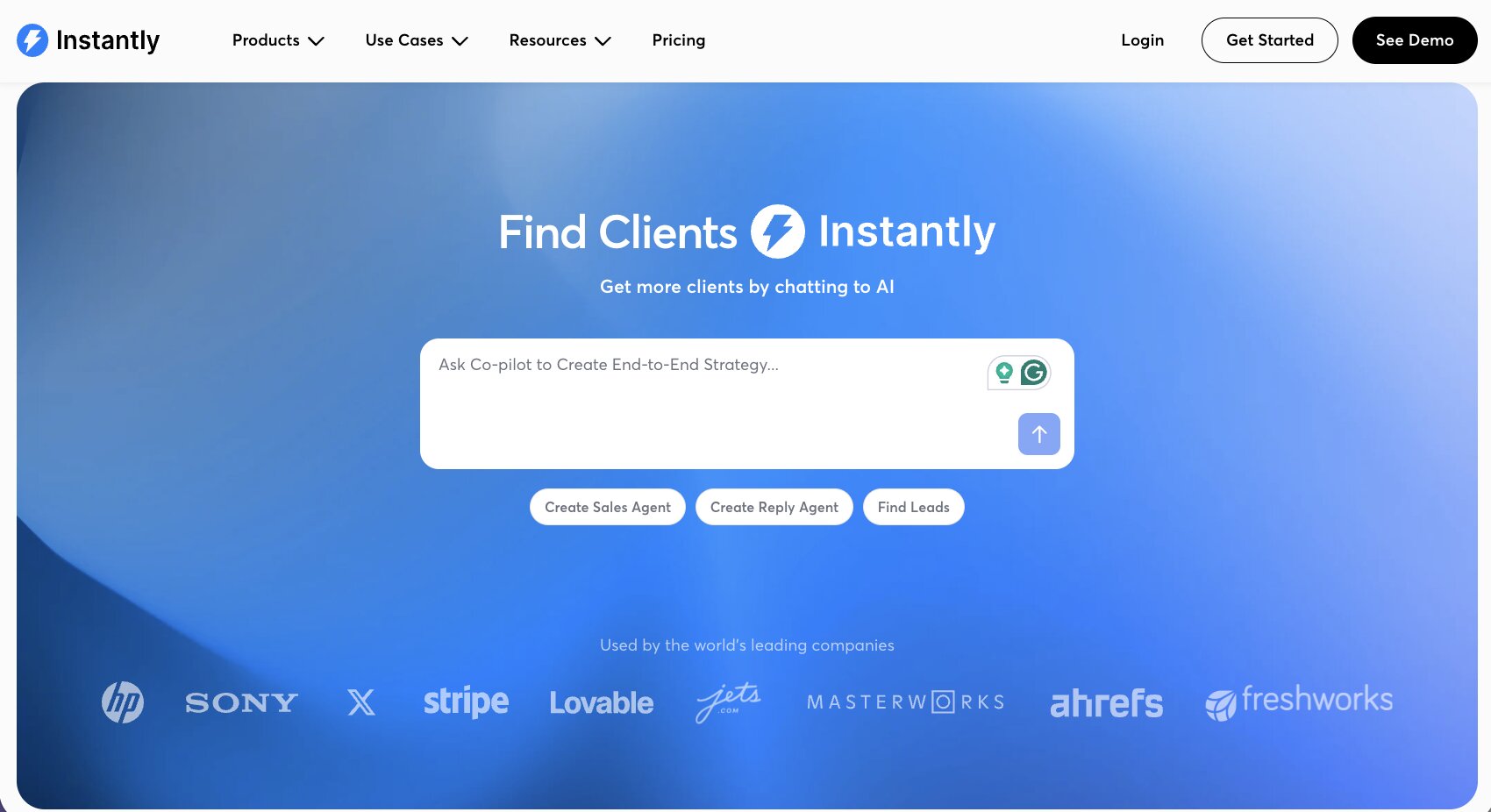
Instantly is a true AI-powered platform for creating AI sales agents. It's used by companies like Lovable, Stripe, Ahrefs, and a ton more. It can help you with everything from using AI to find your ideal leads to then automating your outreach campaigns and using AI to craft personalized outreach emails. And then on top of that, it has AI workflows that can help you route inbound leads that submit forms on your website. You can do things like booking meetings and it can automatically route each task and trigger any steps and campaigns that you build with the tool.
Just like other platforms on this list, it also integrates with your existing tech stack. So if you're using Slack or Google Calendar or you have a specific CRM that you use, you can integrate that all through Instantly so the AI sales agent can update and sync all of your data in your project management tools.
Instantly also has smart triggers where it can create different sequences based off of open rates or replies, and it can even track website visitors to prioritize leads that are more likely to convert.
Overall, it's a pretty solid platform and I would say it's actually better suited for agencies and solo founders. Even though they market themselves with a lot of big brand enterprises that use them, it's better for more service-based businesses that are creating GTM campaigns for their clients.
Here are some things I like about Instantly:
- Every plan comes with unlimited email accounts and unlimited email warmup, which is great if you're running campaigns at scale.
- The smart triggers can adjust your sequences based on open rates and replies, so your outreach can adapt automatically.
- Website visitor tracking helps you prioritize leads that are already showing buying intent.
- The starting price of $47 per month is accessible for solo founders and smaller agencies.
Here are some things that can improve with Instantly:
- The platform is more focused on email outreach, so if you need multichannel campaigns like LinkedIn or WhatsApp, you may need to pair it with another tool.
- The uploaded contacts limit on the Growth plan is only 1,000, which can feel restrictive if you're running larger campaigns.
- It's better suited for service-based businesses and agencies than it is for large enterprise teams with complex sales motions.
Instantly pricing
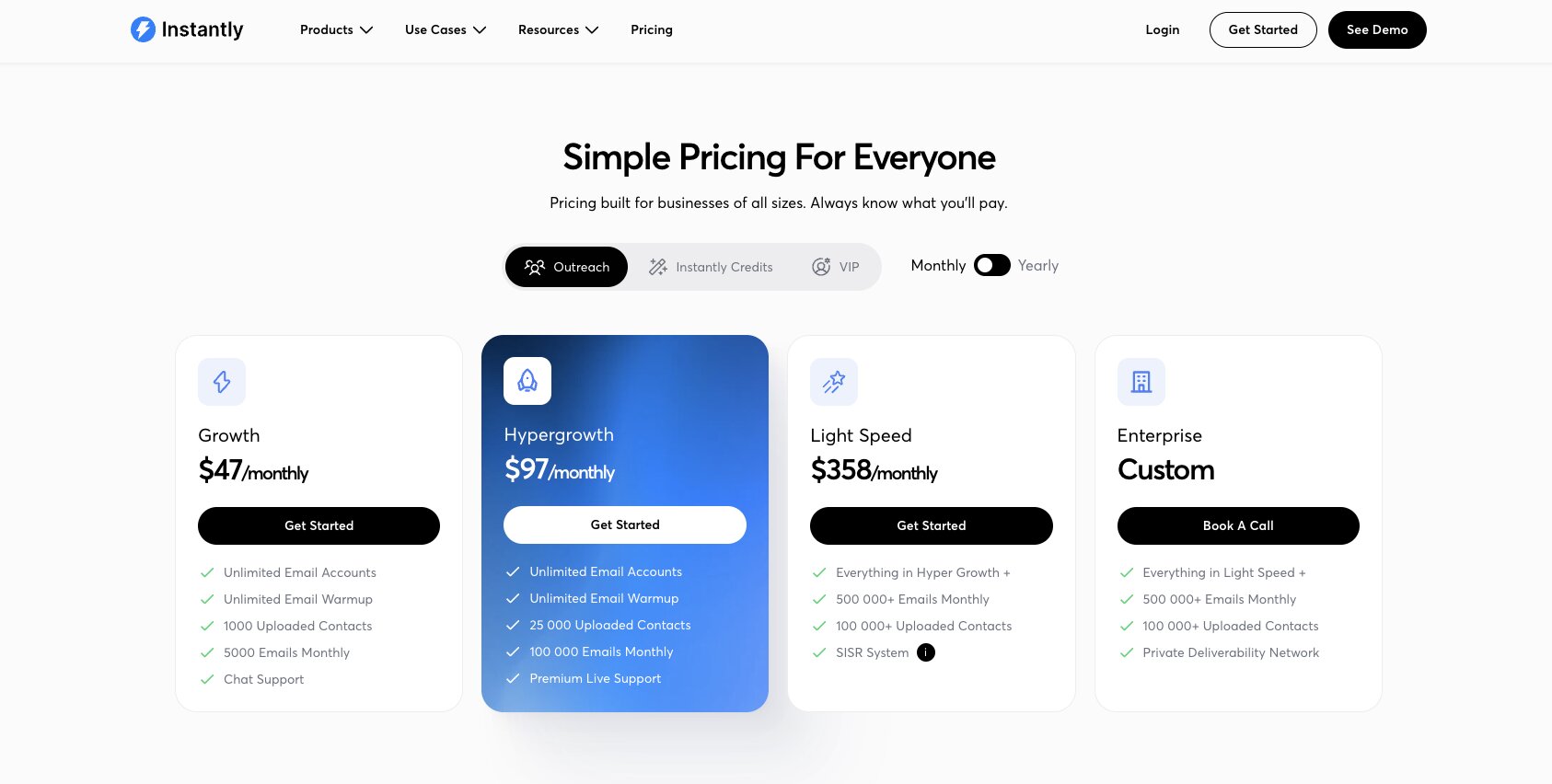
Here are Instantly's pricing plans:
- Growth is $47 per month with unlimited email accounts, unlimited email warmup, 1,000 uploaded contacts, and 5,000 emails monthly.
- Hypergrowth is $97 per month with 25,000 uploaded contacts, 100,000 emails monthly, and premium live support.
- Light Speed is $358 per month with 100,000+ uploaded contacts, 500,000+ emails monthly, and the SISR system.
- Enterprise is custom pricing with everything in Light Speed, plus a private deliverability network.
You can learn more about what each plan has to offer by checking out their pricing page here.
Instantly reviews
Here is what customers of Instantly rate the platform on third-party review sites:
- G2: 4.8/5 star rating (from +4,057 reviews)
- Trustpilot: 3.8/5 star rating (from +1,028 reviews)
6. ZoomInfo
- Best for: Large enterprises and mid-market teams that need the largest B2B contact database on the market
- Pricing: Custom pricing (requires a sales call)
- What I like: The largest B2B database available, deep intent signals, and so trusted that other tools like Clay integrate with it
ZoomInfo is a go-to-market platform for AI-powered sales operations. I know that sounds like a bunch of jargon, but ZoomInfo has actually been around for a very long time. I actually used the tool back when I was an intern over a decade ago, running outbound campaigns at a small startup. But today, they've become very much AI-enabled to help you with your lead generation efforts. What ZoomInfo really has going for it over any of the tools that we've gone over so far is that it has the largest database for B2B contacts.
In fact, if you remember the tool Clay that we went over earlier, ZoomInfo integrates with Clay because the platform has such a rich database that a lot of other tools actually leverage ZoomInfo's contacts.
And now with its AI features, it can act as a copilot for creating summaries about your accounts, giving you ideas for the next best actions to take, giving you intent signals, and helping you create a full GTM engine for your outbound efforts.
However, I will say that ZoomInfo is not for every company. It's designed mostly for really large enterprises and mid-market sales, GTM, and marketing teams that need really high-quality data at scale. I would say that it's probably best for Fortune 1000 companies who are trying to close really large deals.
Here are some things I like about ZoomInfo:
- It has the largest B2B contact database on the market, which is why other platforms like Clay integrate with it.
- The intent signals and account-level insights can help you prioritize the right leads at the right time.
- It's been around for a very long time, so the data is mature and reliable compared to newer platforms.
Here are some things that can improve with ZoomInfo:
- The pricing is not public and requires a sales call, which typically means it's expensive and built for larger budgets.
- It can be overkill if you're a small startup or solo founder who just needs basic contact information.
- The platform can feel complex to navigate given how many features it has.
ZoomInfo pricing
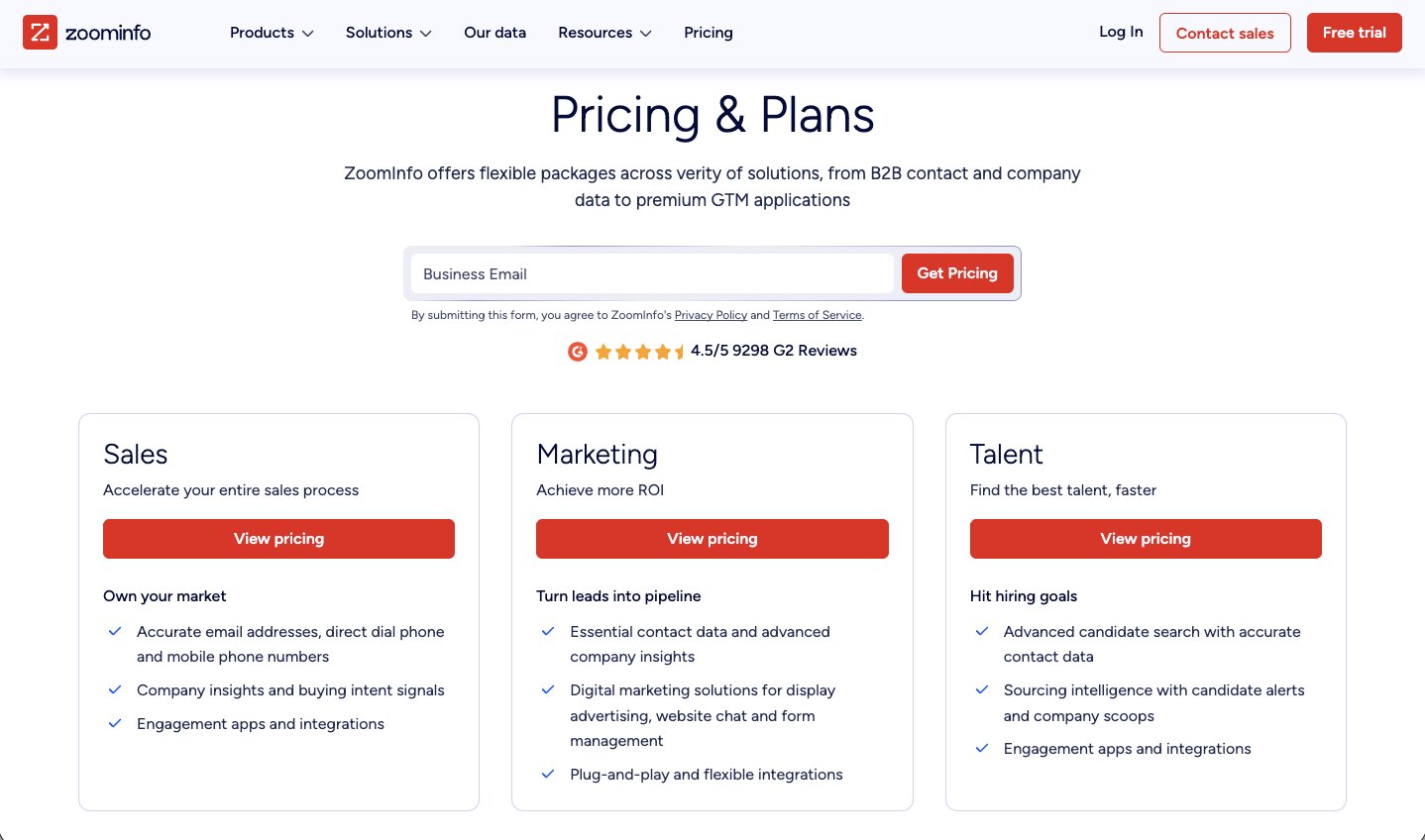
ZoomInfo does not publicly list its pricing. The platform offers three main products:
- Sales for accelerating your sales process with accurate contact data, company insights, buying intent signals, and engagement apps.
- Marketing for turning leads into pipeline with digital marketing solutions, display advertising, website chat, and form management.
- Talent for finding candidates faster with advanced candidate search, sourcing intelligence, and candidate alerts.
All plans require you to contact their sales team for a custom quote. You can learn more by checking out their pricing page here.
ZoomInfo reviews
Here is what customers of ZoomInfo rate the platform on third-party review sites:
- G2: 4.5/5 star rating (from +9,052 reviews)
- Capterra: 4.1/5 star rating (from +317 reviews)
7. Hunter.io
- Best for: Anyone who needs a reliable and budget-friendly way to find and verify specific email addresses
- Pricing: Free plan available, then starts at $49/month
- What I like: The most reliable email finder and verifier I've used, bulk CSV verification, and a generous free plan
Hunter.io is my all-time favorite tool for finding and verifying email addresses to people I want to reach out to. I've been using the tool for well over a decade now and it's not the most AI-native in a traditional sense, but it is the most reliable that I've found when you want to quickly verify or find someone's email. It's not designed more so for high-volume outreach, but a very calculated approach to finding contact information for somebody you really want to reach out to.
It uses domain crawling and different pattern matching between available contact information on the web, and it can verify deliverability rates through different servers that it checks. So it can tell you if an email address is valid or invalid, and you can even bulk upload CSV files to verify if email addresses are worth reaching out to and that they won't bounce.
The platform also now has an AI writing assistant that can help you generate personalized emails and create different sequences right inside of Hunter. But overall, I would list this as a super budget-friendly way to find contacts for people you already know you want to reach out to, which is why I've included it more at the bottom of this list as it's not a fully automated platform that helps you with lead generation.
Here are some things I like about Hunter.io:
- It's the most reliable email finder and verifier I've used over the past decade.
- The bulk CSV verification feature is great for cleaning up contact lists before you run outreach campaigns.
- It has a free plan with 50 credits per month, which is enough if you're doing targeted outreach to specific people.
- Unlimited team members on every plan, including the free one.
Here are some things that can improve with Hunter.io:
- It's not a full lead generation platform, so you'll need to pair it with other tools if you want automated prospecting and outreach at scale.
- The AI features like the writing assistant are newer additions and not as mature as what you'd get from a platform like Lemlist or Instantly.
- If you need data enrichment beyond email addresses, you'll need to look at a tool like Clay or Apollo.
Hunter.io pricing

Here are Hunter.io's pricing plans:
- Free is $0 with 50 credits per month, 1 connected email account, 500 recipients per sequence, and unlimited team members.
- Starter is $49 per month with 2,000 credits per month, 3 connected email accounts, auto-verification, lead enrichment, and AI writing assistant.
- Growth is $149 per month with 10,000 credits per month and 10 connected email accounts.
- Scale is $299 per month with 25,000 credits per month and 20 connected email accounts.
- Enterprise is custom pricing with a custom number of credits, custom email accounts, and a dedicated account manager.
You can learn more about what each plan has to offer by checking out their pricing page here.
Hunter.io reviews
Here is what customers of Hunter.io rate the platform on third-party review sites:
- G2: 4.4/5 star rating (from +634 reviews)
- Capterra: 4.6/5 star rating (from +705 reviews)
Which AI tool is best for lead generation?
If you're looking for the best AI tool for lead generation, it really depends on where you are as a business and what part of the lead generation process you need the most help with.
For me, the three tools I keep coming back to are Apollo, Clay, and Gumloop.
If you want an all-in-one platform that can handle everything from finding qualified leads to running email campaigns and tracking metrics, I'd start with Apollo. It gives you a massive B2B database, built-in sequencing, and enough features to cover most of your b2b sales workflow without needing to stitch together multiple tools.
If your priority is lead quality and you need accurate data enrichment with real-time signals to make sure you're reaching the right potential customers, I'd go with Clay. The waterfall enrichment and Claygent features make it one of the best tools I've used for segmentation and personalization at scale.
And if you want something scalable that can go beyond just outreach and actually automate your entire GTM motion, I'd go with Gumloop. It's what I personally use every day. I've built custom AI agents that handle everything from lead qualification to updating my CRM, routing tasks, and even working with chatbots and other tools in my stack. It's LLM agnostic, so there's no vendor lock-in, and it's significantly cheaper than most tools on this list.
At the end of the day, the best AI lead generation tool is the one that helps you stop spending time on repetitive tasks and start focusing on closing deals. Like I said at the beginning of this article, AI is one of the best use cases for GTM because you're working with real data and sales tools. You just need to find the right platform that fits your team, your budget, and how you want to optimize your outreach to potential customers.

Read related articles
Check out more articles on the Gumloop blog.