Firecrawl vs Exa: An honest comparison for 2026

Which AI web data tool is right for your workflow?
If you've been researching tools for AI agents or RAG systems, you've probably had a few moments where everything starts to blur together.
One platform says it can crawl the web. Another promises AI-ready data. Then you come across Firecrawl vs Exa, and before long you're wondering whether they're competing products or completely different tools.
The answer is... a bit of both.
They're often compared because they both help developers work with information from the web. But once you look a little closer, they're solving different parts of the problem.
Firecrawl is built to extract and structure content from webpages.
Exa is built to help you find the right information in the first place.
Depending on what you're building, one may be all you need. In other cases, they can work surprisingly well together.
That's exactly what this comparison is for. I've been using both tools for a while now, so I'll break down where each platform performs best, where the differences really matter, and the situations where I'd choose Firecrawl, Exa, or even both.
Who is each tool best for?
Firecrawl is the better fit if your challenge starts after you've found the webpage.
I kept reaching for Firecrawl whenever I needed to turn messy websites into clean, structured data that an AI model could actually use. If you're building AI agents, RAG pipelines, chatbots, or automation workflows that rely on webpage content, that's where Firecrawl shines. I found it most useful when I already knew which sites I wanted to work with and needed a reliable way to pull that content into an application.
Exa is the better fit if finding the right information is the hard part.
In my experience, Exa is most useful when I didn't know which pages I needed in the first place. It helps you search the web using semantic search that's designed for AI applications.
If your workflow depends on finding relevant articles, documentation, research papers, or fresh information before you process it, Exa is solving the problem that comes one step earlier.
Firecrawl vs Exa: Top feature comparison
Let's look at how they compare in the areas that matter most. Rather than listing every feature, I'm going to focus on the differences that actually influenced when I'd reach for one over the other.
Core approach: Scraping vs search and retrieval
Firecrawl
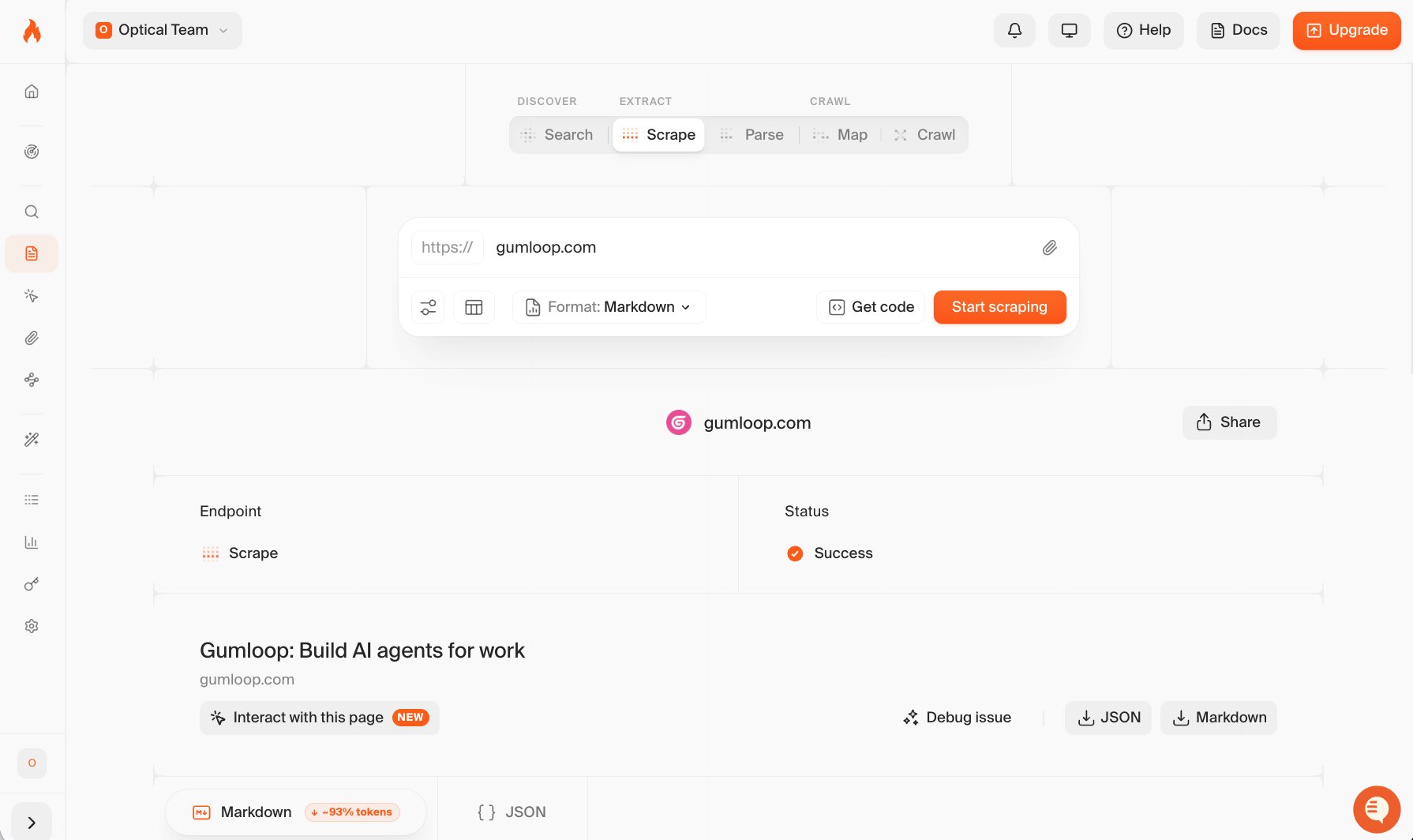
The biggest thing I noticed while using Firecrawl is that it assumes you already know where the information lives. You give it a URL, and its job is to extract the content, clean it up, and return it in a format that's easy for an AI application to work with.
That could be a single page, an entire website, or a collection of documentation, depending on how you configure the crawl.
If you're building an application that relies on web content, Firecrawl takes care of the messy part. Instead of writing your own scraping logic and cleaning up inconsistent HTML, you can focus on what happens after the data has been collected.
If you're new to the process, here's a guide on how to scrape websites with AI.
Exa
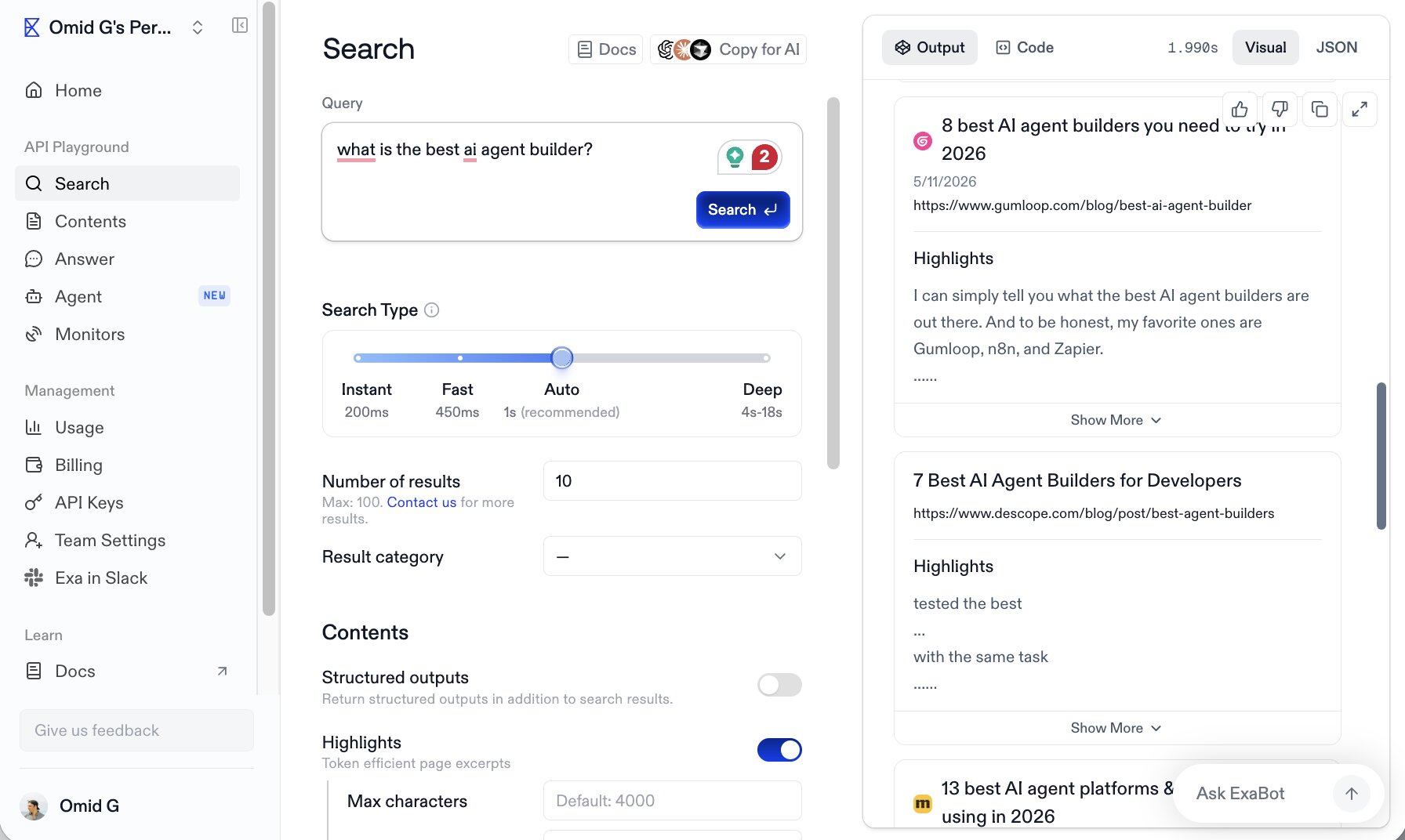
Exa starts with search. Instead of asking, "How do I extract this webpage?", it asks, "How do I find the best webpages in the first place?"
It doesn’t rely on traditional keyword matching alone, Exa uses semantic search to return content that's relevant to your query, making it well suited to AI applications that need to discover documentation, articles, research papers, or recent information before doing anything with it.
In other words, Exa helps you identify the sources, while Firecrawl helps you work with them.
Output quality and data formats
Firecrawl
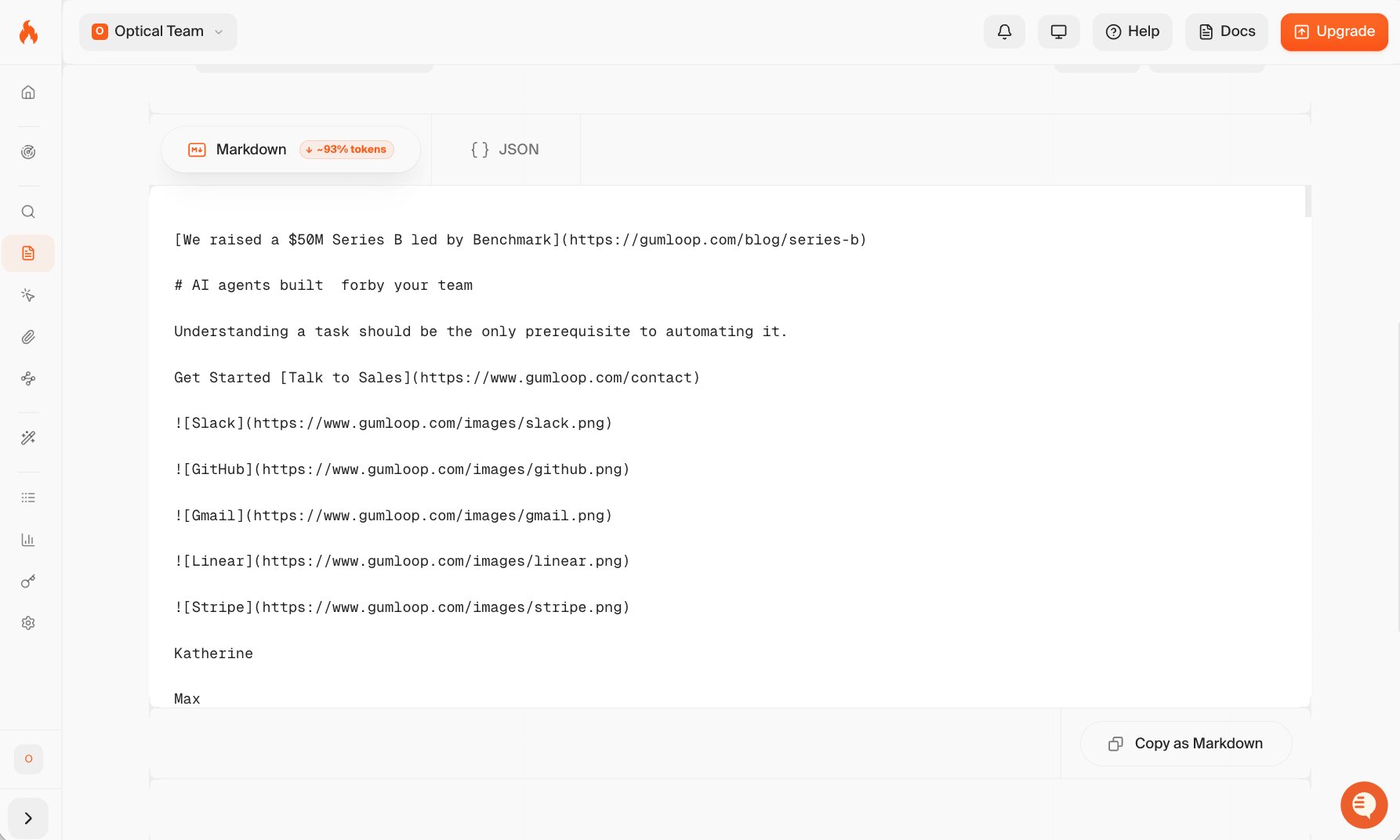
One of the reasons I kept coming back to Firecrawl was the quality of the output. It doesn't just return raw HTML.
You can retrieve clean Markdown, structured metadata, extracted content, and other formats that are much easier to feed into LLMs or downstream workflows. I also found it reduced the amount of post-processing I'd normally expect to do before passing data into an application.
Exa
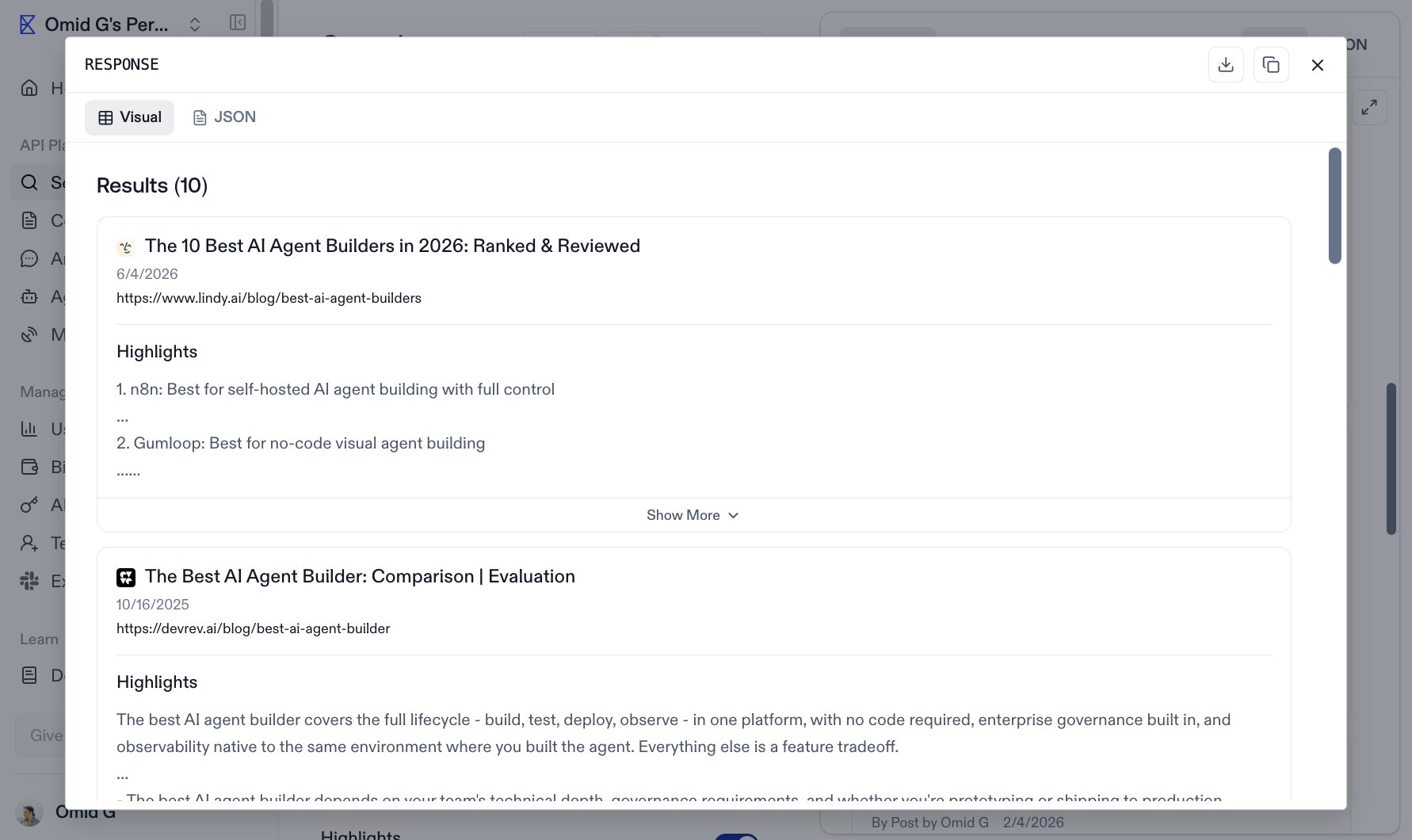
Exa's output reflects its role as a search platform.
Rather than returning the full contents of a website by default, it focuses on delivering relevant search results, summaries, metadata, and, where appropriate, the page content itself through its API. The emphasis is on helping you identify and retrieve useful sources, not transforming entire websites into structured datasets.
Developer experience and integrations
Firecrawl
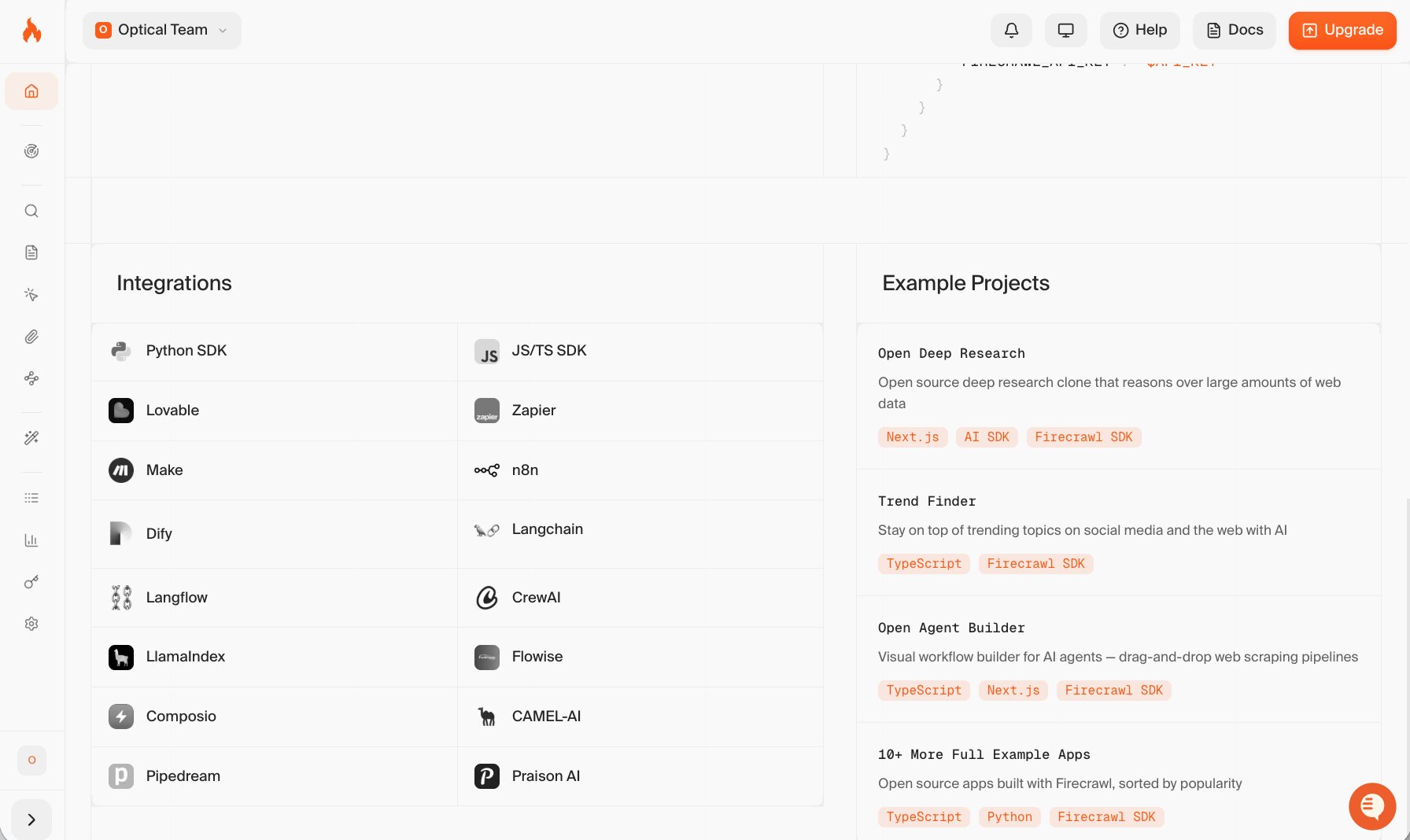
I was productive with Firecrawl surprisingly quickly. The API is straightforward, the documentation is easy to follow, and official SDKs make it quick to integrate into Python, JavaScript, and other common AI stacks.
I was able to get from idea to working prototype without spending much time fighting the tooling.
Exa
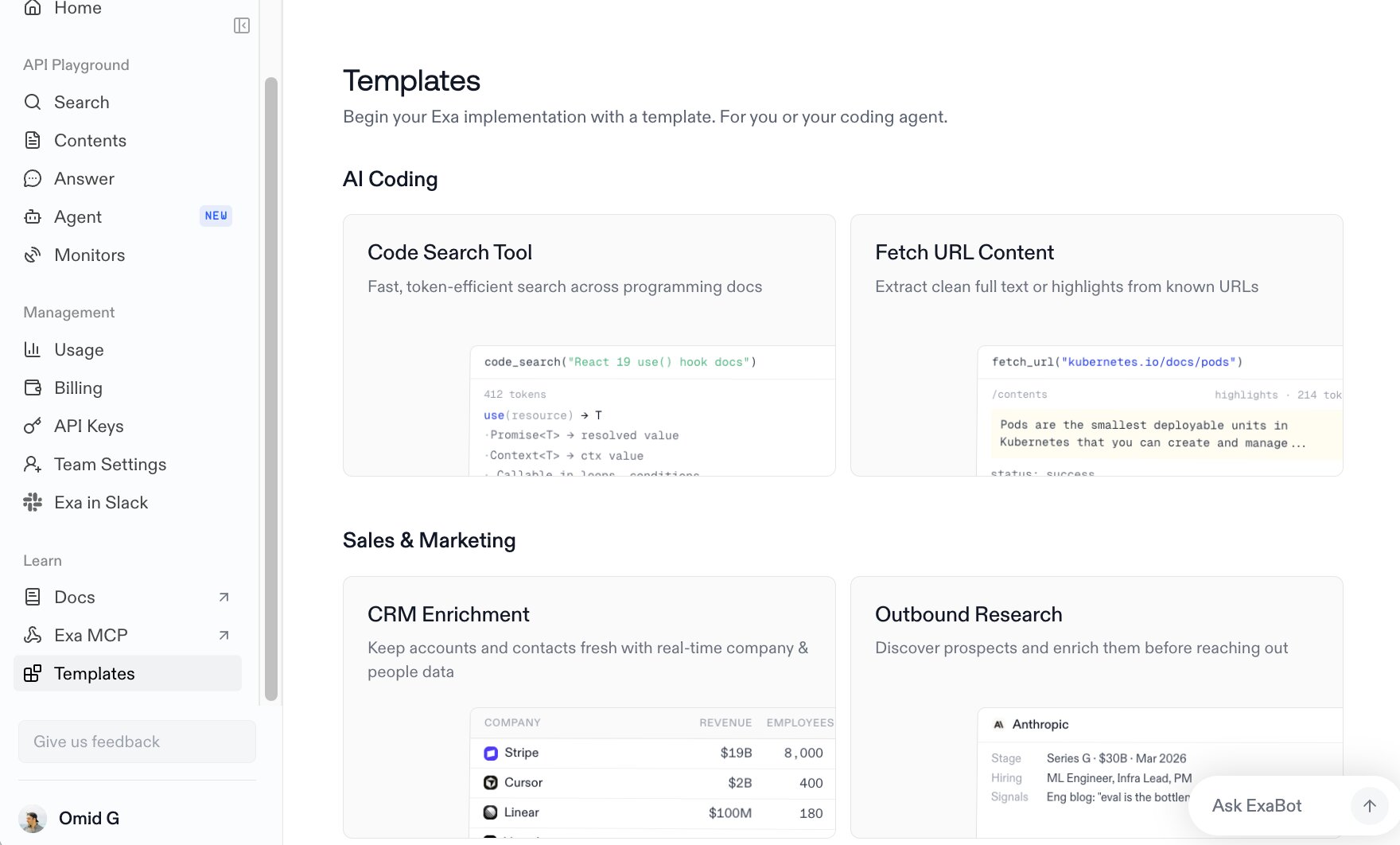
I had a similar experience with Exa.
The API is clean, the documentation is well organised, and the SDKs make it easy to add semantic search to an existing application. Where it differs is in the role it plays. Rather than sitting in the data extraction layer, Exa often becomes the discovery layer that feeds relevant content into the rest of your AI pipeline.
Firecrawl vs. Exa: Use case comparison
Looking at features is helpful, but I think use cases make the differences much clearer. These are the situations where I'd naturally reach for each tool.
If you're also comparing other scraping platforms, you might find our guide to Apify alternatives useful.
Firecrawl's best use cases
After using Firecrawl across a few different projects, these are the workflows where I think it adds the most value:
- Turning websites into LLM-ready knowledge bases. If you're building a chatbot, AI agent, or RAG application, Firecrawl makes it easy to crawl documentation sites, help centres, or blogs and convert them into clean Markdown or structured data that's ready for indexing.
- Scraping websites at scale. Firecrawl handles the crawling, extraction, and content cleaning for you, which means you spend less time writing and maintaining custom scraping code. Check out the best AI web scrapers.
- Keeping AI applications up to date. Firecrawl makes it easy to periodically recrawl websites, so your application isn't limited to a static snapshot of the web.
- Extracting structured data from webpages. When you need more than the raw page content, Firecrawl can return structured outputs that are much easier to feed into downstream automation or AI workflows.
Exa's best use cases
I ended up using Exa when I didn't have a list of URLs to work from. Instead, I needed a reliable way to discover relevant sources before deciding what to do with them.
- Finding high-quality sources for AI applications. Exa uses semantic search to surface pages that match the intent behind your query, making it a strong choice for AI agents and workflows that need to retrieve information dynamically.
- Retrieving documentation and technical content. When I was looking for API documentation, product guides, or technical resources, Exa consistently surfaced relevant pages without me having to manually build a list of sites first.
- Powering research workflows. Exa works well for gathering articles, research papers, company information, and other web content before passing it to an LLM for summarisation, analysis, or question answering.
- Giving AI agents access to fresh information. If your application needs to discover newly published content as it becomes available, Exa is a much better fit than relying on a fixed set of sources.
Firecrawl vs. Exa: Pricing comparison
Pricing is one area I'd always double-check before making a decision.
Both platforms update their plans and usage limits regularly, so I'd recommend verifying the latest details on their official pricing pages before you commit.
Firecrawl pricing plans
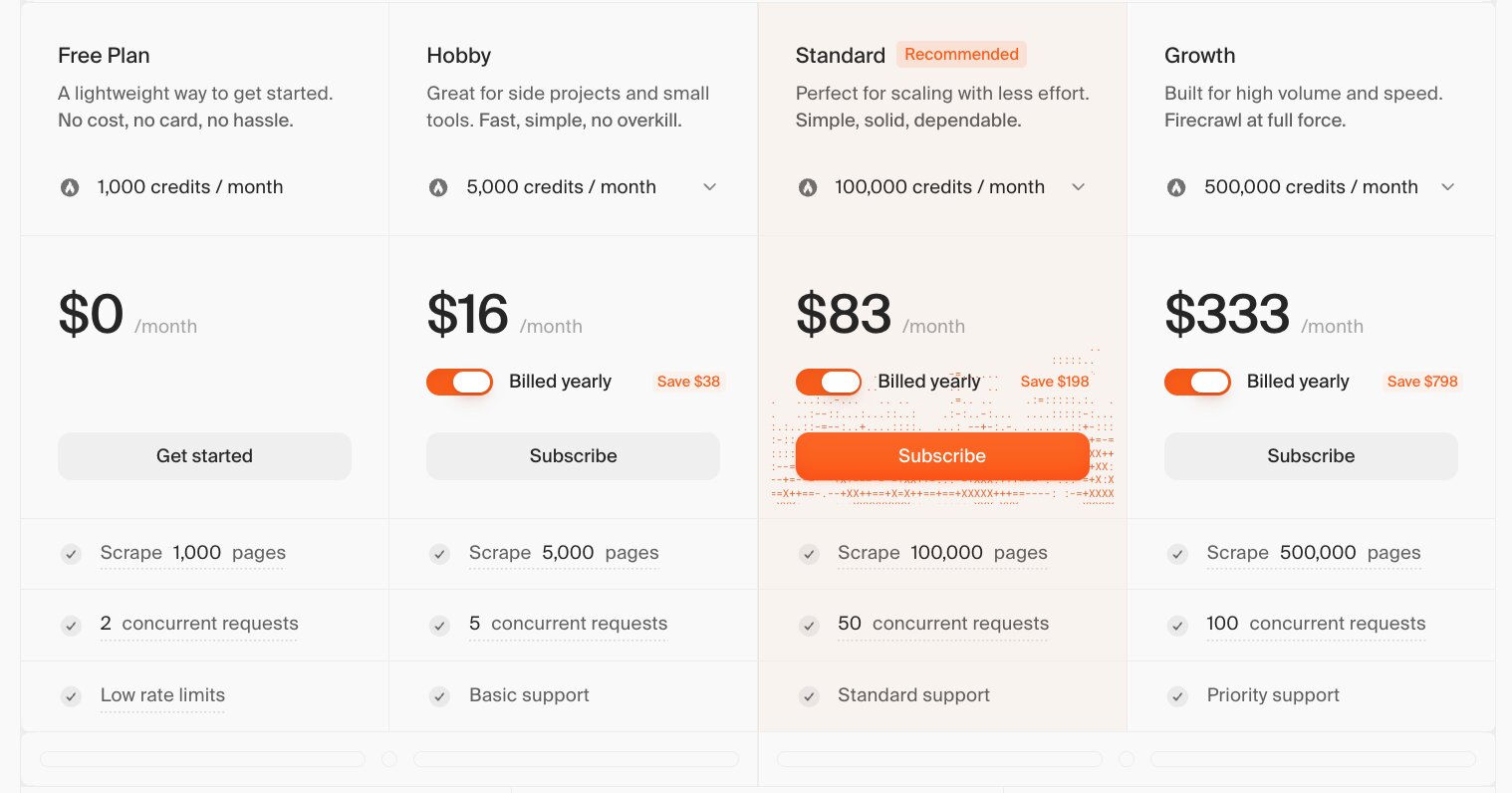
Firecrawl uses a subscription model built around monthly API credits. At the time of writing, you'll find:
- Free: $0/month (1,000 credits/month)
- Hobby: $16/month (5,000 credits/month, billed annually)
- Standard: $83/month (100,000 credits/month, billed annually)
- Growth: $333/month (500,000 credits/month, billed annually)
- Scale: $599/month (1,000,000 credits/month, billed annually)
- Enterprise: Custom pricing
A couple of things I noted:
- Credits are consumed based on the API endpoint you use. For example, Scrape, Crawl, Map, and Monitor each cost 1 credit per page.
- Firecrawl doesn't currently offer a pay-as-you-go subscription, so you'll need to choose the monthly tier that best matches your expected usage.
For the latest pricing and credit allowances, check the official Firecrawl pricing page.
Exa pricing plans
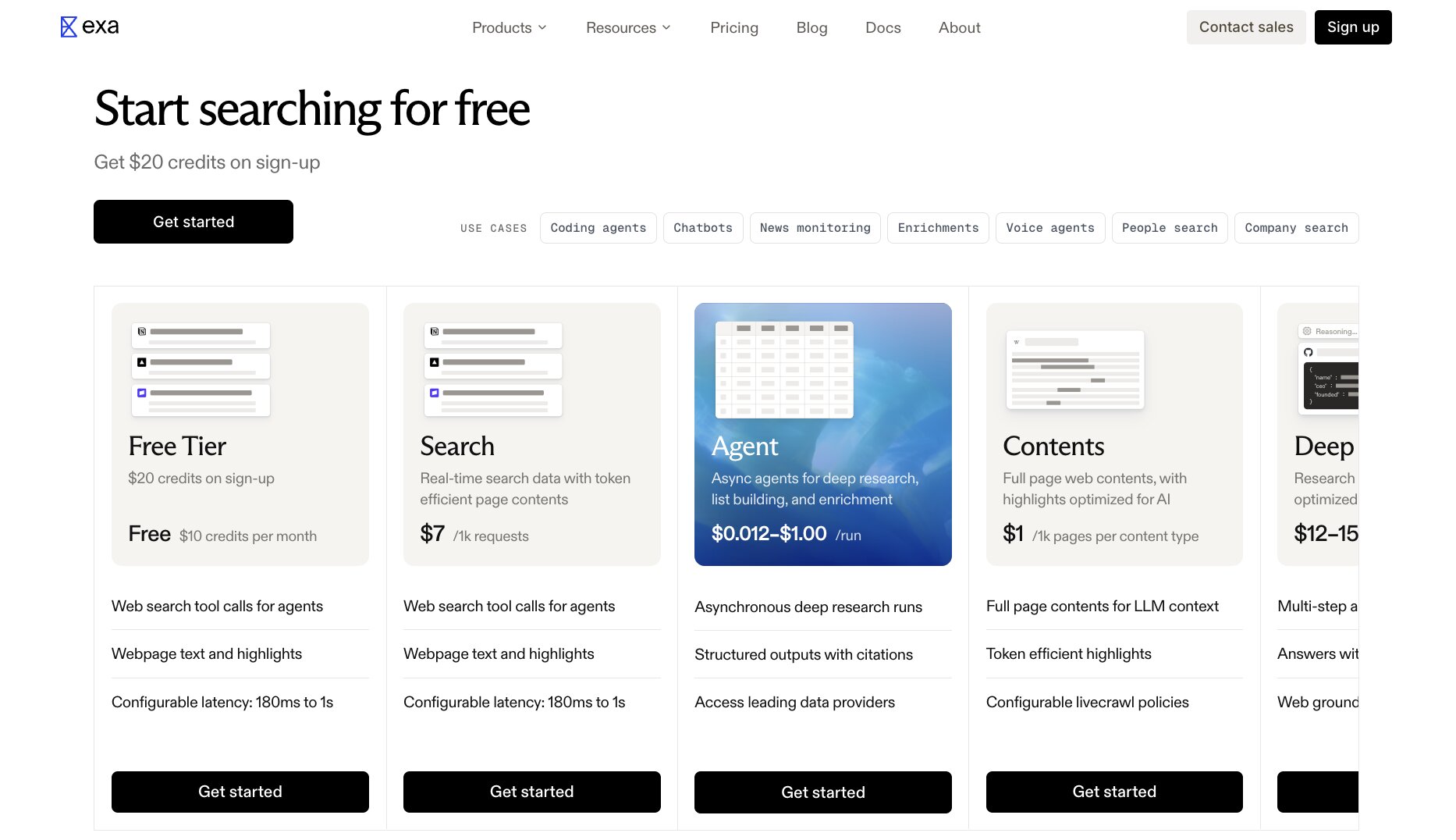
Exa takes a more usage-based approach.
There's a free tier to get started, then pricing scales depending on the APIs and services you use. At the time of writing:
- Free: $0 with $20 in sign-up credits and $10 in monthly credits
- Search API: $7 per 1,000 requests
- Contents API: $1 per 1,000 pages
- Deep Search: $12–15 per 1,000 requests
- Answer API: $5 per 1,000 requests
- Monitors: $15 per 1,000 requests
- Agent: $0.012–$1.00 per run, depending on the effort level
- Enterprise: Custom pricing
If you're using Exa Websets instead of the API, there are separate subscription plans:
- Starter: $49/month
- Pro: $449/month
- Enterprise: Custom pricing
What I like about Exa's pricing model is that you're paying for the capabilities you actually use. If your application mainly performs search requests, your costs will naturally look different from someone running deep research, monitoring, or content retrieval at scale.
For the latest API and Websets pricing, check Exa’s pricing page.
Firecrawl vs Exa: Pros and cons
Neither tool is objectively better than the other, they're just solving different problems. After spending time using, these are the strengths I appreciated most, along with the trade-offs I'd want to know before choosing one over the other.
Firecrawl pros and cons
Firecrawl impressed me because it makes a technically complex task feel much more approachable. That said, it's at its best when you already know which websites you want to work with.
Pros
- Produces clean, LLM-ready output with Markdown and structured data, so there's less cleanup before feeding content into AI applications.
- Handles crawling, scraping, and content extraction without needing to build and maintain your own scraping infrastructure.
- The API and SDKs are straightforward to work with, making it quick to integrate into existing workflows.
- Scales well from scraping a handful of pages to processing large documentation sites.
- The product is evolving quickly, with new features and improvements arriving regularly.
Cons
- It doesn't help you discover content, you'll need another tool or process to find the websites you want to scrape.
- Credit-based pricing means costs can add up if you're crawling large numbers of pages.
- Like any scraper, it can still run into websites with aggressive anti-bot protections or dynamic content that requires additional handling.
Exa pros and cons
What impressed me most about Exa was how quickly it surfaced relevant information. If discovery is your biggest challenge, it saves a lot of time. Just keep in mind that it isn't trying to replace a web scraper.
Pros
- Semantic search often returns more relevant results than traditional keyword search, especially for research and AI workflows.
- Makes it easy to give AI agents and RAG applications access to fresh information from across the web.
- The API is simple to work with, and I found it easy to integrate into research workflows.
- Usage-based pricing can be cost-effective if your workloads fluctuate instead of running constantly.
Cons
- It's designed to find information, not extract and structure entire websites for downstream processing.
- Costs can be less predictable because they're tied to usage across different APIs and services.
- Many teams will still need a separate scraping tool if they want to collect full webpage content or build knowledge bases.
You don't have to choose: Use both Firecrawl and Exa in Gumloop
After comparing Firecrawl and Exa, it's easy to think you have to pick one. In reality, they work well together because they solve different parts of the same workflow.
If you're using Gumloop, both tools are available as MCP (Model Context Protocol) integrations. If you're unfamiliar with MCP, it's an open standard that lets AI applications securely connect to external tools and data sources.
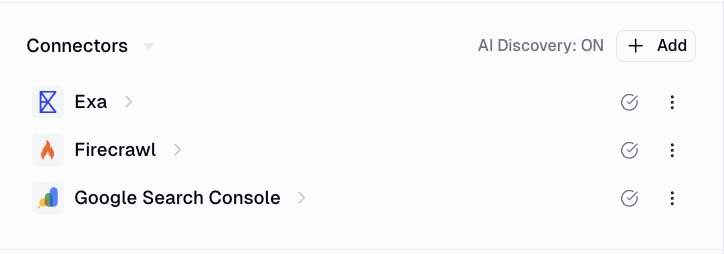
That means you can combine Exa's search capabilities with Firecrawl's content extraction in a single workflow.
A common example looks like this:
- Exa searches the web and finds the most relevant pages for your query.
- Firecrawl then crawls those pages and extracts clean, structured content.
- Gumloop passes that data to your AI workflow, whether you're building a knowledge base, researching competitors, or feeding information into an LLM.
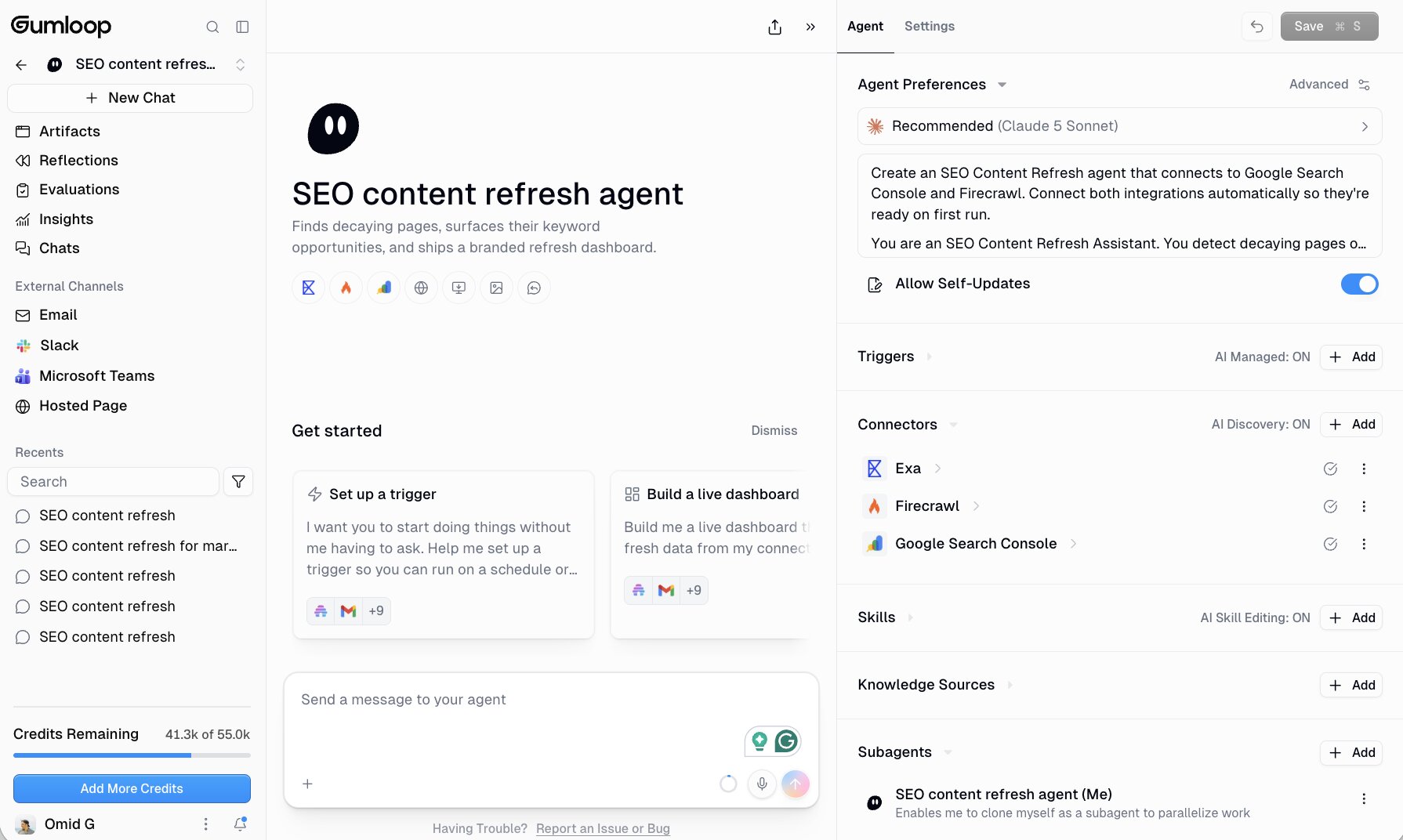
Instead of relying on a single tool to do everything, each platform handles the task it's best at. Exa discovers the content, Firecrawl prepares it, and Gumloop orchestrates the workflow between them.
If you want to see how this works in practice, we've put together guides for connecting Firecrawl and Exa to Gumloop.
Firecrawl vs Exa: Customer reviews and resources
If you're still on the fence, it's worth seeing what other developers think and exploring the resources each platform provides.
Firecrawl reviews and resources
Here's how third-party review sites rate Firecrawl:
- G2: 4.5/5 stars (from +1 review)
- Product Hunt: 5.0/5 stars (from 14+ reviews)
Firecrawl also offers several resources to help you learn the platform and get support:
Exa reviews and resources
Here's how third-party review sites rate Exa:
- G2: 4.5/5 stars (from 1+ reviews)
- Product Hunt: 5.0/5 stars (from 14+ founder reviews)
Exa is still a relatively new platform, so there aren't many reviews on traditional software review sites yet. Product Hunt also distinguishes between founder reviews and general user reviews, so it's worth keeping that in mind when comparing ratings across platforms.
Exa also offers several resources to help you learn the platform and connect with the community. These include:
Which is better: Firecrawl or Exa?
After using both platforms, I found myself reaching for each one in very different situations.
Choose Firecrawl if your biggest challenge is extracting, cleaning, and structuring web content for AI applications. Once you know which websites you want to work with, Firecrawl removes a huge amount of the complexity involved in turning messy webpages into LLM-ready data.
Choose Exa if your challenge is finding the right information in the first place. Its semantic search makes it much easier to discover documentation, research, articles, and other relevant sources before your AI workflow begins.
Use both in Gumloop if you want to build an end-to-end workflow. Exa finds the most relevant webpages, Firecrawl extracts the content, and Gumloop connects everything together into a single automation. For research agents, RAG pipelines, competitor monitoring, and similar workflows, that combination gives you the best of both worlds.
The best choice depends on where your AI workflow starts.

Read related articles
Check out more articles on the Gumloop blog.