7 best Claude Cowork alternatives I've tested in 2026

It feels like everywhere you look, everyone is talking about Claude.
With good reason, of course. It's actually amazing. I literally use it every day for my work as a marketer in tech.
And now we have Claude Cowork, taking the power of LLMs (and Claude Code) and bringing it to a friendly UI that can help you execute on work or personal tasks.
So why would you even want to look for a Claude Cowork alternative? If something is so great, why move onto something new?
Regardless of your reasoning, I can tell you mine.
Claude Cowork is built for individual. It assumes you work on your own, siloed into your own local environment on your computer.
If you want to share skills, agents, or workflows with your team, friends, or audience (if you're a creator), you run into two main issues.
One is there's friction in sharing agents. Others need to download your files onto their computer (either by sharing a GitHub repo or giving someone a zip file to download).
The other is that there's a security risk. You don't know what someone else has put inside of a skill or agent. Downloading a file to your computer where an agent can execute code and access your local files is not something to be taken lightly with AI.
That doesn't make Claude Cowork bad. It just means there are situations where a different tool might be a better fit. Whether that's collaboration, cloud-based workflows, or just a different approach to how agents work, there are solid alternatives worth looking at.
Which is why I've tested dozens of AI agent builders to find out which ones make the most sense for different use cases and people. So that's what this article is, my conclusion from testing all of these tools over the last 6 months.
But before we jump into the list, let's go over what you should actually be evaluating when comparing these tools.
What to look for in a Claude Cowork alternative
When looking for a Claude Cowork alternative, what matters most really depends on what you want to use agents for and how you want to use them.
Again, I can only speak for myself, so this is what I looked for when evaluating these tools:
- Local vs. cloud hosted: Does the tool run on your local machine or in the cloud? This affects how easily you can share agents and workflows with others, and whether you need to worry about a local setup.
- Persistent memory: Can the agent remember context from previous sessions, or does it start from scratch every time? This matters a lot if you're using it for a specific job to be done that is ongoing (not just a one and done task).
- Security measures: How does the platform handle your data, API keys, and credentials? This is especially important if you're working with sensitive business information or sharing agents with a team.
- Complex, repeatable operations: Can you set up triggers, schedules, and multi-step workflows that run on their own? Or is it limited to one-off tasks that require you to click "run" every time?
- Collaboration: Can you share agents, workflows, or skills with teammates (safely) without making them download files or set things up locally?
- Model flexibility: Are you locked into one LLM, or can you choose between different models depending on the task? Being able to switch models also gives you cost control, since cheaper models can handle simpler jobs at a lower price.
- Integrations: Does it connect to the tools your team already uses, like Slack, Gmail, Notion, HubSpot, etc.?
Not every tool on this list checks all of these boxes. It depends on what you need. Some of these are closer to personal assistants, and others are full-on automation platforms. I included a mix of both.
Okay, now lets get into the list!
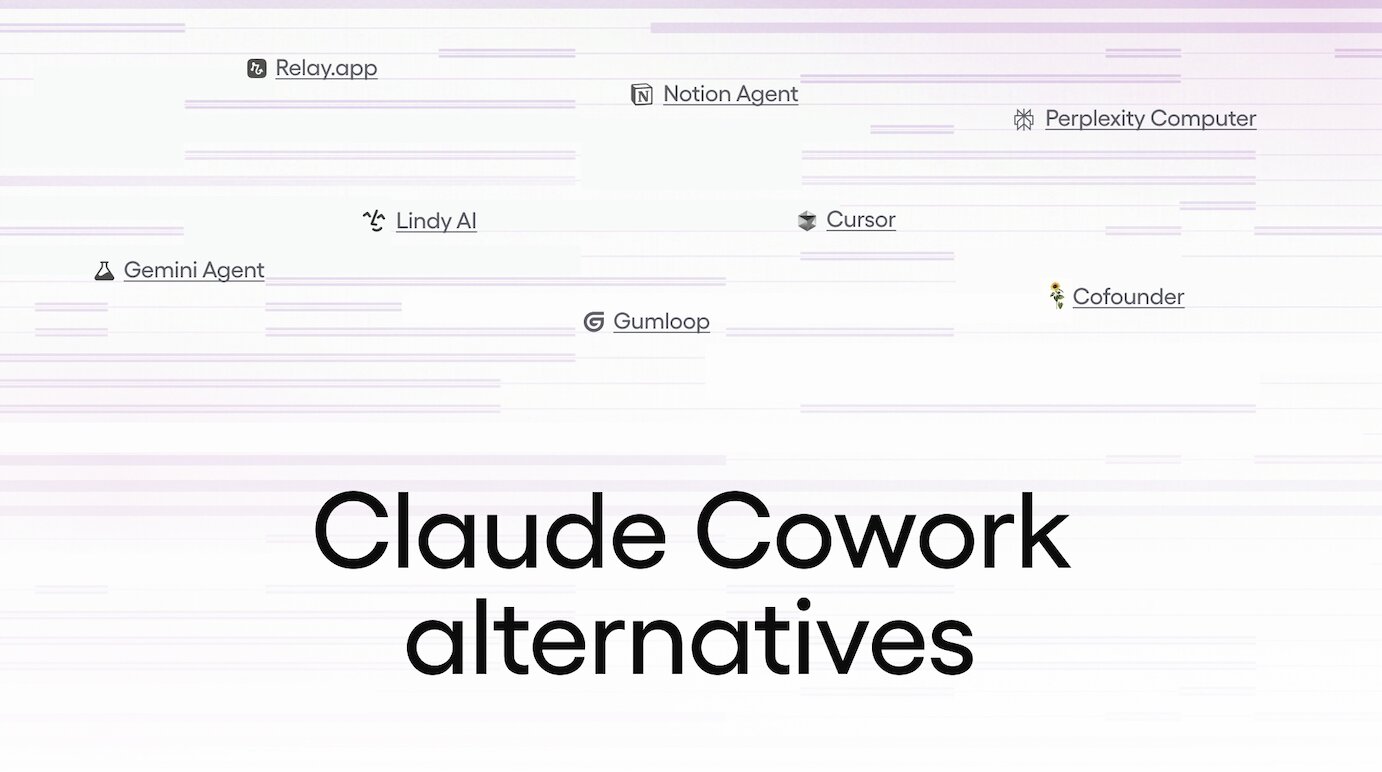
7 Claude Cowork alternatives and competitors in 2026
Here are the best Claude Cowork alternatives:
Alright, lets go over each one.
1. Gumloop
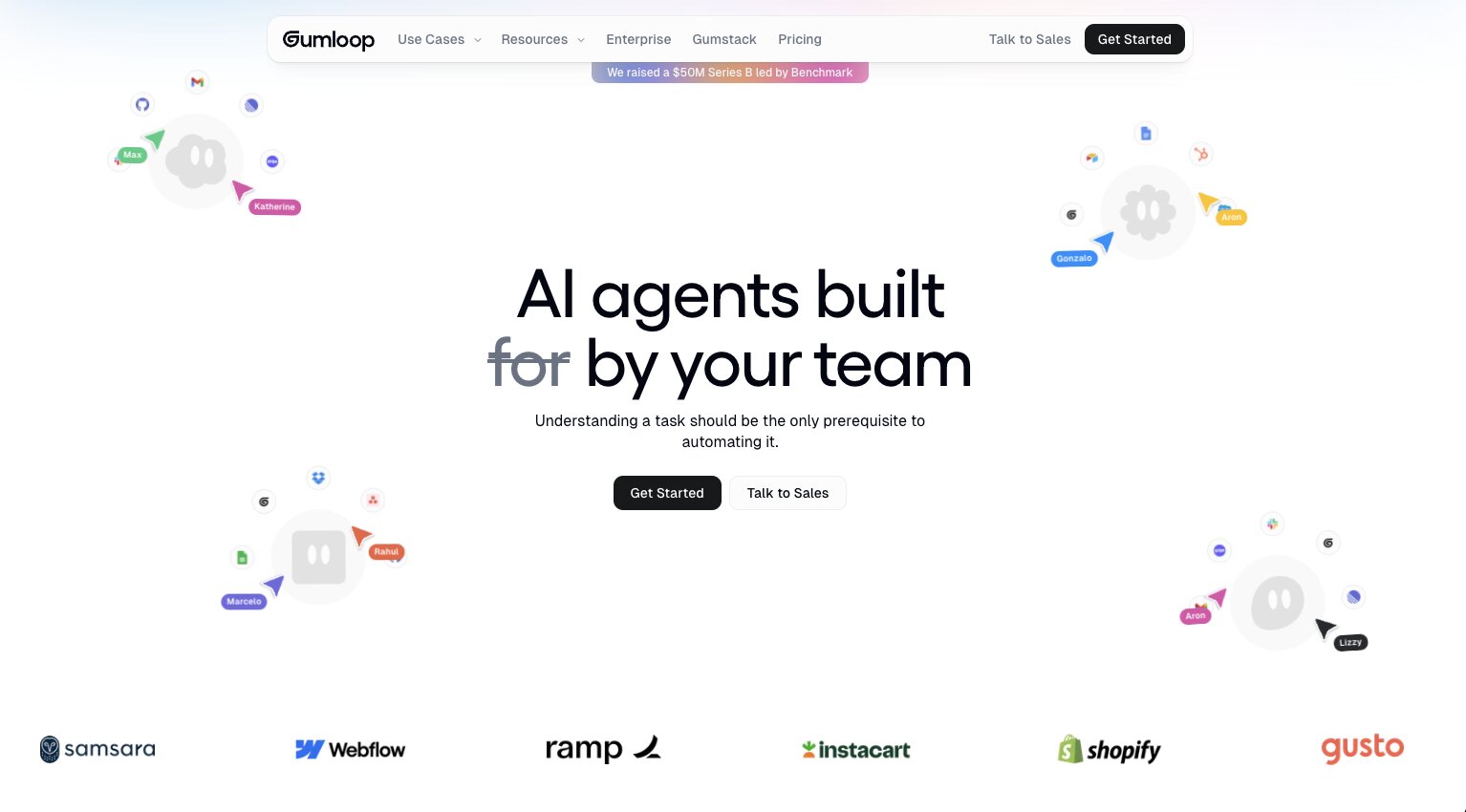
- Best for: Building and sharing AI agents and workflows in the cloud
- Pricing: 14-day free trial, then $37/month
- What I like: LLM agnostic, cloud-based collaboration, and MCP server support
Gumloop is an agentic AI platform that lets you build and deploy AI agents and automated workflows in the cloud. It can connect to any MCP (Model Context Protocol) server or native integration (like Google Workspace, Slack, Notion, Semrush, HubSpot, Salesforce, etc.).
Gumloop is also LLM agnostic, so you can connect it with the latest models from Anthropic, OpenAI, Meta, or open-weight models from DeepSeek, GLM, Moonshot, and more. This is my favorite thing about Gumloop because there's no vendor lock-in. And different models are better (and cheaper) at certain things.
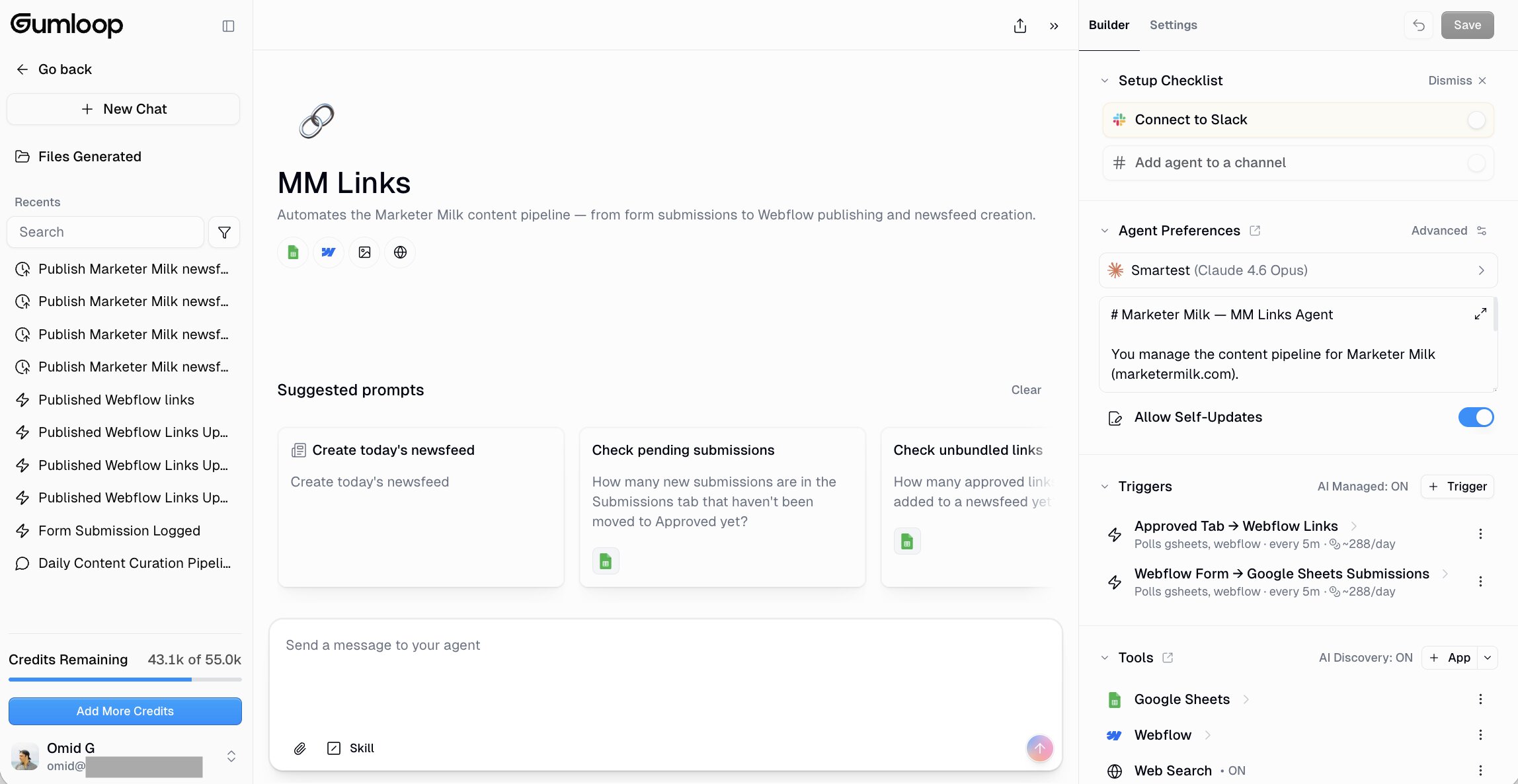
What makes Gumloop different from Claude Cowork is that it's built with collaboration and security in mind. You can build agents that can be shared across your team or with friends and followers. And if you're a larger enterprise company that cares deeply about security, there's Gumstack — a full security and observability layer for your AI agents.
It gives you tool call traceability, role-based access control, per-tool authorization, MCP inventory and auditing, and SSO/SCIM support. Your credentials don't live on anyone's laptop, and every call is tied to a specific user or agent.
Pros and cons of Gumloop
Here are some things I like about Gumloop:
- It's LLM agnostic, so you're not locked into one model provider. You can use Claude, GPT, Gemini, or open source models depending on the task.
- Everything runs in the cloud, which means you can share agents and workflows with teammates without asking them to download files or set anything up locally.
- Your agents and skills update themselves as you iterate and chat with your agent. You don't need to constantly go back to your skill files and update them manually.
- MCP server support lets you can connect Gumloop to practically any tool in your stack.
- The template library and Gummie (their in-product AI copilot) make it easy to get started without building everything from scratch.
- Enterprise teams get Gumstack for security, observability, and VPC deployment.
Here are some things that can improve with Gumloop:
- It's still a relatively new platform, so you might run into the occasional UI quirk or bug.
- Complex workflows can take some trial and error to get right, especially if you're chaining multiple agents together. (If you don't have a technical background, I would recommend agents over workflows for a smoother experience.)
- If you're someone who prefers working entirely on your local machine, the cloud-first approach might take some getting used to.
Gumloop pricing
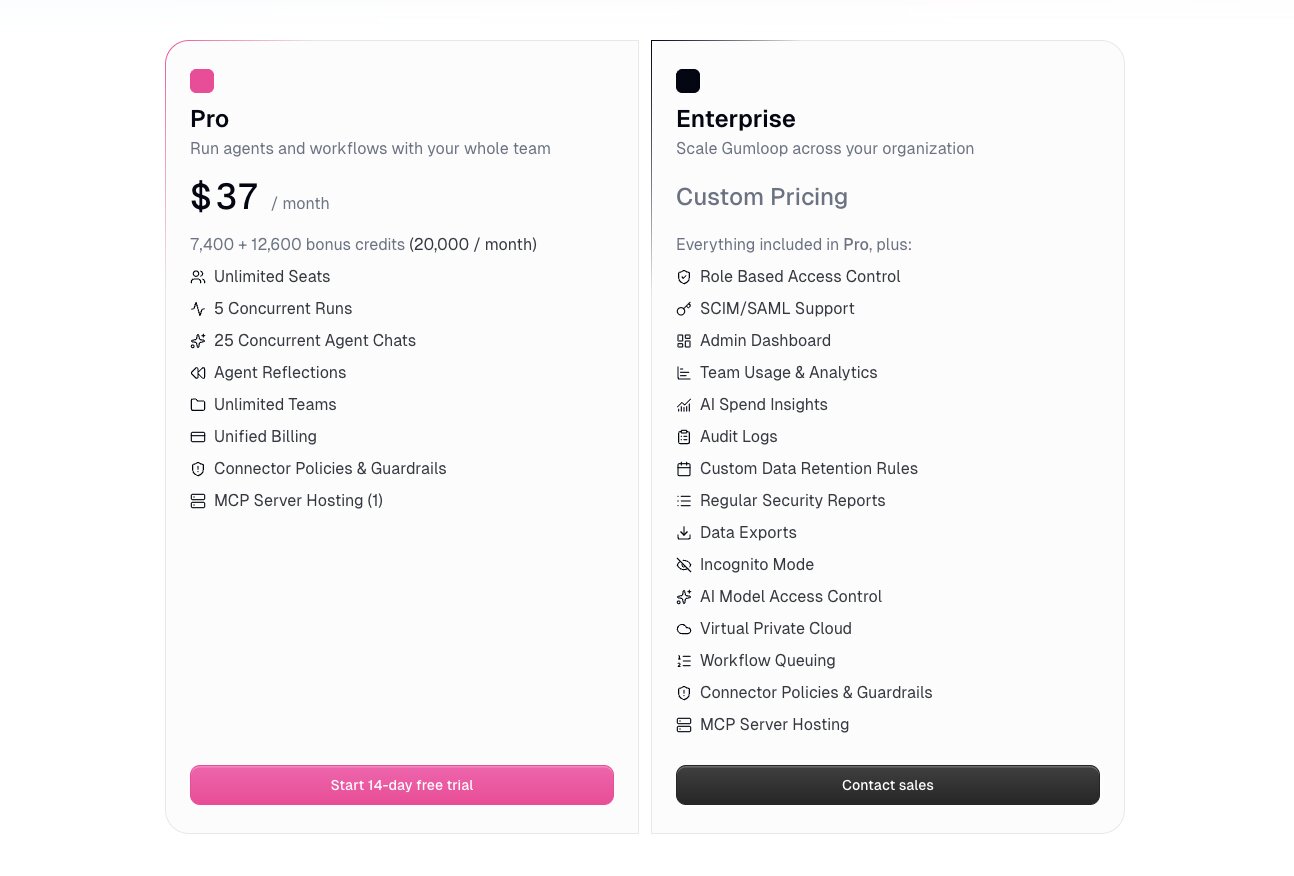
Here are Gumloop's pricing plans:
- Pro: $37/month with 20,000 credits per month (7,400 credits at list price plus 12,600 bonus credits), unlimited seats, 5 concurrent runs, 25 concurrent agent chats, unlimited teams, and unified billing (pricing scales with credit usage)
- Enterprise: Custom pricing that includes everything in Pro plus role-based access control, SCIM/SAML, admin dashboard, audit logs, VPC deployment, and Gumstack (unused credits also roll over)
If you want more details about each plan, you can check out the pricing page here.
Gumloop ratings and reviews
Here is what other users rate the platform:
- G2: 5/5 star rating (from +7 reviews)
- Product Hunt: 5/5 star rating (from +9 reviews)
2. Cursor
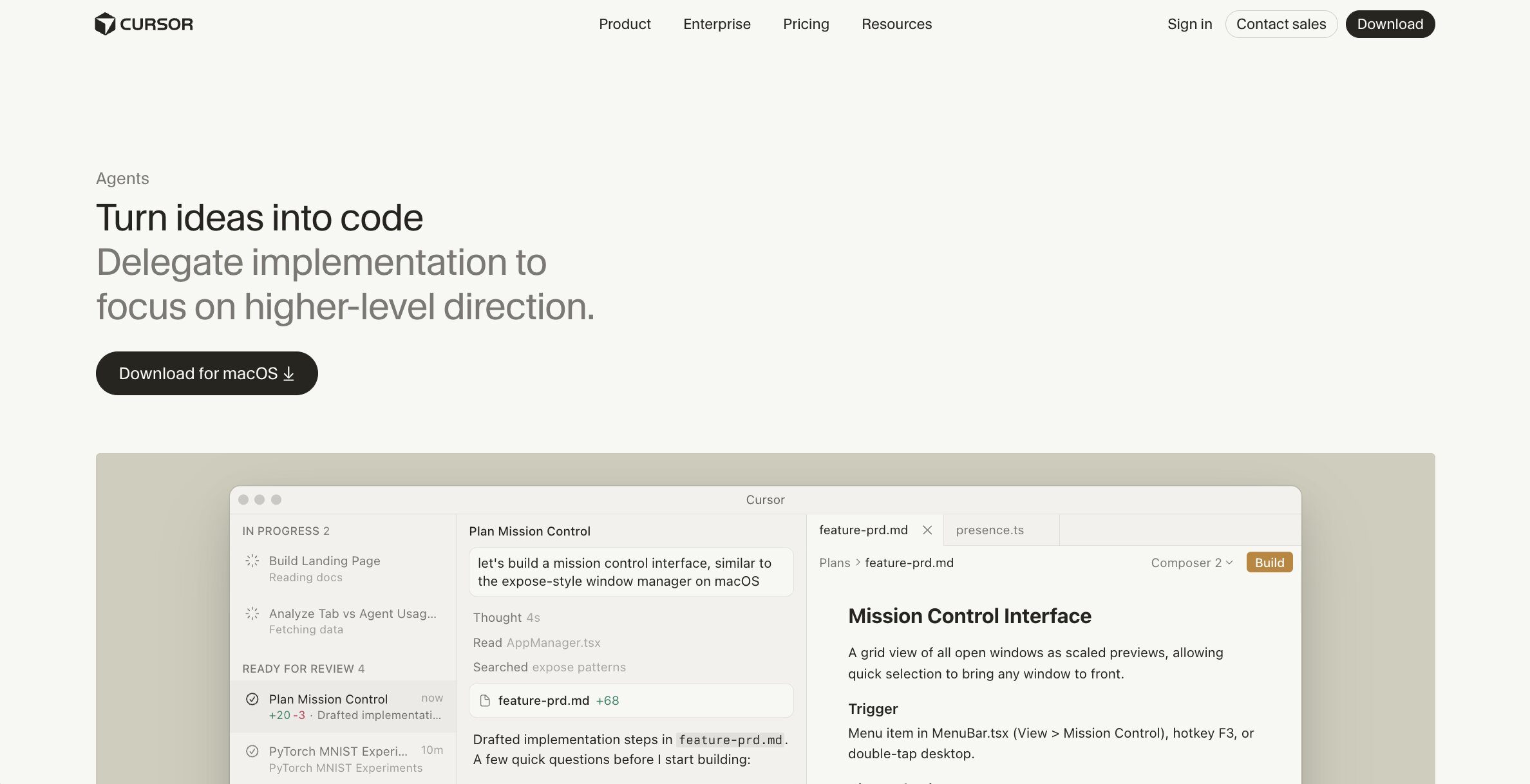
- Best for: Developers who want AI-powered coding with cloud agents
- Pricing: Includes a free plan, then $20/month
- What I like: Subagents that run in parallel, deep codebase understanding, and cloud agents you can run from your browser
Cursor started as an AI-powered code editor known for its fast autocomplete, and it's still one of the best ones out there. I have personally used it a lot for vibe coding projects that live locally on my computer. For example, I wrote this blog post in a custom writing editor I built using Cursor.
Over the past few months, Cursor has leaned more towards the agentic AI tooling side of things, and is starting to become like Claude Cowork in that way. But it is still in a much more developer-heavy environment.
It now has cloud agents, a web and mobile interface, a CLI, MCP support, skills, plan mode, and even a code review bot. (I see you Cursor.)
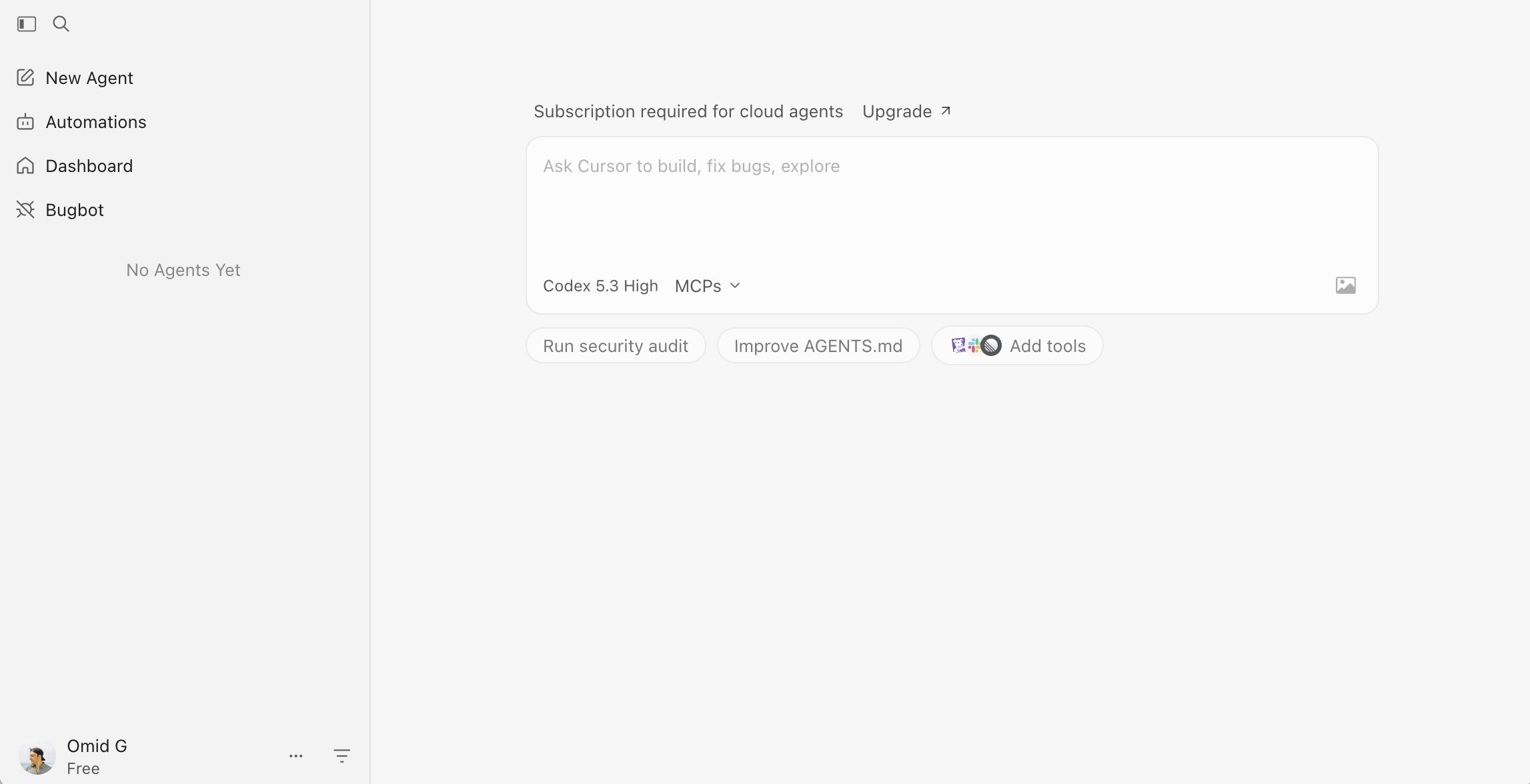
Just like Gumloop, you can run agents from your browser, phone, or even trigger them from Slack, Linear, and GitHub. It also supports multiple models (Claude, GPT, Gemini) and can spin up subagents that run in parallel to tackle different parts of your codebase at the same time.
The big difference between Cursor and Claude Cowork is that Cursor is still fundamentally built for writing and shipping code. If your work revolves around a codebase, Cursor is probably the better fit.
But if you're a marketer, ops person, or anyone who doesn't like looking at code all day, Cursor is going to feel a bit overwhelming.
And like Claude Cowork, when I was working locally, I still had to deal with hosting separately, keeping API keys and secrets safe, and worrying about who might access my stuff.
Pros and cons of Cursor
Here are some things I like about Cursor:
- The subagent system is impressive. It can spin up multiple agents that each use a different model, all working on your project at the same time.
- Codebase indexing gives Cursor the ability to analyze and understand your project before it starts to execute on any new code. You don't have to keep re-explaining context.
- Cloud agents let you kick off work from your browser or phone and come back to it later, which is a nice shift from the purely local experience.
- Skills and MCP support mean you can extend it with custom tools and connect it to things like Figma, GitHub, and Slack.
- Git checkpoints let you roll back to any previous state if an agent goes off track.
Here are some things that can improve with Cursor:
- It's still very developer-focused. If you're not comfortable in a code editor, this is not the tool for you.
- Cloud agents need a paid subscription (Pro or higher), so the free plan is pretty limited in what you can actually do with agents.
- Hosting and deployment are still your problem. Cursor helps you write and debug code, but it doesn't handle infrastructure or secrets management for you.
Cursor pricing
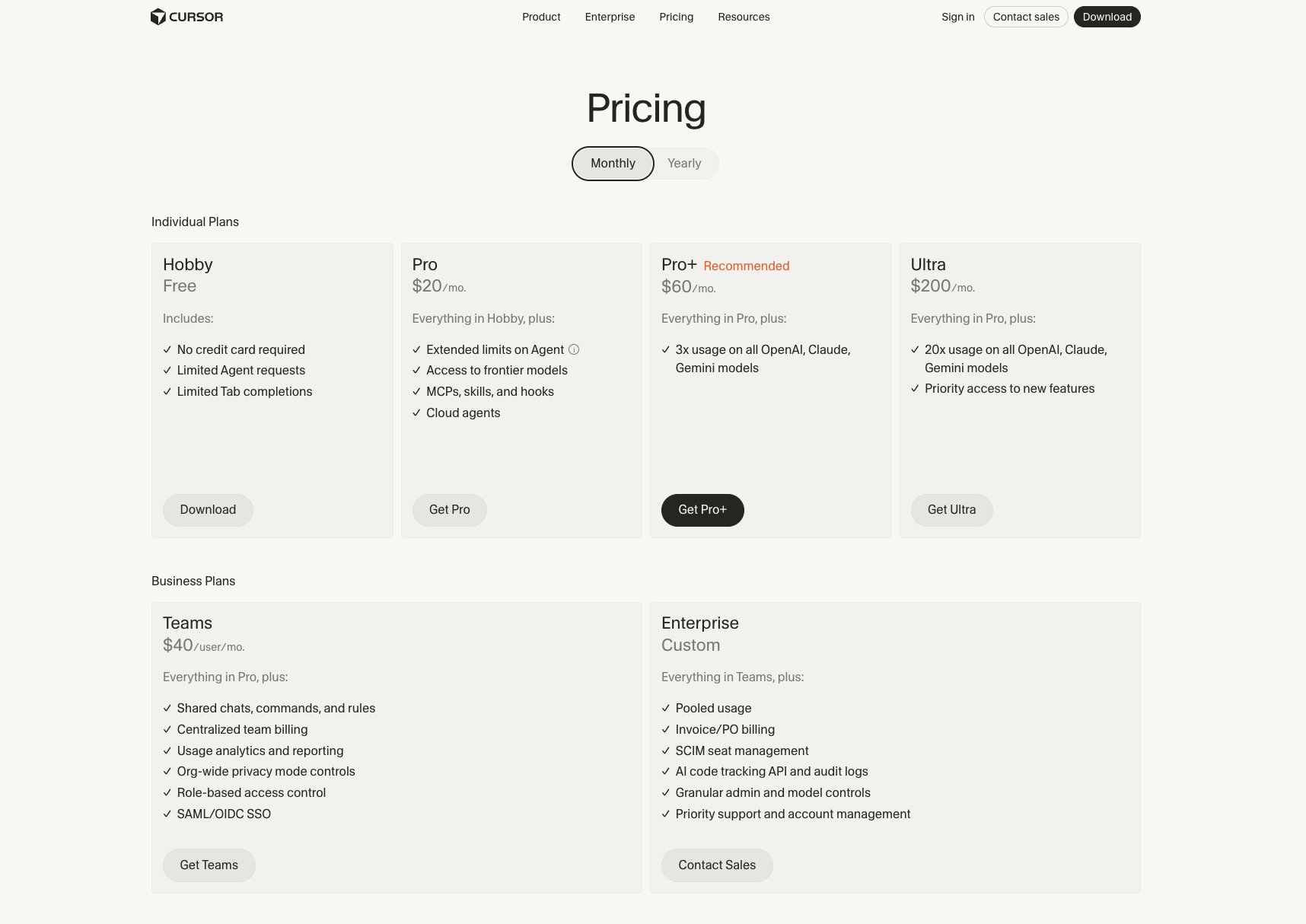
Here are Cursor's pricing plans:
- Hobby (Free): Limited agent requests and tab completions, no credit card required
- Pro: $20/month with extended agent limits, access to frontier models, MCPs, skills, hooks, and cloud agents
- Pro+: $60/month with everything in Pro plus 3x usage on all OpenAI, Claude, and Gemini models
- Ultra: $200/month with everything in Pro plus 20x usage and priority access to new features
- Teams: $40/user/month with everything in Pro plus shared chats, centralized billing, RBAC, and SAML/OIDC SSO
- Enterprise: Custom pricing that includes everything in Teams plus pooled usage, SCIM, audit logs, and priority support
You can learn more about what each plan has to offer by checking on their pricing page.
Cursor ratings and reviews
Here is what other users rate the platform:
- G2: 4.5/5 star rating (from +45 reviews)
- Product Hunt: 5/5 star rating (from +797 reviews)
3. Relay.app
- Best for: Team workflows that mix AI automation with human approvals
- Pricing: Includes a free plan, then $38/month
- What I like: Clean UI, human-in-the-loop steps, and support for ChatGPT, Claude, and Gemini
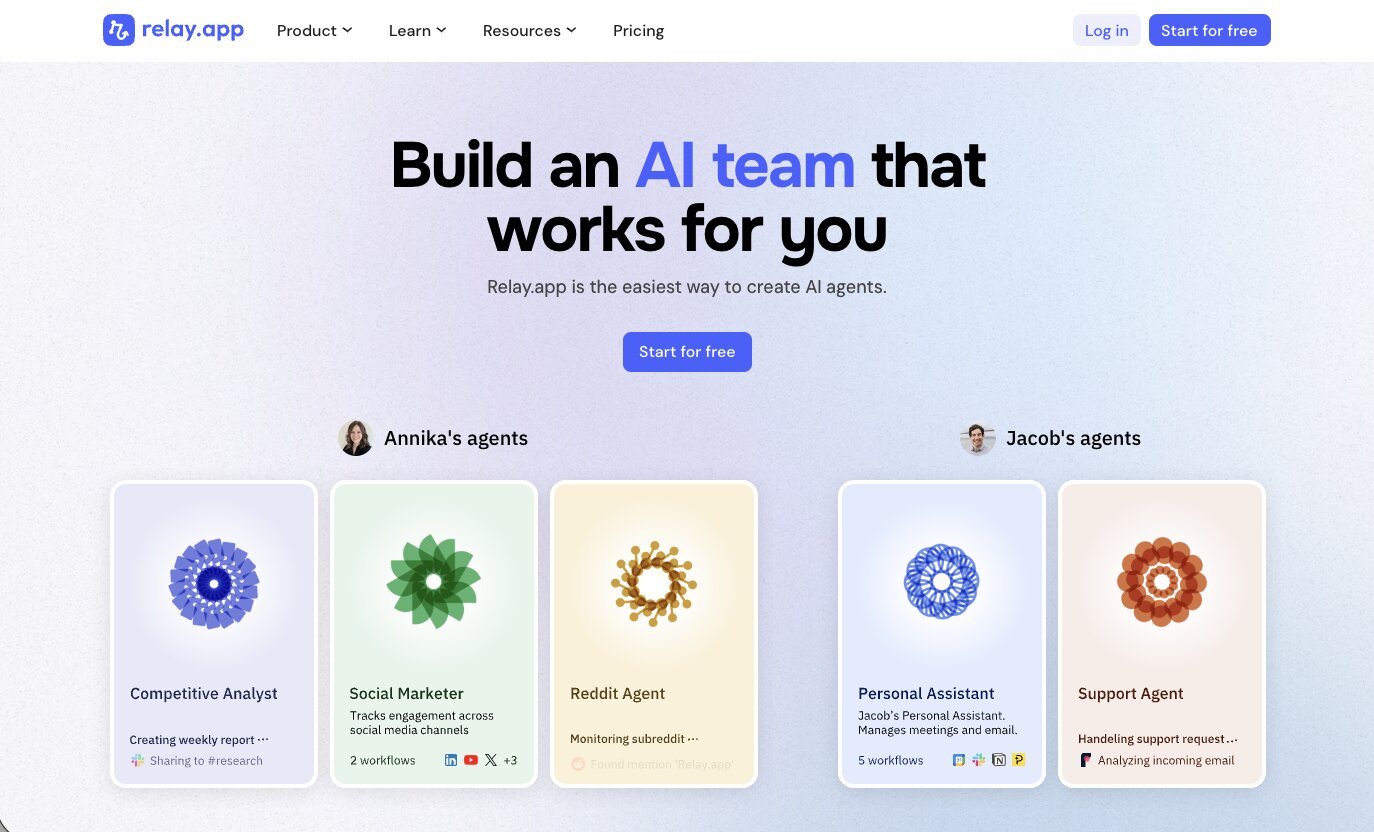
Relay.app is an AI workflow and agent builder that lets anyone on your team create AI assistants that can execute on different tasks. You can think of it as a workflow agent rather than a general purpose desktop assistant like Claude Cowork.
Similar to Gumloop, Relay.app runs in the cloud and connects to tools like Gmail, Slack, HubSpot, Notion, Salesforce, and more. It also has human-in-the-loop workflows, where you can set up automations that handle most of the work automatically but can pause if you want a team member to review or approve before the agent moves forward with a task.
Compared to Claude Cowork, Relay.app is built for repeatable, trigger-based workflows across your team's tools. Claude Cowork is more of an assistant that lives on your desktop. If your work involves recurring tasks that need to be integrated with multiple apps and multiple people, Relay.app is the way to go. But if you just need an AI to help you with one-off tasks locally, Claude Cowork or another alternative is probably better.
Pros and cons of Relay.app
Here are some things I like about Relay.app:
- The UI is one of the cleanest in this space. It's easy to understand what's happening in a workflow without getting lost in nested menus or confusing logic.
- Human-in-the-loop steps let you mix automated actions with manual approvals, which is great for workflows where you don't want AI making every decision on its own.
- It supports GPT, Claude, and Gemini, so you're not locked into one model.
- The skill templates give you a head start on common use cases like lead enrichment, content summarization, and meeting follow-ups.
- SOC 2 and GDPR compliant, which matters if your team handles sensitive data.
Here are some things that can improve with Relay.app:
- The free plan is limited to 500 AI credits and 1 user, so you'll need to upgrade pretty quickly if you're doing anything beyond basic testing.
- The Professional plan only includes 1 user. If you want team collaboration, you'll need to jump to the Team plan at $138/month.
- It's not as flexible for deep custom automations like web scraping or complex API chaining compared to tools like Gumloop or n8n.
- The integration library is solid but not as deep as Zapier or Make when it comes to niche tools.
Relay.app pricing
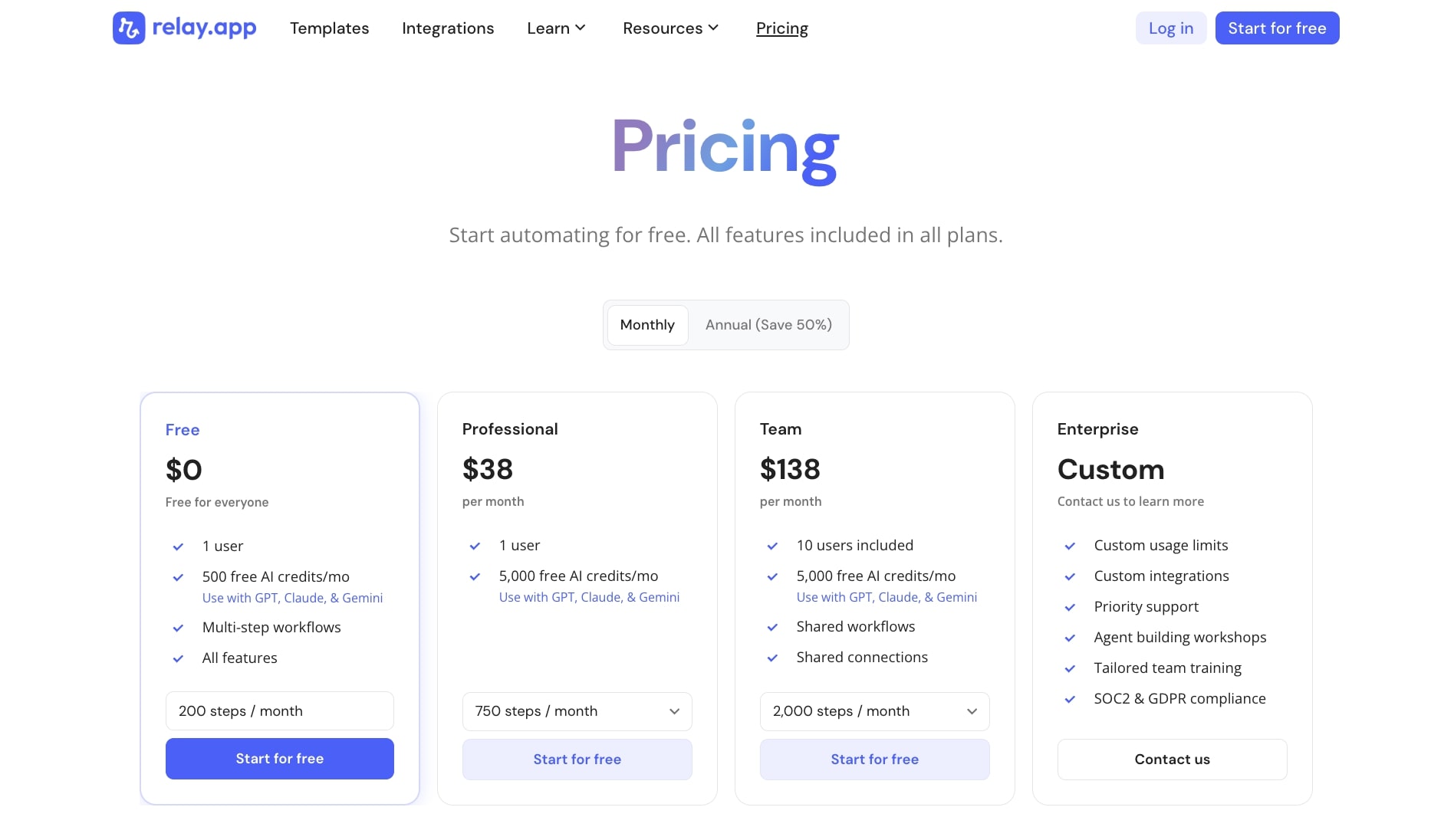
Here are Relay.app's pricing plans:
- Free: 1 user, 500 AI credits per month, multi-step workflows, and all features included
- Professional: $38/month with 1 user, 2,000 AI credits, and 750 steps per month
- Team: $138/month with 10 users included, 2,000 AI credits, shared workflows and connections, and 2,000 steps per month
- Enterprise: Custom pricing with custom usage limits, custom integrations, priority support, agent building workshops, and SOC 2/GDPR compliance
If you want to learn more about what each plan has to offer, you can check out the pricing page here.
Relay.app ratings and reviews
Here is what other users rate the platform:
- G2: 4.9/5 star rating (from +84 reviews)
- Product Hunt: 5/5 star rating (from +43 reviews)
4. Perplexity Computer
- Best for: Autonomous research and multi-step projects that run in the background
- Pricing: Requires a Pro ($17/month) or Max ($200/month) subscription
- What I like: Multi-model orchestration, sub-agents that work in parallel, and 400+ app integrations
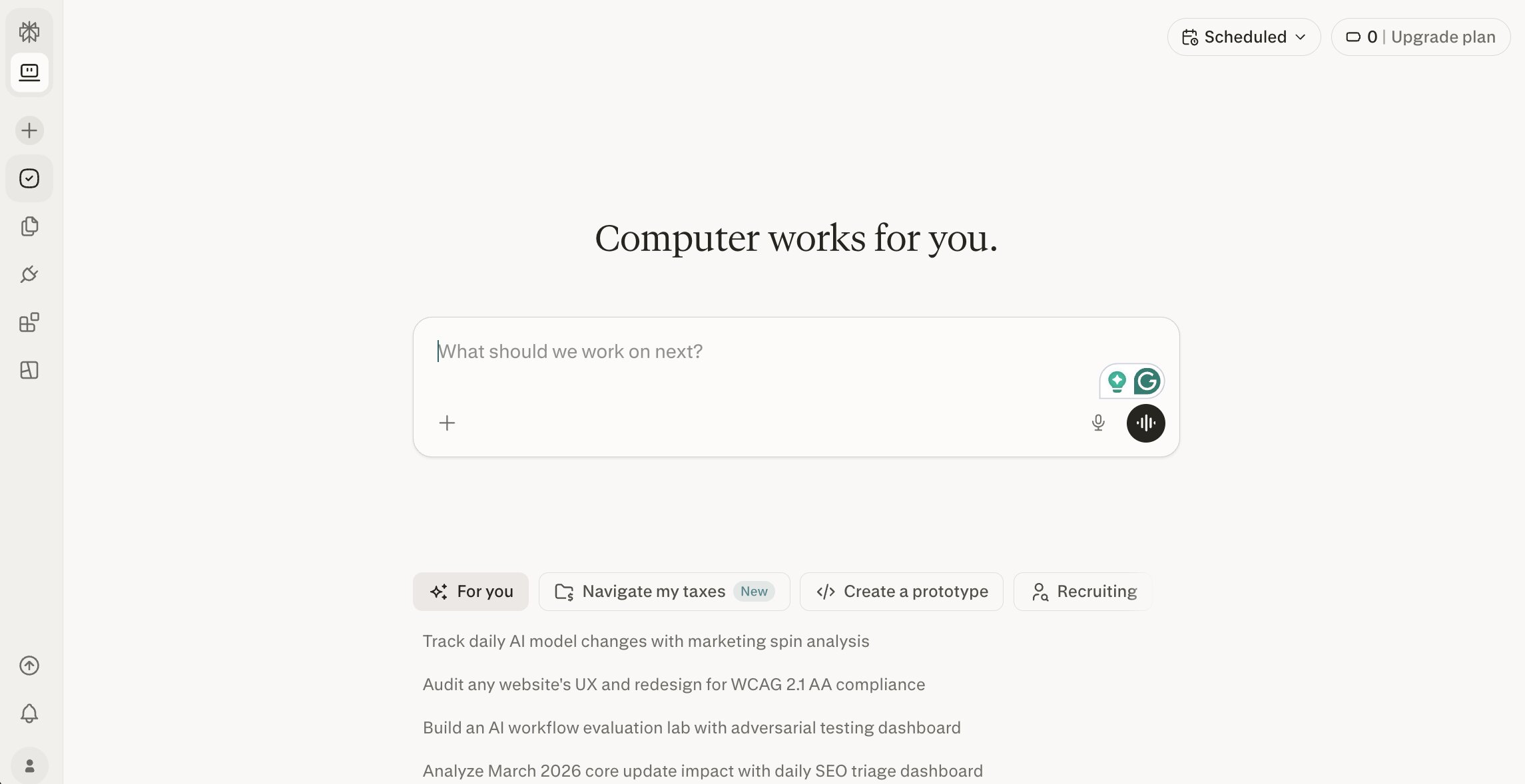
Perplexity Computer is an agentic AI assistant that is pretty close to how Claude Cowork operates. But I would say it acts more like a digital coworker, given that it runs in the cloud and can spin up parallel sub-agents that work on different parts of a project at the same time.
The cool thing about Perplexity Computer is that it can orchestrate agents to break up a large task into smaller chunks, and then route each smaller task to different AI models.
Compared to Claude Cowork, Perplexity Computer is more autonomous and more research-oriented. I personally use Perplexity all the time for researching stuff, so that's where it shines as an AI search platform.
But when it comes to its Computer feature, it's designed to take a high-level goal and run with it, sometimes for hours, without needing much input from you. But while impressive, it's not cheap.
You need a Max subscription ($200/month) to get the full Computer experience, which is a big jump from what most other tools on this list charge like Gumloop's $37/month plan that can do all the same things.
There's also a separate "Personal Computer" product that many of my friends run locally on a Mac Mini, but that's a different product entirely.
Pros and cons of Perplexity Computer
Here are some things I like about Perplexity Computer:
- Model agnostic, so instead of being locked into one LLM, the system picks the best model for each subtask automatically.
- Sub-agents let it work on multiple parts of a project in parallel, which speeds up complex workflows like research reports, data analysis, and content generation.
- It runs entirely in the cloud with isolated environments, so there's no local setup required and your tasks are sandboxed from each other.
- It can handle long-running tasks that go on for hours.
Here are some things that can improve with Perplexity Computer:
- The full Computer experience requires a Max subscription at $200/month (or $167/month billed annually), which is a lot more expensive than most alternatives on this list.
- The credit system can be a bit confusing, so it's hard to predict how fast you'll burn through your monthly allocation.
- The Pro plan at $17/month gives you access to Computer, but with much more limited usage compared to Max.
- It's research and knowledge-work focused. If you need structured, repeatable workflow automation with triggers and schedules, tools like Gumloop or Relay.app are a better fit.
Perplexity Computer pricing
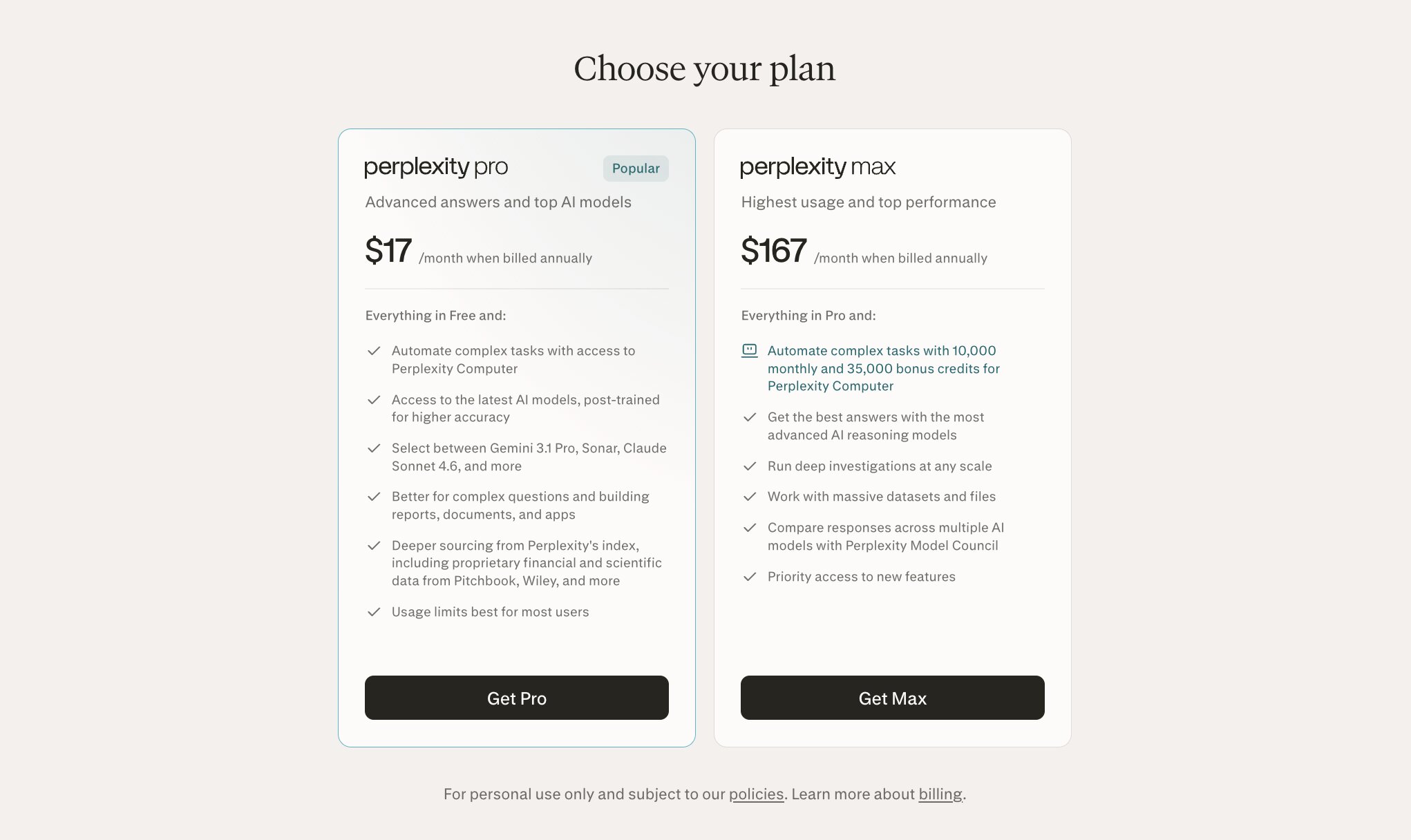
Here are Perplexity's pricing plans:
- Pro: $17/month (billed annually) with access to Perplexity Computer, top AI models including Gemini Pro and Claude Sonnet
- Max: $167/month (billed annually) with everything in Pro plus 10,000 monthly credits and 35,000 bonus credits for Computer, advanced reasoning models, deep investigations at scale, massive dataset support, Model Council for comparing responses, and priority access to new features
You can learn more about each plan here.
Perplexity Computer ratings and reviews
Here is what other users rate the platform:
- G2: 4.5/5 star rating (from +257 reviews)
- Capterra: 4.5/5 star rating (from +31 reviews)
5. Notion Agent
- Best for: Automating recurring tasks inside the Notion ecosystem
- Pricing: Available on Business ($24/member/month) and Enterprise plans, plus $10 per 1,000 credits for Custom Agents
- What I like: Deep integration with Notion's docs and databases, Slack/Mail/Calendar connections, and easy setup for non-technical users
Notion Agent is Notion's built-in AI feature that lets you create assistants to automate recurring tasks for you and your team. If you already use Notion (which I have for about 7 years now), it's a very organic add-on to your workflow.
You can set up agents that answer questions from your company knowledge base, route any incoming tasks to the right teammembers, or generate status reports on a schedule.
There are two flavors here. Notion Agent is a personal assistant that works on-demand when you ask it something. Custom Agents are the more interesting piece that lean more towards what Claude Cowork can do.
They're team-wide automations that run on schedules or triggers, and can use context from your existing Notion docs or database. They can also connect to Slack, Notion Mail, Calendar, and external tools through MCP integrations like Linear, Figma, HubSpot, GitHub, and others.
Compared to Claude Cowork, Notion Agent is much more focused around Notion ecosystem and automates tasks that revolve around your team's existing workspace. So if you're already a power use of Notion, then it's great.
But, if you're looking for something a bit more rogue that is a flexible AI agent framework that works across your entire tech stack, Notion Agent probably ain't it.
Pros and cons of Notion Agent
Here are some things I like about Notion Agent:
- It uses your existing Notion docs and databases as context, so there's no rebuilding your knowledge base in a separate tool.
- Custom Agents can run on schedules or triggers without you needing to be online. Set it up once and it handles the work in the background.
- MCP integrations let you connect to external tools like Linear, Figma, HubSpot, GitHub, Stripe, and more.
- Every agent run is logged and all changes are reversible through Notion's version history, which is great for teams that care about transparency.
- You can describe what you want in plain language and Notion builds the agent for you. No coding or flow-building required.
Here are some things that can improve with Notion Agent:
- It's heavily tied to the Notion ecosystem. If your workflows span tools outside of Notion, you'll hit limits quickly.
- Custom Agents are only available on Business and Enterprise plans, so smaller teams on free or Plus plans don't get access.
- The credit-based pricing for Custom Agents can be hard to predict. There's no fixed breakdown of how many credits different tasks consume.
- It's designed for productivity and knowledge work inside Notion. If you need complex multi-step automations with branching logic, web scraping, or deep API integrations, tools like Gumloop or Relay.app are probably better.
Notion Agent pricing
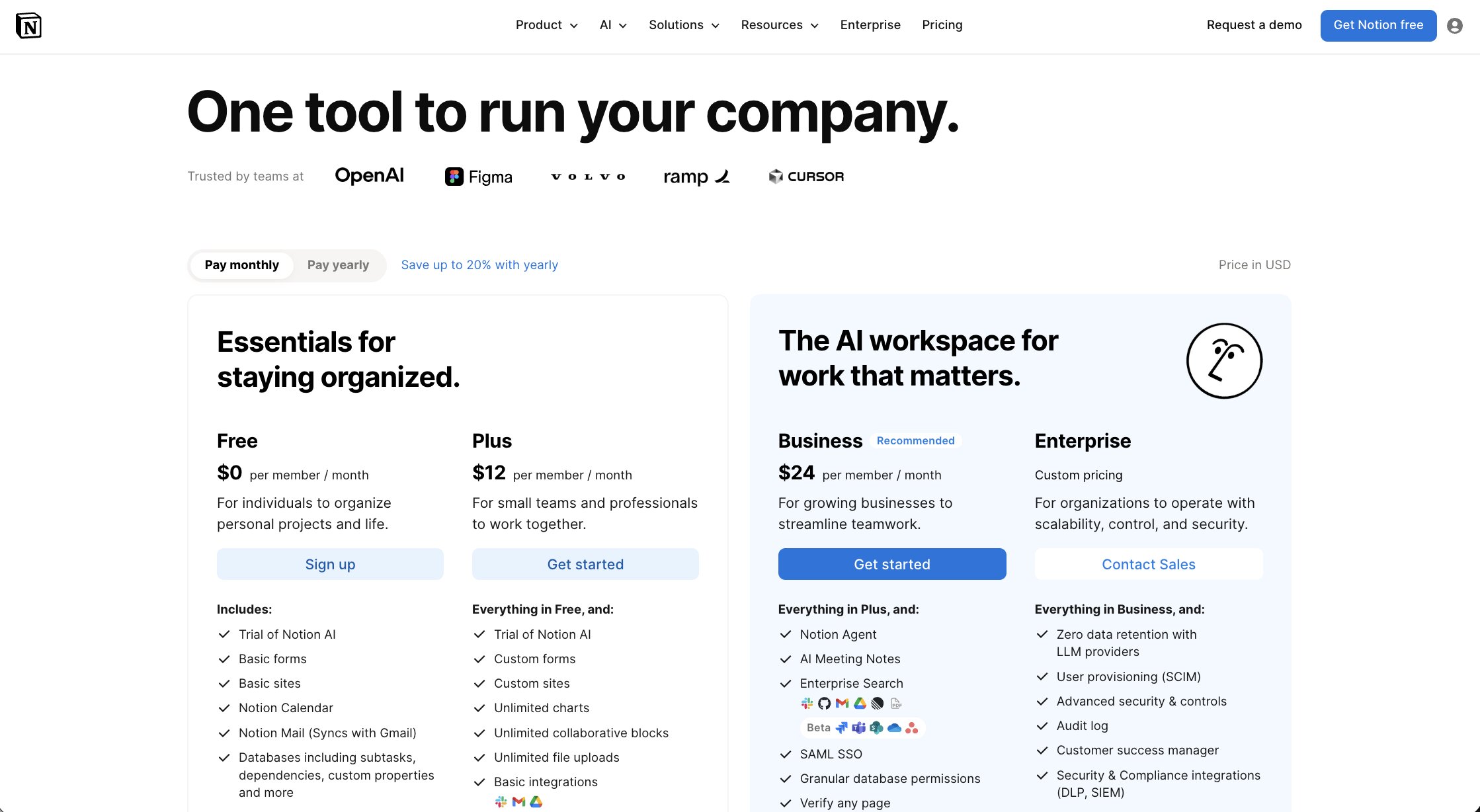
Here are the relevant Notion pricing plans:
- Business: $24/member/month with access to Notion Agent (personal AI assistant), Custom Agents, AI Meeting Notes, Enterprise Search, SAML SSO, and granular database permissions
- Enterprise: Custom pricing with everything in Business plus zero data retention with LLM providers, SCIM provisioning, audit logs, advanced security controls, and a dedicated customer success manager
- Custom Agents credits: $10 per 1,000 credits as an add-on to Business and Enterprise plans
If you want to learn more about Notion's pricing plans, you can check it out here.
Notion Agent ratings and reviews
Here is what other users rate the platform (note these are for Notion's core product as the Agent is just a feature):
- G2: 4.6/5 star rating (from +11,027 reviews)
- Capterra: 4.7/5 star rating (from +2,709 reviews)
6. Gemini Agent
- Best for: Multi-step tasks with live web browsing and Google Workspace integration
- Pricing: Free to try, but requires a Google AI Ultra subscription at $249.99/month (currently $124.99/month for 3 months)
- What I like: Live web browsing through Google, tight integration with Gmail, Calendar, and Drive, and access to Google's most intelligent model
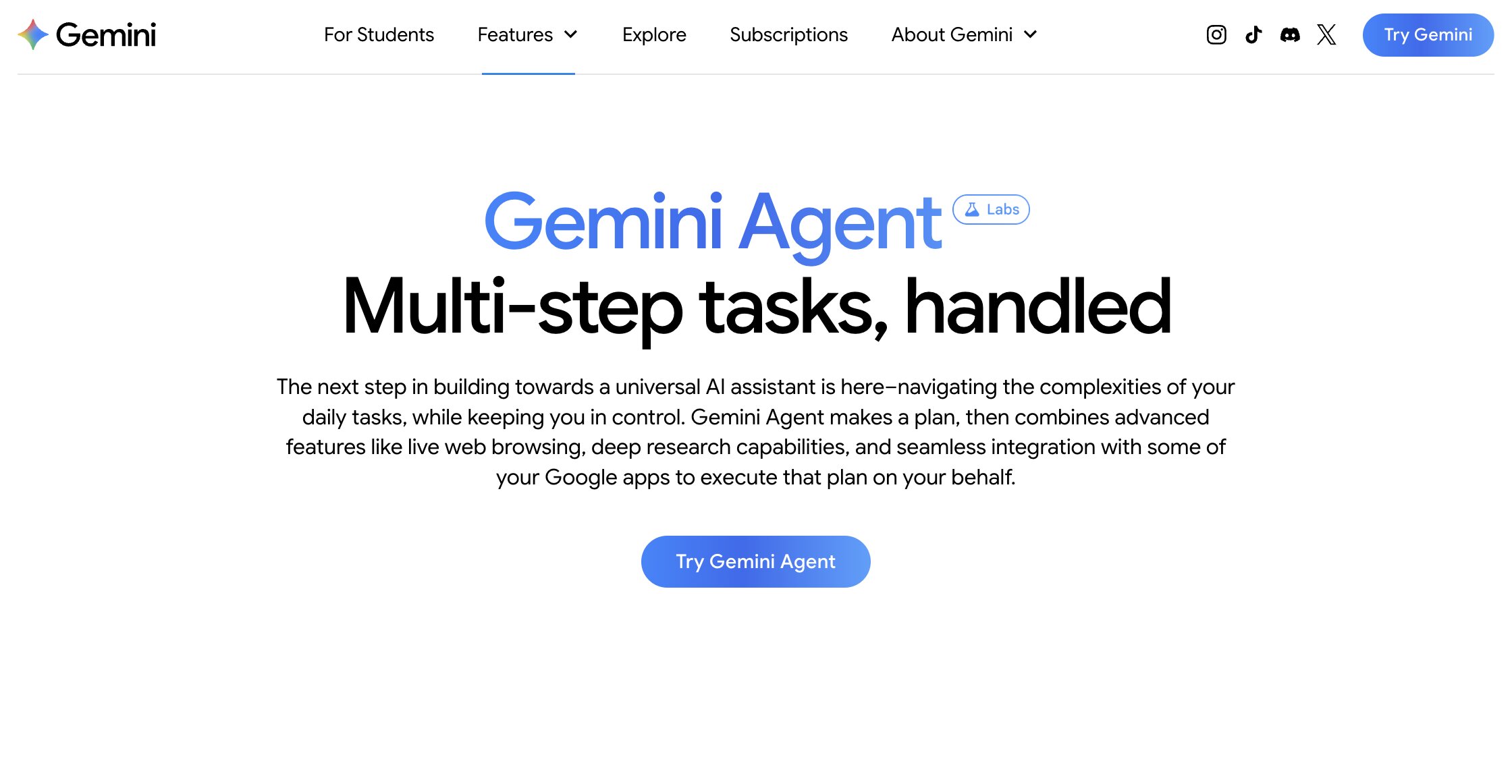
Gemini Agent is Google's agentic AI tool built into the Gemini app. It's an agent that can run multi-step tasks by combining live web browsing, deep research, and direct integration with Google Workspace apps like Gmail, Calendar, Drive, Keep, and Tasks. You describe what you want done, and it makes a plan, browses the web, and takes action across your connected apps.
If you already live in Google's ecosystem for work, Gemini Agent fits in pretty naturally. It's similar to how Notion Agent fits into the Notion ecosystem.
It can manage your inbox, draft responses for you to review, create calendar events, and do time-consuming research across multiple websites. It asks for confirmation before taking high-risk actions like sending an email or making a purchase.
Compared to Claude Cowork, Gemini Agent is actually very similar in that they are both focused more on personal productivity. Gemini Agent just does it in the Google ecosystem. But Gemini Agent is cloud-based, so it's can run on any machine and does not need to be local in the way Claude Cowork is.
The big limitation is that it's currently only available to Google AI Ultra subscribers in the US with English, and it doesn't connect to tools outside of Google's ecosystem the way platforms like Gumloop, Claude Cowork, or Cursor do.
Pros and cons of Gemini Agent
Here are some things I like about Gemini Agent:
- The live web browsing through Google is awesome. It can research, compare options, and even help complete bookings across multiple sites.
- The integration with Gmail, Calendar, Drive, Keep, and Tasks is seamless if you already use Google Workspace (which most of us are).
- It runs on the latest model of Gemini Pro, which is one of the most capable AI models out there.
- It asks for confirmation before taking sensitive actions, so you don't have to worry about it sending emails or making purchases without your approval.
Here are some things that can improve with Gemini Agent:
- It's only available on the Ultra plan at $249.99/month, which is one of the most expensive options on this list. Even the introductory price of $124.99/month is pretty high.
- Currently limited to the US and English only, so if you're outside the US or work in another language, you can't use it yet.
- It only works with Google apps. If your team uses Slack, Notion, HubSpot, or other non-Google tools, you won't be able to connect them.
- It's still labeled as an experimental feature in early development, so Google recommends close supervision.
- Workspace and Student accounts can't access Gemini Agent at this time.
Gemini Agent pricing
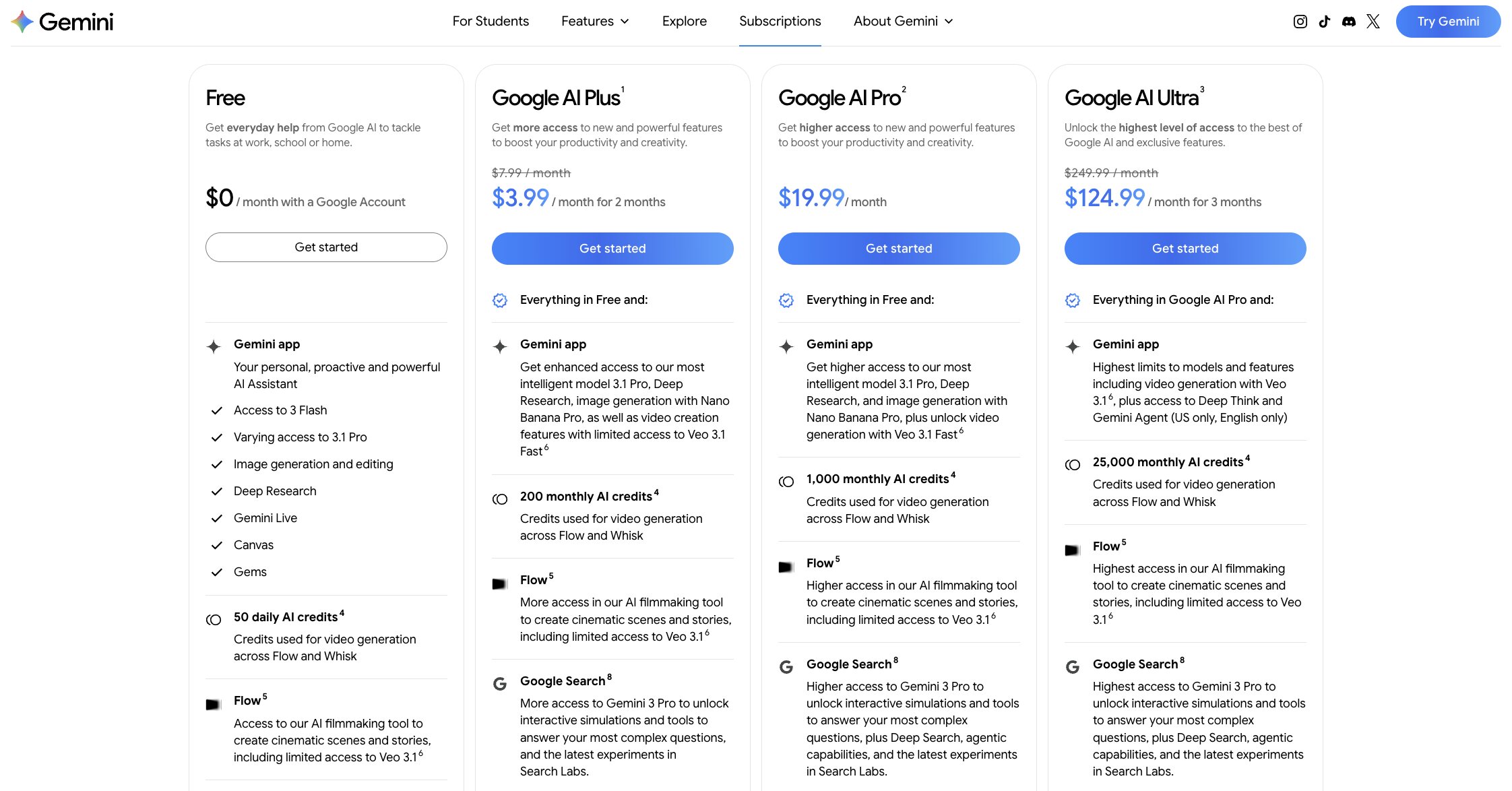
Gemini Agent requires a Google AI Ultra subscription. Here are the relevant Google AI plans:
- Free: Access to Gemini app with Gemini 3 Flash, limited Deep Research, and 50 daily AI credits
- AI Plus: $7.99/month with enhanced access to Gemini 3.1 Pro, 200 monthly AI credits, Gemini in Gmail and other Google apps, and 200 GB of storage
- AI Pro: $19.99/month with higher access to Gemini 3.1 Pro, 1,000 monthly AI credits, Jules coding agent, and 5 TB of storage
- AI Ultra: $249.99/month (currently $124.99/month for 3 months) with highest limits across all models and features, Gemini Agent, 25,000 monthly AI credits, Project Mariner, and 30 TB of storage
You can learn more about each plan here.
Gemini Agent ratings and reviews
Here is what other users rate the platform:
- G2: 4.4/5 star rating (from +391 reviews)
- Capterra: 4.6/5 star rating (from +59 reviews)
7. Cofounder

- Best for: Solo founders and small teams who want an AI admin assistant
- Pricing: Starts at $39.99/month with 4,000 credits (scales with usage)
- What I like: The branding and minimal UI, the knowledgebase agent, and the todo list command center
Cofounder is an AI automation platform built to act like, you guessed it, a cofounder. It's designed to help you with admin tasks like managing your todo list, email inbox, calendar, and other day-to-day productivity tools.
Similar to Claude Cowork or Gumloop, you describe what you want in natural language, and it writes automations and organizes workflows across the tools you already use.
I love the branding and minimal feel the platform has. It connects to tools like Gmail, Google Calendar, Slack, Notion, Linear, Airtable, Attio, GitHub, and more. It also has a Knowledgebase Agent feature that connects your email, CRM, calendar, and Notion to build a constantly updated memory of your business. So the more you use it, the more context it has about your work.
Compared to Claude Cowork, Cofounder is more focused on ongoing, recurring automation for busy founders and operators. It can run in the background, handling things like daily calendar briefings, engineering status updates, competitor research, and CRM enrichment without needing you to prompt it every time. It's a good fit if you're a solo founder or running a small team and want to offload admin work to an AI "chief of staff" that learns your business over time.
Pros and cons of Cofounder
Here are some things I like about Cofounder:
- The command center with a todo list and inbox gives you a central place to manage tasks and approve or reject work that needs your sign-off.
- The Knowledgebase Agent builds a persistent memory of your business by syncing with your email, CRM, calendar, and docs. That context gets better over time.
- You can describe automations in plain English and change what your agent does anytime without rebuilding flows.
- It connects to 19+ integrations including Slack, Linear, Notion, Gmail, Attio, PostHog, and GitHub.
- SOC 2 Type II certified, which is a nice signal for a newer platform.
Here are some things that can improve with Cofounder:
- It's still a pretty new product, so the integration library is smaller compared to tools like Gumloop, Zapier, or Relay.app.
- The credit-based pricing can be hard to predict. There's no clear breakdown of how many credits specific tasks consume, so it's tough to estimate monthly costs upfront.
- It's geared toward founders and small teams. If you need team-wide workflow automation with role-based access, shared workflows, and enterprise controls, other tools on this list are better suited.
- The platform is less well-known, so there's not a lot of community content or third-party tutorials to lean on if you get stuck.
Cofounder pricing

Cofounder uses a simple usage-based pricing model. It starts at $39.99/month, which includes 4,000 credits.
From there, the price scales with a slider based on how many credits you need, going up to 25,000+. Custom pricing is also available for higher usage.
The only downside is there's currently no free plan, so you're paying from day one. You can learn more about their pricing here.
Cofounder ratings and reviews
Cofounder is still a relatively new and small platform so there are no ratings on third-party review sites.
Which Claude Cowork alternative should you choose?
It really comes down to what you need an AI coworker for and how you want to work with it.
If you want a cloud-based platform where you can build agents that handle complex tasks across your tech stack and share them safely with your team, Gumloop is my top pick. It's LLM agnostic, supports MCP connectors, and has real-world enterprise guardrails through Gumstack. You're not dealing with local dependencies, config files (although it creates them so you can see them), or terminal commands. And unlike Claude Cowork's desktop app, everything runs in the cloud so your team can collaborate without downloading anything. It's the closest thing to having an AI coworker that actually plugs into your entire workflow.
If you're a developer and your work revolves around a codebase, Cursor is the better alternative to Claude Cowork, and it's also one of the best Claude Code alternatives if that's what you're comparing. It has key features like subagents, codebase indexing, cloud agents, and MCP plugins that make it a strong tool router for coding projects. It also supports local models and gives you a lot of flexibility with how you build. Just know that hosting, deployment, and secrets management are still on you.
The other tools on this list all have their place depending on your specific requirements and functions.
And before I end it, I want to say that Claude is still amazing. I still use it every day (mostly the Chat mode and Claude Code). But when it comes to building/sharing agents, collaborating with a team, and running workflows securely in the cloud, I always use Gumloop.

Read related articles
Check out more articles on the Gumloop blog.