Keep your campaign data clean with a UTM builder agent
The UTM builder agent walks you through each tracking parameter, keeps every medium consistent with standard channel conventions, enforces clean formatting, and logs every link to Google Sheets or a downloadable CSV.

Trusted by leading teams




Stop hand-building tracking links that quietly break your reports
A guided flow tags every link to consistent standards and logs it to one sheet, so your campaign data stays clean and findable.
What is the UTM Builder Agent?
The Gumloop UTM builder agent turns campaign link tagging into a short, guided conversation. You give it a destination URL and what the link is for, and it walks you through each UTM parameter in order, applies the rules that keep your analytics clean, and hands back a finished tracking link. It never guesses a value, so a missing source or a stray capital letter cannot quietly break a report.
It is built around the way analytics tools actually read traffic. When you say a link is for a Facebook ad or an email blast, it suggests the right source and maps the medium to a standard channel convention, so paid social, email, and paid search land in the right buckets in GA4 and other analytics platforms instead of an Unassigned one. It enforces lowercase, replaces spaces with hyphens, strips special characters, and flags the things that quietly corrupt attribution, like UTMs on internal links or a URL that is already tagged.
Every link you build is logged in one place. If you connect Google Sheets, the agent appends each link to a tracking log with its date, campaign, source, medium, and the full tagged URL. If you have not connected a sheet, it builds the same log as a downloadable CSV. Across a session it keeps a running record, so one export gives you every link you tagged, ready to filter, reuse, and share with the team.

What you can do with the UTM Builder Agent
Workflows the agent handles out of the box.
Guided parameter flow
Asks for the base URL, then walks through source, medium, campaign, content, and term in order, grouping related parameters so you answer a few questions, not ten.
Channel-consistent mediums
Maps your medium to the standard channel conventions analytics tools use, like GA4 default groupings, so a Facebook ad reads as paid-social instead of landing in Unassigned.
Automatic value cleanup
Forces lowercase, swaps spaces for hyphens, strips special characters, and removes redundant terms, so the same campaign never splits across messy variations.
Smart defaults by channel
Tell it the channel and it suggests the right source and medium, like facebook and paid-social or mailchimp and email, then confirms before building.
Logged to Sheets or CSV
Appends every link to a Google Sheet tracking log, or builds a downloadable CSV when no sheet is connected, with one row per link and a full column for each parameter.
How to use the UTM Builder Agent
Get from landing page to live agent in a few clicks.
- 1
Click "Use this agent"
A preconfigured agent is created in your Gumloop workspace with Google Sheets connected and the UTM rules loaded into its system prompt. Takes a few seconds.
- 2
Describe the link
Paste the destination URL and say what it is for. The agent suggests the right source and medium, then asks for the campaign and any content or term values.
- 3
Confirm and log it
Review the summary, confirm, and the agent returns the finished link, logs it to your sheet, and keeps a running CSV of everything you tagged this session.
UTM Builder Agent use cases
Real workflows teams run with this agent.
Paid social campaigns
Tag every Facebook, Instagram, LinkedIn, and TikTok ad with a consistent source and a paid-social medium, so creative-level performance is comparable in your analytics.
Email and newsletter sends
Build a link per send with a clean campaign name and an email medium, then log each one so you can compare opens-to-clicks across newsletters over time.
QR codes and offline material
Tag links for print, events, and packaging with a readable campaign name, with a reminder to shorten the long URL before it goes on a flyer or a QR code.
A team-wide tracking log
Point everyone at the same agent and the same sheet, so every campaign link your team builds lands in one auditable log instead of scattered docs and DMs.
Why use Gumloop for the UTM Builder Agent
Rules built in, not remembered
Lowercase, hyphens, channel-consistent medium mapping, and no-UTMs-on-internal-links are enforced for you, so links stay consistent no matter who on the team builds them.
It never guesses
The agent asks for each value and confirms the full link before building it, so a forgotten parameter cannot slip through and fragment a report later.
One log for everything
Every link is written to a Google Sheet or a CSV with a row per link, so you have a single, filterable record instead of links pasted into chats and lost.
It lives in your workspace
The agent runs inside Gumloop with your sheet connected, so building and logging a tracking link is one conversation, not a detour to a separate tool.
Related agents







With enterprise-grade infrastructure and security
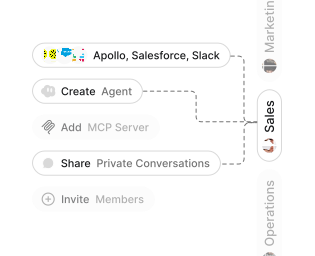
Role-based access control
Manage reusable roles, shared credentials, and secrets with scoped access controls.


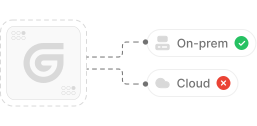
Virtual private cloud deployments
Deploy Gumloop in your own cloud.
Anthropic
OpenAI
Gemini
DeepSeek
AI model restrictions
Control which AI models teams can use. Set guardrails and enforce spend policies.
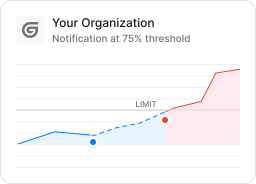
Usage monitoring
Track organization-wide credit usage in real time. Implement budget and quota controls to avoid surprises.
TODAY



WEDNESDAY


Audit logging
Capture detailed audit trails for actions across the organization to understand where data is flowing.

AI proxy support
Bring your own API keys and route requests through your own proxy.
Sign in with Okta
Single Sign-On
Securely streamline identity and access management.


Zero Data Retention
Gumloop never uses customer data to train AI models. For third-party models, we have Zero Data Retention (ZDR) agreements and Data Processing Addendums (DPAs).


SOC 2 Type II Certified
Gumloop is committed to security, and is compliant with SOC 2 Type II and GDPR. Visit trust.gumloop.com to learn more.
Frequently asked questions
Tasks automated to date
Try the UTM Builder Agent