Process every invoice automatically with an AI invoice processing agent
The agent handles automated invoice processing from inbox to ledger. It reads invoice PDFs in your Gmail inbox, extracts the vendor, dates, and totals, checks the math, logs every one to Google Sheets, and posts a summary to Slack.



Trusted by leading teams




Stop typing invoices into a spreadsheet by hand
The agent reads every invoice, checks the math, logs it to one sheet, and tells the team, so bills get recorded right and on time.
What is the Invoice Processor?
The Gumloop AI invoice processing agent turns a folder of invoice PDFs into clean, checked, logged data. It watches your Gmail inbox for invoice attachments, reads each one, pulls out the vendor, invoice number, dates, line items, and totals, then writes a row to your Google Sheet and posts a summary to Slack. You do not retype anything, and nothing has to leave your inbox to get processed.
It reads both kinds of invoice. Digital PDFs and scanned or photographed ones are both handled, with OCR for image-based files, so a supplier emailing a phone photo of a paper bill is processed the same way as a clean export from accounting software. It captures multiple currencies, preserves the currency on every row, and shows the right symbol when it reports an amount, so a euro invoice and a dollar invoice never get confused.
Every invoice is checked before it is recorded. The agent confirms the line items add up to the subtotal, that subtotal plus tax equals the total, that the required fields are present, and that the due date has not already passed. It marks each invoice as passed or flagged, records the reason when something is off, and can reply to the sender asking for a corrected copy, so a wrong number does not quietly get paid.

What you can do with the Invoice Processor
Workflows the agent handles out of the box.
Reads digital and scanned PDFs
Extracts vendor, invoice number, dates, line items, and totals from clean exports and from scanned or photographed bills, using OCR for image-based files.
Validates the numbers
Checks that line items sum to the subtotal, that subtotal plus tax equals the total, that required fields are present, and flags any invoice that does not add up.
Logs to one ledger
Appends every invoice to a Google Sheet with vendor, invoice number, dates, currency, amounts, status, and issues, writing the header row first if the sheet is empty.
Notifies and follows up
Posts a summary to your finance channel with the vendor, amount, due date, and validation result, and can reply to the sender when an invoice needs to be resubmitted.
Runs on a trigger
Set up a Gmail trigger that watches for invoice emails and processes each one as it arrives, so the ledger stays current without anyone checking the inbox.
How to use the Invoice Processor
Get from landing page to live agent in a few clicks.
- 1
Click "Use this agent"
A preconfigured agent is created in your Gumloop workspace with Gmail, Google Sheets, and PDF extraction connected, and the invoice workflow loaded into its instructions.
- 2
Point it at your invoices
Tell it which inbox or sender to watch and which sheet to log to. It searches for invoice PDFs, extracts the data, and shows you the structured fields before recording anything.
- 3
Validate, log, and automate
It checks the math, appends a row to your ledger, and posts a summary to Slack. Add a Gmail trigger and new invoices are processed automatically as they land.
Invoice Processor use cases
Real workflows teams run with this agent.
Accounts payable inboxes
Watch a shared billing inbox, process every invoice that arrives, and keep one ledger of vendor, amount, due date, and status the whole team can reconcile against.
Scanned and emailed bills
Turn a supplier photographing a paper invoice or forwarding a PDF into the same clean, validated row as an invoice exported from accounting software.
Multi-currency vendors
Process invoices in dollars, euros, pounds, and yen in one ledger, preserving the currency on every row so totals by vendor and region stay accurate.
Month-end spend reviews
Pull every processed invoice from the sheet and total spend by vendor for the month, with flagged invoices already marked so disputes are easy to find.
Why use Gumloop for the Invoice Processor
Checks before it records
The math, the required fields, and the due date are all validated on every invoice, so a wrong subtotal or a missing number is caught instead of paid.
It shows the data first
Extracted fields are displayed before anything is logged, so you can catch an issue on screen rather than finding it later in the ledger.
One ledger for everything
Every invoice lands in a single Google Sheet with a row per bill, so reconciling and totaling spend is a filter, not a hunt through email threads.
It lives in your workspace
The agent runs inside Gumloop with your inbox and sheet connected, so reading, checking, and logging an invoice is one flow instead of three separate tools.
Related agents









With enterprise-grade infrastructure and security
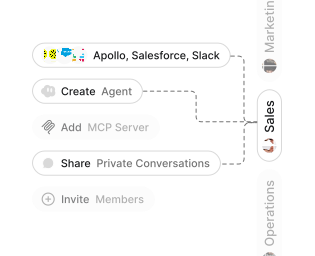
Role-based access control
Manage reusable roles, shared credentials, and secrets with scoped access controls.


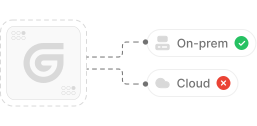
Virtual private cloud deployments
Deploy Gumloop in your own cloud.
Anthropic
OpenAI
Gemini
DeepSeek
AI model restrictions
Control which AI models teams can use. Set guardrails and enforce spend policies.
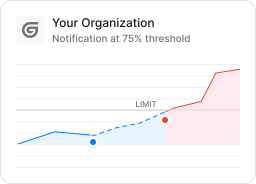
Usage monitoring
Track organization-wide credit usage in real time. Implement budget and quota controls to avoid surprises.
TODAY



WEDNESDAY


Audit logging
Capture detailed audit trails for actions across the organization to understand where data is flowing.

AI proxy support
Bring your own API keys and route requests through your own proxy.
Sign in with Okta
Single Sign-On
Securely streamline identity and access management.


Zero Data Retention
Gumloop never uses customer data to train AI models. For third-party models, we have Zero Data Retention (ZDR) agreements and Data Processing Addendums (DPAs).


SOC 2 Type II Certified
Gumloop is committed to security, and is compliant with SOC 2 Type II and GDPR. Visit trust.gumloop.com to learn more.
Frequently asked questions
Tasks automated to date
Try the Invoice Processor