11 best n8n alternatives to build AI agents in 2026

If you’re into AI and building agents, there’s a good chance you have used n8n.
I’ve tested over two dozen n8n alternatives, and in this article, I’m going to show you which ones are actually worth checking out.
If you want to find the best platform to help you build AI agents and automated workflows, understanding n8n vs the alternatives comes down to finding a tool that fulfills two core needs.
If you’re having a hard time with n8n, it’s probably because you don’t have these two core needs figured out.
So in this article, I’m going to explain what those are (in the next section). And then, I’ll give you my top picks for the best alternatives to n8n.
Let’s get into it.
What makes the best n8n alternative?
In order to find the best n8n alternative, you need to understand the type of workflow that you're building and who you're building it for. In other words, you need two things: the audience and the problem.
When it comes to the audience, this means that you might either be a:
- Freelancer selling AI services
- In-house employee at a startup
- Business owner or founder
All of these different audiences will benefit from different tools. Someone selling AI services who values self-hosting might stick with n8n or switch to an open source n8n alternative like Activepieces. An in-house employee or business owner might benefit from a tool like Gumloop or Lindy AI.
The other factor to consider when making a decision on what n8n alternative to use is understanding the problem you're trying to solve.
Maybe you're trying to:
- Automate competitor analysis reports
- Set up a customer support chatbot to answer questions for you
- Create an internal knowledge base that connects all your data to Slack
- Or really any other use case
Whatever it is, some of the tools we're about to go through are stronger in certain areas of marketing, sales, HR, customer support, security, and other parts within a company.
In the list we're about to go through below, I have mentioned what I believe each platform is best for and what I like about each one. I tried to keep it as unbiased as possible so I also included not only what I like about each platform but also what I don't like so you can make the best informed decision for yourself.
Alright, enough rambling from me. Let's get straight into the top n8n alternatives.
11 best n8n alternatives and competitors in 2026
Here are the best n8n alternatives:
If you just want the short version, here is how these n8n competitors stack up on who they are best for and what they cost to start.
- Gumloop: Best for AI agents that business teams can build without code. 14-day free trial, then starts at $37/month.
- Make: Best for visual automations on a budget. Free plan with 1,000 credits/month, then starts at $12/month.
- Zapier: Best for the largest app library. Free plan with 100 tasks/month, then starts at $19.99/month.
- Lindy AI: Best for sales and support agents. $50 in free credits, then starts at $29.99/month.
- Relevance AI: Best for enterprise AI workforces. Custom pricing only.
- Activepieces: Best open source n8n alternative. Free to self-host, free cloud plan with 1,000 credits/month, then $20/month.
- Integrately: Best for one-click integrations. Free plan with 100 tasks/month, then starts at $19.99/month.
- IFTTT: Best for personal and smart home automations. Free plan with 2 Applets, then starts at $2.99/month.
- Stack AI: Best for enterprise AI agents with strict compliance needs. Free plan with 500 runs/month, then custom pricing.
- Workato: Best for enterprise integration and orchestration. Custom pricing only.
- Tray.ai: Best for enterprise teams that need flexible integrations. Custom pricing only.
Alright, let’s go over what each one is best for.
1. Gumloop
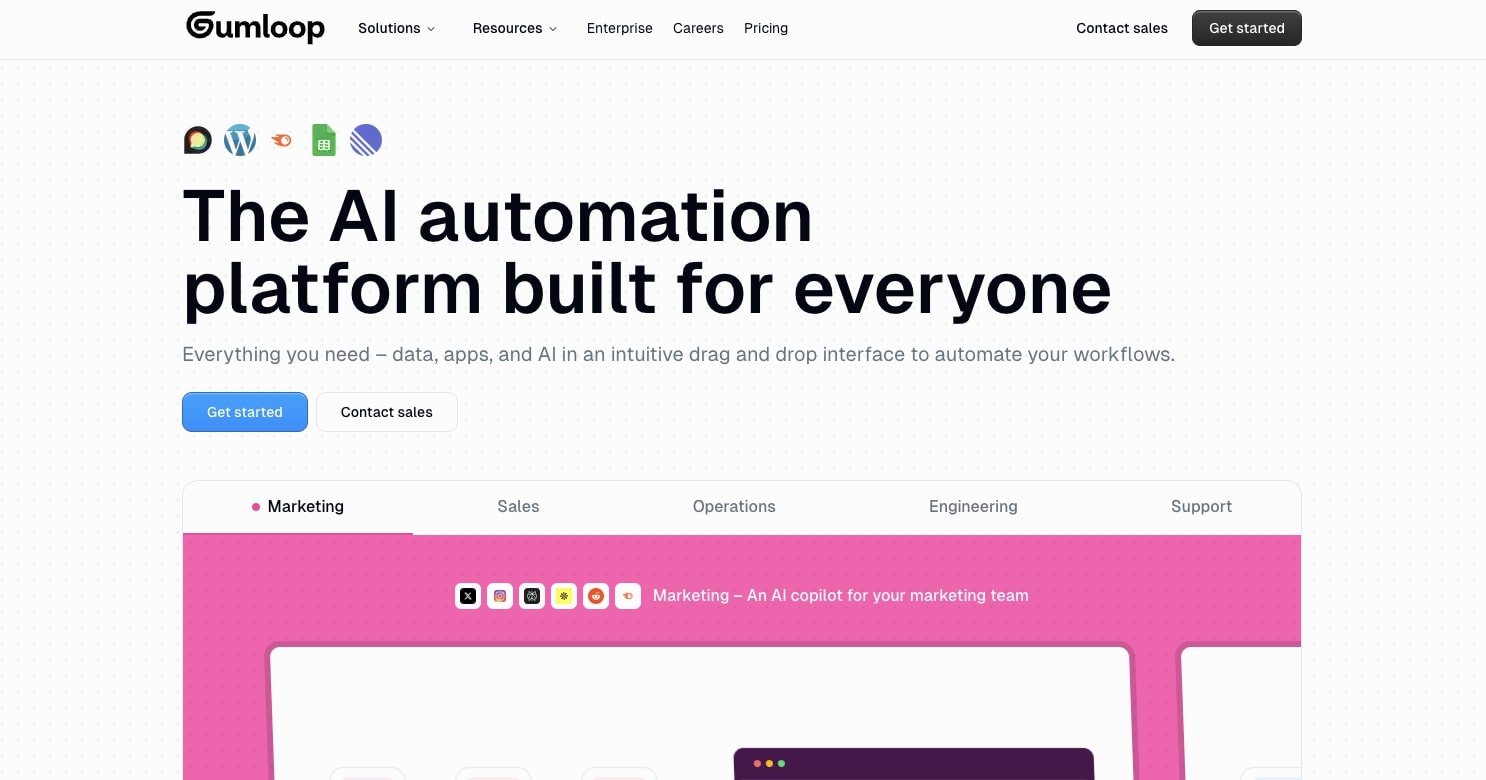
- Best for: Building AI-powered workflows with visual drag-and-drop interface
- Pricing: 14-day free trial, then starts at $37 per month
- What I like: Visual canvas similar to n8n but with better AI integration, built-in premium LLM access, and Gummie assistant for debugging workflows.
Gumloop is a no-code AI agent platform that is the closest to n8n in my opinion. I've been using the tool for over a year now and it's quickly become my favorite tool to build AI agents and automated workflows.
The platform works by giving you a visual canvas where you can drop in nodes (which are tech tools like ChatGPT, Slack, Google Docs, Semrush, etc.) and you can connect these nodes together to create flows. But what's changed recently is that Gumloop has shifted heavily toward AI agents.
You can now build and deploy specialized agents (like a data analysis agent, CRM agent, or support agent) and interact with them directly inside Slack, Microsoft Teams, or email by tagging @Gumloop. It makes the whole thing feel less like an automation tool running in the background and more like an actual teammate you can talk to.

For example, I can create a workflow that takes a Google Sheet, reads one column, sends that column into ChatGPT with a specific prompt like "write product descriptions based off of column A's product names," and then have ChatGPT write all the product descriptions into a new column (in the same Sheet) all in one click. I actually made a template for this you can check out here.
With Gumloop you can also create subflows, meaning a Flow within a Flow. This allows you to build more complex, nested automations where one workflow can trigger another, making your processes more modular and reusable across different projects.
They also recently launched Gumstack, which is an AI security and observability layer for enterprise teams. It lets security teams monitor and control how data flows across all AI tools in a company, not just Gumloop but also tools like ChatGPT, Claude Code, and Cursor.
If you're at a company where the IT or security team has concerns about AI adoption, this is a pretty big deal because it gives them a single dashboard to see every MCP server, every tool call, and every user interaction across the board. None of the other alternatives on this list have anything like it.
Some of the things I love about Gumloop include:
- Integrates with almost any tool in your tech stack and you can use MCP
- Gives you access to any premium LLM model without needing API keys (although you can use your own if you want)
- Has a 14-day free trial on the Pro plan, so you can create an automated workflow or agent before you pay, and every plan includes unlimited agents and seats
- Is used by teams at Shopify, Instacart, and Webflow which are leading the adoption when it comes to internal operations
- A strong and brilliant team that is constantly shipping new features and is highly active in their community Slack channel
- Has a chatbot assistant named Gummie that can help you figure out bugs in your workflows or even walk you through how to build a workflow based off of what you tell it
- Has lots of existing templates you can start with
Here are some things I think could be improved:
- There is a little bit of a learning curve to using the platform, but it's still easier than n8n
- The UI/UX is great but it can be a little bit hard to use on smaller screens
- The team is still really small and they're focused more on the product, but I do wish there were more courses and materials (however they do have Gumloop University)
Overall it's an amazing platform and my number one recommendation for an n8n alternative. If you want a full breakdown, there's a dedicated gumloop vs n8n comparison worth reading. And no, I do not work at Gumloop. They simply asked me to write this up because I've been a customer for a long time and a big time user for my own blog and SEO agency.
Gumloop pricing
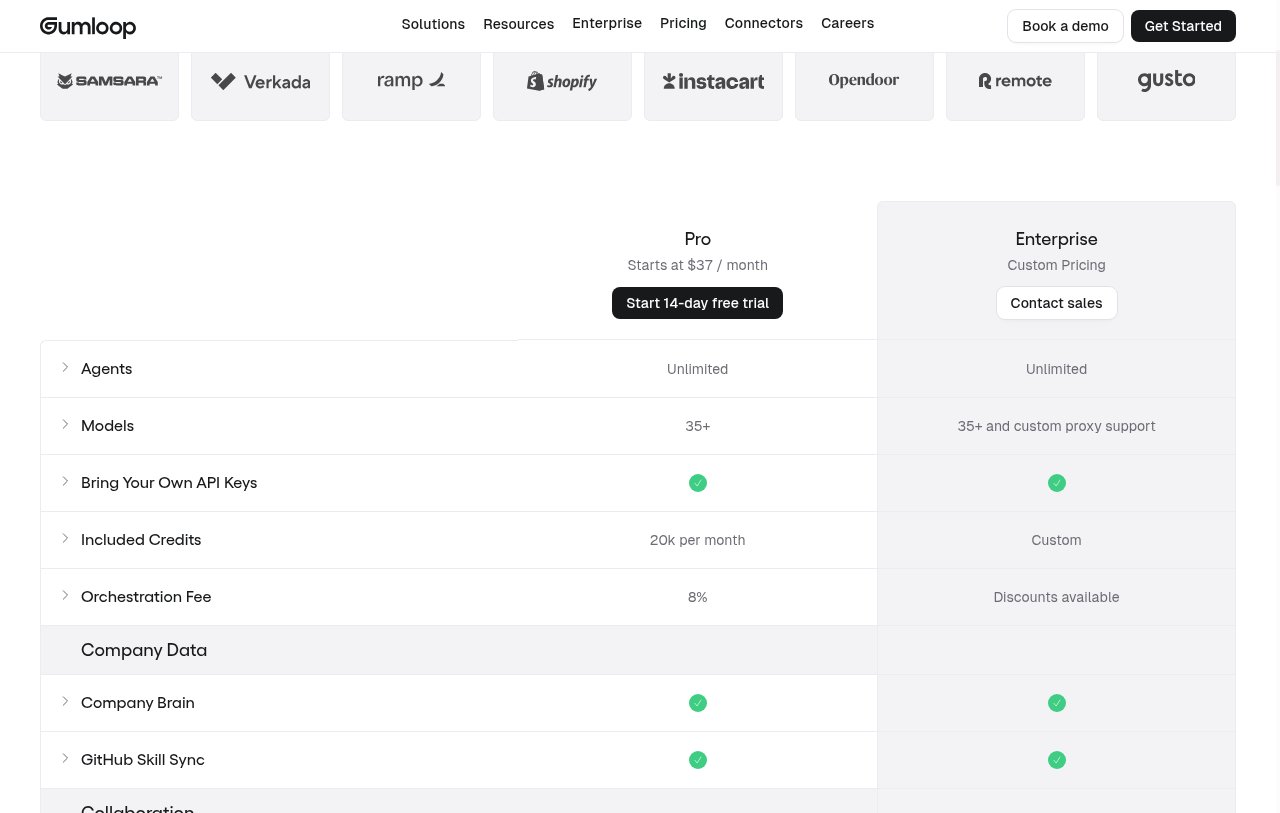
Here are Gumloop's pricing plans:
- Pro: Starts at $37 per month with 20k credits/month, unlimited agents and seats, 35+ models, and a 14-day free trial
- Enterprise: Custom pricing with SCIM/SAML, audit logs, role-based access control, org-wide guardrails, and an optional virtual private cloud
You can learn more about what each plan has to offer by going to the pricing page here.
Gumloop reviews
Here are what Gumloop customers are saying about the platform:
“Gumloop wins time back across an org. It puts the tools into the hands of people who understand a task and lets them completely automate it away.” — Bryant Chou, Co-founder @ Webflow
“Gumloop has been critical in helping all teams at Instacart - including those without technical skills - adopt AI and automate their workflows, which has greatly improved our operational efficiency.” — Fidji Simo, CEO @ Instacart
You can also check out my own review of Gumloop if you want to learn more about what you can do with it.
2. Make

- Best for: Visual workflow automation with advanced flow control
- Pricing: Free, then starts at $12/month
- What I like: Built-in flow control features and huge app ecosystem with over 2,000 integrations
Make (formally Integromat) is an AI agent builder and automation software. It's very similar to n8n in that it has a drag and drop builder that lets you easily build smart automations that can also adapt to changing conditions in real time.
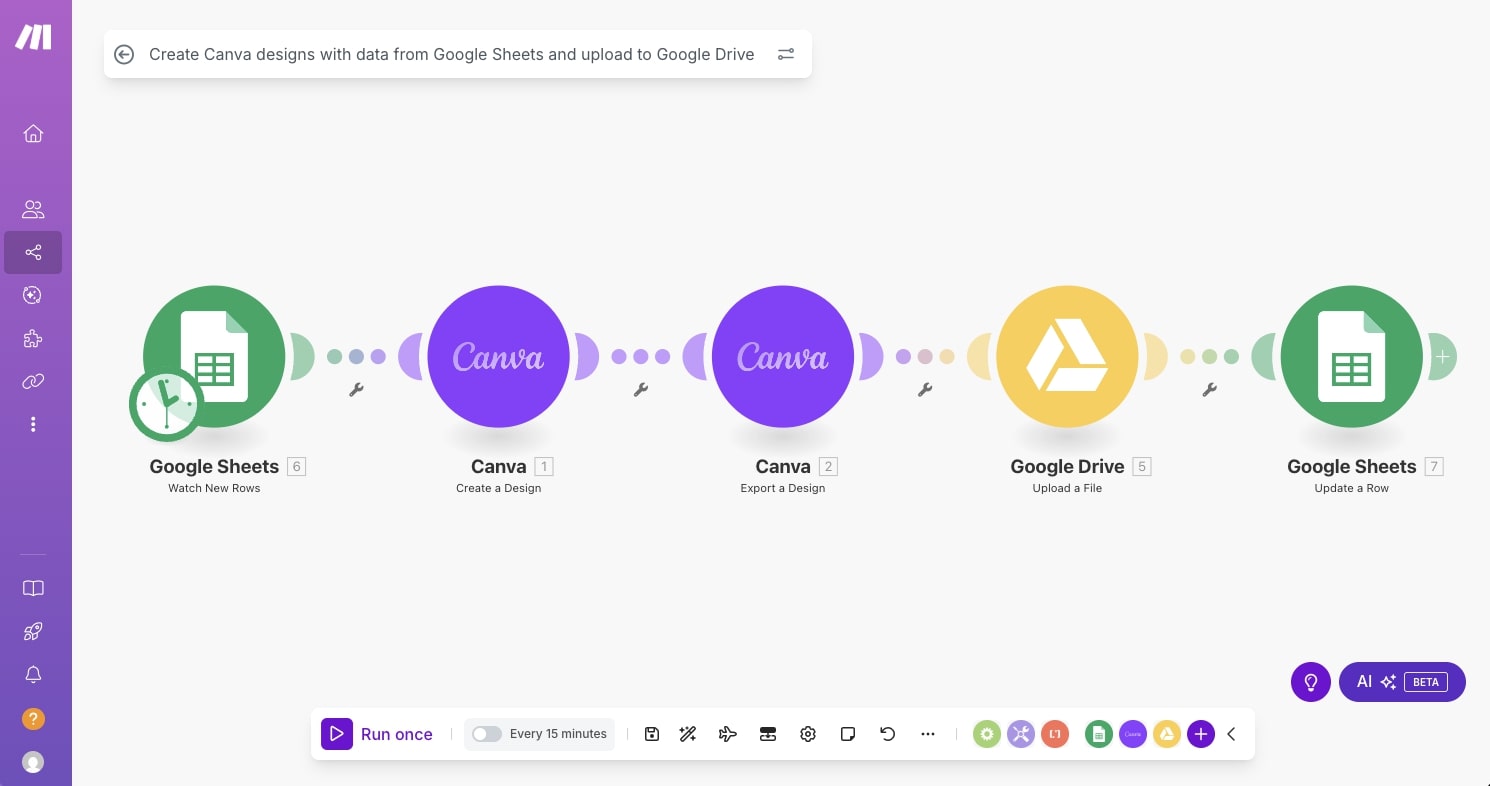
For example, you can sync your Notion meeting database with Google Calendar that automatically creates, updates, and deletes events. In the case with Make, you can create using something called "Flow Control" that allows you to control any app you integrate with the platform in whatever way you want. This pretty much acts as a glue between any tool like Google Sheets, WordPress, LinkedIn, Microsoft 365, Facebook, Google's Gemini, and a ton more, making it a strong Google n8n alternative for teams already embedded in the Google ecosystem.
Some things I like about Make:
- Has a free plan with 1,000 credits a month and the paid plans are not that expensive at all
- Gives you access to MCP server to connect almost any app to the platform
- Gives you the ability to use your own LLM API keys for its agent builder
- Integrates with over 2,000 apps
- Has a big ecosystem on YouTube with lots of tutorials
Here are some things that could be improved:
- Does not give you self-hosted options
- The user interface can feel a bit outdated and clunky
- Not an n8n open source alternative, as it does not offer self-hosted or open source deployment like n8n does
If you want to learn more about the differences between Make and n8n, you can watch Nick's comparison:
Overall, Make is a strong alternative to n8n and also functions as an n8n alternative to Zapier-style automations, making it one of the most commonly known platforms in the AI automation niche.
Make pricing
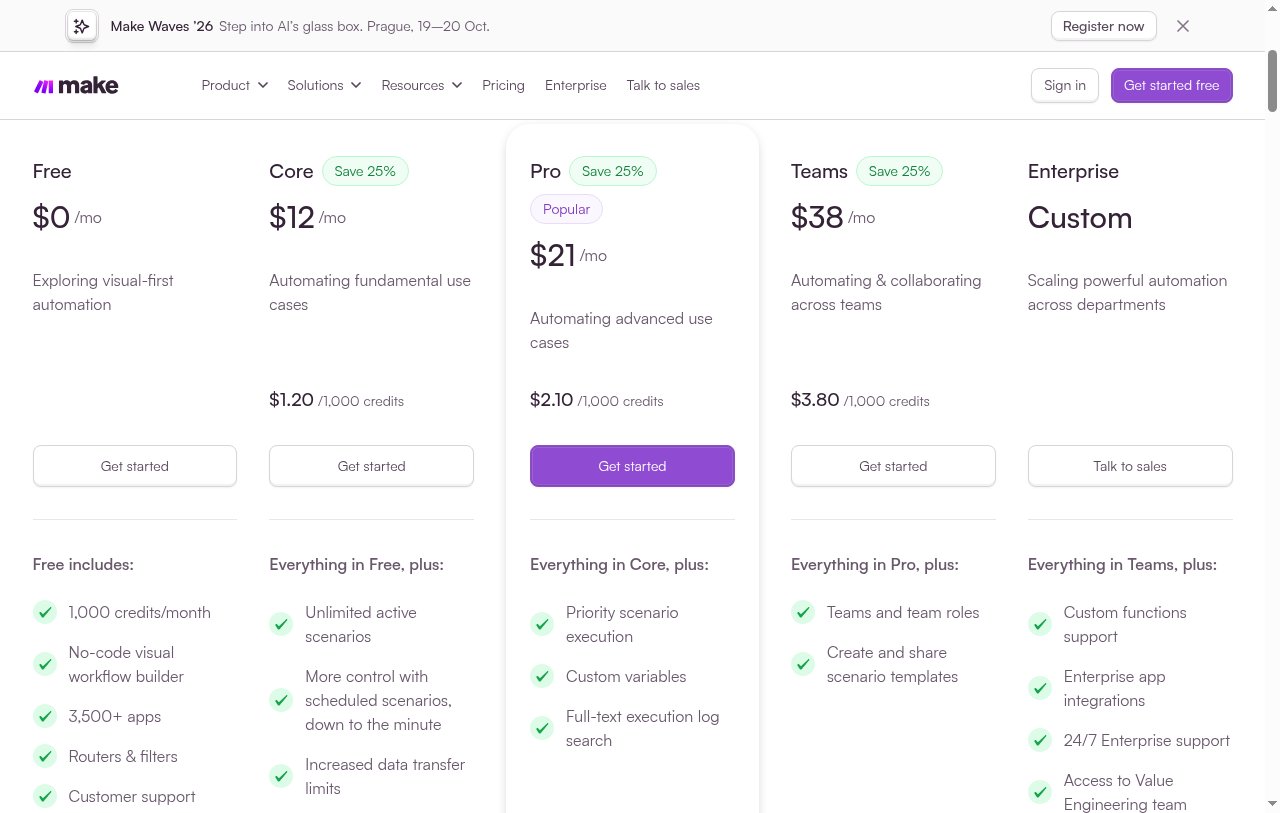
Here are Make's pricing plans:
- Free: $0/month with up to 1,000 credits/month
- Core: $12/month for 10,000 credits/month
- Pro: $21/month for 10,000 credits/month
- Teams: $38/month for 10,000 credits/month
- Enterprise: Custom pricing with advanced security features
You can learn more about what each plan includes on their pricing page.
Make reviews
Here’s what customers rate Make on third-part review sites:
- G2: 4.7 out of 5 star rating (from +251 user reviews)
- Capterra: 4.8 out of 5 star rating (from +406 user reviews)
3. Zapier
- Best for: Reliable automations with the largest app integration library
- Pricing: Free, then starts at $19.99/month
- What I like: Massive integration library and solid reliability from years of being in the market
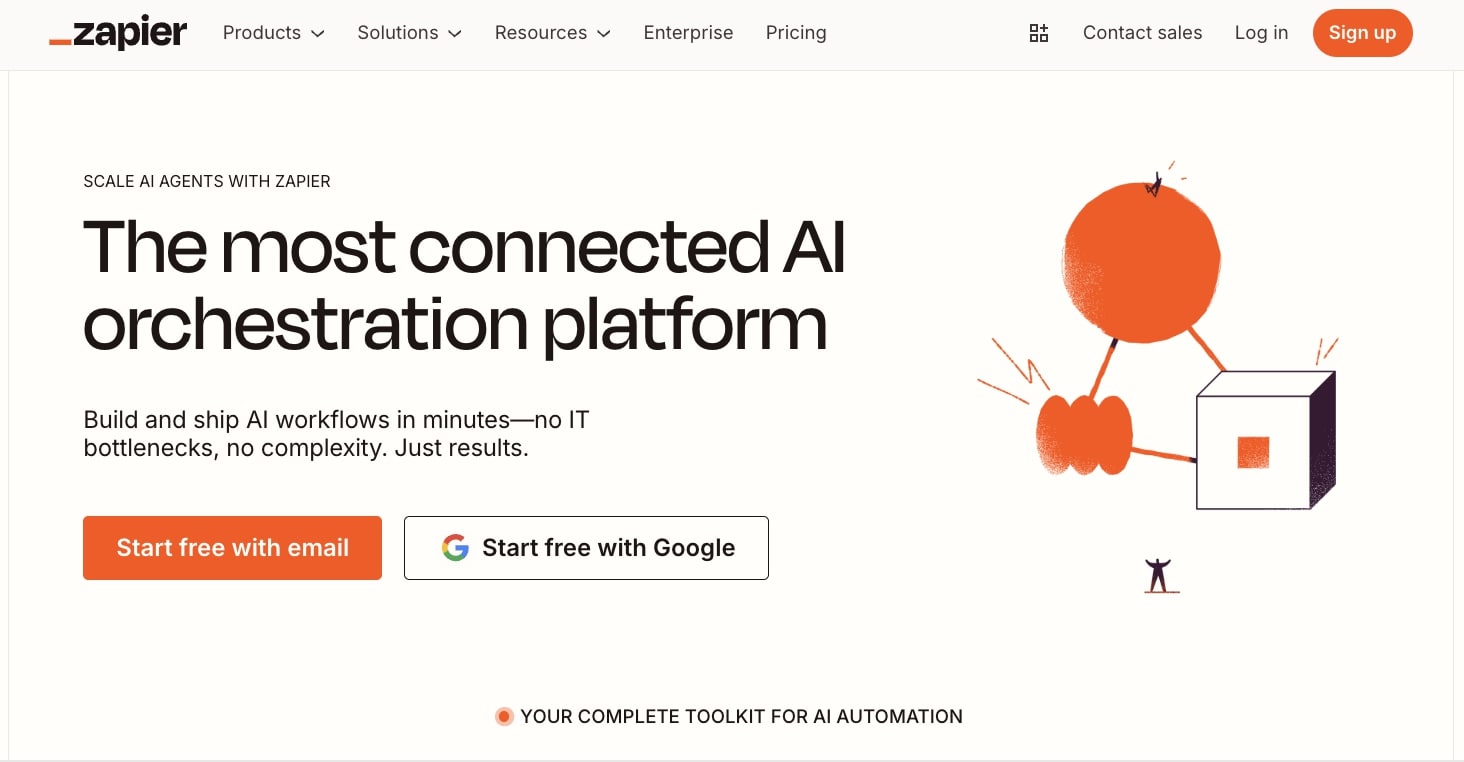
Zapier is probably the most well-known automation platform on the market. It's a tool I've been using for well over 6 years now and I am still a customer of the platform (even though I use Gumloop for most of my automations).
The platform has become synonymous with automation and now since the rise of AI they have included AI automated workflows into their builder.

It's very similar to the other platforms I've talked about so far in that you simply add apps into a visual canvas and then you connect those apps together with certain conditional logic to create a full workflow.
What makes Zapier really cool is that they have pretty much any integration you can think of and they're ahead of most of the other platforms on this list. For example, I love Zapier because they have a Webflow integration and I use Webflow for my personal website.
But besides that, Zapier is just a very reliable tool and it's been around for so long that many different types of businesses use them.
Some things I like about Zapier include:
- Huge library of app integrations to pick from
- Fairly simple to use if you're somewhat tech savvy
- Lots of tutorials online on how to use the platform
- Trusted by some big enterprise companies like Meta, Okta, Samsung, and more
Some things I'm not too fond of:
- Every once in a while they change the user interface and it confuses me
- Sometimes the automation runs are glitchy like it will say the run failed when it actually succeeded
- Can feel a bit more technical compared to platforms like Gumloop, and unlike some n8n alternatives open source deployments are not available, but if you're coming from n8n then it shouldn't be much of an issue
Overall, Zapier is a solid choice if you're looking for a reliable alternative to n8n. It's honestly a great tool, however my only main concern is that it can get really expensive if you're running a lot of tasks.
Zapier pricing
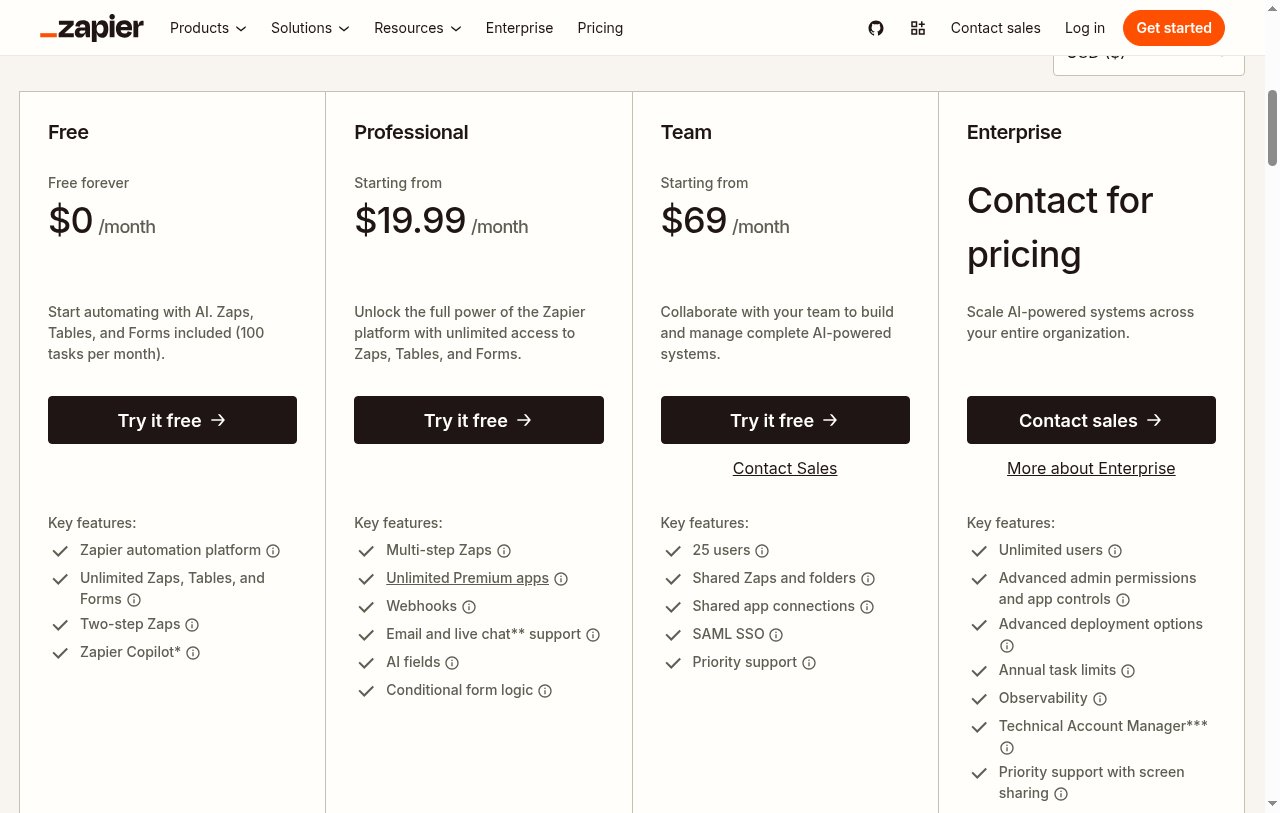
Here are Zapier's pricing plans:
- Free: $0/month with up to 100 tasks per month
- Professional: Starts at $19.99/month with multi-step Zaps, unlimited premium apps, and webhooks
- Team: Starts at $69/month with 25 users, shared Zaps, and SAML SSO
- Enterprise: Custom pricing with unlimited users and advanced admin controls
You can learn more about what each plan includes on their pricing page.
Zapier reviews
Here's what customers rate Zapier on third-party review sites:
- G2: 4.5 out of 5 star rating (from +1,396 user reviews)
- Capterra: 4.7 out of 5 star rating (from +3,023 user reviews)
4. Lindy AI
- Best for: Sales automation and customer support operations
- Pricing: Free credits, then starts at $29.99/month
- What I like: Multi-channel agent capabilities and built-in sales prospecting tools
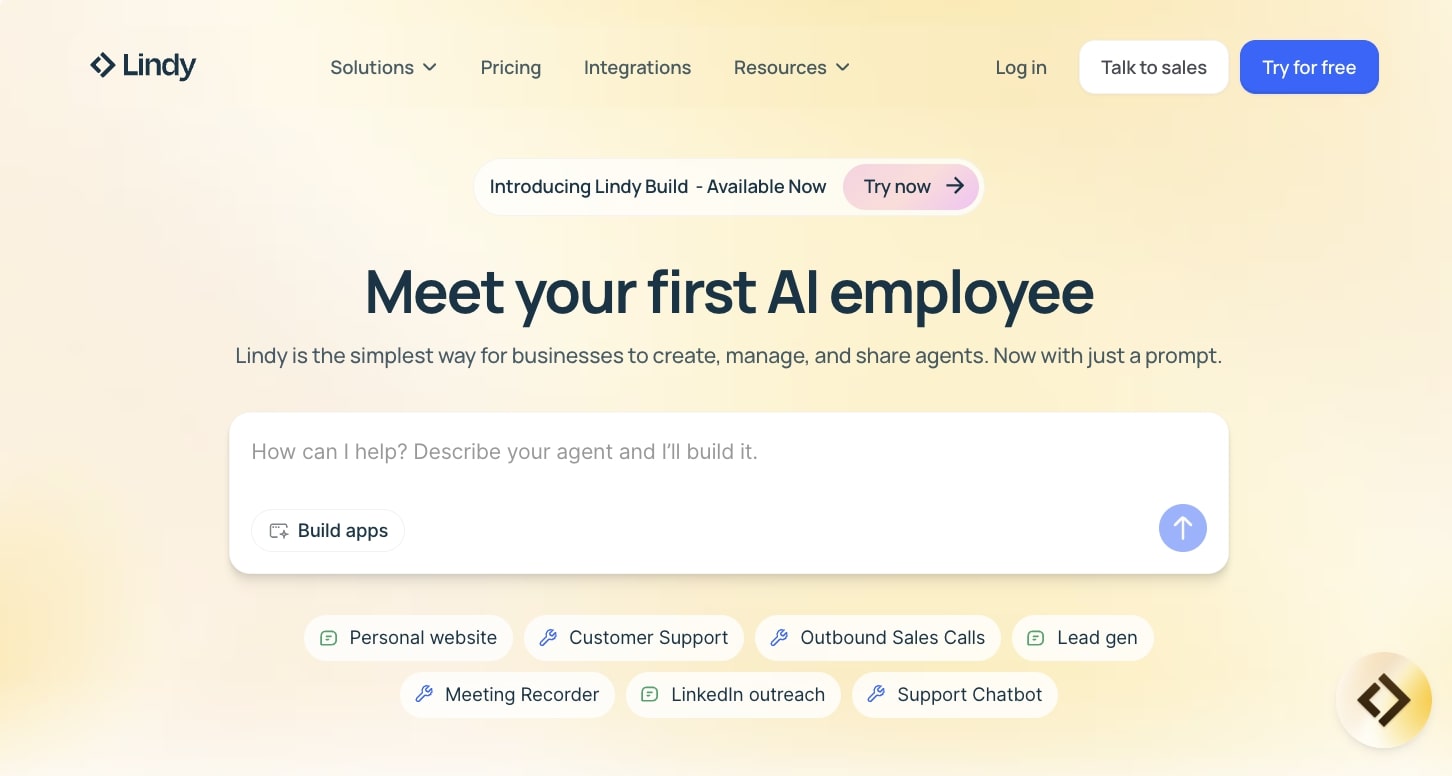
Lindy AI is another n8n alternative, however they take a different marketing approach of advertising themselves as your first “AI employee.”
You can use Lindy AI to help you build a personal website, help you automate your customer support operations, help you with sales and lead generation, record your meetings, and even do LinkedIn outreach.
It has a broad range of functionality and different use cases for AI agents. The platform also integrates with popular apps like Slack, Twilio, Salesforce, Notion, ChatGPT, and a ton more. I would say that this platform is probably best if you care about lead generation and sales or customer support operations.
You can create email workflows that can help you filter using AI and also draft responses to help you speed up the number of support tickets that you can answer.
Some things I like about Lindy AI:
- You can create a support Slackbot that resolves queries through Slack
- Includes scrapers to help you find prospects and rich leads and do outreach all in one single platform
- Can help you create customer support agents that can sell your products and services
- Can help you create a multi-channel agent that can access email, SMS, web embeds, WhatsApp, Telegram, and a ton more
Here's some things that could be improved about Lindy:
- The free credits only last 7 days, so you have to move quickly to test it properly
- It's hard to tell exactly who the platform is best for as it speaks to multiple different audiences
Overall, if you were in the sales space then Lindy AI is definitely a solid n8n alternative to check out. However, if you need more marketing specific use cases, it might be worth looking into a Lindy AI alternative.
Lindy AI pricing
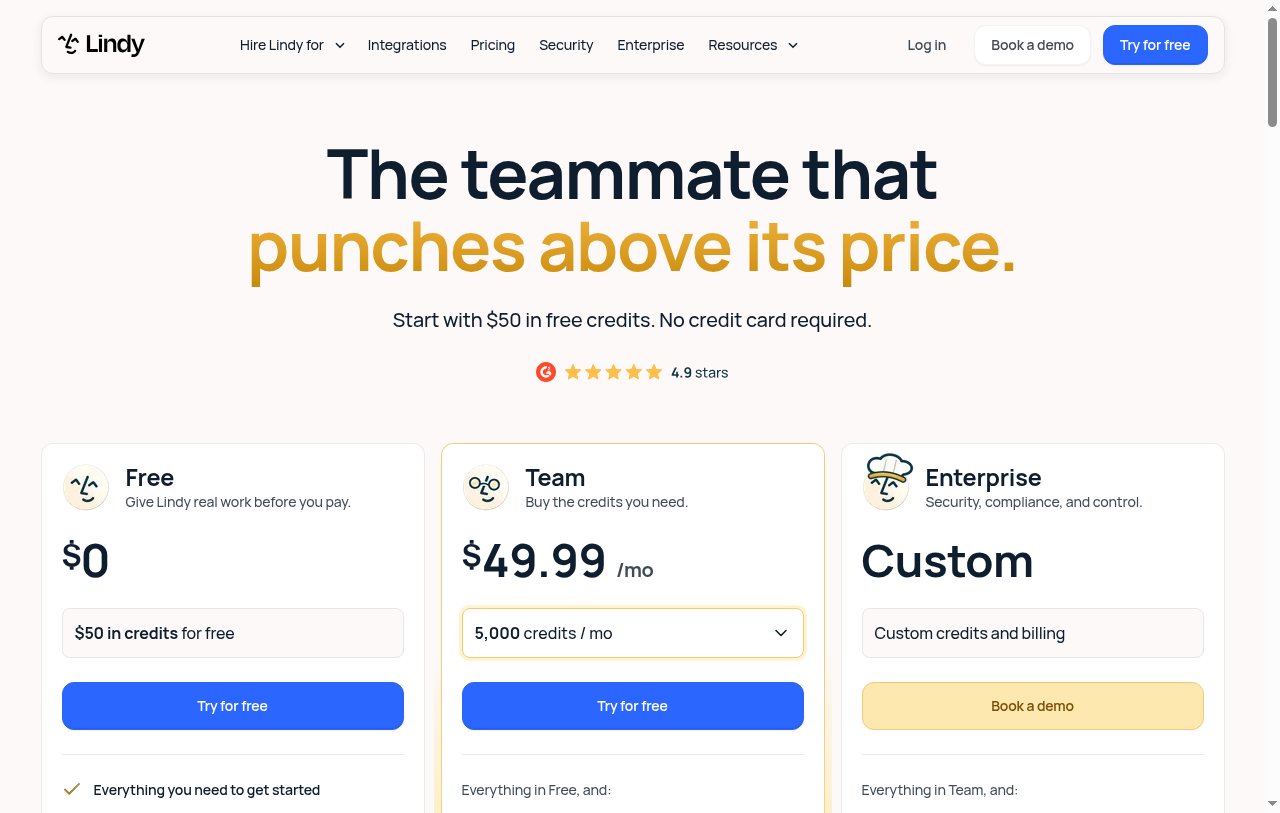
Here are Lindy AI's pricing plans:
- Free: $0 with $50 in credits that last 7 days, no credit card required
- Team: Starts at $29.99/month for 3,000 credits/month, and 5,000 credits/month is $49.99
- Enterprise: Custom pricing with custom credits, billing, security, and compliance
You can learn more about what each plan includes on their pricing page.
Lindy AI reviews
Here's what customers rate Lindy AI on third-party review sites:
- G2: 4.9 out of 5 star rating (from +109 user reviews)
- Capterra: 3.5 out of 5 star rating (from +2 user reviews)
5. Relevance AI
- Best for: Building AI workforce for enterprise operations teams
- Pricing: Custom enterprise pricing
- What I like: LLM agnostic approach and enterprise-focused AI workforce features
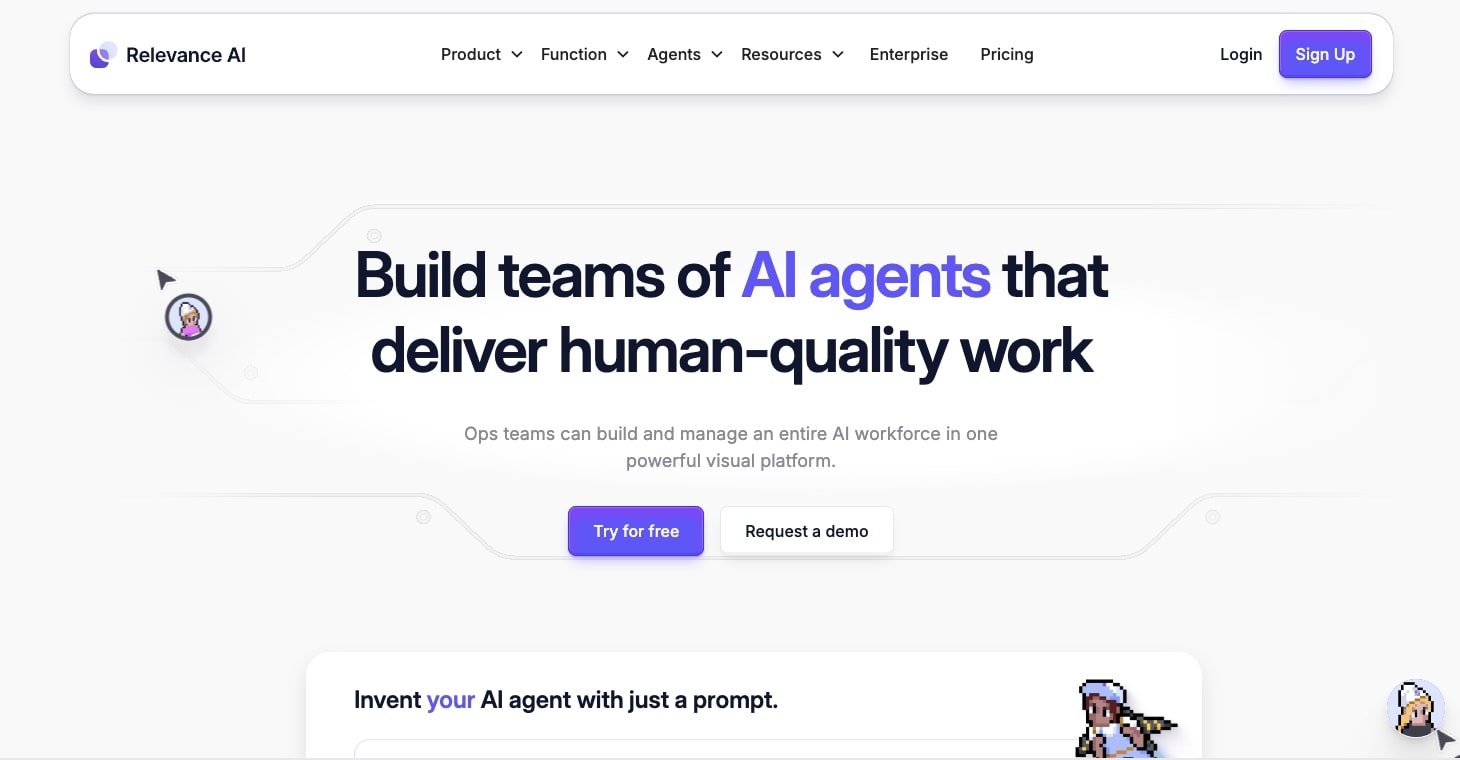
Relevance AI is an agent platform designed to help you build your AI workforce, at least that's what they claim. The tool is designed to help your operations team build out different automated workflows across multiple teams.
So if you're an AI service provider or you work in-house as an AI adopter or evangelist, then this is the platform to definitely check out. Some big companies like Canva, Autodesk, Rakuten, and a lot more use them.
Relevance AI's whole marketing pitch is that you can create AI teammates that you can build, train, and onboard them to do whatever tasks you need in your work. It's also a no-code platform so you do not have to be an AI engineer to use the tool.
Here's what I like about Relevance AI:
- It has custom integrations and connectors for apps like Gmail, Salesforce, Airtable, Slack, and Zapier (to add more integrations)
- Allows you to be LLM agnostic, meaning you can switch between different LLM models to test for the best results
- Has a growing library of templates that you can use to get started quickly
Here are some things that could be improved:
- There's no self-serve plan on their pricing page anymore, so you have to talk to sales before you can really try it
- There is a slight learning curve and the interface can feel a bit complex
- According to a user on G2, their customer support could be a bit more responsive
Overall, it's a decent alternative to n8n for enterprise teams, and worth booking a demo if you want to see how it fits your operations team.
Relevance AI pricing
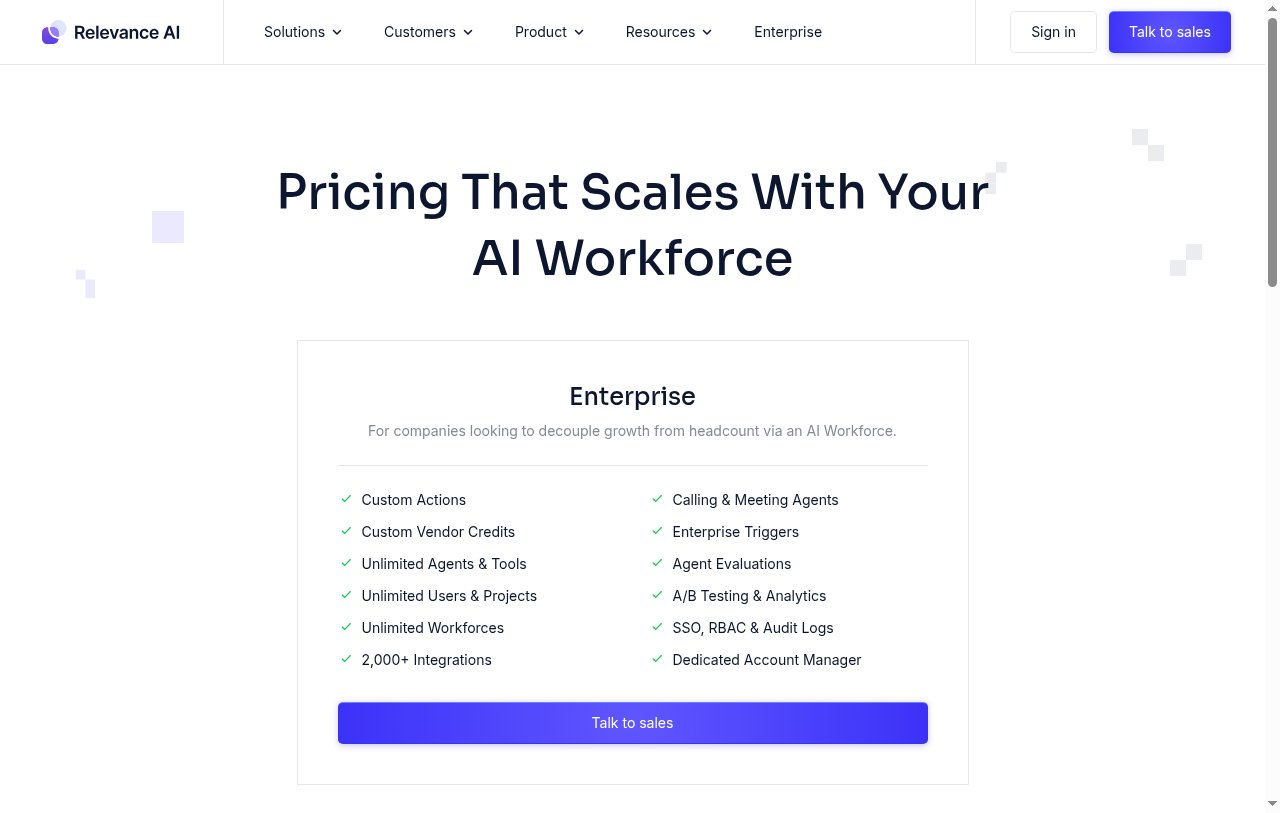
Relevance AI now lists a single Enterprise plan on its pricing page. It includes unlimited agents, tools, users, and projects, 2,000+ integrations, calling and meeting agents, and SSO, RBAC, and audit logs. You need to talk to their sales team for a quote.
You can learn more about what each plan includes on their pricing page.
Relevance AI reviews
Here's what customers rate Relevance AI on third-party review sites:
- G2: 4.5 out of 5 star rating (from +17 user reviews)
- Capterra: 4.0 out of 5 star rating (from +1 user review)
6. Activepieces
- Best for: Teams that want an open source n8n alternative they can self-host
- Pricing: Free, then $20/month (free to self-host)
- What I like: MIT-licensed Community Edition, 760+ integrations, and agents, flows, and tables in one workspace
Activepieces is the tool I'd point you to if the reason you picked n8n in the first place was self-hosting. Its Community Edition is released under the MIT license, which is a true open source license. n8n's Community Edition is free to self-host too, but it uses n8n's own Sustainable Use License instead of a standard open source license.
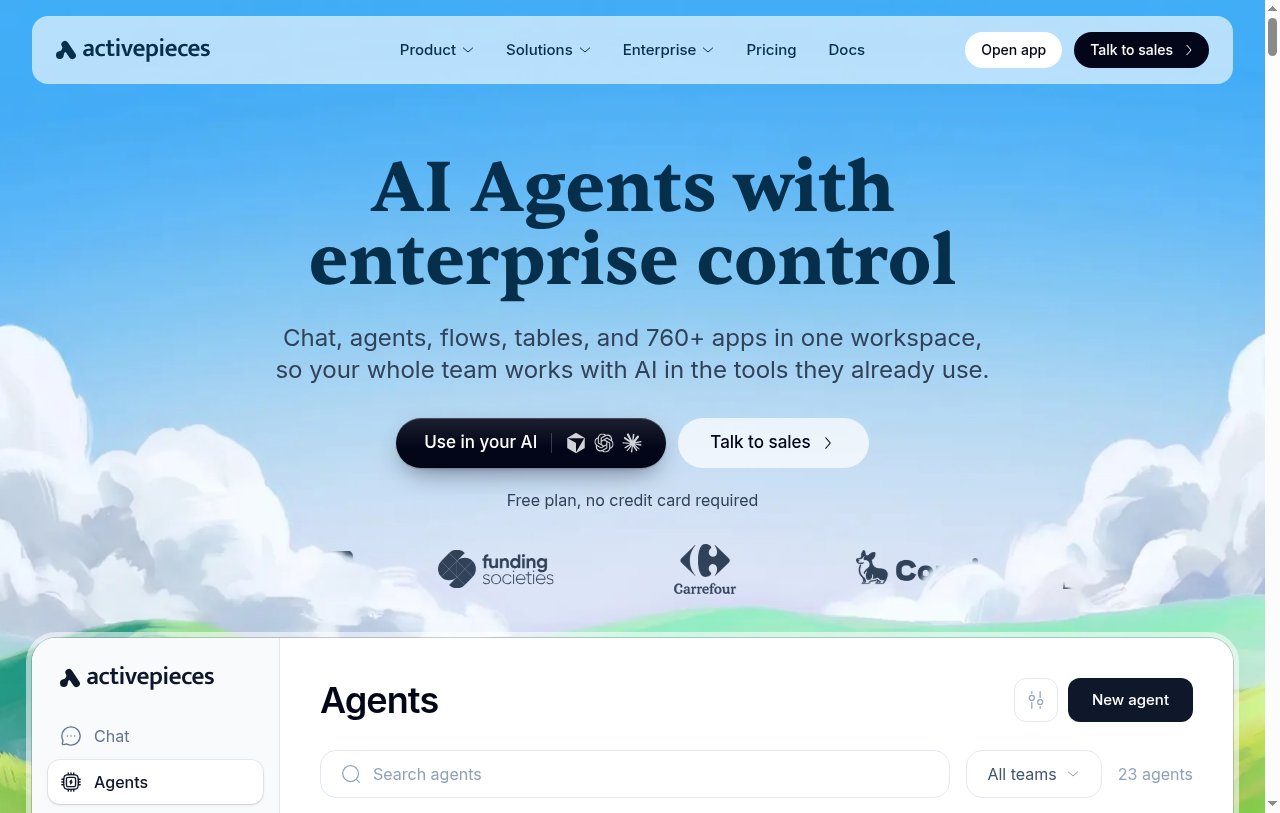
The platform has also moved well past simple automations. You get chat, AI agents, flows, and tables in one workspace, plus 760+ app integrations (they call them pieces) and support for MCP. Pieces are open source TypeScript, so if an app you need is missing, you or their team can build one.
Here's what I like about Activepieces.
- The Community Edition is open source under the MIT license, so you can self-host it for free
- The free cloud plan includes 1,000 credits a month, unlimited flows, and up to 5 users
- Anything with an API works through the HTTP piece or a webhook, even if there is no native integration yet
- You can bring your own AI keys on paid plans
Here are some things that could be improved.
- Enterprise features like SCIM, custom roles, and audit logs are on the custom Ultimate plan and released under a commercial license
- Their SOC 2 program is still in progress, which could slow things down if your security team needs the report
- Self-hosting means you own the updates, uptime, and scaling, which is real work for a non-technical team
Overall, Activepieces is the closest thing to a like-for-like n8n alternative open source fans will find on this list. If you don't care about self-hosting, the other tools here will probably get you to a working AI agent faster.
Activepieces pricing
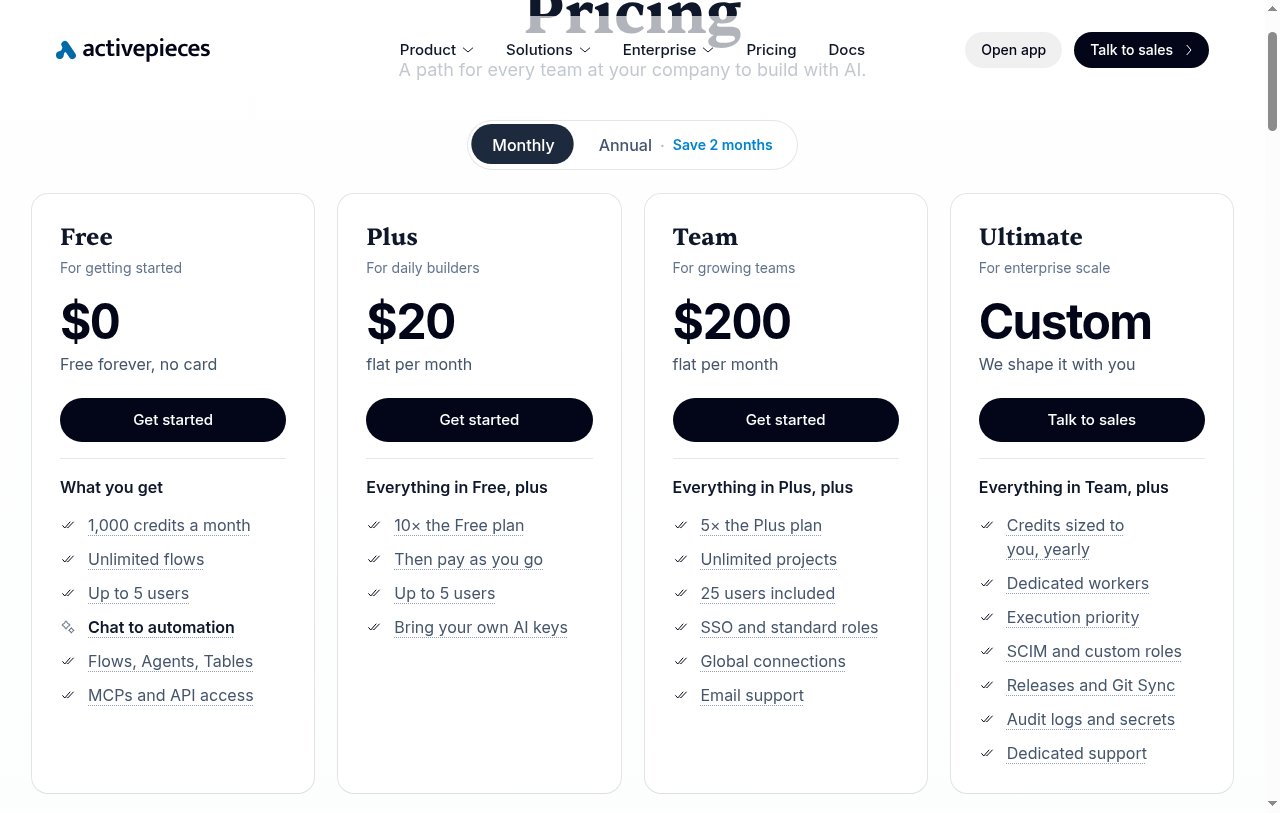
Here are Activepieces' pricing plans:
- Free: $0/month with 1,000 credits a month, unlimited flows, and up to 5 users
- Plus: $20/month flat with 10x the Free plan, then pay as you go
- Team: $200/month flat with 5x the Plus plan, 25 users, and SSO
- Ultimate: Custom pricing with dedicated workers, SCIM, audit logs, and dedicated support
Self-hosting is available on every plan. You can learn more about what each plan includes on their pricing page.
7. Integrately

- Best for: Ecommerce automations and enterprise integrations
- Pricing: Free, then starts at $19.99/month
- What I like: 20+ million ready-made automations and extensive legacy platform integrations
Integrately is an automation platform used by some big companies like Walmart, Accenture, Adobe, Deloitte, and more. It feels more like an enterprise platform for companies that tend to use outdated technology.
I don't mean that in a bad way. What I mean is that they have integrations with tons of tools that most modern startups don't really use anymore. Think platforms like SendFox, Wufoo, BigCommerce, or even MailChimp. In other words, their integrations seem to work best for larger e-commerce companies or brands that have been around for a long time.
What makes Integrately a really great platform though is that it has 20 million plus ready-made automations. If you check out their integrations library, you can just see a never-ending list of apps you can use to create complex automations. It may not be the most beginner-friendly platform out there, however they do have experts that you can use to create these automations.
Integrately pricing
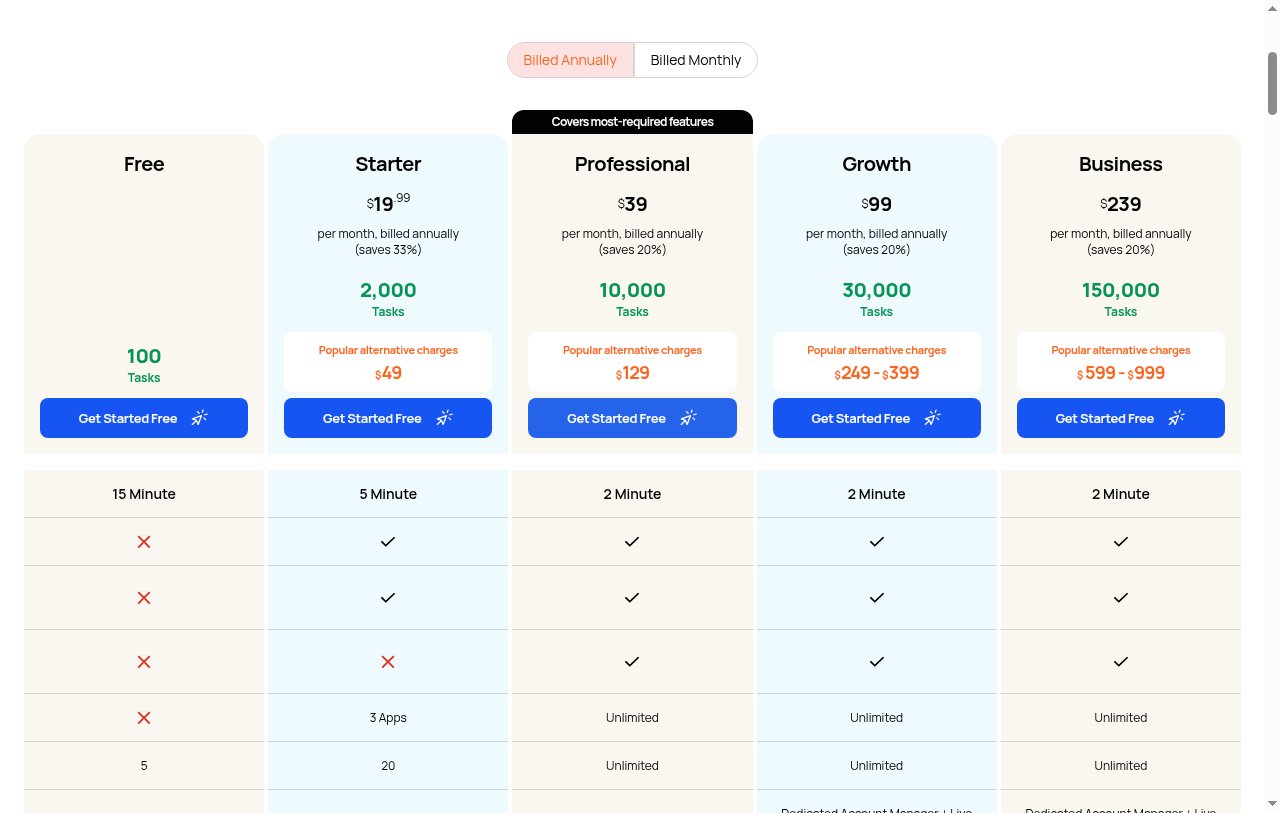
Here are Integrately's pricing plans:
- Free: $0/month with 100 tasks per month
- Starter: $19.99/month with 2,000 tasks per month, billed annually
- Professional: $39/month with 10,000 tasks per month, billed annually
- Growth: $99/month with 30,000 tasks per month, billed annually
- Business: $239/month with 150,000 tasks per month, billed annually
You can learn more about what each plan includes on their pricing page.
Integrately reviews
Here's what customers rate Integrately on third-party review sites:
- G2: 4.7 out of 5 star rating (from +692 user reviews)
- Trustpilot: 3.7 out of 5 star rating (from +60 user reviews)
8. IFTTT
- Best for: Personal automations and simple smart home integrations
- Pricing: Free, then starts at $2.99/month
- What I like: Original automation platform with excellent mobile app and simple setup
IFTTT is the original automation platform of the internet. It's been around for some time and it started off mostly as an workflow automation tool for personal use cases. I wanted to include it in this n8n alternative list because some people use n8n for personal reasons.
For example, with IFTTT you can create events in Google Calendar, you can get the weather forecast every day at a certain time, you can create automations that tweet out your Instagram posts, and really whatever you can think of.
This makes it great for both personal and business use cases, however I will say that the business use cases do feel a bit more limited. And unless you only are looking for personal automations, I would recommend using a different platform instead of IFTTT.
I just wanted to include it here as it is one of the OG platforms when it comes to automations and they also have a widely loved iOS and Android app to manage your automations on the go.
IFTTT pricing
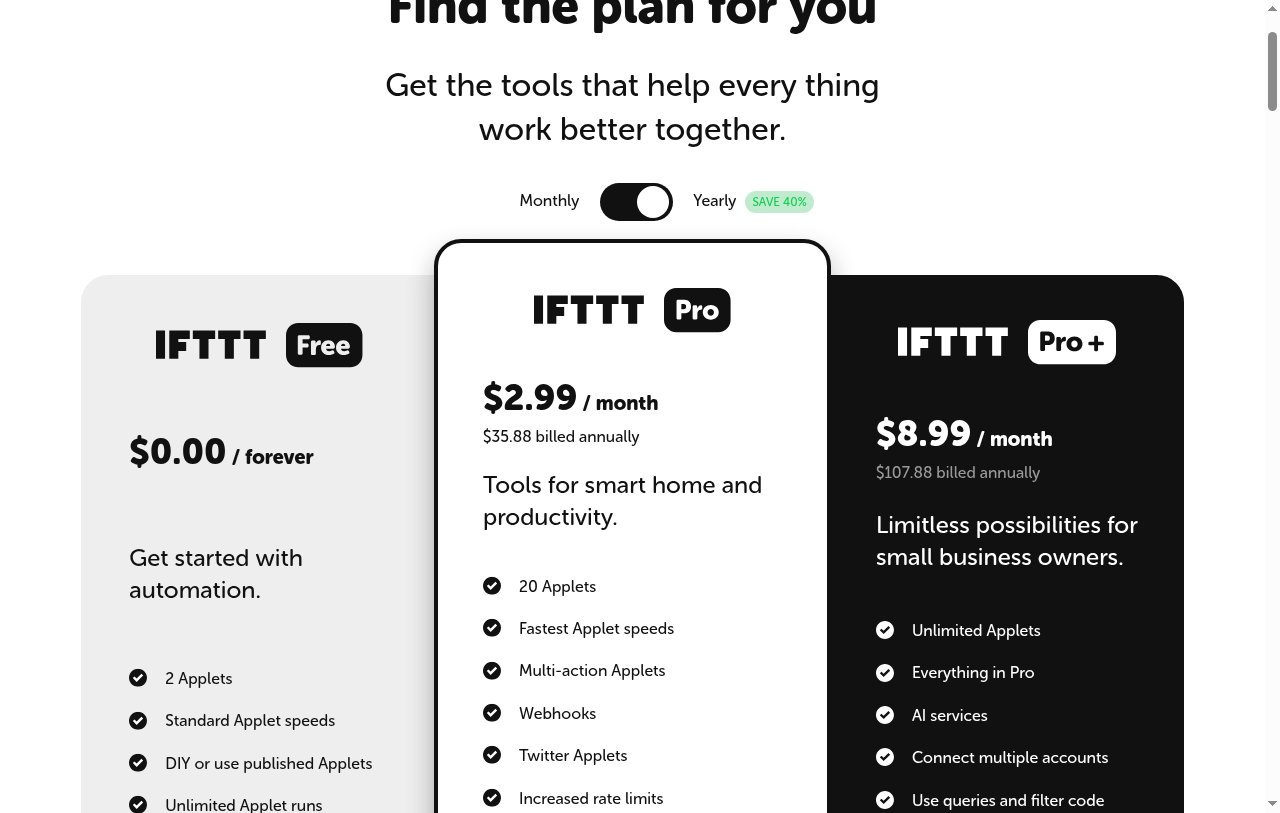
Here are IFTTT's pricing plans:
- Free: $0/month with 2 Applets and unlimited runs
- Pro: $2.99/month, billed annually, with 20 Applets, multi-action Applets, and webhooks
- Pro+: $8.99/month, billed annually, with unlimited Applets, AI services, and filter code
You can learn more about what each plan includes on their pricing page.
IFTTT reviews
Here's what customers rate IFTTT on third-party review sites:
- G2: 4.5 out of 5 star rating (from +114 user reviews)
- Capterra: 4.6 out of 5 star rating (from +221 user reviews)
9. Stack AI
- Best for: Enterprise AI workflows for large organizations
- Pricing: Free, then custom enterprise pricing
- What I like: Clean visual builder and enterprise-focused templates for compliance and internal operations
Stack AI is the enterprise-grade version of n8n. What I mean by this is that it's built specifically for large companies and organizations over just startups and service providers. For example, most of Stack AI's customers are large companies like IBM, Red Bull, Allworth, and even the City of Santa Monica.
If you work in-house at a huge company in healthcare, finance, or government spaces, this is definitely a platform to look into.
What I love about Stack AI is how clean it looks. It has one of my favorite visual workflow builders out of any n8n alternative (besides Gumloop maybe). The platform also has a handful of templates with some examples being:
- How to build a grant matching AI agent
- How to build a compliance control AI
- How to build an AI policy memo analyst
- How to build a technical support chatbot
As you can see from the list above, these are all very much internal enterprise company needs.
So if you're a small business or startup, this is probably not the platform for you, but if you are one of the bigger companies or organizations I mentioned earlier, you should definitely check this out.
Stack AI pricing
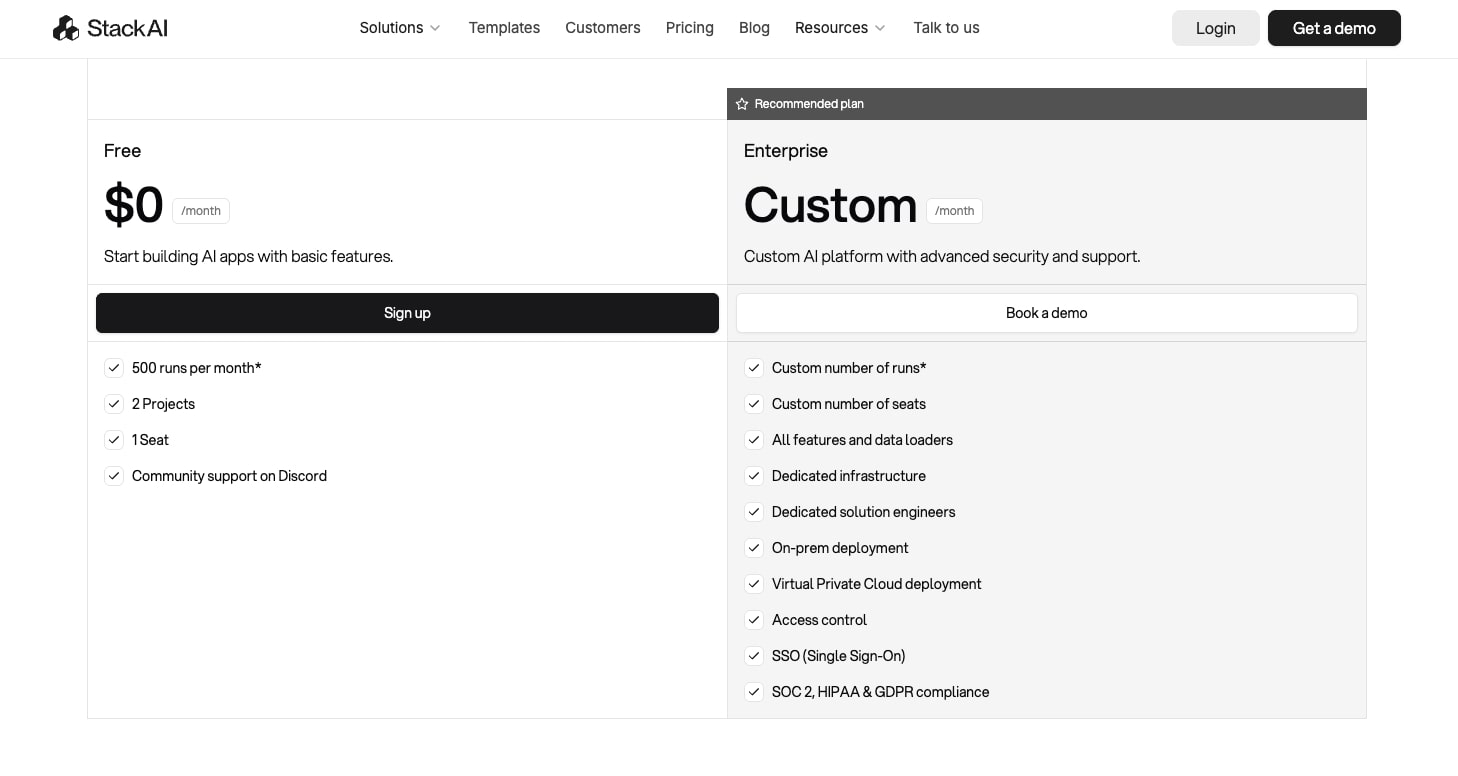
Here are Stack AI's pricing plans:
- Free: $0/month with 500 runs per month and 2 projects
- Enterprise: Custom pricing with dedicated infrastructure and compliance features
You can learn more about what each plan includes on their pricing page.
Stack AI reviews
Here's what customers rate Stack AI on third-party review sites:
- G2: 4.7 out of 5 star rating (from +30 user reviews)
- Slashdot: 4.8 out of 5 star rating (from +33 user reviews)
10. Workato
- Best for: Enterprise automation for established companies with legacy systems
- Pricing: Custom enterprise pricing (contact for demo)
- What I like: Strong enterprise integrations and multi-department support, though requires sales contact to evaluate
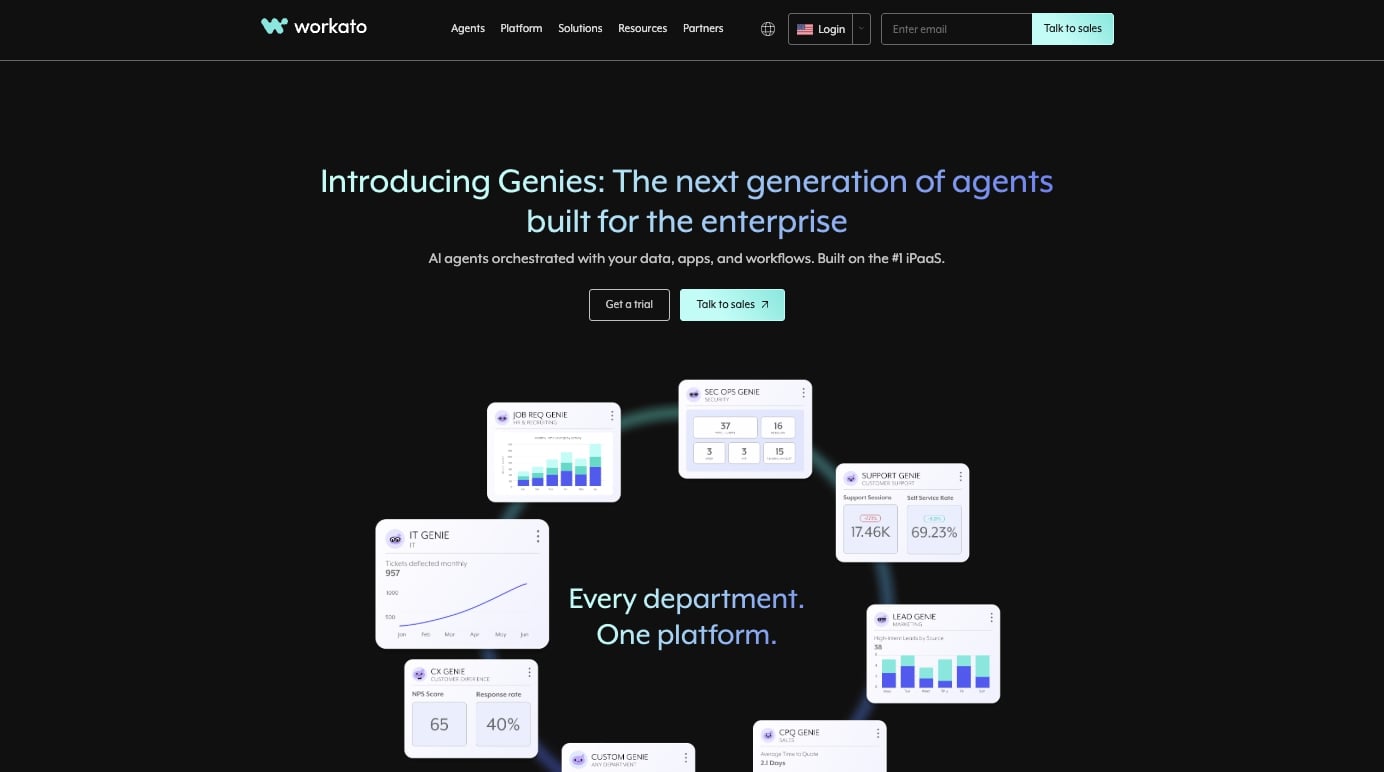
Workato is an AI agent orchestration platform. Fancy words, but essentially it's another AI agent builder built for enterprise companies. It's used by companies like Booking.com, HubSpot, Monday.com, Nextdoor, Nokia, and a handful of other big brands.
Just by looking at those companies, you can tell again that this platform is made for those bigger companies that maybe are pretty established in their tech stack. Maybe they're using legacy tools and need integrations with platforms that have been around for over a decade.
The platform serves different teams internally such as marketing, sales, HR, support, and security. The only thing with Workato is that it's hard to see the value of the platform because you have to fill out a form to start a trial. And because it is more enterprise focused, you do need to book a call to understand the pricing.
While Stack AI was also an enterprise platform, what I liked about that tool was that you can actually go ahead and start using the platform right away. However, Workato is not like that and it does require that you reach out to them to start using the platform. So if you are looking for something you can start building with right away, it might be worth looking into an alternative.
Workato pricing

Workato uses custom enterprise pricing with platform + usage plans. All editions include unlimited connections, workflows, and collaborators. You need to contact their sales team for specific pricing details.
Workato reviews
Here's what customers rate Workato on third-party review sites:
- G2: 4.7 out of 5 star rating (from +629 user reviews)
- Capterra: 4.6 out of 5 star rating (from +84 user reviews)
11. Tray.ai

- Best for: Technical teams needing complex automations with code capabilities
- Pricing: Custom enterprise pricing (contact sales required)
- What I like: Support for Python and code-based automations, though requires sales contact and has no free tier
Tray.ai is a low-code AI automation builder that is very similar to n8n in terms of its learning curve. And given that it is more for technical teams, you can use code and even Python to create really complex automations.
The visual workflow builder is also pretty simple but not the most easy to use. It does have a steeper learning curve compared to some of the other tools on this list. But I did want to mention it as an n8n alternative because if you like using n8n for AI workflows, then this platform is definitely one you should also check out.
My only gripe is that it is more of an enterprise platform so their pricing is not that transparent. You have to talk to their sales team in order to start using the tool and there is no free tier so you can start seeing the platform.
You can check out an interactive demo if you give them your email to see how the platform looks and feels, but there really is no onboarding for you to build out your own workflow. Nevertheless, I wanted to include it in this list as it is a platform that is growing and used by some big companies like IBM, Cisco, and NetApp.
Tray.ai pricing
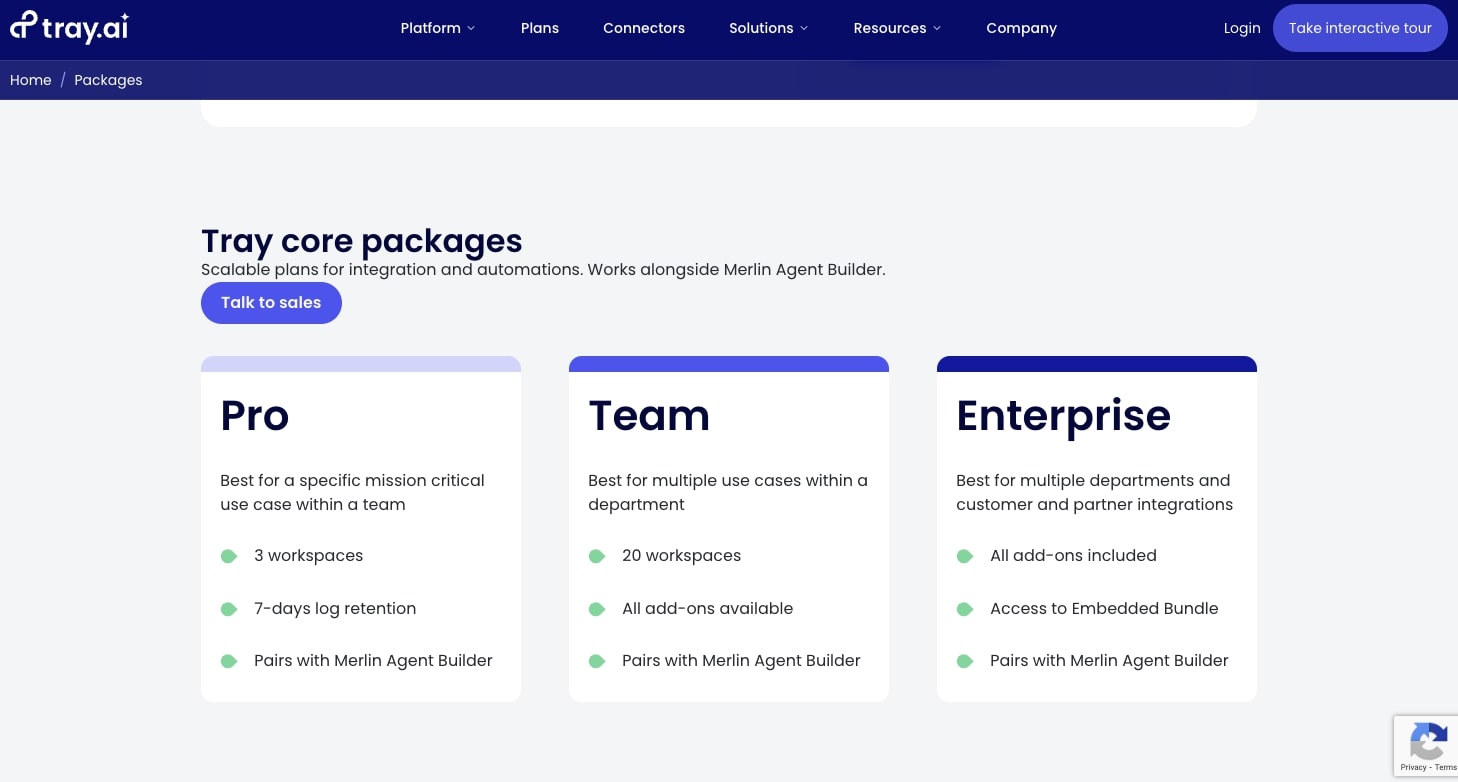
Tray.ai offers custom enterprise pricing with different packages:
- Pro: Best for specific use cases within a team
- Team: Best for multiple use cases within a department
- Enterprise: Best for multiple departments with all add-ons included
You need to contact their sales team for specific pricing details.
Tray.ai reviews
Here's what customers rate Tray.ai on third-party review sites:
- G2: 4.5 out of 5 star rating (from +178 user reviews)
- Capterra: 4.3 out of 5 star rating (from +34 user reviews)
Is there a free version of n8n?
Yes. n8n's Community Edition is free to self-host, but you have to run and maintain it on your own server. n8n's cloud plans start at $20/month (billed annually) for 2,500 workflow executions, and the Business plan, which adds SSO, Git version control, and multiple environments, is $800/month and self-hosted only.
If you want a free n8n alternative without managing a server, Make, Zapier, Integrately, Stack AI, and Activepieces all have free plans. Make and Activepieces are the most generous of that group with 1,000 credits a month each. Zapier and Integrately cap their free plans at 100 tasks a month, so they work better for testing than for real workloads.
Gumloop doesn't have a free plan anymore, but the Pro plan comes with a 14-day free trial, which is plenty of time to build and test your first agent.
Is there an open source n8n alternative?
Yes, and the best one on this list is Activepieces. Its Community Edition is MIT-licensed, so you can self-host it, modify it, and build your own integrations. Strictly speaking, n8n itself is "fair-code" rather than open source, because its Sustainable Use License limits how you can use it commercially.
Everything else on this list is a hosted, closed source platform. That's a tradeoff worth thinking about. Self-hosting gives you control over your data and costs, but it also means you're on the hook for updates, uptime, and security. If you want a code-first framework instead of a visual builder, check out these open source AI agents.
Which n8n alternative should you pick?
Overall, the best n8n alternative for you really depends on your specific use case and where you are in your business. As you can see, some of the tools on this list very closely resemble n8n in its feature set, while some of them very much closely resemble the types of people who use the tool.
But there's just a broad range. If you're a small startup, you're probably going to use a different tool compared to if you are a large enterprise. And if you are a marketing team, you're probably going to benefit from using a certain platform over if you are just a customer support team.
I hope you found a platform that you can use that will benefit you in the long run. Here's to automating more workflows and getting our time back.

Read related articles
Check out more articles on the Gumloop blog.