8 Boomi alternatives for building AI agents in 2026

It feels like over the past year, automation has made a strong comeback. But this time, it's not just "if this, then that" workflows.
It's agentic AI workflows where your automations can actually think, reason, and make decisions on their own, transforming how business processes are managed.
Boomi has been a trusted platform for enterprise integration and workflow automation for a long time, and it's still great for a lot of use cases. But if you're reading this, you're probably looking for Boomi alternatives that lean more into the AI-native side of things.
Maybe you want something faster to set up. Maybe you want your workflows to do more than just move data between systems. Or maybe you just want to see what else is out there.
I've been testing and building with automation tools for the past couple of years, and I put together a list of the ones I think are the best alternatives to Boomi right now. For each tool, I'll cover what it does, who it's best for, what I like about it, and where it falls short.
But first, let's go over what to actually look for when you're evaluating an alternative.
How I picked the top Boomi alternatives
When you're looking for a Boomi alternative, it's easy to get overwhelmed. There are a lot of platforms out there, and they all sound the same on their marketing pages.
So before we get into the list, here's what I actually looked at when evaluating each tool.
- Does it match the complexity you actually need? Boomi is an enterprise iPaaS. Some of the tools on this list are too. But others are lighter-weight automation platforms that are better for specific use cases. The worst thing you can do is pay for a full enterprise integration suite when all you need is a workflow builder, or vice versa, especially if the core functionality doesn't align with your needs.
- Is it AI native? This is the big one for me. A lot of the legacy iPaaS solutions were built before LLMs existed, and you can feel it. The best Boomi alternatives today should let you plug AI into your workflows natively, whether that's for document processing, lead enrichment, content generation, or decision-making logic.
- How fast can you get something useful running? Boomi is powerful, but it takes time to set up. Some of the tools on this list can get you a production-ready workflow in hours instead of weeks. Depending on your team and your timeline, that speed difference matters a lot.
- How does it handle errors and debugging? This is one of those things you don't think about until something breaks. Good error handling, clear logging, and easy debugging are the difference between a tool you trust in production and one you babysit constantly.
- Can it integrate with your existing stack? Whether you're running Salesforce, NetSuite, SAP, Slack, or a bunch of internal tools, the platform needs to connect with what you already use. The number of integrations matters, but so does how deep those integrations go.
- What does pricing actually look like at scale? A lot of these tools look affordable on the pricing page, but costs creep up fast once you add premium connectors, higher task volumes, or enterprise features, raising concerns about scalability. I paid attention to how pricing scales, not just where it starts.
- Is there good support and a community around it? Automation tools can get confusing, especially when you're building more complex workflows. Having solid documentation, an active community, and responsive support makes a real difference when you're stuck.
Not every Boomi alternative on this list checks all of these boxes. Some are better for enterprise teams with deep integration needs, and others are better for lean teams that want to move fast with AI. I included a mix so you can find the one that fits your actual situation.
8 Boomi alternatives and competitors in 2026
Here are the top Boomi alternatives:
Alright, lets go over each of these.
1. Gumloop
- Best for: Marketing, growth, sales, and ops teams that want to move fast on AI-heavy workflows
- Pricing: Free plan available, then starts at $37/month
- What I like: How AI-native it feels compared to traditional enterprise integration tools
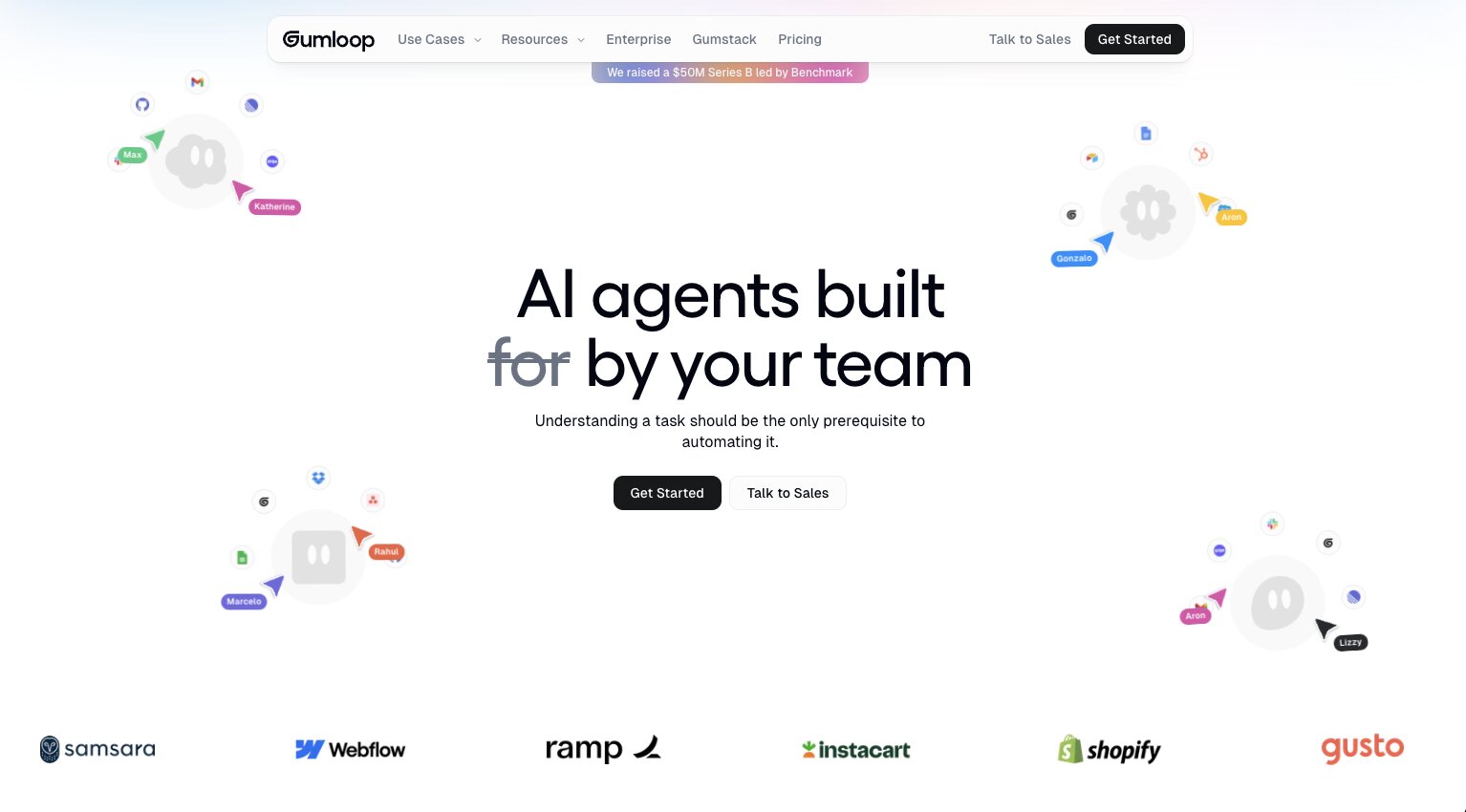
Gumloop is an AI automation platform and agent builder. You can build automated workflows and AI agents by dragging apps onto a visual canvas and connecting them with LLMs like ChatGPT, Claude, Gemini, or whatever model you prefer. The whole idea is that your workflows can actually reason through tasks instead of just moving data from one place to another.
What I think makes it an interesting Boomi alternative is that it sits in a unique spot for who can use it. It started as a tool for lean teams and solo operators, but it's been moving more and more into enterprise territory.
They recently raised a $50M Series B led by Benchmark, and companies like Instacart, Shopify, Webflow, and Gusto are using it internally. They also launched Gumstack, which is a security and observability layer for managing AI agents and MCP servers across an organization. So it's not just a scrappy no-code tool anymore.
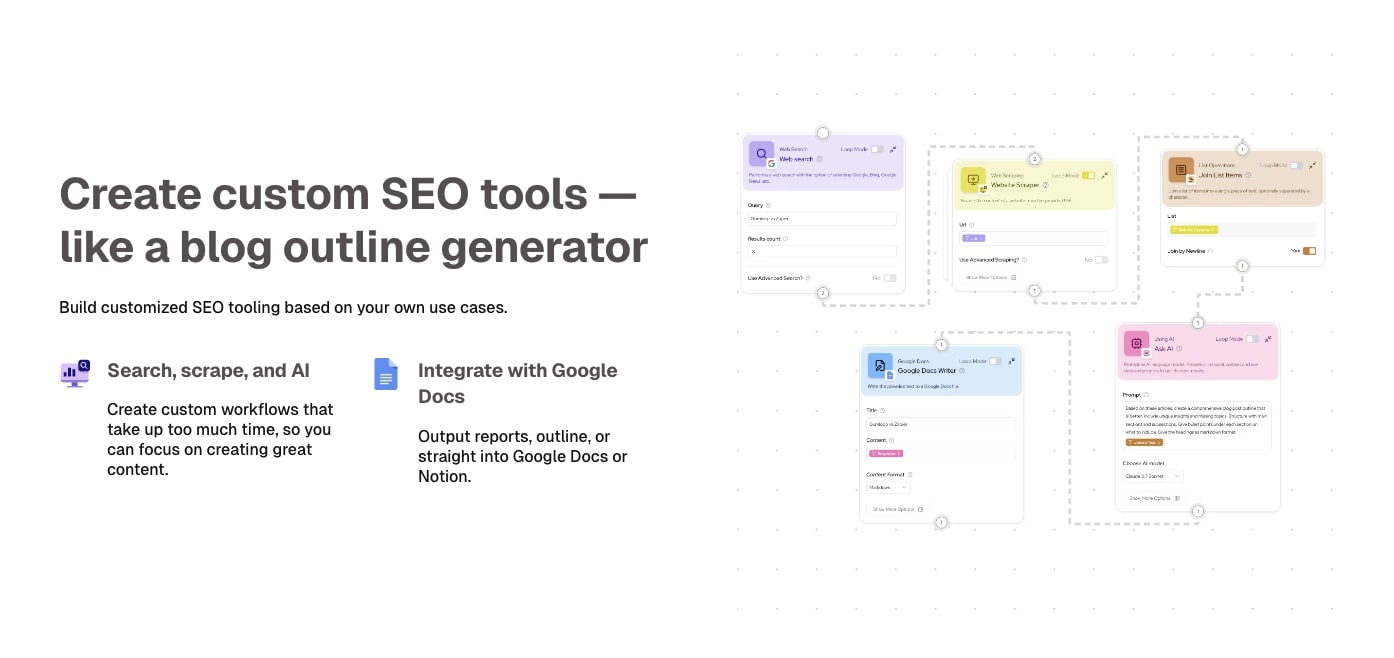
With Boomi, you're usually thinking in terms of structured enterprise integration. Mappings, orchestration logic, retries, all that heavier plumbing. Gumloop is way more "describe what you want and get it running." I built an SEO audit workflow using Semrush data where I could drop in a domain, pull metrics, run them through a few AI steps, and get a clean report with the main issues and opportunities.
Where it starts to show its limits is when the workflow goes beyond a clean AI pass and turns into something that needs strict governance across a ton of connected systems. Heavier branching logic, reusable components, and audit-friendly behavior at scale is where Boomi still has the edge. But for a team that says "we need something useful this week" rather than "this has to be governed and rock-solid across 50 systems," Gumloop is where I'd start.
Some things I like about Gumloop:
- You can get a useful workflow up and running really quickly without a lot of configuration overhead.
- The whole experience is AI-native. It's built around LLMs and agent workflows rather than just traditional data mapping.
- It works for both lean teams and larger enterprises, especially with Gumstack handling security, observability, community templates, and MCP management.
- Much less intimidating for non-technical or semi-technical teams compared to a platform like Boomi, offering greater ease of use.
Here are some things that could be improved:
- Branching logic and reusable components start to feel limited once your workflows get really complex.
- Error handling isn't as robust as you'd want for production-grade operational systems that need to run across dozens of connected tools.
- If you need deep EDI, B2B integration, or enterprise iPaaS-style governance, Boomi is still the stronger choice.
If you have a marketing, sales, or RevOps team that wants to move fast on AI workflows, I'd point them to Gumloop first. And with the enterprise push they're making, it's worth a look even if you're at a larger company.
Gumloop pricing
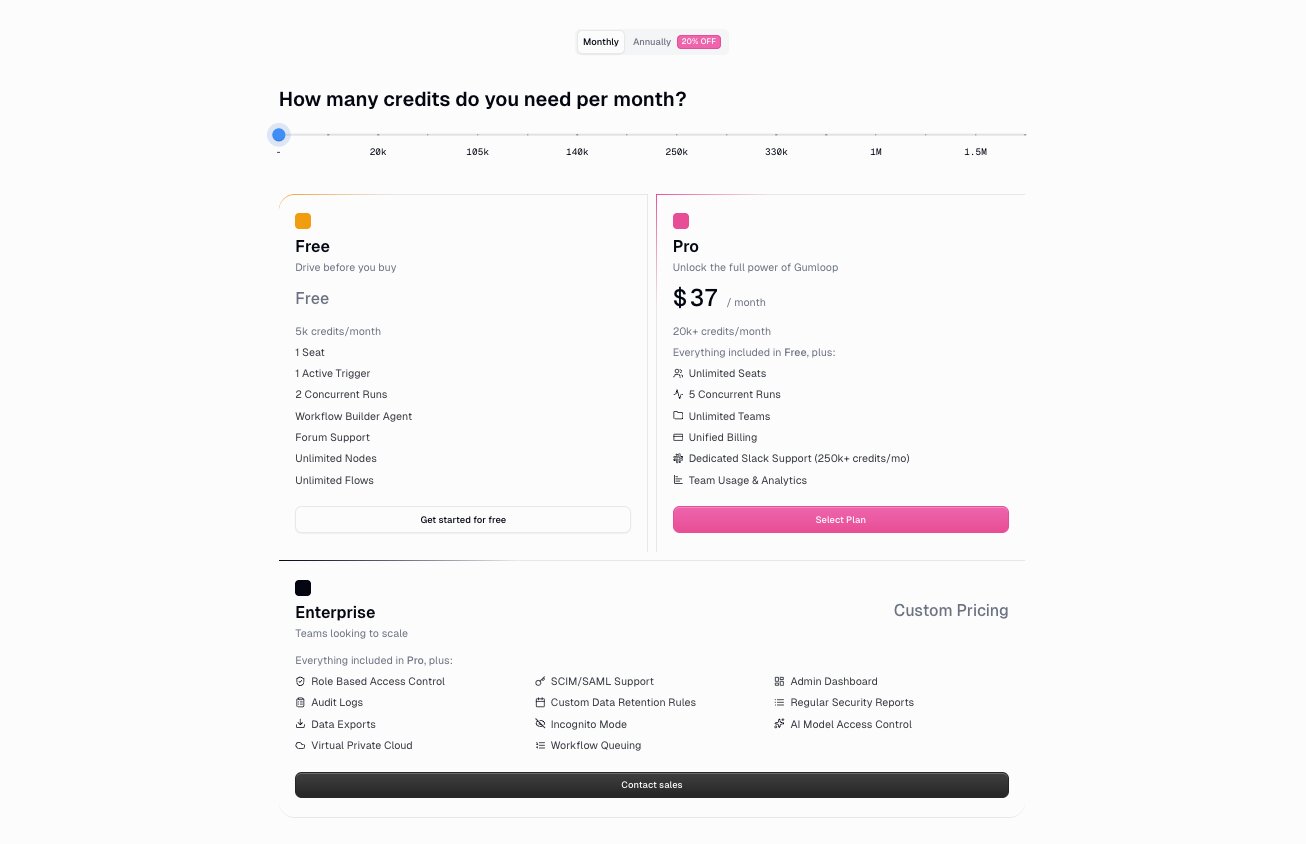
Here are Gumloop's pricing plans:
- Free is $0/month with 5,000 credits/month, 1 seat, 1 active trigger, and 2 concurrent runs
- Pro is $37/month with 20,000+ credits/month, unlimited seats, 5 concurrent runs, and team analytics
- Enterprise is custom pricing with role-based access control, SAML/SCIM support, audit logs, virtual private cloud, and AI model access controls
If you want to learn more about what each plan includes, you can check out the pricing page.
Gumloop reviews
Here's what customers rate the platform on third-party review sites:
- G2: 4.8/5 star rating (from +6 user reviews)
- Product Hunt: 5/5 star rating (from +9 user reviews)
2. StackAI
- Best for: Enterprise teams in regulated industries building AI-native document workflows
- Pricing: Free tier available, then moves into custom enterprise pricing
- What I like: One of the best UIs I tested, and the document intelligence capabilities are genuinely impressive
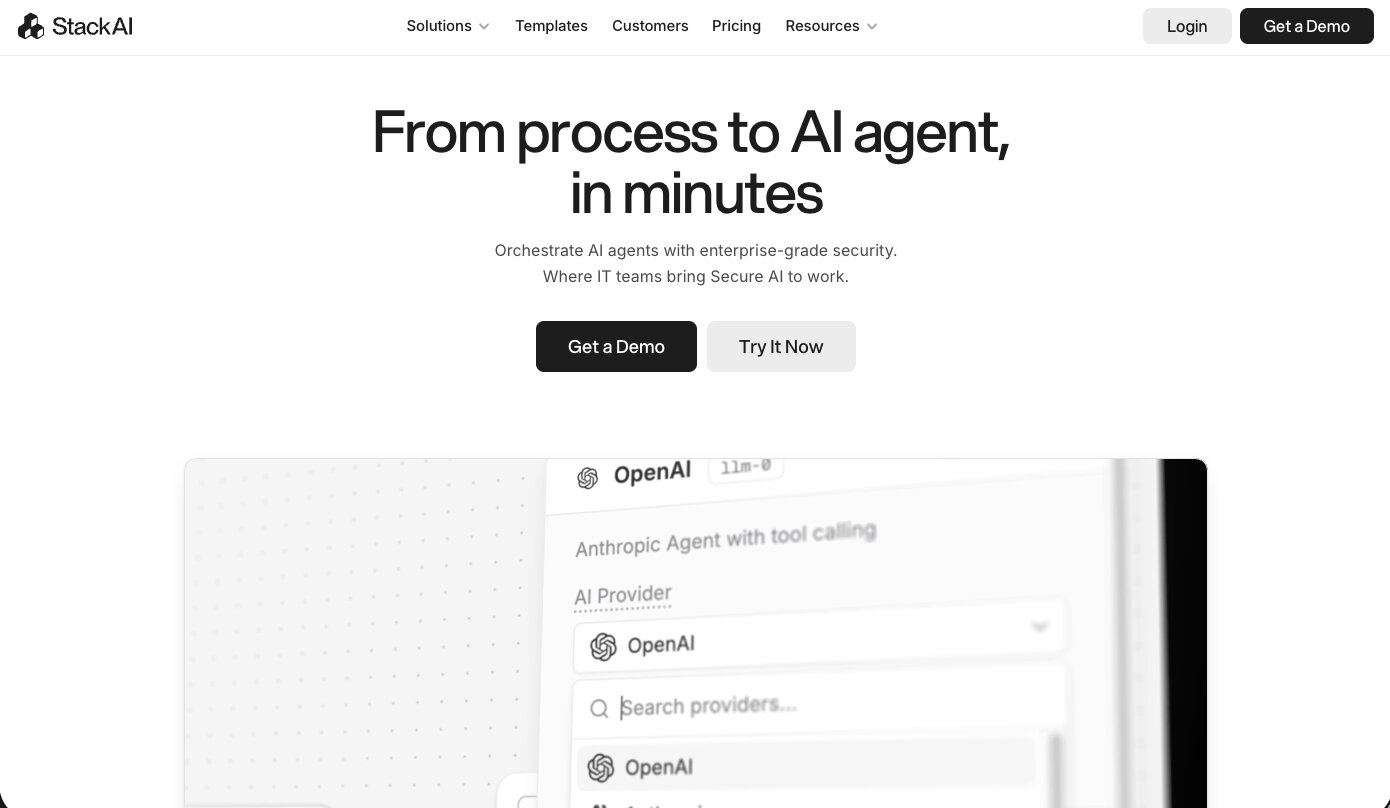
StackAI is an enterprise AI agent platform built for governed industries like finance, healthcare, insurance, and government. It lets you deploy AI workflows, assistants, and internal tools without a ton of custom code. What makes it a different kind of Boomi alternative is that it's not really about classic system-to-system integration. It's centered on AI-native use cases like document intelligence, RAG pipelines, RFP drafting, ticket triage, and internal knowledge workflows.
The template that sold me on it was a SOW Response Agent. You feed it a few intake details, it pulls the right past SOW template from OneDrive, drafts a polished response document using that context, exports it as a Word doc, pushes it into SharePoint, and sends a review email through Outlook.
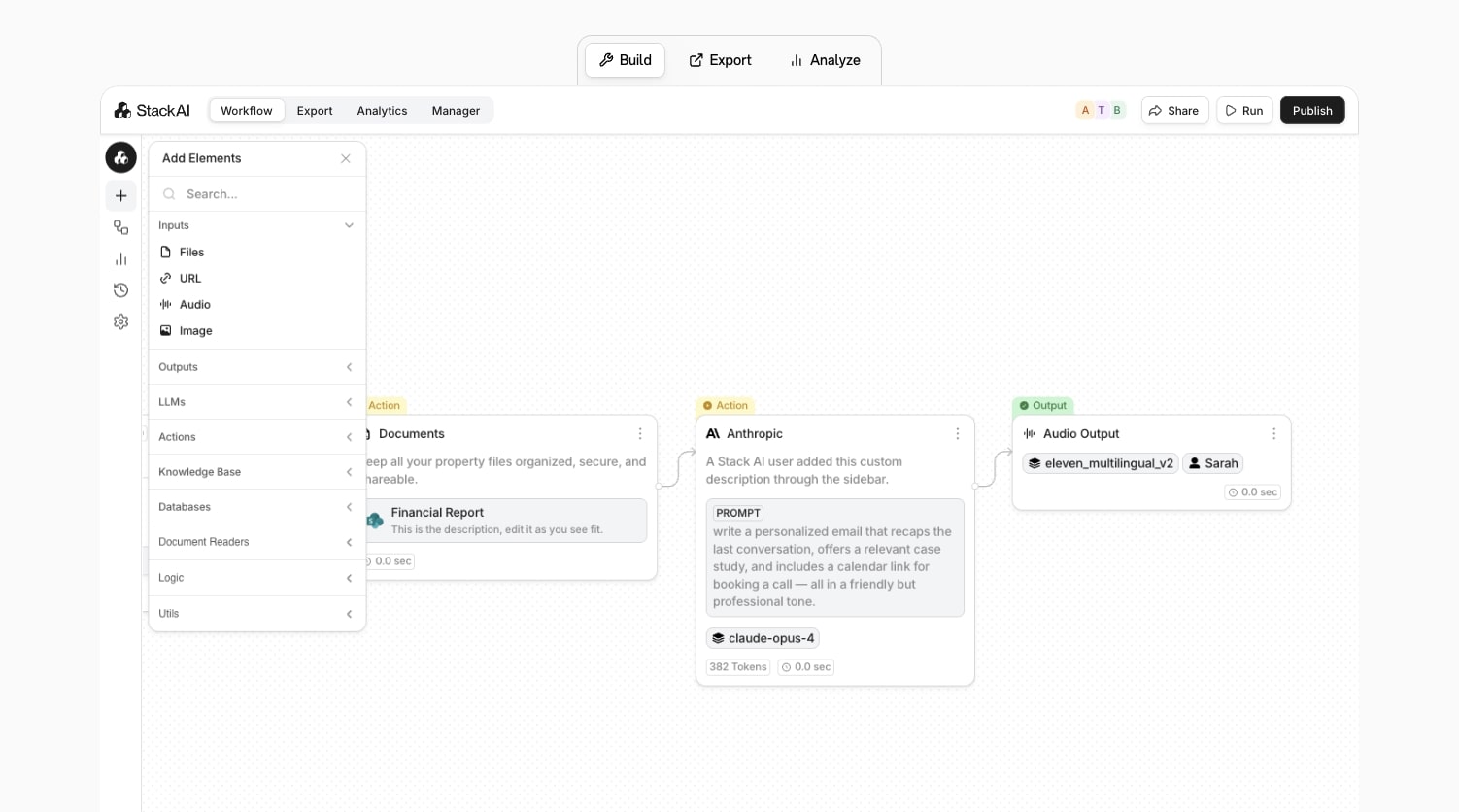
The enterprise governance layer is also strong, with SOC 2, HIPAA, GDPR, and ISO 27001 positioning, plus role-based access control, audit logs, encryption, and on-premise deployment options. If you're in a regulated environment, it doesn't feel like an AI toy bolted onto a workflow tool. It feels like something that was designed with compliance in mind from the start.
Some things I like about StackAI:
- One of the cleanest UIs I tested across any platform on this list.
- The document intelligence capabilities go beyond basic search. It actually uses retrieved files as context for generating new outputs.
- Strong enterprise governance with SOC 2, HIPAA, GDPR compliance, and on-premise deployment options.
- Great for AI-native use cases like RFP drafting, knowledge bases, and ticket triage in regulated industries.
Here are some things that could be improved:
- Pricing is unclear based on usage. If you want production usage, you're going through a sales process.
- Not the right fit if you're a smaller team or solo operator looking for transparent self-serve pricing.
- It's not a traditional integration platform, so if you need classic system-to-system data orchestration, this isn't the tool for that.
If you're an enterprise team in a document-heavy or regulated environment and you have the budget for a sales-led process, Stack AI is worth a serious look. If you just want to experiment quickly with self-serve pricing, you'll probably want to look elsewhere.
StackAI pricing
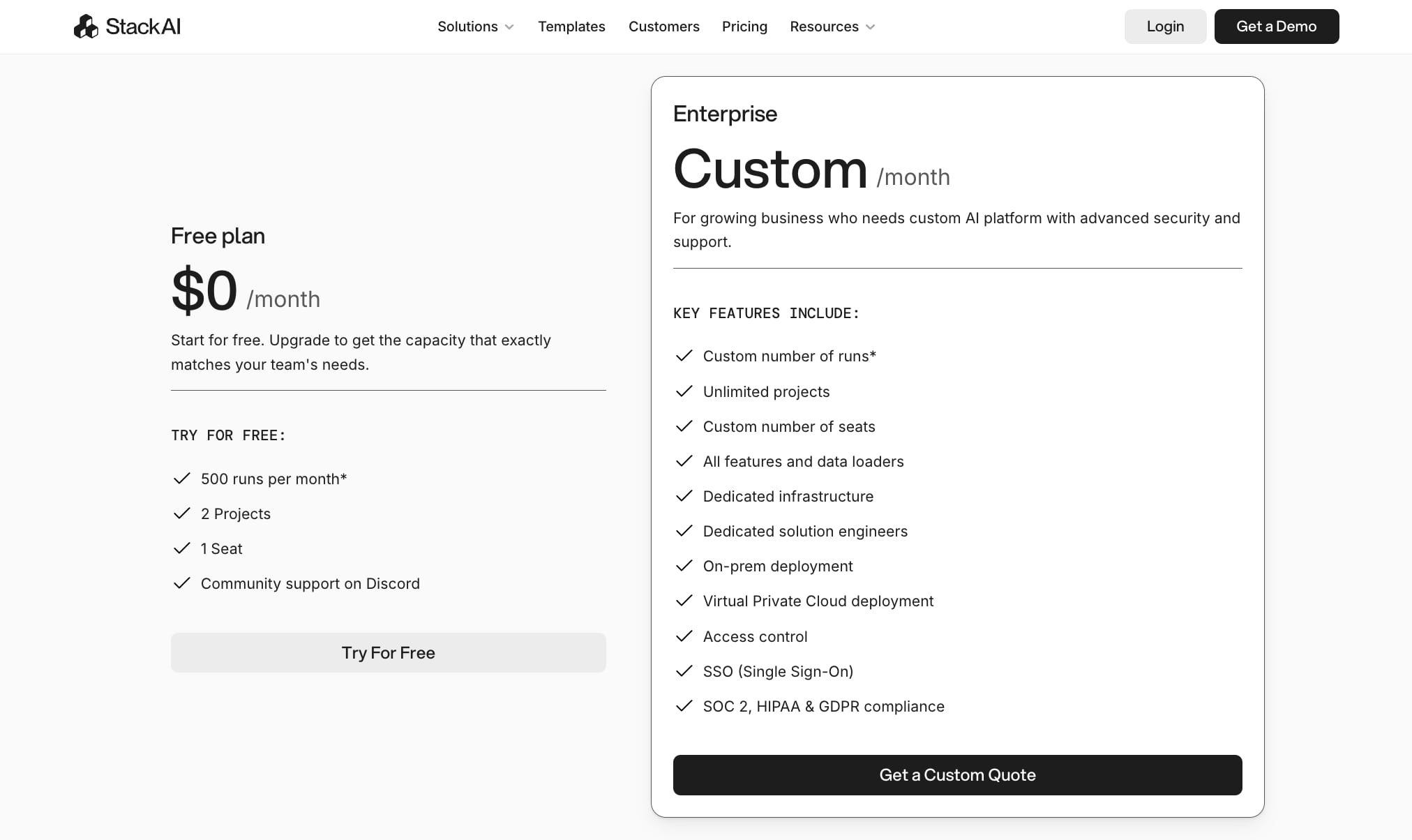
Here are StackAI's pricing plans:
- Free is $0/month with 500 runs/month, 2 projects, 1 seat, and community support on Discord
- Enterprise is custom pricing with unlimited projects, custom seats, dedicated infrastructure, on-prem deployment, VPC options, SSO, access control, and SOC 2/HIPAA/GDPR compliance
If you want to learn more about their pricing, you can request a custom quote from their sales team.
Stack AI reviews
Here's what customers rate the platform on third-party review sites:
- G2: 4.5/5 star rating (from +38 user reviews)
- Slashdot: 4.4/5 star rating (from +9 user reviews)
3. MuleSoft
- Best for: Large enterprises and technical teams building API-first integration architectures
- Pricing: 30-day free trial available, then custom pricing (contact sales)
- What I like: Deep API lifecycle management and governance that most other tools on this list can't touch
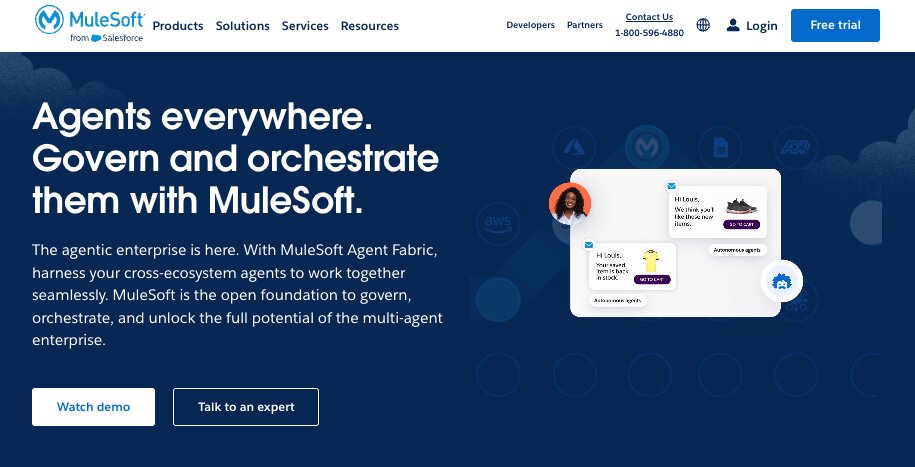
MuleSoft is an enterprise integration and API management platform owned by Salesforce. It's built around an API-led connectivity model, which basically means instead of just connecting tools together, you're building reusable APIs that multiple teams across your organization can consume. It's the kind of platform where you're not just automating a workflow. You're building an integration architecture.
It's built for larger, more technical teams that have dedicated integration or engineering talent. If you're already in a Salesforce-heavy ecosystem or you need deep governance, hybrid deployments, and full API lifecycle management, MuleSoft is designed for exactly that. They have also been pushing hard into the AI agent space with Agent Fabric, which lets you govern and orchestrate AI agents across your enterprise. So it's not just a legacy iPaaS anymore.
I'd call MuleSoft a "months, not days" kind of platform for most teams. It needs more planning, more technical expertise, and more hands-on implementation work before people feel productive compared to Boomi.
But the payoff is that you end up with reusable internal APIs, a managed API lifecycle, and an enterprise application network where lots of teams are consuming the same services. If that's what you need, it's hard to beat. If you just want to get integrations live quickly without that level of architecture, Boomi is usually the more practical choice.
Some things I like about MuleSoft:
- The API-led connectivity model is genuinely powerful if you have the team to support it. You're building reusable assets, not just one-off integrations.
- Deep governance, hybrid deployment options, and enterprise-grade security that larger organizations need.
- The Salesforce integration is obviously tight, which is a big deal if your company already runs on Salesforce.
- They've been recognized as a Leader in the Gartner Magic Quadrant for iPaaS, which carries weight with enterprise buyers.
Here are some things that could be improved:
- The total cost goes well beyond the subscription once you factor in implementation, training, and the developer time needed to run it well.
- There's a steep learning curve and a long time-to-value compared to most tools on this list.
- If you're a smaller or faster-moving team, you'll probably end up paying for more platform than you actually need.
- Pricing is fully sales-led with no self-serve options, so you won't know exact costs until you talk to their team.
If you're a large enterprise with strong engineering talent and you care about long-term API architecture more than quick time-to-value, MuleSoft is worth the investment. If you're a lean team that just wants to automate workflows fast, this probably isn't where I'd start.
MuleSoft pricing
MuleSoft offers custom pricing across three main editions:
- Integration Starter includes core features for designing, managing, and deploying APIs and integrations, plus low-code integration capabilities for business teams
- Integration Advanced includes everything in Starter plus advanced monitoring, log management, hybrid deployment support, and global multi-cloud deployment
- API Management Solution is a standalone package focused on API lifecycle management, governance, and Flex Gateway
All plans require contacting their sales team for a custom quote. There's also a 30-day free trial of Anypoint Platform with no credit card required. If you want to learn more about their packaging, you can check out the pricing page.
MuleSoft reviews
Here's what customers of MuleSoft rate the platform on third-party review sites:
- G2: 4.5/5 star rating (from +714 reviews)
- Capterra: 4.4/5 star rating (from +573 reviews)
4. SnapLogic
- Best for: Data-heavy enterprise teams that need fast pipeline building with AI-assisted development
- Pricing: Custom pricing (contact sales), available on AWS, Azure, and Google marketplaces
- What I like: SnapGPT and AutoPrep are genuinely useful AI features, not just marketing gimmicks
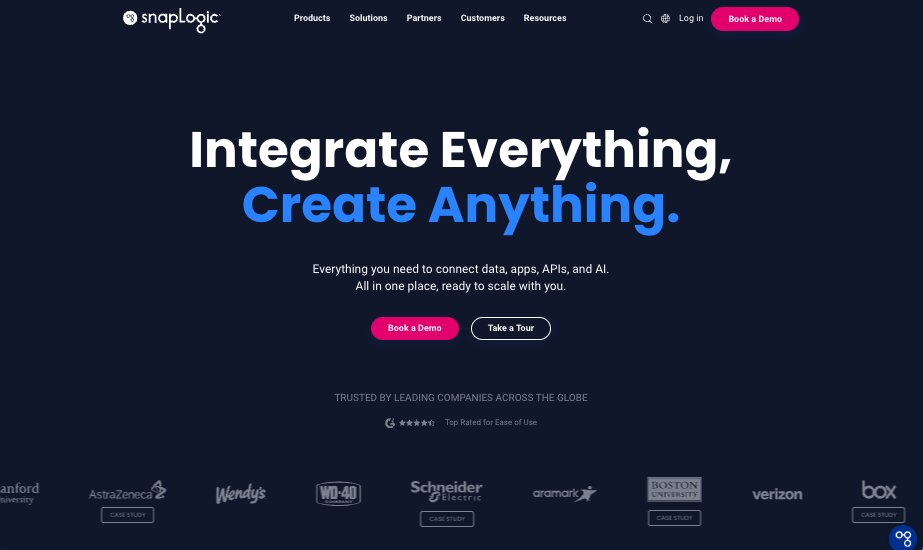
SnapLogic is an enterprise integration platform that covers data integration, application integration, API management, and AI agent building all under one roof. It sits in the same broad enterprise bucket as Boomi, but it has more of a data-engineering feel to it.
Where it really shines is real-time data integration, ELT/ETL workloads, and AI-assisted development. Companies like Adobe, HPE, and Schneider Electric use it, and it's been recognized as a Visionary in the Gartner Magic Quadrant for both data integration and iPaaS.
SnapLogic's edge agains Boomi is its AI layer. SnapGPT is their integration copilot that can generate expressions, SQL, and even entire pipeline skeletons from a prompt. It can also explain what an existing pipeline is doing, which is helpful when you're inheriting someone else's work.
AutoPrep is another feature I thought was genuinely useful. It's a guided data-prep layer that inspects your input, suggests transformations, and handles things like null removal, date reformatting, and PII masking in a spreadsheet-like interface. Neither replaces a skilled integration person, but they cut down on the boring setup work significantly.
The canvas itself is drag-and-drop with prebuilt connectors they call "Snaps" for sources, transforms, and destinations. For a semi-technical business analyst who's comfortable with SQL and data flows, it's workable. But it still leans toward "needs a light data or integration brain" rather than something a purely non-technical person would pick up easily. For complex orchestration or heavy transformation scenarios, you still want a proper data engineer in the chair.
Some things I like about SnapLogic:
- SnapGPT and AutoPrep are genuinely useful AI tools that speed up the tedious parts of building pipelines without feeling gimmicky.
- Unlimited data movement on all plans means you're not constantly worrying about volume-based pricing surprises.
- Strong for real-time data integration and ETL/ELT workloads, which is where it has a clear edge over Boomi.
- Used by major enterprises like Adobe (for over 10 years), which says a lot about the platform's reliability at scale.
Here are some things that could be improved:
- Pricing requires a sales conversation with no self-serve options, which makes it harder to evaluate quickly.
- The learning curve is real. Complex orchestration and hybrid deployments still need a proper developer or data engineer.
- If your needs are more about all-purpose integration and less about data pipelines, Boomi is usually the easier and more practical choice.
If your world is closer to enterprise data pipelines, analytics, or AI-assisted integration at scale, SnapLogic is worth a serious look. But if you just want easier all-purpose integration without the data-engineering flavor, it might be worth looking into an alternative.
SnapLogic pricing
SnapLogic offers package-based pricing across Business and Enterprise tiers, but exact pricing requires contacting their sales team. A few things worth knowing:
- All packages include unlimited data movement and integrations at a predictable price
- Core pre-built connectors (Snaps) are included in base packages, with premium connectors available as add-ons
- Professional services packages are available for onboarding, optimization, and scaling
- SnapLogic is also available for purchase through AWS, Azure, and Google cloud marketplaces
If you want to learn more about their pricing model, you can request a demo from their team.
SnapLogic reviews
Here's what customers of SnapLogic rate the platform on third-party review sites:
- G2: 4.4/5 star rating (from +398 reviews)
- Capterra: 4.5/5 star rating (from +15 reviews)
5. Celigo
- Best for: Mid-market and NetSuite-heavy businesses that want production-grade automation without full enterprise complexity
- Pricing: 30-day free trial available, then custom pricing based on endpoints and flows
- What I like: The AI-powered error resolution and the pre-built NetSuite and ecommerce integration apps
Celigo is an intelligent automation platform that hits a nice middle ground between the lighter tools on this list and the heavier enterprise platforms like MuleSoft or SnapLogic. It's powerful enough for real production work but still intuitive enough for semi-technical users to actually get things done. Companies like PayPal, Michelin, Toshiba, and Gibson use it, and it's been ranked the number one iPaaS on G2 for eight consecutive quarters.
Where Celigo really stands out is in NetSuite ecosystems, ecommerce, and logistics flows. The platform ships purpose-built integration apps and pre-built flows for things like Shopify-to-NetSuite, Amazon-to-NetSuite, and EDI-heavy retail workflows, so you can get live in days instead of weeks.
For a Shopify-to-NetSuite sync specifically, the gap between Celigo and Boomi is actually pretty big. Boomi can do it, but you end up doing more connector tuning and field mapping even for a straightforward flow. With Celigo, you're wiring together existing order, customer, and inventory patterns rather than building from scratch.
The AI-powered error resolution is the other feature that made me pay attention. When a flow breaks, Celigo doesn't just dump a raw API error at you. The platform classifies the error, surfaces a clean human-readable label, and in a lot of cases will auto-retry or auto-resolve the issue without you having to touch anything. They claim 95% of errors are resolved automatically, and from what I saw during testing, it felt like the platform was doing the first round of triage for you instead of making everything a fire drill.
Some things I like about Celigo:
- The pre-built NetSuite and ecommerce integration apps are genuinely production-ready and get you live much faster than building from scratch in Boomi.
- AI-powered error management that classifies, auto-retries, and auto-resolves most issues before you even see them.
- Flat-rate pricing based on endpoints and flows rather than transaction volume, so you're not getting hit with surprise overage fees during peak seasons.
- Ranked number one on G2 for iPaaS for eight straight quarters, which says a lot about user satisfaction.
Here are some things that could be improved:
- Costs can still creep up once you start adding premium connectors for tools like NetSuite, SAP, or Oracle, which typically run several hundred to low-thousands per month per connector.
- It's still a custom-quote world, so you won't know exact pricing until you talk to their sales team.
- If you don't live in a NetSuite or ecommerce-heavy ecosystem, you lose a lot of what makes Celigo special compared to Boomi.
If you're a mid-market business running NetSuite with heavy ecommerce or logistics workflows, Celigo is probably one of the best out there. If your integration needs are more general-purpose and don't revolve around ecommerce, it might be worth looking into an alternative
Celigo pricing
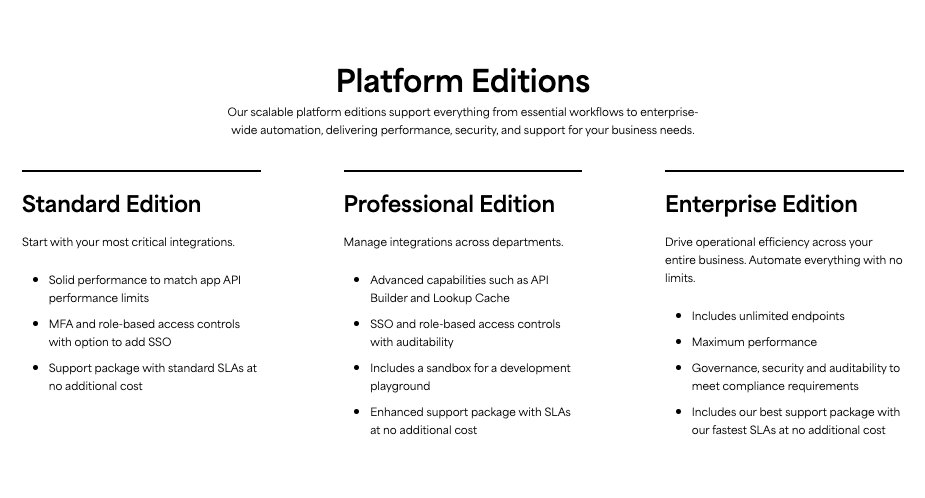
Celigo offers three platform editions with flat-rate pricing based on endpoints and flows (not tasks or transaction volume):
- Standard Edition is for teams starting with their most critical integrations. Includes solid performance, MFA, role-based access controls, and standard support SLAs.
- Professional Edition adds advanced capabilities like API Builder, lookup cache, SSO, audit controls, and a sandbox environment for development.
- Enterprise Edition includes unlimited endpoints, maximum performance, full governance and compliance features, and the fastest support SLAs.
All editions require a custom quote. There's also a 30-day free trial with unlimited platform access. If you want to learn more, you can check out the pricing page.
Celigo reviews
Here's what customers of Celigo rate the platform on third-party review sites:
- G2: 4.7/5 star rating (from +1,037 reviews)
- Capterra: 4.6/5 star rating (from +59 reviews)
6. Workato

- Best for: Cross-department SaaS workflow automation with AI-assisted recipe building
- Pricing: Custom pricing (contact sales)
- What I like: RecipeIQ and AIRO let you describe what you want in plain language and get a working recipe blueprint instead of starting from scratch
Workato is an enterprise automation platform that feels noticeably different from Boomi. Instead of the heavier integration plumbing you get with Boomi, Workato comes across as a workflow automation tool built for business users and IT to collaborate on. It has a clean, recipe-driven canvas and a ton of pre-built connectors already wired for common SaaS stacks like Salesforce, Slack, Zendesk, Workday, and NetSuite.
The AI layer has their own RecipeIQ, and the newer AIRO automation builder, that lets you describe what you want in plain language and get a working recipe blueprint with suggested connectors, steps, and data mappings. There's also AI-by-Workato, which can draft emails, classify text, and plug into OpenAI-style models so you can build smart decision logic directly into recipes. Compared to a traditional iPaaS, Workato feels like a modern, AI-infused automation layer where the AI actually helps you build and optimize workflows.
Where the limits showed up was in more complex enterprise scenarios. Workato is fantastic for SaaS-heavy workflow automation, but when you get into heavy data-hub scenarios, EDI, or deep master-data-management style integration, it starts to feel lighter than Boomi. Boomi has built-in data sync, MDM capabilities, and full EDI support, while Workato's EDI and B2B support still feels more bolt-on. If you want to dive deeper into how it compares to other tools, I wrote a separate Workato alternatives piece that goes into more detail.
Some things I like about Workato:
- The recipe-driven canvas is intuitive and gets you from zero to a working automation much faster than traditional enterprise iPaaS tools.
- AI features like RecipeIQ and AIRO actually help you build workflows instead of just being tacked on for the marketing page.
- Great for cross-department use cases across sales ops, marketing, support, and HR teams that live in tools like Salesforce, Slack, and Jira.
- Strong connector library with pre-built templates that cut down on setup time significantly.
Here are some things that could be improved:
- Complex, multi-step, high-volume recipes can drive up task counts and costs quickly, which can surprise you at scale.
- EDI, B2B, and deep MDM support still feels more bolt-on compared to what Boomi offers natively.
- Not all connectors are fully supported, which can bite you in a bigger enterprise environment with niche tools.
Workato is your best bet if you want smart, AI-assisted workflow automation for SaaS-heavy teams that doesn't feel like an enterprise IT project. If you're building a full-blown enterprise integration fabric with heavy EDI and on-prem ERP plumbing, you'll probably want to go heavier with Boomi, MuleSoft, or SnapLogic.
Workato pricing
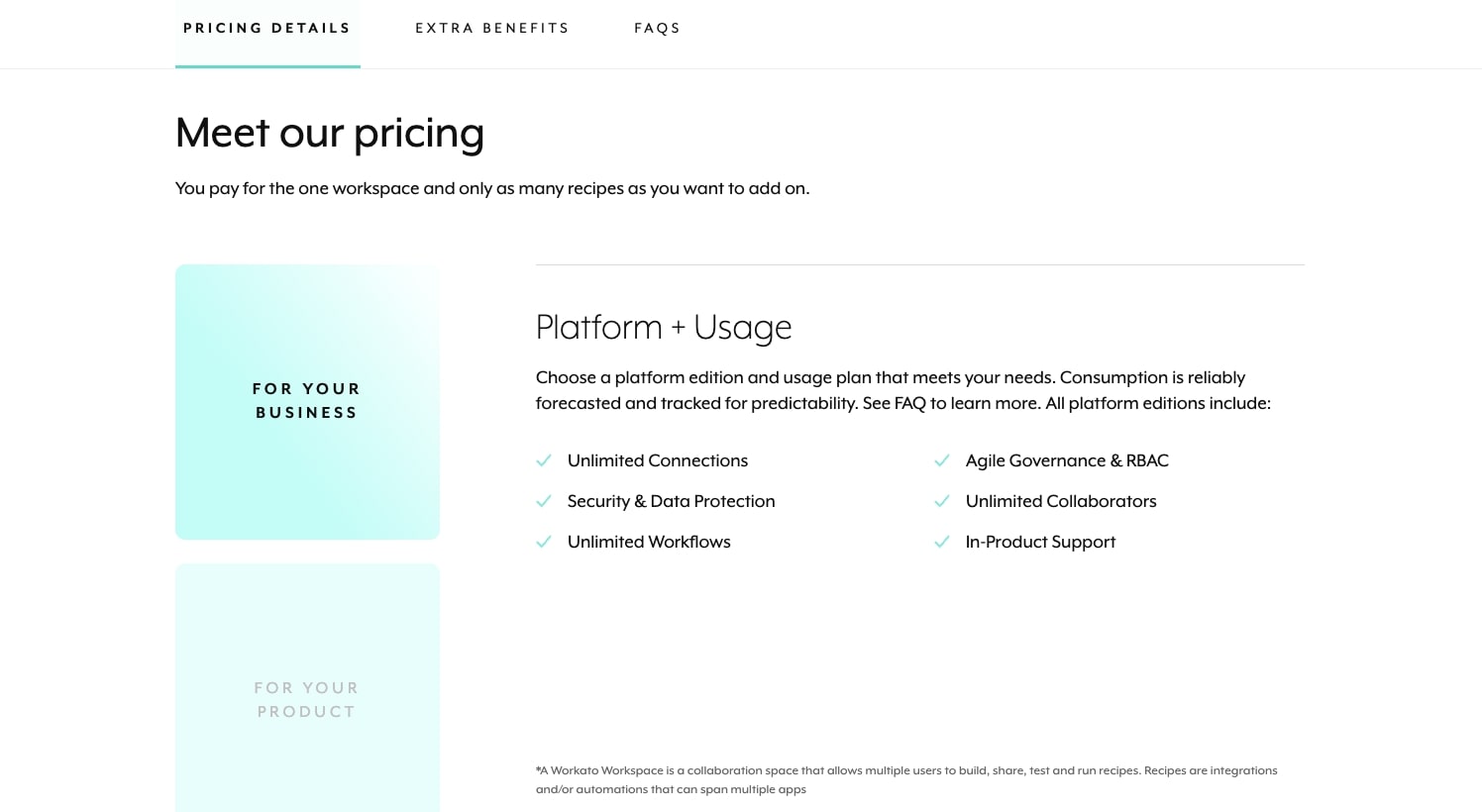
Workato offers custom pricing with what they call a "predictable pricing commitment." Exact pricing requires contacting their sales team, but a few things worth knowing:
- Pricing is based on recipes and tasks, not a flat-rate model
- They offer a free trial to test the platform before committing
- Workato is also available through the AWS Marketplace
- They have separate packaging for embedded integration use cases (for SaaS companies building integrations into their own products)
If you want to learn more, you can check out the pricing page or request a demo from their team.
Workato reviews
Here's what customers of Workato rate the platform on third-party review sites:
- G2: 4.7/5 star rating (from +752 reviews)
- Capterra: 4.6/5 star rating (from +85 reviews)
7. Zapier
- Best for: Fast, no-code SaaS-to-SaaS automation for simple, high-volume workflows
- Pricing: Free plan available, then starts at $29.99/month (billed annually)
- What I like: Massive app library (7,000+) and reliable (I've been using it for over seven years)
I'll be honest, Zapier is not really a direct Boomi alternative. It's more of a light-end productivity and automation layer on top of your stack than a full-blown enterprise integration platform. But I've been a Zapier customer for over seven years, and writing it off entirely would be the wrong call. For a lot of use cases, it's still the tool I reach for first.
Where Zapier genuinely wins is SaaS-to-SaaS automation where you want fast, no-code, and you don't need deep orchestration, EDI, or heavy data-hub behavior. Form-to-CRM syncs, simple notifications, lead capture, ticket creation, internal comms.
I still default to it for high-volume, low-complexity workflows where I just want durable, reliable plumbing. Adding AI-style steps in something like Gumloop introduces cost and latency that doesn't make sense when the workflow itself is simple.
The deeper limitation is one that anyone coming from Boomi will feel almost immediately, Zapier has a light orchestration ceiling. It doesn't give you true multi-step error handling, deep data mapping, robust retry logic, advanced branching, or audit-grade visibility across environments. Those are table stakes for Boomi-level users. If you're evaluating it as a Boomi replacement, it's more of a companion than a contender. If you want to see how it stacks up against other tools in this space, I wrote a separate Zapier alternatives article that goes deeper.
Some things I like about Zapier:
- The largest app library of any automation tool on this list with over 7,000 integrations, so you can connect basically anything.
- Battle-tested and reliable. I've been using it for over seven years and it rarely breaks silently.
- The free plan now includes Tables, Forms, and Zapier MCP, which makes it a surprisingly complete starter package.
- Genuinely the fastest path from "I have an idea" to "it's running" for simple automations.
Here are some things that could be improved:
- The task-based pricing model gets expensive fast once you're running multi-step workflows at volume. Task counts explode and you either keep paying more or hit limits.
- No real enterprise-grade orchestration, error handling, or audit visibility. That's a dealbreaker if you're coming from Boomi.
- Not designed for EDI, B2B integration, heavy data mapping, or anything that needs governance and compliance controls.
If you need a reliable, no-code tool for the simple, connector-heavy stuff, Zapier is still one of the best at what it does. Just don't expect it to replace Boomi for anything beyond basic SaaS automation.
Zapier pricing
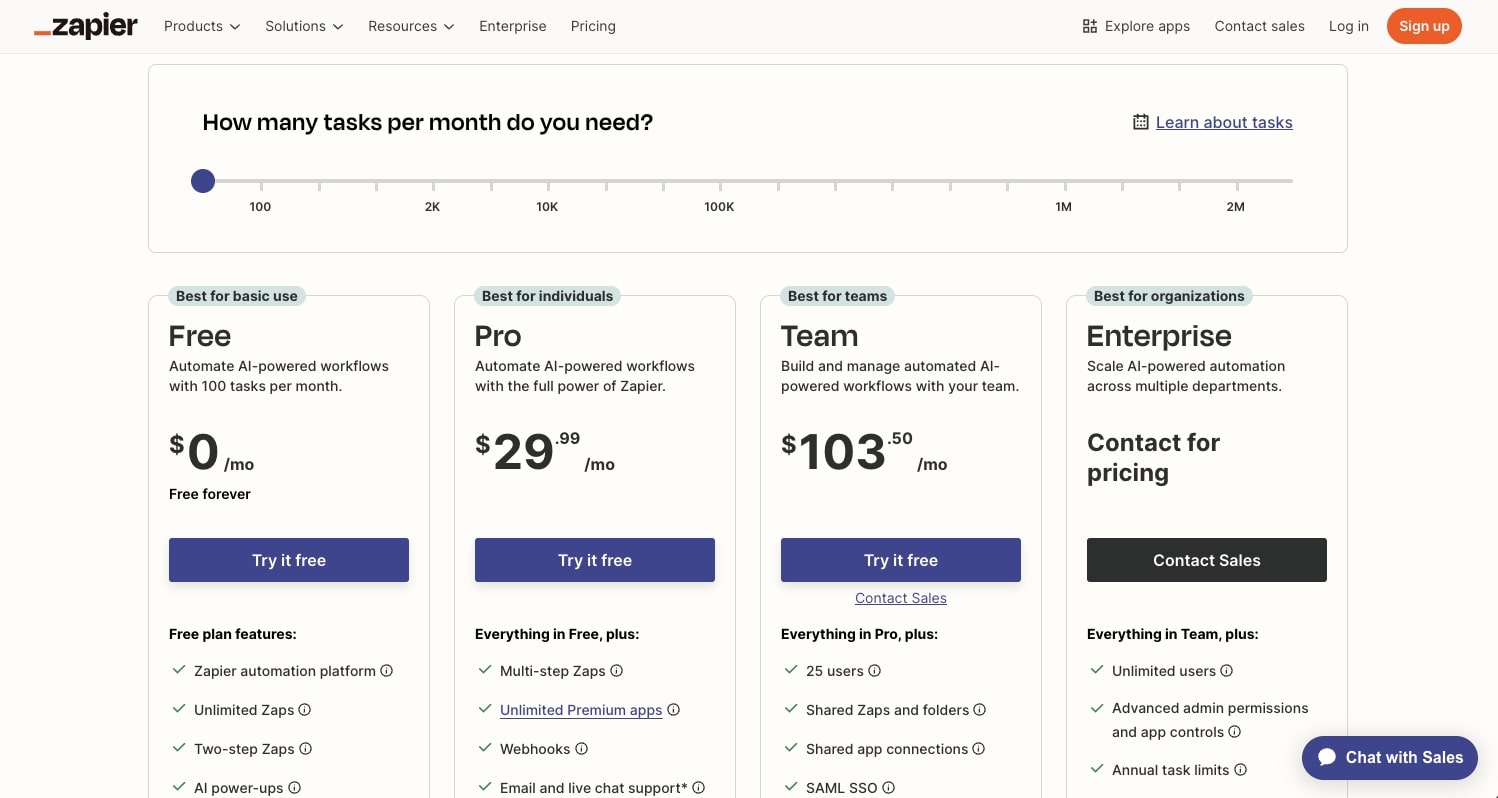
Here are Zapier's pricing plans:
- Free is $0/month with 100 tasks/month, unlimited Zaps, Tables, and Forms, two-step Zaps, and Zapier Copilot with daily message limits
- Professional starts at $29.99/month with multi-step Zaps, unlimited premium apps, webhooks, AI fields, email and live chat support, and conditional form logic
- Team starts at $103.50/month with 25 users, shared Zaps and folders, shared app connections, SAML SSO, and Premier Support
- Enterprise is custom pricing with unlimited users, advanced admin permissions and app controls, VPC peering, annual task limits, observability features, and a dedicated Technical Account Manager
If you want to learn more about what each plan includes, you can check out the pricing page.
Zapier reviews
Here's what customers of Zapier rate the platform on third-party review sites:
- G2: 4.5/5 star rating (from +1,923 reviews)
- Capterra: 4.7/5 star rating (from +3,043 reviews)
8. Microsoft Power Automate
- Best for: Teams already deep in the Microsoft ecosystem that want to automate approvals, notifications, and RPA-style tasks
- Pricing: Free 30-day trial, then starts at $15/user/month
- What I like: AI Builder for low-code AI tasks and native integration with Microsoft 365, Teams, SharePoint, and Dynamics
Microsoft Power Automate is an end-to-end automation platform that covers cloud flows, desktop RPA, process mining, and AI-powered document processing. It connects to over 1,400 prebuilt connectors and sits natively inside the Microsoft ecosystem, which means if your company already lives in Microsoft 365, Dynamics, SharePoint, or Teams, a lot of the plumbing is already done for you. Microsoft was also named a Leader in the 2025 Gartner Magic Quadrant for RPA, so it carries serious weight in the enterprise automation space.
That said, I'd call Power Automate more of a complementary automation layer than a full Boomi replacement. It's fantastic for workflow orchestration, approvals, notifications, data-entry tasks, and RPA-style desktop automations within the Microsoft stack. But if you're coming from a Boomi-style world of heavy data-hub, API-led, and multi-vendor enterprise integration, Power Automate doesn't quite fill the same role. It's more "workflow-adjacent" than "integration-core."
One feature worth mentioning is AI Builder, which is Microsoft's low-code AI layer. You can plug it into Power Automate to add things like sentiment analysis, document processing, and basic predictions without writing any machine learning code. It's great for sprinkling AI into Microsoft-centric processes like scoring leads, tagging invoices, or routing unhappy customers faster. It doesn't feel like a full integration-AI stack the way Boomi or Gumloop approach it, but for teams already inside the Microsoft ecosystem, it gets the job done.
Some things I like about Power Automate:
- Native integration with Microsoft 365, Teams, SharePoint, and Dynamics means you can automate without leaving the tools you already use every day.
- AI Builder gives you low-code access to document processing, sentiment analysis, and prediction models without needing a data science team.
- RPA capabilities let you automate legacy desktop apps and systems that don't have APIs, which is something most tools on this list can't do.
- Named a Leader in the Gartner Magic Quadrant for RPA, which says a lot about the desktop automation side of the platform.
Here are some things that could be improved:
- Costs can creep up fast once you factor in premium connectors, RPA licenses, AI Builder credits, and full Microsoft 365 licensing on top of the base price.
- Not built for heavy data-hub, EDI, or multi-vendor integration scenarios. If you need to wire up Salesforce, SAP, NetSuite, and a bunch of custom systems together, Boomi is usually the better fit.
- The platform leans heavily on the Microsoft ecosystem, so if your stack isn't Microsoft-centric, you lose a lot of the native advantages.
If you're a mid-sized organization firmly in the Microsoft stack and the main goal is cutting manual work around invoices, leads, tickets, approvals, or HR ops, Power Automate is the right productivity-plus-automation layer. If you need cross-platform, API-led enterprise integration, you'll want to look at an alternative higher on this list.
Power Automate pricing
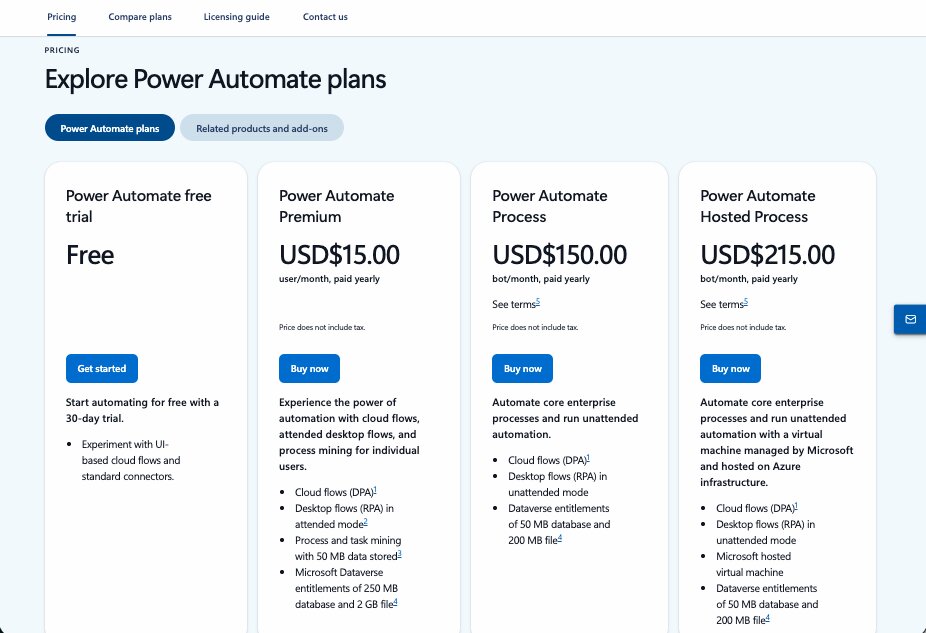
Here are Power Automate's pricing plans (billed yearly):
- Free Trial is $0 for 30 days with access to premium features, UI-based cloud flows, and standard connectors
- Premium is $15/user/month with cloud flows, attended desktop flows (RPA), process and task mining, and 250 MB Dataverse database storage
- Process is $150/bot/month for unattended desktop flows and cloud flows accessible by unlimited users in the organization
- Hosted Process is $215/bot/month with everything in Process plus a Microsoft-hosted virtual machine on Azure infrastructure
If you want to learn more about what each plan includes, you can check out the pricing page.
Power Automate reviews
Here's what customers of Power Automate rate the platform on third-party review sites:
- G2: 4.4/5 star rating (from +1,055 reviews)
- Gartner: 4.4/5 star rating (from +605 reviews)
Which Boomi alternative should you choose?
If you're an enterprise business looking for a full-stack cloud-based integration platform with deep data synchronization, EDI, and governance, tools like MuleSoft, SnapLogic, and Celigo are your closest comparisons to Boomi. They handle the heavy stuff like data warehouses, complex data import pipelines, and pre-built integrations across legacy systems.
If your team is more focused on speed and AI-native workflows, Gumloop and Workato are where I'd start. They both let you sync workflow automation across your SaaS stack without the months-long implementation cycle that comes with traditional iPaaS tools.
If you want to see what that looks like, I'd recommend checking out Gumloop. You can start building your first automation right away without pulling out your credit card. (And for context, I don't work at Gumloop. I've been a customer for about a year now.)
And if you just need simple, reliable automations for everyday tasks, Zapier and Power Automate still do that really well.
After testing all of these platforms, the biggest takeaway is that the right tool depends on where your team actually is right now. Not where you think you'll be in two years. Pick the one that matches your current complexity, your current stack, and the speed at which you need to move.
Because the automation tools that can actually think for you are the ones worth paying attention to.

Read related articles
Check out more articles on the Gumloop blog.