11 best AI analytics tools for growth teams in 2026

Having spent weeks comparing AI tools, I’ve learned that “analytics” can mean many different things.
Some tools are better at tracking attribution, some are better at grouping user behavior into cohorts, and others are better at analyzing your funnel and optimizing your product’s onboarding process.
But what they all have in common is using AI to quickly find growth opportunities or speed up routine technical tasks, like code queries or flagging errors.
It’s time to understand your web visitors and SaaS customers to an almost unhinged degree. So let’s dive into the best AI analytics tools right now, including what they excel at and who should use each of them.
What is an AI analytics tool?
AI analytics tools collect and dissect data and provide insights, powered by leading LLMs, to help you make more informed business decisions. Your team gets real-time data they can access with natural-language prompts, without having to wait for reports from analysts or navigate multiple data silos to get the answers they need.
The features of AI analysis tools vary a lot, but most include:
- Easy to use chat-based answers: Anyone can ask questions and get instant answers, including visualizations like charts and graphs. For example, “Show me MAU trends over the last 12 months,” or, “What is contributing to our user churn?”
- AI agents for multi-step automation: Top AI analytics tools have agentic AI to assist with syncing and compiling multiple data sources, analyzing them, and taking action on specific results.
- Deep analysis powered by AI: The best AI analytics platforms crush massive amounts of data and find connections at scale to surface insights that would take a person days or weeks to put together with our tiny, slow human brains.
What to look for in an AI analytics tool
Obviously, this is going to depend a lot on who you are. Are you a marketer like me? Or are you a data engineer or developer working for an enterprise-level company?
And, what do you want an AI analytics tool to do?
Most will tally your basic web and product usage analytics, but some skew heavily toward technical product management and some specialize in only parts of your overall marketing strategy, such as ads optimization.
No matter your goals, these are what I consider to be the most important things to consider when evaluating AI analytics tools:
- How it fits into your current AI and tech ecosystem. Does it sync with Snowflake (or your preferred data warehouse)? Does it use proprietary data formats, or can you export/migrate reports to other tools?
- Multiple LLM model support. Which LLMs does it natively use? Can you BYOK (Bring Your Own Keys) to add your own custom AI?
- How it handles reporting and forecasting. Are report formats customizable and suitable for what you need to know? Also consider how it visualizes data and whether it offers forecasting and growth suggestions.
- The pricing model — cost-per-event, monthly active users, or credit-based — and the financial impact of scaling. The monthly plan cost isn’t that relevant for AI analytics tools. Instead, focus on what your total costs will be based on projected usage, accounting for the tool’s pricing model.
- Governance and data security. Does it meet your compliance requirements? Where does your data reside and is it being used to train models?
- Learning curve and ease of use for your team. Who needs to use this AI analytics tool? Does it provide a fast time-to-value, or are there high implementation costs or training to go through first? Basically: will your team actually use it?
Okay, let’s get into the reviews.
11 best AI analytics tools for growth teams in 2026
These are the best AI analytics tools:
Alright, let's go over these in depth.
1. PostHog
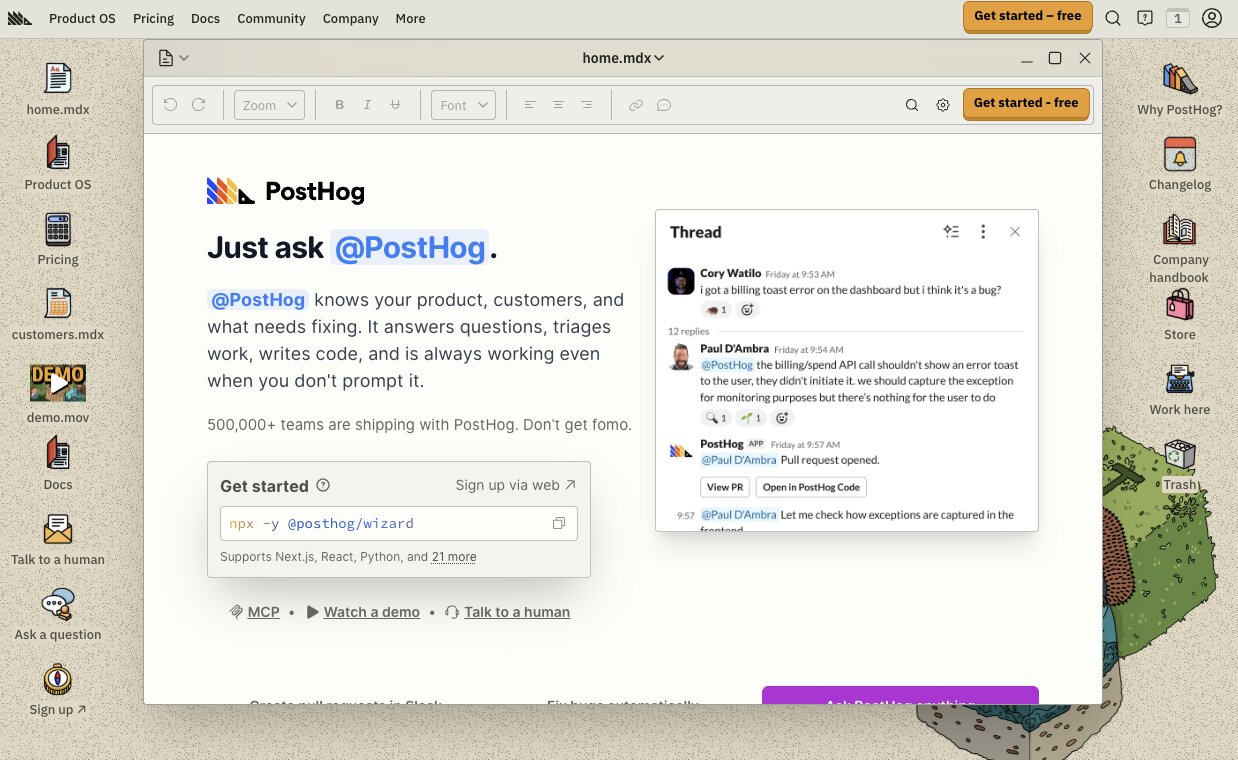
- Best for: Product teams and engineers wanting AI product and web analytics, error tracking, and user behavior tracking all in one tool
- Pricing: Free tier resets each month, then usage-based pricing kicks in; varies by event
- What I like: As a marketer, most of PostHog’s features are over my head but using the conversational AI chat still allows me to get ‘er done
PostHog is a product developer’s dream as it replaces multiple tools with one powerful platform. Track user behavior and dropoffs with replays, flag features, run A/B experiments, track errors, and of course compile your product usage and web analytics. All this and a built-in data warehouse, too.
While I’m not a developer, it’s easy to see how PostHog provides full visibility into user behavior and time savings for product teams. And, okay, I just have to say it: PostHog seems cool. Sorry, in cooler words: their one-million-events-a-month free plan is fire and their self-hosting slaps. And visually, their UI just looks cool, with plenty of authentic/sassy/friendly brand messaging sprinkled throughout.
That said, I did find the initial setup a bit overwhelming and over my head, tech wise. Even connecting to something as simple as Google Analytics looked easy at first, but proved difficult. Adding the header JavaScript seemed complicated at first, then I got an error message. I ended up using the AI chat to build a web analytics dashboard for me, which was easy to do but I was expecting basic reporting dashboards to just be there… In all, the conversational AI made it workable for me.
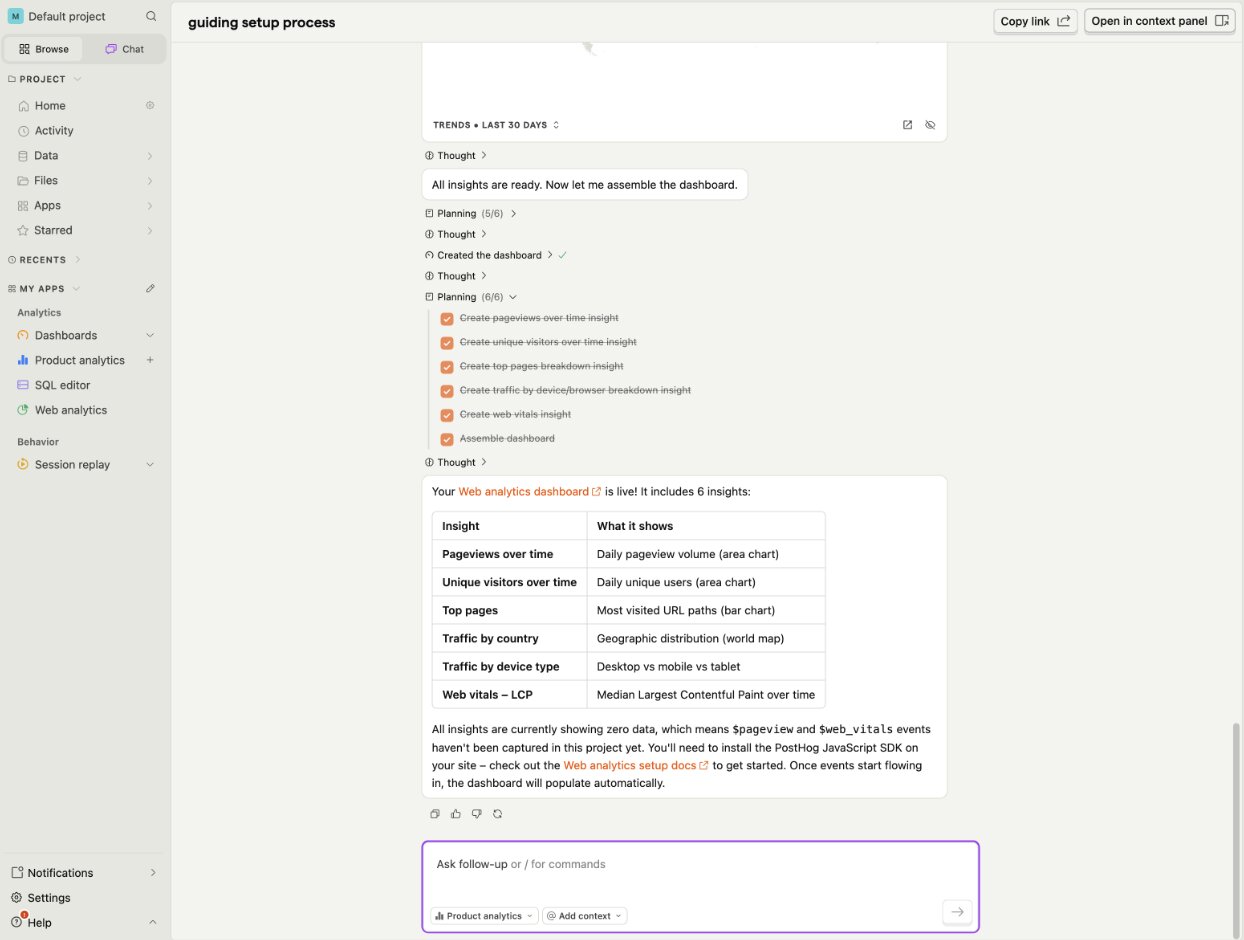
Here are some things I like about PostHog:
- The free plan allows 1 million events per month, and includes 2,000 AI credits, 5,000 replay recordings, workflows, and more. You can do a lot before ever needing to pay.
- Includes powerful product development features with PostHog Code, such as fully automated agentic AI debugging and error tracking, and new feature testing and rollouts.
- They seem nice. I know it’s not a very helpful note, but by offering refunds on some high bills caused by viral popularity spikes and explaining their ethos with refreshing authenticity, I’m picking up trustworthy vibes.
Here are some things that could improve in PostHog:
- Usage-based pricing can get expensive as you scale, but there’s a pricing calculator to help estimate your costs.
- Best value is for engineering teams and those needing PostHog’s technical chops. Marketers and non-techies will likely find a simpler reporting tool a better fit.
If you’re looking for more than an AI analytics solution, PostHog provides excellent value with its generous free plan and its additional product measurement and development capabilities.
PostHog pricing
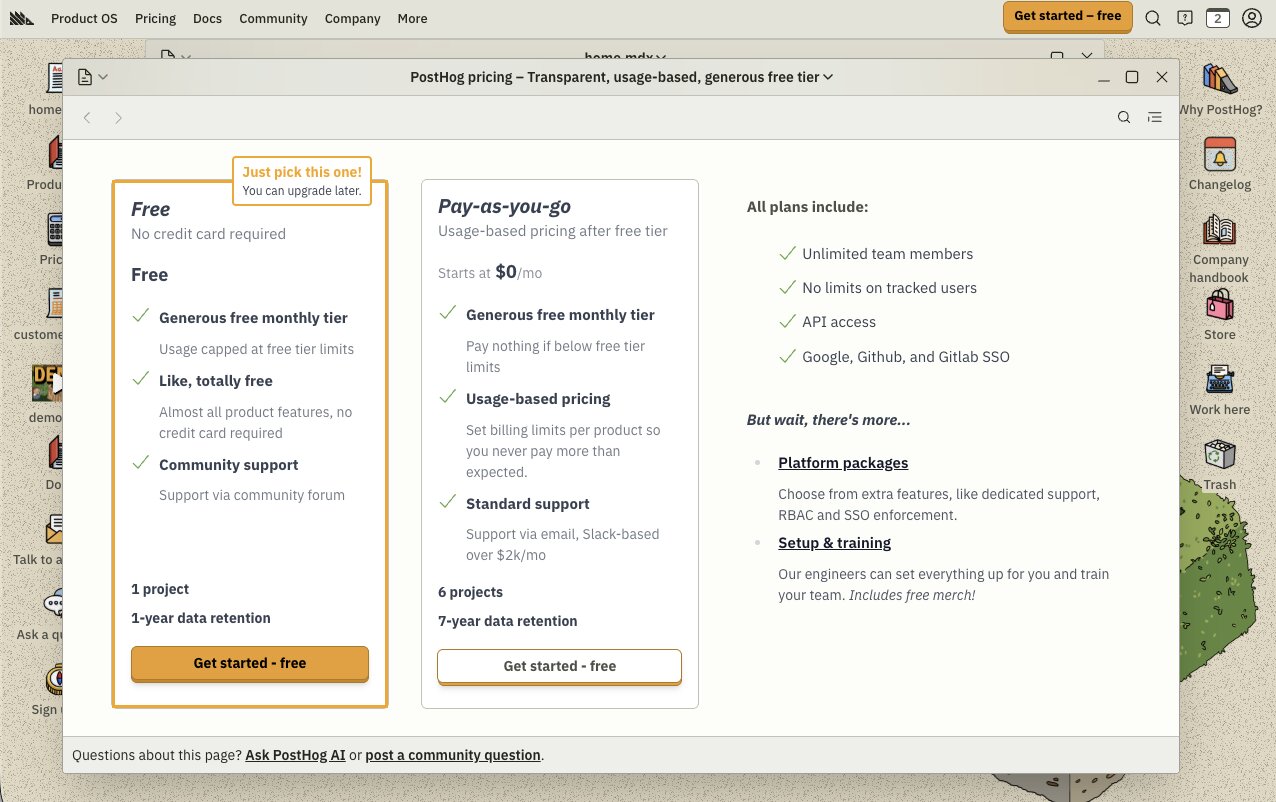
PostHog has several tiers:
- Free: Offers up to 1 million analytics events, 5,000 session recordings, 100,000 exceptions, and much more for free each month for one project
- Pay-as-you-go: After the monthly free limit is reached, pay based on usage with costs varying per feature.
Estimate your cost and learn more on their pricing page.
PostHog reviews
Here’s what customers rate PostHog on third-party review sites:
- G2: 4.5/5 star rating (from 1,052+ reviews)
- Product Hunt: 5/5 star rating (from 230+ reviews)
2. Hex
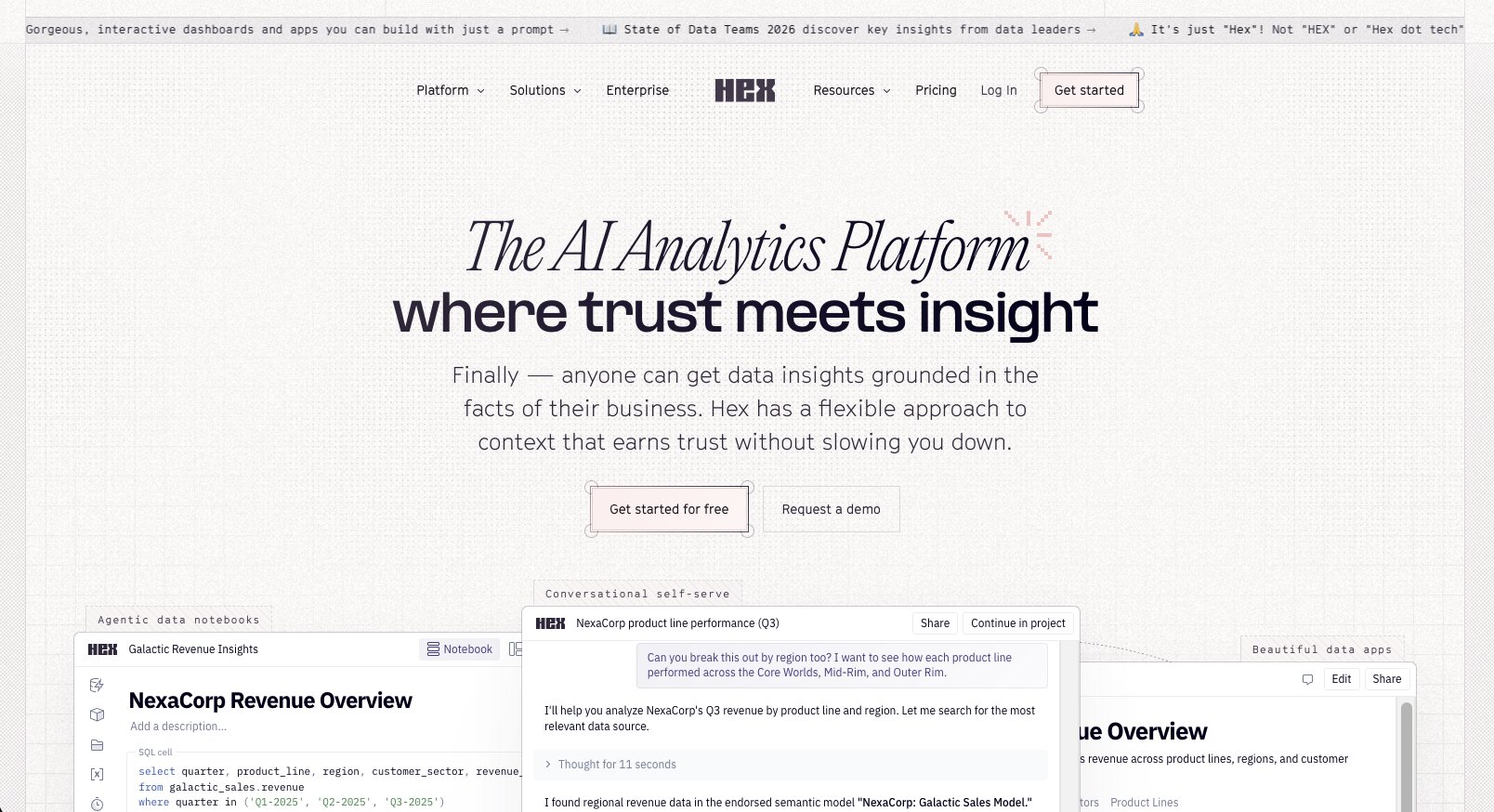
- Best for: Data and engineering teams wanting an AI notebook tool for data analysis
- Pricing: Free, then starts at $36/month
- What I like: While it requires technical expertise to set up, it’s easy for non-techies to create reports and visualizations afterwards
Hex is easy for us mere marketers to use as long as you have a data team to set up collaborative Hex workspaces and apps first. Otherwise, Hex is like reading a foreign language to non-developers. If your team doesn’t include engineers, a more natural-language based tool like Gumloop or Mixpanel is more suitable.
Plus, Hex isn’t really a product or web AI analytics tool like the others mentioned here — it’s more of a business intelligence tool that builds an app layer on top of your data warehouse. Known as an AI notebook tool, Hex is like a really smart research assistant that’s connected to all your data. Developers can create custom interactive apps that non-technical employees can use to understand business queries with natural language prompts. It can write its own queries and combines SQL, Python, and R in one workspace.
I found Hex easy to use once that app layer was in place. I was able to ask it to predict churn based on customer behavior with one prompt, and watched in awe as it queried multiple databases and listed out its thought process, ultimately displaying the answer as easily understandable charts.
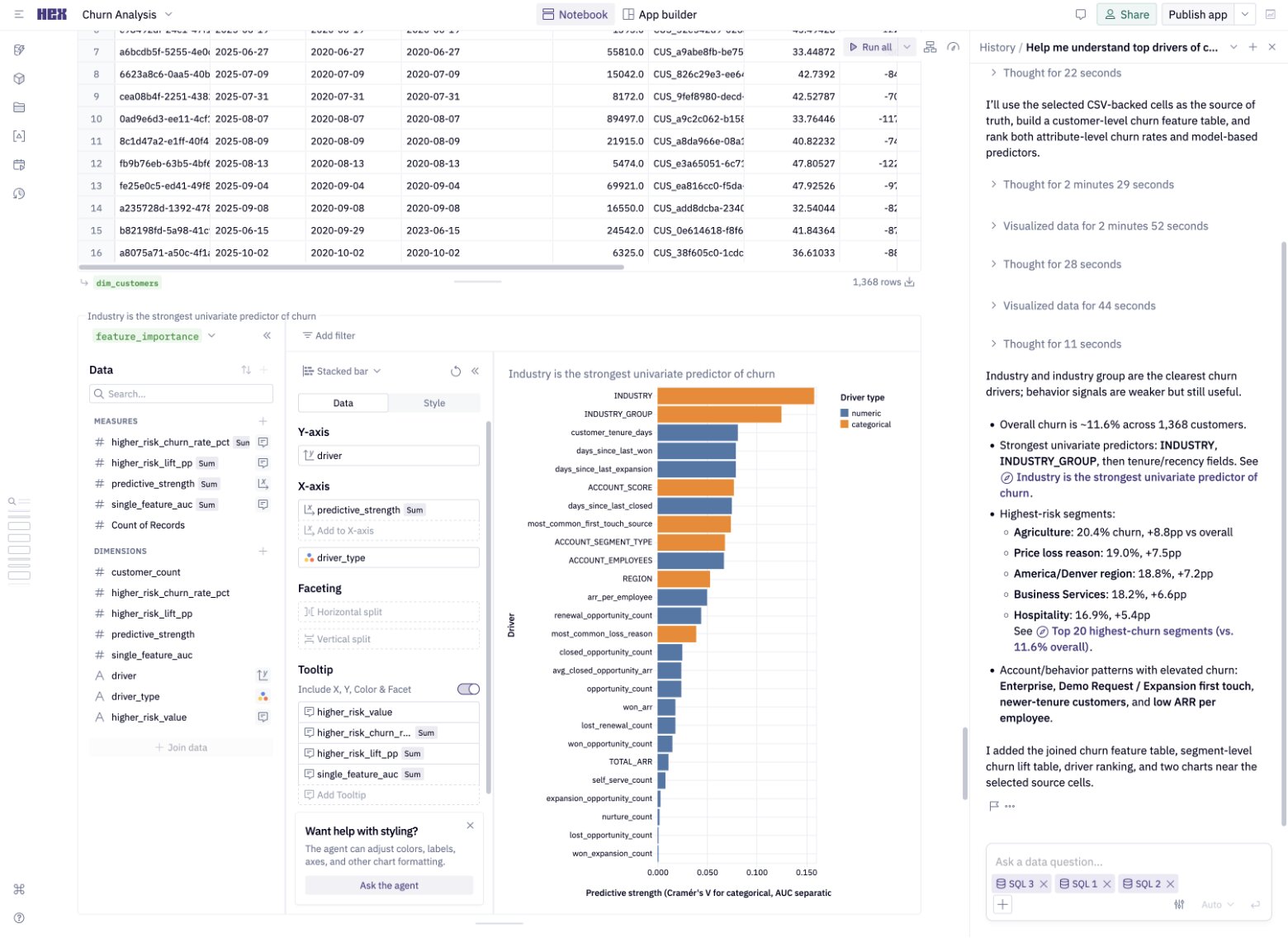
Here are some things I like about Hex:
- Directly connects to Snowflake, BigQuery, and other data warehouses so it always uses live data without the need to export anything anywhere.
- Ability to use natural language prompts to get the agentic AI notebooks to run queries, explore data, and more across SQL, Python, R, spreadsheets, and no-code all in one.
Here are some things that could improve in Hex:
- Pricing is per editor, which can add up if your entire team needs access.
- Requires an engineering team and/or technical knowledge to set up and make the best use of its advanced data analysis features.
If you’re looking for true data exploration and analysis instead of SaaS product or web analytics, Hex is a powerful AI-driven tool. Otherwise, if you're looking for something with a bit more web analytics focus it might be worth looking into an alternative.
Hex pricing
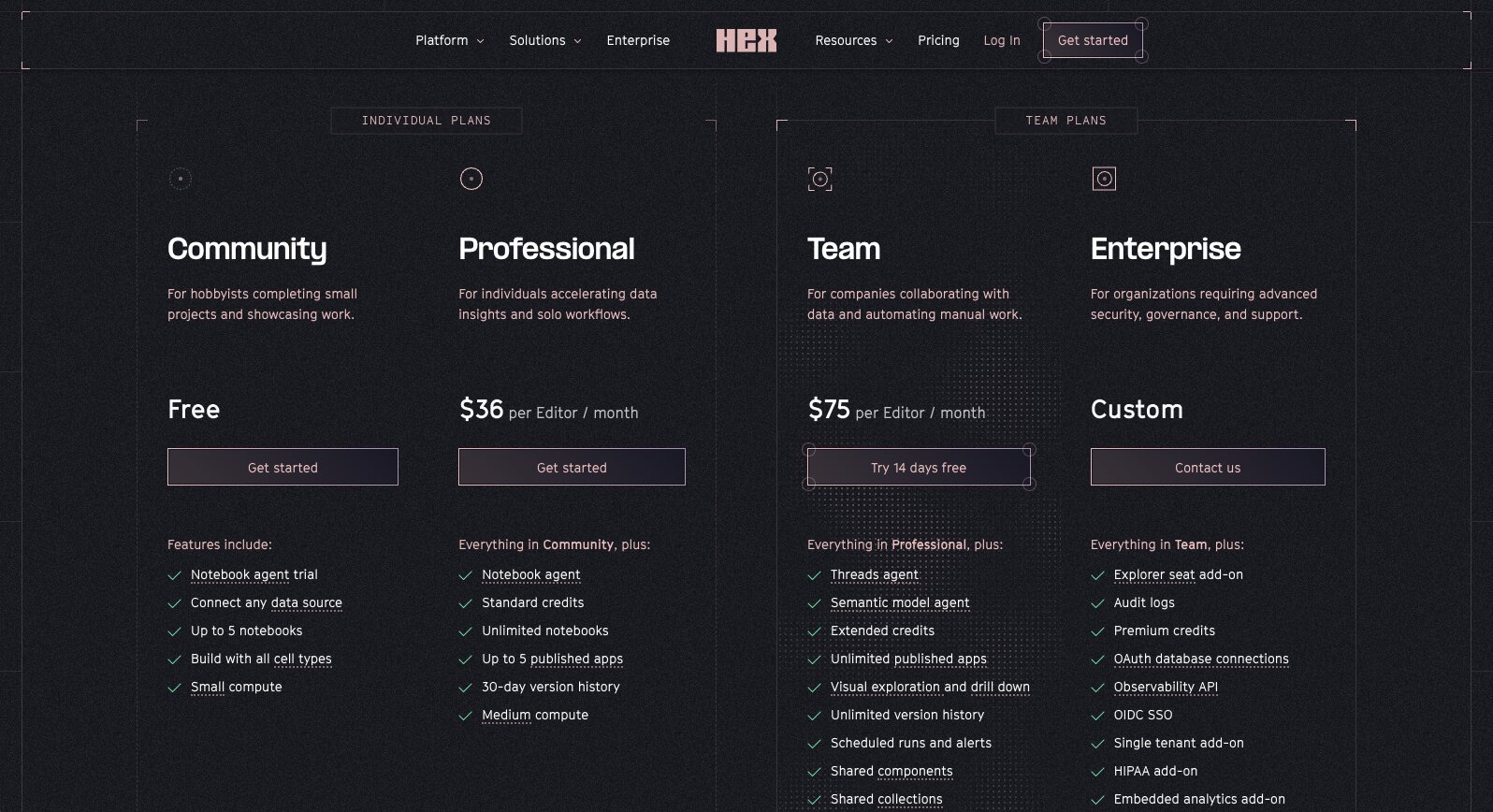
Hex has several tiers:
- Free: Up to 5 notebooks and apps, with limited credits and features.
- Professional: $36/month per editor for unlimited notebooks, up to 5 apps, and more.
- Team: $75/month per editor for advanced data exploration, unlimited apps, scheduled runs, and more.
- Enterprise: Custom pricing, and includes audit logs, HIPAA support add-on, dedicated support, and more.
Get all the details on Hex’s pricing page.
Hex reviews
Here’s what customers rate Hex on third-party review sites:
- G2: 4.5/5 star rating (from 400+ reviews)
- Product Hunt: 4.9/5 star rating (from 11+ reviews)
3. Gumloop

- Best for: Enterprise teams who want AI-native agentic data agents who can act on their findings, not just create dashboards
- Pricing: Get 5,000 monthly credits free; starts at $37/month
- What I like: It’s not for navel-gazing. Data becomes instantly useful with automated actions, datasets, and workflows to speed up growth.
Gumloop is an AI agent and automation platform for enterprise teams that goes far beyond analytics. Leading companies like Shopify, Instacart, and Gusto use Gumloop AI agents across marketing, sales, finance, customer service, HR, and more to collaboratively improve performance every day — all while their AI agents learn and become better with every use, too.
When it comes to analytics, Gumloop data agents sit on top of your data warehouse and make it easy to understand the 10,000ft view or the deep dive into a metric. Answering deep questions like, “What patterns are emerging across paid users?” is as easy as typing that exact question into Slack (or Gumloop on the web) and your Gumloop AI analytics agent instantly answers, whether it’s an infographic request in plain language, or a detailed SQL probe. Literally anyone can use Gumloop AI agents to get the answers they need without waiting on a data team or upcoming report.
Plus, you can customize your data agent by teaching it skills in everything from how your organization formats its reports and data, to custom KPI definitions, instructions for optimizing SQL, and much more. Teach once, reap the productivity savings forever.
Since Gumloop is an AI-native platform, it's more useful than just answering one-off questions. Ask it to break down your funnel by acquisition once, then turn that into a weekly automated workflow complete with a report delivered via Slack and a marketing brief for new content informed by that week’s data and your overall goals.
The best part: Gumloop always rebuilds against new warehouse data for each question, so answers and actions taken are always current.
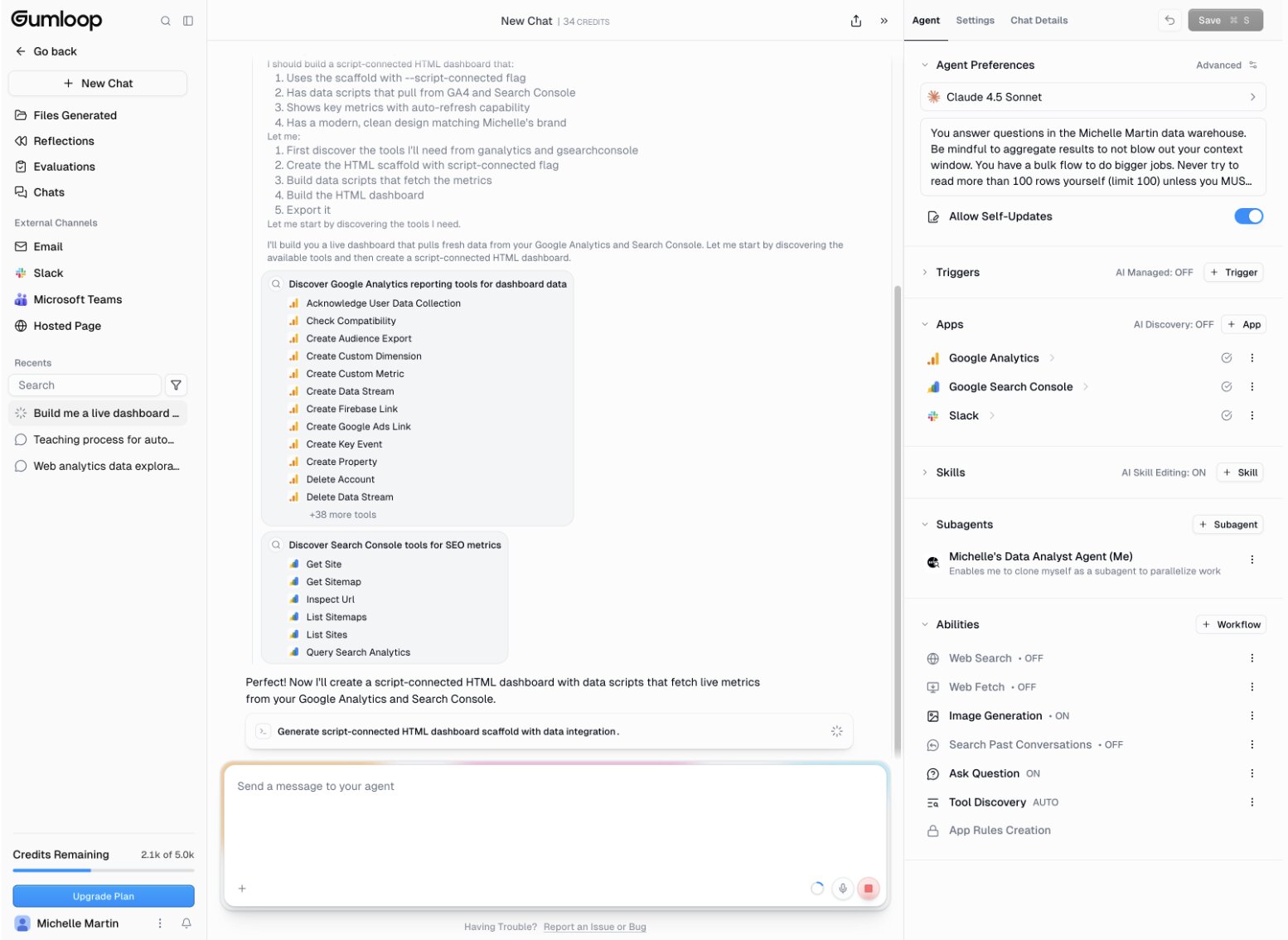
Here are some things I like about Gumloop:
- Set up is super easy with one-click, drag-and-drop AI data analyst agent templates. Just add your data sources — BigQuery, Snowflake, Google Sheets, Airtable, and many more — and Gumloop can answer business questions in simple natural-language prompts.
- Gumloop data agents are approachable to setup and use for AI beginners but still powerful for AI experts, making it ideal for wide use across organizations.
- Includes multiple built-in AI models — Claude, Gemini, ChatGPT, and more — and the ability to switch models anytime within agents.
Here are some things that could improve in Gumloop:
- Credit-based pricing can be difficult to budget if you’re not sure on your average usage. (But BYOK support saves you 50% more credits!)
Dashboards of data are nice… until you want to actually fix a funnel problem, improve customer experiences, or take any action on what you just learned. Gumloop solves that by providing everything teams need to both understand their data AND act on it, right away with one tool.
Gumloop pricing

Gumloop has several tiers:
- Free: Start with 5,000 free monthly credits for one user with two concurrent runs, unlimited Agents, and more.
- Pro: Starts at 20,000 credits for $37/month and comes with unlimited users, Agents, teams, five concurrent runs, and more. Monthly plans with higher credits available too.
Plans with higher credit limits are also available. Get all the details on our pricing page.
Gumloop reviews
Here’s what Gumloop customers have to say:
- “The [Gumloop] partnership review agent cuts prep time from 30–45 minutes per customer to under five minutes, and it results in a 31% higher win rate and 44% larger deals." — Head of Insights and Operations at Gusto
- “We ran this Gumloop flow more than 2,000 times and saved 5,000 hours of manual work.” — Bohdan Kalymon, Customer Success Operations, AiSDR
And here’s what customers rate Gumloop on third-party review sites:
- G2: 4.8/5 star rating (from 8+ reviews)
- Product Hunt: 5/5 star rating (from 9+ reviews)
4. Julius AI
- Best for: Non-engineers (marketers, C-suite, HR, etc) and analysts who value fast and easy conversational analysis
- Pricing: Free plan available, starts at $16/month
- What I like: Familiar AI-powered chat interface is immediately usable for non-technical employees
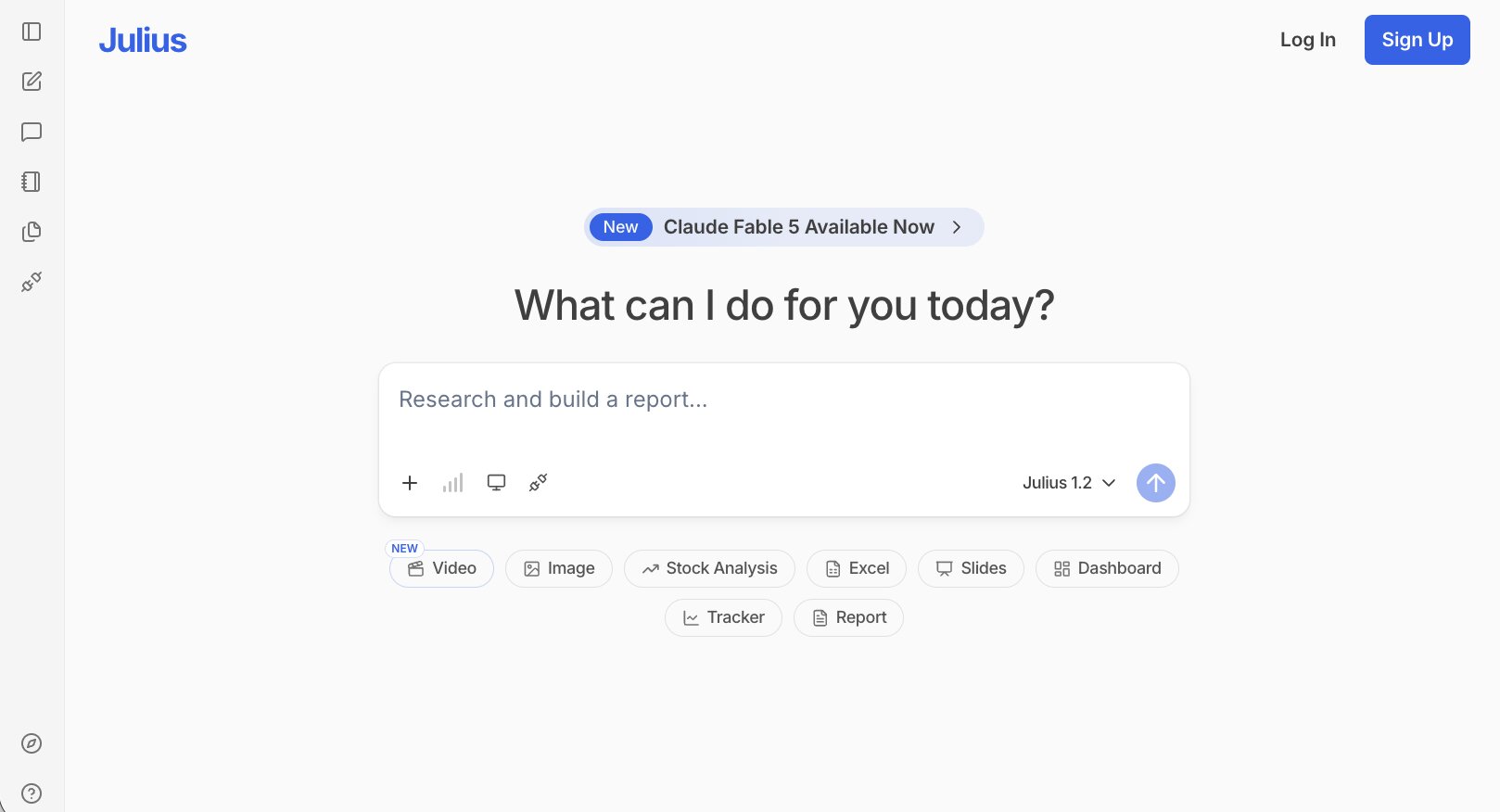
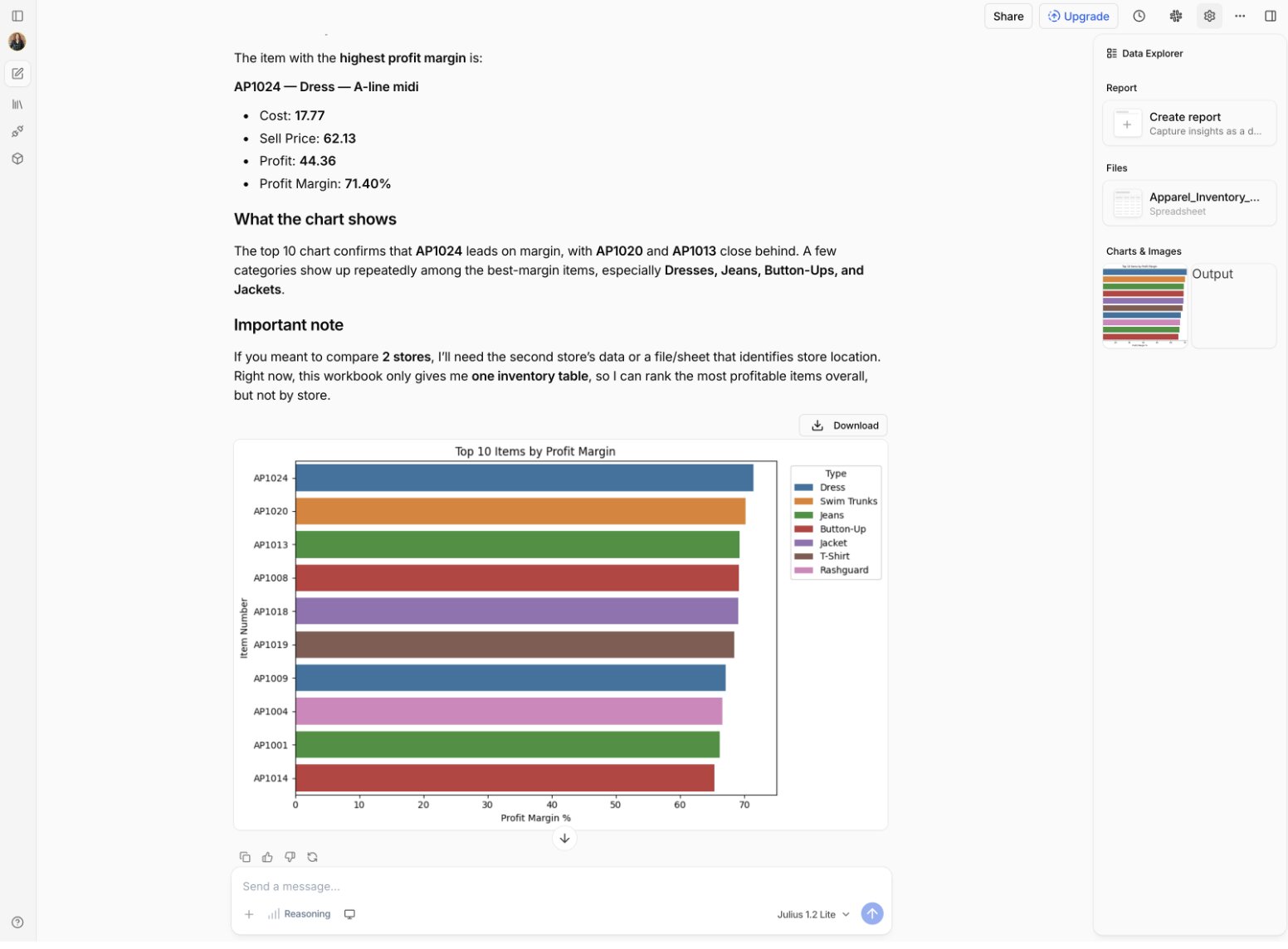
Think of Julius AI as your data analyst bestie. Upload your data as a spreadsheet or connect your data warehouse, ask a question in plain language, and Julius answers in equally plain language. Julius answers include charts, statistics, and the ability to run Python or SQL code queries, all wrapped in a ChatGPT-style conversational UI that is approachable for both technical and non-technical users.
Typical use cases of Julius AI for non-technical users could be analyzing the performance of a marketing campaign, generating a business report, or asking Julius to predict sales or find trends in your data. Engineers can push Julius further by auditing user behavior to improve product development and A/B test new features.
Julius AI made quick work of any test task I tried, including analyzing profit margin or sales trends in large databases in seconds.
Here are some things I like about Julius AI:
- It’s so easy to use. Anyone who’s ever interacted with an AI platform like ChatGPT or Claude can start analyzing data right away.
- Non-technical users get conversational data analysis, but Julius can audit code and has a “code mode” for advanced users too.
- Supports Python, R, and SQL languages for data analysis. Julius is also able to intelligently auto-map inconsistently formatted data without manual input.
- Natively connects with Snowflake, BigQuery, MySQL, PostgreSQL, SQL Server and offers integrations for many other leading data sources.
Here are some things that could improve in Julius AI:
- The free plan is quite limited, not allowing multiple files or connections within one chat. While not an issue for paid plans, this limits your ability to evaluate if Julius AI is a good fit for you before buying.
If you can stay within Julius’ credit limits, or need the harder-to-find R support, Julius AI is a great data analysis option.
Julius AI pricing
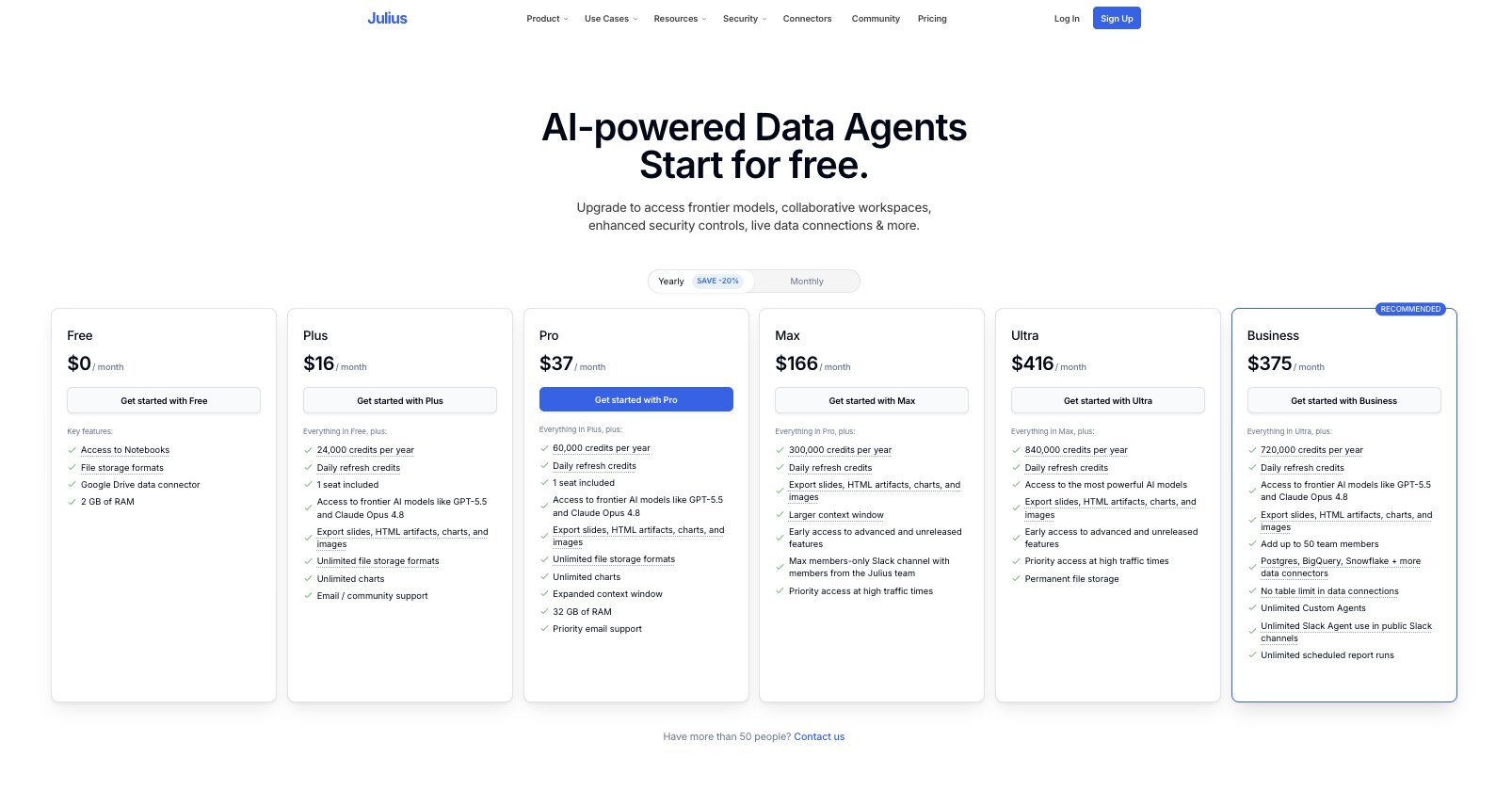
Julius AI has several tiers:
- Free: Limited free plan available with Google Drive data.
- Plus: $16/month for 24,000 annual credits and unlimited data formats.
- Pro: $37/month for 60,000 annual credits, more context space, and more RAM.
- Max: $166/month for 300,000 annual credits, priority support, and early access to new features.
- Business: $375/month for 720,000 annual credits, up to 50 users, data warehouse connectors, unlimited Agents, and more.
- Ultra: $416/month for 840,000 annual credits, access to top AI models, permanent storage, and more.
Compare all the options on Julius’ pricing page.
Julius AI reviews
Here’s what customers rate Julius AI on third-party review sites:
- G2: 4.5/5 star rating (from 4 reviews)
5. Roadway AI
- Best for: Growth marketing teams wanting to maximize ad and campaign performance
- Pricing: Contact for pricing
- What I like: Specialization in ad campaign optimization for targeted results
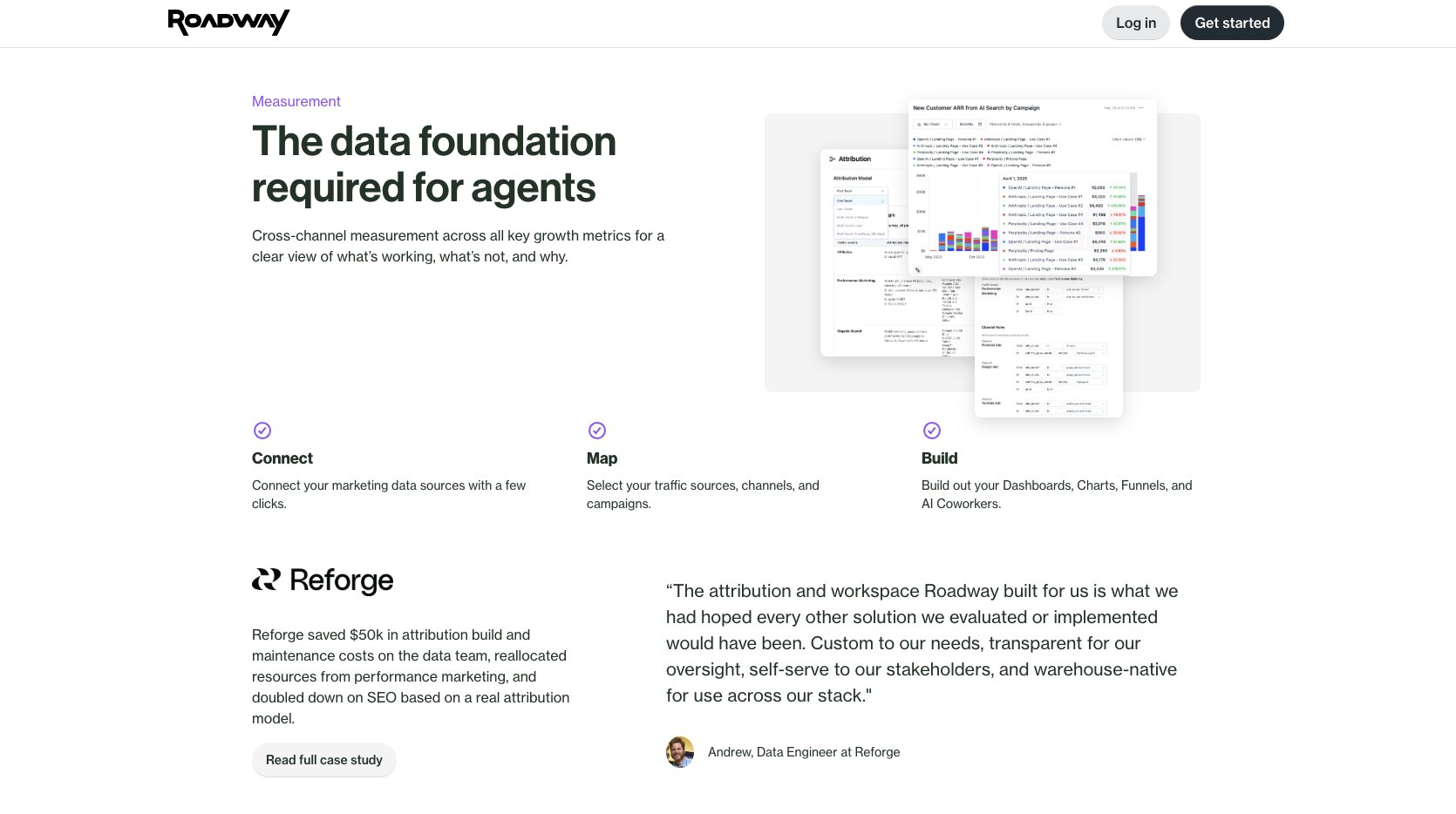
Roadway is different from the other tools on this list because it’s an AI analytics platform specifically for ad campaigns and measuring attribution. It’s not for auditing code or providing business-level insights. But if you want the absolute deepest analytics possible for mapping ad spend to actual revenue, Roadway is for you.
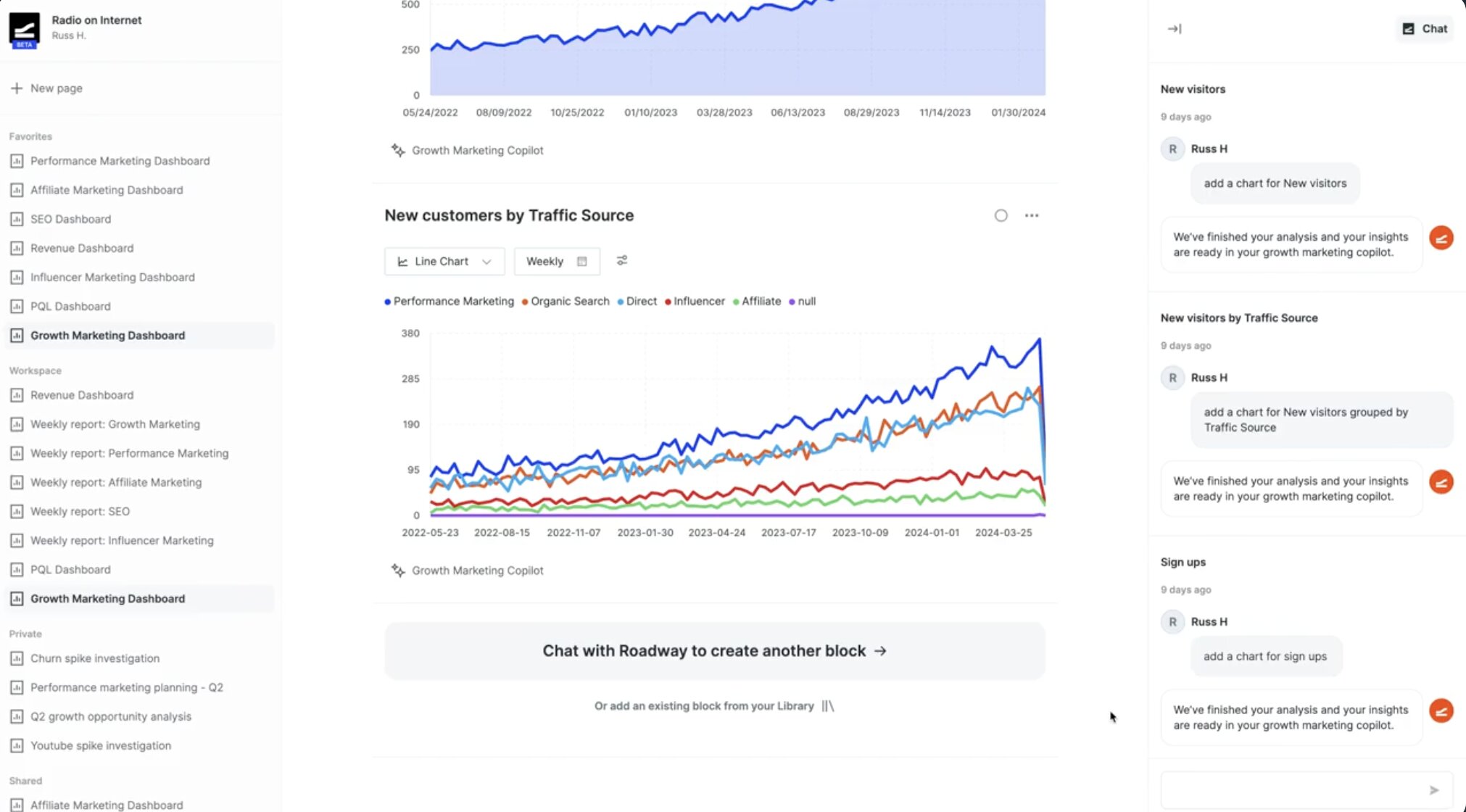
My favorite part of Roadway isn’t its campaign analysis, though. It’s Roadway’s AI growth marketing agents that use your data to autonomously optimize, monitor, and take action on your campaigns in real-time. Agents can create full Meta and Google ad campaigns, find funnel fall-off points and suggest fixes, actively grow your AI SEO/AEO results, and much more — all from simple natural-language prompts.
Here are some things I like about Roadway AI:
- Combines traditional ad campaign attribution with detailed AI-powered search and ad attribution. Many other tools lack deep AI ad attribution skills, plus it’s excellent value having all your campaign performance data within one unified AI analytics tool.
- Built for marketers, by marketers. Roadway was founded by ex-Notion and Webflow marketers who understand exactly where other tools fall short for campaign measurement, and built the tool they wish they had.
Here are some things that could improve in Roadway AI:
- Would be nice to have this level of attribution reporting and all the other data analysis businesses need in one AI analytics tool.
If you really want to hone your ads strategy and results, Roadway is worth a try. Just don’t expect it to replace your entire analytics stack.
Roadway AI pricing
Roadway doesn’t list its pricing publicly or during trial. Contact their sales team for a quote.
Roadway AI reviews
Here’s what customers rate Roadway on third-party review sites:
- Product Hunt: 5/5 star rating (from 1 review)
6. Databricks
- Best for: Enterprise organizations with large-scale data teams who need advanced infrastructure and analysis
- Pricing: Usage-based
- What I like: The Genie AI layer for immediate, self-serve answers and insights for non-technical employees
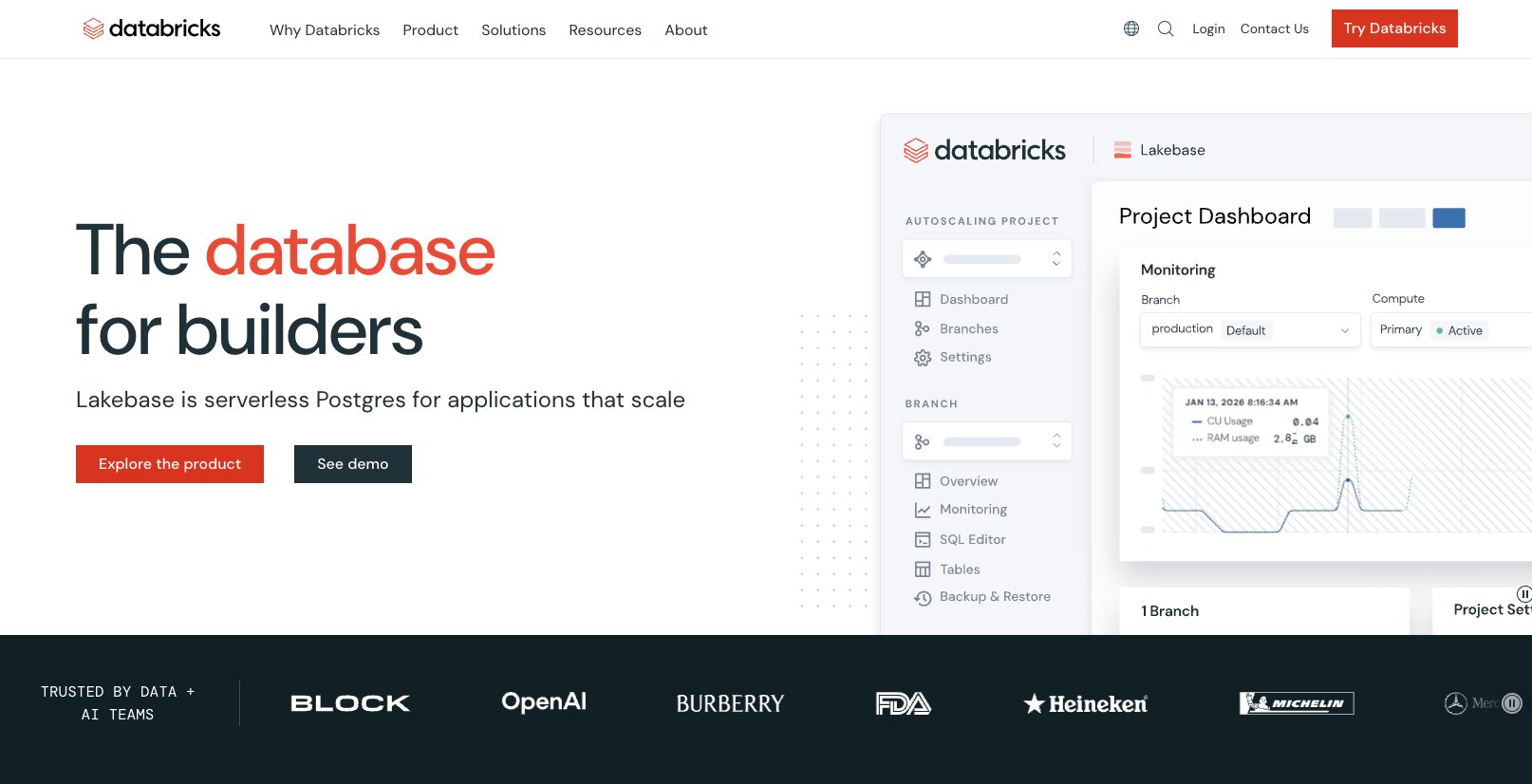
Databricks is built around a lakehouse architecture: a serverless modern alternative to traditional data warehouses that combines cloud data storage, ACID transactions, and is optimized for use by both business intelligence and AI tools. Basically, it’s one un-siloed, high-performance place for all your data with centralized governance, security, schemas, and more. It’s giving Big Data Energy.
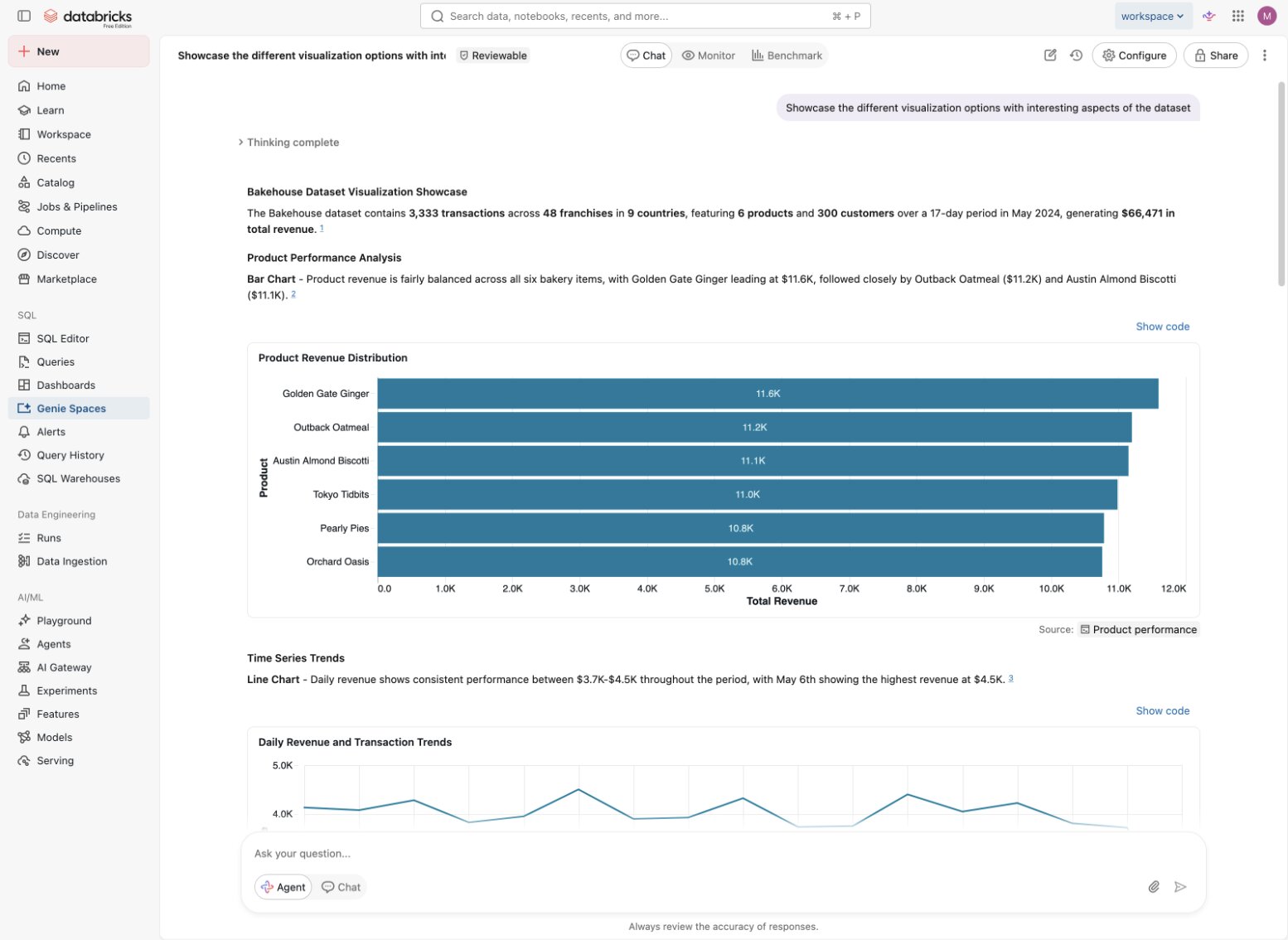
But the reason I’m featuring it here as an AI analytics tool is because of its Genie layer. Genie makes it easy for non-technical employees to analyze huge quantities of large-scale datasets with conversational AI prompts, all with the same built-in security and governance.
I was able to instantly generate report-ready charts and stats with one prompt inside a Genie chat. Pretty much everything else in Databricks is overwhelming to me, but this was as easy as using ChatGPT — except with way more computing power.
Here are some things I like about Databricks:
- No need to integrate different systems. You can run analytics, machine learning, and AI together with unified storage, computing, and governance.
- Uses open formats for data storage so you’re never locked in to specific vendors.
- Offers “pay-as-you-go” plans as well as contracts, which offer discounts if you commit to specific usage levels. If you know your usage requirements ahead of time, this is often more economical than pay-as-you-go.
Here are some things that could improve in Databricks:
- Databricks is meant for technical teams, so this may not be a fair criticism but even the navigation is a bit overwhelming for a non-techy like me. I’d like the ability to customize my UI to hide the sections I wouldn’t use.
Databricks isn’t for everyone. But if you need a highly sophisticated, unified system for data and machine learning (and have the technical team to support it), Databricks sets the standard in governed, serverless architecture.
Databricks pricing
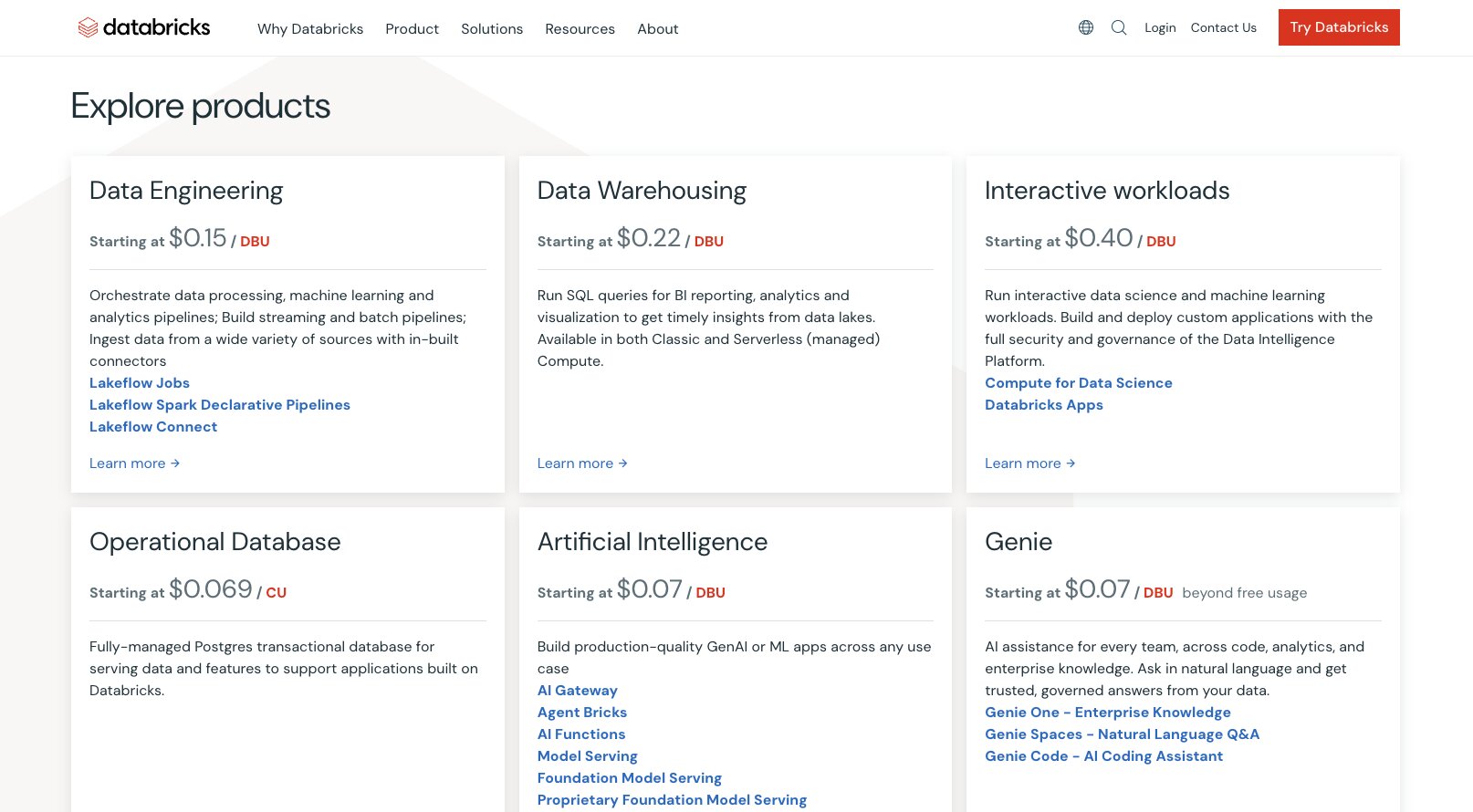
Databricks runs on entirely usage-based pricing. Get all the details on their pricing page.
Databricks reviews
Here’s what customers rate Databricks on third-party review sites:
- G2: 4.6/5 star rating (from 1,335+ reviews)
- Product Hunt: 5/5 star rating (from 5+ reviews)
7. Mixpanel
- Best for: SaaS growth teams needing advanced user behavior analytics with easy to use reporting
- Pricing: Free up to one million events, then moves to usage-based (+free first year for startups)
- What I like: The session replays are especially useful for pinpointing customer issues; the AI summaries speed up reviewing insights
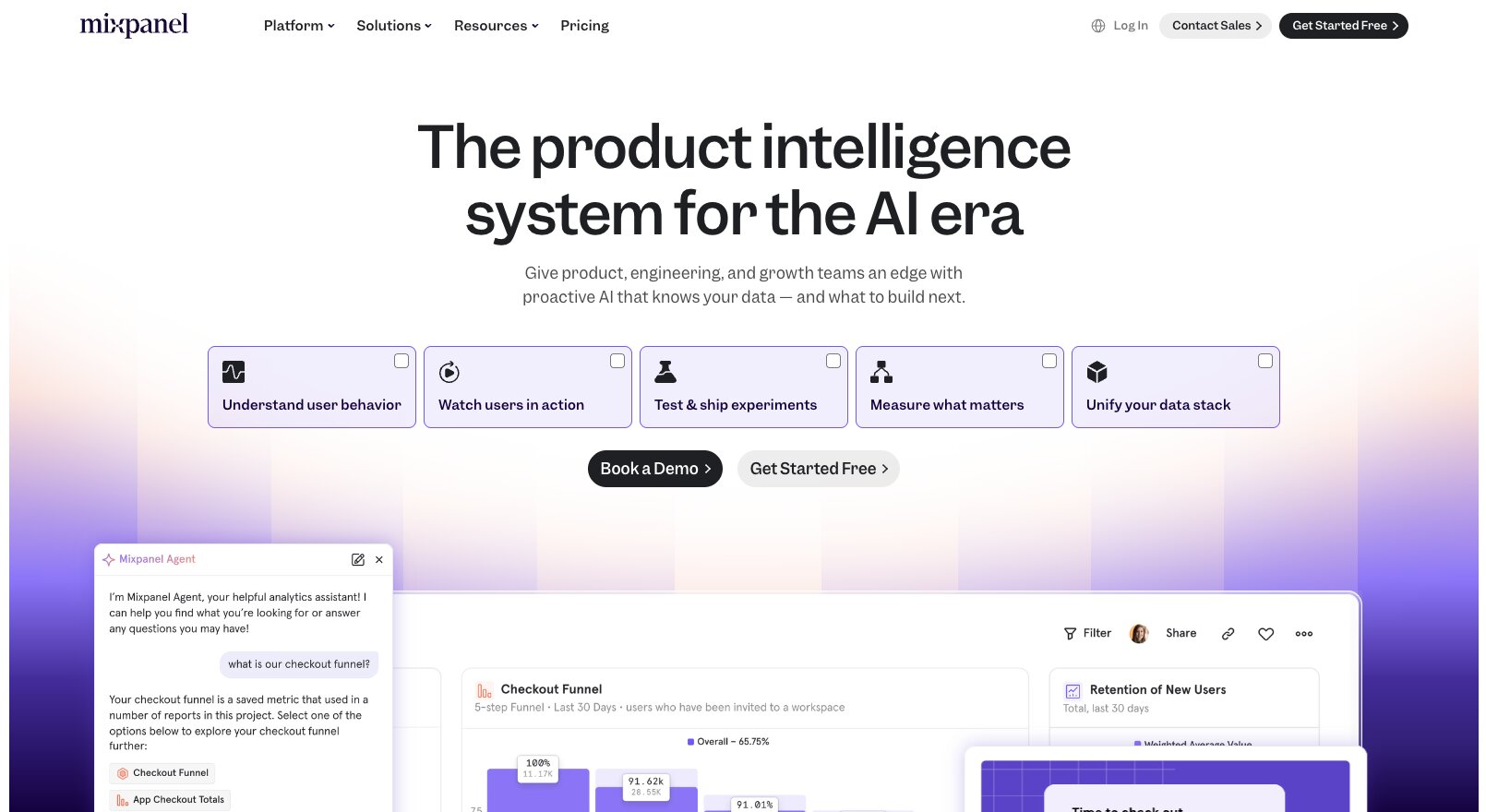
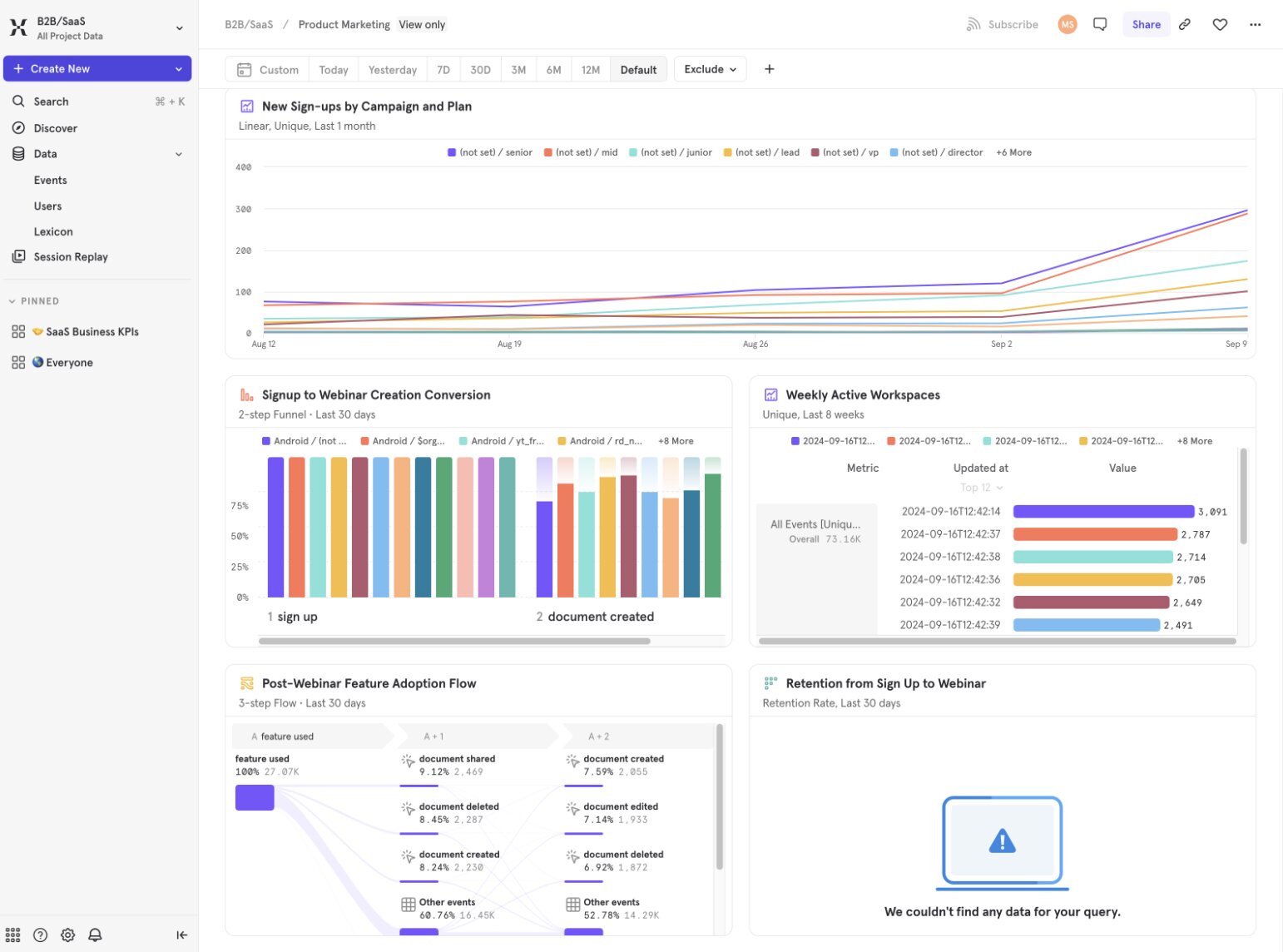
Mixpanel is a well-known AI analytics platform for mapping user behavior across products and the web. It’s also known for being easy for stakeholders and non-technical users to analyze datasets and create reports.
Like other AI-native platforms in this list, Mixpanel offers a chat interface to ask queries in natural language. But it does more than spit out text-based answers. Create stakeholder-ready, well-designed dashboards and reports, complete with graphs and accurate, real-time data — all from a prompt.
Personally, I love Mixpanel’s emphasis on easy-to-use plain language for us non-techy folks — either directly within Mixpanel or via their MCP server to connect with ChatGPT, Claude, and other AI tools.
I can ask Mixpanel to replay user sessions that included a checkout page error and see exactly what happened and why I lost a sale. (Or use Mixpanel’s AI summaries to sum it up for me.) I can ask it to identify users who have logged in during the past week and used two specific features, and boom, Mixpanel slices off a cohort ready for me to study in depth.
It’s easy to navigate and dive as deep into your data as you want.
Here are some things I like about Mixpanel:
- Use AI to streamline the onboarding process, not just the platform’s features? Genius. Mixpanel reads your data upon signup and creates its own measurement plan, complete with specific metrics to track. You can always change it, but this lets you get started with Mixpanel right away.
- Upcoming Mixpanel Headless Python SDK will allow developers to create autonomous AI agents to analyze code and uncover errors automatically.
- Offers two-way sync to Snowflake, BigQuery, Databricks, and other data warehouses.
Here are some things that could improve in Mixpanel:
- Mixpanel offers a generous free plan which includes up to one million events (similar to PostHog), but key features such as experiments, feature flags, and advanced user behavior analytics aren’t included in the paid Growth plan. The only way to get these is with a custom-quoted Enterprise plan — and many are still add-on expenses even to their highest plan.
Mixpanel offers the keen product insights SaaS teams want, including in my opinion best-in-class funnel analytics, in an easy to use platform.
Mixpanel pricing
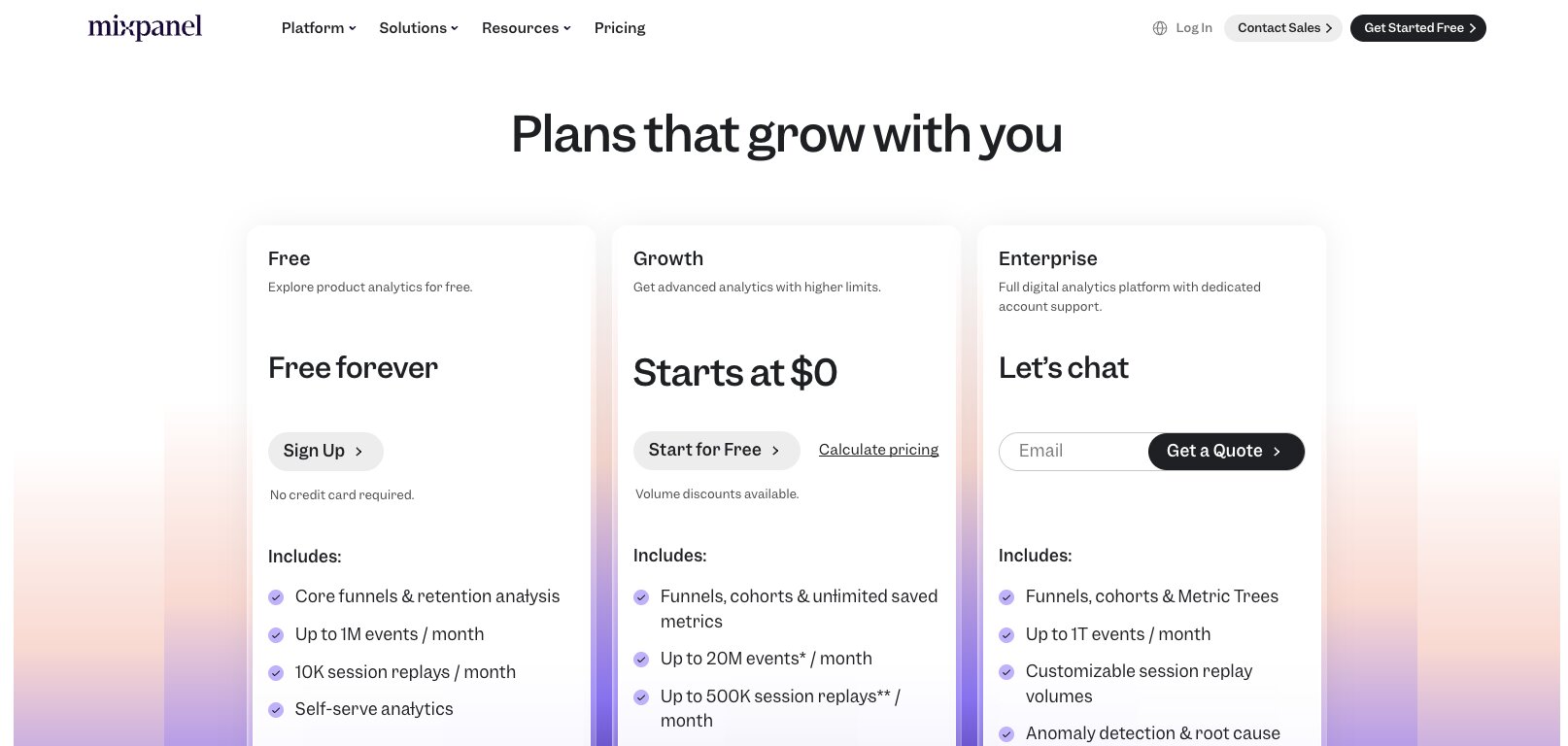
Mixpanel has several tiers:
- Free: Up to one million events, five reports, and 10,000 monthly session replays.
- Growth: Up to one million events free, then pay $0.28 per 1,000 additional events, plus 20,000 session replays, user cohorts, and more.
- Enterprise: Custom quote for unlimited monthly events, advanced analytics, and governance.
Interestingly, Mixpanel also offers a free first year for select startups.
Estimate your usage-based costs here on their pricing page.
Mixpanel reviews
Here’s what customers rate Mixpanel on third-party review sites:
- G2: 4.5/5 star rating (from 1,368+ reviews)
- Product Hunt: 4.9/5 star rating (from 88+ reviews)
8. Amplitude
- Best for: Growth teams wanting product and web analytics reporting, with the ability to run experiments
- Pricing: Free up to two million events, then starts at $49/month
- What I like: Very easy to set up and use advanced features as a non-technical user
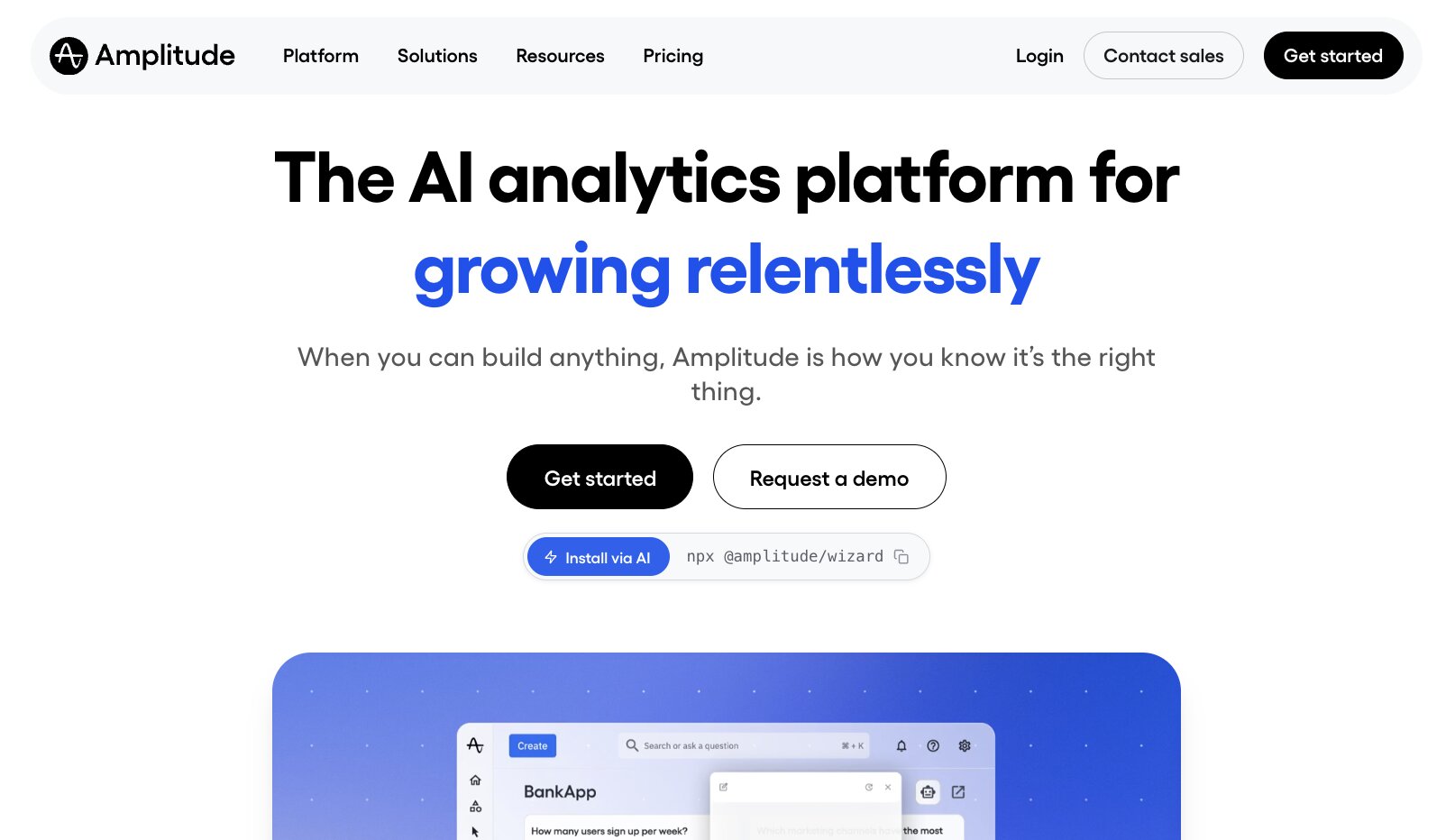
Amplitude is another well-known user behavior AI analytics tool for mapping customer journeys, especially for segmenting customer cohorts by behavior. Amplitude has everything you need for measuring analytics across your product, web, ad, and other channels: heatmaps, session replays, AI-powered insights, enterprise-grade privacy and governance, data warehouse and source integrations, and more.
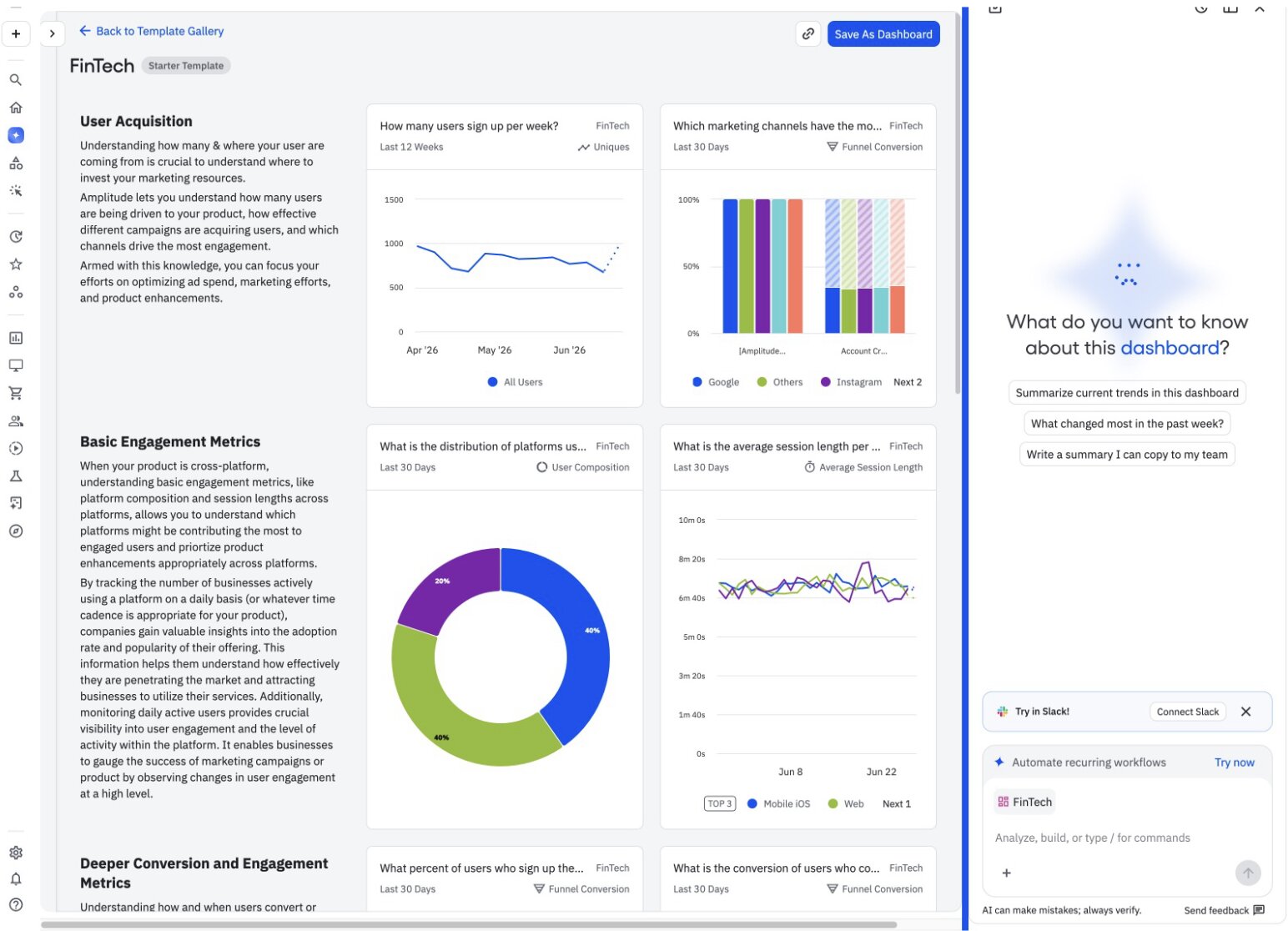
The clean UI makes it easy for non-techies and C-suite stakeholders to generate reports, dive deep into funnel visualizations, and find opportunities without needing help from data scientists.
Here are some things I like about Amplitude:
- The modern, clean UI is uncluttered and easy to use right away to create custom dashboards that can be shared across teams, drill into KPIs, and visualize data.
- Excels at funnel optimization and behavioral cohort analysis, though the latter is only available on the Plus or higher plans.
- Includes experiments, surveys, feature flags, and other features not included in standard Mixpanel plans.
- Most generous free plan of any AI analytics tool on this list: up to two million events and 10,000 MTUs totally free.
Here are some things that could improve in Amplitude:
- While Amplitude’s dashboards are easy to navigate, this is a powerful suite of tools and the learning curve to accurately capture and track events can be steep.
Amplitude provides a great mix of advanced behavioral tracking to understand your users and ease of use for non-technical users.
Amplitude pricing
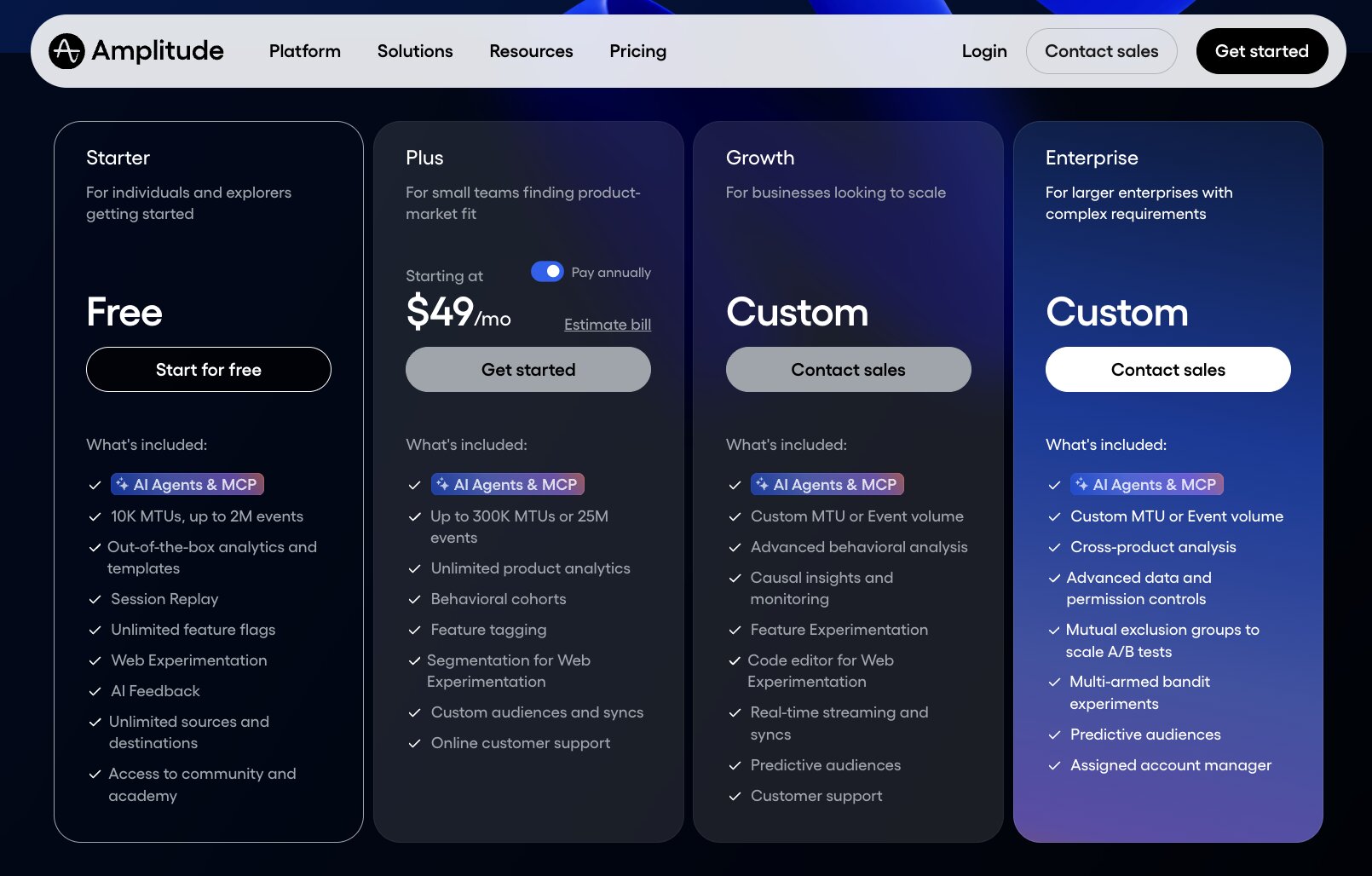
Amplitude has several tiers:
- Free: Allows up to 10,000 MTUs and two million events, session replays, unlimited feature flags, and more.
- Plus: $49/month for up to 300,000 MTUs or 25 million events, unlimited product analytics, behavioral cohorts, and more.
- Growth: Custom pricing based on MTU and/or event volumes. Includes advanced behavioral analytics, experiments, and more.
- Enterprise: Also custom quoted, and includes cross-product analytics, advanced permissions, and a dedicated account manager.
Estimate your usage-based costs for the Plus plan, and get details on the others, on their pricing page.
Amplitude reviews
Here’s what customers rate Amplitude on third-party review sites:
- G2: 4.5/5 star rating (from 3,781+ reviews)
- Product Hunt: 4.9/5 star rating (from 47+ reviews)
9. Userpilot
- Best for: Product marketing teams wanting to grow user adoption and optimize onboarding
- Pricing: Starts at $299/month, billed annually
- What I like: Easy report creation lets growth marketers move fast with data-informed decisions
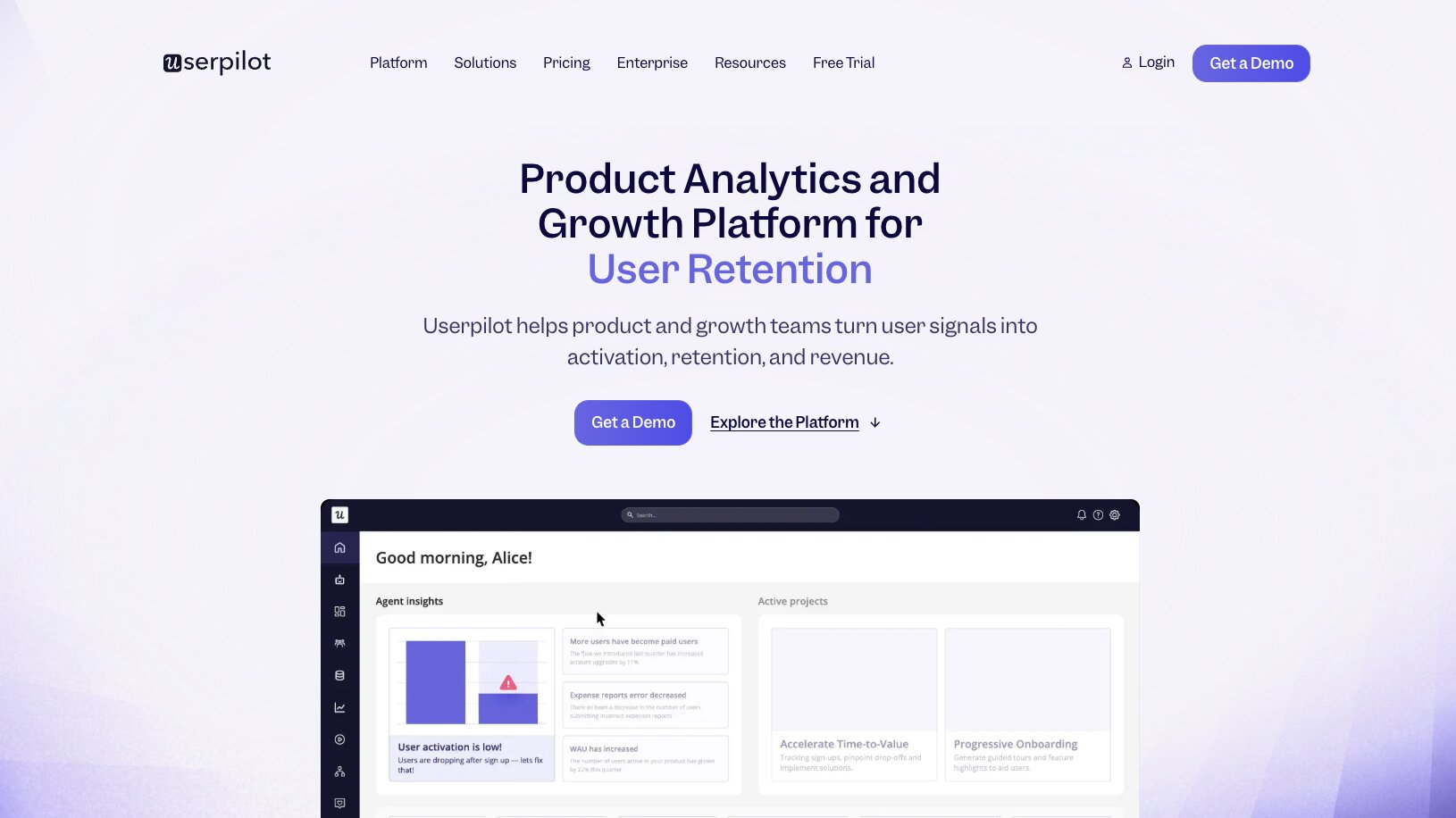
Userpilot is all about speed — no-code set up, pushing changes via SDK, and easy iterative measurements. It’s also a bit different from other AI analytics tools on this list because it doesn’t only measure in-app usage and user behavior in your product, it also allows you to design, ship, and measure the effectiveness of custom onboarding flows in one tool.
Successfully onboarding users is crucial to retention. According to Gartner, 39% of business users regretted a software purchase because of difficult onboarding. Userpilot lets you personalize onboarding flows by role, language, specific user behaviors, and other data points.
You don’t need any other tools: create in-app carousels and messaging right inside Userpilot and ship changes instantly. Then, measure the impact with simple and accurate funnel tracking from free trial to paid conversion, catching any issues in between.
Here are some things I like about Userpilot:
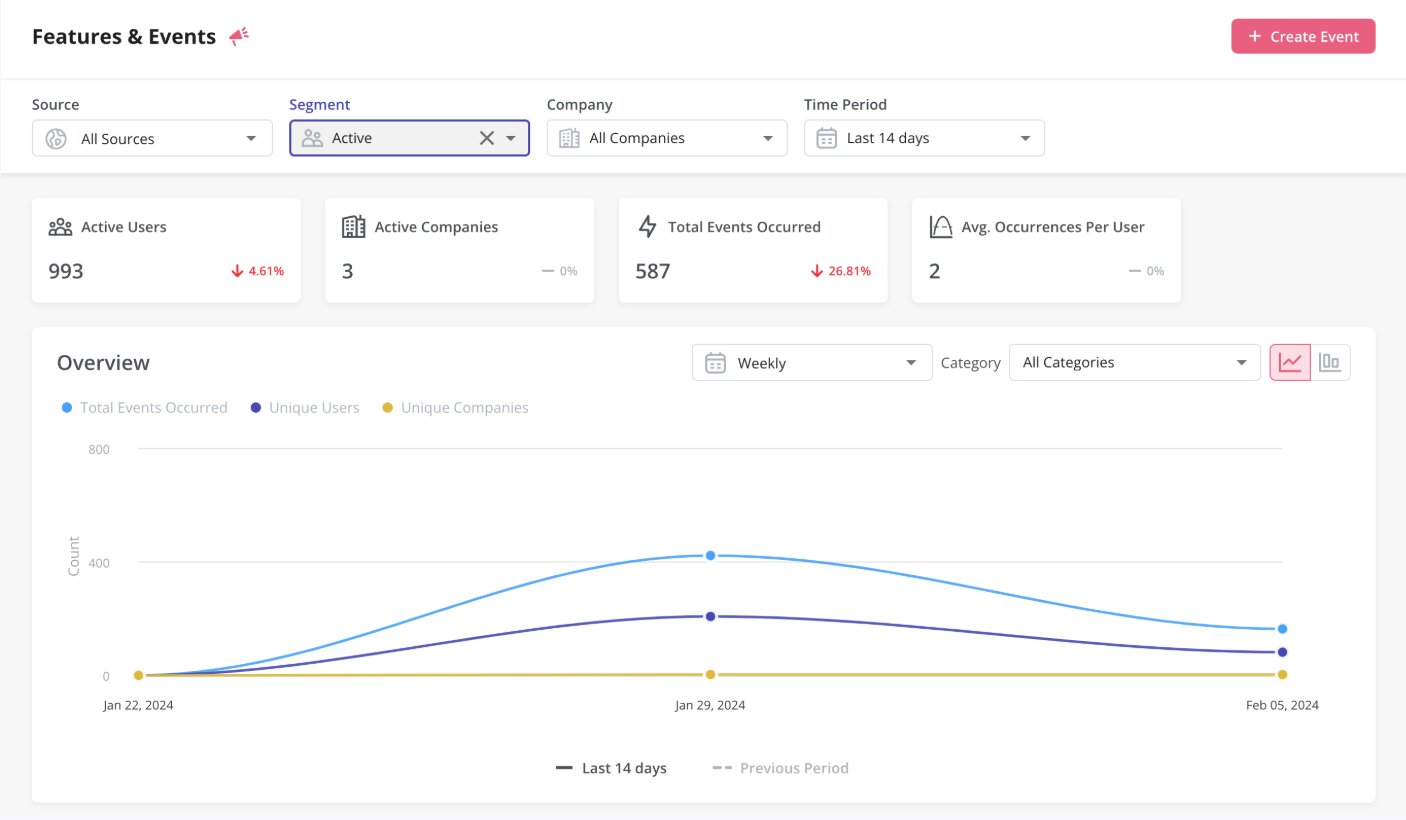
- Offers a great suite of growth-focused tools in one app, allowing non-technical users and marketers to experiment with onboarding and product features and get real-time feedback.
- Advanced predictive features like Cohort Analysis can point out users at risk of churning based on behavior patterns, and allow you to A/B test different interventions to boost retention.
Here are some things that could improve in Userpilot:
- The free trial only offers a very basic set of analysis tools. It would be nice to try out the full functionality of Userpilot before committing, especially as paid plans are only billed annually.
If you’re looking for one tool to track user behavior and optimize onboarding in your SaaS product, Userpilot is an effective — though not inexpensive — option.
Userpilot pricing
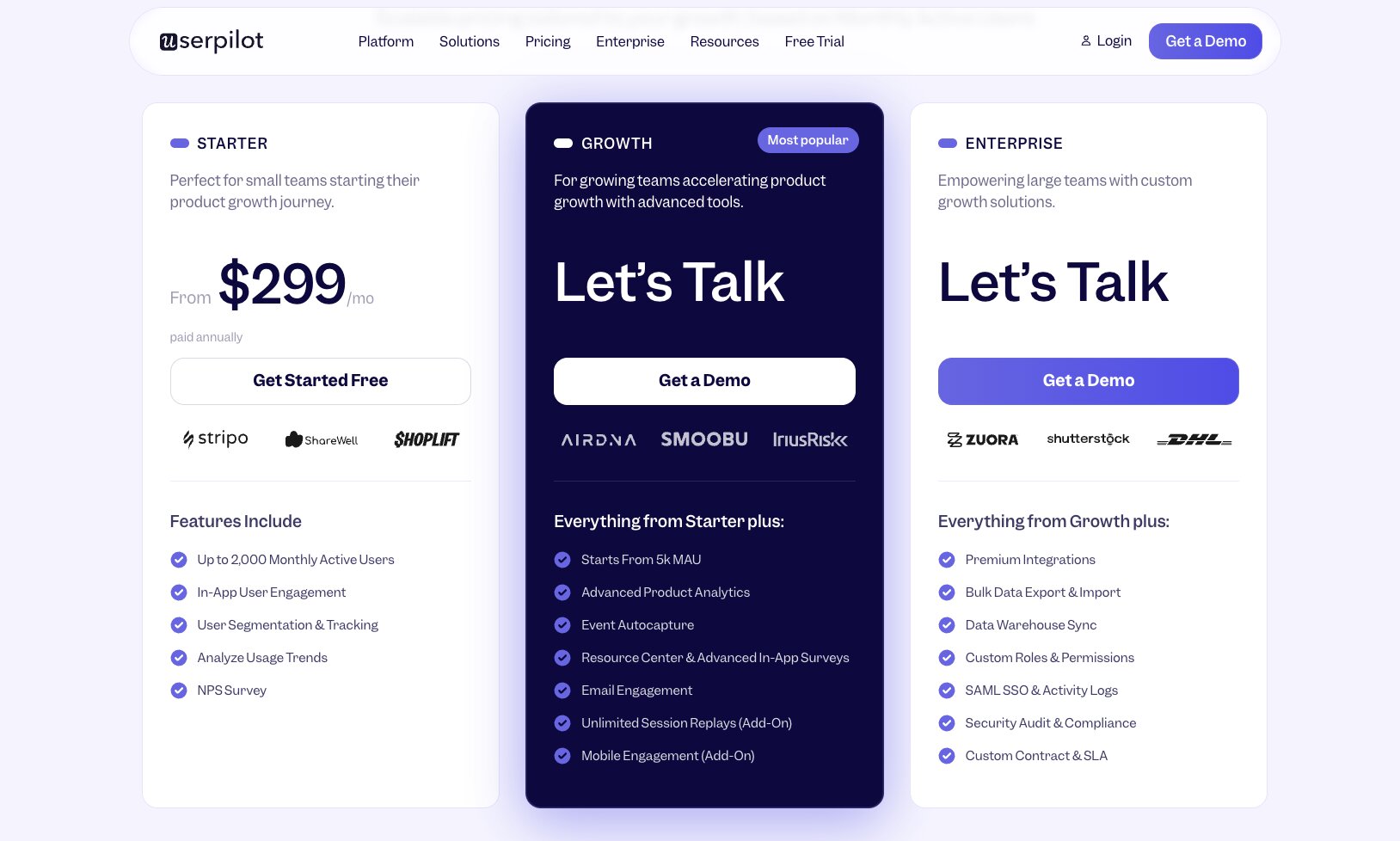
Userpilot has several tiers:
- Starter: Starts at $299/month, billed annually, for up to 2,000 active users, in-app messaging, and segmentation.
- Growth: Custom pricing starting from 5,000 monthly active users with advanced analytics and unlimited replays.
- Enterprise: Also custom pricing, and includes data warehouse syncing, premium integrations, and security auditing.
Compare the three plans in detail on their website.
Userpilot reviews
Here’s what customers rate Userpilot on third-party review sites:
- G2: 4.6/5 star rating (from 994+ reviews)
- Product Hunt: 4.8/5 star rating (from 9+ reviews)
10. Pendo
- Best for: Measuring the usefulness of your product’s AI features with real user data
- Pricing: Free up to 500 monthly active users, then custom pricing based on MAUs and features
- What I like: Unique ability to gauge what users think of your software’s AI features, plus all other analytics you need
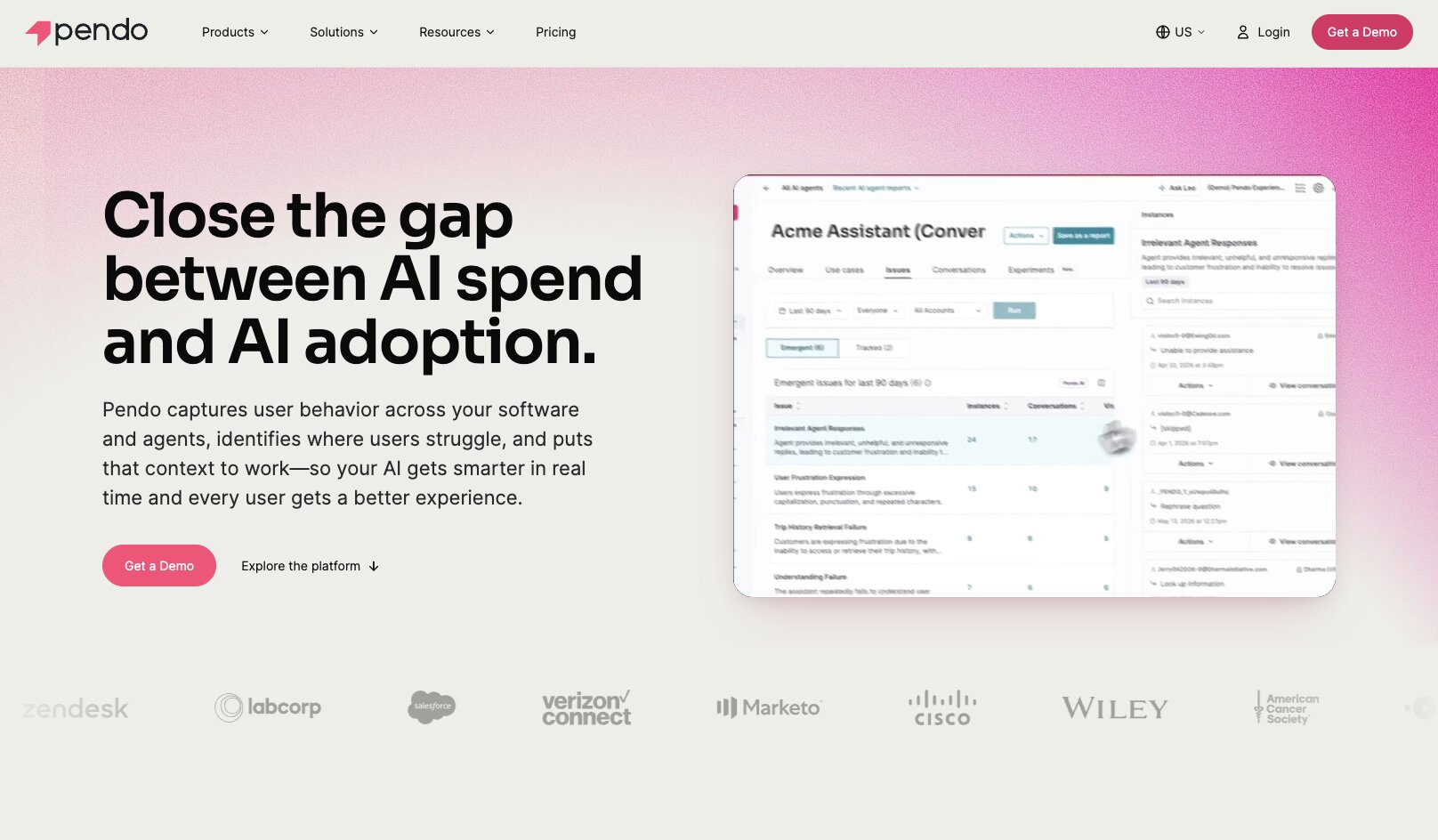
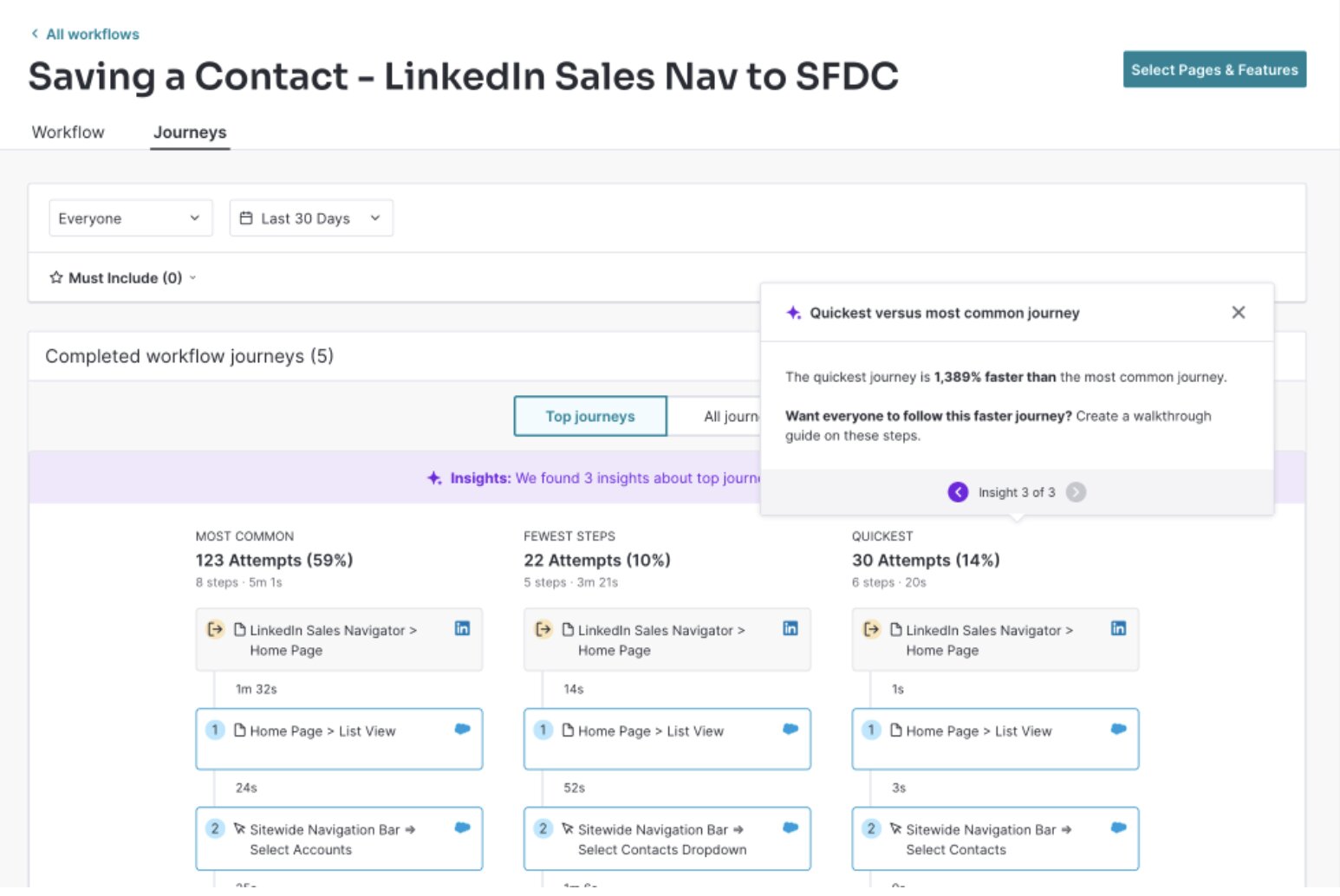
Pendo includes all the standard product analytics features — metrics, replays, journey mapping, behavior trends, and more — but their ability to measure what your users think of your product’s AI features with Agent Analytics is entirely unique.
Find out if the AI agents in your product are actually helping users, judging that by task completion and more nuanced behaviors like “rage prompting,” support ticket requests, usage trends, and more.
Here are some things I like about Pendo:
- Crafting in-app messaging for announcements or user guidance can be done right in Pendo, along with gathering direct feedback from surveys and feature requests. I like that these can be customized by cohort as well — for example, delivering a specific message to users who haven’t used a specific feature yet to guide them to it.
- Dedicated feature adoption tracking is highly useful for SaaS product teams.
- Pendo tells you what a simple survey or focus groups can’t: what users are actually doing, for real, with your product. Not only a small segment of users or those who answer surveys — truly all your users.
Here are some things that could improve in Pendo:
- While it may not be a dealbreaker, user actions aren’t imported in real-time as Pendo only processes data in batches once per hour.
- Not as deep product-focused analytics as other tools specializing in this, such as Mixpanel or Amplitude.
If you’ve ever been concerned about keeping up with the competition when it comes to incorporating AI, Pendo is your best bet for optimizing those AI features to be helpful for your users.
Pendo pricing
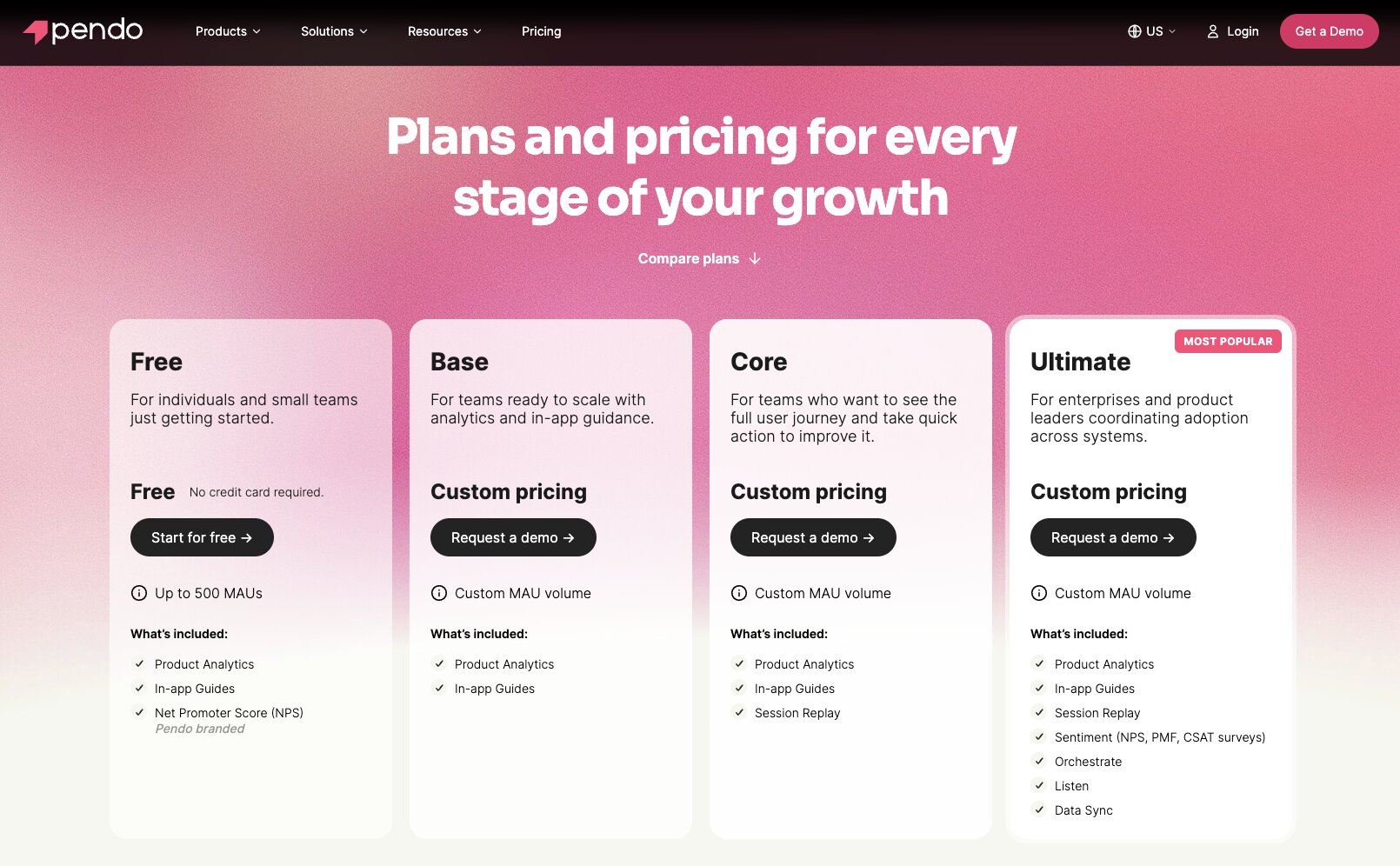
Pendo starts off free for up to 500 monthly active users.
Pendo’s paid tiers are then custom quoted based on active users and desired features. All paid tiers include conversational AI analysis, enterprise-grade security, and all integrations.
- Base: Includes analytics, in-app messaging, while session replays and customer journey automation remain paid add-ons.
- Core: Includes session replays.
- Ultimate: All features, including product discovery, NPS sentiment analysis, and data sync.
Get all the details on their pricing page.
Pendo reviews
Here’s what customers rate Pendo on third-party review sites:
- G2: 4.4/5 star rating (from 1,797+ reviews)
- Product Hunt: 5/5 star rating (from 4+ reviews)
11. Datadog
- Best for: IT teams who want infrastructure and systems analytics, not product or web analytics
- Pricing: Free for one-day data history, then starts at $15/month
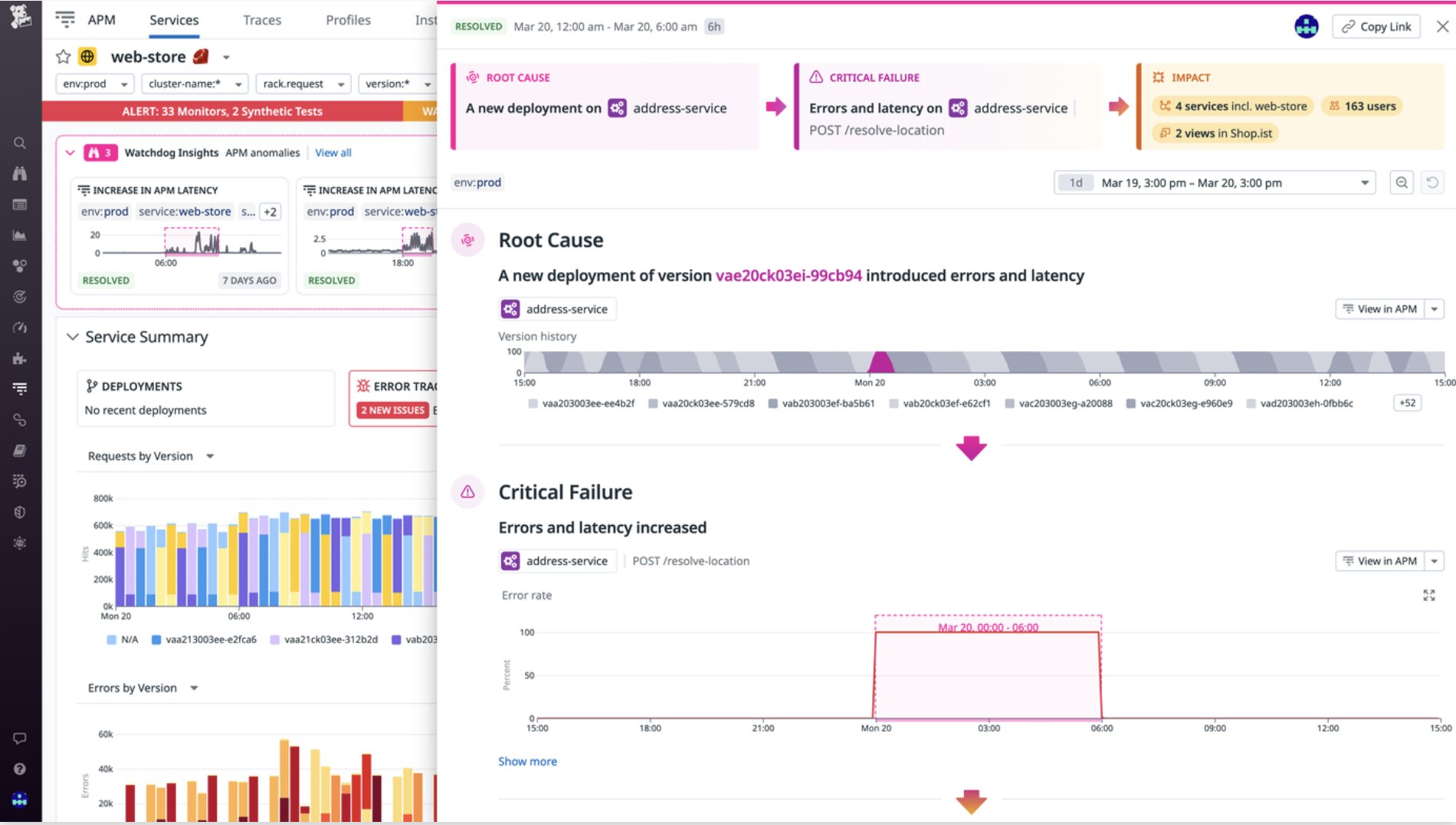
- What I like: Offers ‘peace of mind’ for automatic error detection, including root cause analysis
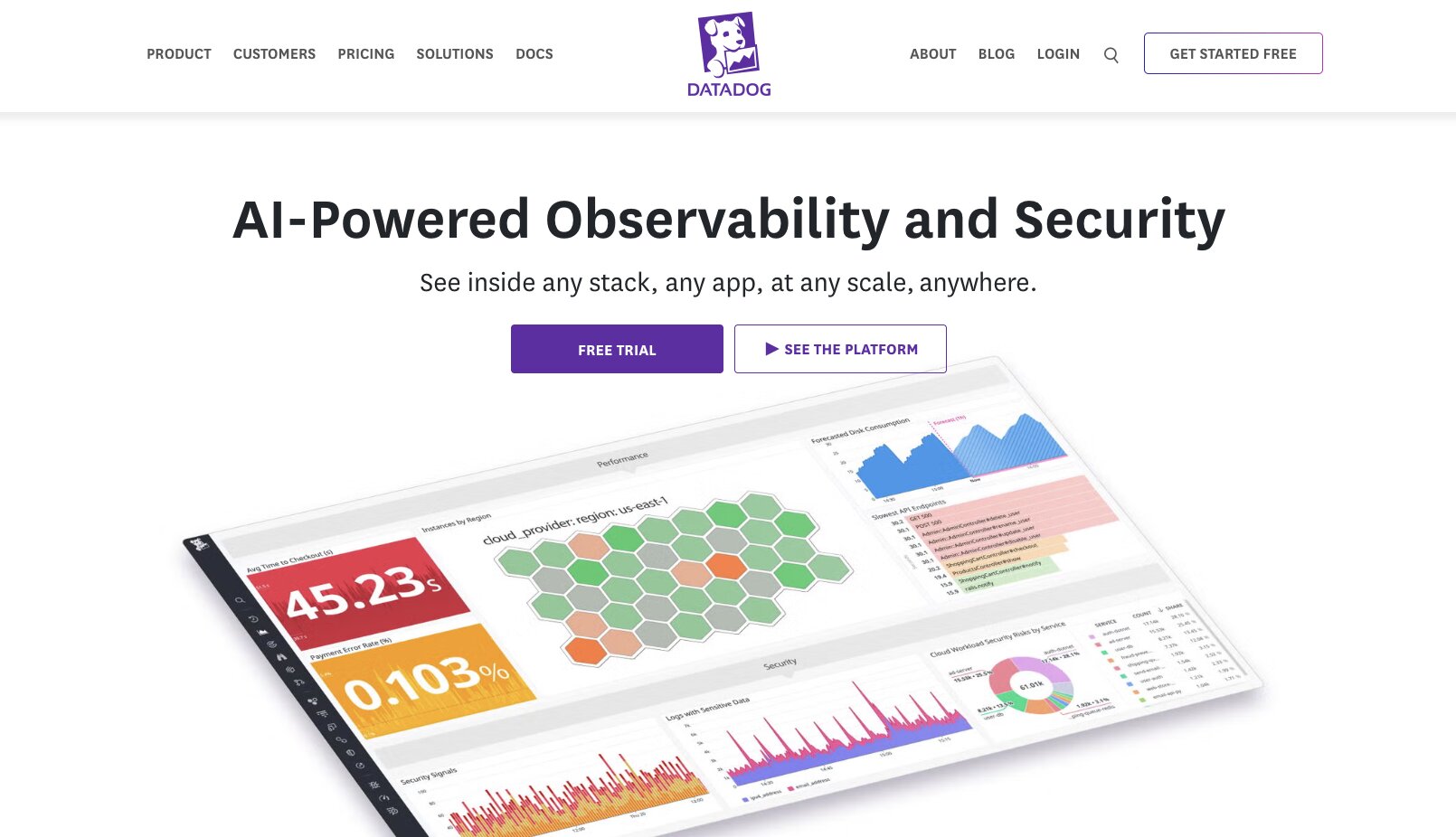
Datadog isn’t really an AI analytics tool for tracking web metrics or finding out how customers use your software. It’s for monitoring and securing your entire tech stack and system infrastructure. Basically, nerd stuff.
It does include product analysis features — such as session replays, mobile and web app user behavior, error tracking, etc — but its main purpose is to keep all your digital stuff secure, from your servers to network monitoring to applications, and more. A key part of that is ensuring your LLMs and AI workspaces are also secure.
Here are some things I like about Datadog:
- Highly governance-focused. Datadog can automatically scan new content and redact private information from documents, which is important for regulated industries, such as healthcare governed by HIPAA laws, and any organization wanting the highest privacy assurances.
- Advanced error tracking doesn’t just tell you when something isn’t working, it follows the entire workflow path to see exactly what failed and why, without any guesswork or you having to hunt for it.
- Supports monitoring of all major AI LLMs (e.g. ChatGPT, Claude, Gemini, and others).
Here are some things that could improve in Datadog:
- While Datadog has superior error tracing for AI models, it can’t tell you whether an LLM is answering something correctly. Only when it does not provide an answer at all, or fails in another way.
If you want advanced monitoring across your entire infrastructure, Datadog is your security BFF.
Datadog pricing
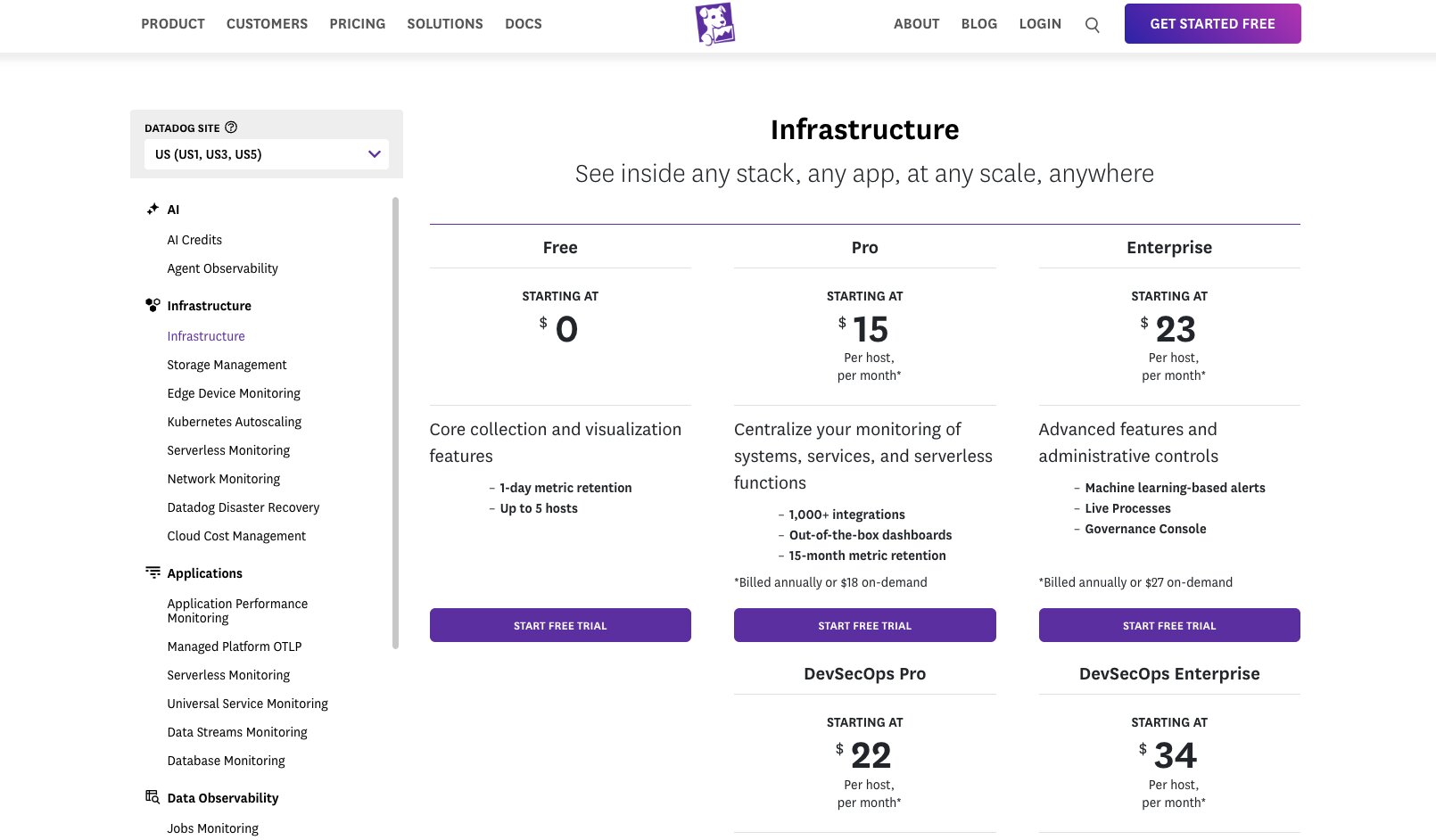
Datadog has several tiers:
- Free: Includes one-day data visualization and up to 5 hosts.
- Pro: Starts at $15/month per host; includes dashboard templates, 1,000+ integrations, 15 month data visualization, and more.
- Enterprise: Starts at $23/month per host; includes AI alerts and advanced governance.
- DevSecOps Pro: Starts at $22/month per host; includes cloud security management.
- DevSecOps Enterprise: Starts at $34/month per host for advanced cloud security features.
See all the plan details on Datadog’s pricing page.
Datadog reviews
Here’s what customers rate Datadog on third-party review sites:
- G2: 4.4/5 star rating (from 722+ reviews)
- Product Hunt: 5/5 star rating (from 12+ reviews)
Which AI analytics tool is right for you?
Again, it really depends on what you want to know: what users think of your product, how they’re using it, or general web or campaign optimization.
Some of these AI analytics platforms are generalists that give you a 10,000ft view of your main KPIs and metrics. Others are meant for specific types of users, such as those with high governance needs or super techy developers.
And then, hey, you’ve got Gumloop where you can build AI data agents in just a few clicks that connect directly to your data warehouse(s) and carry out tasks via natural language prompts.
Automate report creation, surface growth opportunities automatically, or ask deep dive questions like, “What’s driving user retention the most?”
Real-time data + instantly taking action = your life being easier with Gumloop.

Read related articles
Check out more articles on the Gumloop blog.