7 best lead scoring tools I tried in 2026

The day I learned that I should model success after my highest LTV customers, everything changed.
I was on the growth marketing team at Webflow and was trying to figure out what pages and blog articles on our site brought in the highest LTV customers. It helped guide how we scaled because we saw what content worked well and then started to replicate that across different use cases and ICPs.
Lead scoring tools work the same way. You look at your best customers, figure out what they had in common before they converted, and then create scores that benchmark new leads against that same model of success.
It is all pattern recognition.
As I have been scaling my own agency and working with clients on lead generation, I started testing a bunch of different lead scoring tools to figure out which ones actually deliver on that promise.
Some of these I have used hands-on, others I evaluated deeply to understand how they approach scoring differently. They range from full AI platforms that let you build your own scoring system from scratch to more opinionated products with built-in models that learn from your CRM data.
But before I get into the tools, let me quickly break down what lead scoring actually is and what I looked for when evaluating these platforms.
What is a lead scoring tool?
A lead scoring tool is basically a platform that tells you how good your leads actually are. You set the rules based on your target ICP, and then you can match that criteria against inbound leads or enrich and evaluate outbound prospecting lists. The whole point is to help sales and marketing teams figure out which accounts are the best fit and most likely to convert, so they stop wasting time on leads that were never going to close.
The criteria you score against can be quantitative, like company size or revenue numbers. Or it can be more qualitative, where AI evaluates something that is harder to put a number on, like how likely someone is to actually need what you are selling. That is the kind of judgment that is really difficult to score without AI involved, and it is one of the reasons these tools have gotten so much better over the past couple of years.
The output is usually a number you define. Once a lead hits a certain score, what happens next depends on the tool. Some tools are full workflow builders, like Gumloop, where you can create whatever AI agent lead scorer or sales agent task you want. Others have more opinionated built-in workflows that give you a set of options to choose from. I included a mix of both on this list.
What I look for in a lead scoring tool
I have tested a lot of these tools over the past couple of years, and the ones that stick around in my workflow all share a few things in common.
Here is what I look at when evaluating a lead scoring tool:
- Data accuracy and enrichment: If the underlying data is bad or incomplete, the whole scoring model falls apart. You end up making bad judgments about which accounts are good fits and which are not. Garbage in, garbage out.
- First-party data and custom rules: I want to bring in success data from my CRM, things like which deals converted, which customers had the highest LTV, and what those accounts looked like before they closed. That data should be feeding into the model so I can score new leads against criteria that have actually proven to work.
- Flexible scoring criteria: Some tools only let you score on basic firmographics like company size or industry. The better tools let you layer in behavioral signals, intent data, product usage, and engagement history.
- Scoring transparency: If a lead gets a score of 85, I want to know why. What criteria contributed to that number? The tools that break this down are the ones I trust the most.
- Integrations: A scoring tool is useless if it lives in isolation. It needs to plug into my CRM, marketing automation, and whatever else I am using so the scores show up where my team is already working.
- Pricing and scalability: Some of these tools are enterprise-level expensive. I want to understand the pricing model upfront and know it can scale without the cost becoming unreasonable.
Not every tool on this list checks all of these boxes, and that is fine. Some are stronger on data enrichment, others are stronger on flexibility or integrations. I included a mix so you can find the one that fits your specific setup and priorities.
7 best lead scoring tools and software in 2026
Here are the top lead scoring tools:
Alright, lets take a deeper look at each one.
1. Clay
- Best for: B2B lead scoring with waterfall enrichment across 100+ data providers
- Pricing: Free plan available, then starts at $185/month
- What I like: Waterfall enrichment fills data gaps automatically so your scoring models are working with the most complete information possible
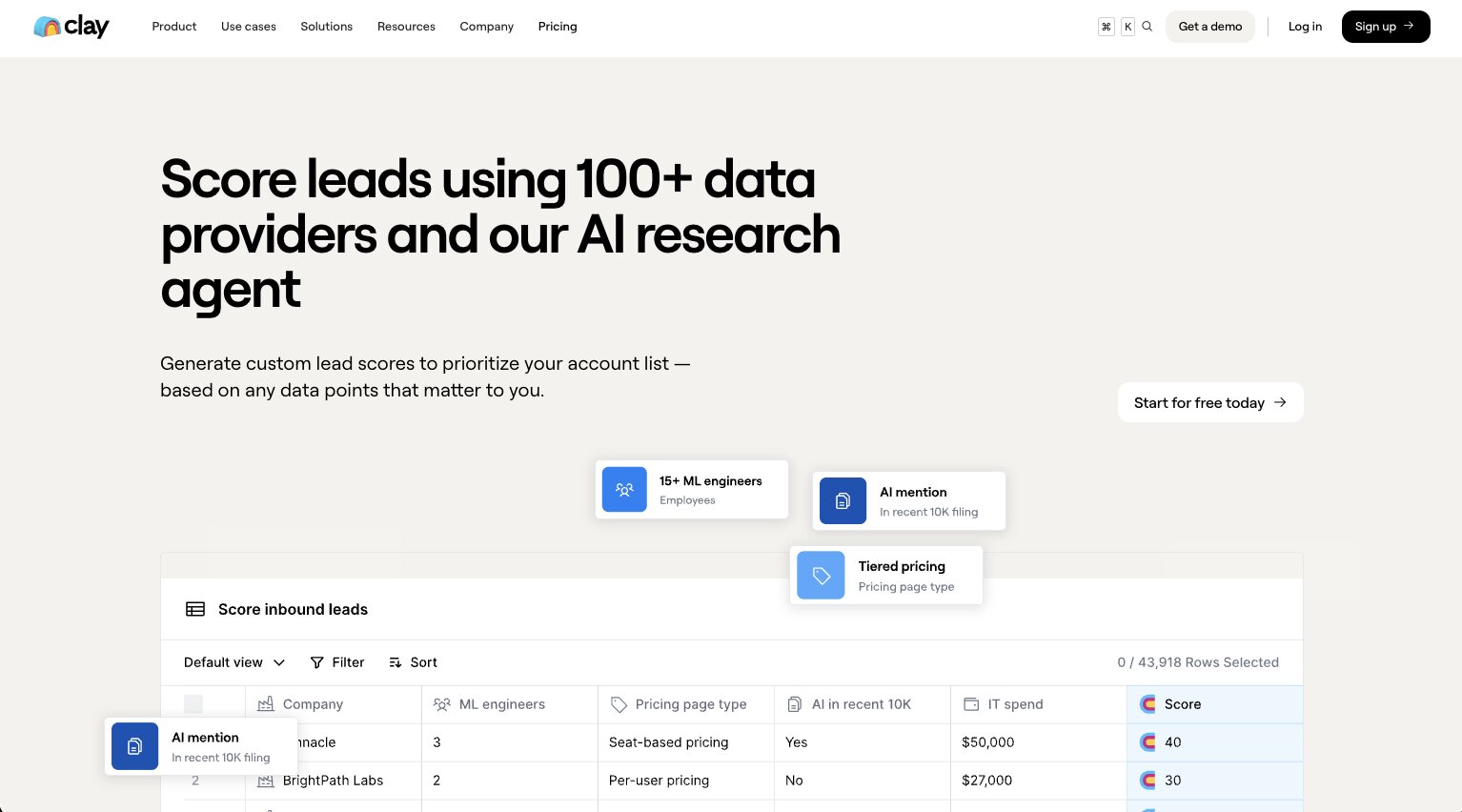
Clay is one of the most popular tools for GTM campaigns, and it has a ton of different features for finding and categorizing leads. It has a specific agent that can score leads using 100+ data providers, and with its built-in AI research agent you can use AI to filter leads into different categories that you care about.
You can add scoring into your inbound workflows and connect your scoring table to your lead forms to enrich and score prospects every time they come in. It's used by a lot of well-known companies like OpenAI, Vanta, and Intercom.
What I like about Clay is that it's really strong for lead scoring because of its waterfall enrichment approach. Rather than relying on a single data source, it pulls from multiple data providers to enrich each lead properly.
One data source may have outdated, inaccurate, or incomplete information, but another provider may have what's missing. So the waterfall enrichment fills those gaps and gives you the most accurate data possible to score leads against your criteria. This is especially valuable for sales and marketing teams that need reliable demographic attributes and engagement signals to build a high-performing scoring model.
The setup process works inside a spreadsheet environment where you build your lead scoring formula first, then create lead scoring with multiple conditions if you want to take it further. You can add scores together and label them as text. Clay has a full blog post walking through this in detail, which is worth reading if you want to go deeper on the setup.
That said, there is a learning curve, and it is a bit technical to set up. It's not the easiest tool to get started with. But the benefit of Clay is that it has so many data providers that it makes it probably one of the more accurate lead scoring and data management tools on the market.
What I like about Clay:
- Waterfall enrichment pulls from 100+ data providers to automatically fill gaps in your lead data, so your scoring models are working with the most accurate, complete information possible
- Built-in AI research agent can go out and do live web research on a specific contact or analyze multiple data sources to assign scores based on fit
- Flexible scoring system lets you build scoring with multiple conditions, add scores together, and label them as text inside a spreadsheet-like environment
- Inbound workflow integration means you can connect your scoring table directly to your lead forms and automatically enrich and score leads the moment they come in
- Supports B2B use cases really well. You can define criteria like industry, job title, company size, and intent signals to identify high-quality prospects and improve pipeline quality
Cons:
- There is a real learning curve. It's one of the more technical lead scoring tools to set up and isn't the most beginner-friendly experience
- Getting the most out of it requires some upfront investment of time to understand how to build your scoring formula and conditions properly
- May feel like more than you need if you're a smaller sales team looking for a simple, lightweight solution
Clay pricing
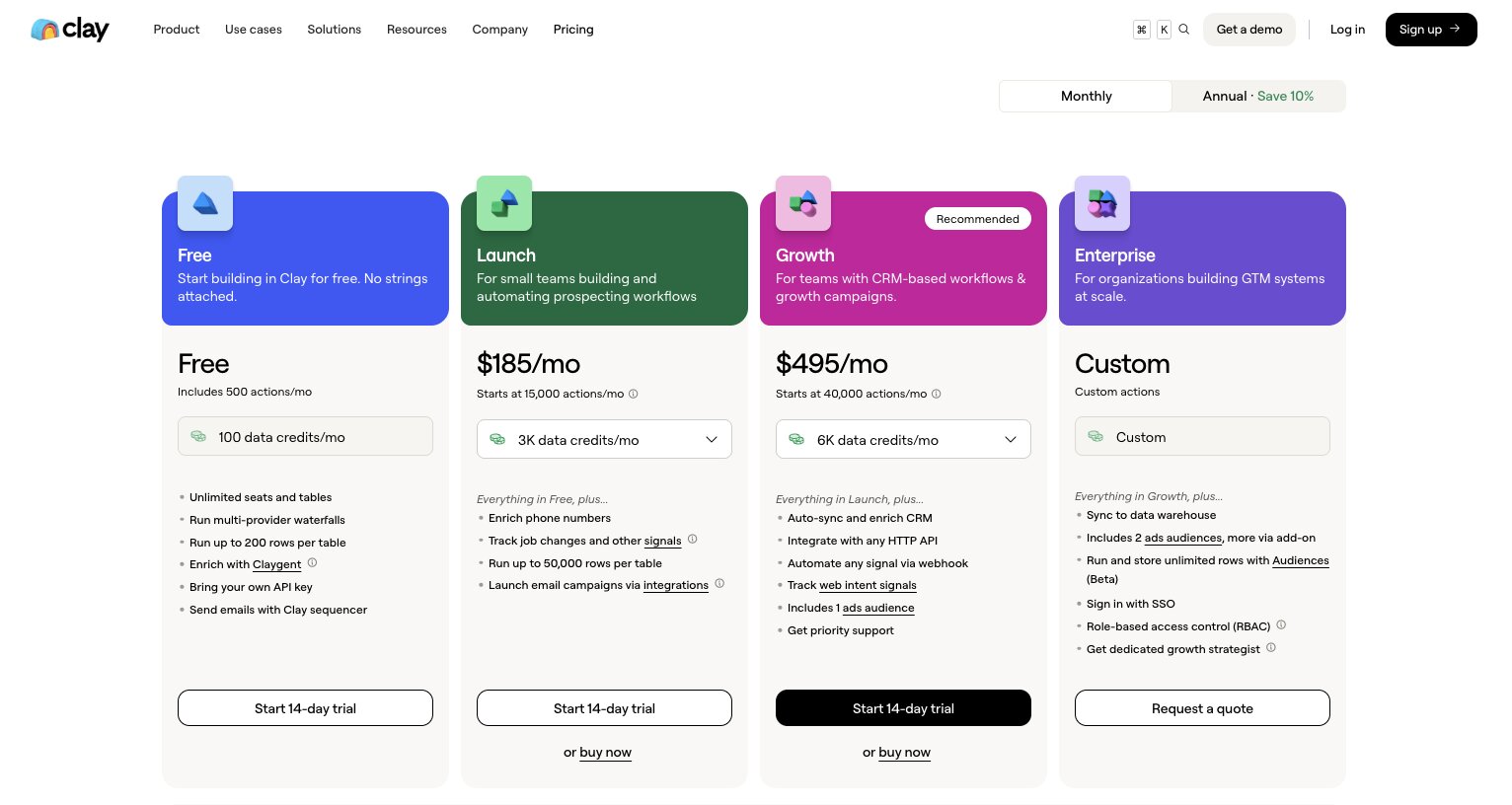
Here are Clay's pricing plans:
- Free: $0/month with 500 actions/month, 100 data credits, unlimited seats and tables, multi-provider waterfalls, up to 200 rows per table, Claygent AI agent, bring your own API key, and Clay sequencer for email
- Launch: $185/month with 15,000 actions/month, 2,500 data credits, phone number enrichment, job change tracking, up to 50,000 rows per table, and native or integrated email campaigns
- Growth: $495/month with 40,000 actions/month, 6,000 data credits, CRM auto-sync and enrichment, HTTP API integrations, webhook automation, web intent signals, 1 ads audience, and priority support
- Enterprise: Custom pricing with custom actions and credits, data warehouse sync, 2+ ads audiences, unlimited Audiences rows, SSO, role-based access control, and a dedicated growth strategist
You can view more about their pricing here.
Clay reviews
Here is what users rate Clay on third-party review sites:
- G2: 4.7/5 star rating (from +188 user reviews)
- Product Hunt: 4.8/5 star rating (from +39 user reviews)
2. Gumloop

- Best for: Building custom lead scoring workflows with AI agents
- Pricing: Free plan available, then starts at $37/month
- What I like: Full flexibility to build a lead scoring system tailored to your exact criteria, integrated with your CRM and the rest of your stack
Gumloop is an AI automation and agent builder platform that I have been using for over a year now. What makes it powerful for lead scoring is that you can build a fully custom scoring system tailored to your exact criteria, and have it run automatically across your entire lead pipeline.
For example, there's a lead scoring and routing template that connects Typeform to HubSpot. When someone submits a form, the flow automatically enriches the lead using Apollo, scores them against your ICP criteria using AI, and then routes them based on the score.
High scoring leads get pushed into HubSpot and trigger a Slack notification to your sales team. Low scoring leads get filtered into a separate nurture workflow. The whole thing runs automatically.
But this is just one example with a couple different tools. You can do this with any of the tools you're already using. And the real value is that Gumloop is not limited to just lead scoring.
Because it is a full automation platform, you can build agents that handle other parts of your lead pipeline too. You can enrich leads, send notifications, update your CRM, and connect to whatever MCP servers or integrations you need. The platform gives you the flexibility to build whatever system you have in your head and host it all in one place.
You can also use the chat feature in Gumloop to have it help you build the entire workflow specific to your needs. So you do not have to start from scratch if you are not sure how to set things up.
Here are some things I like about Gumloop:
- Full flexibility to build a custom lead scoring system tailored to your exact ICP criteria and workflow
- Apollo is built in for data enrichment, and you can connect any MCP server for additional data sources
- Can automate the entire lead pipeline beyond just scoring, including routing, Slack notifications, CRM updates, and nurture sequences
- Chat feature (Gummie) can help you build the entire workflow from a description of what you need
- Connects to your CRM so the agent can read and update your lead data directly
Here are some cons with Gumloop:
- It is not an opinionated lead scoring tool, so if you want something purpose-built for scoring out of the box, this is not that
- You need to build and configure the scoring logic yourself, which takes some upfront time
- Still a relatively new platform so you might hit the occasional UI quirk
Gumloop pricing
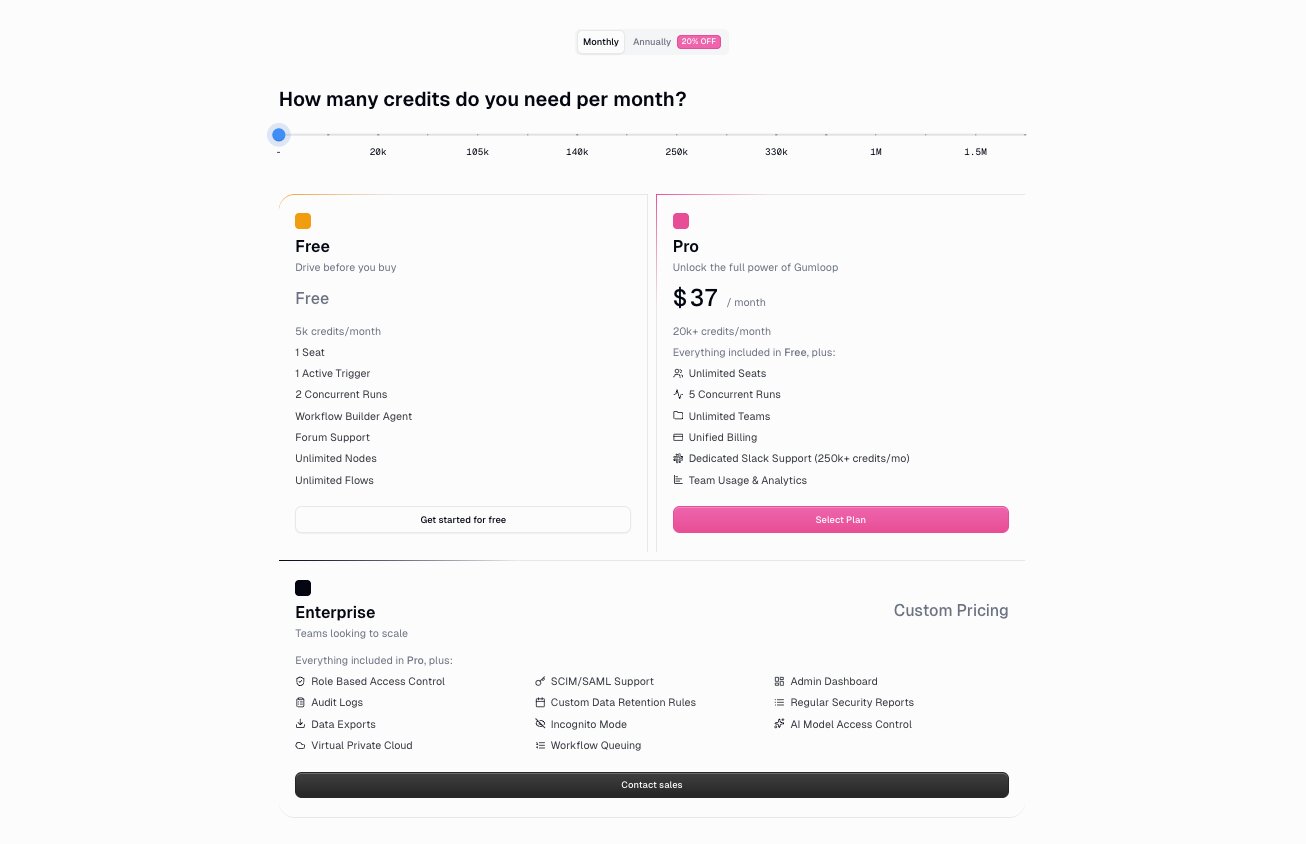
Here are Gumloop's pricing plans:
- Free: $0/month with 2,000 credits, 1 seat, 1 active trigger, and unlimited nodes and flows
- Solo: $37/month with 10,000+ credits, unlimited triggers, webhooks, and bring your own API key
- Team: $244/month with 60,000+ credits, 10 seats, unlimited workspaces, and dedicated Slack support
- Enterprise: Custom pricing with role-based access control, SAML/SSO, audit logs, and virtual private cloud
You can learn more about what each plan has to offer by checking out the pricing page.
Gumloop reviews
Here is what users rate Gumloop on third-party review sites:
- G2: 4.8/5 star rating (from +6 user reviews)
- Product Hunt: 5/5 star rating (from +9 user reviews)
3. Apollo
- Best for: AI-powered lead scoring inside a full sales platform
- Pricing: Free plan available, then starts at $49/user/month
- What I like: Full transparency into how each lead score is calculated, with breakdowns by customer fit and behavioral fit
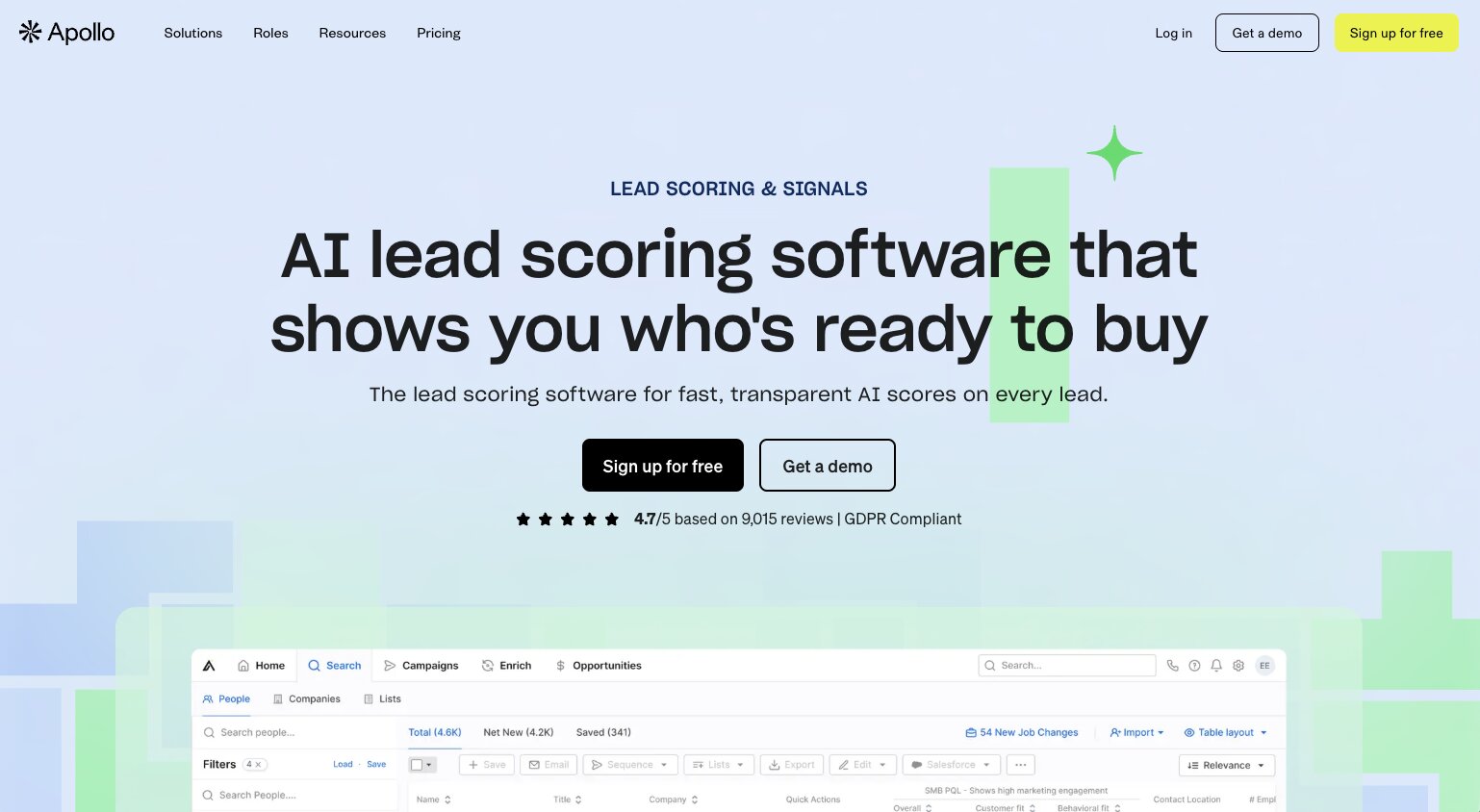
Apollo is a full AI sales platform, and lead scoring is built in as a core feature. You can prioritize leads with AI-generated scores or build your own scoring models, and you get full transparency into exactly how each score is calculated.
Each lead gets a broad score, like 95% or 82% likelihood to be a good fit, but within that you can see breakdowns like customer fit and behavioral fit separately. So you might have 100% customer fit but 70% behavioral fit, and the overall score aggregates those together. Then within each category there is even more granularity.
Customer fit, for example, breaks down into things like industry, employee size, revenue, and other criteria that you weight based on your own ICP.
When it comes to building your own scoring models, you can weigh different variables and pull in data from your CRM alongside Apollo's demographic, firmographic, and behavioral data. That side of things can get a bit more technical, but Apollo also has an AI scoring feature that builds the model for you automatically. The auto scoring looks at data in your CRM, things like closed deals or calls booked, and uses those success signals as inputs to create a model that helps you find more of the same.
Overall, Apollo is great if you're looking for a full sales platform with lead scoring built in, similar to Clay in that way, just coming at it from a different angle.
Here are some things I like about Apollo:
- Full transparency into how every lead score is calculated, with breakdowns by customer fit and behavioral fit so you can see exactly what is driving the number
- AI scoring can automatically build a model based on your CRM data, using signals like closed deals and calls booked to find more of the same
- Custom scoring models let you weigh different variables and pull in CRM data alongside Apollo's own demographic, firmographic, and behavioral data
- Granular breakdowns within each scoring category let you see things like industry, employee size, and revenue individually so you know where a lead is strong or weak
- It is a full sales platform, so lead scoring is not an isolated feature. It connects to sequences, email, dialer, and workflows in one place
Here are some cons with Apollo:
- Data accuracy can be inconsistent, so you may need to run periodic audits and validation to keep your scoring models reliable
- Some of the more advanced scoring and filtering features are locked behind higher-tier plans
- Building custom scoring models can get technical if you want to go beyond the AI auto-scoring
Apollo pricing
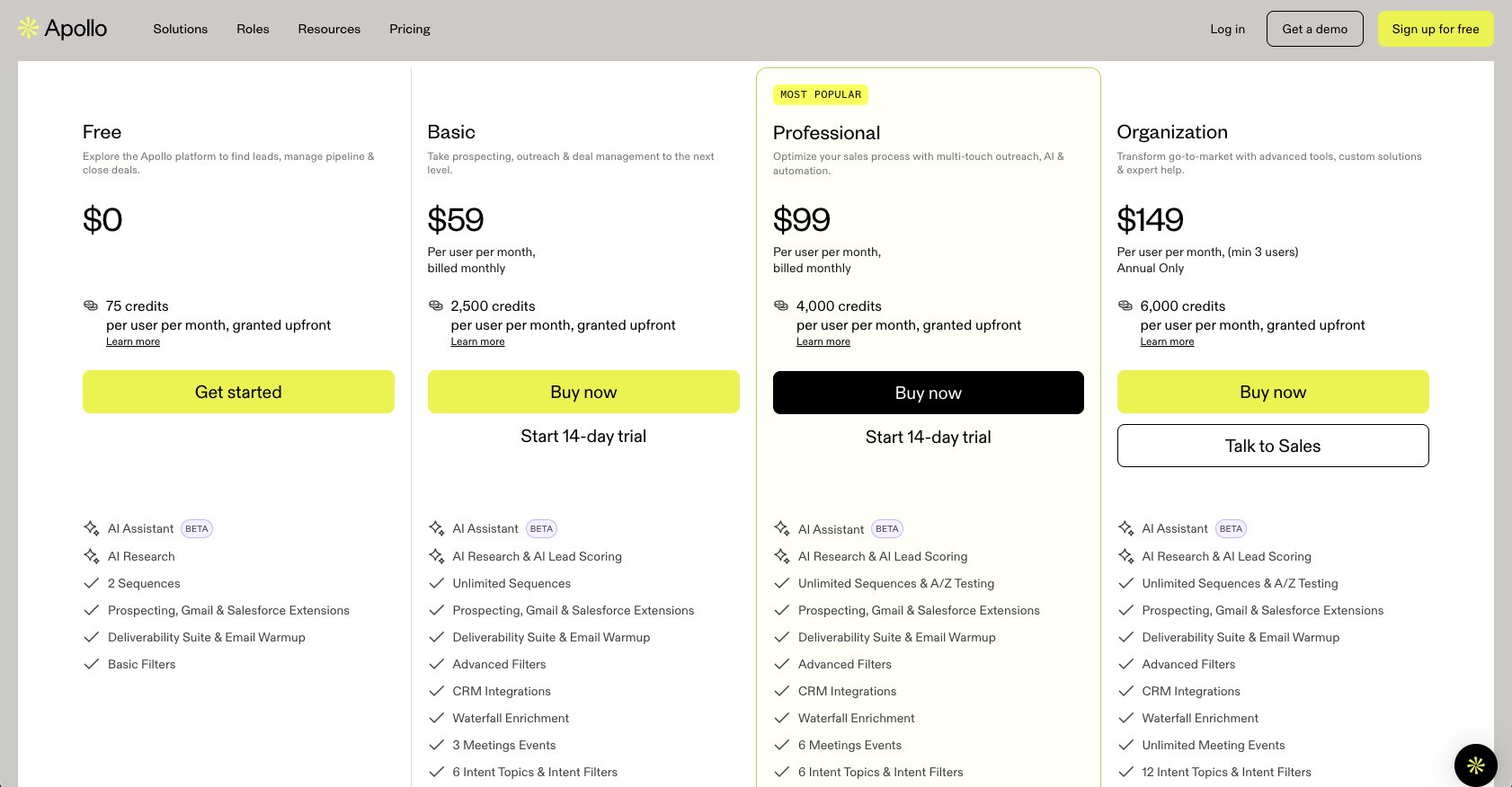
Here are Apollo's pricing plans:
- Free: $0/month with 900 credits per user per year, basic filters, 1 intent topic, 2 sequences per team, 5,000 AI writing words per month, and AI scores
- Basic: $49/user/month (billed annually) with 30,000 credits per user per year, advanced filters and signals, 6 intent topics, unlimited sequences, and 250,000 AI writing words per month
- Professional: $79/user/month (billed annually) with 48,000 credits per user per year, unlimited sequences with A/Z testing, unlimited mailboxes, unlimited daily email sends, and 800,000 AI writing words per month
- Organization: $119/user/month (billed annually, min 3 users) with 72,000 credits per user per year, 12 intent topics, 500 workflows per team, and 1,000,000 AI writing words per month
You can learn more about Apollo's plans by checking out their pricing page.
Apollo reviews
Here is what users rate Apollo on third-party review sites:
- G2: 4.7/5 star rating (from +9,448 user reviews)
- Capterra: 4.5/5 star rating (from +384 user reviews)
4. 6sense
- Best for: Account-level lead scoring with intent data for mid-market and enterprise teams
- Pricing: Custom pricing (contact sales)
- What I like: Scores accounts as a whole rather than individual contacts, so you can see how hot a company is before you even look at specific people
6sense takes a different approach to lead scoring than most tools on this list. Instead of scoring individual contacts based on their own actions, it aggregates intent signals across the entire account. That includes third-party research activity, ad interactions, website visits, and content consumption. So you get a picture of how interested a company is overall, not just one person.
That changes how a sales team prioritizes outreach. Instead of starting with people, you start with accounts. If a mid-level contact has light engagement but their account is showing strong multi-signal intent, like researching your category, multiple visitors hitting your site, and ad engagement, that person jumps up the list ahead of a highly engaged contact at a cold account. It flips the traditional lead scoring model on its head.
6sense also has topic intent, buying stage predictions, and predictive scoring models built in. It integrates with major marketing automation platforms like HubSpot, Marketo, Eloqua, and Pardot for real-time lead scoring. And the predictive scores update daily as part of their data pipeline, so your sales team is always working with fresh signals.
It is similar to Gumloop and Clay in the sense that it brings all your data into one place and lets you build out different workflows for inbound, outbound, ads, and more. That AI agent approach is becoming a common thread across the better tools in this space.
Here are some things I like about 6sense:
- Account-level scoring aggregates intent signals across the entire buying committee, not just individual contacts, so you get a much more complete picture of how ready a company is to buy
- Predictive scoring models are built in and update daily, so your prioritization stays current without manual maintenance
- Topic intent and buying stage predictions help you understand not just who is interested, but where they are in the buying process
- Real-time lead scoring API integrates with HubSpot, Marketo, Eloqua, and Pardot so scores flow directly into your existing marketing automation stack
- Brings together first-party and third-party data in one place, which makes it easier to build a full picture of account engagement
Here are some cons with 6sense:
- No pricing listed on the website, which is usually a clear signal that you are looking at an enterprise-tier product. Smaller teams can realistically rule it out on that basis alone
- The account-level approach is powerful but adds complexity if your team is used to scoring individual leads in a traditional CRM workflow
- Requires the Predictive add-on and API credits for real-time scoring, so the total cost can stack up depending on your usage
6sense pricing
6sense does not list pricing publicly. It is an enterprise-focused platform, so you will need to contact their sales team for a custom quote. Pricing is typically based on the number of accounts, data sources, and add-ons like the Predictive scoring module.
6sense reviews
Here is what users rate 6sense on third-party review sites:
- G2: 4/5 star rating (from +887 user reviews)
- Capterra: 4.6/5 star rating (from +30 user reviews)
5. Clearbit
- Best for: Lead scoring powered by highly accurate B2B enrichment data and first-party intent signals
- Pricing: Custom pricing (now part of HubSpot)
- What I like: The underlying data accuracy is what makes the scoring so strong. When your enrichment is reliable, your scoring is reliable too
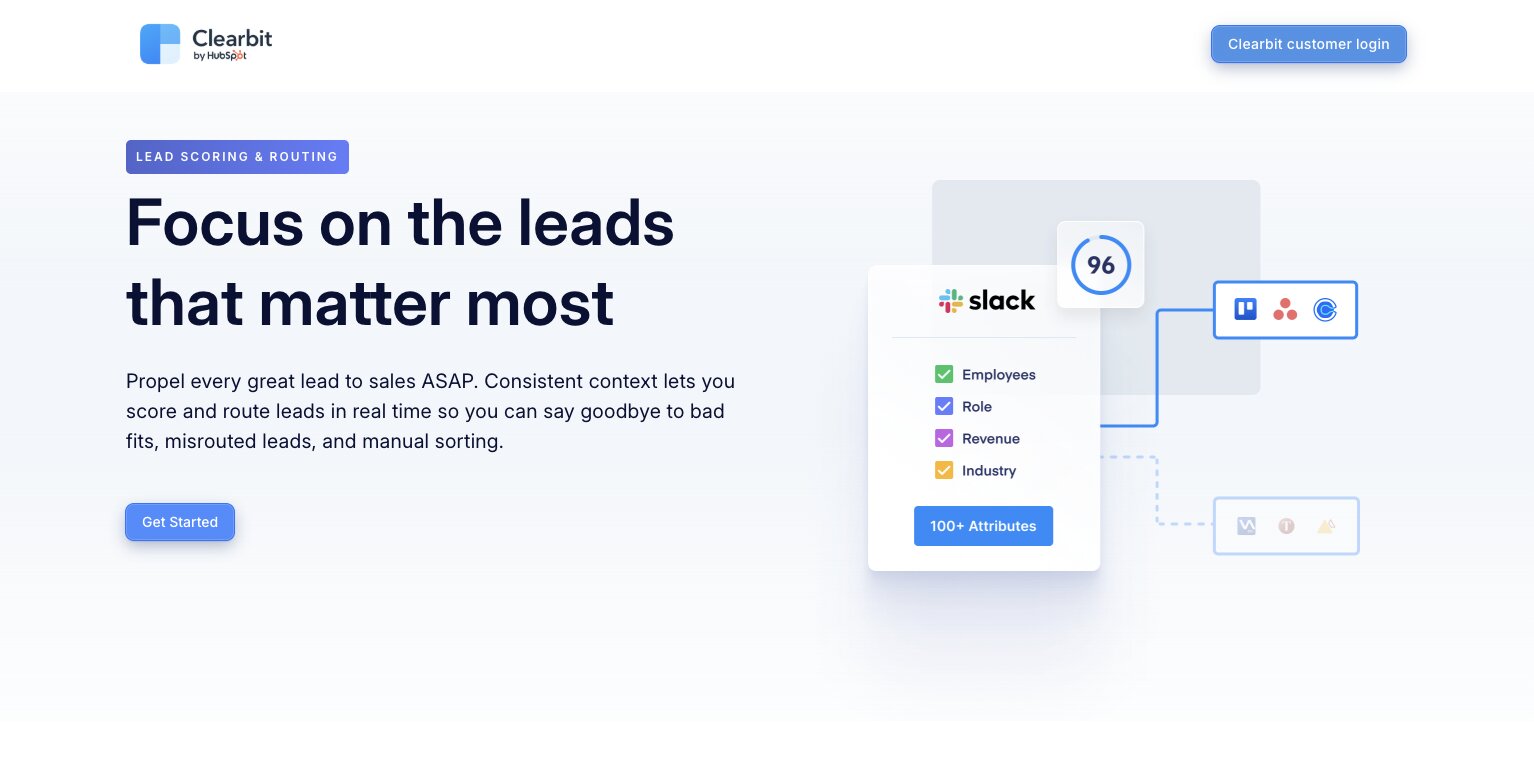
Clearbit is one of the first tools I used for lead enrichment. I originally used it on my media company website so I could see what companies were looking at my site and reading my content. I also used it to better enrich my newsletter subscribers. The data it provides is incredibly accurate, which makes the lead scoring feature a natural extension of what it already does well.
For scoring, you can work with 100+ B2B data attributes alongside first-party intent data, which is where Clearbit gets really interesting. It pulls signals from your website and owned properties, then uses those signals to score accounts by how ready they appear to buy. In practice, that means tracking things like which pages a visitor views, how often they return, how long they spend on high-intent pages like pricing or product demos, and whether they engage with key resources. What makes this different is that all of those signals are tied to identifiable accounts rather than anonymous visitors.
The way the de-anonymization works is at the company level. It maps a visitor's IP address, along with some browser context, to a known corporate network. It then attaches that visit to a company profile and optionally to contacts from its database. This works really well for B2B mid-market and enterprise traffic, but it is not perfect across the board. Small companies, remote or work-from-home traffic, and privacy-constrained environments are harder to resolve accurately.
Clearbit was acquired by HubSpot, so it now lives within the HubSpot ecosystem. And probably makes the most sense if you are already a HubSpot user.
Here are some things I like about Clearbit:
- Data accuracy is among the best I have seen for B2B enrichment, which directly makes lead scoring more reliable since the inputs are clean
- First-party intent signals from your own website and properties give you scoring data that most tools simply do not have access to
- De-anonymization ties website visits to real company profiles so you can score accounts based on actual engagement, not just form fills
- 100+ B2B data attributes give you a deep pool of firmographic, demographic, and behavioral criteria to build your scoring model around
- Now integrated into HubSpot, so if you are already in that ecosystem the data flows directly into your CRM and marketing automation
Here are some cons with Clearbit:
- De-anonymization works best for mid-market and enterprise traffic. Small companies, WFH traffic, and privacy-constrained environments are harder to resolve accurately
- No public pricing, and because it is now part of HubSpot your costs will depend on your HubSpot plan and usage
- If you are not a HubSpot user, the value proposition is less clear since the product is increasingly tied to that ecosystem
Clearbit pricing
Clearbit does not publicly list its pricing. Because it is now part of HubSpot, pricing depends on your HubSpot plan and usage. You can learn more by contacting their sales team.
Clearbit reviews
Here is what users rate Clearbit on third-party review sites:
- G2: 4.4/5 star rating (from +629 user reviews)
- Product Hunt: 5/5 star rating (from +8 user reviews)
6. MadKudu
- Best for: Predictive lead scoring for PLG and data-rich B2B teams
- Pricing: Custom pricing (book a demo)
- What I like: Every score comes with a human-readable explanation of why a lead was scored the way it was, so reps are not staring at an opaque number with no context
MadKudu is the kind of tool that makes sense when you want a serious, data-driven lead scoring brain rather than just enrichment with some rules layered on top. I think it is especially strong for product-led growth or data-rich B2B teams that care about explainable, high-precision scoring.
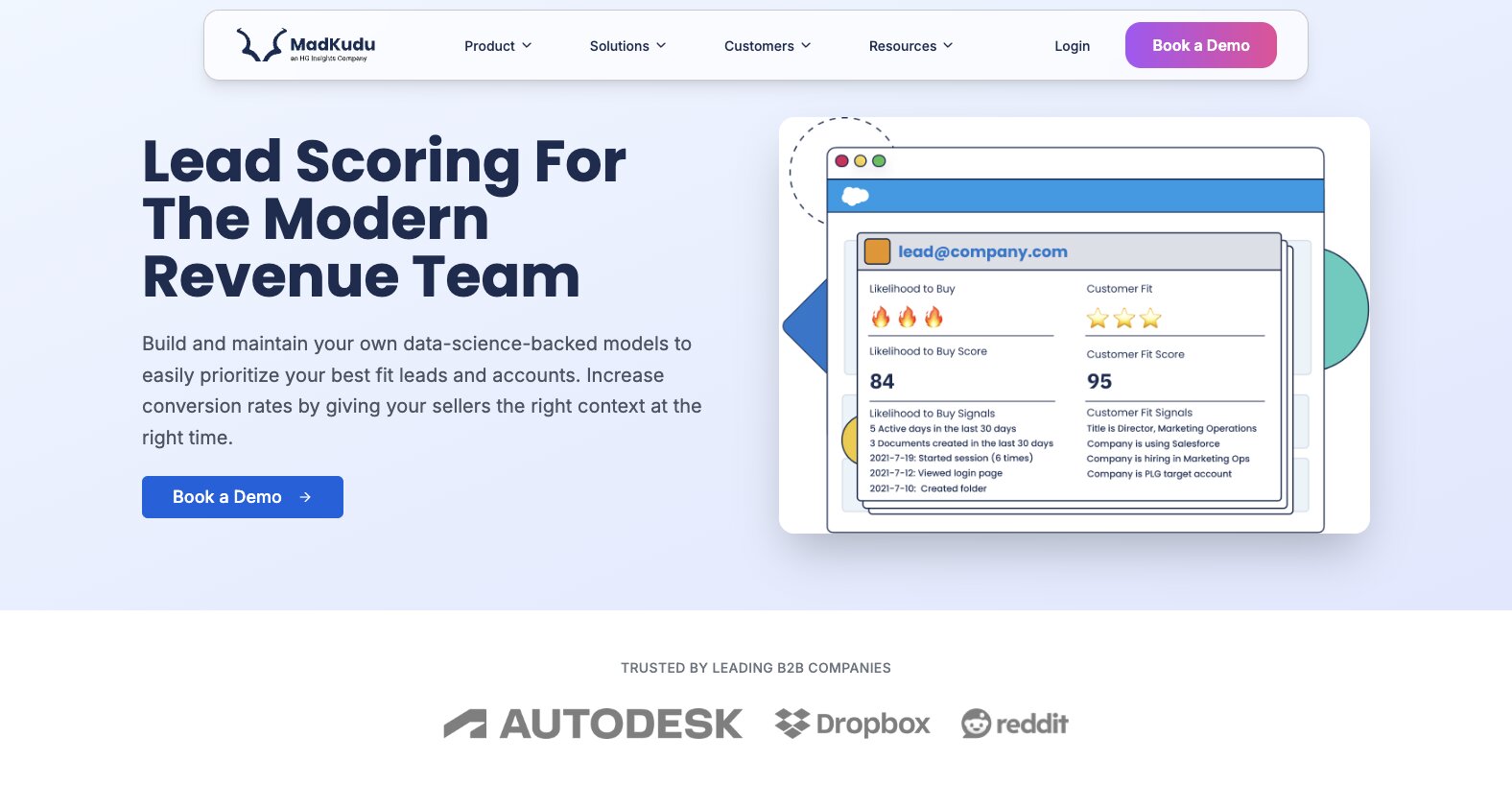
And what I mean by "explainable scoring" is that every lead or account comes with both a numeric score and a human-readable list of reasons that tie back to patterns the model has learned from your data. Your reps and ops team can see at a glance why something is scored Very Good versus Medium instead of staring at an opaque 0-100 number with no context behind it. That alone makes it easier for sales to actually trust and use the scores.
The way it works is that MadKudu primarily learns from your CRM. It pulls in things like closed-won deals, pipeline progression, spend, and churn from Salesforce or HubSpot to train its Customer Fit model on firmographics, technographics, and demographics that predict success. It also pulls behavioral signals for Likelihood to Buy scoring, things like email opens, website visits, and demo requests from your marketing automation platform.
Where it gets really interesting is when you pipe in product usage data from tools like Amplitude, Mixpanel, or Segment. Things like feature adoption, seats created, or workspaces activated get analyzed to spot conversion thresholds. For example, leads who create four or more projects might close three times more often. You connect these sources during onboarding, and it builds its models from your actual outcomes, not generic rules.
You also do not have to hunt for those insights manually. MadKudu automatically surfaces them during model training and inside its Insights dashboard. It analyzes your historical conversions and flags high-impact thresholds, showing correlation graphs, event weights, and suggested rules based on your data patterns. Once your CRM and product data are flowing, it is pretty hands-off.
Here are some things I like about MadKudu:
- Every score comes with explainable reasoning tied back to real patterns in your data, so sales reps actually trust the scores instead of ignoring them
- Learns from your actual CRM outcomes like closed-won deals and pipeline progression, not generic industry benchmarks or rules you have to guess at
- Can ingest product usage data from tools like Amplitude, Mixpanel, and Segment to spot behavioral conversion thresholds that most scoring tools completely miss
- Insights dashboard automatically surfaces high-impact patterns and suggests scoring rules based on your historical conversions, so RevOps can review and adjust rather than start from scratch
- Integrates with Salesforce, HubSpot, Marketo, and most major CRM and marketing automation platforms
Here are some cons with MadKudu:
- It is an enterprise-focused product, so the pricing is going to be out of reach for most early-stage or smaller teams
- No free plan, so you are committing budget before you can test it against your own data
- Best suited for teams that already have enough historical CRM data and product usage signals to train the models properly. If you are early and do not have much closed-won data yet, the predictions will not be as useful
MadKudu pricing
MadKudu does not publicly list its pricing. It is an enterprise-focused platform, so you will need to book a demo with their sales team to get a custom quote.
MadKudu reviews
Here is what users rate MadKudu on third-party review sites:
- G2: 4.5/5 star rating (from +46 user reviews)
- Google Workspace: 5/5 star rating (from +5 user reviews)
7. Pipedrive
- Best for: Rules-based lead scoring built directly into your CRM for small-to-mid sales teams
- Pricing: Starts at $24/seat/month, lead scoring available on Premium ($79/seat/month) and above
- What I like: Scoring lives right inside your pipeline view, so your reps never have to leave the CRM to see which leads are hot
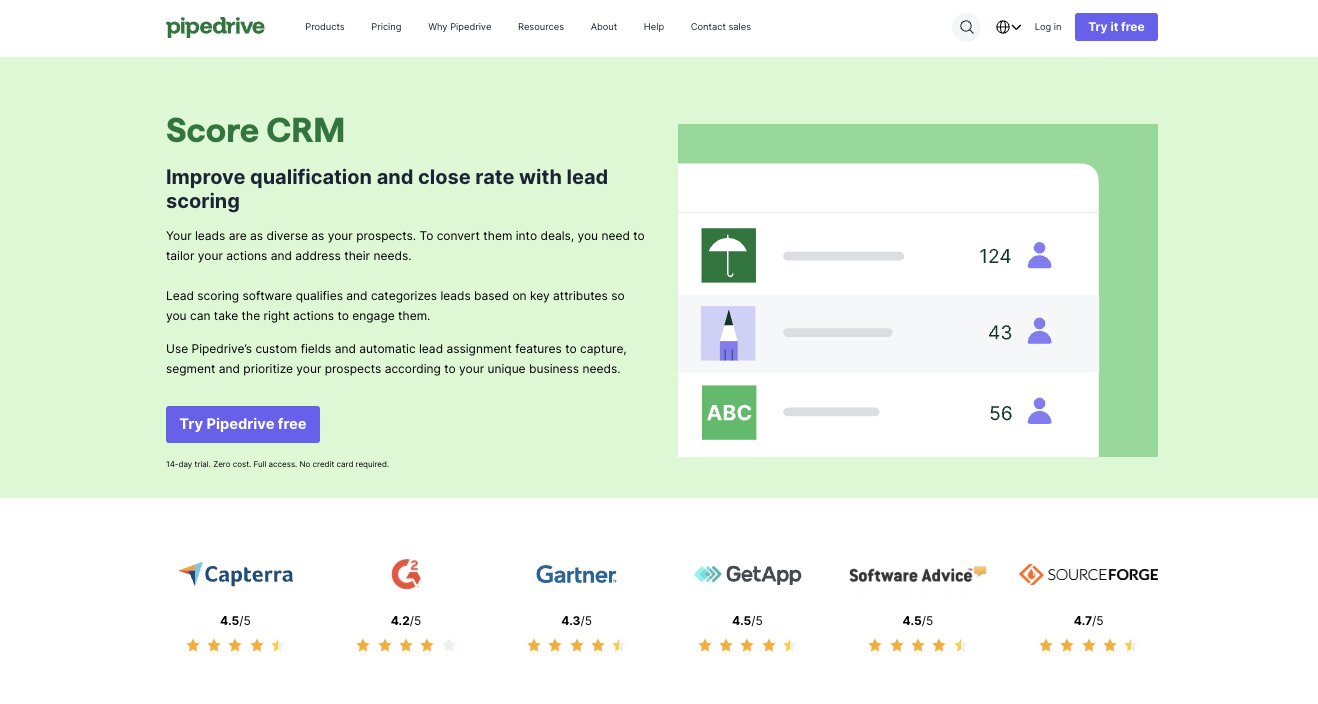
Pipedrive is more of a CRM-first tool that layers on rules-based lead scoring rather than a dedicated scoring engine like MadKudu or 6sense. You work with custom fields, automation workflows, and its built-in Score features to assign points for things like job title, demo requests, or inactivity. You can also set up time decay and segments like Hot, Warm, and Cold that update automatically and show right in your pipeline view.
What sets it apart from the other tools on this list is how seamlessly the scoring integrates into the CRM for SMB sales teams who live in their pipeline every day. You do not need a separate app or complex setup. It is not AI-predictive out of the box, but it excels at simple, actionable prioritization tied directly to deals and activities. If you are already in Pipedrive and need scoring without adding another vendor, it is a natural fit.
The setup process is straightforward. You go to Settings, then Tools, then Scores, click "+ Score," name it something like "Lead Heat Score," target Contacts or Deals, pick your pipeline, and then add criteria groups. You set Highly Positive points, say +25 for demo requests or pricing page views, Slightly Positive points like +10 for email opens or site visits, and Negative points like -10 for bad fit signals such as "Intern" job titles. For time decay, you use Workflow Automations where you set a trigger like "No activity in 14 days" to subtract points from a custom numeric Lead Score field. From there you create saved views filtered by score range, Hot at 70+, Warm at 40 to 69, Cold below 40, and those segments update in real time as triggers fire. No code needed.
The right profile for Pipedrive lead scoring is a small-to-mid sales team, think 5 to 25 reps in SMB-focused B2B or service businesses, who want rules-based scoring baked into their daily CRM workflow without extra logins, complex ML training, or vendor dependencies. It is the wrong fit if you are enterprise-scale with messy data needing predictive models, heavy PLG product usage signals, or custom enrichment workflows.
Here are some things I like about Pipedrive:
- Scoring lives directly inside the CRM pipeline view so reps see lead quality without switching tools or logging into a separate platform
- Rules-based setup is simple and transparent. You define the criteria, assign the points, and the segments update automatically in real time
- Time decay through Workflow Automations keeps your scores fresh by subtracting points for inactivity, so stale leads do not sit at the top of the list forever
- Saved views let you filter by Hot, Warm, and Cold segments instantly, which makes daily prioritization fast
- No code needed for the entire setup. You can go from zero to a working scoring system in an afternoon
Here are some cons with Pipedrive:
- Custom scoring and company data enrichment are only available on Premium ($79/seat/month) and above, so the lower tiers do not get the full scoring experience
- It is rules-based only. There is no AI-predictive scoring built in, so if you need models that learn from your historical data this is not the right tool
- Best suited for smaller teams with predictable ICP traits. If your team is drowning in volume and variety, basic point systems may not be enough
Pipedrive pricing
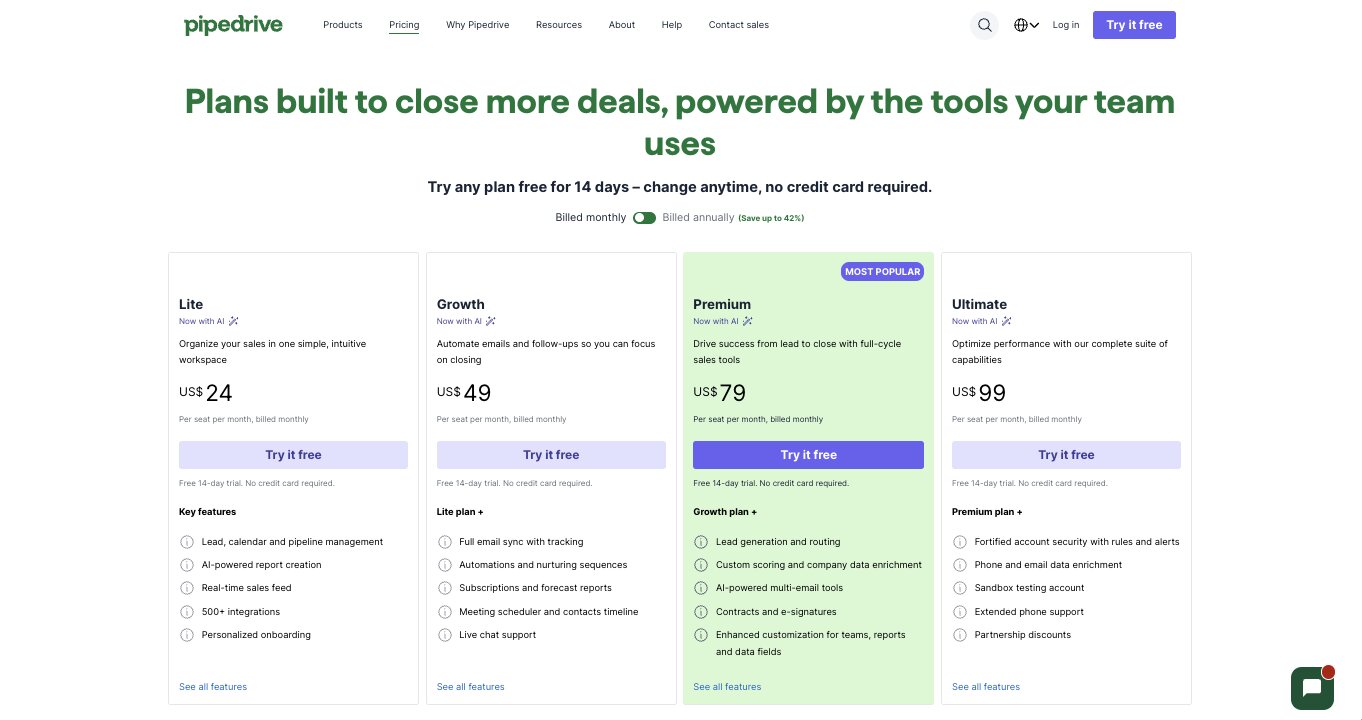
Here are Pipedrive's pricing plans:
- Lite: $24/seat/month with lead, calendar, and pipeline management, AI-powered report creation, real-time sales feed, and 500+ integrations
- Growth: $49/seat/month with everything in Lite plus full email sync with tracking, automations and nurturing sequences, subscriptions and forecast reports, and live chat support
- Premium: $79/seat/month with everything in Growth plus lead generation and routing, custom scoring and company data enrichment, AI-powered multi-email tools, and contracts and e-signatures
- Ultimate: $99/seat/month with everything in Premium plus fortified account security, phone and email data enrichment, sandbox testing account, and extended phone support
You can learn more about what each plan has to offer by checking out their pricing page.
Pipedrive reviews
Here is what users rate Pipedrive on third-party review sites:
- G2: 4.3/5 star rating (from +2,948 user reviews)
- Capterra: 4.5/5 star rating (from +3,042 user reviews)
Build a lead scoring agent
At the end of the day, the best lead scoring software is the one that actually fits how your sales and marketing teams work. Some teams need a dedicated platform with machine learning models that learn from historical data. Others just need rules-based scoring inside a CRM they already use every day.
But if I could give one piece of advice, it would be to go back to what I mentioned at the top of this post. Model success after your highest LTV customers. Track what those accounts looked like before they closed, what emails they opened, what pages they visited, what support interactions they had. Use that data to build your scoring criteria. The tools are just the vehicle for that thinking.
If you want full flexibility to build your own lead scoring agent and connect it to the rest of your pipeline, Gumloop is what I would recommend. You can create a custom scoring workflow, enrich leads automatically, route high-scoring prospects to your sales team, and have agents that track performance across your entire funnel. You can start building for free and experience what it is like to have an AI agent that receives leads, scores them, and takes action on your behalf.

Read related articles
Check out more articles on the Gumloop blog.