7 best LangChain alternatives I've tested in 2026

When I first started looking into building AI agents for my marketing agency, LangChain kept coming up.
It sounded powerful but also really technical. And after digging into it, I realized it kind of is. LangChain is a developer framework built for engineers who want full programmatic control over chains, agents, RAG pipelines, and model orchestration.
If you're comfortable writing Python or TypeScript and managing your own infrastructure, it's a great tool.
But if you're not a developer (vibe coders included), or you just want to get an AI agent up and running without spending weeks learning a framework, LangChain can feel like overkill.
That's what led me to start testing LangChain alternatives. I wanted to find tools that could do a lot of what LangChain does, whether that's building agents, connecting language models to my tools, or automating multi-step workflows, but without needing an engineering background to get started.
I've been testing AI agent platforms and automation tools for over two years now. And I've put together a list of the ones I think are the best alternatives to LangChain depending on your use case, your technical ability, and what you're actually trying to build.
But before we jump into the list, let me go over what I looked for when evaluating each tool.
What I looked for when choosing a LangChain alternative
Before I started comparing tools, I wanted to be clear on what actually matters when picking a platform for AI agents and workflows.
LangChain is powerful, but it's a developer framework. Not everyone needs that level of control, and not every team has the engineering resources to build on it. So I looked at each tool through a few different lenses depending on who's using it and what they're trying to build.
Here are the things I kept in mind when putting this list together:
- Visual builder vs code-based framework: LangChain is a code-first framework. Some alternatives give you a full no-code visual builder, others are purely code-based, and a few offer both. It depends on your team's technical ability and how much control you need over the process.
- Language model flexibility: Does the platform lock you into one model, or can you use language models from OpenAI, Anthropic, Google, or open-source providers? I wanted tools that let you swap models without having to rebuild your AI workflows from scratch.
- RAG and knowledge handling: LangChain has strong support for RAG pipelines, so any alternative worth considering should have a solid way to connect your own data sources, documents, and knowledge bases to your agents.
- Agent orchestration: Can the platform handle multiple agents working together? I looked for tools that support multi-agent workflows, tool calling, memory, and multi-step reasoning. Not just simple if-this-then-that automations.
- Ease of use and learning curve: How fast can you go from signing up to actually building something useful? Some frameworks take a long time to figure out. Others let you describe what you want in plain language and start building in minutes.
- Integrations: It's not just about the number of integrations, but how deep they go. Can you integrate with MCP servers? Does it support webhooks? Can you connect to your existing tools and pull data without a bunch of workarounds?
- Data processing and document handling: A lot of real-world AI workflows involve processing documents, emails, spreadsheets, and unstructured data. I looked for platforms that handle that well without requiring you to write custom parsing logic.
- Self-hosted vs cloud-only: LangChain can run anywhere you deploy Python. If self-hosting is a requirement for your team, you want to make sure the alternative supports it too, or at least has strong privacy and compliance standards.
- Scalability and enterprise readiness: Can the platform handle real production workloads? I looked for things like role-based access control, audit logs, SSO, and deployment flexibility. These matter a lot once you move past prototyping.
- Pricing and cost efficiency: Some platforms get expensive fast once you start running a lot of tasks or processes. I wanted to include options across different budgets so there's something for everyone.
Not every tool on this list checks every box. But these are the core requirements I kept in mind when evaluating each one. I'll go over the pros and cons of each tool and who they're best for depending on your use case.
Alright, let's get into it.
7 best LangChain alternatives and competitors in 2026
Here are the top LangChain alternatives:
- Gumloop (best for building AI agents and workflows without code)
- CrewAI (best for multi-agent orchestration in Python)
- StackAI (best for enterprise teams in regulated industries)
- Make (best for non-technical teams on a budget)
- Zapier (best for connecting AI to your existing SaaS stack)
- Flowise (best for open-source visual agent building)
- Vertex AI (best for teams already in the Google Cloud ecosystem)
Lets go over each one.
1. Gumloop
- Best for: Teams that want to build and deploy AI agents and automated workflows without writing code
- Pricing: Free plan available (5,000 credits/month), paid plans start at $37/month
- What I like: All premium LLM models (Anthropic, OpenAI, Gemini, DeepSeek) come included in every plan, and the built-in AI assistant can build entire workflows for you automatically
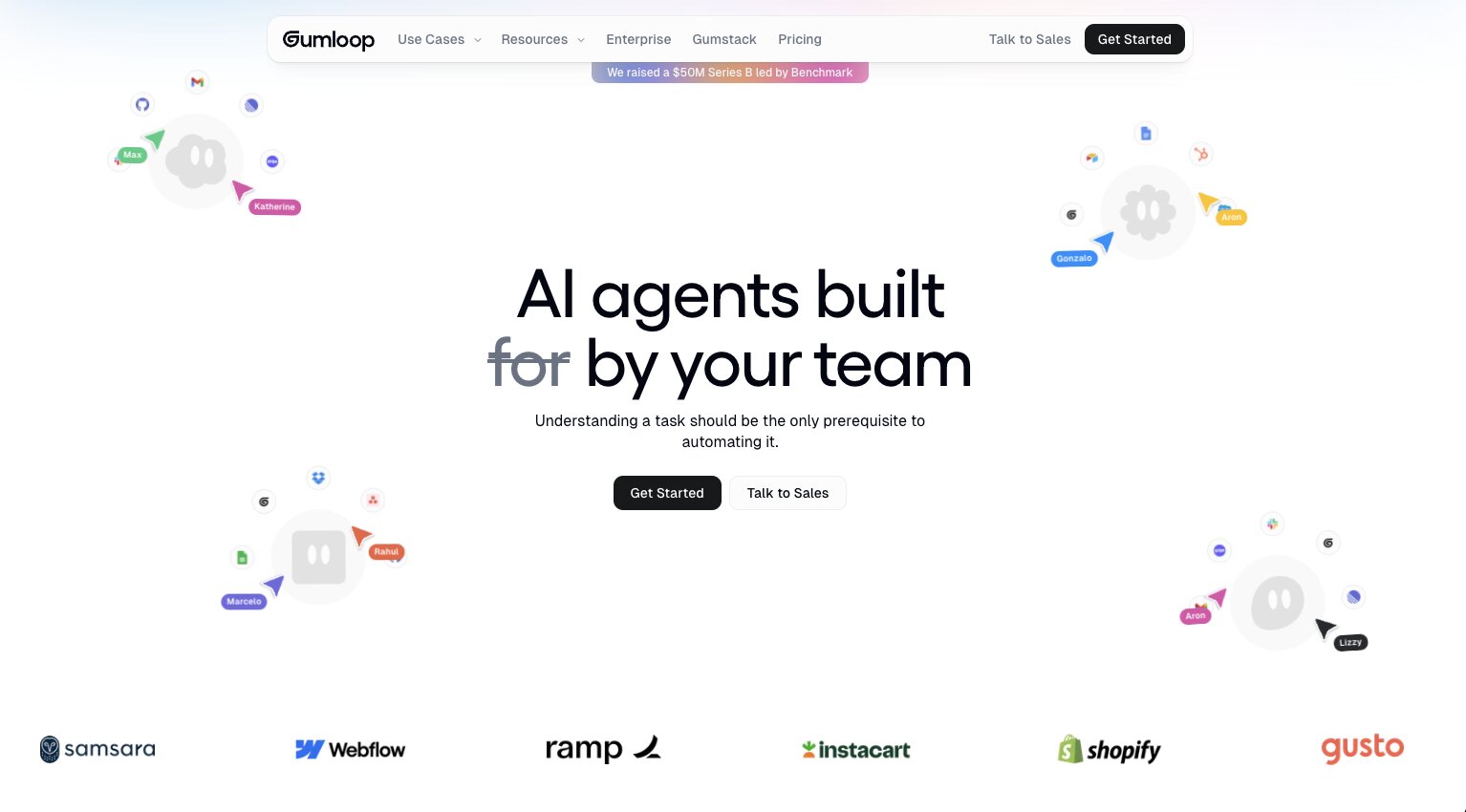
Gumloop a platform for building and deploying AI agents and automated workflows, and the idea is that anyone on your team can roll out specialized agents in minutes without touching code.
I've been using Gumloop for over a year now, and it's used by companies like Gusto, Instacart, Samsara, Shopify, and Webflow. But it's also user-friendly enough for someone like me who runs a media company solo. It really covers the full spectrum, which is rare in this space.
Gumloop recently raised a $50M Series B led by Benchmark, and Gusto's CIO described building with Gumloop as giving them "a whole new pool of engineering capacity." So it's clearly getting traction at the enterprise level.
How Gumloop works
The core building experience is a visual canvas where you wire together nodes, apps, and agents into full workflows. But if you're coming from LangChain and the drag-and-drop thing feels unfamiliar, there's also a chat builder option.
You describe what you want and Gumloop's built-in assistant, called Gummie, automatically places the relevant apps and nodes onto the canvas for you. Either way, you end up with the same thing.
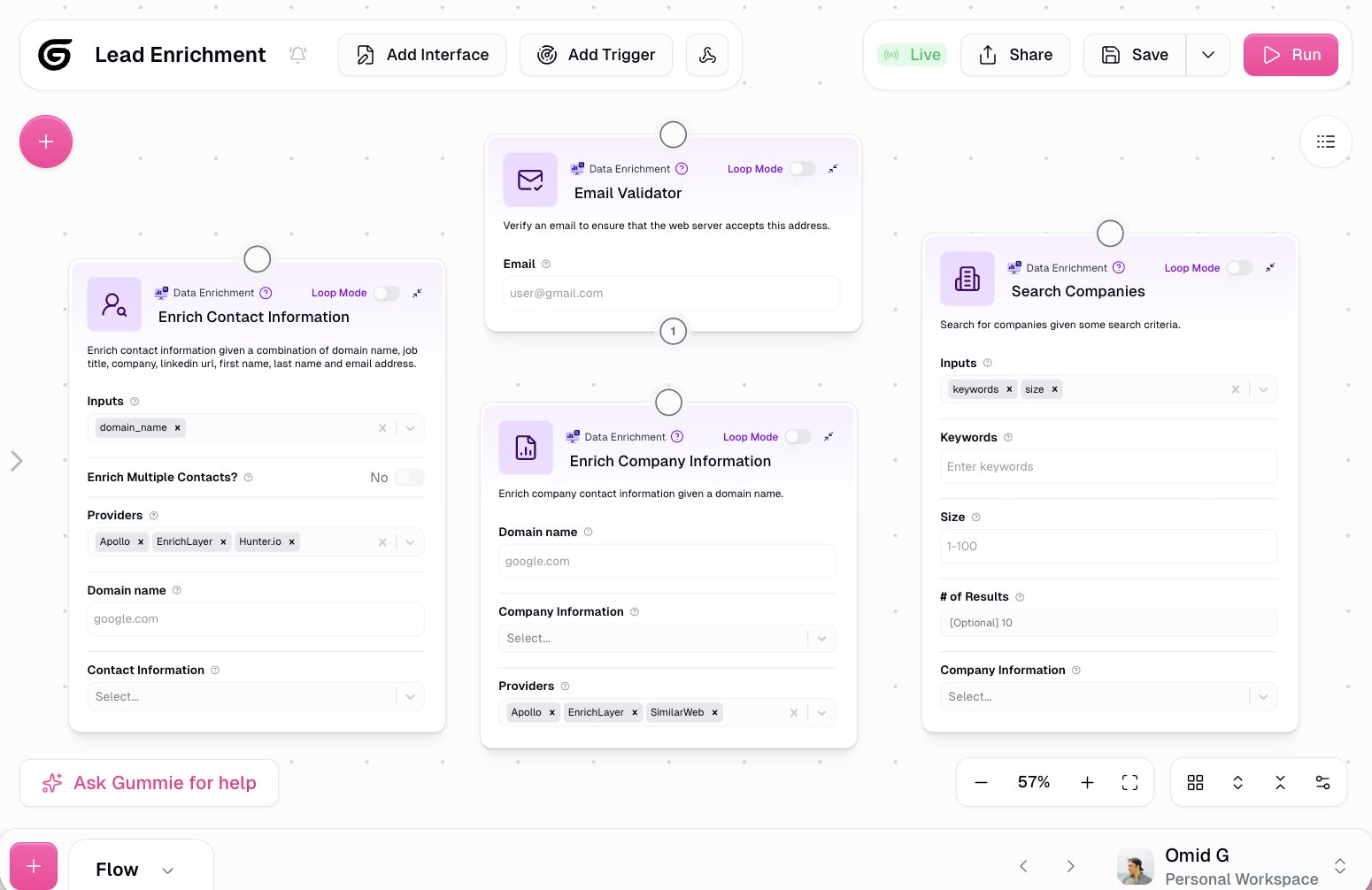
When it comes to models, you just toggle which one you want to run, whether that's at the agent level or for a specific node inside a workflow. No separate API keys required. Anthropic, OpenAI, Gemini, and DeepSeek are all included. You can bring your own keys if you prefer, but you don't have to.
The types of agents you can build cover a pretty wide range. One I find really useful is a data analyst agent connected to Slack, where your team can ask questions like "which customers are likely to churn" or "where are people dropping off in the onboarding flow" and get answers in real time.
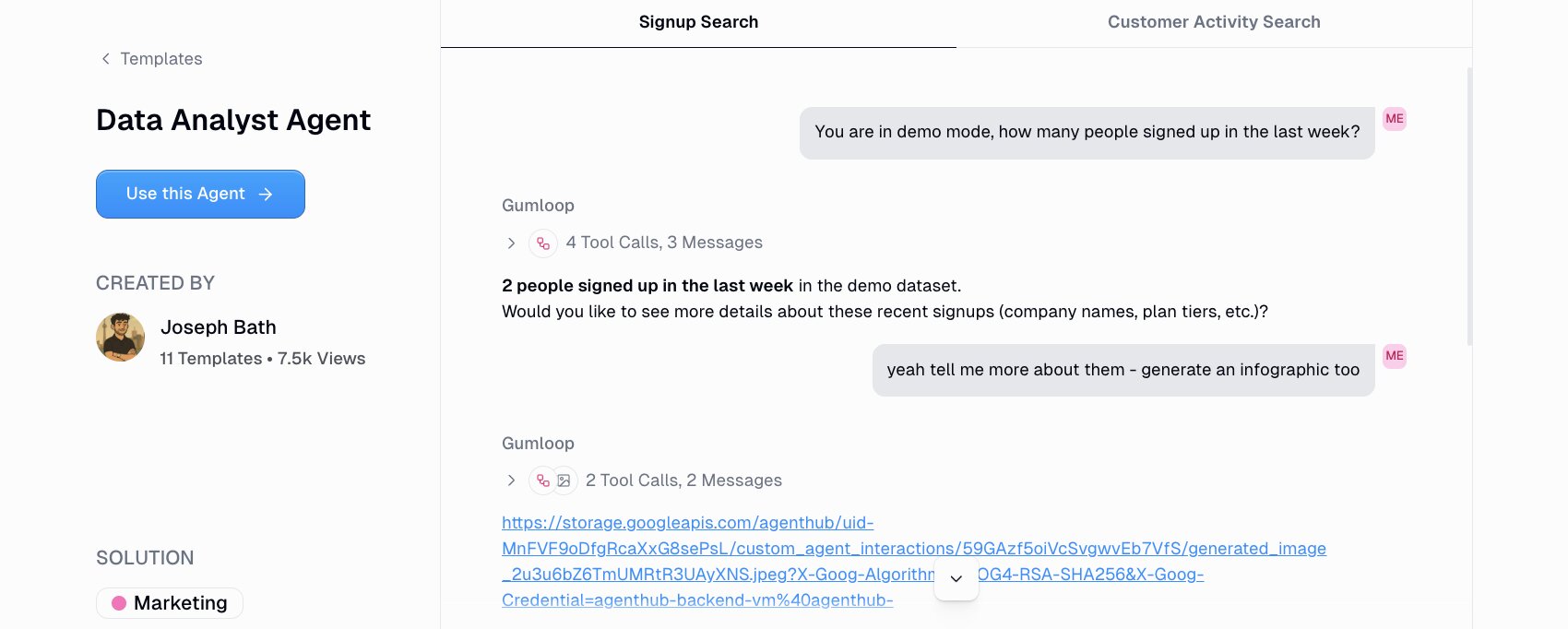
Gumloop also handles marketing and content agents, ops agents, meeting prep, call analysis, support triage, and CRM management. You can set up recurring triggers to keep agents running in the background on a schedule, or fire them based on events like form submissions.
Gumloop also recently launched Gumstack, which is a security and observability layer for the agentic era. It monitors, audits, and analyzes all AI activity across your organization, not just inside Gumloop. It gives you centralized access controls, tool call traceability, MCP inventory and auditing, SSO and SCIM integration, and per-tool authorization policies. It's built to help IT teams go from shadow AI to full visibility.
Why choose Gumloop over LangChain
Here are some reasons why I'd pick Gumloop over LangChain:
- Gumloop lets anyone on your team build and deploy AI agents without writing code. LangChain requires Python or TypeScript skills and infrastructure knowledge. Gumloop removes that barrier entirely.
- All premium LLM models come included in every plan. You don't have to manage separate API keys, billing accounts, or provider configurations. LangChain requires you to set up and pay for each model provider yourself.
- The Gummie assistant can scaffold entire workflows for you in seconds. You just describe what you want and it builds the flow on the canvas. LangChain has no equivalent to that.
- Agents can live directly inside Slack and Teams, so your whole team can interact with them like coworkers. LangChain requires you to build that integration layer yourself.
- Gumloop is SOC 2 Type II certified and GDPR compliant, with Zero Data Retention agreements with third-party model providers. It also ships with enterprise features like RBAC, audit logs, VPC deployments, and AI model access controls. Getting to that level with LangChain requires significant custom security work.
Gumloop pros and cons
Here are some of the pros I've found with Gumloop:
- You can build any automated workflow or AI agent using natural language through the Gummie assistant, or go the visual canvas route if you prefer hands-on control.
- Every plan includes access to premium models from Anthropic, OpenAI, Gemini, and DeepSeek. No API key management needed.
- Agents connect directly to Slack and Teams so your team can interact with them in the tools they already use every day.
- Used by enterprise companies like Gusto, Instacart, Shopify, Samsara, and Webflow, but still accessible enough for solo operators and small teams.
- Enterprise secure with SOC 2 Type II, GDPR compliance, RBAC, audit logging, VPC deployments, and Zero Data Retention agreements with model providers.
- Gumstack adds a centralized security and observability layer that tracks AI activity across your entire organization, not just Gumloop.
Here are some of the cons I've found with Gumloop:
- You get the most out of it when you have a clear use case you want to automate. Going in without a specific workflow in mind can make the initial experience feel open-ended.
- The built-in integration library is still growing. You can connect any MCP server to fill the gaps, but some niche tools might not have native connectors yet.
- It can take a minute to figure out when to build an agent vs an AI workflow. Understanding your use case deeply before you start building makes a big difference.
And just to be clear, I know it sounds biased that I'm recommending this tool on the Gumloop blog. But I'm not an employee at Gumloop. I'm a customer and I asked if I could write this so I can share my own experience.
Gumloop pricing
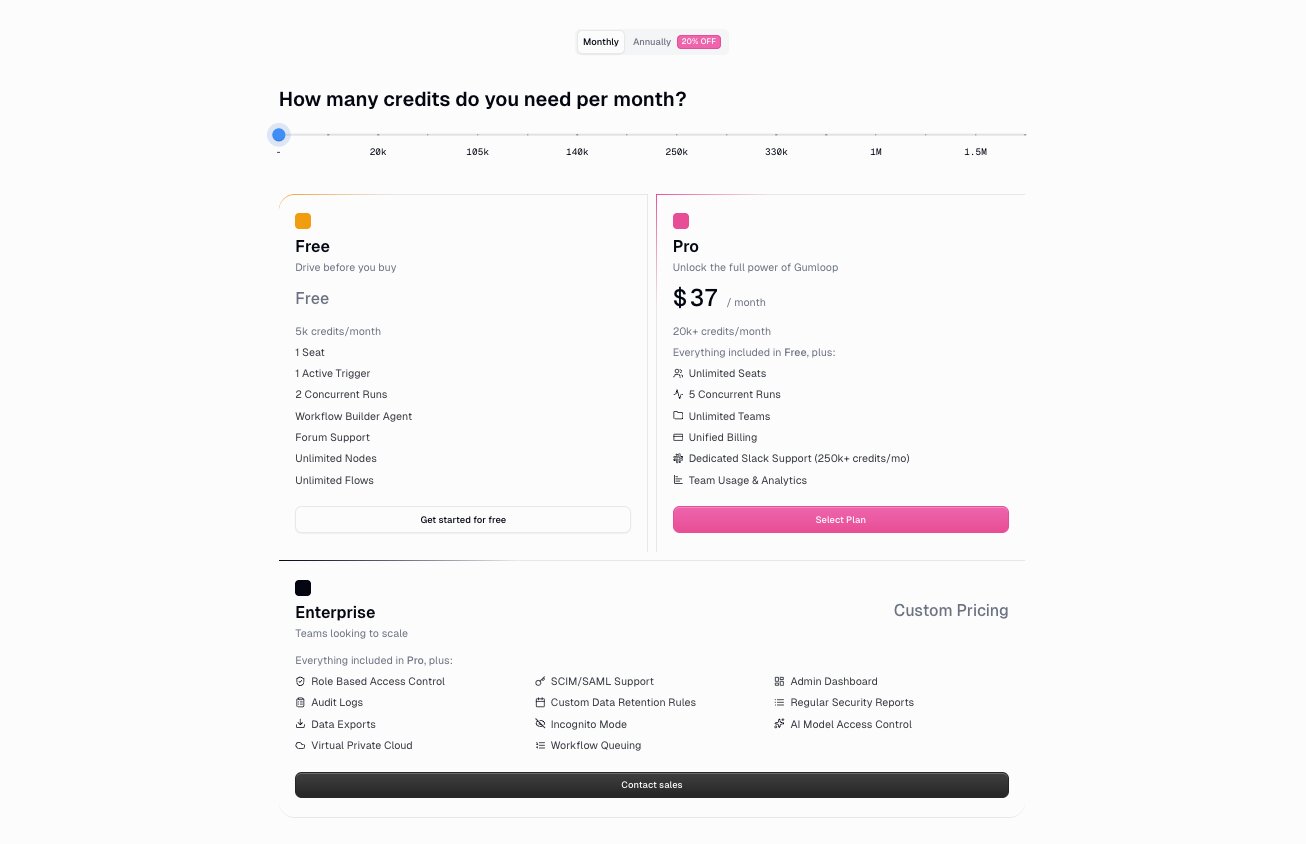
Here are Gumloop's pricing plans:
- Free: $0/month with 5,000 credits per month, 1 seat, 1 active trigger, 2 concurrent runs, unlimited agents, unlimited flows, and forum support
- Pro: $37/month with 20k+ credits per month (scales based on usage), unlimited seats, 5 concurrent runs, unlimited teams, unified billing, and team usage and analytics
- Enterprise: Custom pricing with role-based access control, SCIM/SAML support, admin dashboard, audit logs, custom data retention rules, regular security reports, data exports, incognito mode, AI model access control, virtual private cloud deployments, and workflow queuing
All plans include access to models from Anthropic, OpenAI, Gemini, and DeepSeek.
You can learn more about how they structure their pricing here.
Gumloop ratings and reviews
Here's what customers rate the platform on third-party review sites:
- G2: 4.8/5 star rating (from +6 user reviews)
- Product Hunt: 5/5 star rating (from +9 user reviews)
2. CrewAI
- Best for: Developers and engineering teams who want a Python-first framework for multi-agent orchestration
- Pricing: Free plan available (50 workflow executions/month), paid plans start at $25/month
- What I like: The declarative agent-task-crew model makes multi-agent workflows feel like assigning jobs to a team, and the open-source framework has a massive community behind it
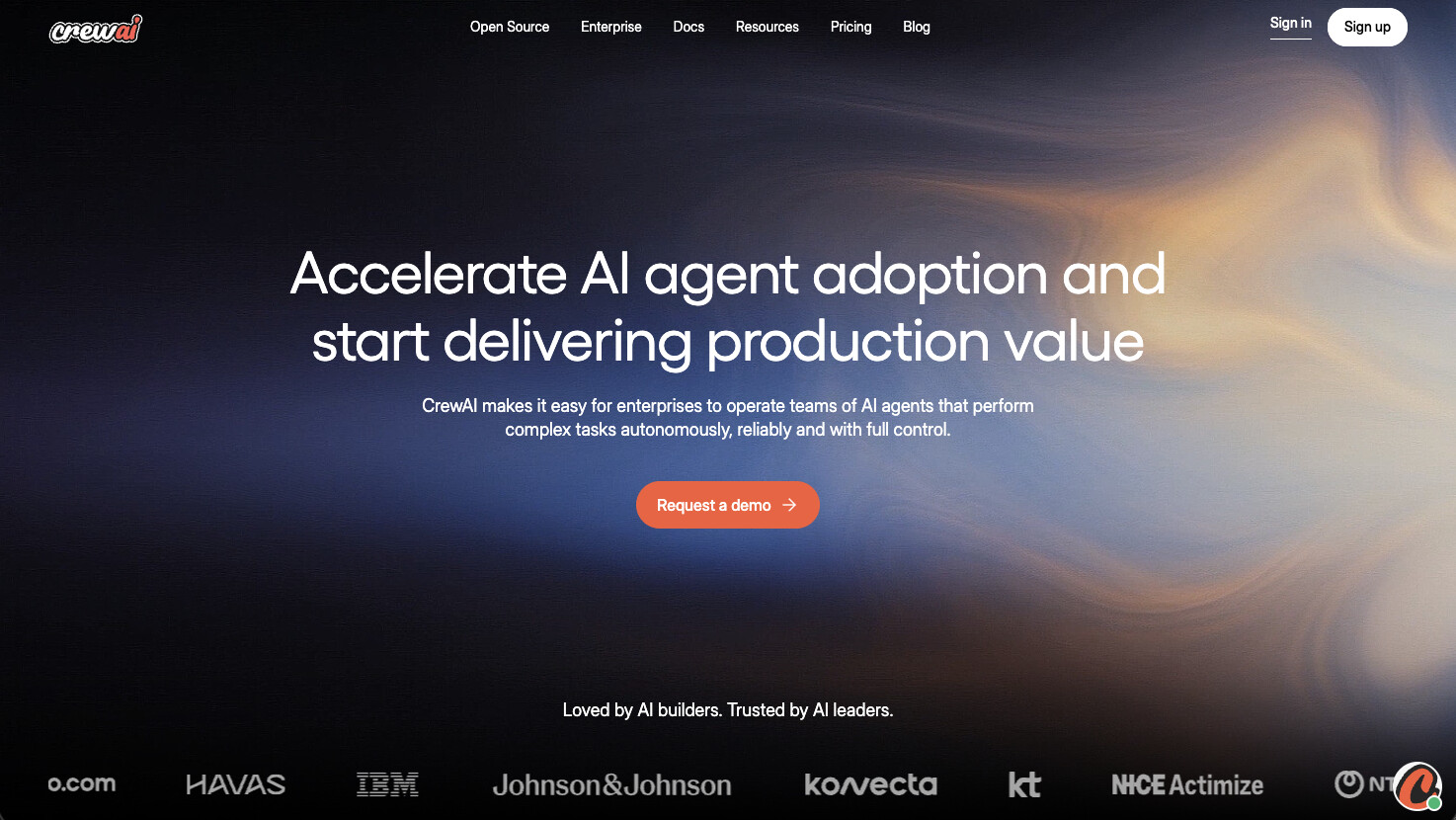
CrewAI is a Python framework built specifically for multi-agent orchestration. It's used by companies like DocuSign, IBM, PwC, and PepsiCo for everything from lead enrichment to curriculum design to code generation.
I've spent a decent amount of time digging into CrewAI, and the core idea is that you define a "crew" of AI agents, assign each one a role and a set of tasks, and then kick off the whole workflow with a single command. Instead of manually wiring up chains, graphs, and message handlers like you would in LangChain, you describe your agents in terms of roles, goals, and backstories. Think "researcher, analyst, writer, reviewer" with attached tasks. It reads more like a workflow spec than a state machine, which I think makes it way easier to reason about and explain to people who aren't deep in the code.
They also recently launched CrewAI AMP (Agent Management Platform), which is their enterprise product. It adds a visual editor, an AI copilot, workflow tracing, agent training, task guardrails, and centralized management on top of the open-source framework. So you can build with code or without code depending on your team.
How CrewAI works
CrewAI gives you a Python library where you define agents, tasks, and crews. Each agent gets a role, a goal, and a backstory that shapes how the LLM behaves. Tasks describe what needs to be done and which agent is responsible. You then group agents and tasks into a crew and run the whole thing with a single "crew.kickoff()" call.
What I find useful is that context handoff between agents is controlled at the task level. You can explicitly set which prior task outputs get passed into a downstream task using the context attribute, so agents only see the information you deliberately include. This keeps prompt sizes manageable and avoids the common problem of dumping entire conversation histories into every agent call.
You can run crews sequentially or in parallel, and CrewAI supports tool calling, memory, and delegation between agents. For more advanced setups, you can build supervisor-worker patterns where a manager agent coordinates specialist agents underneath it.
There's also CrewAI Studio, which is the visual editor inside AMP. It lets non-developers build and configure crews through a drag-and-drop interface with integrated tools and triggers for apps like Gmail, Slack, Notion, HubSpot, and Salesforce.
Why choose CrewAI over LangChain
Here are some reasons why I'd pick CrewAI over LangChain:
- CrewAI's declarative model (agents, tasks, crews) is purpose-built for multi-agent workflows. LangChain can do multi-agent setups, but you're assembling it yourself from lower-level primitives like chains, graphs, and custom routing logic. CrewAI gives you that structure out of the box.
- The role/goal/backstory pattern makes agent behavior easier to define and easier to explain to non-technical teammates. You think in terms of job titles and responsibilities instead of nodes and edges.
- For well-scoped multi-agent projects, I think you'll prototype faster with CrewAI. A planner, researcher, writer, reviewer pipeline takes a handful of lines of Python instead of a custom graph implementation.
- CrewAI AMP adds a visual editor and enterprise features (tracing, training, guardrails, RBAC) on top of the open-source framework. LangChain's equivalent would be pairing the library with LangSmith, which is a separate product.
CrewAI pros and cons
Here are some of the pros I've found with CrewAI:
- The agent-task-crew abstraction makes multi-agent orchestration feel intuitive. You focus on what agents need to do rather than how to wire them together.
- Context handoff is granular. You control exactly which task outputs get passed to downstream agents, which keeps prompts clean and reduces errors.
- The open-source framework has a large and active community. CrewAI claims over 450 million agentic workflows run per month and adoption across 60% of the Fortune 500.
- CrewAI AMP gives you both a code-first path (APIs) and a no-code path (visual editor with AI copilot), so it works for engineering teams and non-technical users.
- Enterprise deployment options include SaaS, self-hosted via Kubernetes, and VPC deployment with SOC 2, SSO, and PII detection built in.
Here are some of the cons I've found with CrewAI:
- If you need fine-grained control over internal state, custom loops, or highly specialized routing logic, LangChain's lower-level primitives give you more flexibility. CrewAI trades some of that control for simplicity.
- There's a learning curve around properly scoping tasks, managing context sizes, and avoiding common mistakes like over-passing context or giving agents too many tools. The framework is simple to start with, but production-quality setups take some discipline.
- The visual editor (CrewAI Studio) is part of the AMP platform. If you're a solo developer who just wants the open-source framework, the no-code features aren't available in the free community edition.
- The ecosystem of pre-built integrations is smaller compared to general-purpose automation platforms like Zapier or Make. You'll likely need to build custom tools for niche use cases.
CrewAI pricing
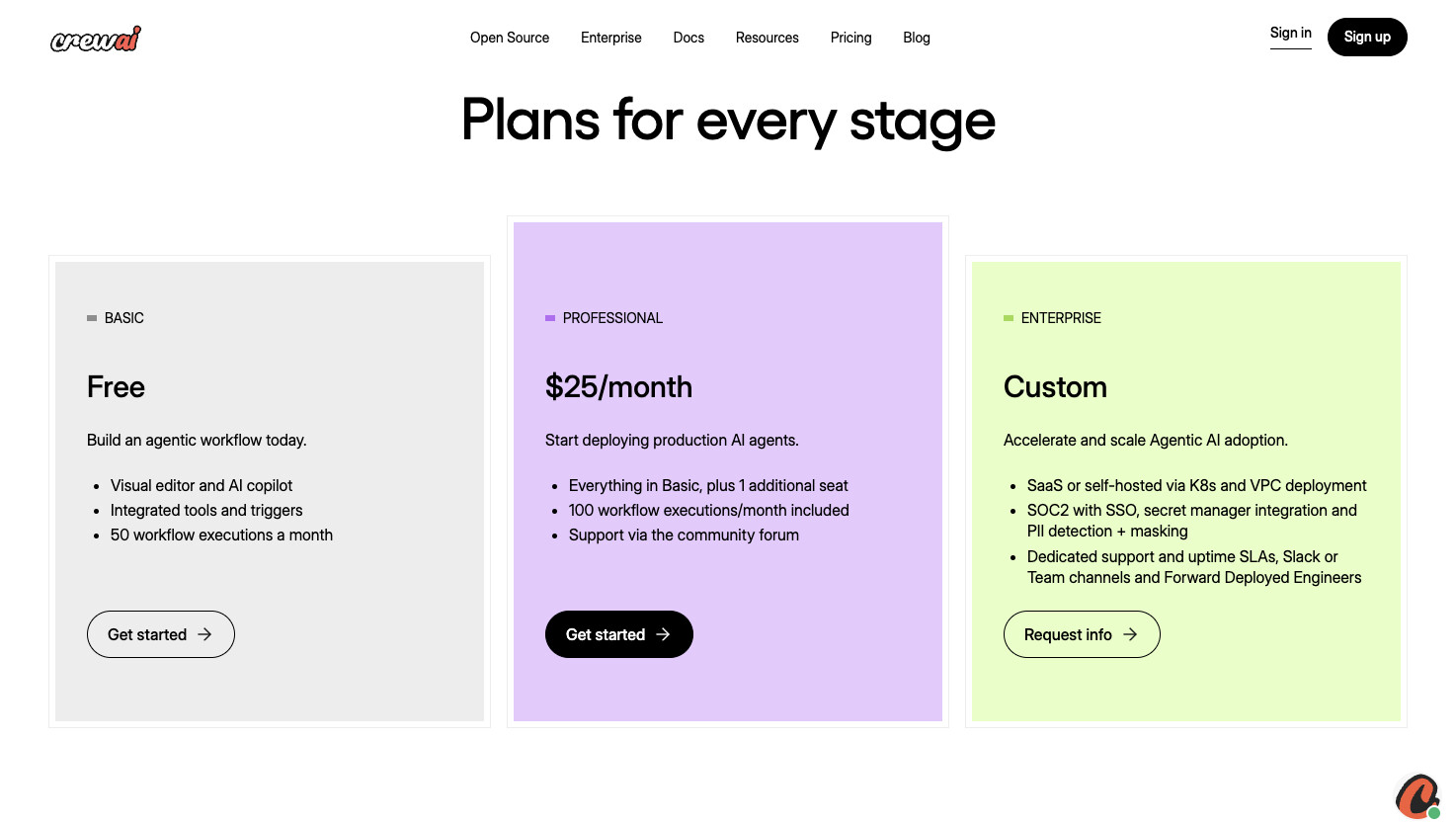
Here are CrewAI's pricing plans:
- Basic: $0/month with visual editor and AI copilot, integrated tools and triggers, and 50 workflow executions per month
- Professional: $25/month with everything in Basic plus 1 additional seat, 100 workflow executions per month, and support via the community forum
- Enterprise: Custom pricing with SaaS or self-hosted deployment via Kubernetes and VPC, SOC 2 with SSO, secret manager integration, PII detection and masking, dedicated support and uptime SLAs, Slack or Teams channels, and Forward Deployed Engineers
The open-source framework (CrewAI OSS) is free and available on GitHub.
You can learn more about how they structure their pricing here.
CrewAI ratings and reviews
Here's what customers rate the platform on third-party review sites:
- G2: 4.5 out of 5 star rating (from +3 user reviews)
- Trustpilot: 3.1/5 star rating (from +2 user reviews)
3. StackAI
- Best for: Enterprise teams in regulated industries like finance, insurance, healthcare, and government
- Pricing: Free plan available (500 runs/month), Enterprise pricing is custom
- What I like: Compliance certifications (SOC 2, HIPAA, GDPR) are already completed and documented, so security and procurement teams can move faster instead of waiting on audits or running vendor-risk exceptions
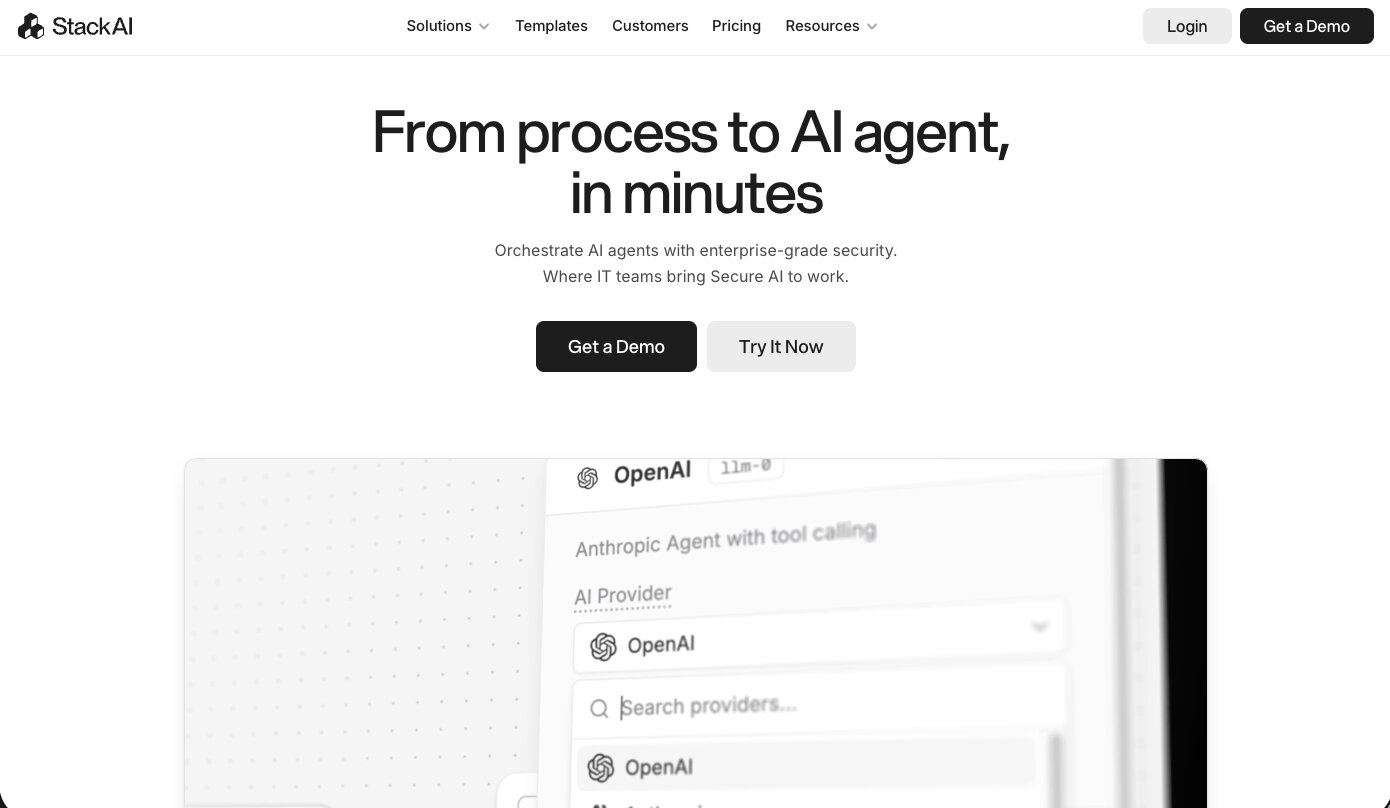
StackAI is an AI agent builder designed for enterprise companies that operate in regulated industries. It's used by companies like IBM, Nubank, BAE Systems, MIT, and the YMCA Retirement Fund for things like underwriting, contract review, ticket triage, RFP drafting, and CRM enrichment.
The reason I included StackAI on this list is because it bakes governance directly into the platform. Compliance controls, guardrails, PII handling, and data retention policies are core features, not things your security team has to bolt on after the fact. Most alternatives at this level require custom security work or compensating controls to get to the same place. StackAI ships with SOC 2 Type II, HIPAA, and GDPR coverage as platform guarantees, which is pretty unusual for an agent and workflow orchestration tool.
If you're in an industry where compliance and data governance are non-negotiable and your procurement team needs completed audits before they sign off on anything, that's where StackAI fits.
How StackAI works
StackAI gives you a drag-and-drop canvas where you connect nodes for LLM calls, tools, knowledge bases, APIs, and business systems into end-to-end workflows. You can index internal data sources into RAG pipelines, plug in tools to act on systems like Salesforce, SharePoint, SAP, or internal APIs, and then deploy your agents through chatbots, forms, batch processors, or widgets.
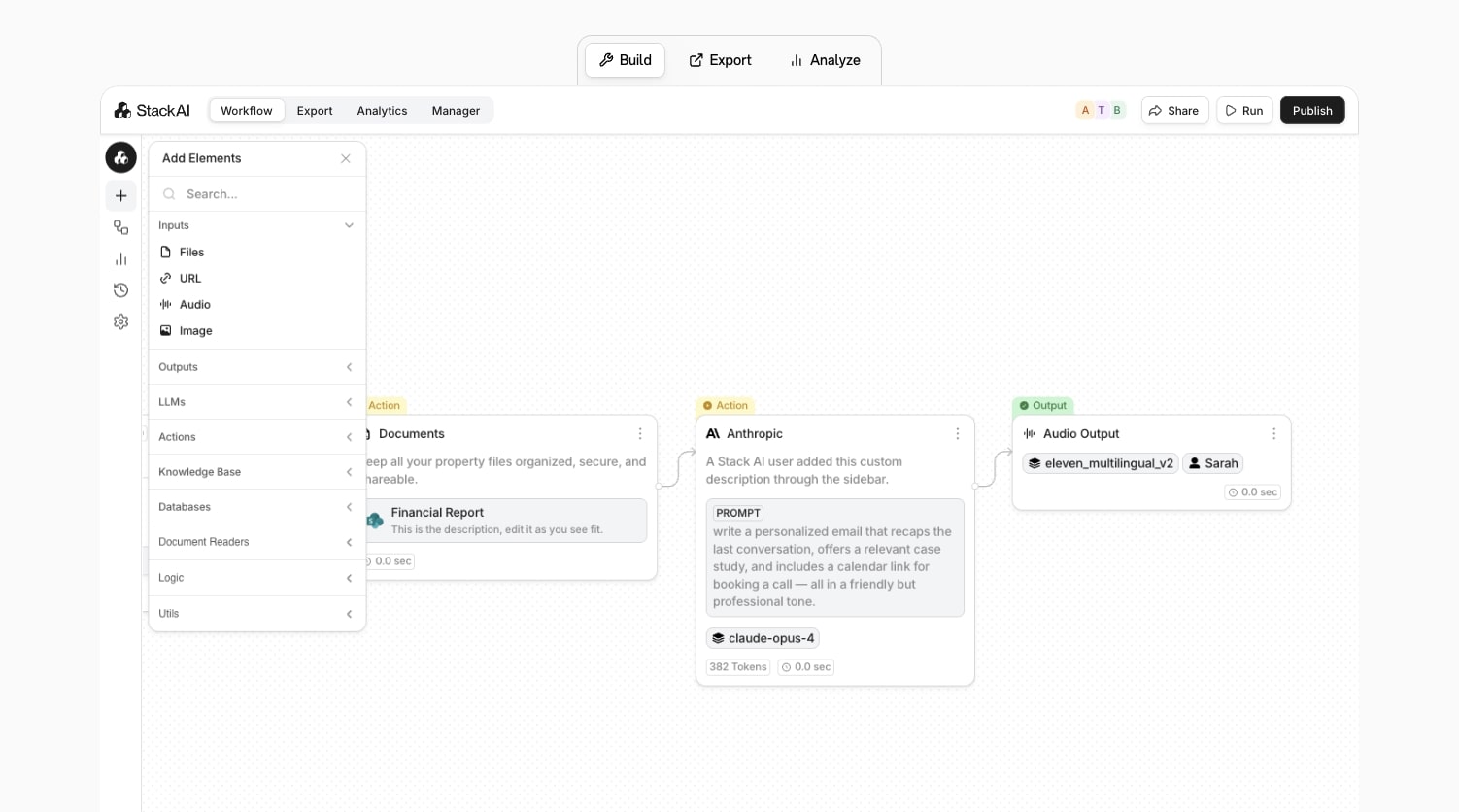
What I find well-designed is the guardrail system. It operates at two levels. At the workflow level, you define global rules that apply to every LLM step in that flow, things like "never expose raw PII in any response" or "never answer medical diagnosis questions." At the individual node level, you can set instructions for specific steps. So a "legal summary" node can be configured to refuse out-of-scope questions while the rest of the workflow runs normally. The workflow rules act as a floor that no node can violate, and node rules let you get more specific where certain steps need it.
The builder itself feels like a polished enterprise workflow engine. Workflows feel more like n8n or Make diagrams than raw LLM graphs, with nodes for forms, approvals, integrations, and LLM steps wired together. There are also pre-built flows for things like contract review, support triage, and RFP assistants, so teams can start from established patterns instead of a blank canvas.
Why choose StackAI over LangChain
Here are some reasons why I'd pick StackAI over LangChain:
- StackAI ships with completed SOC 2 Type II, HIPAA, and GDPR certifications as core platform guarantees. With LangChain, you're responsible for building that compliance layer yourself on top of whatever infrastructure you deploy to. If your security team needs audits done before they approve a vendor, StackAI is already there.
- The platform is built for internal enterprise workflows. Helpdesk bots, onboarding assistants, document parsers, expense agents. LangChain can technically build all of those things, but you're assembling the pieces yourself. StackAI gives you templates and structure for those use cases out of the box.
- LLM nodes include native PII detection and masking, configurable data retention policies, and a no-training-on-customer-data commitment under enterprise agreements. Those are exactly the things a DPO or compliance team is going to ask about before signing off on any AI tooling.
- StackAI supports multiple LLM providers (OpenAI, Anthropic, Google, Meta) and offers flexible deployment options including multi-cloud, VPC, and on-prem. That reduces vendor lock-in compared to building on a single framework.
StackAI pros and cons
Here are some of the pros I've found with StackAI:
- The drag-and-drop builder is clean and one of my favorite UIs in this space. It's opinionated in a way that makes workflows easy to follow for non-ML people, while still exposing enough controls around models, routing, and evals for technical users.
- Enterprise security and compliance is baked in from day one. SOC 2 Type II, HIPAA, and GDPR are completed certifications, not "in progress" placeholders.
- Over 100 data and app connectors (Salesforce, SharePoint, SAP, internal APIs) plus one-click RAG pipelines for document indexing.
- The guardrail system gives you both workflow-level and node-level control over what LLMs can and can't do, which is important when legal or compliance teams need hard boundaries.
- You can deploy agents across web widgets, chatbots, forms, batch processors, and internal tools from the same canvas.
Here are some of the cons I've found with StackAI:
- It's designed for mid-market and enterprise teams. If you're a solo operator or a small startup, the platform is going to feel like overkill for what you need.
- StackAI is more opinionated than open-source tools like Flowise. If you want to plug in arbitrary LangChain nodes or tinker with obscure LLM backends, you won't have that kind of raw hackability here. You're expected to stay within its node types.
- The platform assumes a real project cycle with environments, approvals, and governance built in. For quick one-off automations, something like Gumloop or Flowise will feel faster to spin up.
- Like any node-based builder, very large workflows can get visually dense and harder to navigate. StackAI mitigates this with structure and templates, but you'll still hit the usual canvas-at-scale problems.
StackAI pricing
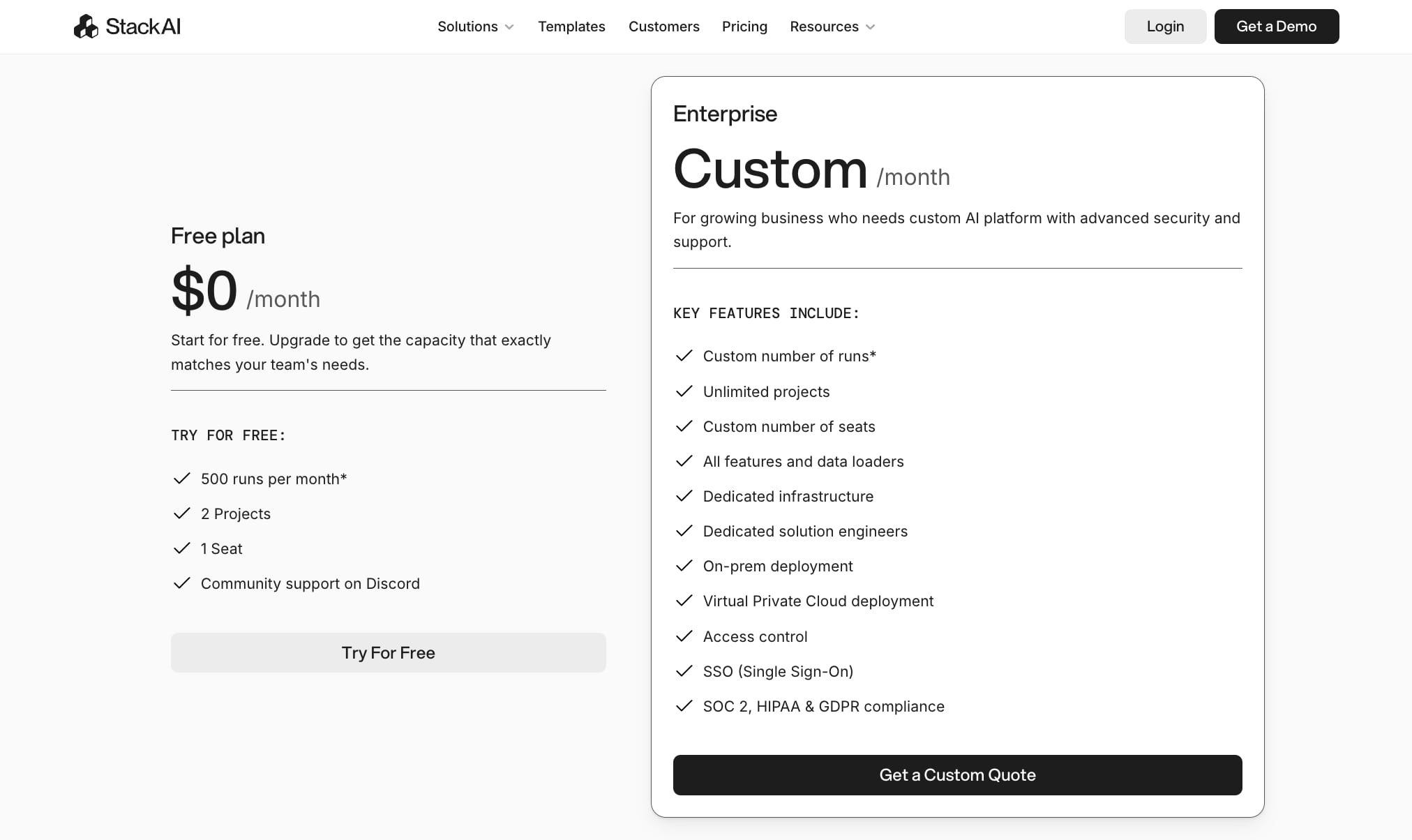
Here are StackAI's pricing plans:
- Free: $0/month with 500 runs per month, 2 projects, 1 seat, and community support on Discord
- Enterprise: Custom pricing with custom number of runs, unlimited projects, custom number of seats, all features and data loaders, dedicated infrastructure, dedicated solution engineers, on-prem deployment, Virtual Private Cloud deployment, access control, SSO, and SOC 2, HIPAA, and GDPR compliance
You can learn more about how they structure their pricing here.
StackAI ratings and reviews
Here's what customers rate the platform on third-party review sites:
- G2: 4.5/5 star rating (from +38 user reviews)
- Slashdot: 4.4/5 star rating (from +9 user reviews)
4. Make
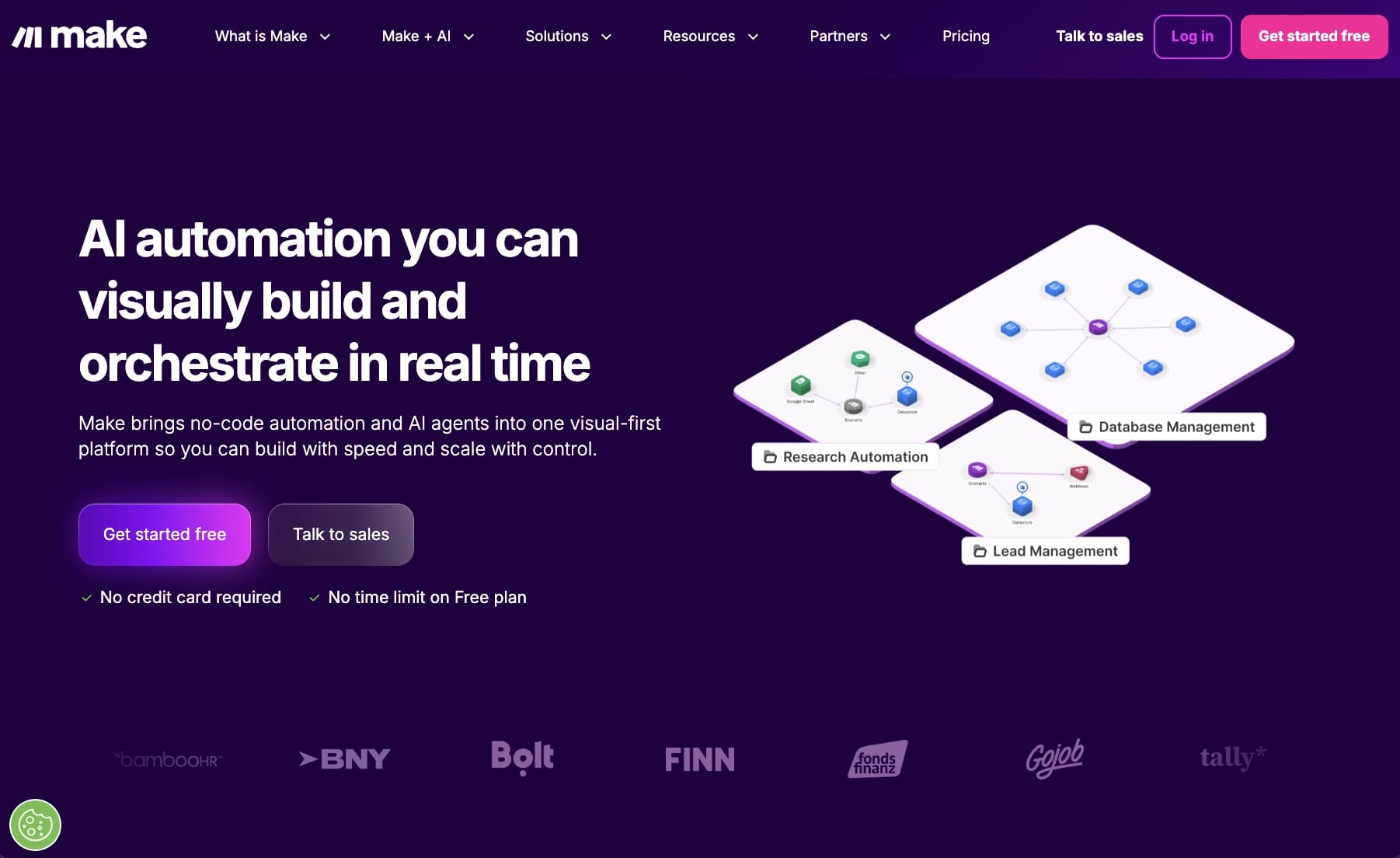
- Best for: Non-technical teams who want budget-friendly workflow automation with AI features
- Pricing: Free plan available (1,000 credits/month), paid plans start at $10.59/month
- What I like: Over 3,000 app integrations, a clean drag-and-drop interface, and one of the cheapest options out there
Make (used to be called Integromat) is an automation platform that's been around for a while now. It got popular as a cheaper alternative to Zapier, and for good reason. The pricing is way more friendly, especially for small teams or people just getting started.
I've used Make on and off over the years, and the thing that stands out to me is how visual it is. You build workflows on a canvas by connecting modules together, kind of like a flowchart. You can add triggers, actions, routers, filters, and conditional logic. I like that I can see what's happening at every step, especially when things get more complex.
Make also added AI-specific modules in the last year or so. You can drop in LLM nodes (like OpenAI) and use built-in AI tools for things like classification and summarization. So you can build AI-powered workflows directly on the canvas without a bunch of workarounds.
Marketing, ops, sales, and customer service teams use it the most to connect their tools together and automate repetitive stuff.
How Make works
In Make, you build what they call "scenarios." Each scenario starts with a trigger (like a new row in a spreadsheet or a new email) and then connects to actions, routers, and filters that control the flow of data. You configure everything through forms where you map data fields and set conditions.
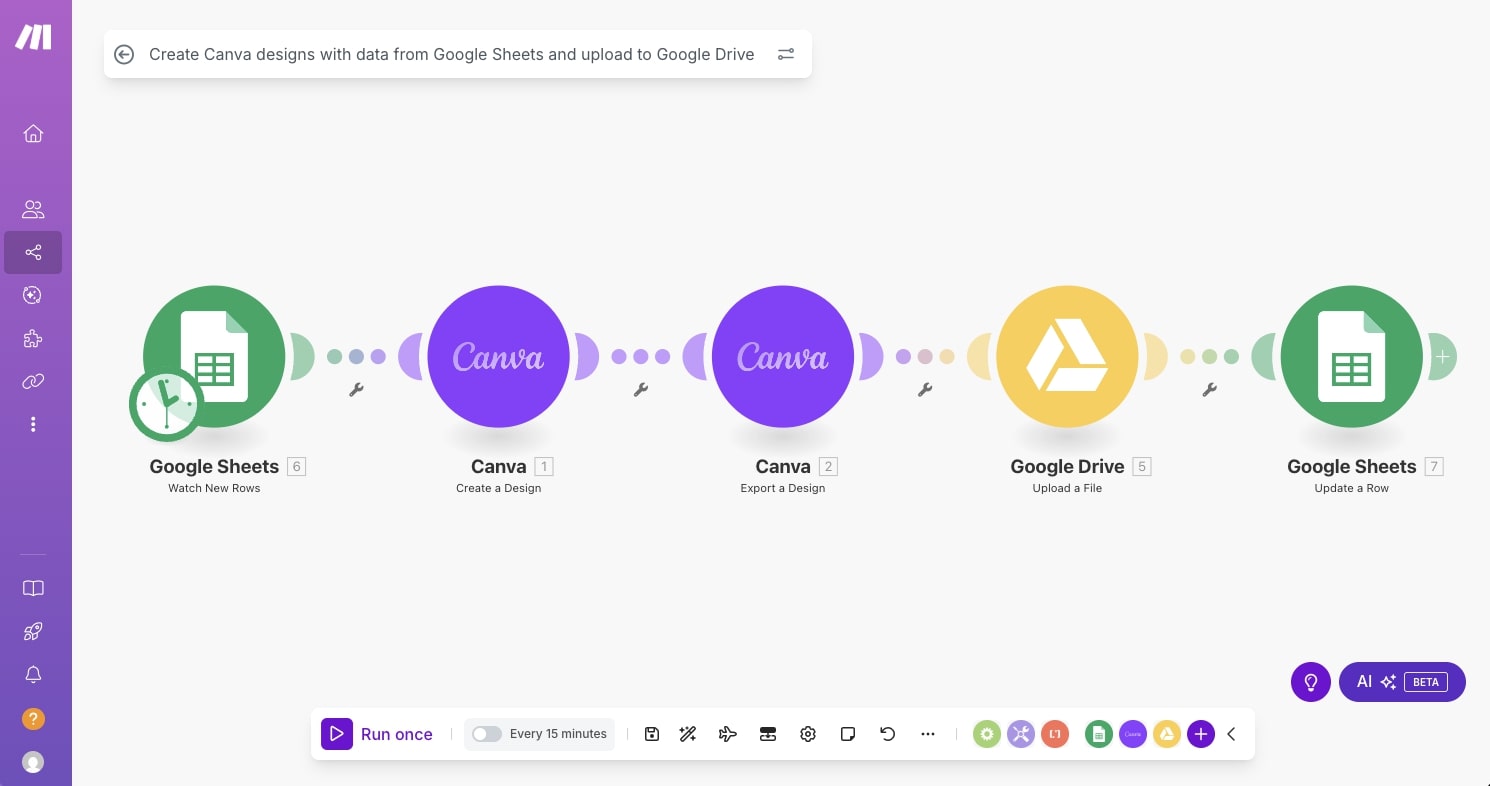
You can schedule scenarios to run automatically or trigger them based on events. Make supports HTTP requests, webhooks, and data transformation, so you can get pretty creative with how you move data between apps. You're not limited to simple A-to-B connections. You can build branching logic, run multiple paths in parallel, and format data between steps without needing any external tools.
The AI modules let you add LLM-powered steps into your scenarios too. So something like taking a bunch of customer support tickets, running them through an AI model for classification, and routing them to the right team automatically, you can build that whole thing on the canvas.
Why choose Make over LangChain
Here are some reasons why I'd pick Make over LangChain:
- Make connects AI agents with over 3,000 business apps like your CRM, marketing tools, and finance software. LangChain focuses on building AI applications in code. I think Make covers way more ground for people who need AI plugged into their existing stack without writing Python.
- The drag-and-drop canvas and built-in AI modules let ops, marketing, and support teams build workflows without depending on engineering. LangChain requires coding and infrastructure knowledge that most non-developers don't have.
- Make has been around for years and handles webhooks, data transformation, and role-based access control really well. I'd pick it over LangChain for anyone who wants agents embedded into their day-to-day systems and doesn't write code.
- The pricing is great if you're on a budget. You can start for free and paid plans begin at $10.59/month, which is a fraction of what most AI platforms charge.
Make pros and cons
Here are some of the pros I've found with Make:
- The visual builder is easy to use even with zero coding experience. You can build complex scenarios with branching, scheduling, and conditional logic without writing a single line of code.
- Over 3,000 pre-built app connectors plus generic HTTP and webhook modules let you connect AI to almost anything you're already using.
- Native AI agents and LLM modules come built in, so you don't have to do a bunch of prompt engineering or glue-code to get AI into your workflows.
- The data mapping and transformation features are solid. You can filter, format, and reshape data between steps without needing anything else.
- It's one of the most affordable platforms in this space, especially at higher task volumes where other tools get expensive fast.
Here are some of the cons I've found with Make:
- Make isn't built for developers who want full programmatic control. LangChain and CrewAI give you way more flexibility with code and git-native workflows.
- Big scenarios with a lot of branches get visually cluttered and harder to keep track of over time.
- There's a real vendor lock-in risk. Building heavily on Make's proprietary modules makes migrating to another platform later pretty painful.
- The free tier is generous, but costs add up once you start running a lot of high-frequency automations or bring on a bigger team.
Make pricing
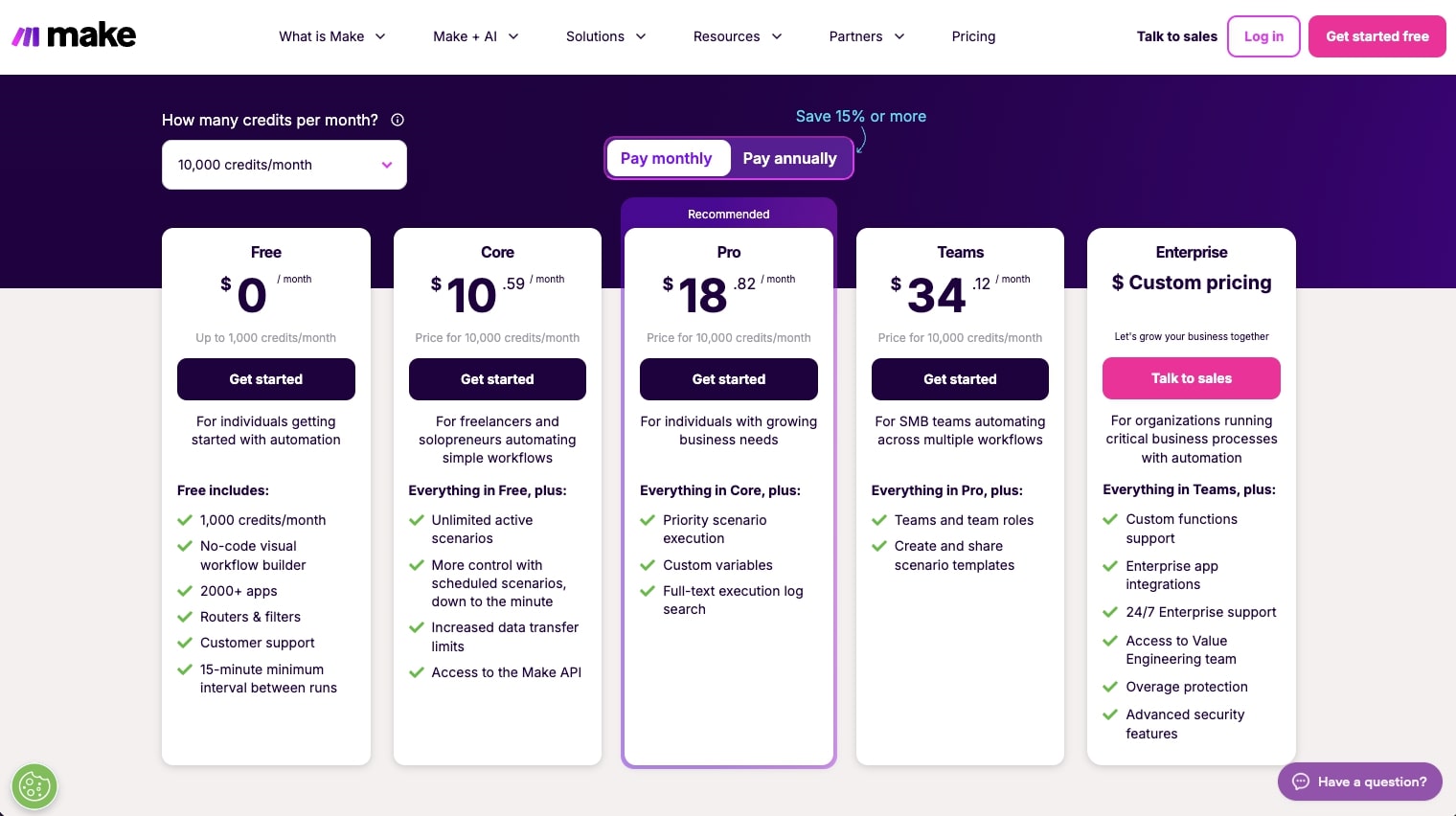
Here are Make's pricing plans:
- Free: $0/month with 1,000 credits per month, no-code visual workflow builder, 3,000+ apps, routers and filters, customer support, and a 15-minute minimum interval between runs
- Core: $10.59/month for 10k credits with unlimited active scenarios, scheduled scenarios down to the minute, increased data transfer limits, and access to the Make API
- Pro: $18.82/month for 10k credits with priority scenario execution, custom variables, and full-text execution log search
- Teams: $34.12/month for 10k credits with team roles and the ability to create and share scenario templates
- Enterprise: Custom pricing with custom functions support, enterprise app integrations, 24/7 enterprise support, access to the Value Engineering team, overage protection, and advanced security features
You can learn more about how they structure their pricing here.
Make ratings and reviews
Here's what customers rate the platform on third-party review sites:
- G2: 4.6/5 star rating (from +273 user reviews)
- Capterra: 4.8/5 star rating (from +406 user reviews)
5. Zapier
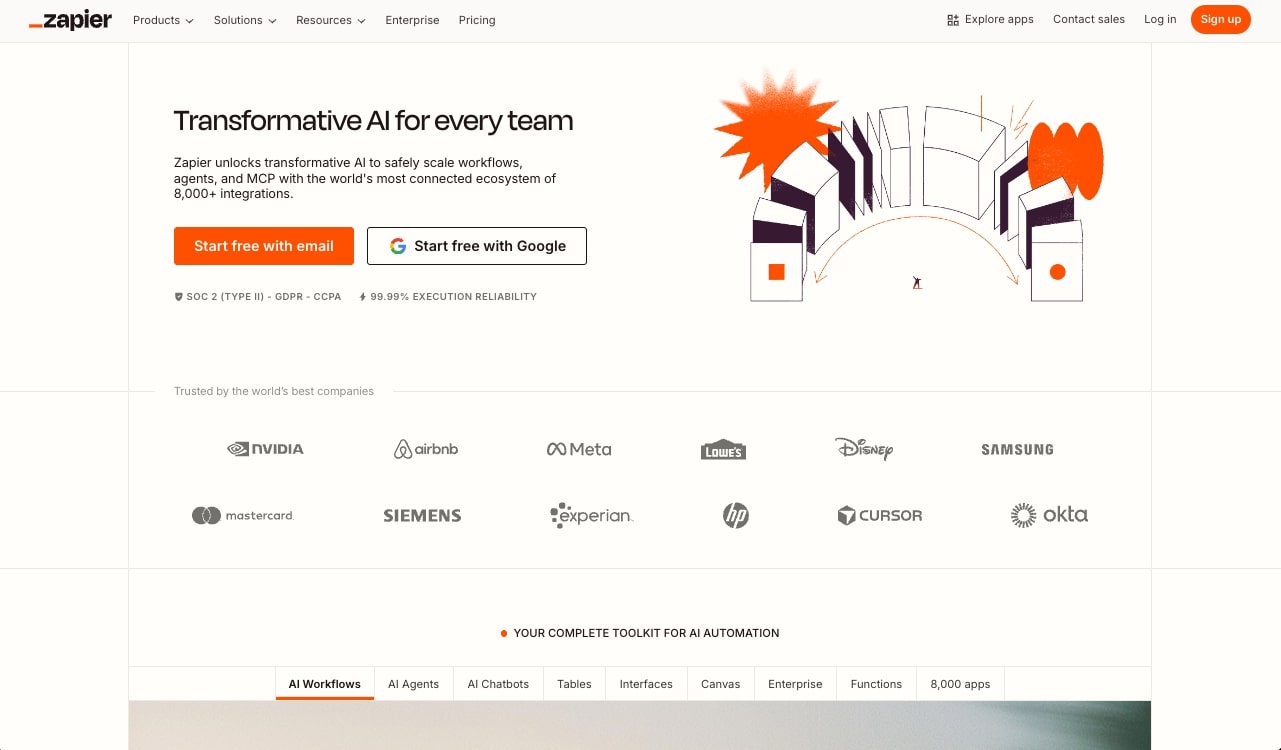
- Best for: Non-technical teams who want to layer AI into their existing automations
- Pricing: Free plan available (100 tasks/month), paid plans start at $29.99/month
- What I like: Integrates with basically every SaaS tool out there, low learning curve, and a long track record of reliability
Zapier is the OG of automation platforms. I've been paying for a Zapier subscription for years now, and it's probably the first tool most people discover when they google "how to automate" anything.
It deserves a spot on this list, but I want to be clear about what it actually is. Zapier is still primarily an automation platform. It just now has AI agent features layered on top that make it a lightweight LangChain alternative for a lot of business use cases.
Where it overlaps with LangChain is Zapier's AI Actions and Agents. You can define agent behavior in natural language and let the system choose from thousands of connected app actions. That's conceptually similar to a tool-using agent chain. You can create specialized agents for things like lead qualification, ticket routing, or content generation that pull from data sources like HubSpot, Zendesk, and Notion, and then take actions automatically.
Zapier wraps all of this in a visual workflow builder with triggers, filters, branches, and multi-step flows, which covers a lot of the orchestration that people otherwise reach for LangChain plus a separate workflow engine to build.
How Zapier works
In Zapier, you create "Zaps." Each Zap starts with a trigger (like a new row in a spreadsheet or a new form submission) followed by one or more actions (like sending a Slack message or creating a CRM record). You set everything up through a step-by-step UI where you pick your apps, map fields, add conditional logic, and optionally include AI steps for things like classification, summarization, or content generation.
Zapier also recently rolled out a dedicated Agents product. You can build AI agents that browse the web, connect to live data sources, and take actions across your apps. These agents run as a separate add-on with their own activity limits and pricing.
On top of that, Zapier unified their platform so that Zaps, Tables, Forms, and Copilot are all available in one plan. So you get data, custom forms, workflows, and AI actions all in one package.
Why choose Zapier over LangChain
Here are some reasons why I'd pick Zapier over LangChain:
- Zapier integrates with way more SaaS apps than anything you'd build with LangChain. Thousands of connectors are ready to go out of the box. LangChain requires you to build or configure every integration yourself.
- For straightforward automations like notifications, lead routing, or data enrichment with an AI step, Zapier is faster to set up. You don't need to think about RAG pipelines, agent architectures, or infrastructure.
- Zapier has been around for a long time and has mature enterprise features like SSO, audit logs, compliance, and granular permissions. It's a safe bet for organizations that need a reliable automation backbone with some AI added in.
- Non-technical teams can build useful automations in minutes using templates and the guided editor. LangChain requires Python or TypeScript skills and infrastructure knowledge.
Zapier pros and cons
Here are some of the pros I've found with Zapier:
- The learning curve is one of the lowest in this space. Non-technical users can get a useful automation running quickly using templates and the step-by-step builder.
- The integration catalog is massive. Thousands of apps out of the box, plus generic webhooks and APIs for anything custom.
- Zapier Copilot helps you build Zaps, generate code steps, map fields, and troubleshoot errors using AI. It speeds up the building process a lot.
- The infrastructure is fully hosted and managed. You don't have to worry about scaling, retries, or monitoring.
- The new Agents product lets you build AI agents that browse the web and take actions across your apps, which adds real agentic capabilities on top of the traditional automation model.
Here are some of the cons I've found with Zapier:
- Zapier's AI runs inside a trigger-then-steps model. You get AI steps and agents within that structure, but you don't get arbitrary graph control, low-level state management, or custom execution logic like LangChain and LangGraph give you.
- Task-based pricing adds up fast, especially when you're chaining a lot of small actions together in multi-step workflows. The AI Agents add-on has its own separate pricing and activity limits on top of that.
- Your logic lives inside proprietary Zaps, which makes versioning, code review, and migrating to another platform harder than it would be with code-based or open-source tools.
- For most AI-powered automation use cases, I think Gumloop handles them better. Zapier's main advantage is that your team might already be using it and you don't want to move everything.
Zapier pricing
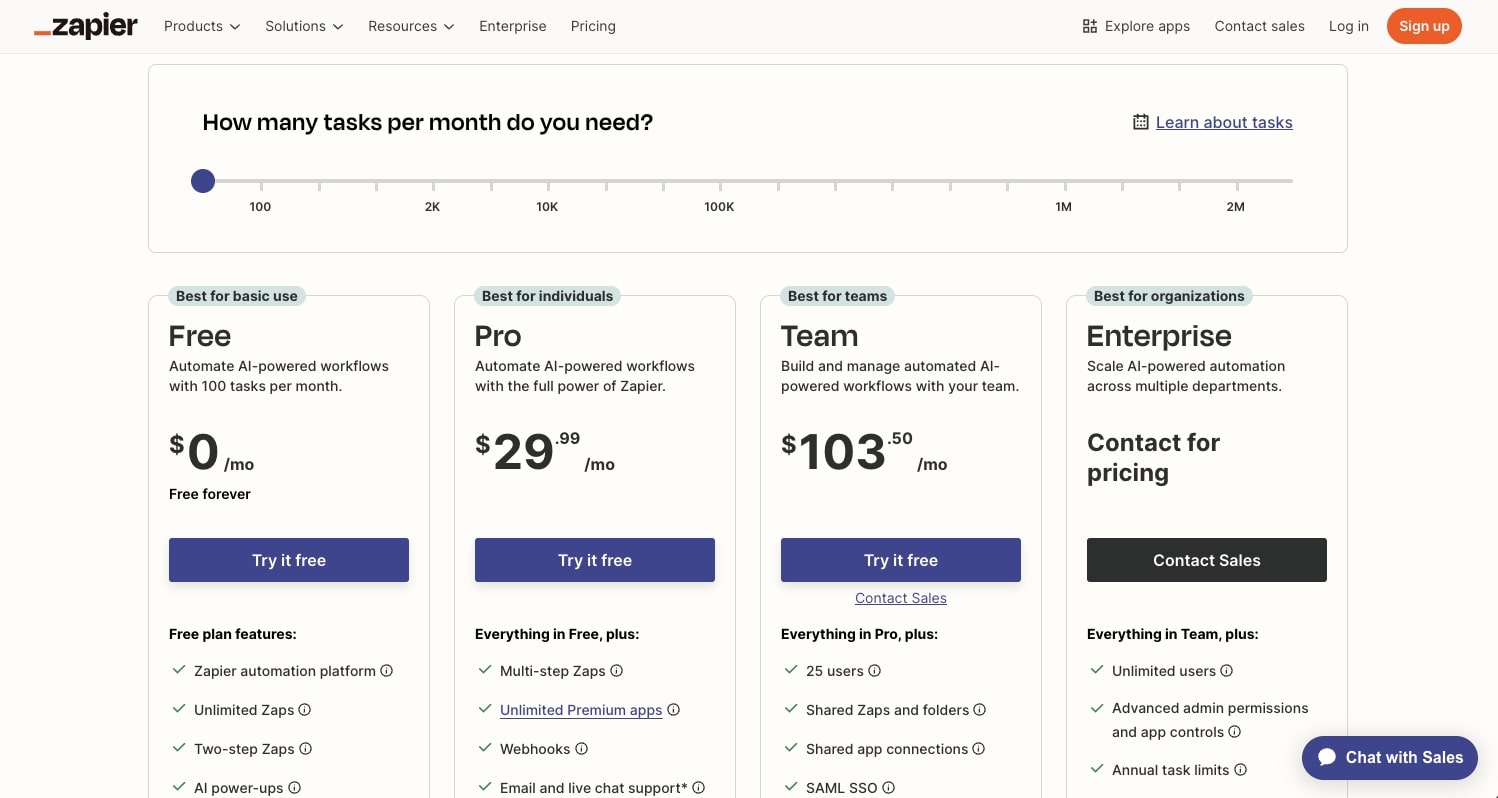
Here are Zapier's pricing plans:
- Free: $0/month with 100 tasks per month, unlimited Zaps, Tables, and Forms, two-step Zaps, and Zapier Copilot (with daily message limits)
- Professional: $29.99/month with multi-step Zaps, unlimited premium apps, webhooks, email and live chat support, AI fields, and conditional form logic
- Team: $103.50/month with 25 users, shared Zaps and folders, shared app connections, SAML SSO, and Premier Support
- Enterprise: Custom pricing with unlimited users, advanced admin permissions and app controls, advanced deployment options, annual task limits, observability, and a Technical Account Manager
Zapier also has a separate AI Agents add-on:
- Free: $0/month with 400 activities per month, live data sources, web browsing, and Chrome extension access
- Pro: $50/month with 1,500 activities per month and all free features
- Enterprise: Coming soon with custom activities, agent sharing, audit logs, and restricted apps support
You can learn more about how they structure their pricing here.
Zapier ratings and reviews
Here's what customers rate the platform on third-party review sites:
- G2: 4.5/5 star rating (from +1,854 user reviews)
- Capterra: 4.7/5 star rating (from +3,041 user reviews)
6. Flowise
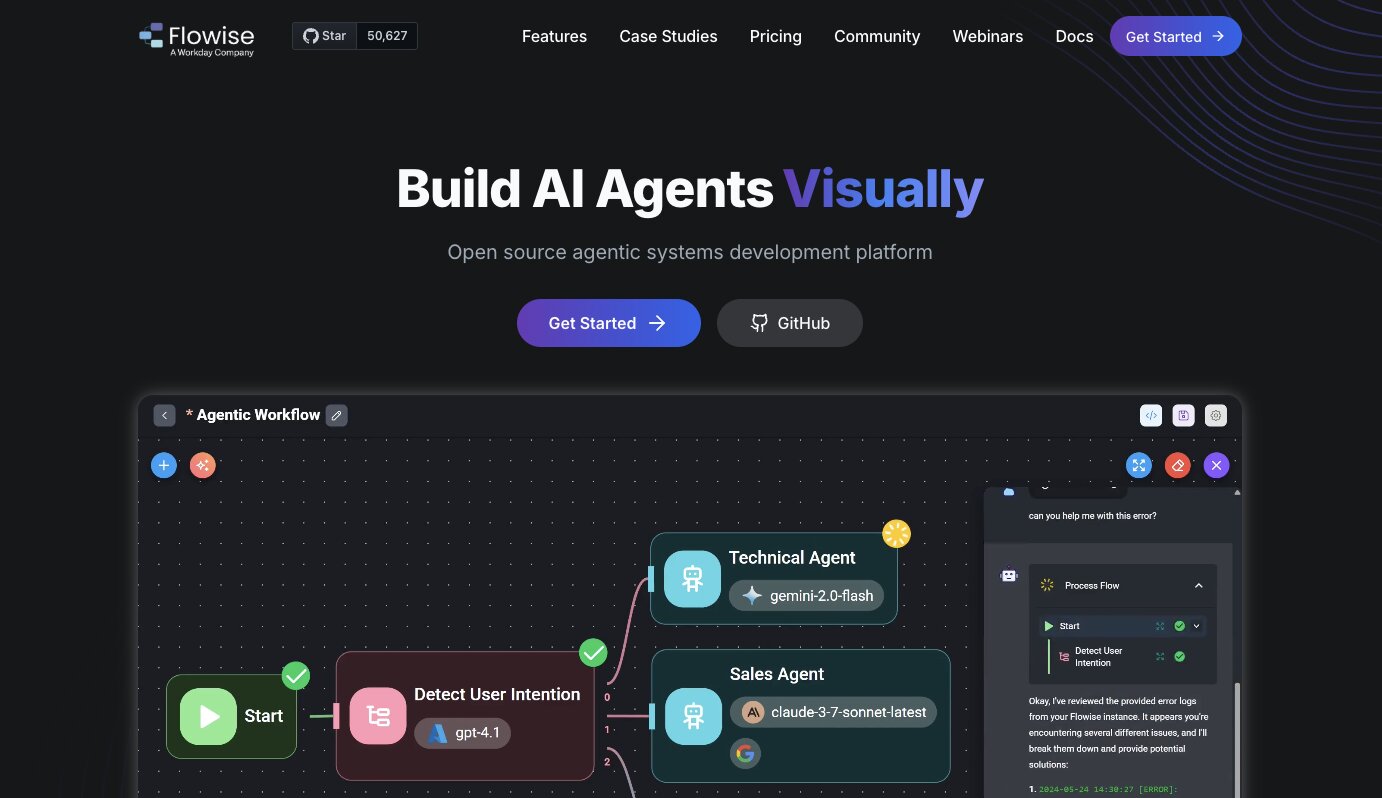
- Best for: Technical teams who want to visually prototype and ship agents or RAG systems quickly while self-hosting their own infrastructure
- Pricing: Free and open-source (self-hosted), cloud plans start at $35/month
- What I like: It's basically a visual front-end for LangChain components, so you can drag and drop LLM nodes, vector stores, retrievers, and tools on a canvas instead of writing all that plumbing from scratch
Flowise is an open-source, low-code platform for building LLM applications and agents. It's now owned by Workday, and it's used by teams at companies like AWS, Accenture, Deloitte, and Priceline.
I think the best way to describe Flowise is that it takes the building blocks of LangChain and puts them on a visual canvas. You wire together nodes for LLMs, embeddings, vector stores, retrievers, memory, tools, and custom JavaScript. Each chatflow you build automatically gets an API endpoint and an embeddable widget you can drop into a web app without any extra backend work.
What makes Flowise different from other visual builders like StackAI or Make is that it's much closer to the actual LLM tooling. Instead of focusing on business-user-friendly automations or SaaS-to-SaaS connections, Flowise gives you a visual interface for constructing the kind of RAG pipelines and agent graphs you'd otherwise build entirely in code. And because it's open-source and self-hostable, you keep full control over your data and infrastructure.
The team that gets the most out of Flowise is usually a small, technical group. Maybe one or two ML-curious engineers and a few senior devs who understand LangChain conceptually but don't want to hand-code every chain, memory module, and retriever while they're still figuring out the design. Flowise lets them iterate visually, and teammates who don't write Python can still participate in the design and debugging process.
How Flowise works
Flowise gives you a canvas where you drag and drop nodes and connect them together. The nodes represent LLM components like models, embeddings, vector databases, retrievers, agents, tools, and document loaders. You wire them up to define how data flows through your system.
There are two main building modes. Chatflows let you build single-agent systems and chatbots with tool calling and knowledge retrieval (RAG) from various data sources. Agentflows let you build multi-agent systems with workflow orchestration, where multiple agents coordinate across steps. You can set up supervisor and worker patterns, add human-in-the-loop steps for review and approval, and run agents in sequence or parallel.
Flowise supports over 100 LLMs, embedding models, and vector databases. You can use both proprietary models (OpenAI, Claude, Gemini) and open-source ones. Every flow you build gets an API endpoint, a TypeScript and Python SDK, and an embeddable chat widget. So once you build something, you can plug it into your app right away.
Why choose Flowise over LangChain
Here are some reasons why I'd pick Flowise over LangChain:
- Flowise lets you prototype faster. You can build and iterate on RAG pipelines and agent graphs visually instead of writing all the plumbing in Python. For teams still figuring out the right design, that speed matters a lot.
- The visual canvas makes agent logic inspectable by the whole team. Non-Python teammates can see the graph, understand the flow, and participate in debugging. Writing raw LangChain code limits that visibility to developers only.
- Every chatflow automatically gets an API endpoint and embeddable widget. You go from prototype to deployed app without setting up a separate backend. LangChain requires you to build that serving layer yourself.
- Flowise is open-source and self-hostable, so you keep full control over your data and infrastructure. You get the same LangChain components underneath, just with a visual layer on top that speeds things up.
Flowise pros and cons
Here are some of the pros I've found with Flowise:
- The drag-and-drop canvas makes it fast to iterate on RAG pipelines, agent graphs, and chatbot designs without writing boilerplate code.
- Multi-agent orchestration is a core feature. You can build supervisor-worker patterns, add human-in-the-loop steps, and coordinate agents across parallel and sequential flows.
- It supports over 100 LLMs, vector databases, and data sources. You can mix proprietary and open-source models freely.
- Full self-hosting support means you control your data, your infrastructure, and your deployment. No vendor lock-in.
- Built-in execution traces and observability integrations (Prometheus, OpenTelemetry) give you production-level debugging out of the box.
Here are some of the cons I've found with Flowise:
- You can't easily write unit tests, enforce type safety, or plug the canvas into a proper CI/CD pipeline. As your codebase matures, that becomes a real limitation.
- Large, evolving workflows get visually messy. Collaborating on a big canvas is harder than organizing a real codebase with files, folders, and version control.
- Self-hosting and scaling takes real DevOps effort. The operational tooling isn't as polished as some of the commercial platforms on this list.
- The community and ecosystem are smaller than LangChain's. Fewer tutorials, fewer pre-built integrations for niche use cases, and less third-party content to learn from.
Flowise pricing
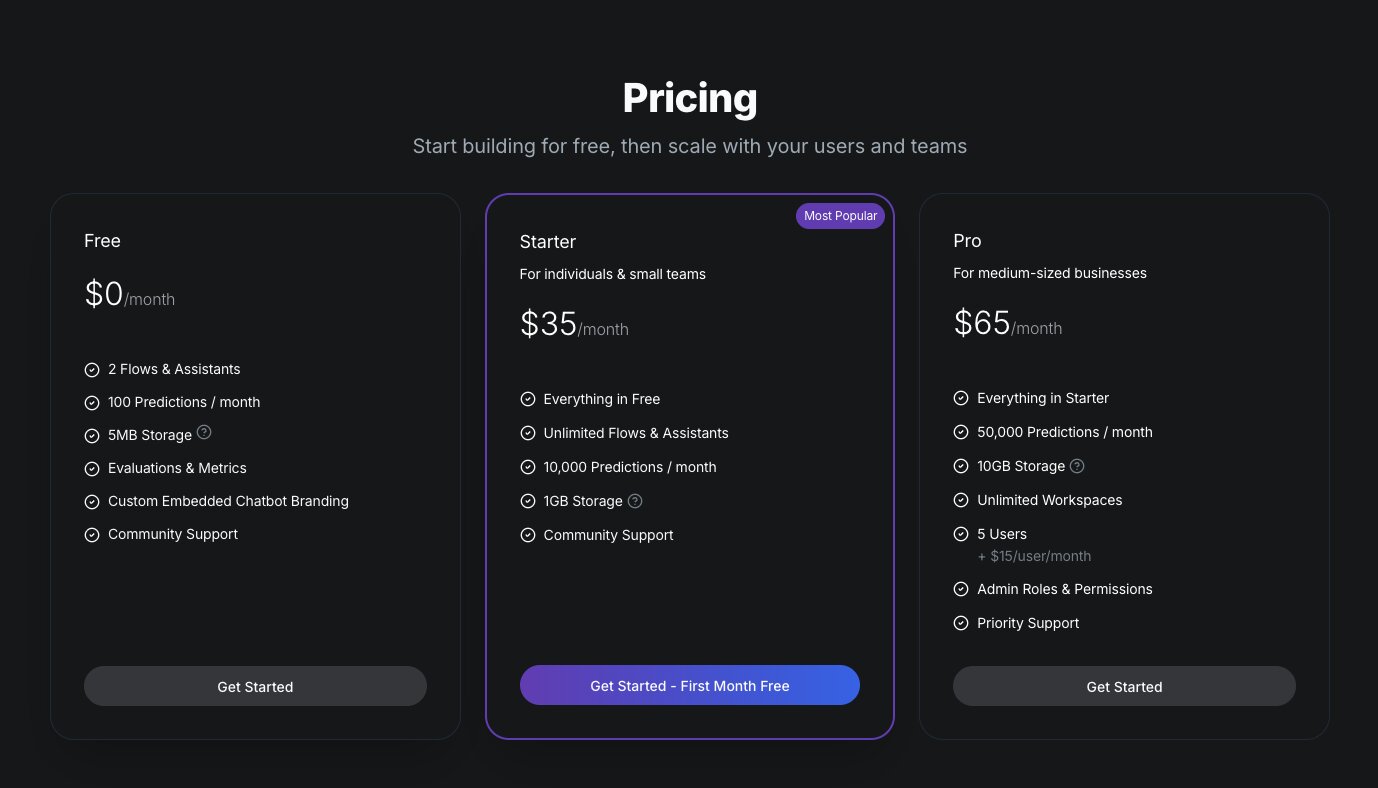
Flowise is open-source and free to self-host. For their cloud offering, here are the pricing plans:
- Free: $0/month with 2 flows and assistants, 100 predictions per month, 5MB storage, evaluations and metrics, custom embedded chatbot branding, and community support
- Starter: $35/month with unlimited flows and assistants, 10,000 predictions per month, 1GB storage, and community support
- Pro: $65/month with 50,000 predictions per month, 10GB storage, unlimited workspaces, 5 users (plus $15/user per month), admin roles and permissions, and priority support
You can learn more about how they structure their pricing here.
Flowise ratings and reviews
Here's what customers rate the platform on third-party review sites:
- Product Hunt: 5/5 star rating (from +2 user reviews)
- GitHub: 50.9k+ stars (one of the most popular open-source LLM builder projects)
There aren't a lot of reviews of Flowise on traditional third-party review sites yet.
7. Vertex AI
- Best for: Teams already in the Google Cloud ecosystem who want a full managed AI platform
- Pricing: Pay-as-you-go (compute hours, LLM tokens, sessions, storage). New customers get $300 in free credits.
- What I like: Access to Gemini models and 200+ foundation models, plus a full stack of tools for building, deploying, and monitoring AI agents all inside GCP
Vertex AI is a full managed AI platform on Google Cloud that covers models, vector search, data, deployment, and monitoring. It's great if you're already a Google Cloud user. And the platform now has an agent builder and RAG features that cover some of the same glue logic people use LangChain for.
Because its apart of Google Cloud, it can replace a lot of what you would otherwise build with LangChain plus a separate infrastructure layer. But I will admit that LangChain is still the more flexible, cloud-agnostic developer library. Vertex AI is the opinionated, Gemini-focused platform you build on top of.
I included it on this list because for teams that run on GCP, Vertex AI covers a lot of what LangChain does and then some, with the added benefit of everything being managed for you.
How Vertex AI works
Vertex AI gives you a mix of visual and code-based tools for building AI agents. Most GCP teams start with Agent Builder, which includes Agent Designer, Agent Garden, and data and store tools. You wire up Gemini, tools, RAG data, and basic flows in the UI. Then you drop into Python with the Agent Development Kit (ADK) and Vertex SDK to customize logic, add custom tools, and deploy the agent to Vertex AI Agent Engine.
The typical workflow I've seen is prototype visually, then lock the stable version into code for version control, testing, and integration into a broader app or backend. It's a blend of no-code for speed and the SDK for control.
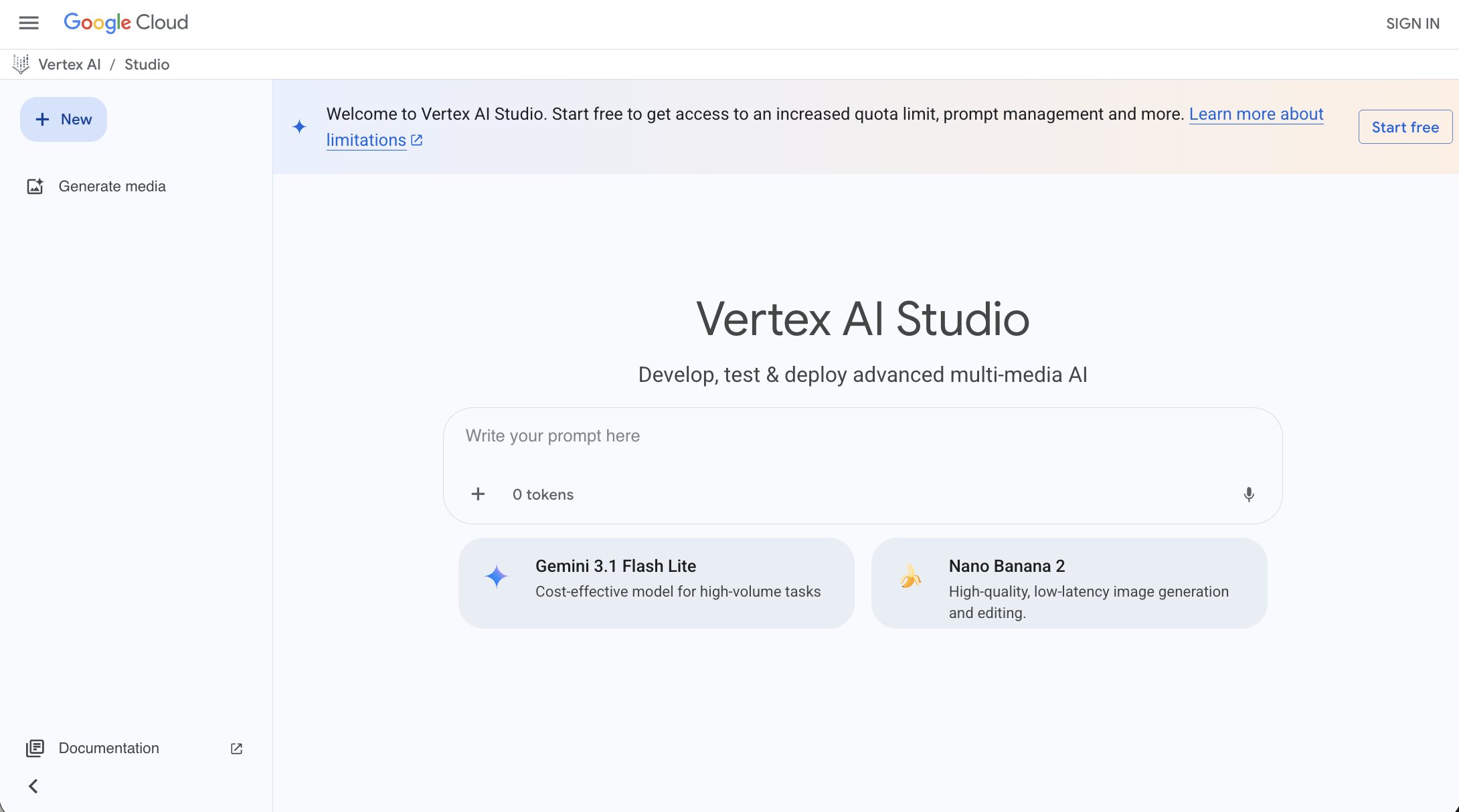
Beyond agents, Vertex AI gives you access to Gemini models and over 200 foundation models through Model Garden, including first-party models (Gemini, Imagen, Veo), third-party models (Claude, Llama), and open-source models (Gemma). You also get Vertex AI Studio for prompt design and testing, notebooks for ML workflows, pipelines for orchestration, vector search for RAG, and evaluation tools for comparing model performance.
It's a full platform. Not just an agent builder.
Why choose Vertex AI over LangChain
Here are some reasons why I'd pick Vertex AI over LangChain:
- Vertex AI is a fully managed platform. You don't have to set up infrastructure, manage deployments, or build your own monitoring. LangChain requires you to handle all of that yourself (or pair it with LangSmith plus your own cloud infrastructure).
- You get native access to Gemini and 200+ models through Model Garden without managing API keys, rate limits, or separate billing for each provider. LangChain supports multiple providers too, but you configure and manage each one yourself.
- Agent Builder gives you a visual way to prototype agents quickly, and the ADK lets you customize in Python when you need more control. LangChain only gives you the code path.
- Everything lives inside GCP's security and compliance layer. IAM, VPC, audit logs, data residency. It's all built in. If your org already runs on Google Cloud, there's nothing extra to set up.
Vertex AI pros and cons
Here are some of the pros I've found with Vertex AI:
- Access to Gemini and over 200 foundation models from one platform. You can swap between first-party, third-party, and open-source models without changing your infrastructure.
- Agent Builder, RAG pipelines, vector search, model evaluation, and deployment all live in one place. You don't have to stitch together separate tools.
- Everything is managed by Google Cloud. Compute, scaling, monitoring, and security are handled for you.
- The Agent Development Kit (ADK) gives developers real programmatic control when they outgrow the visual tools.
- New customers get $300 in free credits to test things out, which is enough to run meaningful experiments.
Here are some of the cons I've found with Vertex AI:
- The GCP lock-in is real. Your agent design, data, tools, and deployment all live inside Google's ecosystem. Migrating to something like Flowise or Gumloop later means rebuilding connectors, RAG assets, and integration logic from scratch. If your cloud strategy shifts down the road, that switching cost is high.
- Pricing gets complicated fast. Each component has its own per-unit rate (compute hours, tokens, sessions, storage). Once you're wiring together agents, RAG data stores, model serving, and other GCP services, the bill can be hard to predict. It's easy to underestimate how smaller services stack up.
- Vertex AI is Gemini-centric. You can access other models through Model Garden, but the platform is built around Google's models first. LangChain is completely model-agnostic.
- The learning curve is steep if you're not already familiar with GCP. The platform has a lot of components, and knowing which ones to use for your specific use case takes time.
- For teams not on GCP, there's really no reason to choose Vertex AI. The value comes from being embedded in Google's ecosystem. Outside of that, more portable tools like Gumloop, Flowise, or LangChain itself are better options.
Vertex AI pricing
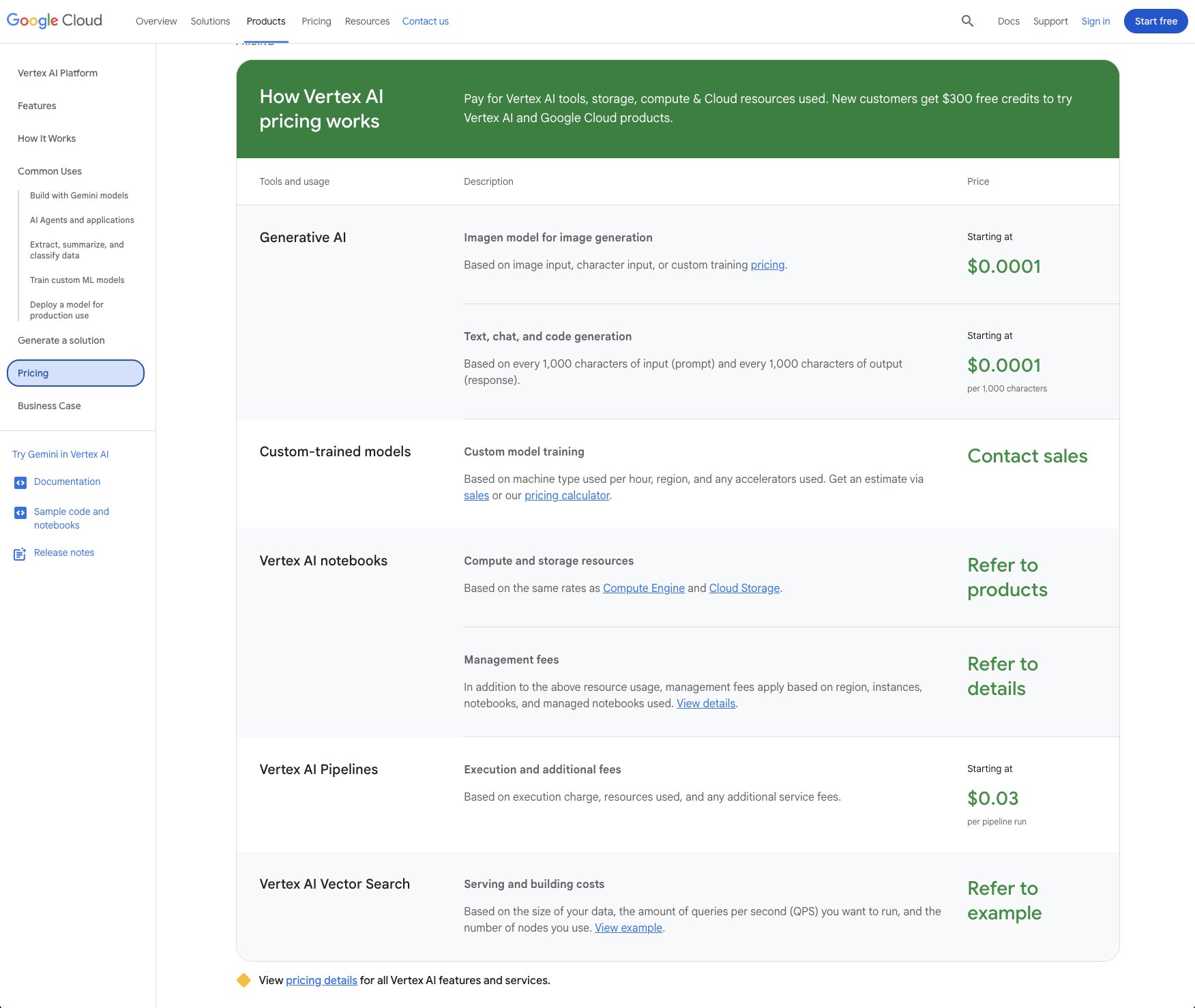
Vertex AI uses pay-as-you-go pricing. Each component has its own rate:
- Generative AI (text, chat, code generation): Starting at $0.0001 per 1,000 characters of input/output
- Image generation (Imagen): Starting at $0.0001 per image
- Custom model training: Based on machine type, region, and accelerators used. Contact sales for an estimate.
- Vertex AI Pipelines: Starting at $0.03 per pipeline run
- Vector Search: Based on data size, queries per second, and number of nodes
- Notebooks: Based on Compute Engine and Cloud Storage rates plus management fees
New customers get $300 in free credits to try Vertex AI and other Google Cloud products.
The pricing is technically predictable since each component has a per-unit rate. But in practice, the bill can get complicated once you're running agents, RAG stores, model serving, and other GCP services together. Teams that manage costs well tend to scope traffic tightly, pick cheaper models for high-volume flows, and set hard spending limits from the start.
You can learn more about how they structure their pricing here.
Vertex AI ratings and reviews
Here's what customers rate the platform on third-party review sites:
- G2: 4.3/5 star rating (from +180 user reviews)
- Gartner Peer Insights: 4.3/5 star rating (from +40 user reviews)
Which LangChain alternative should you choose?
If you've made it this far, you probably already have a good sense of which tool fits your situation. But if you're still deciding, here's how I'd break it down.
If you want a single platform where anyone on your team can build AI agents and workflows without writing code, go with Gumloop. It's what I use personally, and it's the most complete option on this list for non-developers who still want serious AI capabilities.
If you're a developer who wants a Python framework specifically for multi-agent orchestration, CrewAI is a strong pick. The agent-task-crew model is intuitive and you'll prototype way faster than building equivalent setups in LangChain from scratch.
And if you're at an enterprise company in a regulated industry where compliance is the top priority, StackAI is worth a look. The certifications are already done and the guardrail system is built for teams that need hard boundaries around what AI can and can't do.
At the end of the day, the best tool is the one that actually helps you get work done faster. I started this whole search because LangChain felt like overkill for what I needed. If you're in the same boat, pick one or two tools from this list, build the same workflow in both, and see which one gives you moments of delight (how I vibe-evaluate tools). That's the fastest way to find out what works for you.
Now go build something.

Read related articles
Check out more articles on the Gumloop blog.