Top 5 best Glean alternatives for enterprises in 2026

Agents are only as useful as the tools they can control.
My biggest aha moment with AI agents came when I connected my Google Search Console (first-party data) with Semrush (third-party data) to create a completely personalized SEO strategy no other tool could build for me.
And on top of that, my AI agents took those ideas and created outlines I could hand off to real human writers. (I am not a fan of AI slop content.)
So what does this mean to you? You're clearly looking for a Glean alternative. Not some dude rambling about his SEO agent.
I bring this up because, for whatever reason, you're switching from Glean, you need to find an agent platform that doesn't just relay information about your tech stack back to you.
You need an AI agent builder that can actually execute on tasks and be shared across your team securely.
Your team should be able to create agents that can help them do their work better and faster, while also having a multiplayer element where team members can improve skills of shared agents.
So in this article, I'm going to go over some of the top alternatives to Glean. These are mostly enterprise-focused. But a few of these also have self-serve plans, so you can get building right now.
But before I give you the list, let me explain how I came up with it.
What to look for in a Glean alternative
When looking for a Glean alternative, you want a platform that combines enterprise search with the ability to act on what it finds.
Glean is good at AI search across your company knowledge. But if you're switching, you probably want more than search AI. You want agents that can actually run tasks and execute work, not just summarize what's in your tools.
Here's what I'd look for in a Glean alternative:
- Can it actually run tasks? Look for an agent platform designed to execute work fully on its own, not just answer questions. The best ones can be triggered by events, schedules, or webhooks.
- Does it have permissions controls for tool access? Your security team should be able to set fine-grained permissions on which agents can call which tools. MCP-level access controls are a big plus.
- Is there an observability layer? You need to see what your agents are doing across your organizations and systems. The architecture should give you logs, traces, and audit trails for compliance and debugging.
- Can agents be shared across the team securely? Look for multiplayer support so one teammate can build an agent that the rest of the team can use, with the right permissions.
- Do agents improve over time? The best platforms let agents learn from team feedback, so the skills get better as more people use them.
- Does the pricing model fit your team? Per-user pricing can balloon fast for large organizations. Credit-based or org-wide pricing usually gives you better total cost predictability.
- Does it integrate with the systems you actually use? Check the integration list against your stack. The platform should sync with your CRM, docs, chat, and ticketing tools, at least the ones that matter.
- Can you swap LLM models? Look for LLM-agnostic capabilities. Different tasks work better on different models, and you don't want to be locked into one provider.
Okay, now let's get into the list of Glean alternatives.
5 Glean alternatives and competitors in 2026
Here are the top Glean alternatives:
Alright, let's go over each one.
1. Gumloop

- Best for: Enterprise teams that want a multiplayer AI agent platform where anyone can build and share agents
- Pricing: Free, then starts at $37/month
- What I like: Multiplayer agent building, so anyone on your team can create agents that others across the org can reuse
Gumloop is an AI agent platform for enterprise companies. It's one of the few platforms on the market that allows for a multiplayer agent creation approach.
What I mean by this is that anyone on your team (who is given permission access) can create an agent or skill that can be used across your org.
So if you're the Head of Sales, you can create different agents your AEs or other team members can use. And as they use those agents, they can improve the agents' skills for everyone else.
For example, I run a marketing team. I have different agents for all my workflows. I have a chief of staff agent that organizes weekly tasks (and assigns them to different team members). And I even have more specific agents like SEO agents (my specialty) that copywriters on my team can use.

The great thing about Gumloop is that it allows people in an org to share their knowledge through agents, and helps speed up work and unnecessary training. And in this case, institutional knowledge can stay inside of these secure agents. So you don't lose key insights once employees come and go.
Some things I like about Gumloop:
- Anyone on your team with permission can build agents and skills that others across the organization can use, which makes it a multiplayer platform rather than a single-user tool
- It is used by large companies like Ramp, Shopify, and Gusto, so it has been validated at enterprise scale
- The platform supports MCP server hosting and proxying, which gives your team the flexibility to connect agents to any tool with an MCP integration
- Enterprise plans include Gumstack, which has SCIM/SAML support, role-based access control, audit logs, security observability, and custom data retention rules for security and compliance
- Comes with unlimited seats, you pay for organization-wide credit usage
- Institutional knowledge stays inside the agents your team builds, so you do not lose key context when employees leave the company
Here are some things that could be improved:
- The platform has a bit of a learning curve at first, especially if your team has never built AI agents before
- Pricing is credit-based, so heavy usage across a large team can add up quickly if you do not monitor consumption
- Some advanced enterprise features like Virtual Private Cloud and AI Model Access Control are only available on the custom Enterprise plan
Gumloop pricing

Here are Gumloop's pricing plans:
- Free: $0/month with 5,000 credits per month, 1 seat, 1 active trigger, and forum support
- Pro: $37/month with 20,000+ credits per month, unlimited seats, 5 concurrent runs, 25 concurrent agent interactions, MCP server hosting, and team usage analytics
- Enterprise: Custom pricing with everything in Pro, plus SCIM/SAML support, role-based access control, audit logs, custom data retention rules, Virtual Private Cloud, and AI model access control
If you want to learn more about what each plan has to offer, you can check out the pricing page.
Gumloop reviews
Here's what customers of Gumloop rate the platform on third-party review sites:
- G2: 4.8 out of 5 star rating (from +7 user reviews)
- Product Hunt: 5 out of 5 star rating (from +9 user reviews)
2. Workato

- Best for: Enterprise teams that need governed AI access across a large, complex tool stack
- Pricing: Custom (talk to sales)
- What I like: The enterprise MCP gateway acts as a controlled bridge between AI models and your sensitive tools
Workato is an enterprise MCP management platform. It started off as a pure AI agent-building tool, but over time they have focused more on creating MCP servers.
Really, the value prop here is that Workato's enterprise MCP acts as a bridge between an LLM and your tools. Chances are, you have a lot of sensitive data in platforms like Salesforce, your Slack, or even your typical Gmail inbox, and you have to be very careful with how AI models interact with that data.
Workato's enterprise MCP is this middle layer where it gives you access control. It allows the AI to have access control to different tools. It's very similar to Gumloop's Gumstack feature. This is the main core product offering for Workato.
Workato has been around for a while, so it does have a reputable name, and it's used by some pretty big companies like Zendesk, NYU, Adobe, Atlassian, and a ton more.
Some things I like about Workato:
- The enterprise MCP gateway gives you fine-grained access control over how AI models interact with sensitive tools like Salesforce, Slack, and Gmail
- Workato has been in the integration space for over a decade, so it has the reputation and infrastructure that enterprise buyers tend to look for
- It is used by large companies like Zendesk, NYU, Adobe, and Atlassian, which gives you confidence that it can scale to your enterprise needs
- Its iPaaS background means you get deep integrations across hundreds of enterprise apps that you can use right away
- The platform covers iPaaS, API management, agent orchestration, and MCP all in one place, so you can consolidate vendors
Here are some things that could be improved:
- Pricing is custom and quote-only, so you cannot evaluate the cost of the platform without going through a sales conversation
- The platform is geared toward technical or semi-technical users, so business teams without engineering support may find it tough to get started
- Implementation often requires a system integrator partner or strong internal technical resources, especially for complex enterprise rollouts
Workato pricing

Workato does not publish pricing on its website. The platform uses a custom pricing model based on your workspace requirements, usage, and which products you need (iPaaS, MCP Gateway, Agent Studio, and so on).
To get pricing, you will need to schedule a demo with their sales team. You can request a quote on the pricing page.
Workato reviews
Here's what customers of Workato rate the platform on third-party review sites:
- G2: 4.7 out of 5 star rating (from +753 user reviews)
- Capterra: 4.6 out of 5 star rating (from +85 user reviews)
3. Claude Cowork
- Best for: Individual knowledge workers who want an autonomous AI assistant on their desktop
- Pricing: Starts at $17/month with the Pro plan
- What I like: It runs locally on your computer and can autonomously work across your files and applications
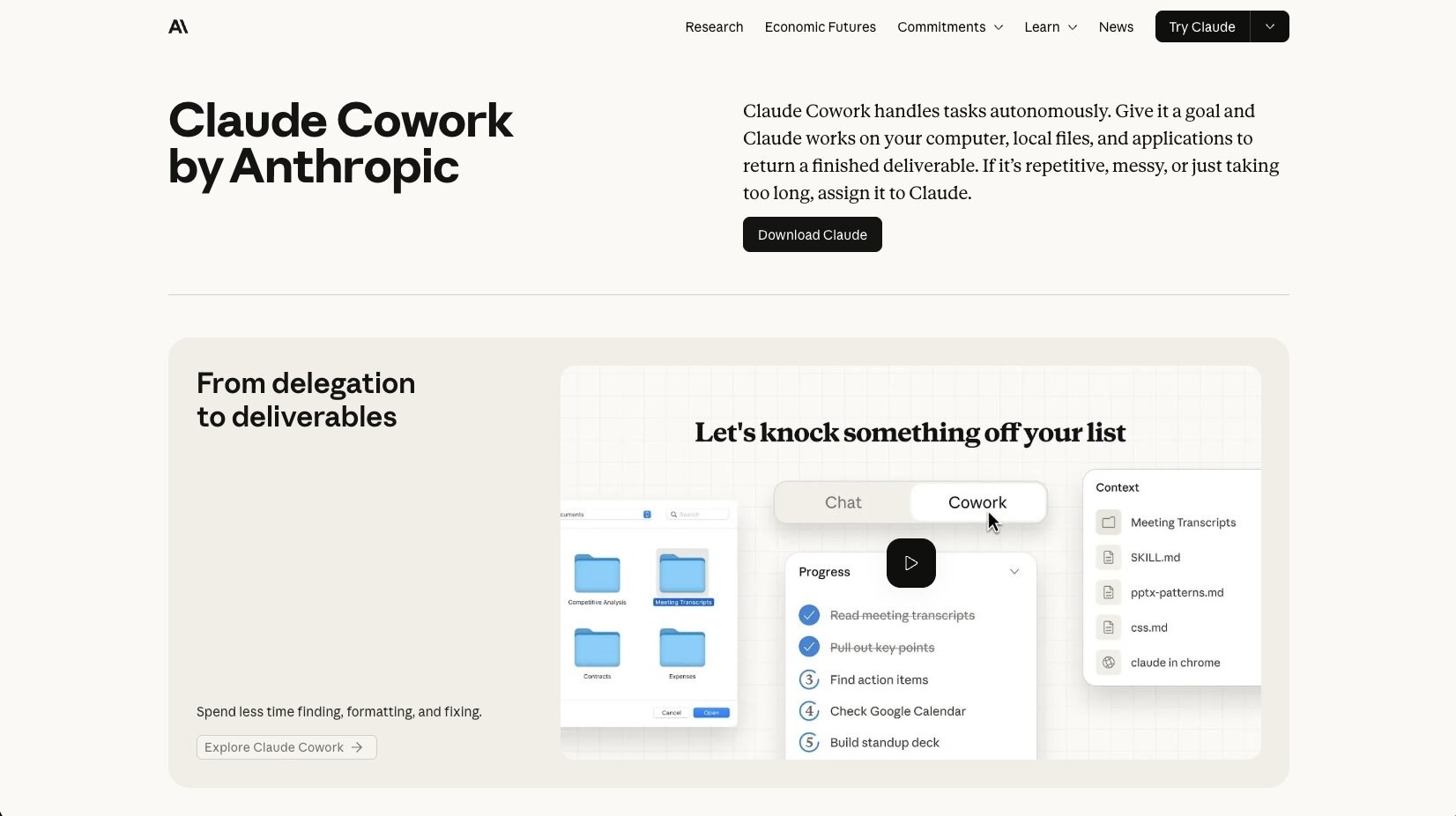
Claude Cowork is an agentic task management platform. It connects locally to your computer's files and can run your skills and connected tools, and also run automated tasks across your connected tools and skills files that you give it.
It is a bit more on the tech side in that it is locally on your computer and not in the cloud. It's really only good for single-player mode. If you're an individual on a team that has your own workflows and you don't need to share your agents or skills easily across different team members, then this is probably a solid platform.
When it comes to enterprise features, Anthropic has their own enterprise plans. You do want to be a bit cautious here, as Claude Cowork can make its own decisions, as with any agent platform. It's a bit harder to manage if you are on a security team and you're trying to get granular access control over how each employee at your company is using AI agents, what tools they're calling, and how much access they have to data within those tools.
On top of that, you are locked into the Anthropic ecosystem, so unlike some other AI agent platforms, it is not LLM agnostic. You're limited to Anthropic models, however, and Anthropic models are some of the best ones and pretty much the main ones that I use most of the time.
Either way, I decided to include Claude Cowork in this list because it is an amazing platform. The main takeaway is that it's better for single-player tasks over multiplayer collaborative tasks, and you do have to be a bit more mindful on the security side of things, given that it has access to your local files on your computer. If you want to dig deeper, I wrote a separate post on Claude Cowork alternatives that goes into more depth.
Some things I like about Claude Cowork:
- It runs locally on your desktop, so Cowork can act directly on your local files, folders, and applications without you having to upload anything
- You can hand off a goal and let Cowork synthesize across multiple sources, which means tedious tasks like data scanning or research summaries actually get done
- Cowork is included on every paid Claude plan starting at $17/month with Pro, so you do not pay for it as a separate platform
- Anthropic's enterprise plan adds SCIM, audit logs, role-based access, custom data retention, and a HIPAA-ready offering for security and compliance needs
- The platform is built around outcomes rather than prompts, so you do not need to break work into individual messages the way you would in a normal chat interface
Here are some things that could be improved:
- Cowork is built for single-player use, so there is no native way to share agents, skills, or workflows across teammates
- You are locked into Anthropic's models, so if you want to use OpenAI, Gemini, or any other LLM as part of your agent, that is not an option
- Because the platform runs locally and can take actions autonomously, security teams may find it harder to apply granular access control over what each employee can do with it
- Cowork is only available through the Claude desktop app, which can be a blocker for enterprise IT teams that restrict locally installed software
Claude Cowork pricing

Claude Cowork is included on every paid Claude plan. Here are the relevant pricing tiers:
- Pro: $17/month (billed annually) or $20/month (billed monthly), includes Claude Cowork
- Max: From $100/month, includes Claude Cowork with 5x or 20x more usage than Pro
- Team: $20 per seat per month for standard seats ($25 if billed monthly), or $100 per seat for premium seats with 5x more usage
- Enterprise: $20 per seat plus usage at API rates, includes everything in Team plus SCIM, audit logs, role-based access, custom data retention, and a HIPAA-ready offering
You can find full plan details on the Claude pricing page.
Claude Cowork reviews
Here's what customers of Claude Cowork rate the platform on third-party review sites:
- G2: 4.6 out of 5 star rating (from +215 user reviews)
- Capterra: 4.3 out of 5 star rating (from +35 user reviews)
4. Dust

- Best for: Enterprise teams that want to deploy and govern multiple AI agents across departments
- Pricing: $29/user/month for Pro, custom pricing for Enterprise
- What I like: Built for enterprise from day one with strong security, compliance, and access controls
Dust is an agent platform where you can deploy, orchestrate, and govern all of your agents across your teams. It can handle a wide range of use cases like sales, marketing, and customer support, and it's very similar to Gumloop in that it allows you to connect your existing tech stack and have a security layer in between.
Also, comparing it to Glean, it's more than just a search and chat feature. It's actually an agent platform that can write to your tools as well.
The platform is built primarily for enterprise companies, though they do offer a self-serve Pro plan starting at $29 per user per month for smaller teams. If you're comparing it directly with Glean, the pricing question is less of an issue. You get everything from data privacy, access controls, and even compliance through SOC 2 Type II.
The only downside is that it has a limited amount of integrations, and comparing it to Gumloop, it doesn't have hosted custom MCP servers. But I do like the fact that it is LLM agnostic. There is also zero data retention, so if you're worried about tools having access and training on your own data, you can opt out of that through using Dust.
If you want a deeper breakdown of how Dust compares to other agent platforms, I wrote a Dust alternatives post that goes deeper.
Some things I like about Dust:
- Dust is LLM agnostic, so you can use Claude, GPT, Gemini, or Mistral models within the same platform without locking in to a single provider
- The platform supports SOC 2 Type II compliance, GDPR, role-based access controls, and audit logs, which makes it a fit for security-conscious enterprise teams
- Zero Data Retention is supported, so you can opt out of having your data used by the underlying models for training
- Dust is used by large companies like Datadog, Clay, Cursor, and 1Password, which validates it works at enterprise scale
- The platform supports custom AI agents that can take actions across your tools, not just search and answer questions like Glean
Here are some things that could be improved:
- Dust has a more limited integration library than some other agent platforms, so you might run into gaps with niche tools in your stack
- It does not support hosted custom MCP servers, which limits flexibility if you want to build proprietary connections that other team members can reuse
- Pricing is per-user, so it can add up quickly across larger teams compared to platforms with credit-based pricing
Dust pricing

Here are Dust's pricing plans:
- Pro: $29/user/month with access to advanced models (GPT-5, Claude, Gemini, Mistral), custom agents, native integrations, SOC 2 and Zero Data Retention, and unlimited messages with fair use limits
- Enterprise: Custom pricing for teams of 100+ active users, includes everything in Pro plus SSO (Okta, Entra ID, JumpCloud), SCIM user provisioning, US/EU data hosting, priority support, and a dedicated account manager
You can find full plan details on the Dust pricing page.
Dust reviews
Here's what customers of Dust rate the platform on third-party review sites:
- G2: 4.8 out of 5 star rating (from +30 user reviews)
- Capterra: 5 out of 5 star rating (from +1 user review)
5. StackAI

- Best for: Enterprise teams in regulated industries like healthcare, finance, legal, and education
- Pricing: Free plan available, custom pricing for Enterprise
- What I like: Clean drag-and-drop UI plus deployable user-facing interfaces, with strong human-in-the-loop controls
StackAI is an AI agent platform built for enterprises, and it's often one of the few platforms that I consistently recommend if you're in regulated industries like healthcare, finance, legal, or education.
It has everything from a workflow builder where you can drag and drop nodes onto a visual canvas, all the way to creating interfaces where you can deploy user-facing agents that your team can use. StackAI also has a ton of templates, and honestly, it is one of my favorites when it comes to workflow building, as the UI is really nice and super clean.
I would recommend that this agentic workflow platform is, like I said, best for regulated industries. If you're in one of those industries, then it's an amazing tool, because you get everything from security and governance to being able to deploy your agents anywhere.
It's LLM agnostic, and it gives you a ton of human-in-the-loop options so your agents don't just run rogue. Overall, it's a solid platform if you fall into their ICP.
Some things I like about StackAI:
- StackAI is specifically built for regulated industries, with SOC 2, HIPAA, and GDPR compliance built in, which makes it a fit for healthcare, finance, legal, and education teams
- You can deploy StackAI multi-tenant in the cloud, in a Virtual Private Cloud, or on-premise, depending on your industry's security posture
- Human-in-the-loop controls are built directly into the workflow builder, so you can require human approval at any decision point in your agent's process
- Because StackAI is LLM agnostic, you can pick the best-performing model for each task instead of locking in to a single provider
- The drag-and-drop workflow builder has one of the cleanest UIs I have used in this category, and the template library makes it easier to get started
Here are some things that could be improved:
- The free plan is fairly limited at 500 runs per month and 1 seat, so most teams will hit those caps quickly during evaluation
- There is no self-serve paid tier between the free plan and Enterprise, which can make it harder for smaller teams to grow gradually with the platform
- StackAI's ICP is squarely enterprise in regulated industries, so if you are running a small team in a non-regulated space, you may be overpaying for features you don't need
StackAI pricing

Here are StackAI's pricing plans:
- Free: $0/month with 500 runs per month, 2 projects, 1 seat, and community support on Discord
- Enterprise: Custom pricing with custom number of runs and seats, all features and data loaders, dedicated infrastructure, on-prem and VPC deployment, SSO, and SOC 2/HIPAA/GDPR compliance
You can find full plan details on their StackAI pricing page.
StackAI reviews
Here's what customers of StackAI rate the platform on third-party review sites:
- G2: 4.5 out of 5 star rating (from +38 user reviews)
- Slashdot: 4.5 out of 5 star rating (from +12 user reviews)
Which Glean alternative should you choose?
Honestly, all five of these platforms are solid Glean alternatives, or else I wouldn't have mentioned them. But if I had to narrow it down to two, here's where I would land.
If you want a multiplayer AI agent platform where anyone on your team can build and share agents across the org, Gumloop is the one I would recommend.
It is the closest fit for the scenario I described earlier, where institutional knowledge stays inside the agents your team builds, and your AEs, ops people, and marketers can all spin up agents that other teammates use. The credit-based pricing also means you are not overpaying for seats that sit barely used.
If you are in a regulated industry like healthcare, finance, legal, or education, go with StackAI. The compliance posture is strong out of the gate, and the deployment flexibility (multi-tenant, VPC, on-premise) gives security teams the controls they need without forcing you to compromise on functionality.
The bigger point is this. I started this article with my SEO agent story because the moment you give an AI agent the right tools, it can go from being a search platform to an agentic teammate. Glean is great if all you need is a really smart enterprise search platform across your company knowledge. But if you want agents that can actually run tasks, get shared across your team, and improve over time, you need something built for that.
Pick the platform that lets your team build the agents only they can build. That's where you'll build your competitive advantage from everyone else just prompting stuff into ChatGPT.

Read related articles
Check out more articles on the Gumloop blog.