8 best enterprise automation tools I'm using in 2026

Start with the work you would happily never do again.
Give me almost any team in a large business and I can probably find something they’d love to stop doing manually.
Sales has prospect research and CRM updates. Marketing has campaign operations. Customer teams have tickets, calls, and follow-ups. Then there are internal questions buried across hundreds of documents, approvals bouncing between systems, reports that someone still has to build every Friday...
You get the idea.
That made putting this list together interesting, because ‘enterprise automation’ covers an almost ridiculous amount of ground now.
And the possibilities keep expanding as AI becomes part of the equation. We're no longer limited to automating predictable sequences of actions. As enterprise AI adoption grows, tools can research, analyze information, work with company knowledge, make decisions within defined parameters, and take action across other systems.
I wouldn't expect one platform to be the best at every one of those jobs.
What I would want to know is where each earns its place in an enterprise stack. Who is it really built for? What work would I trust it to automate? How easy is it to roll out beyond one enthusiastic team? And do the security, governance, and controls keep pace when usage starts spreading across the business?
Those are the questions I've used to narrow down the best enterprise automation tools for 2026.
If that sounds like it might be up your alley, let’s get into it. Here's a quick overview:
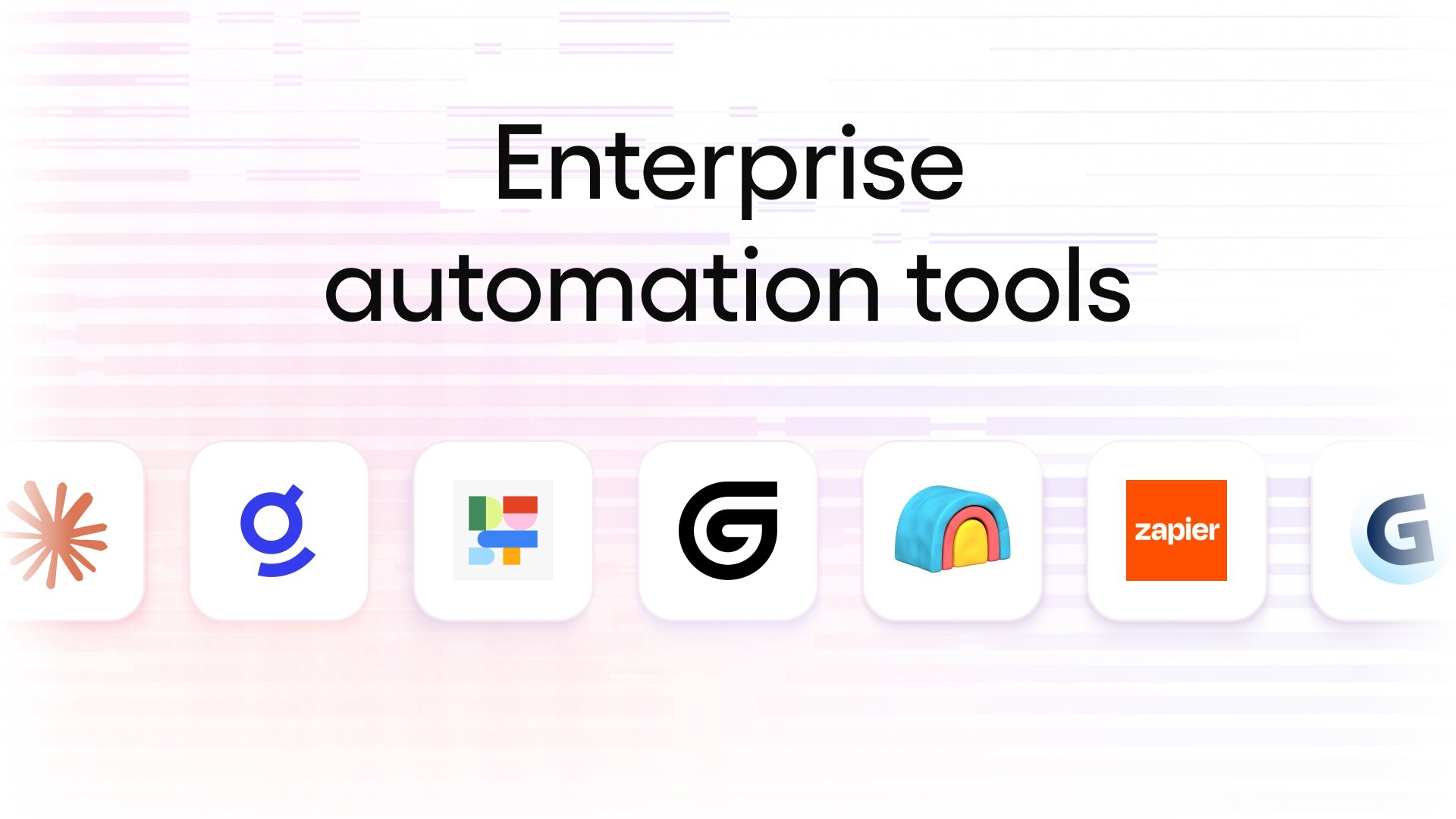
- Gumloop: Ideal if you want to build AI-powered agents and workflows that can take action across your existing business tools.
- Dust: A great fit for teams that want specialized AI agents grounded in company knowledge and context.
- n8n: Best when technical teams want plenty of flexibility and control over how their automations are built and deployed.
- Glean: Built for enterprises that want to bring company knowledge, search, and AI agents into one environment.
- Clay: Worth considering if sales and GTM automation is your priority, particularly for research, enrichment, and prospecting workflows.
- Roadway AI: Designed for growth teams that want to analyze product and customer data and turn those insights into action.
- Claude Enterprise: A solid choice for organizations that want to give employees secure access to AI for knowledge-intensive work.
- Zapier: Well suited to businesses that want straightforward automation across a huge range of everyday applications.
What I looked for in an enterprise automation tool
Once automation starts touching important processes across a business, the bar gets higher.
A workflow that saves one person a few minutes is useful. An enterprise automation platform needs to keep delivering when more teams, systems, data, and AI agents become involved.
Here’s what I focused on when evaluating the tools on this list:
- Automation capabilities: How much useful work can the platform actually take on, and can it handle complex, multi-step processes as well as simpler workflows?
- AI capabilities: I looked at how AI is used within the platform, including agents, reasoning, content generation, research, and support for business context.
- Integrations: Enterprise tech stacks can get messy, so I wanted to see how easily each tool connects with existing applications, databases, APIs, and other systems.
- Ease of use: Who can realistically build and manage automations? I considered the technical knowledge required and how accessible each platform is beyond engineering teams.
- Security and governance: Permissions, access controls, auditability, data handling, and administrative oversight all matter once automation spreads across an organization.
- Scalability: I looked at whether the platform can support more users, workflows, and increasingly complex processes as adoption grows.
- Pricing: Enterprise automation tools can price by users, tasks, executions, credits, or custom contracts, so I considered how predictable those costs are likely to be as usage increases.
8 best enterprise automation tools I'm using in 2026
Let's get into the list.
I've broken down eight of the best enterprise automation tools available today, looking at what each one can automate, where I think it fits best, what it costs, and the trade-offs I'd want to know about before bringing it into my business.
1. Gumloop
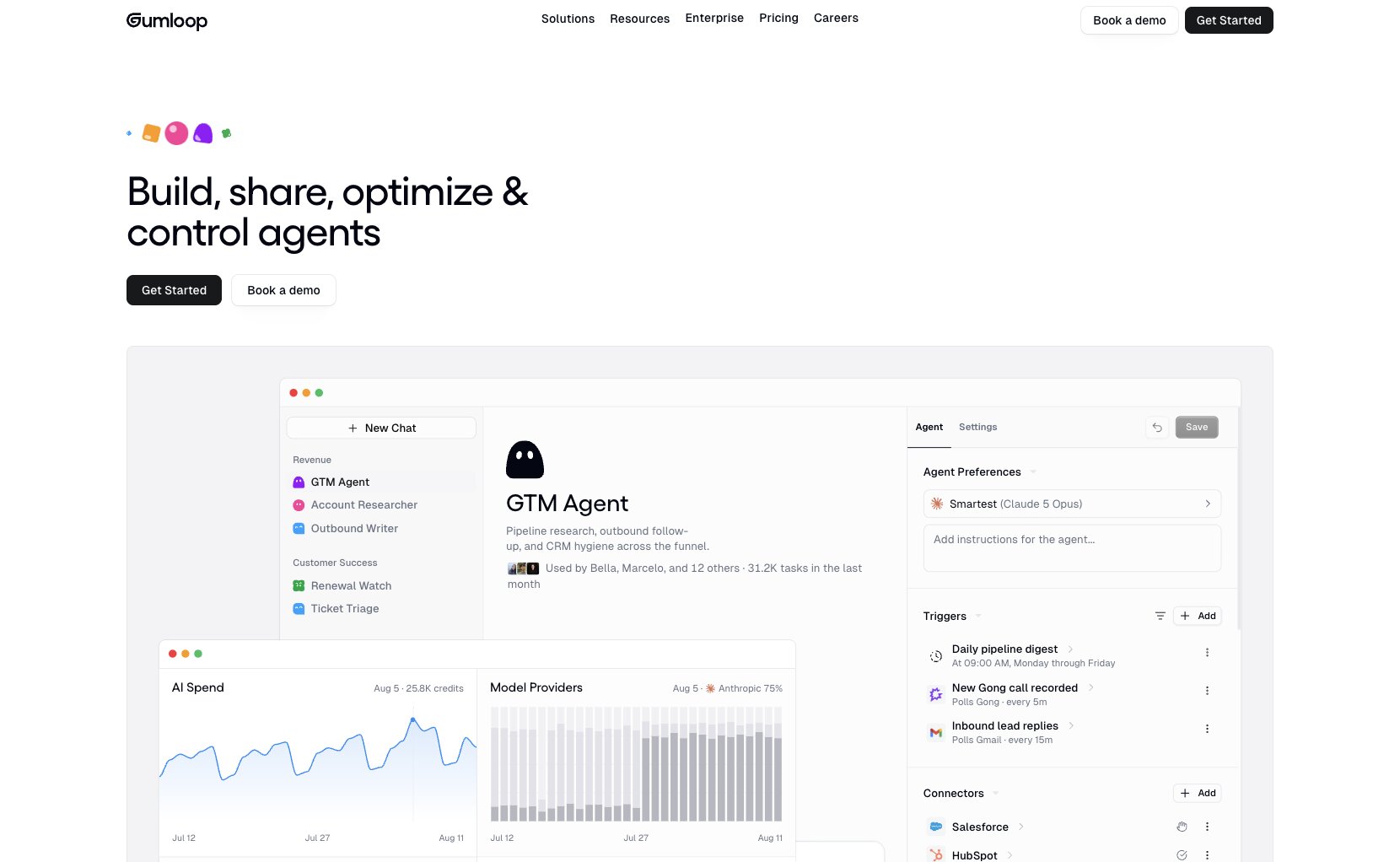
- Best for: Enterprise teams building AI agents and automated workflows across multiple business functions
- Pricing: 14-day free trial available, with Pro starting at $37/month
- What I like: Combines agents, workflows, integrations, and enterprise governance in the same platform
Gumloop is one of those tools where I could quite easily disappear down a rabbit hole thinking of things to automate.
Sales teams can build agents for lead qualification and meeting prep. Marketing can automate competitor research and content workflows. Operations teams can process documents and move data between systems, while support teams can analyze calls or build agents around recurring customer requests.
And there are already some impressive examples of that breadth in action. Gusto uses Gumloop across GTM, R&D, finance, and other teams, with its AI agents contributing to $1.5M+ in additional ARR in three months.
For an enterprise, I think that breadth matters.
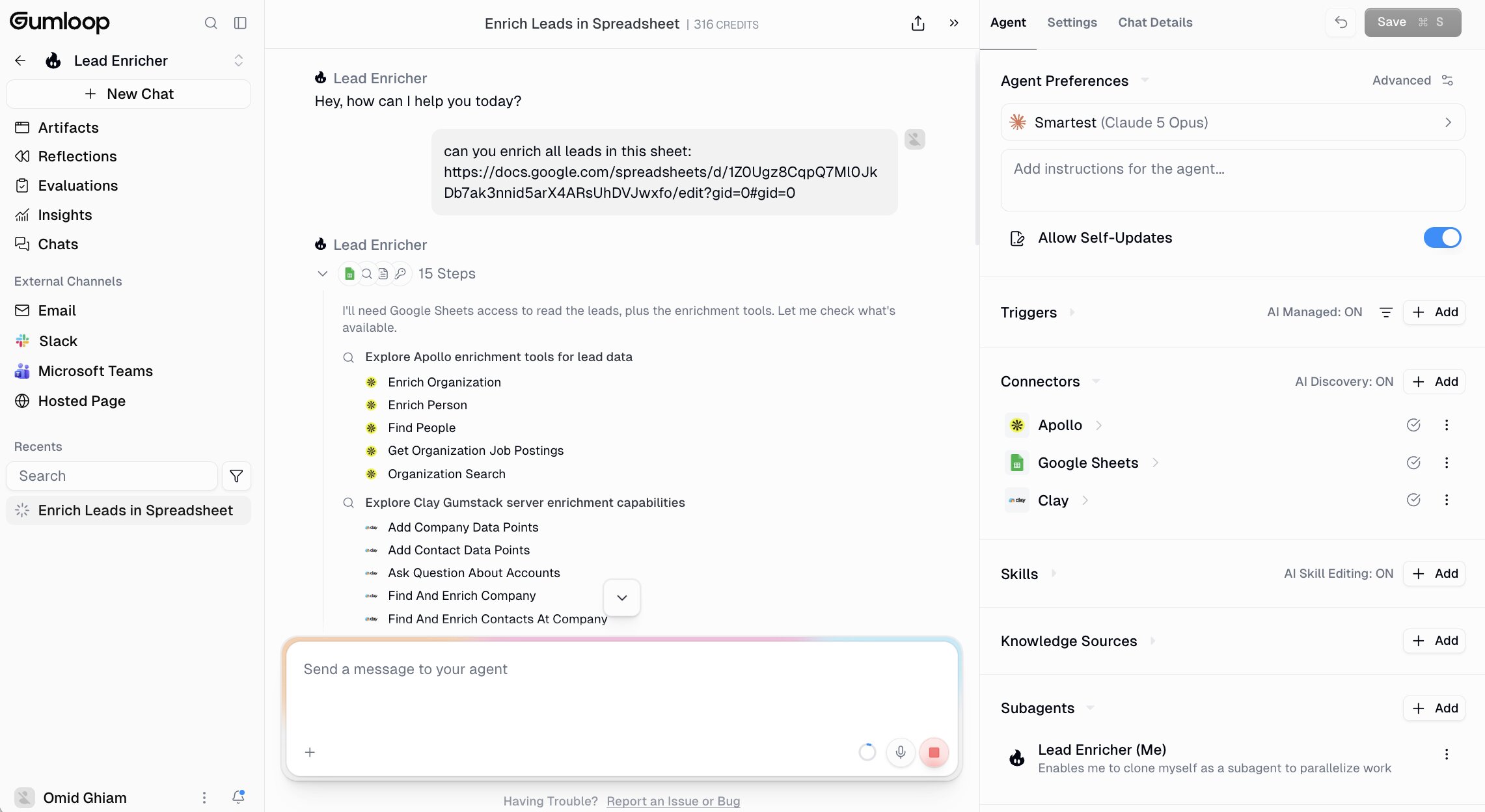
You're not introducing another highly specialized tool that only one department has a reason to use. Teams can build around their own processes while the organization keeps centralized controls over things like connectors, AI models, permissions, and data.
Gumloop also makes the building part surprisingly approachable. Its visual workflow builder lets you connect steps without code, while AI can help create and modify workflows from natural-language instructions. That gives less technical employees a realistic way into automation without taking away the flexibility more advanced users need.
Here are some of the things Gumloop is best at:
- Enterprises rolling out AI automation across multiple departments
- Operations teams automating complex, multi-step processes
- Business teams that want to build workflows without relying heavily on developers
- Organizations that need centralized controls around AI, connectors, and company data
Here are some of its notable features:
- Anyone on your team can build agents, with IT having full governance
- Self optimizing agents that help lower AI spend
- +450 native integrations + MCP support
- Unlimited seats
- Enterprise features including RBAC, SCIM/SAML, audit logs, VPC, AI model controls, and custom data retention
Pros and cons
Pros
- Accessible to technical and non-technical teams
- Broad enough to automate processes across different departments
- Strong AI agent and workflow capabilities
- Enterprise governance available for larger deployments
Cons
- Broad functionality means there can be a lot to explore when you're getting started
- Complex automations still need careful planning and testing
Gumloop pricing
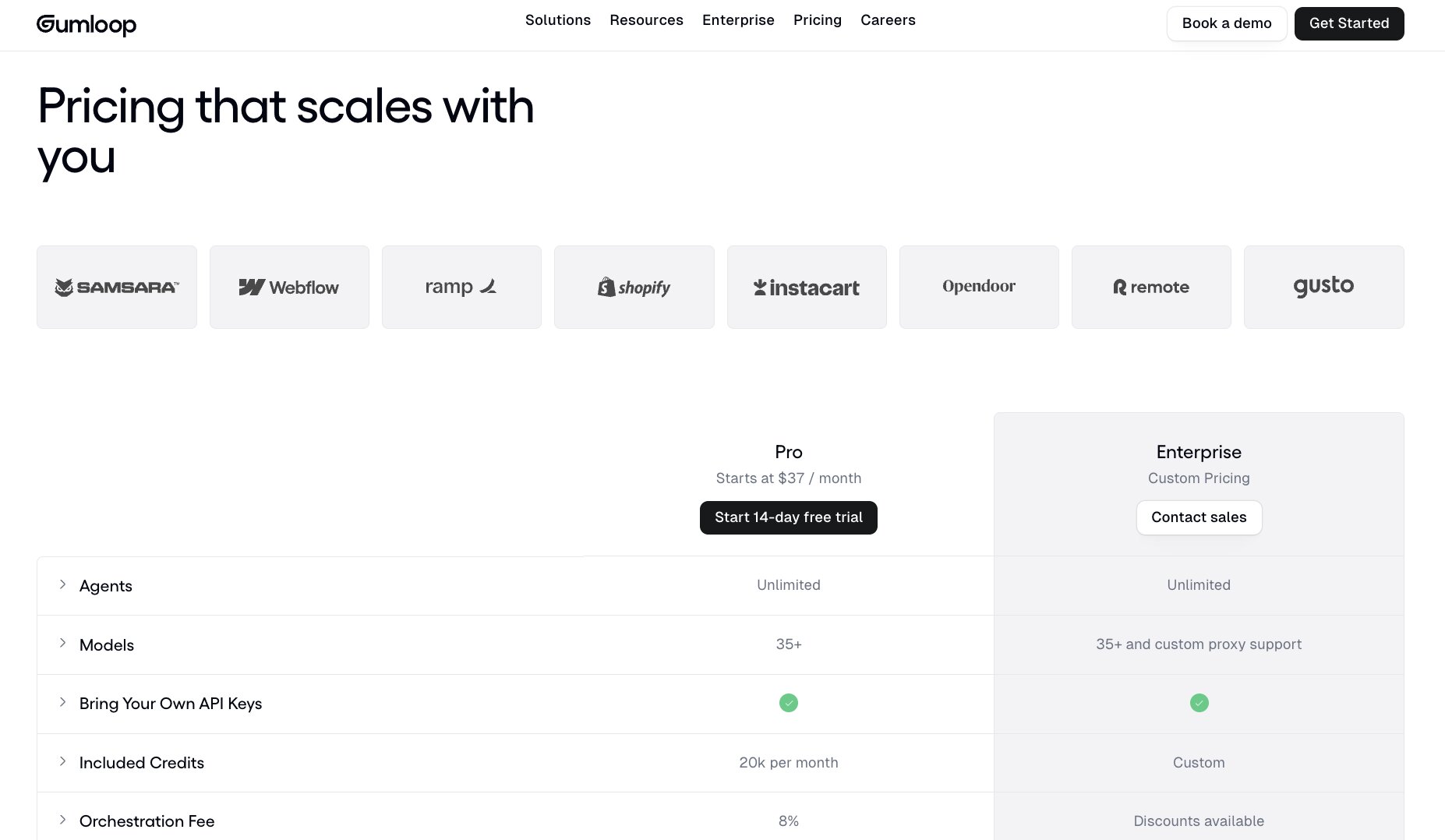
- Free trial: 14 days of Pro
- Pro: Starts at $37/month, with 20,000 credits/month, unlimited seats, and unlimited teams
- Enterprise: Custom pricing, with additional security, administration, and governance features
For current credit allowances, plan limits, and features, check out Gumloop's pricing page.
Gumloop reviews
Here is what other users rate the platform:
- G2: 4.8/5 star rating (from +7 reviews)
- Product Hunt: 5/5 star rating (from +9 reviews)
The review pool is still relatively small, but the feedback is remarkably aligned around usability and flexibility. G2 users talk about getting from an idea to a working automation without needing to code, while Product Hunt reviewers highlight customization, integrations, and the ability to tackle more substantial workflows. Support also gets several positive mentions.
2. Dust

- Best for: Enterprises that want teams to build specialized AI agents grounded in company knowledge
- Pricing: Free seats available, with Pro starting at $24/user/month (billed annually)
- What I like: Connects agents to company knowledge and the tools employees already use
Dust takes an interesting approach to enterprise automation because the starting point is the people doing the work.
Instead of expecting a central automation team to anticipate every useful workflow, Dust lets employees build specialized agents around the jobs they understand best. Marketing might create an agent for competitive intelligence, sales can automate account research, support can work across Zendesk and internal documentation, and engineering can bring code, issues, and technical knowledge into the same environment.
I think that makes Dust particularly interesting for organizations trying to get AI adopted beyond a handful of early enthusiasts.
Company context plays a big role here. Agents can work with knowledge spread across tools such as Slack, Google Drive, Notion, Confluence, and GitHub, then use that information alongside AI models and other tools to complete more involved tasks. Admin controls sit around that activity, including SSO/SCIM, role-based access, audit logs, and data residency options.
Here are some of the things Dust is best at:
- Enterprises rolling out AI agents across multiple departments
- Knowledge-heavy teams working across scattered internal information
- Employees who want to create agents without relying on developers
- Organizations that need centralized governance around employee-built AI
Here are some of its notable features:
- No-code custom AI agent builder
- Connections to company knowledge and business applications
- Access to multiple AI models
- Tools for search, data analysis, and web navigation
- Shared agents and collaborative workspaces
- Enterprise security and access controls
Pros and cons
Pros
- Makes agent creation accessible to non-technical employees
- Strong focus on grounding AI in company knowledge
- Useful across a wide range of business functions
- Enterprise-grade permissions and governance controls
Cons
- Results depend heavily on the quality and organization of connected company data
- Some users report a learning curve when first building agents
- Reviewers would like to see a broader range of native integrations
Dust pricing
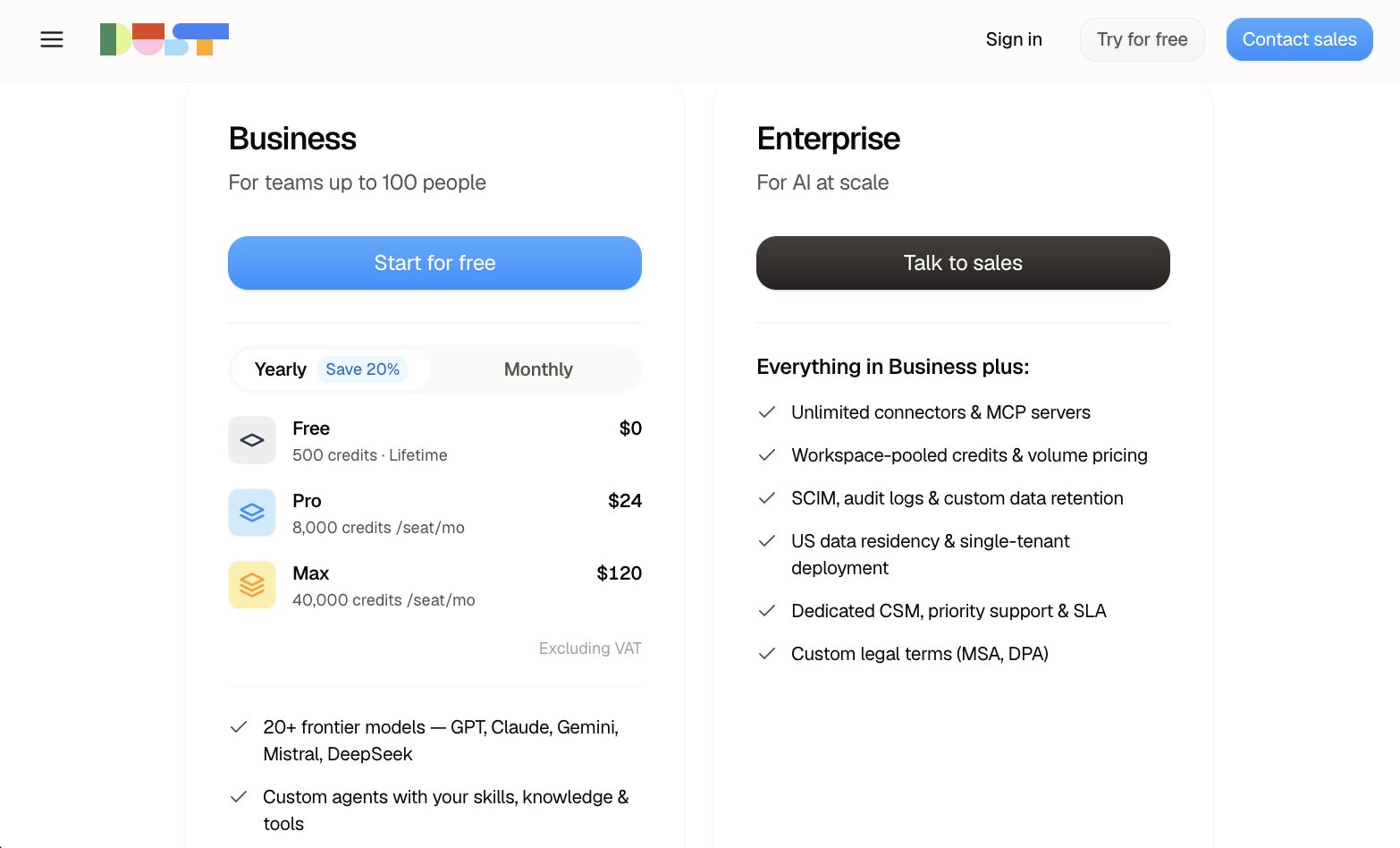
- Free seat: $0, with 500 lifetime credits
- Pro seat: $24/user/month billed annually, with 8,000 credits per month
- Max seat: $120/user/month billed annually, with 40,000 credits per month
- Enterprise: Custom pricing, with pooled credits, volume pricing and additional enterprise controls
For current options and a quote, check Dust's pricing page.
Dust reviews
Here is what other users rate the platform:
- G2: 4.6/5 star rating (from +85 reviews)
- Gartner: 5/5 star rating (from +1 review)
There's considerably more review evidence for Dust now than there was even a few months ago. Users often talk about being able to build useful agents quickly and connect information that previously lived across several different tools. Ease of use gets plenty of praise, particularly from teams giving non-technical employees the ability to create agents themselves. The feedback isn't universally glowing, though: data quality, occasional reliability issues, onboarding, and gaps in integrations all come up in recent reviews.
3. n8n
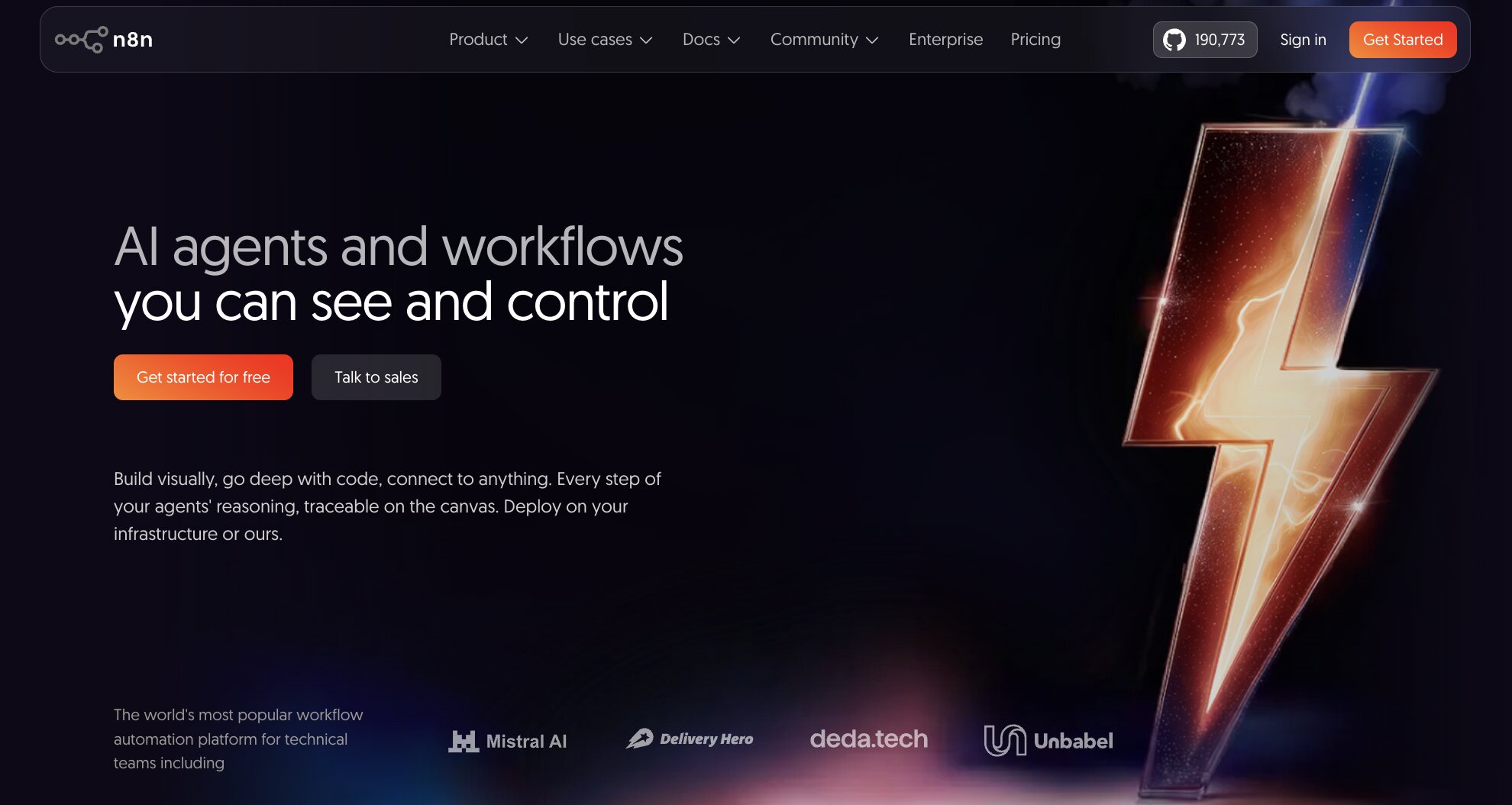
- Best for: Technical teams that want deep control over complex automation and AI workflows
- Pricing: Free trial and self-hosted Community Edition available, with cloud plans starting at $24/month
- What I like: Gives developers the freedom to combine a visual workflow builder with JavaScript, Python, APIs, and custom nodes
Compared with more accessible platforms like Gumloop, n8n feels like the tool I'd hand to a technical team and tell them to see how far they can push it.
The visual builder makes it relatively quick to connect applications and map out a workflow, but you aren't restricted to whatever the interface gives you. Developers can drop in JavaScript or Python, make custom API requests, build their own nodes, and create much more involved logic when a process calls for it.
AI has become a much bigger part of that proposition too. n8n can orchestrate AI agents and models alongside traditional workflow steps, so you might have an agent interpret an incoming request, query company data, decide what should happen next, and then trigger actions across other systems.
For enterprise teams, the deployment flexibility is a big plus. n8n can run in its managed cloud or be self-hosted, while its higher-tier plans add controls such as SSO, separate environments, Git-based version control, external secret stores, log streaming, and dedicated support.
Here are some of the things n8n is best at:
- Engineering and IT teams building sophisticated business automations
- Enterprises that want the option to self-host their automation platform
- Teams combining AI agents with APIs, databases, and existing applications
- Developers who want more customization than a typical no-code platform allows
Here are some of its notable features:
- Visual workflow builder with code support
- AI agents and AI-powered workflow capabilities
- 500+ integrations plus custom API requests
- JavaScript and Python code steps
- Self-hosted and managed cloud deployment options
- Enterprise controls including SSO, environments, Git version control, and log streaming
Pros and cons
Pros
- Excellent flexibility for technical teams
- Self-hosting gives organizations greater control over deployment
- Handles complex, multi-step, and API-heavy workflows
- Charges by complete workflow execution rather than every individual step
Cons
- Steeper learning curve for employees without technical experience
- Business features such as SSO and Git version control require a significant jump in price
- Complex workflows can become harder to debug and maintain
n8n pricing
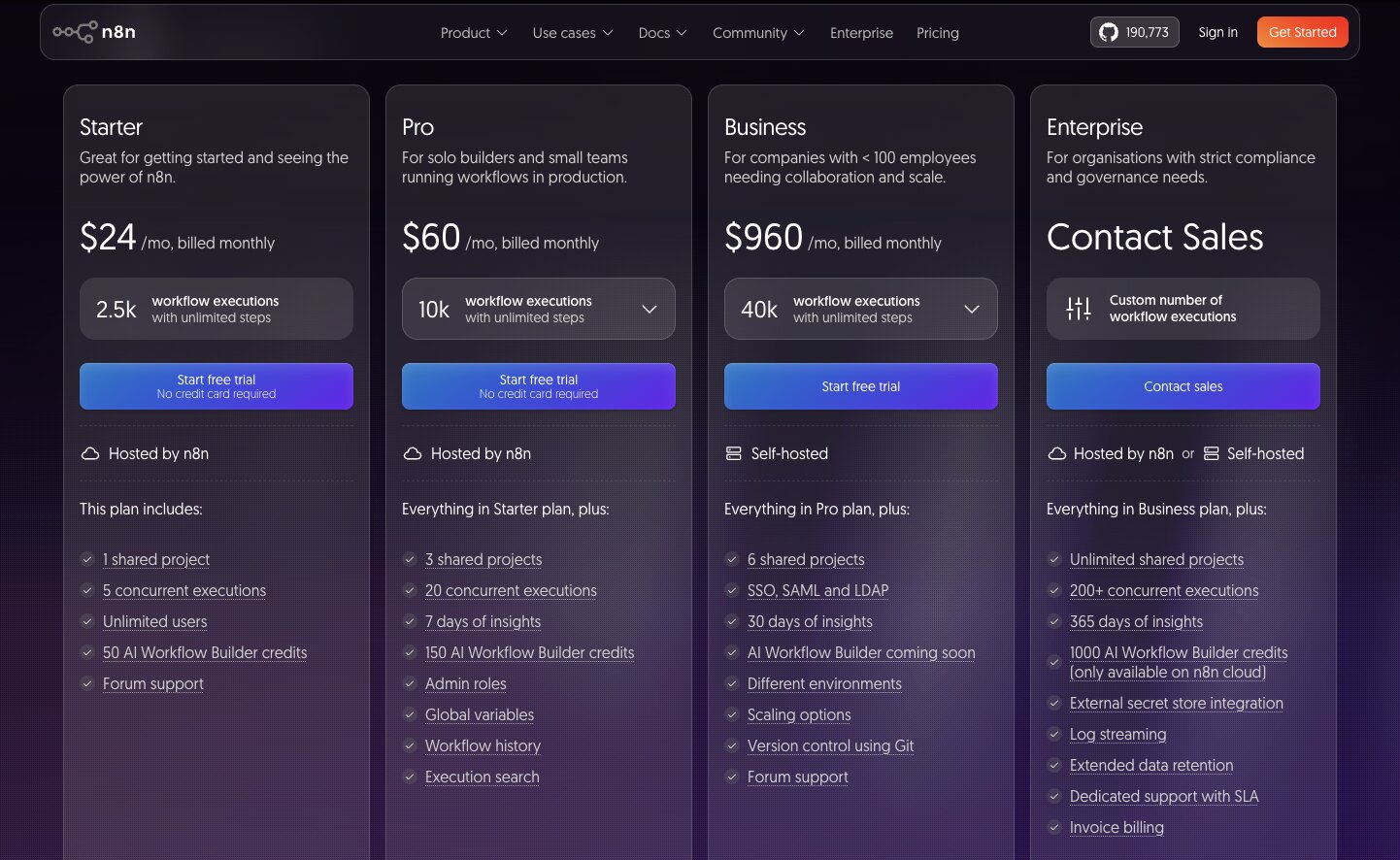
- Starter: $24/month with 2,500 workflow executions
- Pro: $60/month with 10,000 workflow executions
- Business: Around $800/month with 40,000 workflow executions; self-hosted
- Enterprise: Custom pricing, with custom workflow execution limits and cloud or self-hosted deployment
n8n also offers free trials, and a separate free, self-hosted Community Edition is available.
For the latest execution limits and features across each plan, check out n8n's pricing page.
n8n reviews
Here is what other users rate the platform:
- G2: 4.7/5 star rating (from +301 reviews)
- Product Hunt: 4.8/5 star rating (from +73 reviews)
Flexibility is probably the clearest theme across n8n's reviews. Users regularly praise the visual builder, integrations, code support, and ability to self-host, particularly when they're creating workflows that go beyond straightforward app-to-app automation. The trade-off is accessibility: the learning curve comes up frequently too, especially for people who aren't already comfortable with APIs, JSON, or code.
4. Glean
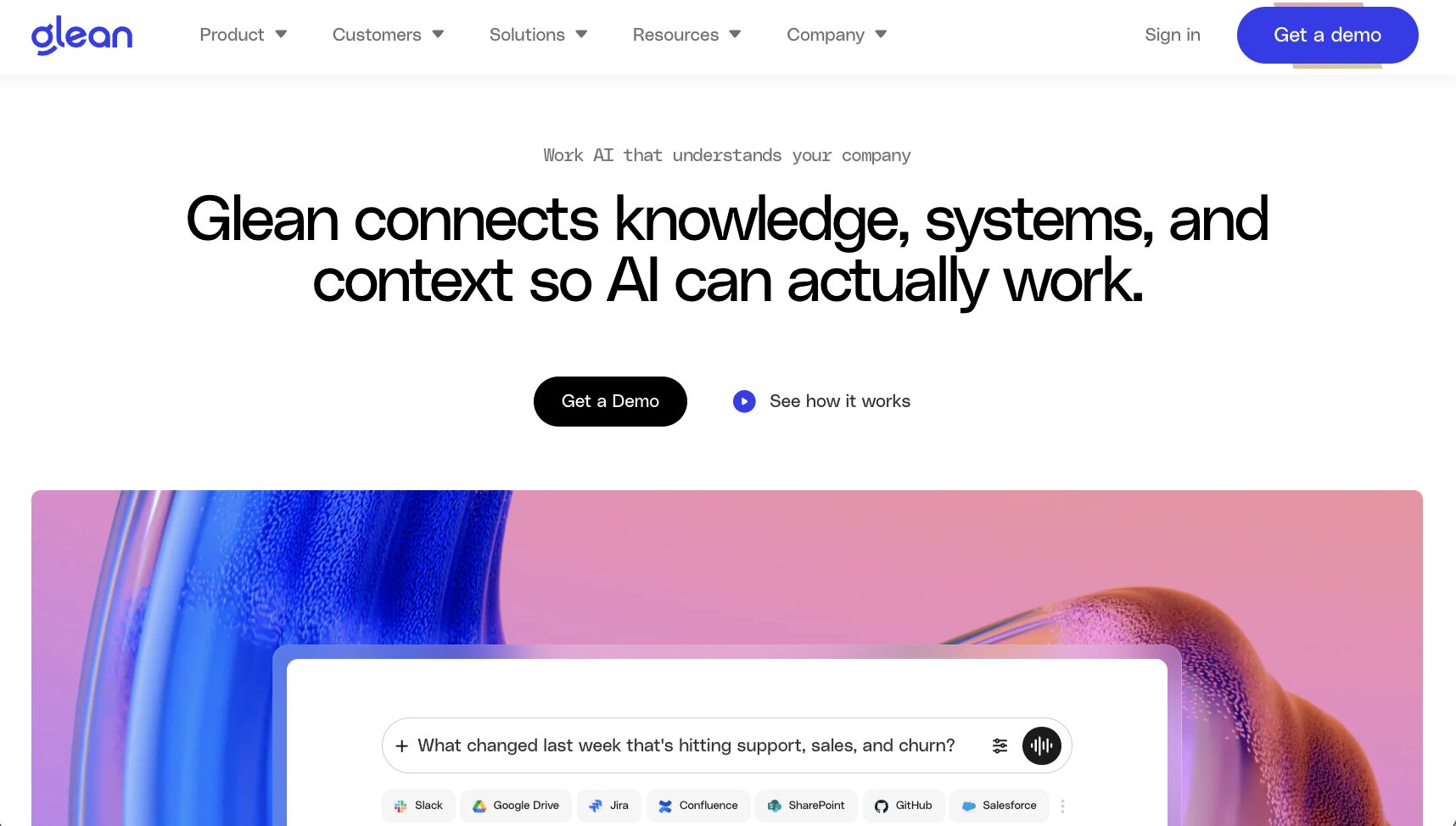
- Best for: Large organizations that want AI agents and automation grounded in knowledge from across the business
- Pricing: Available on request
- What I like: Brings enterprise search, AI assistance, and agents together rather than treating them as separate systems
Glean is probably the tool on this list that makes me think most about how much time people waste simply trying to find things.
A policy buried in Google Drive. A decision made three months ago in Slack. Customer context sitting in Salesforce. A technical answer hiding somewhere in Jira. Glean connects that information and makes it searchable, but its automation capabilities now go considerably further.
Glean Agents can use that enterprise context to reason through tasks and take action. Teams can build agents for jobs such as answering RFPs, analyzing sales data, resolving support requests, or handling IT workflows, then connect those agents to other systems. And because Glean is permissions-aware, employees only get access to information they're already allowed to see.
That's what makes Glean particularly interesting to me as an enterprise automation tool. The company knowledge you've already accumulated becomes context that agents can actually work with, rather than something employees have to hunt down before they can get started.
Here are some of the things Glean is best at:
- Large enterprises with knowledge spread across lots of applications
- Teams that spend significant time searching for internal information
- Organizations building AI agents around proprietary company context
- Businesses that need permissions-aware AI across multiple departments
Here are some of its notable features:
- AI-powered enterprise search
- Glean Assistant for research, analysis, content creation, and work execution
- No-code Glean Agents for multi-step automation
- 100+ connectors to enterprise applications
- Enterprise Graph for understanding company context and relationships
- APIs, MCP support, and custom actions for extending automation into other systems
Pros and cons
Pros
- Particularly strong at bringing scattered company knowledge together
- Existing source permissions carry through to search and AI experiences
- Combines knowledge retrieval with agents that can take action
- Built specifically around enterprise security, governance, and scale
Cons
- Likely overkill for smaller organizations with relatively simple knowledge environments
- No public pricing makes costs difficult to compare upfront
- Getting maximum value depends on connecting and indexing the right company systems
Glean pricing
- Custom pricing based on your organization's requirements
Glean doesn't currently publish standard plan prices, so you'll need to contact its sales team for a quote and deployment details.
Glean reviews
Here is what other users rate the platform:
- G2: 4.7/5 star rating (from +170 reviews)
- Product Hunt: 5/5 star rating (from +1 review)
The G2 reviews are the much more useful signal here. Users highlight how quickly Glean helps them find information scattered across different company applications, along with its ease of use and integrations. Recent reviews also mention the growing agent capabilities positively.
Product Hunt's single review similarly praises being able to find information across Google Docs and Slack, but with only one review, I wouldn't read much into the 5/5 rating itself.
5. Clay
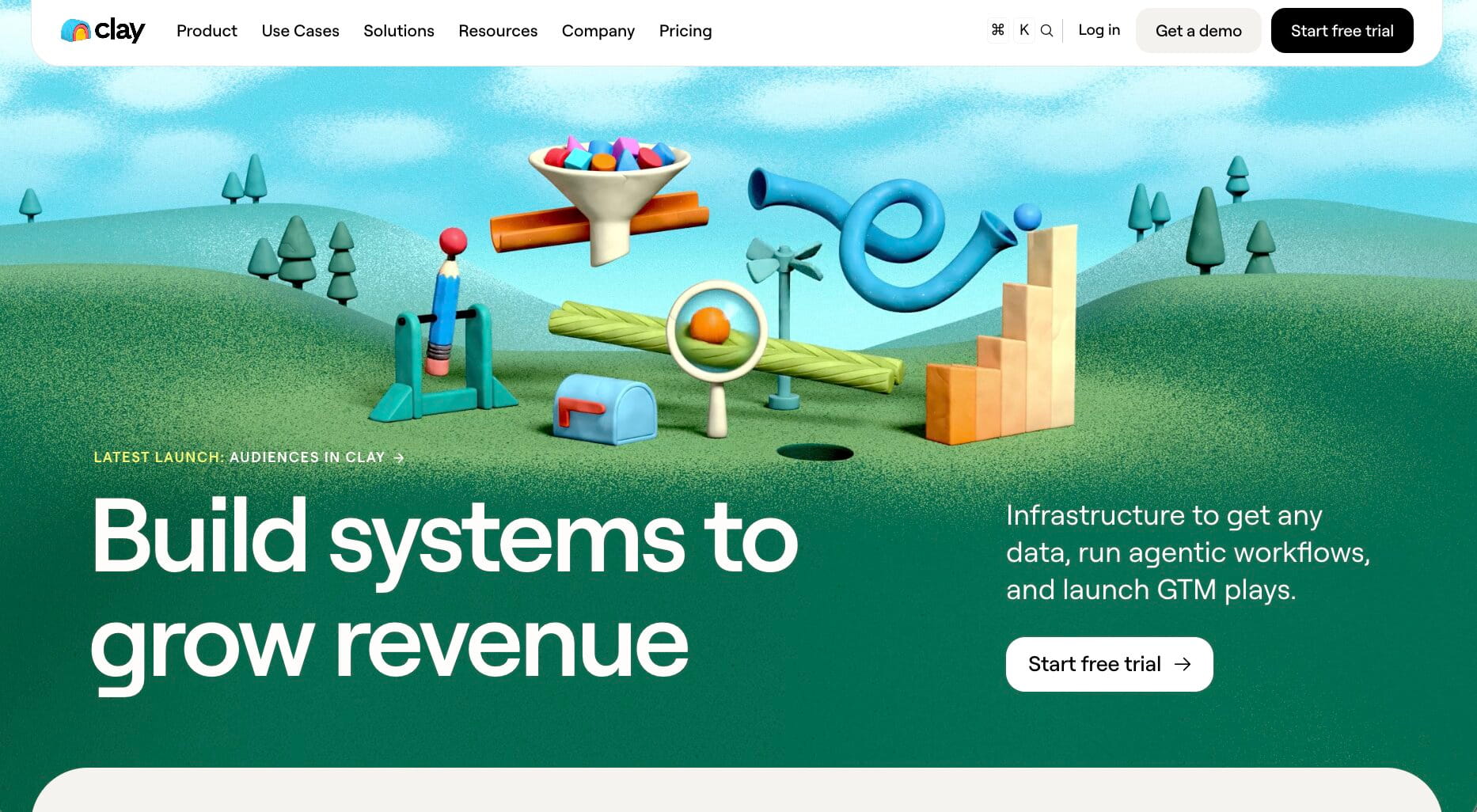
- Best for: GTM teams automating prospect research, enrichment, and pipeline generation
- Pricing: Free plan available, with paid plans starting at $185/month
- What I like: Brings data enrichment, AI research, signals, and GTM automation into the same workspace
Clay is easily one of the more specialized enterprise automation tools on this list.
I'd be looking at it when the work I wanted to automate lived primarily inside the go-to-market engine. Think finding the right accounts, enriching contact data, spotting buying signals, researching prospects, updating the CRM, and turning all of that information into personalized outreach.
There's a lot you can string together.
Clay can combine data from 150+ providers using waterfalls, while Claygent can research companies and people to find information that isn't sitting neatly inside a traditional database. Signals can then trigger workflows when something interesting happens, such as a job change or company news. On the Growth plan, you can also auto-sync and enrich CRM data, connect data warehouses, use webhooks, and work with HTTP APIs.
For me, that's where Clay earns its place here. Its scope is narrower than a general enterprise automation platform, but there's a huge amount of flexibility within GTM. If that's the part of the business you're trying to automate, specialization can be a strength.
Here are some of the things Clay is best at:
- GTM teams building automated prospecting and enrichment workflows
- RevOps teams managing and enriching CRM data at scale
- Sales teams automating account and prospect research
- Marketing teams acting on intent, company, and people signals
Here are some of its notable features:
- Data enrichment from 150+ providers
- Multi-provider waterfall enrichment
- AI-powered research with Claygent
- Job change, company news, social, and web intent signals
- CRM and data warehouse synchronization
- Workflow orchestration, webhooks, APIs, and native sequencing
Pros and cons
Pros
- Particularly strong for GTM automation
- Huge choice of enrichment providers in one platform
- Claygent adds flexible AI research to workflows
- Can connect enrichment, signals, CRM data, and outreach
Cons
- Much more specialized around GTM than some tools on this list
- Takes time to learn how to build more sophisticated workflows
- Usage-based actions and data credits add another layer to cost management
Clay pricing
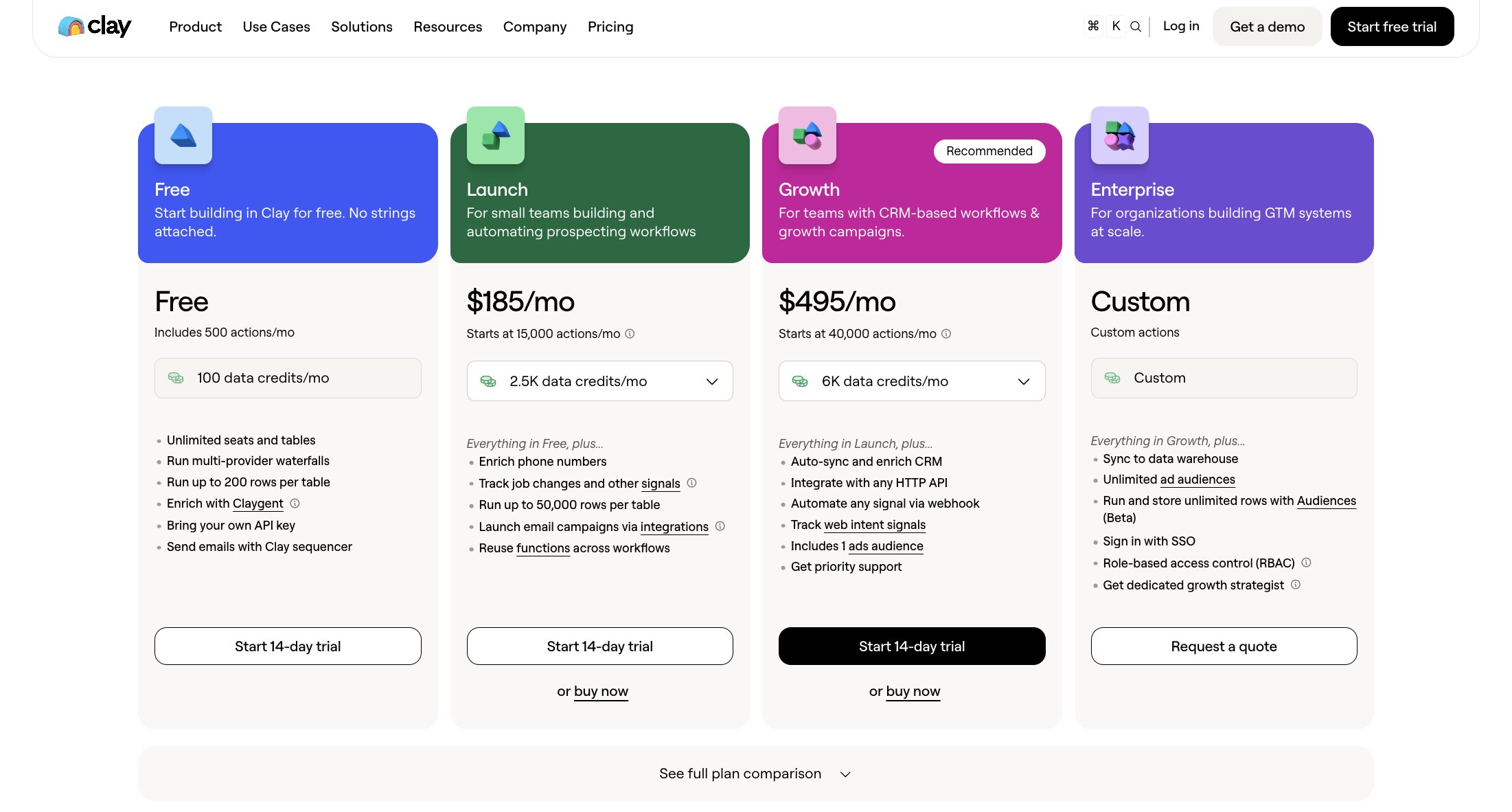
- Free: 500 actions per month
- Launch: From $185/month (billed annually)
- Growth: From $495/month (billed annually)
- Enterprise: Custom pricing
Clay's current pricing page shows annual billing at a 10% saving, with Launch at $167/month and Growth at $446/month under that option.
For current action limits, data credits, and plan features, check out Clay's pricing page.
Clay reviews
Here is what other users rate the platform:
- G2: 4.6/5 star rating (from +225 reviews)
- Product Hunt: 4.8/5 star rating (from +40 reviews)
The reviews make it clear that Clay's flexibility is a big part of the attraction. Users talk positively about waterfall enrichment, Claygent, integrations, and being able to automate research that previously involved jumping between several tools. The learning curve comes up regularly too, while some reviewers say actions and data credits can make costs harder to predict as workflows grow.
6. Roadway AI
- Best for: Growth marketing teams that want AI to monitor performance, find opportunities, and recommend what to do next
- Pricing: You’ll need to contact their sales team for pricing info
- What I like: Combines full-funnel measurement with AI coworkers that continuously analyze growth performance
Roadway AI takes us into a very specific corner of enterprise automation: growth marketing. It has a special place in my heart because the platform was founded by my manager when I worked at Webflow.
Its focus is growth marketing. You connect data from sources such as Salesforce, HubSpot, Google Ads, Meta, Stripe, Google Analytics, or your warehouse, then Roadway builds a measurement layer around the metrics that actually matter to your business.
The automation comes from its AI coworkers.
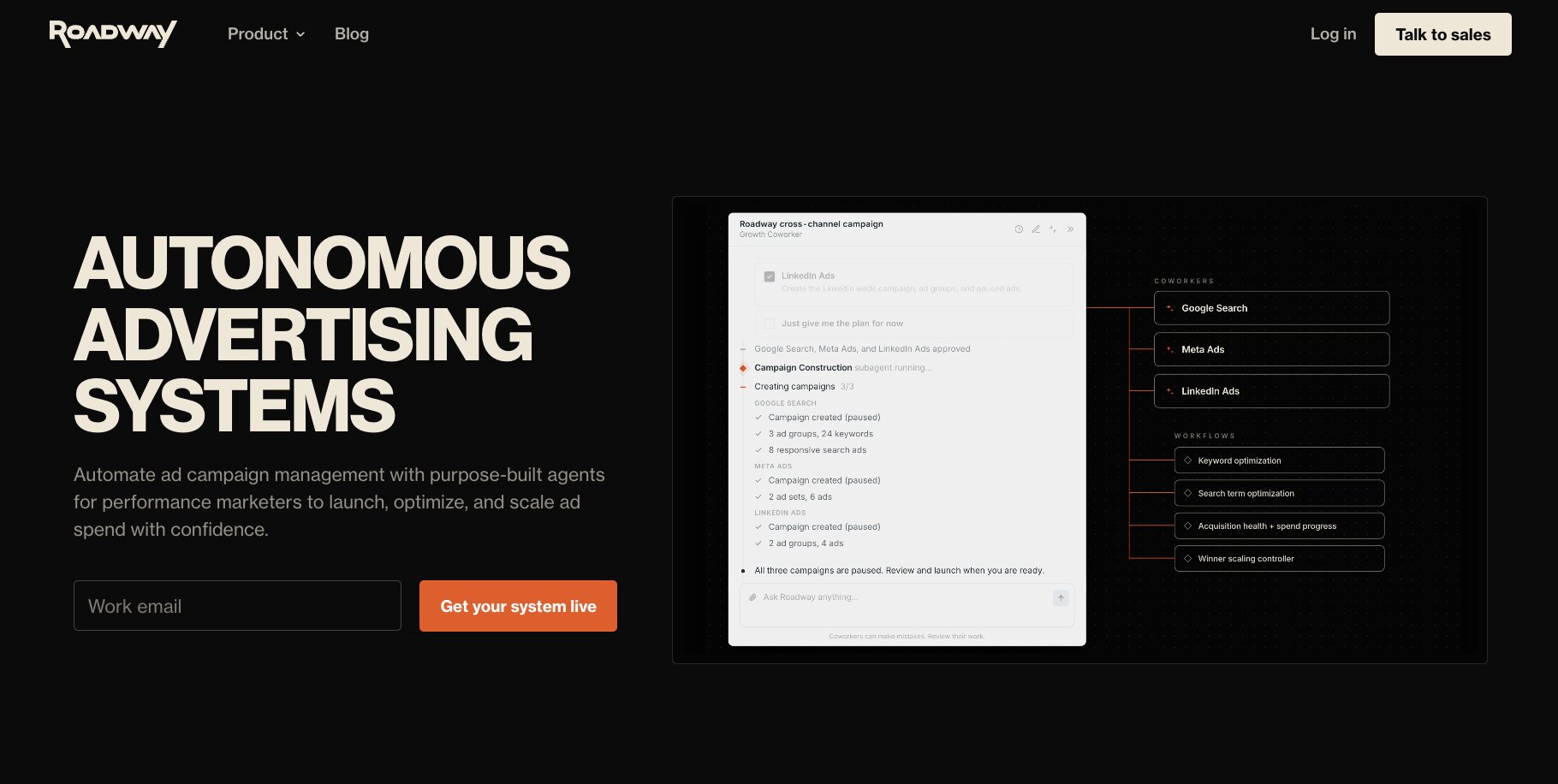
These can continuously monitor campaign performance, identify what's working, surface opportunities, and recommend next-best actions. You can deploy coworkers around individual channels too, from paid advertising to AI search, with your own goals, funnel, and guardrails shaping what they optimize for.
I can see this being particularly useful for growth teams that spend a lot of time pulling together reports before they can even start deciding what to do. Roadway customer Graphite, for example, says it has automated weekly reporting across performance marketing, affiliate, and SEO, freeing the team to spend that time on experiments and optimization instead.
Here are some of the things Roadway AI is best at:
- Growth marketing teams managing multiple acquisition channels
- Performance marketers looking to automate analysis and reporting
- Businesses that want attribution tied closely to AI-powered recommendations
- Lean growth teams looking to monitor more channels without continually adding headcount
Here are some of its notable features:
- AI coworkers for growth marketing
- Full-funnel attribution and measurement
- Proactive campaign monitoring and next-best-action recommendations
- Automated dashboards and reporting
- One-click data connectors and warehouse-native implementations
- Forward-deployed setup and ongoing expert growth support
Pros and cons
Pros
- Purpose-built around growth marketing rather than generic automation
- Connects measurement, analysis, and AI recommendations
- Forward-deployed setup reduces some of the implementation burden
- Can automate recurring performance analysis across multiple channels
Cons
- Far more specialized than general-purpose automation platforms
- No public pricing makes costs difficult to assess upfront
- Limited independent review data compared with more established tools
Roadway AI pricing
Roadway doesn't currently publish standard plan prices, so you'll need to contact the company directly to discuss your setup and get a quote.
For current product and purchasing information, head to Roadway AI.
Roadway AI reviews
Here is what other users rate the platform:
- Product Hunt: 5/5 star rating (from +1 review)
Product Hunt currently has just one review, so I wouldn't draw broad conclusions from the 5/5 score. That reviewer does specifically praise Roadway for bringing different data sources together and helping the team better understand its growth funnel and marketing strategy, which lines up closely with the platform's core proposition.
7. Claude Enterprise
- Best for: Organizations that want to give employees secure access to powerful AI for research, analysis, coding, and knowledge-intensive work
- Pricing: Custom enterprise pricing
- What I like: Adds enterprise controls around access, data, connectors, usage, and compliance rather than leaving teams to manage individual AI accounts
Claude Enterprise is a slightly different kind of automation tool from most of the platforms on this list.
You don't necessarily start by drawing out a workflow. Instead, you give employees an AI system that can research, analyze information, work with documents, write and debug code, create content, and tackle multi-step tasks across their day-to-day work.
That flexibility opens up a lot of possibilities at enterprise scale.
A legal team might use Claude to work through contracts, finance can analyze complex data and documents, marketing can research and create content, and developers can move between Claude and Claude Code for software development. Claude can also connect with workplace information and external tools, while MCP extends the range of systems it can interact with.
What makes the Enterprise plan particularly relevant here is the layer of control around all that activity. Anthropic supports SSO, SCIM, role-based access, custom data retention, auditability, and admin-managed connectors and plugins, and says it doesn't train its models on Enterprise customer inputs or outputs.
Here are some of the things Claude Enterprise is best at:
- Enterprises giving employees secure access to generative AI
- Knowledge workers automating research, analysis, writing, and document-heavy tasks
- Engineering organizations using Claude alongside Claude Code
- Businesses that need centralized controls around organization-wide AI adoption
Here are some of its notable features:
- Claude models for reasoning, analysis, writing, coding, and knowledge work
- Claude Code for agentic software development
- Connections to workplace data and external tools
- MCP support for extending Claude into other systems
- SSO, SCIM, role-based access, and administrative controls
- Compliance API, custom retention options, and centralized usage management
Pros and cons
Pros
- Useful across a wide range of departments and roles
- Particularly strong for complex, knowledge-intensive tasks
- Claude Code extends its usefulness for engineering teams
- Strong enterprise security and administration features
Cons
- Less focused on visual workflow building than platforms such as Gumloop, n8n, or Zapier
- Enterprise pricing isn't publicly available
- Heavy users can still encounter usage limits, a criticism that appears in current reviews
Claude Enterprise pricing
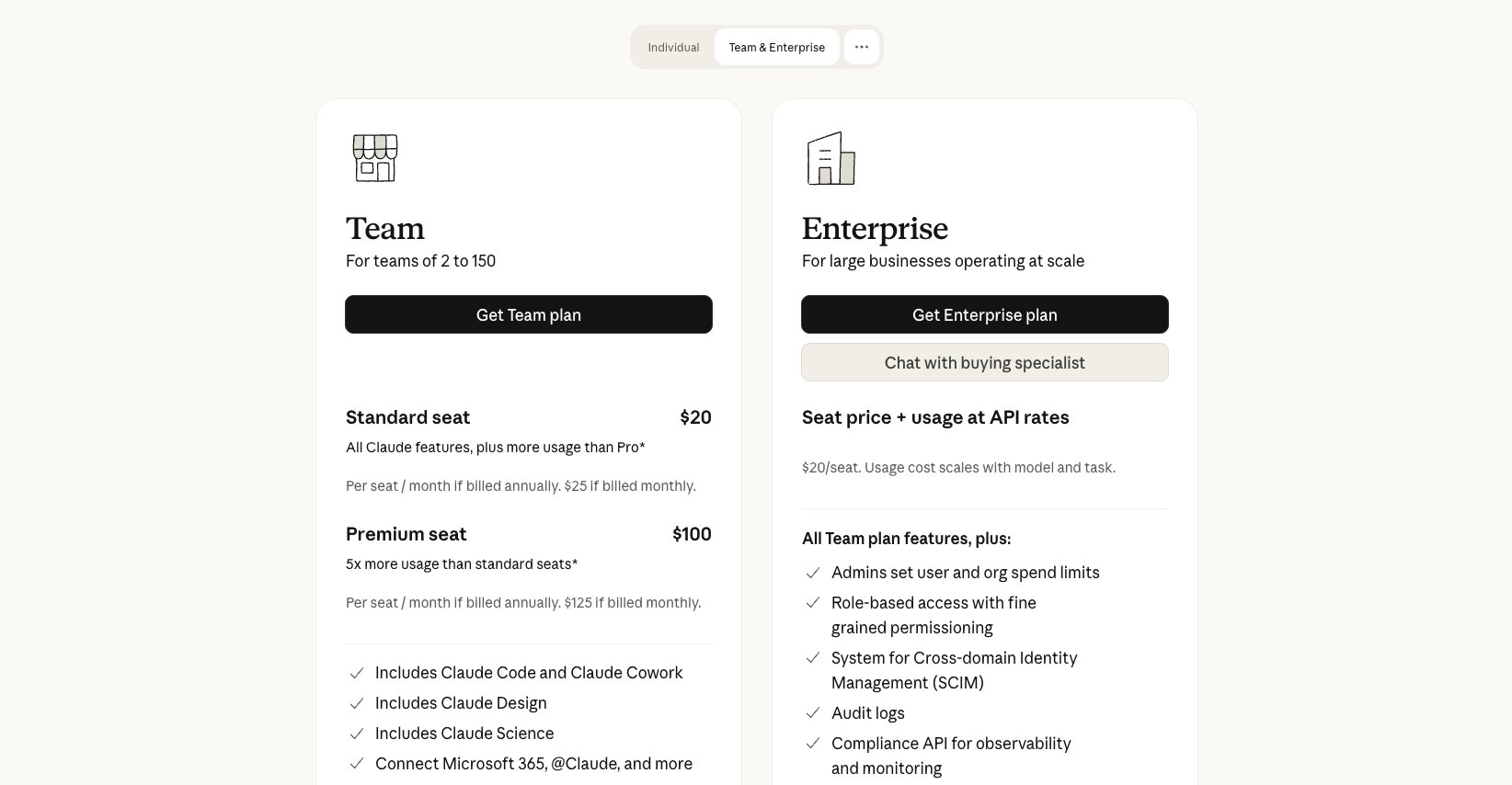
Anthropic doesn't currently publish a standard per-seat price for Claude Enterprise, so organizations need to contact sales for a quote. Anthropic also supports additional usage beyond included seat allowances, with admins able to set spending limits.
For current plan features and purchasing information, check out the API section on the Claude pricing page.
Claude reviews
Here is what other users rate the platform:
- G2: 4.6/5 star rating (from +448 reviews)
- Product Hunt: 5/5 star rating (from +965 reviews)
The volume of feedback is much stronger here than for some of the newer tools on this list. G2 reviewers regularly praise Claude's reasoning, writing, coding, and ability to handle complex work, with several describing meaningful time savings across research and analysis. Usage limits are one of the more noticeable frustrations, while integrations also receive mixed feedback depending on what users are trying to connect.
8. Zapier
- Best for: Enterprises that want accessible automation across a huge range of business applications
- Pricing: Free plan available, with Professional starting at $19.99/month and Enterprise available with custom pricing
- What I like:
- Makes it relatively easy for people across a business to automate everyday processes without relying on developers
- Combines a huge integration ecosystem with workflows, agents, forms, tables, and enterprise administration
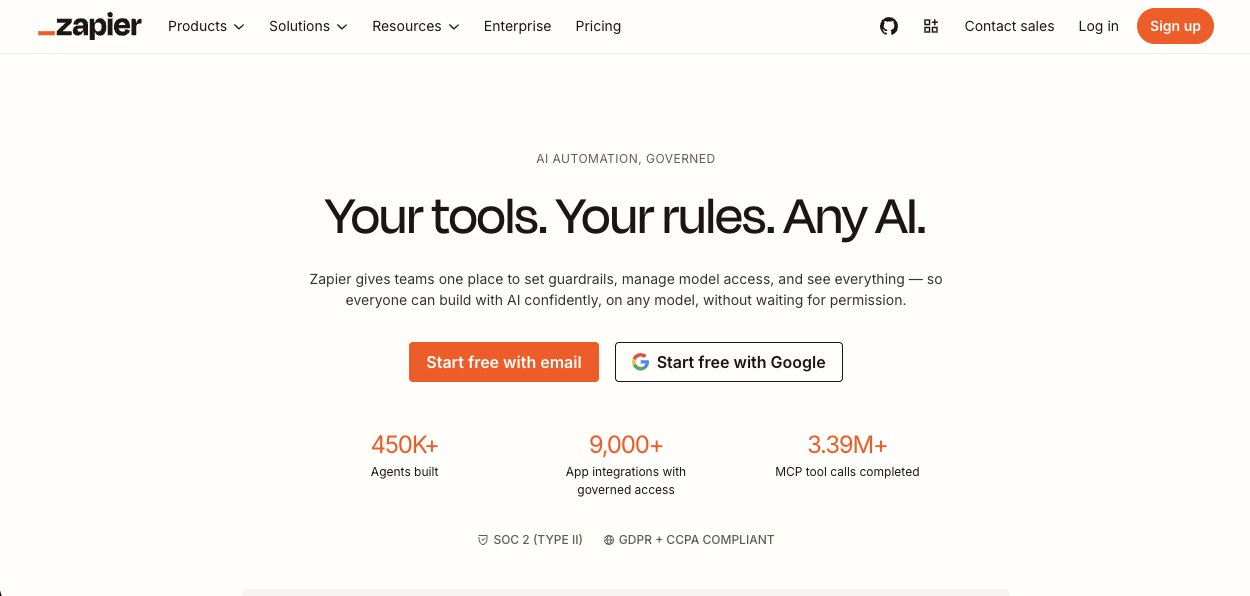
Zapier is easily the most established name on this list, and there's a good chance someone in your organization is already using it.
That's actually one of its biggest advantages for enterprise automation. Zapier has spent years making it easy to connect the applications businesses rely on, so teams can automate everything from lead routing and CRM updates to approvals, notifications, reporting, and customer operations without having to build those connections themselves.
But Zapier has expanded well beyond the traditional "when this happens, do that" Zaps it's known for. Which was initial use of Zapier back in 2019 (until I started using Gumloop).
The platform now includes AI-powered workflows, Agents, Tables, Forms, MCP, and Copilot alongside its core automation builder. For larger organizations, the Enterprise plan adds centralized administration, app and action restrictions, SAML SSO, SCIM provisioning, custom data retention, observability, and deployment controls.
For me, Zapier's biggest enterprise strength is accessibility. There's plenty you can build, but employees don't need to become automation specialists before they can start taking repetitive work off their plates.
Here are some of the things Zapier is best at:
- Enterprises automating processes across lots of SaaS applications
- Business teams that want to create automations without coding
- Operations teams connecting processes across multiple departments
- Organizations that need centralized controls around widespread automation
Here are some of its notable features:
- No-code visual workflow builder
- Large ecosystem of business application integrations
- Zapier Agents for AI-powered automation
- Tables and Forms for building end-to-end workflows
- MCP and SDK support
- Enterprise controls including SAML SSO, SCIM, app restrictions, observability, and custom data retention
Pros and cons
Pros
- Very accessible for non-technical users
- Huge integration ecosystem
- Broad range of automation and AI tools in one platform
- Strong administration and security features for enterprise deployments
Cons
- Costs can climb as task volumes increase
- Complex multi-step automations can become harder to troubleshoot
- Technical teams may want more customization than Zapier's no-code approach provides
Zapier pricing
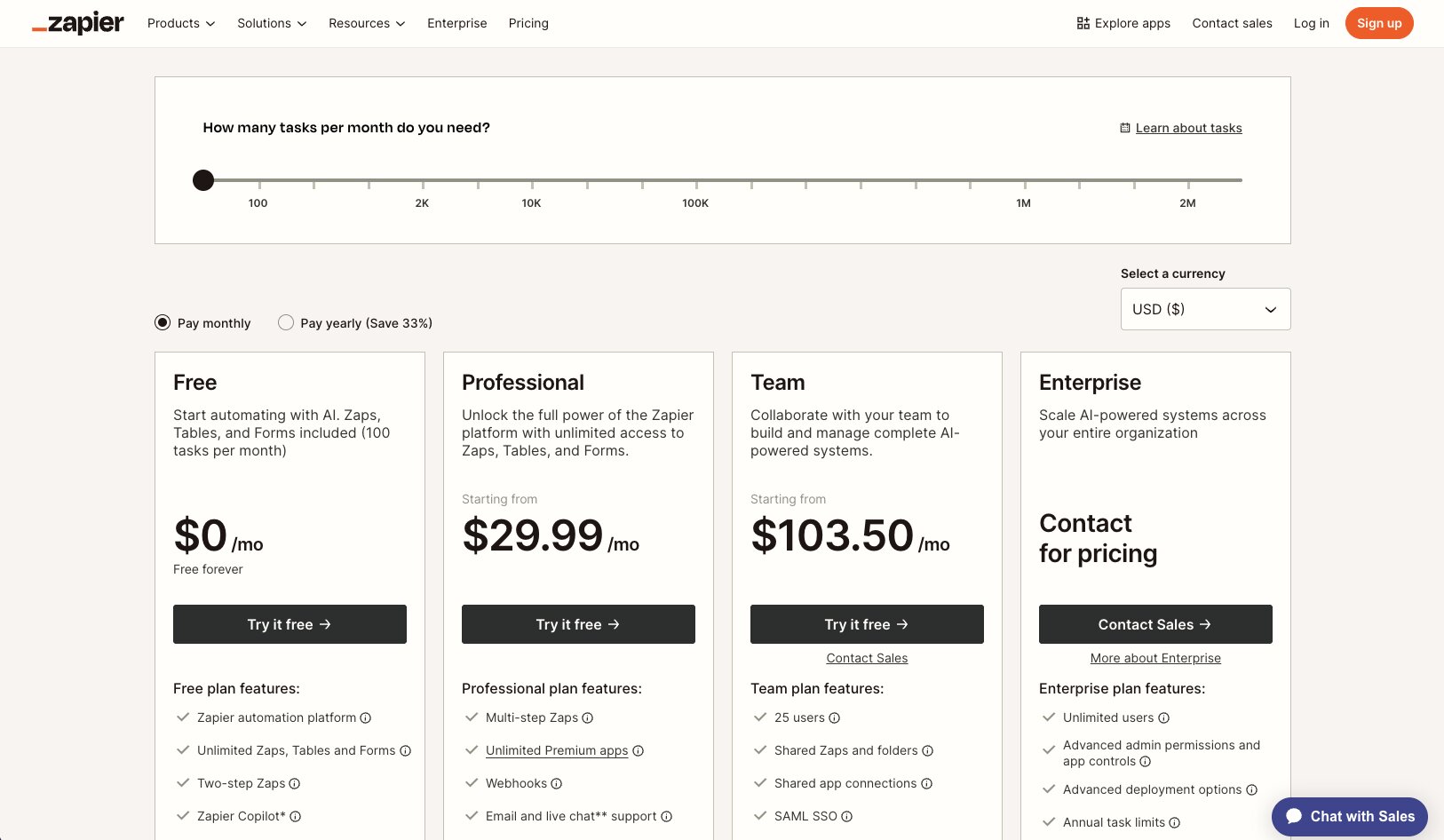
- Free: $0 with 100 tasks per month
- Professional: From $29.99/month
- Team: From $103.50/month for up to 25 users
- Enterprise: Custom pricing with unlimited users and additional administration, security, and deployment features
Zapier also prices its separate Agents product independently, so organizations planning substantial agent usage should factor that into their comparison.
For current task allowances, billing options, and plan features, check out Zapier’s pricing page.
Zapier reviews
Here is what other users rate the platform:
- G2: 4.5/5 star rating (from +2,088 reviews)
- Product Hunt: 4.7/5 star rating (from +66 reviews)
Zapier has by far one of the largest pools of customer feedback on this list, and ease of use remains a major theme. Reviewers like being able to connect applications quickly and remove repetitive work without coding, with the breadth of integrations getting plenty of praise too. Cost is the clearest recurring complaint, particularly as task volumes increase, while users also point out that larger, more complicated workflows can take more effort to debug and maintain.
Which enterprise automation tool should you choose?
Eight tools later, and I think the biggest takeaway is that 'enterprise automation' can mean very different things depending on the work you're actually trying to improve.
So rather than looking for one overall winner, I'd narrow the decision down by what you actually want to automate.
For flexible, AI-powered automation: Gumloop or n8n
I'd start with Gumloop if you want teams across the business to build AI agents and workflows without needing deep technical expertise. There's plenty of flexibility, but the visual builder and natural-language workflow creation make that flexibility accessible to a much broader group of employees.
n8n makes more sense when developers or technical teams are driving the automation strategy. Code support, APIs, custom nodes, and self-hosting give you much more control over how workflows are built and deployed.
For company knowledge and AI assistants: Dust, Glean, or Claude Enterprise
These three would be high on my list if the bigger goal is helping employees work more effectively with AI.
Dust stands out for building specialized agents around company context, while Glean is particularly compelling when knowledge is scattered across a large number of enterprise systems and finding the right information is already a problem.
I'd look at Claude Enterprise when you want a more general AI workspace that employees can use across research, analysis, writing, coding, and other knowledge-heavy work.
For GTM and growth automation: Clay or Roadway AI
If the automation challenge sits within your growth engine, specialization starts to make a lot of sense.
Clay would be my pick for automating prospect research, enrichment, signals, and other GTM workflows. Roadway AI comes at growth from another direction, using AI to continuously analyze marketing performance, surface opportunities, and recommend what teams should do next.
For straightforward automation across your existing apps: Zapier
If your priority is making it easy for employees to connect the applications they already use and automate repetitive processes without much technical knowledge, it's still an incredibly practical option. Its enormous integration ecosystem also makes it particularly useful when automation needs to stretch across lots of different SaaS tools.
Ultimately, I'd start with the work you most want to remove from people's plates, then work backwards from there.
The best enterprise automation tool for your business is the one that fits the people doing that work, the systems surrounding it, and the level of control you need as automation spreads.

Read related articles
Check out more articles on the Gumloop blog.