7 best Botpress alternatives I'm using to build AI agents

.webp)
Finding a platform that can create AI agents, that are actually useful, is hard.
I’ve personally been on the hunt for the past 18 months, testing every AI tool that comes out, to find the best way to create AI agents and automated workflows.
And if you’re reading this, chances are you have been on the same journey. Or else, why would you be looking for a Botpress alternative?
Well, I hope I can help stop your search today.
I’ve tested all of the tools I’m going to go over. And I’ll tell you exactly when to use each tool over Botpress. We’ll also go over the pros and cons of each tool, and also what you should look for when picking an alternative to Botpress.
This way, you can come to your own conclusions without me sounding biased. Alright, no more rambling from me. Let’s jump in.
What to look for in a Botpress alternative
When looking for a Botpress alternative, it's important to know what you're trying to build. Some platforms are better for conversational chatbots, while others are built for creating autonomous AI agents that can handle complex workflows.
If you're coming from Botpress, you're probably looking for a platform that can handle multi-agent systems and integrate with your existing tech stack. Here are some things you should consider when evaluating a Botpress alternative:
- Security and scalability: Make sure the platform you choose can scale with your team and has enterprise-grade security features like SOC 2, GDPR compliance, and data encryption. This is especially important if you're handling customer data or sensitive business information.
- Multi-agent orchestration: Look for platforms that let you run multiple AI agents at the same time. This allows you to create specialized agents for different tasks (sales, support, operations) rather than building one chatbot that tries to do everything.
- Team chat integration: If you want your AI agents to feel like actual teammates, make sure the platform can integrate with Slack or other team communication tools. This makes it easier for your team to interact with agents without switching contexts.
- Integration ecosystem: Check that the platform has built-in integrations with your existing tools (CRM, email, calendar, etc.). And if it doesn't have a native integration, make sure it supports MCP servers so you can connect to any tool you need.
- LLM flexibility: Some platforms lock you into a single AI model, while others let you choose from multiple LLMs (GPT, Claude, Gemini, etc.). Make sure you have the flexibility to switch models based on your use case and budget.
- User experience: If you want your entire team to be able to build and manage AI agents, look for platforms with clean, intuitive interfaces. The best tools make it easy for non-technical users to create agents without needing developer resources.
Overall, these are the core things I would look at when evaluating a Botpress alternative. Okay, now let's get into the list.
7 best Botpress alternatives and competitors in 2026
Here are the top Botpress alternatives:
Let’s take a look at each one.
1. Gumloop

- Best for: Anyone from freelancers to enterprise teams who want to build AI agents and automated workflows without code
- Pricing: Free plan available, Solo starts at $37/month
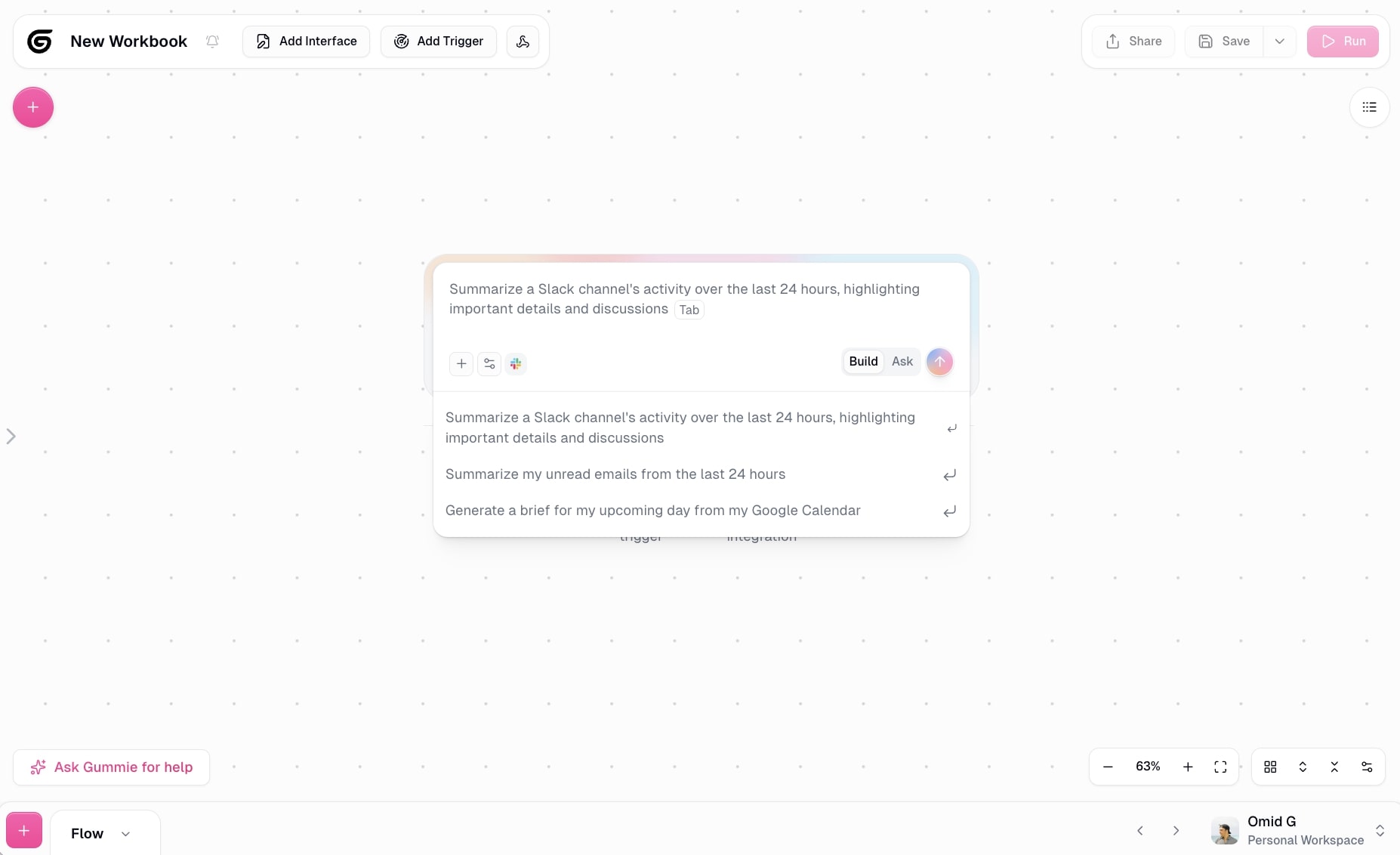
- What I like: Premium LLM models are included in your plan (no need to bring your own API keys), plus you can build entire workflows just by talking to Gummie, the built-in AI assistant
Gumloop is a no-code AI agent builder. It allows anyone to build AI agents and automated workflows in an intuitive drag and drop interface. You can also use Gumloop's built-in assistant, Gummie, to build out your agents and AI workflows by using natural language.
The platform is designed to be used by anyone from a freelancer to a large team at an enterprise company. I personally use Gumloop to run my own content marketing agency and media company. But I also know that teams at Shopify, Instacart, and Webflow use Gumloop across hundreds of employees.
How Gumloop works
Gumloop has two core features: flows and agents. Flows are your typical AI workflows where you drag on different apps onto a visual canvas and connect them with logic. It's a classic automation where a trigger starts the workflow and it runs all the way through.
You can also use any premium LLM model (Gumloop has them included in your plan, but you can also bring in your own API keys as well). This gives Gumloop an AI-native approach to building automations and agents.
Which brings us into the second part of the product: agents.
This is where you create a fully autonomous AI agent that can run tasks and do anything you ask it to. For this, all you do is select an LLM model you want your agent to run on, give it access to the apps within your tech stack (you can use Gumloop's built-in integrations or bring in your own MCP server), and from there, you give the agent instructions on how it should behave (this is very similar to Claude skills if you're familiar with that).
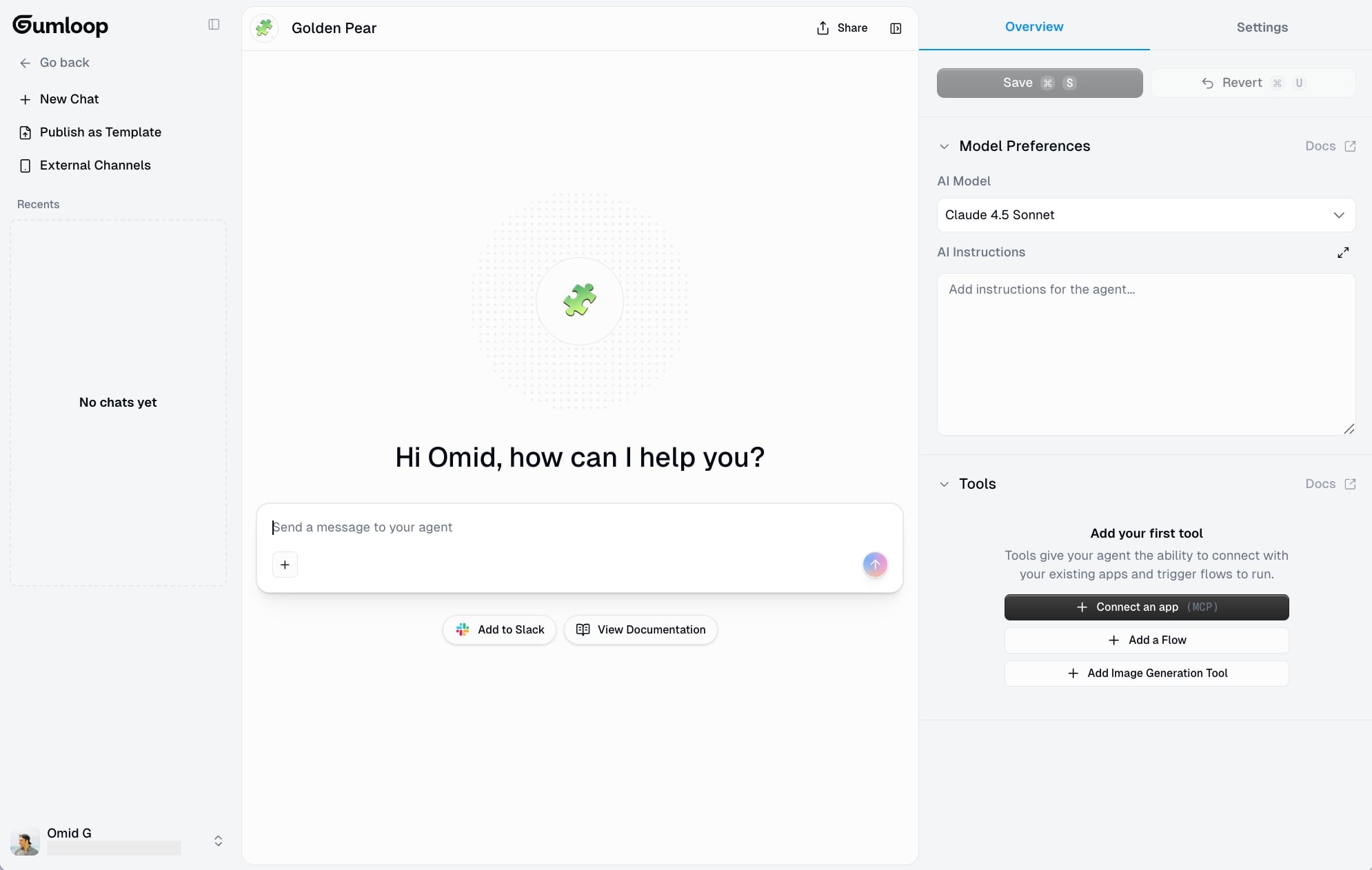
And then that's it. You have a chatbot agent that you can talk to and ask it to run tasks, plan campaigns, or execute on certain requests. For example, you can ask it how your top Google ads are performing. But you can also tell it to go into your Google ads account and turn on or turn off certain campaigns.
And if you don't want to use Gumloop's built-in chatbot interface, you can also connect it to Slack so you can tag your AI agent as if it were a team member.
Why choose Gumloop over Botpress
- Gumloop includes premium LLM models (GPT, Claude, Gemini) in your plan without requiring separate API keys, making it more cost-effective and easier to get started than Botpress
- You can build entire workflows using natural language with Gummie instead of manually configuring nodes, which is significantly faster for non-technical users
- Better for teams that need both traditional workflow automation AND conversational AI agents in one platform, rather than just chatbot development
- Enterprise-grade security and scalability out of the box, with customers like Shopify, Instacart, and Webflow already using it at scale
Gumloop pros and cons
Here are Gumloop's pros:
- Easy-to-use platform that can create automated workflows simply by using natural language
- A built-in AI agent builder that can use any premium LLM model (and it's included in your plan)
- Built to scale with enterprise-level security and used by some of the biggest companies in tech
Here are some of the cons of Gumloop:
- It is a newer platform, so there's not a lot of educational resources from other creators (at the moment)
- To get the most out of it, you have to have an idea of a workflow that you want to automate, but you can ask the Gummie agent to give you ideas and build workflows for you
Overall, Gumloop is an amazing platform and I think one of the best Botpress alternatives for creating AI agents. It's easy to use and it's also built for security, which gives you kind of the best of both worlds of it being a premium platform but having a user-friendly interface.
And just to note, I know that this is on the Gumloop blog and I'm not an employee at the company. I've been a customer of the platform for over a year now and I have tested hundreds of AI tools, which is why I was offered to write this.
Gumloop pricing

Here are Gumloop's pricing plans:
- Free: $0/month with 2k credits/month, 1 seat, 1 active trigger, 2 concurrent runs, Gummie agent, forum support, unlimited nodes and flows
- Solo: $37/month with 10k+ credits/month, unlimited triggers, 4 concurrent runs, webhooks, email support, and bring your own API key
- Team: $244/month with 60k+ credits/month, 10 seats, 5 concurrent runs, unlimited workspaces, unified billing, dedicated Slack support, and team usage & analytics
- Enterprise: Custom pricing with role-based access control, SCIM/SAML support, admin dashboard, audit logs, custom data retention, security reports, data exports, incognito mode, AI model access control, virtual private cloud, and flow queuing
You can learn more on the pricing page.
Gumloop reviews
Here's what customers rate the platform on third-party review sites:
- Product Hunt: 5/5 star rating (from +9 user reviews)
- There’s An AI For That: 5/5 star rating (from +1 user review)
2. StackAI
- Best for: Enterprise teams in finance, legal, healthcare, or security that need AI workflows with built-in compliance and data governance
- Pricing: Free plan available, Enterprise pricing is custom
- What I like: Clean UI that makes building complex workflows feel intuitive, plus enterprise-grade security (HIPAA, SOC 2, GDPR) built in from day one
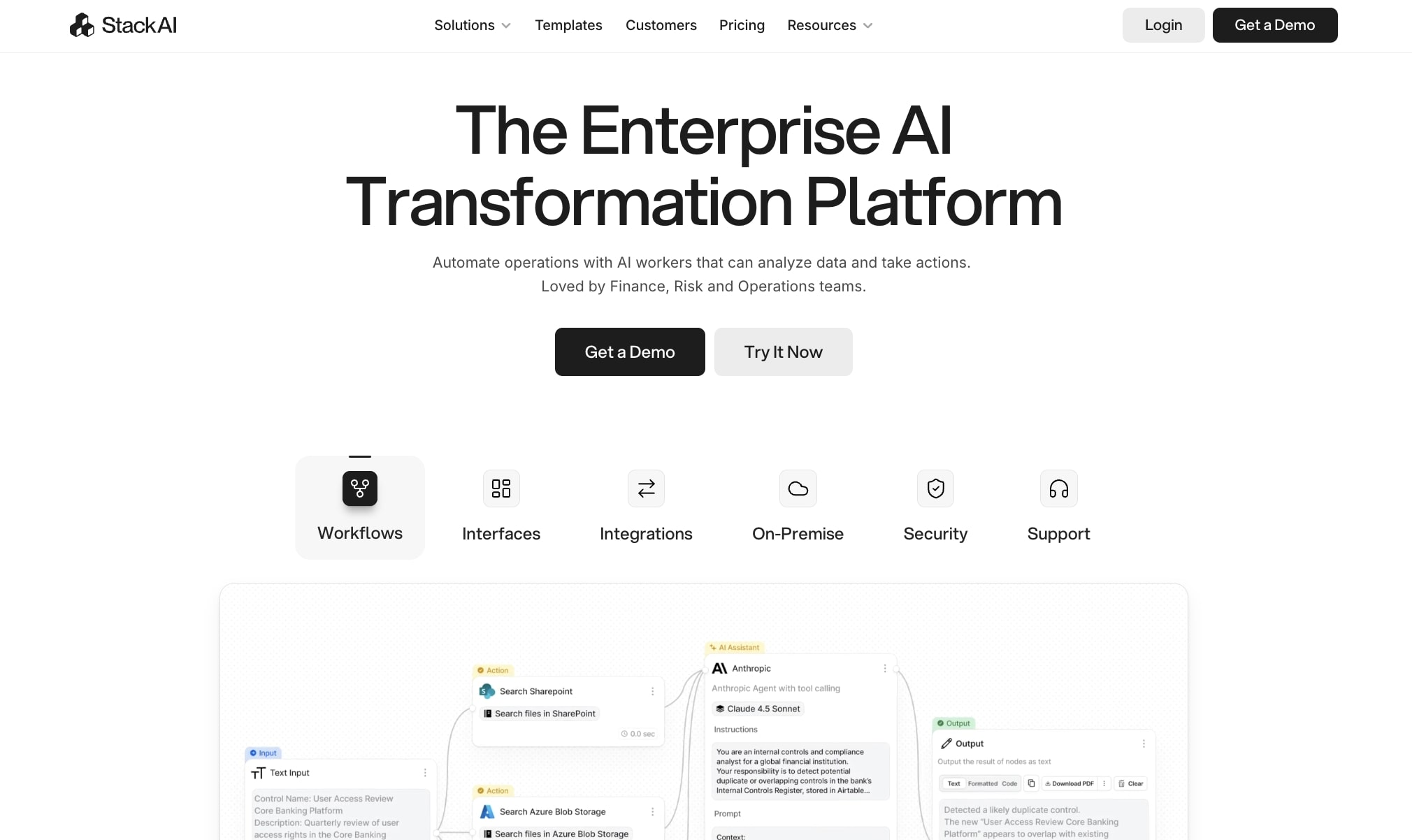
StackAI is an AI agent platform built for enterprise companies. It lets you create multi-step AI workflows in a visual drag and drop interface. I like StackAI for two reasons: its UI is really nice, one of my favorite when it comes to AI agent builders. And the other is its built-in enterprise security.
If you work in industries like finance, risk management, security ops, or legal, then StackAI is definitely a tool to look into.
How StackAI works
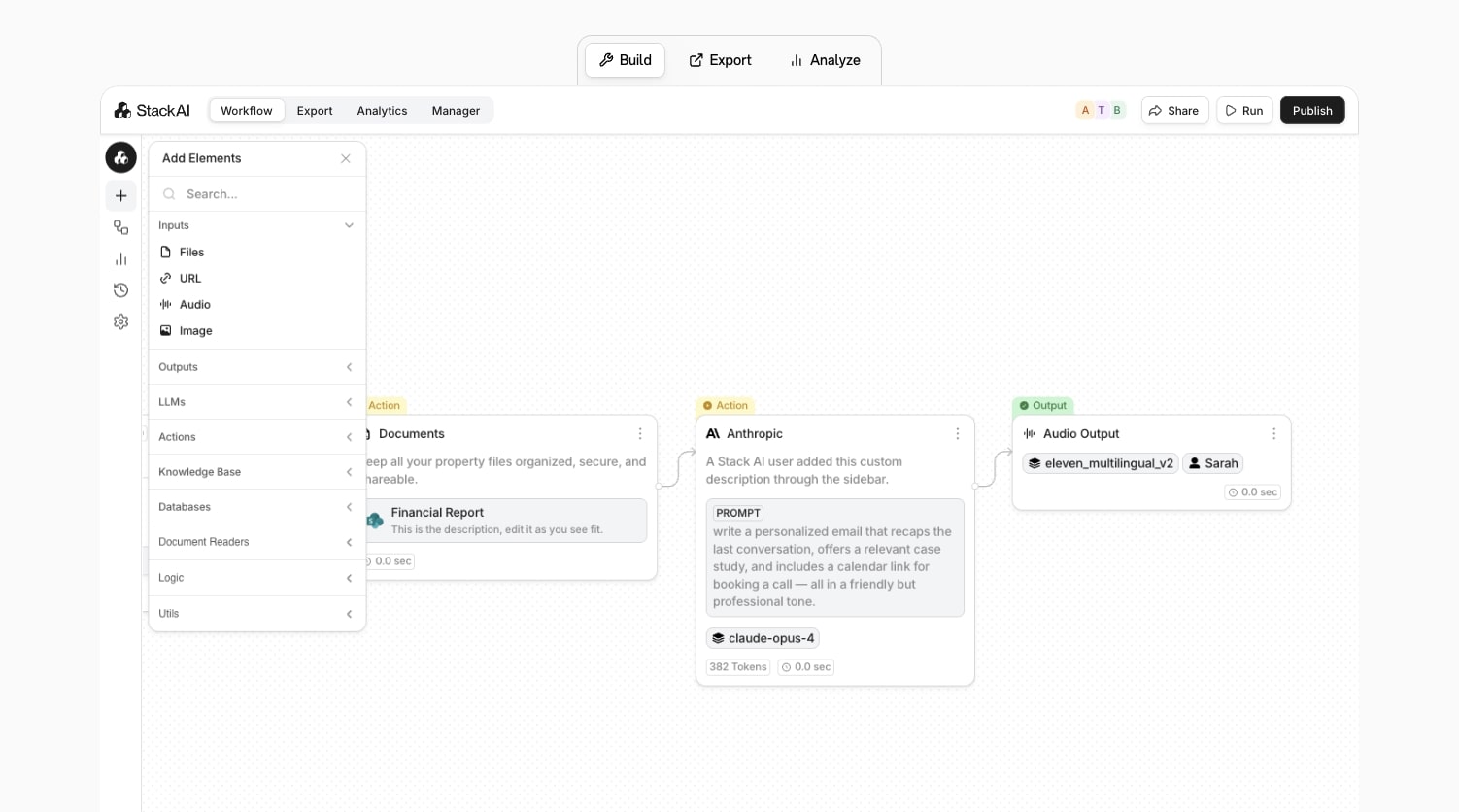
StackAI works by giving you a visual canvas to create automated workflows with. You can drag on nodes, which are apps, and connect them to different LLM models to create full automations.
Think of it like an LLM orchestration platform where you can leverage the tech inside of LLMs to help you run different workflows. You can also create AI agents that can connect to different APIs and document extractors for the type of industries I listed above.
So if you're worried about giving ChatGPT or Claude your sensitive company data, which you should be, then StackAI is a great way to keep that data safe (but still have access to the powerful technology).
Why choose StackAI over Botpress
- StackAI has enterprise security and compliance built in from the start (HIPAA, SOC 2 Type II, GDPR), so you don't have to configure security layers yourself like you might with Botpress
- The visual workflow builder is designed for non-technical teams in regulated industries, making it easier to build governed AI workflows without developer resources
- It includes industry-specific templates (finance, legal, healthcare) that are pre-configured for common enterprise use cases, saving setup time
- Better for companies that need strict data residency and privacy controls since everything runs in a secure, governed environment
StackAI pros and cons
Here are some of the pros with StackAI:
- Has a wide range of templates, sorted by industry, department, and integration
- A great UI/UX for building AI workflows and agents
- Deep enterprise security built in (HIPAA, SOC 2 Type II, GDPR)
- A free trial to play around with
Here are some of the cons with StackAI:
- Built for larger companies, so not the best for startups looking for transparent pricing
- A focus on governed workflows so setup times can take a while
- Less developer-friendly compared to Botpress
StackAI pricing
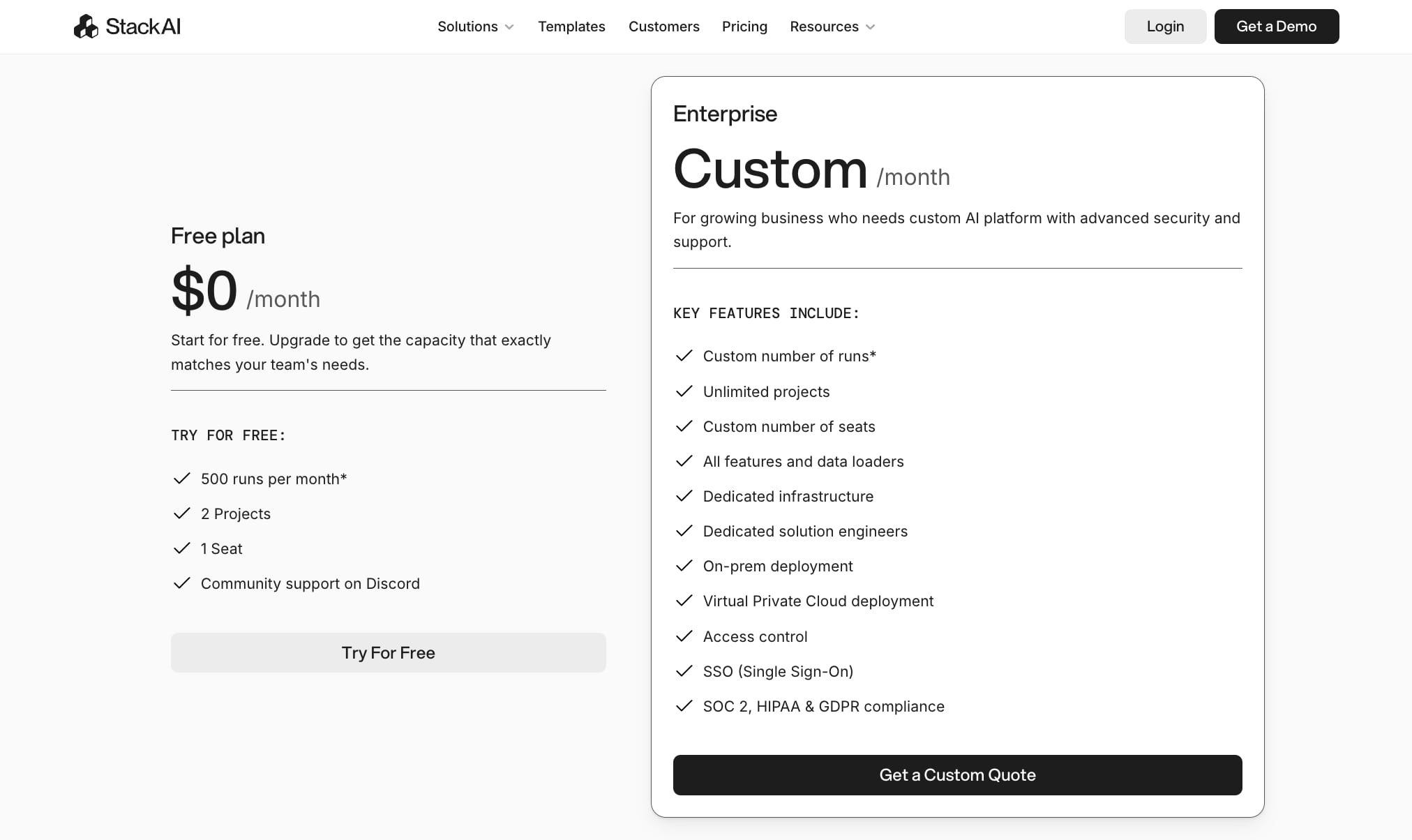
Here are StackAI's pricing plans:
- Free plan: $0/month with 500 runs per month, 2 projects, 1 seat, and community support on Discord
- Enterprise: Custom pricing per month with unlimited projects, custom number of runs and seats, dedicated infrastructure, dedicated solution engineers, on-prem deployment, Virtual Private Cloud deployment, access control, SSO (Single Sign-On), and SOC 2, HIPAA & GDPR compliance
You can learn more about what each plan has to offer on the pricing page.
StackAI reviews
Here's what customers rate the platform on third-party review sites:
- G2: 4.5/5 star rating (from +38 user reviews)
- Slashdot: 4.5/5 star rating (from +9 user reviews)
3. Claude Code
- Best for: Developers and technical teams who want to build custom AI workflows and agents using natural language coding
- Pricing: Free to start, then starting at $20/month or usage-based pricing through Claude API (costs scale with API calls and model usage)
- What I like: It's the best "vibe coding" tool for building agentic workflows — you can literally talk to it and build anything custom without being locked into a platform's limitations
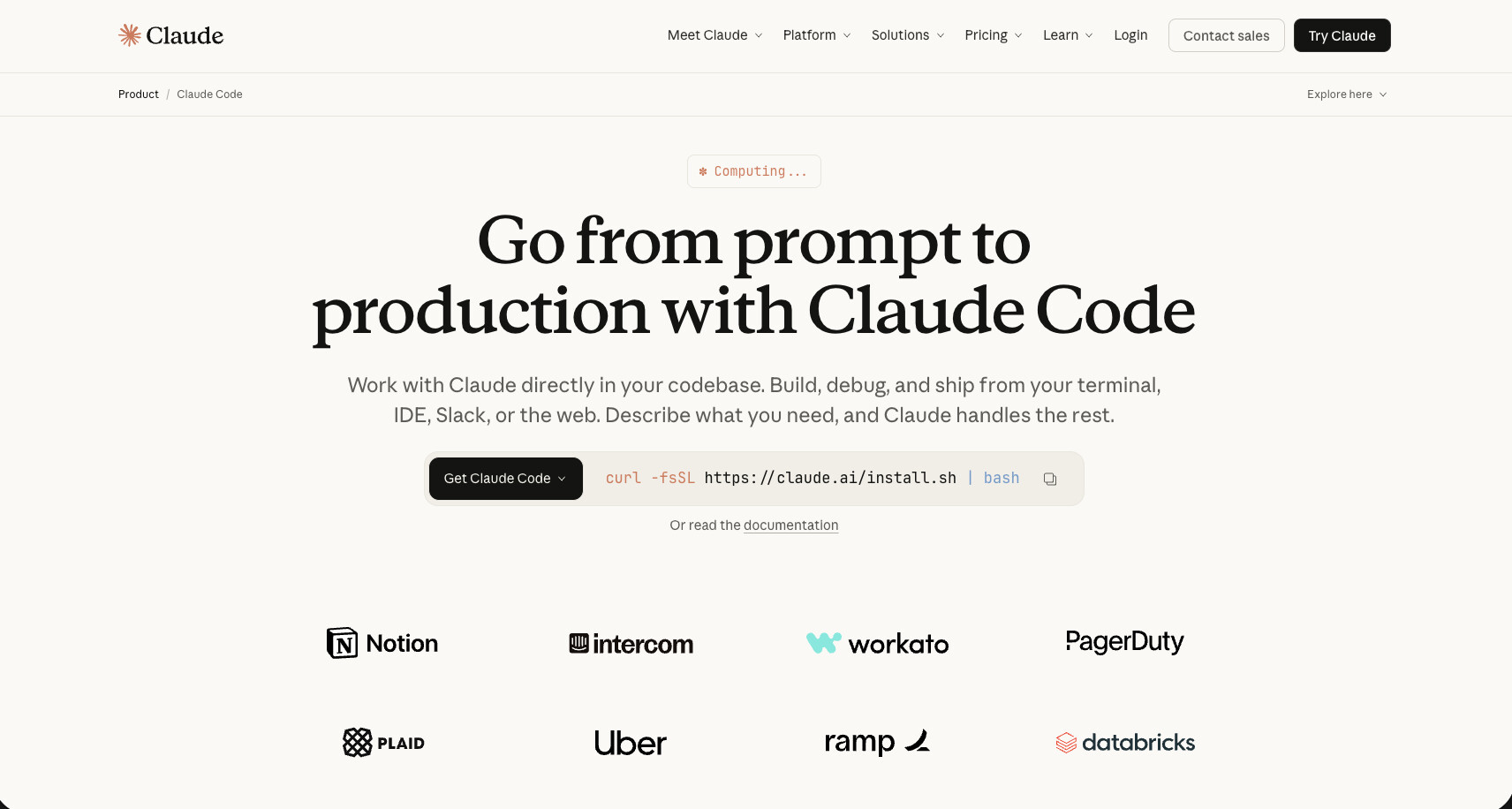
Claude Code is the agentic coding tool developed by Anthropic. While Claude is an LLM and has a ton of great models that can be used by other AI agent builders, Claude Code is its own coding platform that leverages Claude's AI model to help you build any AI workflow or agent.
It definitely leans more on the developer side. However, I personally have been using Claude Code to create internal workflows that can connect with all of my tools, even those that need separate APIs.
How Claude Code works
Claude Code is an agentic coding tool that lives inside of your terminal. However, my favorite way to use it is to pair this up with an IDE like Cursor or VS Code and then use the Claude Code extension within those IDEs.
From there, you can simply tell Claude Code exactly what you're trying to do, whether that's create an internal app or automate a workflow or create an AI agent to run a certain task for you.
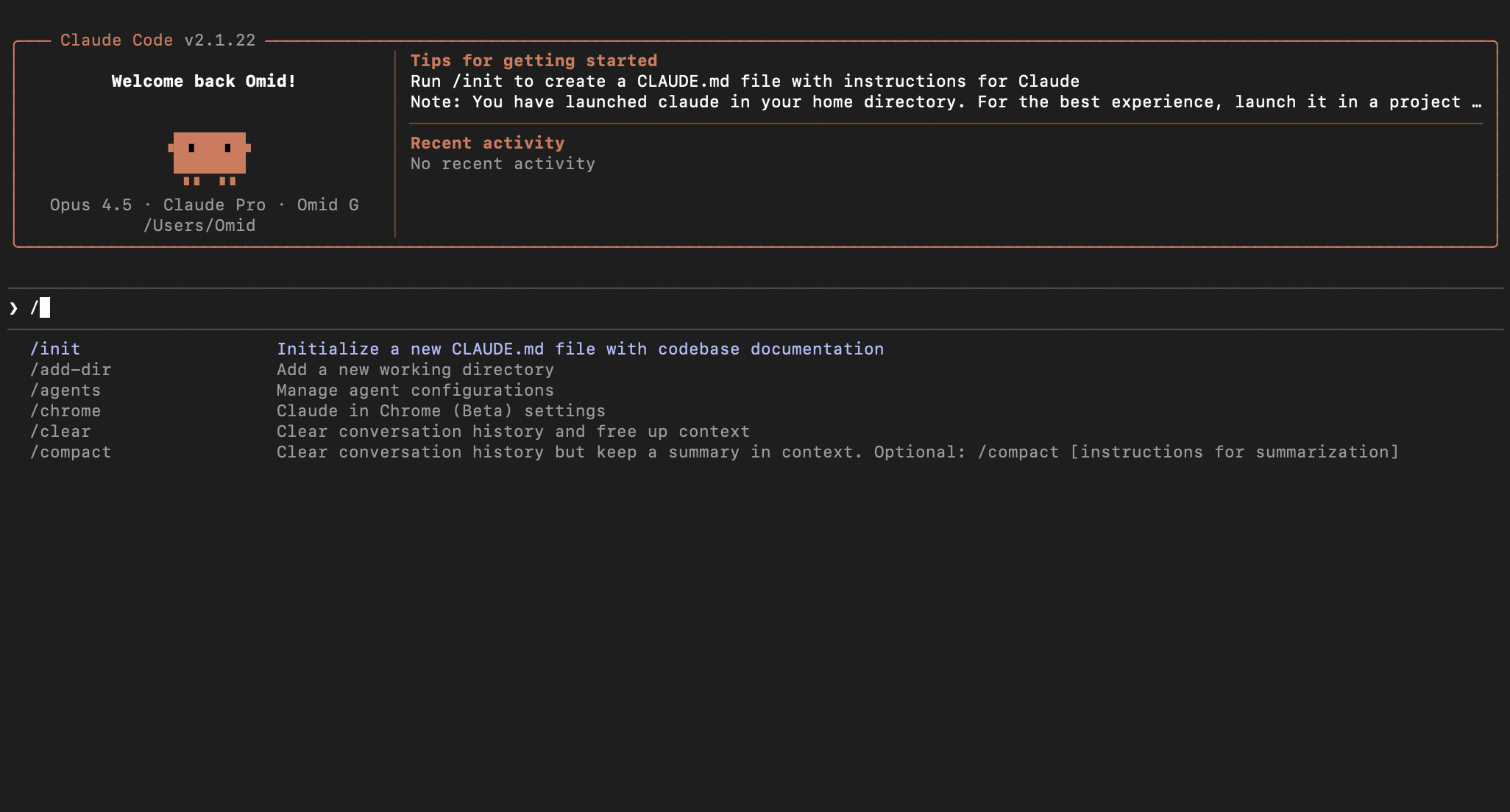
It's pretty much the best "vibe coding" tool there is for helping you build agentic workflows. Because you're using actual custom code, you can build anything you can think of, but you also have to be mindful of the security aspects.
So for example, a tool like Gumloop or even Botpress are AI agent builders but they have guardrails around them for security and scalability for other companies to use them. But in the case of Claude Code, you are essentially building your own agents from scratch, so you have to be mindful of how you integrate your tools together and making sure that no API keys are exposed or there's any vulnerabilities.
I did just want to include it in this list because it has become one of my favorite coding tools for building agentic workflows and the Claude AI model is so great that you can use it in any other Botpress alternative and you'll still get decent results.
Why choose Claude Code over Botpress
- Claude Code gives you complete flexibility to build custom AI agents and workflows without being locked into a platform's node system or predefined integrations
- Better for technical teams that want full control over security, deployment, and infrastructure rather than relying on a hosted platform
- You can integrate with any API or MCP server by feeding it documentation, making it more versatile than Botpress's integration marketplace
- The Claude AI model is one of the best for agentic coding tasks, so you get higher-quality code generation compared to other coding assistants
Claude Code pros and cons
Here are some of the pros of Claude Code:
- Build any agentic workflow with custom code simply by speaking in natural language
- Can integrate with MCP servers and any API documentation you feed it
- It uses the best AI coding model for creating AI agents
Here are some of the cons of Claude Code:
- It's all custom code, so you need to be mindful of security
- It can get expensive and it's easy to hit rate limits
- Everything is custom, so you have to hard code API connections together
Overall, Claude Code is an amazing platform if you are technical. And even if you're not, I highly recommend playing around with it and getting familiar with an AI coding platform like this. However, if you're looking for something a bit more plug and play that has guardrails and built-in integrations, it might be worth looking into an alternative.
Claude Code pricing
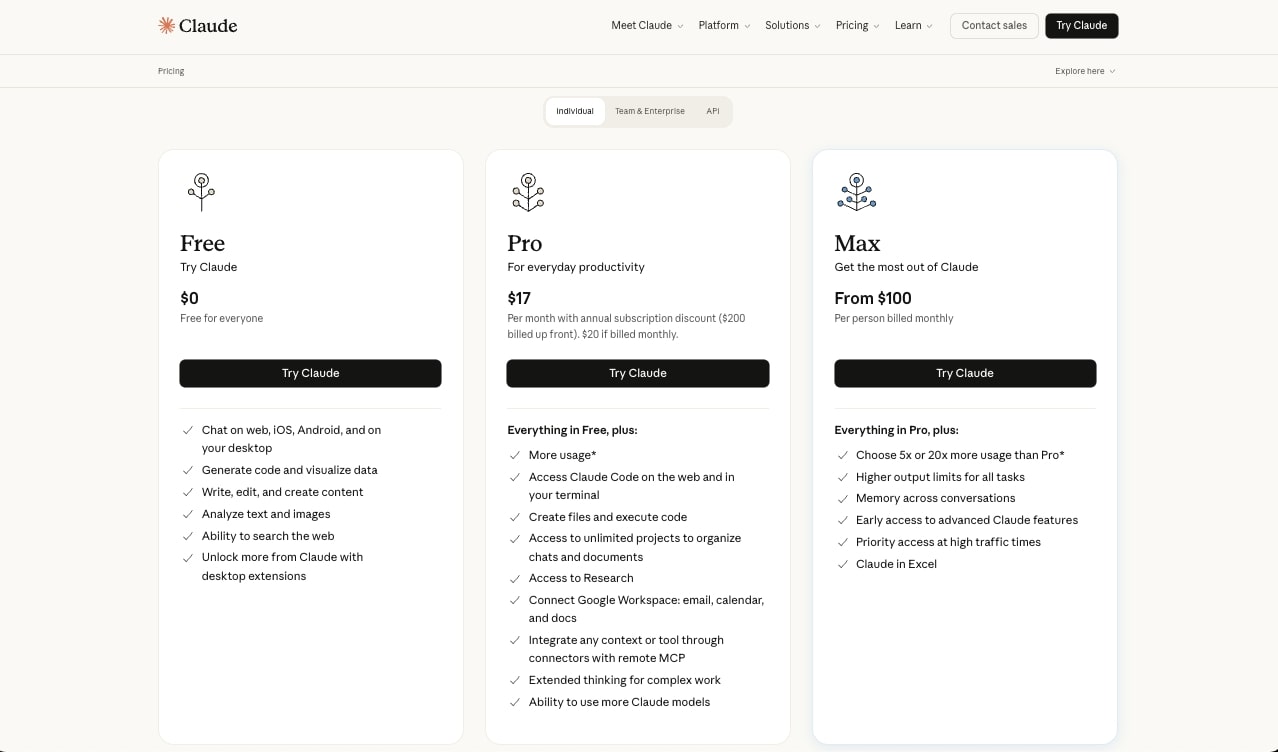
Here are Claude Code's pricing plans (Claude Code is included in the Pro and Max tiers):
- Free: $0/month with chat on web, iOS, Android, and desktop, generate code and visualize data, write and create content, analyze text and images, search the web, and create files and execute code
- Pro: $17/month (with annual subscription, $200 billed up front) or $20/month if billed monthly. Includes everything in Free plus access to Claude Code on the web and in your terminal, unlimited projects, Research, Google Workspace integration, remote MCP connectors, memory across conversations, extended thinking, and more Claude models
- Max: From $100/person per month. Includes everything in Pro plus 5x or 20x more usage than Pro, higher output limits, early access to advanced features, and priority access at high traffic times
You can learn more about what each plan has to offer on the pricing page.
Claude Code reviews
Here's what customers rate the platform on third-party review sites:
- G2: 4.4/5 star rating (from +91 user reviews)
- Product Hunt: 4.6/5 star rating (from +28 user reviews)
4. n8n
- Best for: Developers and technical teams who want to self-host their AI workflow automations with full control over infrastructure and data
- Pricing: Starter plan at $24/month, Pro at $60/month, Business at $960/month, Enterprise custom pricing
- What I like: It's one of the few automation tools that lets you self-host everything, plus you get full flexibility to write custom JavaScript and Python code directly in your workflows
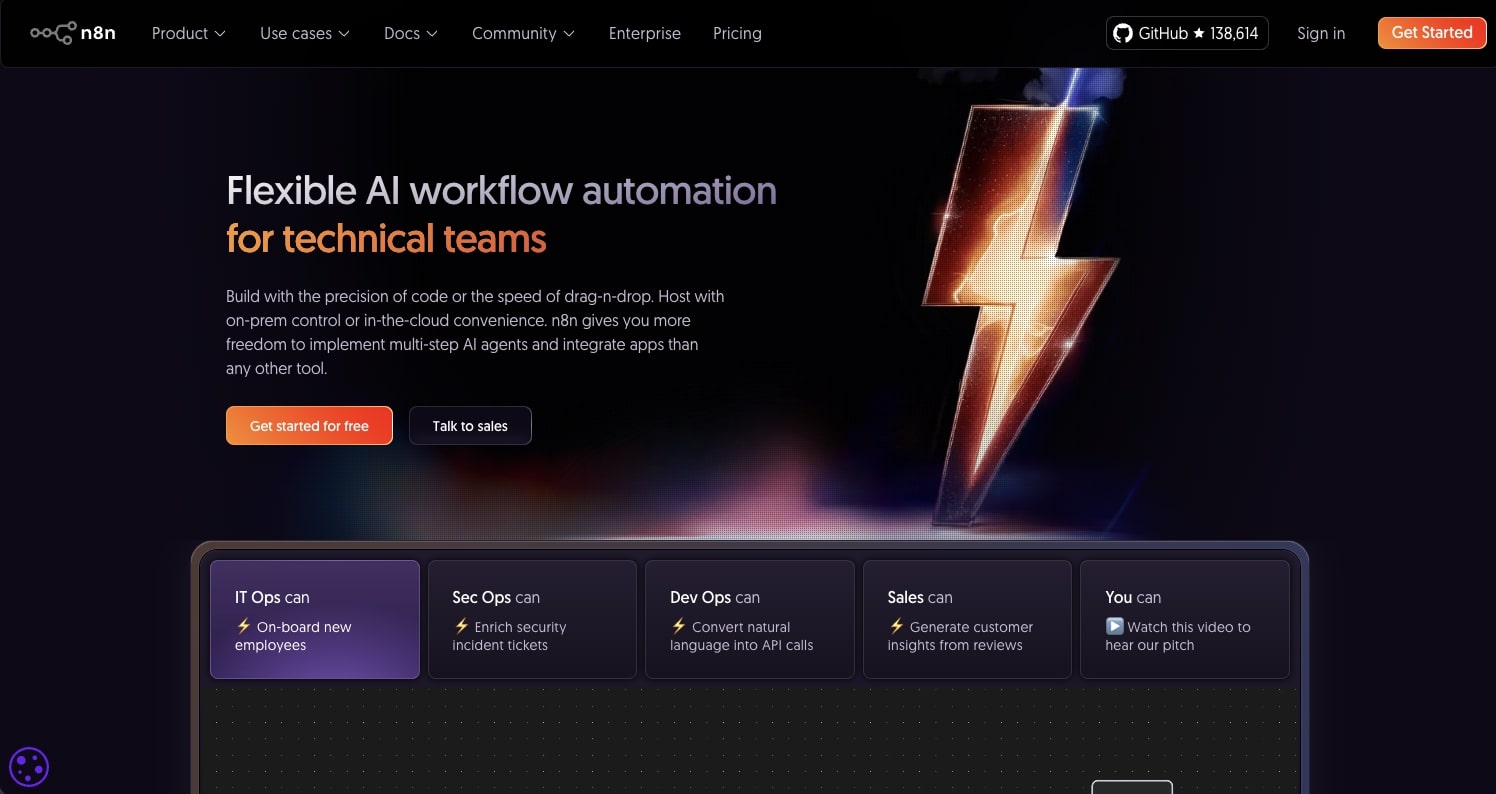
n8n is an AI automation workflow builder. It's one of the most popular automation tools, and has completely taken over previous well-known platforms like Zapier.
The platform is considered a low-code tool that allows you to build a multi-agent system in a drag and drop interface. Given that it is a bit more developer-friendly, it also lets you write JavaScript and Python in lines and gives you lots of integrations with different LLMs (although you do need to bring in your own API keys).
How n8n works
n8n gives you a wide range of templates that you can use to start from, so you don't have to go completely from scratch. But if you do want to create your own custom workflow, it's very similar to other workflow automation tools where you get a visual canvas that you can drag on different apps and connect them together with logic.
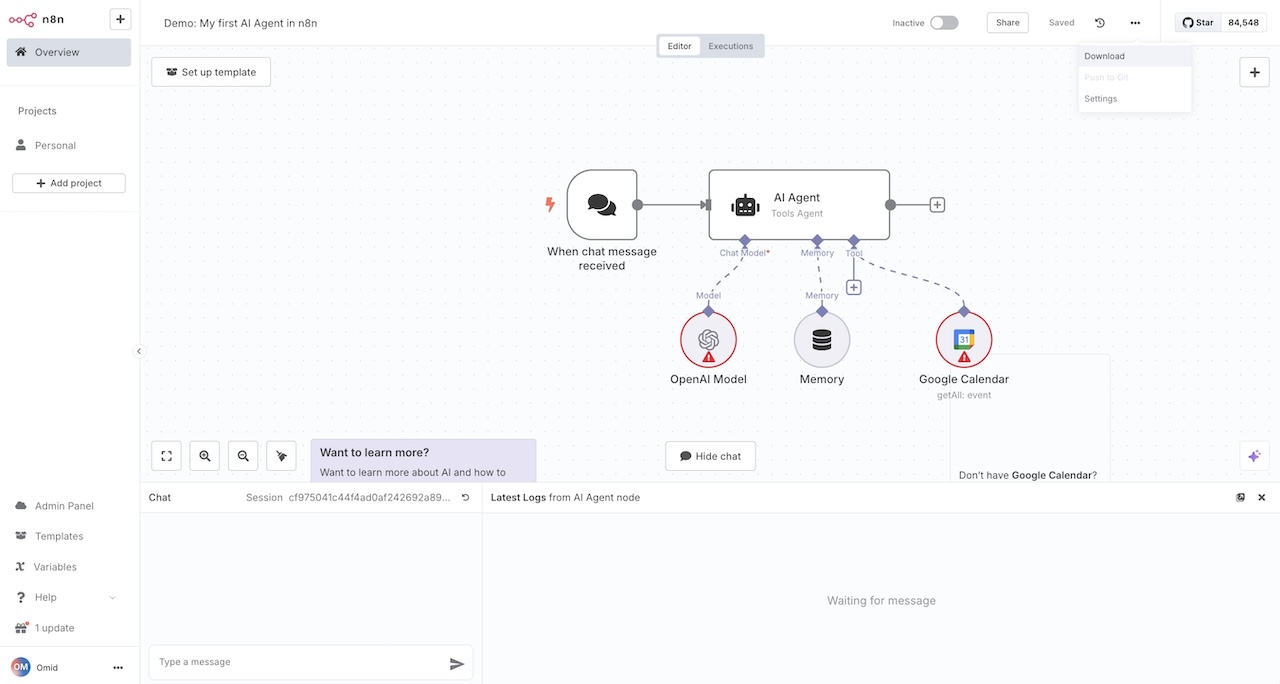
n8n has some native integrations with LLMs, embeddings, RAG, vector DBs, and you can even integrate with MCP servers. From there, you can either run your automations in the cloud or self-host them yourself. This self-hosting feature is what makes n8n different from other AI workflow automation tools.
And really, you can think of n8n as a backend workflow automation tool that acts as a glue between your different apps, like your CRM, billing, internal tools, etc.
Why choose n8n over Botpress
- n8n gives you the option to self-host your entire automation infrastructure, giving you complete control over data privacy and security compared to Botpress's cloud-only approach
- Better for technical teams that want to write custom JavaScript or Python code directly in workflows rather than being limited to Botpress's visual flow builder
- More flexible for backend automation and app integration (CRM, billing, internal tools) while Botpress is more focused on conversational AI and chatbots
- Larger ecosystem of community templates and tutorials, making it easier to find solutions and get started with common automation patterns
n8n pros and cons
Here are some pros with n8n:
- It has a very flexible builder that allows you to use native app integrations as well as custom code
- It gives you the ability to self-host your workflows if security is a top priority
- Has a large ecosystem of templates and tutorials that you can find on YouTube
- Has developer-friendly debugging tools to help you fix workflows that break
Here are some cons with n8n:
- It can have a steep learning curve and the UI/UX doesn't feel that inviting (it feels more like a developer tool)
- To use the AI models, you need to bring in your own API keys (they're not included in your n8n plan)
- It feels more like a workflow builder than a fully autonomous agent platform
Overall, n8n is a great platform if you're looking to self-host your backend automations. It's great if you're a developer but you just want to quickly set things up in a low-code interface rather than building out a fully custom solution and having to worry about security or scalability concerns. However, if you need something a bit easier to use, it might be worth looking into an alternative.
n8n pricing

Here are n8n's pricing plans:
- Starter: $24/month with 2.5k workflow executions (unlimited steps), 1 shared project, 5 concurrent executions, unlimited users, 50 AI Workflow Builder credits, and forum support. Hosted by n8n.
- Pro: $60/month with 10k workflow executions (unlimited steps), 3 shared projects, 20 concurrent executions, 7 days of insights, 150 AI Workflow Builder credits, admin roles, global variables, workflow history, and execution search. Hosted by n8n.
- Business: $960/month with 40k workflow executions (unlimited steps), 6 shared projects, SSO/SAML/LDAP, 30 days of insights, different environments, scaling options, version control using Git, and forum support. Self-hosted.
- Enterprise: Custom pricing with unlimited shared projects, 200+ concurrent executions, 365 days of insights, 1000 AI Workflow Builder credits (only available on n8n cloud), external secret store integration, log streaming, extended data retention, dedicated support with SLA, and invoice billing. Hosted by n8n or self-hosted.
You can learn more about what each plan has to offer on the pricing page.
n8n reviews
Here's what customers rate the platform on third-party review sites:
- G2: 4.8/5 star rating (from +204 user reviews)
- Capterra: 4.6/5 star rating (from +41 user reviews)
5. Relay.app
- Best for: Marketing and sales teams who want simple AI workflow automations with human-in-the-loop approvals
- Pricing: Free plan available, Professional starts at $38/month
- What I like: Super beginner-friendly interface that makes building AI workflows feel effortless, plus the human-in-the-loop approval steps are perfect for workflows that need oversight
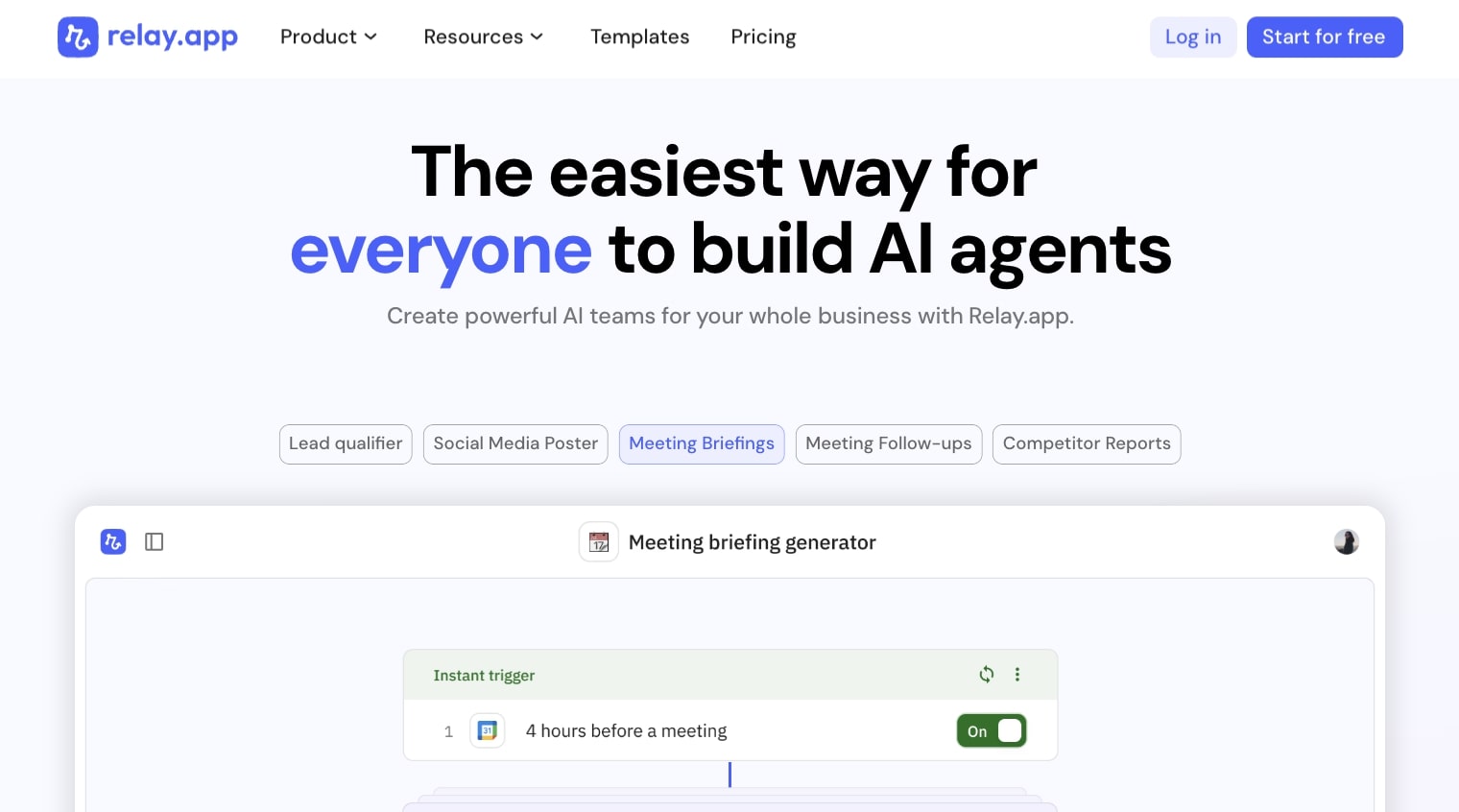
Relay.app makes it easy to create AI agents for marketing and sales tasks. It's a pretty simple agent and workflow builder very similar to Zapier or Make. However, it is a bit more friendly to use and I would say this is a great Botpress alternative if you're an absolute beginner looking to build agentic workflows.
The platform gives you a visual canvas where you can drag on built-in apps and connect them with logic. You can also add AI models to help bring an AI layer to your automated workflows.
The cool thing about Relay.app is that it also has a human-in-the-loop step for approvals, data input, or tasks that pause the automation when it needs critical info.
How Relay.app works
To create a workflow in Relay.app's visual builder, you first pick a trigger. This is essentially what starts your workflow and connects the logic between all the apps in your flow. This could be anything like a new lead, a form submission, or an inbound email.
Inside your workflow, you can also have mini AI agents that can follow natural language instructions and act on any data, like qualifying leads, drafting email responses, etc.
From there, you can add a human-in-the-loop step where somebody on your team can approve its steps or notify someone through email or Slack to approve the workflow.
In the end, it's very similar to Gumloop in that it allows you to have a teammate that can be inside of your Slack and communication channels running tasks for you.
Why choose Relay.app over Botpress
- Relay.app is significantly easier to use for non-technical teams, with a cleaner UI and simpler workflow setup compared to Botpress's more developer-focused interface
- The human-in-the-loop approval feature makes it ideal for marketing and sales workflows that need team oversight before executing critical actions
- Better for small teams and solopreneurs who want affordable AI automation without the complexity of building conversational AI flows
- Faster time-to-value with pre-built templates focused on marketing and sales use cases rather than chatbot development
Relay.app pros and cons
Here are some pros with Relay.app:
- It's easy to use and anyone on your team can build agents with it
- It's fairly priced compared to some other tools in this space
- It's great for sales and marketing operations tasks
Here are some cons with Relay.app:
- It doesn't have a large integration suite, so it may not be the best if you're an enterprise company
- It feels more like a workflow builder than a true agentic platform
- It's not the best for tasks outside of marketing or sales
Overall, Relay.app is a great platform for learning how to build AI automations. The user experience is great for non-technical users and it's actually a lot easier to use than a platform like Zapier. However, if you are looking for something that lets you orchestrate a full team of AI agents, it might be worth looking into an alternative.
Relay.app pricing
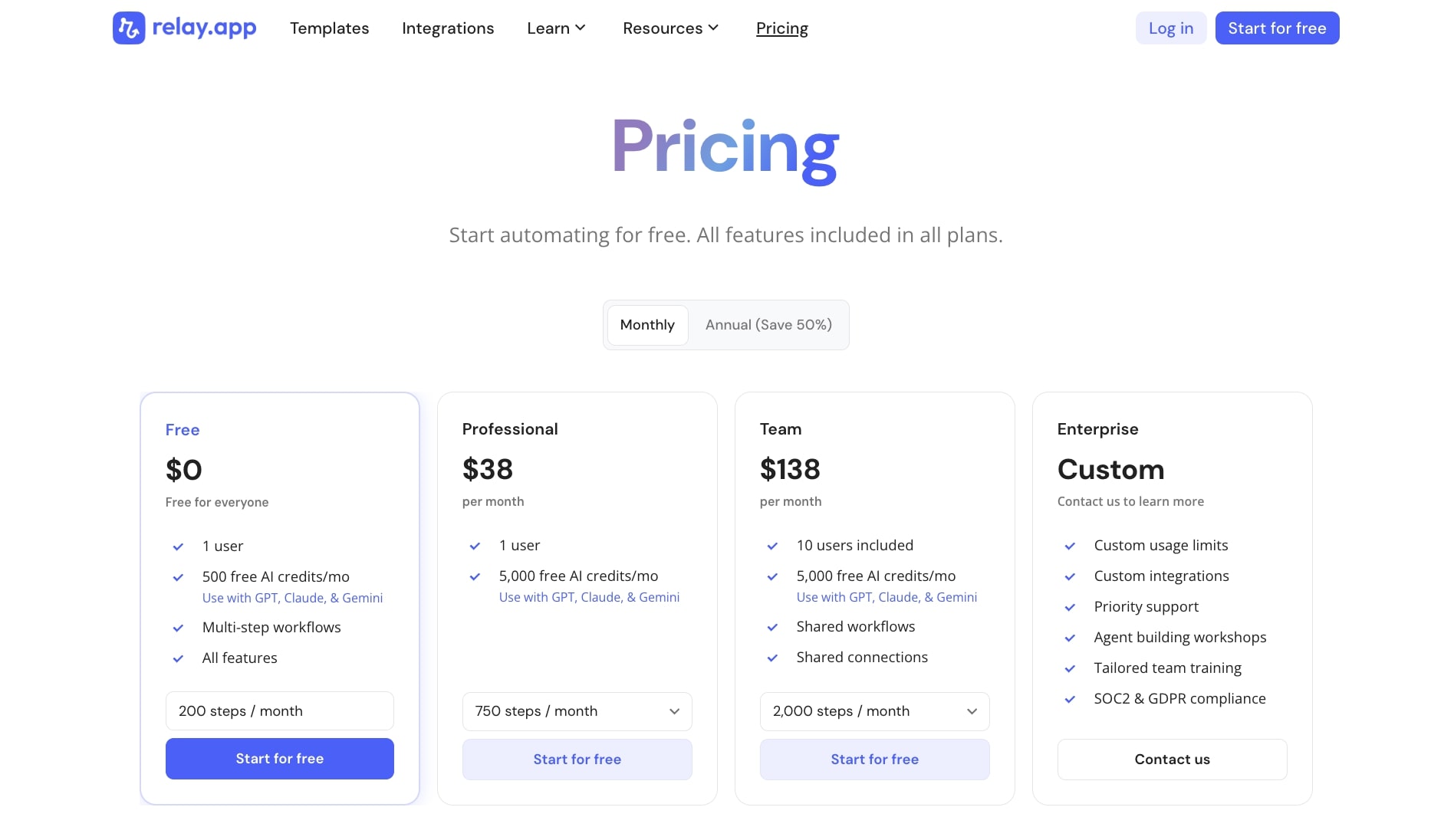
Here are Relay.app's pricing plans:
- Free: $0/month with 1 user, 500 free AI credits/month (use with GPT, Claude, & Gemini), multi-step workflows, and all features
- Professional: $38/month with 1 user, 5,000 free AI credits/month, and 750 steps/month
- Team: $138/month with 10 users included, 5,000 free AI credits/month, shared workflows and connections, and 2,000 steps/month
- Enterprise: Custom pricing with custom usage limits, custom integrations, priority support, agent building workshops, tailored team training, and SOC2 & GDPR compliance
You can learn more on the pricing page.
Relay.app reviews
Here's what customers rate the platform on third-party review sites:
- G2: 4.9/5 star rating (from +72 user reviews)
- Capterra: 5/5 star rating (from +1 user review)
6. Lindy AI
- Best for: Teams who want AI employees to handle operational work like email triage, meeting scheduling, CRM updates, and sales outreach
- Pricing: Free plan available, paid plans start at $49.99/month
- What I like: It feels less like a workflow builder and more like hiring an actual AI teammate that can join calls, respond to emails, and update your CRM autonomously
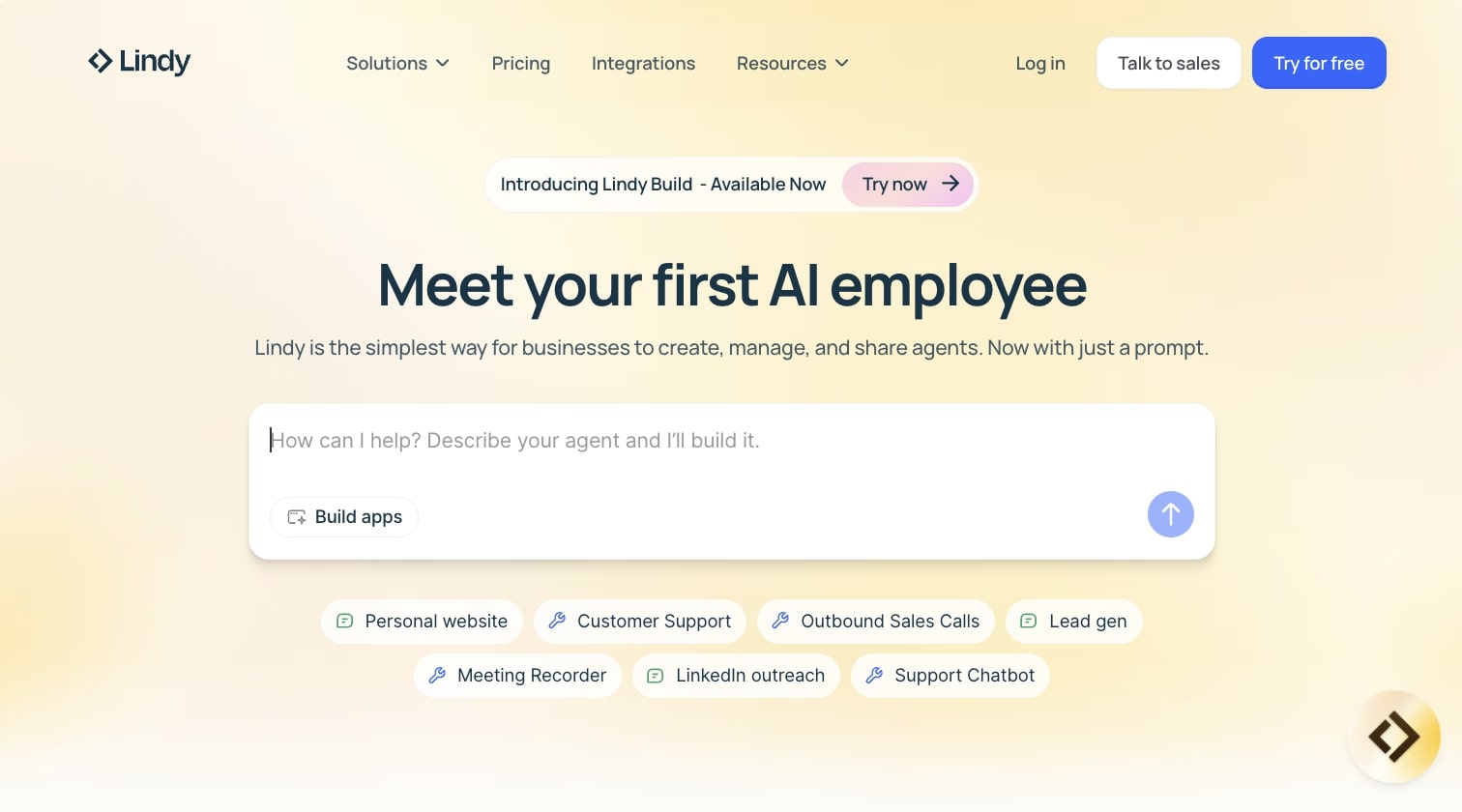
Lindy AI is a no-code AI agent platform that lets you build what they call "AI employees." These are agents that can handle operational work across email, meetings, phone calls, and your core business tools like HubSpot, Salesforce, and Slack.
What makes Lindy different from other tools in this space is that it's built specifically for creating AI teammates rather than just automating tasks. So you can create an AI SDR that handles outreach, an AI support rep that triages tickets, or an AI recruiter that screens candidates.
How Lindy AI works
To create an agent in Lindy, you start by describing what you want it to do in natural language. From there, you connect the relevant apps (Gmail, calendar, CRM, help desk, etc.) and Lindy generates an initial agent configuration that you can refine.
It has a visual workflow builder they call "Rails" where you can define goals, triggers, and steps. For example, when a support ticket comes in, the agent can read the context, query your knowledge base, decide on the action, draft a reply, update your CRM, or even schedule a meeting.
The cool thing about Lindy is that it maintains memory. So your agents can use an internal knowledge base (up to tens of millions of characters) and reference past interactions to answer consistently and make better decisions over time.
It's also model-agnostic, just like Gumloop and n8n, so you can pick which LLM you want your agents to run on. And for enterprise teams, Lindy also has centralized controls where you can set policies, manage access, and monitor agent performance with built-in evaluations.
Why choose Lindy AI over Botpress
- Lindy is built for multi-channel "AI employee" automation across email, meetings, phone, and CRMs, while Botpress is more focused on conversational chatbots with complex dialog management
- Better for non-technical teams who want to spin up agents using natural language descriptions rather than building out NLU models and dialog flows
- Agents in Lindy can join calls, send email sequences, and update business systems autonomously like an actual teammate, which goes beyond typical chatbot behavior
- Built-in memory and knowledge bases make it ideal for agents that need to reference past conversations and internal docs, like AI support reps or AI SDRs
Lindy AI pros and cons
Here are some pros with Lindy AI:
- Easy to use for non-technical users with natural language setup and no-code builder
- Multi-channel capabilities where agents can handle email, calls, meetings, and CRM tasks (not just app-to-app triggers)
- Built-in memory and knowledge base so agents can answer from your docs and past interactions
Here are some cons with Lindy AI:
- Less suited for highly custom, low-level workflow logic or heavy coding compared to developer-focused platforms like n8n
- App-to-app workflow capabilities and advanced orchestration (loops, reusable sub-flows) are not as deep as dedicated automation tools
- Pricing is higher than some automation tools in this space, especially if you're not fully leveraging the AI agent features
- Complex, edge-case-heavy workflows may take time to set up and require careful prompt design and monitoring to avoid errors
Overall, Lindy AI is a great platform if you're looking to build AI teammates that can handle operational work across your entire tech stack. It's designed to help create autonomous agents that feel like actual employees. However, if you're looking for something more developer-friendly with deeper workflow orchestration, it might be worth looking into an alternative.
Lindy AI pricing

Here are Lindy AI's pricing plans:
- Free: $0/month with 400 credits/month, up to 40 tasks, 1M character knowledge base, and 100+ integrations
- Pro: $49.99/month with 5,000 credits/month, up to 1,500 tasks, invite team members ($19.99/seat), 30 phone calls per month, 20M character knowledge base, and 6,000+ integrations
- Business: $199.99/month with everything in Pro plus 20,000 credits/month, 100 phone calls per month, 30+ supported phone call languages, and 50M character knowledge base
- Enterprise: Custom pricing with everything in Business plus personalized AI assistant for emails, meetings, calendar, and action items, priority support, dedicated success manager, unlimited character knowledge base, enterprise features, and volume-based discounts
You can learn more on the pricing page.
Lindy AI reviews
Here's what customers rate the platform on third-party review sites:
- G2: 4.9/5 star rating (from +170 user reviews)
- Capterra: 3.5/5 star rating (from +2 user reviews)
7. Chatbase
- Best for: Customer support teams who want to build AI chatbots that can answer questions, take actions in your systems, and hand off to humans seamlessly
- Pricing: Free plan available, paid plans start at $40/month
- What I like: Super fast to deploy, you can train an agent on your docs and have it live on your site in minutes
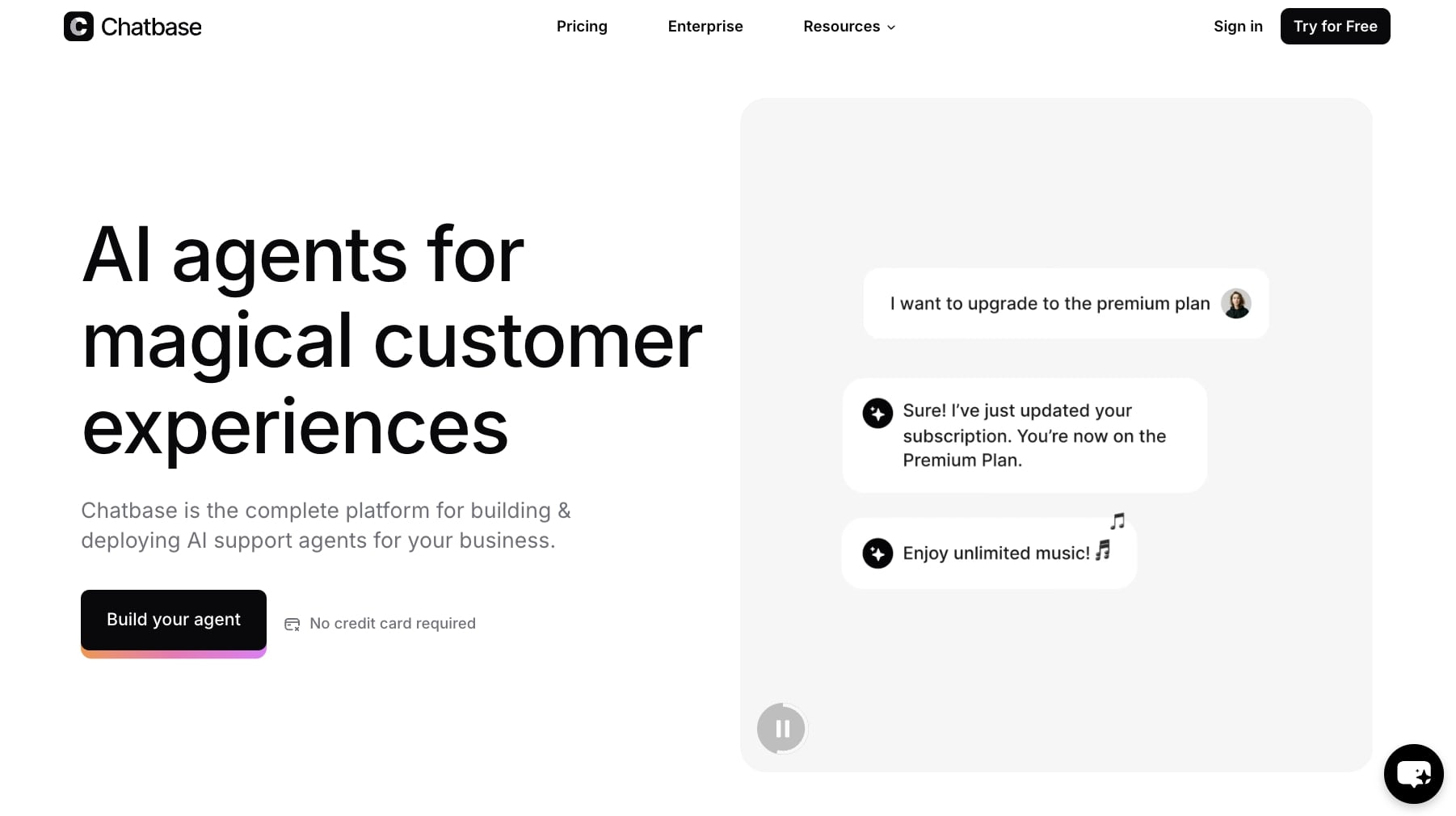
Chatbase is a no-code AI customer service agent platform. It lets you train an agent on your data, connect it to tools (CRM, ticketing, billing, order management), and deploy it across web, messaging apps, and internal channels.
What makes Chatbase different is that it's built specifically for customer support and CX use cases. So if you're trying to automate support queries, handle order issues, or manage subscriptions, Chatbase is designed for that exact workflow.
How Chatbase works
To create an agent in Chatbase, you start by uploading or syncing your knowledge sources. This could be your help center docs, site URLs, knowledge bases, or any internal documentation you want the agent to reference.
From there, you can optionally connect real-time data systems like your CRM, subscription tools, or order management platforms. Then you configure "actions" the agent can perform for things like retrieving order details, updating addresses, managing subscriptions, booking meetings, or creating support tickets.
The cool thing is that Chatbase has prebuilt integrations for tools like Stripe, Zendesk, Slack, and Calendly, so you don't need to write any code to set this up.
Once your agent is configured, it can handle conversations across multiple channels (web widget, WhatsApp, Messenger, Slack, and more). It uses LLMs with reasoning and guardrails to answer questions, ask clarifying follow-ups, and decide when it needs to escalate to a human.
You can also monitor performance through built-in analytics so you can refine responses and routing rules over time.
On the security side, Chatbase has SOC 2 Type II and GDPR compliance, encrypts data at rest and in transit, and promises not to use your data to train their models. So if you're handling customer data, it's built with that in mind.
Why choose Chatbase over Botpress
- Chatbase is designed for fast, no-code deployment of support chatbots that can be embedded on your site or plugged into messaging channels in minutes, without needing engineering resources
- Better for teams focused on customer support automation (FAQs, order status, subscriptions, account actions) rather than building highly customized, multi-bot conversational systems
- You get a fully managed SaaS model where hosting, scaling, security compliance, and encryption are handled for you, versus running your own infrastructure
- Out-of-the-box support actions like ticketing, lead capture, meeting booking, and subscription management come preconfigured, so you don't have to build these from scratch
Chatbase pros and cons
Here are some pros with Chatbase:
- User-friendly for non-technical teams can upload content, tweak settings, and deploy support bots quickly
- Strong support focus with built-in human handoff, ticket creation, lead capture, meeting booking, and integrations with common support tools
- Good guardrails and safety features to reduce hallucinations, off-topic responses, and unsafe actions
- Multi-channel by default with web chat widgets, WhatsApp, Messenger, Slack, and more, plus whitelabel options
Here are some cons with Chatbase:
- Less flexible than Botpress for deeply customized conversational logic, complex multi-step dialog flows, or unusual integrations
- More support/CX-focused, so it's not the best for general-purpose automations
- Limited low-level access to NLU internals, you tune via configuration and training sources rather than programmable flow logic
Overall, Chatbase is a great platform if you're looking to automate customer support with an AI chatbot that can handle common queries and take actions in your systems. It's fast to set up and built with security in mind. However, if you're looking for deep developer control or want to build complex conversational flows, it might be worth looking into an alternative.
Chatbase pricing

Here are Chatbase's pricing plans:
- Free: $0/month with limited access to models, 50 message credits/month, 400 KB per AI agent, and embed on unlimited websites (AI agents get deleted after 14 days of inactivity)
- Hobby: $40/month with access to advanced models, 1,500 message credits/month, 5 AI Actions per AI agent, 20 MB per AI agent, integrations (Zendesk, WhatsApp, and more), API access, and basic analytics
- Standard: $150/month with 10,000 message credits/month, 10 AI Actions per AI agent, 40 MB per AI agent, and auto retrain agents
- Pro: $500/month with 40,000 message credits/month, 15 AI Actions per AI agent, 60 MB per AI agent, advanced analytics, sources suggestions, and tickets as a source
- Enterprise: Custom pricing with higher limits, priority support, SLAs, success manager (CSM), and SSO
You can learn more on the pricing page.
Chatbase reviews
Here's what customers rate the platform on third-party review sites:
- G2: 4.7/5 star rating (from +13 user reviews)
- Capterra: 4.3/5 star rating (from +73 user reviews)
What is the best Botpress alternative?
Finding the best Botpress alternative really depends on what you're trying to build and how technical your team is.
If you want a no-code chatbot platform that's easy to use and includes premium AI models without needing separate API keys, I'd go with Gumloop. It gives you both workflow automation and AI agents in one place, plus the security features you need if you're working with sensitive data. And honestly, being able to build workflows just by talking to Gummie makes it way faster than manually configuring nodes.
If you're in a regulated industry like finance or healthcare and need enterprise-grade compliance out of the box, StackAI is your best bet. It's built for governed AI workflows and has all the security certifications you need from day one.
For developers who want full control and the ability to self-host, n8n is probably the way to go. It's open-source, highly customizable, and gives you the flexibility to write custom code when you need it. Just keep in mind it has a steeper learning curve than some of the other options.
And if you're specifically building customer support chatbots and want something AI-powered that deploys fast, Chatbase is a solid choice. It's focused on support use cases and has all the functionality you need for handling tickets, FAQs, and customer queries across multiple channels.
At the end of the day, I've tested all of these tools personally and I can say that each one has its place. The key is knowing what you need before you commit to a platform. Because once you start building workflows and training agents, switching tools is really annoying.
So take your time, try out a few free plans, and pick the one that actually fits your workflow. And if you're still not sure, my personal recommendation is Gumloop. It's what I use every day to run my agency, and it's the tool I always recommend to people who ask.

Read related articles
Check out more articles on the Gumloop blog.