10 best data enrichment tools I'm using in 2026


So, you're looking for a data enrichment tool.
The good news is that there are plenty of great options. The tricky part is figuring out which one actually fits the way your team works.
At first glance, they all seem to promise the same thing: better data, better leads, and better results. Some focus on building the largest possible contact database, while others prioritize automation, AI workflows, or compliance.
Choosing between them comes down to finding the one that fits your workflow. The best tool for your team depends on how you work, what data you need, and how much of the enrichment process you want to automate.
To help you narrow it down, I compared the leading data enrichment tools based on data quality, automation, integrations, pricing, and ease of use.
Here are the 10 I'd recommend in 2026.
The 10 best data enrichment tools
- Clay: Ideal if you want maximum flexibility and don't mind building your own enrichment workflows
- Apollo: A great fit if you'd rather keep prospecting and data enrichment all in one platform
- Skrapp: Best when verified B2B email addresses are your priority
- ZoomInfo: Built for teams that need deep company and contact data at enterprise scale
- Gumloop: Worth considering if you want to automate data enrichment as part of wider AI workflows
- Cleanlist: Perfect for teams whose CRM needs cleaning as much as it needs enriching
- Cognism: Designed for businesses where compliance and European coverage matter most
- Lusha: A solid choice for fast contact lookups without unnecessary complexity
- Snov.io: Well suited to smaller teams looking for an affordable combination of email finding and outreach
- Adapt.io: A practical option for straightforward B2B contact enrichment on a budget
If lead generation is your priority, you might also like this guide to the 7 best AI lead generation tools.
How I chose the best data enrichment tools
Data enrichment means different things depending on the platform.
Some tools focus on filling in missing contact details, while others combine enrichment with prospecting, sales intelligence, workflow automation, or AI. So, I wasn’t looking for the ‘best’ option here; I compared each platform against the criteria that matter most when choosing an enrichment tool.
Here's what I looked at:
- Data accuracy and coverage: The breadth of each platform's contact, company, and firmographic data, along with how consistently it could enrich records across different markets.
- Match and fill rates: How effectively each tool could populate missing fields and the techniques it uses to maximize successful matches, such as waterfall enrichment.
- Data sources: Whether the platform supports contact, company, technographic, intent, or other enrichment data, and how comprehensive those sources are.
- Integrations and API: How easily the platform connects with CRMs, sales engagement tools, spreadsheets, and other parts of the modern GTM stack.
- Automation and workflow support: Whether enrichment can be automated through workflows, AI, or APIs instead of relying on manual uploads and exports.
- Compliance: Features that help businesses meet requirements such as GDPR and CCPA, particularly for organizations operating across multiple regions.
- Ease of use: How quickly new users can navigate the platform and start enriching data without a lengthy implementation process.
- Pricing flexibility: Whether pricing is transparent, scalable, and suitable for businesses of different sizes, from startups to enterprise teams.
- Time to value: How quickly teams can start enriching data and generating useful results after signing up.
If you're still deciding whether data enrichment belongs in your sales process, check out our guide to 6 lead enrichment tools (and how to automate them) for a closer look at how these platforms fit into modern lead generation workflows.
10 best data enrichment tools I'm using in 2026
Let's get into the list.
I've broken down 10 of the best data enrichment tools available today, looking at what each one does well, where it falls short, who it's best for, and how much you can expect to pay.
1. Clay
- Best for: AI-native, flexible enrichment workflows
- Pricing: Free plan available, paid plans start at $167/month (billed annually)
- What I like: Combines dozens of enrichment providers into a single workflow instead of relying on one database
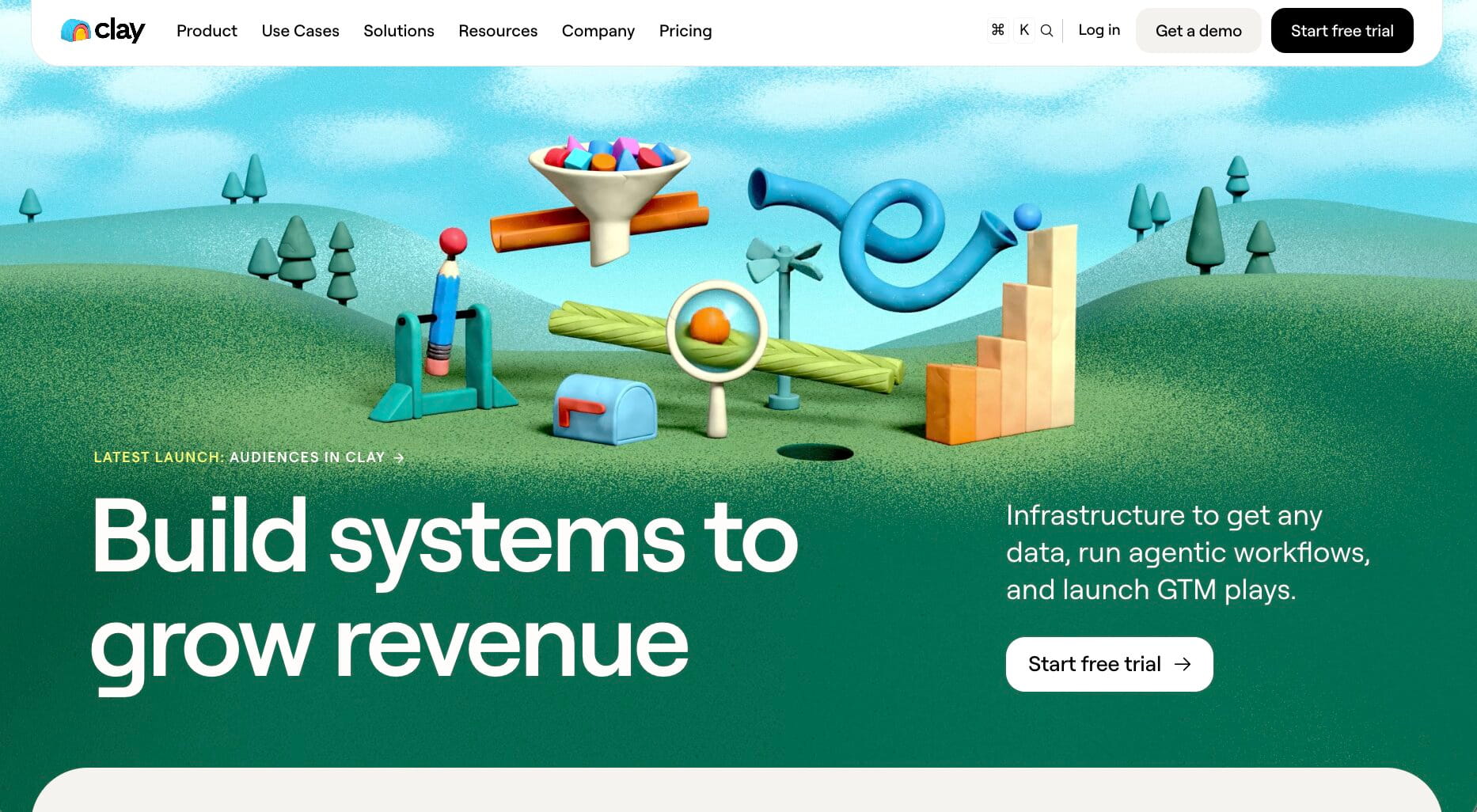
If you've spent any time researching data enrichment tools, chances are you've already come across Clay. Rather than relying on a single contact database, it lets you combine dozens of data providers, AI models, and automations to enrich leads, accounts, and CRM records however you want.
That's what makes Clay one of the most flexible tools on this list.
You can build multi-step enrichment workflows, automate research with AI, and choose exactly where your data comes from. It takes more time to learn than traditional enrichment tools, but the trade-off is far more control over your workflows.
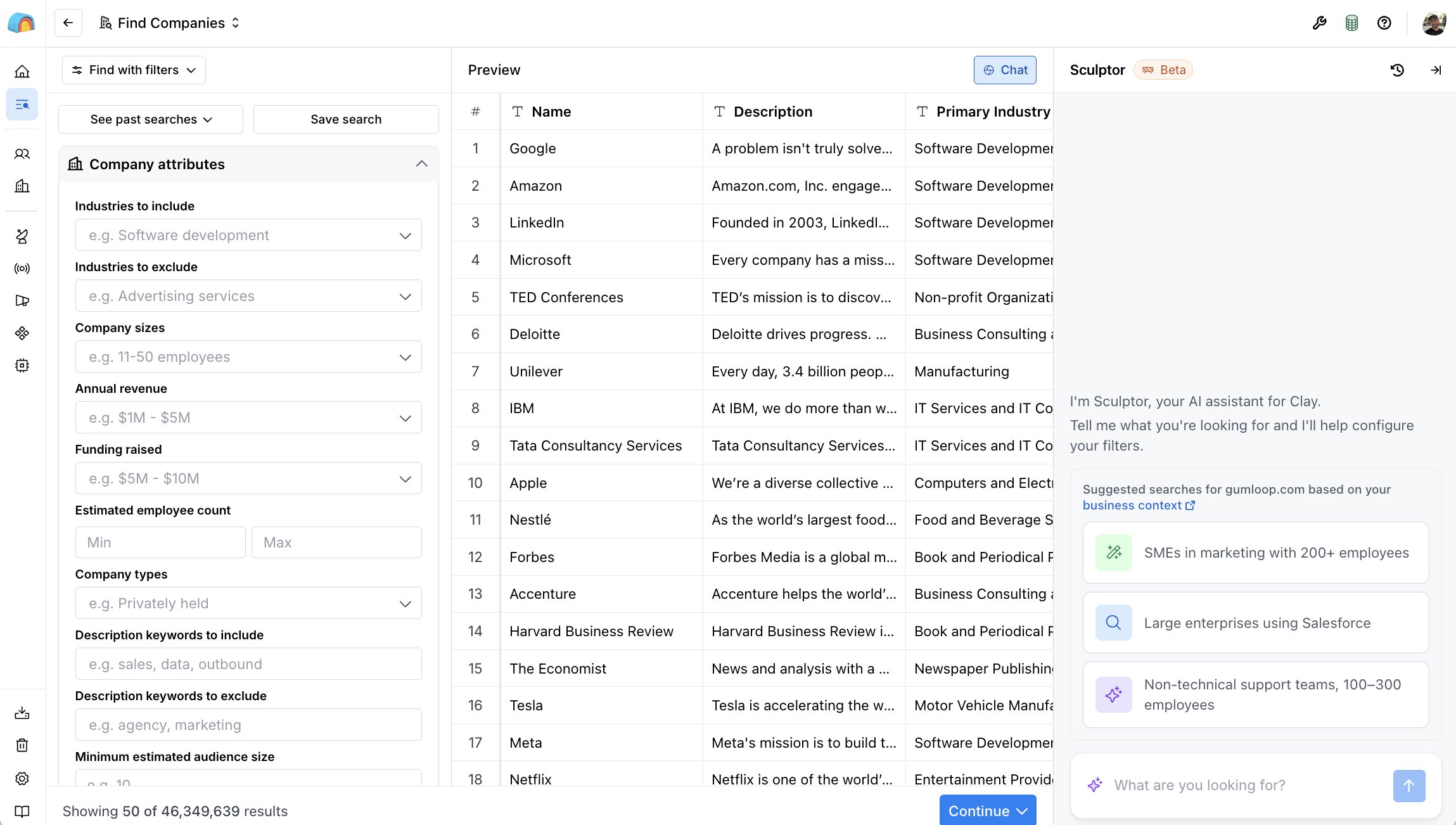
Here are some of the things Clay is best at:
- GTM teams building custom enrichment workflows
- RevOps teams managing large CRM datasets
- Agencies enriching prospect lists for multiple clients
- Businesses that want to combine multiple data providers in one workflow
Here are some of its notable features:
- Access to 100+ enrichment providers from a single workspace
- AI-powered research with Claygent
- Multi-provider waterfalls to improve match rates
- Native CRM integrations
- No-code workflow automation
Pros and cons
Pros
- Extremely flexible enrichment workflows
- Combines multiple data providers in one platform
- Powerful AI research capabilities
- Strong automation features
Cons
- Steeper learning curve than most enrichment tools
- Usage-based pricing can become expensive for high-volume teams
- Better suited to custom workflows than quick contact lookups
If you're looking for similar platforms, check out the 10 best Clay alternatives.
Clay pricing
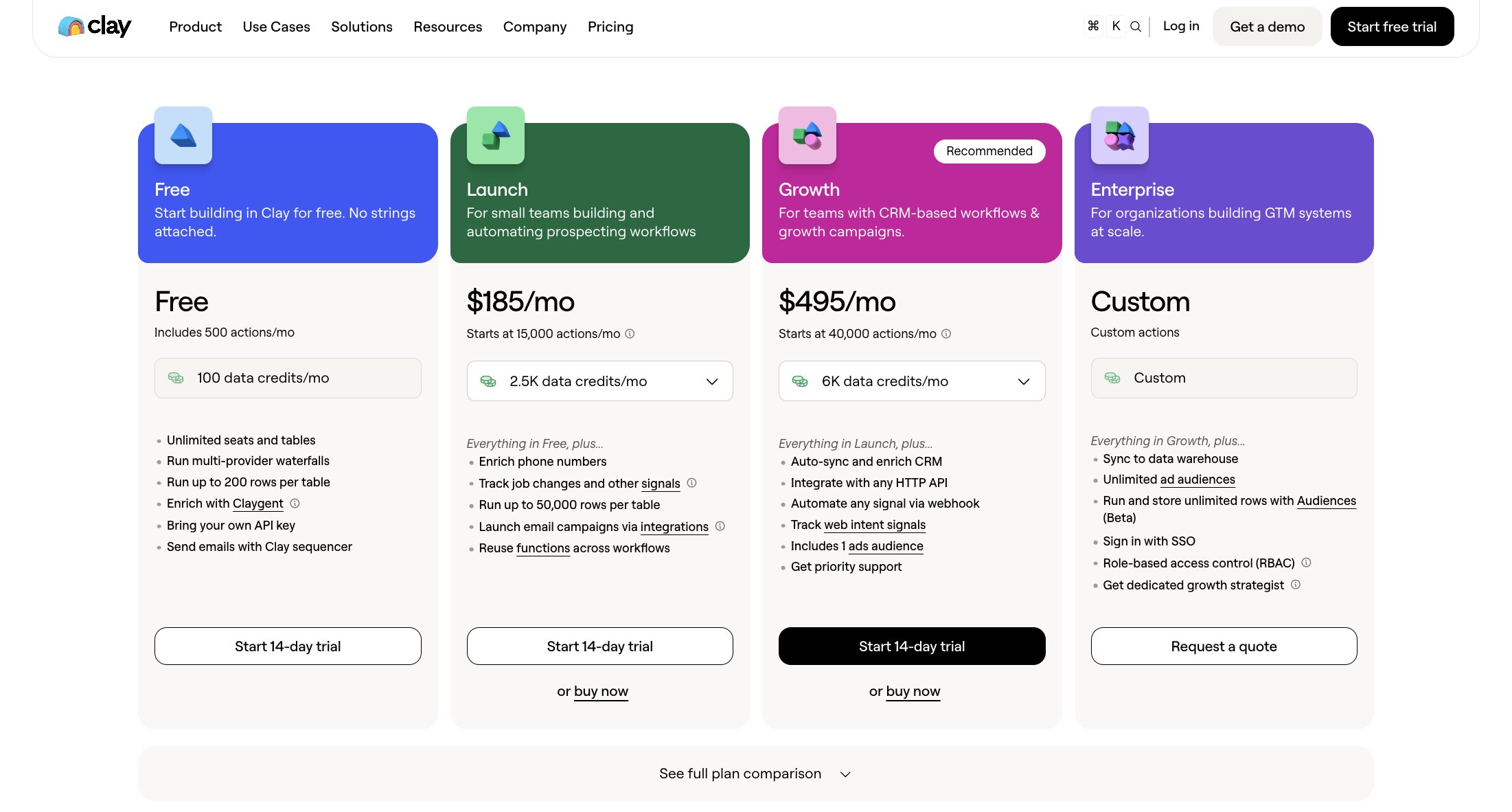
- Free: 500 Actions and 100 Data Credits per month
- Launch: From $167/month (billed annually)
- Growth: From $446/month (billed annually)
- Enterprise: Custom pricing
For the most up-to-date pricing, included credits, and plan features, check out Clay's pricing page.
Clay reviews
Here is what users rate Clay on third-party review sites:
- G2: 4.6/5 star rating (from +226 reviews)
- Product Hunt: 4.8/5 star rating (from +39 reviews)
Across both review sites, users talk about Clay's flexibility, waterfall enrichment, and AI-powered workflows. The most common criticisms are its learning curve and usage-based pricing, with several reviewers noting that costs can increase quickly as enrichment volumes grow.
2. Apollo
- Best for: Combining prospecting, enrichment, and outreach in one platform
- Pricing: Free plan available; paid plans start at $49/user/month (billed annually)
- What I like: Brings contact data, CRM enrichment, and sales engagement into one platform
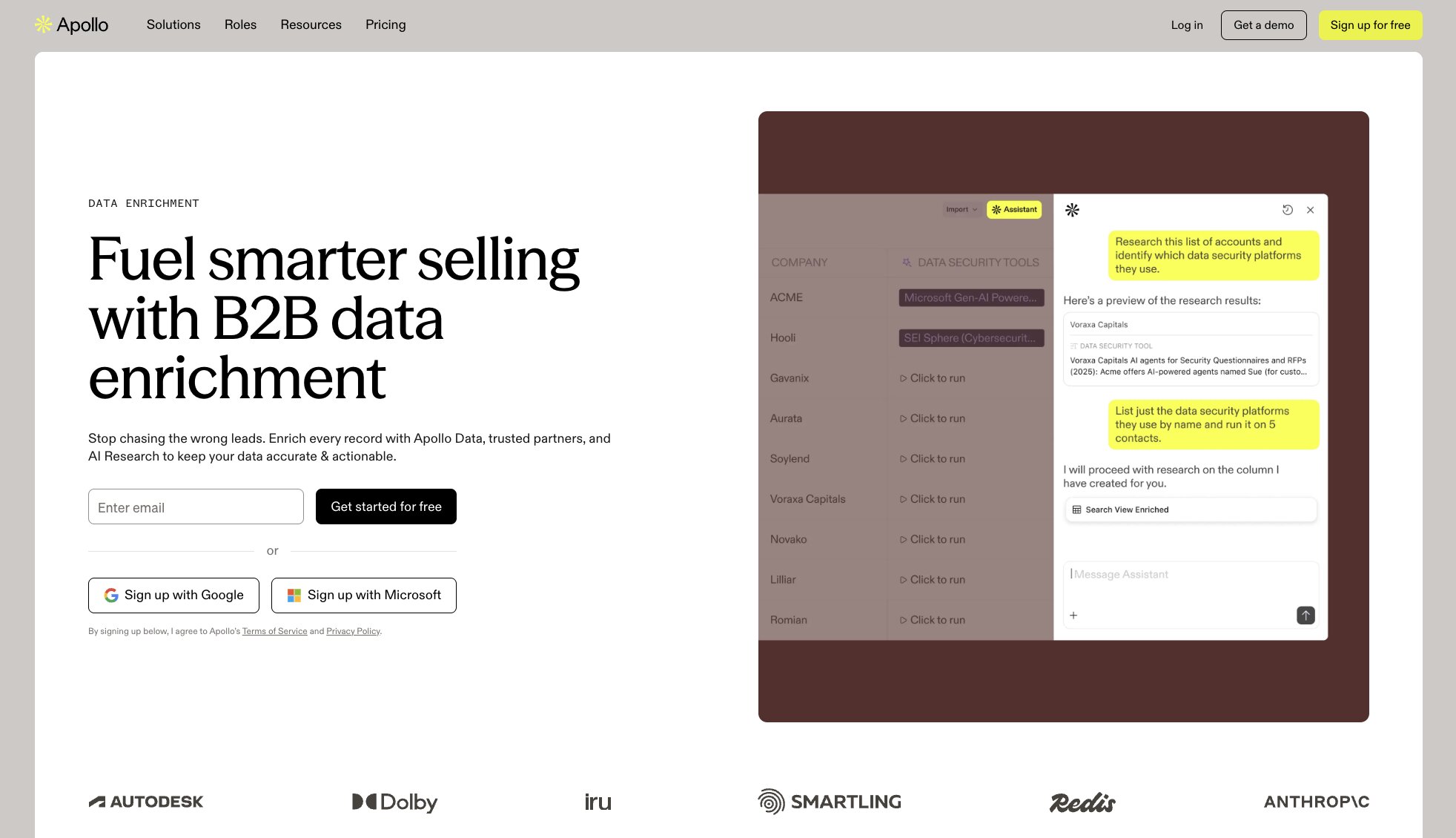
Apollo earns its place on this list because it can handle far more than filling gaps in existing records. Sales teams can use the same platform to find prospects, enrich contact and company data, build lists, and launch outreach campaigns.
That all-in-one approach makes it particularly useful for teams trying to simplify their sales stack. Apollo supports CRM, CSV, API, and waterfall enrichment, while its prospecting database and engagement tools help teams act on the data without moving it into a separate platform.
Apollo can enrich records with more than 30 data points, including contact details, firmographic information, buying intent, employee trends, and web data.
You can also connect Apollo and Gumloop to build more tailored prospecting and enrichment workflows.
Here are some of the things Apollo is best at:
- Sales teams that want prospecting and enrichment in one platform
- Small and midsize businesses building outbound sales processes
- RevOps teams maintaining CRM data
- Teams enriching CSV files or internal systems through an API
- Businesses looking to reduce the number of tools in their sales stack
Here are some of its notable features:
- Contact and company data enrichment
- Automated CRM enrichment and data cleansing
- CSV enrichment for lists of up to 100,000 rows
- Waterfall enrichment using Apollo and third-party data providers
- Job-change tracking and enrichment
- Data Health Center for monitoring gaps, stale records, and duplicates
- API access for enriching external systems
- Built-in prospect search, email sequences, calling, and sales automation
Pros and cons
Pros
- Covers prospecting, enrichment, and outreach in one place
- Free plan offers a practical way to test the platform
- Supports CRM, CSV, waterfall, and API enrichment
- Extensive search filters make it easier to build targeted lists
- More accessible pricing than many enterprise sales intelligence platforms
Cons
- Contact details can occasionally be outdated or inaccurate
- The number of features can make the interface feel busy at first
- Credit usage may be difficult to predict for high-volume teams
- Some enrichment and reporting capabilities are limited to higher-tier plans
Apollo pricing
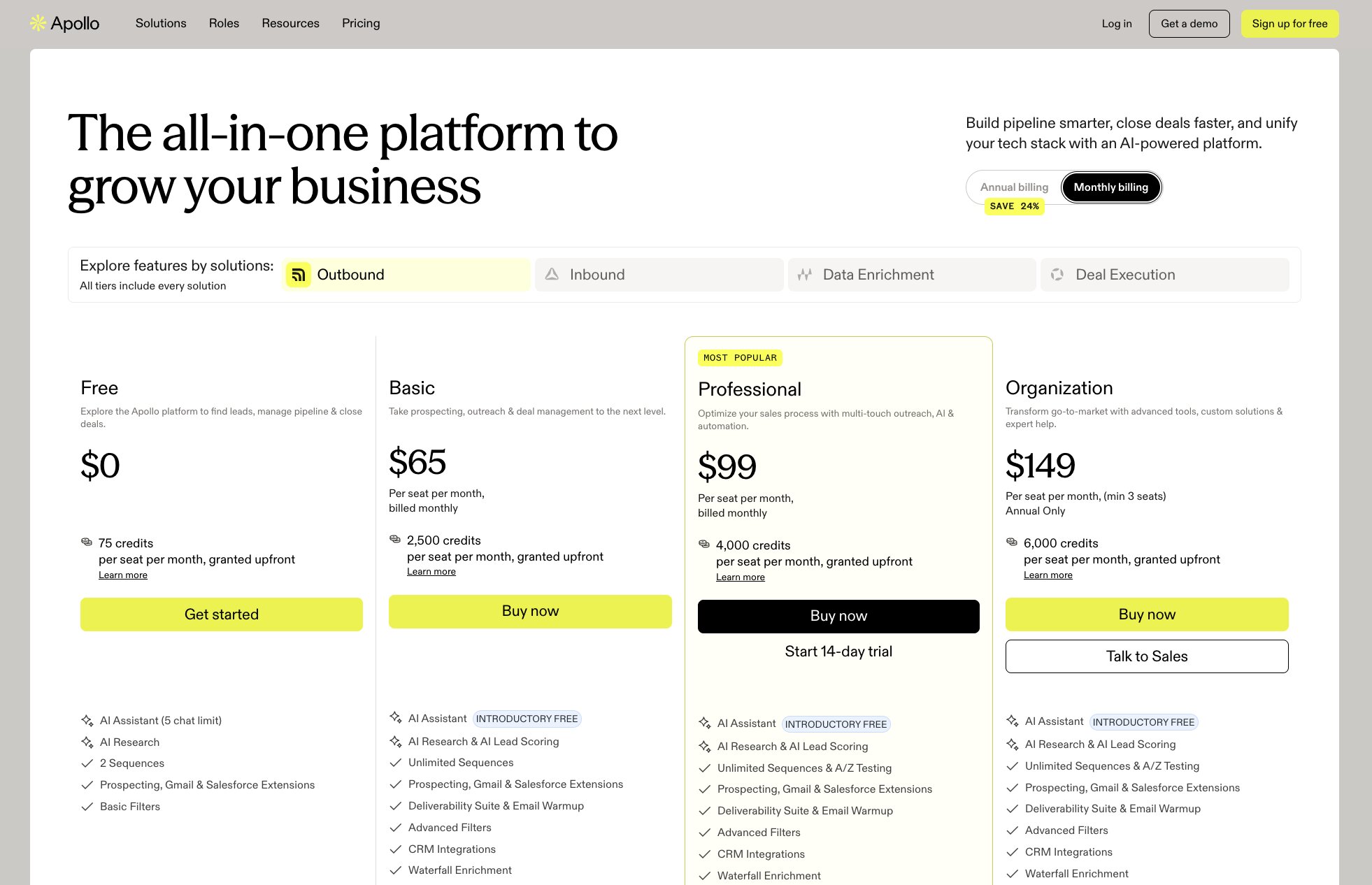
- Free: $0, with 900 credits per seat per year granted monthly
- Basic: $49/user/month (billed annually)
- Professional: $79/user/month (billed annually)
- Organization: $119/user/month (billed annually, with a three-seat minimum)
Check out the full Apollo pricing breakdown to compare credit allowances, enrichment features, and plan limits.
Apollo reviews
Here is what users rate Apollo on third-party review sites:
- G2: 4.7/5 star rating (from +9,703 reviews)
- Capterra: 4.5/5 star rating (from +398 reviews)
Customers often applaud Apollo for combining a large contact database, detailed search filters, and outreach tools in one platform. Many reviewers say this saves them from switching between separate prospecting, email verification, and sequencing tools.
Data accuracy is the main recurring criticism. Some users report outdated contact details, bounced emails, or incorrect job information, while others mention that the interface and credit model take time to understand.
3. Skrapp
- Best for: Finding and verifying B2B email addresses
- Pricing: Free plan available; paid plans start at $29/month (billed annually)
- What I like: Only charges credits for emails returned as valid or catch-all
Skrapp is one of the more focused data enrichment tools on this list.
Its main strength is helping sales, recruitment, and outreach teams find verified business email addresses without introducing the complexity of a broader sales intelligence platform.
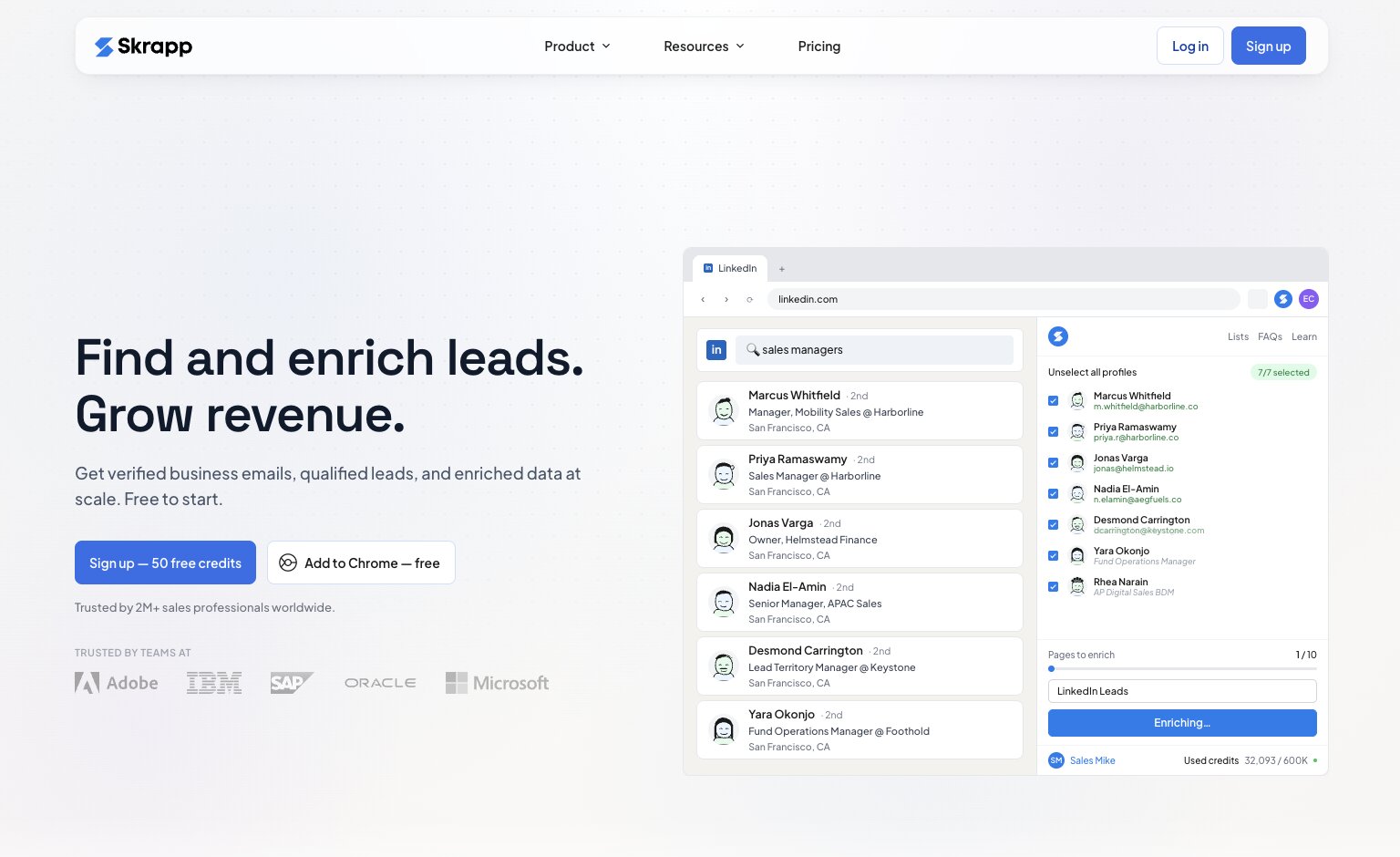
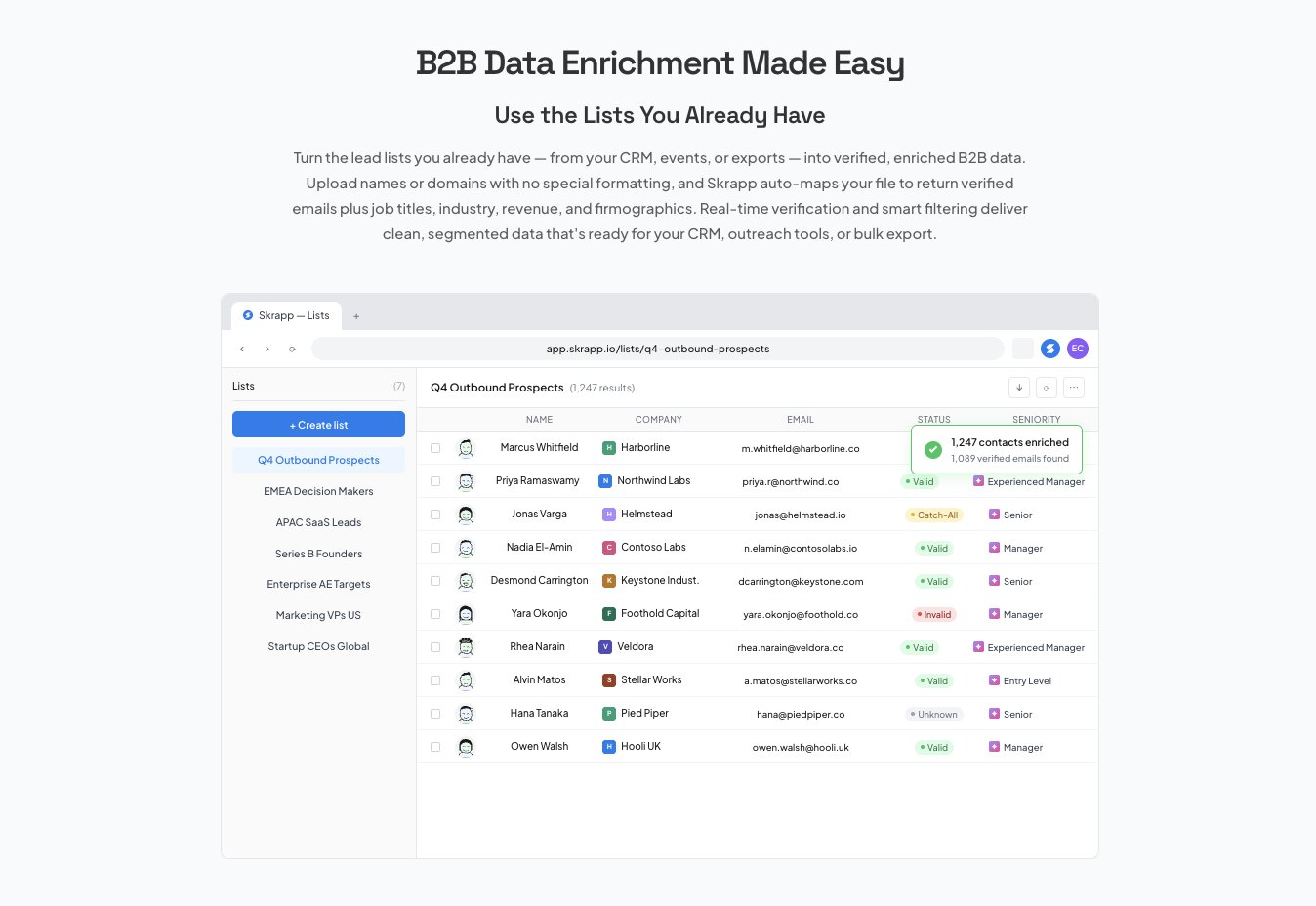
You can search for individual contacts, extract leads from LinkedIn and company websites, or upload an existing CSV or Excel file for bulk enrichment. The tool then adds verified emails and details such as job title, company size, industry, revenue, and location, giving you cleaner records that are ready for CRM import or outreach.
Here are some of the things Skrapp is best at:
- Sales teams whose main priority is finding verified business emails
- Recruiters sourcing contact details through LinkedIn
- Agencies building prospect lists for outreach campaigns
- Teams enriching existing CSV or Excel files
- Smaller businesses that do not need a full enterprise sales intelligence platform
Here are some of its notable features:
- Individual and bulk email finding
- Real-time email verification
- CSV and Excel data enrichment
- LinkedIn, Sales Navigator, and Recruiter browser extensions
- Lead and company search
- Firmographic data including industry, revenue, location, and employee count
- AI enrichment for buying role, seniority, function, and gender
- CRM integrations and API access
Pros and cons
Pros
- Simple interface with a relatively short learning curve
- Combines email finding and verification in one platform
- Supports individual searches and high-volume list enrichment
- Unused credits roll over on paid plans
- Invalid and unknown results do not consume credits
Cons
- Focuses primarily on email data rather than broader contact intelligence
- Some reviewers report occasional outdated or inaccurate results
- Credits can run out quickly when processing large lists
- Advanced integrations and support are reserved for Enterprise plans
Skrapp pricing
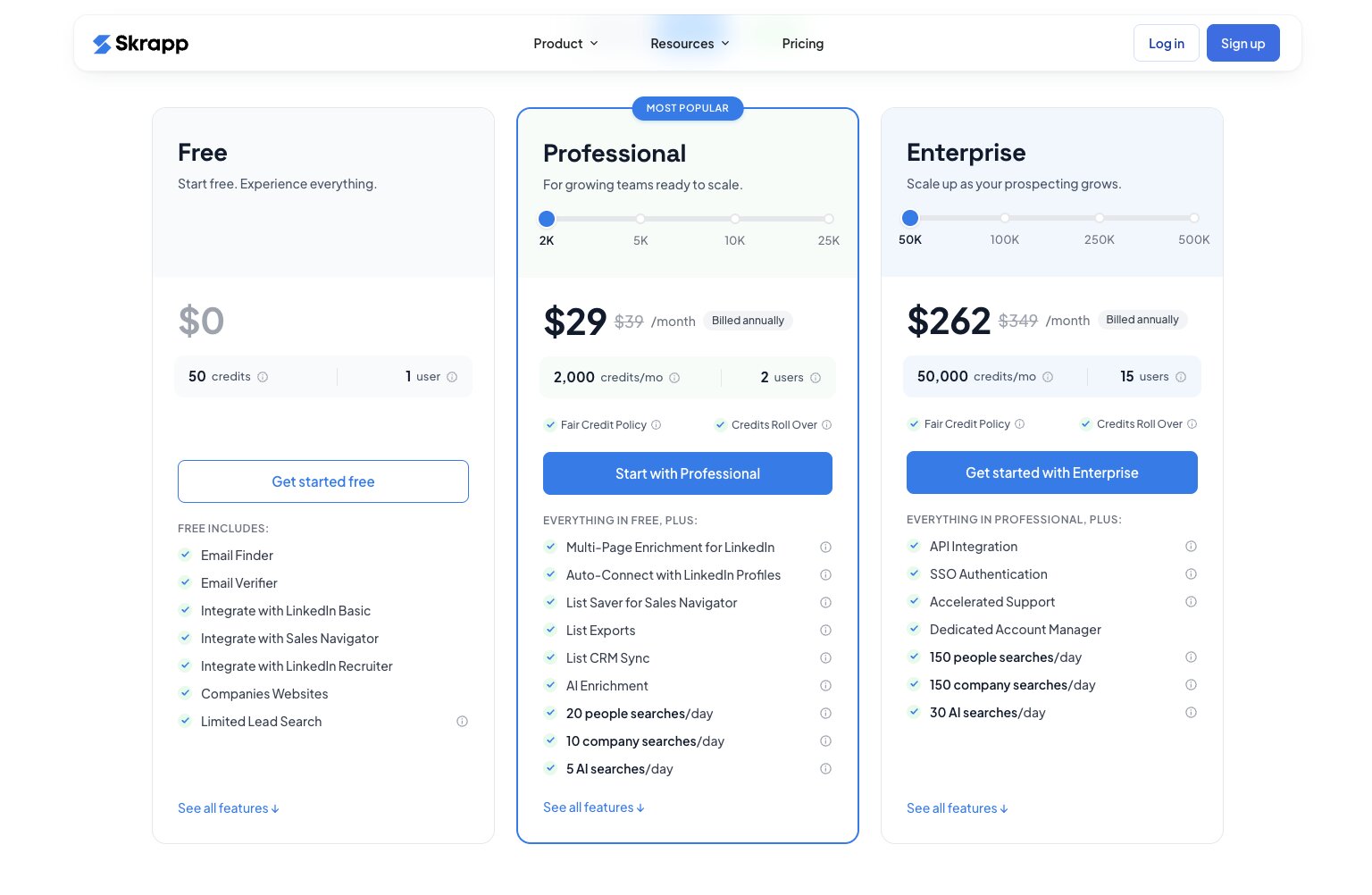
- Free: $0 for 50 credits and one user
- Professional: From $29/month for 2,000 credits and two users (billed annually)
- Enterprise: From $262/month for 50,000 credits and 15 users (billed annually)
- Custom: Tailored plans available for larger teams and higher volumes
Skrapp offers several credit allowances within its paid tiers, so check out the full pricing page to compare usage limits, included users, and plan features.
Skrapp reviews
Here is what users rate Skrapp on third-party review sites:
- G2: 4.5/5 star rating (from +355 reviews)
- Capterra: 4.5/5 star rating (from +57 reviews)
Customers often highlight Skrapp’s ease of use, LinkedIn extension, and ability to find and verify emails more quickly than manual research. Reviewers also appreciate its relatively simple setup and accessible pricing.
The main criticisms are around data consistency and credit limits. Some users report that emails can occasionally be outdated or incorrect, while others find that their allowance disappears quickly when building or verifying larger lists.
4. ZoomInfo
- Best for: Enterprise-grade B2B data and sales intelligence
- Pricing: Custom pricing (you’ll need to submit some info to access the figures)
- What I like: Combines one of the largest B2B databases with powerful enrichment and intent data
ZoomInfo has long been one of the biggest names in B2B data.
They don’t focus solely on enriching existing records, but combine contact and company data with buying intent, website visitor intelligence, conversation insights, and workflow automation in a single platform.
That breadth makes it particularly attractive for larger sales and marketing teams managing significant CRM databases. Whether you're enriching inbound leads, refreshing existing customer records, or identifying new accounts showing purchase intent, ZoomInfo brings together multiple data sources to help teams keep their CRM accurate and actionable.
Here are some of the things ZoomInfo is best at:
- Enterprise sales organizations managing large CRM databases
- Revenue operations teams responsible for data quality
- Marketing teams enriching inbound leads
- Businesses using intent data to prioritize accounts
- Organizations looking for an all-in-one sales intelligence platform
Here are some of its notable features:
- Contact and company data enrichment
- Automated CRM data refresh
- Intent data from multiple providers
- Website visitor identification
- Org charts and company hierarchies
- Buyer signals and technographic data
- Workflow automation through ZoomInfo Copilot
- Native CRM, marketing automation, and sales engagement integrations
Pros and cons
Pros
- Extensive B2B contact and company database
- Strong enrichment, intent, and sales intelligence capabilities
- Excellent CRM integrations and automation
- Built to support large sales and RevOps teams
- Comprehensive compliance and governance features
Cons
- Pricing isn't publicly available
- Can be difficult to justify for smaller businesses
- Some users report occasional outdated contact information
- The platform's breadth creates a steeper learning curve than simpler enrichment tools
ZoomInfo pricing
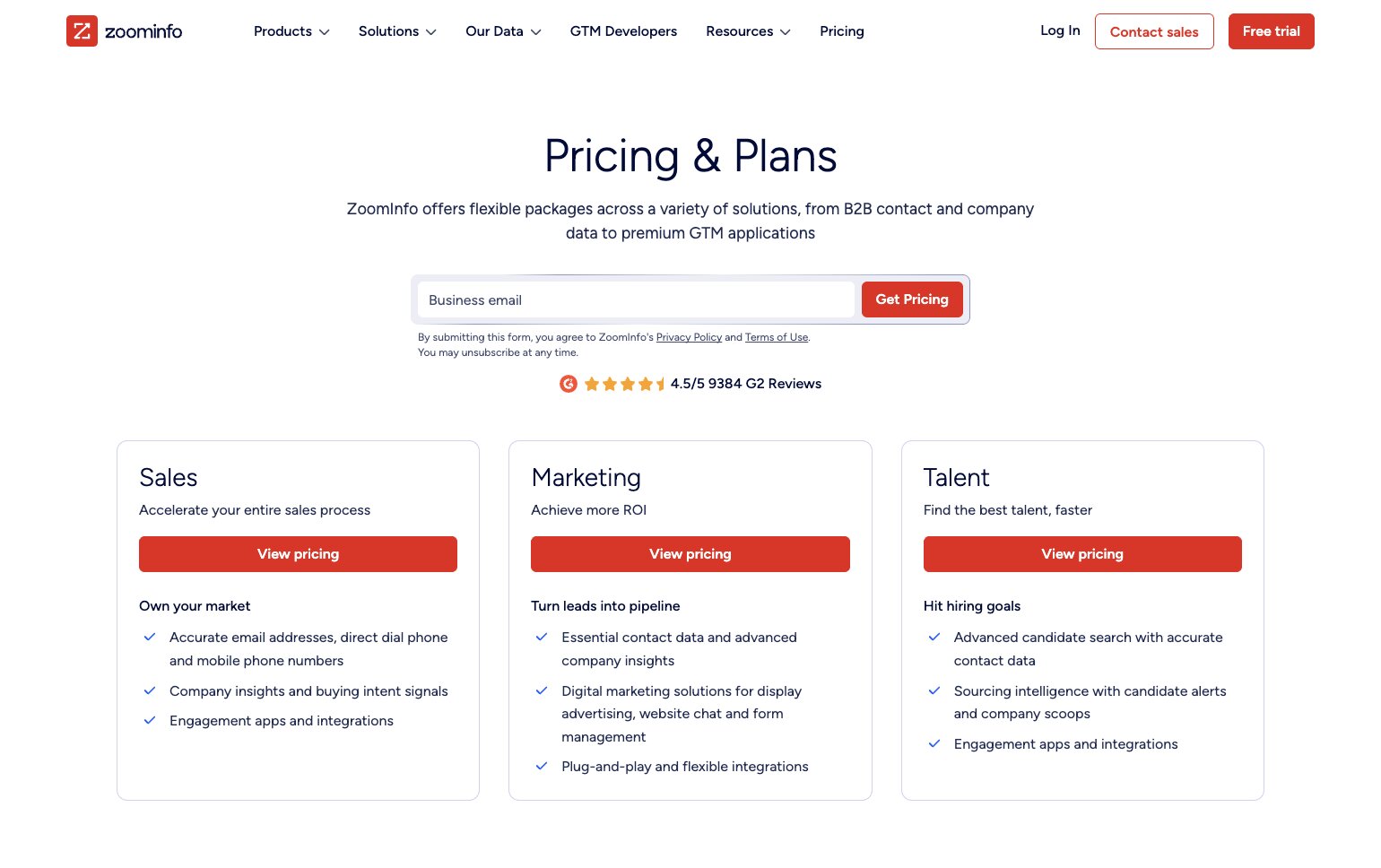
ZoomInfo doesn't publish pricing on its website, so you'll need to contact the sales team for a tailored quote against their Sales, Marketing, and Talent pricing tiers.
Check out the full pricing page to learn more about available plans, products, and enterprise options.
ZoomInfo reviews
Here is what users rate ZoomInfo on third-party review sites:
- G2: 4.5/5 star rating (from +12,887 reviews)
- Product Hunt: 4.8/5 star rating (from +4 reviews)
Customers frequently praise ZoomInfo for the size of its database, the breadth of company insights, and the amount of time it saves prospecting. Many reviewers also highlight its CRM integrations and the depth of firmographic and intent data.
The most common criticisms relate to pricing and data accuracy. Some users report that contact information can occasionally be out of date, while others feel the platform's cost makes it better suited to larger organizations than smaller businesses.
5. Gumloop

- Best for: Building AI-powered data enrichment workflows without code
- Pricing: Free plan available, with paid plans starting at $37/month
- What I like: Makes it easy to automate enrichment alongside lead generation, CRM updates, and outbound workflows
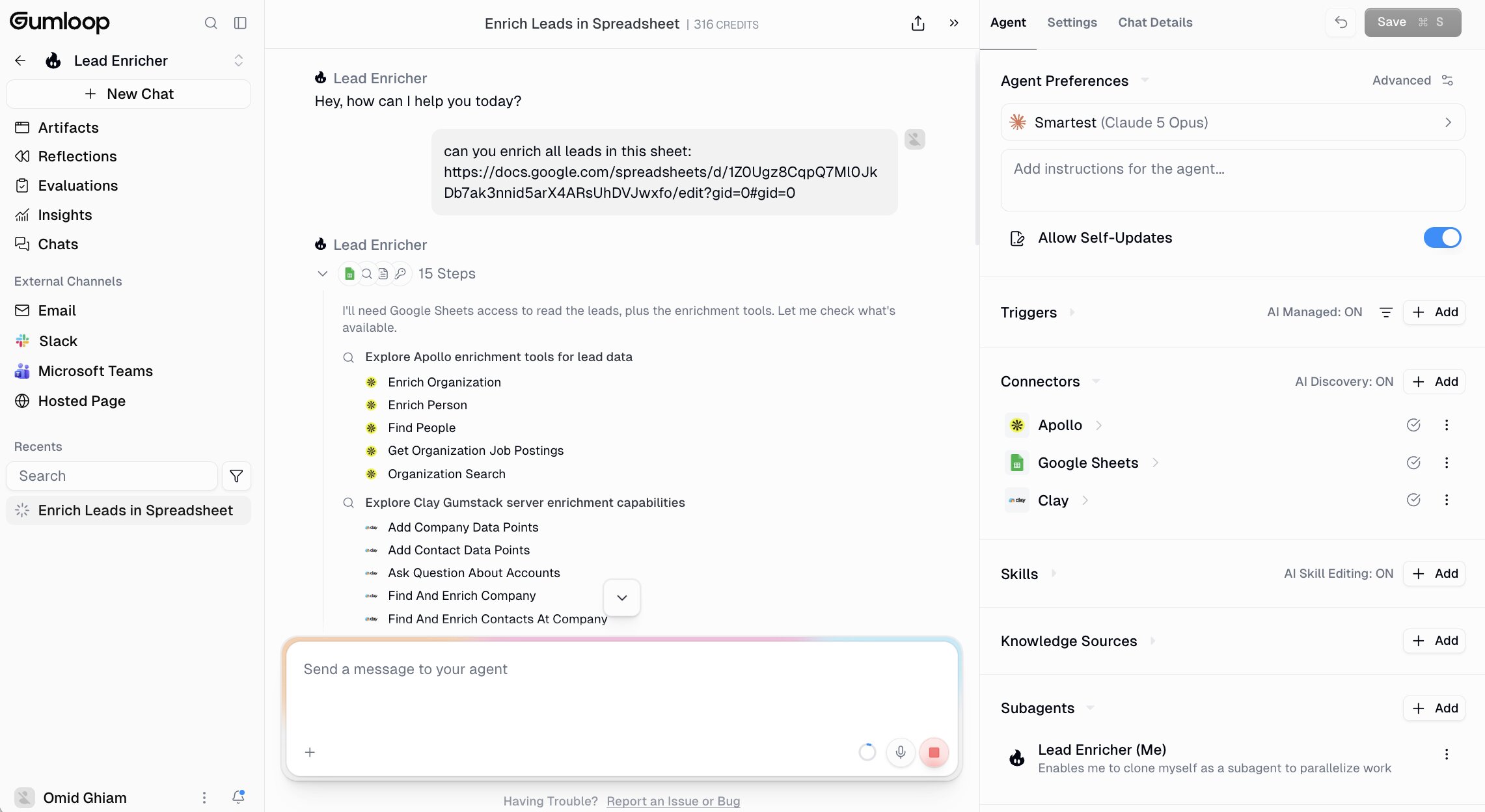
Most data enrichment tools stop once they've filled in missing contact or company fields. But Gumloop takes a different approach, by treating enrichment as one step within a broader AI workflow.
For example, you can use the enrich contact information node to populate missing contact and company details before using AI to score leads or route them to the right sales rep.
If you're using HubSpot, the HubSpot lead enrichment template provides a ready-made workflow for enriching records and keeping your CRM up to date with minimal manual effort from your side.
Here are some of the things Gumloop is best at:
- GTM teams building AI-powered prospecting workflows
- Sales teams automating lead enrichment and qualification
- RevOps teams connecting multiple data sources
- Businesses enriching CRM records as part of larger automations
- Teams that want AI built into every stage of their workflow
- Connect with existing GTM tools like Clay and Apollo
Here are some of its notable features:
- AI-native visual workflow builder
- Contact and company enrichment nodes
- Built-in web scraping and data extraction
- AI-powered lead qualification and research
- Native integrations with CRMs, Google Workspace, Slack, Notion, and more
- API and webhook support
- AI agents that can build and modify workflows from natural language
- Hosted MCP integrations through guMCP for connecting AI agents to external tools
Pros and cons
Pros
- AI is built into the workflow rather than added as a separate step
- Combines enrichment with research, scraping, and automation
- Clean visual builder that's easy to iterate on
- Flexible enough for everything from simple lead enrichment to complex GTM workflows
- Active product development with frequent feature releases
Cons
- Credit usage can increase quickly on AI-heavy or enrichment-intensive workflows
- Fewer native integrations than more established automation platforms
- Some workflows still require experimentation to optimize
- New users may need time to understand the node-based workflow builder
Gumloop pricing
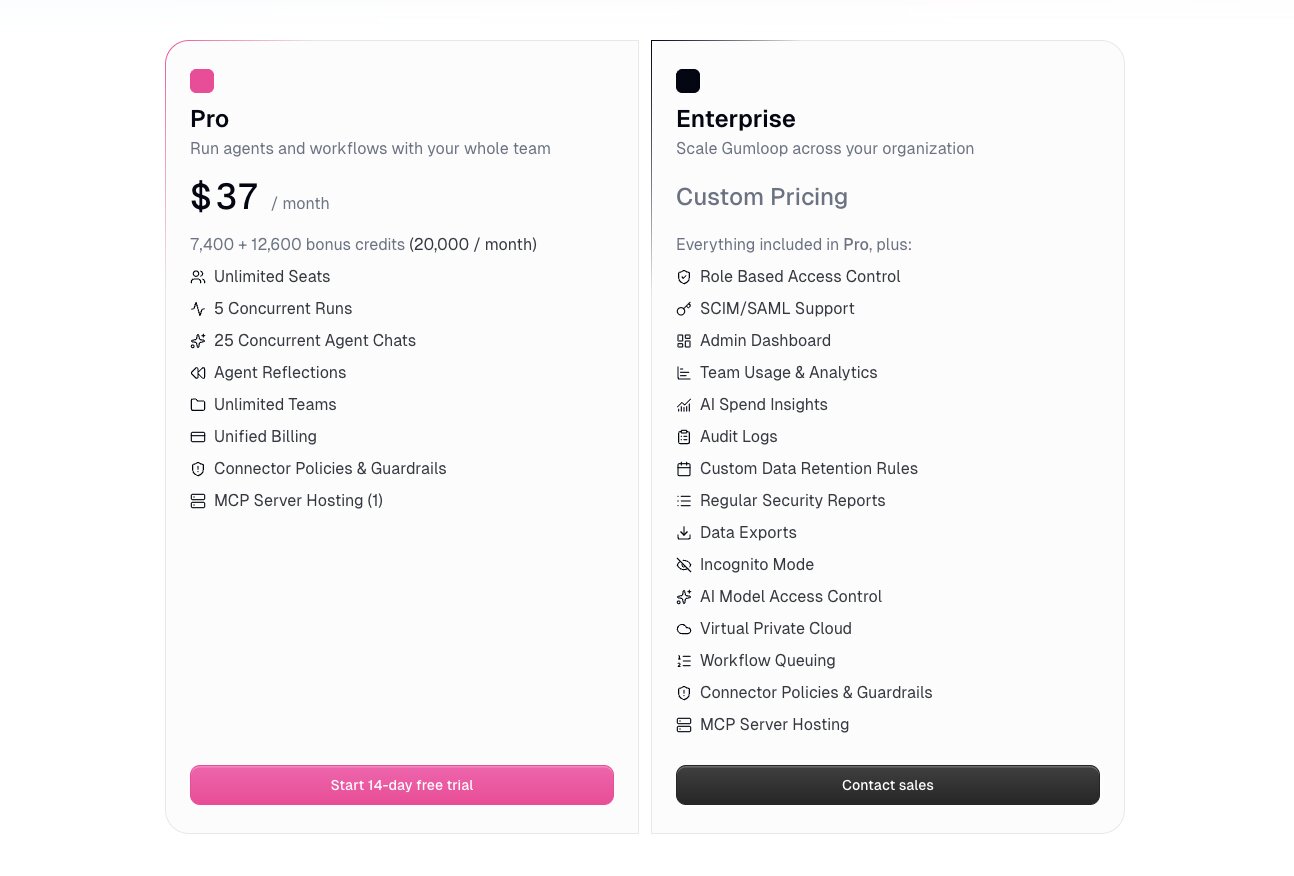
- Pro: From $37/month (billed annually)
- Enterprise: Custom pricing
Take a look at the full Gumloop pricing page to compare plans, credit allowances, and available features.
Gumloop reviews
- G2: 4.8/5 star rating (from +7 reviews)
- Product Hunt: 5/5 star rating (from +9 reviews)
Although Gumloop hasn't built up the volume of reviews you'll see for more established platforms, there's a clear pattern in the feedback so far. Users consistently mention how quickly they can go from an idea to a working automation, often comparing the visual builder favorably with more traditional automation tools. Support also comes up repeatedly, with reviewers describing the team as responsive and product improvements arriving frequently.
The main reservations aren't about the platform's capabilities but its maturity. Several reviewers mention an initial learning curve, while others note that AI-heavy workflows and enrichment tasks can consume credits faster than expected.
6. Cleanlist
- Best for: Teams that want high-accuracy waterfall enrichment with built-in email verification and AI-powered prospecting
- Pricing: Free plan available, with paid plans starting at $59/month (billed annually)
- What I like: Waterfall enrichment across 15+ data providers improves match rates
Plenty of enrichment tools promise bigger databases. Cleanlist has gone in a different direction, focusing on improving match rates by querying multiple providers instead of relying on a single data source. If data accuracy is more important to you than having the largest contact database on the market, that's an approach worth paying attention to.
Here are some of the things Cleanlist is best at:
- Sales teams enriching prospect and customer data
- RevOps teams maintaining CRM data quality
- Businesses that want waterfall enrichment and built-in verification in one platform
- Teams looking to replace multiple enrichment and verification tools with a single solution
Here are some of its notable features:
- Waterfall enrichment across 15+ data providers
- Built-in email verification and direct-dial phone discovery
- AI-powered prospecting and search
- Native integrations with HubSpot, Salesforce, Pipedrive, Outreach, Salesloft, and REST API/webhooks
- CRM syncing and bulk CSV enrichment
Pros and cons
Pros
- High claimed data accuracy through waterfall enrichment
- Combines enrichment, verification, and prospecting in one platform
- Native CRM integrations and API support
- Free plan available for testing
Cons
- Smaller ecosystem and brand recognition than established vendors like ZoomInfo or Apollo
- Credit-based pricing may require monitoring for high-volume enrichment.
- Relatively limited number of independent customer reviews.
Cleanlist pricing
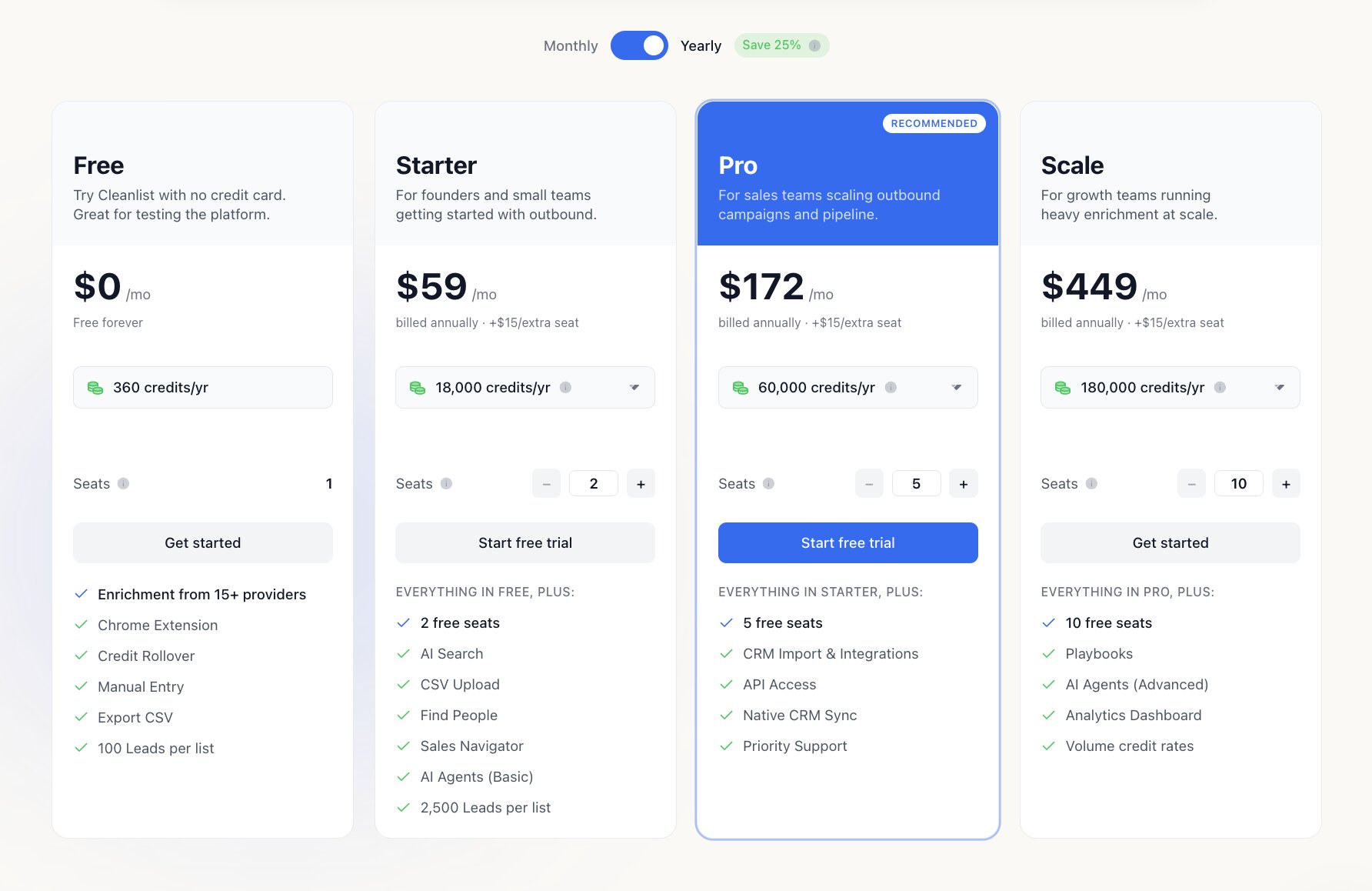
Cleanlist offers a free plan alongside three paid tiers:
- Starter: From $59/month (billed annually)
- Pro: From $172/month (billed annually)
- Scale: From $449/month (billed annually)
Unlike many competitors, Cleanlist uses shared credits rather than per-seat licensing, with additional seats available for an extra monthly fee.
Cleanlist reviews
- G2: 5/5 star rating (from +2 reviews)
Cleanlist has only a limited number of independent customer reviews, so it's worth keeping the sample size in mind when evaluating feedback. The reviews available so far are overwhelmingly positive, with users highlighting the quality of the enrichment data, intuitive interface, and time saved compared with using separate enrichment and verification tools.
7. Cognism
- Best for: Sales teams that need compliant B2B data with strong European coverage
- Pricing: Paid plans start at $9,200/year
- What I like: Great coverage of European contacts, including verified mobile numbers
If your sales team spends most of its time prospecting across Europe, Cognism deserves a closer look. While many enrichment platforms have historically focused on North America, Cognism has built its reputation on providing compliant contact data for European markets, making it a popular choice for businesses selling into the UK, DACH, and wider EMEA region.
Beyond contact enrichment, the platform combines company data, buying signals, AI-powered search, CRM enrichment, and intent data to help sales teams prioritize accounts and keep their CRM up to date.
It isn't the cheapest platform on this list, but for organizations where compliance and European data quality are non-negotiable, it's one of the strongest options available.
Here are some of the things Cognism is best at:
- Businesses prospecting primarily across Europe
- Sales teams that rely heavily on accurate mobile numbers
- RevOps teams maintaining CRM data quality
- Organizations with strict GDPR and compliance requirements
- Mid-market and enterprise B2B sales teams
Here are some of its notable features:
- Contact and company data enrichment
- CRM enrichment with ongoing record maintenance
- Phone-verified mobile numbers
- AI-powered account research and persona building
- Buying intent and sales signals
- CSV enrichment
- API and Data-as-a-Service options
- Native integrations with Salesforce, HubSpot, Outreach, Salesloft, LinkedIn Sales Navigator, and more
Pros and cons
Pros
- Excellent European data coverage
- Strong compliance and GDPR credentials
- High-quality verified mobile numbers
- Flexible CRM enrichment and API options
- Combines prospecting and enrichment within one platform
Cons
- It’s on the expensive end
- Better suited to mid-market and enterprise teams than smaller businesses
- Some advanced capabilities are limited to higher-tier packages
- Credit-based model may require monitoring for larger enrichment projects
Cognism pricing
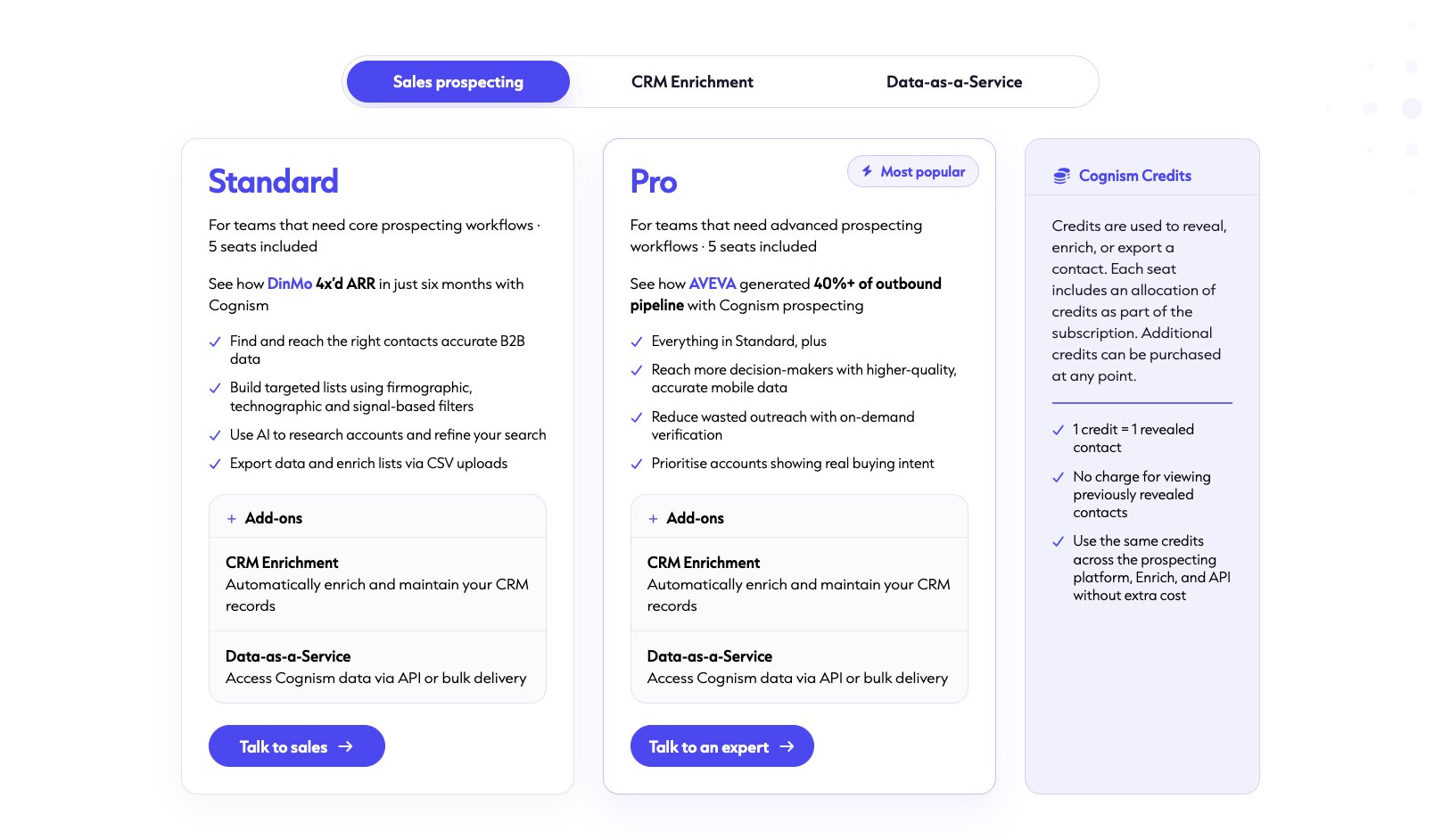
- Sales Prospecting: Standard from $10,750/year, Pro from $14,500/year
- CRM Enrichment: From $9,200/year
- Data-as-a-Service: Custom pricing based on data volume and delivery method
Cognism separates its pricing across Sales Prospecting, CRM Enrichment, and Data-as-a-Service rather than bundling everything into a single platform license. The Standard and Pro plans are designed for outbound sales teams, while CRM Enrichment and Data-as-a-Service can be purchased separately depending on how you want to enrich and maintain your data.
For the latest pricing, included credits, and plan features, check out Cognism's pricing page.
Cognism reviews
Here is what users rate Cognism on third-party review sites:
- G2: 4.5/5 star rating (from +1,355 reviews)
- Capterra: 4.7/5 star rating (from +263 reviews)
A clear theme across Cognism's reviews is the quality of its European contact data and verified mobile numbers. Reviewers frequently mention that the platform helps them connect with prospects they couldn't reach through other providers, while also highlighting its ease of use and CRM integrations.
The recurring frustrations are around cost and regional coverage. Some users feel the investment is difficult to justify for smaller teams, while others note that contact coverage can be less comprehensive in markets outside Cognism's European stronghold.
8. Lusha
- Best for: Fast, straightforward B2B contact enrichment and prospecting
- Pricing: Free plan available, with paid plans starting at $37.45/month (billed annually)
- What I like: Combines prospecting, enrichment, and buying signals in a platform that's easy to learn
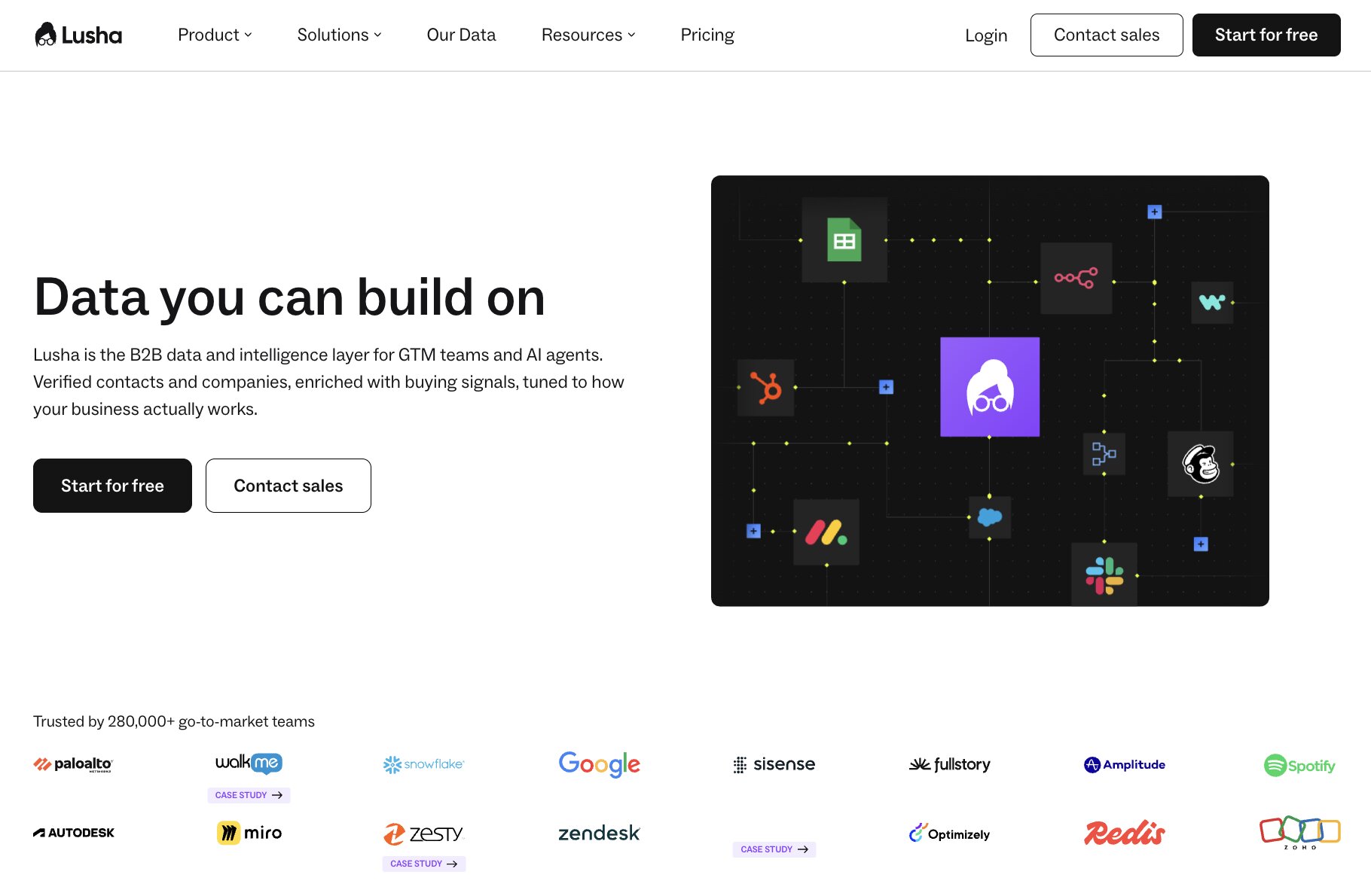
One of Lusha's biggest strengths is how quickly you can get from search to outreach. Rather than overwhelming users with enterprise-level functionality, it focuses on helping sales teams find accurate contact information, enrich existing records, and identify buying signals through a clean, intuitive interface.
It's particularly well suited to smaller sales teams that want reliable contact data without the complexity or commitment of larger sales intelligence platforms. While it doesn't offer the depth of company intelligence you'll find with tools like ZoomInfo or Cognism, its ease of use is a big part of the appeal.
Here are some of the things Lusha is best at:
- SMB sales teams building prospect lists
- SDRs and BDRs looking up contacts quickly
- Teams enriching CRM records before outreach
- Recruiters sourcing verified business contact details
- Businesses that want a straightforward alternative to enterprise sales intelligence platforms
Here are some of its notable features:
- Contact and company data enrichment
- Verified email addresses and phone numbers
- CSV enrichment
- Buying intent signals
- AI assistant
- Chrome extension for LinkedIn
- API and webhooks
- Native integrations with Salesforce, HubSpot, Outreach, Salesloft, and more
Pros and cons
Pros
- Simple interface that's easy to learn
- Strong LinkedIn integration
- Combines prospecting and enrichment in one platform
- Transparent pricing with a free plan
- Good balance between features and usability
Cons
- Credits can disappear quickly for high-volume users
- Smaller database than some enterprise competitors
- Buying intent features are reserved for higher-tier plans
- Data quality can vary depending on the region
Lusha pricing
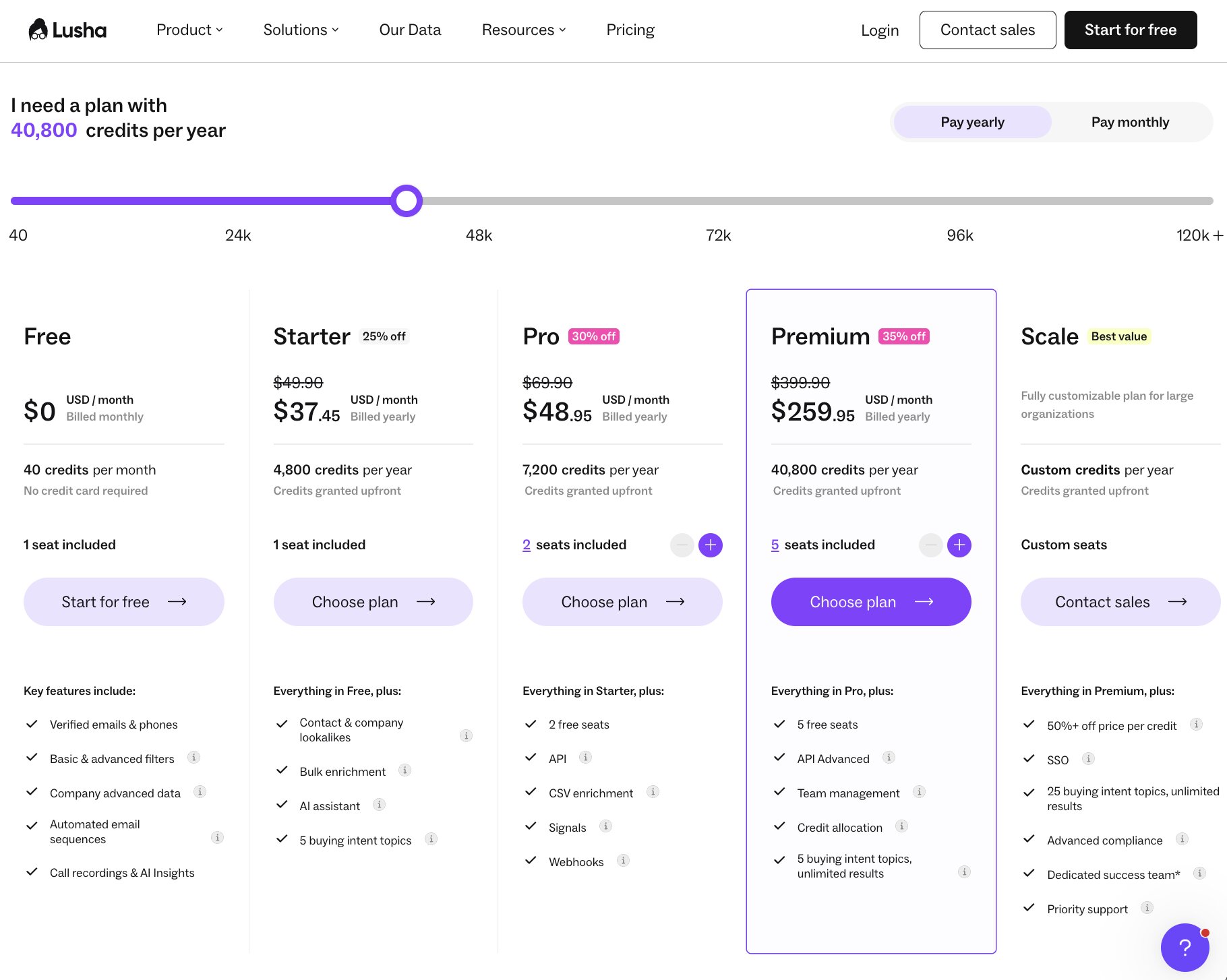
It’s worth noting that Lusha is running a summer sale until 31st July with 35% off annual plans.
- Free: $0
- Starter: From $37.45/month (billed annually)
- Pro: From $45.45/month (billed annually)
- Premium: From $259.95/month (billed annually)
- Scale: Custom pricing
Lusha offers transparent pricing across five plans, making it easier to estimate costs than many enterprise competitors. As you'd expect, higher tiers increase credit allowances while unlocking features such as API access, CSV enrichment, webhooks, advanced team management, and additional buying intent capabilities.
For the latest pricing, included credits, and plan features, check out Lusha's pricing page.
Lusha reviews
Here is what users rate Lusha on third-party review sites:
- G2: 4.3/5 star rating (from 1+,665 reviews)
- Capterra: 4.0/5 star rating (from 398+ reviews)
Ease of use comes up again and again across Lusha's reviews. Many users say they can find verified contact details and move from prospecting to outreach quickly, with the LinkedIn extension and straightforward interface standing out as recurring strengths.
The most common frustrations center on the credit model and data coverage. Reviewers mention that credits can be used up faster than expected during larger prospecting projects, while some also report that contact data is less comprehensive in certain regions than with larger enterprise platforms.
9. Snov.io
- Best for: Affordable email finding, enrichment, and outreach in one platform
- Pricing: Free plan available, with paid plans starting at $329.25/month (billed annually)
- What I like: Combines prospecting, enrichment, email verification, and outreach in a single platform
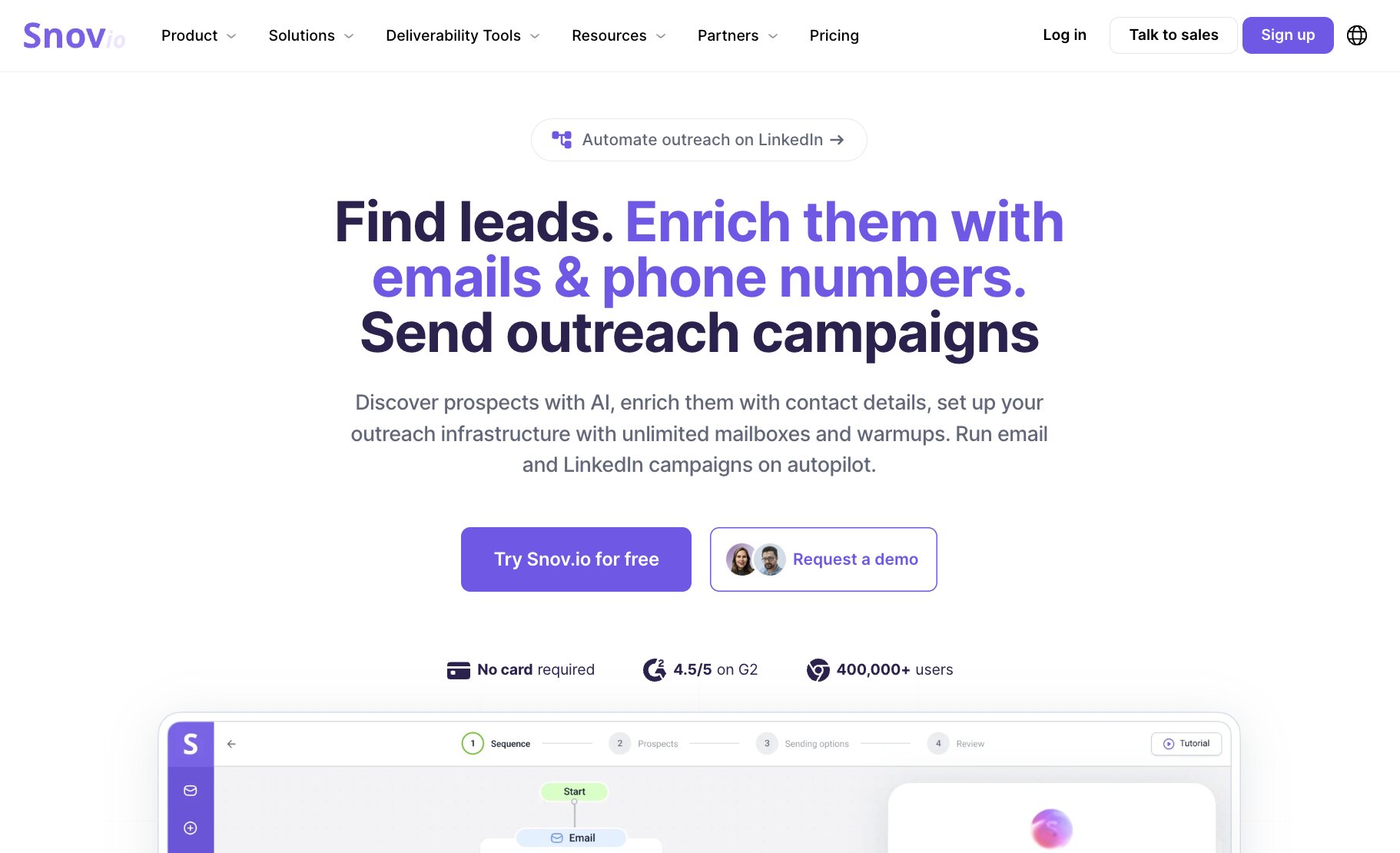
While many of the platforms on this list focus primarily on data enrichment, Snov.io takes a broader approach. It combines lead generation, contact enrichment, email verification, CRM functionality, and multichannel outreach, making it a practical choice for businesses that want to manage more of the sales process from one place.
That makes it particularly appealing for startups and smaller sales teams. Rather than paying for separate enrichment, verification, and cold outreach tools, you can handle each stage of the workflow within the same platform.
Here are some of the things Snov is best at:
- Startups and growing sales teams
- Businesses combining enrichment with outbound outreach
- SDRs building targeted prospect lists
- Teams looking for an affordable all-in-one sales platform
- Organizations replacing multiple point solutions
Here are some of its notable features:
- Contact and company data enrichment
- Email finder and verifier
- Prospect database with advanced search filters
- Chrome extension for LinkedIn prospecting
- Email drip campaigns and outreach automation
- CRM and pipeline management
- API access
- Native integrations with Salesforce, HubSpot, Pipedrive, Zapier, and more
Pros and cons
Pros
- Combines enrichment, verification, CRM, and outreach in one platform
- Transparent pricing with a free plan
- Flexible credit-based system
- Easy to learn and navigate
- Good value for startups and SMBs
Cons
- Contact database is smaller than enterprise competitors
- Credits can be used quickly on larger enrichment projects
- CRM functionality isn't as advanced as dedicated CRM platforms
- Some automation features are reserved for higher-tier plans
Snov pricing
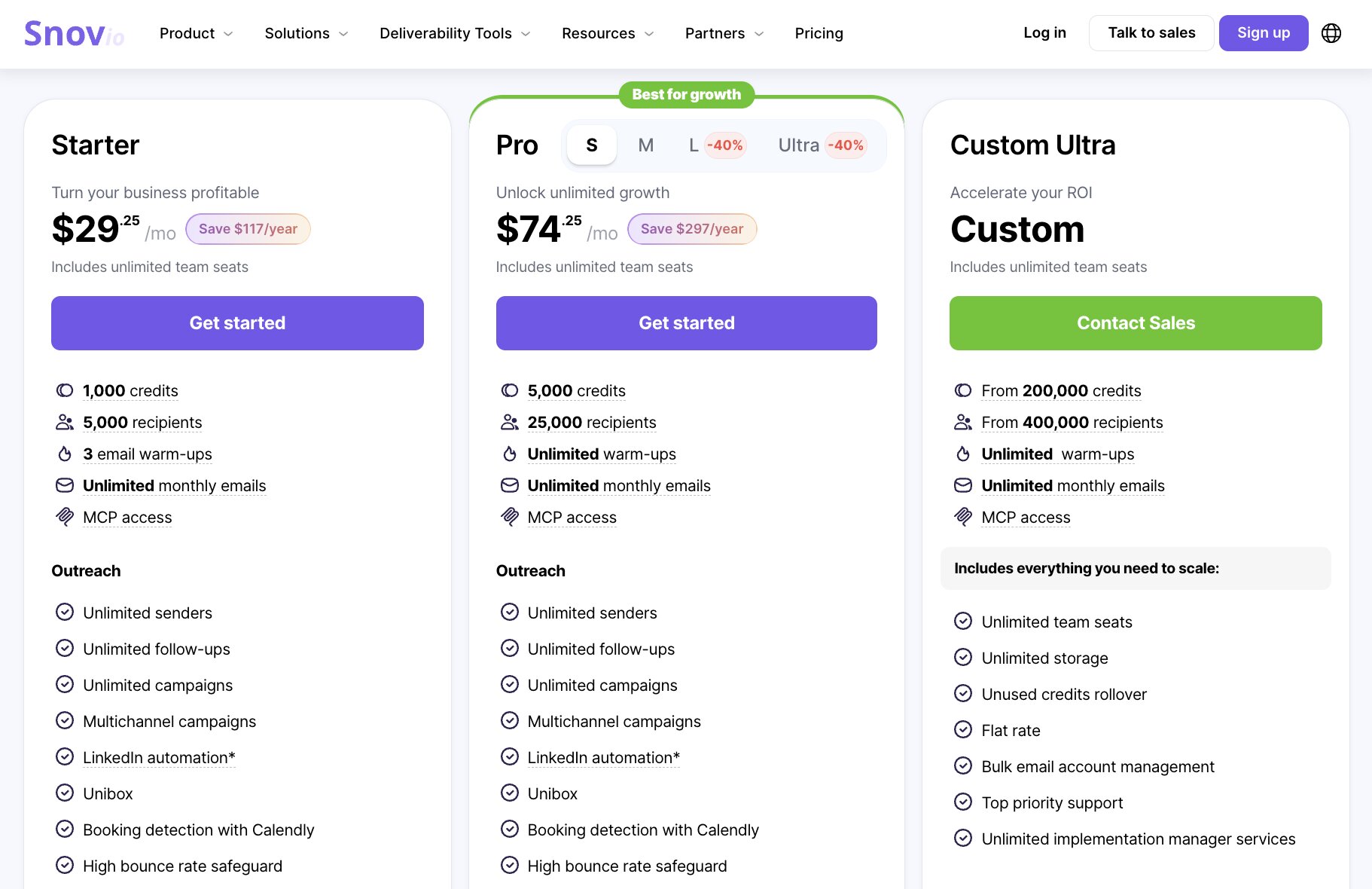
- Starter: From $29.25/month (billed annually)
- Pro: From $74.25/month (billed annually)
- LinkedIn Automation: 7-day free trial, then $69/month or $ 62/month (billed annually)
- Phone and Data Enrichment: From $20 for 1,000 tokens
Snov.io splits its pricing across three products rather than including everything within a single subscription. The Sales Suite covers its core prospecting, email verification, CRM, and outreach tools, while LinkedIn Automation is priced separately and can be tested with a seven-day free trial.
Phone and Data Enrichment uses a token-based model, starting at $20 for 1,000 tokens, so the final cost will depend on how many records you process and which enrichment actions you use.
The pricing page also includes a detailed comparison of each product, along with token allowances and feature differences between plans.
Snov reviews
Here is what users rate Snov on third-party review sites:
- G2: 4.5/5 star rating (from +496 reviews)
- Capterra: 4.5/5 star rating (from +215 reviews)
One of the most consistent themes across Snov.io's reviews is how much functionality it offers for the price. Users regularly mention the convenience of having lead generation, email verification, enrichment, and outreach in a single platform, helping reduce the number of tools they need to manage.
The feedback isn't entirely positive, though. Some reviewers say larger prospecting projects can consume credits quickly, while others note that the contact database isn't as comprehensive as some of the larger sales intelligence providers.
10. Adapt.io
- Best for: Affordable B2B contact enrichment for growing sales teams
- Pricing: Free plan available, with paid plans starting at $49/month (billed annually)
- What I like: Makes it easy to build prospect lists and enrich CRM records without unnecessary complexity
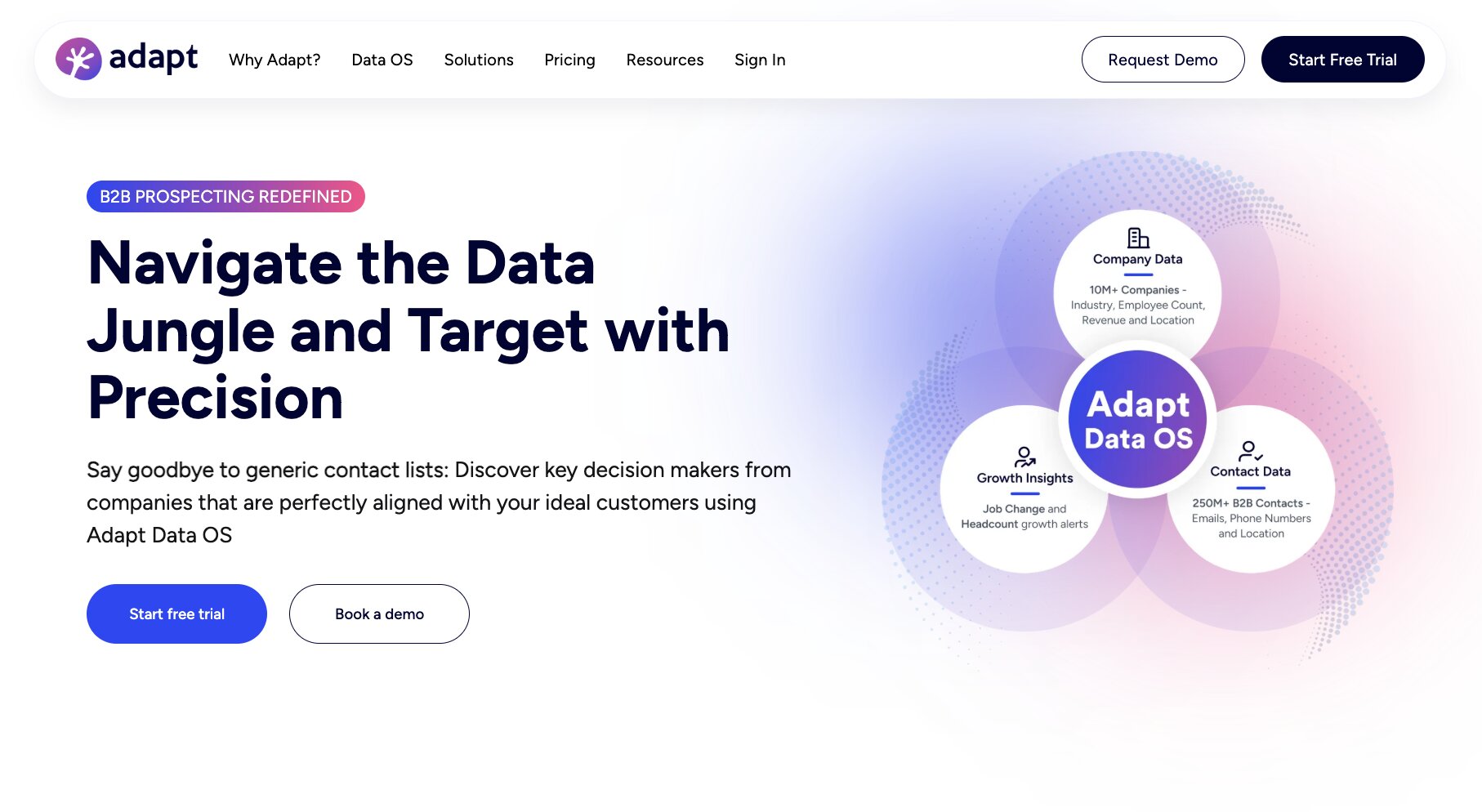
Adapt keeps things relatively straightforward. It’s not trying to be an all-in-one revenue platform; instead, it focuses on helping sales teams find verified B2B contacts, enrich company and prospect data, and build targeted lead lists through a simple, easy-to-use interface.
That makes it a good fit for smaller businesses and growing sales teams.
While it doesn't offer the depth of intent data or enterprise features you'll find with platforms like ZoomInfo or Cognism, it does deliver the core enrichment capabilities many organizations need at a more accessible price point.
Here are some of the things Adapt is best at:
- Small and midsize sales teams
- Businesses looking for an affordable enrichment platform
- SDRs building targeted prospect lists
- Teams enriching CRM records before outreach
- Organizations that want straightforward pricing and workflows
Here are some of its notable features:
- Contact and company data enrichment
- B2B prospect database with advanced search filters
- Email finder and email verification
- Bulk CSV enrichment
- Chrome extension
- CRM integrations with Salesforce, HubSpot, Pipedrive, Zoho CRM, and more
- API access
- Lead scoring and account insights
Pros and cons
Pros
- Transparent pricing with a free plan
- Easy to learn and use
- Combines prospecting and enrichment in one platform
- Good value for smaller sales teams
- Supports bulk list enrichment and CRM integrations
Cons
- Smaller contact database than some enterprise competitors
- Limited advanced sales intelligence features
- Phone data coverage varies by region
- Higher usage volumes require larger plans
Adapt pricing
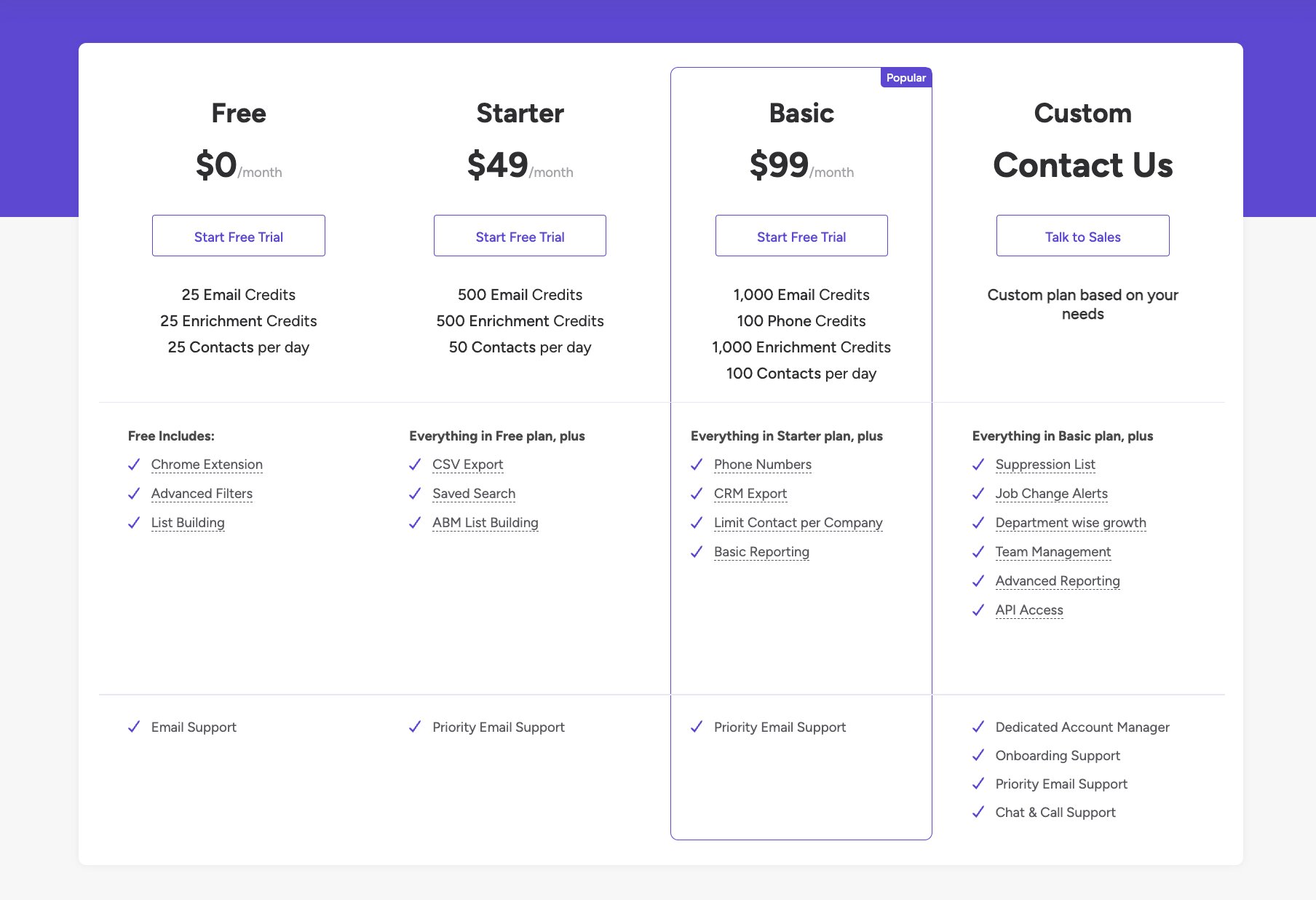
- Free: $0
- Starter: From $49/month
- Basic: From $99/month
- Custom: Contact sales
Adapt keeps its pricing relatively simple, with a free plan for getting started and paid tiers that increase credits, export limits, and available features. Businesses with higher enrichment volumes or more complex requirements can request a custom plan tailored to their needs.
See Adapt’s pricing page for a full comparison of plans and included features.
Adapt reviews
Here is what users rate Adapt on third-party review sites:
- G2: 4.6/5 star rating (from +2,793 reviews)
A recurring theme across Adapt's reviews is its simplicity. Users often mention that it's easy to find verified contact details, build prospect lists, and export enriched data into their CRM without a steep learning curve. Many reviewers also highlight the platform's value for smaller sales teams.
The most common criticisms relate to data coverage and feature depth. Some reviewers say contact information can occasionally be incomplete or outdated, while others feel the platform lacks some of the advanced intelligence and automation capabilities offered by larger competitors.
Which data enrichment tool should you choose?
The best data enrichment tool depends on what you're trying to achieve. Some platforms specialize in enterprise sales intelligence, while others focus on affordable contact enrichment, workflow automation, or keeping your CRM data accurate.
Here's where I'd start.
Choose Clay if you want the most flexible enrichment platform
Clay stands out if you need to enrich data from multiple providers, automate research, and build custom workflows without writing code. It's particularly well suited to revenue operations teams, growth marketers, and outbound teams that need highly customized enrichment pipelines.
Choose ZoomInfo or Cognism for enterprise sales teams
If your priority is access to large B2B contact databases, buying signals, and enterprise-grade sales intelligence, ZoomInfo and Cognism are the strongest options in this list. Both integrate well with CRM platforms and support larger sales organizations, although they come with significantly higher price tags than most alternatives.
Choose Apollo or Lusha for outbound prospecting
Apollo and Lusha combine prospecting with data enrichment, making them good choices for SDRs and sales teams building targeted outreach lists. They also offer useful sales engagement features, so you may not need separate prospecting software.
If outbound sales is your primary focus, you may also find our guide to the 7 best lead scoring tools and 8 best sales automation tools helpful when building your sales stack.
Choose Snov.io or Adapt.io if you're looking for value
Snov.io and Adapt both provide solid enrichment capabilities without enterprise pricing. They're well suited to startups, smaller businesses, and growing sales teams that need verified contact data, CRM enrichment, and prospecting tools without paying for features they'll never use.
Choose Cleanlist if data quality is your biggest challenge
If your CRM already contains large volumes of customer data, Cleanlist focuses on improving what you have rather than helping you find new contacts. It's a strong option for businesses looking to remove duplicates, standardize records, and improve enrichment accuracy before running sales or marketing campaigns.
Choose Gumloop if you want to automate enrichment workflows
If you want to connect enrichment providers, CRMs, spreadsheets, AI models, and internal tools into a single automated workflow, Gumloop is the clear choice. Instead of replacing your existing enrichment tools, it helps you orchestrate them, eliminating repetitive manual work and making it easier to enrich records at scale.
If you're planning to automate more of your prospecting process, check out our guide on how to automate lead generation with AI, which walks through building an end-to-end lead generation workflow.
Ultimately, there's no single ‘best’ data enrichment platform. The right choice depends on your budget, existing tech stack, and whether your priority is finding new prospects, improving CRM data quality, or automating enrichment as part of a larger workflow.
For many teams, combining a specialist enrichment provider with an automation platform delivers the best long-term results.

Read related articles
Check out more articles on the Gumloop blog.