7 best Sintra AI alternatives and competitors in 2026

So you want to create an AI employee. Maybe you’re like me and you’re finally convinced that AI is here to stay.
Or maybe you have been already using Sintra AI and are craving for something more flexible.
Regardless of why you landed on this article, in which you did if you’re reading this, I want to tell you that you’re in the right place.
I’ve been using AI agent and automation tools for the past year and a half and have tested literally every tool under the sun. So in this article, I want to show you my favorite Sintra AI alternatives.
These range from different use cases and pricing options, so I’m sure you’ll find a tool here that fits what you need. I made sure to explain what each tool is best for, the pros and cons, and what makes them different compared to Sintra AI.
Alright, let’s jump into it.
What to look for in a Sintra AI alternative
When looking for a Sintra AI alternative, it’s important to know the exact use case you need the platform for. Some of these tools are better than others at specific tasks.
For example, one tool can be just like SIntra AI in that it creates characters that act as AI employees. These are pre-built and productized around certain jobs-to-be-done.
However, some others are more flexible and act as AI agent builders that can handle multiple tasks. Regardless of which camp you fall in, here are some things you should consider when considering a Sintra AI alternative:
- Mult-LLM support: Make sure the platform you choose can integrate with multiple AI models. Some of them require that you use your own API key, while others give you free access (I’ll show both below).
- AI agent orchestration: Make sure the platform allows you to create specific automated workflows. And then from there, it allows you to create AI agents that can go and run those workflows on your behalf. This makes it a true “AI employee.”
- Chatbot builder: Some tools give you an AI chatbot assistant that can help you create your AI employees simply by talking to the tool (similar to how you would talk to ChatGPT). If you’re not familiar with AI agent building on your own, then this feature can come in handy.
- Number of integrations: Make sure the platform you choose can integrate with all of the existing tools in your tech stack. Also make sure that it has extra tools that you may need in the future (to future-proof your platform of choice). If the platform does not have a native integration, make sure it can connect to MCP servers so you aren’t limited.
- Pricing: This one is obvious, but make sure you fully understand the pricing structure of the platform you pick. Some of them can be sneaky and end up charging you a lot of money if your automations grow in complexity.
Overall, these are the core things I would look at when evaluating an alternative to Sintra AI below. Okay, now let’s get into the list.
7 best Sintra AI alternatives to check out in 2026
Here are the best Sintra AI alternatives:
Let’s take a look at each one.
1. Gumloop

- Best for: Teams of all sizes looking to build AI-powered workflows and agents without needing technical skills
- Pricing: Free plan available, paid plans start at $37/month
- What I like: Built-in AI assistant (Gummie) that lets you create automations through natural language, plus access to premium LLM models without separate API keys
Gumloop is an AI automation platform that is designed to be built for everyone from beginner to expert. At its core, the platform aims at turning any non-technical person into an AI engineer.
With Gumloop you can create automations for any task across marketing, sales, operations, engineering, and support. And the tool integrates with a wide range of apps as well as all the premium LLM models (without you needing your own API keys).
I've been using Gumloop for almost a year now and it's quickly become my favorite AI tool on the market. And now with Gummie, the built-in AI assistant, you can create any AI agent or automated workflow simply by telling Gummie what you want to do.
I would say Gumloop is like if Zapier and ChatGPT had a baby. And the tool allows you to leverage the power of LLMs with any existing tools that you're already using in your tech stack. And with guMCP you can also create your own custom integrations simply with natural language.
Gumloop pros and cons
Here are some of the pros with Gumloop:
- Create any automation or "AI employee" simply by talking to the Gummie chatbot
- Is a true AI workforce platform as it allows you to create AI-powered workflows, and then create AI agents that can run tasks based off of those workflows (I have yet to see any platform do this)
- It can integrate with any premium LLM model without you needing to pay for a separate subscription on those AI platforms
- There's a generous free plan that allows you to create your first automation without pulling out your credit card
Here are some of the cons with Gumloop:
- The template marketplace is still growing, so to get the most out of it you should sign up with a general idea of what you want to automate
- Because the team is constantly adding new features, some of the elements within the UI/UX can shift around
Overall, Gumloop is a true all-in-one AI agent builder that is designed for teams of all sizes. I personally use it for my small marketing agency as well as my solo-run media company. And at the same time, hundreds of employees at Shopify use it, as well as some other big companies like Webflow and Instacart.
If you're looking for a Sintra AI alternative that is more flexible and customizable, then this is a platform I highly recommend trying.
When to choose Gumloop over Sintra AI
You should consider Gumloop if:
- You want to build custom AI workflows from scratch using natural language with Gummie rather than being limited to pre-built character templates.
- You need access to multiple premium LLM models (OpenAI, Claude, Gemini) without managing separate API keys or subscriptions for each.
- You're looking for a platform that combines workflow automation with AI agent creation, allowing agents to execute complex multi-step processes you have built.
Gumloop pricing

Here are Gumloop's pricing plans:
- Free: $0/month with 2k credits per month, 1 seat, 1 active trigger, 2 concurrent runs, Gummie agent, forum support, unlimited nodes, and unlimited flows
- Solo: $37/month with 10k+ credits per month, unlimited triggers, 4 concurrent runs, webhooks, email support, and bring your own API key
- Team: $244/month with 60k+ credits per month, 10 seats, 5 concurrent runs, unlimited workspaces, unified billing, dedicated Slack support, and team usage and analytics
- Enterprise: Custom pricing with role-based access control, SCIM/SAML support, admin dashboard, audit logs, custom data retention rules, regular security reports, data exports, incognito mode, AI model access control, and virtual private cloud
If you want to learn more about what each plan has to offer, you can check out the pricing page.
Gumloop reviews
Here are what Gumloop customers are saying about the platform:
“Gumloop wins time back across an org. It puts the tools into the hands of people who understand a task and lets them completely automate it away.” — Bryant Chou, Co-founder @ Webflow
“Gumloop has been critical in helping all teams at Instacart - including those without technical skills - adopt AI and automate their workflows, which has greatly improved our operational efficiency.” — Fidji Simo, CEO @ Instacart
You can also check out my own independent review of Gumloop if you want to learn more about what you can do with it.
2. n8n
- Best for: Technical teams who want full control over their automation workflows with self-hosting options
- Pricing: Free plan available, paid plans start at $24/month
- What I like: Open-source platform with 500+ integrations and the ability to self-host for complete data control
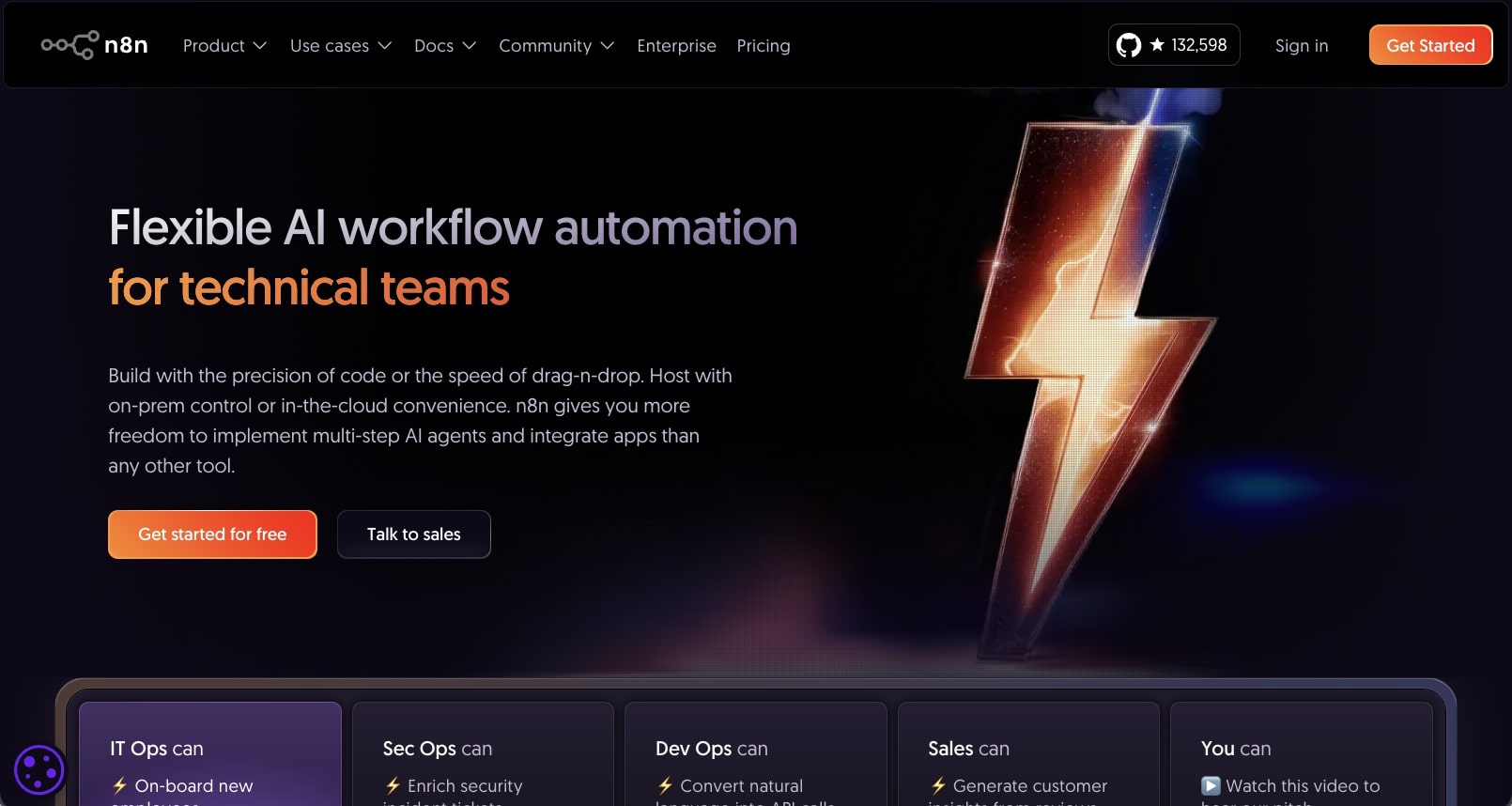
n8n is a workflow automation platform built for technical teams. The platform gives you a drag-and-drop interface where you can add different tools in your tech stack and integrate them with different AI models to create automations for literally anything.
It's become a popular platform for both agencies creating automations for their clients and also in-house teams trying to leverage AI to improve their productivity.
The platform is a bit more on the technical side compared to something like Gumloop, but they do have a lot of templates that can help you get started quickly.
n8n pros and cons
Here are some of the pros with n8n:
- Has over 500 integrations with existing tools you might already be using
- Allows you to integrate with different AI models (although you need your own API key)
- Has a wide range of workflow templates to get started with
- Has lots of resources and tutorials online from the community
Here are some of the cons with n8n:
- Leans more on the technical side so there is a learning curve
- The workflow builder can feel a bit outdated and clunky
- The AI help function doesn't always work the best
Overall, n8n is a solid choice if you're looking for a Sintra AI alternative that has a lot of workflow templates created by a community.
When to choose n8n over Sintra AI
You should consider n8n if:
- You have technical skills and want full control over your automation infrastructure with self-hosting capabilities.
- You need to comply with strict data privacy requirements and prefer keeping all your workflow data on your own servers.
- You want an open-source solution that you can customize and extend with your own code when needed.
n8n pricing

Here are n8n's pricing plans:
- Starter: $24/month with 2.5k workflow executions, 1 shared project, 5 concurrent executions, and hosted by n8n
- Pro: $60/month with 10k workflow executions, 3 shared projects, 20 concurrent executions, and hosted by n8n
- Business: $960/month with 40k workflow executions, 6 shared projects, SSO/SAML/LDAP, and self-hosted
- Enterprise: Custom pricing with unlimited shared projects, 200+ concurrent executions, and hosted by n8n or self-hosted
If you want to learn more about what each plan has to offer, you can check out the pricing page.
n8n reviews
Here's what customers of n8n rate the platform on third-party review sites:
- G2: 4.8/5 star rating (from +177 user reviews)
- Capterra: 4.6/5 star rating (from +40 user reviews)
3. Zapier
- Best for: Businesses looking for a mature automation platform with the largest integration library
- Pricing: Free plan available, paid plans start at $29.99/month
- What I like: Battle-tested platform with 7,000+ integrations and the ability to create both workflows and AI agents
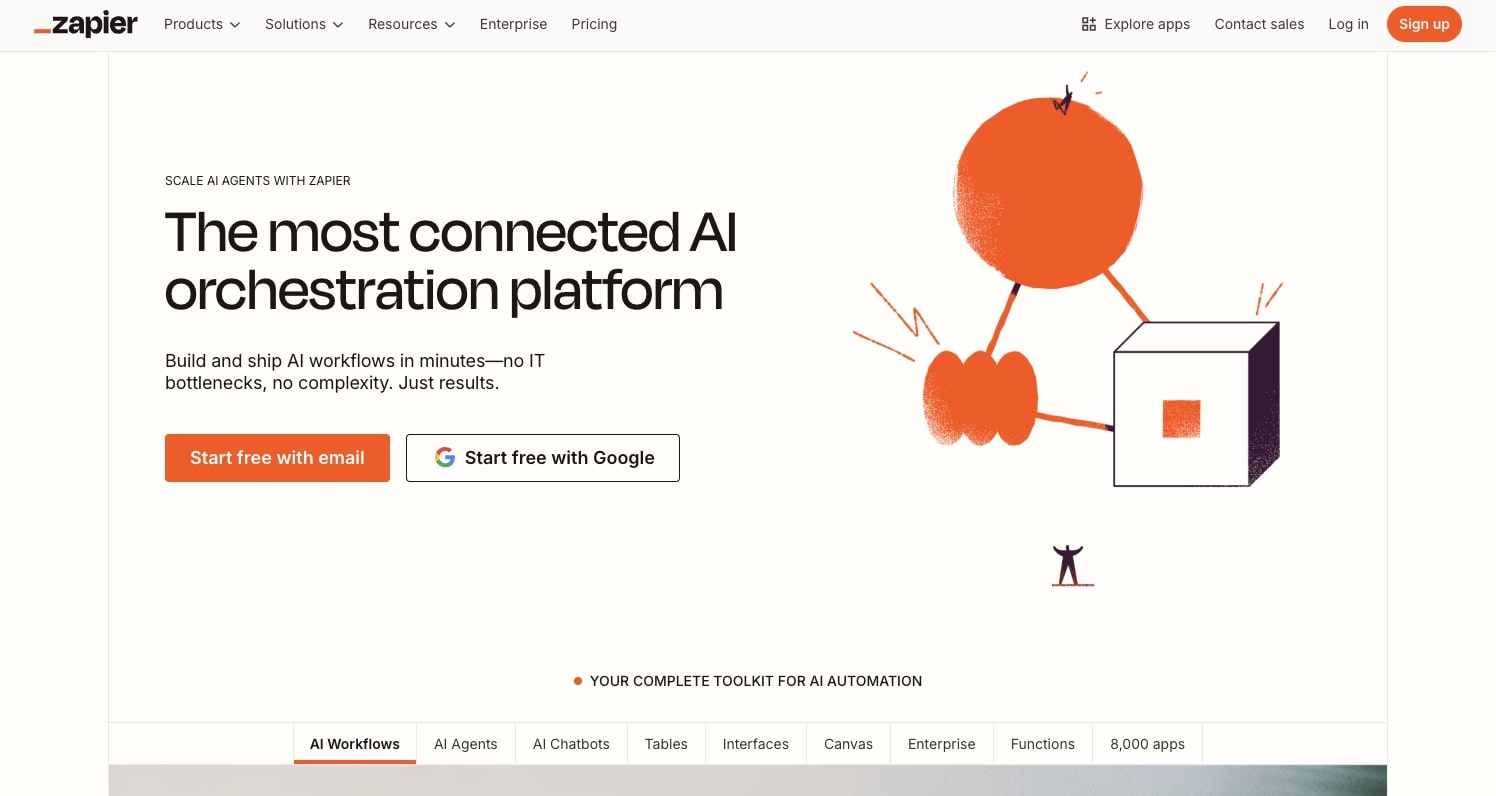
Zapier is an AI workflow platform that allows you to create automated workflows similar to n8n and then also allows you to create AI agents and chatbots.
There's a good chance you already know what this platform is as it's been around for a very long time. It's probably the most well-known automation platform and it's used by companies like Meta, Disney, Okta, and more.
And it's actually the tool I initially started to use when I started my marketing agency. So if you're looking for a Sintra AI alternative that is more self-serve and customizable, this is a tool to check out.
Zapier pros and cons
Here are some of the pros with Zapier:
- Can integrate with almost any existing tool you're using
- Fairly simple interface to create AI agents
- Used by a lot of big companies and is a mature platform
Here are some cons with Zapier:
- The regular workflow builder and AI agent builder pricing structure is a bit confusing (they are two separate things)
- When using advanced JavaScript in your automations, the flows can sometimes give errors (even though they're actually running successfully)
Overall, Zapier is a solid choice if you're looking for a Sintra AI alternative with the most integrations and a proven track record. But if you’re looking for something that productizes AI employees, like Sintra AI does, it might be worth looking into a Zapier alternative.
When to choose Zapier over Sintra AI
You should consider Zapier if:
- You need to integrate with niche or lesser-known apps that might not be available on other platforms.
- You want a platform that's been around for years with extensive documentation, tutorials, and community support.
- You're working at an enterprise company that requires a mature, battle-tested automation solution with strong compliance and security standards.
Zapier pricing
Here are Zapier's pricing plans:
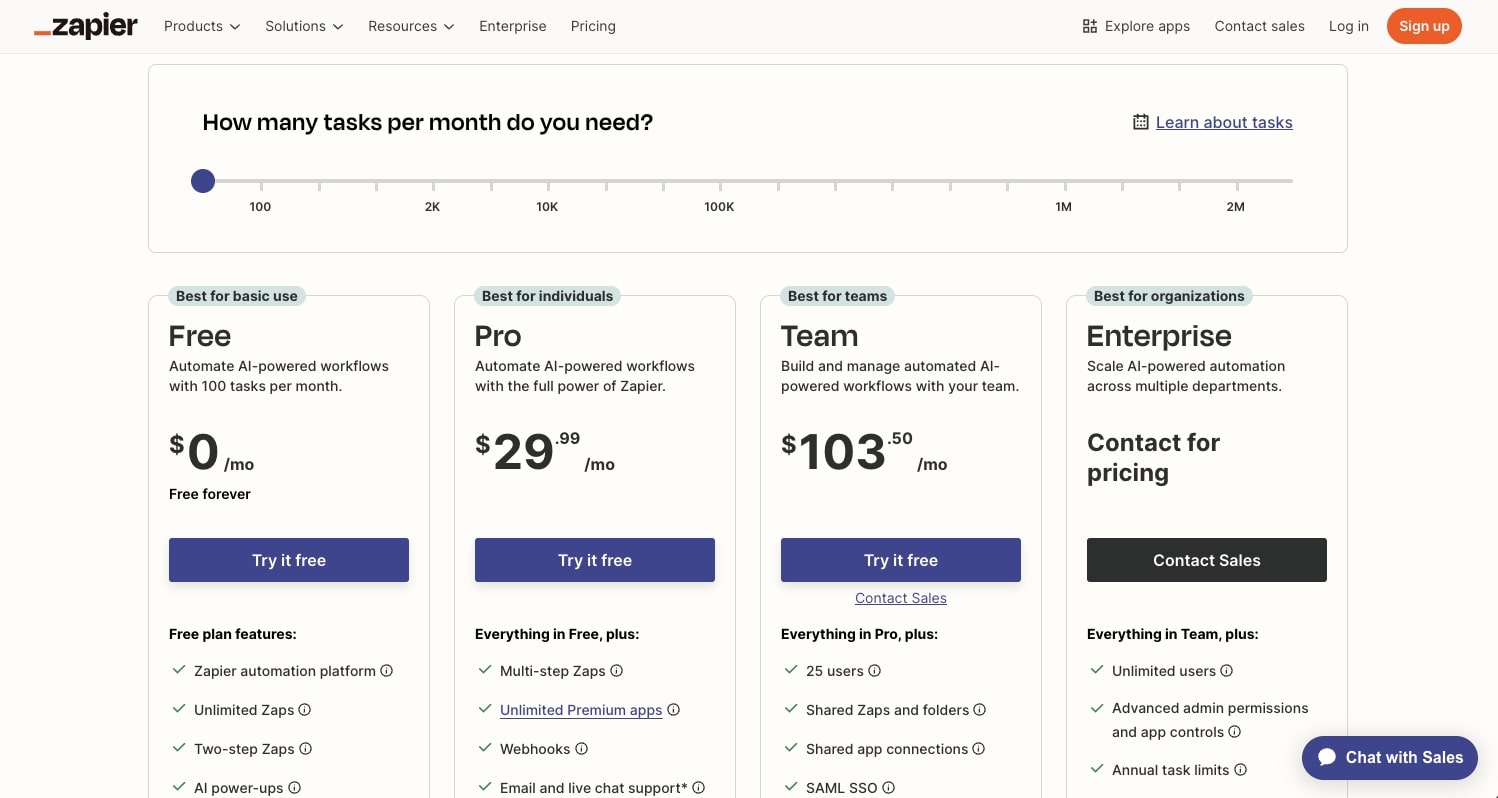
- Free: $0/month with 100 tasks per month, Zapier automation platform, unlimited Zaps/Tables/Interfaces, two-step Zaps, and Zapier Copilot
- Professional: Starting from $29.99/month with multi-step Zaps, unlimited premium apps, webhooks, email and live chat support, and AI fields
- Team: Starting from $103.50/month with 25 users, shared Zaps and folders, shared app connections, SAML SSO, and premier support
- Enterprise: Contact for pricing with unlimited users, advanced admin permissions and app controls, advanced deployment options, annual task limits, and observability
If you want to learn more about what each plan has to offer, you can check out the pricing page.
Zapier reviews
Here's what customers of Zapier rate the platform on third-party review sites:
- G2: 4.5/5 star rating (from +1,598 user reviews)
- Capterra: 4.7/5 star rating (from +3,023 user reviews)
4. Lindy AI
- Best for: Businesses focused on customer support and sales automation with AI voice agents
- Pricing: Free plan available, paid plans start at $49.99/month
- What I like: AI voice agent features for handling support phone calls with a no-code builder
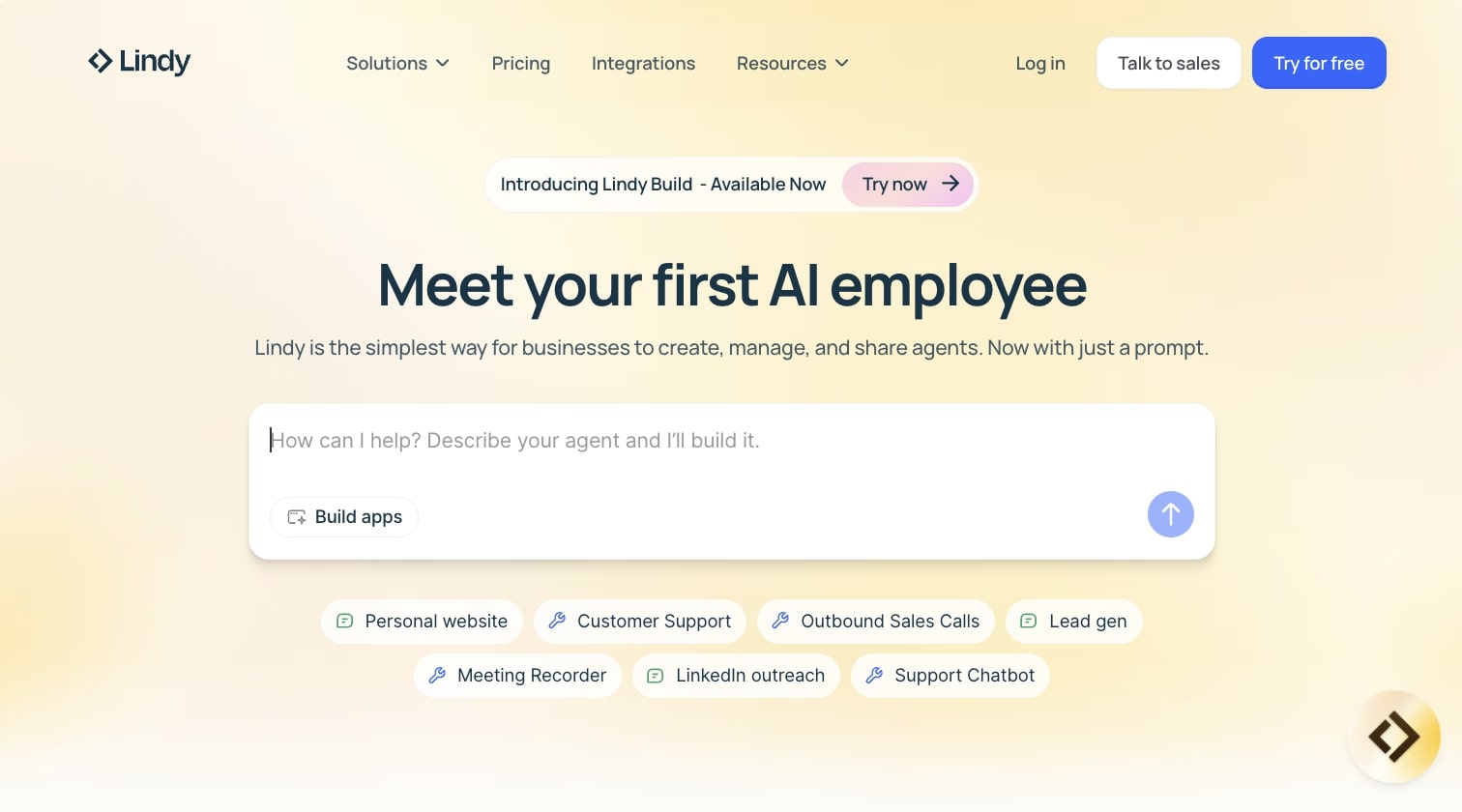
Lindy AI is an AI workflow platform that is very similar to Sintra AI in that it markets itself as an AI employee creation platform. However, Lindy AI is mostly focused on creating support agents and sales agents.
It does advertise itself as a multi-use case platform, however I've seen that it works best for those two use cases—customer support and sales. (Yes, I just used an em dash — I used them before AI ruined it.)
The platform has a very similar feel to Zapier, in that it can integrate with a handful of different existing apps.
Lindy AI pros and cons
Here are some pros with Lindy AI:
- Has an AI voice agent that can help you with answering support phone calls
- Has a no-code agent builder that allows you to build, test, and deploy your AI workforce
- Can integrate with ChatGPT to help you bring AI-powered automations to your workflows
Here are some cons with Lindy AI:
- It might not be the best tool if you need other use cases like HR, marketing, or creating custom Slack agents
- The pricing is a bit higher compared to some other platforms on this list
Overall, Lindy is a solid Sintra AI alternative if you mostly need a customer support AI employee. But if you’re looking for something that packages AI agents into “employees,” it might be worth looking into a Lindy AI alternative.
When to choose Lindy AI over Sintra AI
You should consider Lindy AI if:
- You need AI voice agents to handle inbound phone calls for customer support or sales qualification.
- You want a platform specifically optimized for customer-facing use cases rather than a general-purpose automation tool.
- You prefer a no-code builder that focuses on conversational AI agents over complex workflow automations.
Lindy AI pricing

Here are Lindy AI's pricing plans:
- Free: $0/month with 400 credits per month, up to 40 tasks, 1M character knowledge base, and 100+ integrations
- Pro: $49.99/month with 5,000 credits per month, up to 1,500 tasks, invite team members ($19.99/seat), 30 phone calls per month, 20M character knowledge base, and 6,000+ integrations
- Business: $199.99/month with 20,000 credits per month, everything in Pro, 100 phone calls per month, 30+ supported phone call languages, and 50M character knowledge base
- Enterprise: Custom pricing with as many credits as you need, everything in Business, priority support, dedicated success manager, unlimited phone calls, unlimited character knowledge base, enterprise integrations, and volume-based credit discounts
If you want to learn more about what each plan has to offer, you can check out the pricing page.
Lindy AI reviews
Here's what customers of Lindy AI rate the platform on third-party review sites:
- G2: 4.9/5 star rating (from +170 user reviews)
- Capterra: 3.5/5 star rating (from +2 user reviews)
5. Relevance AI
- Best for: Building complete AI workforces with multiple specialized agents for different business functions
- Pricing: Free plan available, paid plans start at $29/month
- What I like: Ability to create AI agents with distinct personalities and switch between different AI models (OpenAI, Llama, Anthropic)
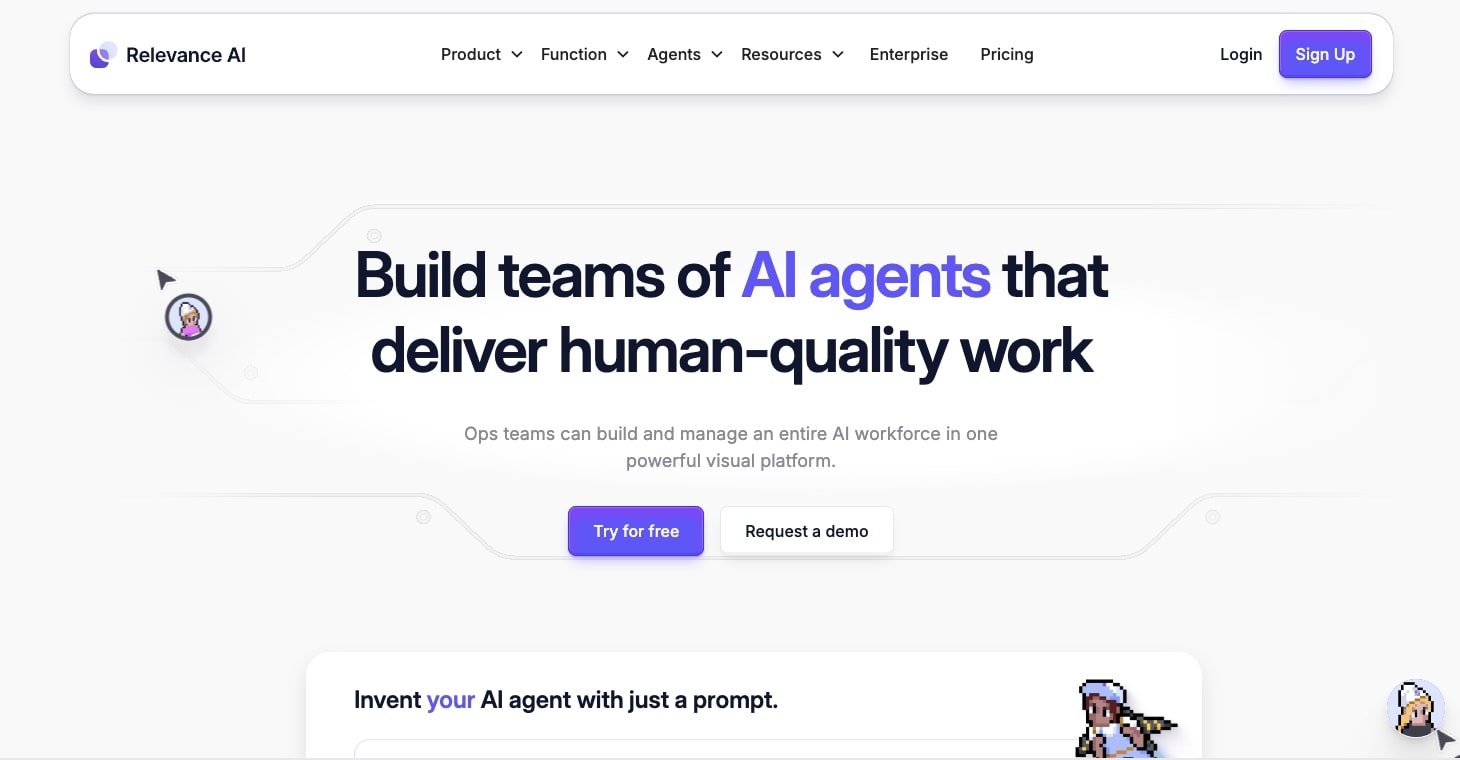
Relevance AI is another AI workforce building platform similar to Lindy AI as well as Sintra AI. The platform allows you to create AI agents that act as employees to help streamline repetitive tasks across multiple business processes.
In other words, it's an orchestration platform for creating your entire AI workforce. And the platform is used by some pretty big companies like Canva, Autodesk, and Rakuten.
Relevance AI pros and cons
Here are some of the pros with Relevance AI:
- Easily create AI BDR agents that can help with your outbound campaigns
- Create AI research agents that can help you prepare for sales calls
- Build custom AI agents that are similar to Sintra AI's characters
- Allows you to switch between different AI models like OpenAI, Llama, and Anthropic
Here are some of the cons with Relevance AI:
- The initial messaging on the website is a bit confusing as it can be hard to know exactly what to build with the platform
- Lacks advanced debugging tools to help you figure out what's wrong with a workflow
Overall, if you're looking for a platform that packages AI agents into characters with different personalities and traits, the same way Sintra AI does, this is definitely a platform to look into.
When to choose Relevance AI over Sintra AI
You should consider Relevance AI if:
- You need the flexibility to switch between different AI models (OpenAI, Llama, Anthropic) based on specific use cases or cost requirements.
- You want to build a complete AI workforce with multiple specialized agents for sales, research, and operations rather than individual task automations.
- You're working at a larger organization like Canva or Autodesk that needs enterprise-level controls and multi-org management.
Relevance AI pricing
Here are Relevance AI's pricing plans:
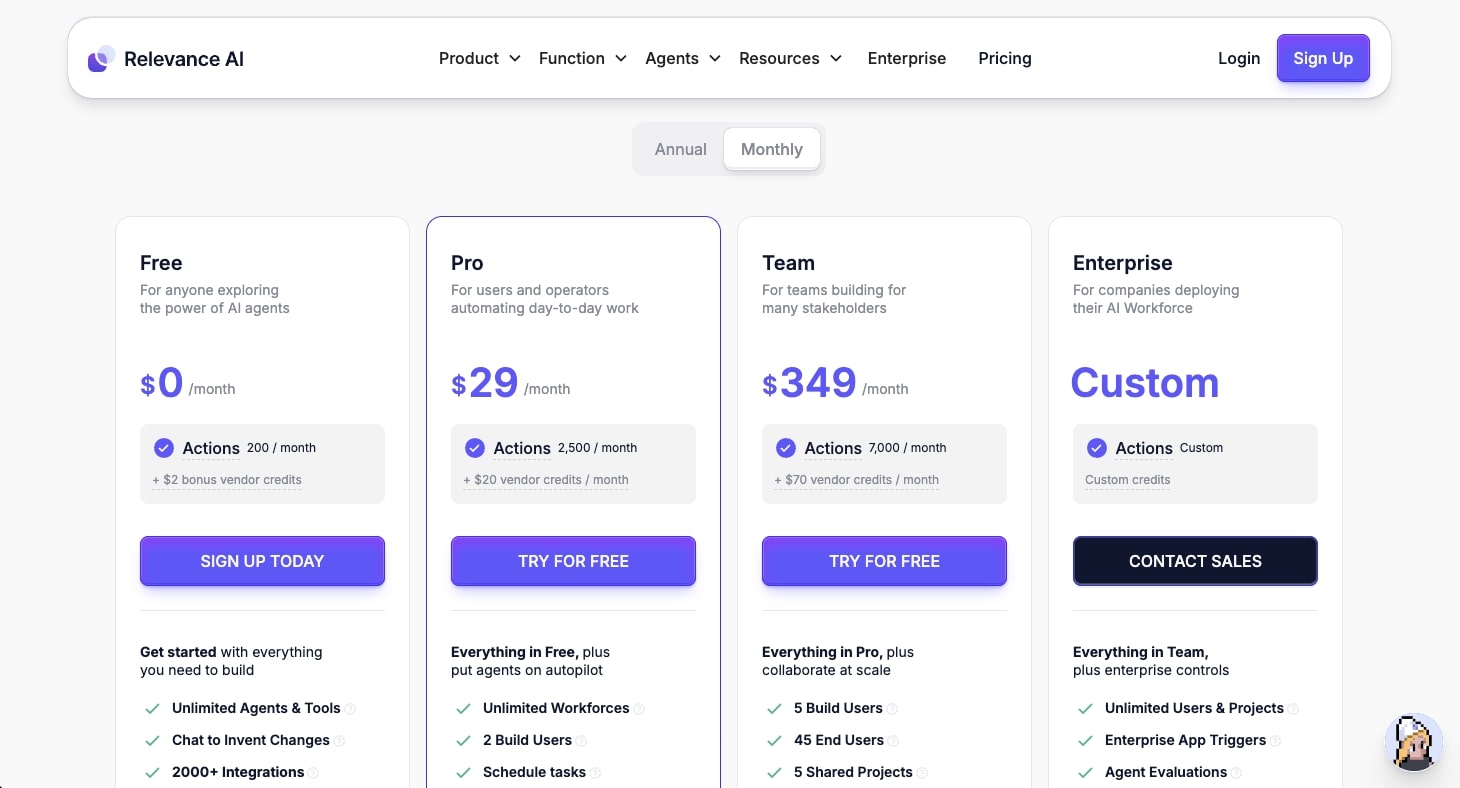
- Free: $0/month with 200 actions per month, $2 bonus vendor credits, unlimited agents and tools, 2000+ integrations, 1 workforce, 1 user and 1 project, and 30-day task history
- Pro: $29/month with 2,500 actions per month, $20 vendor credits per month, unlimited workforces, 2 build users, schedule tasks, chat mode, smart escalations, and 90-day task history
- Team: $349/month with 7,000 actions per month, $70 vendor credits per month, 5 build users, 45 end users, 5 shared projects, calling and meeting agents, A/B testing, analytics dashboard, and priority support
- Enterprise: Custom pricing with custom actions, unlimited users and projects, enterprise app triggers, agent evaluations, multi-org management, dedicated account manager, and custom implementation
If you want to learn more about what each plan has to offer, you can check out the pricing page.
Relevance AI reviews
Here's what customers of Relevance AI rate the platform on third-party review sites:
- G2: 4.2/5 star rating (from +19 user reviews)
- Capterra: 4/5 star rating (from +1 user review)
6. Relay.app
- Best for: Simple everyday automations for internal operations and admin tasks
- Pricing: Free plan available, paid plans start at $38/month
- What I like: Clean UI with an agent marketplace to see what others are building, and competitive pricing
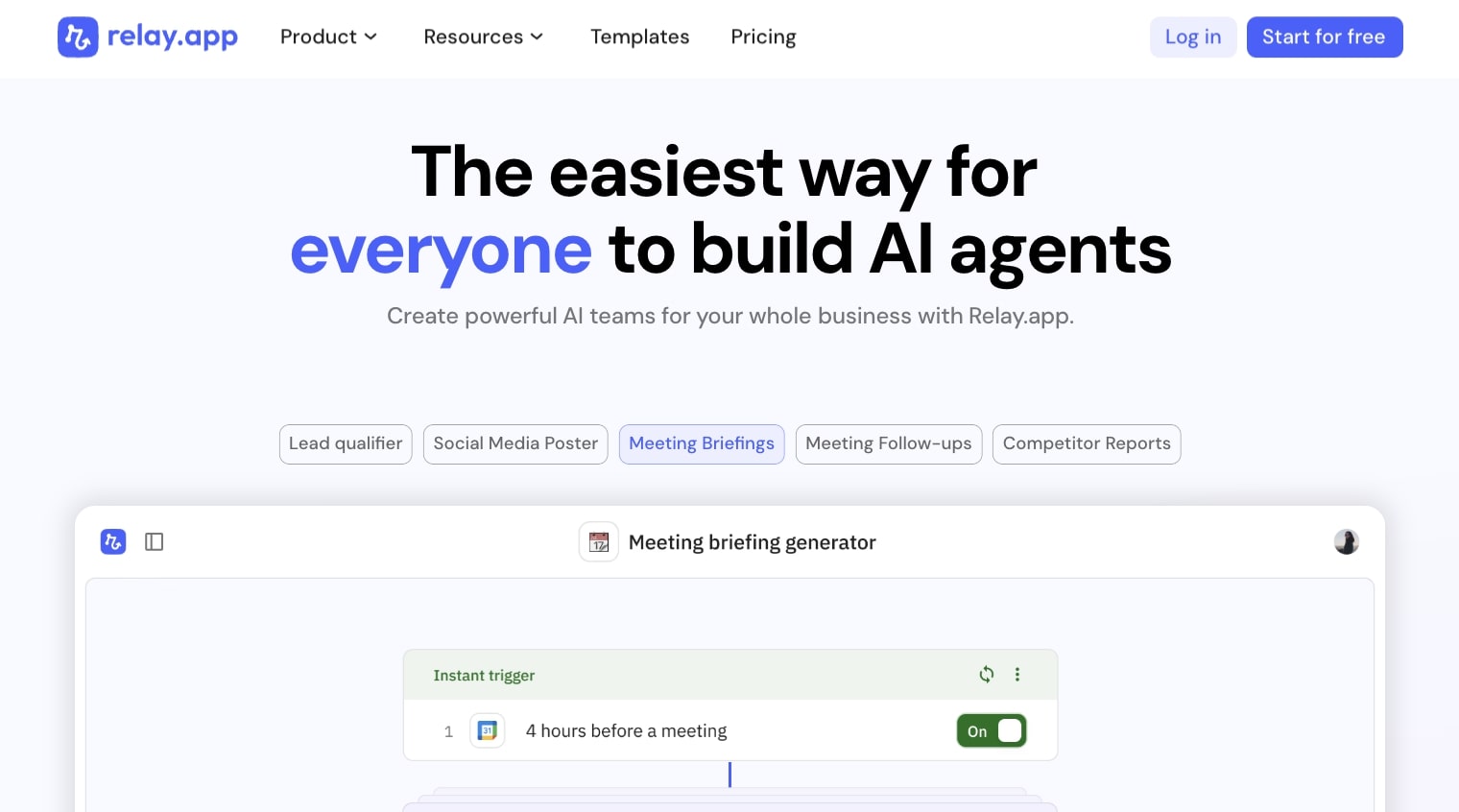
Relay.app is an AI platform that allows you to create simple automations for everyday work tasks. I would say that it's like a more basic version of Zapier. But basic doesn't mean bad. If you just need simple automations for things like social media scheduling or creating meeting follow-ups, then this can be an extremely useful product.
Building with Relay.app is fairly straightforward in that it has a similar building canvas to Zapier where you create triggers that interact with any tools that you connect to its ecosystem. This way you can bring in different LLMs (large language models) and have them interact with your existing tools in one workspace.
Relay.app pros and cons
Here are some of the pros with Relay.app:
- The UI is fairly easy to use and simple to understand
- Has an agent marketplace that allows you to see what other people are creating with the platform
- The pricing is competitively positioned with some other tools in this list
- Used by some big companies like Cursor, Ramp, and Motion
Here are some cons with Relay.app:
- It's built for simple automation, so if you get into really complex workflows it can get a bit slow
- It's missing some features in the marketing space and is mostly better for internal admin and operational tasks
Overall, if you're looking for a simple-to-use platform to create AI automations with, Relay.app is a great platform to look into. However, if you need something a bit more feature-rich, it might be worth looking into an alternative.
When to choose Relay.app over Sintra AI
You should consider Relay.app if:
- You need straightforward automations for internal operations and don't want to deal with the complexity of enterprise-grade platforms.
- You want to see what other users are building through the agent marketplace and get inspiration for your own workflows.
- You're working at a fast-growing company like Cursor or Ramp that needs simple, reliable automation without the overhead of complex setup.
Relay.app pricing
Here are Relay.app's pricing plans:
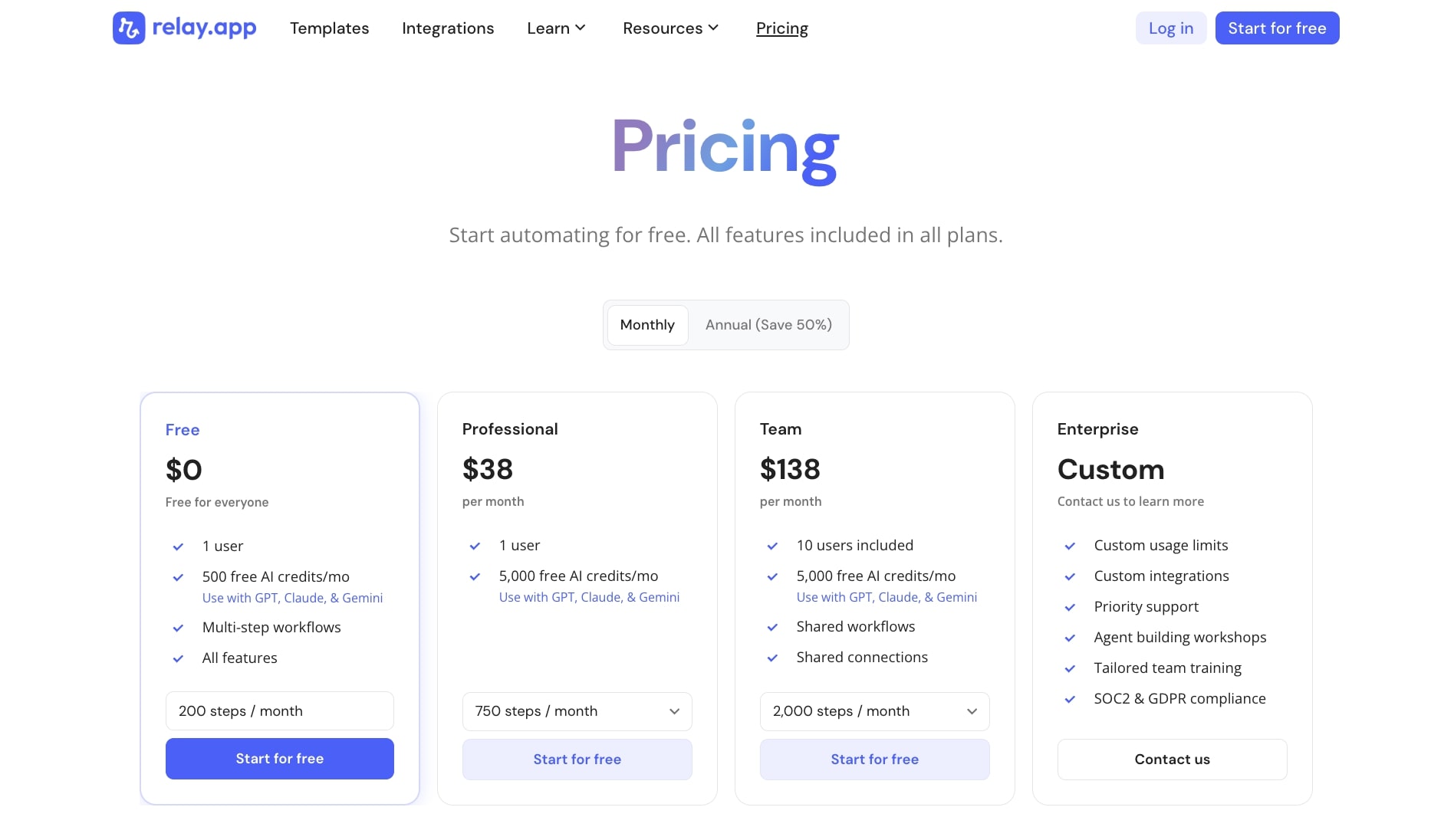
- Free: $0/month with 1 user, 500 free AI credits per month (use with GPT, Claude, and Gemini), multi-step workflows, and all features
- Professional: $38/month with 1 user, 5,000 free AI credits per month (use with GPT, Claude, and Gemini), and 750 steps per month
- Team: $138/month with 10 users included, 5,000 free AI credits per month (use with GPT, Claude, and Gemini), shared workflows, shared connections, and 2,000 steps per month
- Enterprise: Custom pricing with custom usage limits, custom integrations, priority support, agent building workshops, tailored team training, and SOC2 and GDPR compliance
If you want to learn more about what each plan has to offer, you can check out the pricing page.
Relay.app reviews
Here's what customers of Relay.app rate the platform on third-party review sites:
- G2: 4.9/5 star rating (from +70 user reviews)
- Capterra: 5/5 star rating (from +1 user review)
7. Make

- Best for: Small businesses and solopreneurs looking for a budget-friendly automation platform
- Pricing: Free plan available, paid plans start at $10.59/month
- What I like: Over 3,000+ integrations with a huge community creating tutorials and templates
Make (formally Integromat) is a popular automation platform that has been well known for being a budget alternative to n8n. Similar to Gumloop, Zapier, and n8n, Make allows you to create any automation by integrating all of your existing tools together.
The platform has made a name for itself in the automation tooling space and has a ton of resources online on how to use the platform. Many YouTubers and content creators teach how to use Make and orchestrate entire automations around sales, marketing, finance, and HR tasks.
Make pros and cons
Here are some of the pros with Make:
- Has over 3,000+ pre-built apps and integrations
- Has a simple drag-and-drop interface for creating automations
- Can be used for multiple use cases, from content creation to AI research
- Has a huge community around it so there's lots of tutorials on how to use the platform
Here are some of the cons with Make:
- It's built mostly for small businesses and service providers, so if you're a larger company it might be worth looking into a different tool
- The AI capabilities can feel like an afterthought as this is mostly an API automation platform first rather than being natively AI-powered
- Might be a bit harder to use compared to Sintra AI because it doesn't have those productized characters built in
Overall, if you're looking for a Sintra AI alternative that is a bit more flexible with creating AI assistants, then this is a platform to check out. But if you're looking for something that's a bit more pre-built and easy to set up, it might be worth looking into a Make alternative.
When to choose Make over Sintra AI
You should consider Make if:
- You're a freelancer or solopreneur on a tight budget who needs powerful automation capabilities without the enterprise price tag.
- You want access to a massive library of community-built templates and tutorials that can help you get started quickly.
- You need deep API-level control and customization for complex integrations that go beyond pre-built AI characters.
Make pricing
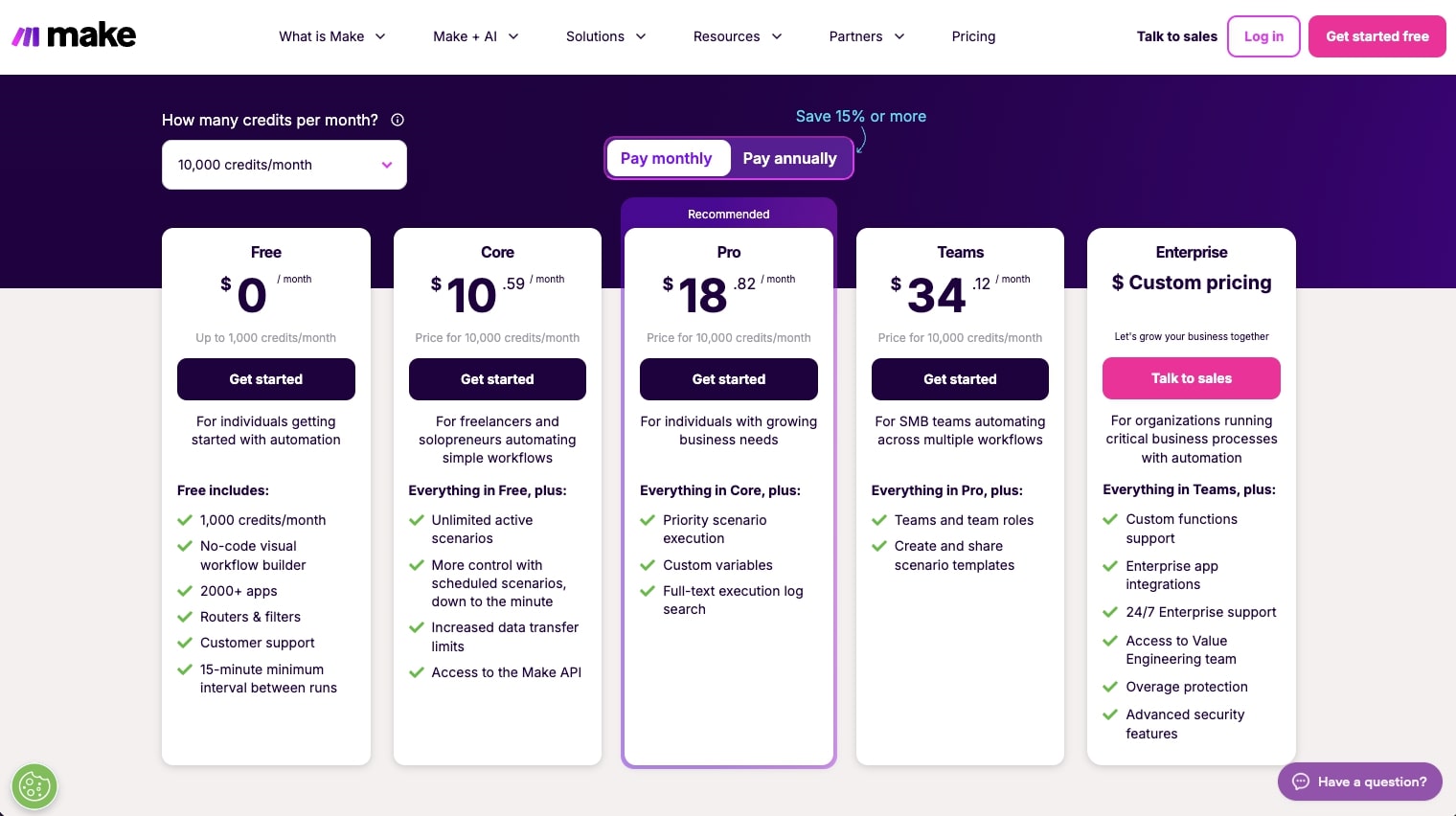
Here are Make's pricing plans:
- Free: $0/month with up to 1,000 credits per month, no-code visual workflow builder, 3000+ apps, routers and filters, customer support, and 15-minute minimum interval between runs
- Core: $10.59/month (price for 10k credits/month) with unlimited active scenarios, more control with scheduled scenarios down to the minute, increased data transfer limits, and access to the Make API
- Pro: $18.82/month (price for 10k credits/month) with everything in Core, plus priority scenario execution, custom variables, and full-text execution log search
- Teams: $34.12/month (price for 10k credits/month) with everything in Pro, plus teams and team roles, and create and share scenario templates
- Enterprise: Custom pricing with custom functions support, enterprise app integrations, 24/7 enterprise support, access to Value Engineering team, overage protection, and advanced security features
If you want to learn more about what each plan has to offer, you can check out the pricing page.
Make reviews
Here's what customers of Make rate the platform on third-party review sites:
- G2: 4.6/5 star rating (from +265 user reviews)
- Capterra: 4.8/5 star rating (from +406 user reviews)
Putting it all together
So there you go. That was 7 solid Sintra AI alternatives that can help you build your AI workforce.
Each platform has its own strengths. Gumloop is great if you want flexibility and multi-LLM support without needing API keys. n8n is perfect for technical teams who want full control. Zapier has the most integrations. Lindy AI is really good at customer support. Relevance AI is built for complete workforce orchestration. Relay.app keeps things simple. And Make gives you automated workflows on a budget.
As I’ve mentioned in the beginning of this article, the best choice really depends on what you need. If you want pre-built AI employees like Sintra AI offers, check out Relevance AI or Lindy AI. If you want more flexibility to build custom workflows from scratch, Gumloop or n8n are probably better fits.
I personally use Gumloop for my own business because I like having full control over my automations while still being able to talk to Gummie when I need help. But your needs might be different.
Either way, I hope this list helped you find the right tool. Pick one, sign up for the free plan, and start building. The best way to know if something works for you is to actually try it.
Happy automating!

Read related articles
Check out more articles on the Gumloop blog.