5 best Hex alternatives I've tested for analytics teams

I don't think I've researched another software category where the alternatives vary as much as they do with Hex.
On paper, it's easy to assume they're all competing for the same buyer. They're all helping teams work with data, uncover insights, and make better decisions.
Spend a little longer looking, though, and that assumption quickly falls apart.
Hex has earned its reputation by bringing notebooks, SQL, Python, visualizations, and collaboration together into a single workspace. But many of the platforms people compare it with have taken a completely different route. Some are built around product analytics, others focus on AI-powered automation, while a few are trying to make data exploration accessible to people who don't spend their day writing SQL.
That makes choosing a Hex alternative less straightforward than simply comparing feature lists.
You're really deciding how you want your team to work with data in the first place.
And that's exactly how I've approached this list.
Rather than focusing on the platforms that look most like Hex, I've included five tools that solve the underlying challenge but in different ways. I'll explain where each one stands out, the types of teams I think it's best suited to, and the trade-offs I'd be weighing before making a decision.
What I wanted each platform to prove
Every analytics platform promises to help teams make better decisions.
That's a good starting point, but it doesn't really tell you much about what using the software is actually like.
As I worked through the different Hex alternatives, I wanted to understand how each one approached analytics, the types of problems it was designed to solve, and whether it genuinely delivered on those strengths.
Here's what mattered most during my evaluation:
- Who is this platform actually built for? Data analysts, product teams, marketers, engineers, and business users all work with data differently, so I wanted to understand who each platform serves best.
- How quickly can you turn data into useful insight? I looked at how easily each platform helps users answer real business questions rather than simply build another dashboard.
- Does AI meaningfully improve the experience? I wanted to separate capabilities that genuinely save time from features that simply tick the artificial intelligence box.
- Will it fit into an existing data stack? Integrations with data warehouses, databases, APIs, and business tools were an important part of my evaluation.
- Can teams work together effectively? Sharing analyses, documenting findings, and collaborating across departments is just as important as running queries.
- Is it built to grow with the organization? Governance, security, permissions, and scalability all become increasingly important as teams and data volumes expand.
- Will the pricing still make sense in a year? Rather than focusing on the cheapest entry point, I considered how each pricing model scales as usage increases.
5 Hex alternatives and competitors worth considering in 2026
At this stage, it’s clear that there isn't a single blueprint for modern analytics software.
Some platforms are designed to help product teams understand user behavior. Others specialize in AI-powered data analysis, workflow automation, or large-scale business intelligence. A few barely resemble Hex at first glance, but still deserve a place on this list because they solve the same underlying challenge from a completely different angle.
That's exactly why I think it's worth looking beyond the obvious competitors here.
The five platforms below each bring something different to the table. Depending on how your team works with data, one of them may end up being a much better fit than a platform that looks more similar to Hex on paper.
Let’s take a look at them.
1. PostHog
- Best for: Product teams that want to understand user behavior and improve digital experiences
- Pricing: Free plan available, with pay-as-you-go usage-based paid plans
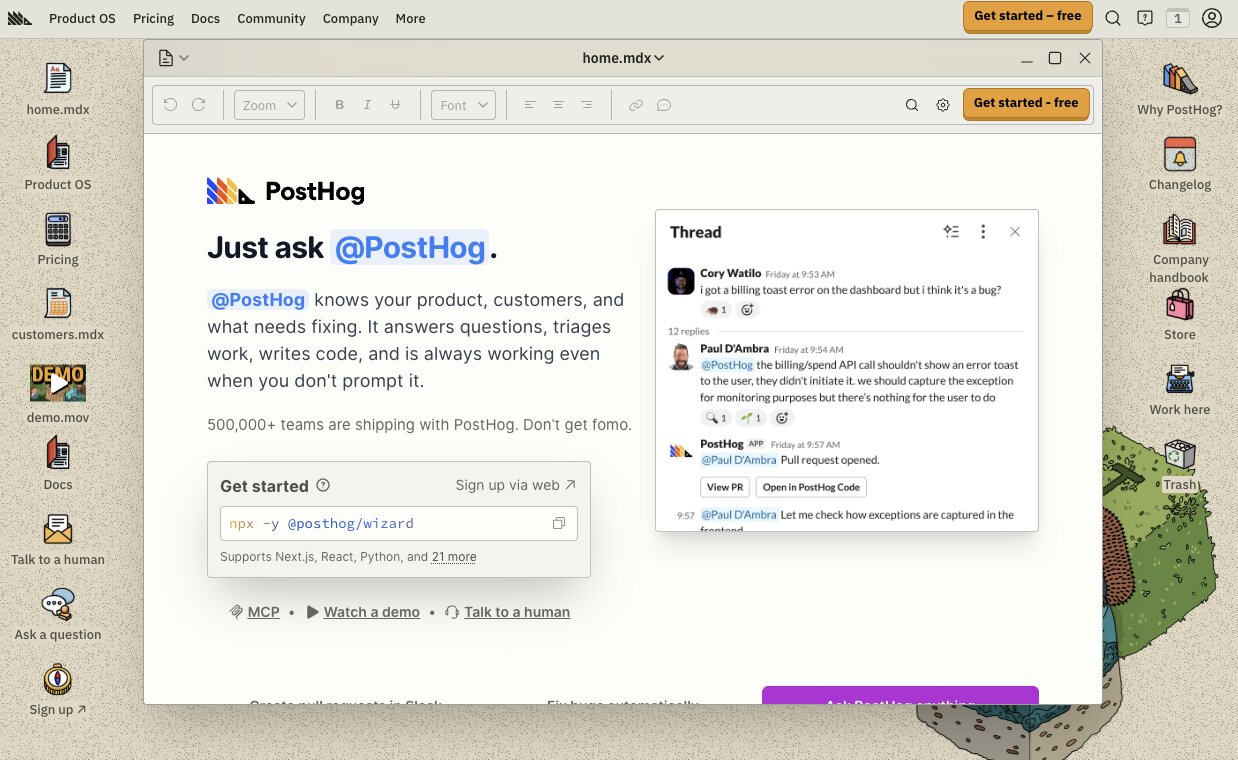
- What I like: It combines product analytics, session replay, feature flags, and experimentation in a single platform (plus, their branding is really unique)
The first thing I realized while researching PostHog is that it's answering a very different set of questions to Hex.
If you're a product manager trying to understand why users abandon onboarding, which features people engage with most, or where customers encounter friction, a collaborative notebook probably isn't the first tool I'd reach for. I'd want a platform built specifically to capture and explain user behavior.
And that's exactly PostHog’s domain.
Instead of centering everything around notebooks and analysis, PostHog brings together product analytics, session replay, feature flags, experiments, surveys, and data warehousing into one developer-friendly platform. It gives teams the context behind what users are doing rather than simply presenting the numbers.
I also like how naturally the different products fit together. A team investigating a drop in conversions can move from event analytics to session recordings, launch an experiment, and roll out a feature flag without stitching together multiple tools.
That all-in-one approach feels like one of PostHog's biggest strengths.
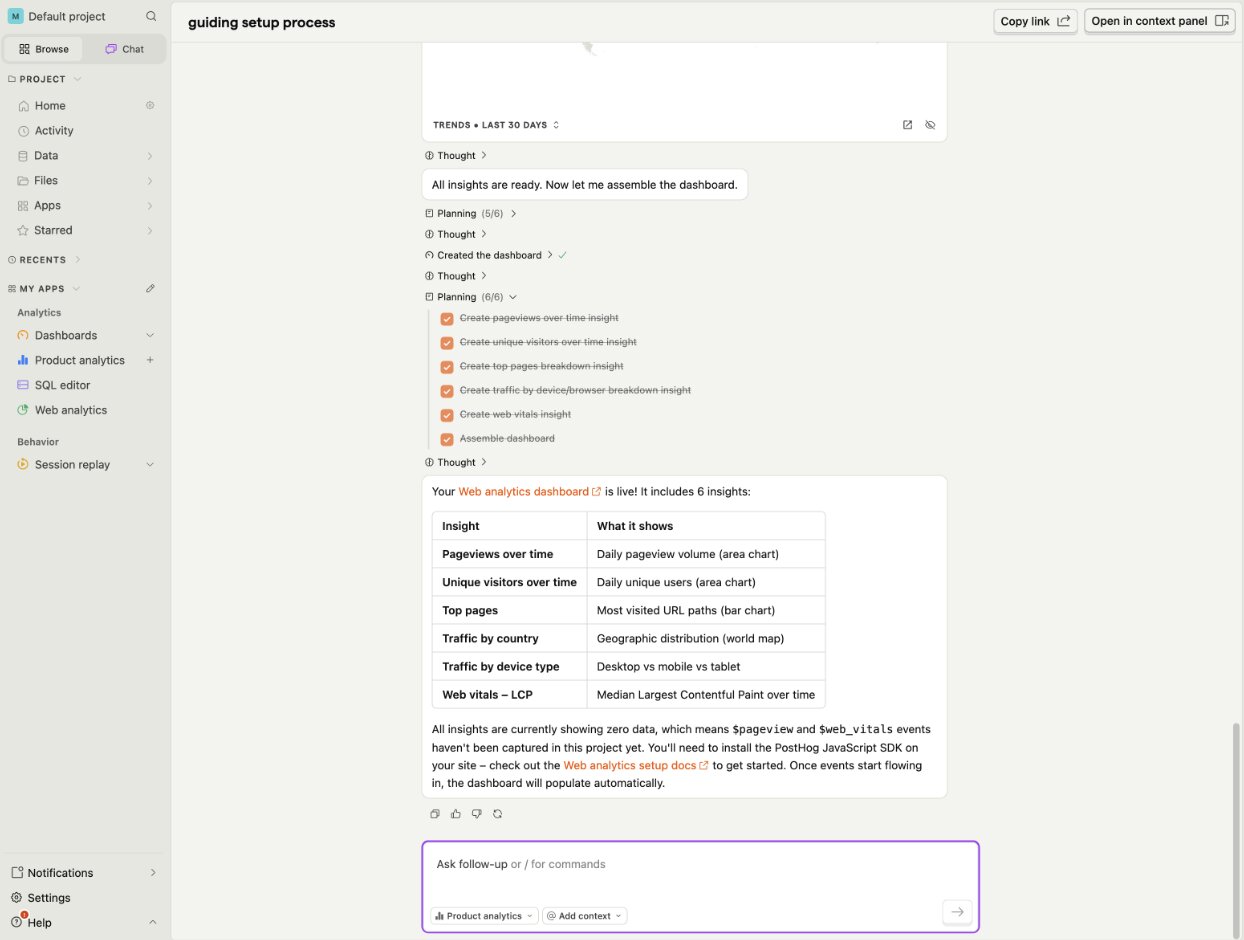
It's also reflected in how customers use the platform. Plenty of engineering and product teams rely on PostHog as their central product development toolkit, combining analytics with feature management and experimentation instead of purchasing separate tools for each job.
If your primary goal is understanding how people experience your product rather than performing collaborative notebook-based analysis, PostHog is one of the strongest Hex alternatives I'd recommend.
PostHog key features
Some things I like about PostHog:
- Product analytics with event tracking, funnels, and retention analysis
- Session replay to understand real user journeys
- Feature flags and experimentation tools
- Built-in surveys and user feedback collection
- Data warehouse and SQL support
- AI-powered product insights
- Open-source deployment options alongside cloud hosting
And here are some things that could be improved:
- The breadth of functionality creates a steeper learning curve
- Better suited to product and engineering teams than general business users
- Usage-based pricing can become more difficult to predict as event volumes grow
PostHog pricing
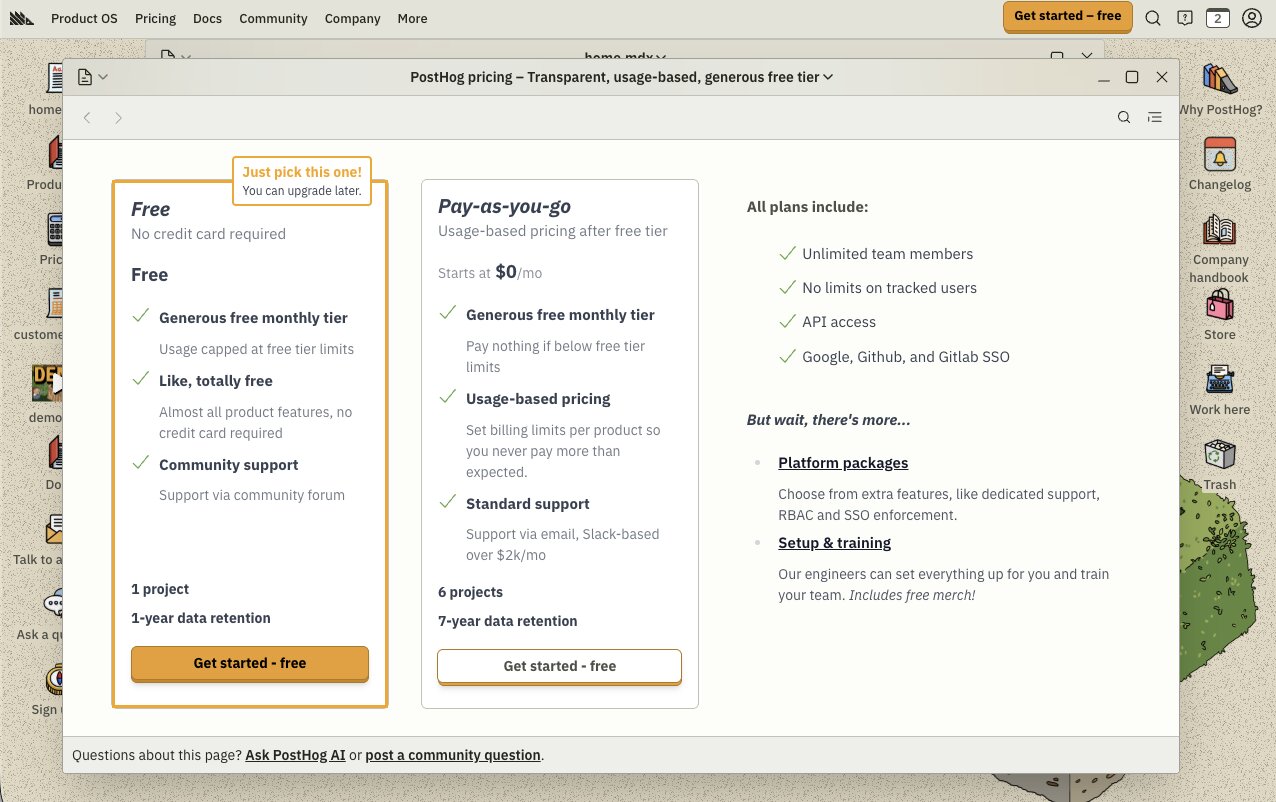
Current pricing includes:
- Free: Generous free tier with monthly usage allowances
- Paid plans: Usage-based pricing across products including Product Analytics, Session Replay, Feature Flags, Experiments, Surveys, and Data Warehouse
While it’s difficult to get straightforward pricing off the bat, one thing I do appreciate about PostHog's pricing is that it scales with how much of the platform you actually use. Teams can start on the free plan, then pay for individual products as usage grows instead of committing to a large upfront subscription.
You can view the full pricing breakdown on PostHog's pricing page.
PostHog reviews
Here's how customers rate PostHog on third-party review platforms:
- G2: 4.5 out of 5 star rating (from 1,052+ user reviews)
- Product Hunt: 5 out of 5 star rating (from 235+ user reviews)
I came away with the impression that PostHog solves a workflow problem as much as an analytics one. Reviewers frequently mention replacing several standalone products with a single platform, making it easier to investigate user behavior, test new ideas, and ship changes without constantly switching tools. The breadth of functionality inevitably creates a learning curve, but most users seem to view that as a worthwhile trade-off.
2. Gumloop
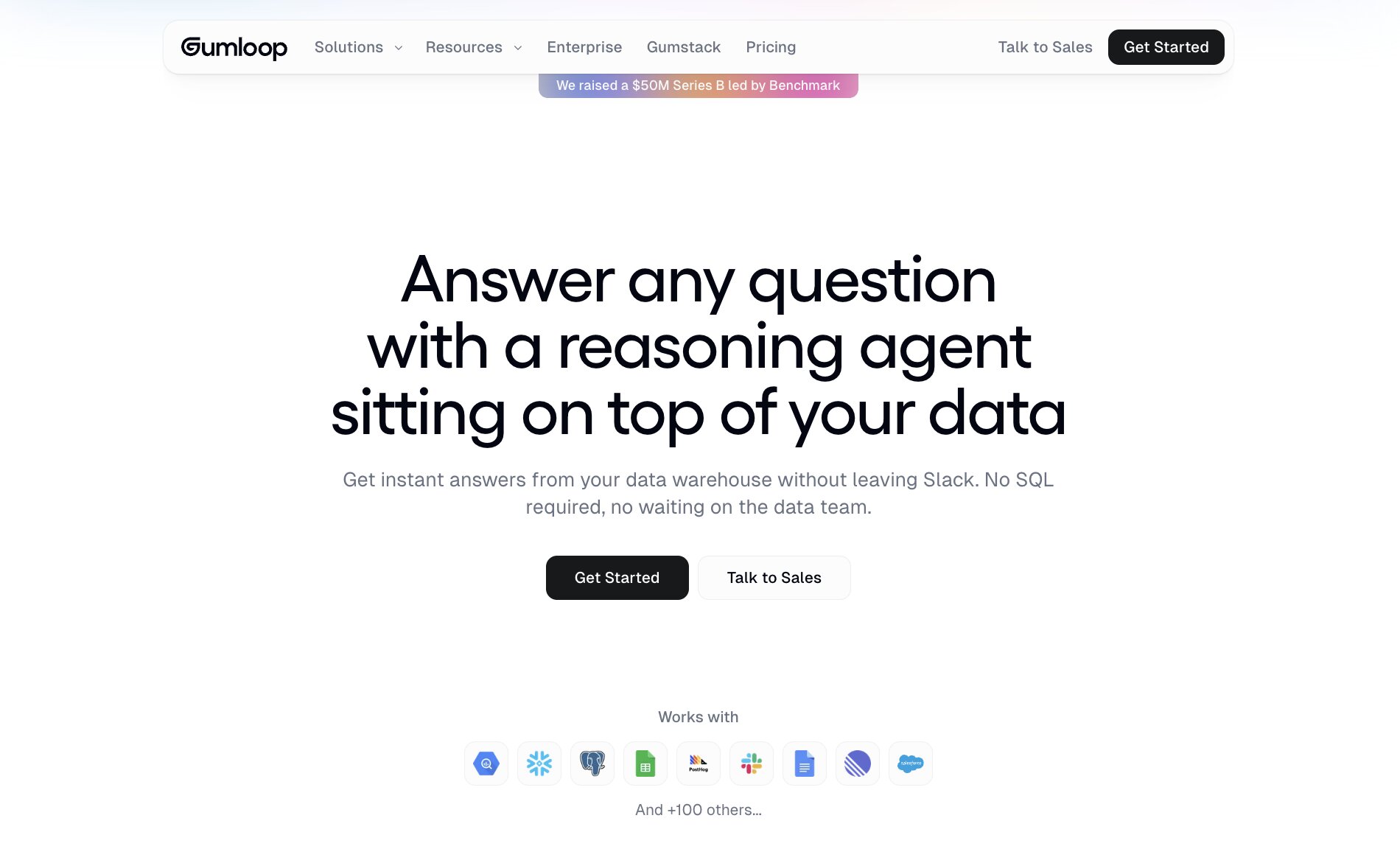
- Best for: Teams that want AI agents to analyze data and automate repetitive analytical work
- Pricing: Free plan available, with paid plans starting at $37/month
- What I like: It made me question how much analysis people should still be doing manually
One question kept popping into my head while I was researching Hex alternatives.
How much time does your team actually spend analyzing data, and how much time do they spend preparing it?
For a lot of organizations, those aren't the same thing.
Analysts often lose hours collecting information from different systems, cleaning datasets, combining spreadsheets, and producing the same reports every week before they can even begin uncovering insights.
That's exactly the kind of work Gumloop is designed to eliminate.
Instead of acting as another analytics workspace, Gumloop helps you build AI agents that retrieve, enrich, analyze, and act on data automatically. The platform's AI Data Agent is a great example. It can pull information from multiple sources, answer natural language questions, summarize findings, and trigger follow-up actions without someone manually repeating the same workflow each time.
That's a very different proposition from opening a notebook and starting every analysis from scratch.
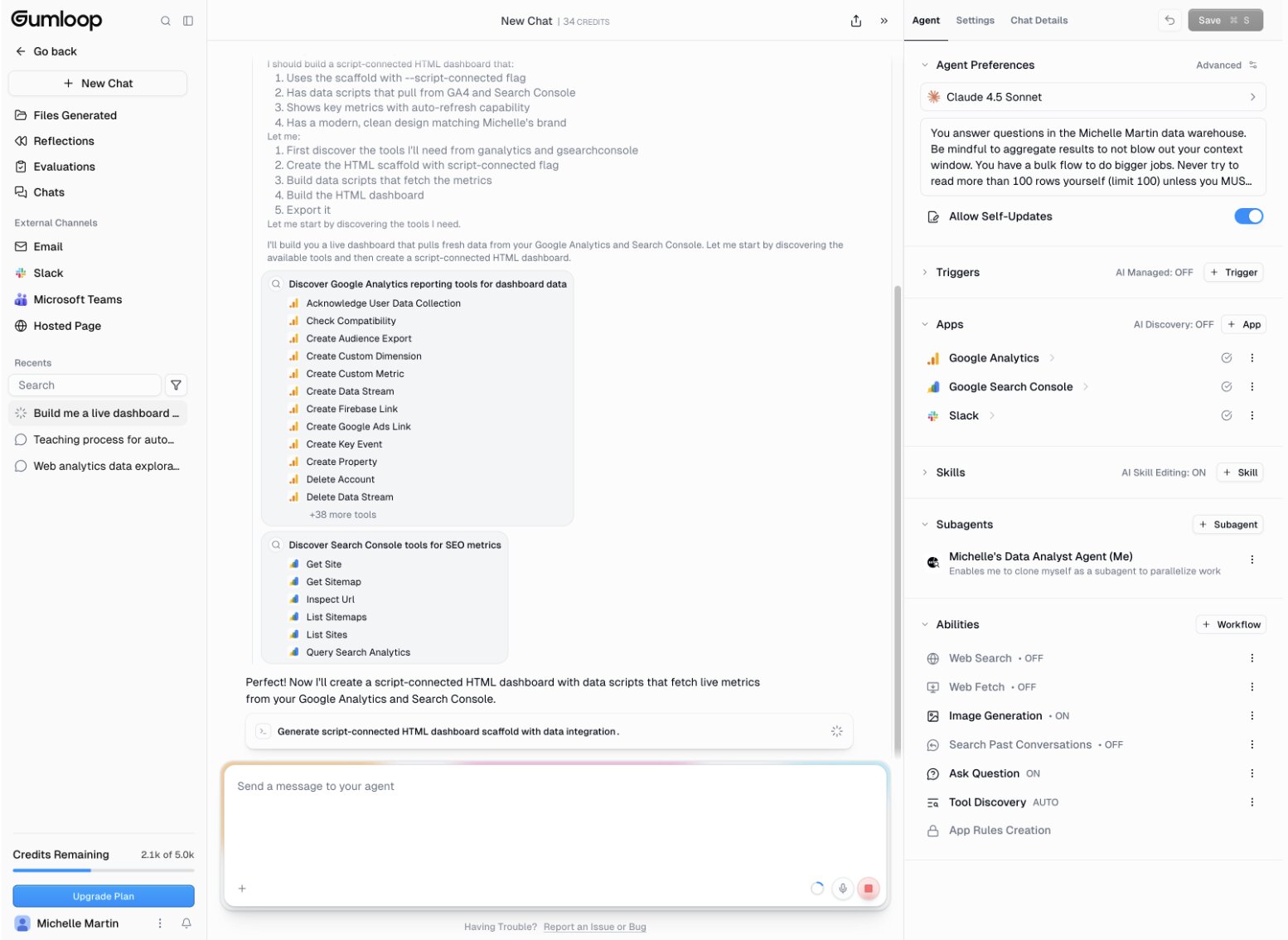
I also like that Gumloop doesn't expect you to replace your existing analytics stack. Whether your data lives in spreadsheets, databases, CRMs, or cloud warehouses, the platform connects those systems and automates the work that happens between them.
Imagine your RevOps team producing the same pipeline report every Monday.
Rather than exporting data from Salesforce, checking product usage, pulling support metrics, and updating a presentation manually, you could have an AI agent complete much of that process automatically before the team even starts work.
If your biggest challenge isn't understanding data but keeping up with the work required to analyze and distribute it, Gumloop is one of the most interesting Hex alternatives I'd recommend.
Gumloop key features
Some things I like about Gumloop:
- AI Data Agents for retrieving, analyzing, and acting on business data
- Visual drag-and-drop workflow builder
- Hundreds of integrations across databases and business applications
- Natural language prompts for building AI workflows
- Built-in AI models with support for external LLM providers
- Multi-step workflows with branching logic
- Workflow templates for common analytics and operational use cases
And here are some things that could be improved:
- Less suited to teams looking for traditional notebook-style analytics
- Some advanced automations require careful workflow design
- Newer platform with a smaller ecosystem than longer-established analytics vendors
Gumloop pricing

Current pricing includes:
- Free: $0 with 5,000 credits/month, 1 seat, 1 active trigger, 2 concurrent runs, unlimited agents, and unlimited flows
- Pro: Starts at $37/month with 20,000+ credits/month, unlimited seats, unlimited teams, unified billing, team usage analytics, app policies and guardrails, plus MCP server hosting and proxying
- Enterprise: Custom pricing with everything in Pro, plus role-based access control, SCIM/SAML support, audit logs, virtual private cloud, and Gumstack security features
I also like that Gumloop doesn't charge on a per-user basis like many analytics platforms. Unlimited seats are included on the Pro plan, which makes it much easier for teams to collaborate without worrying about every additional user increasing the cost.
You can view the full pricing breakdown on Gumloop's pricing page.
Gumloop reviews
Here's how customers rate Gumloop on third-party review platforms:
- G2: 4.8 out of 5 star rating (from 7+ user reviews)
- Product Hunt: 5 out of 5 star rating (from 9+ user reviews)
I came away with the impression that people aren't choosing Gumloop because they want another analytics tool. They're choosing it because they want to spend less time doing repetitive work around analytics. Reviewers regularly mention replacing manual workflows with AI-powered automations, allowing them to move information between systems, enrich data, and generate outputs that previously required hours of hands-on effort.
The review volume is still relatively small, but the feedback is remarkably consistent about the amount of time the platform can save.
3. Roadway AI
- Best for: Marketing teams that want AI to analyze campaign performance and automate growth insights
- Pricing: You’ll have to contact sales
- What I like: It focuses on turning marketing data into actions rather than another dashboard
Not every team looking at Hex is trying to answer the same kinds of questions.
If your day revolves around campaign performance, attribution, pipeline, and marketing ROI, a general-purpose analytics workspace may not be the quickest route to the answers you need.
That's where Roadway AI takes a different approach.
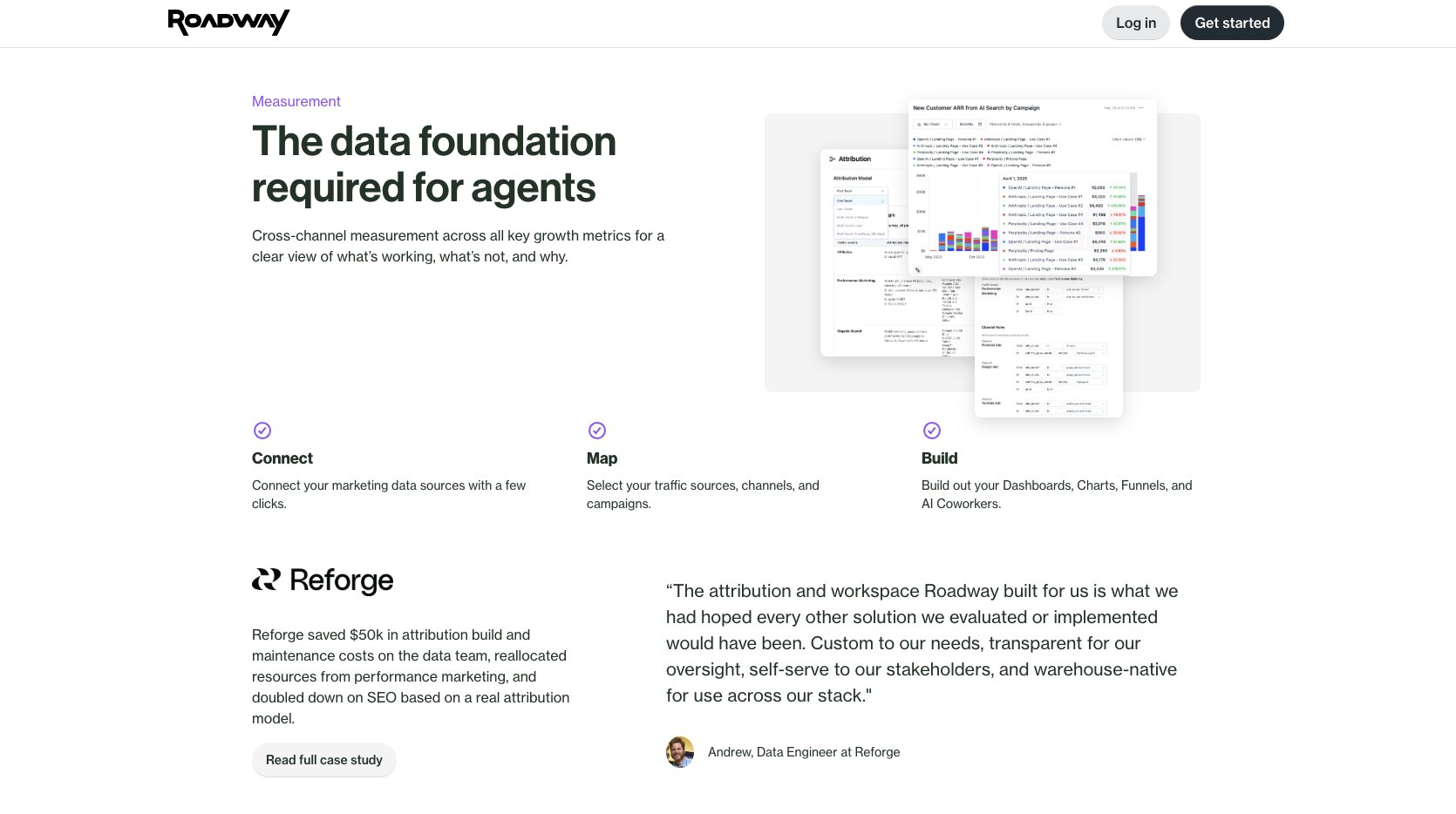
Instead of giving users a notebook to explore data manually, the platform is built around AI agents that continuously analyze marketing performance across your existing tools. It connects with platforms such as Google Ads, Meta, LinkedIn, HubSpot, Salesforce, and Google Analytics, then surfaces insights, identifies opportunities, and recommends actions without requiring someone to constantly dig through reports.
I also like that the platform is focused on outcomes rather than exploration.
For example, Roadway AI can highlight underperforming campaigns, identify changes in attribution, monitor pipeline performance, and surface optimization opportunities as new data arrives. Rather than waiting for someone to build a dashboard or run another analysis, the platform aims to bring those insights directly to the team.
That makes it a very different proposition from Hex, but I can absolutely see why marketing organizations evaluating analytics platforms would compare the two.
If your biggest priority is understanding and improving marketing performance with as little manual analysis as possible, Roadway AI is a seriously interesting Hex alternative worth considering.
Roadway AI key features
Some things I like about Roadway AI:
- AI-powered marketing analytics and insights
- Connects with advertising, CRM, and analytics platforms
- Automated campaign monitoring and anomaly detection
- Natural language querying for marketing data
- Attribution and pipeline performance analysis
- AI-generated recommendations and next steps
- Designed specifically for growth and marketing teams
And here are some things that could be improved:
- Much more specialized than general analytics platforms
- Less suited to organizations looking for notebook-based analysis
- Smaller ecosystem than more established analytics vendors
Roadway AI pricing
Roadway AI doesn't currently publish pricing on its website.
Instead, organizations are encouraged to book a demo and discuss pricing based on their requirements.
While I generally prefer vendors that are transparent about costs upfront, this isn't unusual for platforms selling into larger marketing organizations. Still, it does make it harder to compare long-term costs against alternatives like Hex, Mixpanel, or Amplitude during the early stages of evaluation.
Roadway AI reviews
Here's how customers rate Roadway AI on third-party review platforms:
- Product Hunt: 5 out of 5 star rating (from 1 user review)
At the time of writing, I couldn't find an official G2 profile for Roadway AI, and the Product Hunt listing only contains a single review. That doesn't necessarily reflect the quality of the platform, but it does mean there's currently much less independent customer feedback available than you'll find for more established products on this list.
As a result, I'd place more weight on requesting a live demo, speaking with the team, and validating how the platform fits your own marketing workflows before making a decision.
4. Mixpanel
- Best for: Product and growth teams that want to improve customer journeys through behavioral analytics
- Pricing: Free plan available, contact sales for enterprise plans
- What I like: It makes customer behavior feel much easier to understand without overwhelming you with unnecessary complexity.
I think Mixpanel appeals to teams that are less interested in collecting data and more interested in acting on it.
If you're responsible for product growth, customer retention, or user engagement, the biggest questions usually aren't "How many people signed up?" They're "Why didn't they come back?" or "Where are they dropping off?"
Enter Mixpanel.
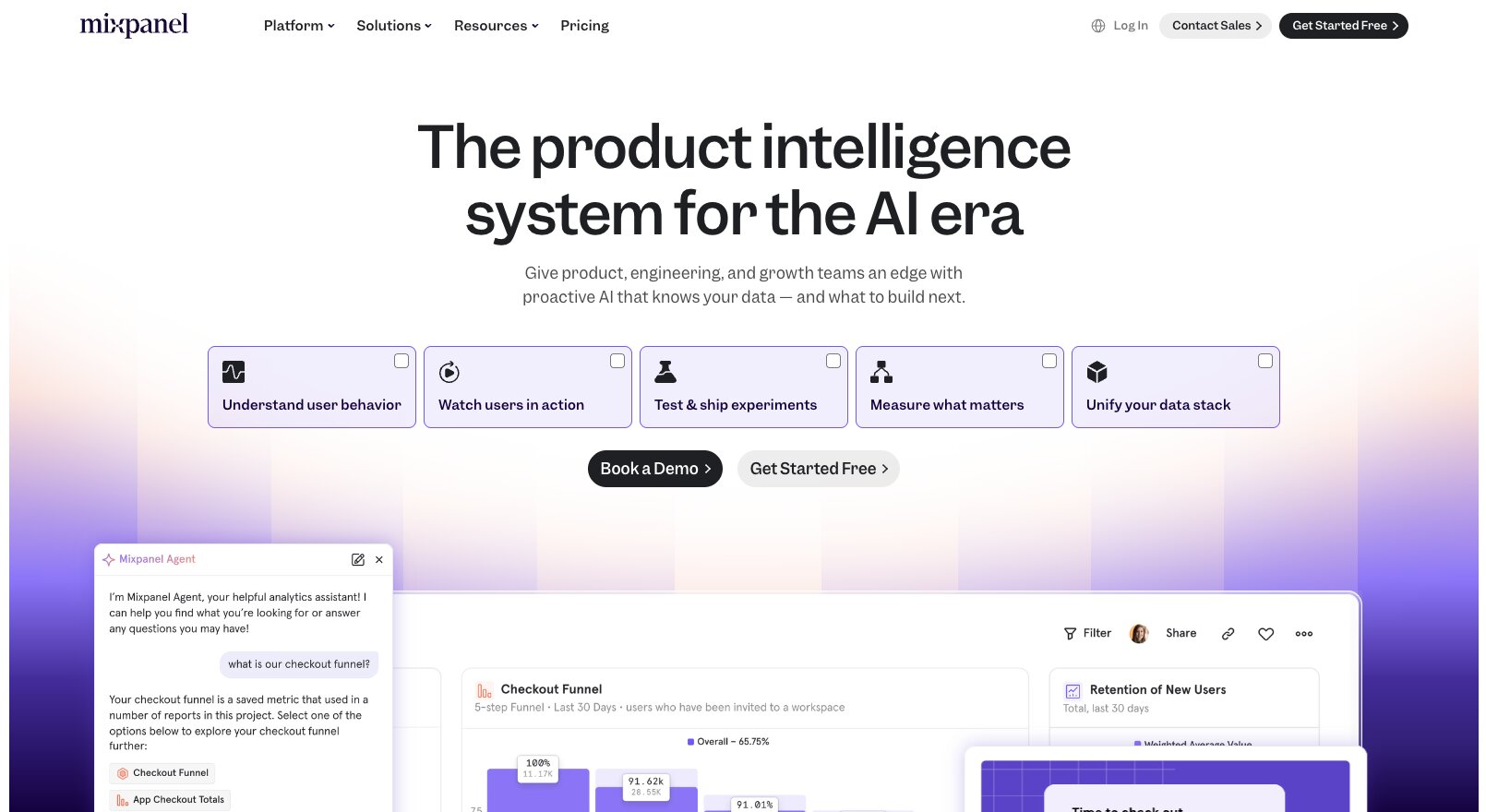
The platform is built around event-based analytics, allowing teams to follow users through every stage of their journey. Funnels, retention reports, user segmentation, and journey analysis all work together to help explain how people interact with your product over time rather than simply reporting what happened.
I also like how approachable the experience feels.
Despite handling complex behavioral data, Mixpanel does a good job of making insights accessible to people outside dedicated analytics teams. Product managers, marketers, and growth teams can answer many of their own questions without relying on someone else to build custom reports.
One example that stood out while I was researching the platform was how organizations use Mixpanel to understand where onboarding breaks down. Rather than simply measuring sign-ups, they can identify the exact point where users abandon the journey, test improvements, and measure whether those changes actually increase activation and retention.
If your priority is understanding how customer behavior influences growth, Mixpanel is one of the strongest Hex alternatives I'd recommend.
Mixpanel key features
Some things I like about Mixpanel:
- Event-based product analytics
- Funnel, retention, and user journey analysis
- Cohort creation and audience segmentation
- Interactive dashboards and reporting
- Session replay
- Warehouse integrations and data pipelines
- AI-powered insights and natural language querying
And here are some things that could be improved:
- Primarily focused on product and customer analytics rather than broader business intelligence
- Event tracking requires thoughtful implementation to get the most value
- Costs can increase as data volumes grow
Mixpanel pricing
Current pricing includes:
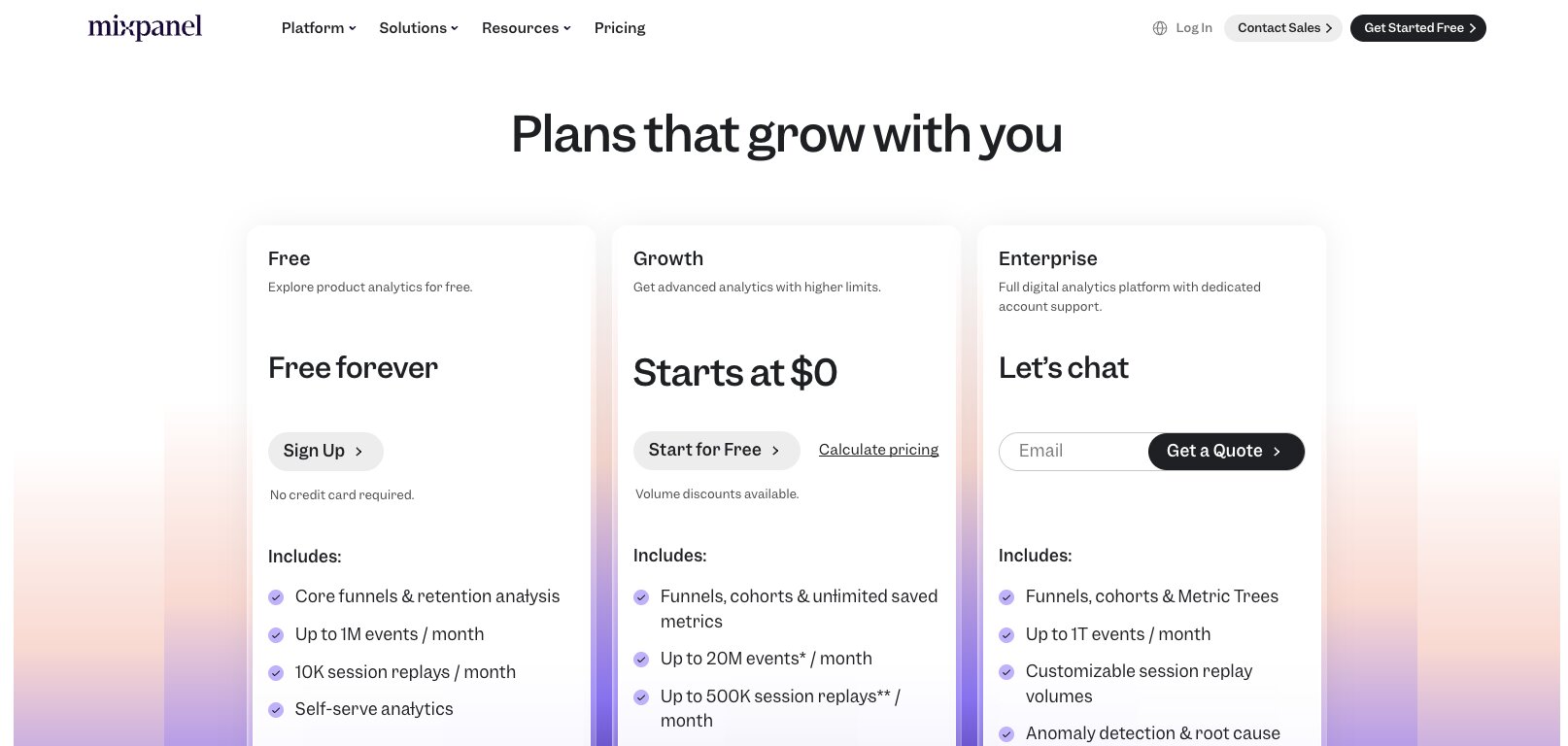
- Free: Core analytics for up to 1M monthly events
- Growth: Starts at $0, with the first 1M monthly events included; additional events are billed on a usage basis.
- Enterprise: Custom pricing
One thing I appreciate about Mixpanel's pricing is that it's easy to get started without making a financial commitment. Teams can explore the platform using either the Free or Growth plan before costs begin scaling alongside event volume. That said, because pricing is usage-based, it's worth thinking about how many events you'll generate as your product grows.
You can view the full pricing breakdown on Mixpanel's pricing page.
Mixpanel reviews
Here's how customers rate Mixpanel on third-party review platforms:
- G2: 4.5 out of 5 (from 1,369+ user reviews)
- Product Hunt: 4.9 out of 5 (from 88+ user reviews)
Reading Mixpanel's reviews, customers describe it as a decision-making tool rather than simply an analytics platform. Reviewers often mention using it to understand onboarding, retention, feature adoption, and customer engagement before deciding what to build or optimize next.
While some users mention that implementing event tracking takes planning, the consensus is that the depth of insight makes that upfront investment worthwhile.
5. Amplitude
- Best for: Organizations that want a mature digital analytics platform for product, marketing, and customer experience teams
- Pricing: Free plan available, with Enterprise pricing available on request
- What I like: It feels designed to help entire organizations make better product decisions, not just analytics teams.
Amplitude strikes me as the platform on this list that's thinking furthest beyond analytics itself.
It combines behavioral analytics, experimentation, session replay, customer journey analysis, and AI-powered insights into a platform that's built to support product development at scale.
Rather than focusing on individual reports or dashboards, it encourages teams to work from the same customer data and use those insights to guide product strategy.
I also like how much emphasis Amplitude places on understanding customer journeys over time.
Instead of simply measuring individual events, the platform helps teams identify the behaviors that influence activation, retention, and long-term growth. That makes it particularly valuable for organizations that are continuously optimizing digital products rather than answering one-off business questions.
Many companies use Amplitude to better understand how their customers interact with its digital experiences, helping product teams prioritize improvements using real behavioral data rather than assumptions. I think that's a good illustration of the type of organization Amplitude is built for.
If your analytics strategy extends beyond reporting and into product strategy, customer experience, and experimentation, Amplitude is one of the strongest Hex alternatives I'd recommend.
Amplitude key features
Some things I like about Amplitude:
- Behavioral analytics and customer journey analysis
- Funnels, cohorts, retention, and lifecycle reporting
- Session Replay
- Feature experimentation and A/B testing
- AI-powered insights and recommendations
- Warehouse-native integrations and data governance
- Collaboration features for product, marketing, and analytics teams
And here are some things that could be improved:
- Better suited to larger organizations than smaller startups
- The breadth of functionality can feel overwhelming for new users
- Advanced implementations benefit from thoughtful event planning
Amplitude pricing
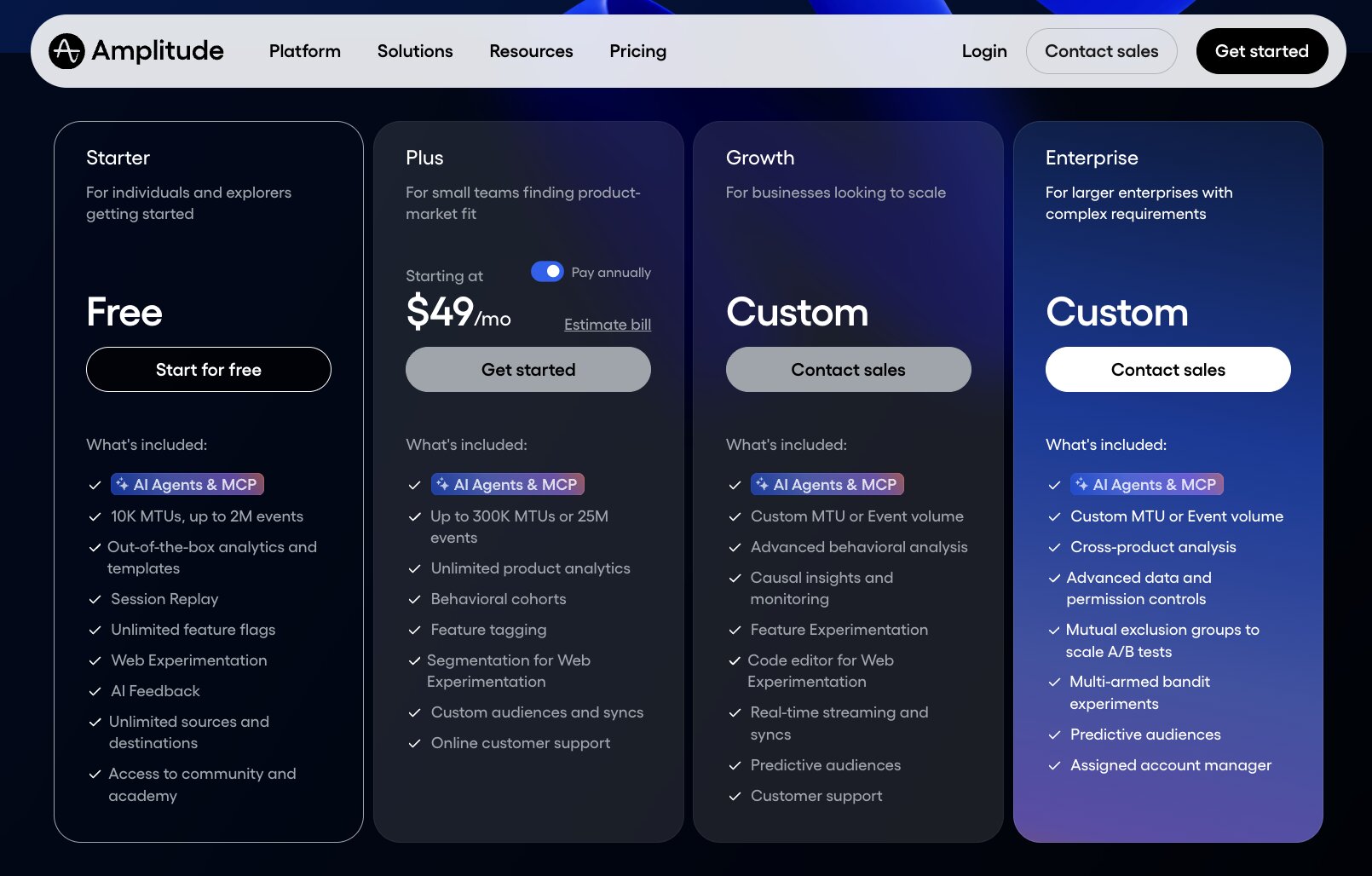
Current pricing includes:
- Starter: Free
- Plus: Contact sales
- Growth: Contact sales
- Enterprise: Contact sales
Amplitude has moved away from publishing fixed pricing for its paid plans, instead encouraging organizations to speak with the sales team about their requirements. While that makes direct cost comparisons more difficult, it also reflects the fact that many customers are deploying the platform across multiple departments rather than a single team.
You can view the full pricing breakdown on Amplitude's pricing page.
Amplitude reviews
Here's how customers rate Amplitude on third-party review platforms:
- G2: 4.5 out of 5 (from 2,940+ user reviews)
- Product Hunt: 4.9 out of 5 (from 47+ user reviews)
Amplitude's reviews read a little differently from many of the others on this list. Rather than focusing on individual features, customers often describe the impact the platform has on how their teams make decisions. Product strategy, experimentation, and long-term customer engagement come up repeatedly, suggesting the platform becomes part of the wider product development process rather than simply another analytics tool.
So, which Hex alternative should you choose?
After spending time comparing all five platforms, I honestly don't think there's a single ‘best’ Hex alternative.
Each product approaches analytics from a different perspective, so the right choice depends far more on the questions you're trying to answer than the number of features on a pricing page.
Here's how I'd think about it:
- Choose PostHog if your focus is understanding user behavior, improving digital experiences, and combining product analytics with session replay, experimentation, and feature management in one place.
- Choose Gumloop if your team spends too much time preparing, analyzing, and sharing data manually. AI agents can automate much of that repetitive work, allowing people to focus on acting on insights rather than producing them.
- Choose Roadway AI if your priority is marketing performance. It's purpose-built for growth teams that want AI to monitor campaigns, surface opportunities, and recommend optimizations without constantly digging through dashboards.
- Choose Mixpanel if you're trying to understand customer journeys, improve retention, and make better product decisions using behavioral analytics.
- Choose Amplitude if you want an enterprise-ready analytics platform that helps product, marketing, and analytics teams work from the same behavioral data to guide long-term strategy.
Hex remains an excellent platform for collaborative analytics, particularly for organizations that value notebooks, SQL, Python, and exploratory analysis. But it's no longer the only way to help teams make better decisions with data.
Whether you're trying to understand customer behavior, automate analysis, optimize marketing performance, or embed analytics into product strategy, there's now a platform that's purpose-built for that specific job.

Read related articles
Check out more articles on the Gumloop blog.