7 best Dify alternatives for agentic workflows in 2026

First we had automated workflows. Then we got AI workflows. Then we got AI agents. And now we have...
Agentic AI workflows.
This is a new category I'm really excited about. It's a natural evolution of how we automate parts of our work to help us be more productive.
And while Dify is a solid open-source platform in this cateogry, I know you're reading this because you're looking for Dify alternatives that better fit your specific needs.
Maybe you want something less technical. Maybe you need better enterprise security. Or maybe you just want a platform that feels easier to get started with.
Whatever it may be, I've been testing AI agent builders and automation tools for over two years now. And I've put together a list of the ones I believe are the best alternatives to Dify for building agentic workflows.
Let's get into it.
What I looked for when choosing a Dify alternative
Before I started comparing tools, I wanted to be clear on what actually matters when choosing a platform for agentic workflows. Here are the things I looked at when putting this list together:
- Visual builder vs code-based framework: Dify has a visual builder, but it still leans toward developers. Some alternatives give you a full no-code experience, while others are purely code-based. It depends on your team's technical ability and how much control you need over the process.
- LLM model flexibility: Does the platform lock you into one model, or can you use OpenAI, Claude, Gemini, or open-source models? I wanted tools that let you swap models without having to rebuild workflows.
- RAG and knowledge handling: Dify has built-in RAG pipelines, so any alternative worth considering should have a solid way to connect your own data sources, documents, and knowledge bases to your agents.
- Agent orchestration: Can the platform handle multiple agents working together? I looked for tools that support multi-agent workflows, tool calling, memory, and multi-step reasoning, not just simple if-this-then-that automations.
- Ease of use and learning curve: How fast can you go from signing up to actually building something useful? Some tools take forever to figure out. Others have conversational AI assistants that can build workflows for you in seconds.
- Integrations: It's not just about the number of integrations, but how deep they go. Can you connect to MCP servers? Does it support webhooks? Can you search and pull data from your existing tools without a bunch of workarounds?
- Self-hosted vs cloud-only: Dify is open-source and can be self-hosted. If that's a feature you care about, you want to make sure the alternative supports it too.
- Scalability and enterprise readiness: Can the platform handle real production workloads? I looked for things like role-based access control, audit logs, SSO, and deployment flexibility.
- Pricing and cost efficiency: Some platforms get expensive fast once you start running a lot of tasks. I wanted to include options across different budgets.
Not every tool on this list checks every box. But these are the things I kept in mind when evaluating each one. Don't worry, I'll give pros and cons of each tool and who they're best for (depending on your use case).
Alright, let's get into it.
7 best Dify alternatives and competitors in 2026
Here are the top Dify alternatives and competitors:
Okay, let's go over each one.
1. Gumloop

- Best for: Teams of all sizes who want to build AI agents and workflows without code
- Pricing: Free plan available (5k credits/month), paid plans start at $37/month
- What I like: Create any agent or workflow using natural language, integrates with any LLM model, and connects agents directly to Slack
First up is Gumloop. It's an AI automation platform and agent builder that lets you build both AI agents and AI workflows in one place. It's probably the truest form of an agentic workflow platform on this list because you can orchestrate AI agents and create workflows from them.
I've been using Gumloop for over a year now and it's used by enterprise companies like Shopify, Instacart, and Webflow. But it's also user-friendly enough for someone like me who runs a media company solo. So it really covers the full spectrum, which is rare in this space.
How Gumloop works
Gumloop has two main ways to build. You can create AI agents by giving them instructions, choosing your LLM model, connecting integrations and MCP servers, and assigning skills. From there you just chat with your agent and it handles the task.
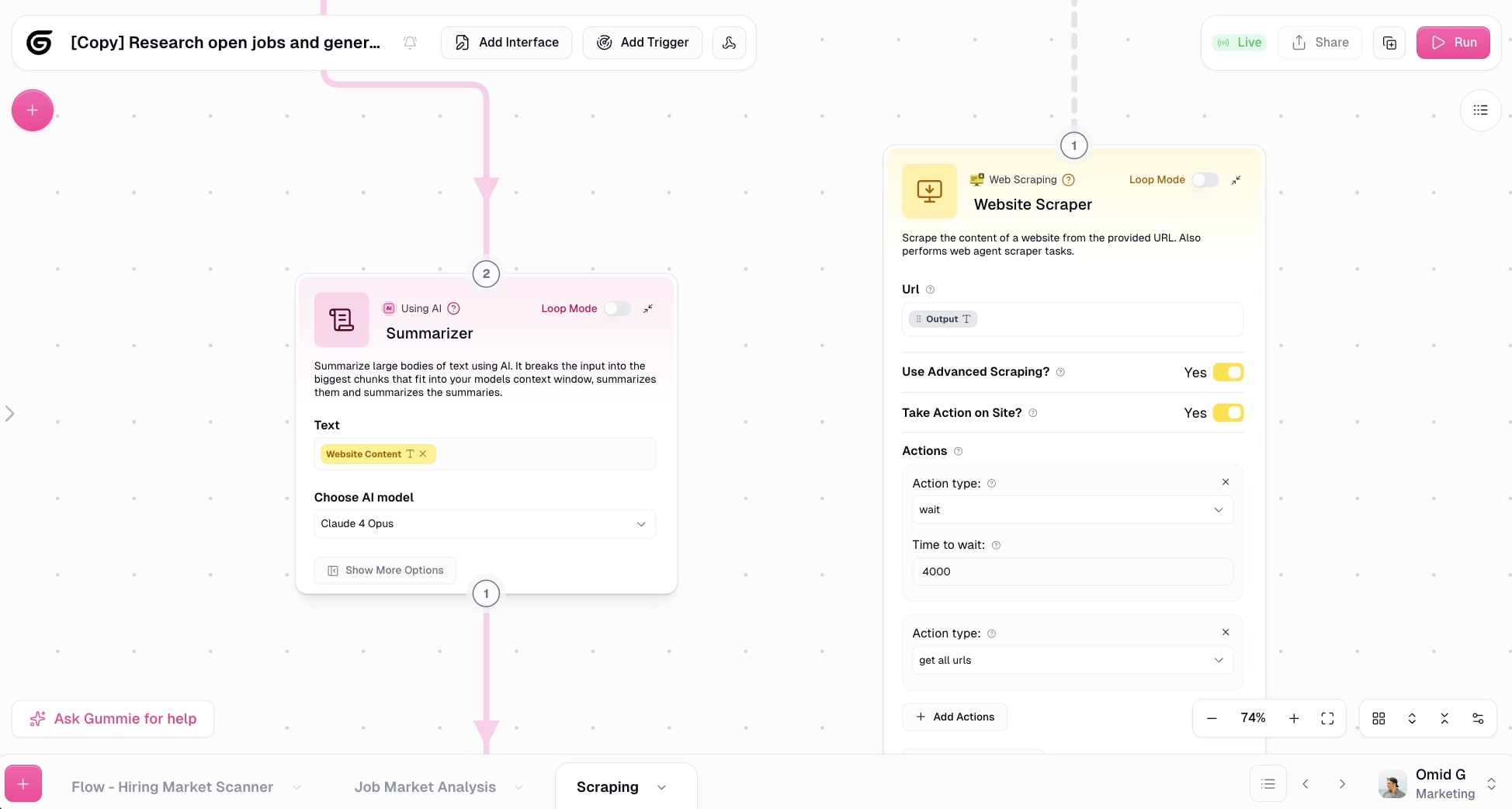
Or you can build AI workflows on a visual canvas by dragging nodes and connecting them together to create logic. You can set triggers, integrate Slack so your team can fire off agent or workflow tasks without ever logging into Gumloop, and even create public interfaces so your team members can use the apps you build.
There's also Gummie, the in-product AI assistant, that can build entire workflows for you. You just tell it what you want to automate and it puts the whole thing together.
Why choose Gumloop over Dify
Here are some reasons why I'd pick Gumloop over Dify:
- The user experience is way more friendly for knowledge workers in marketing, sales, ops, HR, and customer support. Dify leans more toward developers.
- The Gummie agent can build workflows for you in seconds. I don't have to manually configure every node.
- You get enterprise-grade features like access control, audit logging, virtual private cloud deployments, AI proxy support, and AI model restrictions.
- Gumloop gives you free access to premium LLM models out of the box. No need to bring your own API keys if you don't want to.
- You can connect agents to Slack so your whole team can interact with them like a teammate.
Gumloop pros and cons
Here are some of the pros I've found with Gumloop:
- Create any automated workflow or AI agent using natural language
- Can integrate with most tools and any MCP server (and gives you free access to premium LLM models)
- You can connect AI agents to Slack so you and your team can easily interact with them
- Used by some big enterprise teams like Shopify, Instacart, and Webflow
- Enterprise secure with SOC2 Type 2, GDPR compliance, role-based access control, and more
Here are some of the cons I've found with Gumloop:
- You get the most out of it when you have a clear use case you want to automate
- The built-in integration library is still growing, but you can integrate any MCP server to fill the gaps
- It can be a bit confusing to know when to build an agent vs an AI workflow, which is why you need to deeply understand your use case first
And just to be clear, I know it may sound biased that I'm recommending this tool given that it is on the Gumloop blog. But I am not an employee at Gumloop. I am simply a customer and asked if I could write this up so I can share my own experience.
Gumloop pricing
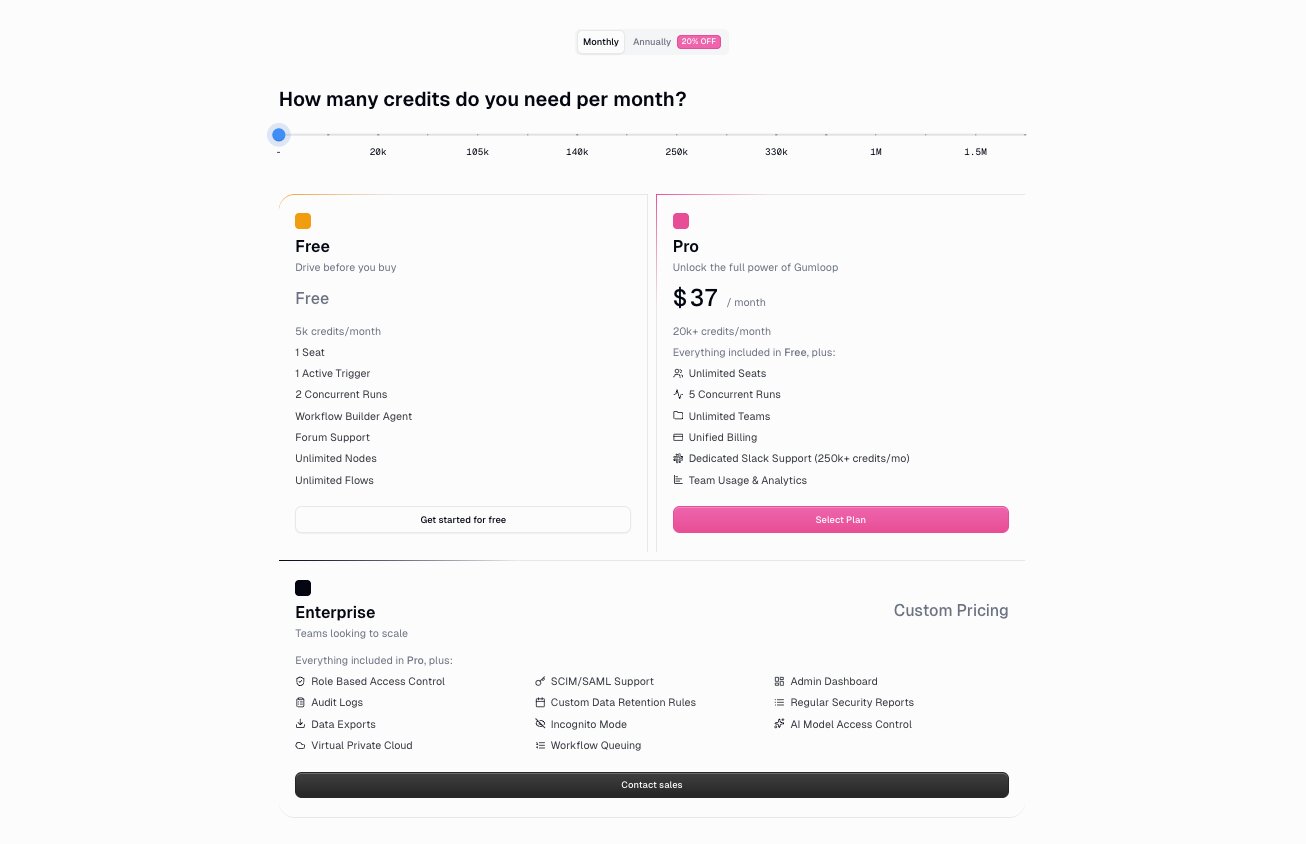
Here are Gumloop's pricing plans:
- Free: $0/month with 5k credits per month, 1 seat, 1 active trigger, 2 concurrent runs, workflow builder agent, forum support, unlimited nodes, and unlimited flows
- Pro: Starting at $37/month with 20k+ credits per month (scales based on usage, for example 105k credits is $194/month), unlimited seats, 5 concurrent runs, unlimited teams, unified billing, dedicated Slack support (at 250k+ credits/mo), and team usage and analytics
- Enterprise: Custom pricing with role-based access control, SCIM/SAML support, admin dashboard, audit logs, custom data retention rules, regular security reports, data exports, incognito mode, AI model access control, virtual private cloud, and workflow queuing
You can learn more about how they structure their pricing here.
Gumloop ratings and reviews
Here's what customers rate the platform on third-party review sites:
- G2: 4.8/5 star rating (from +6 user review)
- Product Hunt: 5/5 star rating (from +9 user reviews)
2. n8n
- Best for: Technical teams who want to self-host their AI workflows
- Pricing: Free community edition (self-hosted), cloud plans start at $24/month
- What I like: Huge community template marketplace and the ability to self-host for extra security
n8n is a low-code workflow automation platform. I'd describe it as an environment with an abstraction layer over code. It's great for people who are already technical and are looking for a way to self-host their workflows and agents. It can do a lot, which is both its strength and its weakness because it can feel a bit overwhelming at first.
Similar to Dify, n8n has a visual builder and supports LLM integrations. But where Dify focuses more on LLM app development with things like RAG pipelines and prompt management, n8n is more of a general-purpose automation tool that you can layer AI on top of.
How n8n works
You drag nodes onto a canvas, connect them with logic, and build out your automation. It's similar to Gumloop in that you can orchestrate AI agents within workflows. So you can have an agent, connect different tools to it, and run automations all from a visual drag-and-drop canvas.
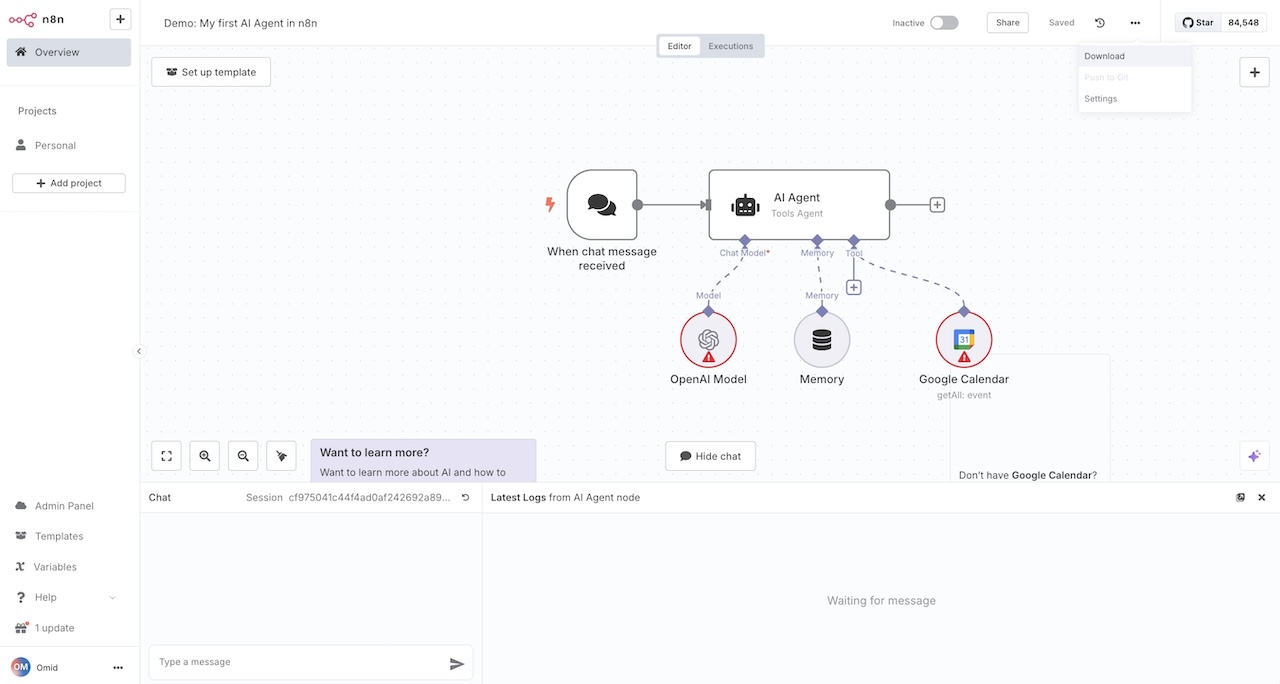
There's also a massive community template marketplace where other users have posted their workflows for you to duplicate and customize. And because n8n is open-source, there's a ton of YouTube content from creators building stuff with it, which makes the learning curve a bit easier.
Why choose n8n over Dify
Here are some reasons why I'd pick n8n over Dify:
- You want to self-host your workflows for extra security. n8n lets you run everything on your own infrastructure, which is huge for teams with strict compliance requirements.
- You want access to a large library of community-built templates. Instead of building from scratch, you can duplicate what others have already created and tweak it.
- n8n has a bigger integration library compared to Dify, so you can connect more tools natively.
- There's a massive community around n8n with tons of tutorials and resources, which helps when you get stuck.
n8n pros and cons
Here are some of the pros I've found with n8n:
- Has a large library of templates you can choose from
- Allows you to self-host your workflows for added security
- Pricing is competitive with other tools in this space
- Huge open-source community with tons of YouTube tutorials and resources
Here are some of the cons I've found with n8n:
- The UI/UX can feel clunky and outdated. It feels more like a developer tool than something that's fun to build with.
- There's definitely a learning curve, especially if you're not technical
- Has fewer enterprise-specific features compared to tools like Gumloop (things like audit logging, for example)
n8n pricing

Here are n8n's pricing plans:
- Community: Free (self-hosted, open-source edition available on GitHub)
- Starter: $24/month with 2,500 workflow executions, 1 shared project, 5 concurrent executions, unlimited users, and forum support
- Pro: $60/month with custom number of workflow executions, 3 shared projects, 20 concurrent executions, 7 days of insights, admin roles, global variables, workflow history, and execution search
- Business: $960/month with 40,000 workflow executions, 6 shared projects, SSO/SAML/LDAP, 30 days of insights, different environments, scaling options, version control using Git, and forum support
- Enterprise: Custom pricing with unlimited shared projects, 200+ concurrent executions, 365 days of insights, dedicated support with SLA, and hosted or self-hosted options
You can learn more about how they structure their pricing here.
n8n ratings and reviews
Here's what customers rate the platform on third-party review sites:
- G2: 4.8/5 star rating (from +225 user reviews)
- Capterra: 4.6/5 star rating (from +41 user reviews)
3. LangChain
- Best for: Developers and engineering teams who want full programmatic control over AI agents and workflows
- Pricing: Free for solo developers, then $39/seat per month for teams
- What I like: Massive open-source ecosystem, modular components for building custom AI chains and agents, and strong documentation
LangChain is an open-source platform that lets you deploy AI agents. It's definitely a technical tool and it's mostly good for developers that are trying to build multi-step reasoning tools and memory into their products or services.
It's a really popular tool for development teams at enterprise companies. For example, companies like Rippling, Clay, Lyft, and a ton more use LangChain internally.
How LangChain works
LangChain works by giving you a TypeScript or Python library that has a bunch of abstractions and components that can connect to different LLMs and data sources. Okay, I know that was a bit complex, but it's just another platform that lets you connect AI models, tools, and different workflows, whether that's through chains, agents, RAG pipelines, and it helps you create these agentic solutions.
Its modular components can help you easily build and alternate with different models, prompts, retrievers, memory, and tools. And you essentially connect these "chains" together.
You essentially write code to explain what these chains and agents are, and you connect them to different AI models. Whether from OpenAI's ChatGPT, Anthropic's Claude, Google's Gemini, etc. From there you can plug in vector databases or APIs and let them run on back-end servers or scripts.
Why choose LangChain over Dify
Here are some reasons why I'd pick LangChain over Dify:
- LangChain gives developers low-level programmatic control over chains, agents, and integrations. Dify is more of a visual, no-code workflow builder. So if you want to get deep into the code, LangChain is the better fit.
- The ecosystem is massive. It has integrations with a ton of LLM providers, vector databases, and third-party tools. If you want to deeply customize or self-host your own architecture, LangChain has the building blocks for that.
- LangChain is a library you embed directly into your codebase. Dify is more of a hosted platform with a UI. If you'd rather work inside your own codebase instead of relying on a separate app builder, LangChain makes more sense.
LangChain pros and cons
Here are some of the pros I've found with LangChain:
- Super flexible and modular. You can plug in different components for prompts, memory, tools, RAG, and agents, which gives you a lot of control over how you design workflows.
- Supports a wide range of LLM providers, vector databases, and third-party tools out of the box.
- The documentation is solid and there's an active open-source community that makes troubleshooting a lot easier.
Here are some of the cons I've found with LangChain:
- There's a steep learning curve. There are a lot of abstractions (chains, agents, retrievers, etc.) and it can feel overwhelming if you don't have strong Python or TypeScript skills.
- The library is big and can feel bloated at times. Some users report dependency conflicts and breaking changes as the API evolves.
- It's not for non-developers. Unlike Dify's visual builder, LangChain requires coding and infrastructure knowledge. If you're a PM or analyst, this isn't the tool for you.
- You still need to figure out monitoring, deployment, and scaling on your own (or pair it with LangSmith). Dify ships more of that stuff built in.
LangChain pricing
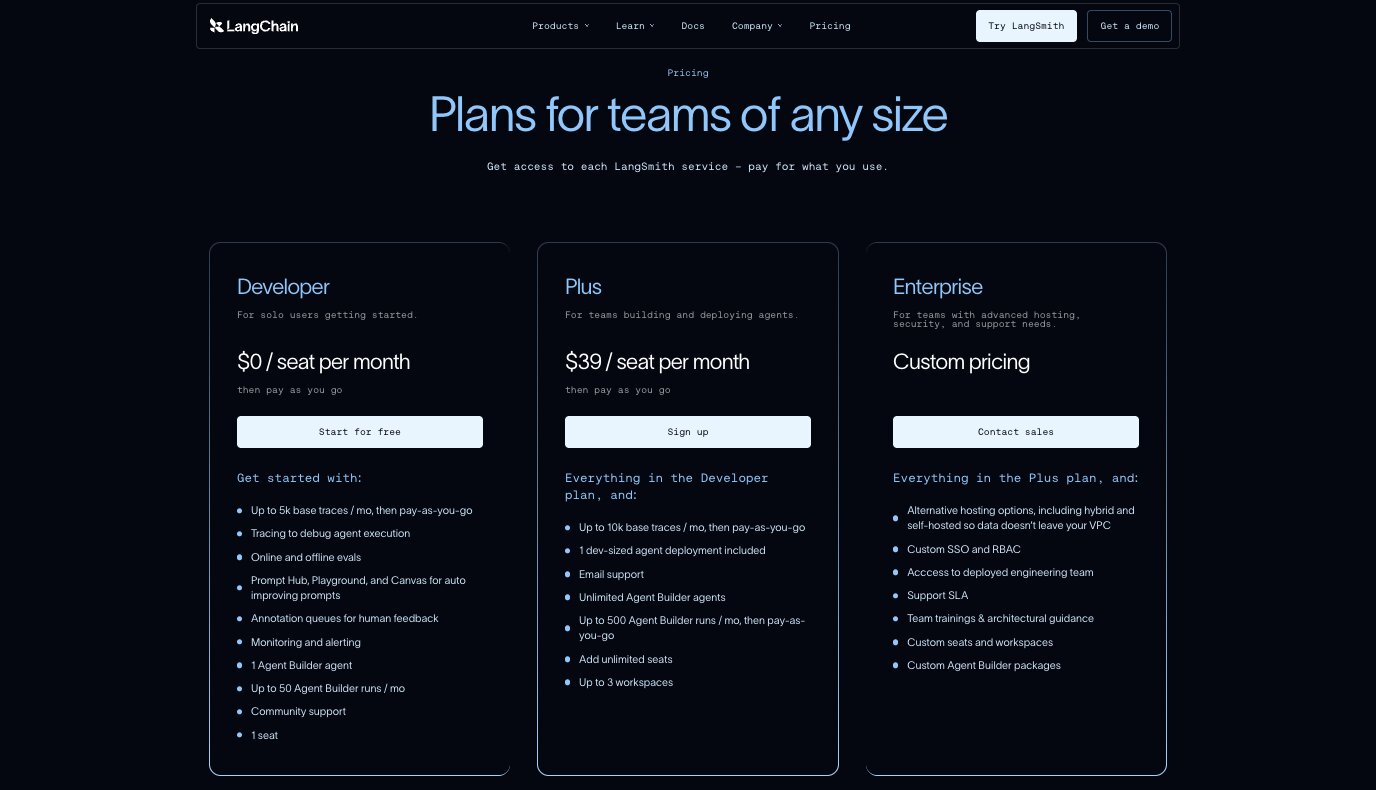
LangChain itself is free and open-source. However, LangSmith (their tracing, evaluation, and monitoring platform) has the following pricing:
- Developer: $0/seat per month with up to 5k base traces per month (pay-as-you-go after), tracing for debugging, online and offline evals, Prompt Hub, Playground, Canvas, annotation queues, monitoring and alerting, 1 Agent Builder agent, up to 50 Agent Builder runs per month, community support, and 1 seat
- Plus: $39/seat per month with up to 10k base traces per month, 1 dev-sized agent deployment included, email support, unlimited Agent Builder agents, up to 500 Agent Builder runs per month, unlimited seats, and up to 3 workspaces
- Enterprise: Custom pricing with alternative hosting options (including hybrid and self-hosted), custom SSO and RBAC, access to deployed engineering team, support SLA, team trainings and architectural guidance, and custom seats and workspaces
You can learn more about how they structure their pricing here.
LangChain ratings and reviews
Here's what customers rate the platform on third-party review sites:
- G2: 4.7/5 star rating (from +38 user reviews)
- GitHub: 129k+ stars and one of the most widely adopted LLM frameworks
4. Flowise
- Best for: Developers who want an open-source visual builder for creating multi-agent systems
- Pricing: Free plan available (2 flows, 100 predictions/month), paid plans start at $35/month
- What I like: Open-source with self-hosting options, solid multi-agent orchestration, and a visual node editor that makes complex agent graphs easier to understand
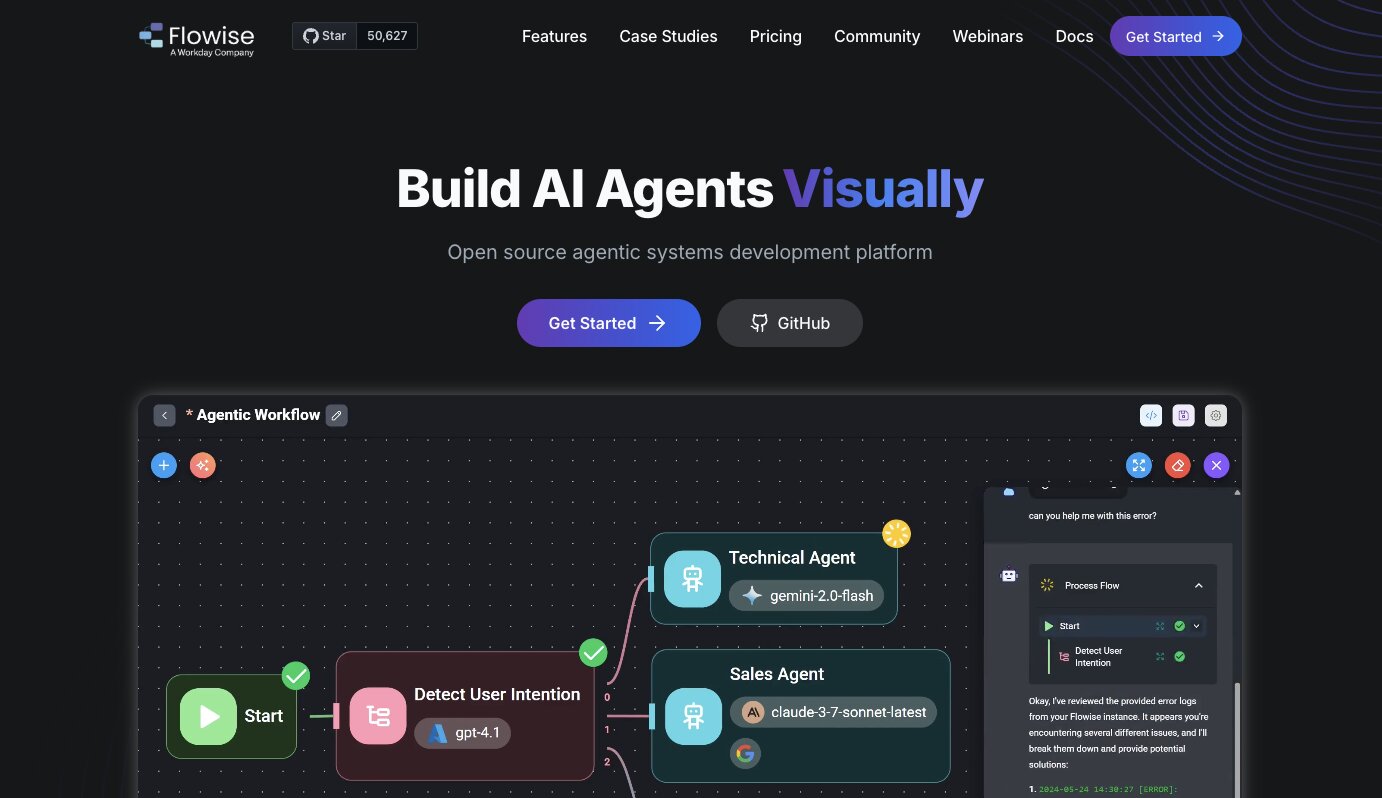
Flowise is an open-source AI agent builder that's very similar to n8n. It's owned by the company Workday, and the goal of the platform is to give you an environment to create multi-agent systems.
The platform also lets you build chat assistants that support tool calling and knowledge retrieval from different data sources you provide.
It's also developer friendly with the ability to integrate with different APIs and SDKs. So you can ship enterprise-level applications with it.
How Flowise works
Flowise gives you a visual canvas where you drag and drop different nodes (things like LLM nodes, agent nodes, tool nodes, document store nodes, etc.) and connect them together to define how data moves through your workflow. You can set up steps to run in sequence or in parallel.
Flowise has what they call Agentflow, which lets you build multi-step and multi-agent graphs. You can set up supervisor and worker patterns where agents call tools, query documents, and communicate with each other. You can even add human-in-the-loop steps if you need someone to approve or review before the agent continues.
Once your flows are built, you can run them through REST APIs or embed them as chat widgets on your site. And since it's open-source, you can self-host it or run it in the cloud.
Why choose Flowise over Dify
Here are some reasons why I'd pick Flowise over Dify:
- The visual node editor gives you really granular control over how your agents work together. You can see and tune the execution order, dependencies, and branching in a way that feels more hands-on than Dify's builder.
- Multi-agent orchestration is a core part of Flowise. If you care about building systems where agents collaborate, hand off tasks, or report to a supervisor agent, Flowise is built for that.
- It's fully open-source and you can self-host it, including air-gapped deployments. If your team has strict data or security requirements, that's a big advantage.
- It's a solid option for internal tools and quick prototypes. The visual graphs also make it easier to explain the logic to non-technical teammates.
If you want to see how Flowise compares to other tools in this space, I wrote a separate post on Flowise alternatives that goes deeper into it.
Flowise pros and cons
Here are some of the pros I've found with Flowise:
- The drag-and-drop node editor is intuitive and makes it easy to iterate on workflows without heavy coding.
- It has strong multi-agent orchestration features, including supervisor and worker patterns, tool calling, branching, and human-in-the-loop support.
- It supports over 100 LLMs, vector databases, and data sources. You can use both proprietary and open-source models.
- You can self-host it, deploy it on-prem, or run it in the cloud. The flexibility is there.
Here are some of the cons I've found with Flowise:
- As your flows get bigger and more complex, the visual graphs can get messy and hard to manage.
- If you prefer a code-first approach or want everything in version control, the node-based visual builder might not feel natural to you.
- The basics are easy to pick up, but the more advanced features like Agentflow V2 and multi-agent patterns take time to learn.
- Self-hosting and scaling takes real DevOps effort. The operational tooling isn't as polished as some of the more mature commercial platforms.
Flowise pricing
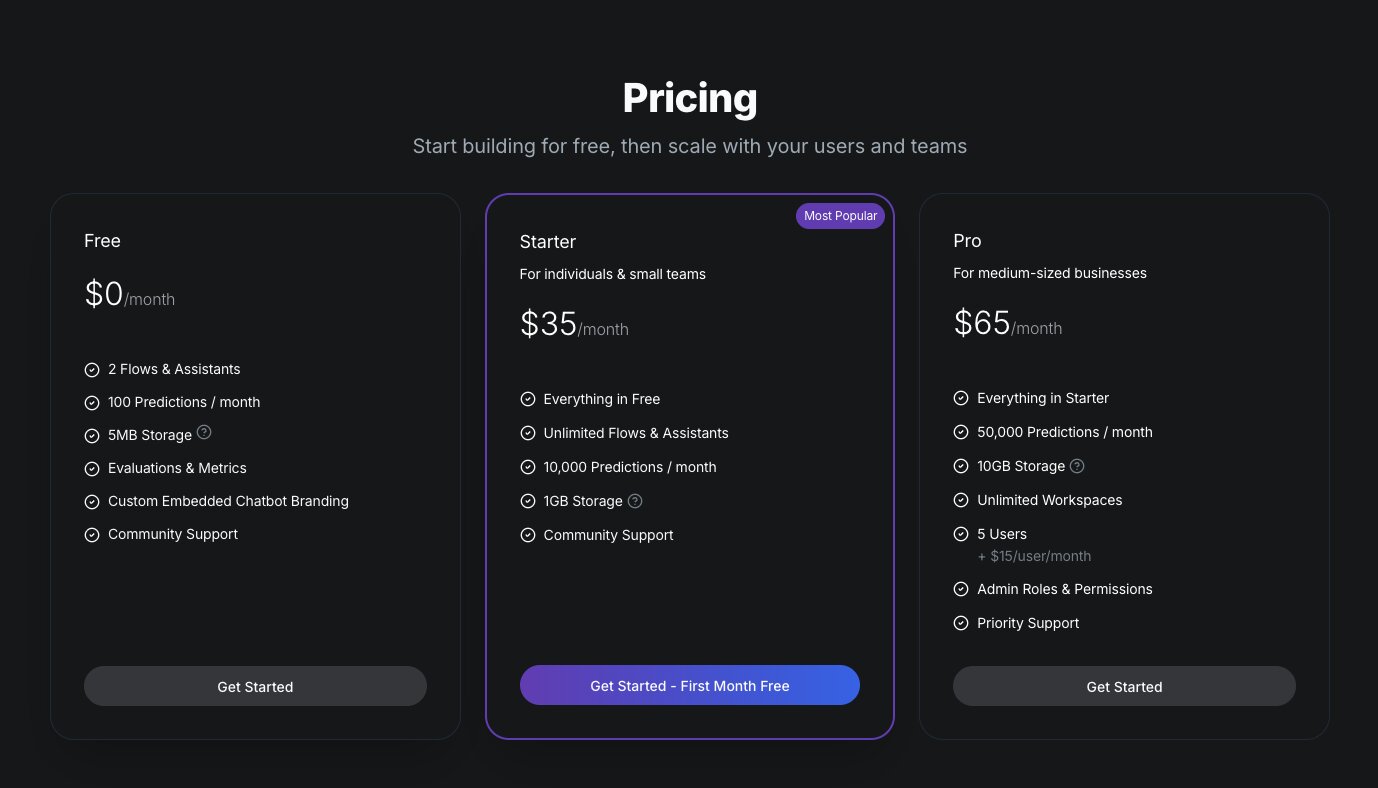
Flowise is open-source and free to self-host. For their cloud offering, here are the pricing plans:
- Free: $0/month with 2 flows and assistants, 100 predictions per month, 5MB storage, evaluations and metrics, custom embedded chatbot branding, and community support
- Starter: $35/month with unlimited flows and assistants, 10,000 predictions per month, 1GB storage, and community support
- Pro: $65/month with 50,000 predictions per month, 10GB storage, unlimited workspaces, 5 users (plus $15/user per month), admin roles and permissions, and priority support
You can learn more about how they structure their pricing here.
Flowise ratings and reviews
Here's what customers rate the platform on third-party review sites:
- Product Hunt: 5/5 star rating (from +2 user reviews)
There are not a lot of reviews of Flowise on third-party review sites.
5. Make
- Best for: Non-technical teams who want budget-friendly workflow automation with AI capabilities
- Pricing: Free plan available (1,000 credits/month), paid plans start at $10.59/month
- What I like: Over 3,000 app integrations, a clean drag-and-drop interface, and one of the most affordable options in this space
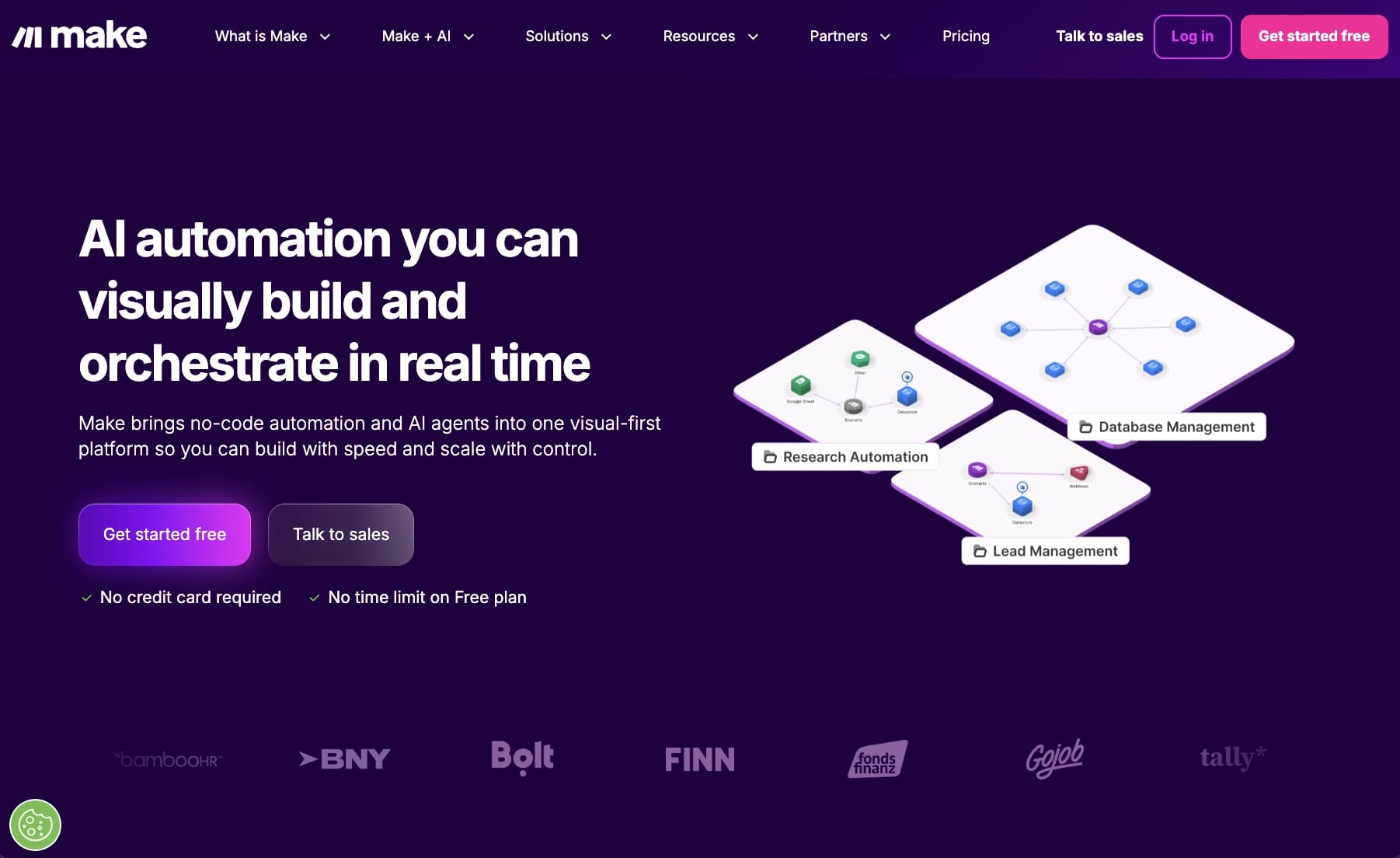
Make, formerly Integromat, is an AI automation platform that has been around for a pretty long time. It's been popular as an alternative to Zapier for a while given its budget-friendly startup pricing.
It's a simple no-code platform that gives you a drag-and-drop interface to orchestrate automated workflows with. And it's mostly used for use cases in IT, marketing, operations, sales, and customer service.
How Make works
In Make, you build workflows on a canvas by connecting modules together. Modules are things like triggers, actions, routers, and filters. You can set them up in a linear flow or branch them out depending on your logic. Each module gets configured through a form where you map data fields and set conditions.
You can schedule your workflows to run automatically or trigger them based on specific events. Make also has AI-specific modules, like LLM nodes (OpenAI, for example) and built-in AI tools for things like classification and summarization. So you can design AI agents directly on the canvas that act on goals, prompts, and data across your workflows.
Why choose Make over Dify
Here are some reasons why I'd pick Make over Dify:
- Dify is focused on AI app and agent building. Make is a broader automation platform that connects AI agents with over 3,000 business apps like your CRM, ERP, marketing tools, and finance software. If you need AI plugged into your existing stack, Make covers more ground.
- Make has been around for a while and works like a modern iPaaS. It has strong support for HTTP requests, webhooks, data transformation, and role-based access control. If you want agents embedded into your day-to-day systems, Make handles that well.
- The drag-and-drop canvas and built-in AI helpers make it easy for ops, marketing, and support teams to build agentic workflows without depending on engineering. Dify is more geared toward people building AI products.
Make pros and cons
Here are some of the pros I've found with Make:
- The visual builder is intuitive and accessible for non-developers. You can build complex scenarios with branching, scheduling, and conditional logic without writing code.
- Over 3,000 pre-built app connectors plus generic HTTP and webhook modules. You can plug AI agents into almost anything.
- It has native AI agents and LLM modules built in, so you don't have to do as much prompt engineering or glue-code to get AI into your workflows.
- The data mapping and transformation features are solid. You can filter, format, and transform data between steps without needing external tools.
Here are some of the cons I've found with Make:
- If you're an engineering team that wants full programmatic control or git-native workflows, Make is going to feel limiting compared to something like LangChain or even Dify.
- Large scenarios with a lot of branches can get visually cluttered and harder to maintain over time.
- There's a vendor lock-in risk. If you build heavily on Make's proprietary modules, migrating to another platform later isn't easy.
- The free tier is generous, but costs can add up quickly if you're running high-frequency automations or have a larger team.
Make pricing
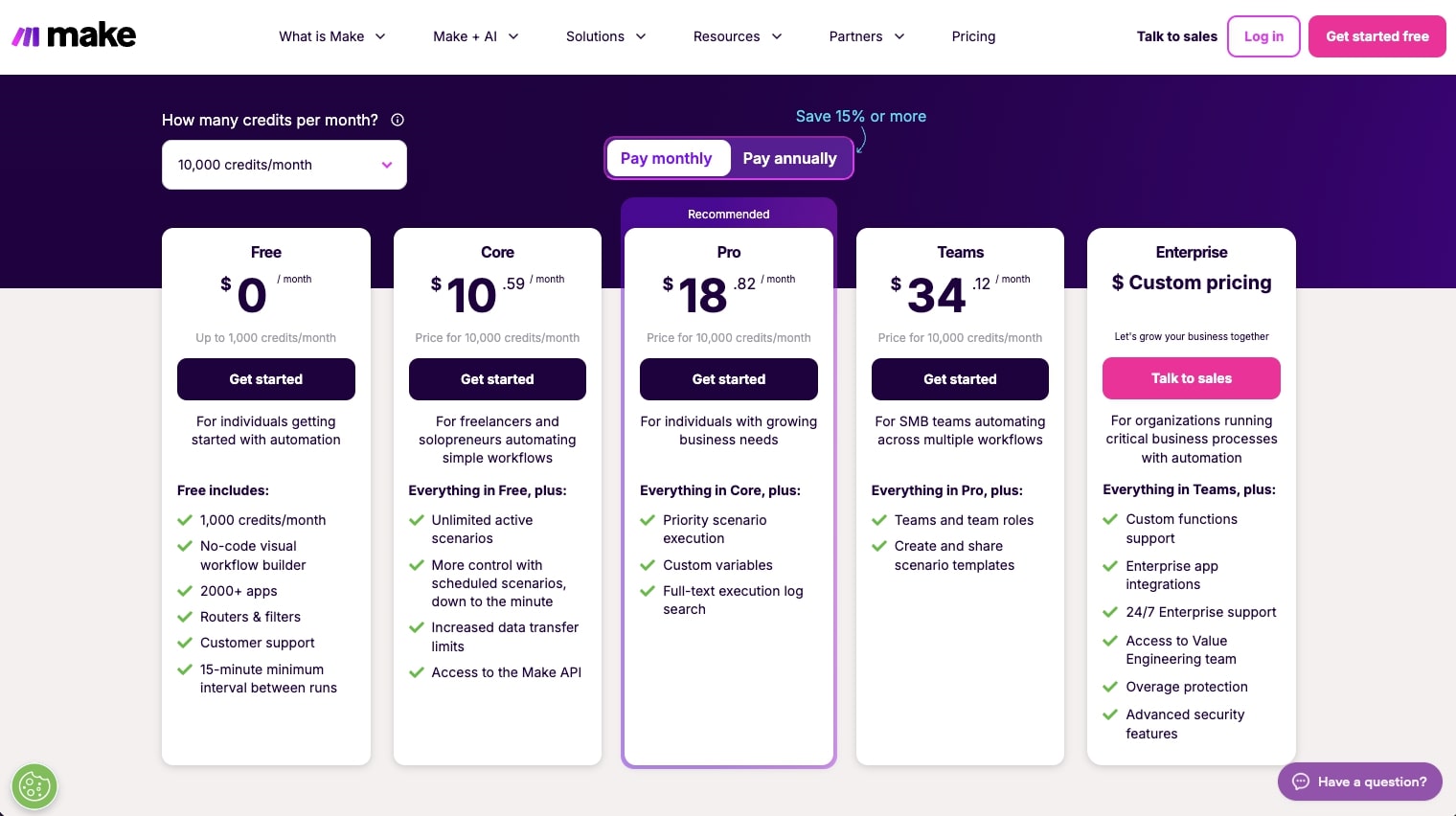
Here are Make's pricing plans:
- Free: $0/month with 1,000 credits per month, no-code visual workflow builder, 3,000+ apps, routers and filters, customer support, and a 15-minute minimum interval between runs
- Core: $10.59/month for 10k credits with unlimited active scenarios, scheduled scenarios down to the minute, increased data transfer limits, and access to the Make API
- Pro: $18.82/month for 10k credits with priority scenario execution, custom variables, and full-text execution log search
- Teams: $34.12/month for 10k credits with team roles and the ability to create and share scenario templates
- Enterprise: Custom pricing with custom functions support, enterprise app integrations, 24/7 enterprise support, access to the Value Engineering team, overage protection, and advanced security features
You can learn more about how they structure their pricing here.
Make ratings and reviews
Here's what customers rate the platform on third-party review sites:
- G2: 4.6/5 star rating (from +273 user reviews)
- Capterra: 4.8/5 star rating (from +406 user reviews)
6. Zapier
- Best for: Non-technical teams who want the largest app integration library with AI workflow capabilities
- Pricing: Free plan available (100 tasks/month), paid plans start at $29.99/month
- What I like: Integrates with practically every SaaS tool out there, low learning curve, and a long track record of reliability
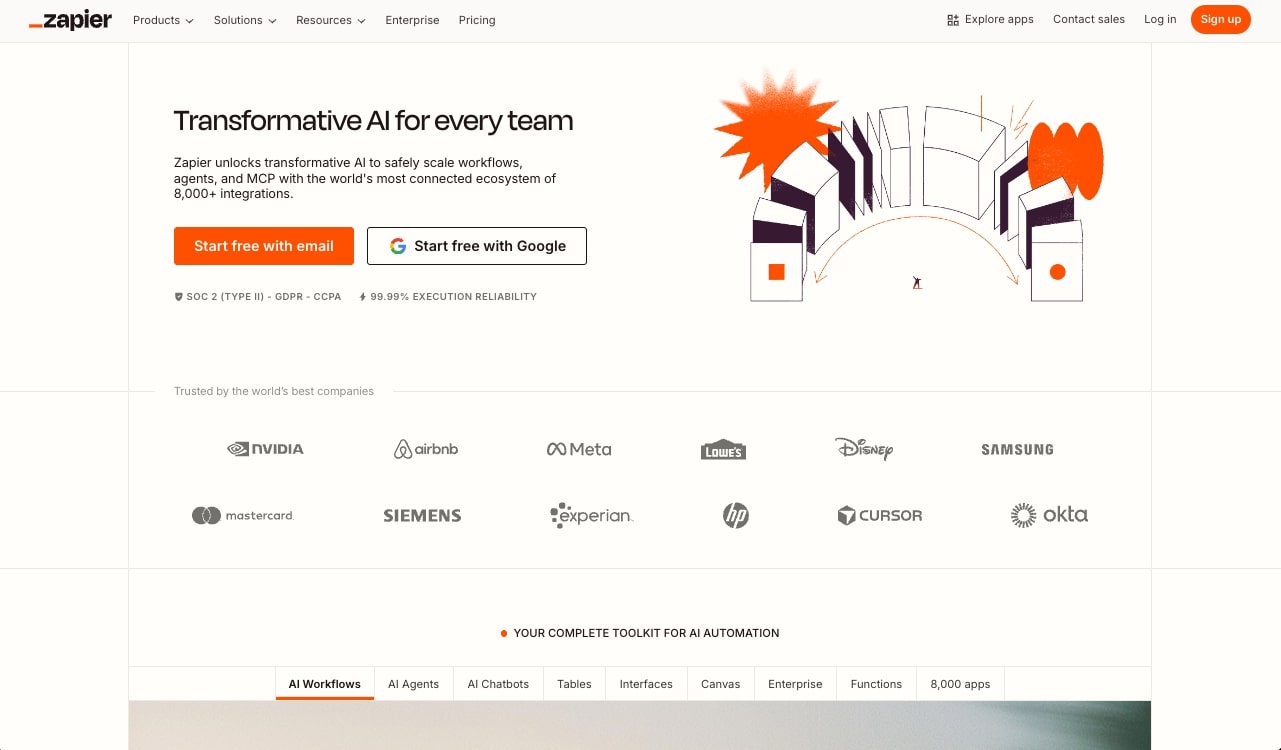
Zapier is the OG of automation platforms. It's the first automation platform I became a customer of (and still am). Over the years, Zapier has evolved into an AI workflow builder that can integrate with agents, MCP, and AI models.
I will say that Zapier is more AI workflow heavy over being a pure AI agent platform. So it will feel similar to Dify in many ways (that could be good or bad depending on your use case).
How Zapier works
In Zapier, you create what they call "Zaps." Each Zap starts with a trigger (like a new row in a spreadsheet or a new email) followed by one or more actions (like sending a Slack message or creating a CRM record). You configure everything through a step-by-step UI where you select your apps, map fields, add conditional logic, and optionally include AI steps for things like classification, summarization, or content generation.
Zapier also recently unified their platform so that Zaps, Tables, Forms, and Zapier MCP are all available in one plan. So you're getting data, custom forms, workflows, and AI actions all in one package.
Why choose Zapier over Dify
Here are some reasons why I'd pick Zapier over Dify:
- Zapier integrates with way more SaaS apps than Dify. If your workflows mainly involve moving data between tools you already use, Zapier's connector library is hard to beat.
- For simple, linear automations like notifications, lead routing, or basic data enrichment, Zapier is faster to set up than Dify. You don't need to think about RAG pipelines or agent architectures.
- Zapier has been around for a long time and has mature enterprise features like SSO, audit logs, compliance, and granular permissions. If your org just needs a reliable automation backbone with some AI sprinkled in, Zapier is a safe bet.
Zapier pros and cons
Here are some of the pros I've found with Zapier:
- The learning curve is one of the lowest in this space. Non-technical users can build useful automations quickly using templates and the guided editor.
- The integration catalog is massive. Thousands of apps out of the box, plus generic webhooks and APIs.
- Zapier has AI-assisted building features and natural language automation builders that help you design workflows faster.
- The infrastructure is fully hosted and managed. You don't have to worry about scaling, retries, or monitoring.
Here are some of the cons I've found with Zapier:
- It's not great for complex agentic logic. Zapier is optimized for linear or lightly branched workflows. If you need multi-agent graphs, tool-calling policies, or long-running reasoning loops, you'll hit its limits quickly.
- It's primarily a no-code product. If you're a developer who wants programmatic control or self-hosted runtimes, Zapier is going to feel restrictive.
- Task-based pricing can get expensive fast, especially when you're chaining a lot of small actions together in multi-step workflows.
- Your logic lives inside proprietary Zaps, which makes versioning, code review, and migrating to another platform harder than it would be with code-based or open-source tools.
Zapier pricing
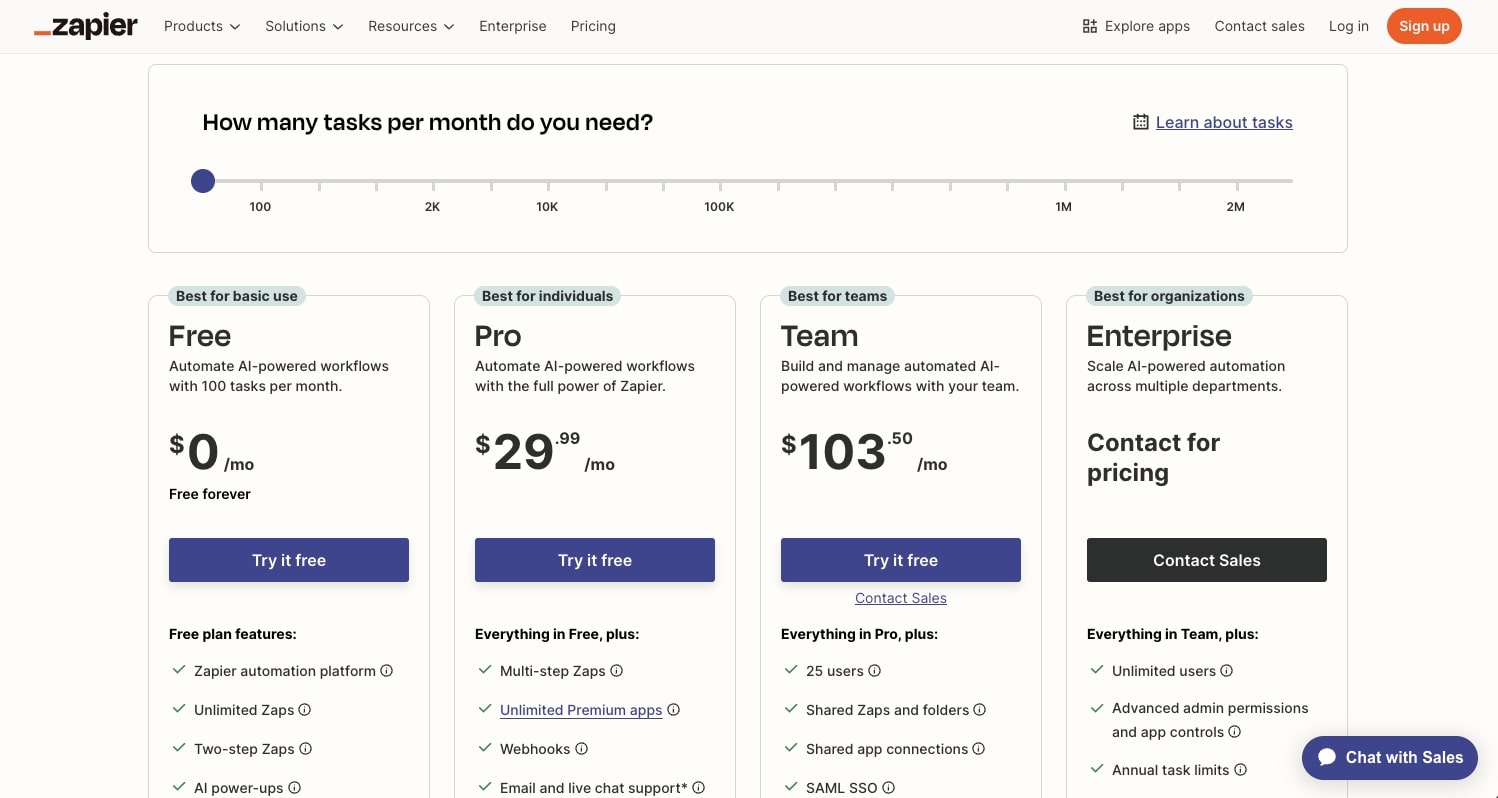
Here are Zapier's pricing plans:
- Free: $0/month with 100 tasks per month, unlimited Zaps, Tables, and Forms, two-step Zaps, and Zapier Copilot
- Professional: $29.99/month with multi-step Zaps, unlimited premium apps, webhooks, email and live chat support, AI fields, and conditional form logic
- Team: $103.50/month with 25 users, shared Zaps and folders, shared app connections, SAML SSO, and Premier Support
- Enterprise: Custom pricing with unlimited users, advanced admin permissions and app controls, advanced deployment options, annual task limits, observability, and a Technical Account Manager
You can learn more about how they structure their pricing here.
Zapier ratings and reviews
Here's what customers rate the platform on third-party review sites:
- G2: 4.5/5 star rating (from +1,821 user reviews)
- Capterra: 4.7/5 star rating (from +3,039 user reviews)
7. StackAI
- Best for: Enterprise companies in regulated industries like finance, insurance, healthcare, and government
- Pricing: Free plan available (500 runs/month), Enterprise pricing is custom
- What I like: Clean UI for building AI agents, built-in RAG and document processing, and serious enterprise security (SOC 2, HIPAA, GDPR, ISO 27001)
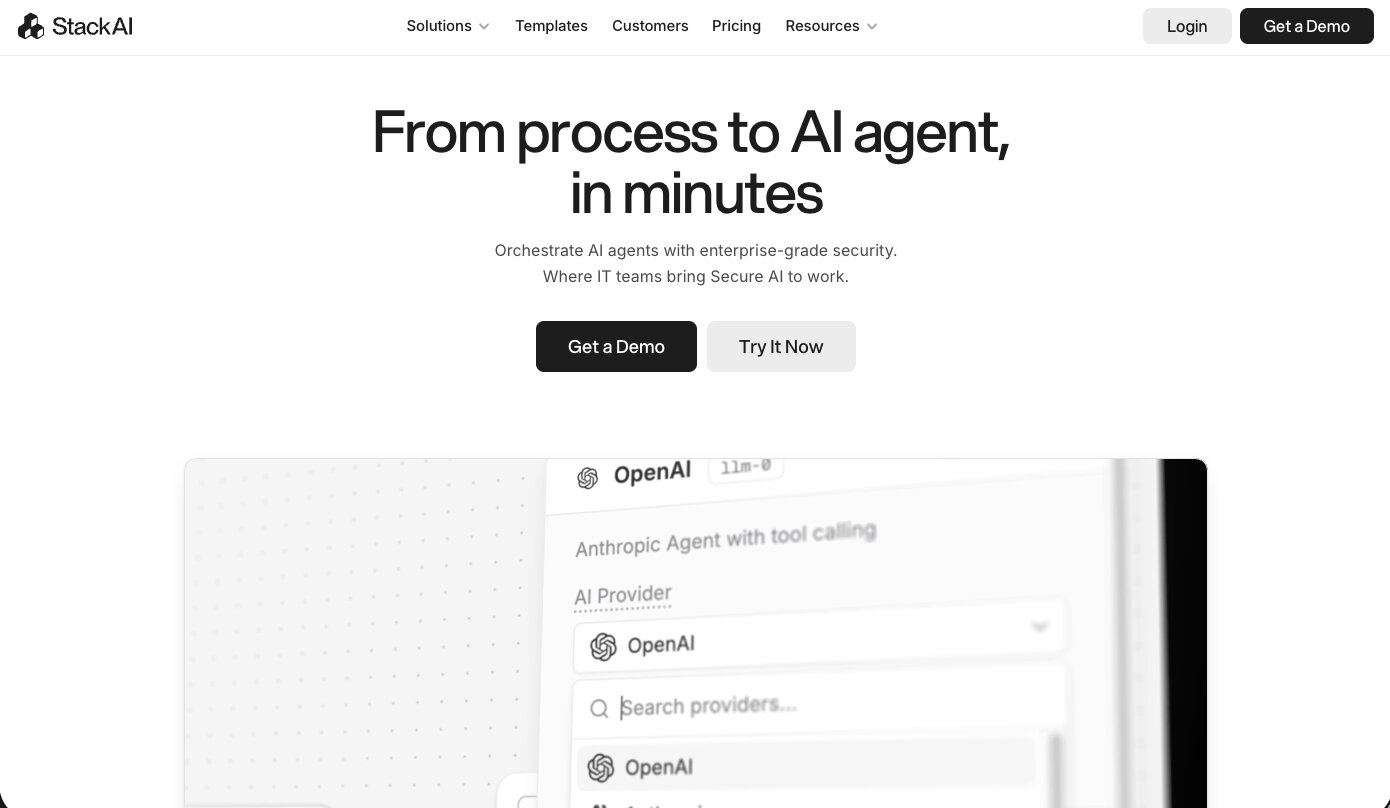
StackAI is an AI agent builder that is built for enterprise companies in regulated industries. It's a platform that lets you build and orchestrate AI agents that are really good at reading documents and taking action based on the data inside of them. Think things like underwriting, contract redlining, ticket triage, RFP drafting, and CRM enrichment.
It's used by companies like IBM, Nubank, BAE Systems, MIT, and the YMCA Retirement Fund. So if you're in an industry where compliance and data governance are non-negotiable, StackAI is built for that.
How StackAI works
StackAI gives you a drag-and-drop canvas where you connect nodes for LLM calls, tools, knowledge bases, APIs, and business systems into end-to-end workflows. You can index internal data sources into RAG pipelines, plug in tools to act on systems like Salesforce, Workday, or internal APIs, and then expose your agents through chatbots, forms, batch processors, or widgets.
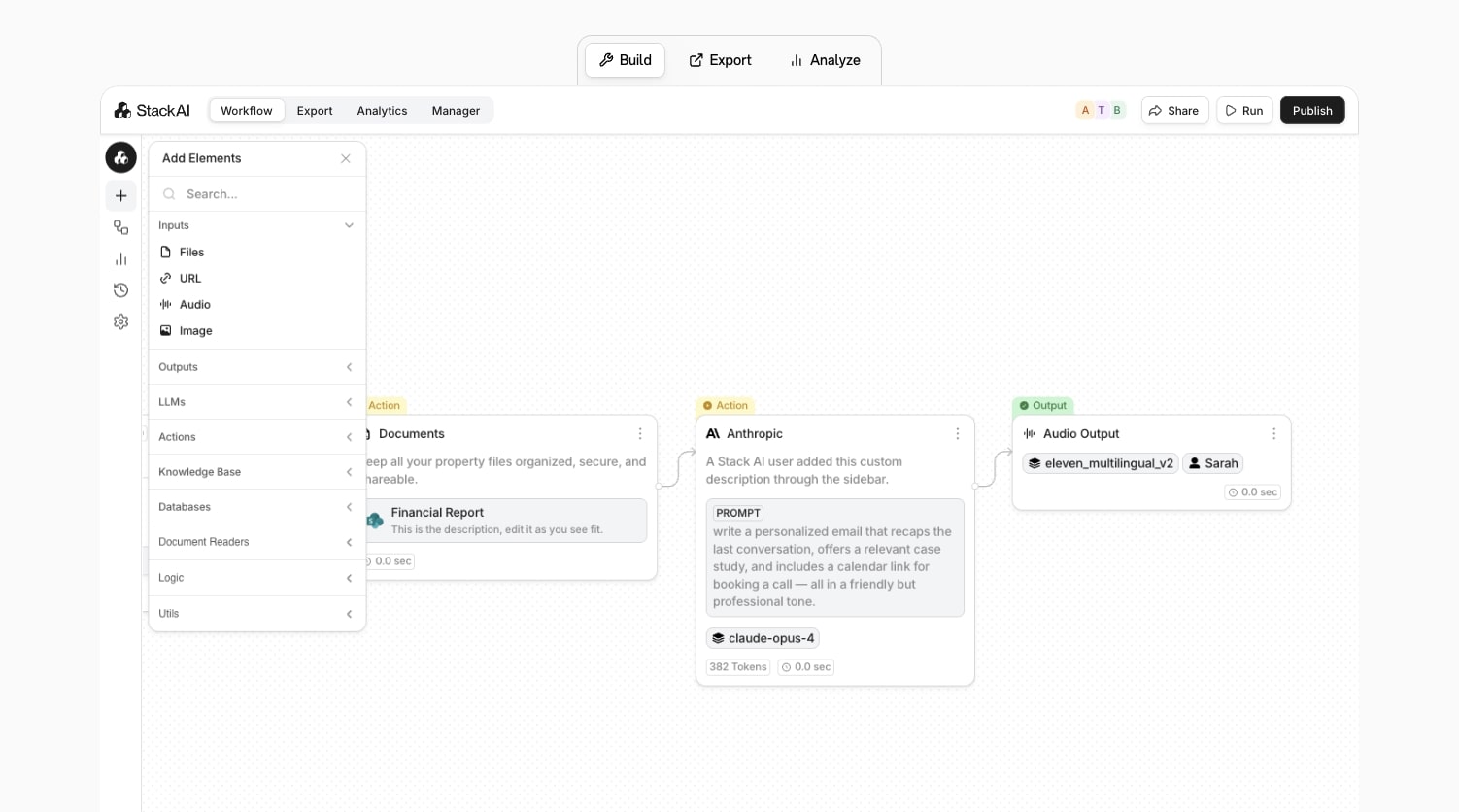
The platform also layers on enterprise controls like role-based access, SSO, audit logs, PII masking, and data residency. You can deploy in the cloud, in a VPC, or on-prem.
Why choose StackAI over Dify
Here are some reasons why I'd pick StackAI over Dify:
- StackAI ships with deep enterprise governance and security out of the box. Things like RBAC, SSO, audit logs, PII masking, and compliance certifications for SOC 2, HIPAA, GDPR, and ISO 27001. Dify would require more custom work to get to that level.
- The platform is built specifically for internal workflows. IT helpdesk bots, onboarding assistants, expense agents, document parsers. If your use case is internal operations in a regulated environment, StackAI is designed for that.
- StackAI supports multiple LLM providers (OpenAI, Anthropic, Google, Meta) and offers flexible deployment options including multi-cloud, VPC, and on-prem. That reduces vendor lock-in compared to more SaaS-only platforms.
StackAI pros and cons
Here are some of the pros I've found with StackAI:
- The drag-and-drop builder is clean and one of my favorite UIs in this space for building AI agent workflows.
- Enterprise security and compliance is baked in from day one. You don't have to bolt it on later.
- Over 100 data and app connectors (Salesforce, SharePoint, SAP, internal APIs) plus one-click RAG pipelines for document indexing.
- You can deploy agents across web widgets, chatbots, forms, and internal tools. The omnichannel support is solid.
Here are some of the cons I've found with StackAI:
- It's designed for mid-market and enterprise teams. If you're a solo operator or a small startup, the platform is going to feel like overkill.
- The focus on internal workflows and compliance can make it feel heavier than you need if you just want a simple public-facing chatbot or a lightweight experiment.
- The advanced features like RAG design, multi-agent patterns, and governance settings still take time to learn, even with the visual builder.
- The community is smaller and more specialized compared to broadly adopted automation platforms like Zapier or n8n. Fewer templates for niche use cases.
StackAI pricing
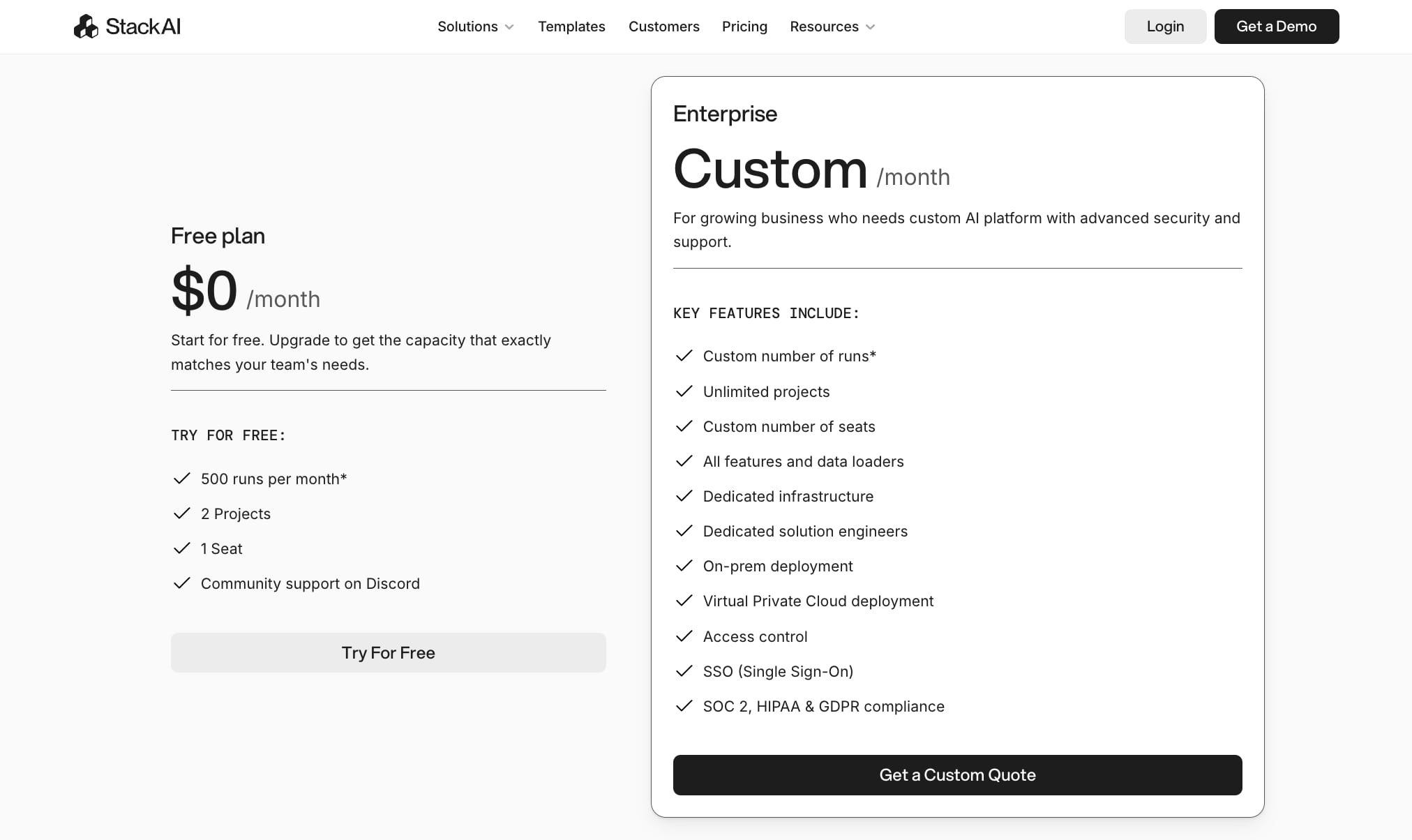
Here are StackAI's pricing plans:
- Free: $0/month with 500 runs per month, 2 projects, 1 seat, and community support on Discord
- Enterprise: Custom pricing with custom number of runs, unlimited projects, custom number of seats, all features and data loaders, dedicated infrastructure, dedicated solution engineers, on-prem deployment, Virtual Private Cloud deployment, access control, SSO, and SOC 2, HIPAA, and GDPR compliance
You can learn more about how they structure their pricing here.
StackAI ratings and reviews
Here's what customers rate the platform on third-party review sites:
- G2: 4.5/5 star rating (from +38 user reviews)
- Slashdot: 4.4/5 star rating (from +9 user reviews)
Which Dify alternative should you choose?
If you've made it this far, you probably already have a good idea of which tool fits your needs. But if you're still deciding, here's how I'd break it down.
If you want a single platform that lets you build both AI agents and AI workflows without writing any code, go with Gumloop. It's what I use personally and it's the most complete agentic workflow platform on this list. You can go from idea to running automation in minutes, and your whole team can interact with agents in real-time through Slack.
If you're a developer or engineering team that wants full control and you're comfortable working in Python or JavaScript, LangChain gives you the most flexibility. You can build custom AI applications, plug into any LLM, and design exactly the architecture you need. Just know that you're responsible for the infrastructure side of things.
And if you're at an enterprise company in a regulated industry and compliance is the priority, StackAI is worth a look. It's built for a very specific type of audience.
At the end of the day, the best tool is the one that helps you do your work better (and faster). Pick one or two from this list, build the same workflow in both, and see which gives you the better result. That's the fastest way to find out what works for you.
Now go build some agentic workflows.

Read related articles
Check out more articles on the Gumloop blog.