6 best Claude Tag alternatives I've tested in 2026

I’ve always been obsessed with bringing agents into my existing workflows.
It first started by me using Claude three years ago to start automating parts of my marketing and content workflows. Then, I switched over to other agent builders so I could bring my agents into Slack and my email inbox.
But, now Claude released Claude Tags. And you can call your agents inside of Slack. It’s great on the surface, and I totally understand why Anthropic made this decision.
But it’s not perfect. Not necessarily because Claude is not perfect (it's actually great). But mostly because building agents in Claude are a bit limited. They don’t have a lot of connectors, you can’t use it in Microsoft Teams, and there’s no way to keep costs in check.
You don’t get a lot of visibility into how tokens are being spent and what the agents are actually doing behind the scenes. A nightmare for IT teams. So if you’re looking for a Claude Tag alternative, this is the article for you.
I’ve been blogging about AI and agents for almost 2 years now, and I’ve amassed millions of readers on my personal website doing so. I literally do this for a living at this point. And I can tell you that there are a ton of alternatives to Claude Tag that will blow your mind.
So here's my honest take on the other platforms in this space. I don’t want to ramble any more, so let's just get into it.
What is Claude Tag?
Claude Tag is an extension of Claude that lets teams use the platform within Slack. All you do is tag @Claude in Slack and it can call Claude and any of your workflows. This way, you don’t have to actually be inside Claude to access your agents and skills.
Anthropic has recently moved Claude Cowork into its standard chat product. So this is a natural extension of that functionality. Claude Cowork inside of Slack. If you’re using connectors, like Clay or Google Docs, this is also another way to call those MCP servers directly inside of Slack.
While not a novel feature, and many of the agent builders below have been able to do this, it does make a lot of sense why Anthropic is trying to head this direction as they try to go more upmarket for their non-technical users.
What to look for in a Claude Tag alternative
I don’t want to just tell you all the alternatives, without first going over how I evaluated these first. What’s that saying? Teach someone to fish, don’t just give them the fish. Or something like that. You get what I’m saying.
Here’s how I evaluated the best Claude Tag alternatives:
- Where it lives: Does it just operate inside of Slack? Or can it be accessed through Microsoft Teams, your inbox, or through a mobile app? Some of these can do all, most of them can handle email and Teams.
- Fully autonomous vs. human-in-the-loop: Can these agents act 100% on their own, or do they need a human-in-the-loop? Almost all agent builders can do both, but you often want to have the option to switch between either one.
- Model flexibility: Are you able to swap between models? Platforms like Claude, Grok Bot, ChatGPT agents are walled gardens within their own ecosystem. But there are platforms that can both leverage frontier AI models as well as open-weight models (hosted in the US). Ideally, you can have a fully model agnostic platform that can route between the best model for the task. This is the best route for optimizing agent speeds as well as total AI costs.
- MCP and integrations: Does the agent builder let you integrate with multiple tools? Claude has only a select number of tags, and while you can integrate with different MCP servers via Claude Code, it’s not the most ideal for IT teams (it’s actually a nightmare). Some of the platforms on this list give you near unlimited integrations.
- Agent identity and governance options: Are IT departments able to see how these agents and tools are called? Can they govern them and make sure agents don’t go rogue within their organization? While these are not big problems for startups or SMBs, they can become a huge problem for larger enterprises.
- One-off tasks vs. recurring tasks: When calling an agent, does it just do one off tasks? Or can you trigger an agent to run recurring tasks on its own? Often, what I’ve seen talking to dozens of operators at enterprise companies, they get the most success when their agents run on a trigger. I actually see most agent usage across triggers, not when a human calls them.
- Availability and pricing: How expensive is it? We all care about costs. I think people gravitate towards Claude because it subsidizes a lot of costs. But, at an enterprise level, when using API pricing, these costs can balloon. We’ve seen it ourselves, with our crazy Anthropic bill. But that’s where model agnostic platforms really shine. They can drastically decrease costs, sometimes by up to 80% (without any decrease in output quality).
Okay, that’s a few things I looked out for when evaluating all the tools below. Now let's get into the list.
6 best Claude Tag alternatives in 2026
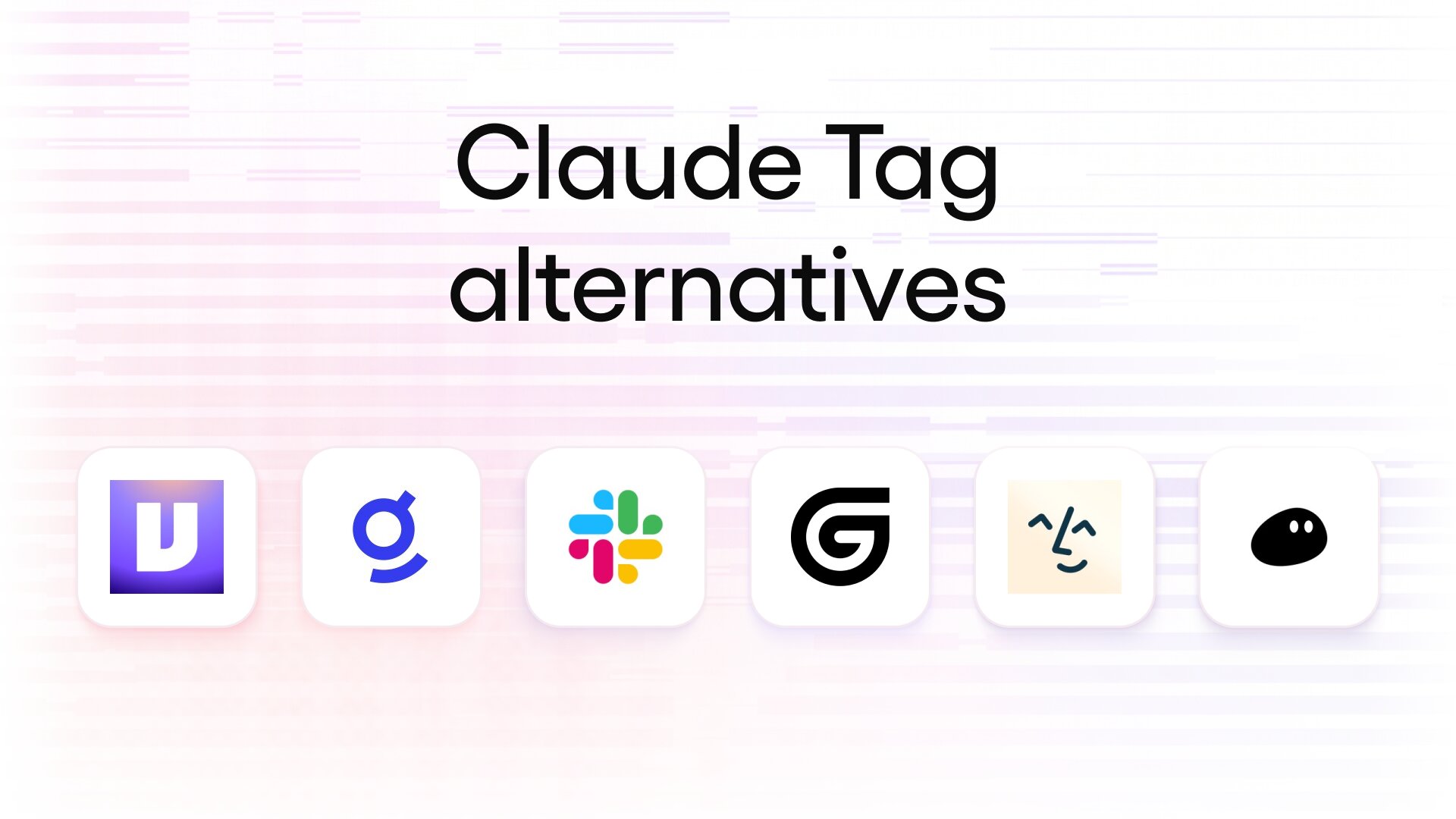
Here are the best Claude Tag alternatives on the market right now:
Let’s take a closer look at each of these products.
1. Gumloop
- Best for: Teams that want to build and govern agents in Slack or Microsoft Teams
- Pricing: 14-day free Pro trial, then $37/mo plus pay-as-you-go usage; custom Enterprise plans
- What I like: White-labeled Slack apps, model-agnostic with admin controls, VPC deployment option
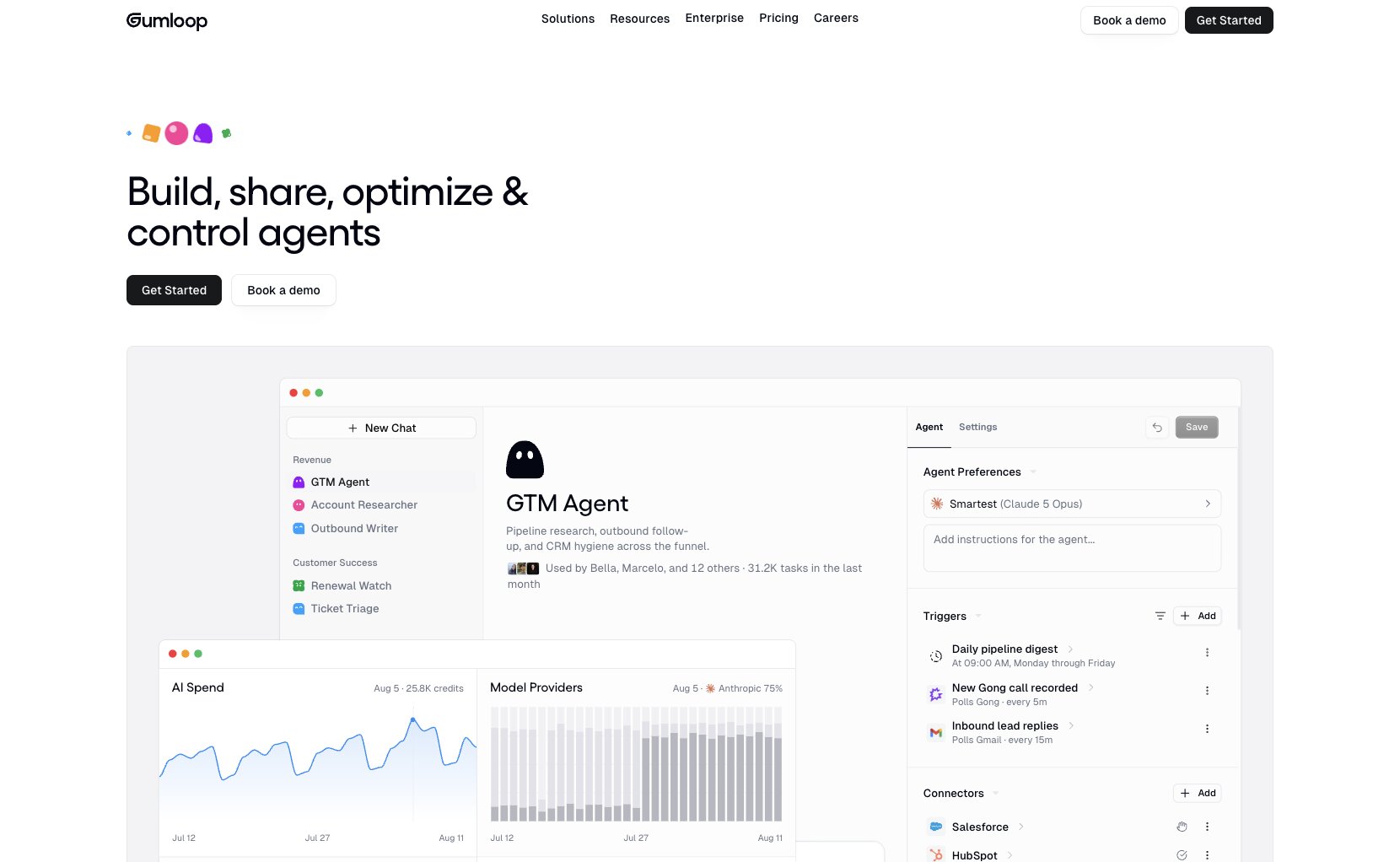
Gumloop is a fully featured enterprise AI agent layer: a platform to build, share, optimize, and observe agents. With Gumloop, you can build an agent, then add that agent to Slack or Microsoft Teams. You can also access agents through email or an API, or host them on standalone pages.
To use Gumloop in Slack, you can add a Gumloop agent to a channel and tag @Gumloop. Gumloop also supports Custom Slack apps, so you can have multiple Gumloop agents in the same channels, with different specializations and unique handles (like “@CRMbot” or “@OnboardingLoop”).
One major feature that sets Gumloop apart from Claude Tag (besides support for Microsoft Teams) is that Gumloop is fully model-agnostic, by design. You can use Anthropic models, but you can also use other frontier models like GPT, Gemini, or Grok, or cost-effective open-weight models like DeepSeek or GLM. By default, Gumloop agents run through a model router that chooses the right model for the task at hand: routine tasks get routed to cost-effective open-weight models, while complex tasks get routed to the latest frontier models.
Gumloop pros and cons
If you want AI agents that live in Slack or Microsoft Teams, if you want the flexibility to choose non-Anthropic models you want, or if you want to deploy in your own cloud, then Gumloop might be the right choice for you. It’s also a great choice if you want everyone on your team to be able to create multiple specialized agents, rather than just a single generalist agent (like Claude Tag).
If it’s important to you that memory generated in public channels is shared across the workspace automatically, or you’re only looking for a single generalist agent that you can add to Slack with no setup, then Claude Tag might be a better fit.
Where Gumloop shines:
- Model-agnostic architecture, for flexibility and cost control: Use frontier models from Anthropic, OpenAI, or xAI, or cost-effective open-weight models that can dramatically reduce spend. By default, Gumloop’s Model Router will pick the best models and pass the savings onto you, but you can also choose whatever models you want, and switch whenever you want.
- Agent runtime that lives in your own cloud: Unlike Claude Tag, Gumloop offers static egress IPs, managed tunnels, BYOK / custom proxies, and Virtual Private Cloud (VPC) deployment. Ensure that the agent runtime, orchestration, and connectors live in your own environment.
- Enterprise-ready governance features: With Gumloop, admins can implement SSO/SCIM, role-based access control (RBAC), and zero data retention (ZDR), and set allow-/deny-lists, presets, and fallbacks for specific models or providers. Admins can also observe and control all AI traffic across the entire organization, with full audit logs. See where your token spend is going, all the way down to the per-chat level.
What could be improved:
- Workspace memory needs additional setup: Claude Tag accumulates workspace memory by default. Gumloop agents can have equivalent access to the context in your Slack channels by equipping them with access to Gumloop Brain, but you do need to set it up first.
- Slack implementation is more advanced than Microsoft Teams, for now: Right now, Gumloop for Microsoft Teams is missing some of the features present in Gumloop for Slack. In Microsoft Teams, Gumloop agents are only supported in public channels, you can’t white-label agents, and @mentions are required on every message.
- You own the agents (and the responsibility): Anthropic maintains Claude Tag for you. With Gumloop, you can build custom agents perfectly tailored to your team’s use cases, but this does mean that maintaining those agents’ skills, instructions, and settings is your team’s responsibility.
Gumloop pricing
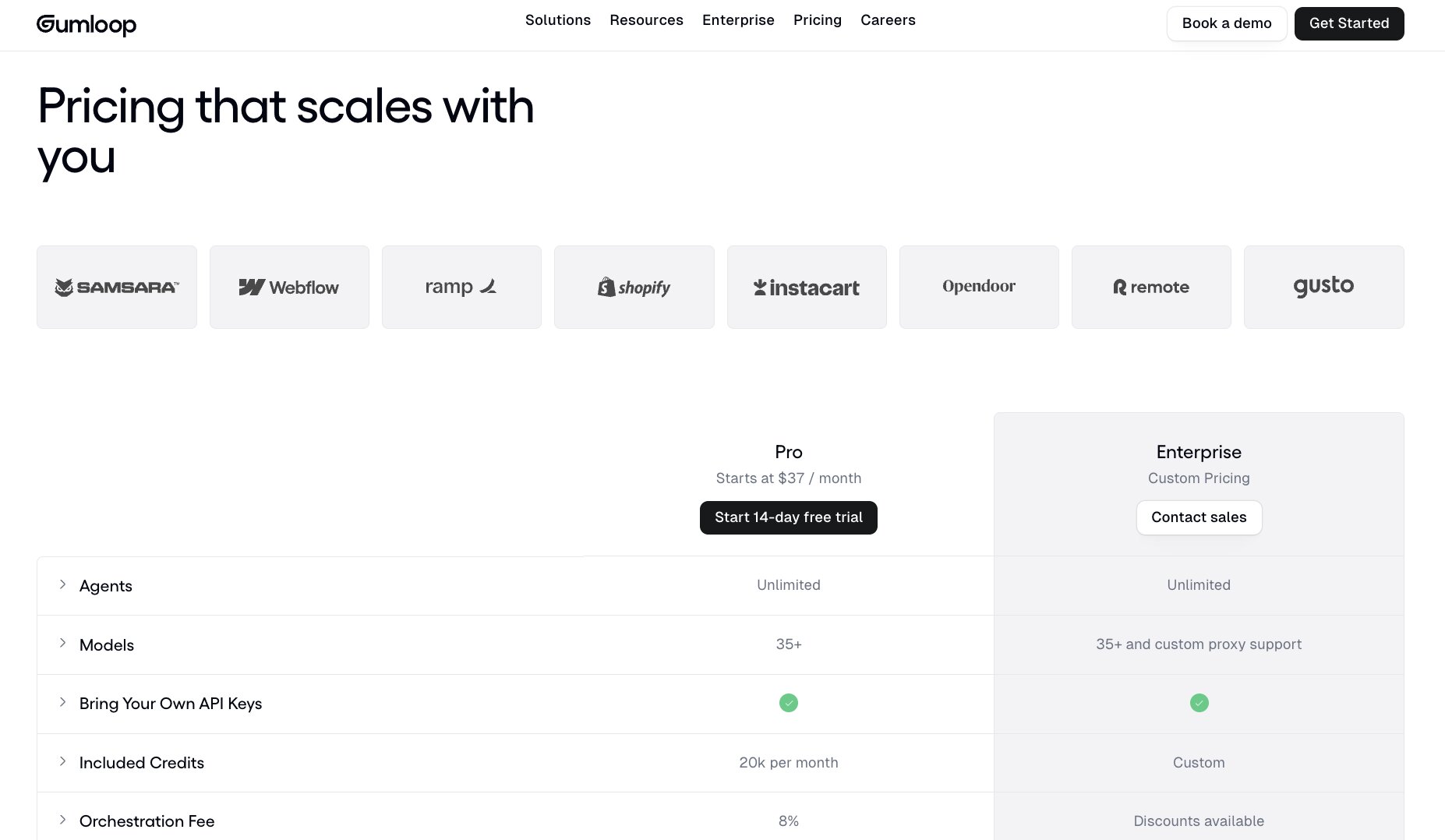
Gumloop currently has a self-serve plan, Pro, and a sales-assisted plan, Enterprise. New accounts get a free 14-day Pro trial.
- Pro: starts at $37/month, 20,000 credits included per month with pay-as-you-go usage pricing after that. Includes unlimited seats/teams/agents, 35+ models, BYOK support, 1 hosted MCP server, and agent-scoped connector policies.
- Enterprise: custom pricing. Adds SSO/SCIM, RBAC, audit logs, org-wide policies, incognito mode/ZDR, custom/proxy models, and optional VPC support.
1 Gumloop credit equals $0.005. The cost of an agent run is the cost of the tokens from the model, plus the cost of any tool calls, plus the cost of compute, with an 8% orchestration fee.
Gumloop ratings and reviews
Here are what users rate Gumloop on third-party review sites:
- G2: 4.8 / 5 rating (from 7 ratings)
- Product Hunt: 5.0 / 5 (from 9 ratings)
2. Junior
- Best for: Teams that want a drop-in AI coworker for Microsoft Teams or Slack, today
- Pricing: Free trial with $100 credit, then from $100/month
- What I like: approval-gated on customer-facing actions by default, a distinct identity for each AI coworker
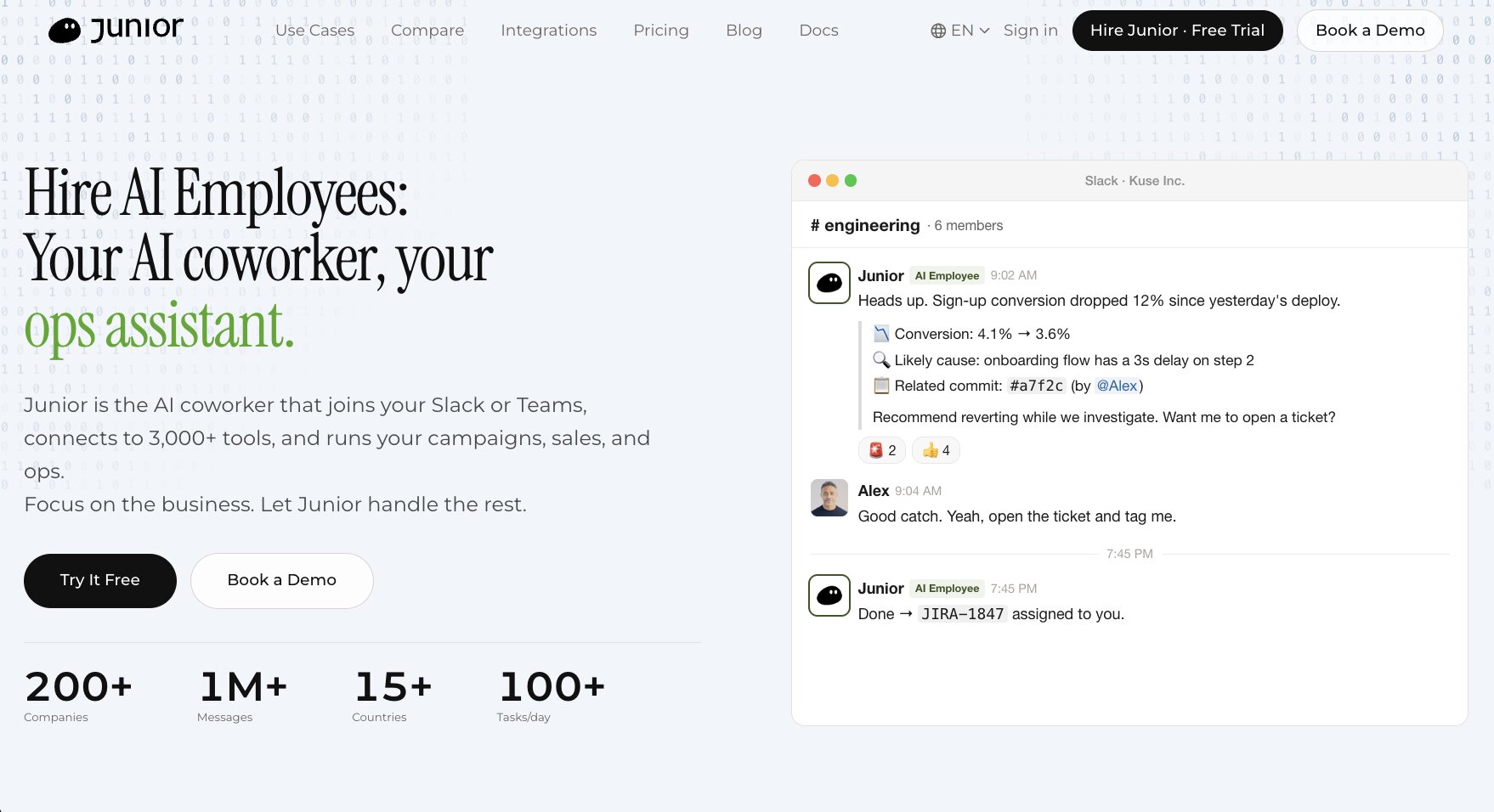
Junior categorizes itself as an “AI teammate” in their marketing copy, and they lean heavily into the metaphor. When you “hire” a Junior, it gets a name you can @mention (e.g. @Junior, or @Rin, @Kendall, etc.), its own Slack or Microsoft Teams account, and its own email address.
Each Junior is treated like a separate employee, and has its own permissions, tool connections, and memory. If sales, marketing, and ops each need different permissions and identities, you set up a separate Junior for each. The Standard $100/mo plan supports up to five distinct Juniors.
This is a slightly different identity model from Claude Tag, where everyone @mentions the same @Claude app, and permission scoping is determined with org-wide and/or per-channel “Access bundles” (named sets of credentials, allowed domains, etc.).
As of September 2026, the main reason you might consider Junior over Claude Tag is its availability. Unlike Claude Tag, which is still Slack-only (for now), Junior works in Microsoft Teams today. Claude Tag is in beta on Claude Team and Enterprise plans, whereas Junior is generally available and self-serve to try, without needing an existing Claude plan.
Junior pros and cons
Junior is a great choice if your organization is on Microsoft Teams and you want to make sure nothing AI-generated sneaks into a customer-facing surface without getting human approval first. It’s also fast to set up, with a free trial that doesn’t require a Claude plan and preconfigured templates for sales and ops teams.
However, the multi-Junior model can create problems as you scale within an organization. If your team wants centralized management of reusable skills and model/connector policies across all agents, a unified platform might be a better approach.
Where Junior shines:
- Catalog of 3,000+ connectors: Junior has access to a wide range of over 3,000 APIs through Pipedream. If you’ve got some more esoteric tools in your stack beyond your standard Google Workspace, Salesforce, Notion, etc., then you can connect your Junior almost immediately, with very little setup.
- Approval gates on outbound actions: By default, all customer-facing actions are drafted and queued for human approval (with an audit log of who approved which actions, when). This contrasts with Claude Tag’s ambient mode, which defaults toward action rather than approval in ways that can potentially lead to nightmare scenarios for customer-facing teams.
- Preconfigured Juniors for revenue and ops: If you want an out-of-the-box solution for a particular role rather than customizing a blank general agent, you can get templated Juniors designed for sales reps, SDRs, operations coordinators, etc.
What could be improved:
- No VPC, and SOC 2 is still in progress: As of September 2026, Junior is currently undergoing its SOC 2 Type II audit and hasn’t yet issued a report. If your team needs runtime in your own cloud, or SOC 2 compliance, you might have to look elsewhere.
- Scaling creates fragmented context: Each Junior has its own memory, tool connections, and context, but Junior-to-Junior communication isn’t supported yet. As you add more Juniors, you create more context and configuration that needs to be maintained separately.
- Model routing without model control: Junior routes tasks to a mixture of different models (Claude and GPT, according to their documentation), based on the specific task at hand. Although you’re not locked into Claude the way you are with Claude Tag, you still have little-to-no control over which models are being used: no support for BYOK, no allow- or deny-lists for models, or custom proxies.
Junior pricing
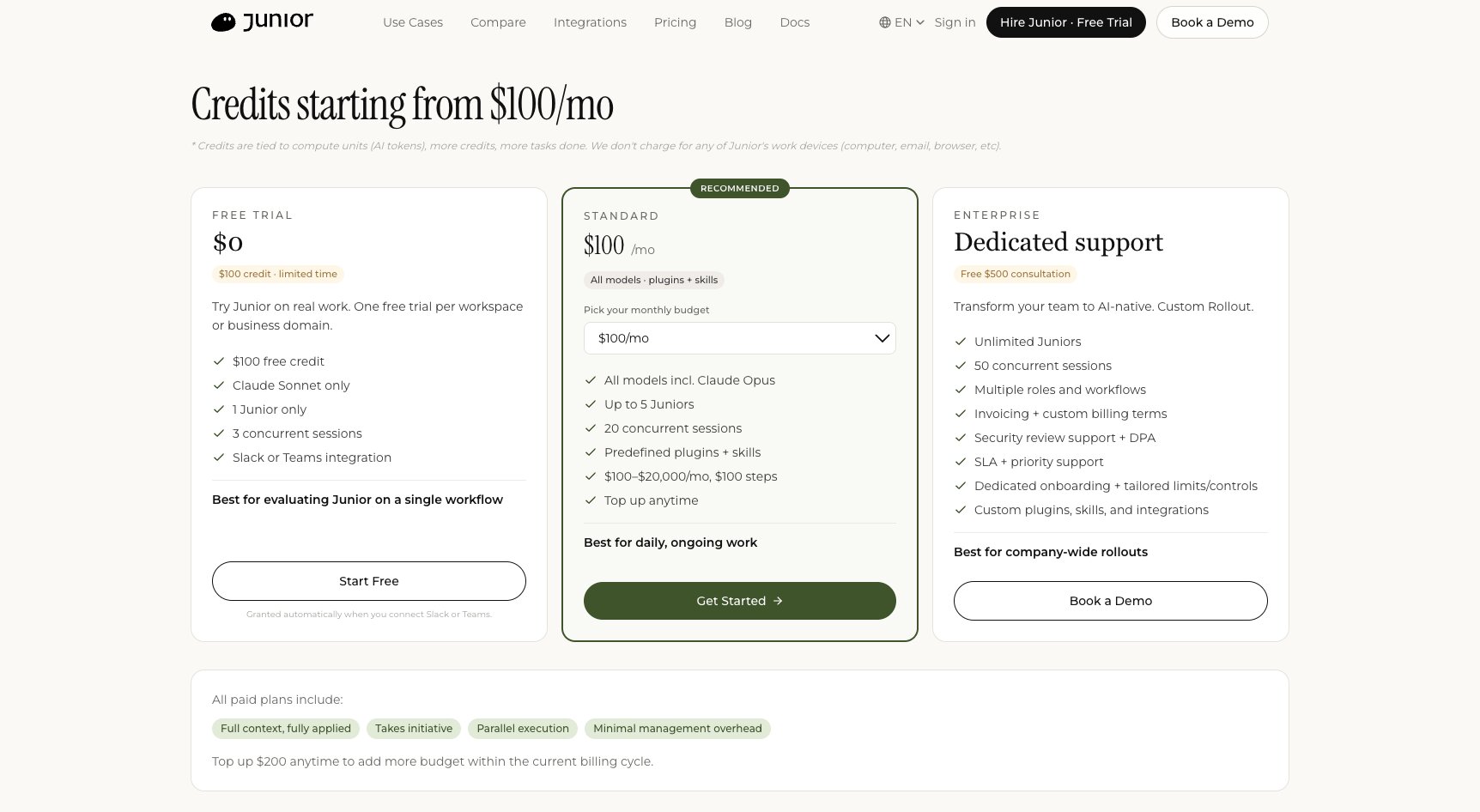
Junior has three pricing plans:
- Free trial: $0 with $100 of credit. Claude Sonnet only, one Junior, three concurrent sessions. One trial per workspace and per business email domain.
- Standard: from $100/month, set as any monthly budget up to $20,000 in $100 steps. All models including Claude Opus, up to five Juniors, 20 concurrent sessions, and the built-in plugins and skills.
- Enterprise: custom, with unlimited Juniors, 50 concurrent sessions, invoicing, a DPA, an SLA, and dedicated onboarding.
This is a fundamentally different pricing model from Claude Tag, which is priced on a per-seat basis against an organization usage balance.
Junior ratings and reviews
As a very young product, Junior doesn’t yet have a footprint on sites like G2, Capterra, and Product Hunt.
3. Viktor
- Best for: Teams that want a single shared coworker in Slack or Microsoft Teams, on a model you choose
- Pricing: $100 in free credits, then $100/month for 40,000 shared credits
- What I like: model picker, finished artifacts (Pages and Spaces)
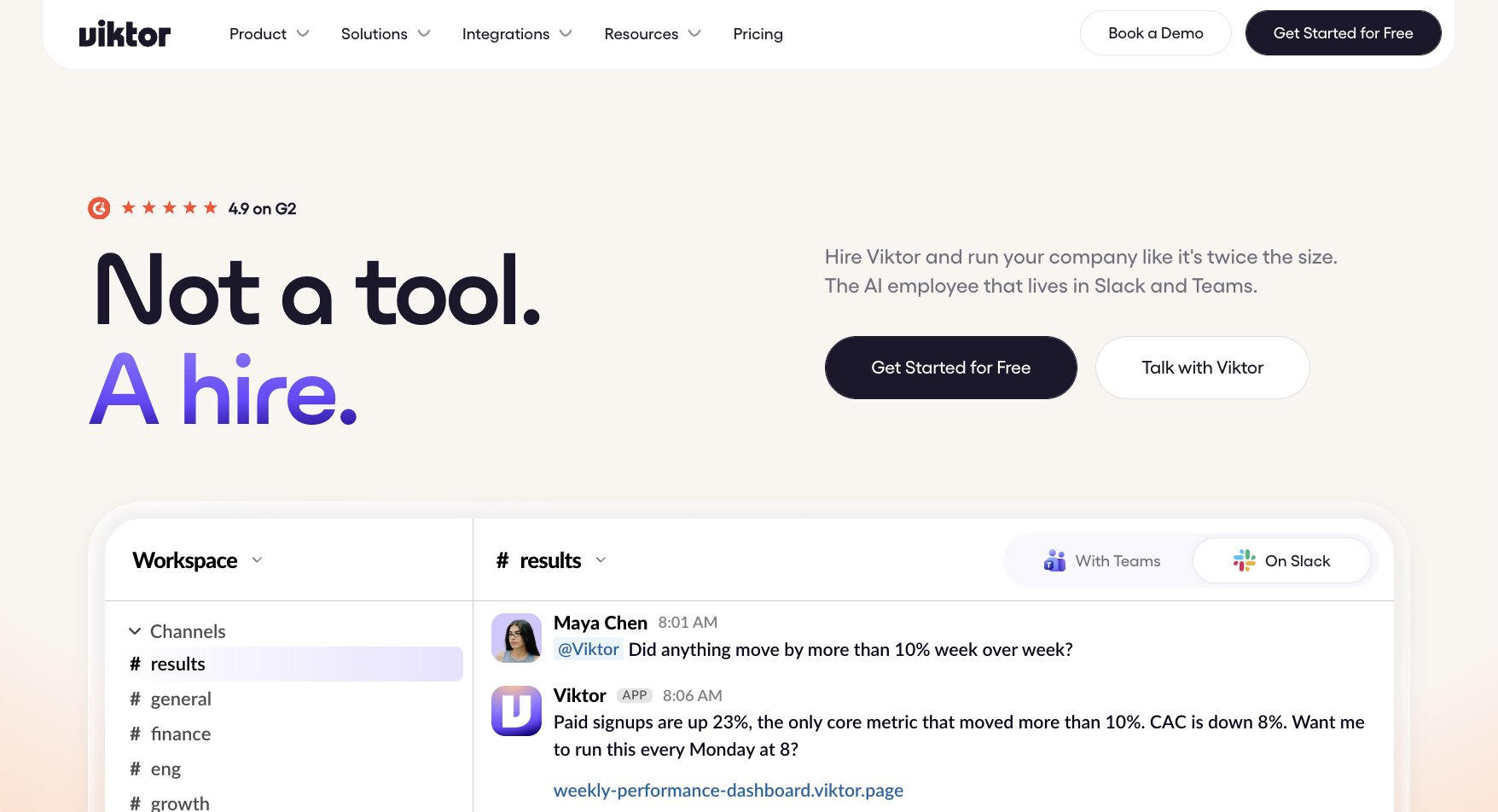
Viktor, from Zeta Labs, is another product that uses the framing of an “AI employee” that you “hire.” Unlike Junior, though, you don’t hire a differently named AI coworker per role: you get a single @Viktor in your organization’s Slack or Microsoft Teams workspace that everyone talks to. And unlike Claude Tag, which is currently only in Slack and still in beta on Claude Team and Enterprise, you can try Viktor today with a free trial of $100 in credit.
Viktor comes with a catalog of 3,200+ integrations. For services not already in the catalog, you can connect through standard web APIs, although it requires some amount of technical setup.
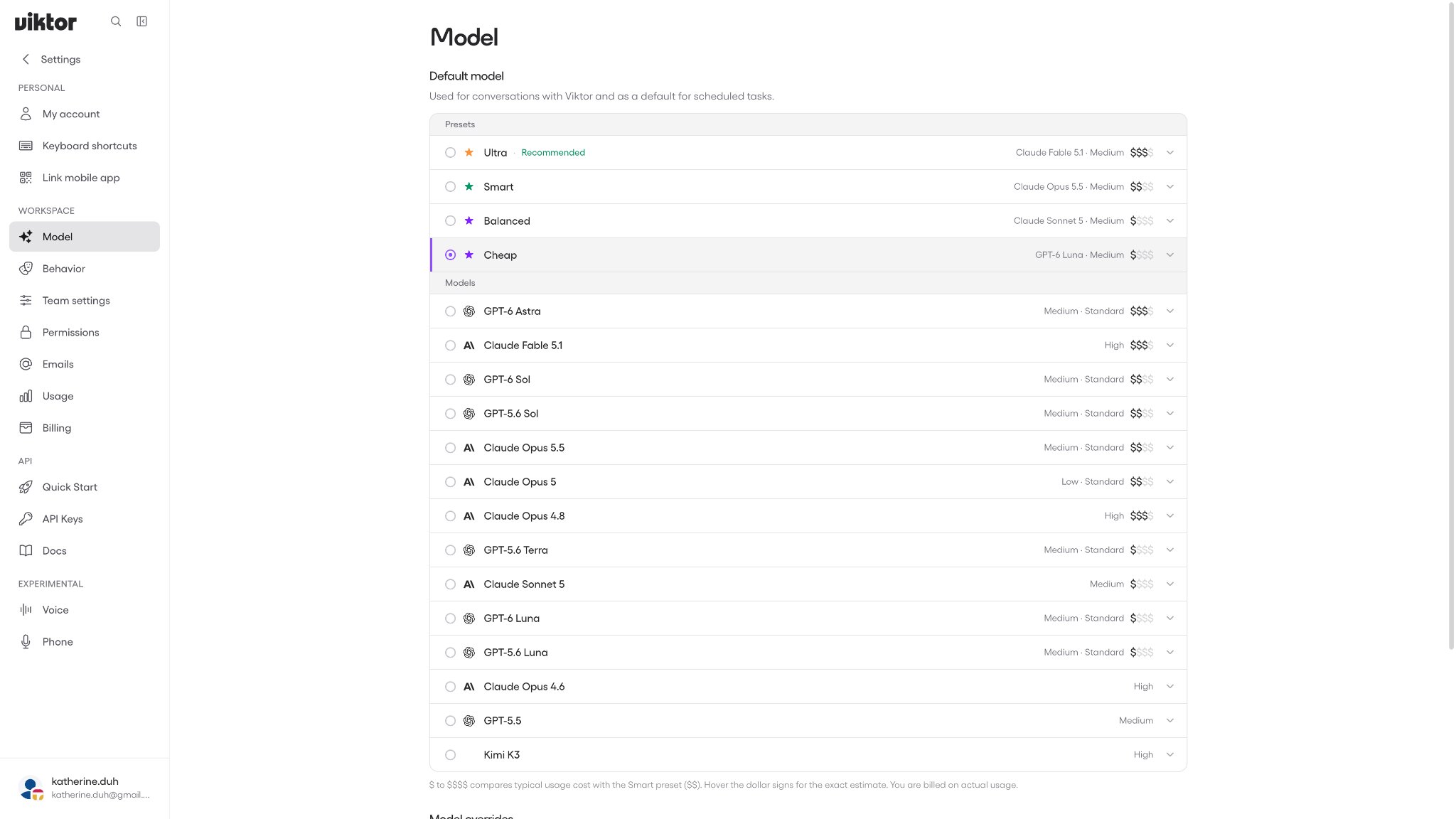
You can choose a default model for Viktor from a list that includes Claude, GPT, and Kimi models (their docs say that they offer Gemini models too, although I didn’t see that option as of September 2026). If you don’t have a particular preference for a specific named model, you can also pick from the “Ultra,” “Smart,” “Balanced,” or “Cheap” presets. As of September 2026, those options are Claude Fable 5.1, Claude Opus 5.5, Claude Sonnet 5, and GPT-6 Luna respectively.
Claude Tag can return files, charts, and hosted claude.ai pages. Similarly, Viktor can publish a Page (a snapshot write-up at a viktor.page URL) or a Space (a live web app that runs code and keeps data). Viktor Pages and Spaces also have their own per-artifact permissions (per workspace, a member allowlist, or public).
Viktor pros and cons
If you want a generalist agent for Slack or Microsoft Teams, with a large catalog of SaaS connectors, that you can set up right away, Viktor is a good choice.
Look elsewhere if you want multiple specialized agents or to deploy in your own cloud.
Where Viktor shines:
- Slack or Microsoft Teams, available today: If you want to try out Viktor now, it’s self-serve, with no Claude Team/Enterprise team plan necessary. It took me less than 5 minutes to go from signing up to chatting with Viktor in Slack.
- Set model overrides for everyday or complex tasks: You can add !fast or !deep to the beginning of a Slack message to switch to a different model from the default model. The override only applies to that reply.
- Requester-scoped permissions: An integration can have multiple connections. So, for example, you can have a shared Salesforce connection for the entire team, or an invite-only connection owned by a single person. When chatting with Viktor, it uses the connections available to the person who asks.
What could be improved:
- One generalist rather than separate specialists: Depending on your team’s needs, this might actually be a benefit, since having a single @Viktor makes it extremely easy to adopt. But if sales, ops, and support need different agent identities, instructions, or ownership, you’ll have to manage those distinctions within a single Viktor identity.
- No inbox-based surface: Like Claude Tag, you can connect email to Viktor as a tool. But unlike Junior or Gumloop, your workspace’s Viktor doesn’t come with a default email address that you can use as another surface. So your sales rep can’t (for example) just CC Viktor in on a thread to kick off a work stream.
- No customer-hosted deployment option: Viktor runs in its own cloud rather than in your VPC or infrastructure, which rules Viktor out if your security requirements include keeping the agent runtime inside your own network.
Viktor pricing
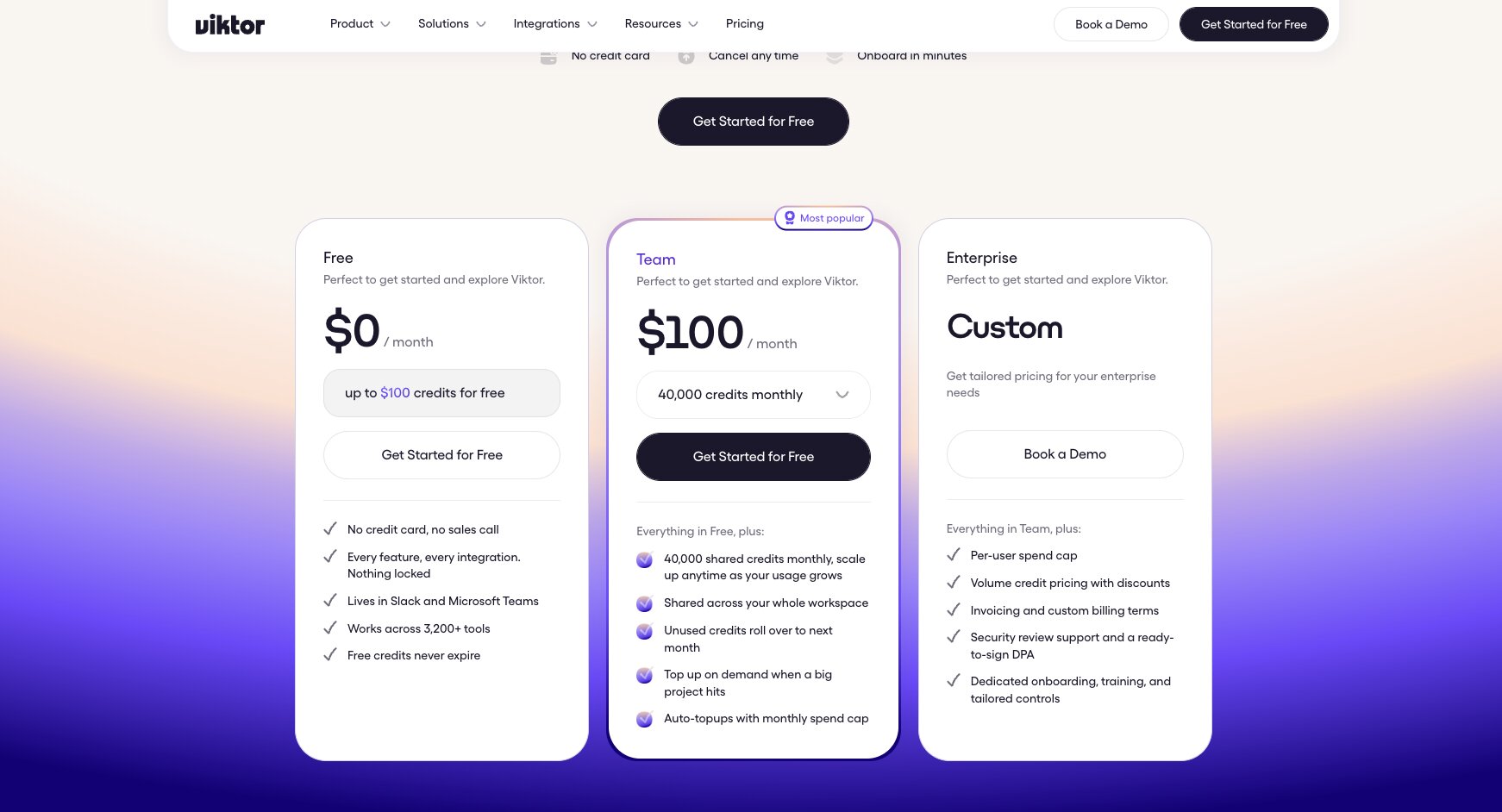
With Viktor, everyone in the workspace draws on the same pool of shared credits. There’s three pricing plans:
- Free: $0/month, with $100 in credits
- Team: $100/month for 40,000 monthly shared workspace credits
- Enterprise: custom pricing, with per-user spend caps, invoicing, a DPA, dedicated onboarding, and audit logs.
Viktor ratings and reviews
Here are what users rate Victor on third-party review sites:
- G2: 4.9 / 5 rating (from 57 ratings)
4. Slackbot
- Best for: Slack-based teams that want a personal AI agent, and don’t want to go through another procurement process
- Pricing: Included with Business+ at $18/user/month or Enterprise+ with custom pricing (with option to purchase Salesforce Flex Credits for higher usage limits)
- What I like: Doesn’t require a second subscription, already understands your Slack context
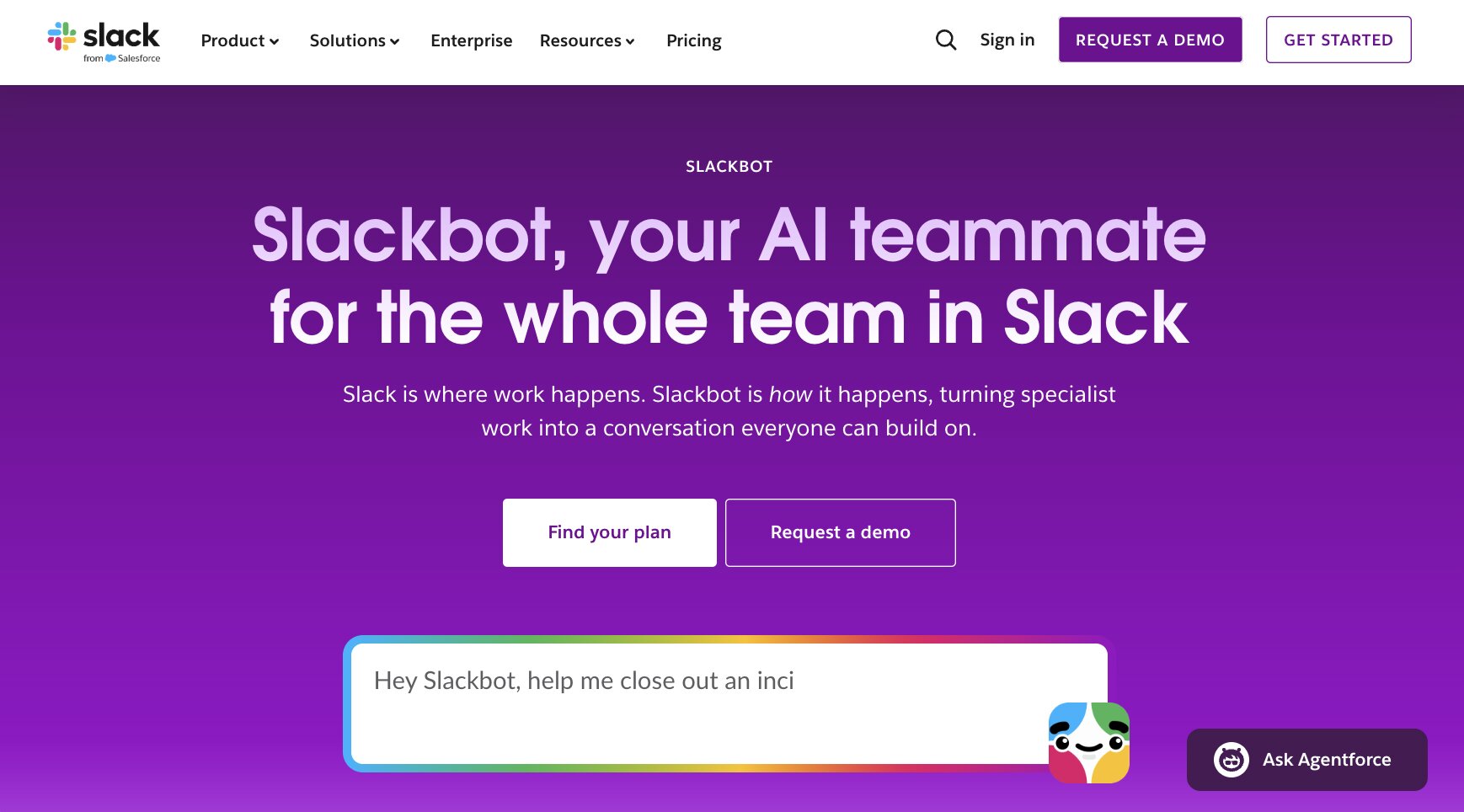
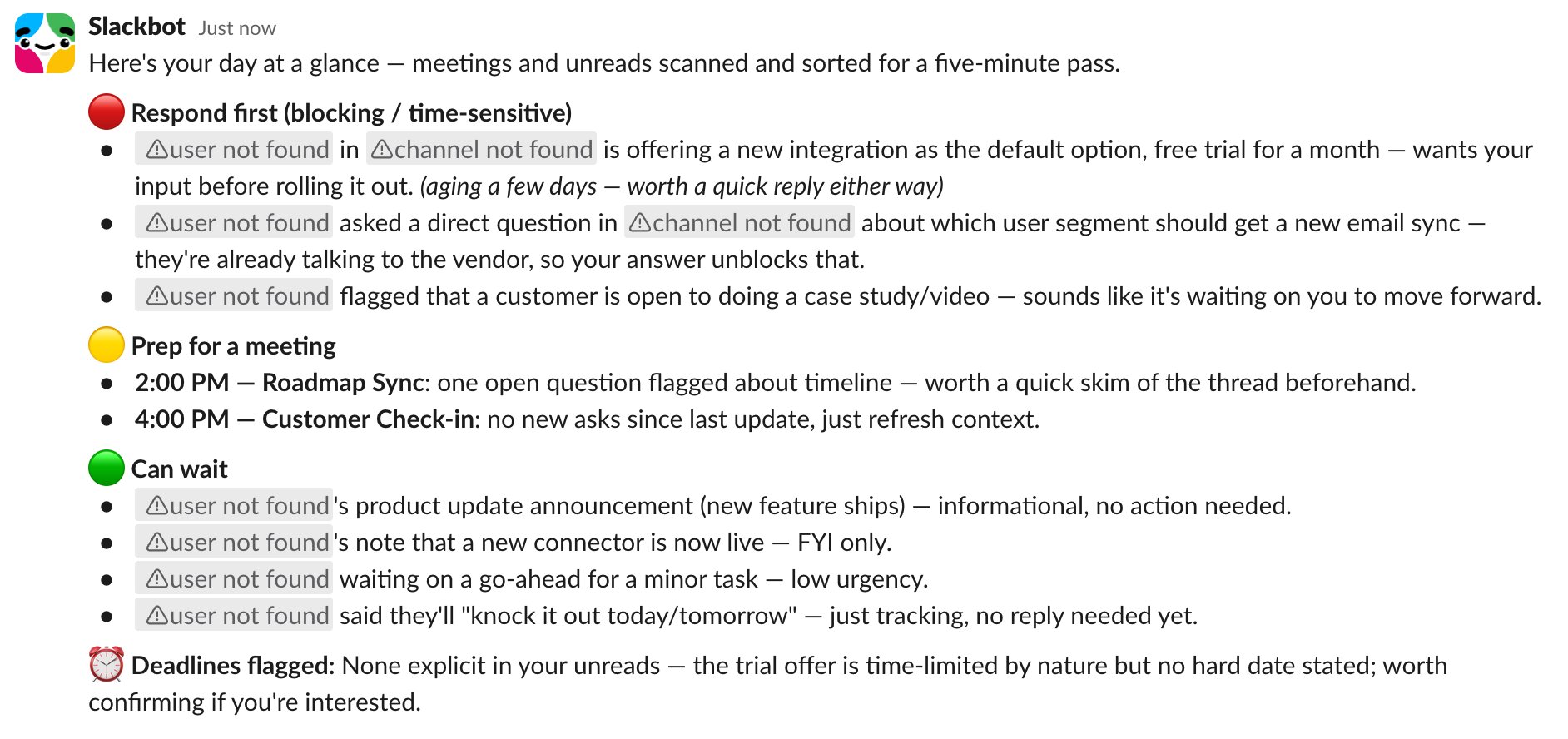
I remember when Slackbot used to be just a simple little chatbot guy that would do notifications and reminders for you. Earlier this year, though, Slack revamped Slackbot into a proactive AI-powered personal agent, with broader capabilities that make it more closely resemble other modern agentic AI products. Slackbot can do deep research across Slack, Salesforce, and the web; take action in connected and approved MCP apps; create canvases, presentations, and reports from prompts; and write and run code.
Note that because Slackbot is a personal agent, it’s a fundamentally different product from Claude Tag. Slackbot acts as your personal assistant by default, and starts from your permissions: it can access public channels, your private channels, your DMs, and the connected sources you’re allowed to access. Conversations with Slackbot are private by default and although you can forward prompts or artifacts created by Slackbot to a channel or with other teammates, there’s no real concept of teammates collaboratively working on shared tasks together with an agent.
Assuming you’re already in Slack, setup is nonexistent. Marketers love to say that setup for this or that product “takes less than 5 minutes” (as a marketer, I would know), but in this case, you genuinely don’t have to do anything beyond clicking the Slackbot button in Slack and sending a message or selecting one of the recommended prompts. For me, these included prioritizing my unread messages and reviewing my mentions.
Slackbot pros and cons
If you’re already paying for a Slack Team or Enterprise plan, there’s really no risk to trying out Slackbot and seeing if it’ll work for you. It requires absolutely no additional setup or fee to get started, and because it inherently has access to all your personal Slack context, it can do certain things that the other products on this list can’t do (like access your DMs and private channels).
Obviously, if your organization isn’t already paying for a Slack Team or Enterprise plan, Slackbot becomes significantly less enticing. And if what you’re looking for is a shared team agent, Slackbot fundamentally isn’t designed for that.
Where Slackbot shines:
- Already in Slack: Slackbot goes beyond being “easy” or “fast” to set up and actually has no setup. If you’ve already got an eligible Slack workspace, there’s no separate subscriptions to manage and no installation process, and Slackbot automatically gets access to the conversations, files, and connected apps you already use every day, through your existing permissions.
- Can read your DMs and your private channels: One issue I’ve run into with these Slack-based team agents is that their permissions mean they can’t automatically get context from private conversations. This is logical for a team-based permissions model, but one annoying consequence of this is that if an issue is raised in a public channel and resolved through DMs, those team agents assume the issues were never addressed. Closing the loop with the agent becomes yet another manual task. Among the options on this list, Slackbot is uniquely capable of proactively getting this personal context when analyzing what tasks are still outstanding.
What could be improved:
- Business+ plan access is pretty limited: Their pricing page advertises Slackbot access on the Business+ plan, but if you read the fine print, workspace members on a Business+ plan are limited to 15 messages per week. For more substantive usage of Slackbot, Business+ users either need to upgrade to Enterprise or pay for Flex Credits through Salesforce.
- Not a team agent: Slackbot conversations are private by default. You can share the output of a Slackbot working session with your teammates, but Slackbot isn’t designed to do shared working sessions with your teammates in public channels.
- No model choice or transparency: We know that as of February 2026, Slackbot is “powered by Anthropic’s Claude.” However, it’s not necessarily clear which specific Claude model Slackbot runs by default, or if Slackbot does any sort of model routing based on task complexity. There’s no documentation about whether admins can select particular models, nor is there any documentation about BYOK support.
Slackbot pricing
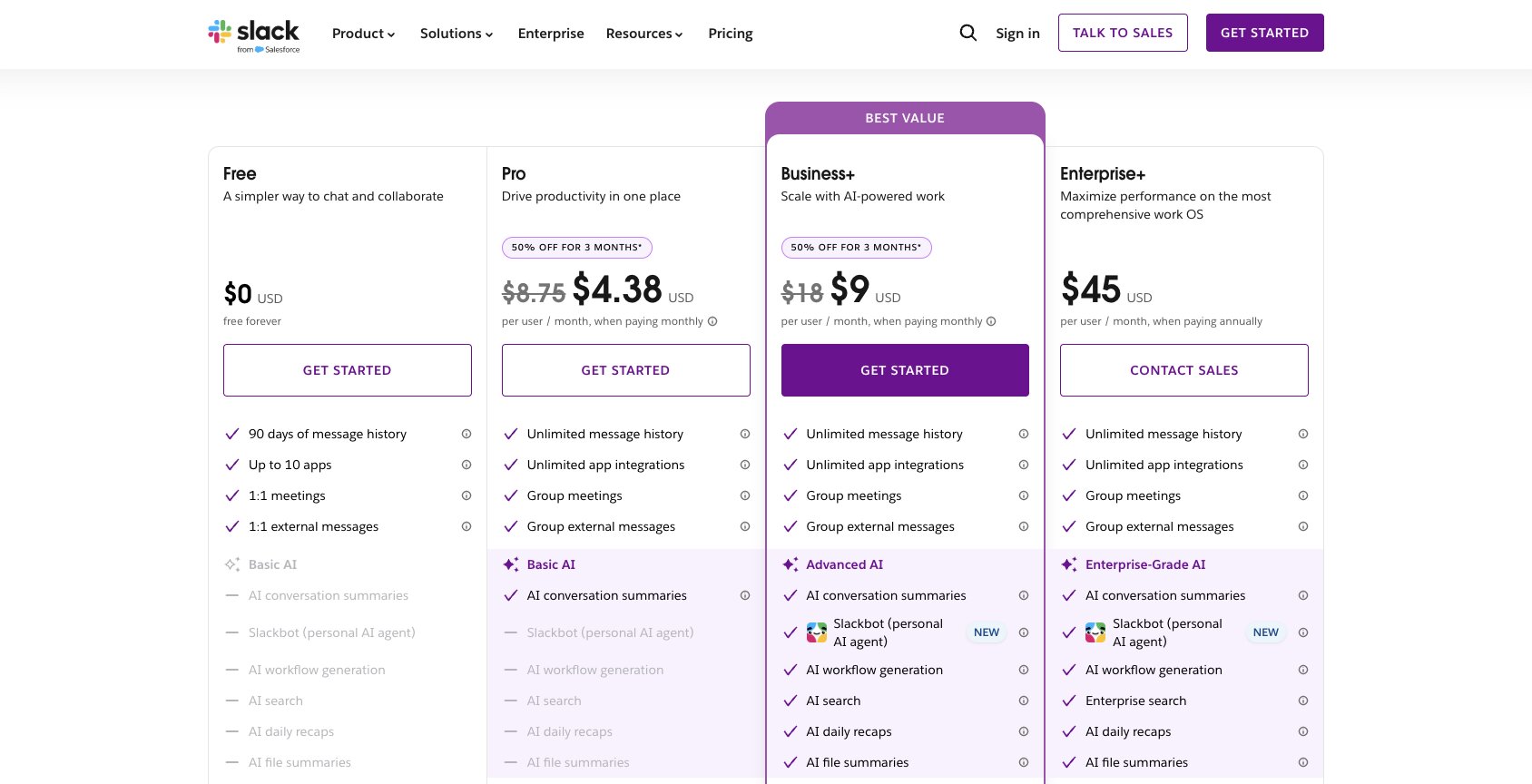
Slackbot is bundled into Slack plans rather than sold as a separate AI employee.
- Business+: $18/user/month; plan includes Slackbot and other AI features. Slackbot messages are capped at 15/user/week unless Teams pay for additional Salesforce Flex Credits.
- Enterprise+: custom pricing, with “unlimited Slackbot messages” (subject to Slack’s broader usage policies and deeper enterprise controls).
The Free and Pro Slack plans don’t include Slackbot access.
Slack ratings and reviews
While Slack is of course an extremely well-established product and has a massive footprint of online reviews, there isn’t an equivalent footprint for Slackbot itself separate from the main product. The following ratings and links are for the entire Slack platform.
Here are what users rate Slackbot on third-party review sites:
- G2: 4.5 / 5 rating (from 39,831 ratings)
- Capterra: 4.7 / 5 rating (from 24,209 ratings)
- Gartner Peer Insights: 4.6 / 5 (from 7,523 ratings)
- Product Hunt: 4.8 / 5 (from 991 ratings)
5. Lindy
- Best for: Slack teams that want a shared AI employee and a personal inbox assistant
- Pricing: From $29.99 per user per month, with a shared workspace credit pool
- What I like: DMs with Lindy cover email, calendar, and iMessage
Like Viktor and Claude Tag, Lindy gives your team a single @Lindy handle shared by the entire Slack workspace. An admin installs Lindy to a Slack workspace and each user links Slack to a Lindy account and connects their email, calendar, and tools.
Lindy sits roughly halfway between Claude Tag (a shared Slack agent that teammates can use to work collaboratively in public channels) and Slackbot (a personal agent that helps you with personal tasks in your private chats). Tool connections can be personal (only you can use them) or shared with the whole workspace by an admin.
If you DM Lindy directly, you get a personal agent that can handle inbox management, calendar scheduling, meeting notes, and reminders. You can also text Lindy over iMessage or SMS. If you @mention Lindy in a public channel, it replies in that thread for your teammates to see. External-facing write or send actions (like sending an email, updating a ticket, or posting on social media) wait for the requester or an admin to approve or deny the request.
By default, Lindy uses its built-in model routing to automatically pick a model for each task, although you do have the option to pick a specific model instead. Lindy does support Claude models, but not only Claude: in June 2026, they wrote about moving most of their traffic from Claude to DeepSeek.
Lindy pros and cons
If your team is already paying for Slack and you want both a shared teammate everyone can work with collaboratively and a personal EA for each user, Lindy gives you both.
On the other hand, Lindy doesn’t support Microsoft Teams as a first-class surface. Lindy can join Microsoft Teams meetings as a notetaker, but you can't add it to Teams as a coworker. It's also not the right fit if you want multiple specialized agents, or need to run the agent in your own cloud.
Where Lindy shines:
- Shared Lindy and personal Lindy: The same @Lindy handle works as both a team agent in public channels and a personal assistant in your DMs. If you want both, you don’t have to find a separate tool.
- Support for hosted pages: Lindy can build dashboards, reports, or prototypes, on hosted pages with their own lindy.link addresses. Pages are private to your workspace by default, but can be made public-facing on request.
- A clear approver for every write action: In a shared thread, a bystander can't approve an email or ticket update someone else asked for. Only the requester or an admin can click Approve.
What could be improved:
- Every person who interacts with Lindy is a paid seat: Anyone who @mentions Lindy in your Slack becomes a seat on your bill after a 7-day free trial. If you’re not vigilant, new seats can add up quickly.
- Channel context doesn’t persist: Lindy's long-term memory lives in files (personal or team-wide), not in individual channels. In a channel, it reads the current thread and a short window of recent conversation, so anything you want it to remember later needs to be saved to its files.
- No self-hosted option: Lindy runs in its own cloud. If your security requirements include keeping the agent runtime inside your own network, you'll have to look elsewhere.
Lindy pricing
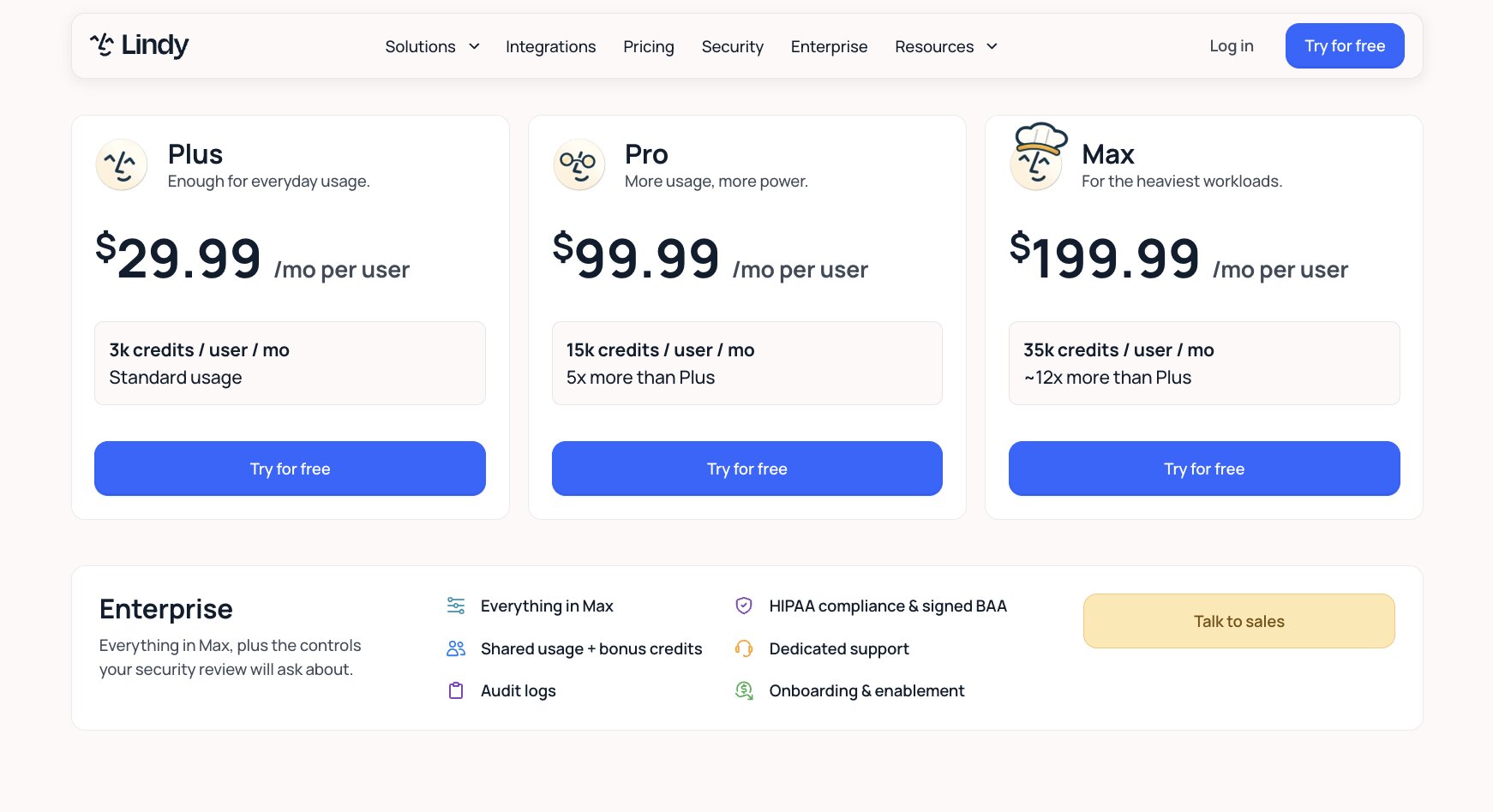
Lindy’s pricing plans operate on a combined per-user and credit-based model. The credits from each seat are contributed to a pool shared by the entire workspace.
- Plus: $29.99/user/month; 3,000 credits/seat
- Pro: $99.99/user/month; 15,000 credits/seat
- Max: $199.99/user/month; 35,000 credits/seat
- Enterprise: custom pricing, ask sales
Lindy also offers a 7-day free trial if you want to check it out before committing (credit card required).
Note that Lindy requires a paid Slack plan in order to use it in Slack. Anyone reading this article probably either pays for Slack or doesn’t use Slack at all, but it’s worth mentioning if you want to give Lindy’s 7-day free trial a test run.
Lindy ratings and reviews
Here are what users rate Lindy on third-party review sites:
- G2: 4.9 / 5 rating (from 171 ratings)
- Capterra: 3.5 / 5 rating (from 2 ratings)
- Product Hunt: 4.6 / 5 (from 7 ratings)
6. Glean
- Best for: Enterprise orgs that want answers from all their company knowledge in Slack, Microsoft Teams, and beyond
- Pricing: Custom pricing only (no free trial)
- What I like: Admin controls over models, option to run in your own cloud
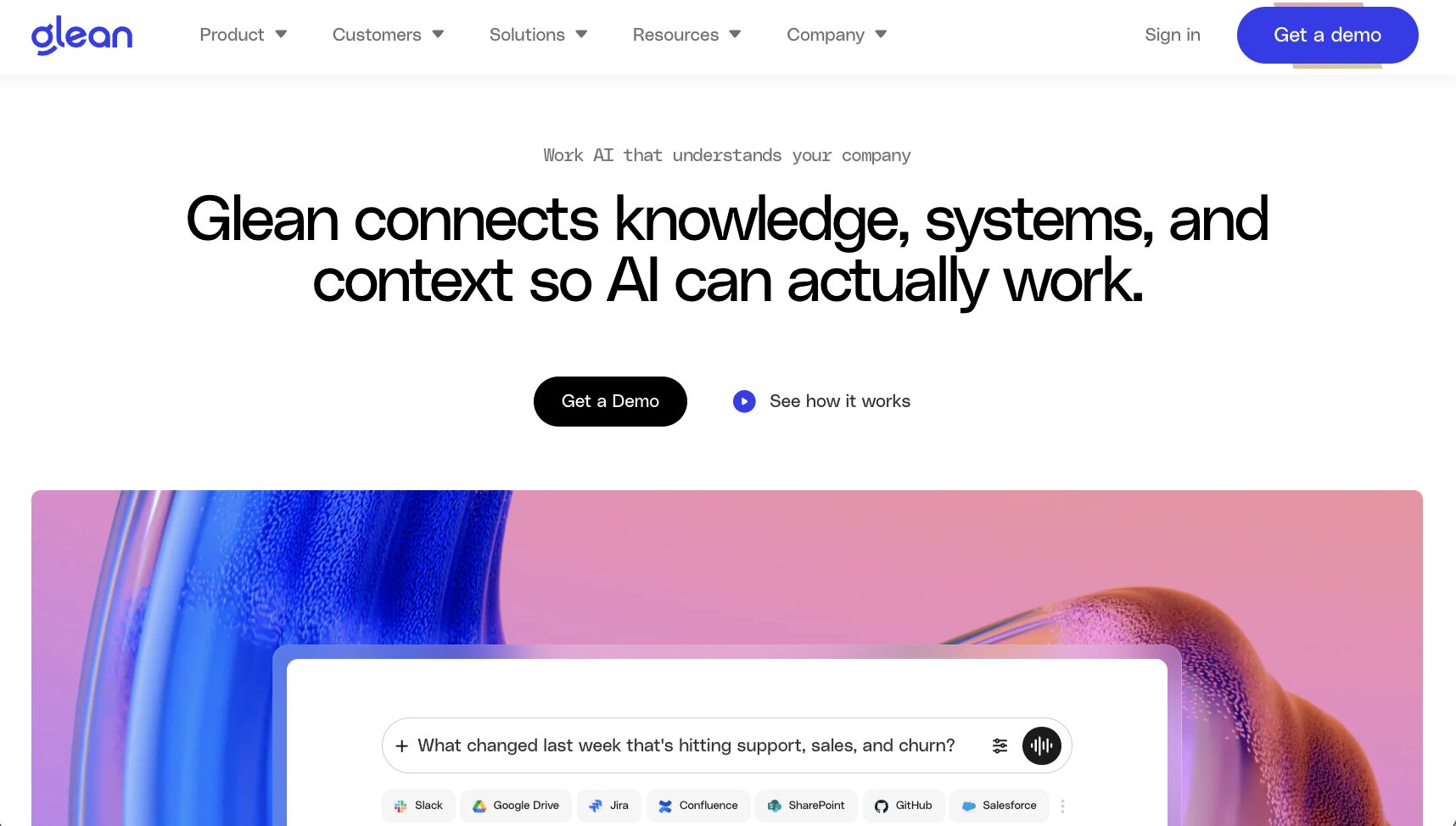
Glean was originally developed as an enterprise search product: it connects to your company’s systems, indexes the content there, and answers questions using only what each employee is allowed to see. More recently, the Glean platform has expanded to include an agent builder and reusable skills, but enterprise search is still their core offering.
If you want an AI coworker with a cute, googly-eyed avatar that you can add to your team’s Slack workspace in under five minutes, Glean is very much not that. Glean is, first and foremost, a capital-E, capital-P Enterprise Platform that admins roll out to every employee in an organization, top-down.
In Slack, you can @mention Glean or separate custom, Glean-built agents in a DM or a public channel to ask a question. Glean is also supported in Microsoft Teams for DMs and public channel mentions (although Slack has more documented channel-level controls than Microsoft Teams). Glean can also be used in its own web, desktop, and mobile apps, as well as through integrations with Zoom, GitHub, and Miro.
Claude Tag is designed for a team to collaborate directly inside a shared Slack thread. In contrast, Glean is more focused on being a shared answer engine: by default, answers are only available to the person who asked. Admins can opt to make an agent’s answers visible to the whole channel, but Glean will then limit its answers to only publicly available content
Glean pros and cons
If your big enterprise organization is looking for a company-wide, permissions-aware solution for knowledge sharing that can live in Slack or Microsoft Teams, maybe you should give the Glean sales team a call. Glean also supports teams with strict security requirements in a way that not all of the other options on this list do.
But if your reason for looking into Claude Tag was to find a shared agent that your team can collaborate with on a project in a Slack channel, today, or if your team isn’t quite ready to commit to a massive enterprise-grade deployment, Glean probably isn’t the best fit.
Where Glean shines:
- Permissions-aware answers across your company: Glean indexes the systems your company already uses and only answers with what each person is allowed to see. For a large org with sensitive docs spread across dozens of tools, this is the main reason to pick Glean.
- Admin controls over models: Admins can choose which models from OpenAI, Anthropic, Google, and Amazon show up for employees, and keep some in limited rollout. You can use Glean's own model key, which picks a model automatically, or bring your own key.
- Option to run in your own cloud: Glean can deploy inside your own AWS or GCP environment in a dedicated VPC. Glean still manages it for you, but your data stays in your cloud account, which helps a lot with data residency and compliance reviews.
What could be improved:
- No self-serve option or free trial: You can't just sign up and try Glean in your Slack workspace this afternoon. Every deployment goes through sales, and rollouts are usually company-wide, so expect a longer procurement process than anything else on this list.
- Not built for collaborating in a thread: Answers go only to the person who asked by default. If an admin makes answers visible to a whole channel, Glean limits itself to publicly available content. If you want a teammate everyone works with together in a channel, that's a different product.
- The most expensive option on this list, and it's not even close: Glean sells annual per-user contracts, and they're typically sized for hundreds of users. For a small team that just wants an agent in Slack, the math usually doesn't work.
Glean pricing
Glean doesn't publish its pricing. Here is how Glean's pricing works:
- Custom pricing only: Per-user licenses on annual or multi-year contracts, quoted by the sales team.
- No free trial: You'll need to go through a demo and sales process before getting access.
You can find more details on Glean in their docs.
Glean ratings and reviews
Here are what users rate Glean on third-party review sites:
- G2: 4.7 / 5 rating (from 336 ratings)
- Capterra: 4.7 / 5 rating (from 3 ratings)
- Gartner Peer Insights: 4.5 / 5 (from 367 ratings)
Which Claude Tag alternative should you choose?
When I first started using Claude to automate my marketing work three years ago, I just wanted my agents to live where I already work. Claude Tag finally brings that to Claude users, and for a lot of teams on Slack, it'll be more than enough.
But the same gaps I mentioned at the start still apply. You can't use it in Microsoft Teams, you're limited to Anthropic's models, and IT teams don't get much visibility into what agents are doing or how many tokens they're burning through.
So here's my honest recommendations:
- Use Gumloop if you want to build and govern multiple agents across Slack and Microsoft Teams, with full control over models and costs.
- Use Junior or Viktor if you're on Microsoft Teams and want an AI coworker running this week.
- Use Slackbot if you already pay for Slack and want a personal agent with zero setup.
- Use Glean if you're a large enterprise that mainly needs answers from company knowledge.
Whichever you pick, the goal is the same one I had three years ago. Bring your agents into the workflows your team already uses, and make sure you can see what they're doing and what they cost.

Read related articles
Check out more articles on the Gumloop blog.