7 best Mindstudio alternatives I've tested in 2026

Not every Mindstudio alternative is trying to do the same thing.
One thing I noticed while researching and comparing platforms in this space is that ‘AI agent platform’ has become a surprisingly broad label.
On paper, a lot of these tools appear to compete directly with Mindstudio. They all talk about agents, automation, workflows, and AI-powered productivity. But once I started looking more closely, I realised many of them are solving completely different problems.
Some are designed to help business users automate work across dozens of applications. Others are focused on building AI assistants over company knowledge. Some lean heavily into workflow orchestration and integrations, while others are built around collaboration, governance, or enterprise AI deployment.
And I think that's why choosing a Mindstudio alternative can be more complicated than it looks on the surface.
You can’t just ask, ‘which platform has the most features?’ You need to think about what you are actually looking for. Is it workflow automation, AI-powered internal tools, enterprise knowledge assistants, custom AI applications, or something else entirely?
I'm going to walk through the Mindstudio alternatives I think are actually worth considering, where each one stands out, and the tradeoffs I'd be thinking about before making a decision.
How I evaluated these Mindstudio alternatives
Mindstudio has become a popular platform for building AI agents and workflows without needing deep technical expertise. It gives individuals and teams a relatively accessible way to create AI-powered automations, connect business tools, and deploy practical AI applications.
But as the market has evolved, so have the options available to buyers.
Today, teams can choose from everything from workflow automation platforms and AI agent builders to enterprise knowledge assistants and AI application development tools. The challenge is understanding which platform best fits the way your team wants to work.
To put this list together, I focused on the areas that matter most when evaluating Mindstudio alternatives: AI agent and workflow capabilities, integrations, ease of use, enterprise readiness, and overall pricing fit.
Let's start with what I'd look for in a Mindstudio alternative.
What to look for in a Mindstudio alternative
One thing I noticed while comparing these platforms is that they often get grouped together despite being designed for very different users.
Some are built for business teams that want to automate work quickly. Others are aimed at developers who want more control over workflows, integrations, and AI behavior. That's why I'd recommend looking beyond feature lists and focusing on how well a platform fits your team's goals and way of working.
Here's what I'd look for in a Mindstudio alternative:
AI agent and workflow capabilities
Can the platform build useful AI agents and workflows that go beyond simple prompts? Look for support for multi-step processes, branching logic, tool usage, and actions across multiple applications.
Integrations
The best AI agents are only as useful as the systems they can access. Check whether the platform connects to the tools your team already uses and whether it supports custom APIs when needed.
Ease of use
Some platforms are designed for non-technical users, while others assume you're comfortable working with APIs, code, or more advanced workflow logic. Think about who will actually be building and maintaining the automations.
Enterprise fit
If multiple teams will be using the platform, features such as permissions, collaboration, security controls, audit logs, and governance become much more important.
Pricing fit
Pricing models vary significantly between platforms. Some charge per seat, others charge based on usage or credits, while some rely on custom enterprise pricing. Consider how costs are likely to scale as adoption grows.
Okay, now let's get into the list of Mindstudio alternatives.
7 Mindstudio alternatives and competitors in 2026
After comparing the platforms in this category, these are the Mindstudio alternatives I'd be considering today.
Some are closer competitors than others, but each brings something different to the table depending on whether your priority is AI agents, workflow automation, enterprise search, internal AI assistants, or AI application development.
Here are the Mindstudio alternatives I'd actually look at:
Alright, let's take a closer look at each one.
1. Gumloop

- Best for: Teams that want AI agents that can execute work across their business systems and be shared across the organization
- Pricing: Free, then starts at $37/month
- What I like: The combination of AI agents, workflow automation, and multiplayer collaboration makes it easier to scale successful workflows across an organization
Gumloop is probably the Mindstudio alternative I've been most interested in recently because it feels particularly well-suited to teams that want to move beyond individual AI workflows and toward organization-wide automation.
While Mindstudio gives users a way to build AI-powered agents and applications, Gumloop places a much heavier emphasis on execution, workflow automation, and collaboration across teams. The platform allows users to build AI agents that can interact with business systems, automate multi-step processes, and take action across multiple tools and data sources.
What stood out to me fairly quickly is that Gumloop isn't really designed around individual users creating isolated automations.
Instead, it's built around the idea that teams should be able to create workflows, agents, and processes that can be reused across an entire organization.
For example, a sales operations team might build a lead enrichment workflow that every rep can use. A marketing team could create research, SEO, or content workflows that new team members can immediately adopt. Rather than everyone building their own version of the same automation, teams can share and improve workflows collectively.
I also think Gumloop does a good job of balancing accessibility with power. Non-technical users can build surprisingly sophisticated workflows using the visual builder, while more advanced users can take advantage of features like MCP server hosting and proxying to connect agents to a much wider range of tools and systems.
As organizations start deploying AI more broadly, that combination becomes increasingly valuable. It's one thing to build an AI workflow for yourself but it's another to build agents that can be governed, shared, monitored, and safely used across multiple teams.
Gumloop key features
Some things I like about Gumloop:
- Anyone on your team with the right permissions can build agents and workflows that others across the organization can use
- AI agents can execute multi-step tasks across multiple applications and services
- The platform supports MCP server hosting and proxying, giving teams more flexibility when connecting AI agents to external tools
- Enterprise plans include Gumstack, which provides SCIM/SAML support, role-based access control, audit logs, security observability, and custom data retention controls
- The pricing model is built around organizational usage rather than aggressively charging per user
- Companies such as Ramp, Shopify, and Gusto already use the platform, which helps validate it at enterprise scale
- Institutional knowledge can live inside shared workflows and agents rather than being trapped with individual users
Here are some things that could be improved:
- There is still a learning curve for teams that are completely new to AI agents and workflow automation
- Credit-based pricing can become harder to predict as usage scales across multiple teams
- Some of the most advanced security, governance, and deployment features are only available on Enterprise plans
Gumloop pricing

Here are Gumloop's pricing plans:
- Free: $0/month with 5,000 credits per month, 1 seat, 1 active trigger, and forum support
- Pro: Starts at $37/month with 20,000+ credits per month, unlimited seats, 5 concurrent runs, 25 concurrent agent interactions, MCP server hosting, and team usage analytics
- Enterprise: Custom pricing with everything in Pro, plus SCIM/SAML support, role-based access control, audit logs, custom data retention controls, Virtual Private Cloud deployment, and AI model access controls
One thing I like about Gumloop's pricing model is that it's built more around organizational usage than charging heavily per seat. That makes a lot more sense once multiple teams start sharing agents and automations across the organization.
If you want to compare plans in more detail, you can check out Gumloop's pricing page.
Gumloop reviews
Here's how customers of Gumloop rate the platform on third-party review sites:
- G2: 4.8 out of 5 star rating (from 7+ user reviews)
- Product Hunt: 5 out of 5 star rating (from 9+ user reviews)
The review volume is still relatively small compared to more established automation platforms, which is fairly typical for newer AI-native products. Most of the feedback I've seen focuses on ease of use, workflow flexibility, and how quickly teams can get useful automations running.
2. n8n
- Best for: Technical teams, operations teams, and developers who want deeper workflow control and self-hosting flexibility
- Pricing: Free self-hosted option available, with paid cloud plans starting from around $24/month
- What I like: The combination of workflow flexibility, self-hosting, and custom logic makes it one of the most powerful automation platforms available
n8n is probably one of the strongest Mindstudio alternatives if your team cares more about workflow automation and control than no-code simplicity.
While Mindstudio is focused on AI agents and AI-powered workflows, n8n comes from the automation world. The platform allows teams to build complex workflows that connect applications, databases, APIs, and AI models using a visual workflow builder.
What I think makes n8n particularly appealing to technical teams is how much flexibility it gives you once workflows become more complex.
Unlike a lot of automation platforms, n8n doesn't try to hide the technical side of workflow building completely. Teams can work with custom APIs, JavaScript, external services, databases, and more advanced logic when needed. That makes it a good fit for operations teams, developers, and companies that want more control over how automations are built and deployed.
I also think the self-hosting option is a major reason many teams consider n8n. For organizations that want more ownership over infrastructure, data, and deployment, that flexibility can be a significant advantage compared to cloud-only platforms.
n8n key features
Some things I like about n8n:
- Strong workflow automation capabilities with support for complex multi-step processes
- Large integration ecosystem covering business applications, databases, APIs, and AI services
- Self-hosting option for teams that want greater infrastructure and data control
- Supports custom logic, code, and API integrations when low-code workflows are not enough
- Growing support for AI workflows, LLM integrations, and agent-based automation use cases
- Unlimited users and workflows across pricing plans, with pricing based primarily on executions rather than seats
Here are some things that could be improved:
- The learning curve is noticeably steeper than that of many no-code automation platforms, especially for non-technical users
- Building more advanced workflows often requires familiarity with APIs, workflow logic, or code
- Self-hosting provides flexibility, but it also introduces infrastructure management and security responsibilities for internal teams
n8n pricing
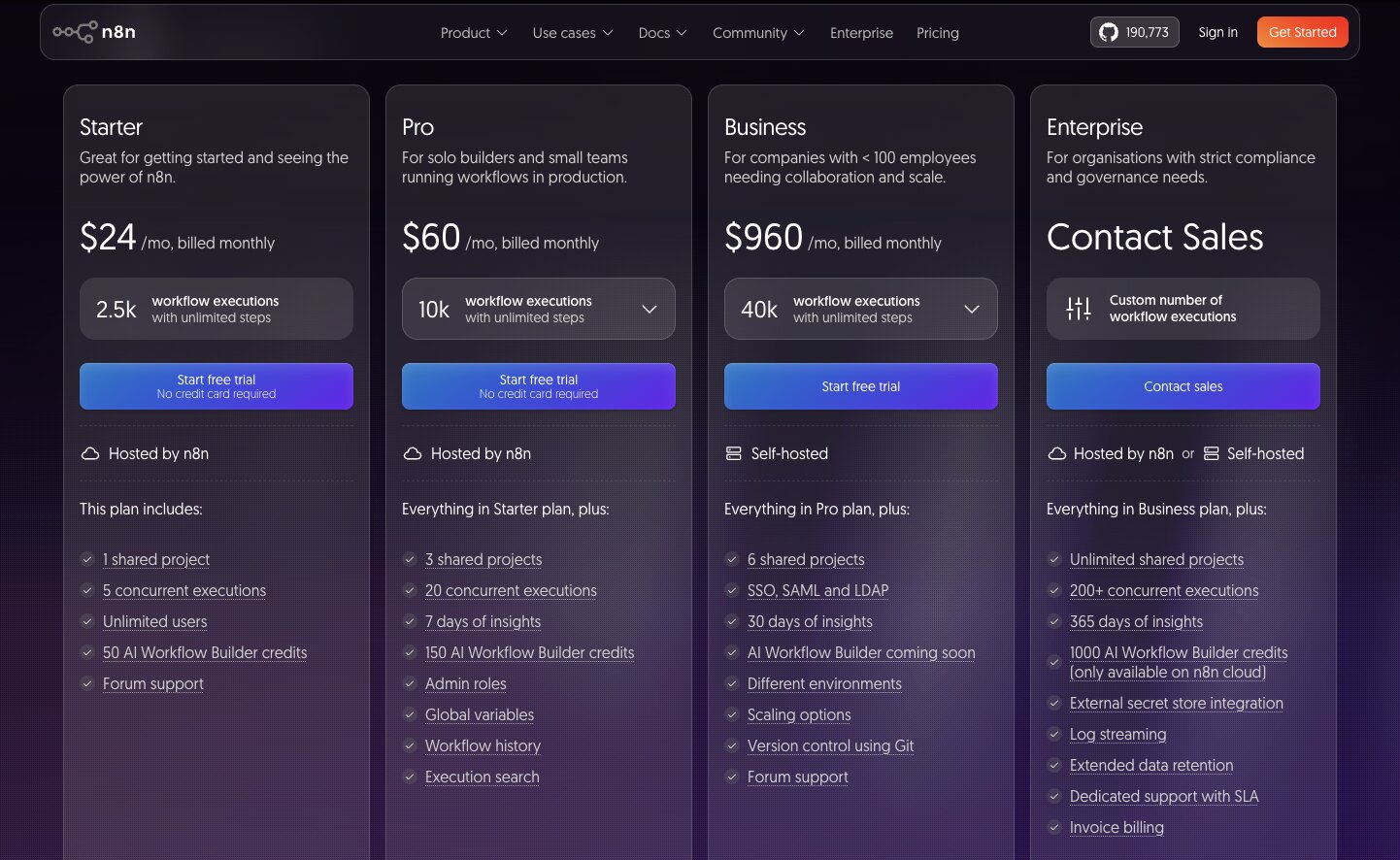
n8n offers both self-hosted and cloud-hosted deployment options.
Here is the general pricing structure:
- Starter: Free open-source option available
- Pro: Starts at around $24/month with workflow execution limits
- Business: Starts at around $50/month with higher execution volumes and additional collaboration features
- Enterprise: Custom pricing with advanced governance, security, and support options
One thing I like about n8n's pricing model is that it gives teams a genuine choice between self-hosting and managed cloud deployment. That flexibility is one of the platform's biggest differentiators in this category.
You can check out n8n’s full pricing options here.
n8n reviews
Here's how customers rate n8n on third-party review platforms:
- G2: 4.7 out of 5 stars (from 283+ user reviews)
- Product Hunt: 4.8 out of 5 stars (from 67+ user reviews)
One thing I noticed while reading through n8n reviews is that technical users tend to love the flexibility, customization, and the ability to build highly tailored workflows. Self-hosting is also frequently mentioned as a major advantage. The most common criticism is that the platform can feel intimidating for less technical users, particularly when workflows become more advanced.
3. Zapier
- Best for: Teams that want simple automation across a large number of business applications
- Pricing: Free plan available, with paid plans starting at $29.99/month
- What I like: The sheer number of integrations available makes it one of the easiest ways to connect and automate SaaS tools
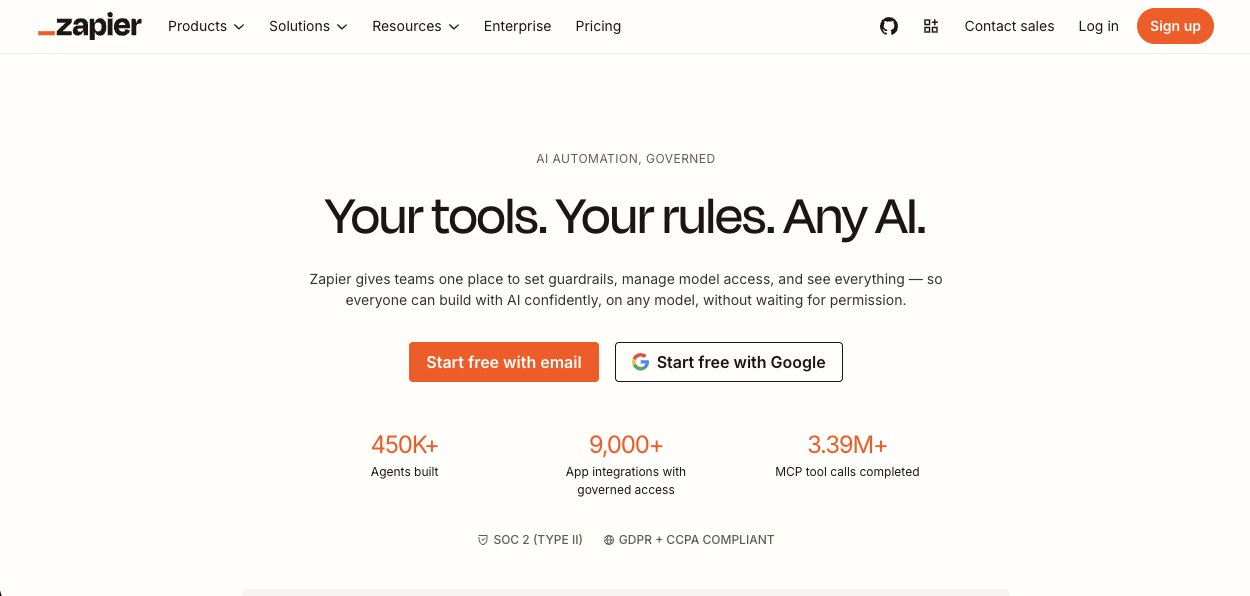
Zapier is probably one of the most recognizable workflow automation platforms on the market.
Unlike Mindstudio, which is focused on AI agents and AI-powered workflows, Zapier's roots are firmly in automation. The platform allows users to connect thousands of business applications and create automated workflows, known as "Zaps," without writing code.
What I think makes Zapier particularly appealing is its simplicity.
Most users can build useful automations within minutes, whether that's syncing data between applications, triggering notifications, updating records, or automating repetitive administrative work. The platform also has one of the largest integration ecosystems available, which makes it easy to connect tools that teams already use every day.
Zapier has added AI-powered features and assistants over the last few years, but I still think of it primarily as an automation platform rather than an AI-native agent platform. If your main goal is connecting applications and reducing manual work, it's one of the strongest options available. If you're looking for more advanced AI agents that can reason, orchestrate workflows, and operate across systems autonomously, some of the other tools on this list may be a better fit.
Zapier key features
Some things I like about Zapier:
- Supports integrations with thousands of business applications
- Easy-to-use workflow builder that requires little technical expertise
- Large library of templates that help teams get started quickly
- AI-powered automation features and assistants
- Strong ecosystem for connecting SaaS applications across departments
- Suitable for individuals, small businesses, and enterprise teams alike
Here are some things that could be improved:
- Pricing can increase quickly as task volume grows
- More advanced workflows can become difficult to manage at scale
- AI capabilities feel less central to the platform than some AI-native alternatives
Zapier pricing
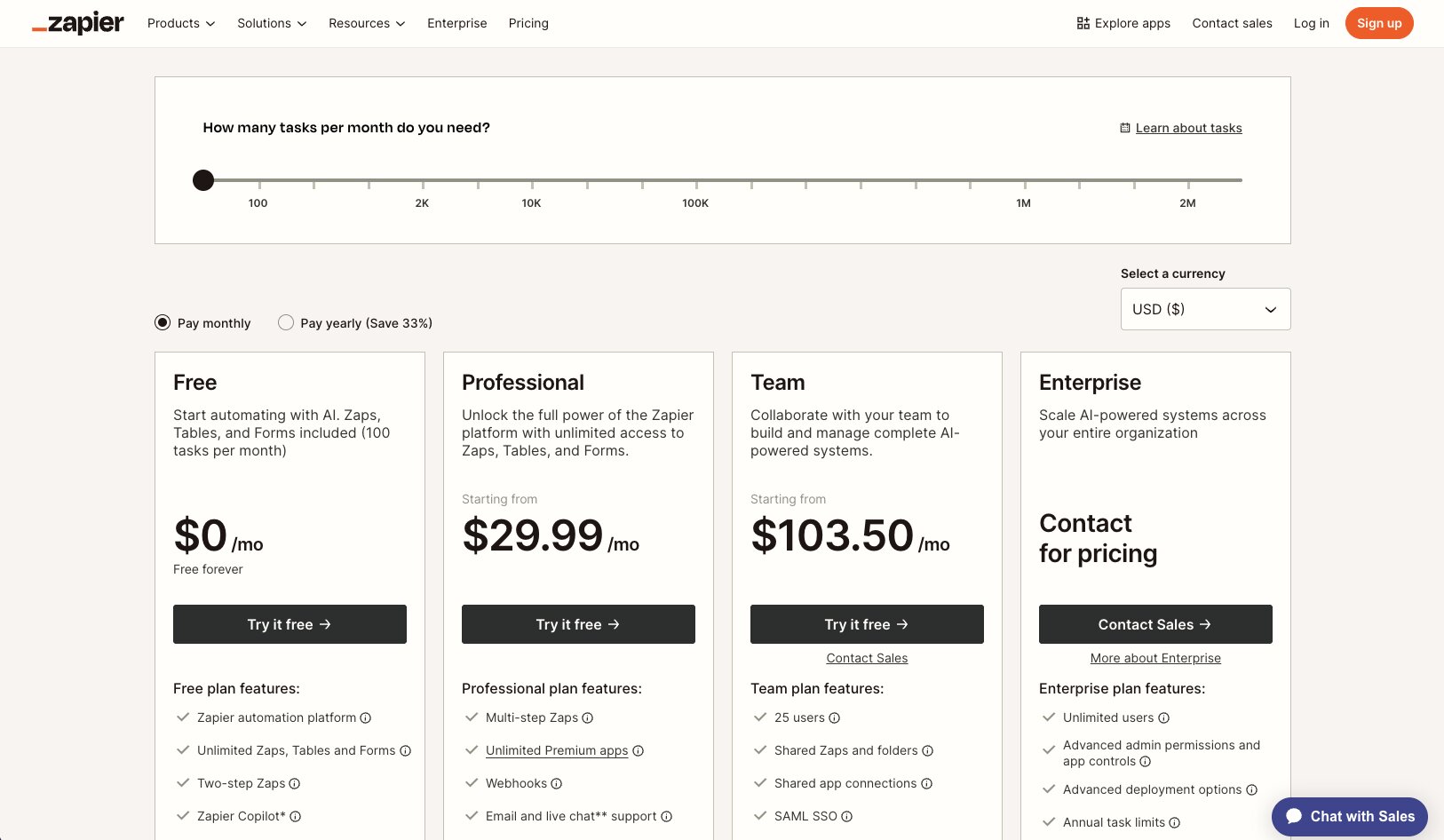
Zapier offers a free plan alongside several paid options.
Here is the general pricing structure:
- Free: Limited tasks and single-step automations
- Professional: Starts at $29.99/month (billed annually)
- Team: Starts at $103.50/month
- Enterprise: Custom pricing
One thing I like about Zapier's pricing model is that teams can start small and scale gradually. The downside is that task-based pricing can become expensive for organizations running large numbers of automations.
Check out Zapier’s pricing page for full info.
Zapier reviews
Here's how customers rate Zapier on third-party review platforms:
- G2: 4.5 out of 5 stars (from 2,000+ user reviews)
- Product Hunt: 4.7 out of 5 stars (from 65+ user reviews)
Looking across Zapier's reviews, the same strengths come up again and again: ease of use, reliability, and the enormous integration library. The most common criticism is pricing, particularly for teams running high-volume workflows or more complex automations.
4. StackAI

- Best for: Teams building AI applications, internal AI assistants, and enterprise AI workflows
- Pricing: Free plan available, with paid plans starting at $199/month
- What I like: The platform makes it surprisingly easy to build and deploy AI-powered internal tools without needing a large engineering team
StackAI (recently aquired by Asana) feels closer to the AI application side of the market than many of the other tools on this list.
While platforms like Zapier and n8n are primarily focused on workflow automation, StackAI is designed around helping organizations build AI assistants, internal AI tools, and AI-powered workflows that can interact with company data and business systems.
One thing I found interesting about StackAI is how strongly the platform focuses on enterprise AI deployment. Teams can build AI applications using a drag-and-drop interface, connect them to internal knowledge sources, integrate with business systems, and deploy them across the organization without needing to build everything from scratch.
That makes it particularly appealing for companies exploring internal AI assistants, knowledge management workflows, document processing, and operational automation.
StackAI key features
Some things I like about StackAI:
- No-code platform for building AI applications and assistants
- Drag-and-drop workflow builder that supports complex AI workflows
- Strong focus on enterprise AI deployment and governance
- Integrations with business systems, knowledge bases, and data sources
- Support for document processing, retrieval-augmented generation (RAG), and internal knowledge assistants
- Designed for organizations that want to deploy AI tools beyond individual experiments
Here are some things that could be improved:
- Pricing is significantly higher than some workflow automation alternatives
- More advanced features can require time to learn and configure
- The platform ecosystem is still smaller than that of more established automation platforms
StackAI pricing

StackAI offers a free plan alongside paid and enterprise options.
Here is the general pricing structure:
- Free: Limited runs, projects, and seats
- Starter: Starts at $199/month
- Team: Starts at $899/month
- Enterprise: Custom pricing
The pricing is clearly aimed more at business and enterprise deployments than individual users. For organizations building internal AI tools at scale, that positioning makes sense, but it will likely feel expensive compared to more general workflow automation platforms.
If you want the full breakdown, you can check out StackAI’s pricing page.
StackAI reviews
Here's how customers rate StackAI on third-party review platforms:
- G2: 4.5 out of 5 stars (from 38+ reviews)
After spending time with the platform and reading user reviews, I can see why ease of use comes up so often, alongside drag-and-drop workflow building, integrations, and how quickly teams can create useful AI applications without writing code. The most common criticisms relate to the learning curve around more advanced functionality and areas where documentation could be improved.
5. Claude Cowork
- Best for: Knowledge workers who want an AI assistant that can complete tasks on their behalf
- Pricing: Included with Claude Pro, Team, and Enterprise plans
- What I like: It feels less like building workflows and more like delegating work to an AI teammate
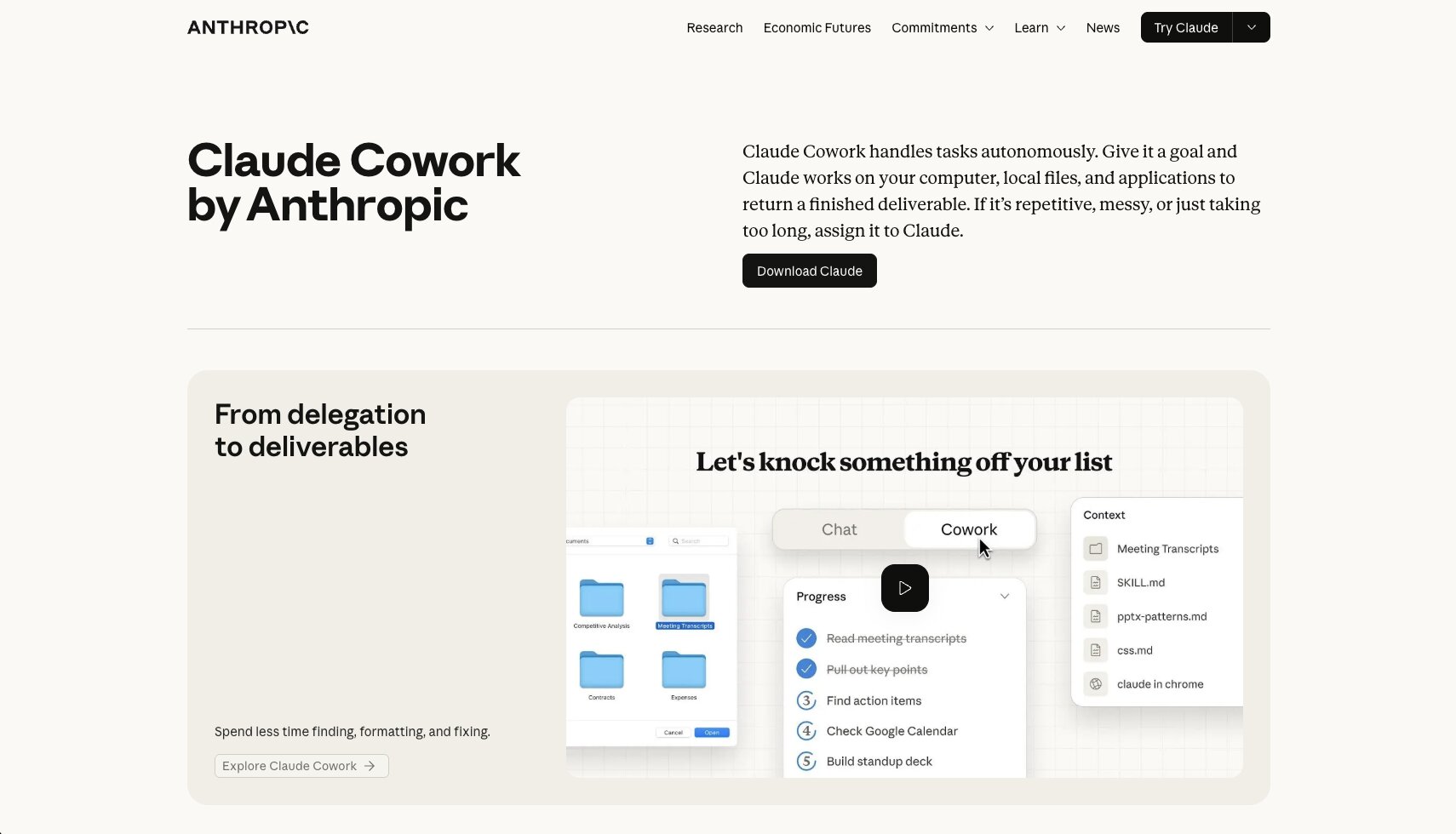
Claude Cowork is probably the most unique Mindstudio alternative on this list because it approaches AI automation from a completely different angle.
The biggest difference I noticed with Claude Cowork is that you're not really building anything.
With most of the tools on this list, you're designing workflows, configuring integrations, creating automations, or building AI-powered applications. Claude Cowork feels much closer to delegating work to a colleague. You give it a task, provide the context it needs, and let it work through the problem for you.
Anthropic positions Claude Cowork as an AI teammate rather than a workflow builder, and after spending some time exploring the product, I can see why. It's designed to handle activities like research, document analysis, summarization, reporting, and administrative work without requiring users to manually orchestrate every step of the process.
That said, I don't think Claude Cowork is a direct replacement for platforms like Mindstudio, Gumloop, or n8n.
If you're looking to build reusable AI workflows, internal AI tools, or organization-wide automations, other platforms on this list are likely a better fit. Claude Cowork is strongest when used as a personal productivity assistant for knowledge work rather than a platform for building and deploying AI systems.
Claude Cowork key features
Some things I like about Claude Cowork:
- Can autonomously complete multi-step tasks rather than simply responding to prompts
- Strong document analysis, summarization, and research capabilities
- Works across files, documents, and workplace knowledge sources
- Requires very little setup compared to dedicated workflow automation platforms
- Integrates with workplace tools such as Google Drive, Gmail, Slack, Microsoft 365, and GitHub
- Particularly useful for repetitive knowledge work and administrative tasks
Here are some things that could be improved:
- Less suitable for building reusable workflows and automations
- Limited customization compared to dedicated workflow and agent platforms
- Teams have less control over execution logic than they would with tools such as Gumloop or n8n
Claude Cowork pricing

Claude Cowork is available through Anthropic's Claude plans.
Current pricing includes:
- Pro: $20/month
- Team: Starts at $25 per user/month
- Max: $100/month
- Enterprise: Custom pricing
One thing I like is that teams don't need to purchase a separate Cowork product. Access is bundled into Claude subscriptions, making it relatively easy for existing Claude users to get started.
You can view Claude's pricing plans here.
Claude Cowork reviews
Because Claude Cowork is still relatively new, there isn't the same volume of user reviews available as there is for more established platforms.
From the reviews and user discussions I looked at, the biggest positives are its ability to handle research, document analysis, and other knowledge-work tasks with minimal setup. The most common concerns relate to pricing, usage limits, and the level of access required to work across files and systems.
6. Glean
- Best for: Organizations that want employees to find, access, and use company knowledge more effectively
- Pricing: Custom enterprise pricing
- What I like: It solves one of the biggest challenges in AI adoption: giving employees access to the information they need
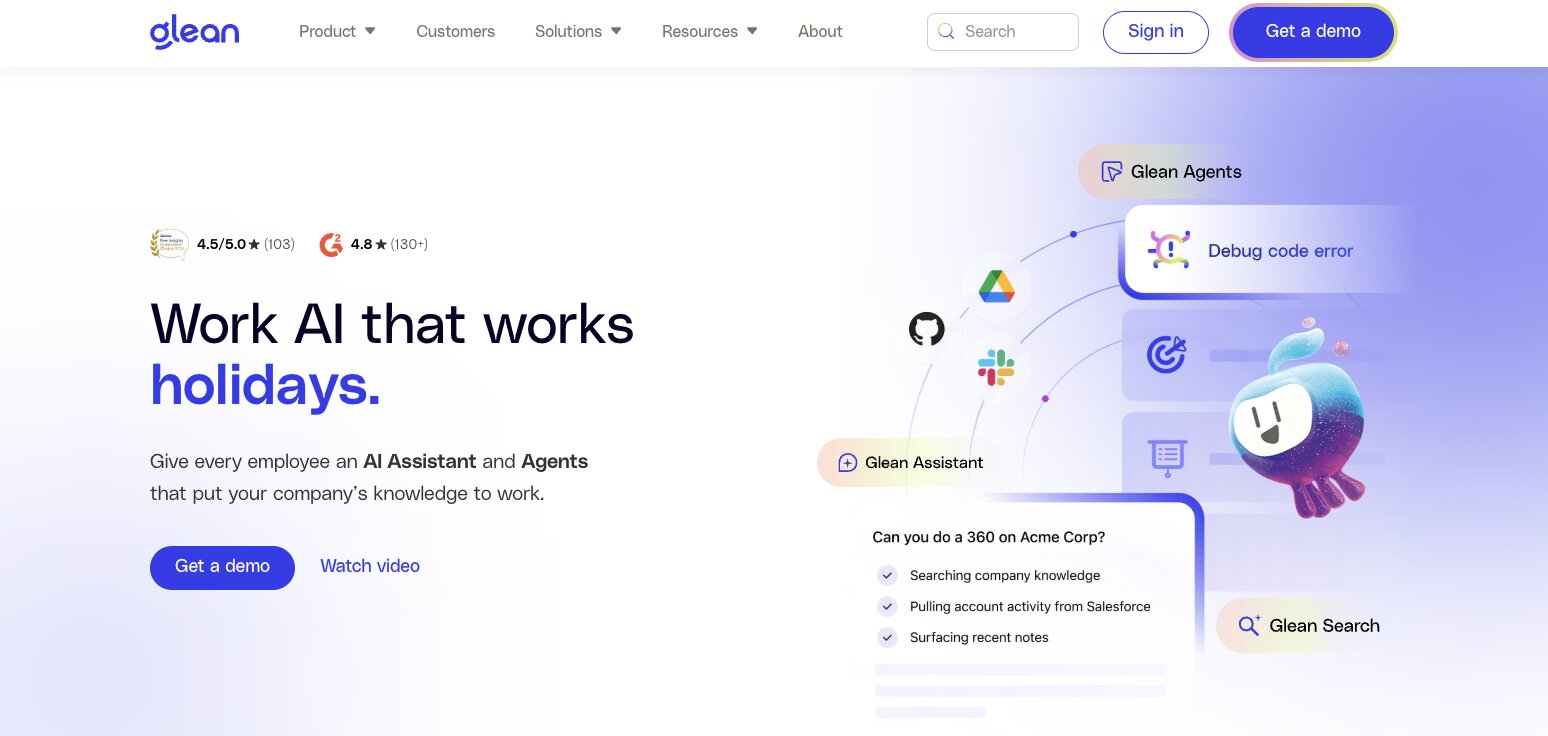
Glean is one of the least direct Mindstudio alternatives on this list, but I still think it's worth considering.
While Mindstudio focuses on AI agents and workflow automation, Glean is built around enterprise search and knowledge discovery. The platform connects to company systems, documents, applications, and data sources so employees can find information through a single AI-powered interface.
What I found interesting is that Glean approaches productivity from the opposite direction to many AI agent platforms. Rather than automating work, it focuses on helping people access the knowledge they need to do their jobs more effectively.
For organizations struggling with fragmented information, disconnected systems, or knowledge silos, that can be incredibly valuable.
Glean key features
Some things I like about Glean:
- Enterprise search across company applications and data sources
- AI-powered answers grounded in organizational knowledge
- Strong permissions and security controls
- Integrations with popular workplace tools
- Designed for enterprise-scale deployments
Here are some things that could be improved:
- Not designed for workflow automation or AI agent building
- Enterprise-focused pricing may be prohibitive for smaller teams
- Delivers the most value when connected to a large volume of organizational knowledge
Glean pricing
Glean doesn’t publish pricing publicly. Organizations must contact the company for a custom quote.
Glean reviews
Here's how customers rate Glean on third-party review platforms:
- G2: 4.7 out of 5 stars (from 162+ reviews)
Looking through Glean reviews, the theme that came up most often was how much time employees save searching for information. Users frequently highlight the ability to surface relevant knowledge across multiple systems without needing to know exactly where information is stored.
7. Dust

- Best for: Teams that want to build and share AI assistants across their organization
- Pricing: Free plan available, with paid plans starting at $29/user/month
- What I like: It makes it relatively easy for teams to create specialized AI assistants without needing to build complex workflows
Dust is another platform that sits slightly outside the traditional workflow automation category.
Rather than focusing on automation or AI agents that execute actions across business systems, Dust is designed to help organizations create and deploy AI assistants that can work with company knowledge, documents, and internal tools.
One thing I liked while exploring the platform is how collaborative it feels. Teams can create assistants for different use cases, share them across the organization, and build on each other's work rather than everyone creating their own isolated AI experiences.
For companies looking to roll out AI assistants across departments, that’s a compelling approach.
Dust key features
Some things I like about Dust:
- Create and share custom AI assistants across teams
- Connect assistants to company knowledge and data sources
- Support for multiple AI models
- Strong collaboration and workspace features
- Designed for organization-wide AI adoption
Here are some things that could be improved:
- Less focused on workflow automation than some alternatives
- Limited action-taking capabilities compared to dedicated agent platforms
- Per-user pricing can become expensive as adoption grows
Dust pricing

Dust offers a free plan alongside paid options.
Current pricing includes:
- Free: Limited usage
- Pro: Starts at $29/user/month
- Enterprise: Custom pricing
You can view Dust's pricing plans here.
Dust reviews
Here's how customers rate Dust on third-party review platforms:
- G2: 4.8 out of 5 stars (from 30+ reviews)
After looking through Dust reviews, collaboration is probably the theme that appears most consistently. Users often highlight how easy it is to create and share AI assistants across teams, while some mention that costs can increase quickly as more employees start using the platform.
Which Mindstudio alternative should you choose?
After spending time comparing these platforms, I don't think there's a single best Mindstudio alternative for every team. The right choice depends on what you're actually trying to achieve.
- Choose Gumloop if you want AI agents that can execute work across multiple applications and be shared across teams.
- Choose n8n if your team is technical and wants greater control over workflows, integrations, or self-hosting.
- Choose Zapier if your priority is simple SaaS automation and access to a huge library of app integrations.
- Choose StackAI if you're building AI applications, internal AI tools, or enterprise AI workflows.
- Choose Claude Cowork if your work is centered around Claude and you want an AI assistant that can help with research, document analysis, and knowledge work.
- Choose Glean if your biggest challenge is helping employees find and use information across multiple systems.
- Choose Dust if you want to build and share custom AI assistants grounded in company knowledge.
If my goal was building AI agents that can automate real business processes across teams, Gumloop would be my pick.

Read related articles
Check out more articles on the Gumloop blog.