Agents that know when to ask

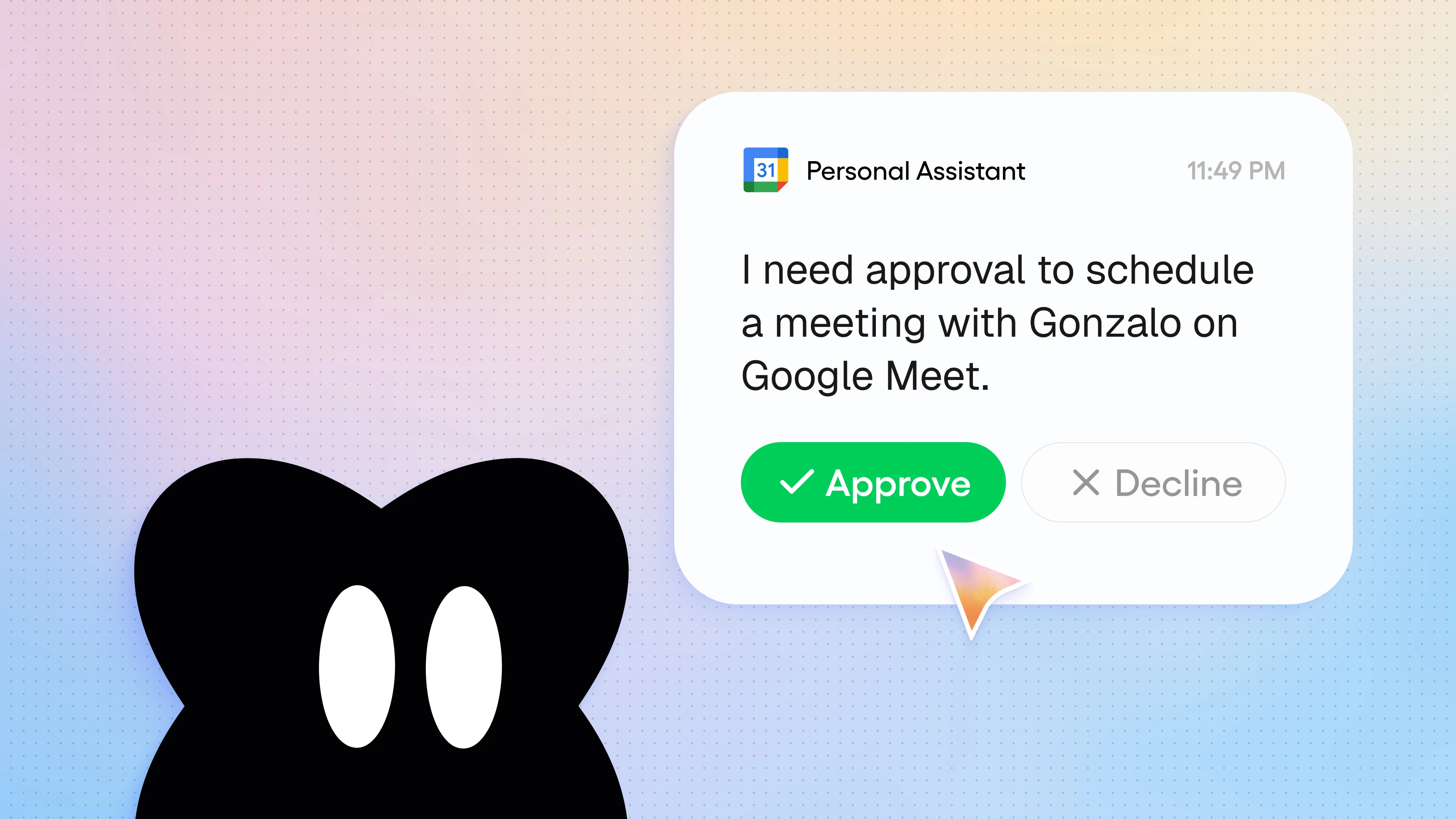
Bring humans into the loop: agents can pause at important moments and check in with you for approval before taking action.
It feels like every day, AI agents are getting smarter and more powerful. Even still, there’s still plenty of tasks that require a human touch, or, at the very least, human judgment. Maybe you don’t want agents emailing customers, deleting records, or spending money unsupervised. (Understandable; most organizations don’t even want their human workers spending money unsupervised.)
The good news is that you don’t have to choose between “letting your agent do whatever it wants without guardrails” or “babysitting your agent throughout its entire process.” Gumloop agents can actually pause and ask for approval from you before taking important actions.
When an agent reaches a decision point, it explains what it’s about to do and waits. You can approve or reject the action, and once you decide what to do, the agent continues right where it left off.
When to loop in a human
You might have heard the term “human in the loop” before to describe these kinds of hybrid human-AI agentic processes. Humans intervene at critical moments to make the most impactful decisions, while agents do the rest of the work behind the scenes.
An agent can alert you and ask for your approval when it’s:
- About to do something customer-facing: an agent drafts a reply to a customer ticket in Zendesk, but waits for your sign-off before actually sending it.
- About to do something irreversible: an agent stages a batch of Salesforce records to be deleted, or payments to send, and waits for your approval before taking action.
How to bring a human into the loop
For any app that you have connected to an agent, you can control the approval settings: allow every tool call without asking, ask before every tool call, ask before write/delete tool calls, or, you can get even more granular with custom settings.
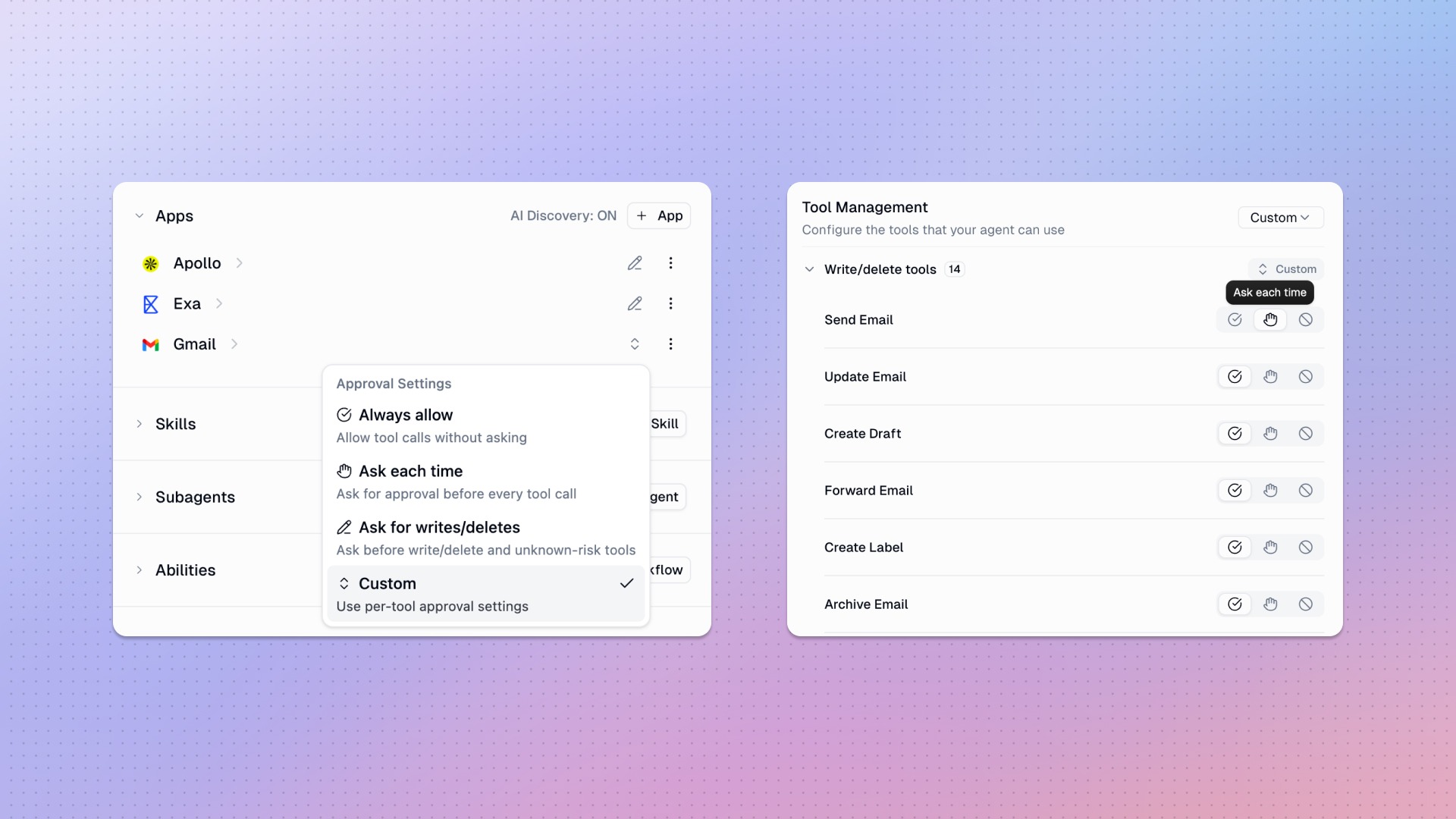
You can also combine these per-tool approval settings with the App Rules engine to create more specific, situational rules. For example, you could prompt your agent to “ask for my approval before posting to the Slack #general channel”, and the agent will create a rule that will pause an agent mid-run to request your approval.
You can see the requests pending approval for a particular agent in a "Pending Approval" section just above your recent chats with that agent.
If an agent is running in the background and encounters a situation where it needs your approval, you’ll get a message in your Gumloop Notifications, with a one-click approval button. Also, if you’ve already connected to Slack, you’ll also get a Slack DM from the agent asking for your approval.
Human in the loop features make it possible for you to give your agents the autonomy they need to get routine work done, while also allowing you to stay as the decision-maker on the moments that matter.

Read related articles
Check out more articles on the Gumloop blog.