A new way for agents to access the web


Today we’re launching Browser, a new way for agents to interact with the websites you use every day.
We built Browser because a lot of valuable work still happens on websites and apps that don’t always have an API or MCP server. And even when they do, some of those connections don’t always support the task you need to automate.
Browser lets your Gumloop agents complete the last mile of automation by letting them use any website the way you would.
When you ask an agent to do something it doesn't have a native connector for, it opens a web browser, navigates the site, clicks, types and does the work for you.
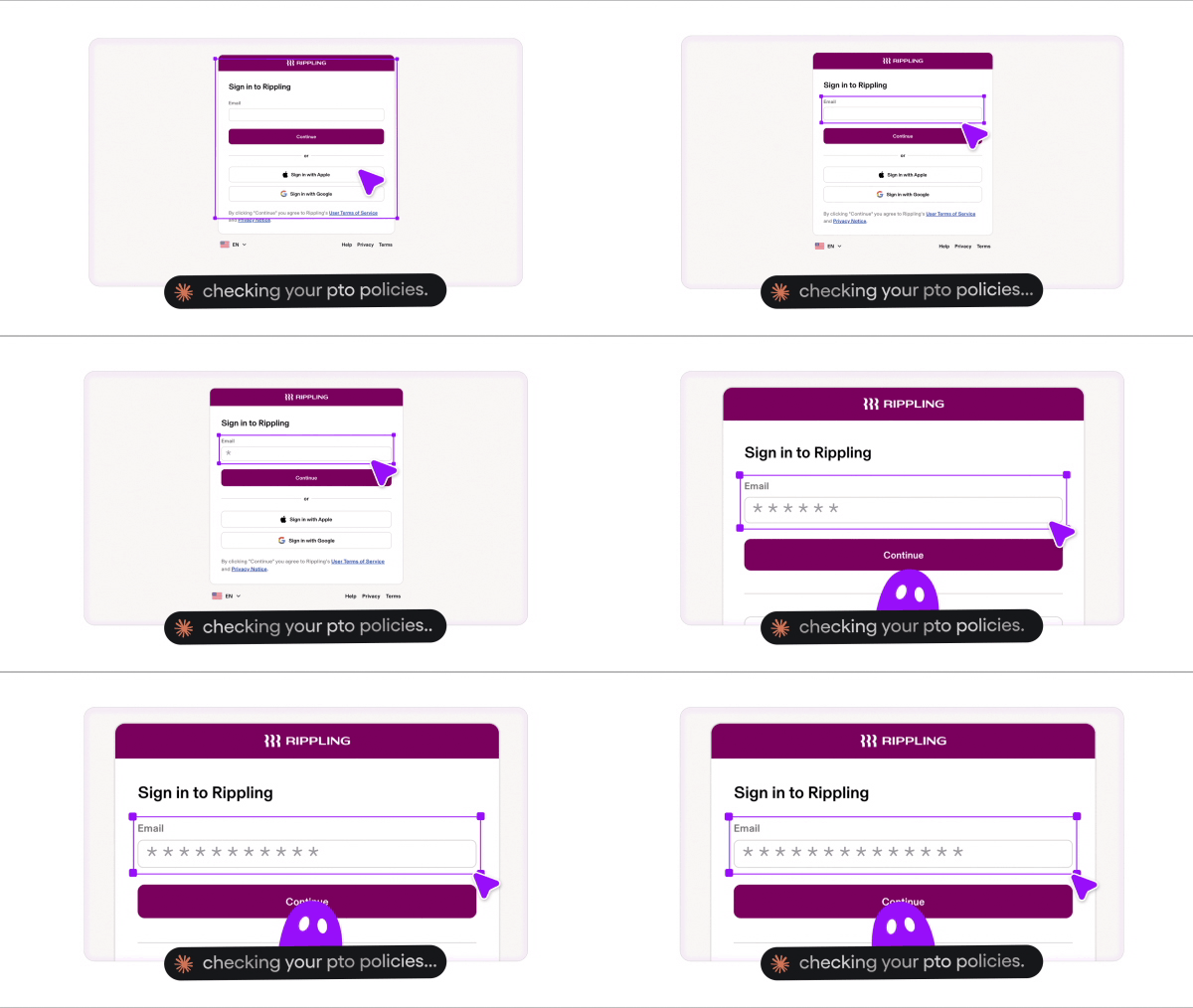
And because that work often involves your company’s accounts, Browser comes with features to keep your credentials secure, let you see what the agent did and save the steps for recurring tasks.
Built for enterprise
Browser is built with the security and control, so you can govern agents accessing your company’s accounts.
Here what at looks like in practice:
- Built for agents: When you ask your agent to do something it doesn’t have a native connector for, it can open a browser and do the work there.
- Vault: When a website requires a login, Browser asks for your credentials and stores them securely for future sessions.
- 1Password integration: Connect your 1Password account so your agent can retrieve credentials securely instead of asking you to copy them over.
- Agent Identity: Each agent has its own verified identity, giving websites that support verification a way to recognize it and who it’s acting for.
- Cloud by default: Every session runs in isolation, separate from other sessions and your own computer. Your agent can work without taking over your browser.
- Session replays: Every session is recorded so you can go back and see what the agent did, check a result, or figure out where something went wrong.
- Skills: Once you’ve worked through a task together with your agent, and you’re happy with the result, save the steps as a skill. Next time, your agent has a procedure to follow instead of figuring everything out again.
- Model agnostic: Use different models depending on the work. A more capable model can plan a complex task, then hand the browser steps to a lower-cost model to execute.
- Stealth browsing and proxies: Browser supports stealth browsing and proxied connections to help reduce interruptions on websites that flag automated access.

Unlocking the last mile of automation
Browser unlocks the last mile of automation by letting your agents do the work you’d normally do in a web browser.
Instead of logging into a website yourself to browse, update something, download content or complete a task, you can hand it off to your agent.
Opendoor is already using Browser to tackle this at scale. Its team is building agents to automate utility turn-ons across hundreds of homes every week, navigating provider portals, retrieving credentials from 1Password and coordinating work across browser, email and phone.

Here are some examples of what this unlocks:
Keep tabs on your competitors
- Walk a competitor's free trial: Sign up, go through onboarding, screenshot every step and write up how they activate new users.
- Track their pricing and packaging: Check pricing pages and checkout flows every week and flag what changed.
- Get on their email lists: Sign up for their newsletters and lifecycle emails, then summarize their nurture sequence.
Pull reports from tools that never built an API
- Handle government portals: Log into state, city and federal portals to track filing deadlines, permit renewals and trademark status, and pre-fill annual reports and tax returns for you to review and submit.
- Work the portals finance lives in: Log into bank, utility, insurance and supplier portals to download statements and invoices, check order status and file everything in Drive.
Run the office errands
- Restock snacks on Costco or Instacart, or place the team lunch order on DoorDash.
- Find and book a table on Resy or OpenTable for the offsite dinner.
The possibilities are endless.
Try it today
Browser is live now for every Gumloop agent. Just ask your agent to do something on a website, and watch the magic happen.

Read related articles
Check out more articles on the Gumloop blog.