7 Dust alternatives to build powerful AI agents in 2026

.webp)
I've been building AI agents for the past 14 months.
And I don't need to tell you that there are so many tools out there it is honestly overwhelming.
So my goal is to (hopefully) bring some clarity for you. And if you're reading this, chances are you're looking for a Dust alternative.
Whether you're looking to deploy AI agents at scale, or create automated workflows for specific use cases, I've compared dozens of AI tools with Dust to find the best ones.
So in this article, I'm going to go over the top alternatives to Dust I've tested that can help you build agents.
But before I go into the list, I first want to go over what to look for and how I evaluated these options against Dust. Then, I'll give you my full list.
Alright, let's get into it.
What to look for in a Dust alternative?
When looking for an alternative to Dust, it's important to know how to evaluate the other tools out there.
Maybe you want to find an alternative simply because of the price. Or maybe it's the UI. Whatever it is, you want to make sure that just because some alternatives look pretty, it doesn't mean they have the functionality you need.
Here are a few things you should consider when looking for a Dust alternative:
- Does it fulfill the core job you need it to do? If you need an AI assistant that lives in your company's knowledge base, that's different from needing a workflow automation tool that happens to have AI. Be clear on the job to be done before you start comparing.
- How does the credit system work? Some platforms charge per workflow run, some charge per AI action, and some charge based on LLM tokens used. Make sure you understand how credits are calculated so you don't get surprised when you scale.
- Can it integrate with multiple LLMs? The best platforms let you choose between GPT, Claude, Gemini, and others. Bonus points if you don't need to bring your own API keys.
- Is it secure? Look for SOC 2, GDPR, and HIPAA compliance if you're in a regulated industry. Also check if they offer on-prem or VPC deployment if that matters to you.
- How does it handle workflow debugging? When something breaks, can you easily figure out what went wrong? Some platforms have built-in AI assistants that help you troubleshoot. Others have detailed logs and docs.
- Does it have all the integrations you need? And if it doesn't have a built-in integration, can it connect to MCP servers or custom APIs?
- Can it scale across your team? If you're working with multiple team members, you'll want features like role-based permissions, shared workflows, and unified billing.
I went through some of my favorite Dust alternatives that cover these. So let's get into it.
7 best Dust alternatives and competitors in 2026
Here are the top Dust alternatives:
Okay, let’s take a look at each one.
1. Gumloop

- Best for: Teams who want to build AI agents and automations using natural language, without needing to write code
- Pricing: Free plan available, then $37/month for Solo
- What I like: The built-in AI assistant (Gummie) can create entire workflows just by talking to it, plus you get access to premium LLMs without needing separate API keys
Gumloop is a no-code AI agent builder and workflow automation platform that can automate anything simply by using natural language.
The platform works by letting you create both AI automated workflows and fully autonomous agents. And your agents can also have access to pre-built workflows so they can run them on your behalf.
I've personally been using Gumloop for well over a year now for my freelance marketing work. But companies like Shopify, Instacart, and Webflow also use the tool across thousands of employees in different organizations.
So the platform is built for companies of all sizes and has strong enterprise features.
How Gumloop works
In Gumloop, you can build both workflows and AI agents. For workflows, you have a visual canvas where you can drag and drop individual nodes and connect them together.
You can also use Gummie, the built-in AI assistant, to build out the workflows for you. So you can just tell Gummie what you're trying to automate, in natural language, and it will create a plan and add plus connect the appropriate nodes together on your canvas. I have yet to see another AI agent builder do this as well as Gumloop can.
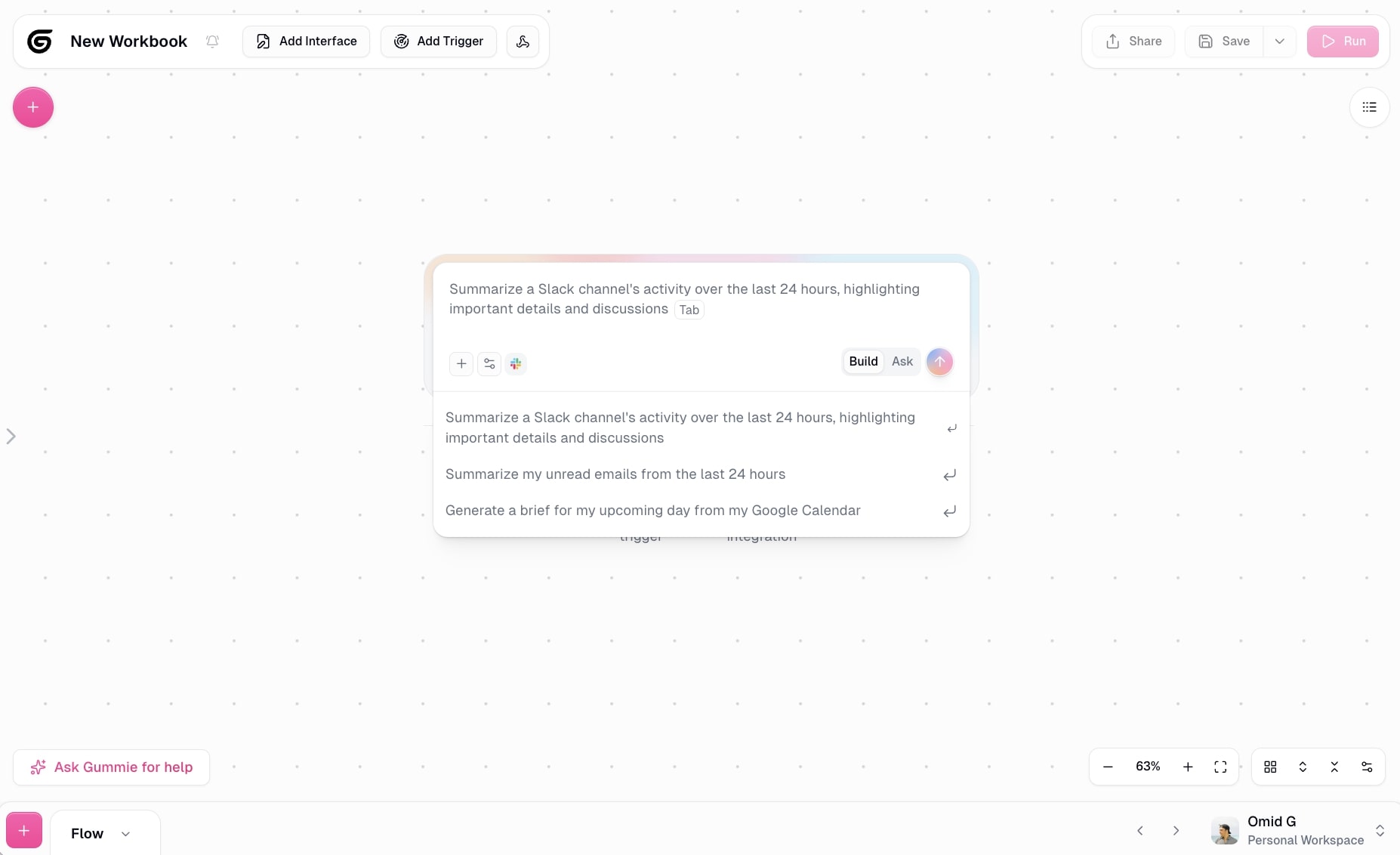
Then you also have agents. With Gumloop's agent feature, all you do is give your agent instructions on how it should behave (think of it as a skill), select an LLM model it should run on, and give it access to any tools (via built-in integrations or MCP). From there all you do is talk to the chatbot agent and it can run any task you give it.
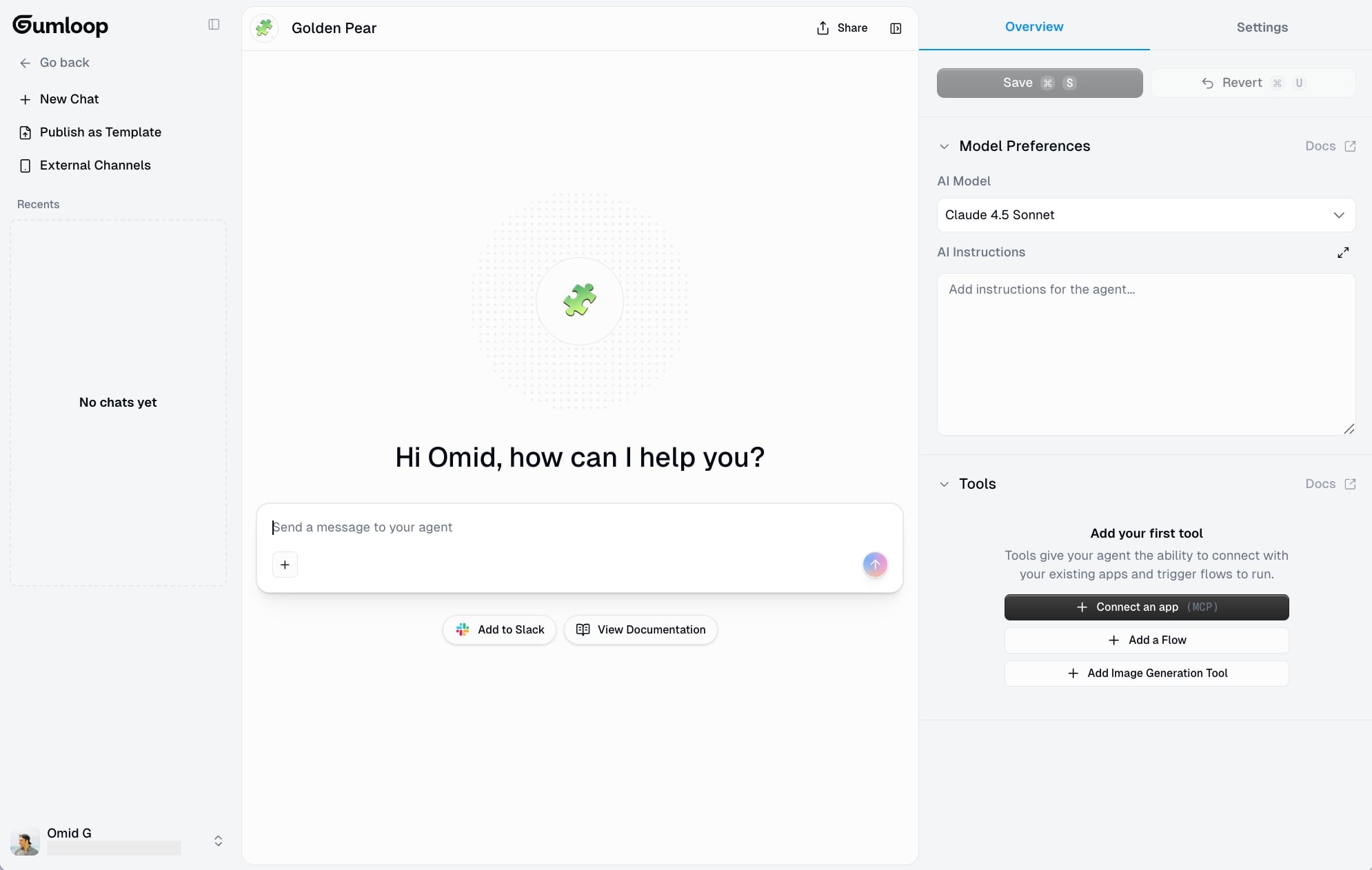
It has access to your tools (the context data), it has instructions you give it (the guardrails and steps), and it has access to any premium LLM (without needing extra API keys) to build a powerful agent.
You can also connect your chatbot agent to Slack, so you don't have to interact with it in Gumloop's agent interface. You can simply tag the agent in your Slack and ask it questions about your data, give it requests to complete tasks, or ask it to generate reports.
When to choose Gumloop over Dust
- Gumloop's AI assistant (Gummie) can build entire workflows for you just by describing what you want in plain English, so you spend less time configuring and more time automating
- You get access to the latest LLM models from ChatGPT, Gemini, Claude, and more, without needing to set up separate API keys
- The platform gives you both workflow automation and autonomous agents in one place, so you can start with simple automations and scale into full agents without switching tools
- Better for teams who want to deploy agents to Slack and interact with them where they already work, rather than through a separate interface
Gumloop pros and cons
Here are some of the pros of Gumloop:
- Gives you both AI workflow and AI agent features
- Includes access to premium LLMs without needing separate API keys
- Has a built-in AI assistant that can create any automation simply by you talking to it in natural language
- Built for both startups and enterprise companies (SOC 2, GDPR compliant)
Here are some of the cons of Gumloop:
- The workflow plus agent relationship can take some time to get used to
- Not as deeply embedded in your company knowledge base the way Dust is
Overall, Gumloop is a great platform if you want to build AI agents as quickly as possible. Gummie makes it really easy to understand what workflows to build, and it can build them for you. It feels like a simple tool, but it's extremely powerful and flexible under the hood.
Gumloop pricing

Here are Gumloop's pricing plans:
- Free: $0/month with 2k credits, 1 seat, 1 active trigger, 2 concurrent runs, Gummie agent, forum support, unlimited nodes and flows
- Solo: $37/month with 10k+ credits, unlimited triggers, 4 concurrent runs, webhooks, email support, and bring your own API key
- Team: $244/month with 60k+ credits, 10 seats, 5 concurrent runs, unlimited workspaces, unified billing, dedicated Slack support, and team usage analytics
- Enterprise: Custom pricing with role-based access control, SCIM/SAML support, admin dashboard, audit logs, custom data retention rules, regular security reports, data exports, incognito mode, and AI model access control
You can learn more about what each plan has to offer on the pricing page.
Gumloop reviews
Here's what customers rate the platform on third-party review sites:
- Product Hunt: 5/5 star rating (from +9 user reviews)
- There’s An AI For That: 5/5 star rating (from +1 user review)
2. StackAI
- Best for: Enterprise teams in regulated industries like finance, healthcare, government, and insurance that need AI workflows with built-in compliance
- Pricing: Free plan available, Enterprise pricing is custom
- What I like: One of the cleanest UI/UX experiences I've seen in an AI agent builder, plus enterprise-grade security (HIPAA, SOC 2 Type II, GDPR) built in from day one
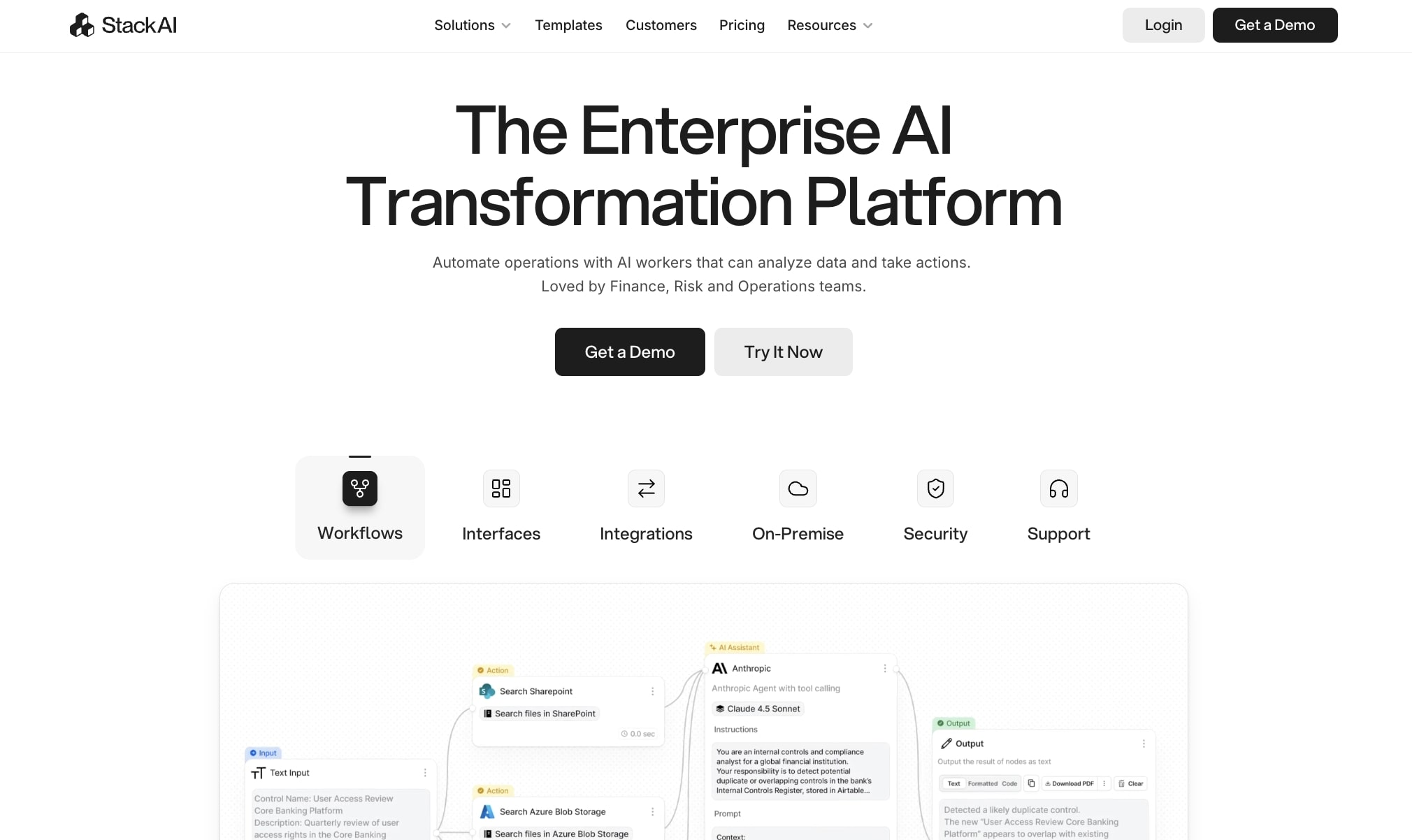
StackAI is an AI agent platform designed for enterprise companies. It's in a similar playing field as Dust, and markets itself as a platform to orchestrate AI agents.
Regardless of their marketing, StackAI is a pretty impressive tool. I first used it a year ago when I was experimenting with every AI agent tool under the sun. And the thing I really like about it is the UI/UX.
It has a very clean and understandable approach to building AI agents in a very methodical way. But it does lean more on the technical side. So while it does have a no-code style builder, it will have a learning curve for non-technical users.
How StackAI works
StackAI works by giving you a visual canvas to create automated workflows. You drag on nodes for extraction, OCR, RAG, different tools in your tech stack, and LLM models to stitch together automations.
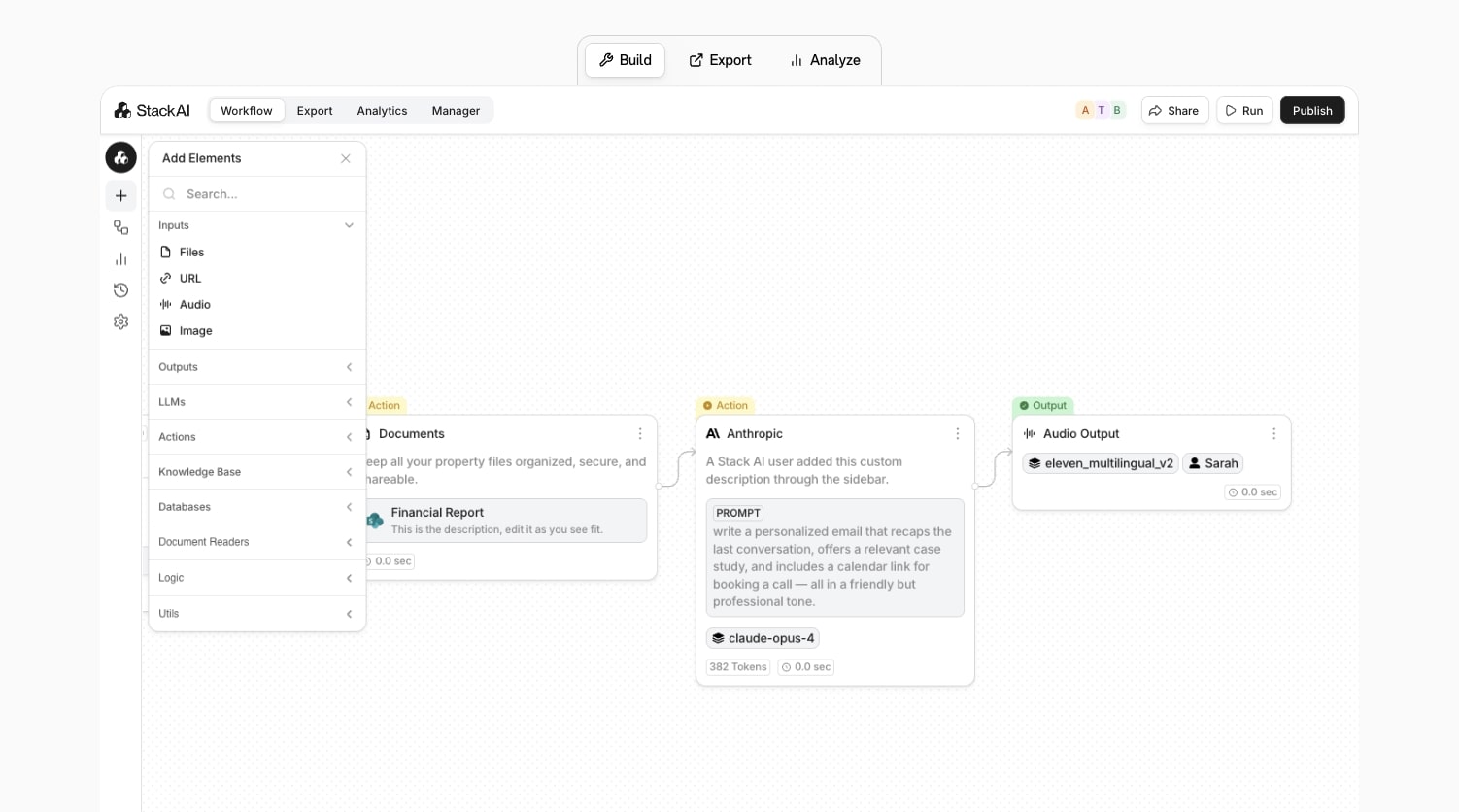
And because it is an enterprise solution, everything has security in mind. So compared to Dust, it's a bit less connected to your tools (unless you give it very specific data context). In Dust, anyone at your company can use your company data to spin up personalized agents. But in StackAI, it's a bit more governed and restricted (could be good or bad depending on the industry).
Because of this, StackAI is best suited for regulated industries like finance, healthcare, government, insurance, and education. Your typical cool AI SaaS startup probably isn't going to use StackAI. But a legacy company in a regulated industry is.
When to choose StackAI over Dust
- Better for document-heavy workflows like financial reporting, RFP drafting, and CRM enrichment where data extraction accuracy matters
- Built for regulated industries that need HIPAA, SOC 2 Type II, and GDPR compliance out of the box
- More governed and restricted access to company data, which is a plus if you need tighter controls over who can spin up agents and what data they can access
- Designed as an enterprise solution for deploying multiple AI agents in a controlled environment rather than a self-serve tool for every employee
StackAI pros and cons
Here are some of the pros of StackAI:
- Clean UI/UX that's easy to understand
- Includes templates so you don't have to start from scratch
- A focus on documents, it's really good at data extraction and picking up on context from docs
- Has a high standard for enterprise security
Here are some of the cons of StackAI:
- It's better for document-heavy workflows over full autonomous AI agents
- Pricing is a bit unclear
- Limited integrations compared to some other tools in this category
StackAI pricing
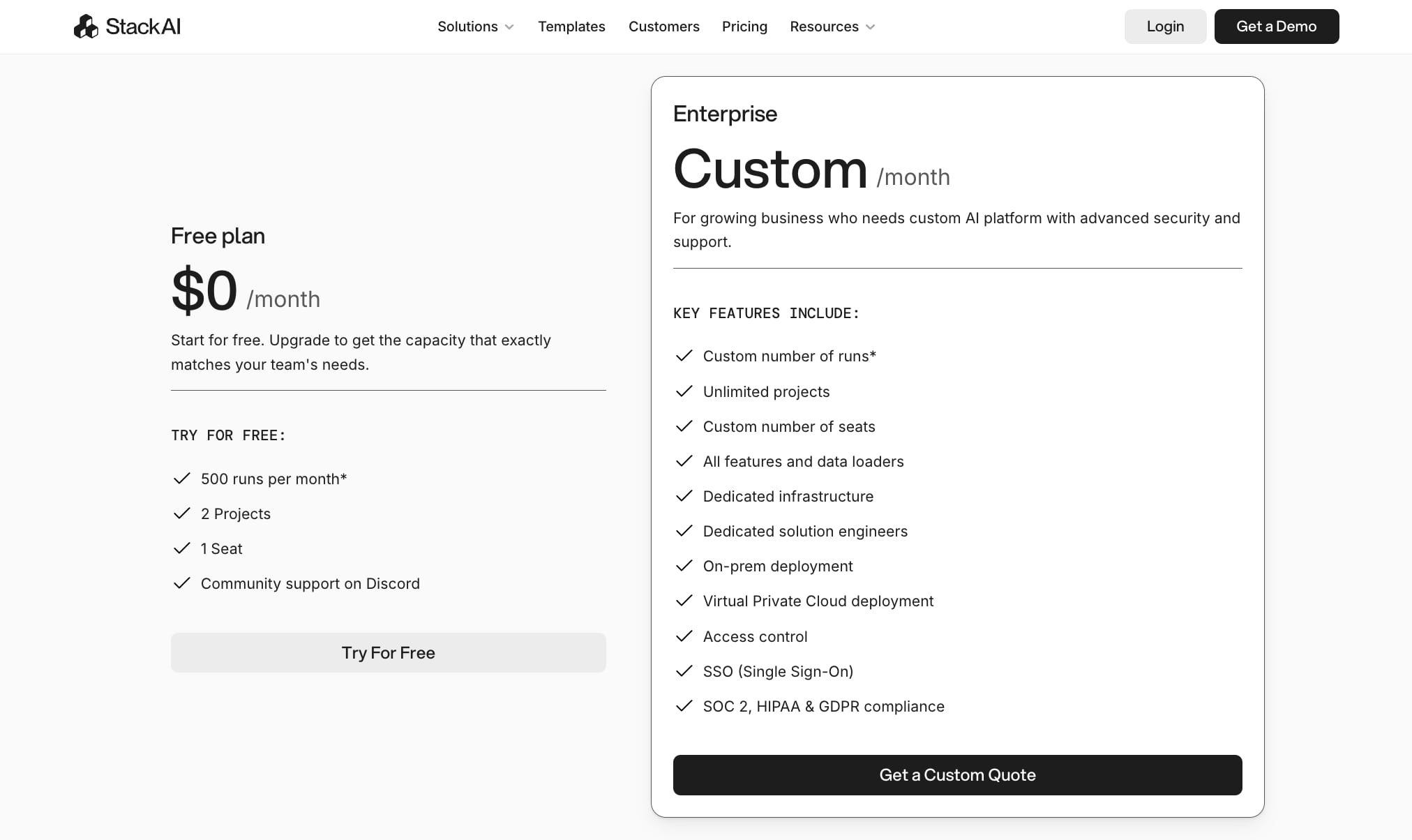
Here are StackAI's pricing plans:
- Free plan: $0/month with 500 runs per month, 2 projects, 1 seat, and community support on Discord
- Enterprise: Custom pricing with custom number of runs, unlimited projects, custom number of seats, all features and data loaders, dedicated infrastructure, dedicated solution engineers, on-prem deployment, Virtual Private Cloud deployment, access control, SSO (Single Sign-On), and SOC 2, HIPAA & GDPR compliance
You can learn more about what each plan has to offer on the pricing page.
StackAI reviews
Here's what customers rate the platform on third-party review sites:
- G2: 4.5/5 star rating (from +38 user reviews)
- Slashdot: 4.5/5 star rating (from +9 user reviews)
3. n8n
- Best for: Technical teams who want an open-source, self-hosted automation platform with full control over their workflows
- Pricing: Starts at $24/month for Starter, with a self-hosted option available
- What I like: Open source with a massive community, self-hosting capabilities, and a huge library of workflow templates you can use right away
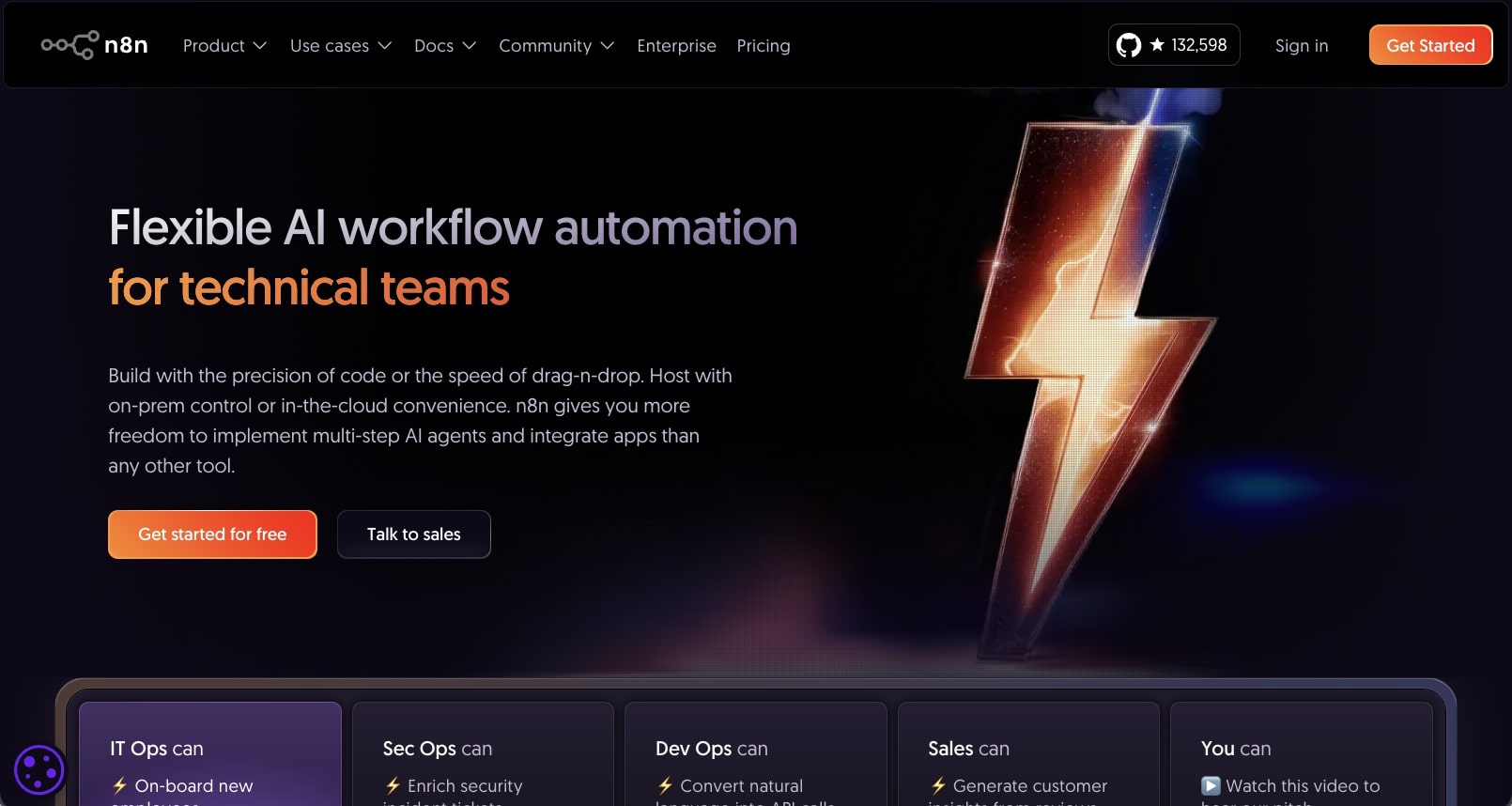
n8n is a low-code, open-source AI automation and agent platform. It gives you a drag and drop interface that lets you build self-hosted, multi-step AI agents that can integrate with your tech stack.
It's built for IT and technical teams that want to spin up AI agents but don't want to have to use technical agent frameworks to do so. Similar to other no-code AI agent builders, you can drag on nodes onto your canvas, connect any LLM of choice, add code runs, and create full end-to-end automated workflows.
How n8n works
n8n can chain together different tools through their APIs. You can also add JavaScript or Python code within your workflows as well. And you can also connect any LLM model, using your own API keys, to give your workflows a true agent feeling.

Because n8n lives in this hybrid of being a technical tool but also a low-code platform, it does give you some enterprise-related features like Docker deployment, full on-prem, git control, audit logs, and the ability to encrypt secrets.
It lives in this hybrid of being a self-serve tool while also having an enterprise feel. And I think that's why n8n has been such a popular choice in the AI automation space.
The platform also has a huge library of templates, created by the community, that you can use so you don't have to start from scratch.
When to choose n8n over Dust
- Better if you want full control over your infrastructure with self-hosting and on-prem deployment options
- Open source with a massive community, so you get access to thousands of workflow templates and can customize anything at the code level
- More affordable at scale compared to Dust, especially if you self-host
- Built for technical teams who want to add custom JavaScript or Python code within their workflows rather than relying purely on no-code tools
n8n pros and cons
Here are some of the pros of n8n:
- Large library of workflow templates
- Fairly affordable compared to other tools in this space
- Open source with self-hosting capabilities
Here are some of the cons of n8n:
- More focused on AI workflows over being a pure AI agent tool
- Can have a learning curve for less technical users
- Requires you to use your own separate API keys for AI features
Overall, n8n is a solid choice if you want automation to be at the center of your work. Comparing it to Dust, that platform feels more like an AI assistant. Whereas n8n is focused on deep custom logic, code, and rigid workflows designed for minimal error. If you are looking for something a bit more flexible on the AI agent front, it might be worth looking at an alternative.
n8n pricing

Here are n8n's pricing plans:
- Starter: $24/month (billed monthly) with 2.5k workflow executions, 1 shared project, 5 concurrent executions, unlimited users, forum support, and hosted by n8n
- Pro: $60/month (billed monthly) with 10k workflow executions, 3 shared projects, 20 concurrent executions, 7 days of insights, admin roles, global variables, workflow history, execution search, and hosted by n8n
- Business: $800/month (billed monthly) with 40k workflow executions, 6 shared projects, SSO, SAML and LDAP, 30 days of insights, different environments, scaling options, version control using Git, forum support, and self-hosted
- Enterprise: Contact for pricing with custom number of workflow executions, unlimited shared projects, 200+ concurrent executions, 365 days of insights, external secret store integration, log streaming, extended data retention, dedicated support with SLA, invoice billing, and hosted by n8n or self-hosted
You can learn more about what each plan has to offer on the pricing page.
n8n reviews
Here's what customers rate the platform on third-party review sites:
- G2: 4.8/5 star rating (from +206 user reviews)
- Capterra: 4.6/5 star rating (from +41 user reviews)
4. CrewAI
- Best for: Enterprise companies who want to create and manage a team of AI agents that work together autonomously
- Pricing: Free plan available, then $25/month for Professional
- What I like: Built specifically for multi-agent orchestration, plus it gives you both a visual builder and code-level access so technical teams can customize deeper
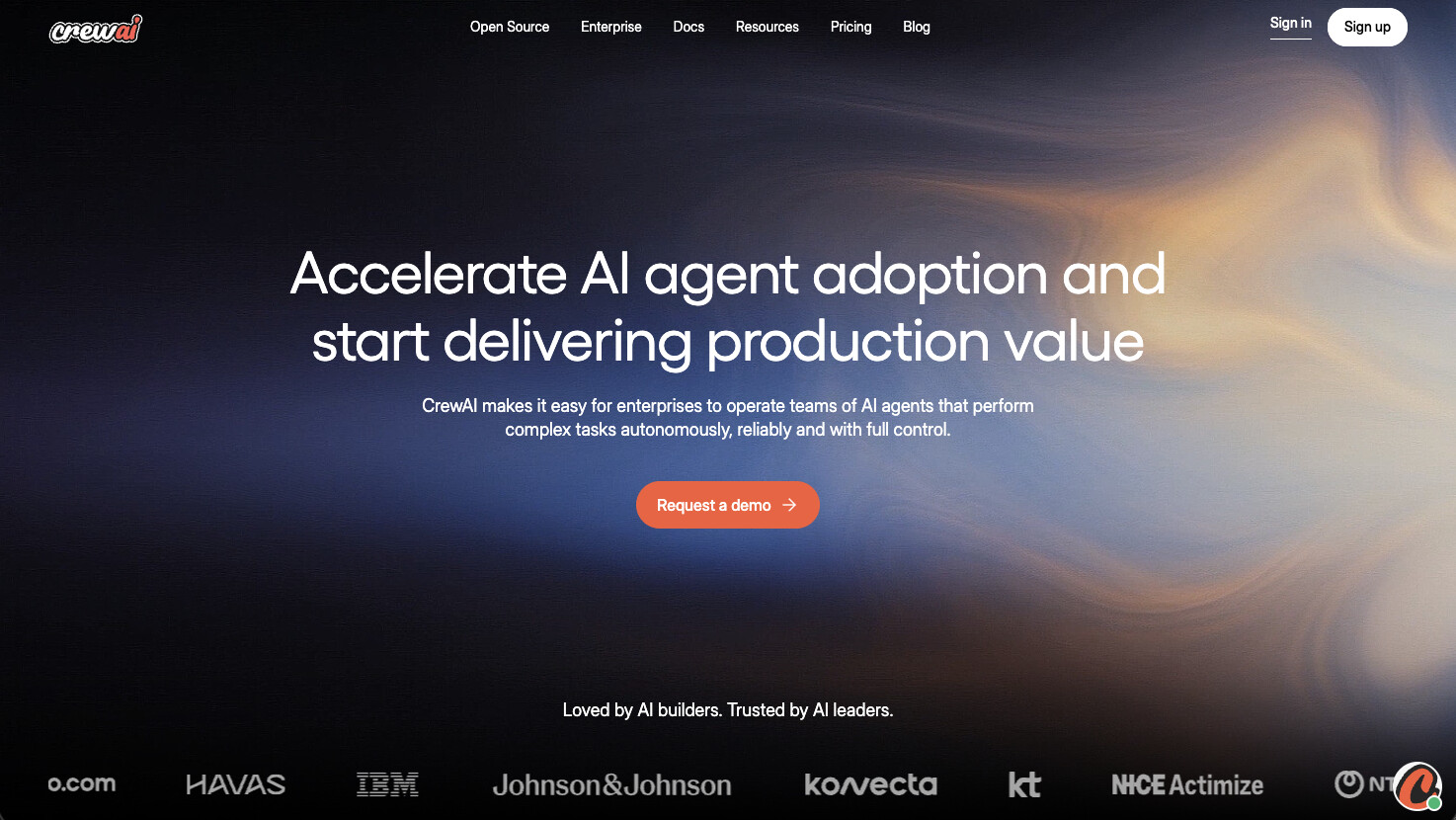
CrewAI is an AI agent platform designed for enterprise companies who want to create a team of agents. It's very similar to Dust in that it markets itself as an orchestration platform where agents can perform complex tasks autonomously, with full control.
I mean it's in the name, "Crew." You literally create a crew of AI agents that can act as your many employees. And the whole notion behind CrewAI is that it's also an agent management platform, so it's designed to help you not only create agentic workflows but also manage them across your team.
How CrewAI works
CrewAI has a studio feature that is a visual editor and AI co-pilot that allows you to assemble your agents. You essentially connect them to your tech stack and your existing tools like HubSpot, Salesforce, Slack, etc. and you define autonomous workflows that the agents can do with those tools.
Similar to Gumloop, you can also build your AI agents and workflows using natural language. So all you do is just interact with a chatbot and it can help build out your automated workflows. However, CrewAI also gives you a code feature so you can view the code of your agents and have a bit more flexibility in how you edit them.
I would say the platform is a blend between StackAI and n8n, but it is very enterprise heavy.
When to choose CrewAI over Dust
- Better if you want to orchestrate multiple AI agents that work together as a team rather than individual assistants
- Gives you both a visual builder and code-level access, so technical teams can customize agents at a deeper level while non-technical users can still build in the UI
- Built for enterprise scale with SOC 2 compliance, SSO, secret manager integration, and PII detection plus masking
- Offers self-hosted deployment via Kubernetes and VPC, which gives you more control over your infrastructure compared to Dust
CrewAI pros and cons
Here are some of the pros of CrewAI:
- It's built for multi-agent orchestration and managing a "crew" of AI agents
- It has a building interface for both non-technical and technical users
- It's enterprise ready and is built for security and scalability
Here are some of the cons of CrewAI:
- Given its enterprise nature, its pricing plans aren't transparent
- It requires you to build fully custom solutions and is less reliant on templates or existing organization use cases (like marketing or sales)
- It can be quite complex and time-consuming to set up
Overall, CrewAI is a very promising platform for large companies that want to orchestrate a team of agents. I wouldn't recommend it for startups or people just starting out with experimenting with automation. But if you've tested a few platforms as a large organization, or you're shopping around, this is a platform to look into.
If you're looking for something a bit more plug and play, with templates designed for specific jobs to be done your team members may already have, it might be worth looking into an alternative.
CrewAI pricing
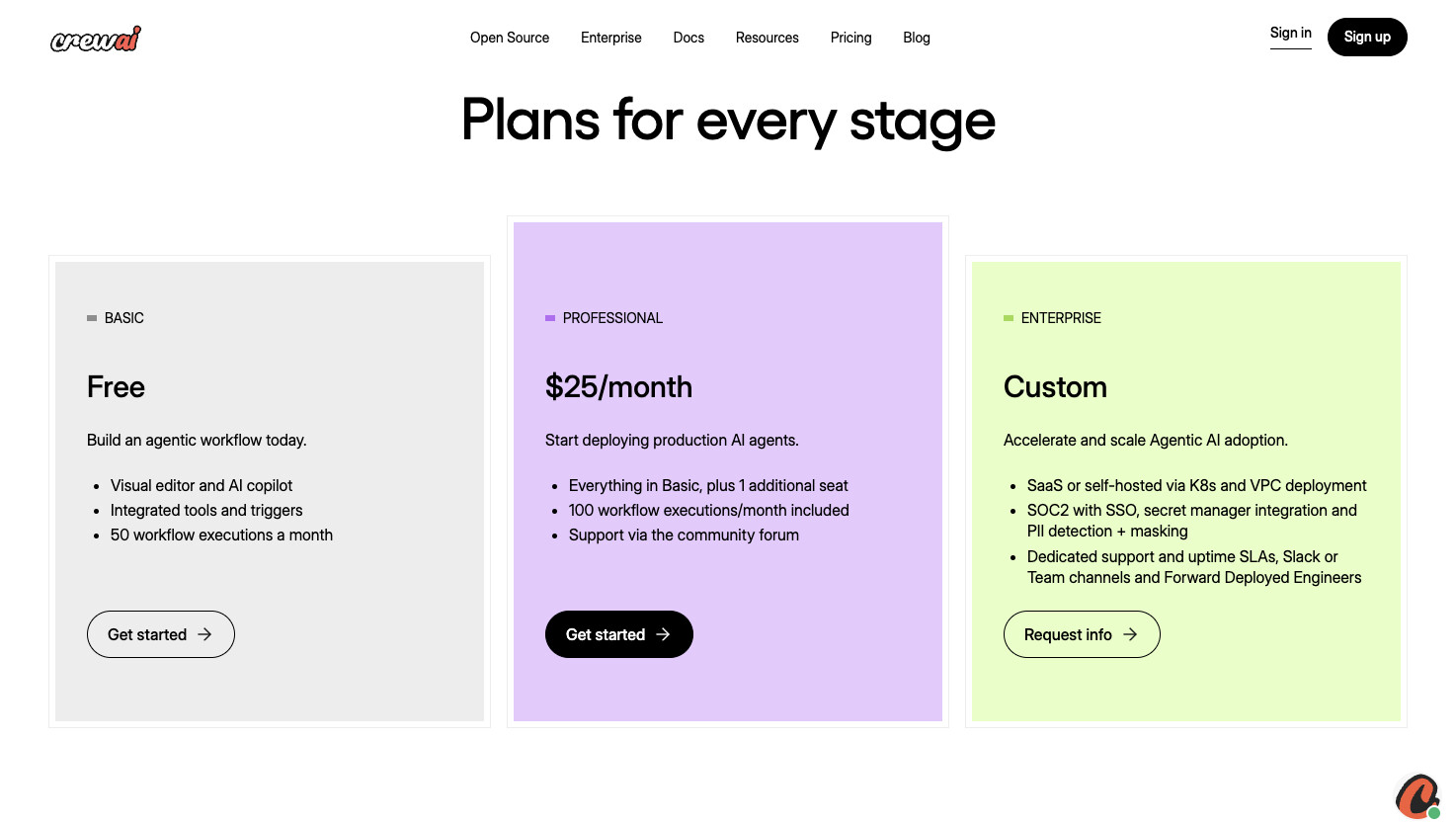
Here are CrewAI's pricing plans:
- Basic: Free with visual editor and AI copilot, integrated tools and triggers, and 50 workflow executions a month
- Professional: $25/month with everything in Basic, plus 1 additional seat, 100 workflow executions per month included, and support via the community forum
- Enterprise: Custom pricing with SaaS or self-hosted via Kubernetes and VPC deployment, SOC 2 with SSO, secret manager integration and PII detection plus masking, and dedicated support and uptime SLAs with Slack or Team channels and Forward Deployed Engineers
You can learn more about what each plan has to offer on the pricing page.
CrewAI reviews
Here's what customers rate the platform on third-party review sites:
- G2: 4.5/5 star rating (from +3 user reviews)
There are not a lot of reviews of CrewAI from third-party review sites. However, this is a great Reddit thread about it you can check out.
5. Make
- Best for: Startups, freelancers, and small agencies who want a budget-friendly automation platform with AI agent capabilities
- Pricing: Free plan available, then starts at $10.59/month for Core
- What I like: Connects with thousands of apps, has a massive community with tons of YouTube tutorials, and the pricing is very accessible for smaller teams
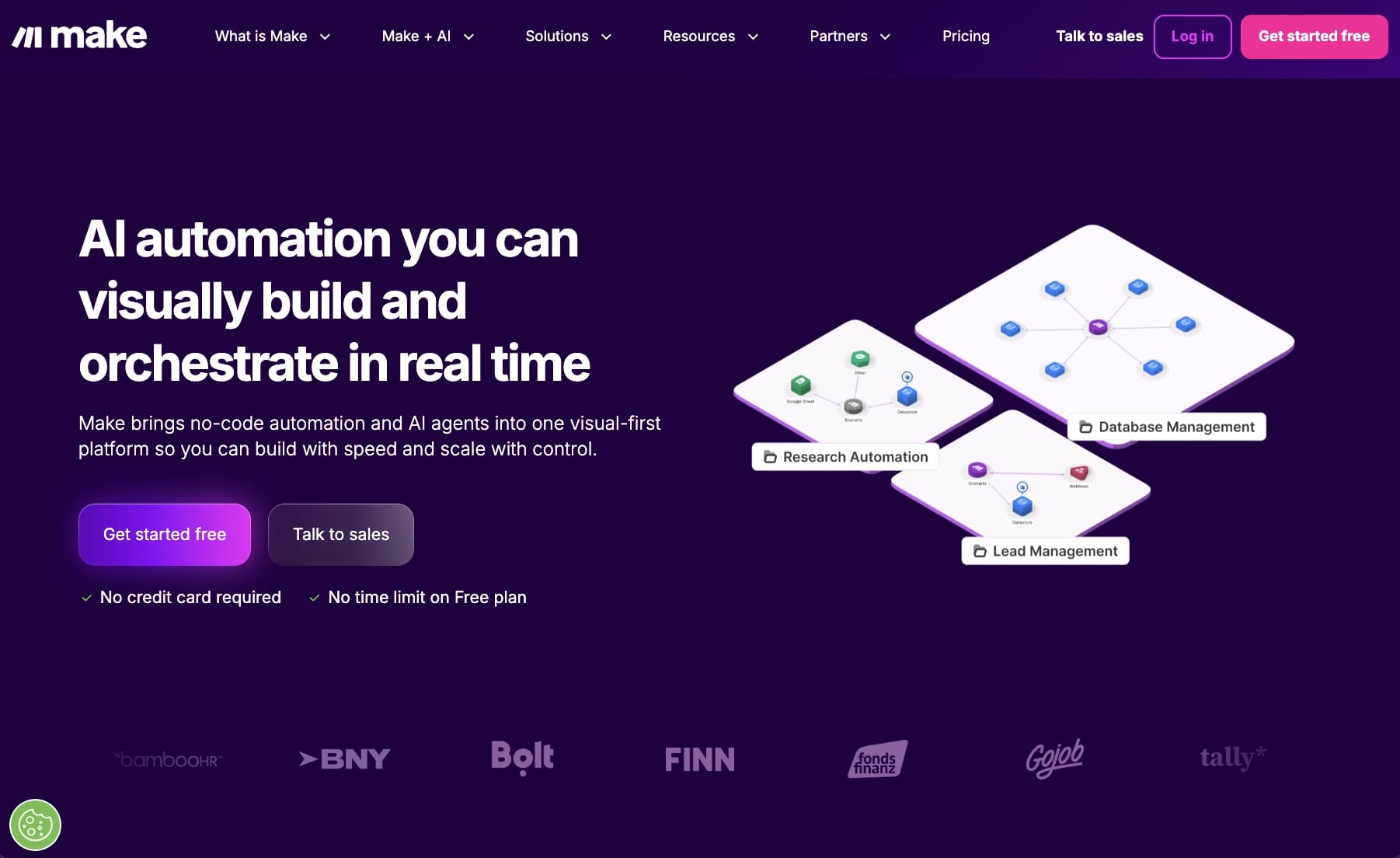
Make, formally Integromat, is one of the most popular and widely used automated workflow platforms. However, they also now have an AI agent feature that allows you to have a bit more flexibility in your workflows.
This makes Make (no pun intended) fall into a category of agentic AI tools. It has a workflow-first approach, but the AI agents are meant to adapt to any edge cases while running the workflow. This is actually my favorite way to use AI to assist in any use case, and it's also how platforms like Claude or Gumloop approach it as well.
How Make works
Similar to other no-code automation builders, Make works by giving you a visual canvas where you drag on individual nodes and connect them together. It has a multi-step approach to creating agentic workflows that can connect a wide range of tools and LLMs together.
And with Make Agents and Make Grid, you can orchestrate how all of your agents run. This makes it great for companies that want similar features to Dust, but are looking for something less enterprisey.
Make is very popular with startups, freelancers, and small agencies. And its pricing is definitely budget friendly.
When to choose Make over Dust
- Better if cost is a major factor since Make's pricing starts much lower and scales more affordably for smaller teams
- Connects with over 3,000 apps, so you're likely already covered for most of your tech stack
- Has a massive community with tons of YouTube tutorials, so it's easier to learn and troubleshoot compared to Dust
- Good for teams who want workflow automation first with AI agents as a flexible add-on, rather than a fully AI-native platform
Make pros and cons
Here are some of the pros of Make:
- Popular platform with lots of tutorials on how to use it on YouTube
- Connects with thousands of apps
- Budget friendly for startups and small businesses
Here are some of the cons of Make:
- The UI/UX can feel a bit clunky and outdated
- AI agents feel more like an add-on to workflows, and less AI-native compared to Dust
- Requires a bit more setup time compared to AI agent builders that can build with natural language
Overall, Make is a great platform if cost is a major purchasing decision for you. If you're looking for a platform that is good enough at getting most general automations down, this is a platform to check out. But if you're looking for something a bit more on the full autonomous agent side, it might be worth looking into an alternative.
Make pricing
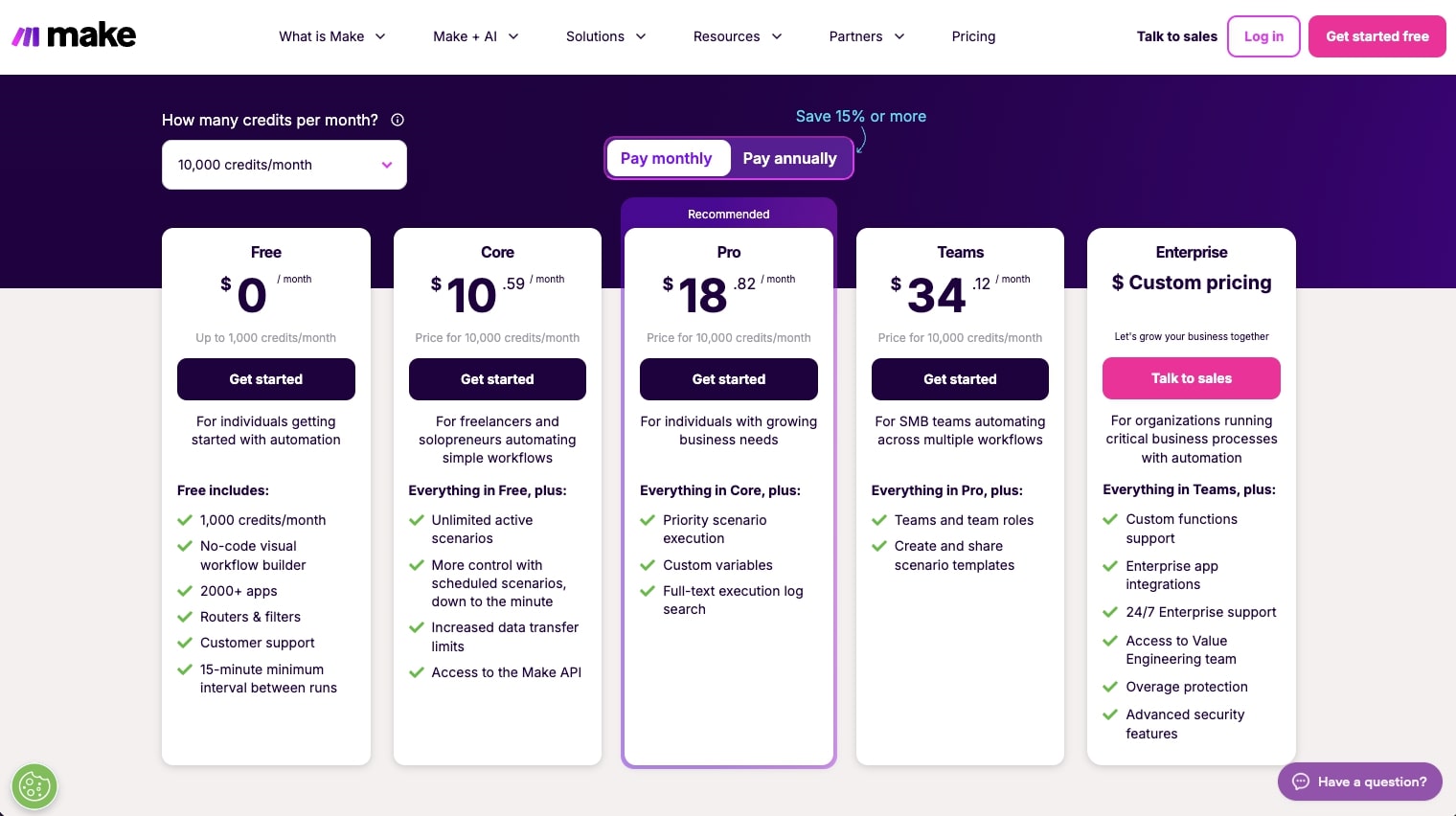
Here are Make's pricing plans:
- Free: $0/month with 1,000 credits per month, no-code visual workflow builder, 3,000+ apps, routers and filters, customer support, and 15-minute minimum interval between runs
- Core: $10.59/month for 10k credits with unlimited active scenarios, scheduled scenarios down to the minute, increased data transfer limits, and access to the Make API
- Pro: $18.82/month for 10k credits with everything in Core, plus priority scenario execution, custom variables, and full-text execution log search
- Teams: $34.12/month for 10k credits with everything in Pro, plus teams and team roles, and the ability to create and share scenario templates
- Enterprise: Custom pricing with everything in Teams, plus custom functions support, enterprise app integrations, 24/7 enterprise support, access to the Value Engineering team, and overage protection
You can learn more about what each plan has to offer on the pricing page.
Make reviews
Here's what customers rate the platform on third-party review sites:
- G2: 4.6/5 star rating (from +267 user reviews)
- Capterra: 4.8/5 star rating (from +406 user reviews)
6. Botpress
- Best for: Enterprise companies who want to deploy conversational AI agents for marketing and customer service use cases
- Pricing: Free pay-as-you-go plan available (plus AI spend), then $79/month for Plus
- What I like: The Agent Studio has a clean visual builder with a built-in emulator so you can test how your agents respond in real-time before deploying
Botpress is a complete agent platform that lets you create, deploy, and monitor AI agents across your organization. It's in a similar playing field to Dust in that it's mostly used by larger companies looking to deploy agents in their own self-contained environment.
How Botpress works
Botpress works by letting you design agents in a visual builder. They have an Agent Studio that gives you a classic drag and drop builder to create steps you want your agent to go through. The UI feels very similar to StackAI in some ways (that's a compliment).
There's also an emulator that allows you to see how your agent reacts to the way it's set up. So you can run tests in real-time and optimize how your agent responds or executes on tasks, which is really neat if you ask me.
Overall, it's a great platform for deploying lots of agents at an enterprise level. And it's definitely a strong alternative to Dust.
When to choose Botpress over Dust
- Better if you're focused on building conversational agents for marketing or customer service rather than internal AI employees
- Has a built-in emulator so you can test and optimize how your agents respond before deploying them live
- LLM agnostic, so you can test outcomes from different models and choose what works best for your use case
- Integrates with most CRMs and data sources that enterprise companies already use
Botpress pros and cons
Here are some of the pros of Botpress:
- Has a strong focus on chatbot agents
- Integrates with most CRMs and data sources enterprise companies use
- LLM agnostic, so you can test outcomes from different models
Here are some of the cons of Botpress:
- Not the best at deeply integrated "AI employees" like Dust, mostly builds conversational agents
- More focused on marketing and customer service use cases
- Has a steep learning curve
In the end, Botpress is a really great Dust alternative if you're looking for similar features. Its pricing can be a bit fuzzy with the AI add-on, but it is a solid platform. However, if you're looking for something that is a bit more firm and transparent with pricing, it might be worth looking into an alternative.
Botpress pricing
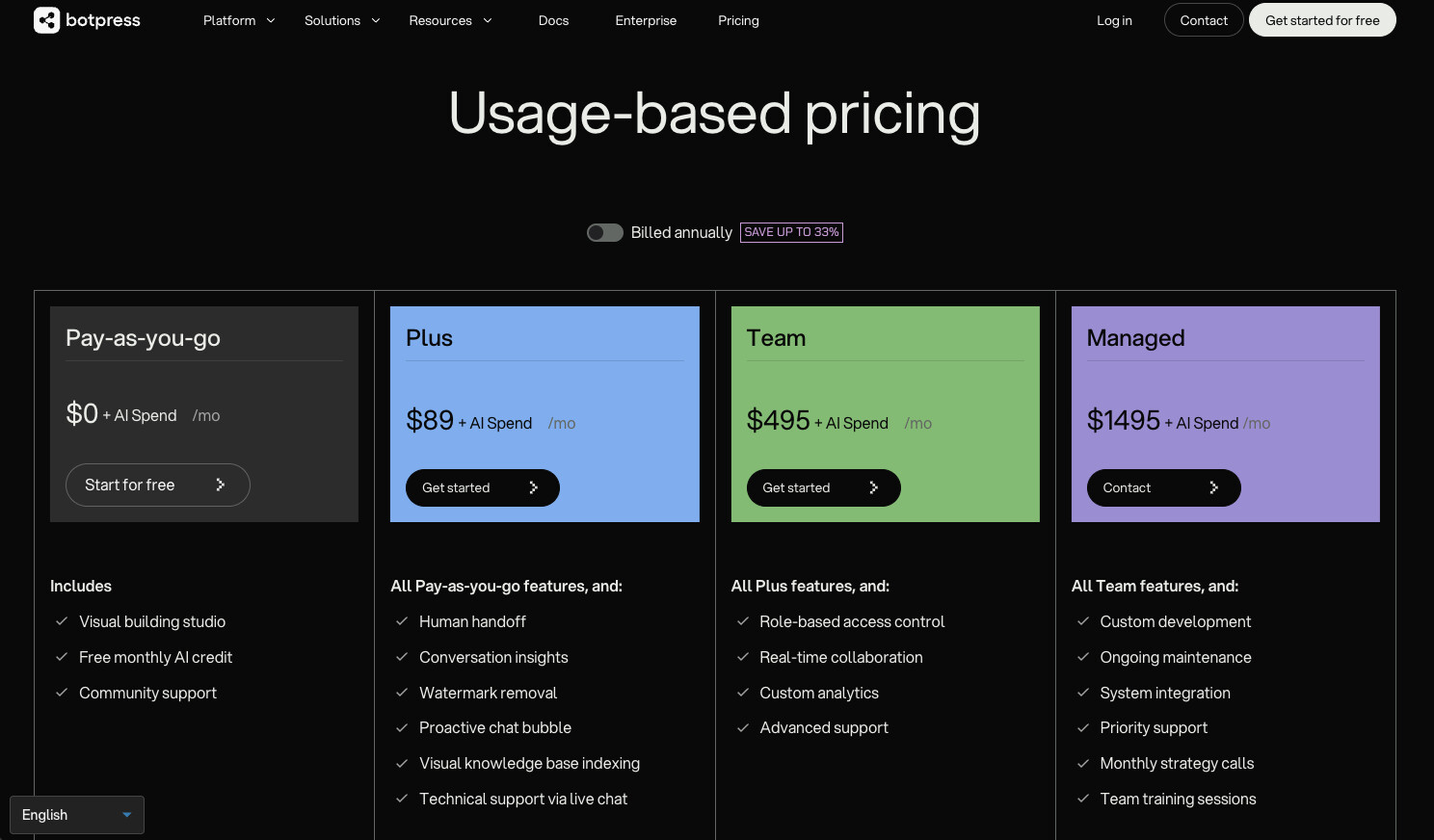
Here are Botpress's pricing plans:
- Pay-as-you-go: $0/month plus AI spend with visual building studio, free monthly AI credit, and community support
- Plus: $79/month plus AI spend with everything in Pay-as-you-go, plus human handoff, conversation insights, watermark removal, proactive chat bubble, visual knowledge base indexing, and technical support via live chat
- Team: $445/month plus AI spend with everything in Plus, plus role-based access control, real-time collaboration, custom analytics, and advanced support
- Managed: $995/month with everything in Team, plus custom development, ongoing maintenance, system integration, priority support, monthly strategy calls, and team training sessions
- Enterprise: Custom pricing with everything in Team, plus whiteglove onboarding, custom workspace limits, and dedicated support manager
AI spend is the budget you allocate for your bot's usage of LLMs, charged at provider cost without markup. You can learn more about what each plan has to offer on the pricing page.
Botpress reviews
Here's what customers rate the platform on third-party review sites:
- G2: 4.5/5 star rating (from +462 user reviews)
- Capterra: 4.4/5 star rating (from +36 user reviews)
7. Relay.app
- Best for: Teams who want AI-powered workflows but still need human approval and oversight before tasks run
- Pricing: Free plan available, then $38/month for Professional
- What I like: The human-in-the-loop approach lets you get the benefits of AI automation without letting things run completely wild
Relay.app is a workflow builder that is designed to help you build a team of agents to run tasks for customer support, sales, or marketing.
It's similar to Zapier or n8n in that it has a strong focus on AI-powered workflows. And the "Agents" are just automations that can run through a multi-step process. But this is on purpose.
Relay.app's value prop is that it has a human-in-the-loop approach. So you can still approve tasks and runs on specific workflows. This is great if you want to get the AI features of newer automation tools, but you don't want them to run completely wild.
How Relay.app works
You define agents by giving them a name, a skill (which is essentially a workflow), and then you iterate with feedback to improve their behavior over time.
Workflows can trigger on events in tools like HubSpot, Gmail, Notion, forms, and more. From there you can call built-in AI actions like summarize, extract, or classify, or write your own custom prompts. You can also branch via conditional paths, loop over lists, wait for conditions, and then act in downstream apps.
The human-in-the-loop steps let team members approve runs, provide missing data, choose paths, or complete tasks, all in a shared UI. So it's not fully autonomous like some other platforms on this list.
Overall, Relay.app is opinionated around what I'd call "operationalized SOPs." It's built for repeatable playbooks that blend automation and manual steps together.
When to choose Relay.app over Dust
- Better if you want AI automation but still need human approval before certain tasks run
- Built for teams who want to share workflows and connections in a collaborative UI rather than siloed individual agents
- Great for operationalizing SOPs where you need a mix of automation and manual steps
- More affordable and accessible for smaller teams compared to Dust's enterprise focus
Relay.app pros and cons
Here are some of the pros of Relay.app:
- Human-in-the-loop approach gives you control over what runs and what needs approval
- Clean UI that makes it easy for team members to collaborate on workflows
- Works with GPT, Claude, and Gemini out of the box
- Budget friendly for small teams
Here are some of the cons of Relay.app:
- Not fully autonomous like some other AI agent platforms
- Step limits can add up quickly if you're running a lot of workflows
- Less suited for teams who want hands-off, fully autonomous agents
Overall, Relay.app is a solid choice if you want AI-powered workflows but aren't ready to let agents run completely on their own.
It's great for teams that want to automate repetitive tasks while still keeping a human in the loop for approvals and decisions. But if you're looking for something more autonomous, it might be worth looking into an alternative.
Relay.app pricing
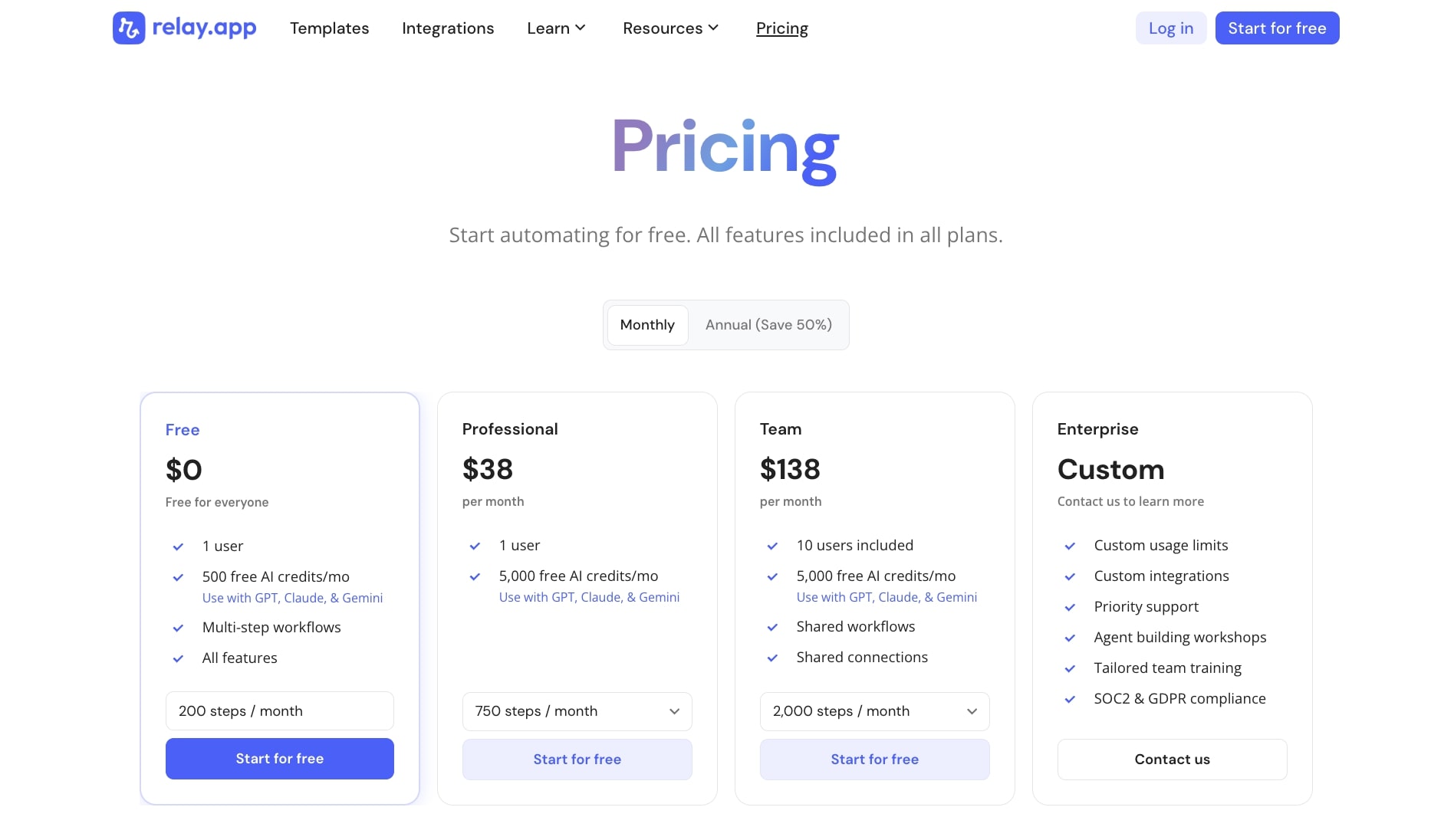
Here are Relay.app's pricing plans:
- Free: $0/month with 1 user, 500 free AI credits per month (works with GPT, Claude, and Gemini), multi-step workflows, and all features
- Professional: $38/month with 1 user, 5,000 free AI credits per month, 750 steps per month, and works with GPT, Claude, and Gemini
- Team: $138/month with 10 users included, 5,000 free AI credits per month, 2,000 steps per month, shared workflows, and shared connections
- Enterprise: Custom pricing with custom usage limits, custom integrations, priority support, agent building workshops, tailored team training, and SOC 2 and GDPR compliance
You can learn more about what each plan has to offer on the pricing page.
Relay.app reviews
Here's what customers rate the platform on third-party review sites:
- G2: 4.9/5 star rating (from +75 user reviews)
- Capterra: 5/5 star rating (from +1 user review)
What is the best alternative to Dust?
It depends on your specific needs.
If you want an AI platform that can build workflows and agents using natural language, Gumloop is my top pick. It's what I personally use, and the user experience is hard to beat. Gummie can build entire automations just by talking to it, and you get access to premium LLMs without needing separate API keys.
If you're in a regulated industry and need enterprise-grade security, StackAI is worth looking into. And if cost is your main concern and you want a user-friendly interface with thousands of integrations, Make is the most budget friendly option.
At the end of the day, these tools all use generative AI and artificial intelligence to help with decision making across your organization. Whether you're automating social media workflows, building AI-driven agents for data analysis, or just trying to make more informed decisions faster, there's a platform on this list that fits.
The best thing you can do is pick one, test it, and see if it works for the way your team operates.
Happy automating!

Read related articles
Check out more articles on the Gumloop blog.