8 best CrewAI alternatives I've used that actually work

The first time I created a real AI agent, my jaw dropped.
For a while, I was skeptical about AI. Especially its ability to automate things exactly how I wanted it.
But then, slowly, I realized that AI is here to stay. And the technology is actually insane.
It was intimidating at first though. Before, if you wanted to really leverage AI to create agents, you had to know how to code.
Over time, the tech got better. And agents became easier and faster to create.
So here we are.
Over the past 11 months, I tested every AI agent builder under the sun. And here are the ones I truly believe are the best compared to using CrewAI.
I’ll show you the best CrewAI alternatives that completely strip away the technical complexity of creating AI agents.
Especially if you’re trying to create multi-agent workflows without coding, this article will be exactly what you’re looking for.
Okay, let’s get into it.
What to look for in a CrewAI alternative
Before you start comparing tools, it helps to know what actually matters when picking an AI agent builder.
I don’t just want to be biased and tell you what to use. I want to help you understand how to evaluate the tools, and then give you a list of platforms you can pick from.
So, here are the things I looked at when putting this list together:
- Multi-agent orchestration: Can the platform handle multiple agents working together? This is important if you want agents that can hand off tasks to each other or collaborate on complex workflows.
- LLM model flexibility: Does it lock you into one model, or can you use OpenAI, Claude, Gemini, or open-source models? LLM-agnostic agent platforms are better.
- Ease of use and learning curve: How fast can you go from signing up to actually building something useful? Some tools take forever to figure out, while others have assistants that can build for you in seconds.
- Visual builder vs code-based: Do you need to write Python, or can you drag and drop? This is a big one if you're not technical and don’t have an AI engineering background.
- Pre-built templates and integrations: Does the platform have templates you can start with? And how many apps does it connect to natively? Can it connect to MCP servers?
- Scalability for production use: Can it handle real workloads, or is it only good for prototyping? You want a platform that can be used for actual business operations.
- Pricing and cost efficiency: How much does it cost as you scale? Some platforms get expensive fast once you start running a lot of tasks. Is it token based? Is it more like a SaaS pricing model?
- Community support and documentation: Is there a community you can lean on when you get stuck? Are the docs actually helpful?
Not every tool on this list checks every box. But these are the things I kept in mind when evaluating each one.
Alright, let’s get into the list of the best alternatives to CrewAI.
8 best CrewAI alternatives and competitors in 2026
Here are the best CrewAI alternatives:
Okay, let’s go over each of these in depth.
1. Gumloop

- Best for: Teams of all sizes who want to build AI agents and workflows without code
- Pricing: Free plan available (2k credits/month), paid plans start at $37/month
- What I like: Create any agent or workflow using natural language, integrates with any LLM model, and connects agents directly to Slack
Gumloop is an automation platform and AI agent builder designed to be used by companies of all sizes. It's used by teams at Shopify, Instacart, Webflow, and other large enterprises. But it's also used by agencies, startups, and even myself who runs a media company solo.
The platform is also designed with AI being a core product feature. You can integrate with any premium LLM model (with or without existing API keys) and create any agent or workflow simply by using a chatbot. It's as easy as talking to ChatGPT.
How Gumloop works
Gumloop works in two different modes. You have flows and you have agents.
Flows are your typical automated workflows where you connect different apps together and different LLM models and create a logical if-this-then-that automation. And you can build these flows simply by talking to Gummie, the AI assistant.
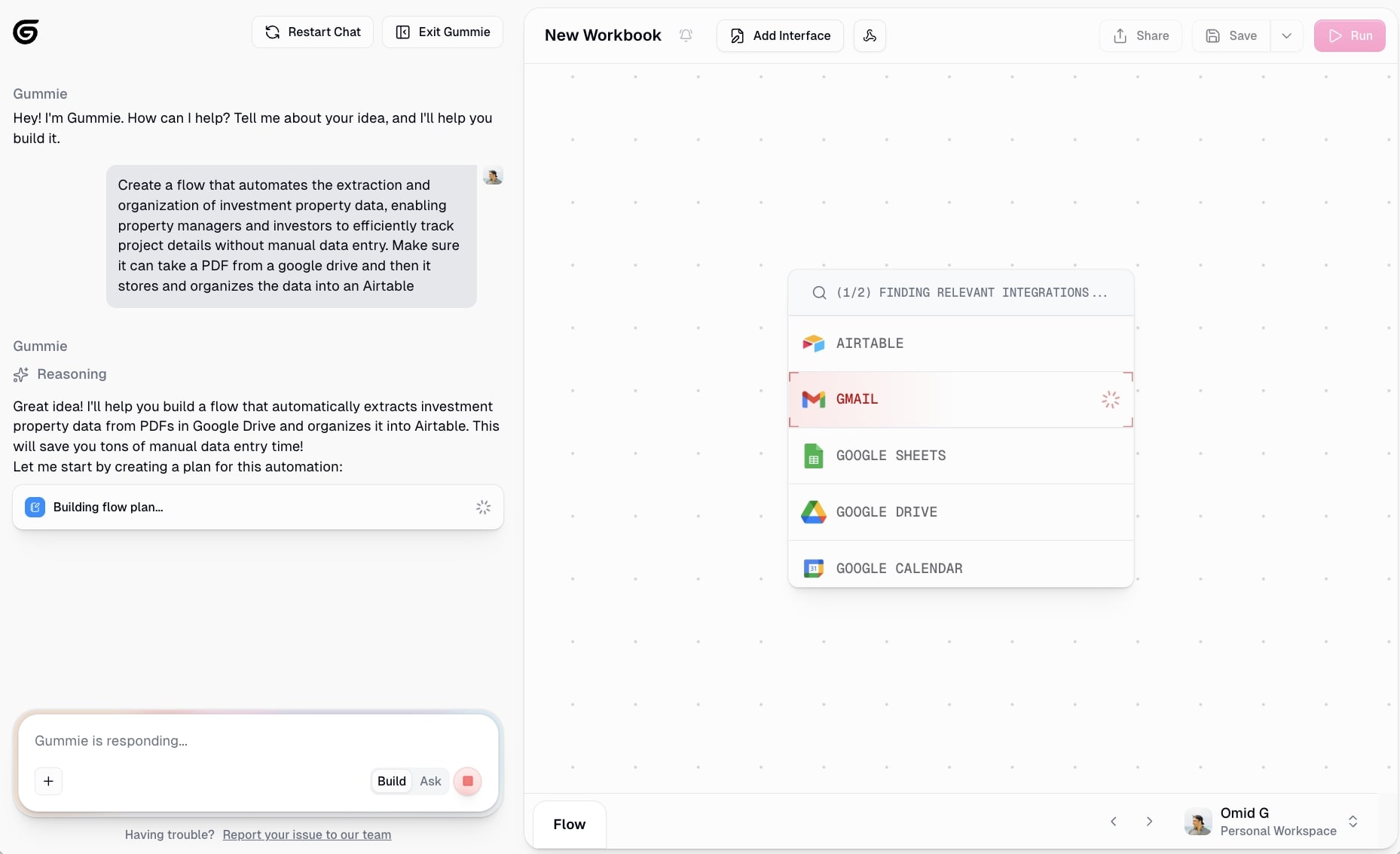
Ask it to help you automate anything and it will quickly put all the apps needed onto a visual canvas and connect them together. You can also use Gummie for debugging any issues with the AI outputs.
But what really sets Gumloop apart from other platforms in this space is that it has an agents feature. Here you simply give your agent instructions on how to behave, similar to how you would with something like Claude’s Agent Skills. Then you give it access to any tools it may need (you can even give it access to your existing workflows), and you choose your LLM model of choice.
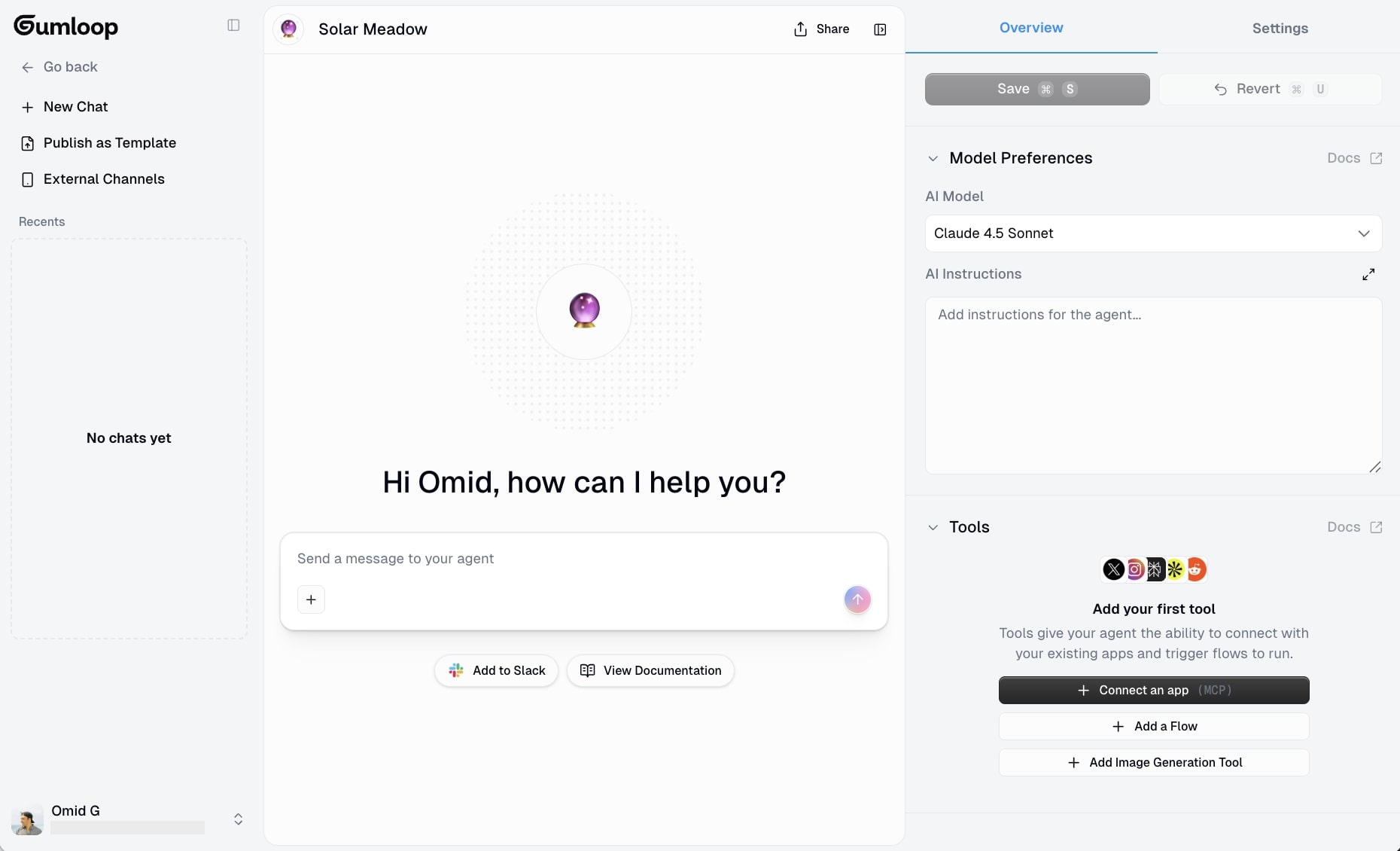
From there all you do is simply chat to your agent for any task that you need it to do for you. You can also connect your agent to Slack so you can interact with it as you would a teammate inside of Slack.
Why choose Gumloop over CrewAI
Here are some reasons why to use Gumloop over CrewAI:
- You want to build agentic workflows without writing any code. Gumloop lets you create agents and workflows using natural language, while CrewAI requires Python knowledge.
- You don't want to deal with API keys or infrastructure. Gumloop gives you free access to premium LLM models out of the box.
- You want your agents accessible to your whole team. Gumloop's Slack integration means anyone can interact with your agents without learning a new tool.
- You need something that works for both simple automations and complex agents. The flows + agents combo covers a wide range of use cases.
Gumloop pros and cons
Here are some of the pros of Gumloop:
- Create any automated workflow or AI agent simply by using natural language
- Can integrate with most tools and any MCP server (gives you free access to premium LLM models)
- You can connect AI agents to Slack so you and other team members can easily interact with it
- Used by some pretty big teams that are setting examples of how to use AI internally (like at Webflow and Shopify)
Here are some of the cons of Gumloop:
- The platform is still new and there are some missing native integrations I wish it had (but you can integrate an MCP server if you can't find the tool of your choice)
- Because the platform is horizontal, it can sometimes be hard to know what to automate unless you are clear on a manual workflow you already have
Overall, Gumloop is my favorite agent builder. There's an extremely generous free plan that allows you to create an AI agent without even having to pay. And I've been personally using the platform for just over a year now.
And just to be clear, I know it may sound biased that I'm recommending this tool given that it is on the Gumloop blog. But I am not an employee at Gumloop. I am simply a customer and asked if I could write this up so I can share my own experience.
Gumloop pricing

Here are Gumloop's pricing plans:
- Free: $0/month with 2k credits per month, 1 seat, 1 active trigger, 2 concurrent runs, Gummie agent, forum support, unlimited nodes, and unlimited flows
- Solo: $37/month with 10k+ credits per month, unlimited triggers, 4 concurrent runs, webhooks, email support, and bring your own API key
- Team: $244/month with 60k+ credits per month, 10 seats, 5 concurrent runs, unlimited workspaces, unified billing, dedicated Slack support, and team usage and analytics
- Enterprise: Custom pricing with role-based access control, SCIM/SAML support, admin dashboard, audit logs, custom data retention rules, regular security reports, data exports, incognito mode, AI model access control, virtual private cloud, and flow queuing
You can learn more about how they structure their pricing here.
Gumloop rating and reviews
Here's what customers rate the platform on third-party review sites:
- Product Hunt: 5/5 star rating (from +12 user reviews)
- There's An AI For That: 5/5 star rating (from +1 user review)
2. StackAI
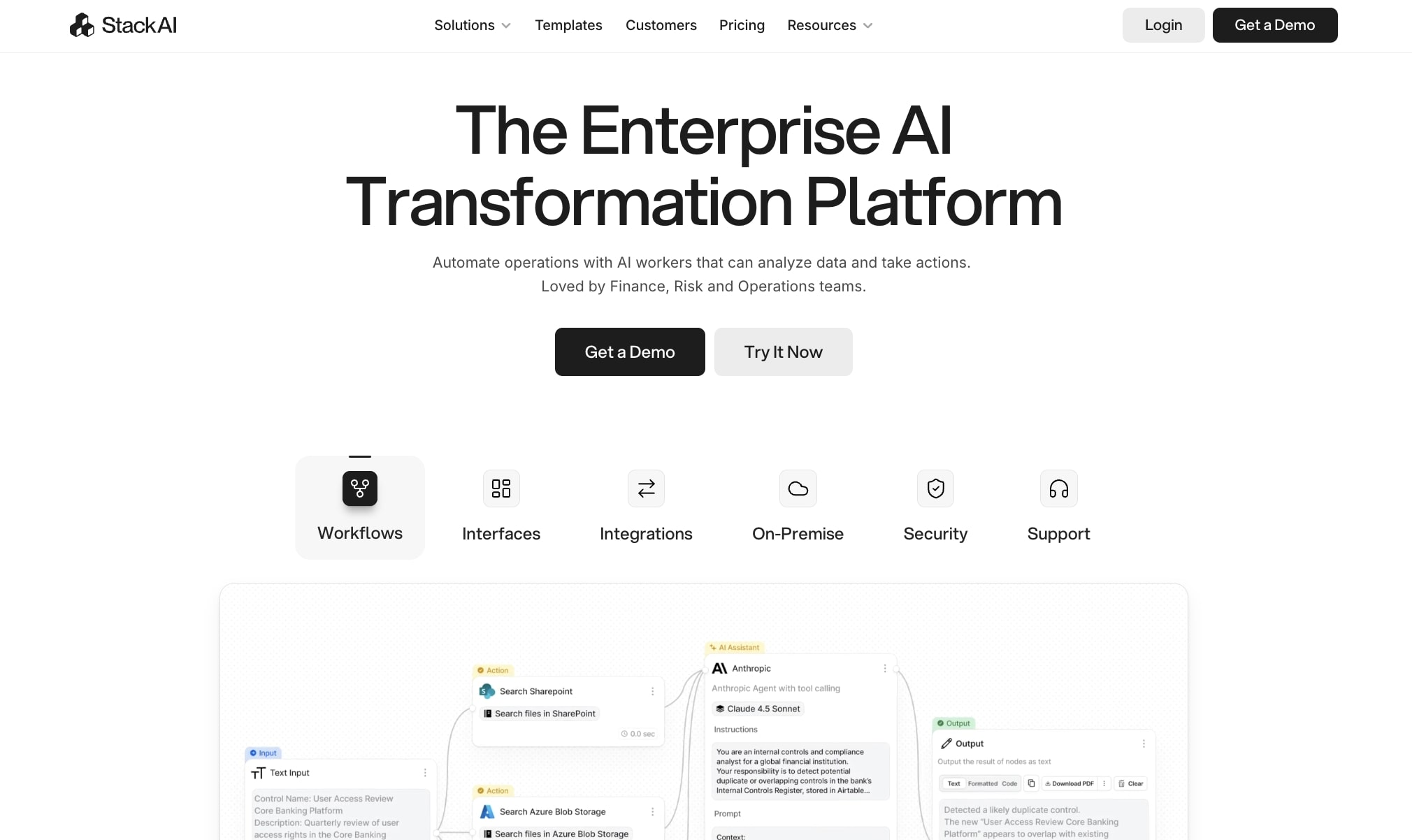
- Best for: Enterprise companies focused on operations, IT, finance, and risk management
- Pricing: Free plan available (500 runs/month), Enterprise custom pricing
- What I like: Beautiful UI/UX for building agents, built-in RAG, and document processing
StackAI is a low-code AI agent builder. It's one of my favorites when it comes to UI/UX. The interface for creating agents is so clean. But besides that, the platform is designed to help you build AI coworkers that can process documents, answer questions internally, and also act when certain actions are done in a specific tool.
StackAI is built for enterprise companies that want to launch AI agents internally, and it's mostly focused on areas like operations, IT, finance, and risk management.
How StackAI works
StackAI works by giving you a visual drag-and-drop interface, very similar to Gumloop's automations, that allows you to connect your tools and different LLMs. From there you can set different triggers that fire based off specific events.
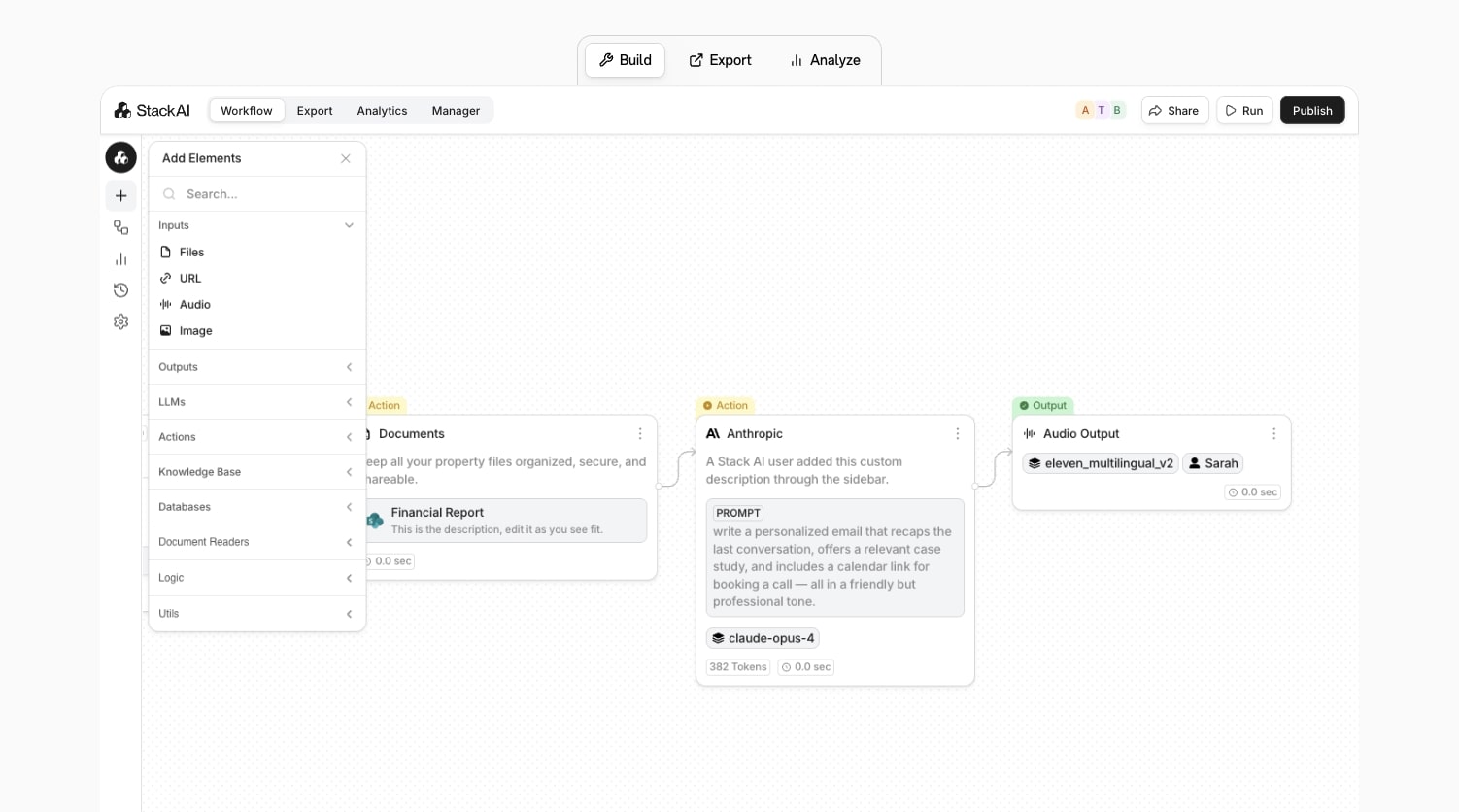
You can even feed it unstructured data from tickets, reports, or PDFs, add in RAG for knowledge, and create fully automated workflows for your internal operations.
Why choose StackAI over CrewAI
Here are some reasons why to use StackAI over CrewAI:
- You're looking for a simpler no-code/low-code builder interface. Great for teams that aren't that technical and don't have access to heavy engineering resources.
- You want something built for enterprise on day one. The platform is SOC2, GDPR, and HIPAA compliant.
- You're mostly looking for use cases around operations and creating AI agents that work with documents.
StackAI pros and cons
Here are some of the pros with StackAI:
- Built for enterprise and has a beautiful interface for creating AI agents
- Has built-in data extraction, RAG, and OCR for analyzing and working with documents
- Allows you to create interfaces, just like Gumloop
Here are some of the cons with StackAI:
- It's built mostly for enterprise, so it's not the best for solo operators or smaller teams
- Not as flexible as a code framework like CrewAI
Overall, StackAI is a solid alternative to CrewAI if you're an enterprise company and you're looking for something a bit easier to use. If that sounds like you, you definitely should give this one a try.
StackAI pricing
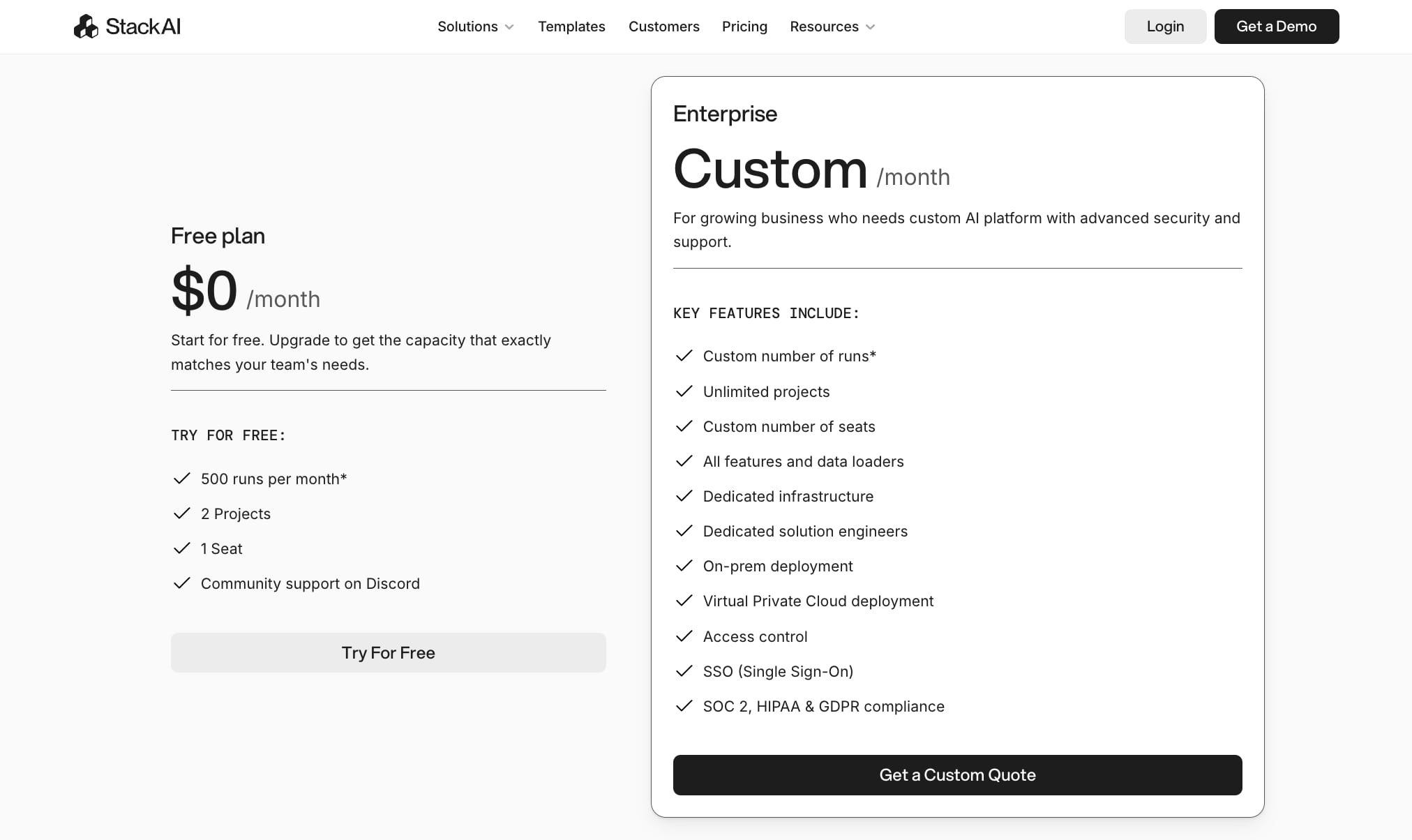
Here are StackAI's pricing plans:
- Free: $0/month with 500 runs per month, 2 projects, 1 seat, and community support on Discord
- Enterprise: Custom pricing with custom number of runs, unlimited projects, custom number of seats, all features and data loaders, dedicated infrastructure, dedicated solution engineers, on-prem deployment, Virtual Private Cloud deployment, access control, SSO, and SOC 2, HIPAA, and GDPR compliance
You can learn more about how they structure their pricing here.
StackAI rating and reviews
Here’s what customers rate the platform on third-party review sites:
- G2: 4.6/5 star rating (from +36 user reviews)
- Slashdot: 4.6/5 star rating (from +7 user reviews)
3. LangChain
- Best for: Developers and engineers who want complete flexibility building custom AI agents with code
- Pricing: Free (open-source framework), LangSmith starts at $0 for developers, then $39/seat per month for teams
- What I like: Massive ecosystem with 90+ million downloads and 100k+ GitHub stars, plus LangSmith for debugging and evaluation
LangChain is an open-source framework for creating LLM-based AI agents. It's very similar to CrewAI in that it has a modular Python library (with the addition of TypeScript libraries) to help developers build any internal agents.
Unlike Gumloop or some other tools we're about to go over, LangChain is a highly technical platform. So you do need to have an engineering background if you want to use this agent framework.
How LangChain works
The platform works by helping you put together components and turning them into "chains," which essentially create agents. Agents then can maintain stream outputs, integrate human-in-the-loop steps, and have workflow capabilities similar to that of Gumloop.
Why choose LangChain over CrewAI
Here are some reasons why to use LangChain over CrewAI:
- You need a mature framework with a massive ecosystem. LangChain is one of the most widely adopted LLM frameworks with over 90 million downloads and over 100,000 GitHub stars.
- You need multi-LLM support and connectors. LangChain has integrations with almost every LLM provider, vector database, and external data source you can think of.
- You want built-in tracing and evaluation tools. LangSmith provides monitoring, debugging, and evaluation features to help you understand how your agents perform and improve them over time.
- You need production-grade observability. LangChain's ecosystem includes tools for testing agents before deployment and monitoring them in production.
LangChain pros and cons
Here are some of the pros of LangChain:
- It's built with complete flexibility for building AI agents, great for engineers
- Has a large ecosystem of integrations to help you with multi-agent orchestration
- Has great debugging features for prototyping agents and making sure they're production-ready
Here are some of the cons of LangChain:
- Very code-dependent, so it's not as easy as Gumloop or some other tools on this list for AI agent development
- Has a massive learning curve and is not user-friendly for those who do not know how to write code
- Is an AI agent framework, not necessarily a builder that can help you launch hosted agents quickly
Overall, LangChain is a solid alternative to CrewAI if you need an agent framework as a developer or engineer. But if you're looking for a platform that is more turnkey and gives you everything you need from hosting, integrations, and access to LLM models all in one platform, it's probably worth looking into a different tool on this list.
LangChain pricing
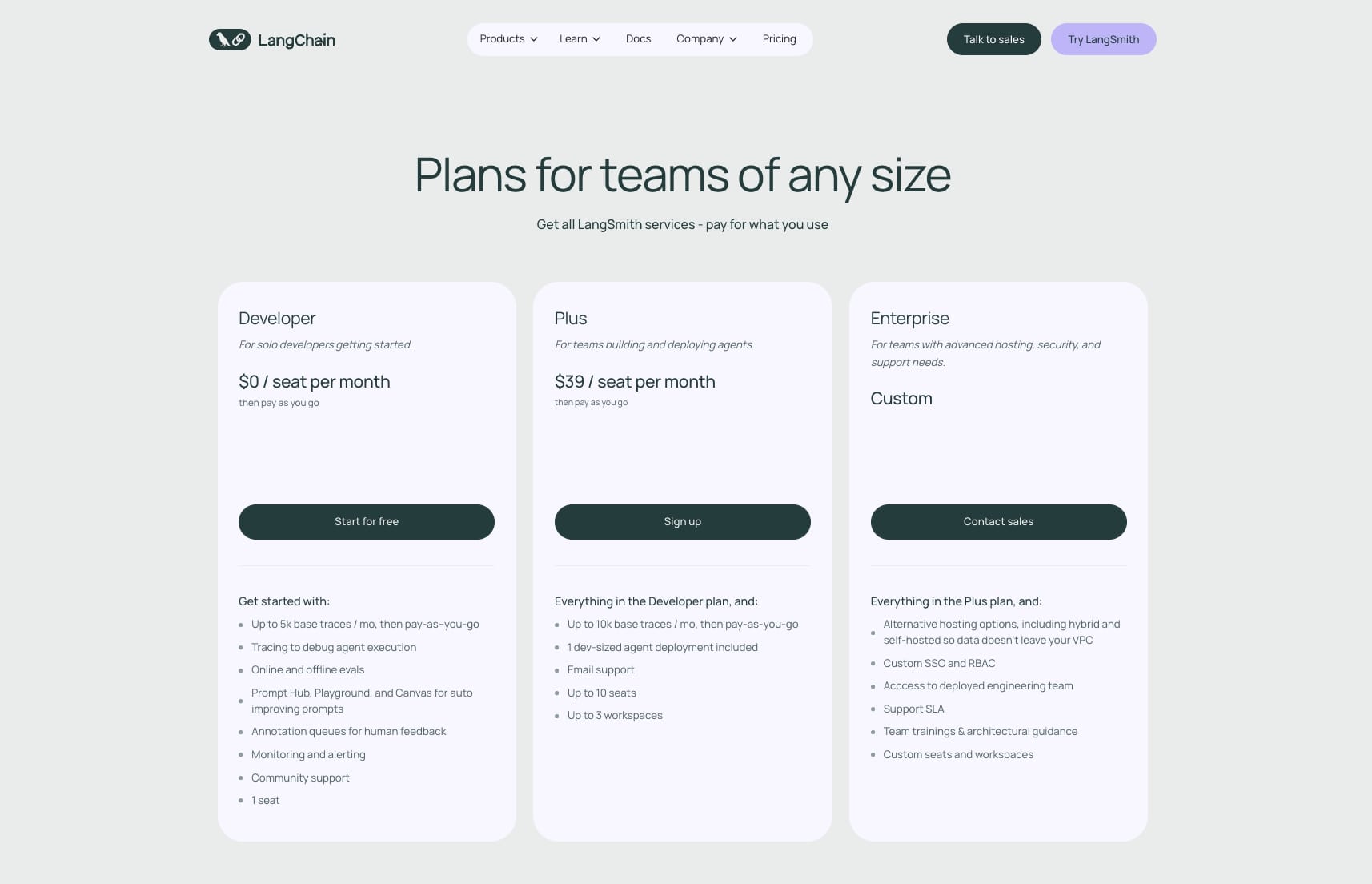
LangChain itself is free and open-source. However, LangSmith (their tracing, evaluation, and monitoring platform) has the following pricing:
- Developer: $0/seat per month with up to 5k base traces per month (pay-as-you-go after), tracing for debugging, online and offline evals, Prompt Hub, Playground, Canvas, annotation queues, monitoring and alerting, community support, and 1 seat
- Plus: $39/seat per month with up to 10k base traces per month, 1 dev-sized agent deployment included, email support, up to 10 seats, and up to 3 workspaces
- Enterprise: Custom pricing with alternative hosting options (including hybrid and self-hosted), custom SSO and RBAC, access to deployed engineering team, support SLA, and team trainings with architectural guidance
You can learn more about how they structure their pricing here.
LangChain rating and reviews
LangChain is primarily an open-source developer framework, so reviews are limited on traditional platforms. Here's what I found:
- G2: 4.7/5 star rating (from +36 user reviews)
- GitHub: 123k+ stars and one of the most widely adopted LLM frameworks
4. n8n
- Best for: Technical teams who want to self-host their AI workflows
- Pricing: Starts at $24/month
- What I like: Large community template marketplace and the ability to self-host for extra security
n8n is a low-code drag-and-drop workflow builder designed for technical teams. I know that sounded like a lot of buzzwords, so let me explain.
At its core, n8n is a platform that allows you to create automations by connecting your existing tools together and adding an LLM layer over them. It's similar to Gumloop in a lot of ways, however it does focus on technical teams that want to host their own workflows.
How n8n works
n8n works by giving you access to a library of apps and integrations. From there you connect your different tools together and select any LLM model you want to use to create AI-powered automations.
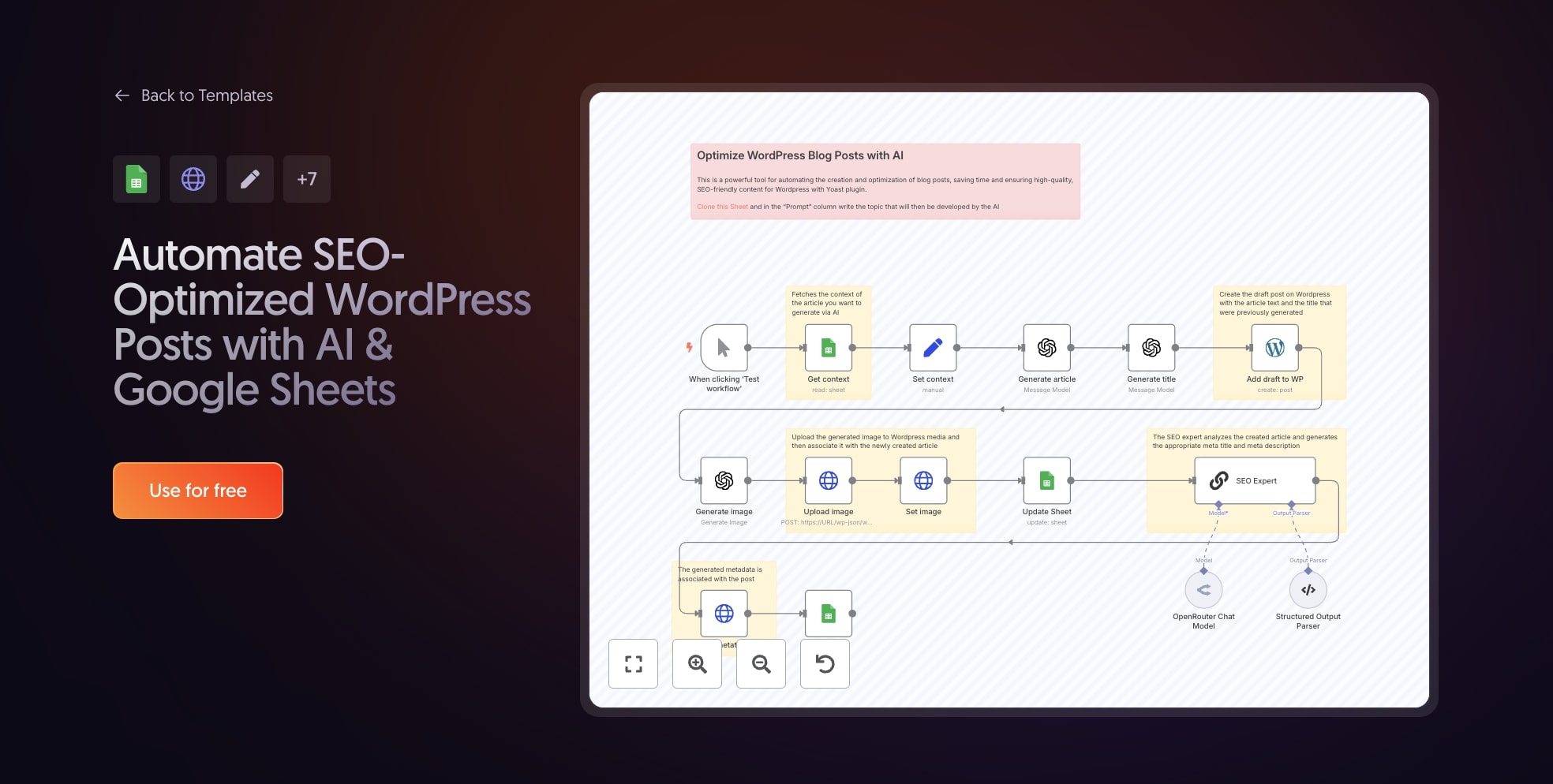
There's also a large community template marketplace where different users have posted their existing workflows for anyone to duplicate and edit.
Why choose n8n over CrewAI
Here are some reasons why to use n8n over CrewAI:
- You want a visual builder instead of writing Python code. n8n gives you a drag-and-drop interface while CrewAI requires you to build everything programmatically.
- Security is a priority and you want to self-host your workflows. n8n lets you run everything on your own infrastructure, which is great for teams with strict compliance requirements.
- You want access to thousands of community-built templates. Instead of building from scratch, you can duplicate what others have already created and customize it.
- You need a lot of integrations out of the box. n8n has a massive library of apps you can connect without needing to write custom code.
n8n pros and cons
Here are the pros to n8n:
- Has a large library of templates you can choose from
- Allows you to self-host your workflows
- Pricing is competitive with other tools like it
Here are the cons to n8n:
- There can be a steep learning curve for beginners
- The UI/UX can feel a bit outdated and clunky
Overall, n8n is a powerful tool for building AI automated workflows. It's on par with tools like Make or Zapier (which we'll also get into later). But it's best for those who are technical and want to add an extra layer of security through self-hosting.
n8n pricing

Here are n8n's pricing plans:
- Starter: $24/month with 2,500 workflow executions, 1 shared project, 5 concurrent executions, unlimited users, and forum support
- Pro: $60/month with 10,000 workflow executions, 3 shared projects, 20 concurrent executions, 7 days of insights, admin roles, global variables, workflow history, and execution search
- Business: $800/month with 40,000 workflow executions, 6 shared projects, SSO, SAML, and LDAP, 30 days of insights, scaling options, version control using Git, and self-hosted option
- Enterprise: Custom pricing with unlimited shared projects, 200+ concurrent executions, 365 days of insights, external secret store integration, log streaming, extended data retention, dedicated support with SLA, and hosted by n8n or self-hosted options
You can learn more about how they structure their pricing here.
n8n rating and reviews
Here's what customers rate the platform on third-party review sites:
- G2: 4.8/5 star rating (from +191 user reviews)
- Capterra: 4.6/5 star rating (from +41 user reviews)
5. AutoGen
- Best for: AI developers and researchers building custom multi-agent systems with code
- Pricing: Free (open-source), you pay for API calls to AI models
- What I like: Extremely strong multi-agent orchestration and observability features for debugging agents
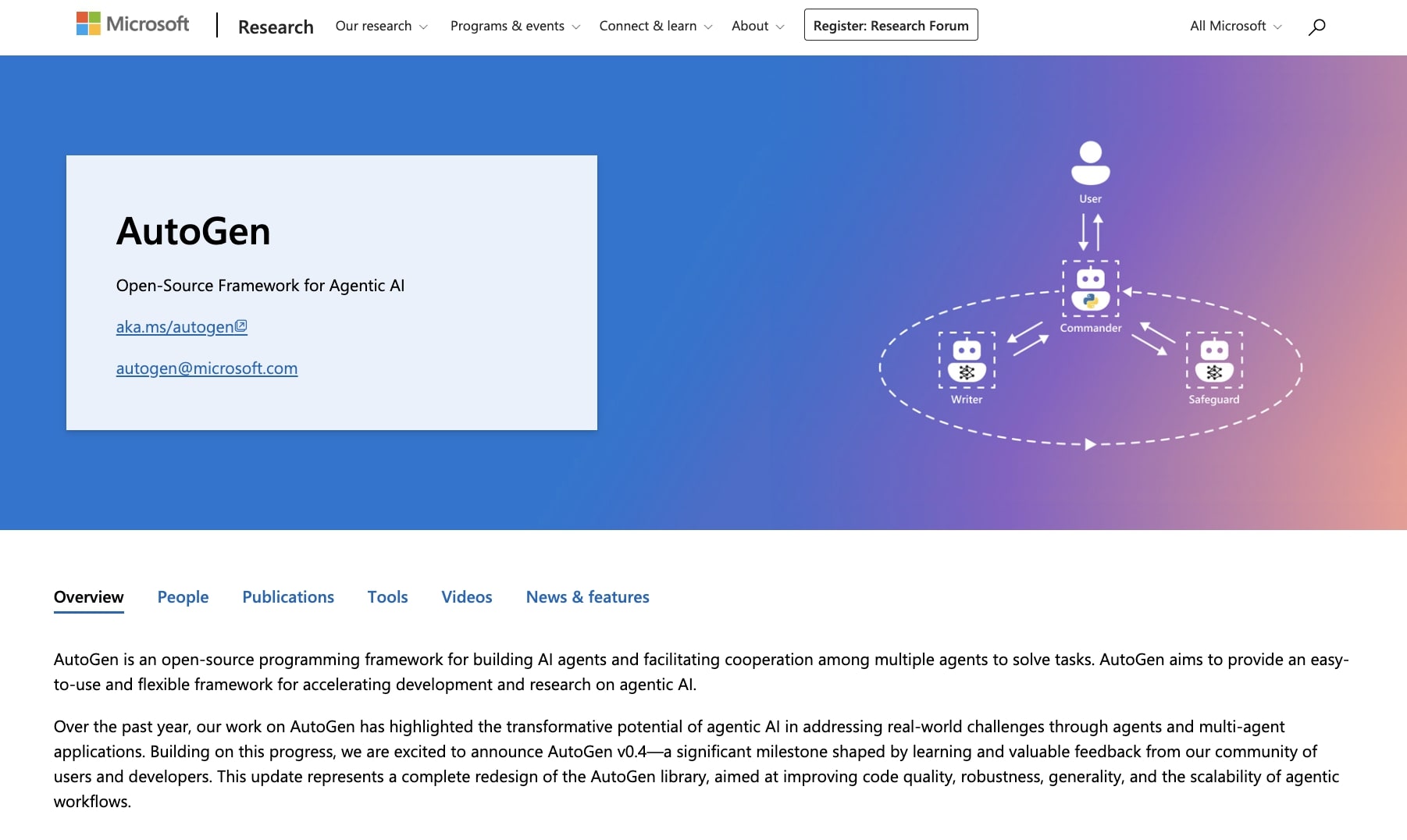
AutoGen is an open-source development framework created by Microsoft for building agents and workflows. It's similar to LangChain in that it's designed for AI developers looking to build multi-agent systems with code.
It's mostly used for research purposes and it has really strong observability features that allow you to understand how an agent thinks and the logic behind it.
How AutoGen works
The platform works by letting you plug in different tools, memory, or LLM models and turn them into multi-agent systems like web surfers, coders, or planners.
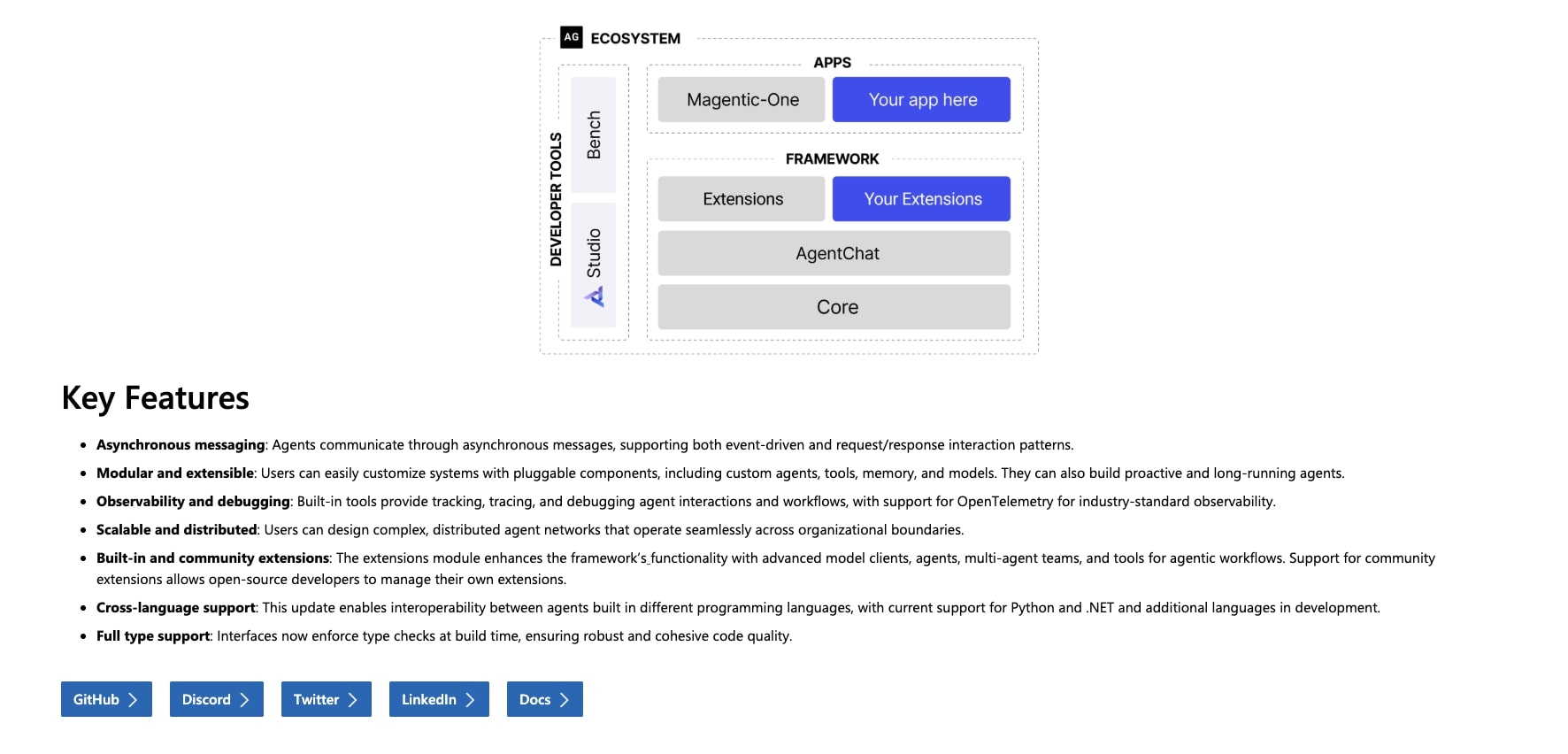
From there, the agents can communicate asynchronously, respond to your chats, and have a human interfere and interact with them at any time.
Why choose AutoGen over CrewAI
Here are some reasons why to use AutoGen over CrewAI:
- You want backing from a major tech company. AutoGen is developed and maintained by Microsoft Research, which means long-term stability and active development.
- You need advanced multi-agent orchestration. AutoGen excels at creating sophisticated systems where multiple agents collaborate and share information asynchronously.
- You're doing research or need strong observability. AutoGen has built-in tools for tracking, tracing, and debugging agent interactions, including OpenTelemetry support.
- You want a no-code option alongside the framework. AutoGen Studio provides a GUI for building multi-agent workflows without writing code, which CrewAI doesn't offer out of the box.
- You're already in the Microsoft ecosystem. AutoGen integrates seamlessly with Azure OpenAI, Dynamics 365, and other Microsoft services.
AutoGen pros and cons
Here are some of the pros of using AutoGen:
- Has extremely strong multi-agent orchestration features
- The framework is built on a scalable architecture that can handle long-running and dynamic workflows
- Has a wide ecosystem that can plug into different models or tools
- Has debugging and observability features to help you optimize your agents
Here are some of the cons of using AutoGen:
- Similar to LangChain, it is a framework and not necessarily an all-in-one agent builder
- You need to have an engineering background as the setup is very advanced
- It's easy to use up a lot of tokens if you're not giving the agent very specific instructions and tasks
Overall, AutoGen is a great platform to look into if you're trying to build custom AI solutions and you have either an engineering background yourself or access to a development team. If you're already in the Microsoft ecosystem, this is definitely a tool to check out.
AutoGen pricing
AutoGen is free and open-source. You can download it from GitHub and start building immediately. But, you will need to pay for API calls to whatever AI models you use (OpenAI, Azure OpenAI, Claude, etc.). The cost depends mostly on your usage and which AI models you use.
AutoGen rating and reviews
AutoGen is an open-source developer framework, so it doesn't have traditional reviews on platforms like G2 or Capterra. Instead, you can gauge community sentiment through:
- GitHub: 53k+ stars and 8k+ forks on the microsoft/autogen repo
- Reddit: You can check out what others say about using AutoGen
6. Make
- Best for: Freelancers, agencies, and small startups looking for budget-friendly automation
- Pricing: Free plan available, paid plans start at $10.59/month
- What I like: Over 3,000 integrations and a visual drag-and-drop interface at a fraction of the cost of competitors
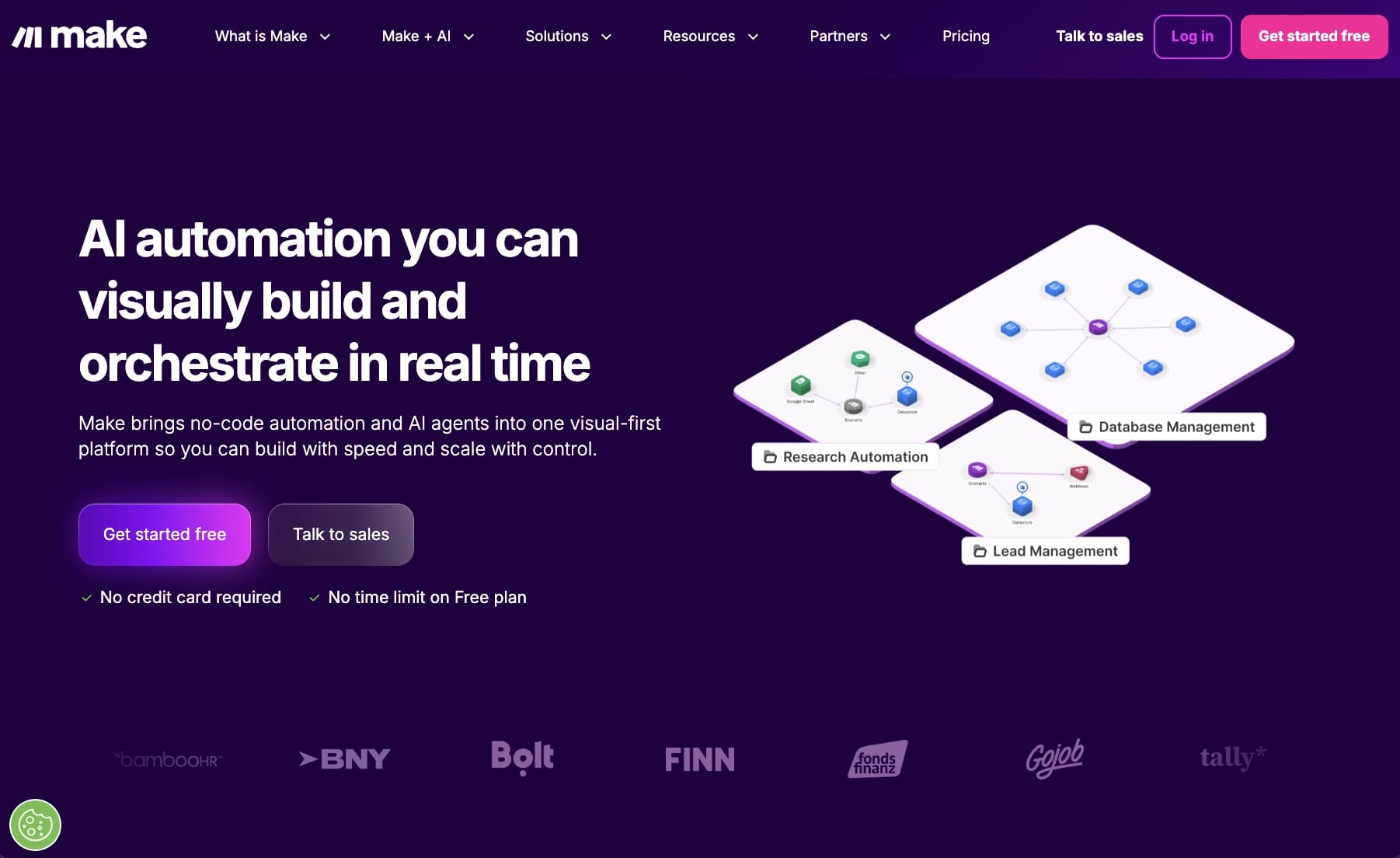
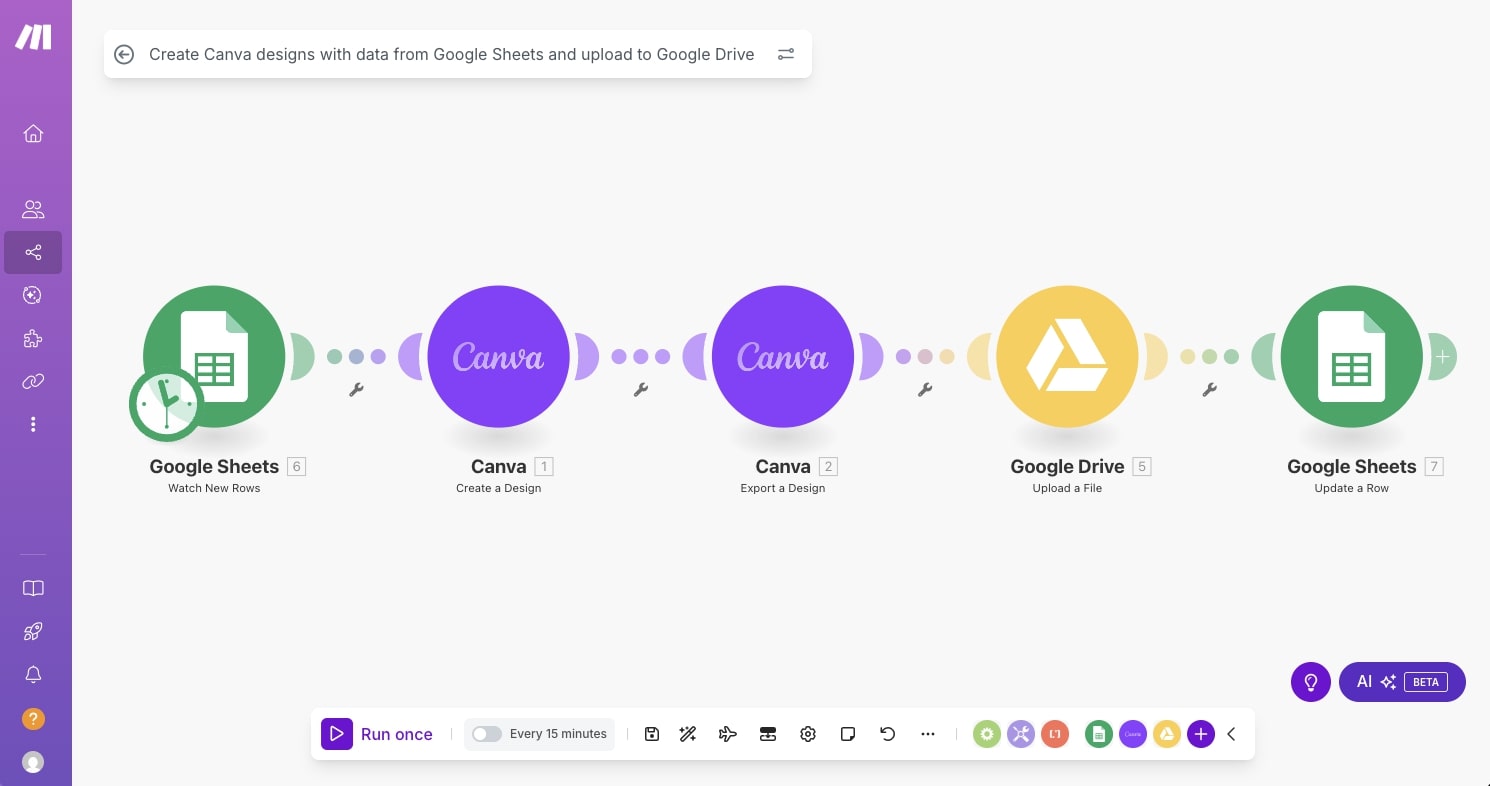
Make.com (formerly Integromat) is an AI automation platform that allows you to orchestrate different workflows to create AI agents. It's very similar to Gumloop or n8n by having a visual drag-and-drop interface. And it's often used as a budget-friendly alternative to n8n.
The platform is great for freelancers, agencies, solo operators, or small startups looking to get started with automated workflows.
How Make works
The platform works by letting you integrate with 3,000 pre-built apps. From there you can add on different LLMs, with your own API keys, to add an AI layer to your automations.
Similar to some other tools of this nature, it can be used for a wide range of use cases. Operations, marketing, sales, customer service, finance, or HR are all great candidates for this type of tool.
Why choose Make over CrewAI
Here are some reasons why to use Make over CrewAI:
- You want to get started with automation without spending a lot of money. Make is one of the most affordable options out there and gives you a lot of value for the price.
- You're not a developer and want a visual interface to build workflows. Make's drag-and-drop builder is easier to pick up than writing Python code in CrewAI.
- You need enterprise-grade compliance. The platform is GDPR and SOC 2 compliant, which makes it a solid choice for teams with strict security requirements.
- You're looking to automate workflows across operations, marketing, sales, or HR. Make has pre-built integrations for almost any tool you're already using.
Make pros and cons
Here are some of the pros of Make:
- Budget-friendly and includes over 3,000 integrations
- A drag-and-drop interface for creating automated workflows
- Can be used for enterprise companies, as it's GDPR and SOC 2 compliant
Here are some of the cons of Make:
- You need your own LLM API keys to use the AI features
- While great for complex workflows, it's not the best for creating AI agents
- The UI/UX can feel a bit outdated and clunky
Overall, Make is a solid platform if you want to dive into the world of automated workflows. It's honestly a great way to get into the AI ecosystem and understand how to automate complex tasks. But I will admit that if you are looking for a platform that is more closely related to the AI agent capabilities of CrewAI, it might be worth looking into an alternative.
Make pricing
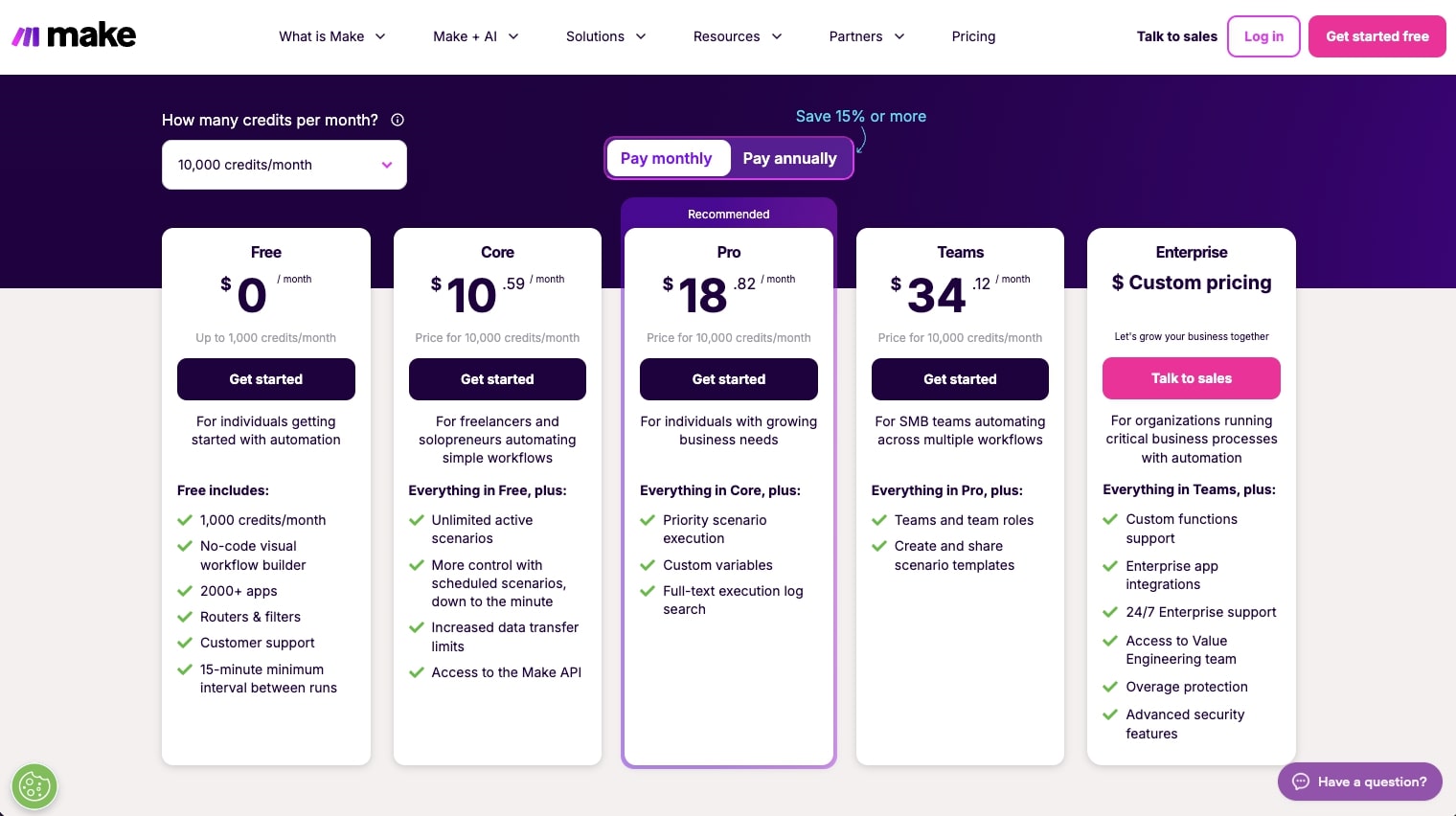
Here are Make's pricing plans:
- Free: $0/month with 1,000 credits per month, no-code visual workflow builder, 3,000+ apps, routers and filters, customer support, and a 15-minute minimum interval between runs
- Core: $10.59/month for 10k credits with unlimited active scenarios, scheduled scenarios down to the minute, increased data transfer limits, and access to the Make API
- Pro: $18.82/month for 10k credits with priority scenario execution, custom variables, and full-text execution log search
- Teams: $34.12/month for 10k credits with team roles and the ability to create and share scenario templates
- Enterprise: Custom pricing with custom functions support, enterprise app integrations, 24/7 enterprise support, access to the Value Engineering team, overage protection, and advanced security features
You can learn more about how they structure their pricing here.
Make rating and reviews
Here's what customers rate the platform on third-party review sites:
- G2: 4.6/5 star rating (from +266 user reviews)
- Capterra: 4.8/5 star rating (from +406 user reviews)
7. Zapier
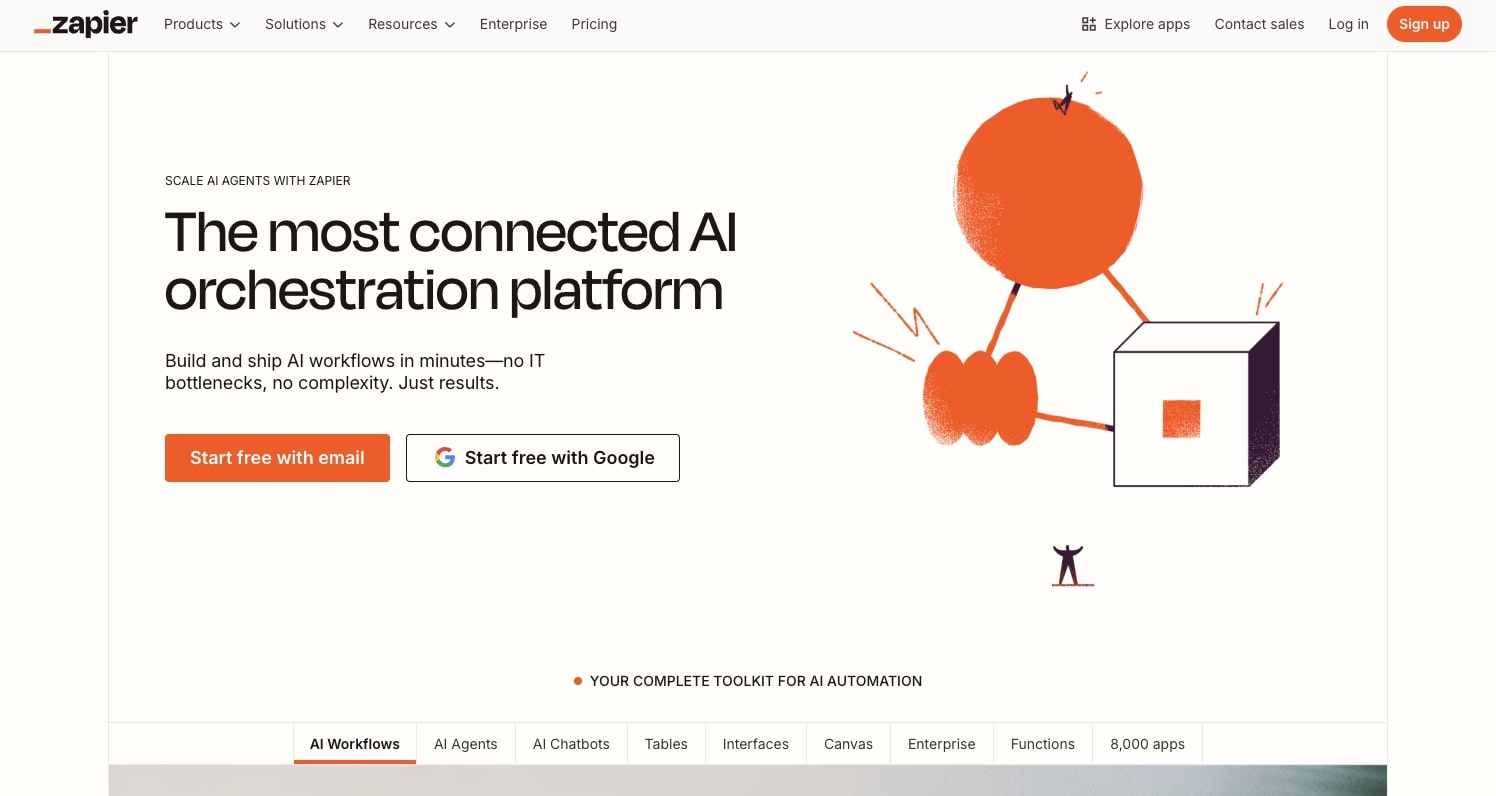
- Best for: Teams who want reliable workflow automation with thousands of app integrations
- Pricing: Free plan available (100 tasks/month), paid plans start at $29.99/month
- What I like: Lower learning curve compared to other platforms and integrates with almost any tool
Zapier is a workflow automation platform that has been around for a very long time now. It's actually the first automated workflow platform that I used early on in my career.
Historically, Zapier has been known as the best automation tool for connecting different apps and APIs together. But now with AI, Zapier has an agents feature that allows you to create multi-agent systems that leverage LLMs and APIs.
How Zapier works
The platform works by giving you a visual drag-and-drop interface similar to n8n, Make, and Gumloop. You can connect any apps from their integration library and even now connect an LLM model into your workflow.

The thing to know about Zapier is that it started as an automation platform for workflows. So some of the AI features can feel like an afterthought, as it's not as AI-native as a platform like Gumloop.
But it's still an amazing platform and has a very clean builder experience.
Why choose Zapier over CrewAI
Here are some reasons why to use Zapier over CrewAI:
- You want the lowest learning curve possible. Zapier's interface is intuitive and walks you through triggers and actions step by step, while CrewAI requires Python knowledge.
- You need access to the largest integration library out there. Zapier connects to over 10,000+ apps, so if a tool exists, chances are Zapier supports it.
- You're already familiar with Zapier from using it for automation. Adding AI capabilities on top of your existing workflows is easier than learning a completely new framework.
- You want a battle-tested platform used by thousands of companies. Zapier has been around since 2011 and has a proven track record for reliability.
Zapier pros and cons
Here are some of the pros of Zapier:
- Lower learning curve compared to some other platforms
- Can integrate with almost any tool or data source
- Is well known and used by thousands of companies
Here are some of the cons of Zapier:
- The pricing can get a bit expensive as you build out complex agents
- From my own experience, sometimes the workflows will glitch and Zapier will tell you that it failed to run when in reality it actually ran successfully (makes for a confusing experience sometimes)
Zapier is an amazing platform for creating automated workflows. And now with their agent development feature, it can turn those workflows into your own internal AI tools. But, as mentioned earlier, the agents feature can feel like it's duct-taped on top of the workflow feature. So if you really care more about AI agents over automated workflows, then it might be worth looking into an alternative.
Zapier pricing
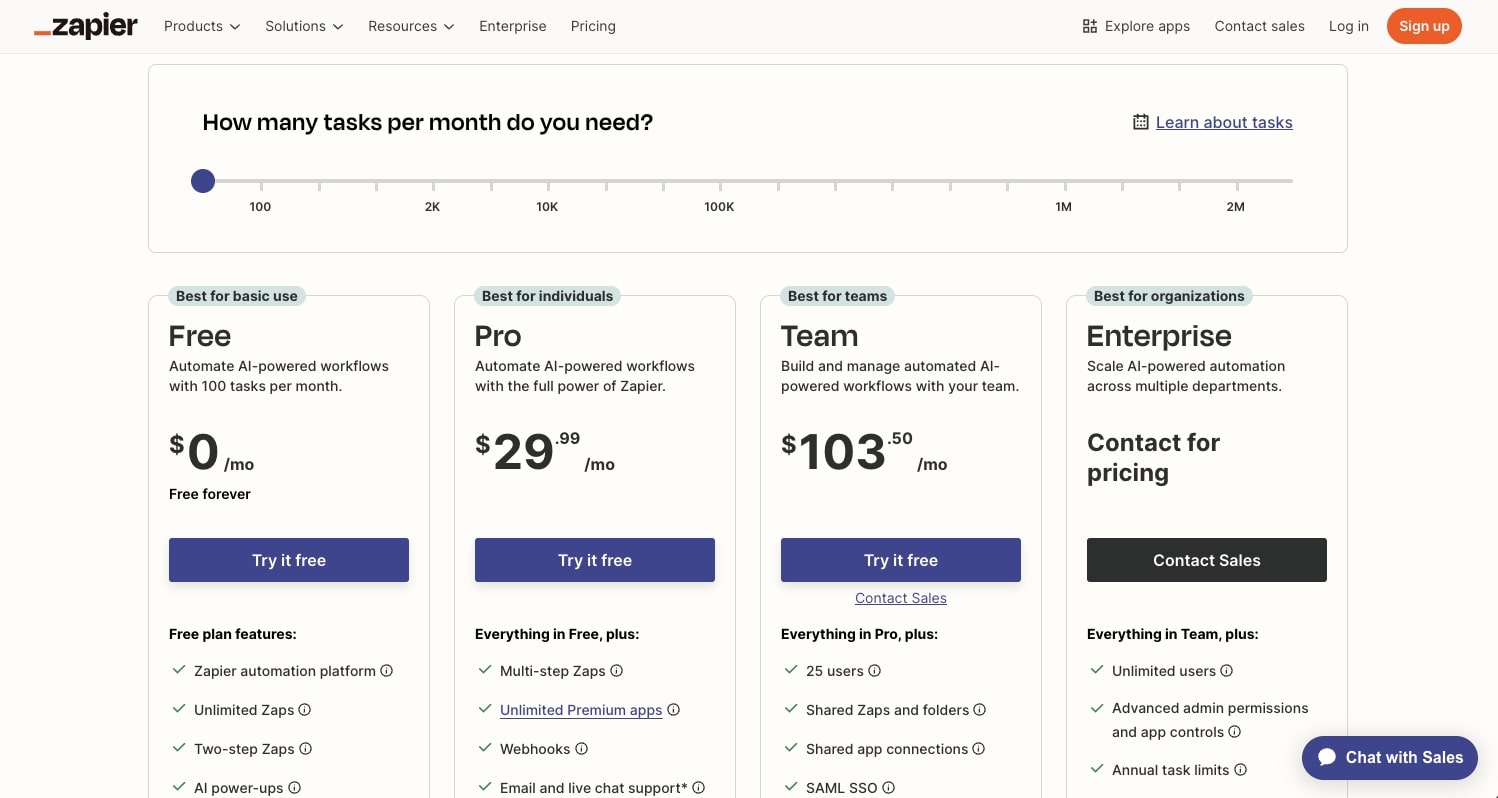
Here are Zapier's pricing plans:
Workflow automation:
- Free: $0/month with 100 tasks per month, unlimited Zaps, Tables, and Interfaces, two-step Zaps, and Zapier Copilot for AI-powered Zap building
- Professional: $29.99/month with multi-step Zaps, unlimited premium apps, webhooks, email and live chat support, AI fields (requires your own OpenAI account), and conditional form logic
- Team: $103.50/month with 25 users, shared Zaps and folders, shared app connections, SAML SSO, and Premier Support
- Enterprise: Custom pricing with unlimited users, advanced admin permissions and app controls, advanced deployment options, annual task limits, observability, and a Technical Account Manager
Agents add-on:
- Free: $0/month with 400 activities per month, live data sources, web browsing, and Chrome extension access
- Pro: $50/month with 1,500 activities per month and everything in the free plan
You can learn more about how they structure their pricing here.
Zapier rating and reviews
Here's what customers rate the platform on third-party review sites:
- G2: 4.5/5 star rating (from +1,733 user reviews)
- Capterra: 4.7/5 star rating (from +3,031 user reviews)
8. Relay.app
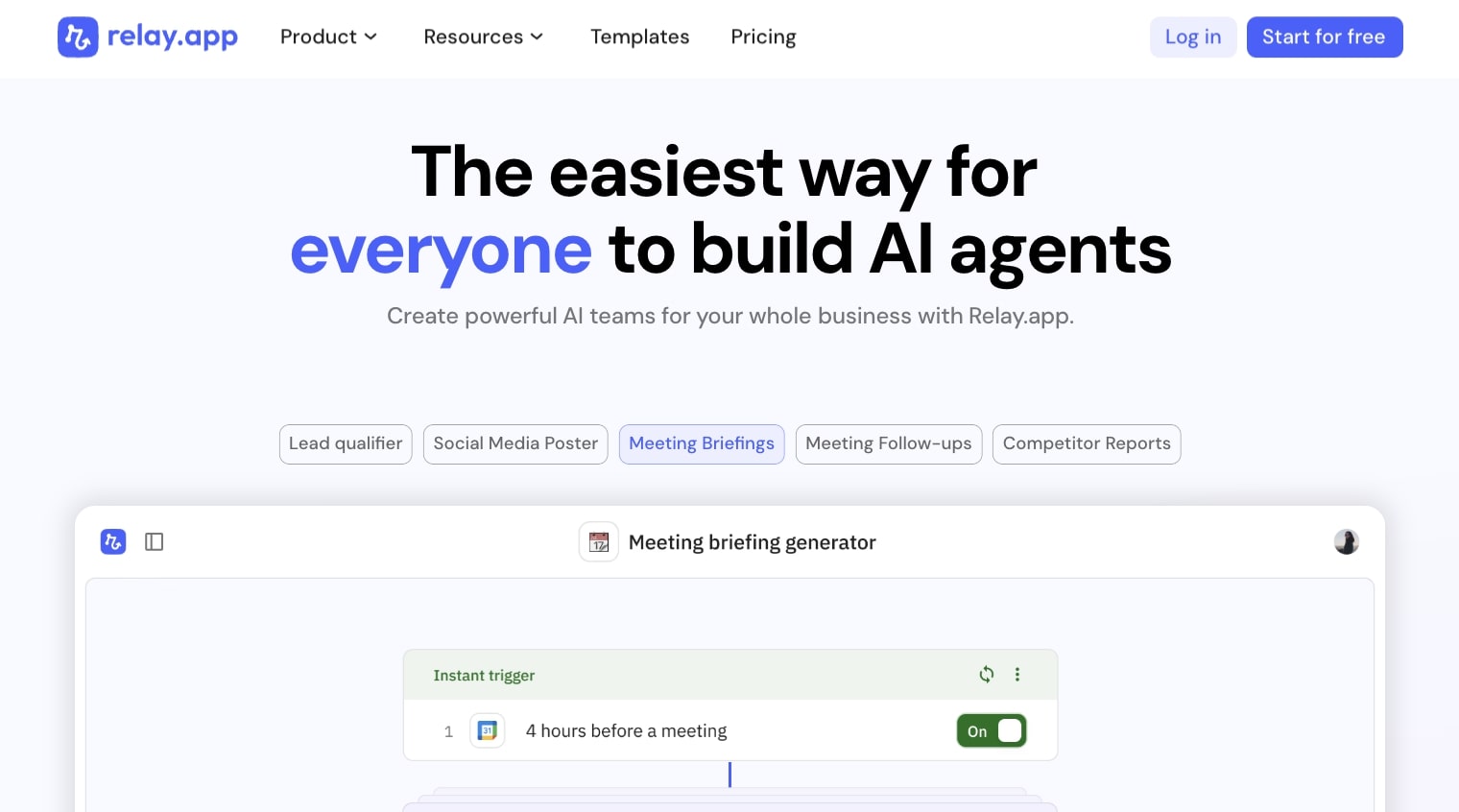
- Best for: Startups and small marketing or customer service teams looking to build automated workflows
- Pricing: Free plan available (500 AI credits/month), paid plans start at $38/month
- What I like: Simple to use with a low learning curve, and pricing is competitively matched with other tools
Relay.app is an AI workflow and agent building platform. It has many of the drag-and-drop features of Zapier, but also the integrations of n8n or Gumloop.
It's a smaller platform and I would recommend it mostly for startups and small marketing or customer service teams looking to build automated workflows.
How Relay.app works
Relay.app works by allowing you to integrate your existing apps with any LLM model to create real-time automations.
There's also a template library that allows you to choose from things like a social media poster, a meetings follow-up, or even a competitor report generator. However, it does feel more like an automated workflow platform, similar to Zapier.
Why choose Relay.app over CrewAI
Here are some reasons why to use Relay.app over CrewAI:
- You want the simplest learning curve possible. Relay.app is consistently rated as one of the easiest automation platforms to pick up, even for non-technical users.
- You're a small team or startup and don't need enterprise-level complexity. Relay.app is built for teams that want to move fast without getting bogged down in configuration.
- You prefer a human-in-the-loop approach. Relay.app lets you add manual review points within automated workflows so you can confirm or adjust actions before they continue.
Relay.app pros and cons
Here are some of the pros of Relay.app:
- Simple to use and low learning curve
- Pricing is competitively matched with other tools in the space
- Great for simple automations
Here are some of the cons of Relay.app:
- Feels more like an automated workflow platform over an AI agent builder
- Not the best for large enterprise teams
Overall, Relay.app is a great platform if you're a user of Zapier or n8n, but you're looking for something a bit more AI-focused. And it's a great alternative to CrewAI if you don't need the enterprise-level security or complexity and features.
Relay.app pricing
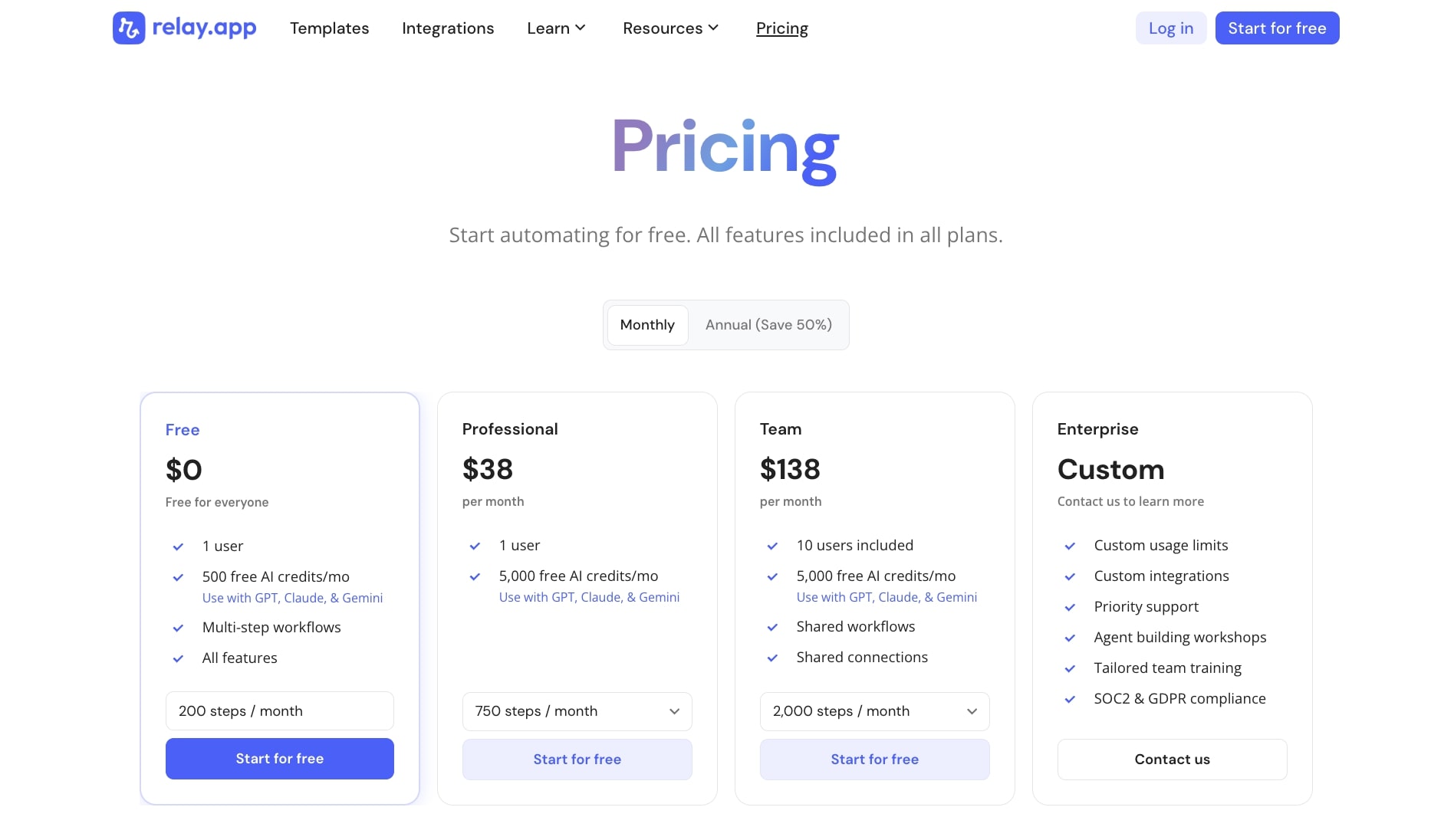
Here are Relay.app's pricing plans:
- Free: $0/month with 1 user, 500 free AI credits per month (GPT, Claude, Gemini), multi-step workflows, and all features included
- Professional: $38/month with 1 user, 5,000 free AI credits per month, and 750 steps per month
- Team: $138/month with 10 users included, 5,000 free AI credits per month, shared workflows, shared connections, and 2,000 steps per month
- Enterprise: Custom pricing with custom usage limits, custom integrations, priority support, agent building workshops, tailored team training, and SOC2 and GDPR compliance
You can learn more about how they structure their pricing here.
Relay.app rating and reviews
Here's what customers rate the platform on third-party review sites:
- G2: 4.9/5 star rating (from +71 user reviews)
- Capterra: 5/5 star rating (from +1 user review)
Which CrewAI alternative should you choose?
Well, by now I hope you found a tool that works for you. If you’re still a bit confused, just go ahead and sign up for some of these tools and play around with them. Most of them have free plans that allow you to test them before pulling out your credit card.
But if you want my recap on what I think is the best, here you go:
If you want to build AI agents without writing code and you want everything in one platform, go with Gumloop. It's what I use personally.
If you're an enterprise company focused on document processing and internal operations, StackAI is worth checking out.
If you're a developer who wants full control and flexibility, LangChain or AutoGen are your best bets. Just know there's a learning curve.
If you want to self-host your workflows for security reasons, n8n is the move.
If you're on a tight budget and just want to get started with automation, Make is hard to beat on price.
If you want the largest integration library and don't mind paying a bit more, Zapier is reliable and a platform I still use to this day (for certain automations I don’t create in Gumloop).
And if you're a small team that wants something simple without a lot of configuration, Relay.app is solid.
At the end of the day, the best tool is the one that gives you the best desired output. The tech is nice, but I just want a tool that can do what I want it to. And I’m sure you’re the same way.
So pick a couple tools and run the exact same agent with them. See which produces the better result, consistently. And then go with that platform.
Now go out and build some AI agents!

Read related articles
Check out more articles on the Gumloop blog.