8 best sales automation tools I've tested in 2026

There's nothing I hate more than a disingenuous email in my inbox asking me to "jump on a quick call" from someone who clearly knows nothing about me or what I do.
And the irony is, most of those emails were probably sent using sales automation tools.
But I’ve personally sent cold emails in the past. In fact, the biggest deals I’ve closed for my marketing agency all came from cold emails.
The difference was that I actually took the time to research the person, wrote a SUPER personalized email, gave value before asking for anything, and followed up (only once) without being annoying. And the tools I used helped me do that faster, not lazier.
That's what good sales automation tools are supposed to do. They remove the manual grind, and do research way faster than a human, and help you scale your outbound (or inbound) campaigns.
But, the space has changed a lot.
These are not just email sequencers anymore. You have AI agents that can research prospects, enrich contact data, score leads, and build entire outbound workflows without you touching a thing.
I've been testing a bunch of these platforms over the past year, and I put together a list of the 8 sales automation tools I think are the best right now. Whether you're a solo founder doing your own outbound or an enterprise team trying to scale pipeline, you will find the right tool in this article.
I’m excited about this one, so let’s just jump right in.
What is a sales automation tool?
A sales automation tool is a platform that helps you automate parts of your sales process. This can include everything from outbound efforts like lead generation, enriching customer data, crafting personalized outreach, to creating AI sales agents that can do the work for you.
This can also be used for inbound efforts too. For example, you could create lead scoring automations that scrape your CRM, find accounts that match certain criteria, and automatically score them based on activity and engagement.
For example, at the last SaaS company I worked at we had our sales team launch a campaign to turn regular PLG customers into enterprise accounts. You could also build a workflow that monitors product usage, flags accounts hitting certain thresholds, and triggers a rep to reach out at the right time with a personalized message. Instead of someone manually combing through customer data every week, an AI tool handles the repetitive tasks and surfaces the qualified leads that are actually worth a conversation.
The same applies to figuring out which accounts might churn. You can set up automations that track customer interactions, flag drops in engagement, and alert your team. This way, instead of reacting after someone cancels, you're nurturing leads and existing customers proactively based on real signals.
At the end of the day, the goal of any sales automation tool is to help you retain customers, and free up your time to go after new ones.
How I evaluated the best sales automation tools
Not every tool on this list does the same thing. Some are built for outbound, some for inbound, and some try to do both.
So instead of ranking them all on the same criteria, I looked at a few core areas that matter most depending on what you're trying to automate.
- AI workflows and agents: Can the tool actually use AI to do work for you, or is it just a fancy if-this-then-that trigger? I looked at whether each platform lets you build AI-powered workflows or agents that can research, write, prioritize, and act on your behalf without needing constant hand-holding.
- Outbound and inbound capabilities: Some tools are laser-focused on cold outreach (dialing, sequencing, email). Others are better at handling inbound signals like lead scoring, account monitoring, and CRM automations. I noted which tools do what so you can pick based on your actual sales motion.
- Access to contact databases: A lot of sales automation starts with finding the right people to talk to. I looked at whether each tool has its own built-in database, how big it is, and whether the contact data is actually reliable.
- Lead enrichment: Having a name and company is not enough. I evaluated how each tool handles enrichment, whether that's waterfall enrichment from multiple providers, verified emails and phone numbers, or pulling firmographic and technographic data to help you prioritize.
- Integrations and CRM sync: None of these tools exist in a vacuum. I looked at how well each one connects to the apps your team already uses, especially Salesforce and HubSpot, and whether the sync is real-time and bidirectional. I also paid attention to which tools support MCP servers, since that's becoming a big deal for connecting AI agents to your existing stack without custom API work.
- Pricing and accessibility. Some of these platforms are clearly built for enterprise budgets. Others have free plans or affordable entry points. I made sure to include options across the spectrum so there's something here regardless of your team size or budget.
With all of that in mind, here are the 8 best sales automation tools I recommend in 2026 (based on the criteria above).
8 best sales automation tools in 2026 (free + paid)
Here are the best sales automation tools:
- Gumloop (best for AI sales agents)
- Clay (best for lead enrichment)
- Paradigm AI (best for spreadsheet research)
- Apollo (best for all-in-one sales)
- Outreach (best for enterprise engagement)
- ZoomInfo (best for contact databases)
- Nooks (best for outbound dialing)
- Lemlist (best for LinkedIn outreach)
Alright, let’s go over each of these in depth.
1. Gumloop
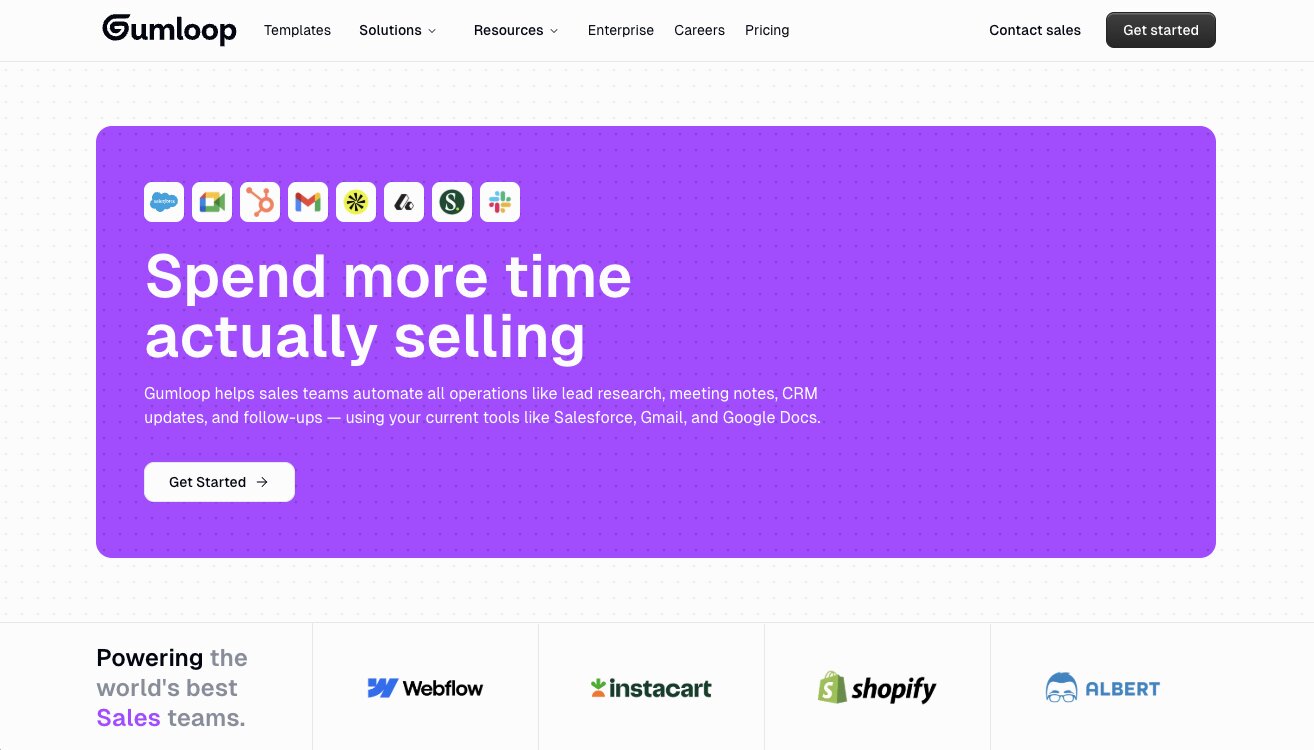
- Best for: Creating AI sales agents that can automate prospecting, scoring, outreach, and lead management
- Pricing: Free plan available, then starts at $37/month
- What I like: Connects to any tool via integrations or MCP, includes premium LLM models without extra API keys, and Gummie AI assistant can build sales workflows for you
Gumloop is an AI automation and agent building platform that can be used for almost any use case. But one of the most popular use cases is in sales. And I've been using it for about 14 months now.
You can do everything from finding leads through databases like Apollo, enriching them, crafting personalized emails, sending them, and building AI sales agents that can coordinate everything.
Gumloop essentially lets you connect to any tool, via built-in integrations or MCP servers, and you can create automated workflows or AI agents that go out and do all the work. Given its horizontal nature as a product, it's one of the best platforms in my opinion for orchestrating different sales tasks in one place.
What I also really like about Gumloop for sales specifically is that it can handle things like inbound lead scoring and account analysis. So if you're at a PLG company and need to identify which existing users could become enterprise customers, you can build a workflow for that. It's not just about outbound.
Gumloop is in this sweet spot where I can use it for my own outreach efforts for my content marketing freelance services, but enterprise sales teams can use it too. In fact, teams at Webflow, Shopify, Instacart, AiSDR, and Triptease use Gumloop across their organizations.
And because the platform isn't just a sales tool, it's a natural progression into other areas your org might need like ops, marketing, and customer service. So instead of paying for five different platforms, you can consolidate a lot of that into one.
Here are some things I like about Gumloop:
- Connects to any tool through built-in integrations or MCP servers, so you're not limited to a fixed list of connectors
- Includes premium LLM models (Claude, GPT, etc.) without needing to pay for separate API keys
- Gummie AI assistant can help you build sales workflows just by describing what you need in plain language
- Has a wide range of sales workflow templates
- Create Slack AI agents that can act as sales reps in your Slack channels
Here are some things that can improve with Gumloop:
- The team ships new features constantly, so the UI can shift around from time to time
- If you're looking for a pure CRM, this isn't it. Gumloop is an automation and agent platform that works alongside your CRM
- The community ecosystem is still growing compared to more established tools like Zapier or n8n
Overall, Gumloop is my go-to for sales automation and I use it almost every day. And just to be clear, I am not an employee at Gumloop. I'm a customer and I've talked a lot about the platform on my own personal blog, which is why they invited me to write this.
But I'm trying to be as unbiased as possible, so I do have some other sales automation tools that I would recommend depending on your use case or team size, so keep reading.
Gumloop pricing

Gumloop has several pricing tiers:
- Free: $0 with 2k credits per month, 1 seat, Gummie Agent, unlimited nodes and flows, and forum support
- Solo: $37/month with 10k+ credits per month, unlimited triggers, webhooks, and email support
- Team: $244/month with 60k+ credits per month, 10 seats, dedicated Slack support, and team analytics
- Enterprise: Custom pricing with role-based access control, SCIM/SAML, audit logs, virtual private cloud, and dedicated security features
You can view more about the pricing options here.
Gumloop reviews
Here's what customers rate Gumloop on third-party review sites:
- Product Hunt: 5/5 star rating (from +9 user reviews)
- G2: 4.8/5 star rating (from +6 user reviews)
2. Clay
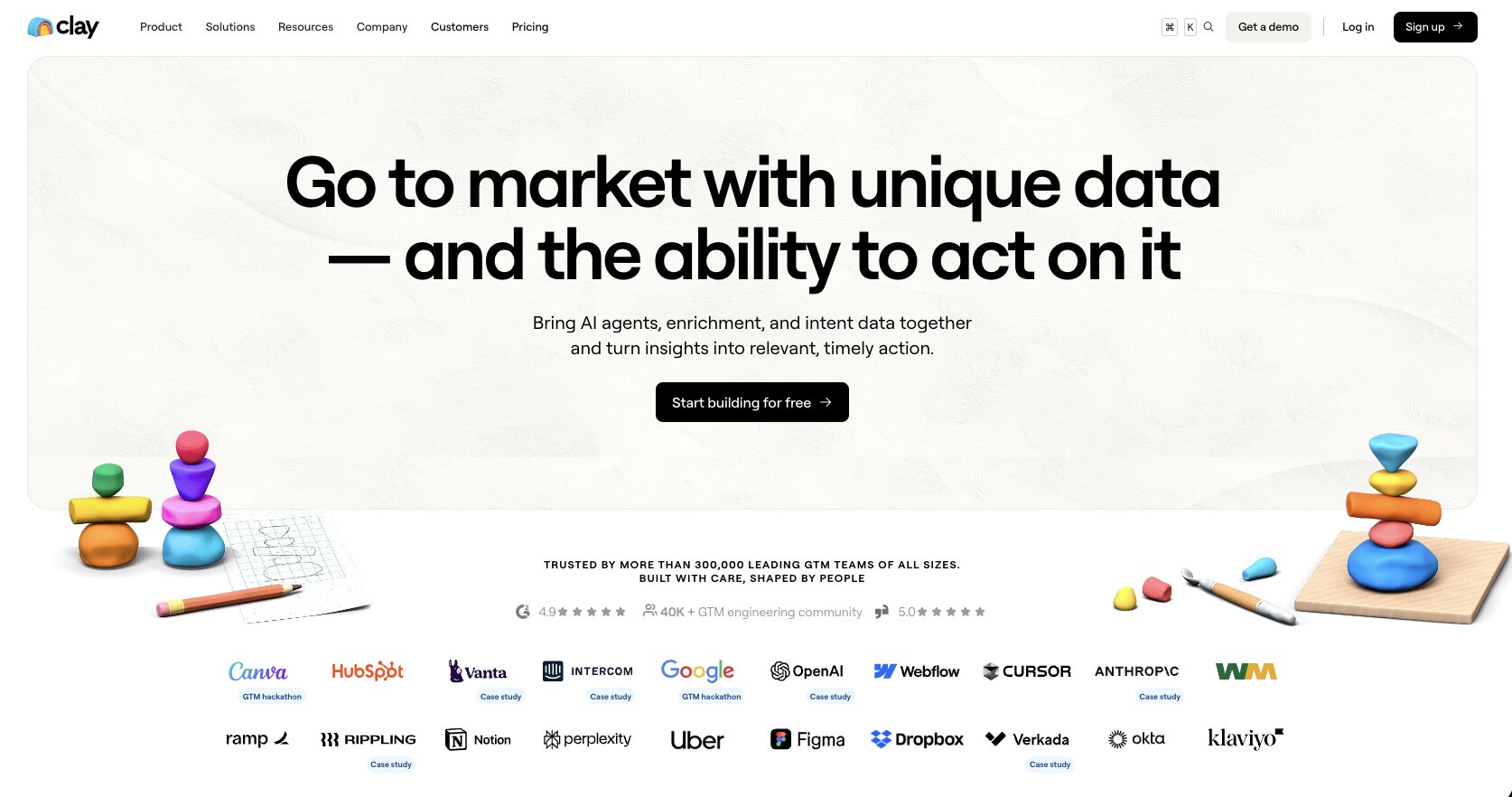
- Best for: Lead enrichment and data-driven outbound for GTM teams
- Pricing: Free plan available, then starts at $149/month
- What I like: Waterfall enrichment from 150+ data providers, Claygent AI research agent, and used by teams at OpenAI, Anthropic, and Rippling
Clay is an outreach platform that has grown into one of the most well known GTM (go to market) tools. It's built for startups and companies that do a lot of sales outreach. So if you have large deals with clients or customers and want to automate the research, enrichment, and personalization that goes into each prospect, Clay is built exactly for that.
What makes Clay different from a lot of the other tools on this list is its data layer. The platform has access to over 150 data providers through what they call "waterfall enrichment." Instead of relying on one data source for contact info, Clay runs through multiple providers in sequence until it finds the best match. This means your enrichment coverage is a lot higher than if you were using a single tool like ZoomInfo or Apollo on its own.
Clay also has an AI research agent called Claygent that can visit websites, navigate forms, and pull custom data points for each prospect. So if you need something specific like a company's tech stack, recent funding round, or a decision maker's LinkedIn activity, Claygent can go find it for you.
The platform is used by some major GTM teams at companies like OpenAI, Anthropic, Rippling, and Intercom. So if you're running outbound at scale and care about data quality, Clay is one of the strongest options out there.
Here are some things I like about Clay:
- Waterfall enrichment pulls from 150+ data providers to maximize coverage on emails, phone numbers, and firmographics
- Claygent AI agent can research prospects and companies by browsing the web on your behalf
- Integrates with CRMs, email sequencers, and ad platforms so you can act on enriched data immediately
- Strong template library and active Slack community
- Used by enterprise GTM teams at companies like OpenAI, Anthropic, and Rippling
Here are some things that can improve with Clay:
- Pricing starts at $149/month, which is on the higher end compared to other tools on this list
- The platform is primarily focused on data enrichment and outbound, so it's not a full end-to-end sales automation platform
- There can be a learning curve when building more complex workflows with multiple data sources and conditional logic
Overall, if your sales team's biggest bottleneck is data quality and prospect research, Clay is probably the best tool out there for that. But if you're looking for something more horizontal that can handle the full sales workflow from prospecting to sequencing to AI agents, it might be worth pairing Clay with a tool like Gumloop or looking into an alternative.
Clay pricing
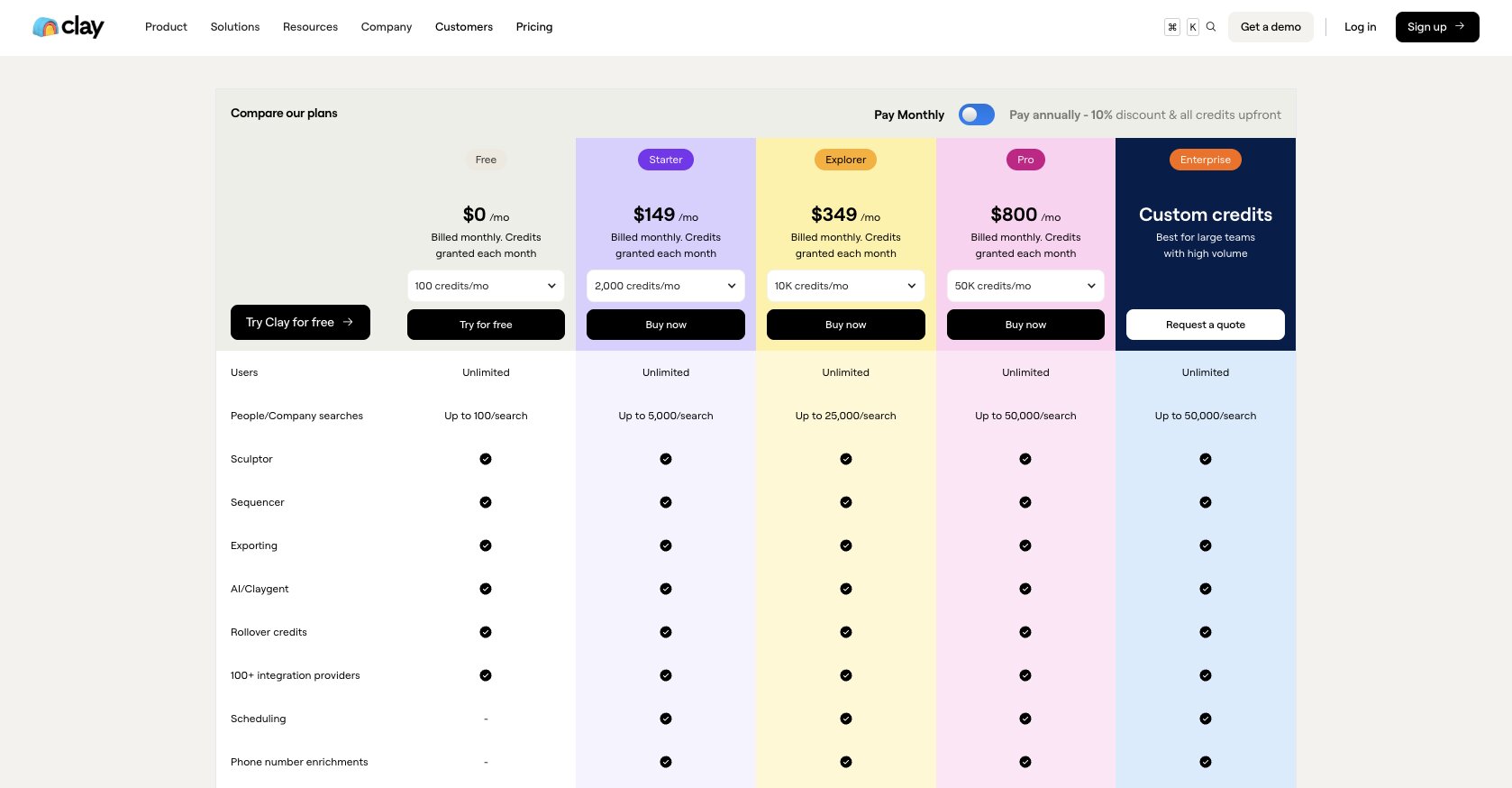
Clay has several pricing tiers:
- Free: $0 with up to 100 people/company searches, Claygent AI, 100+ integration providers, and basic enrichment features
- Starter: $149/month with up to 5,000 searches, phone number enrichments, scheduling, and bring your own API keys
- Explorer: $349/month with up to 25,000 searches, webhooks, email sequencing integrations, and web intent signals
- Pro: $800/month with up to 50,000 searches, CRM integrations, and advanced audience features
- Enterprise: Custom pricing with unlimited rows, dedicated Slack support, SSO, data engineering, and credit reporting analytics
You can view more about the pricing options here.
Clay reviews
Here's what customers rate Clay on third-party review sites:
- G2: 4.7/5 star rating (from +185 user reviews)
- Product Hunt: 4.8/5 star rating (from +39 user reviews)
3. Paradigm AI
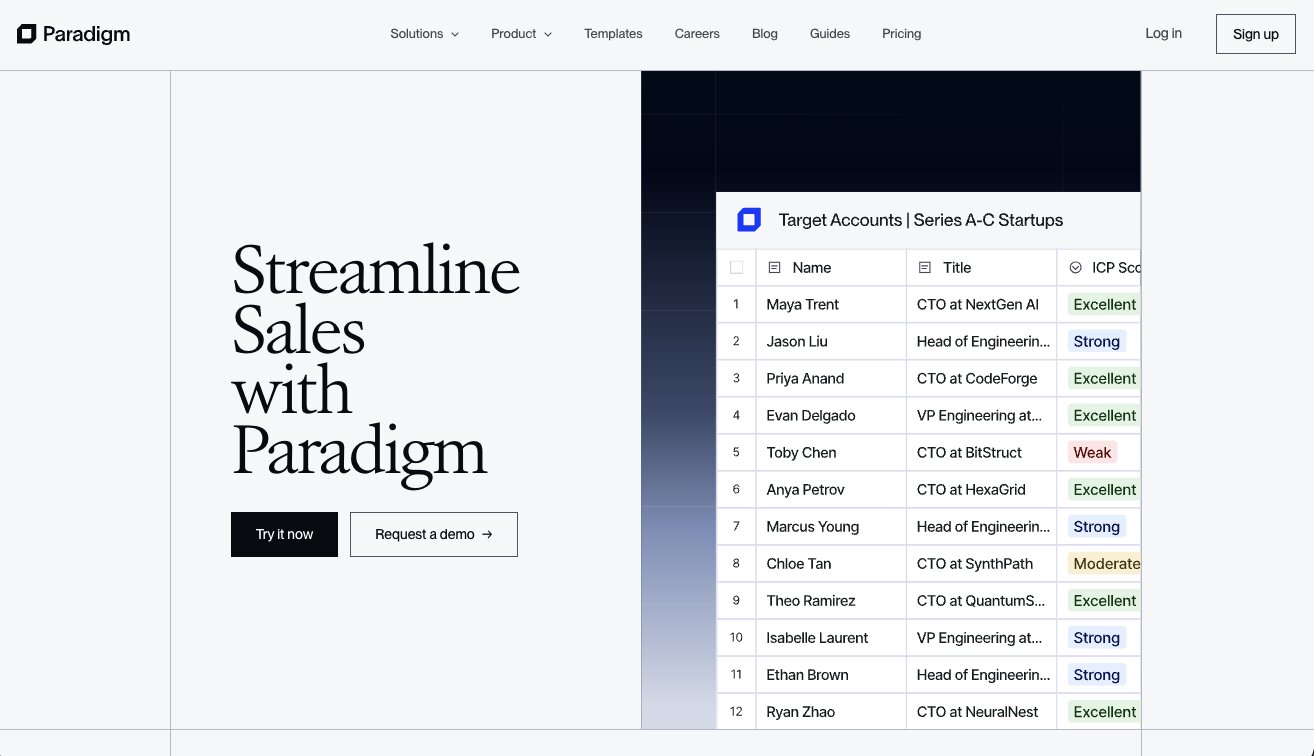
- Best for: AI-powered prospect research and lead enrichment in a spreadsheet interface
- Pricing: Free plan available, then starts at $20/month
- What I like: Each cell acts as its own AI agent, incredibly intuitive UI/UX, and one of the most affordable tools on this list
Paradigm AI is an all-purpose research platform that's a blend between an AI agent and a spreadsheet. Each cell in the spreadsheet is essentially an AI agent that can fetch the web, enrich data, and follow specific instructions based on prompts you give it.
It's pretty much like Clay in that it has that "waterfall" approach to lead enrichment. So it's a great platform for doing any research in your sales process that eventually lands in a spreadsheet.
Whether you're sourcing companies, employees, inventory, or literally anything that can go in a spreadsheet, Paradigm adds a layer of AI to it so you don't have to bounce around multiple tabs. It's such a simple yet powerful product and I really like the UI/UX. I've been using it every day this week and can't stop.
What I think makes Paradigm stand out is how accessible it is. If you've ever used Google Sheets or Excel, you already know how to use this tool. There's no visual workflow builder to learn or complex node setup. You just open a sheet, define what you want each column to do, and the AI handles the rest. For sales teams that always have a spreadsheet open, this feels like a natural upgrade.
Here are some things I like about Paradigm:
- Each cell acts as its own AI agent that can browse the web, enrich data, and follow custom prompts
- The spreadsheet interface makes it incredibly easy to pick up without a learning curve
- One of the most affordable options on this list, starting at just $20/month
- Supports email campaigns directly from the platform
- Includes input and output webhooks so you can connect it to your existing tools
Here are some things that can improve with Paradigm:
- It's still a relatively new platform, so the integration ecosystem isn't as deep as Clay or Apollo
- The free plan has limited access to premium AI models and tools
- If you need complex multi-step automations beyond spreadsheet-based workflows, you may need to pair it with another tool
Overall, if you love working in spreadsheets and want to add AI-powered research and enrichment directly into that workflow, Paradigm is a fantastic option. It's especially great if you're on a budget and don't need the full complexity of a platform like Clay.
Paradigm pricing
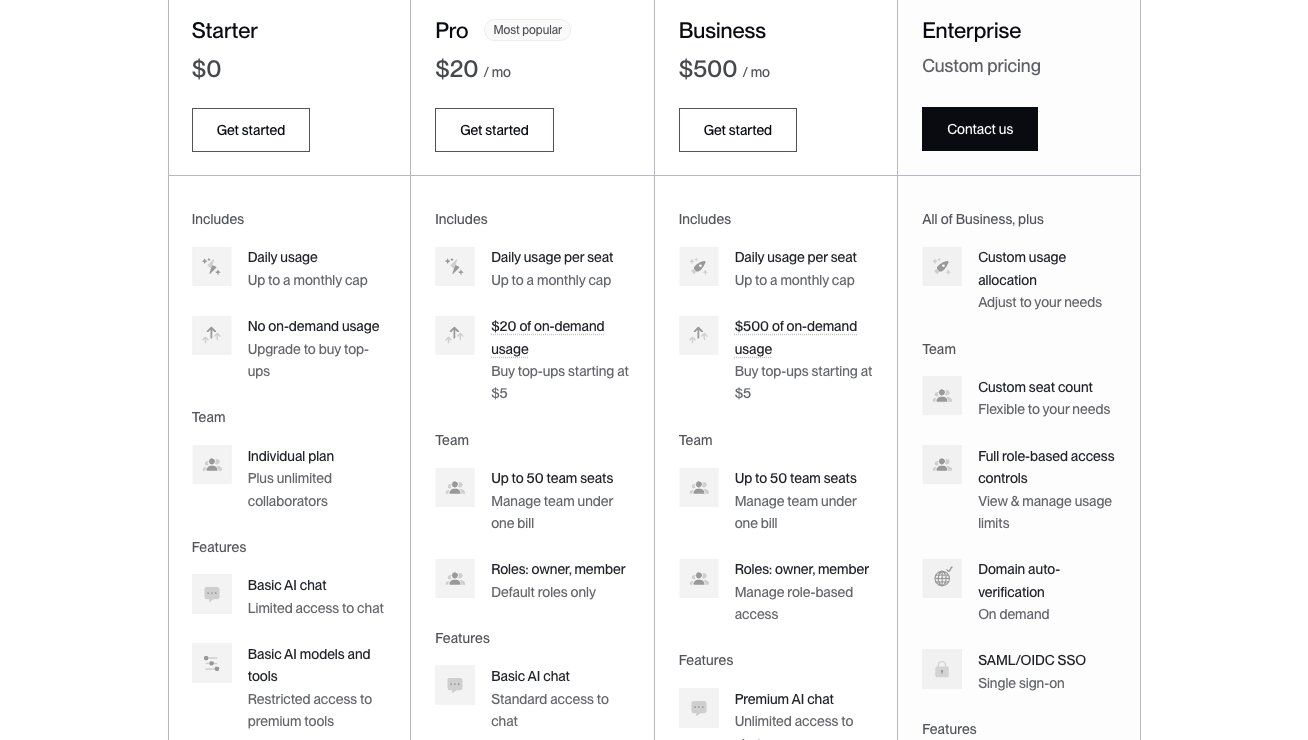
Paradigm has several pricing tiers:
- Starter: $0 with daily usage up to a monthly cap, basic AI chat, limited email sends (up to 100/month), and CSV/XLSX data import
- Pro: $20/month per seat with up to 50 team seats, $20 of on-demand usage, full email access, personal analytics, webhooks, and data import/export
- Business: $500/month with up to 50 team seats, $500 of on-demand usage, premium AI models and tools, team analytics, Slack Connect support, and optional onboarding call
- Enterprise: Custom pricing with custom seat count, SAML/SSO, dedicated account team, optional tenant isolation, and SOC 2 Type 2 compliance
You can view more about the pricing options here.
Paradigm AI is still a fairly new tool, so there aren’t any ratings of it on third-party review sites.
4. Apollo
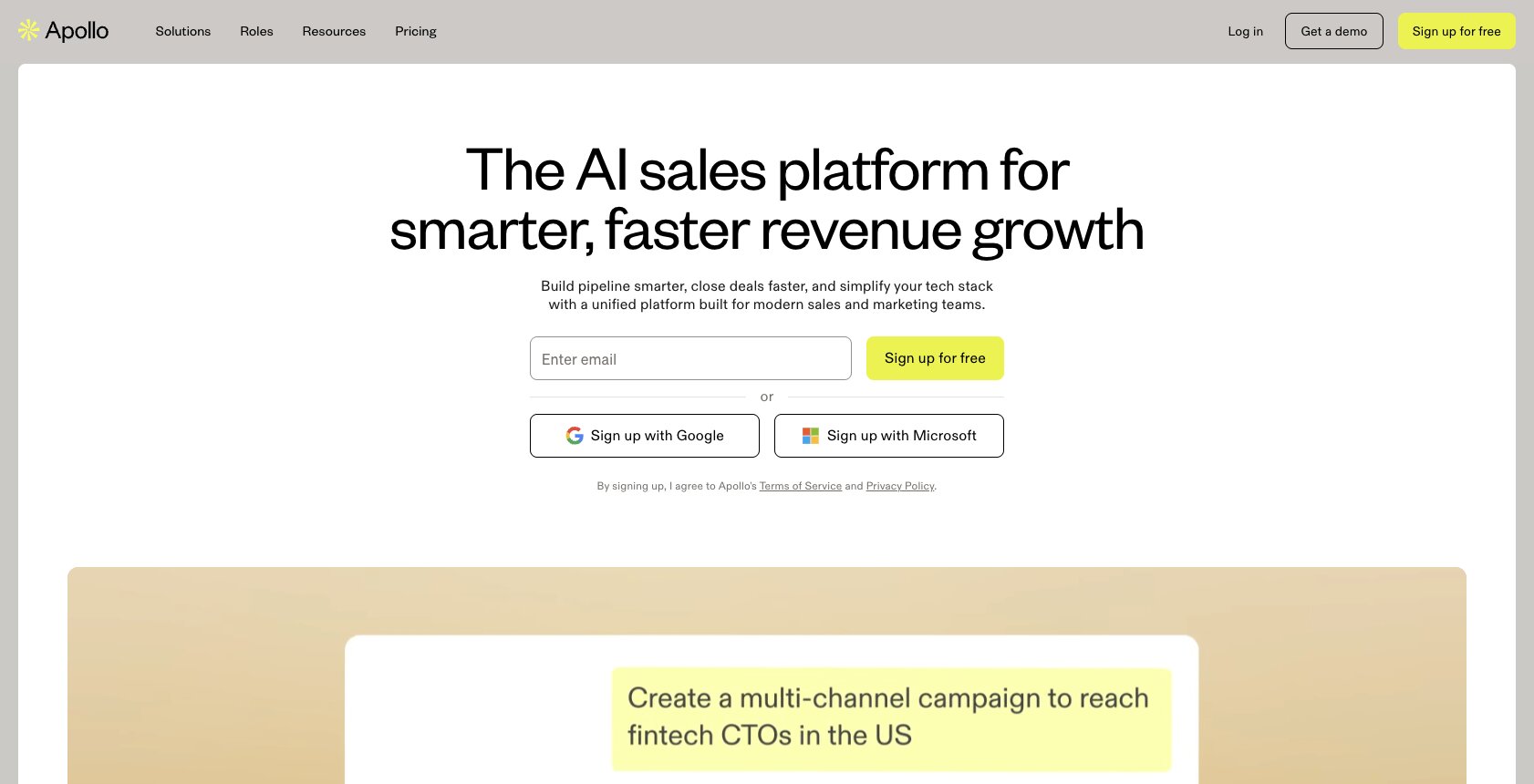
- Best for: All-in-one sales platform with a massive B2B contact database for both outbound and inbound
- Pricing: Free plan available, then starts at $49/month per user (billed annually)
- What I like: 210M+ contact database, website visitor identification, and combines prospecting, sequencing, and deal management in one platform
If you work in sales, I'm sure you have heard of Apollo. It's one of the largest AI sales platforms and it has a massive database of contacts and prospects you can tap into.
But unlike the previous two tools we went over, Apollo is focused on more than just outbound sales campaigns. The platform can also support your inbound efforts. It can qualify your existing leads, score them, and route them to the right sales reps.
The really cool thing is they also have a new website visitors feature. So you can see which companies landed on your website and you can take outbound actions from there. I actually really like this feature, as I used to use Clearbit for this but now Apollo has it built in with the rest of its suite of sales tools.
Apollo is also one of the few platforms on this list that covers the full sales cycle. From finding prospects in their database, to running multichannel outreach sequences, to tracking deals and recording calls with conversation intelligence.
It's basically trying to replace your data provider, outreach tool, dialer, and CRM all in one. And for a lot of teams, especially smaller ones that don't want to manage five different subscriptions, that's a pretty compelling pitch.
Here are some things I like about Apollo:
- Massive B2B database with 210M+ contacts and 30M+ companies, so you can source leads without needing a separate data provider
- Covers both outbound and inbound with lead scoring, website visitor identification, and automated routing
- Built-in email sequencing, dialer, and conversation intelligence so you can run the full sales motion from one platform
- Waterfall enrichment and AI research features for better data coverage
- Free plan is generous enough to actually test the platform before committing
Here are some things that can improve with Apollo:
- Because Apollo tries to do everything, some individual features may not be as deep as dedicated tools (for example, its enrichment might not match Clay's 150+ provider waterfall)
- The UI can feel overwhelming at first with so many features packed into one platform
- Data accuracy can vary depending on the region and industry you're targeting
Overall, if you want one platform that handles prospecting, outreach, enrichment, and deal tracking all in one place, Apollo is it. It's especially great for startups and mid-size teams that don't want the overhead of managing multiple sales tools. But if data enrichment quality is your top priority, you might want to pair it with a tool like Clay or Paradigm.
Apollo pricing
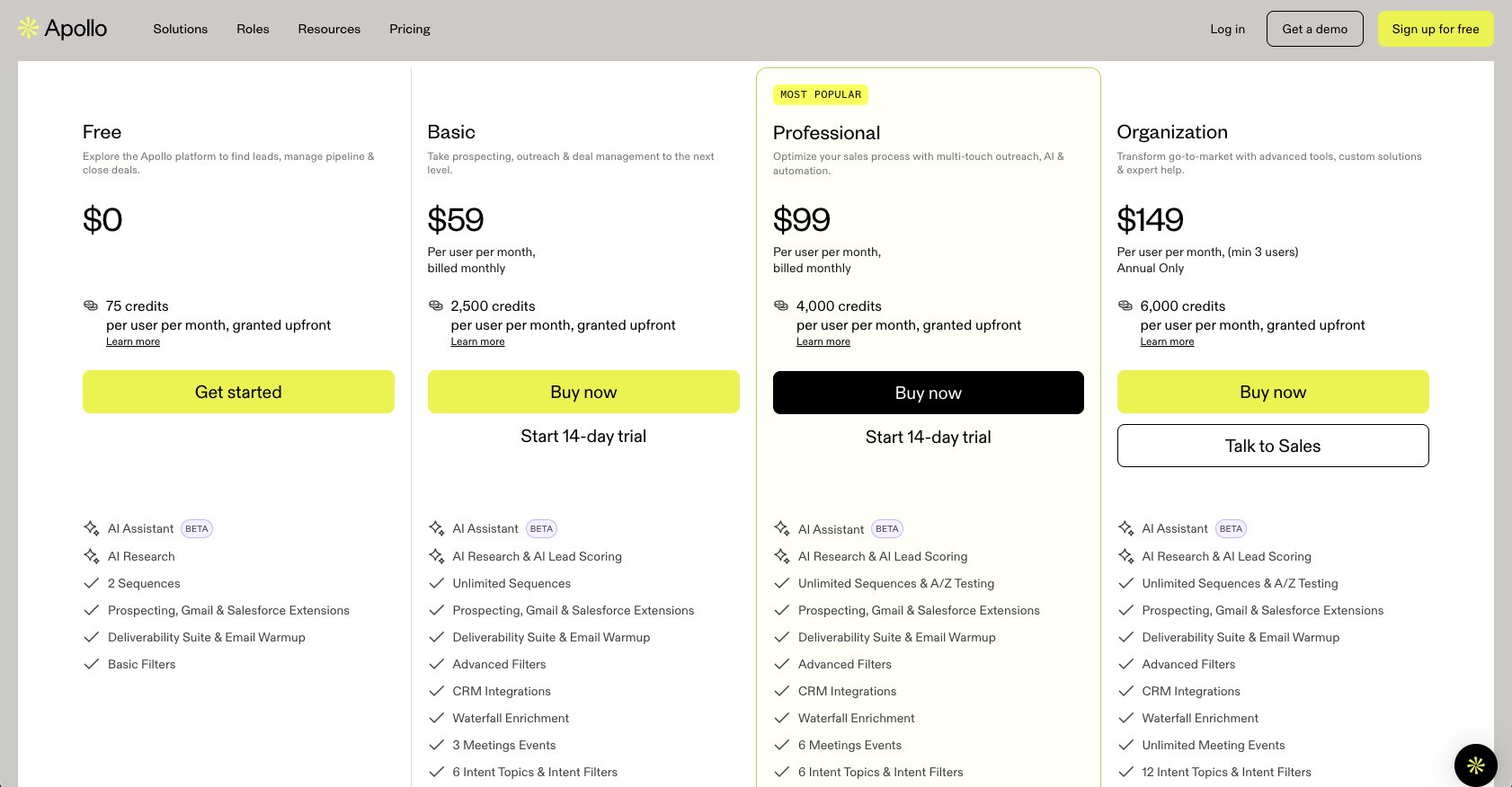
Apollo has several pricing tiers (billed annually):
- Free: $0 with 900 credits per user per year, basic filters, 2 sequences, AI writing (5,000 words/month), and 1 mailbox per user
- Basic: $49/month per user with 30,000 credits per year, buying intent (1 topic), AI writing (250,000 words/month), and 5 automated workflows
- Professional: $79/month per user with 48,000 credits per year, advanced filters and signals, 6 intent topics, unlimited sequences with A/Z testing, unlimited mailboxes, and 50 automated workflows
- Organization: $119/month per user (min 3 users) with 72,000 credits per year, 12 intent topics, AI scores, call recordings, and 500 automated workflows
You can view more about the pricing options here.
Apollo reviews
Here's what customers rate Apollo on third-party review sites:
- G2: 4.7/5 star rating (from +9,423 user reviews)
- Capterra: 4.5/5 star rating (from +384 user reviews)
5. Outreach
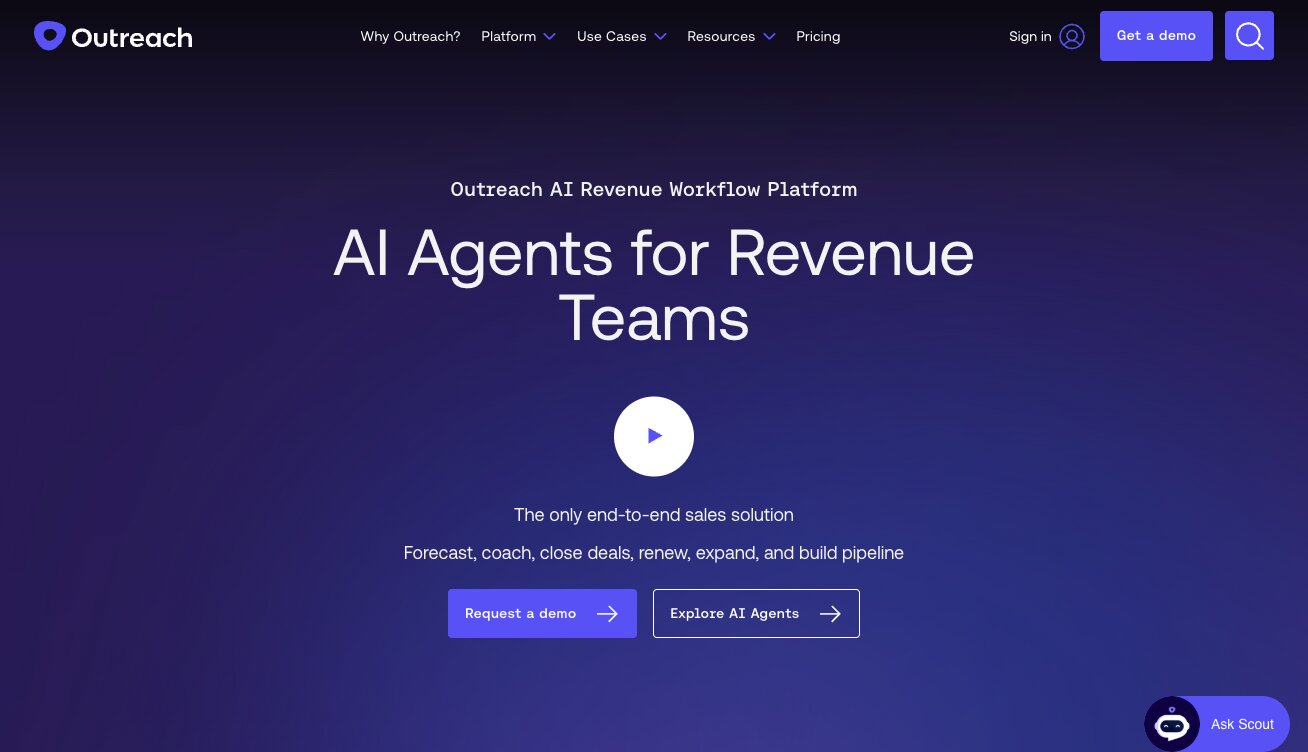
- Best for: Enterprise sales teams that need engagement, forecasting, and deal management in one platform
- Pricing: Custom pricing (request a quote)
- What I like: Used by major companies like Zoom and Okta, strong forecasting and scenario planning features, and AI agents for prospecting and deal management
Outreach has been around for a while now, and it's been well known as a sales outreach tool. I mean, it's in the name. But now, they are positioning themselves as an AI agent platform for revenue teams. Just a fancy way of saying it's still a sales automation tool, but with AI sprinkled in.
All jokes aside, Outreach is an impressive tool. It's used by some big companies like Zoom, Siemens, Amplitude, Okta, and more. Basically, the big dogs that sell to other big dogs. So it's not a baby tool by any means. But why would you want to use it over other tools we have gone over so far?
Well, Outreach is really good at creating automated workflows to engage accounts. And on top of that, it can do forecasting and planning. The forecasting feature is actually one of the things that sets it apart from most sales automation tools.
It gives you automated forecast rollups, AI projections on where you'll finish the quarter, and a scenario planner where you can model different outcomes like bull case, bear case, and most likely. Their customers report forecast accuracy within 5%, which is a big deal when you're reporting to a board.
So if you're a revenue leader or sales manager who spends a lot of time on pipeline reviews and forecast calls, Outreach brings that directly into the same platform where your reps are running their sequences and managing deals.
Here are some things I like about Outreach:
- Covers the full revenue cycle from prospecting and sequencing to deal management, forecasting, and coaching
- AI-powered forecasting with scenario planning, automated rollups, and intraquarter modeling
- Conversation intelligence with real-time meeting assists, transcription, and automated follow-ups
- New AI agents (called Amplify) for account research, personalization, and deal management
- Trusted by enterprise teams at companies like Zoom, Siemens, Okta, and Amplitude
Here are some things that can improve with Outreach:
- Pricing is not transparent. You have to request a quote for every module, which makes it hard to budget upfront
- The platform is built for mid-market to enterprise teams, so it can feel like overkill if you're a small startup or agency
- The modular pricing structure means you could end up paying for Engage, Call, Meet, Deal, Forecast, and Amplify separately, which can add up
Overall, if you're running a larger sales org and need forecasting, deal management, and sales engagement all under one roof, Outreach is one of the most complete platforms out there. But if you're a smaller team or startup that just needs prospecting and outreach automation, there are more affordable and flexible options on this list.
Outreach pricing
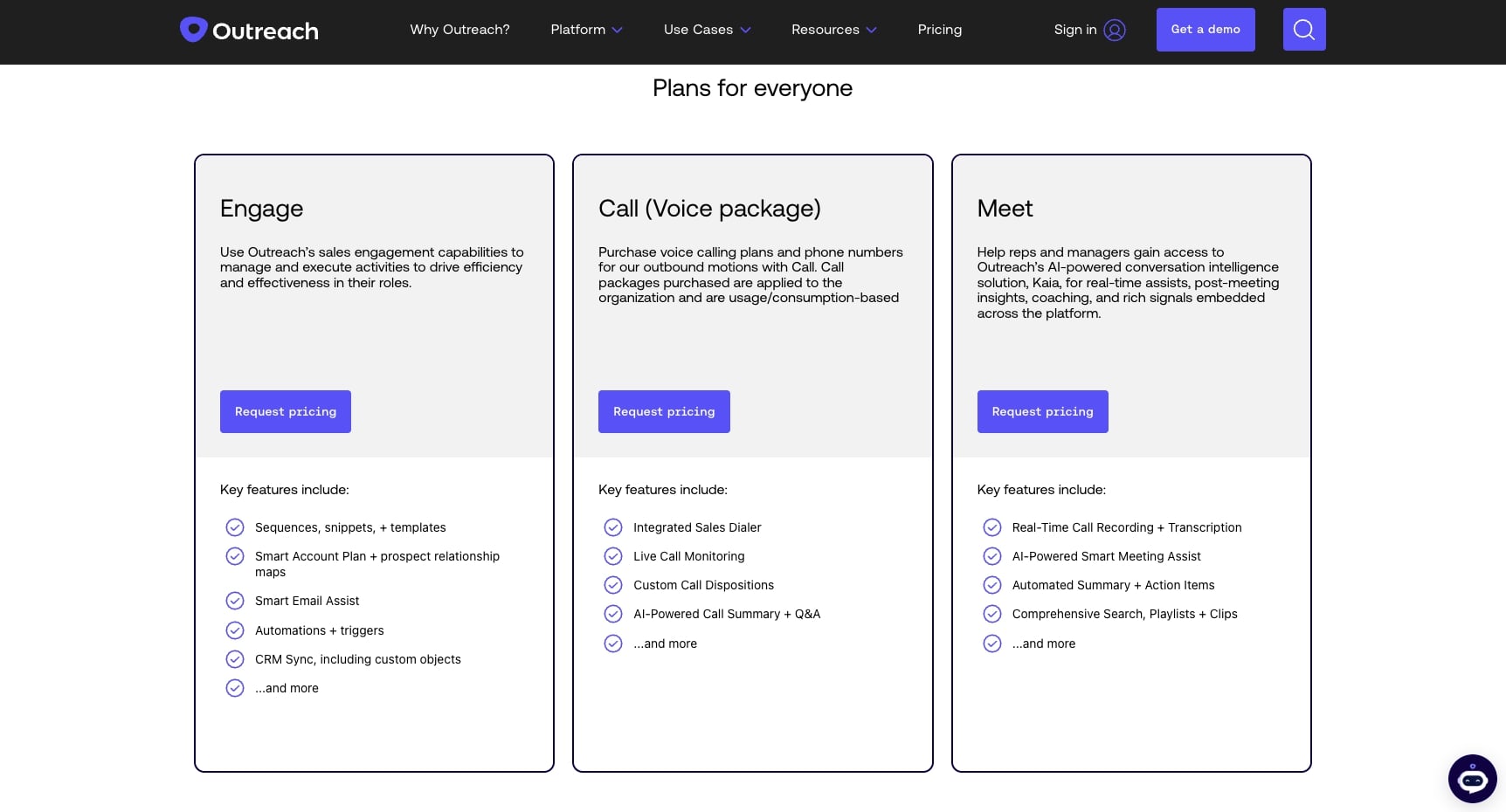
Outreach uses modular, custom pricing across six packages:
- Engage: Sequences, templates, smart account plans, automations, and CRM sync
- Call: Integrated dialer, live call monitoring, AI-powered call summaries, and custom dispositions
- Meet: Real-time call recording, AI meeting assist, automated summaries, and action items
- Deal: AI deal assist, deal health scores, deal grid, and activity history
- Forecast: Pipeline dashboard, forecast rollup, AI projection, and scenario planning
- Amplify: AI revenue agents for prospecting, enrichment, personalization, deal management, and research
All pricing requires a quote. You can request pricing on their website.
Outreach reviews
Here's what customers rate Outreach on third-party review sites:
- G2: 4.3/5 star rating (from +3,534 user reviews)
- Capterra: 4.4/5 star rating (from +308 user reviews)
6. ZoomInfo
- Best for: Medium to enterprise B2B sales teams that need a massive contact data database with buying intent signals
- Pricing: Custom pricing (request a quote for each module)
- What I like: One of the largest B2B contact databases on the market, AI-powered Copilot for deal prioritization, and deep Salesforce and CRM integrations
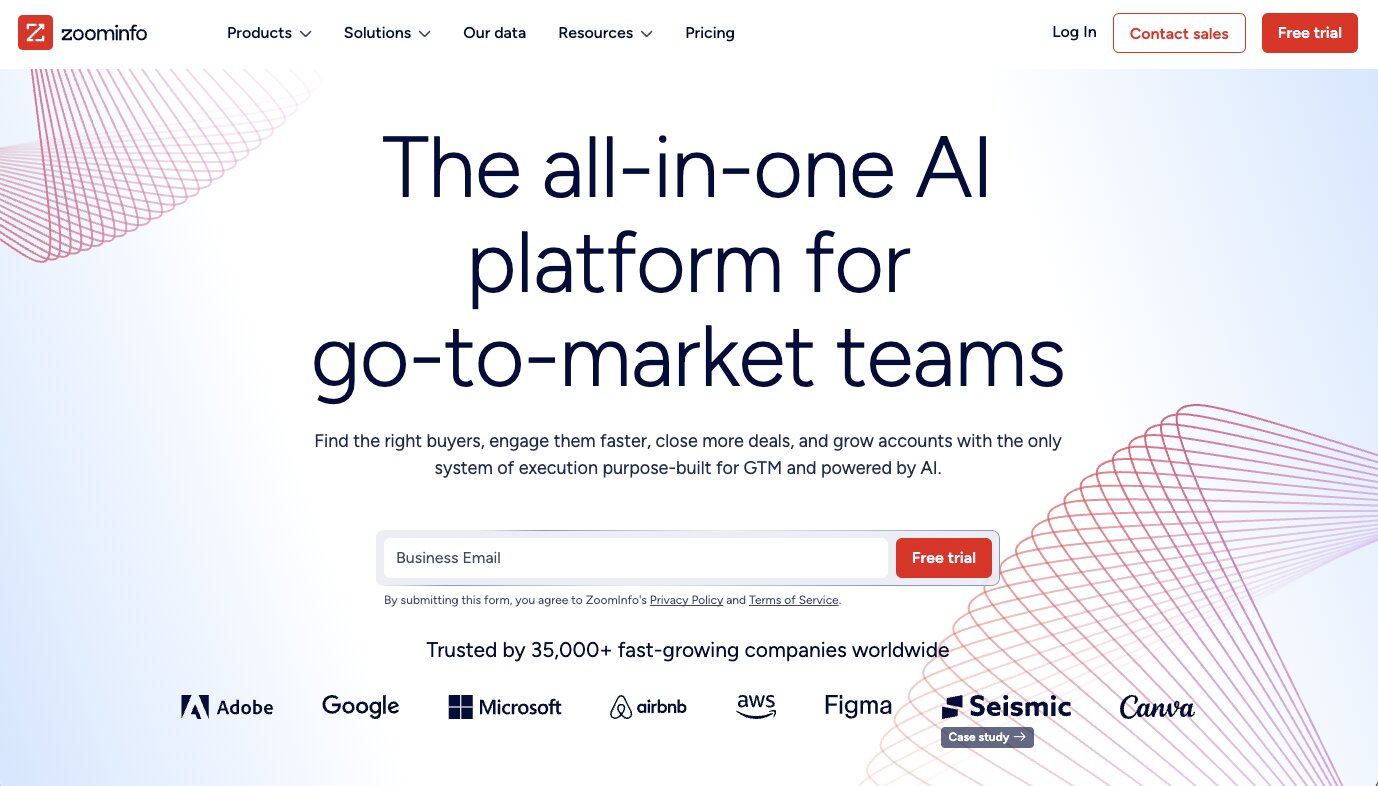
ZoomInfo is an all-in-one GTM platform built for helping medium to large businesses find leads. It's a massive database of contacts that businesses can tap into. But they also have a full suite of engagement, intelligence, and automation tools built on top of that data.
The platform gives you access to over 300 million contact profiles with verified email addresses, direct dial phone numbers, and mobile numbers. So if your sales team spends a lot of time on phone calls and sales calls trying to reach decision makers, ZoomInfo's contact data is one of the most comprehensive sources you can use.
On top of the database, ZoomInfo has buying intent signals, website visitor tracking, and an AI copilot that helps prioritize which accounts to go after. It can also plug directly into Salesforce and other CRMs to keep your data clean and your workflows running without manual effort.
What makes ZoomInfo different from tools like Clay or Paradigm is that it's not just an enrichment tool. It's a full platform with apps for sales engagement, conversation intelligence, website chat, digital advertising, and workflow automation. So it’s more of a direct competitor with Apollo. But, it does lean hard on the enterprise side.
Here are some things I like about ZoomInfo:
- One of the largest and most accurate B2B contact databases with 300M+ profiles, including direct dials and mobile numbers
- Buying intent signals help you prioritize accounts that are actively in-market
- AI Copilot surfaces deal insights, org charts, and next-best actions so reps can focus on closing deals instead of researching
- Deep integrations with Salesforce, HubSpot, Outreach, Salesloft, and other popular apps in your sales stack
- Trusted by 35,000+ companies including enterprise teams at Adobe, Microsoft, and Snowflake
Here are some things that can improve with ZoomInfo:
- Pricing is not transparent at all. Every module requires a custom quote, and contracts can get expensive quickly for smaller teams
- The platform can feel heavy and complex to set up, especially if you only need basic contact data and enrichment
- Some users report that data accuracy can vary by region, particularly outside of North America
Overall, if you're a mid-market to enterprise sales team that needs a reliable source of B2B contact data, ZoomInfo is one of the most established options out there. But if you're a startup or smaller team, the pricing and complexity might push you toward a more lightweight alternative like Apollo, Gumloop, or Clay.
ZoomInfo pricing
ZoomInfo uses custom pricing across multiple product modules:
- Sales: Accurate contact data, company insights, buying intent signals, and engagement apps and integrations
- Marketing: Essential contact data, digital advertising, website chat, form management, and flexible integrations
- Talent: Advanced candidate search with accurate contact data, sourcing intelligence, and engagement apps
All pricing requires a custom quote. You can request pricing on their website.
ZoomInfo reviews
Here's what customers rate ZoomInfo on third-party review sites:
- G2: 4.5/5 star rating (from +9,014 user reviews)
- Capterra: 4.1/5 star rating (from +317 user reviews)
7. Nooks
- Best for: Enterprise outbound sales teams that want an AI-native workspace for dialing, sequencing, and coaching
- Pricing: Custom pricing (request a demo for quotes)
- What I like: The parallel dialer for cold calling volume, and the virtual salesfloor creates a collaborative environment that remote teams usually lose out on
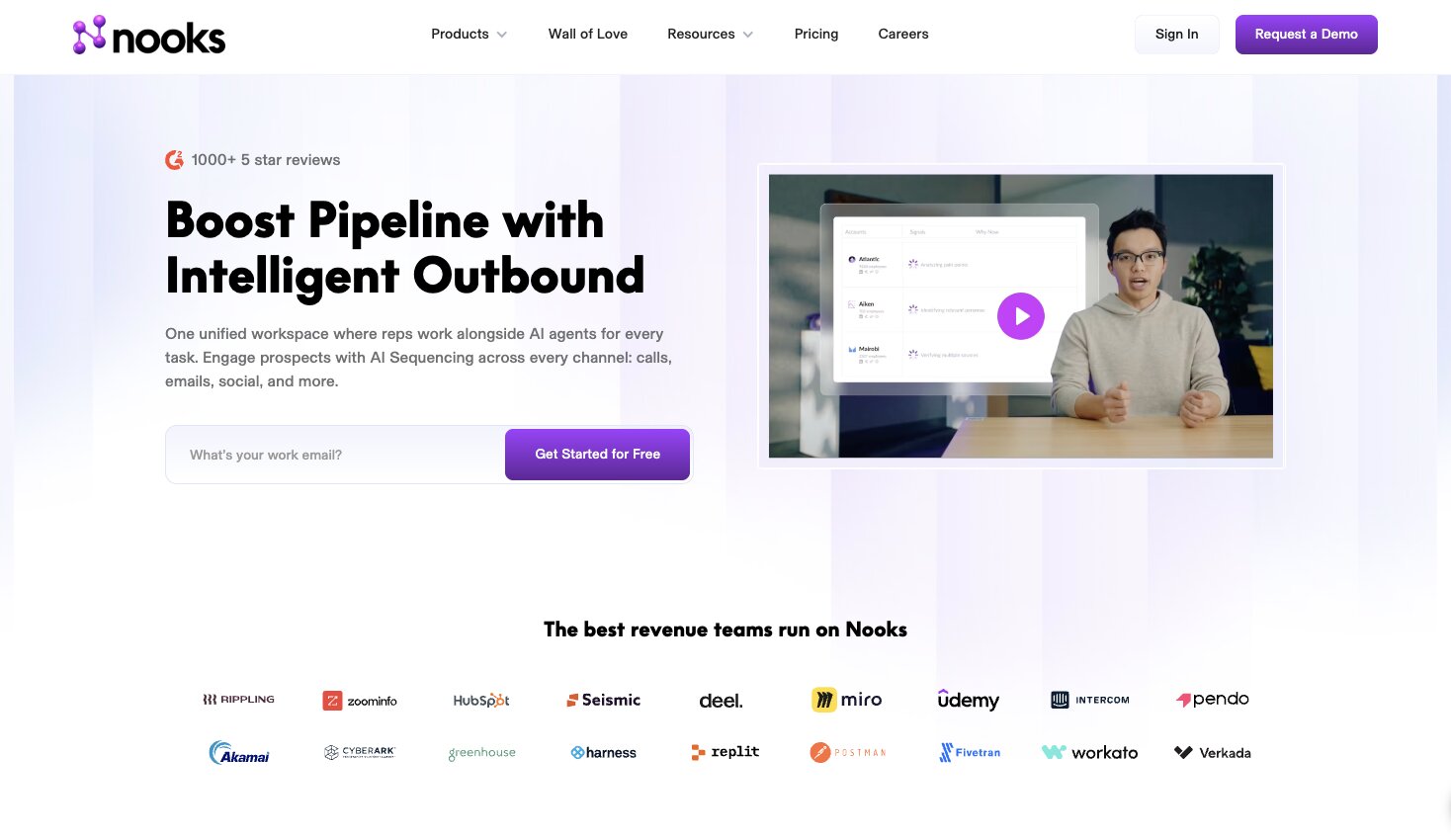
Nooks is a sales platform built for outbound. The core value prop is centered around helping outbound teams at enterprises create an AI-native workspace for all of their work.
It's designed more to be an environment where human reps and AI agents can collaborate together to prospect, sequence, and dial at a faster rate. You know, cause AI agents are involved.
It's used by some pretty big companies like HubSpot, Deel, Workato, ZoomInfo, and more. The ZoomInfo one I find interesting (and confusing). But regardless, Nooks has positioned itself as the platform that can replace your dialer, your sequencer, and your coaching tools all in one place. Instead of toggling between Outreach for sequences, a separate dialer for phone calls, and Gong for call recordings, Nooks bundles all of that into a single workspace.
The parallel dialer is probably the feature that gets the most attention. It lets reps dial multiple numbers at once, and AI handles answer detection so reps only get connected when a real person picks up. For teams that do a lot of sales calls and cold calling, that alone can triple the number of live conversations per rep.
But what I think makes Nooks more interesting than just another dialer is the signals and intelligence layer. It pulls buying signals from your CRM, call transcripts, and third-party data to help reps prioritize who to call and what to say. So instead of reps guessing which accounts to focus on, the platform surfaces the ones showing intent and recommends the right approach.
They also have an AI coaching module with roleplay bots, call scoring, and live battlecards that pop up during sales calls based on keyword detection. For sales leaders managing larger teams, that kind of visibility and scalable coaching is hard to find in a single platform.
Here are some things I like about Nooks:
- Parallel dialer with AI answer detection means reps spend more time in conversations and less time listening to voicemails and dial tones
- AI sequencing across calls, emails, SMS, and social replaces standalone tools like Outreach and Salesloft
- 100+ pre-built buying signals with custom signal builder help reps prioritize accounts showing real intent
- Virtual salesfloor with live listen-in and whisper coaching brings the energy of an in-person bullpen to remote teams
- AI coaching bots let reps practice scenarios and get instant feedback without needing a manager's time
- Integrates with Salesforce, HubSpot, Outreach, Salesloft, Gong, Apollo, and more
Here are some things that can improve with Nooks:
- Pricing is not publicly available, and the platform is clearly built for mid-market to enterprise teams, so it's likely not cheap
- The breadth of features (dialer + sequencer + signals + coaching + enrichment) means there's a real learning curve to get the most out of it
- If your team doesn't do heavy outbound calling, a lot of the core value (the parallel dialer, virtual salesfloor) won't apply to you
- Smaller teams or solo operators would probably be better served by a more lightweight tool like Apollo or Lemlist
Overall, Nooks is built for enterprise outbound teams that want to consolidate their dialing, sequencing, coaching, and intelligence apps into one AI-native workspace. If your reps are making a high volume of phone calls every day and you want to optimize both the quantity and quality of those conversations, Nooks is one of the more complete platforms out there for that specific motion.
Nooks pricing
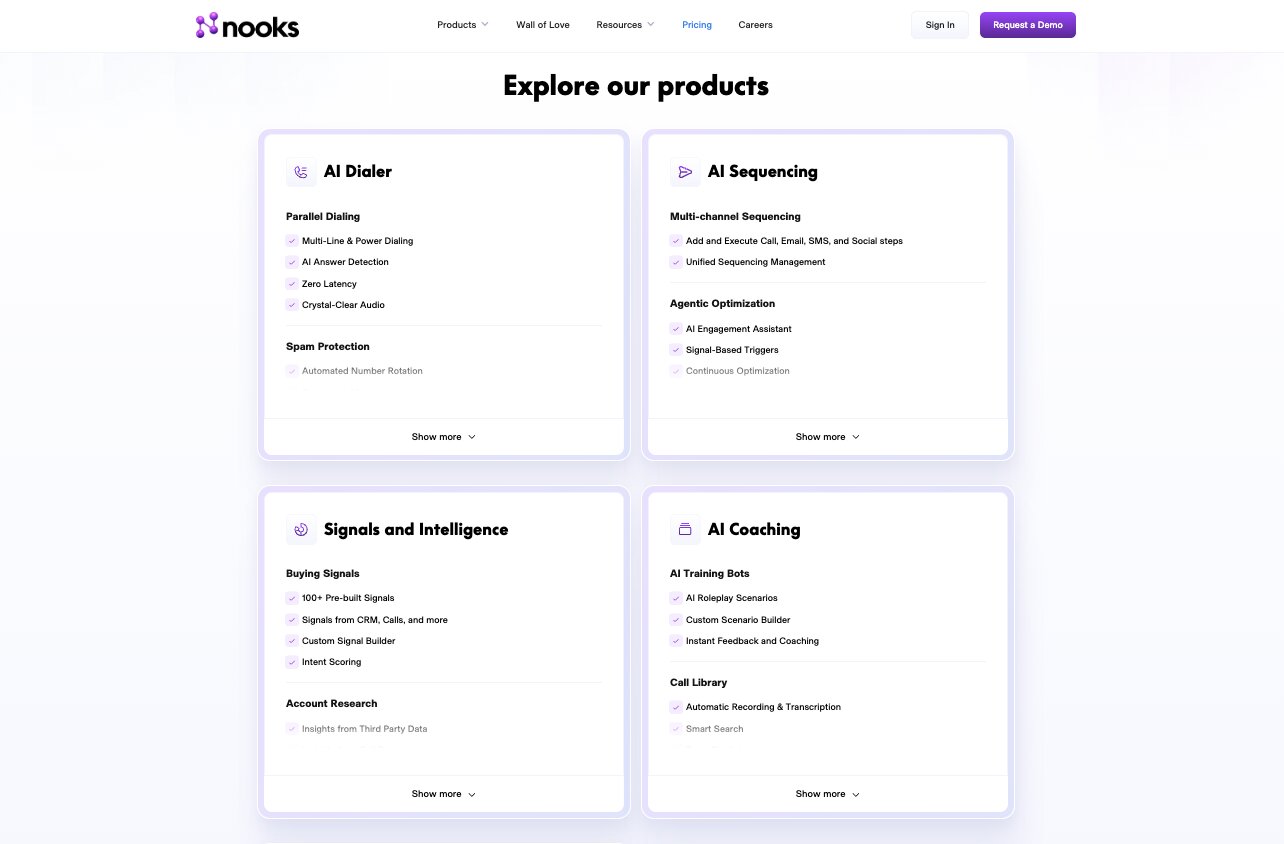
Nooks offers five product modules, each with its own feature set:
- AI Dialer: Parallel dialing, spam protection, automated voicemail drops, signal-based dialing, live battlecards, virtual salesfloor, and analytics dashboards. Integrates with Outreach, Salesloft, HubSpot, Salesforce, Gong, Apollo, and more.
- AI Sequencing: Multi-channel sequences across calls, email, SMS, and social. Includes AI email drafting, prospect recommendations, automated enrichment, and CRM sync. Positions itself as a replacement for Outreach, Salesloft, and Apollo sequencing.
- Signals and Intelligence: 100+ pre-built buying signals, account research from CRM and call data, dynamic lists, AI account assistant, and signal-based plays. Integrates with HubSpot, Salesforce, and Clay.
- AI Coaching: AI roleplay bots, call library with transcription, live battlecards, coaching at scale with AI-surfaced key moments, and call scoring analytics.
- Contact Data Enrichment: Automatic number verification, waterfall enrichment, mobile number enrichment, and catch-all email verification. Integrates with Apollo, Cognism, LeadIQ, ZoomInfo, and more.
All pricing requires a custom quote. You can request a demo on their website.
Nooks reviews
Here's what customers rate Nooks on third-party review sites:
- G2: 4.8/5 star rating (from +1,115 user reviews)
- Capterra: 4.5/5 star rating (from +2 user reviews)
8. Lemlist
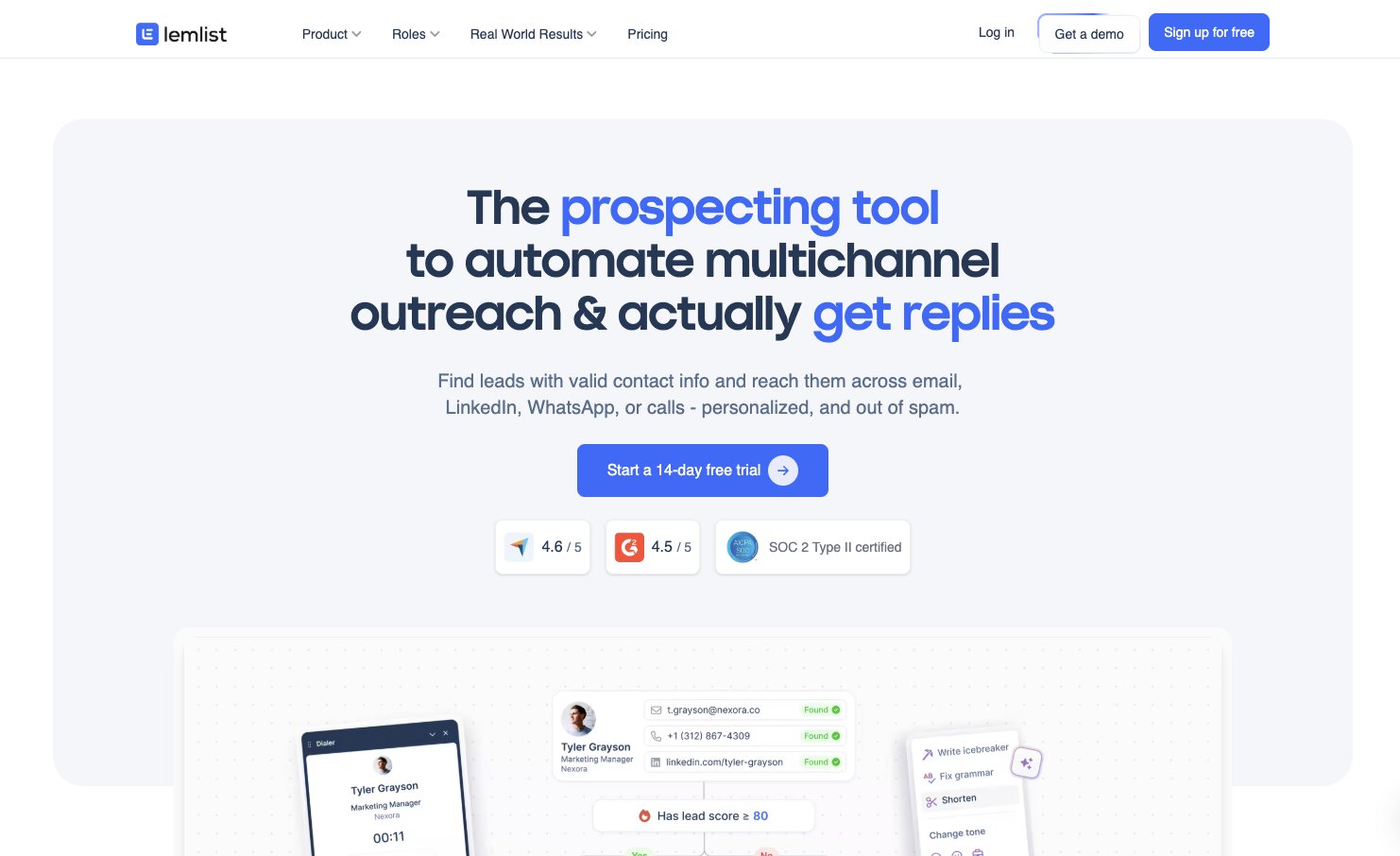
- Best for: Agencies and small teams that want multichannel outreach (especially LinkedIn) with built-in lead finding and email deliverability
- Pricing: Free trial available, then starts at $79/month per user
- What I like: One of the best tools for LinkedIn prospecting automation, and the built-in email warm-up (lemwarm)
Lemlist, a company started in Paris, France, is a well established prospecting and outreach tool. It grew to popularity because the founder was great at marketing himself and the product on LinkedIn.
So much of Lemlist's roots are in LinkedIn automation for sales. The platform can help you find who to reach out to on LinkedIn, and from there it can automatically do it for you. Connection requests, follow-up messages, profile visits, the whole thing can run on autopilot.
But Lemlist has grown well beyond just LinkedIn. It now has a 600M+ lead database where you can find prospects and pull verified emails and phone numbers through waterfall enrichment. You can build multichannel sequences that combine email, LinkedIn, WhatsApp, and phone calls all from one workflow.
What I think makes Lemlist stand out compared to heavier platforms like Outreach or Nooks is the balance between power and simplicity. It's not trying to be an enterprise command center. It's built for sales reps and smaller teams who want to run personalized outreach at scale without needing a RevOps team to set everything up.
The AI personalization pulls details from LinkedIn profiles and websites to customize messages automatically, which saves a ton of time when you're reaching out to hundreds of prospects.
The deliverability side is another big plus. Every Lemlist account includes free access to lemwarm, their warm-up and deliverability booster. If you have ever had your emails land in spam (and if you're doing cold outreach, you probably have), this is a real differentiator.
They're also used by about 20,000 sales teams, and companies like ElevenLabs have publicly shared how they scaled outbound pipeline from 5% to 30% using the platform.
Here are some things I like about Lemlist:
- LinkedIn automation is one of the best in the space, with automated connection requests, messages, and profile visits built into sequences
- 600M+ B2B lead database with waterfall enrichment for verified emails and phone numbers
- Multichannel sequences across email, LinkedIn, WhatsApp, and phone calls from a single workflow
- AI personalization pulls context from LinkedIn, websites, and more to customize messages at scale
- Built-in lemwarm email deliverability booster included free with every account
- CRM integrations with Salesforce, HubSpot, and more, plus you can run Lemlist directly from your CRM
Here are some things that can improve with Lemlist:
- At $79/month per user just for email (and $109/month for multichannel), it can add up quickly for larger teams
- The platform is focused on outreach and prospecting, so it's not a full sales automation suite for managing deals, forecasting, or closing deals
- LinkedIn automation features depend on LinkedIn's own policies, which can change and potentially flag accounts if not used carefully
- The built-in calling feature exists but isn't as robust as dedicated dialers like Nooks or standalone VoIP apps
Overall, Lemlist is a great fit for sales reps, SDR teams, and founders who want an all-in-one prospecting tool that covers lead finding, multichannel outreach, and deliverability without needing to stitch together five different apps. If LinkedIn is a big part of your B2B sales motion, Lemlist is one of the strongest options out there for automating that channel alongside email and phone calls.
Lemlist pricing
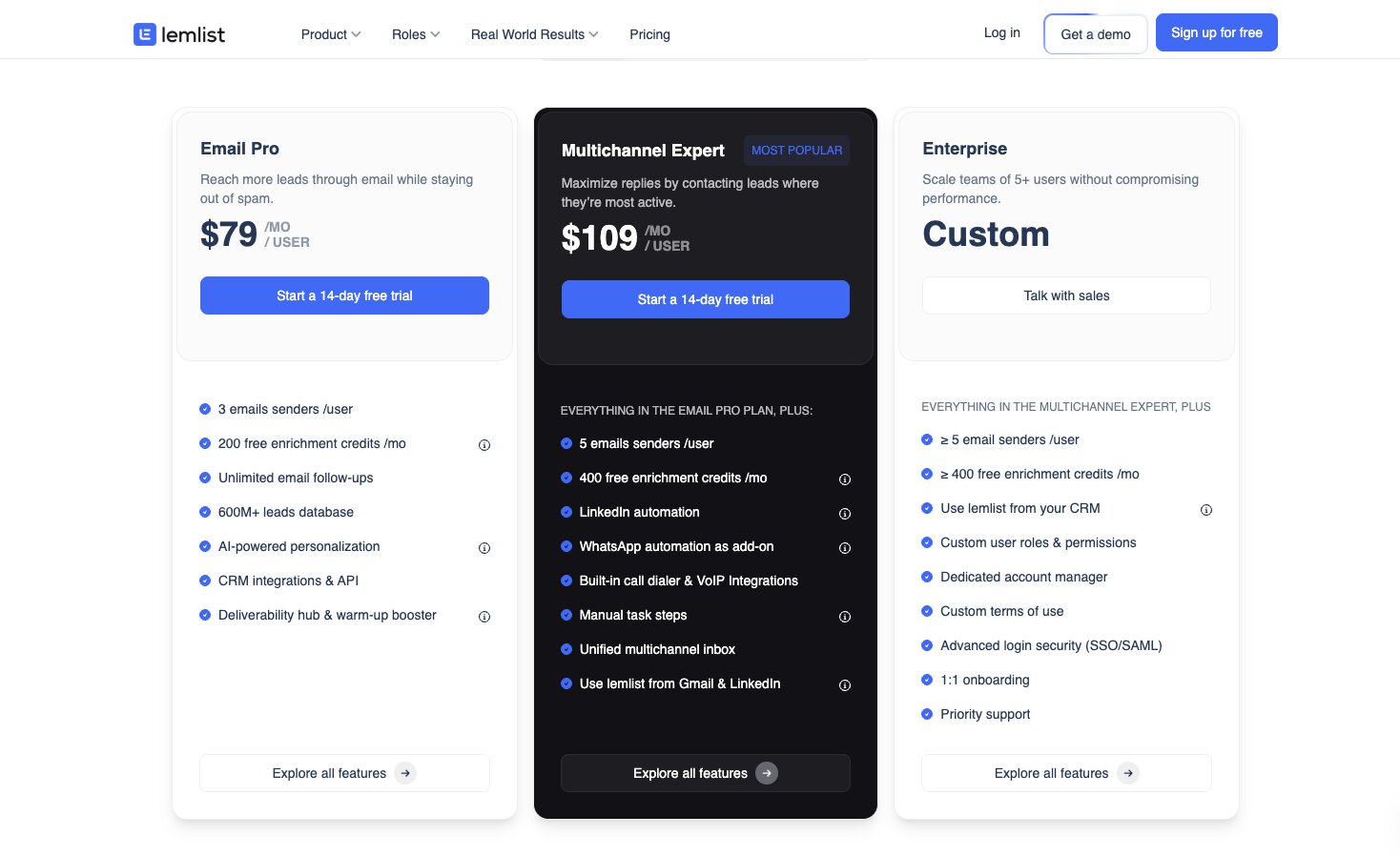
Lemlist has three main pricing tiers:
- Email Pro ($79/month per user): 3 email senders, 200 enrichment credits/month, 600M+ lead database, AI personalization, and deliverability booster.
- Multichannel Expert ($109/month per user): Everything in Email Pro, plus LinkedIn automation, WhatsApp (add-on), built-in dialer, and unified multichannel inbox.
- Enterprise (custom pricing): For teams of 5+. Adds SSO, dedicated account manager, 1:1 onboarding, and priority support.
All plans include a 14-day free trial. You can check out the full breakdown on Lemlist's pricing page.
Lemlist reviews
Here's what customers rate Lemlist on third-party review sites:
- G2: 4.6/5 star rating (from +1,265 user reviews)
- Capterra: 4.6/5 star rating (from +386 user reviews)
How to be successful with sales automation tools
In order to be successful with sales automation tools, you need to have a manual process that you already know works. You can't automate what you can't articulate. If you couldn't explain to a junior salesperson your exact process that leads to success, you won't be able to get the most out of sales automation software.
That means before you sign up for any of these tools, you should already know things like who your ideal customer is, what your outreach sequence looks like, how you qualify leads, and what moves deals through your sales pipeline. The tool is there to scale what already works, not to figure it out for you.
Once you have that foundation, you will go a lot further using a tool. You can use AI to handle the repetitive parts of your sales operation, things like prospect research, lead scoring, enrichment, and follow-ups. And that frees up your team to focus on the more creative parts of the job.
The best sales teams I've seen use automation to give each rep the leverage to do the work of three people. Whether that's through better sales forecasting, smarter lead prioritization, or AI agents that handle the busywork, the goal is always the same.
And going back to where we started, nobody wants another lazy, copy-paste email in their inbox. The tools on this list can help you avoid being that person. But only if you put in the work to set them up right.

Read related articles
Check out more articles on the Gumloop blog.