7 best agent harnesses I've used in 2026

Remember when everyone was calling a SaaS app that used ChatGPT a "wrapper."
Good ol' days.
Now we've graduated from "wrapper" to "harness". I'm kidding. But actually not really. An agent harness is essentially a piece of software that can leverage LLMs, tools, skills, and context to let you build agents that do work.
Whether that's using agents to code or automate different operational workflows (like in marketing, GTM, sales, HR, finance, or ops), there's a harness for every use case.
So I spent the past few months testing as many as I could to come up with the best agent harnesses for 2026. These are tools I personally use, as well as are used by friends that work at different tech companies.
By the end of this article, you'll know exactly which is the best agent harness for you. But before I jump into the list, let's go over in a bit more detail what a harness is (and how I evaluated them).
What is an agent harness?
An agent harness is software that takes an LLM and allows it to actually do real work instead of just being an AI chatbot. You can think of the harness as the environment where an LLM, tools, and MCP servers can all be connected to orchestrate work.
Outside of just tools and LLMs, an agent harness can also hold context, build memory, and have controls around enforcing different skills, permissions, or human approval. It's essentially all the set of rules you create around the work, and all of that is encompassed in the harness.
If you remember back in the day, and by back in the day I really mean 3 years ago, people would call many apps that use ChatGPT a "ChatGPT wrapper." A harness is somewhat of an evolution of a "wrapper." It's the system and software you build to be able to automate and do work with LLMs and MCP servers. And we now call that an agent harness.
How I chose the agent harnesses on this list
I don't want to just tell you blindly which harness to use. I'm going to be biased, so I tried to go over a wide range of harnesses that serve different team functions and use cases, and give a general overview so each one of the tools on this list can apply to a specific use case or stage that you're at.
Here's what I looked at to decide the best agent harnesses:
- Model agnostic: Which platforms allow you to use whatever LLM you want.
- Integrations: Platforms that allowed you to connect multiple tools, whether they had native integrations or made it easy to connect to different APIs or MCP servers.
- Technical vs. non-technical: Harnesses built for technical people and non-technical people. Some of them are great as coding harnesses, and some are great for pure automation of operational work in marketing, sales, recruiting, ops, etc.
- Maintenance overhead: Some of them are plug-and-play agent harnesses, while others are building blocks you need to piece together. And some are a completely blank canvas where you build everything from the ground up.
These are all tools that I've also interacted with. Some I use on a daily basis, some I use on a weekly basis.
Okay, now let's go over the list.
7 best agent harnesses for enterprise teams in 2026
Here are the best agent harnesses:
Alright let's go over each one.
1. Gumloop
- Best for: Enterprise teams that want to automate knowledge work across growth, sales, HR, and ops without engineering time
- Pricing: Has a 14-day free trial, then starts at $37/month
- What I like: LLM agnostic with 400+ native connectors, plus agents and skills you can share across teams like a Google Doc
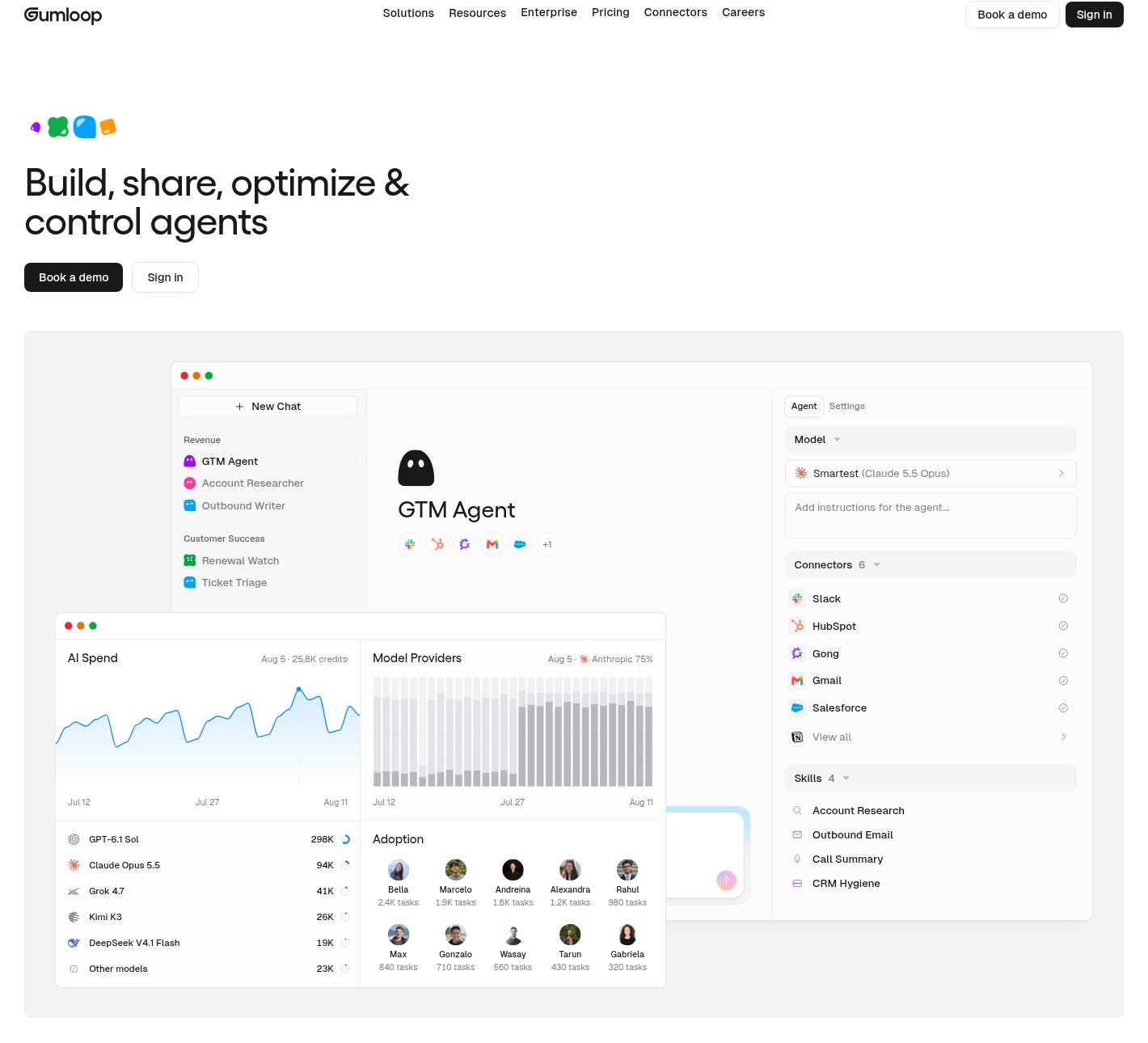
Gumloop is an AI orchestration platform built for enterprise companies. You can think of it as your entire company harness for building, deploying, and sharing AI agents and skills across different team functions in your company.
The platform is built mostly for enterprises that have growth, sales, HR, etc. functions, and there is a lot of operationally heavy work that needs to be done, with core jobs to be done for each team function. That's where Gumloop comes into play.
It gives you a full platform to integrate any LLM, from frontier labs to open-weight models hosted in the US, to pretty much any connector. There are 400+ native connectors. It comes with more native connectors than some other agent builders, but you can also host any MCP server through Gumloop.
You can easily create and share agents and skills, and share them just like you would a Google Doc.
It doesn't need engineers, and you don't need engineers' time to build agents. Although our engineering team uses Gumloop to orchestrate certain software factory workflows as well.
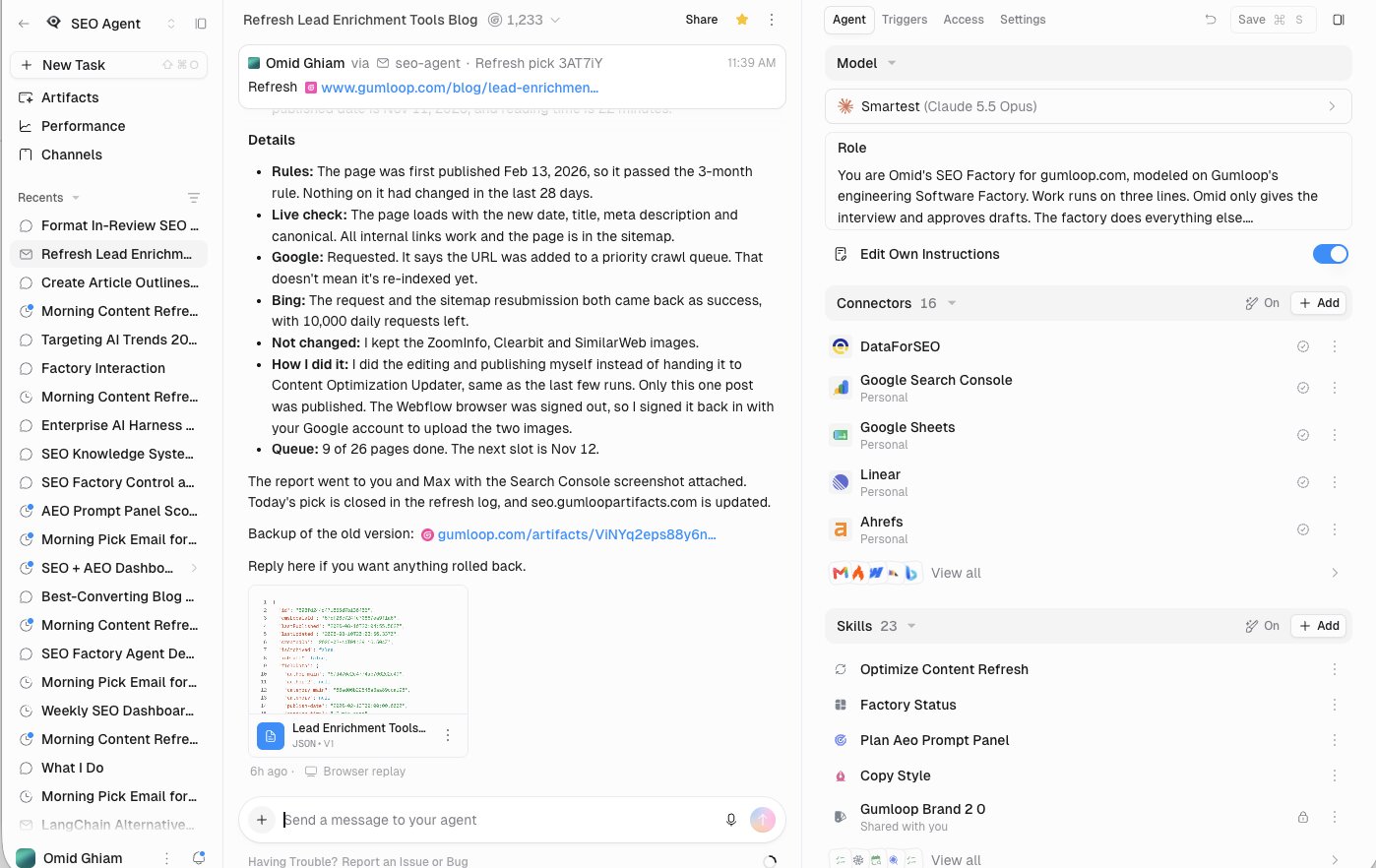
For example, I run an SEO content refresh agent that acts as my SEO factory. It automatically wakes up when it detects we've lost rankings or traffic to a page, and it emails me an alert. From there, I can either approve the alert or not. The alert will be something like, "Hey, this page is losing clicks. Click here if you want to refresh."
Then it runs through an automatic workflow that I used to do partly manually and partly with AI agents, but now I fully run it with agents.
It'll analyze the page and run it through Google Search Console and Bing Webmaster Tools to find new keywords that should be sprinkled into the article. It'll look for outdated information that needs to be replaced or outdated product screenshots, and it'll use the web browser to log into tools and take screenshots. Then it logs into our CMS to update all the content and screenshots, republishes it with a new publish date, and requests indexing in Google Search Console and Bing Webmaster Tools.
Once it does all that, it sends me a final email telling me it's done and what it did. So it completely automates our content maintenance and updating end to end, which has allowed us to almost 2x the traffic to each page that we update through this workflow.
Some things I like about Gumloop:
- It's fully customizable and LLM agnostic, so you're not locked into one model provider. You have the option and flexibility to use your existing tools, your LLMs, your skills, and your agents in whatever customizable way you want.
- There's a multiplayer aspect where you can create skills and agents and share them across your teams. One team can create a data analyst agent that can then be used by the marketing team, the sales team, and the product team. It's a one-to-many kind of thing.
- It gives you a platform to orchestrate knowledge factories, where you can create workflows that automatically do work end to end without you being involved.
- It gives you full enterprise security controls, including SAML SSO and SCIM, roles and permissions, AI model restrictions, spend caps and approvals, audit logging, and SOC 2 Type II and GDPR compliance.
Some things I don't like about Gumloop:
- It's mostly built for enterprise teams. If you're a solo operator or a small team that only needs a few simple automations, it can be more platform than you need.
- There's no free plan.
- There's a learning curve if you're new to building AI agents, especially for multi-step workflows.
Gumloop pricing
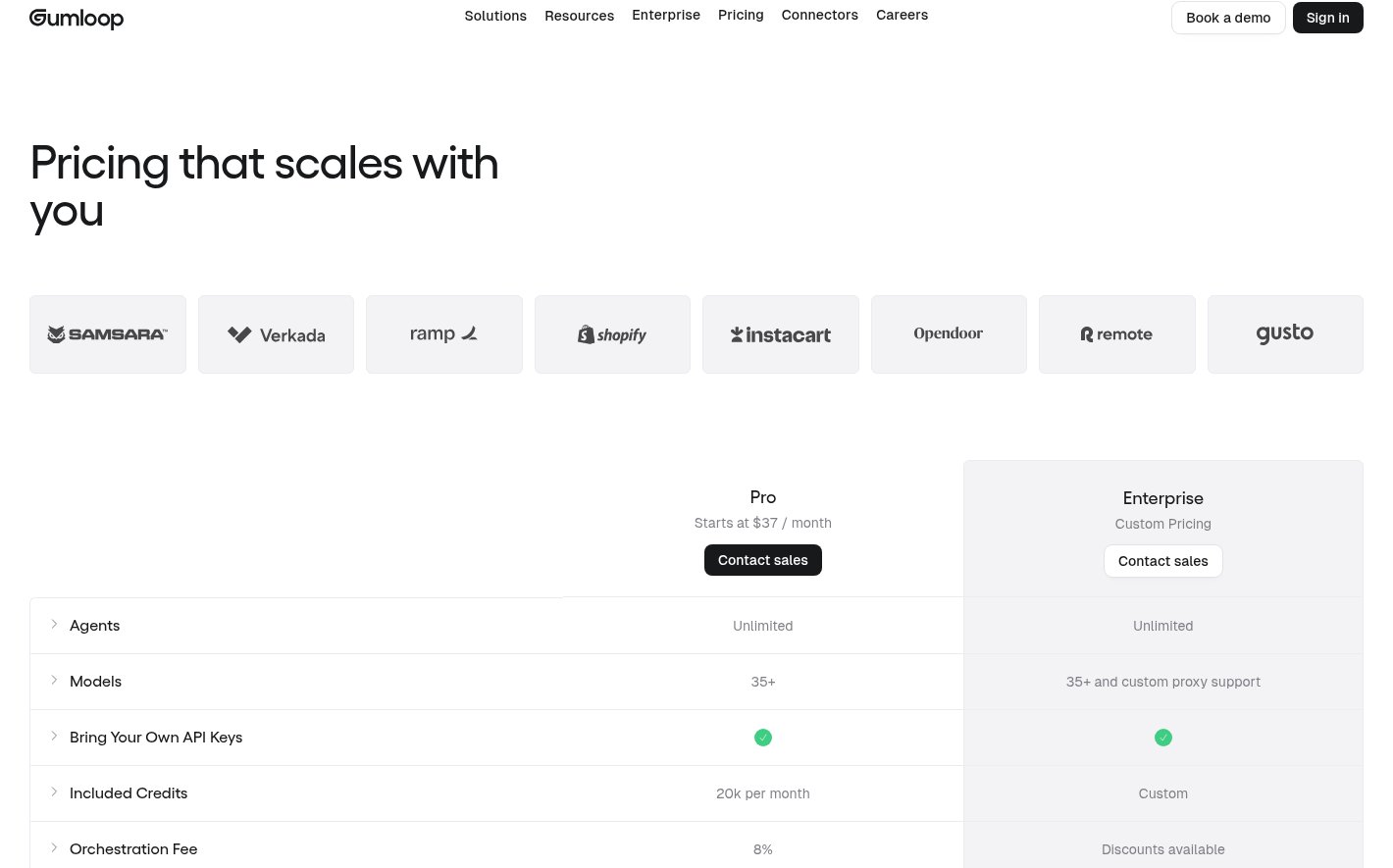
Here are Gumloop's pricing plans:
- Pro: Starts at $37/month, with 20k credits per month, unlimited agents, seats, and teams, 35+ models, and 1 hosted MCP server. Includes a 14-day free trial.
- Enterprise: Custom pricing, with custom credits, custom MCP server hosting, org-wide connector policies, and optional VPC deployment.
Check out Gumloop's pricing page to learn more about what each plan has to offer.
Gumloop reviews
Here's what users say about Gumloop:
- G2: 4.8/5 star rating (from +7 user reviews)
- Product Hunt: 5/5 star rating (from +9 user reviews)
2. Claude
- Best for: Solo operators, small teams, and developers who want one harness for both knowledge work and coding
- Pricing: Has a free plan, then start at $20/month
- What I like: The harness is fast and smooth, and creating skills is intuitive
Claude is the LLM created by Anthropic. While Claude on its own is just an LLM, the tooling around it, like Claude Code or the Claude chat app, which is now a part of Claude Cowork, are agent harnesses for the Claude models to do work inside of.
This can either mean, on the technical side, using Claude Code as your agent harness and connecting it with GitHub to manage your skills and all your agents and projects. Or if you're on the non-technical, knowledge work side, it's simply using the Claude app, which is its own harness for using Claude models.
Claude is pretty multi-purpose. It can be used by developers and engineers as well as knowledge workers. The knowledge work side is very similar to Gumloop. However, you are in the Claude ecosystem, so you can't use OpenAI models or open-weight models inside of Claude.
Some things I like about Claude:
- The harness feels really fast and very smooth, and it just works.
- I like its ability to create skills. It feels pretty intuitive.
- If you're a solo operator or a small business, it's not that expensive, because if you're not using the API pricing, it's highly subsidized. That's probably subject to change in the future.
Some things I don't like about Claude:
- It doesn't have a lot of native connectors.
- It can feel a bit confusing figuring out how to connect MCP servers.
- Agent management and sharing isn't really there. It's not that great.
Claude pricing
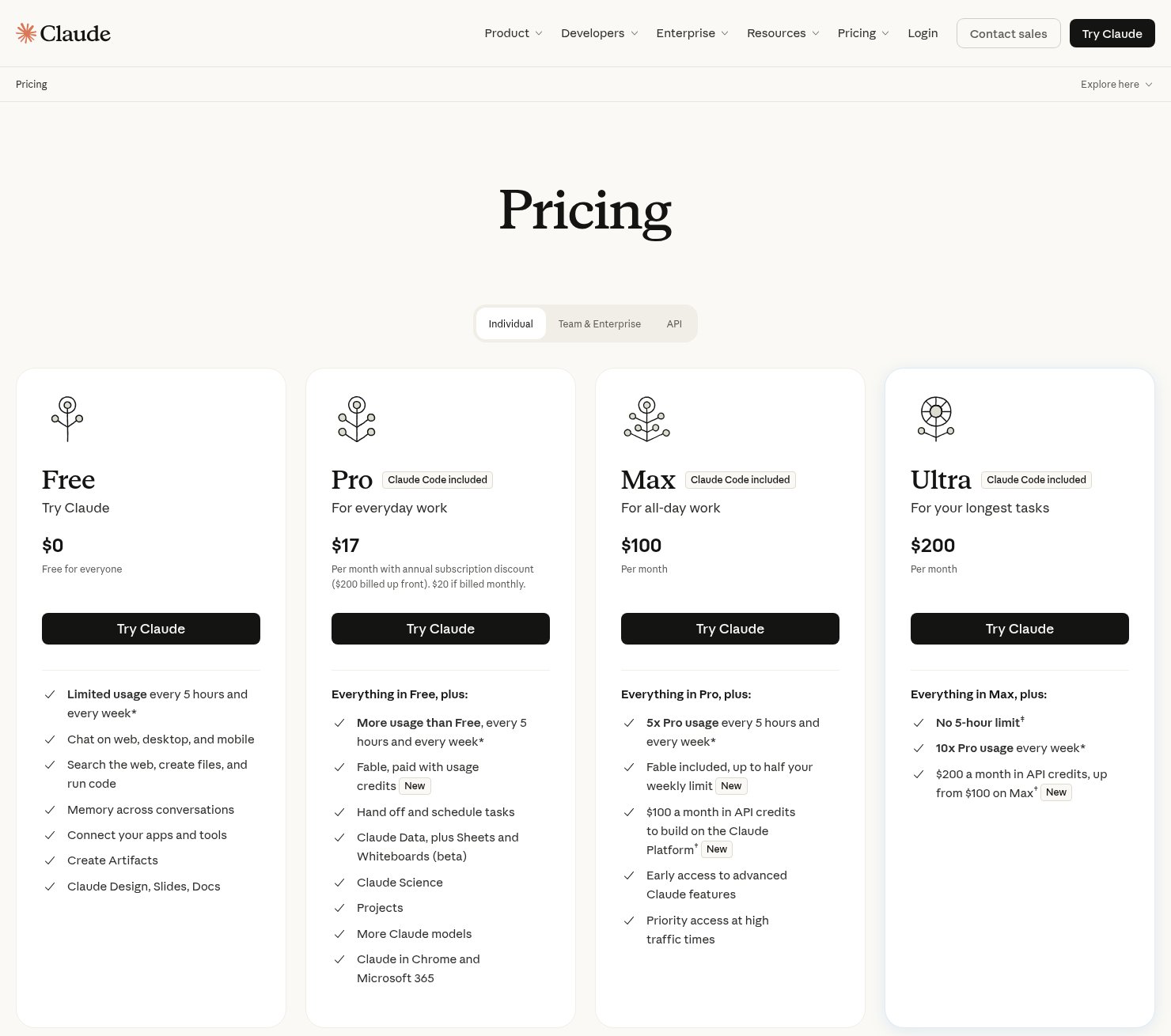
Here are Claude's pricing plans:
- Free: $0, with usage limits
- Pro: $20/month, or $17/month billed annually
- Max: $100/month for 5x Pro usage, or $200/month for 20x
- Team: $25/seat/month for standard seats, or $125/seat/month for premium seats
- Enterprise: Custom pricing
Check out Claude's pricing page to learn more about what each plan has to offer.
Claude reviews
Here's what users say about Claude:
- G2: 4.6/5 star rating (from +410 user reviews)
- Product Hunt: 5/5 star rating (from +800 user reviews)
3. OpenAI Codex
- Best for: Engineers and knowledge workers already in the ChatGPT ecosystem, from solo operators to enterprise teams
- Pricing: Has a free plan, then starts at $8/month
- What I like: A snappy harness built by the same company that makes the models
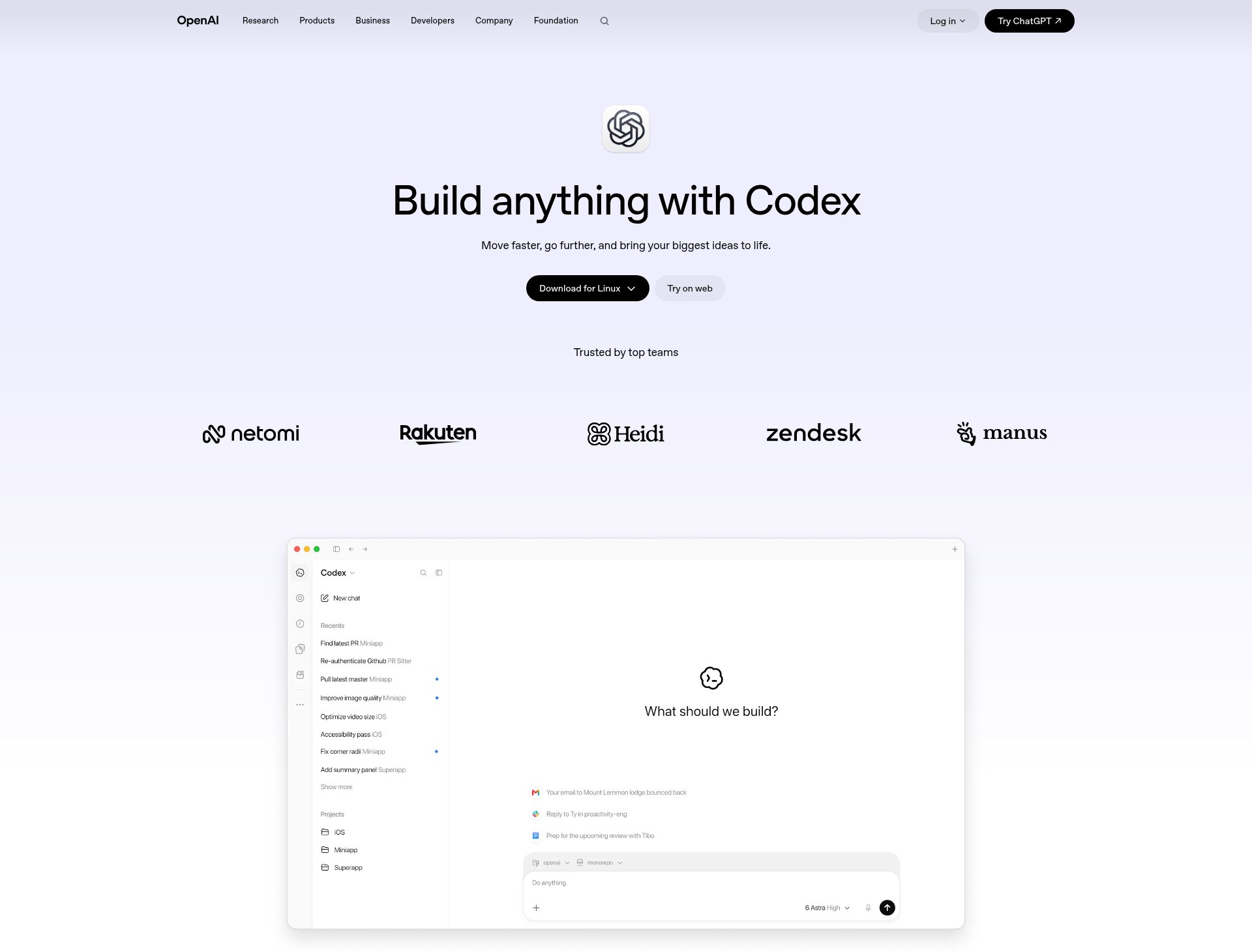
OpenAI's Codex is an agent harness for ChatGPT models. Similar to Claude, ChatGPT has the chat version, as well as Codex, which is its coding harness.
It can be used both by technical people, like engineers and developers who are using coding agents inside of Codex, and by knowledge workers who are using ChatGPT agents to help them automate work. It ranges from solo operators to enterprise companies.
Codex now runs inside the ChatGPT desktop app, and ChatGPT Work covers the knowledge work side, running multi-step tasks like spreadsheets, reports, and slides across your connected apps.
Some things I like about Codex:
- It's a really snappy harness for ChatGPT agents, which tends to be the theme with companies providing both the harness and the models. OpenAI owns the model and the harness, so it's always going to be a great harness for that model.
- It can run multiple agents in parallel, and with Codex Cloud, tasks can keep running on their own
- One ChatGPT subscription covers both ChatGPT and Codex, and there's a free plan
Some things I don't like about Codex:
- You're locked into the OpenAI models.
- It doesn't have that many native connectors.
- Building agents in it can feel a bit confusing, especially figuring out how to orchestrate agents.
OpenAI Codex pricing
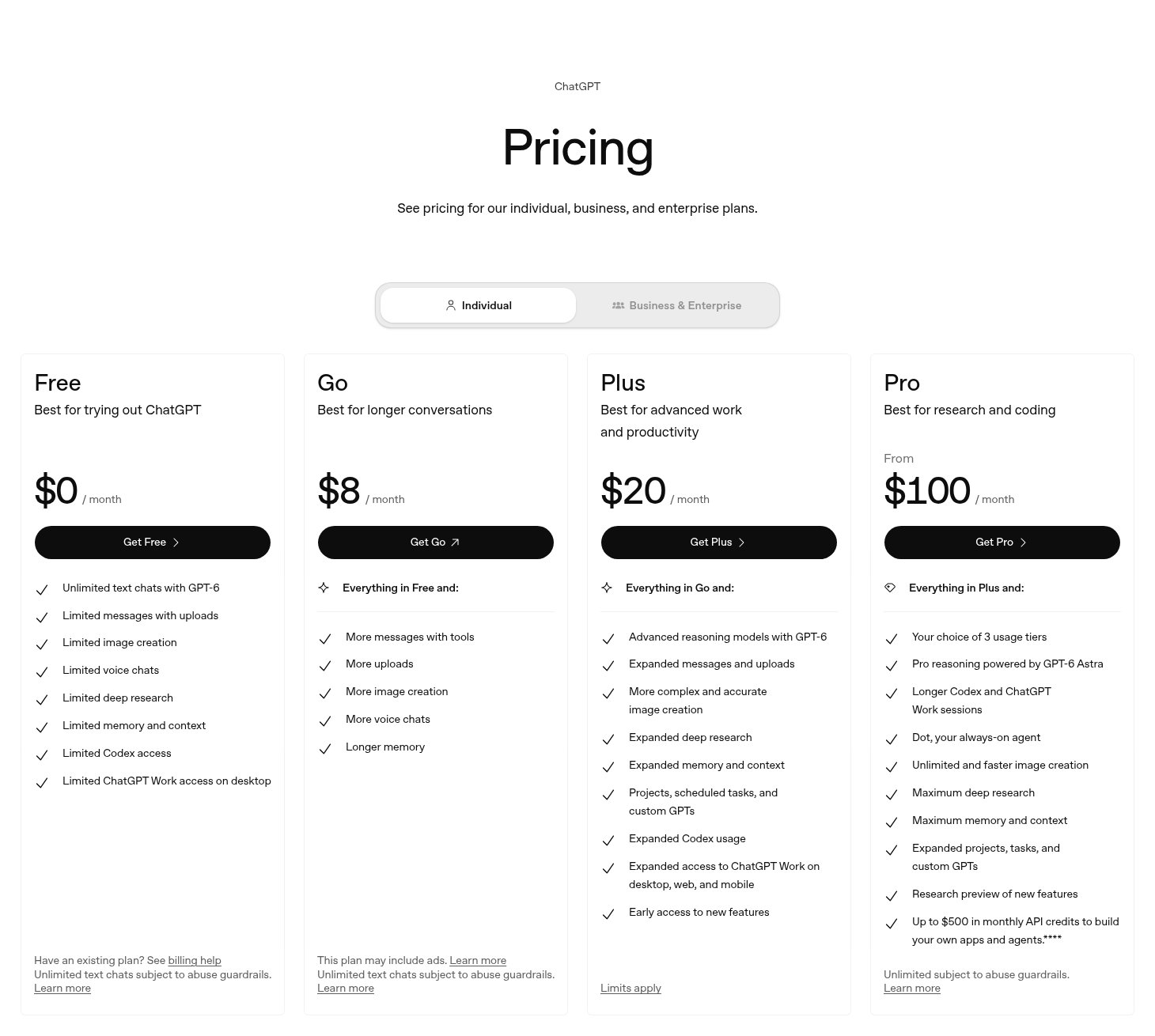
Codex is included in every ChatGPT plan. Here are the pricing plans:
- Free: $0
- Go: $8/month
- Plus: $20/month
- Pro: From $100/month
- Business: $25/seat/month, or $20/seat/month billed annually
- Enterprise: Custom pricing
Check out Codex's pricing page to learn more about what each plan has to offer.
OpenAI Codex reviews
Here's what users say about Codex:
- G2: 4.8/5 star rating (from +8 user reviews)
- Product Hunt: 5/5 star rating (from +21 user reviews)
4. LangChain
- Best for: Developers building custom agent harnesses around their own tool stack and workflows
- Pricing: Has a free plan, then starts at $39/seat/month
- What I like: Total customizability, plus tracing and evals in LangSmith
LangChain is a framework for developers to help them create AI agents by connecting LLMs and tools. It's essentially a harness for developers to build their own agent harnesses around their existing tool stack and workflows.
It's mostly built for developers who are building these agent loops but don't want to do all the plumbing themselves. The platform gives you a path to building pretty complex workflows because LangChain agents run on LangGraph. You can incorporate an agent into a larger workflow when you need persistent states, branching, or even human intervention.
This is really for developers who are building custom harnesses for their own internal tooling. It's not as easily plug and play as the tools we've gone over so far.
Some things I like about LangChain:
- If you're an engineer and you need total customizability, this is the platform for you. It's purely built for developers and highly technical individuals.
- With LangSmith, you can trace model calls and tool calls, see what prompts are being inputted, and run evals.
- There are built-in agent loops you can start with, which are essentially starting points or templates for building agents in the harness. It helps speed up the development process by giving you templates for certain components you'd need throughout your build.
Some things I don't like about LangChain:
- It's a very complex platform, and LangChain has a ton of different products. It can take some time to understand what each product does and how they all relate to each other.
- Because it's fully customizable, there are a lot more abstractions. You have to really map out everything an agent can do within its environment, which is essentially the harness you're building. You have to know all the different states, custom behaviors, and edge cases, and continue to iterate on your harness over time.
- You have to maintain and manage your harness when building something custom like this, which is why some companies default to using Gumloop or Claude as their harness for knowledge workers, where they don't want engineering overhead.
LangChain pricing
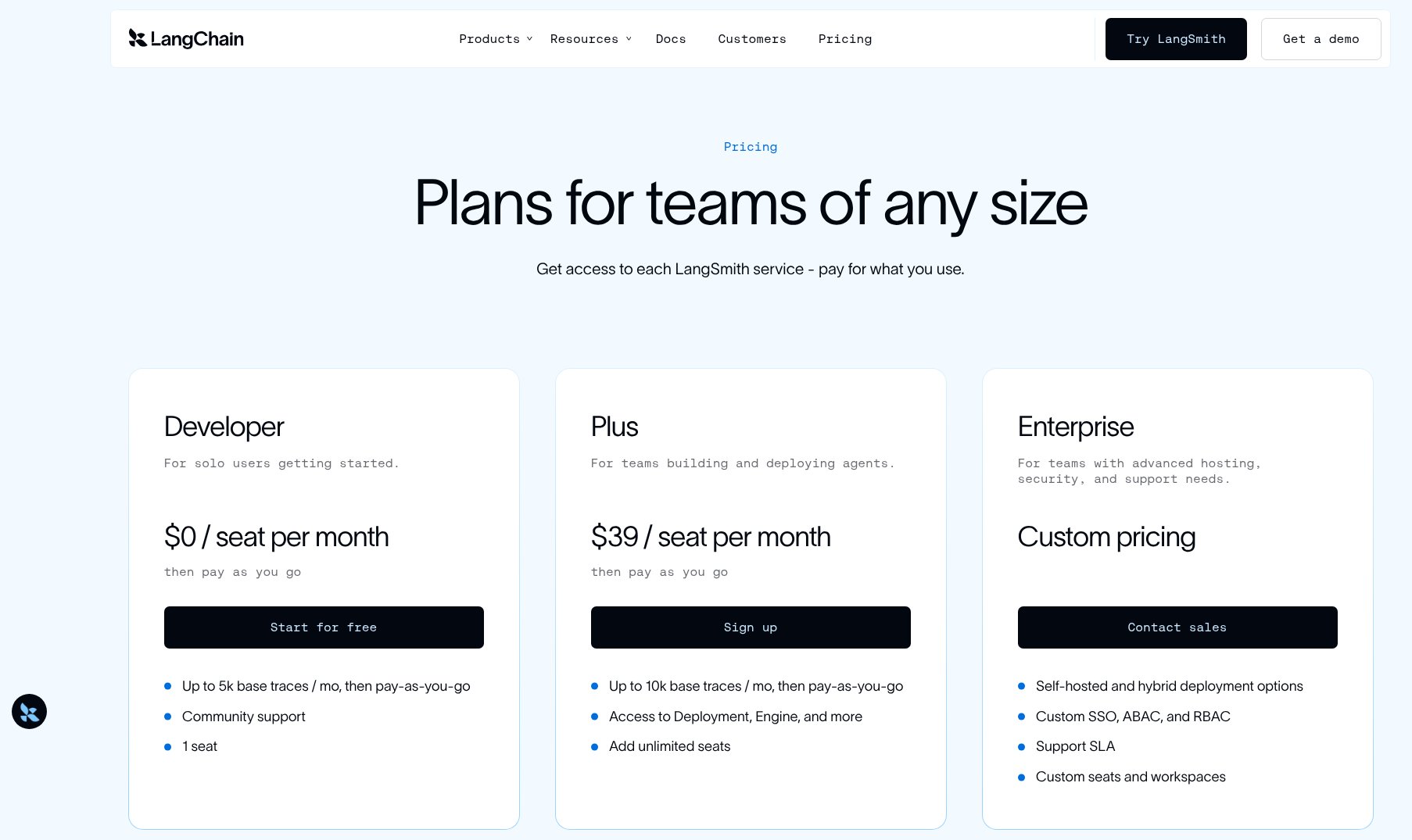
The LangChain framework is free and open source. Here are the pricing plans for LangSmith:
- Developer: $0 for 1 seat, with 5k traces/month
- Plus: $39/seat/month, with 10k traces/month
- Enterprise: Custom pricing
Check out LangChain's pricing page to learn more about what each plan has to offer.
LangChain reviews
Here's what users say about LangChain:
- G2: 4.7/5 star rating (from +40 user reviews)
- Product Hunt: 5/5 star rating (from +105 user reviews)
5. Cursor
- Best for: Developers building coding agents or custom harnesses, from indie devs to enterprise teams
- Pricing: Has a free plan, then starts at $8/month
- What I like: One of the best coding agent harnesses, and it's fully LLM agnostic
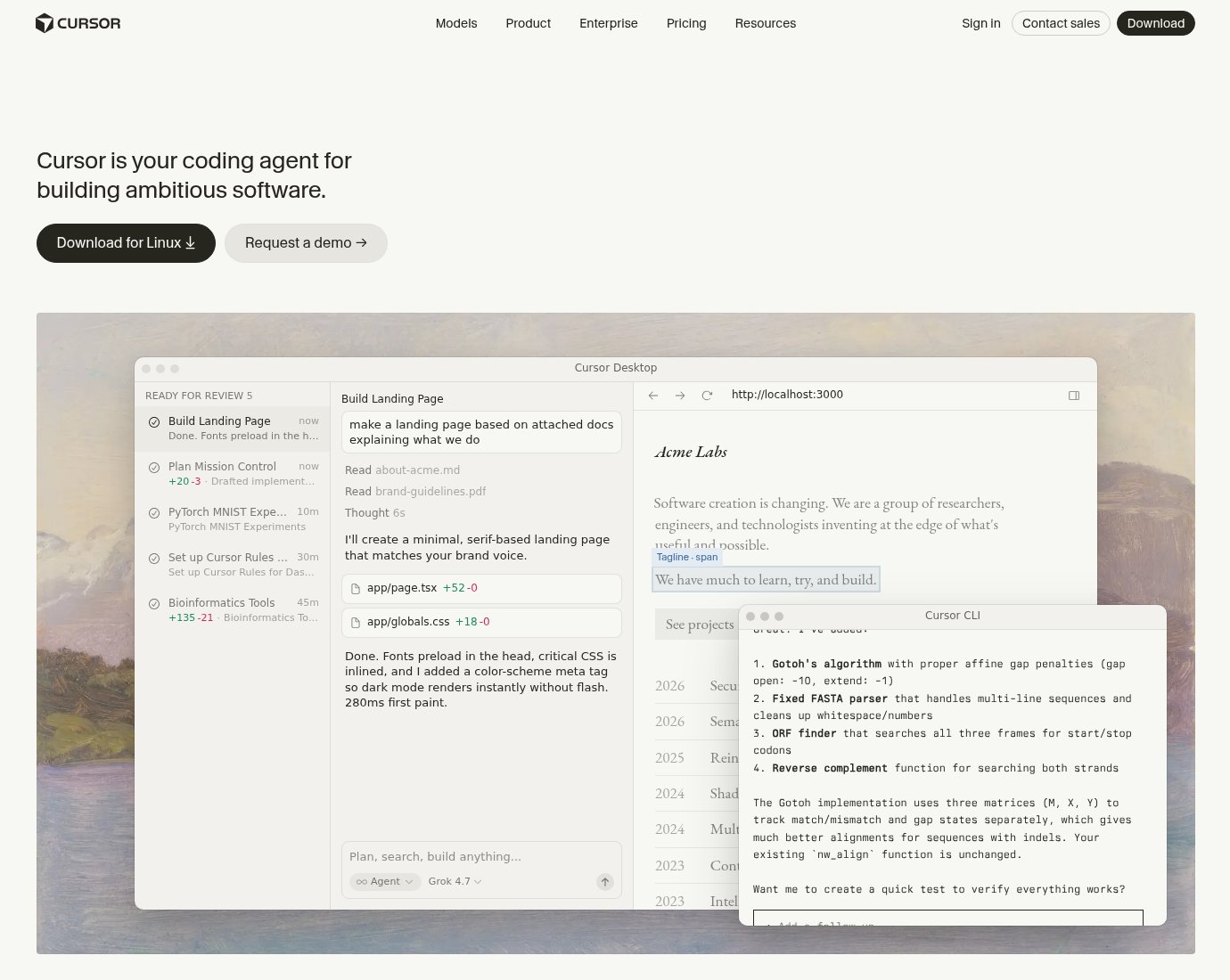
Traditionally, Cursor has been an AI-powered IDE for developers, but they've also expanded to agents after the SpaceX AI acquisition. And they now released Grok Bot, which is their own agent builder, with Cursor as the harness to build agents.
Similar to Claude and ChatGPT, where they have a harness for developers as well as one for knowledge workers, Cursor has its Cursor platform for developers and Grok Bot for non-technical knowledge workers.
It has a great harness for Grok models through Grok Bot, giving you access to cloud agents, which are like your team of agents that can work on tasks in parallel. Cursor, on the other hand, is fully LLM agnostic, so you can use OpenAI, Anthropic, Gemini, and Grok models as well.
If you're looking for a totally custom platform to build your own harness, or even to vibe code your own harness (don't recommend), Cursor is a platform you can use. It's used by everyone from indie developers all the way to companies like NVIDIA, Figma, Stripe, and many more.
Some things I like about Cursor:
- I think it's probably one of the best coding agent harnesses. If you're building coding agents, that's probably the best use case for it.
- It's built on top of Visual Studio Code, so you get access to tons of plugins that have existed, plus tons of plugins within the marketplace.
- It's fully customizable and flexible, so if you're a developer or a vibe coding enthusiast, you'll definitely have a lot of fun. I know I have building with Cursor.
Some things I don't like about Cursor:
- It takes a learning curve to understand Cursor as a product and how its agent platform is different from its IDE platform. It feels like they're pushing their agent stuff a lot more these days.
- It's not the best if you want a turnkey harness platform. Similar to LangChain, you're building from scratch.
- It's probably not the best for knowledge work, but it is really great for coding work.
Cursor pricing
Here are Cursor's pricing plans:
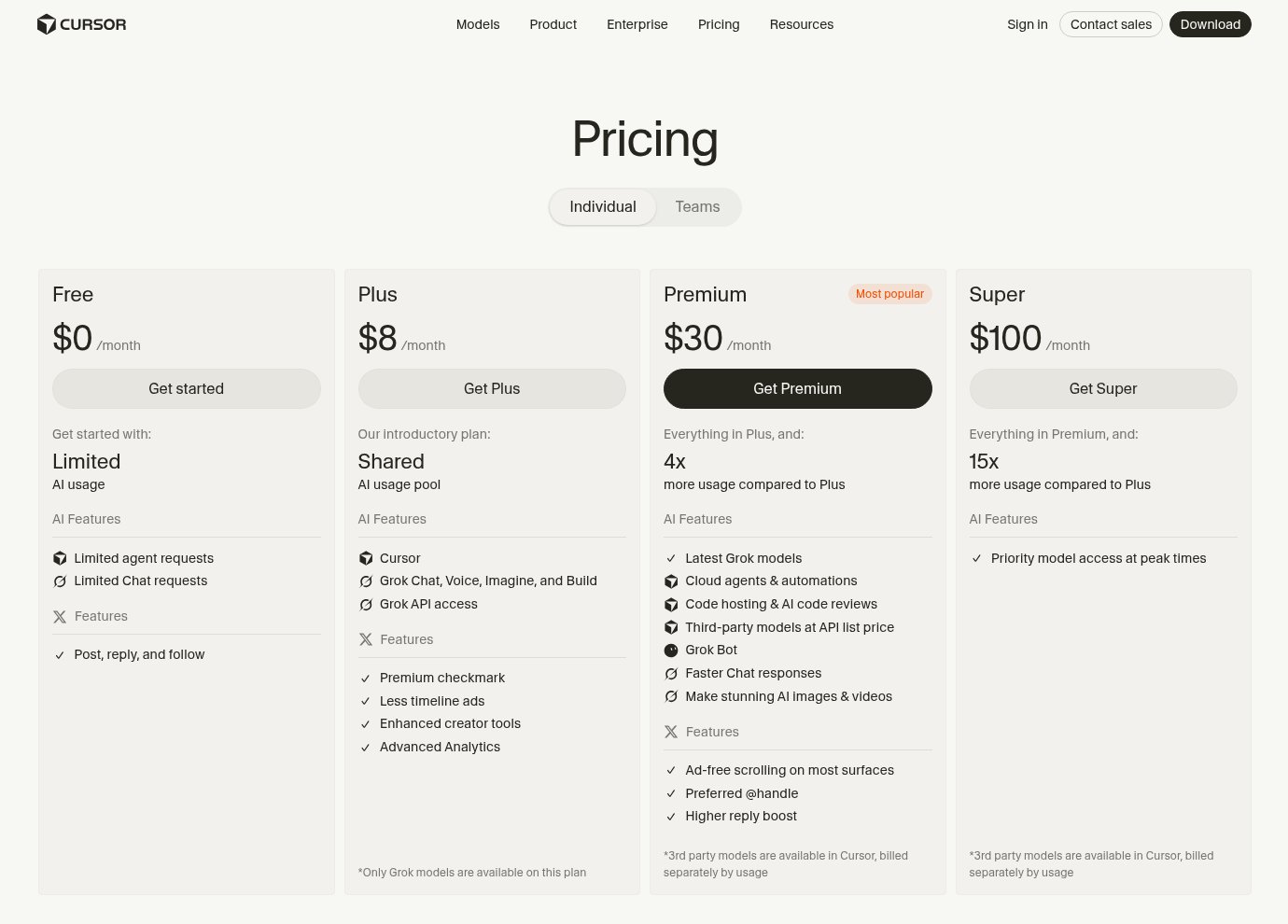
- Free: $0, with limited AI usage
- Plus: $8/month, Grok models only
- Premium: $30/month, adds cloud agents, automations, and Bugbot code reviews
- Super: $100/month, with 15x more usage than Plus
- Ultra: $200/month, with 50x more usage than Plus
- Teams: From $30/user/month
- Enterprise: Custom pricing
Third-party models (OpenAI, Anthropic, Gemini) are billed separately at API list price. Check out Cursor's pricing page to learn more about what each plan has to offer.
Cursor reviews
Here's what users say about Cursor:
- G2: 4.7/5 star rating (from +300 user reviews)
- Product Hunt: 5/5 star rating (from +900 user reviews)
6. Microsoft Copilot
- Best for: Companies that are deeply integrated into Microsoft 365
- Pricing: Starts at $6.99/month
- What I like: It has context across all of your Microsoft tools, and that context builds the more you use it
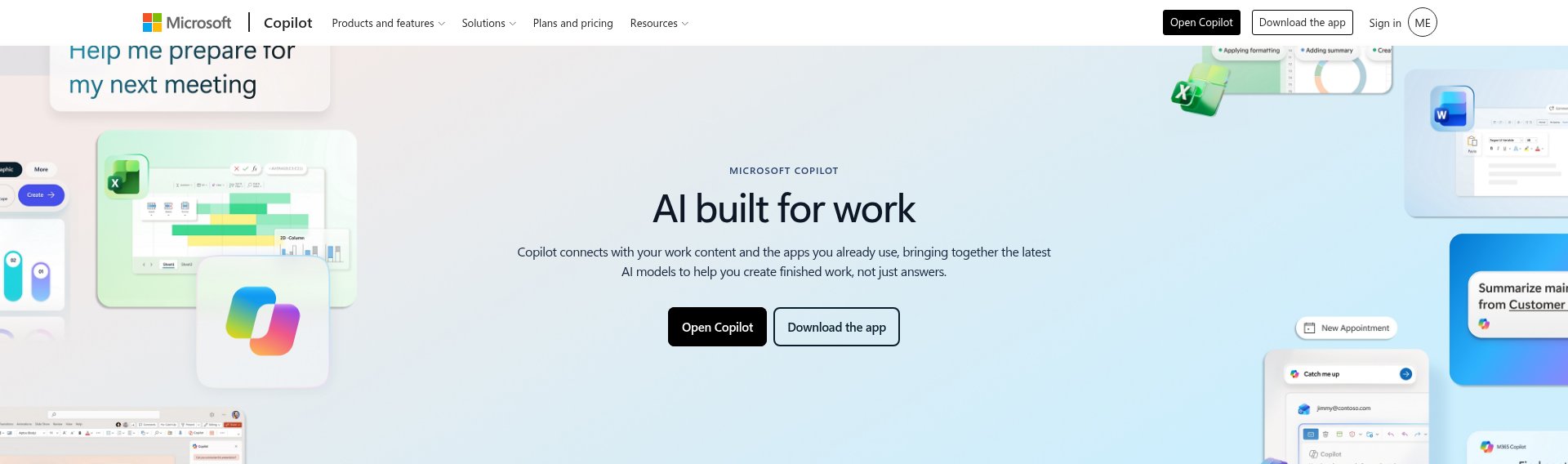
Microsoft Copilot is the AI assistant built by Microsoft that can connect to the Microsoft ecosystem. You can think of it as an agent copilot for bringing AI into Microsoft products like Word, Excel, Outlook, and Teams.
It is one of the best platforms if your company is deeply integrated into Microsoft 365. Rather than being a developer framework for building an agent harness, it's more of a full end user experience and assistant, built best for those who use existing Microsoft products. This means that it can meet a lot of people where they're already at.
Some things I like about Microsoft Copilot:
- If you're using Word, Outlook, and Excel, and managing meetings and calendars through Teams, it has context across all of your Microsoft tools. The more you use it, the more context it builds.
- It's a very simple assistant that can evolve into helping you build agents across your Microsoft 365 tools.
Some things I don't like about Microsoft Copilot:
- It's deeply integrated with only Microsoft tools. There are other agent harnesses on this list that would be better if you use a wide range of tools outside of the Microsoft ecosystem. For example, I would not recommend this if you use Slack for communications at your company.
- The features can feel limited depending on your plan. Things like what connections and integrations you can have, usage allowance, and access to work data all vary by subscription.
Microsoft Copilot pricing
Here are Microsoft Copilot's pricing plans:
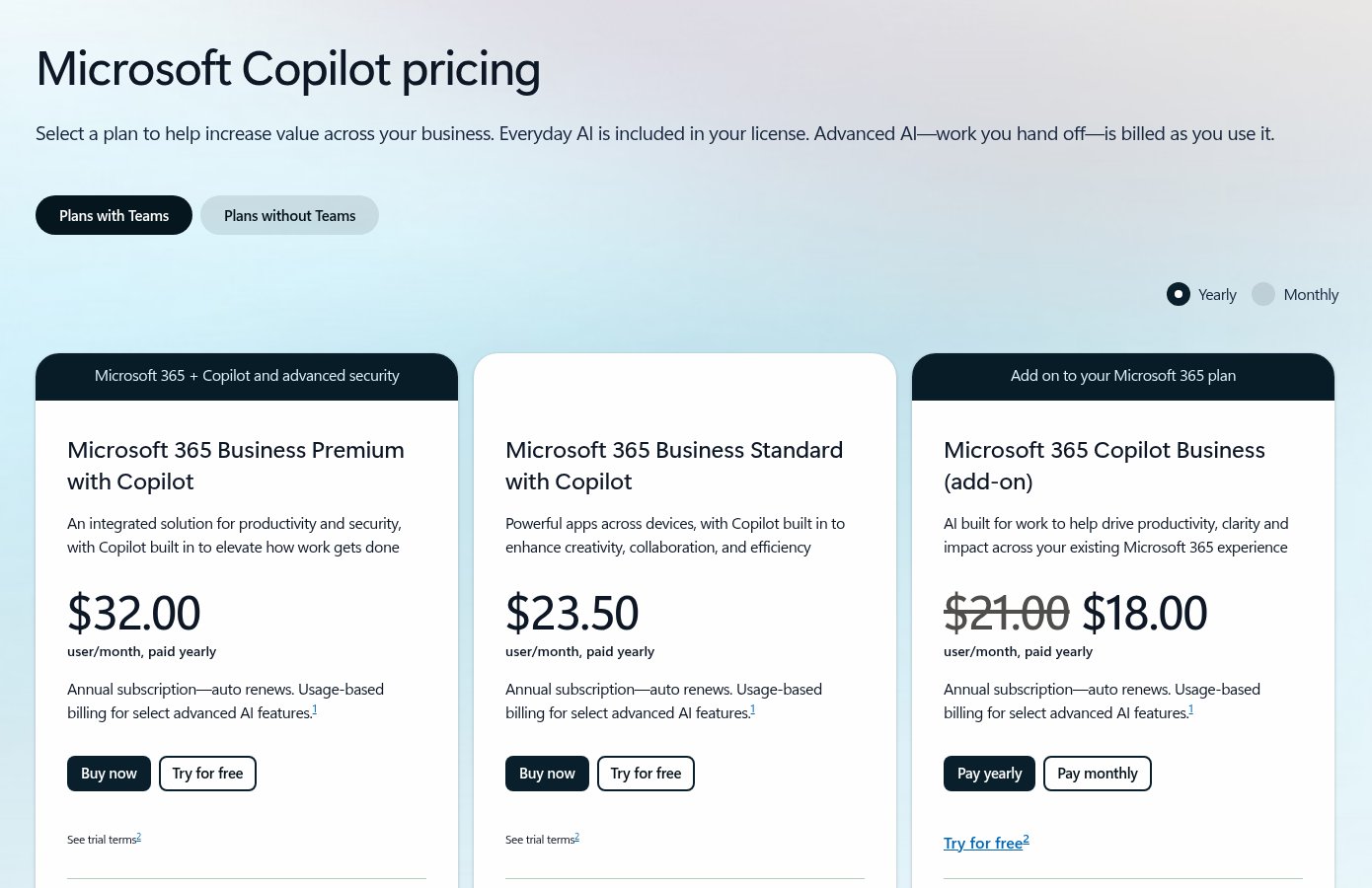
- Individuals: From $6.99/month, with Copilot, Microsoft 365 apps, and cloud storage
- Business: From $23.50/user/month, paid yearly, adds Work IQ, identity management, and security
- Enterprise: From $30/user/month, paid yearly, adds Copilot Studio and enterprise-grade security
Check out Microsoft Copilot's pricing page to learn more about what each plan has to offer.
Microsoft Copilot reviews
Here's what users say about Microsoft Copilot:
- G2: 4.4/5 star rating (from +340 user reviews)
- Software Advice: 4.5/5 star rating (from +27 user reviews)
7. OpenHands
- Best for: Engineering teams that want a software factory for PR reviews, CI fixes, and code maintenance
- Pricing: Has a free open source version, then starts at $500/month
- What I like: Fully open source, with human-in-the-loop controls and approval policies
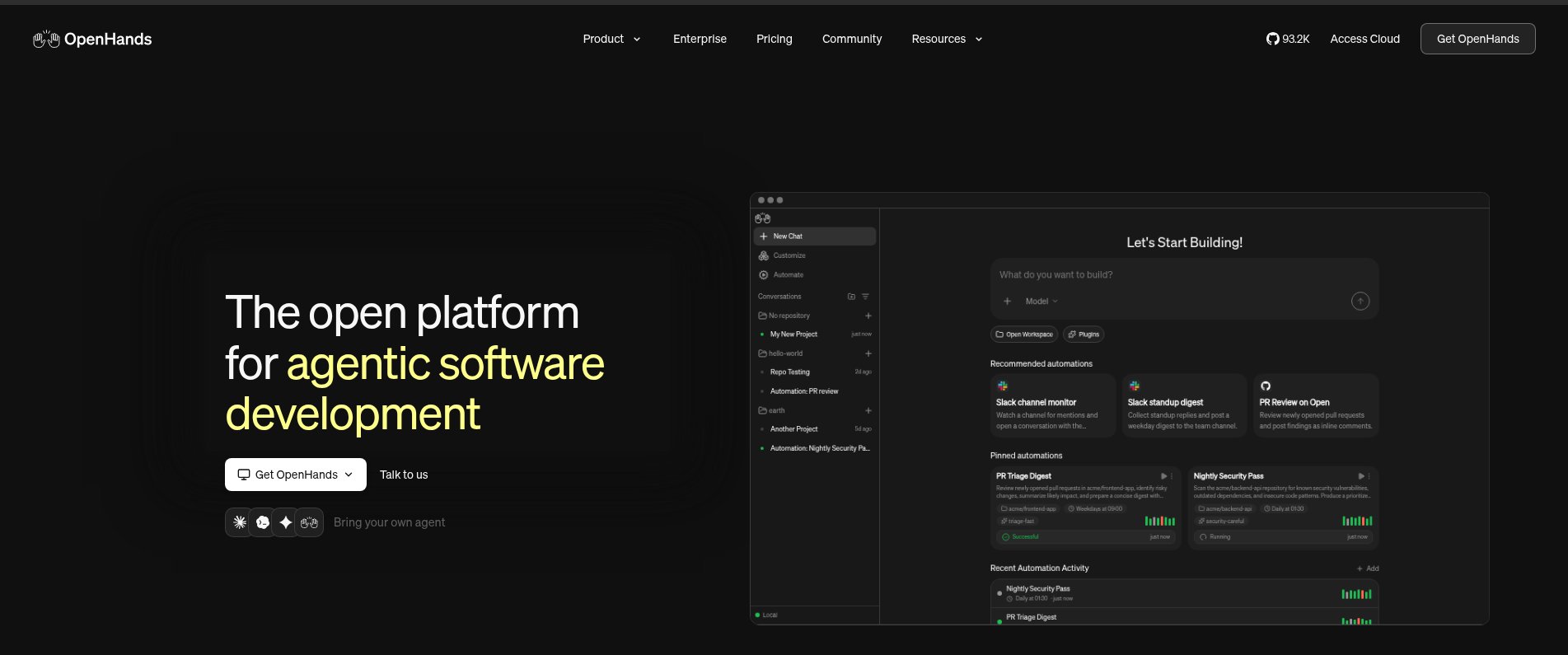
OpenHands is an open source tool for software developers building with coding agents. The coding harness allows agents to analyze files, edit code, run commands, run tests, and even tell you what to do next. You can think of it as a software factory.
OpenHands has the harness built around different approval controls, conversation states, tools, and execution environments. The model can make decisions, while OpenHands manages how to execute on those decisions. You can run Claude Code or Codex inside of OpenHands, or use the OpenHands harness on its own platform.
It can integrate with tools like GitHub, Slack, Jira, and Linear to create different automations that trigger for PR reviews or pushing new code.
It's great for engineering teams that want to accelerate the rate at which they push PRs for maintaining their products, so they can focus more on other areas of building out their software.
Some things I like about OpenHands:
- It has a full closed loop environment for running coding agents to create a software factory.
- Because it's built on an open source foundation, it gives engineers complete flexibility to host it locally or use self-hosted deployment options.
- It lets you include human-in-the-loop steps, sandboxed execution, and configurable approval policies, so you can set exactly the controls you want on the human-in-the-loop side of things.
Some things I don't like about OpenHands:
- If it's just yourself, there's a lot to maintain. It's not as simple as a plug-and-play agent harness.
- It is an open source tool, so some of the safety controls may not always be a guarantee, and some things can be exposed to agents. You should definitely read their docs.
OpenHands pricing
Here are OpenHands' pricing plans:
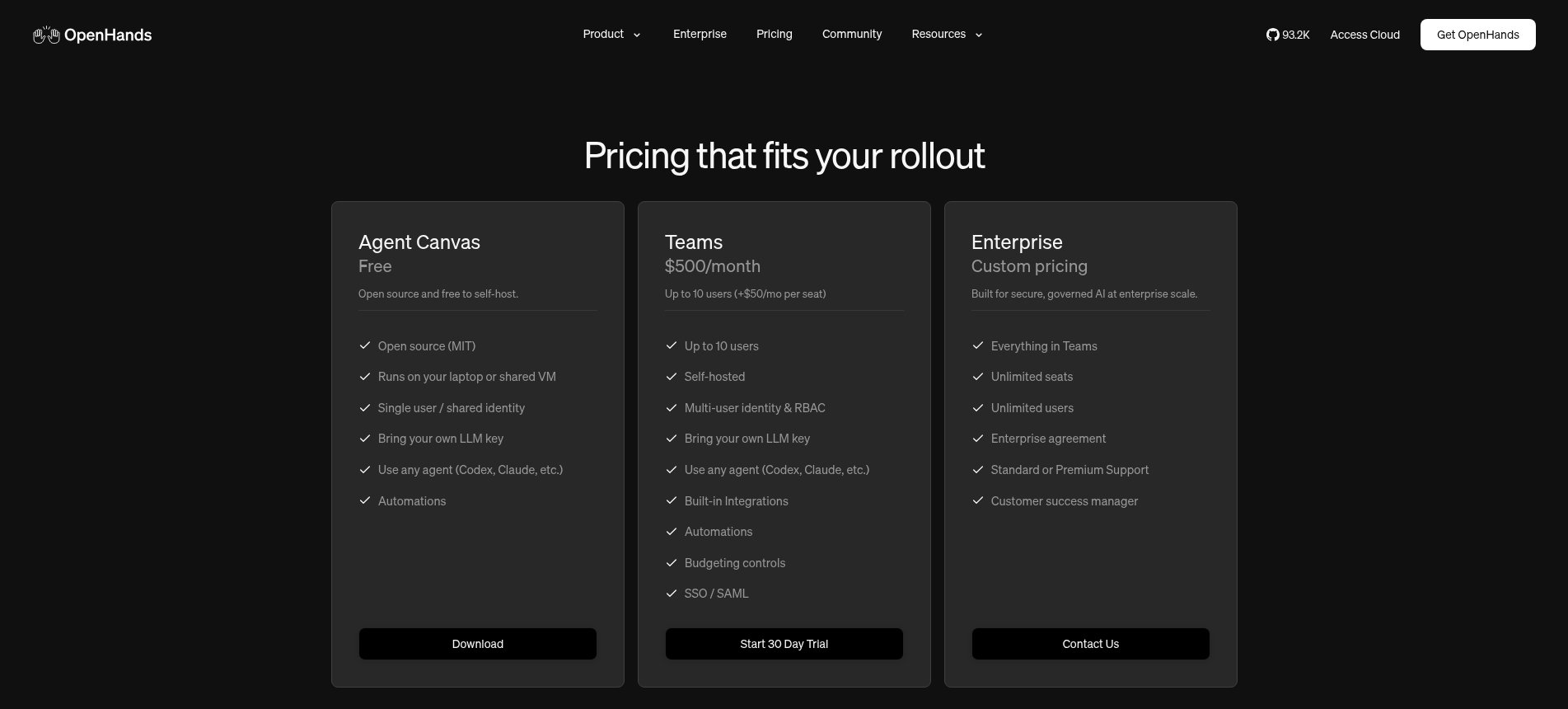
- Open source: Free to self-host
- Teams: $500/month for up to 10 users ($50/month per extra seat), with a 30-day free trial
- Enterprise: Custom pricing
Check out OpenHands' pricing page to learn more about what each plan has to offer.
OpenHands reviews
OpenHands doesn't have enough reviews on G2 or Product Hunt yet, but it has 93K+ stars on GitHub.
Which agent harness should you pick?
It really comes down to two things I covered earlier. Who's going to use it, and how much you want to maintain.
If your team is non-technical and wants to automate knowledge work across marketing, sales, HR, or ops, go with a plug-and-play harness. Gumloop if you need any LLM, a ton of connectors, and the security controls your IT team will ask for. Claude if you're a solo operator or small team. And Microsoft Copilot if your company basically lives in Microsoft 365.
If you're technical and building coding agents, Cursor and Codex are the easiest places to start. If you want to build your own harness from scratch, LangChain or OpenHands will give you full control. Just know you're signing up to maintain it.
Personally, I use more than one. My SEO factory runs in Gumloop, and I'll jump into Claude or Cursor when I'm building something myself.
A few years ago, we were all making fun of ChatGPT wrappers. Now the wrapper is where the actual work gets done. Funny how that works.

Read related articles
Check out more articles on the Gumloop blog.