5 Appsmith alternatives and competitors in 2026

When I started researching Appsmith alternatives, I assumed most of the platforms would look fairly similar.
After all, they’re trying to solve the same broad problem of helping teams build internal tools, only faster. But the more time I spent comparing them, the clearer it became that they're all taking very different approaches.
Of course, Appsmith has earned a strong reputation as one of the leading open-source platforms for building internal tools. It's flexible, developer-friendly, and gives teams a huge amount of control over how applications are built and deployed.
And for plenty of organizations, that's exactly what they're looking for.
But the more I looked at it alongside the rest of the market, the less convinced I became that flexibility is always the deciding factor here.
Some teams eventually realize they'd rather move faster with a simpler no-code platform. Others discover they need stronger enterprise governance, AI-powered automation, or perhaps a platform that's designed around building business applications rather than developer workflows.
Because of this, people don't usually end up comparing Appsmith with just one competitor; instead, they look at it against other platforms that solve the same problem, just in very different ways.
So rather than limiting this list to the most obvious competitors, I've included a mix of platforms that I think are genuinely worth evaluating depending on what your team needs.
I'll walk you through the Appsmith alternatives I think are genuinely worth considering, where each one stands out, and the tradeoffs I'd be weighing before making a decision.
How I evaluated these Appsmith alternatives
It's easy to compare platforms by ticking off feature lists.
Every product has integrations; most support internal tools. Nearly all promise to help teams build applications faster.
So, I don't think that's the most useful way to evaluate the software.
Instead, I wanted to understand where each platform genuinely stands out, what compromises it makes, and which types of teams it's actually built for. The best Appsmith alternative for a small product team probably isn't the same one an enterprise engineering organization would choose.
With that in mind, here's what I focused on while comparing each tool:
- Who is this platform actually built for? Is it aimed at developers, business users, or teams that need a mix of both?
- How quickly can you build something useful? I looked at how fast each platform can take an idea from concept to a working internal application.
- How much flexibility do you really get? Can the platform handle more complex requirements as your applications evolve?
- Will it work with your existing tech stack? Integrations with databases, APIs, and business systems were a big part of my evaluation.
- Does AI genuinely improve the experience? I wanted to separate meaningful AI capabilities from features that simply felt like they were there to tick the artificial intelligence box.
- Can it scale with your organization? That includes governance, security, deployment options, and collaboration features for larger teams.
- Will the pricing still make sense a year from now? Rather than looking at the cheapest starting price, I considered how each pricing model scales as teams and usage grow.
5 Appsmith alternatives and competitors in 2026
By the end of my research, I'd stopped thinking about these as five versions of the same product.
They may all appear in lists of Appsmith alternatives, but that's where many of the similarities end. Each platform has its own philosophy, target audience, and strengths, which is exactly why I think they're worth considering.
The five platforms below are the ones I'd be looking at if I were choosing an Appsmith alternative today. You'll find a mix of direct competitors alongside tools that tackle the same underlying problem in a completely different way, which, depending on your priorities, could make them an even better fit.
Alright, let's go over each one.
1. Budibase
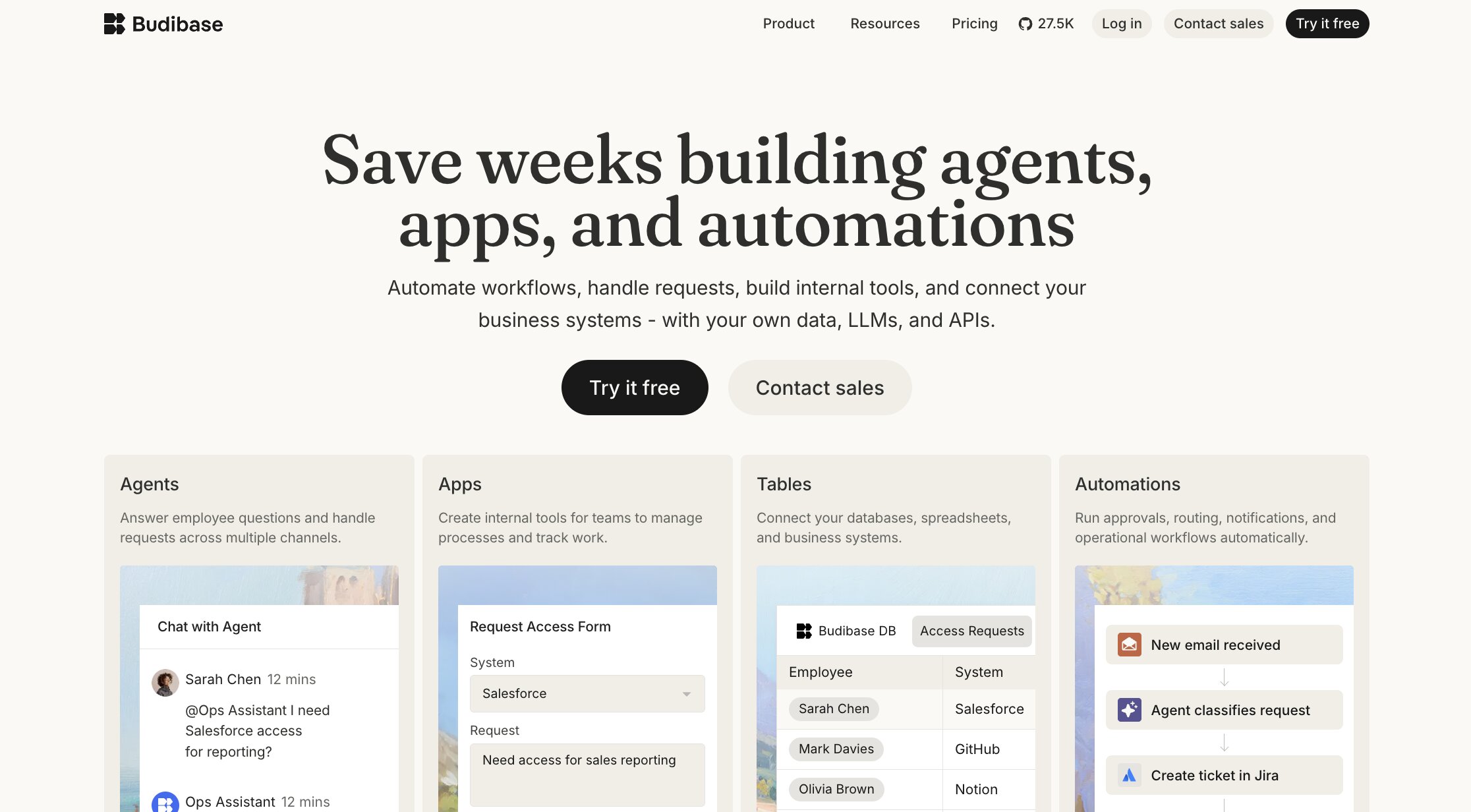
- Best for: Teams that want to build internal tools quickly without sacrificing flexibility
- Pricing: 14-day free trial available, with paid plans starting at $19/month
- What I like: It strikes a really nice balance between developer control and ease of use
If I were choosing between Appsmith and Budibase today, the decision would probably come down to how much flexibility I actually need.
Both platforms are designed to help teams build internal tools, dashboards, admin panels, and business applications. They also share a lot of the same strengths, including low-code development, self-hosting options, and the ability to connect to existing databases and APIs.
Compared with Appsmith, it feels a little less intimidating when you're starting from scratch. The interface is easy to navigate, many of the core building blocks are already in place, and it doesn't take long before you have something functional to work with.
That doesn't mean it's only aimed at non-technical users.
Developers still have plenty of control over data sources, business logic, automations, and deployment. It simply feels like Budibase does a little more of the heavy lifting, allowing teams to spend less time on setup and more time refining the application itself.
I also like the direction Budibase is taking with AI. Rather than treating it as a standalone feature, the platform is increasingly weaving AI agents and automation into the broader application-building experience, giving teams another way to streamline operational work.
If your team likes what Appsmith offers but wants a platform that's a little easier to get started with, Budibase is one of the strongest alternatives I'd recommend.
Budibase key features
Some things I like about Budibase:
- Low-code platform for building internal tools and business applications
- Visual app builder with drag-and-drop components
- Built-in automation workflows and AI agent capabilities
- Support for SQL databases, REST APIs, and external data sources
- Cloud and self-hosted deployment options
- Role-based permissions and user management
- Open-source edition for self-hosting
Here are some things that could be improved:
- Fewer advanced customization options than some developer-first platforms
- AI capabilities are still evolving
- Smaller third-party ecosystem than more established competitors
Budibase pricing
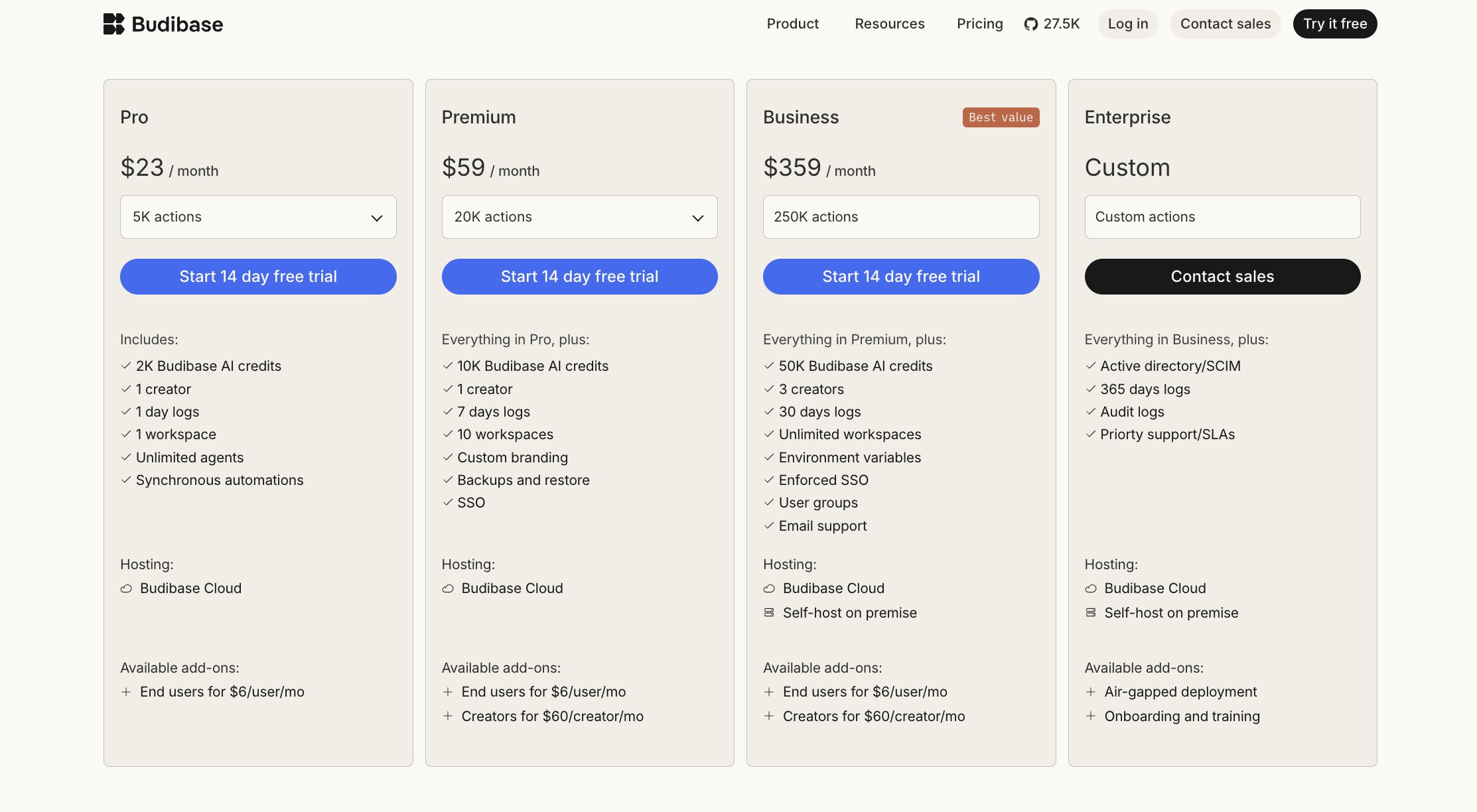
Current pricing includes:
- Pro: Starts at $19/month
- Premium: Starts at $49/month
- Business: Starts at $299/month
- Enterprise: Custom pricing
All paid cloud plans include a 14-day free trial, while teams that prefer to self-host can use the open-source edition at no cost. That flexibility is something I really like because it gives organizations multiple ways to adopt the platform depending on their infrastructure and budget.
You can view the full pricing breakdown on Budibase's pricing page.
Budibase reviews
Here's how customers rate Budibase on third-party review platforms:
- G2: 4.5 out of 5 star rating (from 67+ user reviews)
- Product Hunt: 5 out of 5 star rating (from 4+ user reviews)
Reading through Budibase reviews, I got the impression that the platform delivers on what it promises. Many users talk about how quickly they were able to build internal tools, while the open-source model is another recurring positive. Where opinions are more mixed, it's usually around the size of the ecosystem and the level of customization available compared with more developer-first platforms.
2. Gumloop

- Best for: Teams that want to automate business processes with AI instead of building another internal tool
- Pricing: Free plan available, with paid plans starting at $37/month
- What I like: It encourages you to rethink whether building another application is actually the best solution
I found myself asking a slightly different question while looking at Gumloop.
What if building another internal tool isn't the answer here?
Yes, Appsmith is brilliant at helping teams build dashboards, admin panels, and internal applications. But if the real objective is to eliminate repetitive work, connect disconnected systems, or automate operational processes, creating another application isn't always the most efficient way to get there.
That's where Gumloop takes a very different stance.
Instead of giving you the building blocks to create internal software, Gumloop focuses on creating AI agents that can complete work on your behalf. That might mean extracting information from documents, updating CRMs, researching prospects, enriching data, processing invoices, or orchestrating work across multiple business systems.
I also know Gumloop lowers the barrier to automation in a different way.
With Appsmith, you're designing the interface that people interact with. With Gumloop, you're designing the workflow itself. In many cases, the people using the automation never need to think about the underlying process because the work simply happens in the background.
That distinction became more important the longer I spent comparing the platforms.
Your operations team may spend hours every week pulling information from different systems, categorizing support tickets, updating records, or preparing reports. You could build an internal application to support those processes. Or you could automate much of that work altogether.
For teams trying to reduce manual effort rather than build custom software, I think that's an important distinction.
If your priority is automating work instead of creating another internal application, Gumloop is one of the most useful Appsmith alternatives available.
Gumloop key features
Some things I like about Gumloop:
- Agentic AI workflow builder
- Hundreds of pre-built nodes for AI, web browsing, documents, databases, and business applications
- Support for multi-step workflows with branching logic
- Built-in AI models alongside support for external LLM providers
- Native integrations with popular business tools and APIs
- Workflow templates to accelerate common automation use cases
- Team collaboration and shared workflow management
Here are some things that could be improved:
- Less suited to teams primarily looking to build traditional internal applications
- More specialized in AI workflows than general-purpose app development
- Newer platform with a smaller ecosystem than longer-established competitors
Gumloop pricing

Current pricing includes:
- Free: 5k credits/month
- Pro: Starts at $37/month
- Enterprise: Custom pricing
The Pro plan includes unlimited seats, unlimited teams, team usage analytics, app policies and guardrails, and MCP server hosting and proxying. That makes it much more collaboration-friendly than pricing models that charge heavily per user.
You can view the full pricing breakdown on Gumloop's pricing page.
Gumloop reviews
Here's how customers rate Gumloop on third-party review platforms:
- G2: 4.8 out of 5 star rating (from +7 user reviews)
- Product Hunt: 5 out of 5 star rating (from +9 user reviews)
For a platform with a relatively small review base, Gumloop leaves a remarkably consistent impression. Early adopters frequently talk about how quickly they were able to build AI-powered workflows and automate real business processes without a traditional development background. The few criticisms I came across were generally requests for the platform to continue expanding its integrations and capabilities as it matures.
3. Retool

- Best for: Teams building sophisticated internal tools that need to scale across the business
- Pricing: Free plan available, with Team plans starting at $10/month per builder + $5/month per internal user
- What I like: It feels like a platform that's been refined by years of real-world enterprise use.
Retool gave me a different impression to both Budibase and Gumloop.
Rather than trying to simplify application development or rethink it entirely, Retool feels focused on helping technical teams build production-ready internal software as efficiently as possible.
Compared with Appsmith, I don't think either platform has a clear advantage when it comes to core functionality. Both are capable of building dashboards, admin panels, customer support tools, and operational applications that connect to databases, APIs, and internal systems.
Retool has clearly invested far beyond the application builder itself. Governance, security, deployment options, AI-powered development, workflows, mobile apps, and integrations all feel like they've been refined over years of enterprise use.
I also came away feeling that Retool expects a little more technical confidence from its users than some of the other platforms on this list. That's not necessarily a downside. If your team is comfortable working with JavaScript, SQL, and APIs, that extra flexibility gives you a huge amount of control over how applications behave.
For organizations building business-critical internal software that needs to grow over time, I think Retool is one of the strongest Appsmith alternatives.
Retool key features
Some things I like about Retool:
- Low-code platform for building internal apps, workflows, agents, and portals
- Extensive library of database, API, and SaaS integrations
- AI-assisted application development
- Workflow automation and backend orchestration
- Mobile application support
- Granular permissions, governance, and audit logging
- Cloud, self-hosted, and hybrid deployment options
Here are some things that could be improved:
- Better suited to technical teams than complete beginners
- Seat-based pricing can become expensive as adoption grows
- Advanced applications often require JavaScript or SQL knowledge
Retool pricing

Current pricing includes:
- Free: $0 for developers and early exploration
- Team: Plans start at $10/month per builder + $5/month per internal user
- Business: $50/month per builder + $15/month per internal user
- Enterprise: Custom pricing
One thing worth paying attention to is how Retool structures its pricing. Rather than charging a single flat fee, plans are based on different user types and capabilities. That gives organizations more flexibility, but it's worth understanding how builders, internal users, and enterprise features fit together before estimating long-term costs.
You can view the full pricing breakdown on Retool's pricing page.
Retool reviews
Here's how customers rate Retool on third-party review platforms:
- G2: 4.6 out of 5 star rating (from 359+ user reviews)
Product Hunt: 4.8 out of 5 star rating (from 33+ user reviews)
Retool's reviews feel noticeably different from many of the other platforms here. The conversation tends to revolve around productivity rather than simplicity. Teams consistently describe shipping internal tools much faster than they could with traditional development, while still retaining the flexibility to customize applications when needed. The trade-off comes in the form of a steeper learning curve, particularly for people without experience working with JavaScript, SQL, or APIs.
4. Superblocks
- Best for: Organizations that want to standardize how internal applications are built and managed
- Pricing: 14-day free trial available, with Teams plans starting at $100/month per AI Builder (billed annually)
- What I like: It feels purpose-built for engineering organizations thinking beyond individual applications.
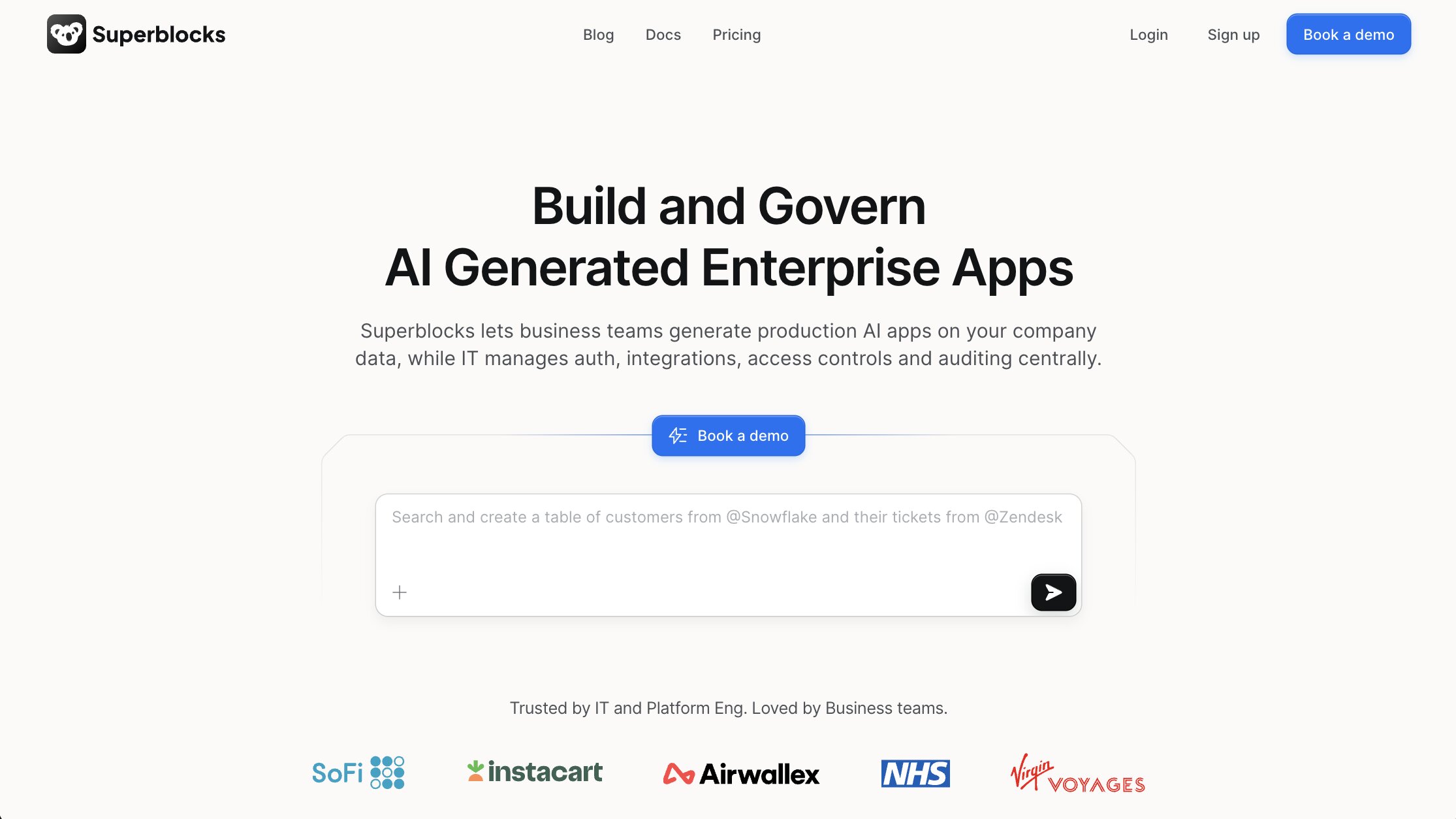
Superblocks feels like a platform that's been designed with large engineering organizations in mind.
Superblocks encourages teams to work from a shared foundation. Common components, governance controls, deployment practices, and AI-powered tooling all contribute to a more consistent way of building and maintaining internal software.
I can see why that would appeal to organizations where multiple teams are creating applications at the same time. Everyone is working within the same framework, making it easier to maintain standards as the platform grows.
I also think Superblocks has done a good job of recognizing where enterprise development is heading.
AI isn't treated as a bolt-on feature. Instead, it's become part of the development workflow itself, sitting alongside integrations, APIs, workflows, and application building rather than existing as a separate capability.
If your organization is investing in internal software for the long term and wants stronger consistency across teams, Superblocks is one of the most compelling Appsmith alternatives I'd be looking at.
Superblocks key features
Some things I like about Superblocks:
- Low-code platform for internal applications, workflows, and AI
- AI-powered development capabilities
- Shared components and reusable building blocks
- Enterprise governance and security controls
- Cloud, hybrid, and self-hosted deployment options
- Extensive integrations with databases, APIs, and business systems
- Collaboration features designed for larger engineering teams
Here are some things that could be improved:
- Better suited to larger organizations than smaller teams
- Enterprise pricing may be difficult to justify for lightweight projects
- More opinionated approach than platforms that prioritize maximum flexibility
Superblocks pricing
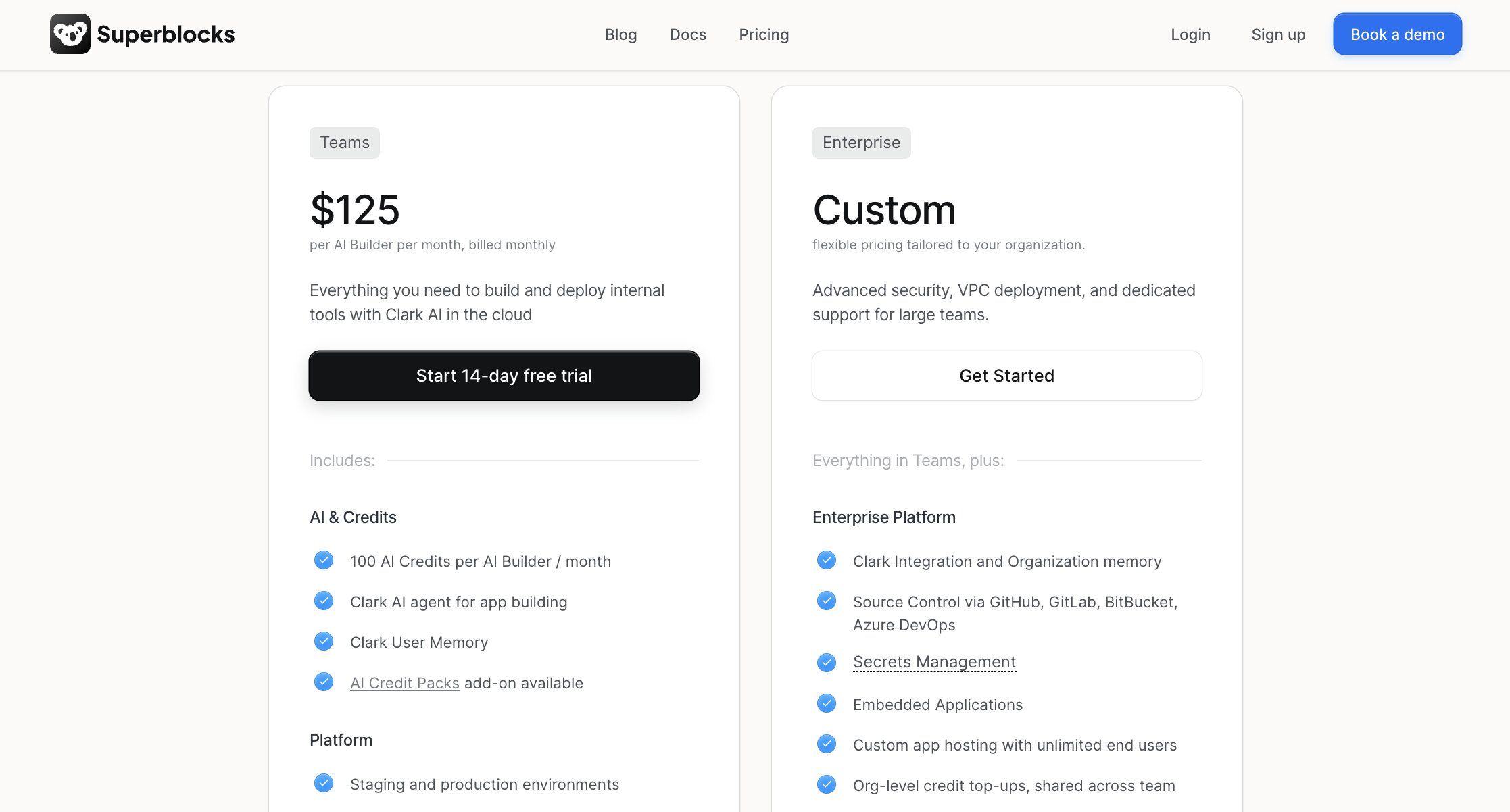
Current pricing includes:
- Teams: Starts at $100/month per AI Builder (billed annually)
- Enterprise: Custom pricing
Superblocks offers a 14-day free trial, allowing teams to evaluate the platform before committing. I also like that the pricing reflects its target audience. Rather than competing on entry-level cost, it's clearly designed for organizations that see internal software as a strategic capability rather than a collection of individual projects.
You can view the full pricing breakdown on Superblocks' pricing page.
Superblocks reviews
Here's how customers rate Superblocks on third-party review platforms:
- G2: 4.7 out of 5 star rating (from 190+ user reviews)
- Product Hunt: 5 out of 5 star rating (from 6+ user reviews)
Reading through Superblocks reviews, I got the sense that people know exactly why they chose it. Speed certainly comes up, but so do comments about governance, deployment flexibility, and building internal applications that can grow alongside the business. That combination gives the platform a very enterprise-focused feel.
5. Glide

- Best for: Business teams that want to build applications without relying heavily on developers
- Pricing: Free plan available, with paid plans starting at $199/month
- What I like: It removes a lot of the friction that usually comes with building internal software
Not every team looking at Appsmith has a room full of developers ready to build internal applications.
That's where Glide heads in a different direction.
The platform is designed to help operations teams, customer success managers, HR departments, project managers, and other business users create applications using the data they already have. Whether that's spreadsheets, databases, or connected business systems, Glide turns existing information into working software without requiring a traditional development process.
I also think Glide has one of the gentlest learning curves on this list.
Instead of asking users to think about application architecture, APIs, or custom code from day one, it encourages them to focus on the problem they're trying to solve. The result is a platform that feels approachable without being overly simplistic.
Of course, that comes with trade-offs.
Teams building highly customized internal software will eventually run into limitations that developer-focused platforms like Appsmith are better equipped to handle. But for many organizations, those advanced capabilities simply aren't necessary.
If your goal is to replace spreadsheets, modernize internal processes, or give business teams the tools to solve their own operational challenges, Glide is one of the strongest Appsmith alternatives worth considering.
Glide key features
Some things I like about Glide:
- No-code application builder designed for business users
- AI-powered app generation capabilities
- Support for spreadsheets, databases, and connected business data
- Responsive applications for desktop and mobile
- Built-in user authentication and permissions
- Large library of templates and reusable components
- Fast deployment with minimal technical setup
Here are some things that could be improved:
- Less flexibility than developer-first platforms
- Complex applications can eventually outgrow the platform
- Advanced customization often requires external tooling or workarounds
Glide pricing

Current pricing includes:
- Free: $0/month
- Business: Starts at $199/month
- Enterprise: Custom pricing
One thing I appreciated while looking at Glide's pricing is that it's easy to understand. Teams can start on the free plan, move into individual plans as projects grow, and only step up to Business or Enterprise when collaboration and governance become more important.
You can view the full pricing breakdown on Glide's pricing page.
Glide reviews
Here's how customers rate Glide on third-party review platforms:
- G2: 4.7 out of 5 star rating (from 817+ user reviews)
- Product Hunt: 4.9 out of 5 star rating (from 16+ user reviews)
The reviews paint a picture of a platform that's helped a lot of non-technical teams build software they previously wouldn't have attempted. Speed and ease of use appear throughout the feedback, but so does a healthy awareness of the platform's limits. As applications become more sophisticated, reviewers occasionally mention wanting greater flexibility and deeper customization.
Which Appsmith alternative should you choose?
By this point, you've probably realized there isn't a single ‘best’ Appsmith alternative.
The right choice depends much more on what you're trying to achieve than which platform has the longest feature list.
If you're still narrowing down your shortlist, here's where I'd start:
- Choose Budibase if you want a familiar internal app builder that's easy to adopt without giving up too much flexibility.
- Consider Gumloop if your biggest priority is automating repetitive business processes with AI rather than building another internal application.
- Retool is a great fit for organizations building sophisticated, business-critical internal software that needs to scale across multiple teams.
- Superblocks makes the most sense if you're looking to standardize how internal applications are built while strengthening governance and collaboration across engineering teams.
- Glide is well worth exploring if you want business users to create their own applications with minimal developer involvement.
For me, that's the biggest takeaway from researching Appsmith alternatives.
None of these platforms is trying to be a carbon copy of Appsmith. Each one takes a different approach to building, automating, or managing internal software. Once you're clear on the problem you're solving, narrowing down the shortlist becomes much easier.

Read related articles
Check out more articles on the Gumloop blog.