Apify vs Firecrawl: Which is better for web scraping in 2026?

How much web scraping infrastructure do you actually want?
I'll be honest, when you first put Apify and Firecrawl side by side, choosing between them feels harder than it probably should.
Both can scrape websites. Both can crawl pages. Both can handle dynamic content. And both can get web data into the applications you're building.
So where do you even start?
For me, things started to click once I looked at how I'd actually use each tool.
Apify gives you a lot to work with. There's a huge ecosystem of ready-made Actors for specific scraping and automation jobs; you can customize what's already there, build your own, and manage everything through the wider Apify platform.
Firecrawl feels more focused. You get search, scraping, crawling, and other web data capabilities through an API that's been designed specifically with AI applications and agents in mind.
And I think that's where the choice starts to get a lot easier.
If I had a very specific scraping job and wanted plenty of options for how to tackle it, I'd probably find myself browsing Apify's Actor Store first. If I were building an AI application and primarily wanted clean web data I could actually use without doing loads of processing afterward, Firecrawl would immediately catch my attention.
Of course, there are plenty of situations where either could work.
So, as I compare Apify vs Firecrawl, I'm going to focus on what it's actually like to work with each tool, where I'd use them, and the trade-offs I'd want to know about before choosing one.
Who will get the most out of Apify and Firecrawl?
If you're already leaning toward one of these tools, your use case can probably help settle the decision pretty quickly.
Apify makes the most sense if you want options.

Maybe you need to scrape a particular social platform, marketplace, search engine, or directory and would rather start with an existing Actor than build the whole thing yourself. Or perhaps you have developers who want the freedom to create and deploy their own scrapers. With thousands of Actors in the Apify Store and a wider platform for building, running, and managing them, there's a lot of room to shape the setup around what you're trying to collect.
Firecrawl is likely to appeal more if the web data is feeding directly into an AI application.
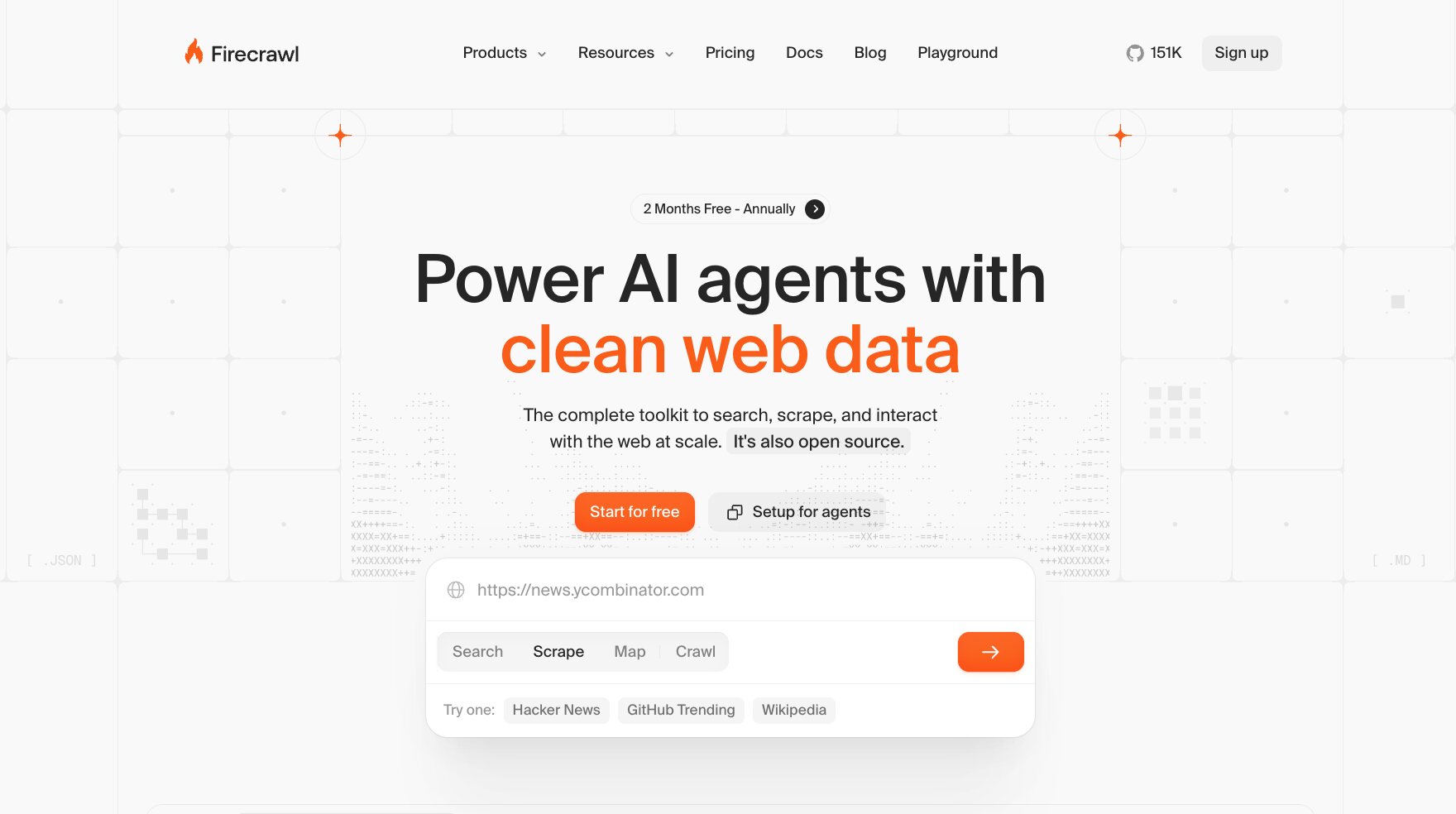
If you're building an agent, RAG pipeline, research tool, or another AI product that needs reliable access to web content, Firecrawl’s API gives you a fairly direct route from a website to clean, usable data. You can scrape individual pages, crawl entire sites, search the web, and extract structured information without having to build as much of the underlying scraping workflow yourself.
Of course, there's plenty of crossover between the two. But if I were making an early call, I'd start with Apify when the scraping job itself needs more flexibility and Firecrawl when getting web context into an AI workflow is the bigger priority.
Let’s take a look at the two tools side by side.
Apify vs Firecrawl: Top feature comparison
The feature lists for both tools are long, so I've narrowed things down to the areas I'd pay attention to before choosing one:
- Core approach
- Scraping and crawling capabilities
- Output quality and data formats
- Developer experience and integrations
Core approach: Web scraping platform vs AI-ready web data
Apify
Apify is built around Actors: serverless programs that handle specific scraping, crawling, and automation tasks. You can build your own or choose from thousands already available in the Apify Store.
That gives you a lot of flexibility. If I needed data from a particular website or had a specialized scraping job in mind, I'd probably check whether an Actor already existed before building anything myself.
Firecrawl
Firecrawl is more focused on giving AI applications access to web data. Its API covers scraping, crawling, search, mapping, and web interaction, with much of the underlying complexity handled for you.
Scraping and crawling capabilities
Apify
With Apify, you can use an existing Actor or build a scraper around the requirements of a particular site. The platform supports browser automation and provides infrastructure for proxies, storage, scheduling, and running scraping jobs at scale.
That makes it particularly useful when the job calls for more customization or control.
Firecrawl
Firecrawl's Scrape and Crawl endpoints handle JavaScript-rendered pages and can extract content from individual URLs or work through entire sites. You can control which paths are crawled, while Actions let Firecrawl click, scroll, type, and interact with pages before extraction.
A lot is handled behind the API, which means there's less scraping infrastructure to configure yourself.
Output quality and data formats
Apify
Apify typically stores scraped results in datasets that can be exported in formats including JSON, CSV, XML, and Excel. The exact structure depends on the Actor or scraper you're using, giving you plenty of control over what comes back.
Firecrawl
Firecrawl has been designed with AI-ready output in mind. It can turn web pages into clean markdown, stripping away much of the navigation and other noise an LLM doesn't need.
You can also return HTML, links, screenshots, and structured JSON, which is particularly handy when that data is heading straight into an agent or RAG pipeline.
Developer experience and integrations
Apify
Apify offers a REST API, JavaScript and Python clients, SDKs, a CLI, webhooks, and a broad range of integrations. There's a lot developers can do with it, although that breadth naturally means there's more of the platform to get familiar with.
Firecrawl
Firecrawl keeps the developer experience fairly streamlined, with an API alongside Python and Node.js SDKs. Its capabilities are organized around clear jobs such as searching, scraping, mapping, and crawling.
It also supports MCP, making it easy to grant AI agents access to Firecrawl's web capabilities when they need to find or retrieve information on their own.
Apify vs Firecrawl: Use case comparison
But features only tell you so much. I find it much easier to choose between tools like these once I picture the job I’d actually be asking them to do.
Here’s where I think each one makes the strongest case.
Apify's best use cases
Apify is the one I'd reach for when the scraping job is highly specific or likely to need more customization.
Say you want to monitor competitor prices across several marketplaces, collect Google Maps listings for lead generation, track social media content, or pull reviews from a particular platform. There's a good chance you can find an Actor built specifically for that job and configure it around the data you need.
That makes Apify particularly useful for:
- Site-specific scraping: Collecting data from marketplaces, social platforms, directories, search engines, and other individual sources
- Recurring data collection: Scheduling Actors to monitor prices, reviews, listings, or other changing information
- Browser automation: Handling jobs that require interactions with websites rather than straightforward page extraction
- Custom scraping projects: Building and deploying your own Actors when an off-the-shelf option doesn't quite fit
- Large-scale data pipelines: Running scraping workloads in the cloud and sending the resulting datasets into other systems
The sheer variety of Actors is probably the biggest reason I'd choose Apify for a job where what I'm scraping is the complicated part. If you're weighing up the wider market too, I've compared some of the other Apify alternatives worth considering.
Firecrawl's best use cases
Firecrawl starts to make a lot of sense when collecting the data is only the beginning of what you want to do with it.
RAG is an obvious example. If you're building an AI assistant around a company's documentation, Firecrawl can crawl the site and return clean markdown that can then be chunked, embedded, and added to a knowledge base.
But that's far from the only use case. Firecrawl's own documentation covers everything from lead enrichment and competitor monitoring to deep research, SEO, and ecommerce.
I'd consider Firecrawl for:
- RAG and knowledge bases: Turning websites and documentation into LLM-ready content
- AI agents: Giving agents access to current information from across the web
- Deep research: Searching, exploring, and extracting information across multiple sources
- Lead enrichment: Pulling useful company and prospect information from websites
- Competitive monitoring: Tracking websites for pricing, product, or content changes
Gumloop's AI web scraping agent is a nice example of what that can look like in a wider workflow: the agent researches companies, scrapes the pages it needs, and turns the findings into structured, sourced output.
For me, Firecrawl becomes especially compelling when the scraped content is heading straight into an LLM or agent rather than sitting in a dataset waiting to be used. If you want a different balance of scraping flexibility and AI-ready output, there are also some other Firecrawl alternatives worth exploring.
Apify vs Firecrawl: Pricing comparison
Pricing works quite differently between the two, and I'd definitely spend some time estimating what your own workload might cost before committing.
Apify pricing plans
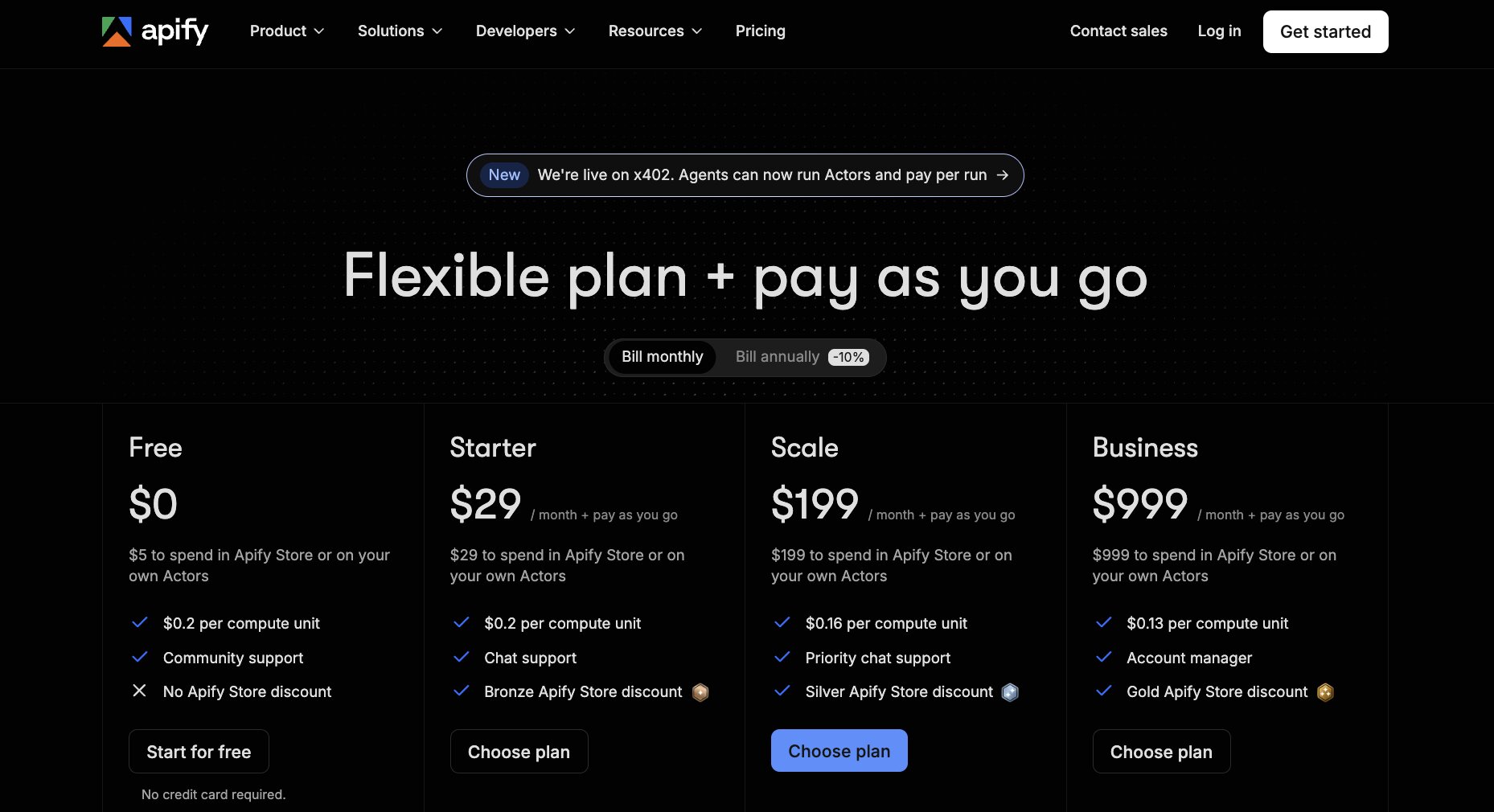
Apify combines monthly subscriptions with usage-based pricing. Current monthly plans include:
- Free: $0, with $5/month of prepaid usage
- Starter: $29/month + pay as you go, with $29 of prepaid usage
- Scale: $199/month + pay as you go, with $199 of prepaid usage
- Business: $999/month + pay as you go, with $999 of prepaid usage
- Custom plans available
That prepaid allowance can be spent on Actors from the Apify Store or platform services such as compute, proxies, storage, and data transfer. Actors themselves can use either pay-per-event or pay-per-usage pricing, so the final cost depends quite heavily on what you're running and how you're running it.
I'll admit, it takes a little more work to figure out what a particular scraping project might ultimately cost. But that's partly a reflection of how many different things you can do within Apify.
See Apify's current pricing for full details.
Firecrawl pricing plans
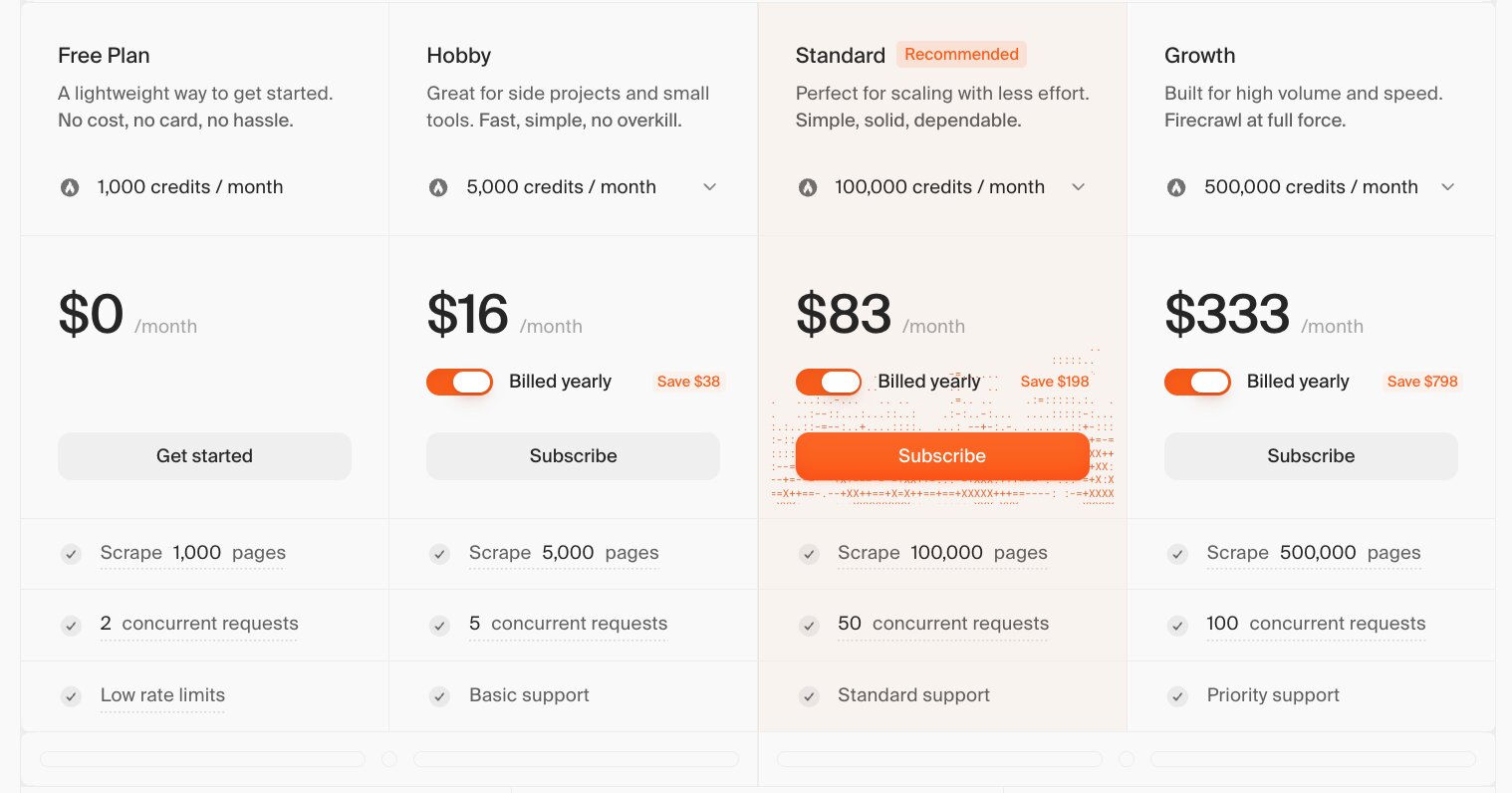
Firecrawl's pricing is based primarily around credits. Current prices when billed annually include:
- Free: $0/month for 1,000 credits
- Hobby: $16/month for 5,000 credits
- Standard: $83/month for 100,000 credits
- Growth: $333/month for 500,000 credits
- Scale: $599/month for 1 million credits
- Enterprise: Custom pricing
For straightforward scraping, the math is pretty easy: Scrape, Crawl, and Map each use one credit per page. Other capabilities are priced differently, including Search at two credits per 10 results and Interact at two credits per browser minute. Advanced features can consume additional credits too.
Personally, I find this model a little easier to estimate upfront. If I have a rough idea of how many pages my application needs to process each month, I can get a decent sense of the plan I'd need pretty quickly.
See Firecrawl's current pricing info here.
There's no simple winner on price alone.
Firecrawl makes it easier to estimate the cost of a fairly predictable scraping workload, while Apify gives you a broader pool of platform resources and Actors to spend your allowance on.
Apify vs Firecrawl: Pros and cons
Neither tool comes out of this comparison without a few trade-offs. Based on everything we've covered so far, here's what I'd weigh up before choosing.
Apify pros and cons
Pros
- Huge library of ready-made Actors means you may not need to build a scraper yourself
- Gives developers plenty of control when a scraping job needs more customization
- Handles scraping, browser automation, scheduling, storage, proxies, and monitoring within the same ecosystem
- Works well for recurring or highly specialized data collection jobs
Cons
- There's more to learn if you're new to web scraping or only need a simple extraction tool.
- Costs can take longer to estimate because they depend on platform usage and how individual Actors are priced.
- The sheer number of Actors can make choosing the right one another part of the evaluation process.
Firecrawl pros and cons
Pros
- Quick route from a website to clean markdown or structured data that's ready for AI applications
- Handles common scraping challenges such as JavaScript rendering without requiring you to manage the underlying infrastructure
- Straightforward API and SDKs make it relatively easy to get started
- Particularly well suited to agents, RAG pipelines, research tools, and other AI workflows
Cons
- Gives you less control than building a highly customized scraper on Apify
- Credit-based pricing can become expensive when you're processing large numbers of pages
- More advanced scraping features can consume additional credits, so one page doesn't always equal one credit
You don't have to choose: Use both Apify and Firecrawl in Gumloop
Here's where the Apify vs Firecrawl decision gets a little more interesting: you can actually use both inside Gumloop.
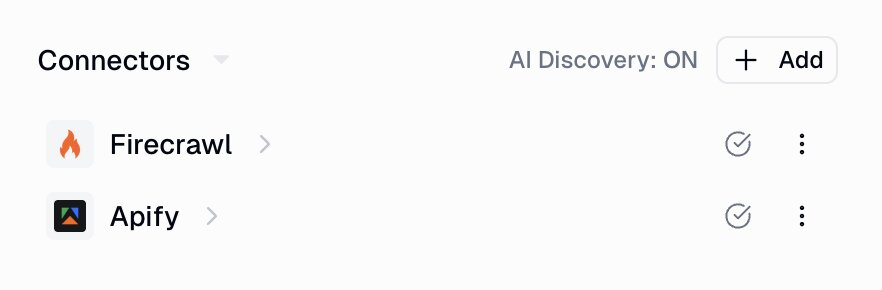
Both tools have MCP integrations, which means you can give a Gumloop agent access to their capabilities and let it use them as part of a wider workflow. If you're new to the term, MCP (Model Context Protocol) essentially gives AI agents a standardized way to connect to and use external tools.
With the Apify MCP server, an agent can search the Apify Store, run Actors and saved tasks, track runs, and pull the resulting datasets. Firecrawl's MCP integration gives it tools for searching, scraping, mapping, crawling, and extracting information from the web.
That opens up some pretty useful combinations.
Say you're researching hundreds of ecommerce products. You could use an Apify Actor built for the marketplace you're targeting, pull the resulting dataset into Gumloop, then bring in Firecrawl when the agent needs clean content from individual brand or product websites. From there, Gumloop can analyze everything, structure the results, and send them wherever they need to go.
I really like this option because you're not forced to make one tool handle every part of the job. You can use each where it makes the most sense and let Gumloop connect the pieces.
Apify vs Firecrawl: Customer reviews and resources
Reviews aren't everything, but I always like to see whether the experience customers describe lines up with what I've found while researching the tools myself.
Apify reviews and resources
Here's how customers currently rate Apify on third-party review platforms:
- G2: 4.7/5-stars (from 575+ user reviews)
- Product Hunt: 5.0/5 stars (from 9+ user reviews)
Apify's reviews give you a pretty good sense of why its broader ecosystem is such a draw. Customers talk about getting scraping projects up and running quickly with existing Actors, while developers value having infrastructure such as proxies, scheduling, and storage already taken care of.
The learning curve and costs for more complex workloads crop up too, which are both worth factoring in if you're planning to use the platform extensively.
Firecrawl reviews and resources
Here's how customers currently rate Firecrawl on third-party review platforms:
- G2: 4.5/5-stars (from 1+ user reviews)
- Product Hunt: 5.0/5 stars (from 4+ user reviews)
There's less third-party review data available for Firecrawl, so I wouldn't put too much weight on the rating alone. What feedback is available tends to reinforce the appeal we've already talked about: developers like being able to get clean web content into AI projects without building and maintaining as much scraping infrastructure themselves.
For both tools, I'd also keep the official documentation as a resource for anyone who wants to dig a little deeper:
Which is better: Apify or Firecrawl?
After looking at both tools side by side, I don't think I'd choose based on scraping capabilities alone. I'd choose based on how much control I wanted over the job and what I planned to do with the data afterward.
Choose Apify if you need a flexible web scraping platform that can handle highly specific or complex jobs. The huge Actor ecosystem is a real advantage here, particularly if you want a ready-made scraper for a particular website or the freedom to build and manage your own.
Choose Firecrawl if you're building an AI application, agent, or RAG pipeline and want a quicker route to clean web data. It handles much of the crawling, rendering, and content cleanup behind the scenes, so you can spend more time working with the data once you have it. Firecrawl itself is now positioned specifically as web infrastructure for AI agents and applications.
Use both in Gumloop if your workflow calls for a bit of each. Apify can tackle a specialized scraping job, Firecrawl can retrieve clean web context when you need it, and Gumloop can orchestrate everything that happens around them.
If I had to make the call, I'd start with the job itself. For maximum scraping flexibility, I'd lean toward Apify. For getting web data into AI quickly, I'd lean toward Firecrawl. And if the project eventually needs both? Thankfully, you don't have to choose.

Read related articles
Check out more articles on the Gumloop blog.