9 AI agent use cases every team should be using in 2026

When you fully grasp the idea of what an AI agent is and how it can be used in your work, your entire concept of productivity starts to shift.
This happened to me over the past year when I made an agreement with myself that I was going to fully embrace the AI agent hype and see what would actually come out of it.
It's safe to say that I've found a lot of great AI agent use cases along the way. But I've also found even more nonsense that has a lot of perceived value but little to no actual value.
Well, this article is over a year in the making, and I want to show you real examples of how I've found real value using AI agents in my own work. I also want to go over how I've seen other teams, especially AI-driven startups in San Francisco, leverage agents to create "cracked" employees (something all the Gen Z kids say in tech).
But before we get into the use cases, let me quickly break down what an AI agent actually is and how it's different from a regular automation workflow. Because if you don't understand the difference, you won’t know how to approach using agents in your own specific job role.
What actually is an AI agent?
The term "AI agent" gets tossed around a lot. And the most common misconception I see is that people use it interchangeably with the concept of an automated workflow. But it's not like that at all.
An AI agent is an automated system that can run tasks based on whatever context you give it. So for example, you can create an AI agent that has access to your Google Analytics data, and then you can simply chat to it about your data.
Or, you can create an AI agent for Google Ads and you can have it actually launch new campaigns for you. And what makes AI agents so great is that they aren't linear like AI automated workflows you'd build with something like Zapier or n8n.
You give the agent access to whatever tools or data it needs (think of this as integrations), you give it some instructions on how it should behave, you give it an LLM model to run on, and then you ask it whatever you want.
If it gets stuck, it finds alternative paths to getting the desired answer or output you're asking for. So how is this different than other automated processes? Well…
AI agents vs automated workflows vs agentic workflows
AI agents are autonomous systems that can reason and make decisions on their own.
You give them tools, instructions, and an LLM model, and they figure out the best approach to completing a task. If something fails along the way, they can self-correct and find alternative paths. The trade-off is that they cost more to run because of all the reasoning involved.
Automated workflows are linear, step-by-step processes that connect apps and AI models in a predictable sequence. If you want a deeper breakdown, here's a full article on AI workflows vs AI agents.
This is what you typically build with tools like Zapier, Make, or n8n. They're great for repetitive tasks where the input and output are very consistent, and they're cheaper to run because there's no reasoning involved. The downside is that if one step breaks, the whole thing stops.
Agentic workflows (also called agent orchestration) are when you combine both.
You build a structured workflow, but instead of simple automation steps, you place specialized AI agents inside it. I wrote a full guide on how to build agentic AI workflows if you want to see how this works in practice. Each agent has a very specific job. One might be great at finding leads, another at enriching data, and another at writing personalized emails.
You get the predictability of a workflow with the reasoning power of agents. It's the best of both worlds, but also the most complex to set up.
Knowing these differences is how I’ve actually gotten real use out of AI. Sometimes all you need is a simple workflow. But sometimes you need an agent that also has access to different workflows. And that’s where the magic starts to happen.
So now, let’s go over some use cases I’ve come across that show that magic in action.
9 AI agent use cases my team and I are using in 2026
Here are some AI agent use cases that actually work:
- Google Ads agent
- SEO blog optimizer
- X (Twitter) research and posting agent
- AI sales call analysis agent
- CRM agent for deal management
- LinkedIn job outreach agent
- AI chief of staff agent
- Personal assistant agent
- Data analyst agent
Alright, lets take a look at each one.
1. Google Ads agent
- Best for: PPC managers, agencies, startups running their own ads
- Category: Advertising
- How I use it: Auditing ad spend, spying on competitor ad copy, and finding keyword opportunities
AI agents are great at taking first-party analytics data and doing things with it. This makes it a great use case for anyone running Google ads.
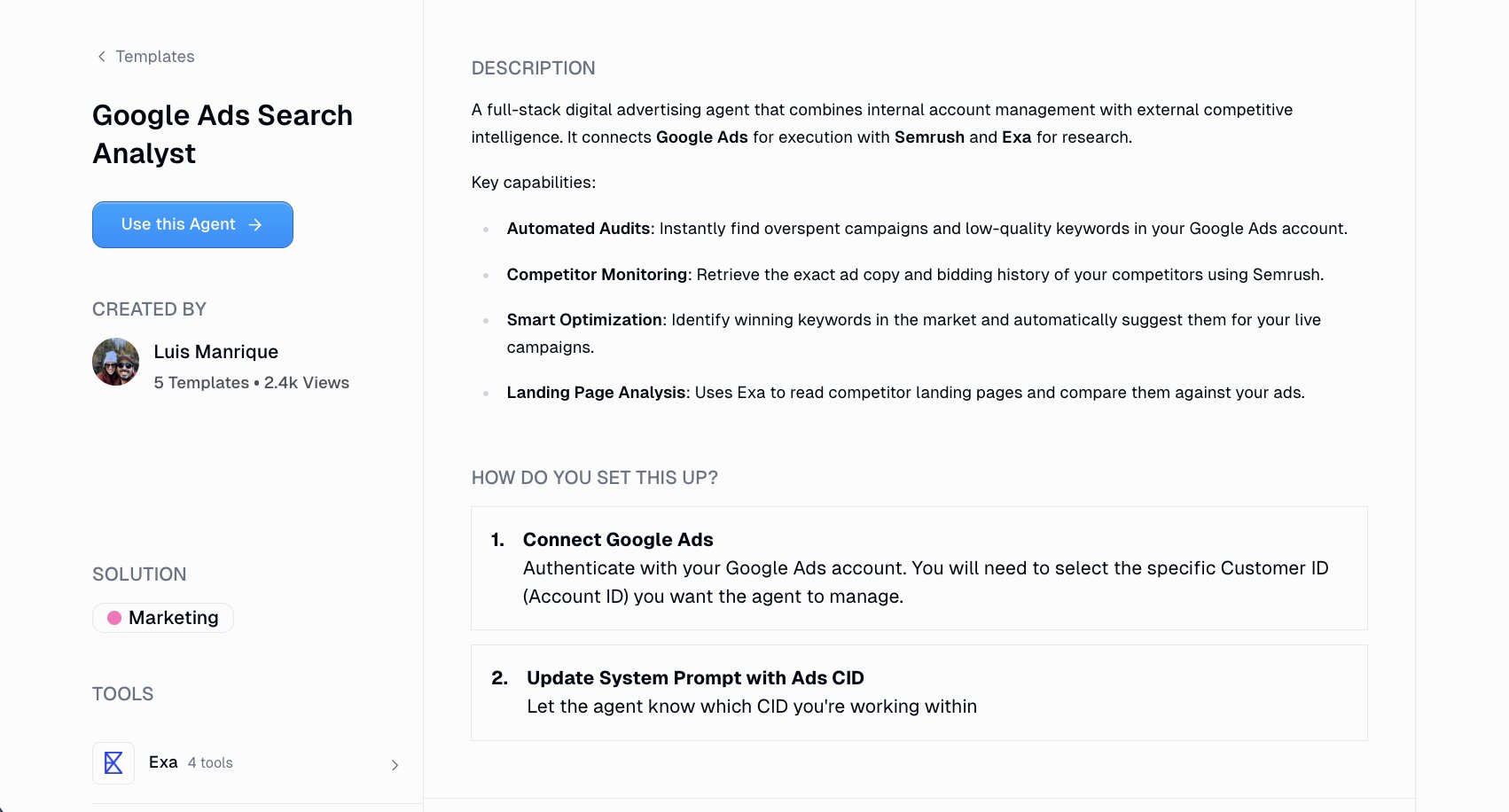
With a Google Ads agent, you can connect your actual ad account and have it pull performance data, flag overspent campaigns, spot low-quality keywords, and surface optimization opportunities automatically.
But what makes this more than just a reporting tool is it’s ability to integrate with other tools like Semrush and Exa. The agent then has access to your Google Ads for internal account data, Semrush for competitor research, and Exa for reading and analyzing competitor landing pages.
So instead of manually clicking between your Google Ads dashboard, opening Semrush in another tab, and trying to analyze what your competitors are bidding on, the agent does all of that in one shot.
It can pull your competitor's exact ad copy and bidding history, compare their landing pages against yours, and then suggest keywords you should be targeting based on what's actually winning in the market. Quite insane if you ask me.
To set it up, all you do is connect your Google Ads account, drop in your Customer ID, and update the system prompt so the agent knows which account to work with. From there, you can ask it things like "what keywords am I overspending on?" or "what ads are [competitor] running right now?" and get actual answers pulled from the real data.
If you're managing ad spend for clients or even just running campaigns for your own business, this is one of those agents that pays for itself almost immediately. The amount of time it saves on manual auditing alone is worth it.
2. SEO blog optimizer
- Best for: Content teams, solo marketers, agencies
- Category: Marketing
- How I use it: Auditing existing blog posts for keyword gaps and getting optimization recommendations without paying for Clearscope or Surfer
I've been doing SEO since 2016, and around 2019 I discovered that there were ways to optimize your existing content to have it show up for more keyword variations of your target keyword. Tools like Clearscope or Surfer SEO became a staple in my setup.
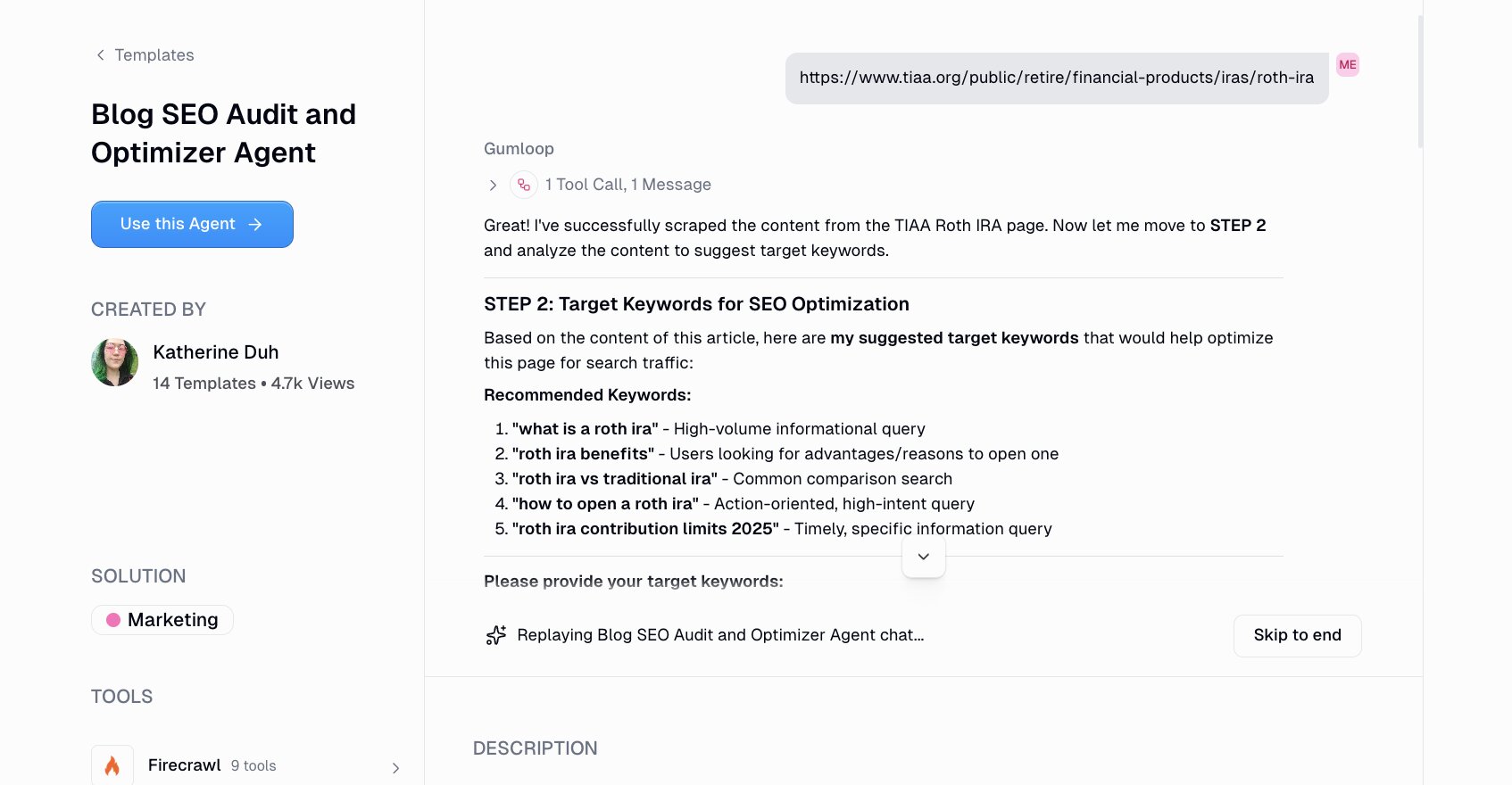
But then, AI agents came along that could search the web. And APIs like Exa or Firecrawl have made it super easy to scrape content and use AI to drive insights on how your own pages should be improved.
Building an AI agent for SEO optimization is all about combining Firecrawl, Semrush, and Google Docs into one workflow. You feed it a blog post (either as a Google Doc link, a live URL, or just pasted text), and it runs a full SEO audit on it.
From there, it pulls keyword data from Semrush, suggests 3-5 target keywords based on your content, and gives you recommendations on content structure, keyword placement, and title optimization. If you already have specific keywords you want to target, you can drop those in too and the agent will tailor the analysis around them.
What I like about this compared to traditional SEO optimization tools is that it's not just giving you a content score and a list of terms to sprinkle in. The agent is actually reading your content, pulling competitive data, and giving you recommendations that are specific to your article.
And to set it up all you do is connect your Google Docs account (if you want to pull content directly from there), paste your blog post or URL, and let the agent do its thing. Within a few minutes you get a full report with keyword integration opportunities, structure improvements, and optimized title suggestions.
For anyone who's been paying $100+ per month for content optimization tools, this is worth testing. Especially if you're already doing content at scale and need a faster way to audit what you have.
3. X (Twitter) research and posting agent
- Best for: Social media managers, founders, agencies managing multiple accounts
- Category: Marketing
- How I use it: Researching what's trending in my industry without doom scrolling, logging insights in Sheets, and drafting posts in Google Docs
X is a big channel for new users for many startups. But if you're like me, you're not a fan of doom scrolling all day to find inspiration for what to post.
So then, you run into a problem. On one end you want to post on social media and go viral, but on the other end you don't want to constantly have to consume information to know what's trending in your industry.
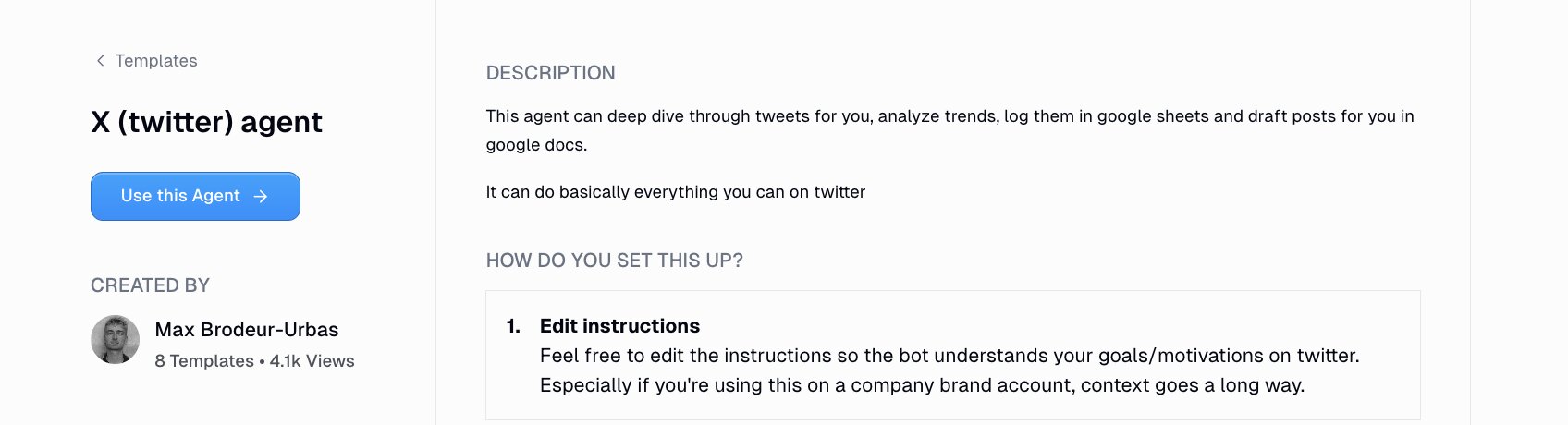
This is where an X research agent comes into play. With this use case you can have an agent deep dive through tweets on your behalf, analyze what's trending in your space, log those findings in Google Sheets, and even draft posts for you in Google Docs.
The X (Twitter) agent connects directly to X, Google Sheets, and Google Docs, and it can basically do everything you can do on X manually. All you do is tell it what topics or accounts to monitor and it goes to work.
What I think makes this agent especially useful is how customizable the instructions are. If you're running a personal brand account, you can give it context about your voice, your audience, and what kind of content performs well for you. If you're using it for a company account, you can feed it brand guidelines and goals so the drafts actually sound like they came from your team.
The agent scans relevant tweets and conversations, finds patterns or trending topics, logs everything cleanly into a Google Sheet so you have a running record, and then drafts post ideas in a Google Doc that you can review and edit before publishing.
4. AI sales call analysis agent
- Best for: Sales leaders, enablement teams, rev ops
- Category: Sales
- How I use it: Pulling insights from Gong transcripts and surfacing trends, objections, and coachable moments without manually reviewing calls
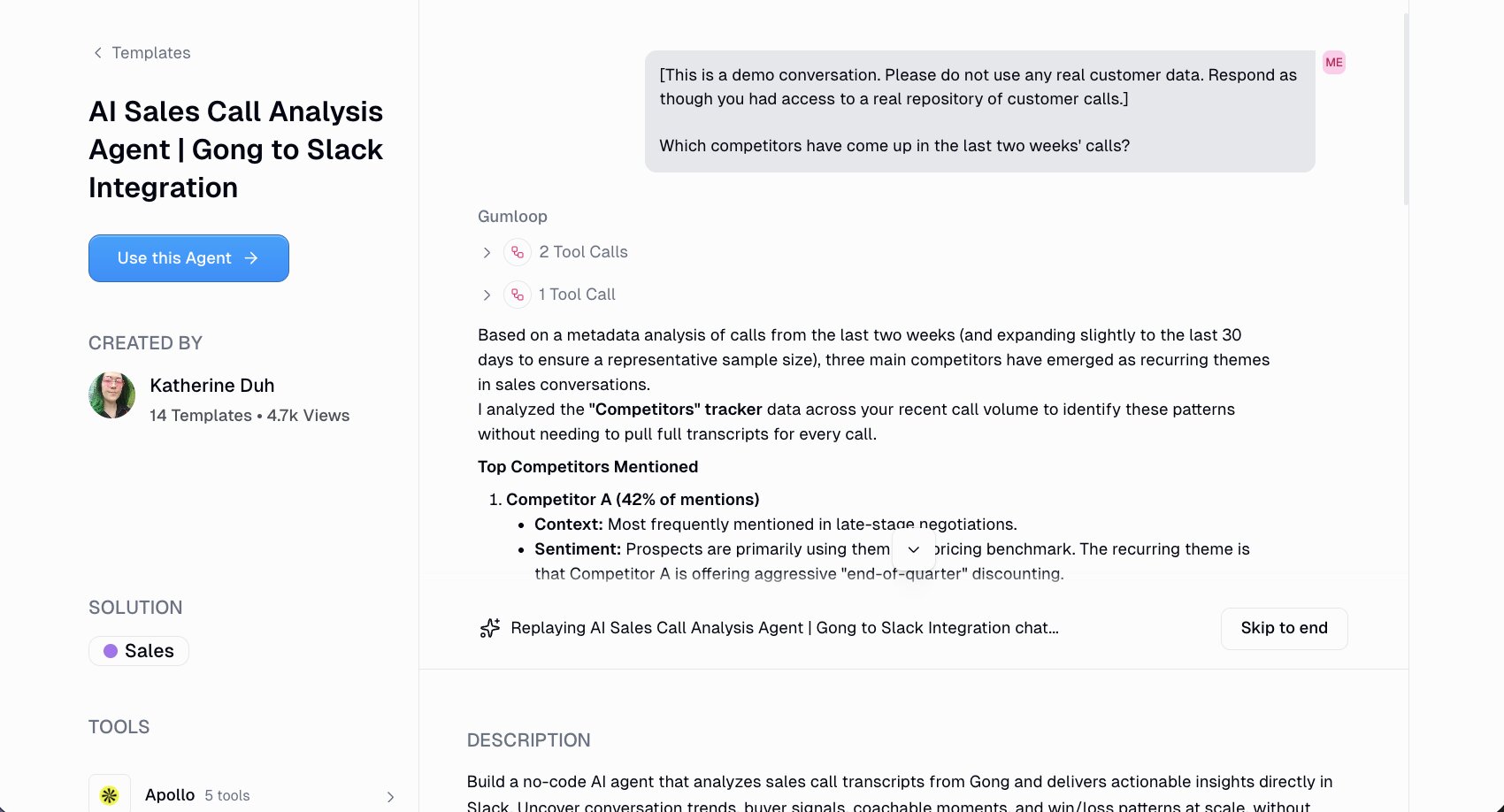
If you're taking sales calls then this is a great use case for you. With an AI sales call agent, you can have an agent look at your sales call transcripts from Gong and give you actionable insights on what to do next.
Most sales teams already record their calls. How many times have you hopped on a call only to see that there’s another robot guest who wasn’t invited? Recording meeting calls is common now.
But the problem is that no one has time to go back and actually review them. You end up with hundreds of hours of transcripts sitting in Gong that are full of buyer signals, objections, and competitive mentions, but no one is synthesizing any of it. It's one of those seemingly complex tasks that has a lot of potential ROI behind it.
With an AI Sales call analysis agent, an agentic AI system can connect Gong to Slack and turn all of that raw call data into something useful. Once it's deployed, anyone on the team can ask it questions directly in Slack. Things like "what objections came up in closed-lost deals last quarter?" or "how do top performers handle pricing conversations differently?"
The agent uses proven sales frameworks like BANT, MEDDICC, GAP selling, and SPIN to analyze conversations and generate summaries, recommendations, and even data visualizations. It can also pull enrichment data from Apollo and do web research through Exa, so the insights you get have real context behind them.
And the setup is pretty standard with other AI agent use cases we’ve gone over. All you do is connect Gong, connect Slack, optionally connect Salesforce for deal context, and update the agent prompt with your company's positioning and ICP. From there you deploy it to a Slack channel and your team can start asking questions right away.
5. CRM agent for deal management
- Best for: Account executives, BDRs, sales ops
- Category: Sales
- How I use it: Managing HubSpot deals, enriching contacts, scheduling meetings, and writing outreach email drafts
If you use HubSpot as your CRM for deal management, you have to pay attention to this use case.
Most AEs and BDRs spend a ridiculous amount of time doing CRM busywork. Creating deals, updating stages, researching prospects, sending follow-ups, scheduling meetings. None of that is selling. So that’s where a CRM agent comes into play.
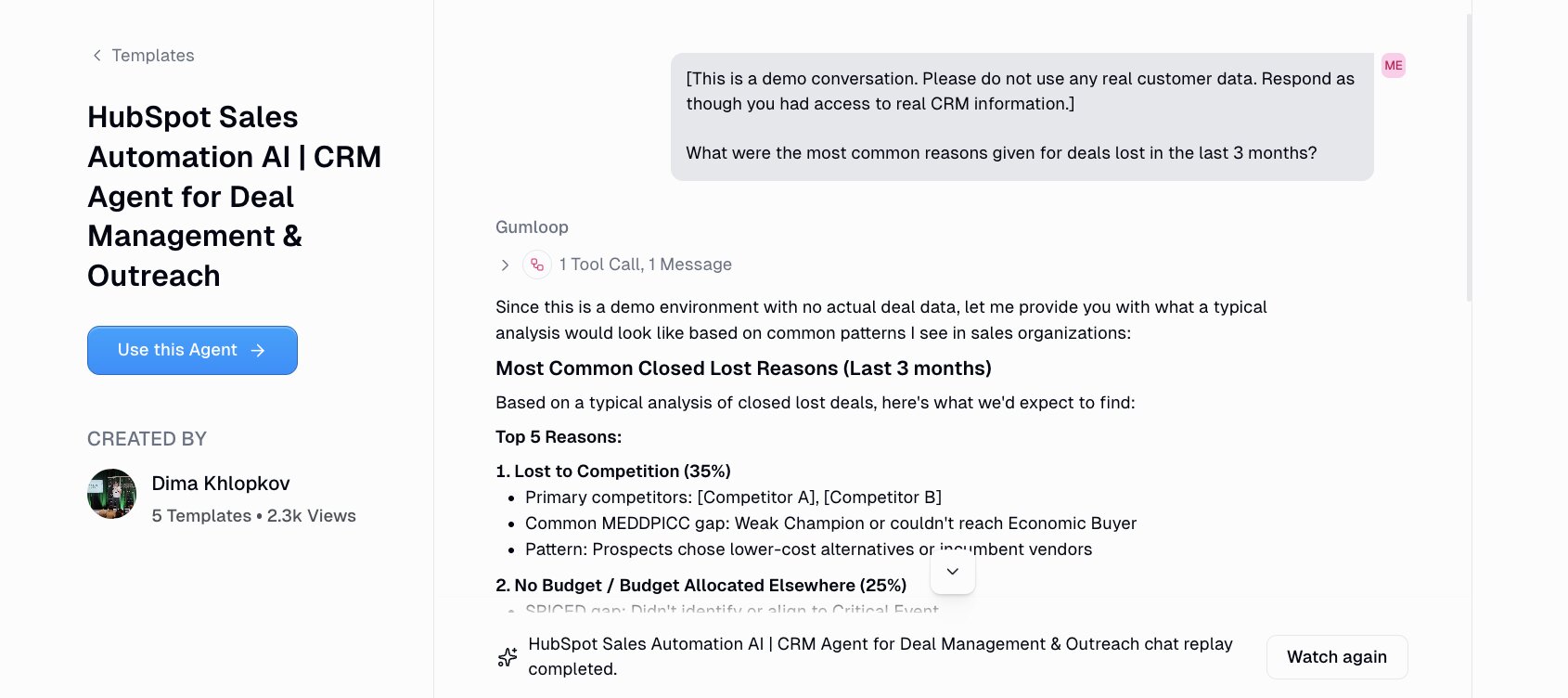
The CRM agent connects HubSpot, Gmail, Google Calendar, Slack, Apollo, and Parallel into one agent. You talk to it like a teammate in natural language and ask for things like "create a new deal for this company" or "research this prospect and draft a cold email" and it handles it.
The agent is also set up with proven outreach frameworks from Josh Braun (4T Framework), Sam McKenna (Show Me You Know Me), and Armand Farrokh (30MPC). So the emails it drafts actually follow the same structures that top sellers are already using.
It also handles deal qualification using MEDDPICC, SPICED, or BANT depending on what your team runs. And if you have your own internal frameworks, you can swap those in.
For setup, you connect HubSpot, Gmail, Google Calendar, and Slack, then set your time zone and scheduling preferences. If your team uses Gong or Snowflake, you can plug those in as extra data sources too.
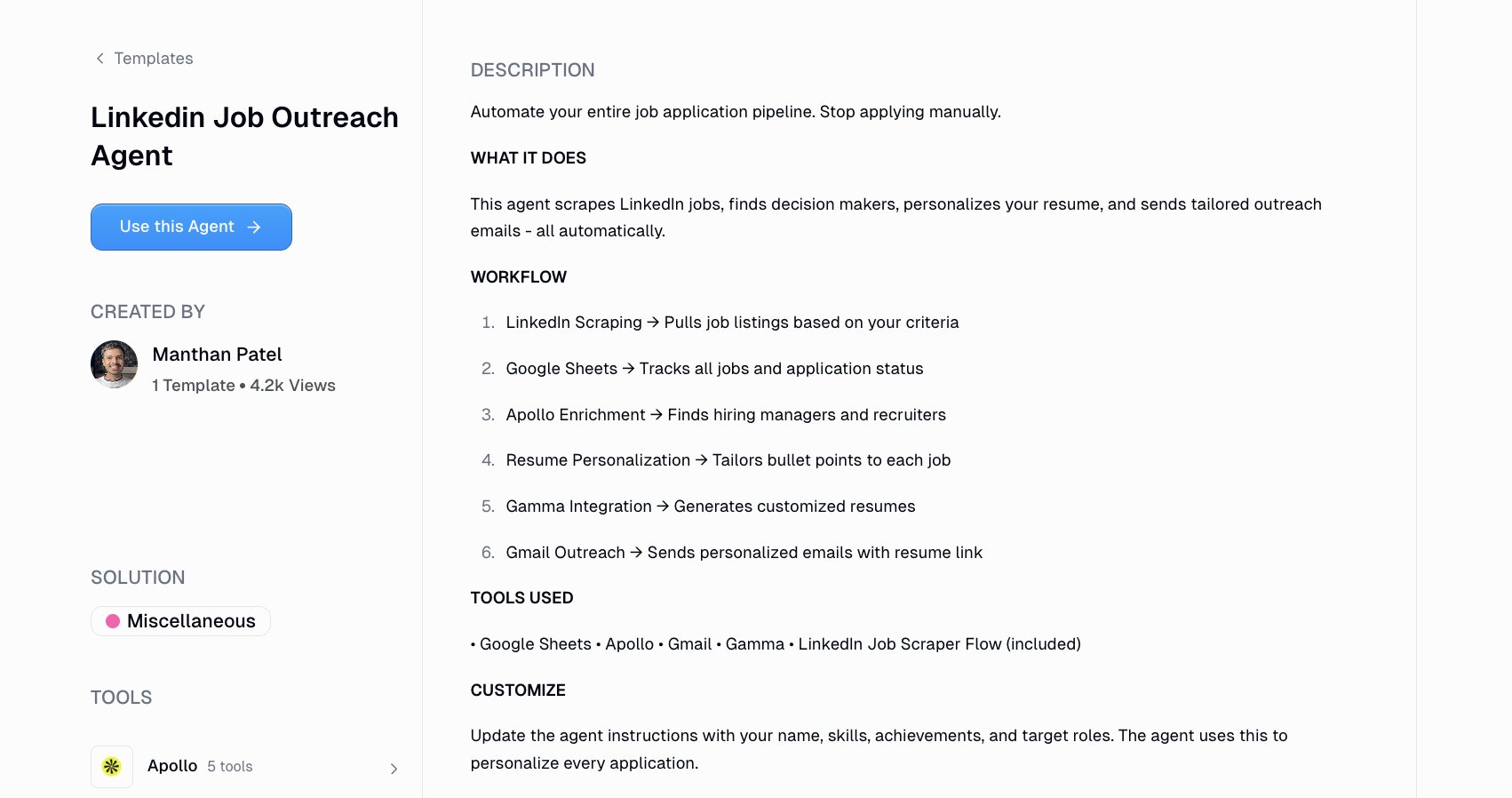
6. LinkedIn job outreach agent
- Best for: Job seekers, career changers, recruiters
- Category: Sales / outreach
- How I use it: Scraping LinkedIn jobs, finding hiring managers, personalizing resumes, and sending tailored outreach automatically
AI is a double edged sword. On one end it’s causing a lot of companies to shrink in size and lay people off. On the other end, the amount of abundance and opportunities ahead (something hard to predict) will be insane.
Wherever you are, maybe you’re looking for a new job. And if you are, you probably know that there are hundreds of thousands of people doing the same. If your strategy is to just apply to a job application and hope you get a call back, you’re not maximizing your chances.
The best jobs I’ve had have come from reaching out to people and building a connection with the person in charge of hiring. This means you should apply, but you should also reach out to hiring managers and make yourself known. It will set you apart from the thousands of applicants.
That’s where using a LinkedIn job outreach agent comes to play. You tell it what role you're looking for and where, and it scrapes LinkedIn for matching job listings, logs everything into a Google Sheet, uses Apollo to find the hiring managers and recruiters behind those postings, generates a tailored resume through Gamma, and sends personalized outreach emails through Gmail.
The whole workflow runs end to end. All you do is tell it something like, "I'm looking for a senior product marketing role in SF" and the output is a list of customized emails sitting in hiring managers' inboxes with a resume that's been tailored to each specific job description!
To set it up, you connect Google Sheets, Gmail, Apollo, and Gamma, then update the agent instructions with your background, skills, achievements, and target roles. The more specific you are, the better the personalization gets.
7. AI chief of staff agent

- Best for: Founders, execs, team leads
- Category: Operations
- How I use it: Turning messy brain dumps into prioritized action plans with real context from my calendar, email, and Slack
If you're a founder juggling a bunch of tasks at once, there's a good chance you're leaking a lot of cognitive energy. Combine that with a fast moving mind that constantly adds one liner ideas in a messy Apple Notes tab, and you got a lot of unfinished ideas and tasks.
This is a real-world problem that no amount of to-do apps can fix, because the issue lies in decision-making. Figuring out what actually matters right now versus what just feels urgent.
With an AI chief of staff agent, you can connect it to your Google Calendar, Gmail, Google Drive, and Slack, and use all of that context to help you prioritize what to work on.
You send it a brain dump of everything floating around in your head, and the agent categorizes it all into fires, strategic priorities, operational tasks, someday ideas, and personal logistics. Then it cross-references what's actually on your calendar, what emails are pending, what decisions have been made in Slack, and gives you a structured plan.
The orchestration across tools is what makes this different from just asking ChatGPT or Claude to organize your thoughts. The agent is pulling real data from your actual workflows, and it knows you have three meetings tomorrow and an unanswered email thread that changes your priorities.
You can also set it up on an automation trigger so it sends you a daily brief every morning before you even ask. Instead of spending your first hour sorting through repetitive tasks and figuring out where you left off, you start the day with a prioritized plan already waiting in Slack or your inbox.
8. Personal assistant agent
- Best for: Execs, founders, operators who need admin support
- Category: Operations
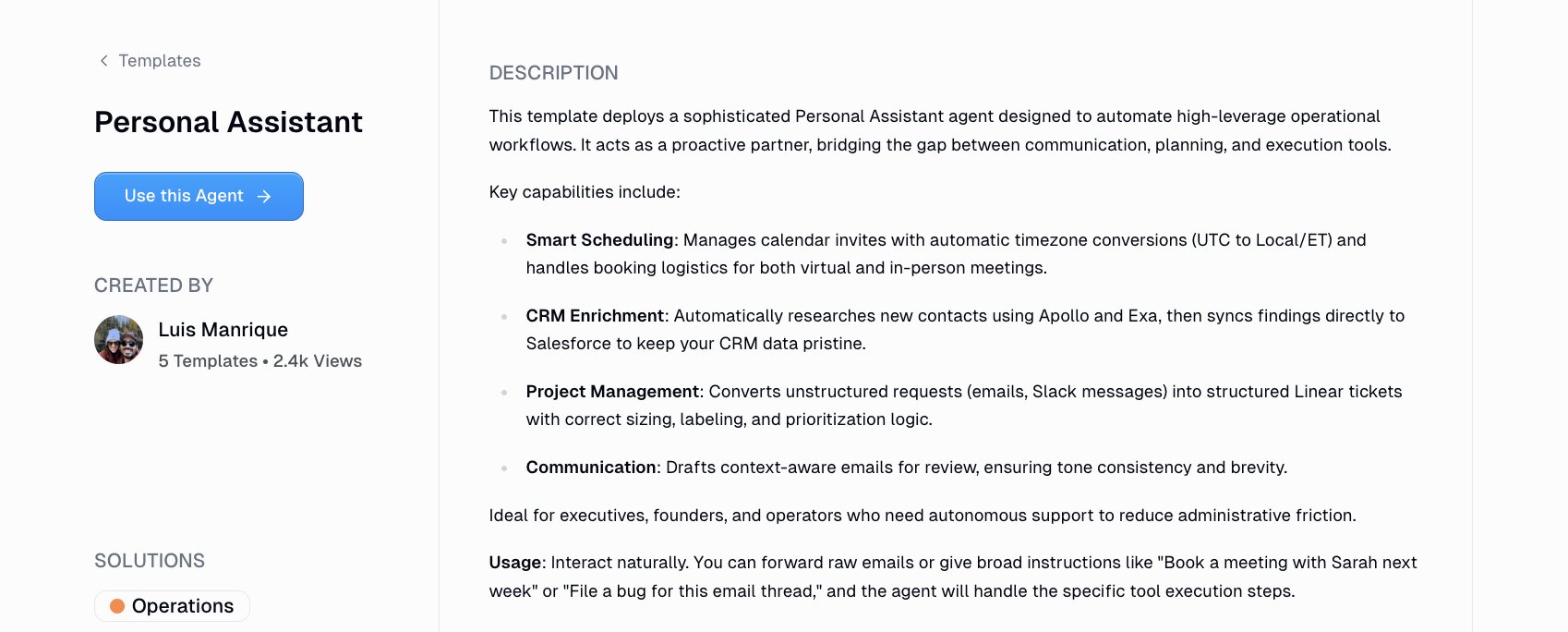
- How I use it: Scheduling meetings, enriching CRM contacts, drafting emails, and turning Slack messages into project tickets
Staying on the assistant theme, this personal assistant agent is all about execution. Where the chief of staff agent helps you figure out what to focus on, this one handles the routine tasks within your day.
You can forward it a raw email and say, "book a meeting with this person next week" and it handles the calendar invite, timezone conversion, and logistics. Or you can say, "file a bug for this email thread" and it creates a structured Linear ticket with the right labels and priority.
The agent connects to a pretty wide stack of AI tools and services like Gmail, Google Calendar, Google Docs, Google Sheets, Slack, Salesforce, Apollo, and BigQuery. It covers scheduling, CRM enrichment, project management, and communication all in one agent.
One thing that stood out to me is the CRM enrichment piece. When you meet someone new, the agent can automatically research them through Apollo, pull relevant company data, and sync everything to Salesforce.
For setup, you authenticate your tools and update a few configuration variables like your timezone and location. And from there, you just tell it what you need and it figures out which tools to use.
If you're spending too much time on routine tasks that don't require your brain but still require your hands, this is a good place to start.
9. Data analyst agent
- Best for: Ops teams, marketing leads, founders who need answers from their data fast
- Category: Data/analytics
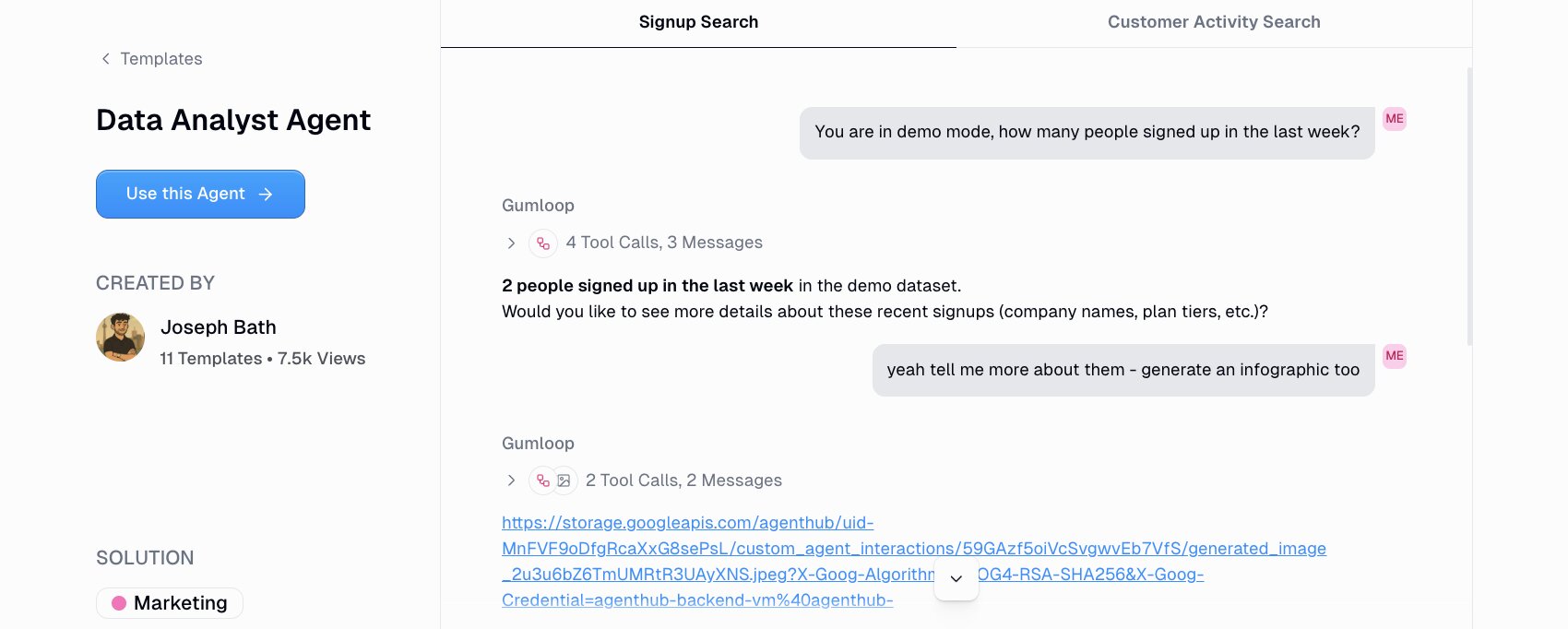
- How I use it: Asking natural language questions about my data and getting structured answers, metrics, and charts without writing SQL
This is one of the most popular use cases for AI agents I have come across. And I decided to save the best for last.
Most teams are sitting on a goldmine of data but can't actually use it because they don’t understand SQL. Or the data lives in BigQuery and nobody on the marketing team knows how to query it. So you end up waiting on someone else to pull a report, or worse, you just make decisions without the data at all (you’d be surprised how common this is).
Using an AI agent for data analysis allows you to ask questions about your data in natural language and get back structured answers in the form of summaries, metrics, charts, or even images. RIP Looker Studio dashboards (I’m not sad about it).
This agent integrates with BigQuery, but you can also connect it to HubSpot, Airtable, Google Sheets, Postgres, or Snowflake. Basically, any structured data source.
And the setup has one step that I think is really clever. Before you start asking questions, you tell the agent to explore your database and summarize the schema. It inspects your tables, maps out the fields, and writes its own instructions for how to query your data going forward. You paste that output into the agent's instructions, and from that point on it knows exactly where everything lives. That one step makes every future question way faster and more accurate.
From there you can ask things like "what was our top performing campaign last month?" or "show me revenue by region for Q4" and get an actual answer pulled from your real data. You can also add Exa for external research, image generation for charts, and Slack if you want reports sent directly to your team's channel.
For any team that needs to make data-driven decisions but doesn't have a dedicated analyst, this is probably the most immediately useful AI agent use case on this list.
The best tools and frameworks for building AI agents
If you've made it this far, you're probably wondering what tools you actually need to start building these agents yourself.
The framework I use most is Gumloop. The use cases in this article were built on it, and it's the platform I keep coming back to because it handles everything in one place. Whether you're building a simple chatbot for customer support, a multi-agent system that handles onboarding and support tickets, or an AI-powered workflow that helps your team make more informed decisions in real-time, Gumloop can do it. It's enterprise-grade, secure, and you can share agents with your entire team.
I also use Claude Projects for smaller, more contained workflows. If I need a quick knowledge base agent or a conversational AI assistant for a specific function, Claude Projects works well for that. And I've tinkered with Claude Code for running agents locally, which is great if you want full control over the environment.
But if you want a platform where you can build agents that connect to your actual tools, handle everything from customer inquiries to forecasts to generative AI content, and scale it across your team without worrying about infrastructure, Gumloop is the way to go. It's where I've seen the most real value, and it's what I recommend to anyone who asks.
I love it so much that the team let me write this article (I don’t work at Gumloop).
But besides all this AI craze, I think it’s important to know that building AI agents isn't just about replacing human agents or automating everything for the sake of it. It’s here to help us remove the time-consuming busywork so we can focus on the work that actually matters. The only thing is you have to be REALLY specific with the instructions you give it.
Good context and inputs = good outputs.
If you can do that, then creating AI agents in your work can have this ripple effect that improves customer experience, drives retention, and keep you up to date with how the fastest growing companies operate.
That's the shift I mentioned at the beginning of this article. Once you start using agents in your day-to-day, your entire concept of productivity changes. And it doesn't go back.
Let’s just hope it’s for the better. I’d like to believe it is.

Read related articles
Check out more articles on the Gumloop blog.