10 best AI agent orchestration platforms and tools in 2026

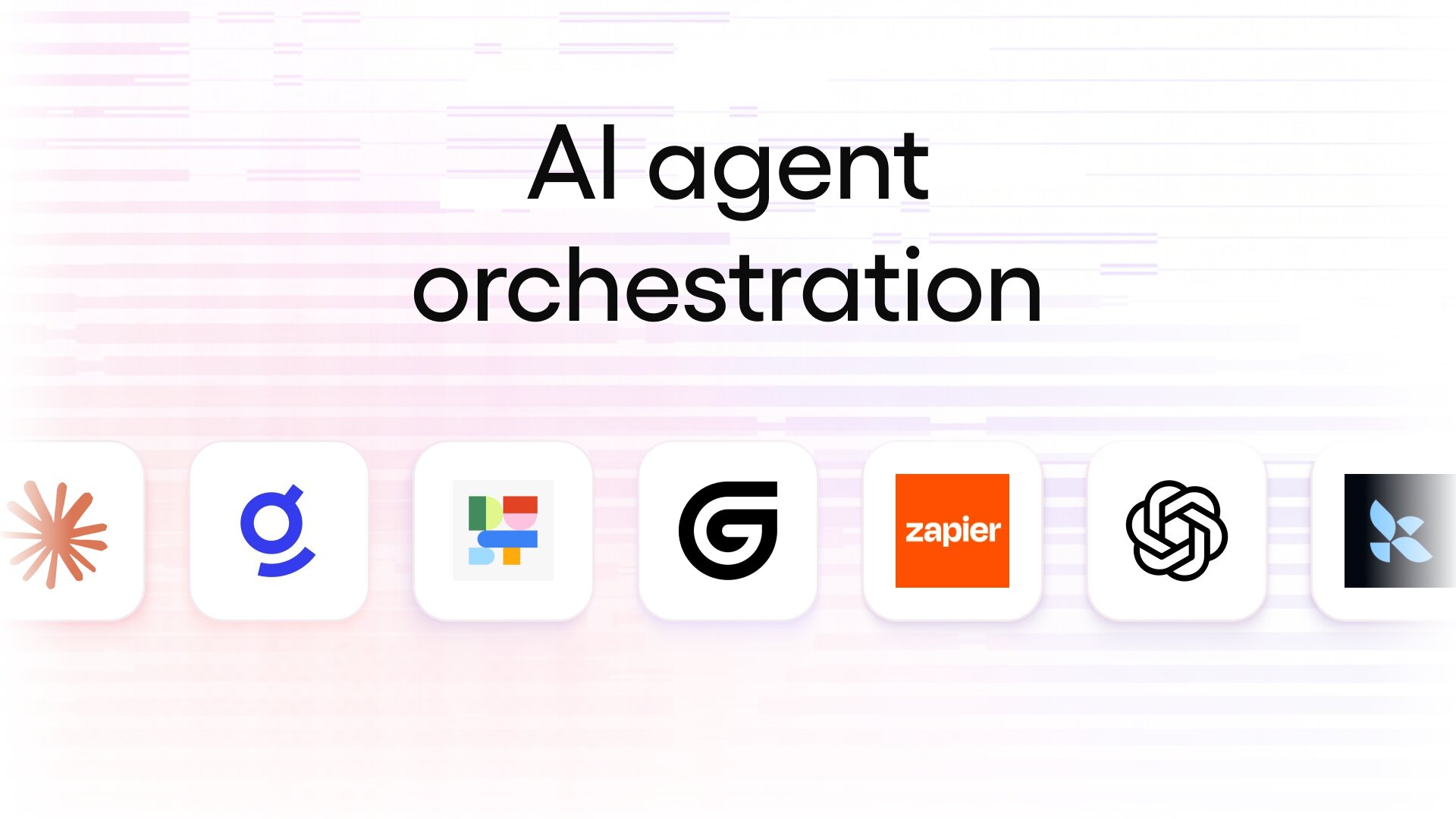
AI agent orchestration is the difference between dabbling in AI agents and using them effectively.
I know “AI agent orchestration” sounds like another marketing phrase cooked up by the sneakers-with-a-suit-jacket crowd,. like “synergy” or “data lake/warehouse/swamp,” to justify yet another thing all businesses must have.
But nowadays with everyone using AI to get ahead and the economy, well, economy-ing... yeah, properly managing and executing your AI agents is important.
These are the best agentic AI orchestration tools to do exactly that.
What is an AI agent orchestration platform?
An AI agent orchestration platform is the layer on top of all your AI agents that controls how agents access resources and collaborate on complex workflows.
Essentially: AI agent orchestration takes all your individual agents and turns them into a team, with guardrails in place to ensure security rules are enforced.
To use a workplace analogy, it’s basically like having a really good project manager who understands each person’s role in the project and what they’re best at — in this case, each AI agent’s role and specialty — and helps coordinate all the moving pieces so that every team member has what they need to finish the project successfully.
Or to be even more obvious, like an… orchestra. Each musician plays their part at the right time so that the entire piece is performed accurately.
In practice, these orchestration platforms coordinate AI agents by:
- Choosing the best agent for each task. The platform understands the end goal and breaks a complex workflow into steps, then sends each step to the correct agent.
- Managing order and context between AI agents. The platform hands off tasks to each agent with the necessary context for that agent to understand its role as part of a larger workflow, and knows which tasks in a workflow can run concurrently and which must wait for other steps to complete first.
- Resolving discrepancies. The platform decides what will happen if two agents conflict during the process or if a human needs to weigh in.
- Enforcing rules and guardrails. Stopping an AI agent from doing something it’s not supposed to, and ensuring all human-in-the-loop review points happen as needed.
- Keeping audit trails organized. Instead of multiple audit logs strewn across multiple AI tools, your orchestration platform contains a single complete and detailed compliance and/or legal record.
The difference between AI orchestration and AI agent orchestration
A quick disambiguation here (don’t snooze yet).
AI orchestration refers to the same type of coordination and oversight, but is focused on overall system reliability, governance, and scalability.
AI agent orchestration, or “agentic orchestration”, refers to only the coordination of multiple autonomous AI agents to allow them to work together efficiently across different environments.
AI orchestration = Coordinating governance, integrations, model deployment, data flow, etc across all AI systems and tools.
AI agent orchestration = Coordinating multiple AI agents performing specialized tasks to work together with context to complete multi-step workflows.
Having both layers is important, but in this article, I’m only talking about AI agent orchestration tools.
What to look for in an AI agent orchestration platform
There isn’t a single “best” AI agent orchestration platform for everyone. The best one for you depends on your answers to a few questions:
- Do you work in a regulated industry (e.g. finance, healthcare, government, etc)?
You’ll want a platform that meets the compliance requirements for your industry (e.g. HIPAA, SOC 2, PCI-DSS, etc.
- Do you already have multiple AI agents deployed within your workflows?
If you don’t have multiple AI agents working together, you may actually only need an AI orchestration layer to manage API access and other infrastructure instead.
These are the criteria I used to test and evaluate the platforms in this article, and what I think are the most important features to consider:
- Easy to manage multiple agents: “Easy” means different things to different people. For me, it means being able to manage my AI agents in a low or no-code workspace. For developers or IT pros, easy could mean a code-first approach.
- Pricing structure: Some orchestration platforms charge per user while others charge via consumption (credits). It’s important to factor in how your workflows and current headcount will influence billing.
- Detailed observability: AI agent observability lets you see which actions agents take, but true usefulness comes in when you can dive deeper and check that each action was actually correct, based on your instructions and training.
- Scalability: A.K.A. future-proofing. You don’t want to become stuck in a platform if you outgrow its volume capabilities, or stuck in long-term vendor lock-ins.
Okay, on to the reviews.
The 10 best AI agent orchestration platforms in 2026
These are the very best AI agent orchestration platforms for all types of organizations:
Alright, let's go over each one.
1. Gumloop
- Best for: Powerful, no code AI agent orchestration for organizations of all sizes
- Pricing: 14 day free trial, starts at $37/month (then pay-as-you-go)
- What I like: Easy to build both AI agents and workflows in one space; full AI observability pairing with Gumstack
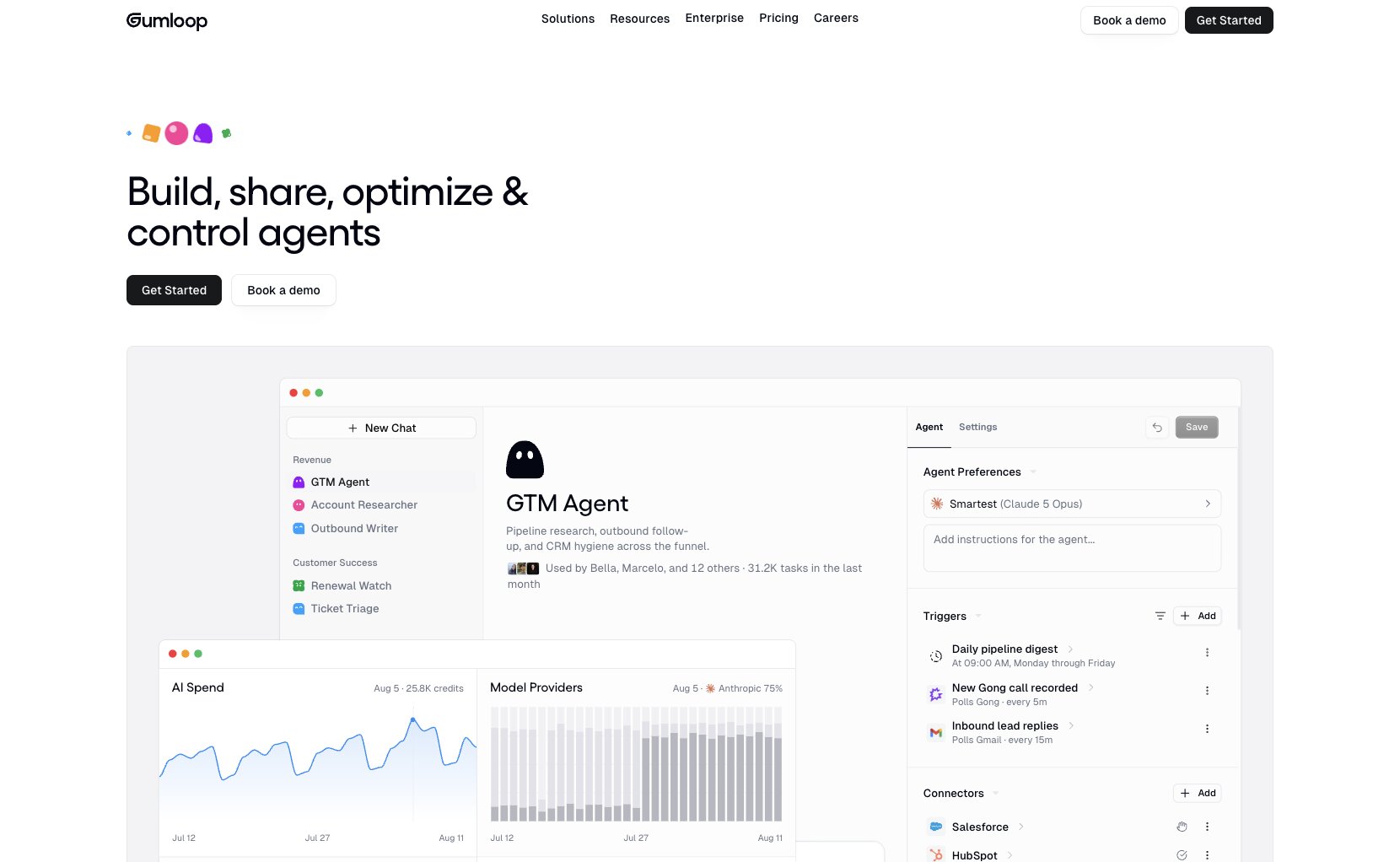
Gumloop is a multi-player AI agent builder that lets teams build, share, optimize, and control AI agents and skills. Simply describe what you want in natural language and Gumloop builds your AI agent, workflow, or node in seconds. (Or start with one of the many use case templates.)
I think Gumloop is the perfect mix between easy-to-use and reliable when it comes to AI agent orchestration. Yes, you can use any AI model for any task, and set autonomous rules for your AI agents so they can switch up the model to whichever is best at the time (e.g. whether it comes down to cost savings or output quality).
But the part that makes managing AI agents with Gumloop reliable to me is the ability to let my agents decide actions most of the time but still stick to 100% mandatory workflow logic. This provides the ideal level of adaptability coupled with critical security compliance.
I’ve tried plenty of AI agent builders before, but it was actually easy to go from idea to production workflow with Gumloop.
Key features
- AI agent + overall AI orchestration in one platform: Gumloop is purpose-built for AI agent orchestration, and you can optionally pair it with Gumstack for a complete AI orchestration and enterprise-grade observability solution.
- Unlimited team members: Only pay for usage via credits, not per seat, so you don’t waste money on infrequent users but everyone still has access.
- Use any AI model (and supports BYOK): Run tasks with Claude, ChatGPT, Gemini, and others and mix and match model choice whenever needed. Save even more with Bring Your Own Keys (BYOK) support.
- Gumball: This is the real orchestor. It's your personal agent that has access to all the agents and skills in your team org. It can also get access to your email, project management tools, and Slack. Gumball can also spin off subagents to make sure you get the most accurate outputs. This way, it's your full personalized entry point to orchestrating all of your agents.
Pros and cons
Pros
- Truly no code: It’s as easy to organize and manage all your AI agents as it is to talk to any AI model.
- Enterprise-grade security: Supports RBAC, SCIM/SAML, audit logs, custom data retention rules, and VPC deployment for robust governance.
- 100+ integrations and 350+ MCP servers (or use your own): Connect to your entire tech stack.
Cons
- Fluctuating budget: As with all usage-based pricing models, testing complex or large workflows can quickly eat through credits. For best results, test with low-complexity workflows and scale up from there.
- Self-hosting is available on Enterprise plans only: Those needing specific data residency must use the Enterprise plan with VPC deployment.
Gumloop pricing
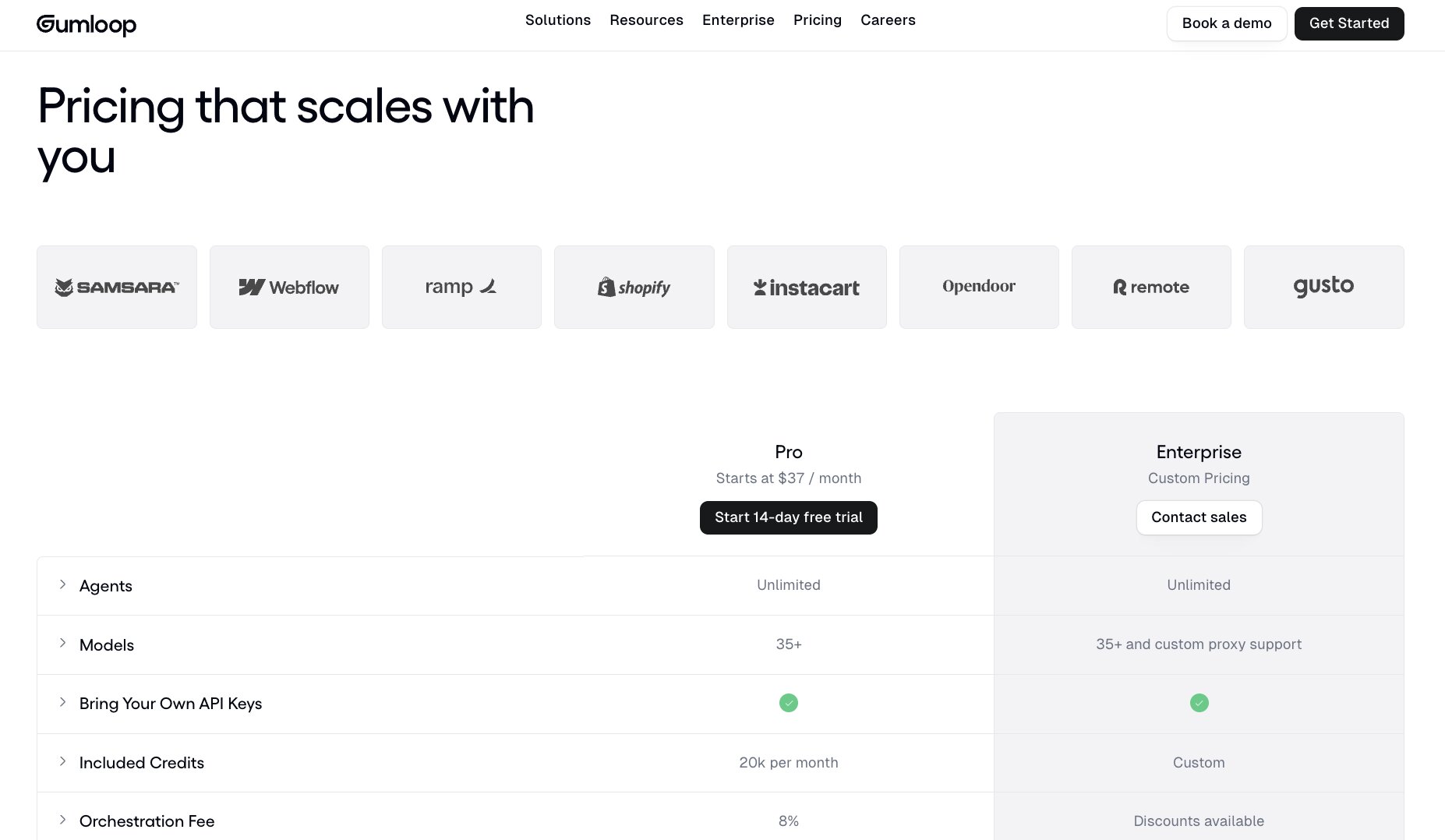
Gumloop's Pro plan as a 14-day free trial, then starts at $37/month and includes:
- 20,000 monthly AI credits
- Access to 35+ AI models, including Claude, ChatGPT, Gemini, xAI, Perplexity, DeepSeek, and more
- Unlimited AI agents
- Unlimited team members
- Company data and GitHub skill sync
- Bring-Your-Own-Keys support*
- External MCP server hosting
- Gumloop MCP client
The Enterprise plan, quoted on a custom basis, expands that with:
- Proxy support for custom AI models
- Dedicated Slack support (with optional Solutions Engineer for your team)
- VPC support
- Organization-wide guardrails
- Audit logs
- Role-Based Access Control and SCIM/SAML support
- Advanced security and permissions control
Get all the details, and start your free 14 day trial, on the Gumloop pricing page.
Gumloop reviews
Here’s what a few current customers have to say about Gumloop:
“Other tools have trouble with sharing credentials in a user-friendly way. Gumloop, from the very beginning, ensured I could send emails in a safe way and make sure everyone on the team is happy with what's going out.”
– Khushi Shelat, Growth Engineer at Parallel
“The partnership review agent cuts prep time from 30–45 minutes per customer to under five minutes, and it results in a 31% higher win rate and 44% larger deals."
– Head of Insights and Operations at Gusto
Here's what others rate the platform on third-party review sites:
- G2: 4.8/5 stars (from 7+ reviews)
- Product Hunt: 5/5 stars (from 9+ reviews)
2. LangChain
- Best for: Developer teams wanting code-first AI agent orchestration with full control
- Pricing: Free to start building; starts at $39/month
- What I like: Open-source; made for engineering teams wanting graph-based multi-agent orchestration; advanced debugging
Okay, first of all LangChain and LangGraph are related, but separate, things. LangChain is the overall open-source, AI agent framework. LangGraph is the actual AI agent orchestration layer for managing multiple AI agents within flexible graphs (instead of linear this-then-that workflows).
Orchestrating AI agents with LangGraph means you can scale up dynamic workflows, such as ones where a human needs to weigh in sometimes. LangGraph can figure out if a workflow can happen fully autonomously for regular, mundane stuff or if there’s a different, high-stakes situation where it needs to flag a human for manual approval before continuing. LangGraph can branch off, loop, pause, and self-organize workflows as needed.
Essentially, LangGraph gives experienced engineers an efficient way to manage multiple AI agents without sacrificing workflow speed, at any complexity level.
I’ll be the first to admit that as a non-engineer, LangGraph and LangChain are way beyond my skill level. That’s the point, though. This is the ideal AI agent orchestration solution for those wanting ultimate control, customization ability, and to handle everything in a code-first environment. (It’s really the opposite of Gumloop!)
Key features
- Model agnostic: Use any preferred AI model for any workflow. Route low priority or intensity tasks through cheaper models and save your budget to use top AI models for complex tasks.
- Flexible workflows with human-in-the-loop: LangGraph can determine which high-stakes situations need human approval and which can continue autonomously, and pause or loop workflow steps as needed.
- Persistent memory: LangGraph can remember details from previous workflows and conversations, which makes it more accurate and efficient over time.
Pros and cons
Pros
- Open source and free to try: For real-real, like MIT license type of open source. You can try it out for free and only have to subscribe when you want to deploy and run real-world traces.
- Offers full control: LangChain and LangGraph give developers full control over all aspects, including workflow logic, agent building, task structure, and more in a code-friendly format.
- Use any AI model with BYOK: On paid plans, you can use any AI model and bring your own keys to save on credits. You can also set rate limits and fallback models.
Cons
- Code-first approach: LangChain, and LangGraph specifically, are made for engineers. There are some optional add-ons the whole company can use (LangChain Fleet offers no-code agent management), but overall, it’s built around developers.
LangChain/LangGraph pricing
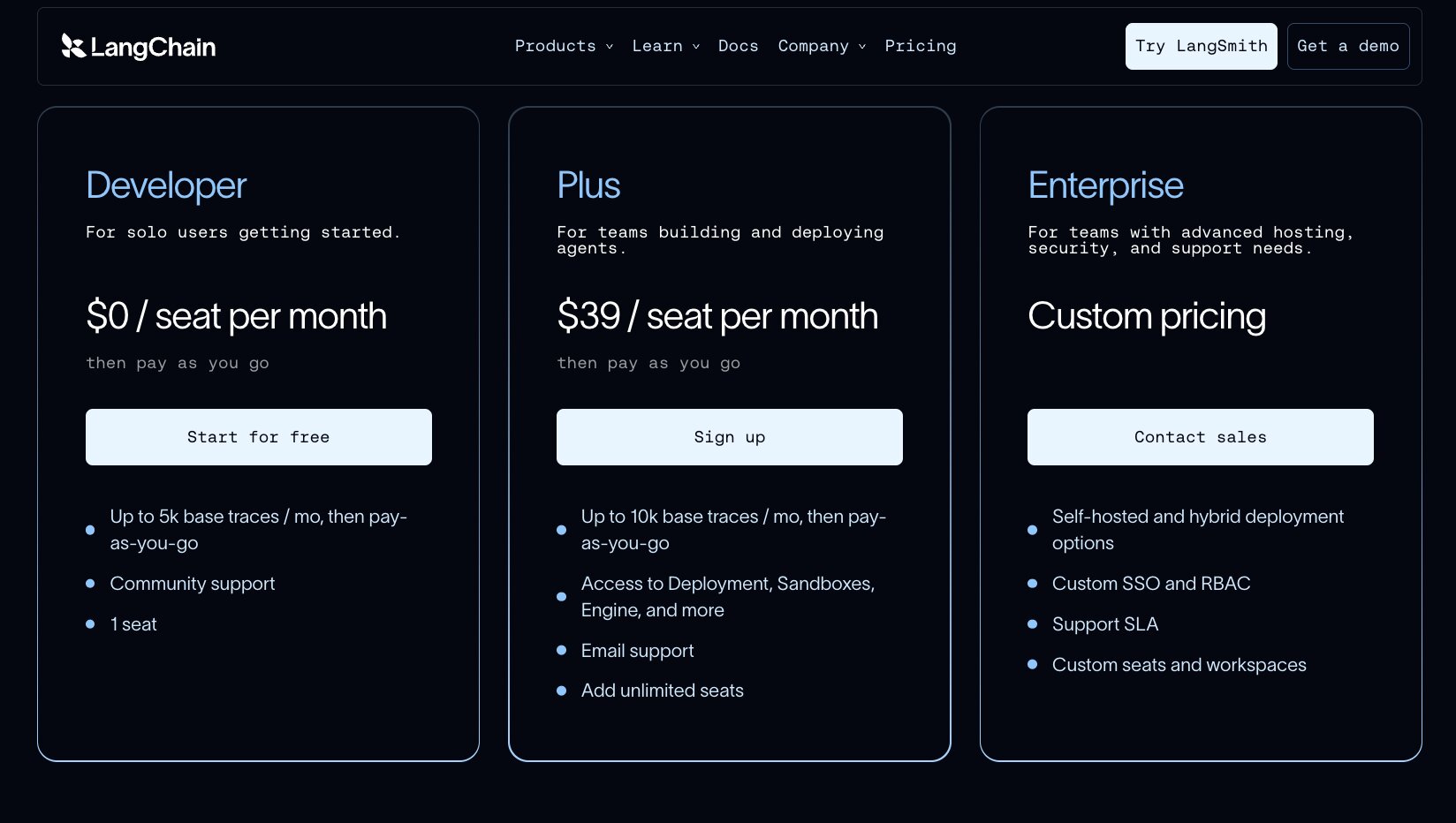
Developers can start building with LangChain for free, though you need a paid plan to deploy. Usage costs also include Compute Units (LCU) for agent work at $1.50/unit and Storage Units (LSU) for databases and memory at $1/unit.
LangChain’s three plans are:
- Developer: Free for one seat to get started and up to 5,000 base traces per month, though doesn’t include deployment. It’s meant to try out the platform.
- Plus: Starts at $39/month per seat and then scales with traces and credit usage. You get 10,000 traces per month and 25 LCUs by default, and usage scales from there.
- Enterprise: Custom pricing based on required trace volume and compute credit (LCU) and storage credit (LSU) usage. Enterprise customers can also choose to self-host.
Check their pricing page to calculate your expected monthly cost in more detail.
LangChain/LangGraph reviews
Here's what others rate the platform on third-party review sites:
- G2: 4.5/5 stars (from 256+ reviews)
- Product Hunt: 4.9/5 stars (from 114+ reviews)
3. Glean
- Best for: Orchestrating AI agents with a shared company knowledge base
- Pricing: Contact for custom quote
- What I like: Automatic permission handling; enterprise-grade shared knowledge and context for secure efficiency
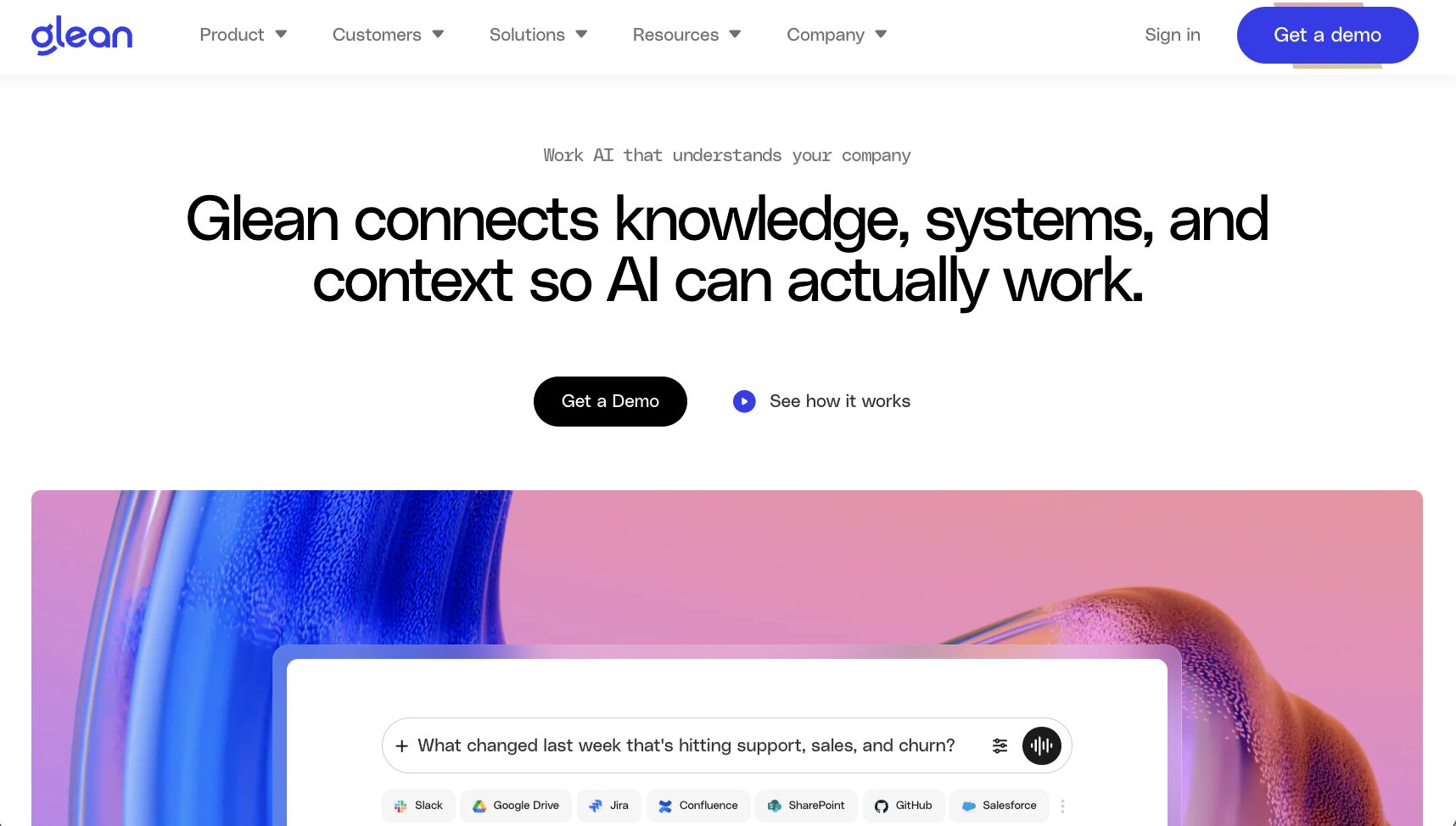
Glean takes all the setup headaches and AI agent knowledge base maintenance work off your plate by automatically scanning how you work within the tools you already use, i.e. Slack, Google Drive, Jira, SharePoint, GitHub, and over 250 more, and learning everything about your organization.
That means it’s faster for everyone to do what they need to do with AI agents without having to copy and paste, re-train Glean on processes, or anything else. But most importantly, Glean does all of that while still maintaining accurate permissions. Meaning: if an employee doesn’t have access to a certain app or type of information, Glean won’t share that with the employee running the AI agent.
Super detailed, company-wide info + automatic permissions management = fast and safe AI agent orchestration for large and enterprise teams.
Key features
- Automatic permission handling: Glean honors the permissions the employee running the AI agent task has, concealing confidential information while still enabling AI agents to get things done.
- Intelligent context mapping: Instead of only “learning facts” about your company, Glean maps the relationships between everything: data, activities, and people. Learning continuously, Glean knows what needs to happen next.
- Built-in MCP gateway with context: Regular MCP gateways pass on task requests and information, but Glean’s MCP provides more useful context from its expansive Enterprise Graph knowledge base, ensuring each AI agent has the most accurate information for each task.
Pros and cons
Pros
- Cost-conscious AI model matching: Cheapest isn’t always best for the task, so Glean weighs cost vs. benefit before selecting which AI model to use for each task, ensuring you get accurate results without overpaying.
- Improved accuracy and efficiency: By continuously learning and optimizing everything your AI agents do with real company data, Glean’s knowledge graph makes AI work easier for your team and more accurate at the same time.
- Supports BYOK (Bring-Your-Own-Keys): Use your own AI model accounts instead of Glean’s to move LLM credit usage costs out of your Glean subscription.
Cons
- Complex AI agent workflows cost more credits: Glean doesn’t specify exactly how much more, but unchecked complex agent runs can end up eating your budget.
Glean pricing
Glean offers both fully managed or self-hosted plans, each with different costs and benefits.
Glean doesn’t publicly disclose pricing, though a 2024 Forrester report stated Glean’s managed platform costs $40 per user (self-hosted: $35/user) based on a 10,000 person test scenario, though actual costs vary with add-on features, support requests, and server or storage expenses.
Other estimates peg the annual cost of Glean, including support and management, as between $490,000 to $670,000 annually for companies of 500 users, and between $3.8 million to $4.2 million for companies with 5,000 users.
In short, Glean can provide massive ROI benefits but its base costs place it firmly in the enterprise-level camp.
Glean reviews
Here's what others rate the platform on third-party review sites:
- G2: 4.7/5 stars (from 334+ reviews)
4. Dust

- Best for: Context-aware AI agent orchestration for mid-size organizations
- Pricing: 500 credits for free; starts at $30/month per seat
- What I like: Fast implementation; shared company knowledge base and context; AI model flexibility
Dust is an AI agent orchestration platform for creating many highly-focused agents to work across your organization using a shared knowledge base to keep them all on the same page. Your team can mention an AI agent to query them for help or assign a task.
Need to start a task? Tag an AI agent in Slack. Finding a solution to a customer support request? Ask a Dust ticket routing agent to search other tickets for solutions, or send a debugging bot to check the technical issue and provide a resolution.
Dust could be the right choice if you want a context-aware AI agent orchestration tool that can automatically learn everything about your organization like Glean does, but faster to implement and easier for your team to run.
Key features
- Integrated into everything: Dust describes this as being “multiplayer agents.” Essentially, multiple task- and skill-specific AI agents aren’t baked into specific workflows or apps, but exist like human colleagues do: ready to call into a project or task as needed, from anywhere.
- AI model flexibility: Switch top AI models in tasks and agents anytime depending on the workflow goal or cost-savings needs.
- Unique interactive, shareable outputs: Dust calls its AI outputs Frames, and they function as interactive workspaces team members can share. Instead of static charts or text files, Frames turn an AI conversation or project into a personalized pitch, presentation, or campaign launchpad to build further work upon.
Pros and cons
Pros
- Robust permissions: Dust’s governance layer controls what AI agents can access as well as respecting employee access groups, so you get all the benefits of shared company knowledge without the security risks.
- Easy to use and no-code: If an employee can use Slack, they can use Dust. It’s as easy to run workflows as it is to talk to a colleague.
- MCP support and open source: Dust itself is open source, and acts as an MCP server and MCP client to easily connect to any other tool via proprietary or custom connectors.
Cons
- Recent switch to usage-based pricing can result in higher costs: Dust switched from a fixed per-seat pricing model to usage-based in 2026 which can significantly raise costs compared to the old, mostly unlimited usage. To be fair, most AI-based tools are going this route with climbing infrastructure costs.
Dust pricing
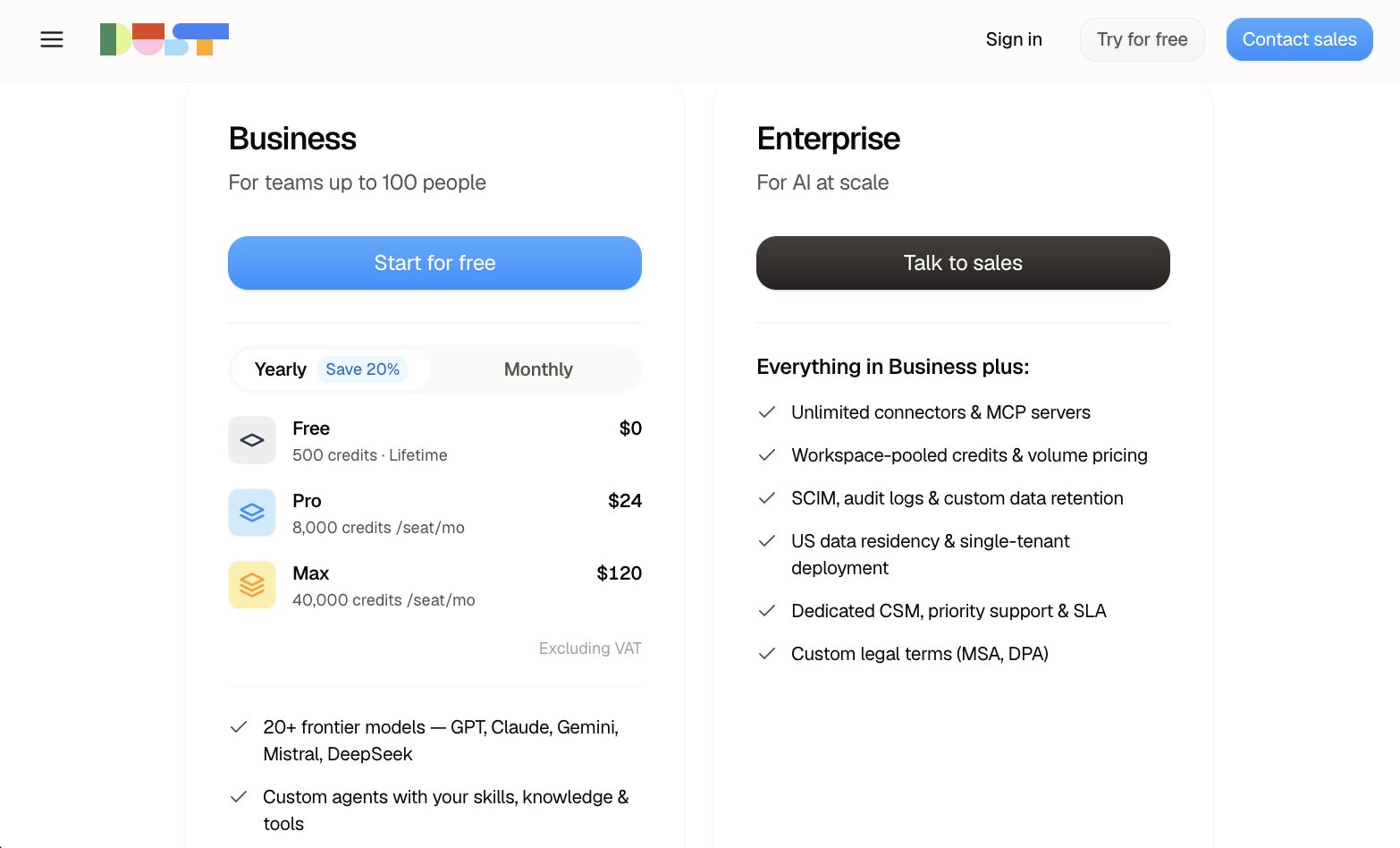
Dust offers two pricing tiers: Business and Enterprise.
Business plans include:
- Free: Try out Dust for free for your first 500 credits.
- Pro: Starts at $30/month per seat and includes 8,000 monthly AI credits (per seat), team workspaces, custom agents, Single Sign-On, and more.
- Max: Starts at $150/month per seat for 40,000 monthly AI credits (per seat).
Enterprise plans are custom priced based on usage and include additional features, such as unlimited MCP servers, volume discounts, audit logs, enterprise-grade security, and more.
Dust reviews
Here's what others rate the platform on third-party review sites:
- G2: 4.6/5 stars (from 86+ reviews)
- Gartner Peer Insights: 5/5 stars (from 1+ review)
5. Claude Cowork
- Best for: Individual employees and small teams wanting autonomous task assistance with zero setup
- Pricing: Included with all paid Claude plans
- What I like: Orchestration included with all paid Claude plans for zero setup; excels at knowledge work tasks
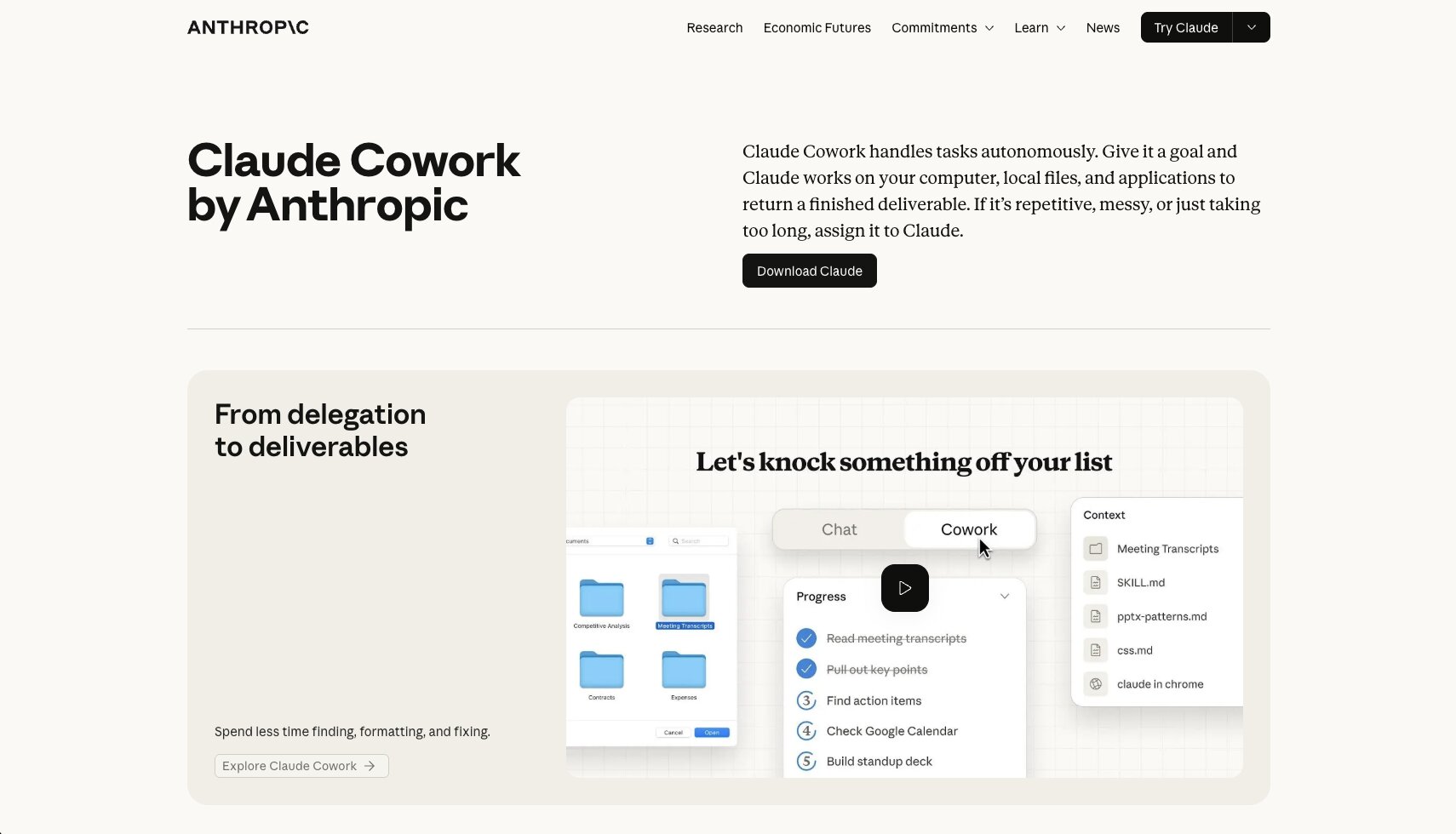
Claude Cowork is like the helpful assistant of AI model Claude, which can autonomously carry out work on your actual computer (or in a VM via browser). However, company-wide AI agent orchestration is still new, only being launched in April 2026.
Company admins can set Role-Based Access Controls (RBAC), spend limits, and see all usage data, but being locked into only the Claude AI model is a limitation compared to other platforms which offer model choice.
However, if you’re a smaller team or otherwise all-in on Claude, it’s the easiest and cheapest way to start orchestrating AI agents company-wide.
Key features
- Fully autonomous workflows: Tell Claude what you want with natural language, close your laptop, go get a coffee, and open it back up to find completed work ready to go.
- Project workspaces with separate memories: Create multiple separate project spaces, each with their own persistent memory, knowledge base, and instructions. This allows for work handled in different ways without messing up any other projects, and to complete things faster within memory-based projects.
- Built in connectors and MCP support: Connect Claude Cowork to pretty much any tool you use with built-in MCP servers, or add your own custom MCP servers, and allow Claude to access specific directories on your computer to streamline file reviews and saving completed work.
Pros and cons
Pros
- No extra costs: AI agent orchestration is already included with paid Claude plans and easily accessible via the Claude Cowork tab in the desktop app. There aren’t any extra fees for using Cowork orchestration, beyond any credit usage that goes above your plan limit.
- Easy to get started with: Claude is infamously easy to use for both technical users (in Claude Code, especially) and non-technical users, relying primarily on natural language prompts to get things done. Orchestrating AI agents is just as easy.
- A top model for unstructured work: Claude models are updated often and among the top choices for more ‘undefined’ work, such as research, content production, and file cleanup or editing. Having this level of logic power plus AI agent orchestration makes a powerful combo.
Cons
- Locked in to Claude AI models: Obviously, Claude Cowork uses only Claude models. This isn’t necessarily a con, however with many advancements across the AI space, it’s usually preferred to have choice over the AI model for each agent or task, as many other platforms offer.
- Potentially high credit usage costs: Claude Cowork tasks use more credits than chat-based Claude requests which can quickly chew through your plan limits. (Follow Claude’s best practices to optimize usage.)
Claude Cowork pricing

Claude Cowork is included with all paid Claude plans.
Claude plans start at $20/month for individuals and $25/month per seat for teams. Higher tiers with more credits start at $125/month.
Claude Cowork reviews
Here's what others rate the platform on third-party review sites:
- G2: 4.6/5 stars (from 455+ reviews)
- Product Hunt: 5/5 stars (from 979+ reviews)
6. OpenAI Frontier
- Best for: Customized AI agent orchestration for enterprise organizations
- Pricing: Contact for custom quote
- What I like: Expert implementation done by OpenAI; multi-platform AI support; continuously improving agents
OpenAI actually has two separate, very different AI agent products: ChatGPT Business and Frontier. ChatGPT Business is like a team version of ChatGPT. Teams get per-seat pricing and a shared chat-based workspace with an admin section for permissions. It’s a good way to efficiently get AI-assisted work done with OpenAI ChatGPT models only.
OpenAI Frontier is for a completely different type of business customer: enterprise organizations wanting company-wide, custom implemented AI agent orchestration. It’s much more than just an “enterprise version” of ChatGPT, it’s a completely customized AI operational system for your needs. And unlike main competitor Anthropic (Claude), Frontier isn’t locked into OpenAI-only models, so you can use Claude, Gemini, and other AI models without risking vendor lock-in.
Also quite uniquely in this space, OpenAI handles the technical implementation of Frontier with their expert team of deployment specialists. OpenAI Frontier is not an “off the shelf” solution, but rather built from scratch for each customer to address their unique workflow pain points first, then branching out with company-wide AI agent orchestration after solving that.
Key features
- Custom implementation and development: Expert OpenAI developers handle the complex AI adoption process by working directly with your team to design custom solutions. Eventually, scaling Frontier company-wide becomes the goal.
- Multiple AI model support: Self-serve ChatGPT Business plans are locked to OpenAI-only AI models, whereas Frontier customers can use OpenAI and competitor models.
- Context and access management: Connect data sources, apps, and workflows once and every agent who needs access to those items has it automatically.
- Enterprise security: Ready for high-security and regulated industries with Role Based Access Control (RBAC), SOC 2 Type II, agent-specific access management, detailed audit logs, and many more security features.
Pros and cons
Pros
- All-in-one platform for AI agent orchestration and governance: Frontier is a truly custom-built solution for enterprise AI agent orchestration, but it’s also the governance and security layers that most other platforms don’t include. Together, it’s everything you need for secure AI implementation.
- 24/7 dedicated support: Besides full availability of support personnel, organizations can also purchase dedicated account management and on-call services for absolute peace of mind.
- AI agents continuously improve over time: Modelled after human employee onboarding and performance review workflows, OpenAI Frontier AI agents improve their skills and efficiency with each task.
Cons
- Not a “try before you buy” solution: Since the Frontier platform is custom-engineered, this isn’t an orchestration solution you can try before committing to it.
OpenAI Frontier pricing
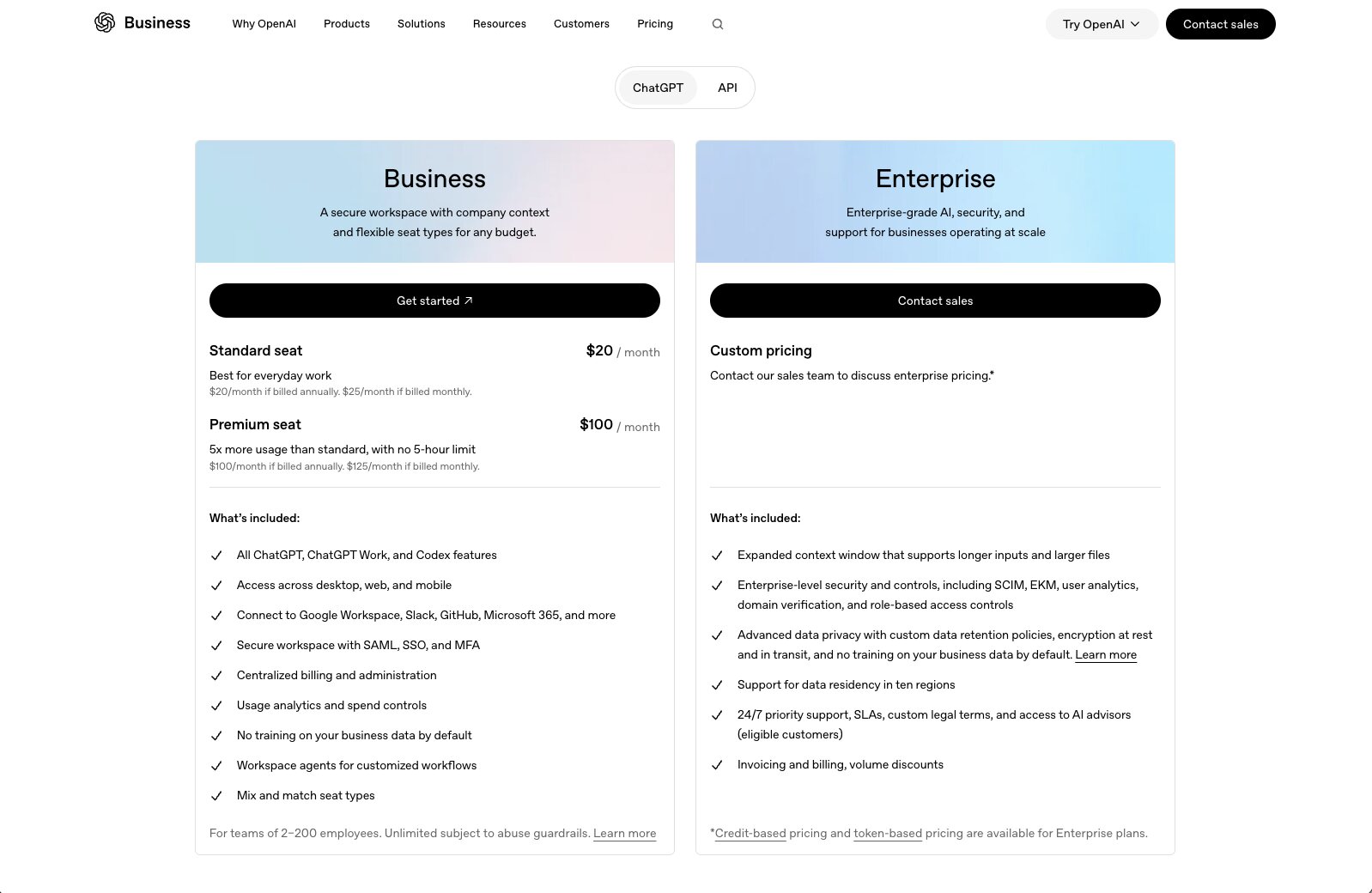
OpenAI hasn’t published pricing publicly for Frontier specifically. As it’s custom developed, pricing likely varies with complexity.
It’s important not to confuse OpenAI Frontier pricing with ChatGPT Business pricing, which starts at $25/month per seat.
OpenAI Frontier reviews
Here's what others rate the platform on third-party review sites:
- G2: 4.3/5 stars (from 61+ reviews)
7. Gemini Enterprise Agent Platform
- Best for: Existing Google Cloud users wanting their development stack and AI agent orchestration in one system
- Pricing: Usage-based
- What I like: Robust combination of no-code and code first agent tools; supports Claude too
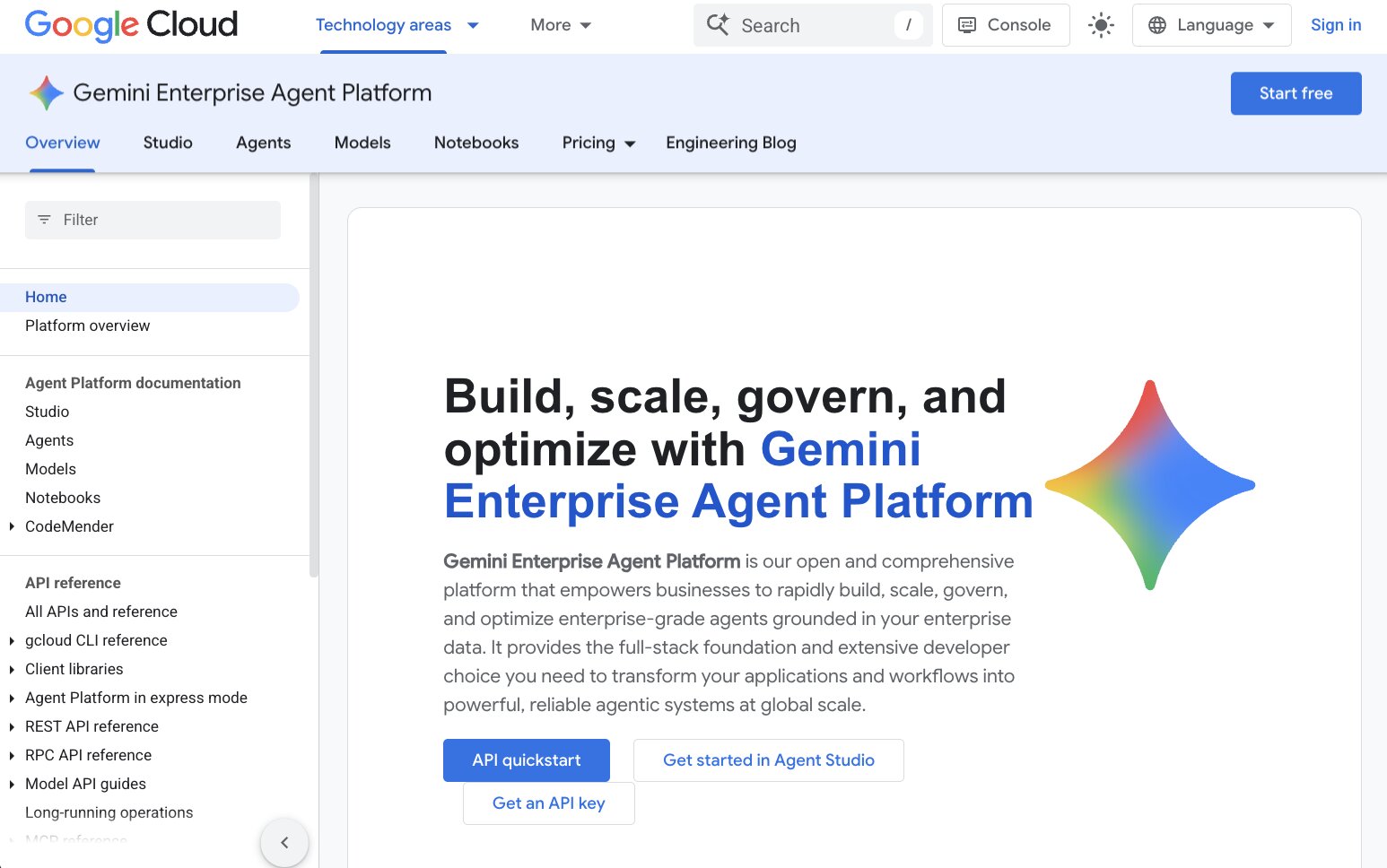
Quick clarification first: Google’s Gemini Enterprise Agent Platform is a (mostly) developer-focused space that uses Google Cloud infrastructure for engineering teams to create AI agents. This is different from the Gemini Enterprise app, which is a (mostly) business user focused space for building no-code AI agents. Essentially, Gemini Enterprise Agent Platform is the new iteration of Google’s previous Vertex AI.
The unique thing about Google’s AI agent orchestration platform is that it offers three ways to build and manage AI agents (and all of them are great):
- Agent Studio: Low code, mostly visual workspace for non-technical people to create agents quickly and easily.
- API on Agent Platform: A “config-driven, REST-first API”, according to Google and I don’t know what that means, but I get the sense it’s for developers to create AI agents with code, in a managed hosting environment.
- Agent Development Kit (ADK): A framework for engineers to build fully custom AI agents with their own code and total control over all aspects.
Basically, it offers everything Google Cloud-focused organizations need to create, manage, and orchestrate complex AI agents, plus access to all of Google’s other development products.
Key features
- Google-level search for company data: Rapidly find information across all your business systems with built-in Notebooks, plus multiple proprietary data tools for connecting, structuring, and allowing secure AI-native app access.
- Mix of AI agent building solutions: There’s something for team members of all skillsets with Google, from the no-code business users to only-code advanced engineering teams.
- Agent Marketplace and built-in templates: Google offers several pre-tuned specialized AI agent templates, such as a Deep Research agent and a Data Insights agent for turning BigQuery data or spreadsheets into summaries. Plus, partner-created agent templates for advanced functionality without needing to code it.
Pros and cons
Pros
- Access the newest Gemini models: Choose from 200+ AI models, including (current) flagship Gemini 3.1, plus support for Claude AI models — even Fable 5.1. (Requires a few security hoops.)
- Strong all-in-one AI governance for regulated industries: Particularly for financial or healthcare organizations, Google’s compliance-friendly governance layer includes data isolation, centralized policy enforcement, and guaranteed non-training models to protect customer data.
- Fully managed infrastructure: Google Cloud powers all your AI agents’ tasks and sessions, so it’s hands-off for your team (but costs can add up).
Cons
- It’s kind of… a lot: Google’s Agent Platform includes multiple AI agent creation tools ranging from no code to ‘codemaxxing’ and high security and governance features. In short, it’s complex and a lot to learn and takes time to implement.
- Requires Google Cloud: Agent Platform runs on Google Cloud, so that’s your only option for using it. Additionally, usage-based billing can add up quickly.
Gemini Enterprise pricing
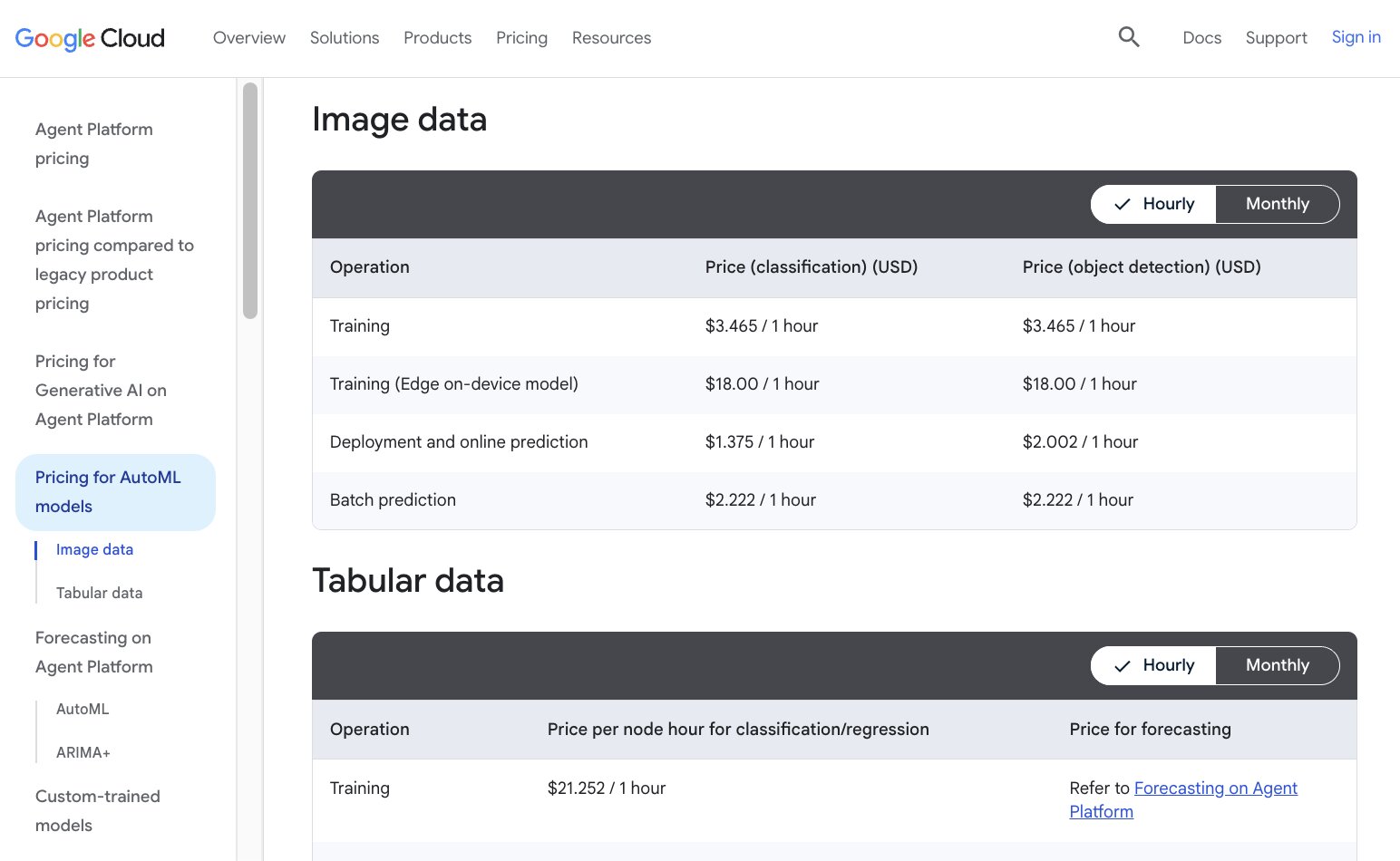
Most likely you’re already using Google Cloud or other Google development products. Gemini Enterprise Agent Platform pricing is based on different types of usage, from compute credits to notebooks and search queries per second, and many more types of credits.
You can estimate your organization’s costs with their pricing calculator, or get a custom quote.
Gemini Enterprise reviews
Here's what others rate the platform on third-party review sites:
- G2: 4.3/5 stars (from 739+ reviews)
8. Zapier
- Best for: Connecting AI agents to the world’s largest app integration solution via MCP server support
- Pricing: Free up to 400 monthly actions; starts at $50/month for Agents
- What I like: 9,000+ app and workflow integrations AI agents can use to get real work done; easy no code workflow and agent builder
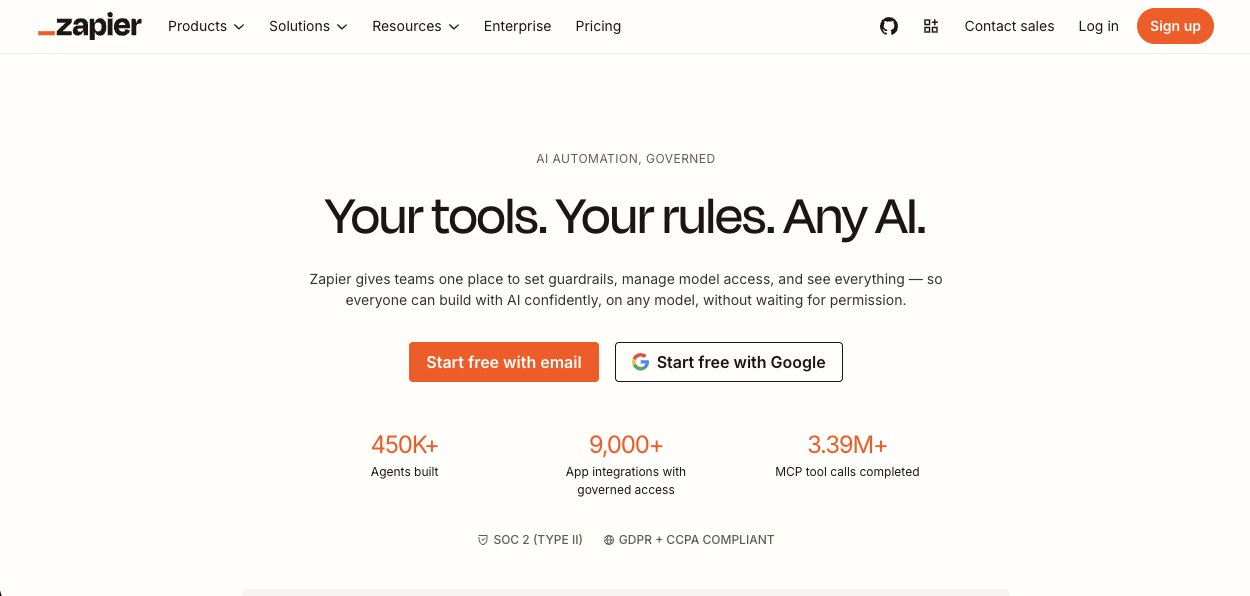
Zapier started as a workflow connector and optimization tool way back when, but is now a top choice for AI agent orchestration. Thanks to their MCP server support, you can connect your AI agents to over 9,000 app integrations to instantly power real-world workflows.
Basically: take Zapier’s historic ability to connect anything to anything else… and plug in your AI agents.
A wee bit of difference to other AI agent orchestration platforms with Zapier is that it’s more like “adding AI” to your existing Zaps (what Zapier calls its workflow actions between apps), rather than a fully rebuilt AI-native ecosystem. But also… this is what most organizations can benefit from right away: a fast way to create real company-wide impact by using AI.
If you truly need highly complex, custom AI agent workflows with things like persistent state management, you’ll want a more specialized solution. But for most organizations, Zapier gets what you need done quickly and easily.
Key features
- The most integrations in the world: Over 9,000 app connections to easily set up powerful agentic workflows with zero code.
- MCP server support: Connect Zapier actions to any LLM or AI agent, so suddenly your agents have thousands of available actions at their disposal.
- Built in Zapier AI Agents: Easily customizable to your needs, and act as “AI teammates” with your company knowledge, data access, and the ability to act autonomously.
Pros and cons
Pros
- Connect anything to anything (pretty much): Connect your AI agents to all your business apps with Zapier’s 9,000+ integrations in a few clicks and boom, you have a functional, fast, and powerful AI-driven workflow for nearly everything right away.
- Affordable way to get AI agents on board: Compared to other options on this list, Zapier is very affordable for smaller teams, starting at only $29.99/month for the platform plus $50/month for Agents.
- Fast and easy to use: Quickly implement AI agent workflows using Zapier’s familiar visual builder, or even type what you want in natural language prompts and Zapier will create it for you or guide you through.
Cons
- No self-hosting ability: Also no way to export Zaps to use with another platform, so vendor lock-in is a concern too.
- Not as advanced AI agent orchestration tools: Other platforms offer deeper knowledge graphs, more highly reasoned conflict resolution, state control, and more… but at a much higher cost, too.
Zapier pricing
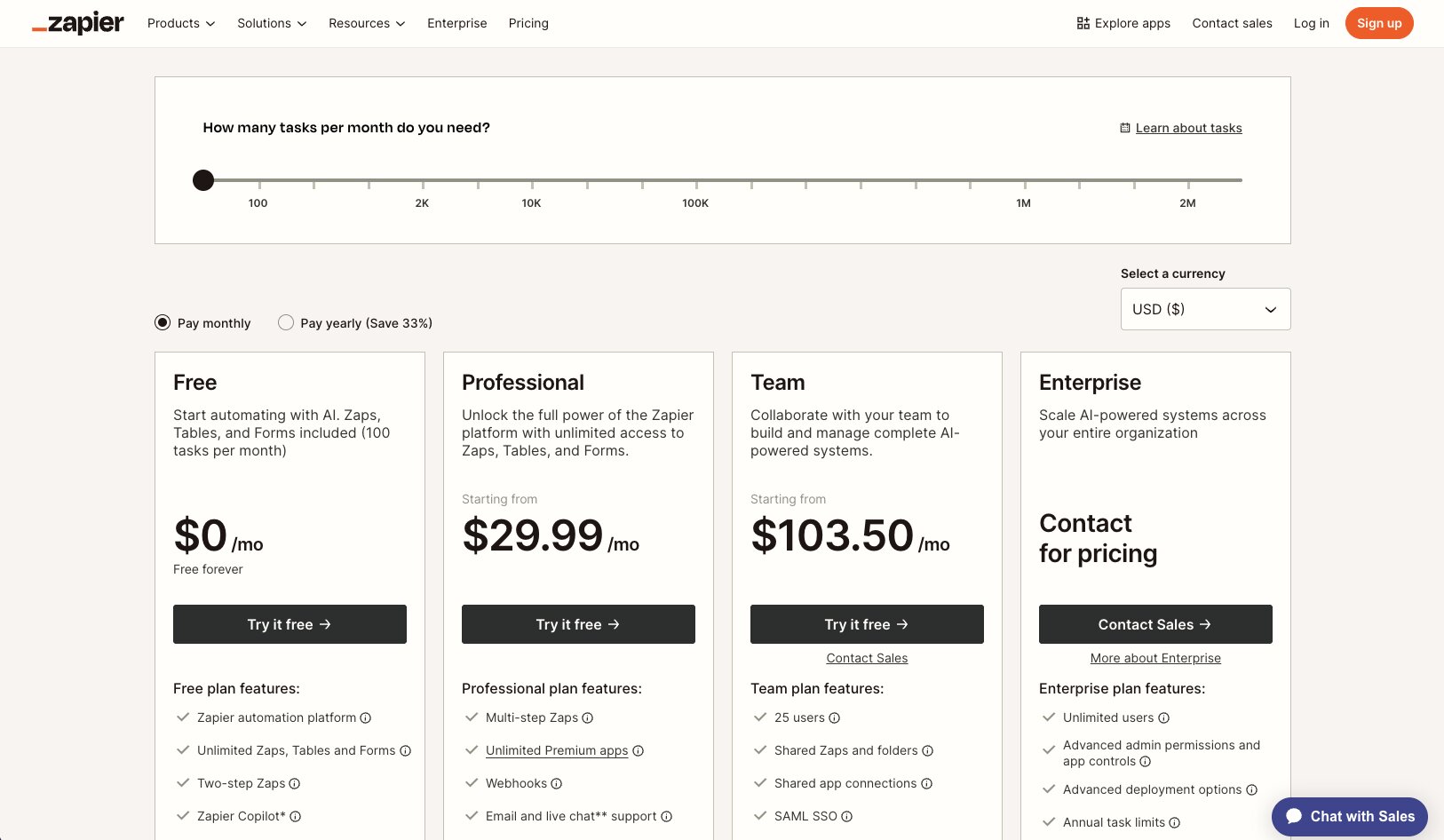
Zapier Agents is an optional add-on for Zapier plans.
Zapier platform plans are:
- Free: Up to 100 monthly automation tasks and unlimited workflows and forms.
- Professional: Starts at $29.99/month for 750 monthly tasks, plus premium integrations, conditional logic, data tables, and advanced workflows.
- Team: Starts at $103.50/month for 2,000 monthly tasks and 25 seats, plus SAML/SSO and shared permissions.
- Enterprise: Custom tasks based on usage, plus unlimited seats, observability, advanced permissions, and more.
Zapier Agents is a separate add-on and is free up to 400 monthly agent activities, then starts at $50/month up to 1,500 activities. Custom Enterprise plans with audit logs and higher security are also available.
For more details, including defined usage rates, visit Zapier’s pricing page.
Zapier reviews
Here's what others rate the platform on third-party review sites:
- G2: 4.5/5 stars (from 2,088+ reviews)
- Capterra: 4.7/5 stars (from 3,071+ reviews)
9. Notion
- Best for: Teams already using Notion to organize work that now want to power up with AI agents
- Pricing: Free for individuals; using Custom Agents requires the $24/month Business plan + AI credits
- What I like: Advanced permissions management; seamless knowledge base setup; easy to use
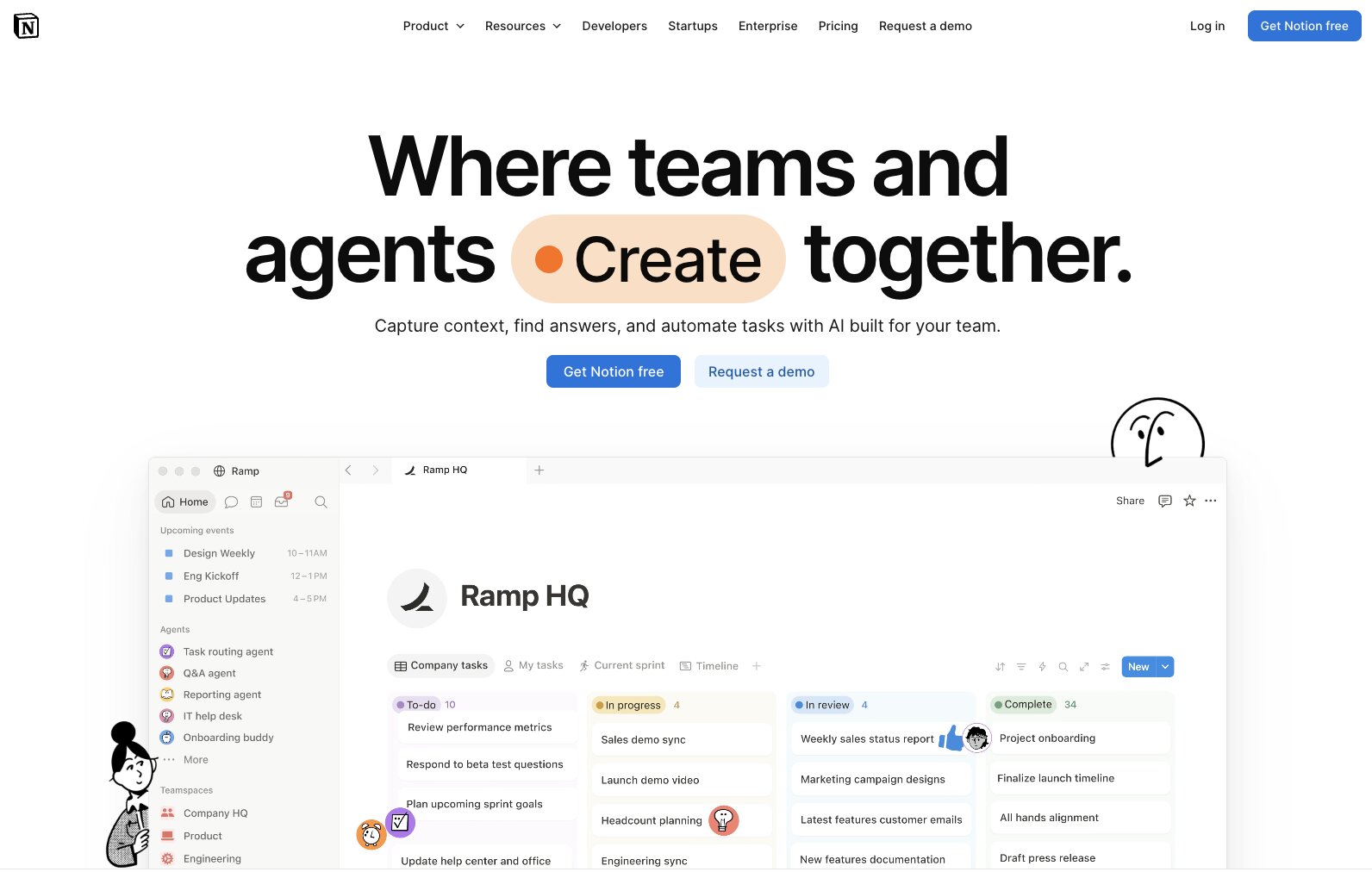
Notion used to be a document and notes app to help businesses share information, stay organized, collaborate and plan work, and more. As of 2026, Notion is now also a full AI agent orchestration platform, building on their strong foundation of already being the place where all your company knowledge lives.
That’s pretty important here, as for many companies already using Notion for years, that is the case. Your team looks up everything from content calendars to corporate Wiki info or org charts in Notion, and now your team can create custom AI agents to take on work in the same place.
Once set up, Notion AI agents can be called to work on tasks via Slack message, an email, or any other connected tool, or automatically run based on a schedule or workflow trigger.
I’ve used Notion for years to organize my business info, everything from my address to saved links and goal tracking, and adding agents into it felt almost too easy. I’m sure set up would still be pretty quick if you’re brand new to Notion but if you’ve already got data in there, yeah, it’s a piece of very automatic cake.
Key features
- No code and easy to use: Using Notion is as easy as dragging and dropping. Now users can create autonomous AI agents in the same no-code, visual interface they’re already used to.
- Instant implementation if you’re already using Notion: It already has years worth of your company’s notes, reports, and databases. Nice.
- Credits dashboard to predict costs: See your actual credit usage in real-time, plus your projected usage for your Custom Agents so you can more accurately plan your budget and identify which agents may need further optimization to use less.
Pros and cons
Pros
- Your entire team can use it: With no code agent building and deployment, anyone on your team can work with AI agents, not just developers.
- Agents only access the specific pages or databases they need for a task: AI agents have the information they need to complete a task without unnecessary security risks.
Cons
- Credits don’t rollover: Priced at $10 for 1,000 credits, any unused extra credits don’t rollover at the start of a new month.
- Custom Agents only available on Business and higher plans: Plus you’ll need to purchase AI credits to use them.
Notion pricing
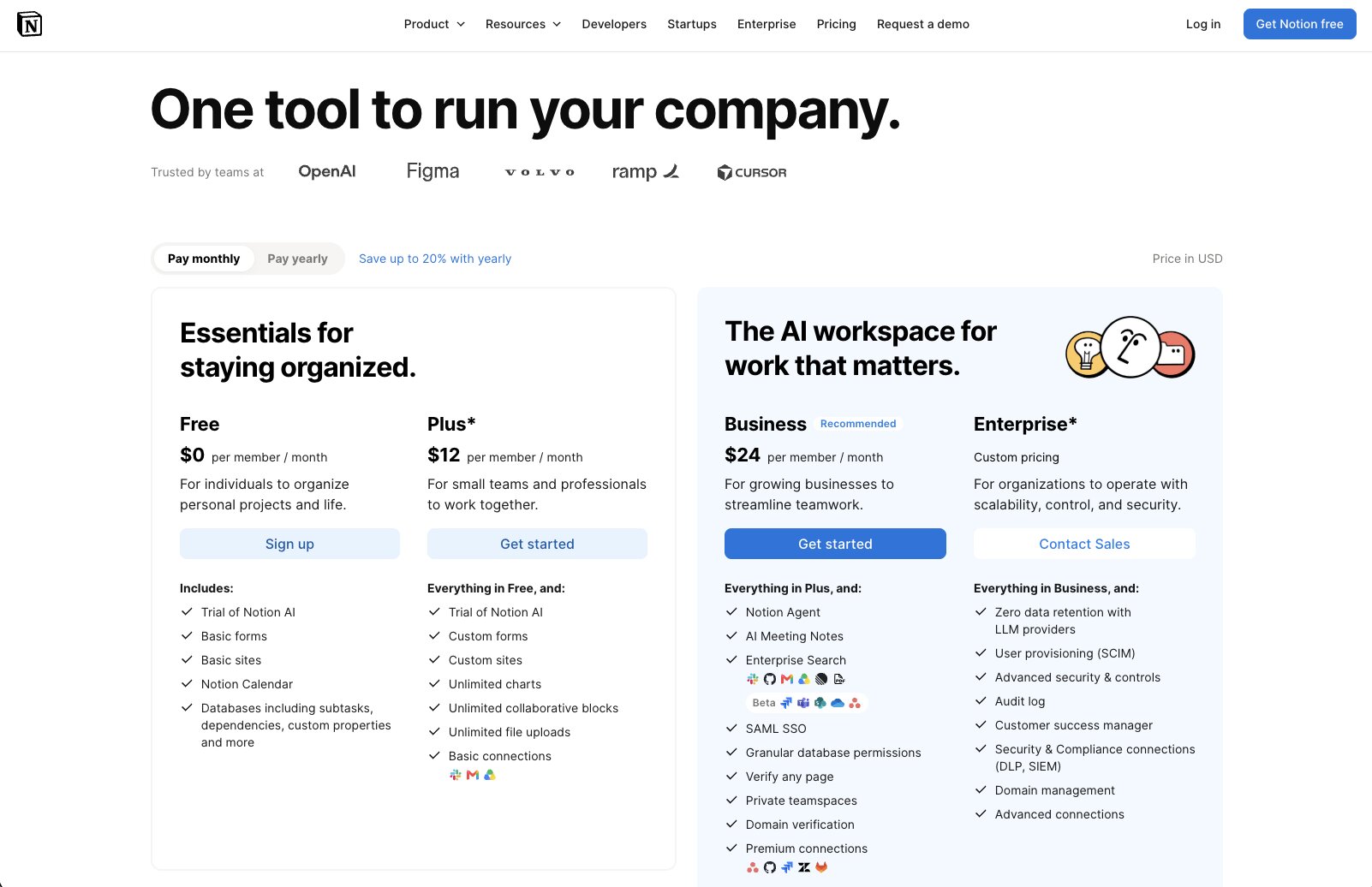
Notion offers four plans:
- Free: For individuals, and includes unlimited pages and a trial of Agent and AI tools.
- Plus: $12/month per seat for unlimited uploads, recent pages auto offline sync, unlimited external guests, and a trial of Agent and AI tools.
- Business: $24/month per seat for private team workspaces, advanced permissions, custom AI agents, advanced company-wide search, access to custom-coded Workers, and more.
- Enterprise: Custom pricing; features zero data retention, advanced security, audit logs, priority support, and more.
Notion reviews
Here's what others rate the platform on third-party review sites:
- G2: 4.6/5 stars (from 13,835+ reviews)
- Capterra: 4.7/5 stars (from 2,808+ reviews)
10. Hyperagent
- Best for: Teams wanting autonomous, cloud-based AI agents without managing infrastructure
- Pricing: Usage-based credits per month; starts at $20/month
- What I like: Persistent memory; self-improving AI agents learn from experience
Hyperagent is relatively new to the AI agent orchestration space, having launched in early 2026, but it’s already making waves for its unique approach to how its AI agents work.
Like other platforms, Hyperagent’s AI agents function as a team of individual, specialized autonomous AI beings who excel at specific skills and can work independently or together on tasks. But unlike other platforms, each agent has their own completely private cloud computing environment.
That means each agent has its own browser (with Exa web search), file system, generative AI engines for images or video, and tons of integrations. This keeps agents separate from the other building blocks that power your workflows, which Hyperagent calls Skills (definable processes), Memories (persistent data and instructions), and Rubrics (your criteria of what a good output is). All of these are transferable and shareable among existing and new AI agents.
With this “separate but works well together” approach, efficiency gains compound with usage instead of being “stuck in the prompt box” of one AI agent.
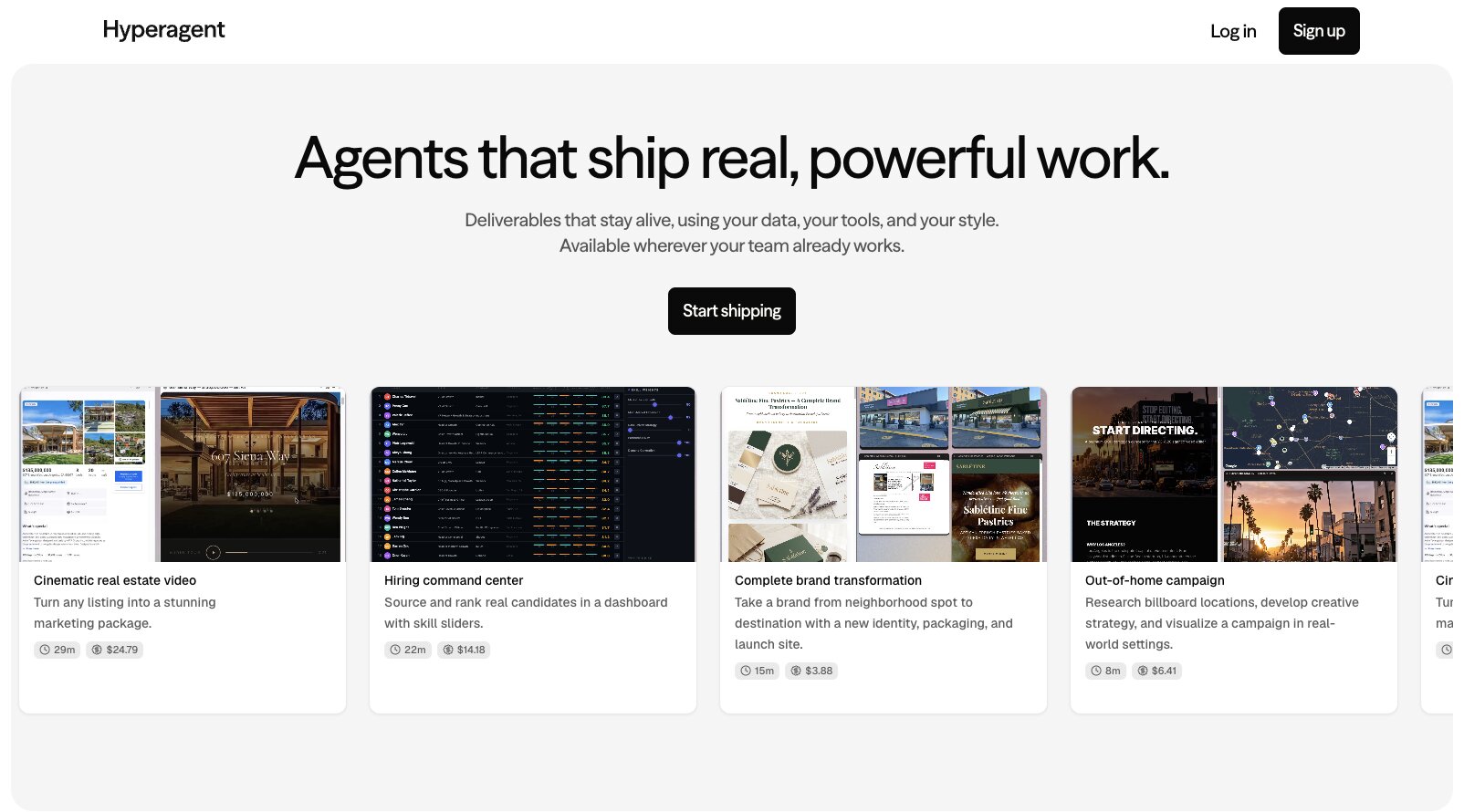
Controlling budget can be an issue with undefined usage-based credit pricing. Although Hyperagent offers several example projects for you to examine, including how much they cost to bring to life.
Key features
- Each agent has its own computing environment: Separate workflows, skills, and knowledge gained from individual agents, meaning your best processes and AI outputs get used across your AI agent team, not lost in one project.
- Full logic and task visibility: See every single thing your AI agent does to accomplish a task, including decisions made and reasoning.
- Talk to Hyperagents in Slack: Mention @ your AI agent in Slack and assign tasks, or set a schedule or webhook to trigger agent workflows.
Pros and cons
Pros
- Isolated agents reduce security risks: By having each agent in its own computing environment, Hyperagent’s model can cut down on some security concerns (although actual security protocols like SOC 2 etc are more important).
- Easily transferable skills and memory: Define workflow skills and package them to export to other agents, plus use brand info, instructions, and context across multiple or all agents.
Cons
- New and slightly unproven (but actively in development): Having just launched this year, Hyperagent is slim on details online, including guides and help docs.
- No governance or security details available: Does not appear to support SOC 2, SCIM, SAML, data residency choices, or robust administrative access controls, which could be a dealbreaker for regulated organizations.
Hyperagent pricing

Hyperagent pricing is a bit unique in that it’s completely usage-based. Your monthly credit subscription buys agent work time, essentially.
Plans start at $20/month, although credit costs are ambiguous. Hyperagent says each credit is worth “hours” of work, although fully autonomous agents can run upwards of $50 per day.
Which AI agent orchestration platform is right for you?
Your best AI agent orchestration tool depends on many factors, ranging from the types of tasks you want agents to run, who on your team will be using them, your budget, security requirements, and more. There isn’t one “best” choice for every organization.
That said, I think this will help streamline your decision…
Want no-code ease of use? → Choose Gumloop. You get multi-agent systems in a visual dashboard anyone can use, plus unlimited seats for your team. Need enterprise observability and security? No prob with Gumstack. Grab a 14 day free trial and see what Gumloop can do.
Want code-first full control? → Choose LangChain + LangGraph. Engineers can rapidly build custom AI agents with code across any AI model, with full observability built-in.
Want the strongest enterprise governance? → Choose Glean, OpenAI Frontier, or Gemini Enterprise Agent Platform. If compliance and AI governance is your #1 must-have, IMO Glean offers best-in-class permissions management, Frontier has detailed audit trails, and Gemini makes the most sense if you already use Google Cloud for your infrastructure.
Want the most context-aware agents from Day 1? → Choose Dust or Notion. Both offer a quick way to get all agents up to speed on company data: Dust by connecting to core business systems, and Notion only if your business info already exists there.
Want to start with real workflows right away? → Choose Claude Cowork or Hyperagent. If you want to start building and delegating work to AI agents in the same day, choose Claude Cowork if you already use Claude or Hyperagent to take advantage of always-improving agents. (Or Gumloop, for its super easy to use workflow builder.)
Want to integrate with (pretty much) everything ever made? → Choose Zapier. The simplest way to connect your agentic AI workflows to the world’s largest integration marketplace.
Whichever platform you choose, keep in mind your absolute must-have features and go from there. Choosing the right AI agent orchestration platform now gets you faster results… and avoids pricy and time-consuming switching nightmares later on.

Read related articles
Check out more articles on the Gumloop blog.