7 best Flowise alternatives I'm using for AI agents in 2026

I can’t stop building and tinkering with AI agents.
Once you find the right setup around a specific workflow, you start to see the way you approach work differently. And there’s a good chance you are already building with a tool like Flowise. (Or else why would you be looking for a Flowise alternative?)
Don’t get me wrong, Flowise is a great open-source tool for building LLM apps visually. It gives developers a lot of control over chains, RAG pipelines, and custom integrations. But it's not always the best fit depending on what you're building and how technical your team is.
I've been testing and using different AI agent platforms for well over a year now. So I put together this list of the Flowise alternatives that I think are worth checking out.
Some are better for developers, some are better for non-technical teams, and some sit somewhere in between.
Okay, let’s dig in.
What to look for in a Flowise alternative?
In every tool related article I write, I always want to show people how to pick tools based on their own judgement. So before we go over my top alternatives to Flowise, first let me show you how I evaluated these tools so you can do the same.
Here are some things I'd recommend looking at:
- How easy it is to get started: Flowise can feel intimidating if you're not a developer. A good alternative should let you build and iterate on workflows without needing to read a bunch of docs. Look for platforms with a user-friendly interface that have great UX that just works.
- RAG support: If you're building anything that needs to pull from your own data, like internal docs, knowledge bases, or support articles, you want a platform that handles retrieval-augmented generation (RAG) well. This includes things like vector database connections, document chunking, and citation support.
- LLM flexibility: Flowise works well with OpenAI models, but the best alternatives give you access to multiple large language model providers. You should be able to swap between OpenAI, Claude, Gemini, or whatever model fits your task without rebuilding your entire workflow.
- Multi-agent orchestration capabilities: If you're building anything beyond a single chatbot, you'll want a platform that supports multi-agent setups. Agent orchestration is where things get interesting, allowing multiple agents to coordinate, delegate tasks, and work together on complex problems.
- API integration and MCP support: Your agents are only as useful as the tools they can access. Look for platforms with strong API integration options and support for MCP (Model Context Protocol), which is becoming the standard for connecting AI agents to external tools and data sources.
- Scalability: What works for a prototype might fall apart at production scale. Make sure the platform can handle increased usage, concurrent workflows, and growing data volumes without you having to re-architect everything.
- Deployment options: Flowise's big value prop is self-hosting. If that matters to you, check whether the alternative supports self-hosted, cloud, or hybrid deployment. If you're fine with a managed platform, you get the benefit of not dealing with infrastructure.
- Pricing at scale: Some platforms look affordable at first but get expensive fast once you're running real workloads. Pay attention to how pricing works, whether it's credit-based, task-based, or seat-based, and estimate what your actual usage would cost.
- Community and support: A strong community, good documentation, and responsive support make a huge difference when you inevitably get stuck. This is especially true with AI tools where debugging can be tedious.
Not every alternative will check all of these boxes, and that's fine. It really depends on what you need. Some of the tools on this list are better for developers, some are better for ops teams, and some sit right in the middle. I included a mix so you can find what works for your situation.
7 best Flowise alternatives and competitors in 2026
Here are the best Flowise alternatives:
Let’s take a look at each one.
1. Gumloop

- Best for: Building AI-powered workflows and agents without writing code
- Pricing: Includes a free plan, then starts at $37/month
- What I like: Built-in access to any LLM, AI-assisted workflow builder, and one of the cleanest visual interfaces in the space
Gumloop is an AI agent and workflow builder designed for businesses of all sizes. It’s the tool I personally use for my own marketing workflows, and I've been using the platform for over a year now.
If you're coming from Flowise, Gumloop is going to feel familiar in some ways. Both tools use a visual, drag-and-drop canvas where you connect nodes together to build workflows. But where Flowise is built for developers who want to wire up LLM chains, vector databases, and custom prompt graphs at a low level, Gumloop is built for people who understand the problem they want to solve but don't want to deal with infrastructure, hosting, or writing code to get there.
One of my favorite things about Gumloop is the Gummie assistant. You can describe what you want to build in natural language and it will generate the workflow nodes for you. From there, you can tweak and refine the flow visually.
The platform also integrates with any premium LLM model. ChatGPT, Claude, Gemini, DeepSeek, Grok, whatever. You don't need to bring your own API keys on the paid plans, which is nice if you don’t want to manage keys.
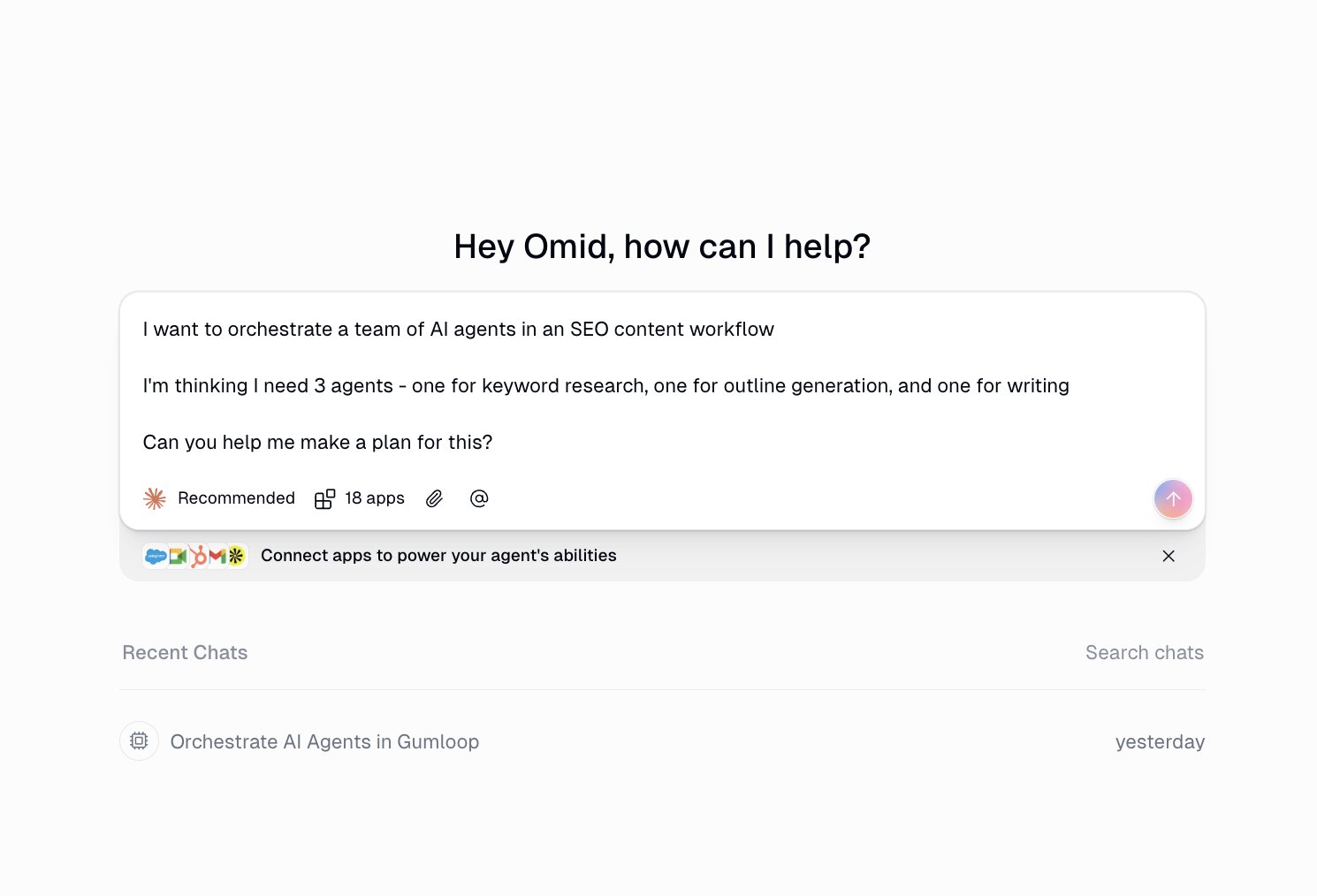
Gumloop also has built-in web scraping capabilities, which is actually what first attracted me to it. Being able to scrape data, process it with AI, and push results to Google Sheets or Slack all in one flow is powerful. They also recently launched a feature called Skills for agents. Instead of cramming everything into one giant system prompt, Skills let your agents store detailed instructions, scripts, and reference files in organized folders that the agent pulls from only when it needs them.
So a sales agent might have a "Salesforce Admin" skill, a "Call Analysis" skill, and an "Outbounding" skill, and it knows when to tap into each one. The agents can even create their own scripts and documentation over time, which means they basically self-improve the more you use them. It's a pretty big leap compared to static prompt-based agents.
Companies like Instacart, Webflow, Rippling, and Samsara use Gumloop, so the platform is SOC 2 Type II compliant and GDPR compliant, which is important if you're working with sensitive data or in a regulated industry.
Here are some things I like about Gumloop:
- Built-in access to any premium LLM without needing your own API keys (on paid plans)
- The Gummie AI assistant can generate entire workflows from a natural language description
- One of the cleanest and most intuitive visual interfaces I've used in the automation space
- Built-in web scraping that makes it easy to pull data from any website
- Agents in workflows allow you to orchestrate a team of AI agents
- Tons of pre-built templates to get started with, plus a growing library of 115+ nodes
Here are some things I don't like about Gumloop:
- There is a learning curve. Even though the UI is clean, building more complex workflows takes time to get the hang of
- The credit-based pricing means you have to keep an eye on usage, especially if you're running agent-heavy flows
- Multi-user collaboration features are gated behind the Team plan at $244/month, which can be a jump for small teams
- It's still a relatively new platform (founded in 2023), so you may run into the occasional UI quirk
Overall, Gumloop is the Flowise alternative I'd recommend for anyone who wants to build serious AI-powered workflows and agents without managing their own infrastructure. If you want deep, low-level LLM plumbing with full open-source control, stick with Flowise. But if you want to go from idea to working automation as fast as possible, Gumloop is hard to beat.
Gumloop pricing

Gumloop uses a credit-based pricing model. Each action in your workflow consumes credits, and more advanced AI calls use more credits than basic ones.
- Free: $0/month with 2,000 credits, 1 seat, 1 active trigger, and unlimited nodes and flows
- Solo: Starting at $37/month with 10,000 credits, 1 seat, API key access, 5 list steps, and event triggers
- Team: Starting at $244/month with 60,000 credits, up to 10 seats, workspaces, 15 list steps, and Slack support
- Enterprise: Custom pricing with role-based access control, SAML/SSO, audit logs, virtual private cloud, and dedicated support
You can check out the full pricing breakdown on Gumloop's pricing page.
Gumloop reviews
Here's what customers of Gumloop rate the platform on third-party review sites:
- Product Hunt: 5 out of 5 star rating (from +9 user reviews)
- G2: 4.8 out of 5 star rating (from +6 user reviews)
2. n8n
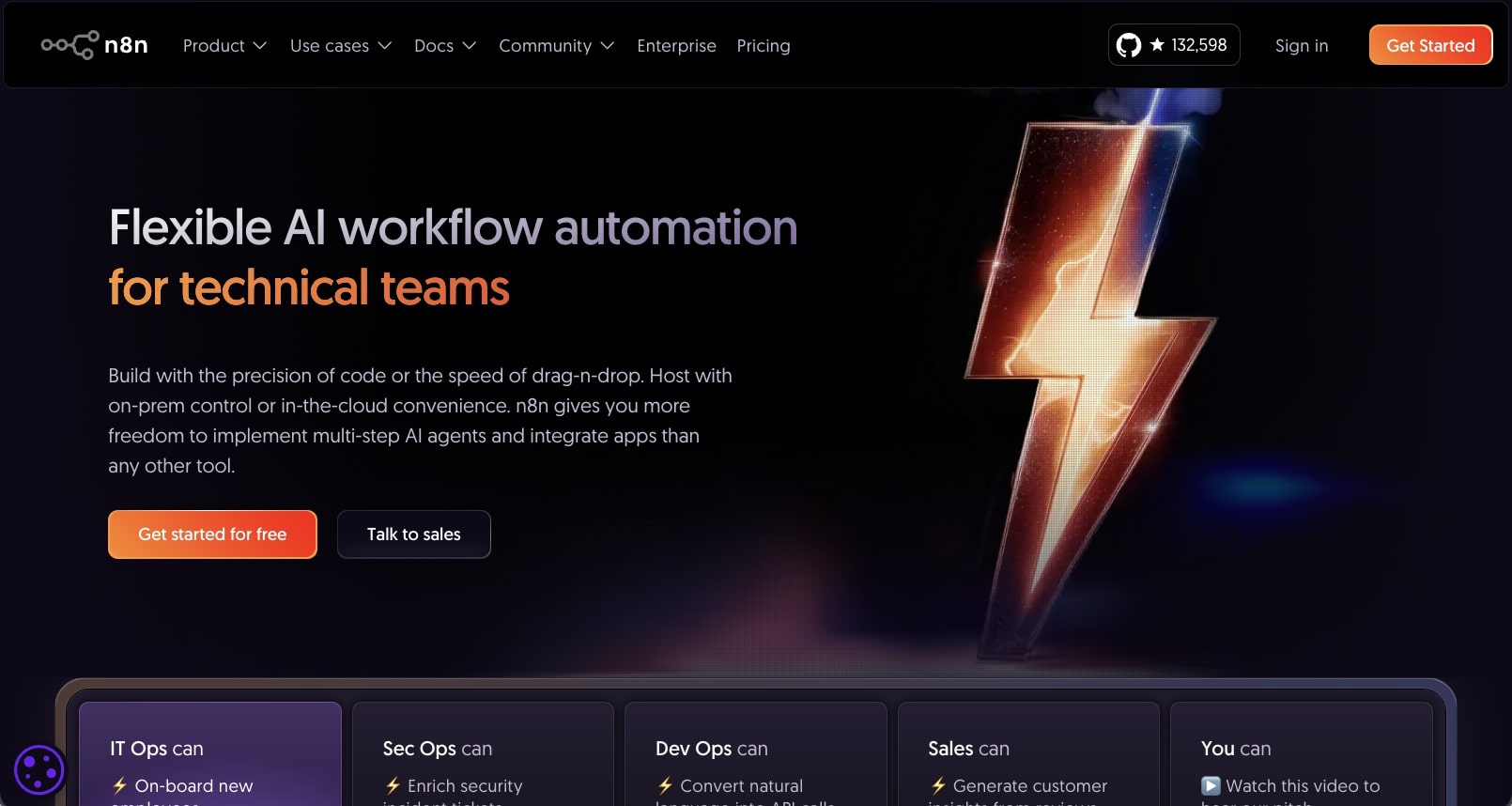
- Best for: Developers and technical teams who want self-hosting options and a hybrid workflow/agent builder
- Pricing: Starts at $24/month
- What I like: Large ecosystem of templates, self-hosting options, and integrates with a wide range of tools and LLMs
n8n is a workflow automation and AI agent building tool built for any task. It's a horizontal platform, meaning you can use it for a wide range of use cases, from sales, IT, marketing, customer service, etc.
The core value of the product is that you can create automated workflows and orchestrate AI agents that have access to apps in your tech stack, along with LLMs to add AI functionality.
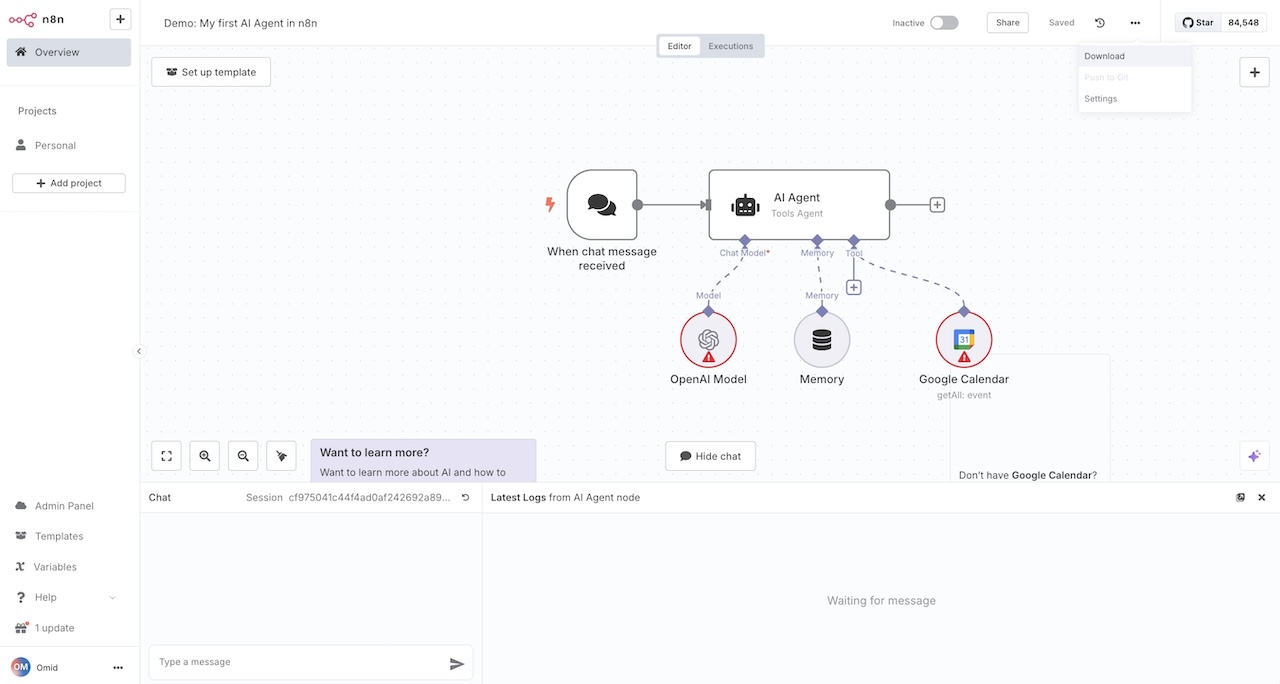
I would say it is more on the low-code side so you do need to be slightly technical if you want to get value out of the tool. There is a learning curve and it's mostly good for developers who would rather prototype in a GUI environment, rather than having to code up a custom solution.
Here are some things I like about n8n:
- Large ecosystem of workflow templates and tutorials on YouTube
- Gives you the ability to self-host workflows and agents
- Integrates with a wide range of tools and LLMs
- Is fairly affordable for what it can do
Here are some things I don't like about n8n:
- LLMs require you to bring your own API keys
- The UI can feel a bit clunky and outdated
- There is a learning curve that can make it harder than some other tools on this list
Overall, n8n is a powerful choice if you want a hybrid of an agent and workflow builder. If you need a full workflow orchestration platform, it's a great choice coming from Flowise. Otherwise (no pun intended), if you just want an easy out-of-the-box agent builder you might want to look for an alternative.
n8n pricing

Here are n8n's pricing plans:
- Starter: $24/month with 2.5k workflow executions, unlimited steps, 1 shared project, and forum support
- Pro: $60/month with 10k workflow executions, 3 shared projects, admin roles, and workflow history
- Business: $800/month with 40k workflow executions, self-hosted, SSO/SAML/LDAP, and version control using Git
- Enterprise: Custom pricing with unlimited shared projects, 200+ concurrent executions, dedicated support with SLA, and self-hosted or n8n-hosted options
If you want to learn more about what each plan has to offer, you can check out the pricing page.
n8n reviews
Here's what customers of n8n rate the platform on third-party review sites:
- G2: 4.8 out of 5 star rating (from +215 user reviews)
- Capterra: 4.6 out of 5 star rating (from +41 user reviews)
3. Relay.app
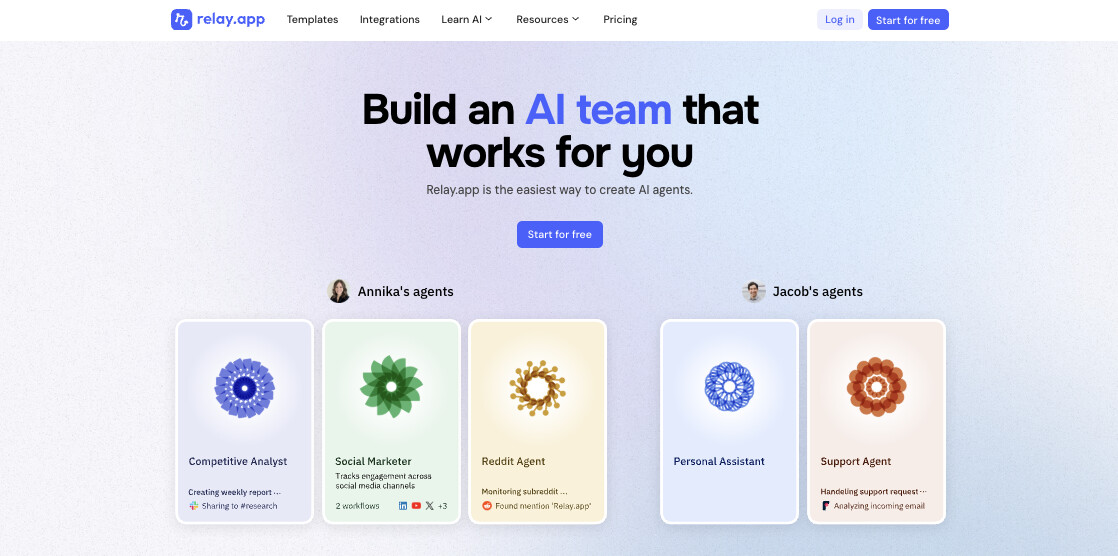
- Best for: Go-to-market and ops teams who want AI-powered automations with built-in human approvals
- Pricing: Free, then starts at $38/month
- What I like: Human-in-the-loop approval steps, clean multiplayer workspace, and AI steps that don't require your own API keys
Relay.app is a no-code automation platform that combines your everyday tools like Gmail, HubSpot, Salesforce, and Notion with AI steps that can summarize, classify, extract, and generate content right inside your workflows.
Coming from Flowise, the experience feels very different. Relay is focused on taking real business processes and turning them into automated workflows where AI handles the repetitive stuff, but you can still step in to approve or review before anything goes out.
For example, you could build a workflow that pulls in new support tickets, uses AI to classify the urgency, and then routes VIP tickets to a manager for approval before responding. The platform also frames its workflows as "Agents" that you can build from a combination of workflows, sequences, tables, and tool connections.
Here are some things I like about Relay.app:
- Human-in-the-loop approvals are built directly into the workflow builder
- AI steps work out of the box with ChatGPT, Claude, and Gemini without needing to bring your own API keys
- The multiplayer workspace makes it easy for teams to collaborate on and share workflows
- Has solid integrations with GTM tools like HubSpot, Salesforce, Front, and Linear
Here are some things I don't like about Relay.app:
- If you need low-level LLM control like custom chains or vector stores, this probably isn't the tool for you
- It's more tailored toward business ops workflows, so it may not be ideal if you're building developer-facing AI tools
- Feels more like a tool for solo hobbyist rather than large enterprise teams
Overall, Relay.app is a solid Flowise alternative if you need deep integrations with CRMs and support tools. It’s a really simple and easy to use platform.
So if you’re a beginner just starting out with AI automation, this is a good starting platform. But if you need more flexibility with orchestrating AI agents as you grow, I'd recommend looking at some more powerful alternatives.
Relay.app pricing
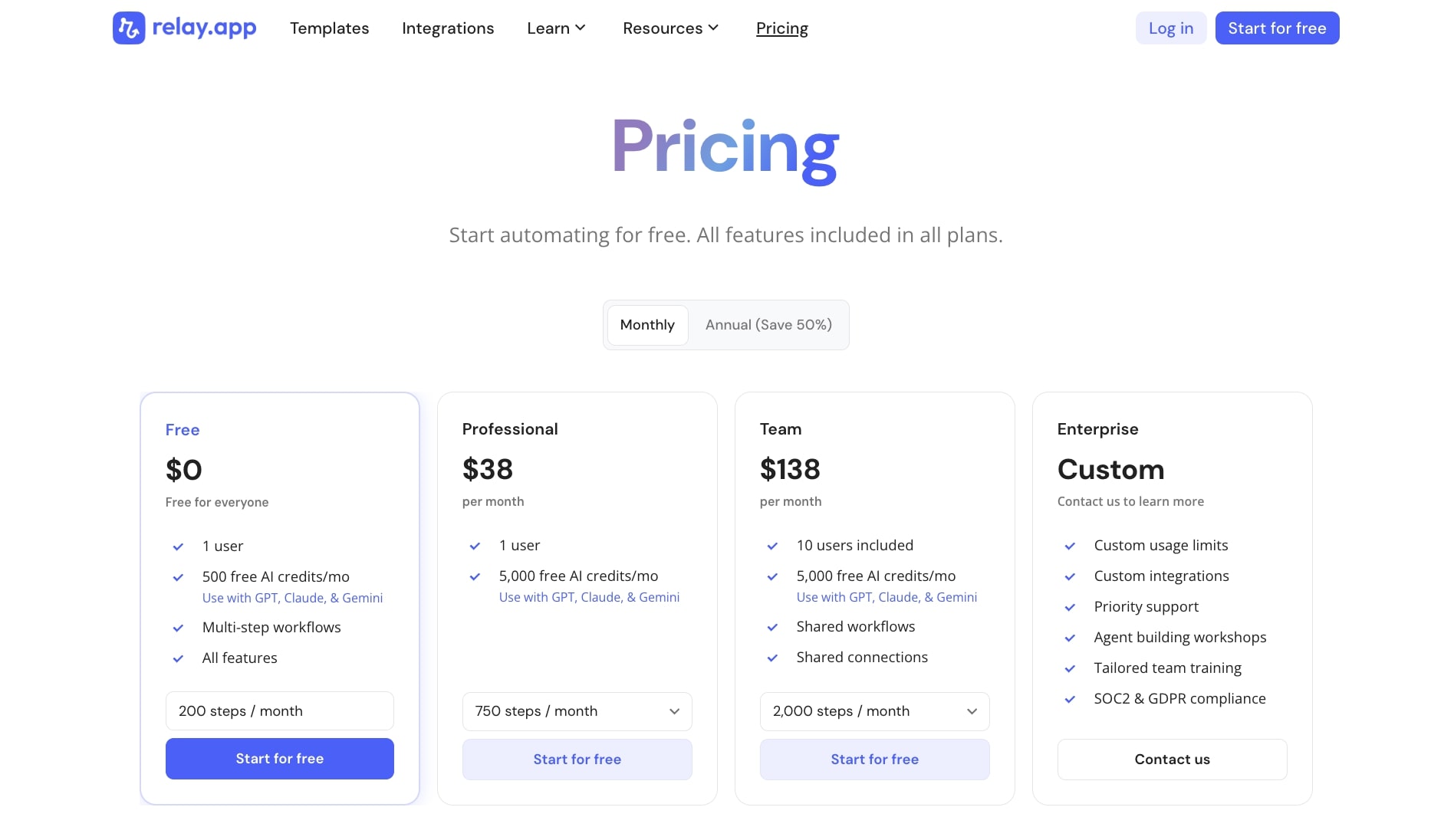
Here are Relay.app's pricing plans:
- Free: $0/month for 1 user with 500 free AI credits per month and multi-step workflows
- Professional: $38/month for 1 user with 5,000 free AI credits, 750 steps per month, and access to GPT, Claude, and Gemini
- Team: $138/month for 10 users with shared workflows, shared connections, and 2,000 steps per month
- Enterprise: Custom pricing with custom usage limits, custom integrations, SOC2 and GDPR compliance, and tailored team training
If you want to learn more about what each plan has to offer, you can check out the pricing page.
Relay.app reviews
Here's what customers of Relay.app rate the platform on third-party review sites:
- G2: 4.9 out of 5 star rating (from +77 user reviews)
- Capterra: 5 out of 5 star rating (from +1 user review)
4. Make
- Best for: Startups and small agencies who need budget-friendly workflow automation with a visual builder
- Pricing: Free, then starts at $10.59/month
- What I like: Massive integration library with 3,000+ apps, affordable pricing tiers, and a powerful visual scenario editor
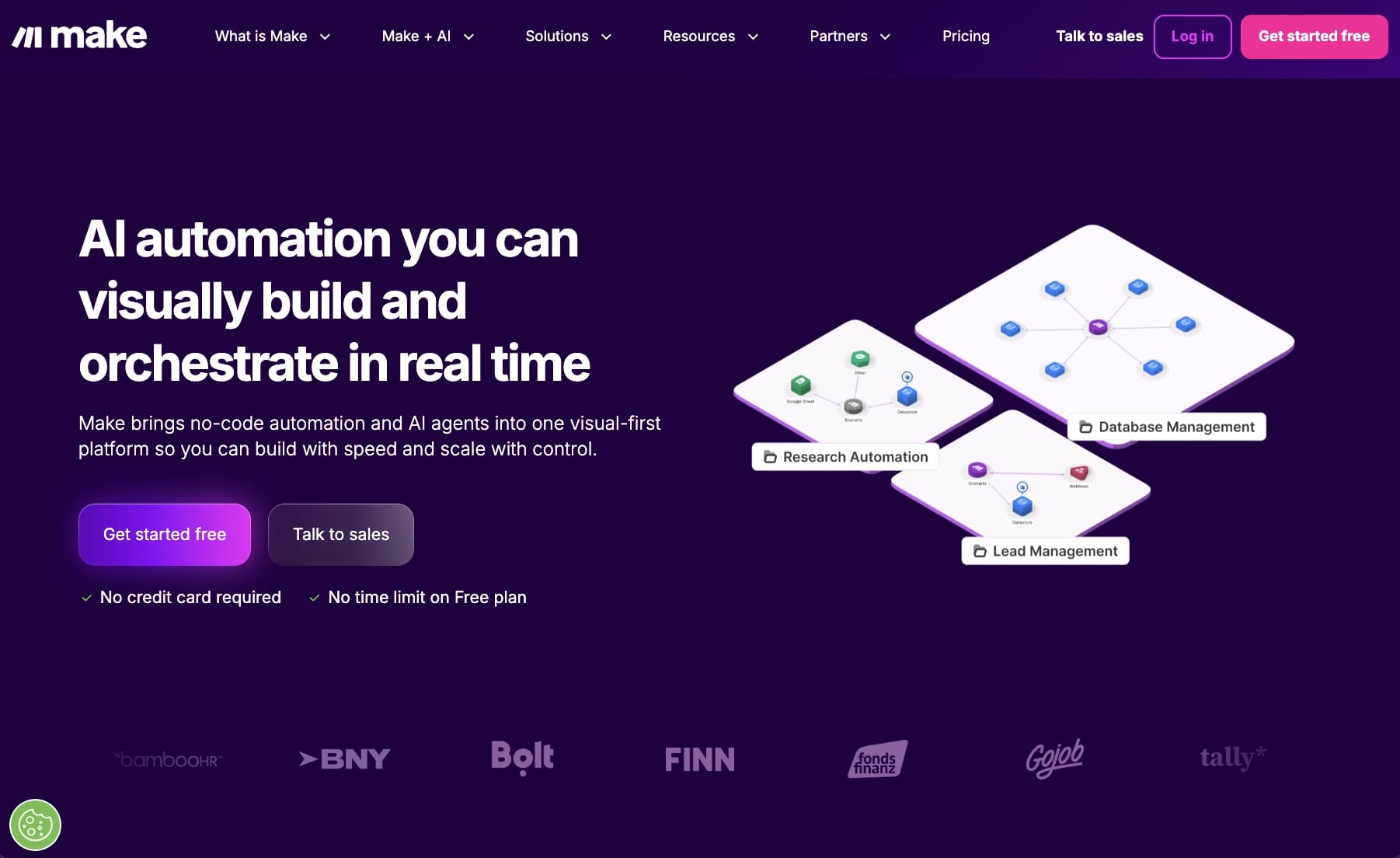
Make (formerly Integromat) is an AI automation platform that is popular with startups and small agencies. It's a traditional no-code tool that gives you a visual canvas to drag on apps and connect them to create automated workflows.
Comparing it to Flowise, Make is more of a workflow automation tool that can plug in AI when you need it, rather than being built around LLMs from the start. So if your main need is connecting a bunch of apps together and adding some AI functionality here and there, Make is a solid option.
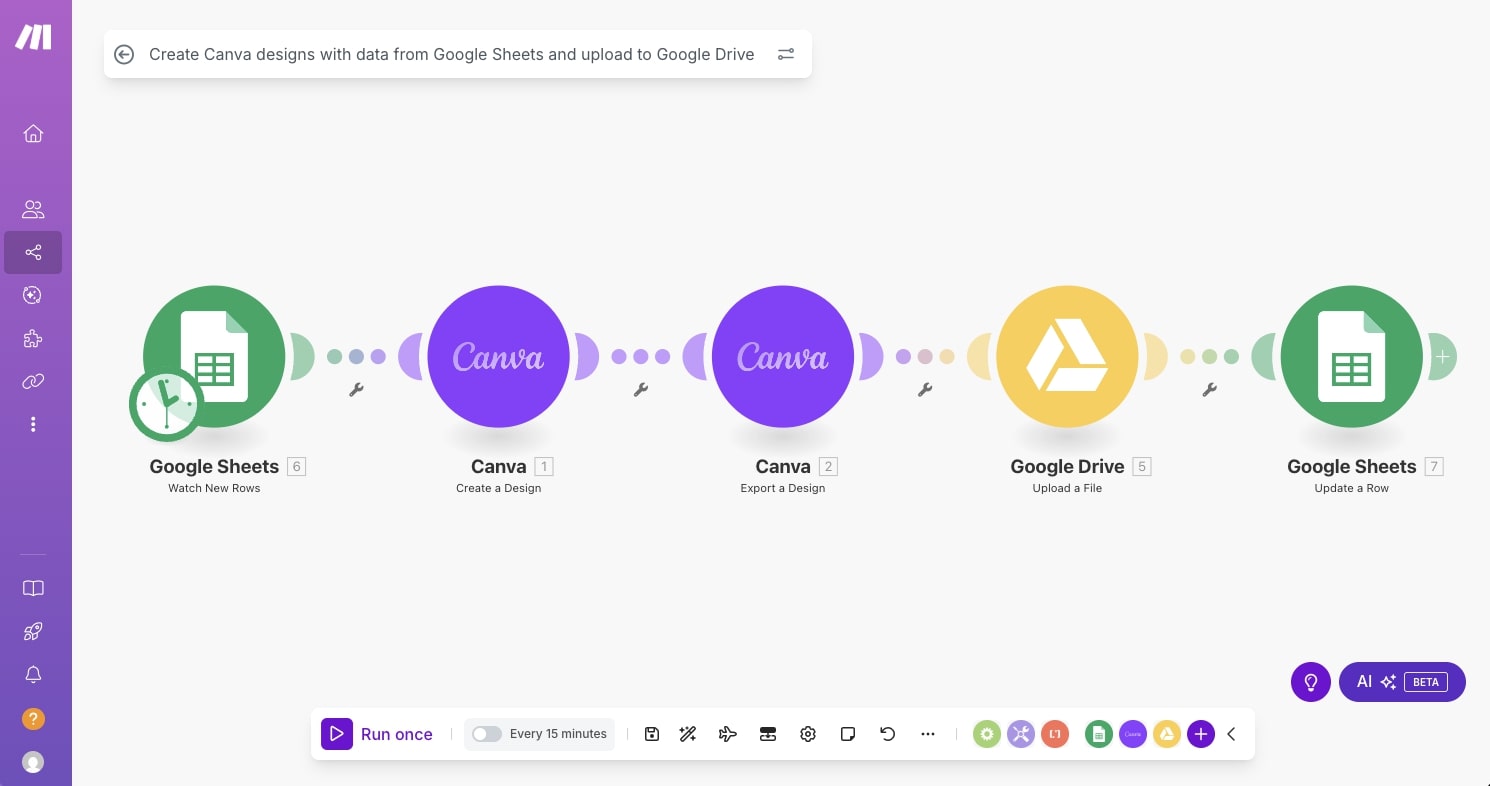
I first started using Make back when it was still called Integromat, and the platform has come a long way since then. They have added AI apps like ChatGPT, an AI assistant called Maia that helps you build scenarios, and even reusable AI agents that you can plug into multiple workflows.
The visual builder is one of the more powerful ones I have used. You get routers for branching logic, iterators for loops, error handlers, and detailed execution logs so you can see exactly what happened at every step.
Here are some things I like about Make:
- Has over 3,000 app integrations plus HTTP modules for connecting to any API
- The pricing is very affordable compared to most tools on this list
- Detailed execution logs make debugging workflows much easier
- AI modules and agents are now built into the platform
Here are some things I don't like about Make:
- The flexibility can make the platform feel overwhelming if you're just getting started
- The UI can feel a bit clunky and outdated
- If you're coming from Flowise and want deep LLM control like prompt graphs or vector stores, Make isn't going to give you that level of flexibility
Overall, Make is a great Flowise alternative if your primary need is workflow automation and you want to sprinkle in AI at certain steps. The pricing is hard to beat, especially for smaller teams. But if you need something more AI-native where LLMs are at the center of every workflow, I'd look at Gumloop or n8n instead.
Make pricing
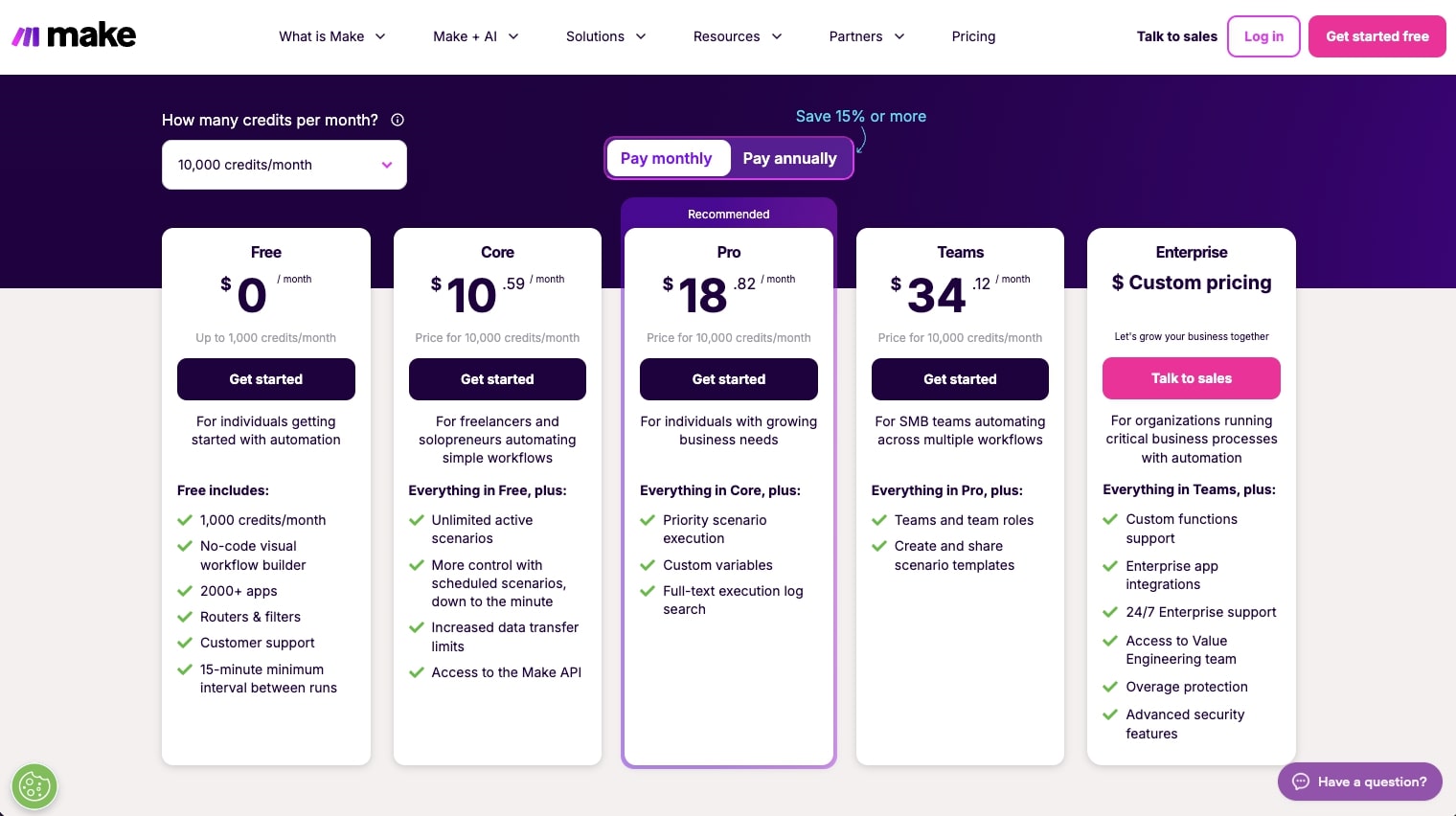
Here are Make's pricing plans:
- Free: $0/month with 1,000 credits per month, no-code visual builder, and 3,000+ app integrations
- Core: $10.59/month for 10k credits with unlimited active scenarios, scheduled runs down to the minute, and access to the Make API
- Pro: $18.82/month for 10k credits with priority scenario execution, custom variables, and full-text execution log search
- Teams: $34.12/month for 10k credits with team roles, shared scenario templates, and everything in Pro
- Enterprise: Custom pricing with 24/7 support, custom functions, enterprise app integrations, and advanced security features
If you want to learn more about what each plan has to offer, you can check out the pricing page.
Make reviews
Here's what customers of Make rate the platform on third-party review sites:
- G2: 4.6 out of 5 star rating (from +269 user reviews)
- Capterra: 4.8 out of 5 star rating (from +406 user reviews)
5. StackAI
- Best for: Enterprise teams in regulated industries like healthcare, finance, and government
- Pricing: Free plan available, then custom enterprise pricing
- What I like: One of the best UIs I have used in this space, plus serious enterprise security certifications (SOC 2, HIPAA, GDPR)
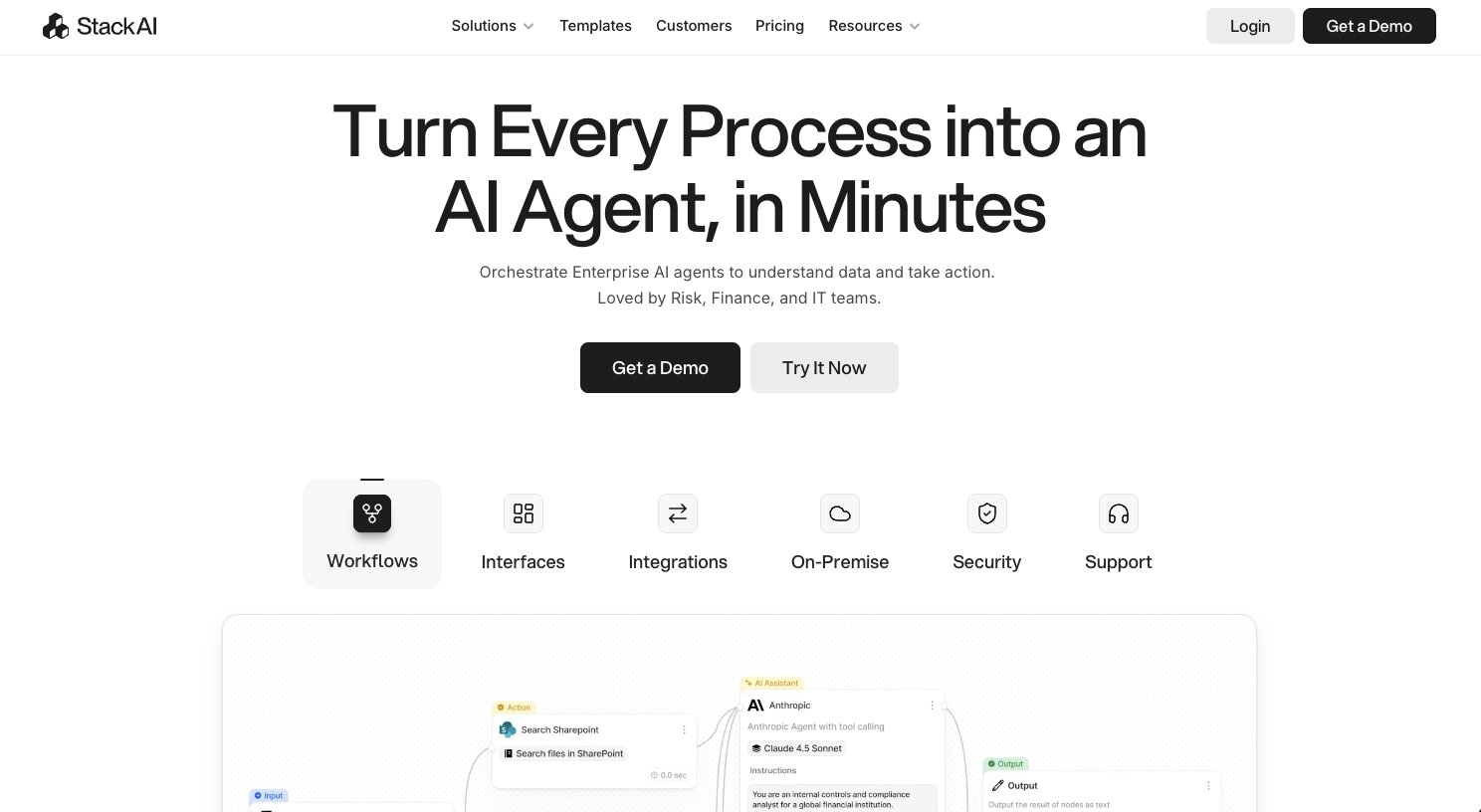
StackAI is an enterprise-level AI agent builder. It’s one of my favorites when it comes to UI/UX. But it is mainly only useful for large companies in highly regulated industries. Think industries like healthcare, government, education, finance, and risk management.
Comparing it to Flowise, the biggest difference is the target audience. Flowise is open-source and built for developers who want to self-host and tinker with LLM flows. StackAI is going after enterprise buyers who need compliance certifications, on-premise deployment options, and dedicated support engineers.
If you're a startup or a solo builder, StackAI is probably not the right fit. But if you're an IT or operations team at a mid-to-large company that needs to deploy AI agents with proper governance, it's worth looking at.
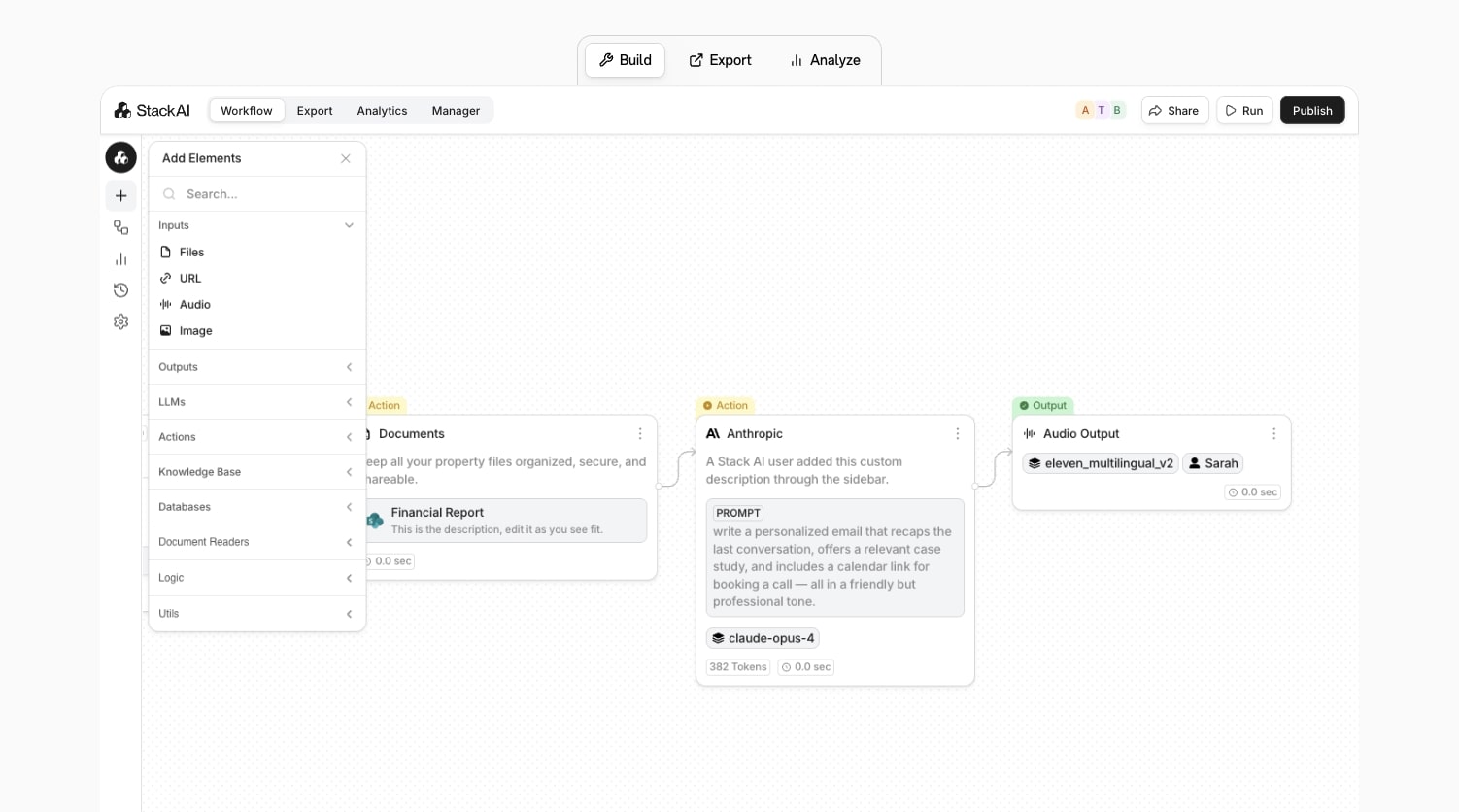
The platform comes with 100+ integrations and supports connecting to enterprise data sources like SharePoint, Confluence, Google Drive, and internal databases. You can deploy your AI agents as chat assistants, forms, APIs, or even plug them into Slack, Teams, Salesforce, and ServiceNow. They also have built-in knowledge bases with versioning, citations, and access controls, which is a big deal for companies working with sensitive data.
Here are some things I like about StackAI:
- One of the cleanest and most intuitive visual workflow builders I have used
- Enterprise-grade security with SOC 2 Type II, HIPAA, GDPR compliance, and ISO 27001 certification
- Multiple deployment options including on-premise and VPC for companies with strict data residency requirements
- You can export AI agents as forms, chatbots, APIs, Slack bots, and more
Here are some things I don't like about StackAI:
- The pricing is enterprise-only with custom quotes, so there is no transparent mid-tier plan for smaller teams
- It's clearly built for large organizations, so startups and solo users will feel like it's overkill
- Some users on G2 mention a learning curve when it comes to more advanced features
- The free plan is very limited at 500 runs per month, 2 projects, and 1 seat
Overall, StackAI is a strong Flowise alternative if you're operating in a regulated industry and need enterprise compliance baked into your AI workflows. The UI is genuinely impressive.
StackAI pricing
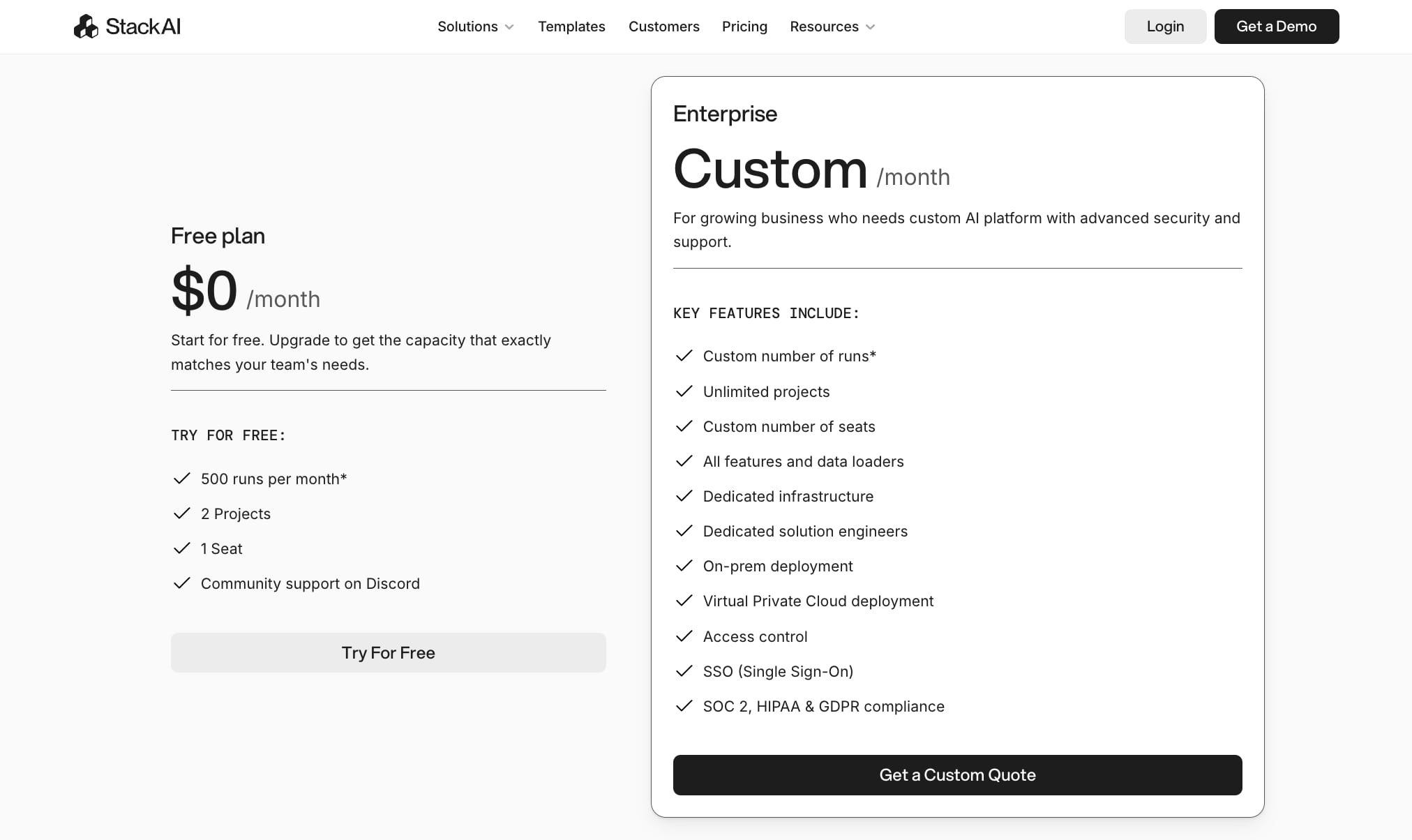
StackAI's pricing is straightforward but limited in options:
- Free: $0/month with 500 runs per month, 2 projects, and 1 seat. Includes community support on Discord.
- Enterprise: Custom pricing with unlimited runs, unlimited projects, custom number of seats, dedicated infrastructure, on-premise and VPC deployment, SSO, access control, and dedicated solution engineers.
There is no self-serve paid plan in between. If you outgrow the free tier, you need to book a demo and get a custom quote. You can check out the pricing page for more details.
StackAI reviews
Here's what customers of StackAI rate the platform on third-party review sites:
- G2: 4.5 out of 5 star rating (from +38 user reviews)
There aren't that many reviews of G2 on third-party websites. If you do serach for a review, my article on Marketer Milk should come up right away.
6. Dust
- Best for: Mid-market and enterprise teams who want AI agents connected to their internal knowledge across departments
- Pricing: Starts at $29/user/month (Pro plan)
- What I like: Deep integrations with company tools like Slack, Notion, and Google Drive, and a strong focus on agents that actually know your internal data
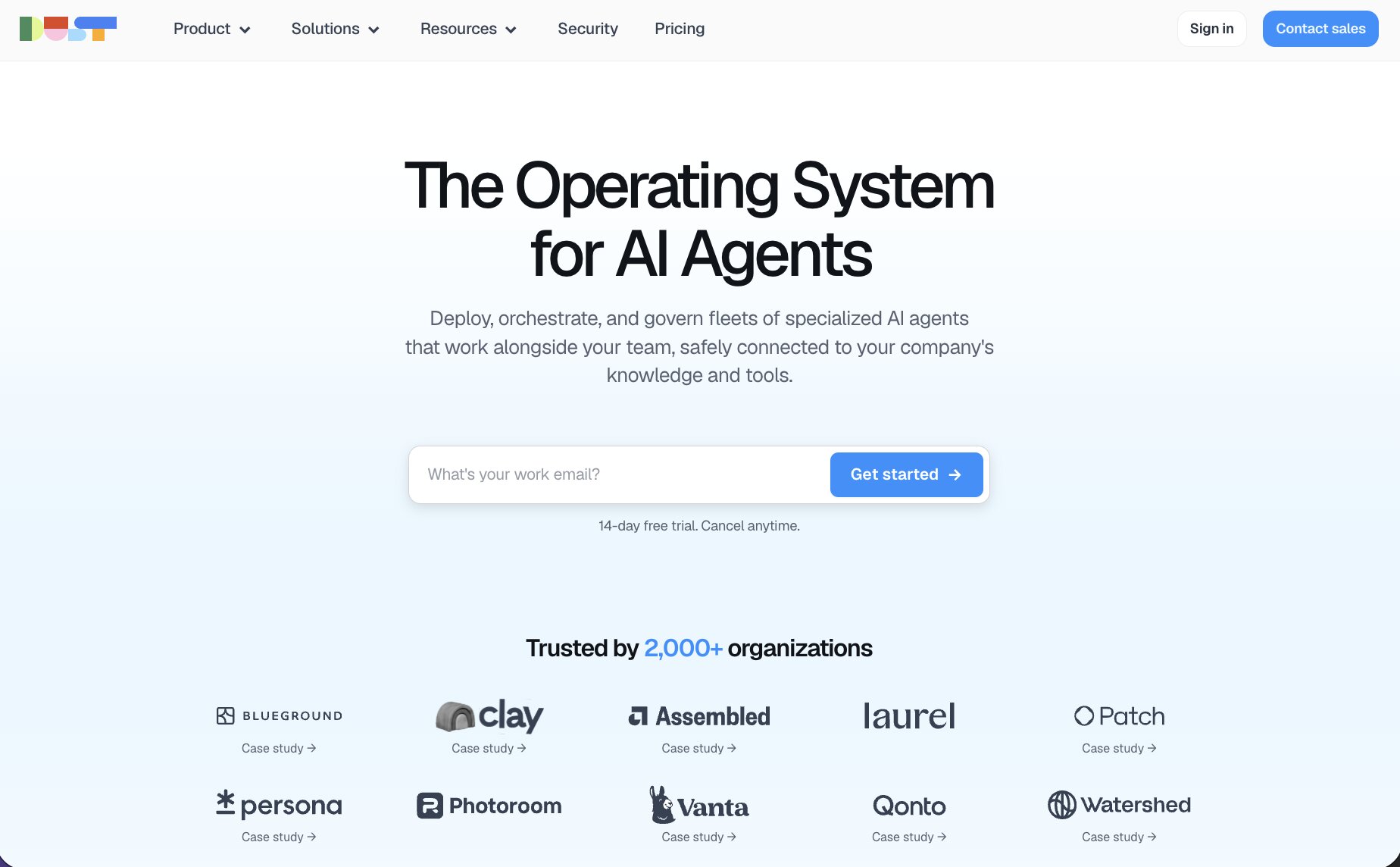
Dust is a platform that lets you plan, deploy, and manage multi AI agents at scale. It’s very similar to Gumloop in that it’s a full AI agent platform where you create agents, connect them to your company's internal data, and deploy them across teams like support, engineering, marketing, and ops.
Comparing it to Flowise, instead of getting a blank canvas to wire up LLM chains node by node, Dust gives you higher-level building blocks. You define what an agent can do, what data it has access to, and what tools it can use, and then it figures out the rest.
I personally think this route is a huge win over trying to figure out how to configure automated workflows. But, if you do like the granular control of something like Flowise, it might feel limiting.
Where Dust really shines is company-context. It connects to Slack, Google Drive, Notion, Confluence, GitHub, Salesforce, HubSpot, and more. So instead, your AI agents are pulling from your actual internal docs, tickets, conversations, and CRM data.
Dust has been used by over 2,000 orgs and they have some decent case studies with companies like Clay, Vanta, and Qonto. The platform also supports MCP integrations, custom webhooks, and a developer API, so if your engineering team wants to extend things or embed agents into your own products, they can do that.
Here are some things I like about Dust:
- Agents are deeply connected to your internal tools and knowledge bases, so responses are grounded in real company data
- Works across multiple departments from one shared platform with spaces, permissions, and admin controls
- Model-agnostic with access to advanced models like GPT, Claude, Gemini, and Mistral
- Strong developer extensibility with MCP tools, webhooks, and a robust API
Here are some things I don't like about Dust:
- Per-seat pricing at $29/user/month can add up quickly if you're rolling it out across a large team
- It's SaaS only. Unlike Flowise, you can't self-host it
- Less tinkerer-friendly. If you like wiring up prompt chains and vector stores at the node level, Dust abstracts a lot of that away
- The Enterprise plan requires 100+ users minimum, so mid-sized teams are stuck on Pro regardless of what features they need
Overall, Dust is the Flowise alternative you pick when you want a centralized AI agent platform for your company rather than a DIY LLM graph tool. If your goal is to deploy AI agents across multiple departments that are all pulling from your internal knowledge, Dust does that really well. But if you're a developer who wants full control over every node and prompt chain, you'll probably want to look into a Dust alternative.
Dust pricing
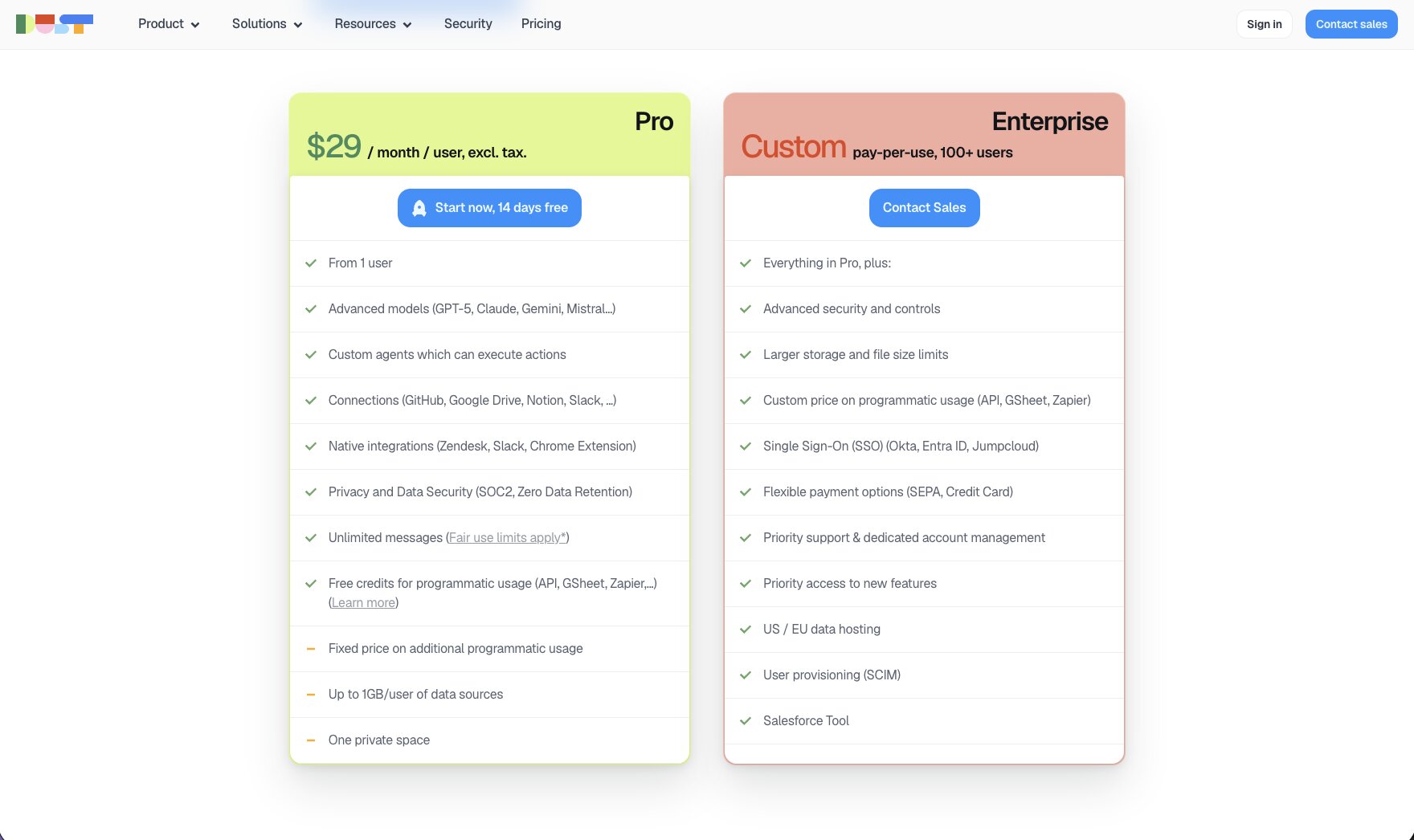
Here are Dust's pricing plans:
- Pro: $29/user/month (excl. tax) starting from 1 user. Includes access to advanced AI models, custom agents, data connections to tools like GitHub, Google Drive, Notion, and Slack, unlimited messages (fair use), and free credits for programmatic API usage.
- Enterprise: Custom pricing for 100+ users. Includes everything in Pro plus SSO, SCIM provisioning, US/EU data hosting, Salesforce integration, and priority support with a dedicated account manager.
You can check out the pricing page for more details.
Dust reviews
Here's what customers of Dust rate the platform on third-party review sites:
- G2: 4.9 out of 5 star rating (from +22 user reviews)
- Capterra: 5 out of 5 star rating (from +1 user review)
7. Zapier
- Best for: Non-technical teams who want to connect 8,000+ apps and automate busywork with lightweight AI on top
- Pricing: Free plan available, then starts at $29.99/month
- What I like: The largest app integration library of any automation tool, battle-tested reliability, and now AI agent capabilities layered on top
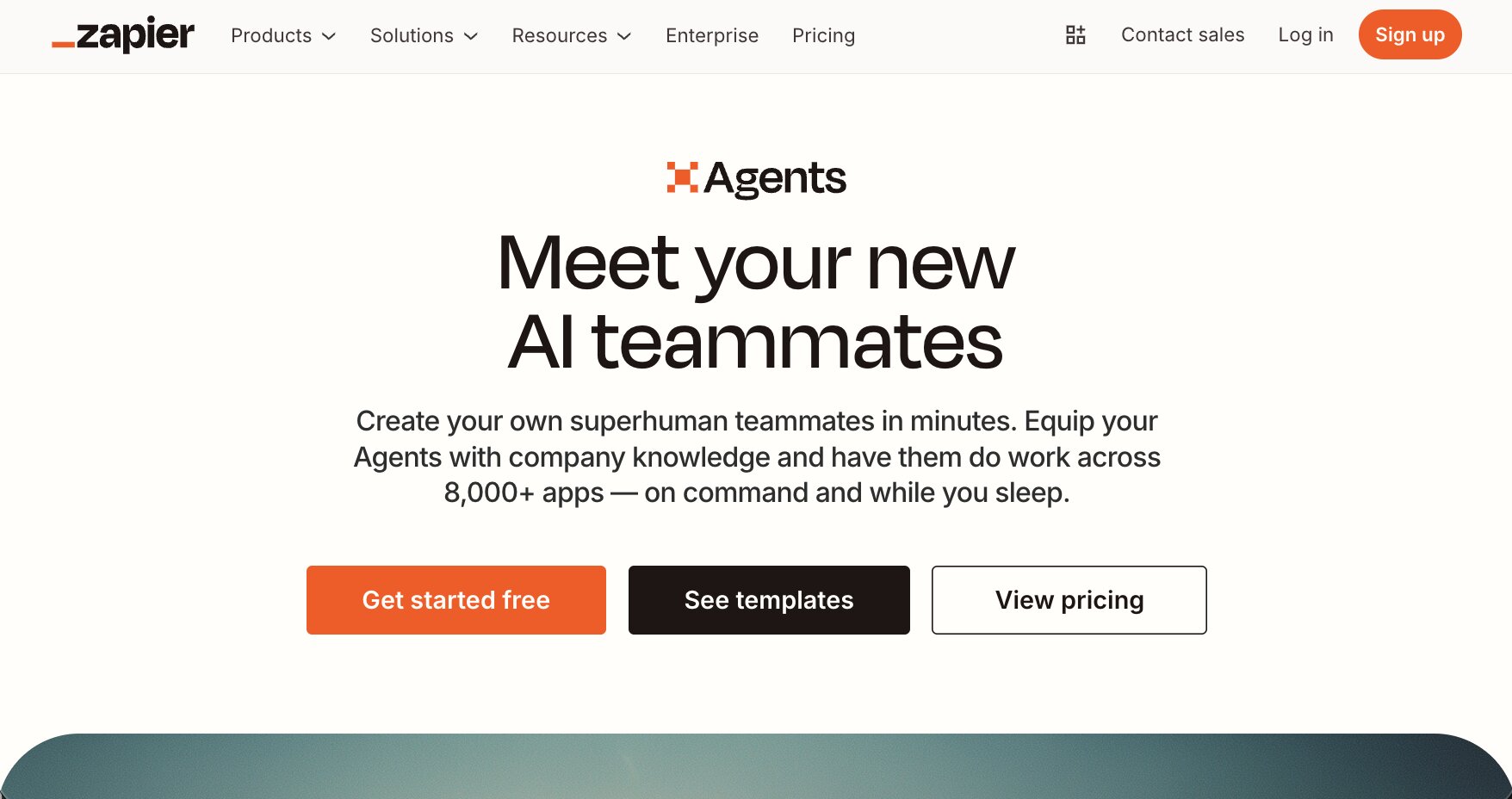
Zapier is a no-code automation platform that has been around for over a decade now. You probably already know about it as it’s one of the most widely used automation tools. However, the rise of AI has caused the Zapier team to step it up. And now the platform lets you build and orchestrate AI agents on top of their existing automation ecosystem.
If you're coming from Flowise, Zapier is a very different kind of tool. Flowise is built for developers who want to design LLM chains, connect vector databases, and get granular with prompt graphs. Zapier is built for people who want to connect their apps together and automate repetitive tasks without writing code. AI is now a part of that, but it sits on top of the core app-to-app automation rather than being the center of the product.
The new Zapier Agents feature is interesting though. It basically lets you create AI-powered teammates that can decide which actions to take across your connected apps. So instead of just rule-based "if this, then that" logic, you can now have an agent that reasons about what to do next based on the context it's given. It's not as deep as what you'd build in Flowise or Gumloop, but for teams that are already using Zapier and want to add some AI capabilities without switching platforms, it's a solid addition.
Where Zapier still dominates is integrations. With 8,000+ app connections, it literally works with any tool you’re already using. And because the platform has been around since 2011, millions of businesses run mission-critical workflows on Zapier every day.
Here are some things I like about Zapier:
- The largest app integration library in the automation space with 8,000+ connections
- Very beginner-friendly with guided templates and no infrastructure to manage
- The new Agents feature adds AI reasoning on top of the existing automation engine
- Tons of community tutorials, templates, and documentation available
Here are some things I don't like about Zapier:
- AI and agent features feel more like an add-on than a core part of the product compared to tools like Gumloop or Flowise
- Limited LLM customization. You don't get access to prompt chains, vector databases, or the kind of granular AI control that Flowise offers
- It's closed-source and SaaS only, so no self-hosting option
- The Agents add-on is priced separately at $50/month on top of your existing plan
Overall, Zapier is the Flowise alternative for teams whose main problem is "these tools don't talk to each other" and who want to sprinkle in some AI where it makes sense. It's not the tool you pick if you want to build sophisticated LLM pipelines or autonomous agent systems from scratch. But if you need reliable automation with the biggest app ecosystem on the market, Zapier is still hard to beat.
Zapier pricing
Zapier has two separate pricing structures: one for the core automation platform and one for the Agents add-on.
Core platform:
- Free: $0/month with 100 tasks per month, two-step Zaps, unlimited Zaps/Tables/Forms, and access to Zapier Copilot (with daily message limits)
- Professional: Starting at $29.99/month with multi-step Zaps, unlimited premium apps, webhooks, AI fields, and email/live chat support
- Team: Starting at $103.50/month for up to 25 users with shared Zaps and folders, shared app connections, SAML SSO, and Premier Support
- Enterprise: Custom pricing with unlimited users, advanced admin controls, VPC peering, annual task limits, and a dedicated Technical Account Manager
Agents add-on:
- Free: $0/month with 400 activities, web browsing, and Chrome Extension access
- Pro: $50/month with 1,500 activities and all Free features
- Enterprise: Coming soon with custom activities, agent sharing, and enterprise audit logs
You can check out the pricing page for more details.
Zapier reviews
Here's what customers of Zapier rate the platform on third-party review sites:
- G2: 4.5 out of 5 star rating (from +1,791 user reviews)
- Capterra: 4.7 out of 5 star rating (from +3,037 user reviews)
What is the best Flowise alternative?
It depends on what you're optimizing for.
If you want the most production-ready AI agent platform with a clean drag-and-drop interface and built-in access to models from OpenAI, Anthropic, Google, and more, Gumloop is my top pick. It's what I personally use, and the user experience is the best I've found for building agentic workflows without writing code.
If you're a developer who wants self-hosting and low-level control, n8n is the closest thing to Flowise in terms of flexibility. If you need enterprise compliance and work in a regulated industry, StackAI is worth a look. And if your main goal is connecting apps together with some AI sprinkled in, Zapier's ecosystem is still goated.
For teams that want AI agents deeply connected to internal company knowledge, Dust does that really well. And if you're just getting started with automation and want something simple with great ease of use, Relay.app is a solid entry point.
At the end of the day, the best tool is the one that fits your workflow, your team, and your budget. I'd recommend picking one or two from this list and actually building something with them.
That's what I did when I set out to build AI agents, and I truly believe it’s the fastest way to figure out what works for you.

Read related articles
Check out more articles on the Gumloop blog.