5 best AI sales agent platforms and examples I'm using

Last month I was in San Francisco and I couldn't help but see all these AI SDR ads plastered everywhere.
It felt a bit dystopian, like we're living in a Black Mirror episode where AI is replacing entire sales teams.
But as I’ve been building AI agents over the past 18 months or so, I’ve come to the realization that AI sales agents are not really replacing anyone.
At least not the good ones.
The best AI sales agents are handling the stuff that sales reps hate doing anyway. Lead research, data entry, CRM updates, follow-up emails, list building. All the repetitive work that eats up your day but doesn't actually close deals.
So in this article, I want to get real with you. I'll go over what an AI sales agent actually is, how to build your own, and the 5 best AI sales agent platforms I've been testing.
Let’s jump in.
What is an AI sales agent?
An AI sales agent is a generative AI–powered assistant that can help you with day-to-day sales tasks like researching prospects, creating lead lists, qualifying leads, follow-up after meetings, and more. Pretty much anything a human sales rep would do.
The idea is to create an AI assistant that can take care of most of the non-creative, repetitive work that comes with sales. This way, you can focus most of your energy on talking to prospects and anything that needs a human touch to close deals.
And the best part is that you don't need to be technical to build one. There are platforms that let you create AI sales agents without writing any code. But before I show you the tools that can do it for you, I think it’s important to know how this technology works.
So let’s quickly go over how to think about AI agents and how you build them.
How to build your own AI sales agent
To build your own AI sales agent, you need three things: an AI model, access to data, and instructions.
1. An AI model
This is usually a large language model (LLM) like ChatGPT, Claude, or Gemini. The model you choose matters because each one has different strengths.
Some are better at writing, some are better at reasoning through complex tasks, and some are faster and cheaper for high-volume work. But at the end of the day, the model is the brain of your agent. It's what does the thinking.
2. Access to data and tools
The AI needs context to work with. This can be your CRM, LinkedIn profiles, websites to scrape, lead databases (like Apollo or some other API), really anything that gives good context the agent can use.
This is also your tech stack. So app integrations, Gmail, calendar, spreadsheets, etc. The more relevant data your agent has access to, the better its output will be.
Good inputs = good outputs. Garbage in = garbage out.
3. Instructions (skills)
This is the skill you want your AI sales agent to have. You can create a general sales AI agent, but it's much better to create multiple sub-agents for sales, each one being really good at one particular task.
For example:
- One can be exceptional at crafting personalized email drafts for outbound campaigns
- One can be really good at enriching existing lead data (maybe it came from inbound)
- One can be really good at web scraping for researching leads, that can also help the enrichment sub-agent do better
- One can be really good at finding prospects on LinkedIn and getting their contact info
Whatever it is, you want to give each agent its own skill. You can create this as a markdown skill file using ChatGPT or Claude. Just describe the exact characteristics, the workflow, nuances, tradeoffs, etc. Only a true expert can do this really well, but you can also ask the LLM to interview you with questions to help you build out a really good skill.
Putting it all together
So you have three parts that make the agent: access to data and tools + instructions (skill) + an LLM model. Once those are in place, you can ask the agent (through prompts) to do whatever is in its skill wheelhouse. This is the essence of all AI agents.
From there, it's about choosing the right platform to build it on. Some platforms handle everything for you, some specialize in one area of sales, and some give you full flexibility to build exactly what you need.
That's what we'll go over next.
5 best AI sales agent platforms and tools in 2026
Here are the top AI sales agent tools:
Alright, let’s take a look at each one.
1. Gumloop
- Best for: Building custom AI sales agents and workflows across your entire tech stack
- Pricing: Free plan available, then $37/month
- What I like: Combines AI agents and traditional workflows in one platform, built-in web scraper, works with any MCP server
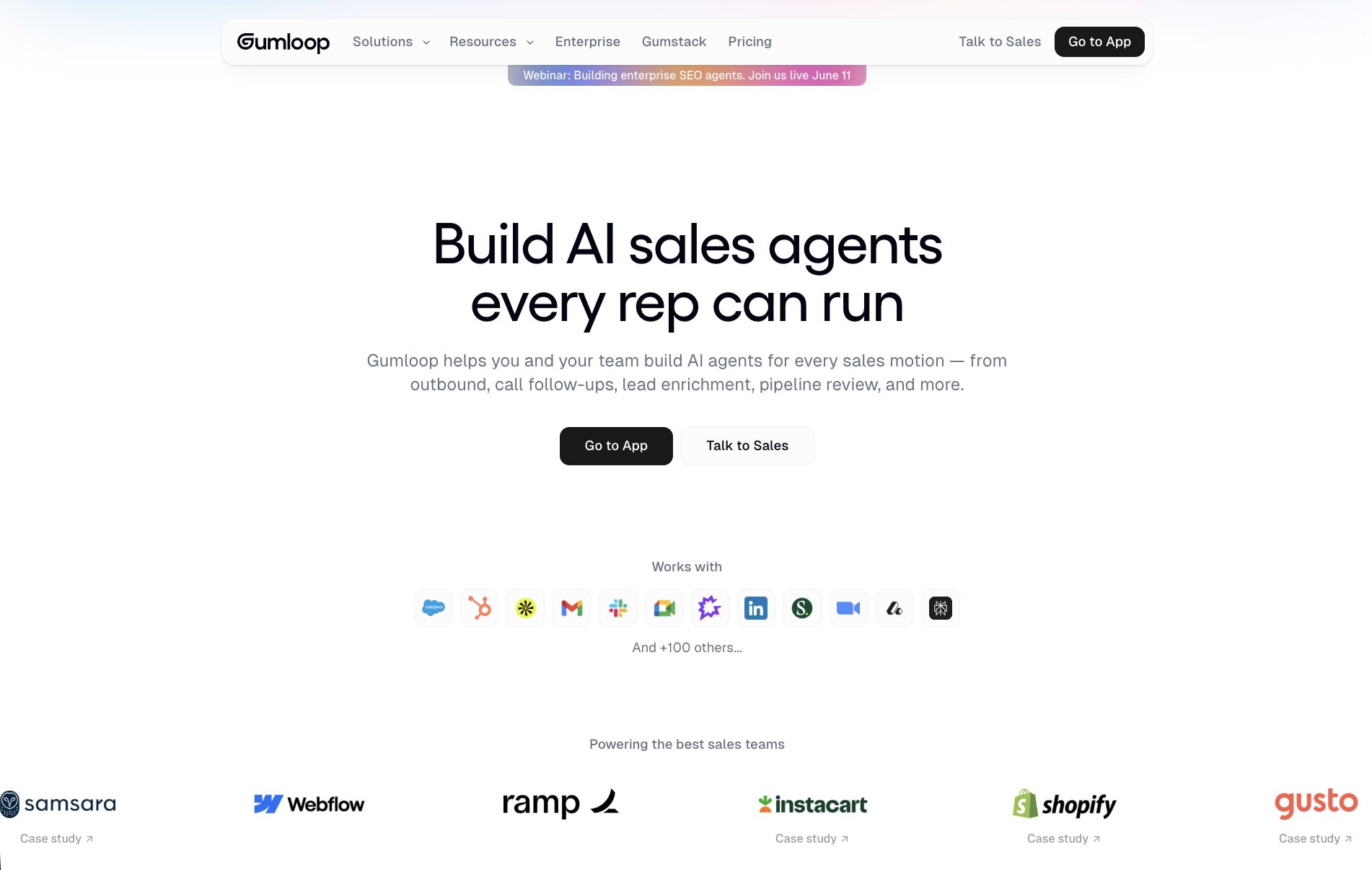
Gumloop is a no-code AI agent platform that lets anyone build AI workflows and agents to handle sales tasks like lead routing, enrichment, outreach, and CRM work across a wide range of tools like Gmail, HubSpot, Apollo, Slack, calendars, and more.
You can choose from a wide range of AI sales templates like the "HubSpot Sales Automation AI / CRM Agent," which behaves like an AI assistant for AEs and BDRs, managing deals, emails, research, scheduling, and pipeline reviews via natural language.
Or, you can build your own agent to take on any task you need it to. With Gummie, the built-in AI assistant, you can ask it to help you with any part of your sales process. It will then build out automated workflows based on the best solution for any sales-related task.
- When to choose Gumloop: If you want full control over your AI sales workflows and the flexibility to combine AI agents with step-by-step automations across your existing tools.
How Gumloop works for sales
Gumloop is a very powerful and flexible tool, and it's used by sales teams at companies like Shopify, Instacart, and Webflow.
But because of this flexibility, it can be a bit confusing at first. All you need to start with knowing is that Gumloop has two core parts to its product suite: Agents and Flows.
Agents are AI chatbot assistants that can run and complete any task you give them. All you do is give the agent a set of instructions (like skills), select any premium LLM model you want it to run on, and connect any existing tools and data sources (like Apollo, your CRM, documents, sales scripts, email, calendars, etc.).
The agent is all about connecting your tech stack, selecting an AI model, and setting instructions on how the AI agent should behave. Then, you simply chat with it and ask it for anything, like a sidekick or AI coworker. You can also connect it to Slack so you don't even have to be in Gumloop to interact with it. It can automatically run tasks across your tools in real-time.
The other part of Gumloop is Flows. These are traditional AI workflows that you create and are designed to be run with strict guardrails in place. Think of these as linear, step-by-step automations where you drag tools onto a canvas and define the exact sequence of actions.
This can be something like "when a new lead is created, enrich it, score it, send an email, then update the CRM." Flows are perfect when you want predictable, repeatable processes, while Agents are better for more open-ended, conversational tasks.
Gumloop pricing

Here are Gumloop's pricing plans:
- Free: $0/month with 2K credits, 1 seat, 1 active trigger, 2 concurrent runs, Gummie agent, forum support, and unlimited nodes and flows
- Solo: $37/month with 10K+ credits, everything in Free plus unlimited triggers, 4 concurrent runs, webhooks, email support, and the ability to bring your own API key
- Team: $244/month with 60K+ credits, everything in Solo plus 10 seats, 5 concurrent runs, unlimited workspaces, unified billing, dedicated Slack support, and team usage analytics
- Enterprise: Custom pricing with everything in Team plus role-based access control, SCIM/SAML support, admin dashboard, audit logs, custom data retention rules, security reports, data exports, incognito mode, AI model access control, virtual private cloud, and flow queuing
You can learn more about each pricing plan here.
Gumloop pros and cons
Here are the pros of Gumloop:
- Has built-in integrations with sales tools and any MCP server
- Has a wide range of sales agent and workflow templates
- Customizable and flexible for any use case
- Has a built-in AI web scraper that can access LinkedIn or any website to pull data sources
- Built for anyone, beginner or expert, small startup or large enterprise
Here are the cons of Gumloop:
- It's general purpose, and is best leveraged if you already have a manual sales process you want to automate
- The best value comes from already having existing tools like a CRM or data sources (like Apollo)
Overall, Gumloop is great if you want to create real AI agents that can run tasks on your behalf. It's also great if you still want to leverage traditional AI workflows, and give your agents access to those as well (I have yet to see another tool that does it).
But it is a flexible AI automation framework, so it's best used when you have a solid manual workflow in place and you have access to existing customer data that can help you enrich the functionality of your AI sales agent.
Because of its customization, large companies like Webflow and Shopify like to use it. But for smaller companies, if you want a more plug-and-play solution designed for very specific sales processes, it's worth looking at some other tools on this list.
Gumloop reviews and ratings
Here's what others say about Gumloop on third-party review sites:
- Product Hunt: 5/5 star rating (from 6+ reviews)
- There's an AI for that: 5/5 star rating (from 1+ review)
2. Clay
- Best for: Lead enrichment and outbound sales automation
- Pricing: Free plan available, then starts at $149/month
- What I like: Waterfall enrichment across 150+ data sources, purpose-built for GTM teams
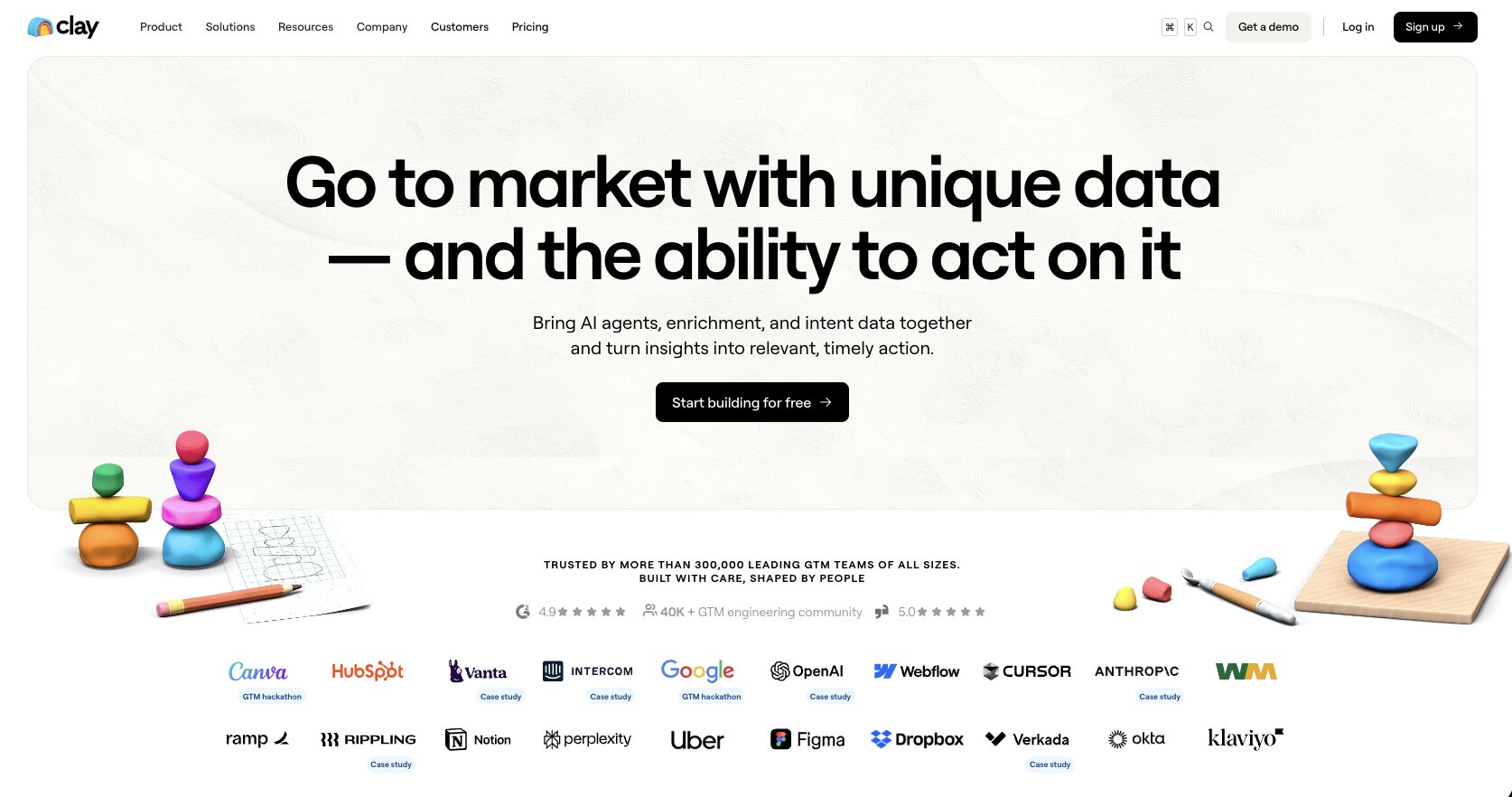
Clay is a data enrichment platform built for sales and GTM (go to market) teams building outbound marketing campaigns. The whole notion behind Clay is that it gives you a database to orchestrate finding prospects, enriching leads, and launching campaigns.
It's purpose built for creating workflows sales teams can use to book meetings and close more deals. And now, they have a Claygent feature (a sales AI agent) that can help automate lead research, enrichment, and personalized outreach. This makes it very similar to Gumloop when it comes to completely automating the workflow end-to-end.
- When to choose Clay: If you're running outbound campaigns and need deep lead enrichment across 150+ data sources before your reps reach out, Clay is built exactly for that.
How Clay works for sales
In Clay, you go through a typical workflow of how you would approach creating an outbound strategy. This means you go through steps like:
- Building outreach lists: These are lead lists where you define the ICP requirements using the data in Clay
- Qualifying and enriching lists: This is where you take your lead list and run a "waterfall" enrichment process to find contact information and pull signals to make note of high quality prospects
- Research and personalization: This is where the AI sales agent takes a lead and runs a full web research process on them. It looks at their website, LinkedIn profile(s), and other sources to inform how it will personalize their messaging
- Outreach and sync: This is where you can then send personalized outreach emails to your prospects. You can do this in Clay or send it to a CRM like Salesforce or HubSpot, which you can then sync back to Clay to keep track of progress
Overall, it's really powerful. And it's no surprise that Clay has grown to be one of the fastest growing companies in the space. I'm also good friends with their head of marketing (we used to work together) so I'm not surprised at all by their growth.
Clay pricing
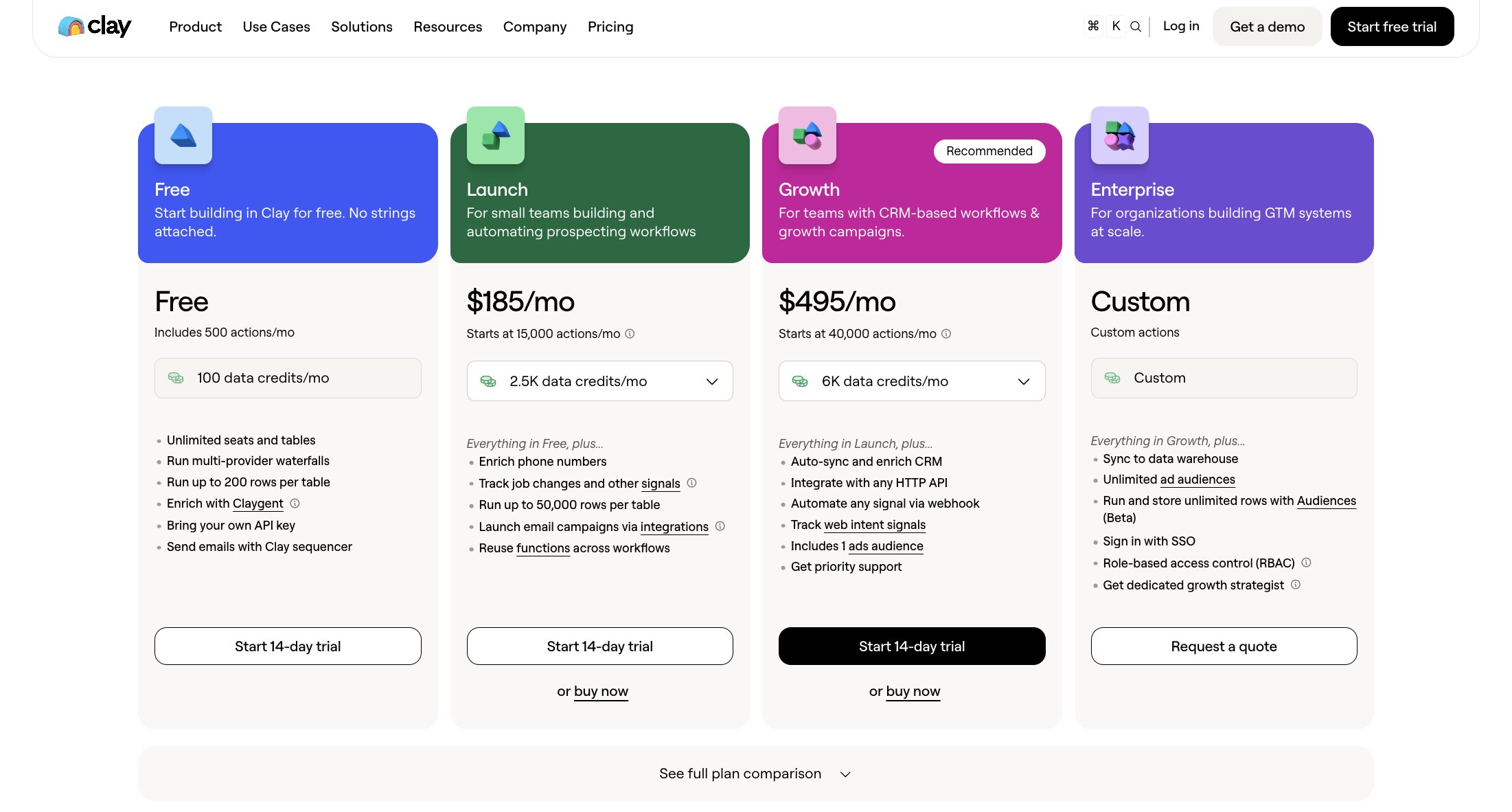
Here are Clay's pricing plans:
- Free: $0/month with unlimited users, up to 500 actions/mo, AI/Claygent access, and 100+ integration providers
- Launch: $185/month with up to 15,000 actions/mo, phone number enrichments, the ability to use your own API keys, and Signals
- Growth: $495/month with up to 40,000 actions/mo, webhooks, email sequencing integrations, and exclude people/company filters
- Enterprise: Custom pricing for large teams with unlimited rows, 40 action columns per table, dedicated Slack support, SSO, and data engineering via Snowflake
You can learn more about what each plan includes on their pricing page.
Clay pros and cons
Here are the pros of Clay:
- Purpose built for automating manual SDR tasks, while still keeping humans in the loop for quality
- Can integrate with existing CRM solutions
- Has access to 150+ data sources for lead enrichment
- Can integrate with ChatGPT and Claude (they have native plugins in their marketplace)
Here are the cons of Clay:
- Can have a learning curve and feel a bit overwhelming for non-technical users
- Focused more on growth/outbound, and less on inbound or automating day-to-day sales tasks
- Not great as a standalone CRM, you need a proper tech stack in place to get the most benefit from the data in Clay
Overall, Clay is an amazing tool if you're looking to build an outbound sales strategy. If you're aggressive about GTM and need to get good leads in the hands of your sales reps, this is a great platform. But it is technical, and does require some setup time.
And if you're looking for a tool to help with more personal tasks, like email follow-ups or meeting reports, then it might be worth also pairing this up with an alternative.
Clay reviews and ratings
Here's what others say about Clay on third-party review sites:
- G2: 4.8/5 star rating (from +183 user reviews)
- Product Hunt: 4.8/5 star rating (from +39 user reviews)
3. Apollo
- Best for: All-in-one sales platform for outbound and inbound
- Pricing: Free plan available, then starts at $59/month per user
- What I like: Massive contact database, built-in dialer, covers the full sales workflow from prospecting to call summaries
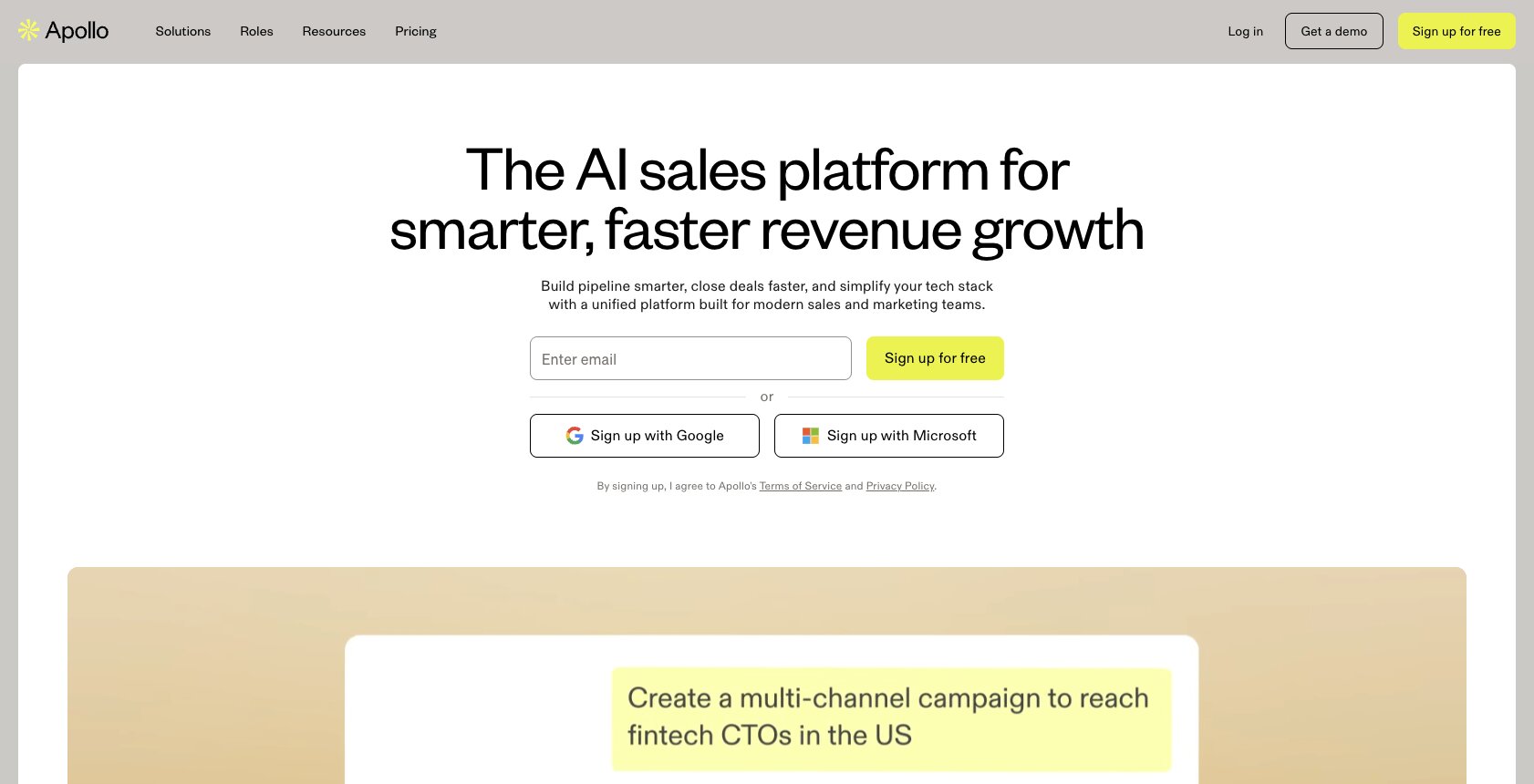
Apollo is an AI sales platform that helps you build prospecting lists for outbound campaigns, capture and qualify inbound leads, and enrich all the data in the process.
Unlike Clay that's focused a lot on outbound, Apollo is designed for both outbound and inbound.
The platform also has a database that adds over 5.3M contacts per month and has over 2M data points for enriching leads. From there, Apollo's AI features can help you with crafting personalized emails, doing research, lead scoring, call summaries, and even analytics engagement.
- When to choose Apollo: If you're a startup or small sales team that wants one platform to handle prospecting, outreach, calling, and pipeline tracking without stitching together multiple tools.
How Apollo works for sales
Apollo works very similarly to Clay in that it is best understood by going through the entire sales team workflow from start to finish. In this case the workflow looks a little bit like this:
- Identify prospects and build your list: This is where you use all the filters within the Apollo database (like company size, tech stack, revenue, job title, etc.) to create a highly targeted list of leads
- Create AI assistant sequences: This is where you can create multi-step sequences that go after prospects using emails or LinkedIn touch points. You can even use the AI to craft personalized subject lines and messages
- Execute taps and calls: This is where you can use Apollo's built-in dialer to make calls directly, and track things like transcript recordings and AI summaries of the call
- Track your performance: This is where you can track open rates and reply rates and look at metrics across your pipeline for all your reps
As you can see, Apollo has really thought through the entire process from not only outbound marketing but also the actual process sales reps go through when setting up meetings and calling prospects.
Apollo pricing
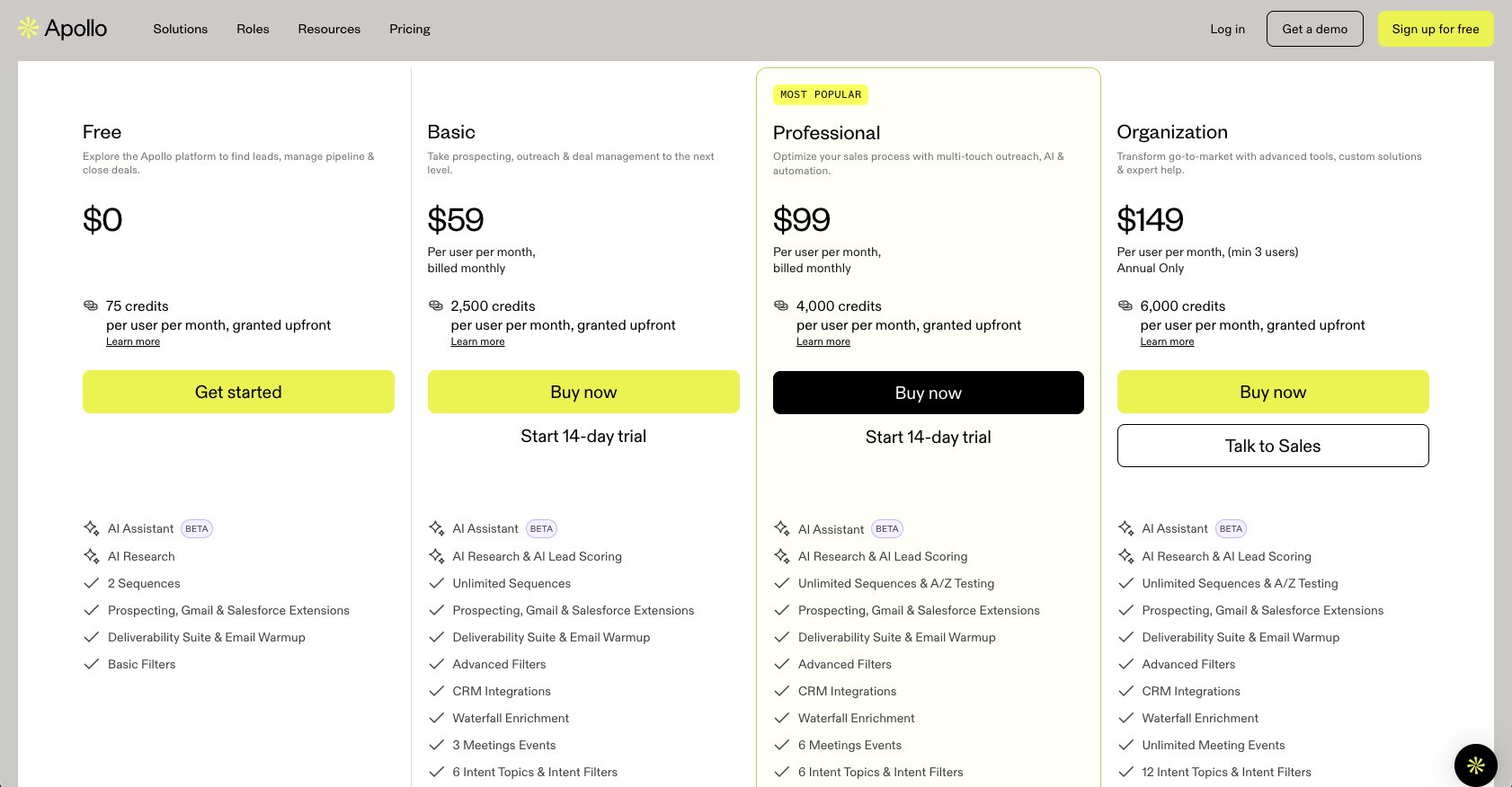
Here are Apollo's pricing plans:
- Free: $0/month with 75 credits per user, AI assistant, AI research, 2 sequences, Gmail and Salesforce extensions, deliverability suite, and basic filters
- Basic: $59/month per user with 2,500 credits, unlimited sequences, advanced filters, CRM integrations, waterfall enrichment, intent topics, and US dialer access
- Professional: $99/month per user with 4,000 credits, A/Z testing, unlimited Gmail and Microsoft mailboxes, automated workflows, call recordings with AI insights (4,000 mins), and analytics with pre-built reports
- Organization: $149/month per user (min 3 users, annual only) with 6,000 credits, unlimited meeting events, 12 intent topics, customizable reports and dashboards, SSO, the ability to use your own LLM API key, and 8,000 mins of call recordings
You can learn more about what each plan includes on their pricing page.
Apollo pros and cons
Here are the pros of Apollo:
- Built for the day-to-day operations of sales reps, can do everything from building lead lists to executing on calls and generating meeting summaries
- Has a huge database that can be used for both outbound campaigns and enriching inbound leads
- Priced extremely well for the amount of functionality you get
Here are the cons of Apollo:
- Historically Apollo's downside has been that its data quality can be inconsistent, but this has improved a lot over the years
- There's no deep specialization on any one area of sales
- Can be a bit overwhelming for first-time users in that it bundles so many different tools and workflows into one product
Overall, Apollo is an insanely powerful tool and it's great for startups and small sales teams looking for an AI powered solution to help them manage everything.
Apollo reviews and ratings
Here's what others say about Apollo on third-party review sites:
- G2: 4.7/5 star rating (from +9,400 user reviews)
- Capterra: 4.5/5 star rating (from +383 user reviews)
4. Ava by Artisan
- Best for: Fully autonomous AI SDR that handles outbound end-to-end
- Pricing: Contact sales for pricing
- What I like: Hands-off approach to outbound, 300M+ contact database, strong personalization pipeline
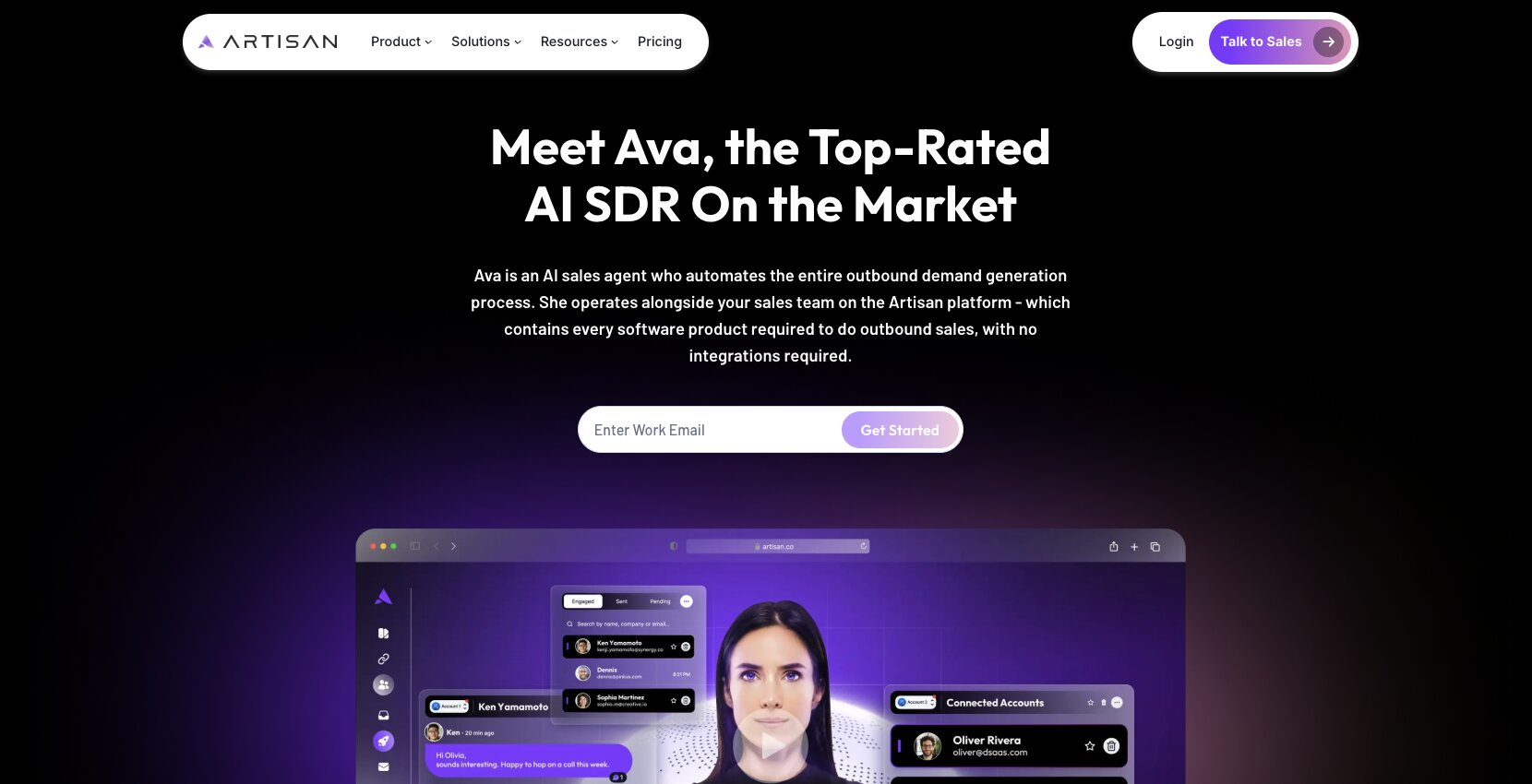
Ava is an AI sales agent created by Artisan, the AI company that wants to automate your outbound by helping you create AI employees.
If you've walked around the streets of San Francisco, there's a good chance you've seen Artisan's billboards (I know I saw them everywhere). But besides the strong marketing push, Ava is built to act more like an agentic sales employee that can take care of everything for you.
When it comes to having the tools to do things manually, like with Clay, Ava leans more on the other side where it just wants to automate everything for you.
When to choose Ava by Artisan: If you want a hands-off AI SDR that runs outbound campaigns autonomously without you having to build workflows or manage the process manually.
How Ava works for sales
Ava's main goal is to help you find leads, research them, write messages, and run multi-channel campaigns.
It works by you first defining your ICP personas and how you want your messaging to come off. Here you are essentially setting guardrails so Ava can learn from you and act as your AI employee.
Next, Ava does research to find prospects. The AI uses a built-in database of over 300 million contacts, along with external sources from the web, to find leads based off of your ICP criteria.
Once those leads are found, it does personalized outreach and uses information from each person and company around the web to find the best personalized angle in the messaging.
From there, Ava can look at engagement and give you a sentiment analysis on who's replied, who's auto-unsubscribed, and just overall positive or negative responses.
Ava by Artisan pricing
Artisan doesn't publicly list pricing for Ava. You have to contact their sales team to get a quote.
For specific pricing, you'll need to reach out to their sales team directly on their pricing page.
Ava by Artisan pros and cons
Here are the pros of Ava:
- Designed to be an agentic AI that can automate most of the outbound SDR work, running 24/7
- Focuses a lot on personalization by doing research on anyone you're reaching out to and finding the most relevant insights for its message angles
- Great for non-technical users and has a chat interface, so it's less intimidating than some other tools on this list
Here are the cons of Ava:
- It's a newer tool and doesn't have the reputation of having a large ecosystem of integrations and tried-and-true data sources
- Focused mostly on SDR workflows, and doesn't have deep integrations with complex revenue ops or CRMs
- The pricing is not transparent and you have to contact their sales team to get pricing (which seems kinda meta)
Overall, Ava's goal is promising and I do see many of the existing incumbents moving to more agentic solutions. It is an ambitious step towards fully automating the sales process, so I would talk to their sales team to get a better idea if it fits with your brand.
Artisan reviews and ratings
Here's what others say about Ava by Artisan on third-party review sites:
- G2: 3.8/5 star rating (from +19 user reviews)
- Trustpilot: 4.6/5 star rating (from +26 user reviews)
5. Lindy AI
- Best for: Flexible AI agent builder with strong sales workflow templates
- Pricing: Free plan available, then starts at $49.99/month
- What I like: Data agnostic approach, visual canvas builder, 6,000+ integrations on the Pro plan
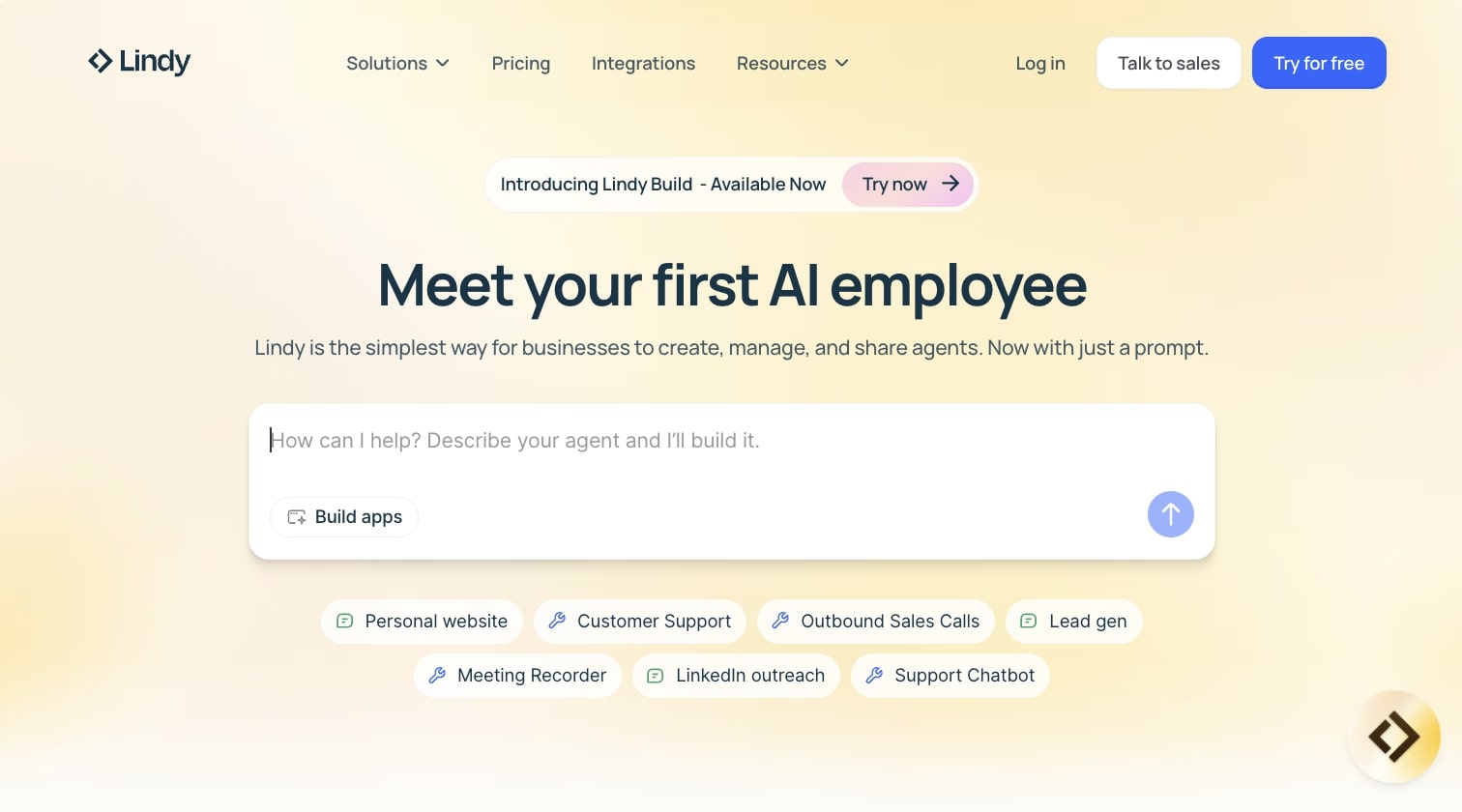
Lindy AI is an AI employee platform that lets you create AI agents for sales related tasks like lead list building, meeting scheduling, sending outreach messages, and automating tasks across your CRM.
It's a no-code/low-code platform similar to Gumloop in that it can be used for a wide range of tasks and use cases. But the product does focus more on sales, and it takes the same approach Artisan takes in its marketing (hire an agent, not a human).
- When to choose Lindy AI: If you want a flexible AI workflow builder where you can pull data from different tools and APIs without being locked into one platform's database or sales methodology.
How Lindy AI works for sales
Lindy AI gives you a visual canvas where you can create your own workflows. You drag apps onto the canvas and connect everything together. You can also leverage LLMs to give your workflows an AI layer.
When you use a tool like Lindy AI, you have to already know what you're trying to automate. Lindy AI does have templates you can start from, but if you want to create custom tailored workflows, you need to build out workflows in a similar fashion you would with a platform like Zapier.
But some things that stand out with Lindy AI as a sales agent is that it has prospecting and lead gen features that integrate with different web scrapers and prospecting APIs to help you build targeted lists.
So if you don't want to be locked into a platform like Clay or Apollo, you can be data agnostic and pull information from different tools and APIs.
Lindy AI pricing

Here are Lindy AI's pricing plans:
- Free: $0/month with 400 credits, up to 40 tasks, 1M character knowledge base, and 100+ integrations
- Pro: $49.99/month with 5,000 credits, up to 1,500 tasks, invite team members ($19.99/seat), 30 phone calls per month, 20M character knowledge base, and 6,000+ integrations
- Business: $199.99/month with 20,000 credits, everything in Pro, 100 phone calls per month, 30+ supported phone call languages, and 50M character knowledge base
- Enterprise: Custom pricing with unlimited credits, everything in Business, personalized AI assistant for emails, meetings, calendar, and action items, priority support, dedicated success manager, and unlimited knowledge base
You can learn more about what each plan includes on their pricing page.
Lindy AI pros and cons
Here are the pros of Lindy AI:
- Covers a wide range of sales workflows across prospecting, outreach, scheduling, and updating your CRM
- Comes with templates so non-technical users can get started right away
- Can integrate with a lot of other tools, so your agent can pull context from your CRM or other platforms
Here are the cons of Lindy AI:
- It's a general purpose AI workflow builder, so it's best for deep specialists who already know what work they want to automate (it won't have the same sales guardrails built in like Clay or Apollo have)
- It's best if you want to use it for more than just sales, as you'll be paying for functionality for a wide range of general tools
Overall, Lindy AI is a solid choice if you're looking for a flexible tool that can serve a wide range of use cases. And it's also great for those that want that customizability in their workflows, without strict guardrails or any pre-existing notion of how a sales workflow should look like.
But if you do want something to be a bit more turnkey when it comes to sales, it might be worth looking into an alternative.
Lindy AI reviews and ratings
Here's what others say about Lindy AI on third-party review sites:
- G2: 4.9/5 star rating (from +170 user reviews)
- Capterra: 3.5/5 star rating (from +2 user reviews)
6 AI sales agents examples you can use
Now that you know the platforms, let's look at what AI sales agents actually look like in practice.
Most sales teams use AI tools to optimize repetitive tasks like lead generation, lead qualification, data analysis, and customer engagement. But the real value comes when you see how these automation tools work in specific scenarios.
These are real use cases you can start building today.
1. Find the perfect customer reference during a deal cycle
When you're deep in a sales cycle and a prospect asks "can I talk to someone like us who's using your product?" you don't want to be scrambling through spreadsheets trying to find the right reference.
An AI sales agent can pull the opportunity details from Salesforce, cross-reference your customer database, and surface the best-fit reference instantly. This kind of data-driven matching can seriously improve your conversion rates because you're connecting prospects with the most relevant proof points. You can try this with the template:
2. Analyze sales calls and surface coaching insights
Instead of manually reviewing hours of call recordings, an AI agent can analyze your Gong transcripts, identify patterns across won and lost deals, spot objections your team keeps running into, and deliver those insights straight to Slack.
This is useful for sales managers who want to coach reps based on real data, not gut feel. When you use AI for sales call analysis, you can improve sales conversions across your entire team because everyone learns what actually works in live conversations. You can try this with the AI Sales Call Analysis Agent template:
3. Automate your entire AE/BDR workflow in Salesforce
This is the "AI sidekick" use case. An agent that can create opportunities, research prospects using Apollo, draft outreach emails, schedule meetings, and manage your pipeline, all through natural conversation.
Instead of switching between six tabs, you just tell the agent what you need. It handles the repetitive tasks so you can focus on building customer relationships and closing deals. You can try this with the Salesforce AI Sales Assistant template on Gumloop:
4. Draft email responses automatically
If you're spending an hour every morning replying to emails, an AI agent can monitor your inbox, analyze each message, and draft a response based on your tone and the context of the conversation. You review and send.
This works well for both sales follow-ups and customer support, where fast response times directly impact customer engagement and conversion rates. You can try this with the Automated Email Draft Responses template on Gumloop:
5. Scrape LinkedIn company pages for prospect research
Before reaching out to a company, you want context. An AI agent can scrape a company's LinkedIn page, pull key data like employee count, industry, recent posts, and company news, and dump it all into a Google Sheet for your team.
This kind of data analysis gives your reps a real edge in lead qualification because they're walking into every conversation already knowing what matters to the prospect. You can try this with the LinkedIn Company Scraper template on Gumloop:
6. Turn LinkedIn post comments into a lead list
If you're posting content on LinkedIn (or watching competitors' posts), the people commenting are often potential leads. An AI agent can scrape those comments, enrich the profiles, and compile them into a structured lead list you can hand off to your sales team.
This is one of the more creative lead generation strategies because you're capturing people who are already engaged with topics relevant to your product. You can try this with the LinkedIn Comment Lead Compiler template on Gumloop:
These are just a few examples. There are a lot more sales templates you can browse on Gumloop's sales templates page.
The point is that AI sales agents aren't some futuristic concept anymore. Whether you want to use AI for forecasting, prospecting, outreach, or just keeping your CRM clean, the tools and templates already exist. It's really just about picking the right use case and getting started.

Read related articles
Check out more articles on the Gumloop blog.