Announcing Skills for Agents

.png)
TLDR; Your agents will start self-improving and documenting how to do specific tasks for themselves.
We've launched skills for Gumloop agents. We’ve found it’s completely changed the way we work with agents internally and makes agents 10x more powerful.
What is a skill?
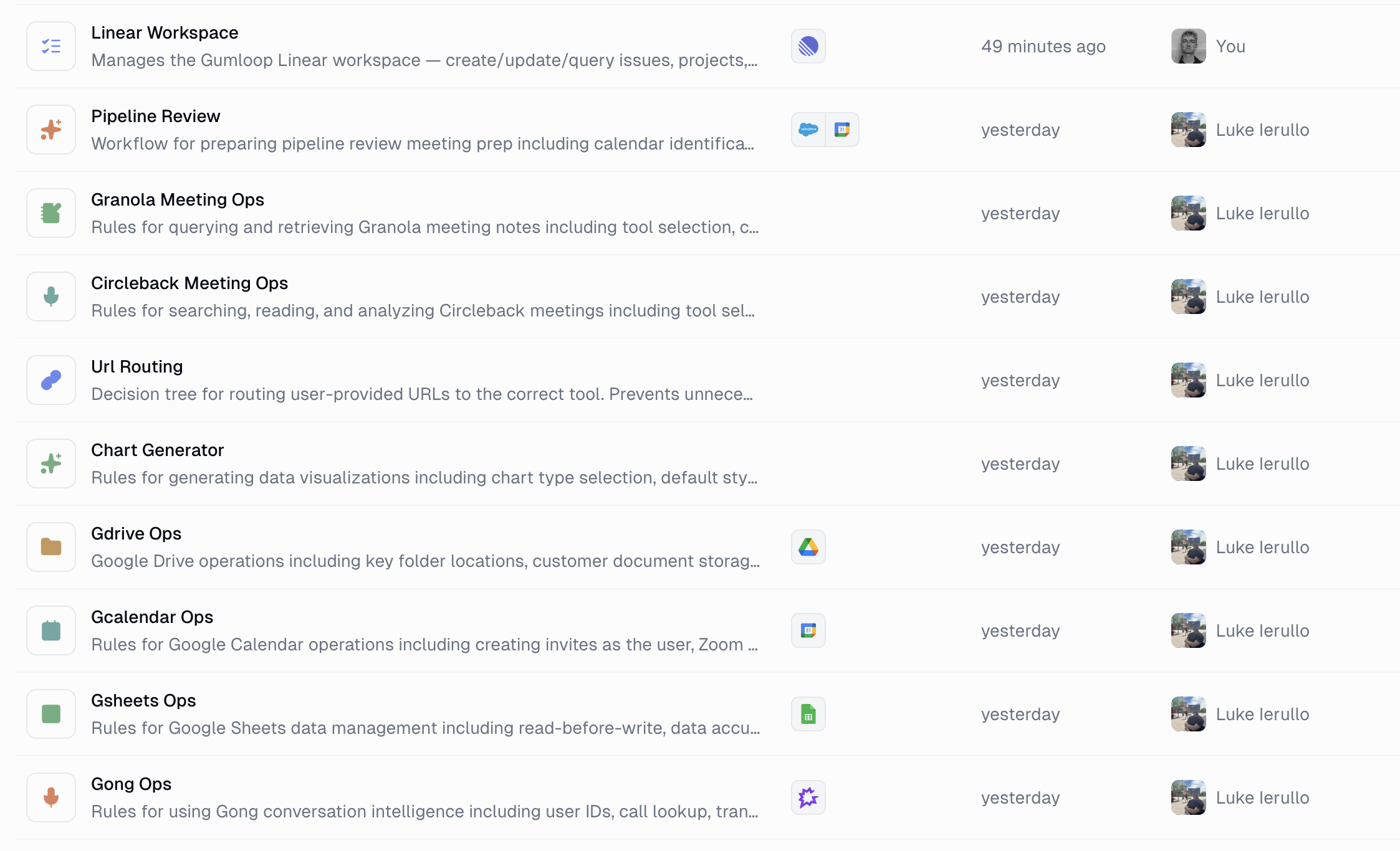
A skill is a folder containing instructions, scripts and resources that your agent can use to perform specialized tasks more effectively. The word “skill” is the most accurate description of what these do for your agents, loading in this folder unlocks a specific skill set.
To provide some concrete examples, if you have a sales agent, it will most likely have a “Salesforce Admin” skill, a “Call Analysis” skill and an “Outbounding” skill.
How do skills work?
Skills allow your agents to have access to extremely detailed information but instead of throwing it all into your agent's context on every prompt, you’re letting the agent explore and pull in context when it needs it.
One key difference between skills and a basic system prompt is that the agent can choose when to pull in context from specific skills into its prompt. If you were to put an entire skill into your agent's context all at once, it would cost you a ton and the agent’s performance would decay since it’s too much information at once.
This progressive disclosure approach with skills allows your agents to be much more efficient from a cost perspective and achieve expert level understanding of tasks without any tradeoffs.
What does a skill consist of?
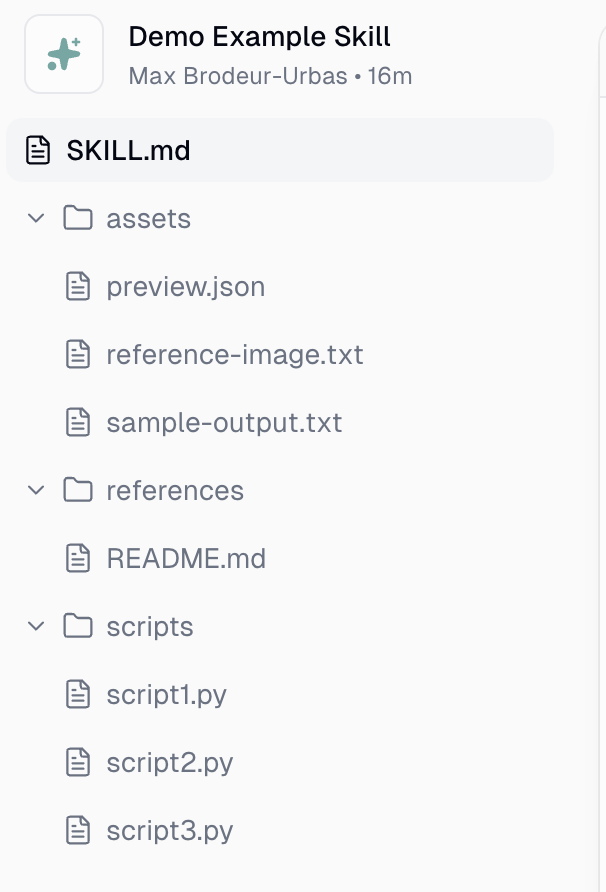
A skill is a single folder that contains everything an agent needs to know about an area of expertise. This folder can contain a lot of different files but each file or subfolder has descriptive metadata associated with it that makes it easy for the agent to understand when and why to use that file.
skill.md
At the very minimum, every skill contains a single markdown file named “skill.md”. People often criticize skills for “just being a markdown file”. Technically they could be right. It can be just a markdown file, but it’s almost always much more than that.
Scripts/
The scripts folder contains executable code for your agent to run. These scripts are basically tools your agent can invoke.
Your agents might realize it’s more efficient to write code to perform complex tasks than to do it via basic tool calls. In these cases, the agent will create a script, it’ll write the metadata to explain when to use the script and will store it in this folder
Gumscripts: One notable difference with scripts on Gumloop is that your scripts can use your connected apps. They can invoke MCP tool calls in the code that securely use your credentials. For example, a single script on Gumloop could fetch data from salesforce, could enrich data with apollo and check Gong transcripts without you needing to manage any authentication complexity.
References/
The references folder contains additional information that the agent can choose to pull in. Reference files are normally very detailed and relevant to specific parts of the task.
For example, if you’re making a skill for PMs to manage Jira/Linear, your agent might create a
- project_structure.md
- team_structure.md -
- labelling_best_practices.md file
Assets/
The assets folder contains extra static resources for your agent to use. These aren’t instructions but items for the agent to make use of like images, diagram examples, data files, template documents etc.
For example if you have a brand skill, your agent might decide to store logos, example slides and various color palettes in the asset folder.
To view the full official open-source spec for skills, visit: https://agentskills.io/specification
Who creates skills
Your agents should! This is one of the most exciting parts. You can use your existing agents to help you craft new skills or edit existing ones.
You can dump in all your relevant context and ask your agent to create a new skill or progressively iterate on a skill alongside your agent by guiding it when it makes mistakes.
What does this mean for your agents?
- Your agents will start self improving: every time they do anything wrong, you can let them know what to improve and the agent will document this learning in the appropriate skill or create a new skill to remember. No more asking the agent to write it’s own system prompt and pasting that back in. Learning in an inherent property of agent now.
- Your agents will get a lot more impressive: You’ll notice your agents will get better at the tasks you care most about. The minor tweaks you never bothered making in your agent’s system prompt will be diligently documented from now on. No details will go unnoticed. Skills give your agents this ability to focus on the details when it matters most which was never possible before.
- Less need for separate agents: A single agent can now do many different things with exceptional accuracy. Previously using raw system prompts, users had to create specialized agents for each area of work. Now that specialization exists within the various skills you load into one agent. There will be less need for separate agents unless you want to explicitly separate concerns.
Tips for how to approach skills
- Ask your agents to convert to using skills: revisit existing agents you rely on and ask them to create skills based on their expertise. They’ll repurpose their system prompts and will explore the relevant connected apps to encode even more knowledge than they had before into skills.
- Share skills: skills make it easier than ever to share your expertise. Use Gumloop to share your skills with others across your team to improve their agents.
- Create skills with best models: When you’re creating a new skill, we’d recommend swapping to the best model you possibly can. If you’re going to write the foundation of the skill once, you might as well pick the best author.
Risks with skills
Since the world has started to agree on this open standard, skill marketplaces have started popping up which comes with a set of risks. Bad actors have begun writing malicious skills that syphon data out of agents.
Several of the most popular skills on public forums have been found to contain subtle malware that instructs the agent to forward sensitive data or keys to external parties.
If you are loading 3rd party skills into Gumloop, ensure you’ve read the entire skill yourself before giving it to your agent.

Read related articles
Check out more articles on the Gumloop blog.